By: Alicia Asher Elizabeth Chavez Integrating Multimedia as a Too l
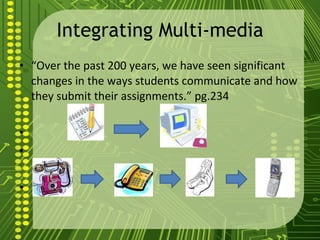
Integrating Multi-media “ Over the past 200 years, we have seen significant changes in the ways students communicate and how they submit their assignments.” pg.234
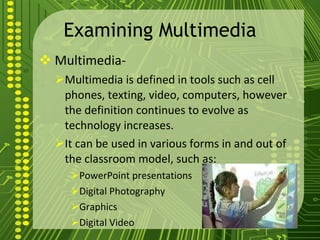
Examining Multimedia Multimedia- Multimedia is defined in tools such as cell phones, texting, video, computers, however the definition continues to evolve as technology increases. It can be used in various forms in and out of the classroom model, such as: PowerPoint presentations Digital Photography Graphics Digital Video
Question #1 How can my students use multi-media for their projects?
Basic Functions Displays Text Inserts Graphics/Pictures Inserts Video/Create Movies Inserts Sound Inserts Hyperlinks (presentations) Animates Objects (presentations)
First Activity Create two columns on a piece of paper and name one side “Paper report” and the other “Multimedia report.” Now list the advantages and disadvantages of using each in your classroom. Discuss.
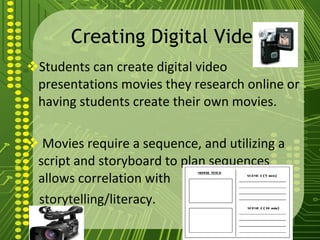
Creating Digital Video Students can create digital video presentations movies they research online or having students create their own movies. Movies require a sequence, and utilizing a script and storyboard to plan sequences allows correlation with storytelling/literacy.
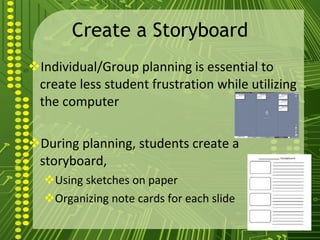
Create a Storyboard Individual/Group planning is essential to create less student frustration while utilizing the computer  During planning, students create a storyboard, Using sketches on paper  Organizing note cards for each slide
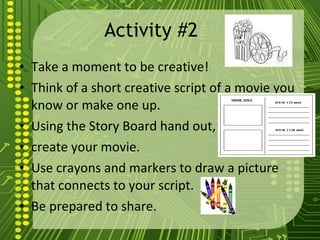
Activity #2  Take a moment to be creative!  Think of a short creative script of a movie you know or make one up. Using the Story Board hand out,  create your movie.  Use crayons and markers to draw a picture that connects to your script. Be prepared to share.
Digital Videos/Movies Utilizing programs, such as, iMovie, Windows Movie Maker can bring together a class’s video segments to create a movie. Through the use of the program tools, students can create clips into a movie form with animation, sound, and narration.
Creating Presentations Multimedia presentations are the alternative to printed communication Presentations can incorporate: Sound Graphics Animations Video Text
Creating Presentations cont… Students should complete two tasks before creating multimedia presentations: Plan the Content Create a Storyboard In planning the content students should refer to the guiding questions: Who is the intended audience? What is the presentation topic? What information will this presentation share? What is the actual purpose or goal of this presentation?
Question #2 What applications are available for creating a multimedia presentation?
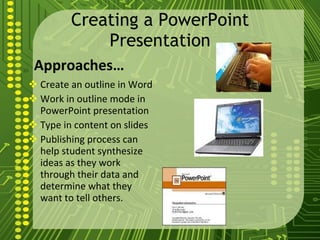
Creating a PowerPoint Presentation Approaches… Create an outline in Word Work in outline mode in PowerPoint presentation Type in content on slides Publishing process can help student synthesize ideas as they work through their data and determine what they want to tell others.
PowerPoint Presentations Media/Animation/Slide Transitions/Hyperlinks Media Pictures, sounds, music, digital video Animation Attracts attention and explains ideas Use template or create own animation Slide Transitions Simple movements Shadow, Fade out/in, bounce, boomerang Too many transitions in slide show causes viewers too become disinterested Hyperlinks Provide a jump to another document, web page, video within the slide show format http://www.youtube.com/watch?v=VUqIDs5MZxM
Multimedia in the Classroom Students have the opportunity to manipulate multimedia technology with integrated lessons and learn: New content Research/solve problems Discover new relationships among ideas Present information to peers, parents, teachers Generates meaning of the learning concepts
Question #3 Should teachers place limits on how students use multi-media?
Using Multimedia to achieve ISTE NETS for Students Three of the Six NETS for Students are addressed: Creativity and Innovation: Students demonstrate creative thinking, construct knowledge, and develop innovative products and processes using technology. Research and Information Fluency: Students apply digital tools to gather, evaluate, and use information. 6.  Technology Operations and Concepts: Students demonstrate a sound understanding of technology concepts, systems, and operations.
Final Activity Go to computers, open Microsoft Power Point. Create a power point on what you have learned about chapter 9. Specify in the power point how you will implement your new knowledge into a classroom. Make sure you have pictures, animations, videos or anything else you can think of. Be creative: see page 242 for animations. Good luck and be ready to present.

Ch9 multimediatools

  • 1.
    By: Alicia AsherElizabeth Chavez Integrating Multimedia as a Too l
  • 2.
    Integrating Multi-media “Over the past 200 years, we have seen significant changes in the ways students communicate and how they submit their assignments.” pg.234
  • 3.
    Examining Multimedia Multimedia-Multimedia is defined in tools such as cell phones, texting, video, computers, however the definition continues to evolve as technology increases. It can be used in various forms in and out of the classroom model, such as: PowerPoint presentations Digital Photography Graphics Digital Video
  • 4.
    Question #1 Howcan my students use multi-media for their projects?
  • 5.
    Basic Functions DisplaysText Inserts Graphics/Pictures Inserts Video/Create Movies Inserts Sound Inserts Hyperlinks (presentations) Animates Objects (presentations)
  • 6.
    First Activity Createtwo columns on a piece of paper and name one side “Paper report” and the other “Multimedia report.” Now list the advantages and disadvantages of using each in your classroom. Discuss.
  • 7.
    Creating Digital VideoStudents can create digital video presentations movies they research online or having students create their own movies. Movies require a sequence, and utilizing a script and storyboard to plan sequences allows correlation with storytelling/literacy.
  • 8.
    Create a StoryboardIndividual/Group planning is essential to create less student frustration while utilizing the computer During planning, students create a storyboard, Using sketches on paper Organizing note cards for each slide
  • 9.
    Activity #2 Take a moment to be creative! Think of a short creative script of a movie you know or make one up. Using the Story Board hand out, create your movie. Use crayons and markers to draw a picture that connects to your script. Be prepared to share.
  • 10.
    Digital Videos/Movies Utilizingprograms, such as, iMovie, Windows Movie Maker can bring together a class’s video segments to create a movie. Through the use of the program tools, students can create clips into a movie form with animation, sound, and narration.
  • 11.
    Creating Presentations Multimediapresentations are the alternative to printed communication Presentations can incorporate: Sound Graphics Animations Video Text
  • 12.
    Creating Presentations cont…Students should complete two tasks before creating multimedia presentations: Plan the Content Create a Storyboard In planning the content students should refer to the guiding questions: Who is the intended audience? What is the presentation topic? What information will this presentation share? What is the actual purpose or goal of this presentation?
  • 13.
    Question #2 Whatapplications are available for creating a multimedia presentation?
  • 14.
    Creating a PowerPointPresentation Approaches… Create an outline in Word Work in outline mode in PowerPoint presentation Type in content on slides Publishing process can help student synthesize ideas as they work through their data and determine what they want to tell others.
  • 15.
    PowerPoint Presentations Media/Animation/SlideTransitions/Hyperlinks Media Pictures, sounds, music, digital video Animation Attracts attention and explains ideas Use template or create own animation Slide Transitions Simple movements Shadow, Fade out/in, bounce, boomerang Too many transitions in slide show causes viewers too become disinterested Hyperlinks Provide a jump to another document, web page, video within the slide show format http://www.youtube.com/watch?v=VUqIDs5MZxM
  • 16.
    Multimedia in theClassroom Students have the opportunity to manipulate multimedia technology with integrated lessons and learn: New content Research/solve problems Discover new relationships among ideas Present information to peers, parents, teachers Generates meaning of the learning concepts
  • 17.
    Question #3 Shouldteachers place limits on how students use multi-media?
  • 18.
    Using Multimedia toachieve ISTE NETS for Students Three of the Six NETS for Students are addressed: Creativity and Innovation: Students demonstrate creative thinking, construct knowledge, and develop innovative products and processes using technology. Research and Information Fluency: Students apply digital tools to gather, evaluate, and use information. 6. Technology Operations and Concepts: Students demonstrate a sound understanding of technology concepts, systems, and operations.
  • 19.
    Final Activity Goto computers, open Microsoft Power Point. Create a power point on what you have learned about chapter 9. Specify in the power point how you will implement your new knowledge into a classroom. Make sure you have pictures, animations, videos or anything else you can think of. Be creative: see page 242 for animations. Good luck and be ready to present.