Work by Daniel Wininger & MilagroTognoniMedia Literacy
PrefaceDan and I are in both classes, EDLT 528 and 573.  We decided to combine both projects into one, creating a unit.  This presentation will include information pertaining to the mindtool, spreadsheets, and other lessons.  We felt it necessary to include all lessons because it will give you a clear understanding of how the Web 2.0 tool was implemented.
Student WorkDan is an engineer and I am a stay at home mom, neither of us were able to get into a classroom long enough to complete the entire unit.  We were able to get some student examples for the mindtool portion; however, our Web 2.0 tool required more time than we had and could not gather student work.  Instead, we interviewed a teacher and have included his feedback for you to view.
Instructional Goal StatementThe goal of this activity is to introduce students to various modes of digital media and allow them to develop skills pertaining to digital media.  Companies are looking for employees with a varied skill set in technology.  Typing and editing are not enough anymore.  Digital media has become a huge part of communication on the Internet, and students should be able to work these tools.
Theoretical FrameworkTechnology alone won’t encourage students to achieve high level thinking and reasoning skills
Some tools provide better “push” toward this goal than others.
Lower technology applications are used more often because:
They are easier to use and,
provide more of a “picture” of the thought that is being delivered
Examples: video’s, slide presentations and internet publisher type pages.
Higher level technology requirements are not as common due to their complexity of use.
When students use a higher level of technology they will expand their knowledge both of the tool and the basic problem issue.  Theoretical Framework-The Use of SpreadsheetsSpreadsheets can be an extremely powerful tool they can:
Combine graphing and data storage and
They also can do many additional data manipulations.
Spreadsheets are considered a high order tool and when used at their appropriate level will provide a high level mind tool that fosters expanded thinking and knowledge.
Spreadsheets will develop both abstract and concrete reasoning and involve students in the mathematical and data logic when used in depth to perform the desired calculations.Target AudienceOur target audience are middle school students, grades 6th – 8th. We worked with 7th graders.
National Education Technology StandardsCreativity and InnovationStudents demonstrate creative thinking, construct knowledge, and develop innovative products and processes using technology.  Students create original works as a means of personal or group expression.
NETS cont’dCommunication and CollaborationStudents use digital media and environments to communicate and work collaboratively, including at a distance, to support individual learning and contribute to the learning of others.  Students interact, collaborate, and publish with peers, experts, or others employing a variety of digital environments and media.
NETS cont’dCritical Thinking, Problem Solving, and Decision MakingStudents use critical thinking skills to plan and conduct research, manage projects, solve problems, and make informed decisions using appropriate digital tools and resources.  Students plan and manage activities to develop a solution or complete a project.
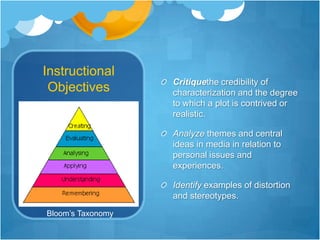
Instructional ObjectivesCritiquethe credibility of characterization and the degree to which a plot is contrived or realistic.Analyze themes and central ideas in media in relation to personal issues and experiences.Identify examples of distortion and stereotypes.Bloom’s Taxonomy
Prerequisite SkillsJust for Web 2.0 toolRisk taking skillsCollaboration skillsBasic computer skillsPresentation skillsCiting skillsBe able to fill out a graphic organizer
Technology ResourcesJust for Web 2.0 toolInternet connection1 computer/laptop per groupCamcorder, Webcam, mobile phone, or other video recorderDigital cameraAccess to movie making site or programTripod
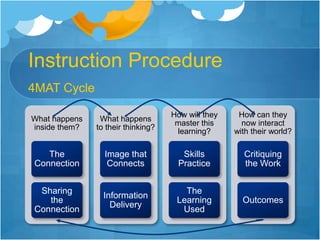
Instruction ProceduresMy principal introduced the staff to a lesson-planning technique called Teaching Around the 4MAT Cycle.  It helps a teacher “design instruction for diverse learners with diverse learning styles” (McCarthy and McCarthy, 2006).  This is the format we followed when we created our unit.  In this presentation, we will not go in-depth for each part of the 4MAT cycle.  However, if you would like more information, please visit www.aboutlearning.com.
Instruction Procedure4MAT Cycle
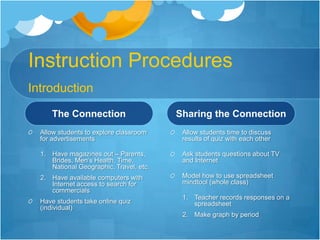
Instruction ProceduresIntroductionThe ConnectionAllow students to explore classroom for advertisementsHave magazines out – Parents, Brides, Men’s Health, Time, National Geographic, Travel, etc.Have available computers with Internet access to search for commercialsHave students take online quiz (individual)Sharing the ConnectionAllow students time to discuss results of quiz with each otherAsk students questions about TV and InternetModel how to use spreadsheet mindtool (whole class)Teacher records responses on a spreadsheetMake graph by period
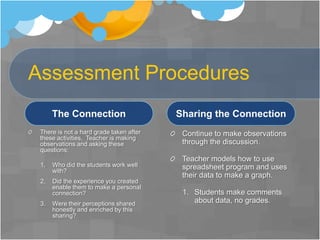
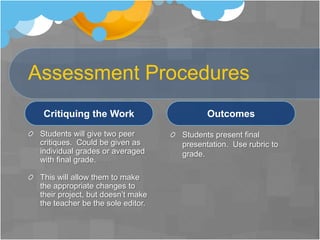
Assessment ProceduresThe ConnectionThere is not a hard grade taken after these activities.  Teacher is making observations and asking these questions:Who did the students work well with?Did the experience you created enable them to make a personal connection?Were their perceptions shared honestly and enriched by this sharing?Sharing the ConnectionContinue to make observations through the discussion.Teacher models how to use spreadsheet program and uses their data to make a graph.Students make comments about data, no grades.
Media Literacy QuizThe quiz is interactive and self grading.  It was too difficult to get a picture of the questions.PBS site:  http://www.pbs.org/teachers/media_lit/quiz.html
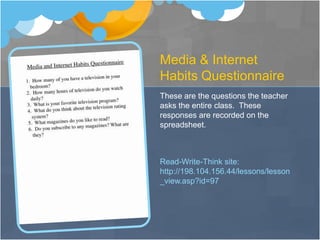
Media & Internet Habits QuestionnaireThese are the questions the teacher asks the entire class.  These responses are recorded on the spreadsheet.Read-Write-Think site: http://198.104.156.44/lessons/lesson_view.asp?id=97
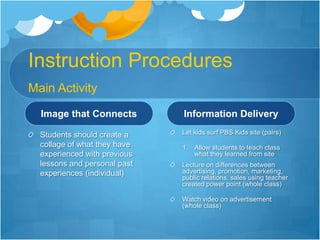
Instruction ProceduresMain ActivityImage that ConnectsStudents should create a collage of what they have experienced with previous lessons and personal past experiences (individual)Information DeliveryLet kids surf PBS Kids site (pairs)Allow students to teach class what they learned from siteLecture on differences between advertising, promotion, marketing, public relations, sales using teacher created power point (whole class)Watch video on advertisement (whole class)
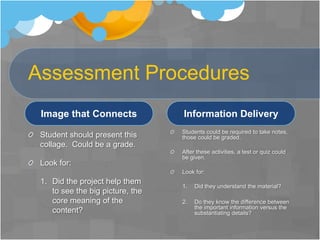
Assessment ProceduresImage that ConnectsStudent should present this collage.  Could be a grade.Look for:Did the project help them to see the big picture, the core meaning of the content?Information DeliveryStudents could be required to take notes, those could be graded.After these activities, a test or quiz could be given.Look for:Did they understand the material?	Do they know the difference between the important information versus the substantiating details?
PBS Kids  Get Media SmartThis is an interactive site that allows students to explore what’s in an advertisement .  They can explore advertisement tricks and learn how to buy smart. PBS Kids site:  http://pbskids.org/dontbuyit/advertisingtricks/whatsinanad.html
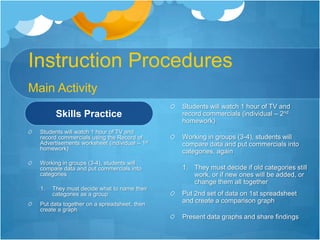
Instruction ProceduresMain ActivitySkills PracticeStudents will watch 1 hour of TV and record commercials using the Record of Advertisements worksheet (individual – 1st homework)Working in groups (3-4), students will compare data and put commercials into categoriesThey must decide what to name their categories as a groupPut data together on a spreadsheet, then create a graphStudents will watch 1 hour of TV and record commercials (individual – 2nd homework)Working in groups (3-4), students will compare data and put commercials into categories, againThey must decide if old categories still work, or if new ones will be added, or change them all togetherPut 2nd set of data on 1st spreadsheet and create a comparison graphPresent data graphs and share findings
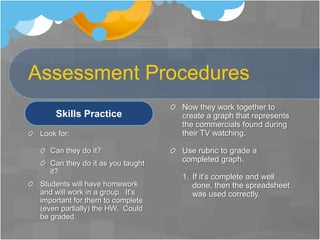
Assessment ProceduresSkills PracticeLook for:Can they do it?Can they do it as you taught it?Students will have homework and will work in a group.  It’s important for them to complete (even partially) the HW.  Could be graded.Now they work together to create a graph that represents the commercials found during their TV watching.Use rubric to grade a completed graph.  If it’s complete and well done, then the spreadsheet was used correctly.
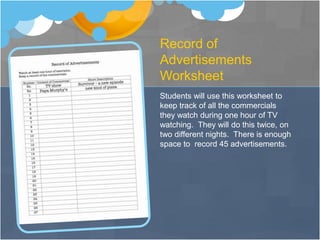
Record of Advertisements WorksheetStudents will use this worksheet to keep track of all the commercials they watch during one hour of TV watching.  They will do this twice, on two different nights.  There is enough space to  record 45 advertisements.
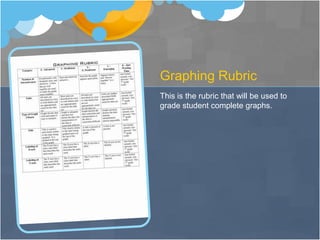
Graphing RubricThis is the rubric that will be used to grade student complete graphs.
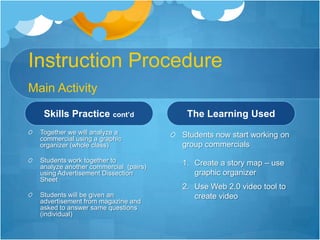
Instruction ProcedureMain ActivitySkills Practice cont’dTogether we will analyze a commercial using a graphic organizer (whole class)Students work together to analyze another commercial  (pairs) using Advertisement Dissection SheetStudents will be given an advertisement from magazine and asked to answer same questions (individual)The Learning UsedStudents now start working on group commercialsCreate a story map – use graphic organizerUse Web 2.0 video tool to create video
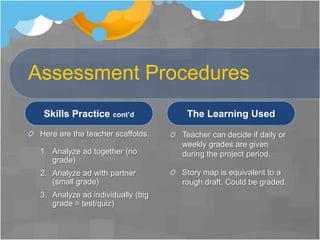
Assessment ProceduresSkills Practice cont’dHere are the teacher scaffolds.Analyze ad together (no grade)Analyze ad with partner (small grade)Analyze ad individually (big grade = test/quiz)The Learning UsedTeacher can decide if daily or weekly grades are given during the project period.Story map is equivalent to a rough draft. Could be graded.
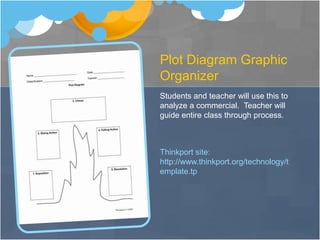
Plot Diagram Graphic OrganizerStudents and teacher will use this to analyze a commercial.  Teacher will guide entire class through process.Thinkport site: http://www.thinkport.org/technology/template.tp
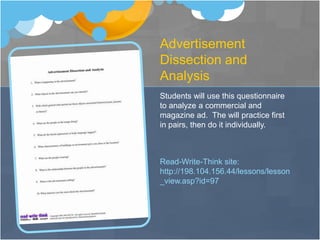
Advertisement Dissection and AnalysisStudents will use this questionnaire to analyze a commercial and magazine ad.  The will practice first in pairs, then do it individually.  Read-Write-Think site:  http://198.104.156.44/lessons/lesson_view.asp?id=97
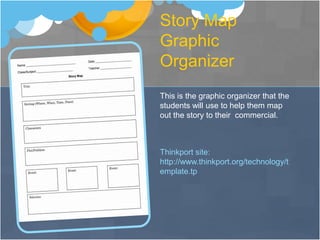
Story Map Graphic OrganizerThis is the graphic organizer that the students will use to help them map out the story to their  commercial.Thinkport site: http://www.thinkport.org/technology/template.tp
Video Web 2.0 ToolsStudents can use any of the following sites to help them create a video.  There needs to be a clear Internet connection or none will work.Here are several sites.  Use the one that works best for your students and lessons.http://www.blip.tv/http://crackle.com/http://www.vimeo.com/http://www.ourmedia.org/http://www.dropshots.com/http://www.youtube.com/ - this is a great tool to use if you have access to it
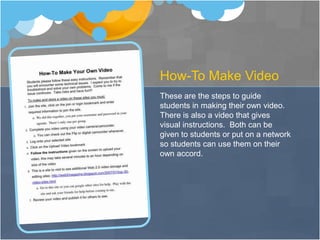
How-To Make VideoThese are the steps to guide students in making their own video.  There is also a video that gives visual instructions.  Both can be given to students or put on a network so students can use them on their own accord.
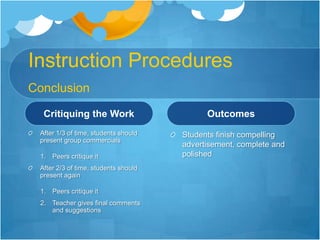
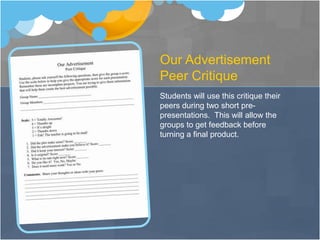
Instruction ProceduresConclusionCritiquing the WorkAfter 1/3 of time, students should present group commercialsPeers critique it After 2/3 of time, students should present againPeers critique itTeacher gives final comments and suggestionsOutcomesStudents finish compelling advertisement, complete and polished

Project528

  • 1.
    Work by DanielWininger & MilagroTognoniMedia Literacy
  • 2.
    PrefaceDan and Iare in both classes, EDLT 528 and 573. We decided to combine both projects into one, creating a unit. This presentation will include information pertaining to the mindtool, spreadsheets, and other lessons. We felt it necessary to include all lessons because it will give you a clear understanding of how the Web 2.0 tool was implemented.
  • 3.
    Student WorkDan isan engineer and I am a stay at home mom, neither of us were able to get into a classroom long enough to complete the entire unit. We were able to get some student examples for the mindtool portion; however, our Web 2.0 tool required more time than we had and could not gather student work. Instead, we interviewed a teacher and have included his feedback for you to view.
  • 4.
    Instructional Goal StatementThegoal of this activity is to introduce students to various modes of digital media and allow them to develop skills pertaining to digital media. Companies are looking for employees with a varied skill set in technology. Typing and editing are not enough anymore. Digital media has become a huge part of communication on the Internet, and students should be able to work these tools.
  • 5.
    Theoretical FrameworkTechnology alonewon’t encourage students to achieve high level thinking and reasoning skills
  • 6.
    Some tools providebetter “push” toward this goal than others.
  • 7.
    Lower technology applicationsare used more often because:
  • 8.
    They are easierto use and,
  • 9.
    provide more ofa “picture” of the thought that is being delivered
  • 10.
    Examples: video’s, slidepresentations and internet publisher type pages.
  • 11.
    Higher level technologyrequirements are not as common due to their complexity of use.
  • 12.
    When students usea higher level of technology they will expand their knowledge both of the tool and the basic problem issue. Theoretical Framework-The Use of SpreadsheetsSpreadsheets can be an extremely powerful tool they can:
  • 13.
    Combine graphing anddata storage and
  • 14.
    They also cando many additional data manipulations.
  • 15.
    Spreadsheets are considereda high order tool and when used at their appropriate level will provide a high level mind tool that fosters expanded thinking and knowledge.
  • 16.
    Spreadsheets will developboth abstract and concrete reasoning and involve students in the mathematical and data logic when used in depth to perform the desired calculations.Target AudienceOur target audience are middle school students, grades 6th – 8th. We worked with 7th graders.
  • 17.
    National Education TechnologyStandardsCreativity and InnovationStudents demonstrate creative thinking, construct knowledge, and develop innovative products and processes using technology.  Students create original works as a means of personal or group expression.
  • 18.
    NETS cont’dCommunication andCollaborationStudents use digital media and environments to communicate and work collaboratively, including at a distance, to support individual learning and contribute to the learning of others.  Students interact, collaborate, and publish with peers, experts, or others employing a variety of digital environments and media.
  • 19.
    NETS cont’dCritical Thinking,Problem Solving, and Decision MakingStudents use critical thinking skills to plan and conduct research, manage projects, solve problems, and make informed decisions using appropriate digital tools and resources.  Students plan and manage activities to develop a solution or complete a project.
  • 20.
    Instructional ObjectivesCritiquethe credibilityof characterization and the degree to which a plot is contrived or realistic.Analyze themes and central ideas in media in relation to personal issues and experiences.Identify examples of distortion and stereotypes.Bloom’s Taxonomy
  • 21.
    Prerequisite SkillsJust forWeb 2.0 toolRisk taking skillsCollaboration skillsBasic computer skillsPresentation skillsCiting skillsBe able to fill out a graphic organizer
  • 22.
    Technology ResourcesJust forWeb 2.0 toolInternet connection1 computer/laptop per groupCamcorder, Webcam, mobile phone, or other video recorderDigital cameraAccess to movie making site or programTripod
  • 23.
    Instruction ProceduresMy principalintroduced the staff to a lesson-planning technique called Teaching Around the 4MAT Cycle. It helps a teacher “design instruction for diverse learners with diverse learning styles” (McCarthy and McCarthy, 2006). This is the format we followed when we created our unit. In this presentation, we will not go in-depth for each part of the 4MAT cycle. However, if you would like more information, please visit www.aboutlearning.com.
  • 24.
  • 25.
    Instruction ProceduresIntroductionThe ConnectionAllowstudents to explore classroom for advertisementsHave magazines out – Parents, Brides, Men’s Health, Time, National Geographic, Travel, etc.Have available computers with Internet access to search for commercialsHave students take online quiz (individual)Sharing the ConnectionAllow students time to discuss results of quiz with each otherAsk students questions about TV and InternetModel how to use spreadsheet mindtool (whole class)Teacher records responses on a spreadsheetMake graph by period
  • 26.
    Assessment ProceduresThe ConnectionThereis not a hard grade taken after these activities. Teacher is making observations and asking these questions:Who did the students work well with?Did the experience you created enable them to make a personal connection?Were their perceptions shared honestly and enriched by this sharing?Sharing the ConnectionContinue to make observations through the discussion.Teacher models how to use spreadsheet program and uses their data to make a graph.Students make comments about data, no grades.
  • 27.
    Media Literacy QuizThequiz is interactive and self grading. It was too difficult to get a picture of the questions.PBS site: http://www.pbs.org/teachers/media_lit/quiz.html
  • 28.
    Media & InternetHabits QuestionnaireThese are the questions the teacher asks the entire class. These responses are recorded on the spreadsheet.Read-Write-Think site: http://198.104.156.44/lessons/lesson_view.asp?id=97
  • 29.
    Instruction ProceduresMain ActivityImagethat ConnectsStudents should create a collage of what they have experienced with previous lessons and personal past experiences (individual)Information DeliveryLet kids surf PBS Kids site (pairs)Allow students to teach class what they learned from siteLecture on differences between advertising, promotion, marketing, public relations, sales using teacher created power point (whole class)Watch video on advertisement (whole class)
  • 30.
    Assessment ProceduresImage thatConnectsStudent should present this collage. Could be a grade.Look for:Did the project help them to see the big picture, the core meaning of the content?Information DeliveryStudents could be required to take notes, those could be graded.After these activities, a test or quiz could be given.Look for:Did they understand the material? Do they know the difference between the important information versus the substantiating details?
  • 31.
    PBS Kids Get Media SmartThis is an interactive site that allows students to explore what’s in an advertisement . They can explore advertisement tricks and learn how to buy smart. PBS Kids site: http://pbskids.org/dontbuyit/advertisingtricks/whatsinanad.html
  • 32.
    Instruction ProceduresMain ActivitySkillsPracticeStudents will watch 1 hour of TV and record commercials using the Record of Advertisements worksheet (individual – 1st homework)Working in groups (3-4), students will compare data and put commercials into categoriesThey must decide what to name their categories as a groupPut data together on a spreadsheet, then create a graphStudents will watch 1 hour of TV and record commercials (individual – 2nd homework)Working in groups (3-4), students will compare data and put commercials into categories, againThey must decide if old categories still work, or if new ones will be added, or change them all togetherPut 2nd set of data on 1st spreadsheet and create a comparison graphPresent data graphs and share findings
  • 33.
    Assessment ProceduresSkills PracticeLookfor:Can they do it?Can they do it as you taught it?Students will have homework and will work in a group. It’s important for them to complete (even partially) the HW. Could be graded.Now they work together to create a graph that represents the commercials found during their TV watching.Use rubric to grade a completed graph. If it’s complete and well done, then the spreadsheet was used correctly.
  • 34.
    Record of AdvertisementsWorksheetStudents will use this worksheet to keep track of all the commercials they watch during one hour of TV watching. They will do this twice, on two different nights. There is enough space to record 45 advertisements.
  • 35.
    Graphing RubricThis isthe rubric that will be used to grade student complete graphs.
  • 36.
    Instruction ProcedureMain ActivitySkillsPractice cont’dTogether we will analyze a commercial using a graphic organizer (whole class)Students work together to analyze another commercial  (pairs) using Advertisement Dissection SheetStudents will be given an advertisement from magazine and asked to answer same questions (individual)The Learning UsedStudents now start working on group commercialsCreate a story map – use graphic organizerUse Web 2.0 video tool to create video
  • 37.
    Assessment ProceduresSkills Practicecont’dHere are the teacher scaffolds.Analyze ad together (no grade)Analyze ad with partner (small grade)Analyze ad individually (big grade = test/quiz)The Learning UsedTeacher can decide if daily or weekly grades are given during the project period.Story map is equivalent to a rough draft. Could be graded.
  • 38.
    Plot Diagram GraphicOrganizerStudents and teacher will use this to analyze a commercial. Teacher will guide entire class through process.Thinkport site: http://www.thinkport.org/technology/template.tp
  • 39.
    Advertisement Dissection andAnalysisStudents will use this questionnaire to analyze a commercial and magazine ad. The will practice first in pairs, then do it individually. Read-Write-Think site: http://198.104.156.44/lessons/lesson_view.asp?id=97
  • 40.
    Story Map GraphicOrganizerThis is the graphic organizer that the students will use to help them map out the story to their commercial.Thinkport site: http://www.thinkport.org/technology/template.tp
  • 41.
    Video Web 2.0ToolsStudents can use any of the following sites to help them create a video. There needs to be a clear Internet connection or none will work.Here are several sites. Use the one that works best for your students and lessons.http://www.blip.tv/http://crackle.com/http://www.vimeo.com/http://www.ourmedia.org/http://www.dropshots.com/http://www.youtube.com/ - this is a great tool to use if you have access to it
  • 42.
    How-To Make VideoTheseare the steps to guide students in making their own video. There is also a video that gives visual instructions. Both can be given to students or put on a network so students can use them on their own accord.
  • 43.
    Instruction ProceduresConclusionCritiquing theWorkAfter 1/3 of time, students should present group commercialsPeers critique it After 2/3 of time, students should present againPeers critique itTeacher gives final comments and suggestionsOutcomesStudents finish compelling advertisement, complete and polished