Part 2:
Summarising Data using Descriptive StatisticsDr.ChristinePereira
 Choose appropriate graphical summaries
 Charts and graphs in SPSS
 Choose appropriate numerical summaries
 Descriptive statistics in SPSS
 Frequency tables in SPSS
Dr. Christine Pereira ASK at Brunel (2014) 2
 Log into Blackboard
 Under “My Organisations” click “Academic Skills”
 In the left column under “Workshop presentations”
 Click Statistics and SPSS
 Find the Basics of SPSS Workshop
 Download and save the SPSS data file: EmployeeSurvey.sav
Dr. Christine Pereira ASK at Brunel (2014) 3
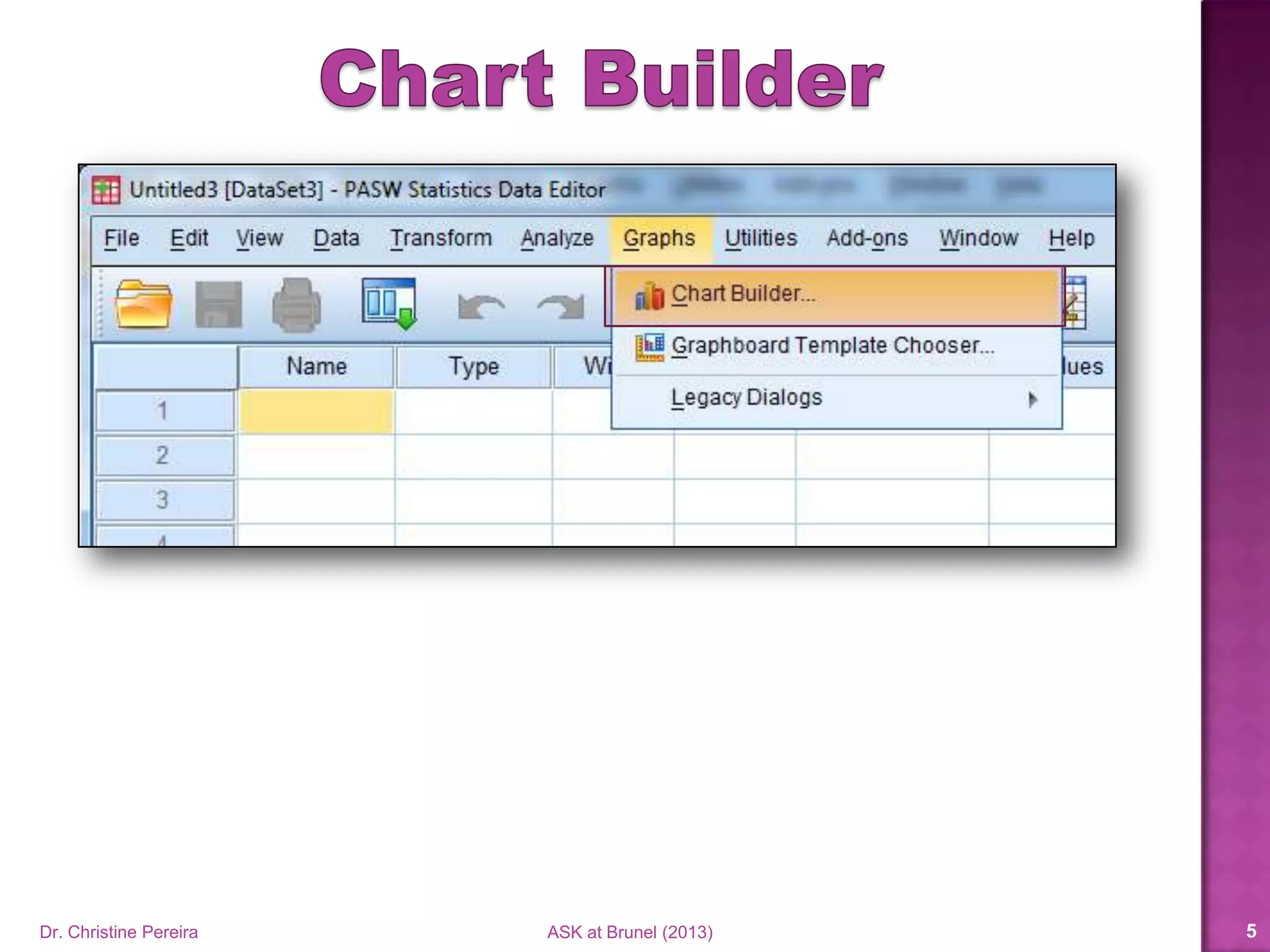
Representing Data Graphically
Dr. Christine Pereira ASK at Brunel (2014) 4
Dr. Christine Pereira ASK at Brunel (2014) 5
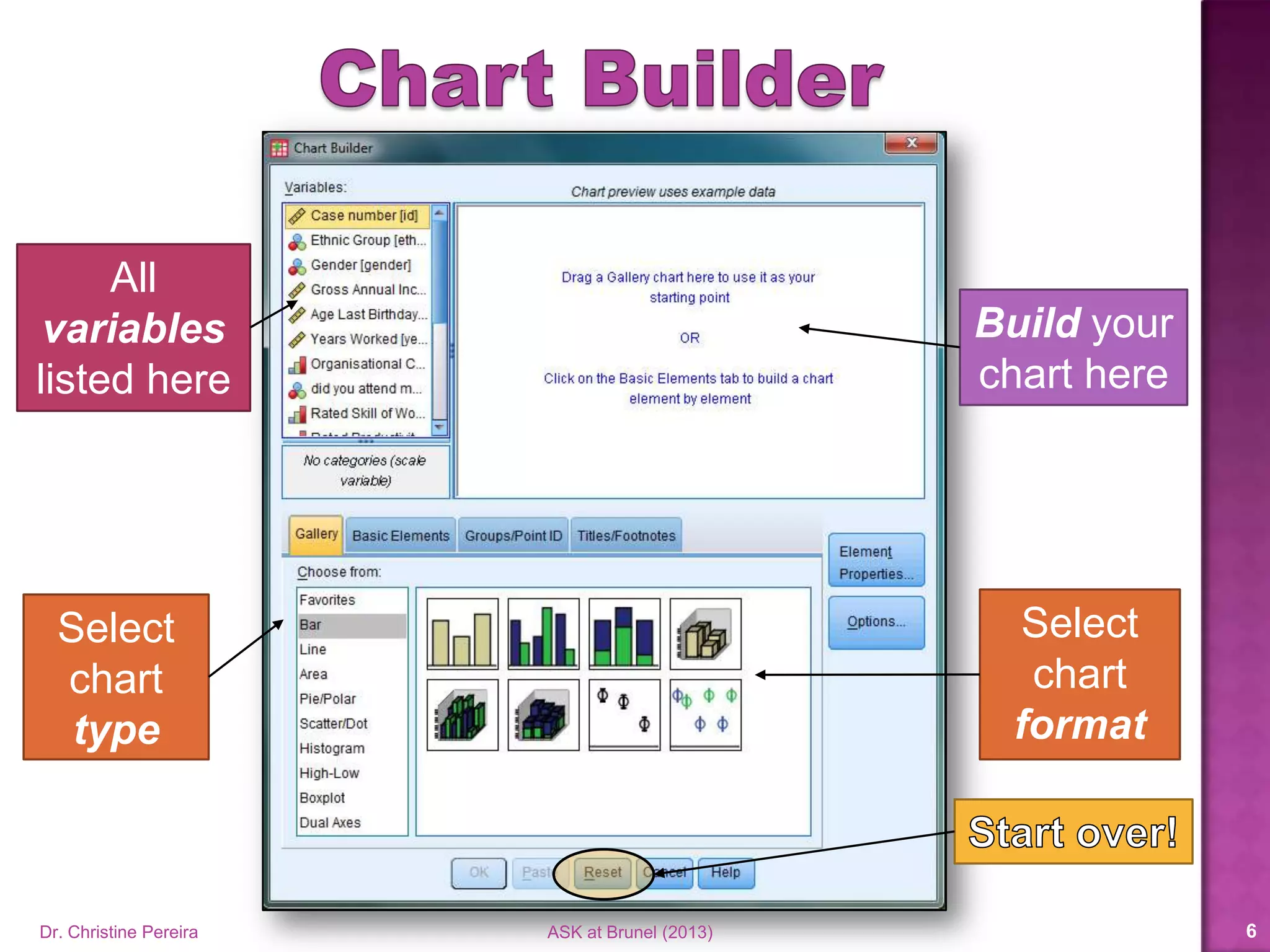
All
variables
listed here
Select
chart
type
Select
chart
format
Build your
chart here
Dr. Christine Pereira ASK at Brunel (2014) 6
Dr. Christine Pereira ASK at Brunel (2014) 7
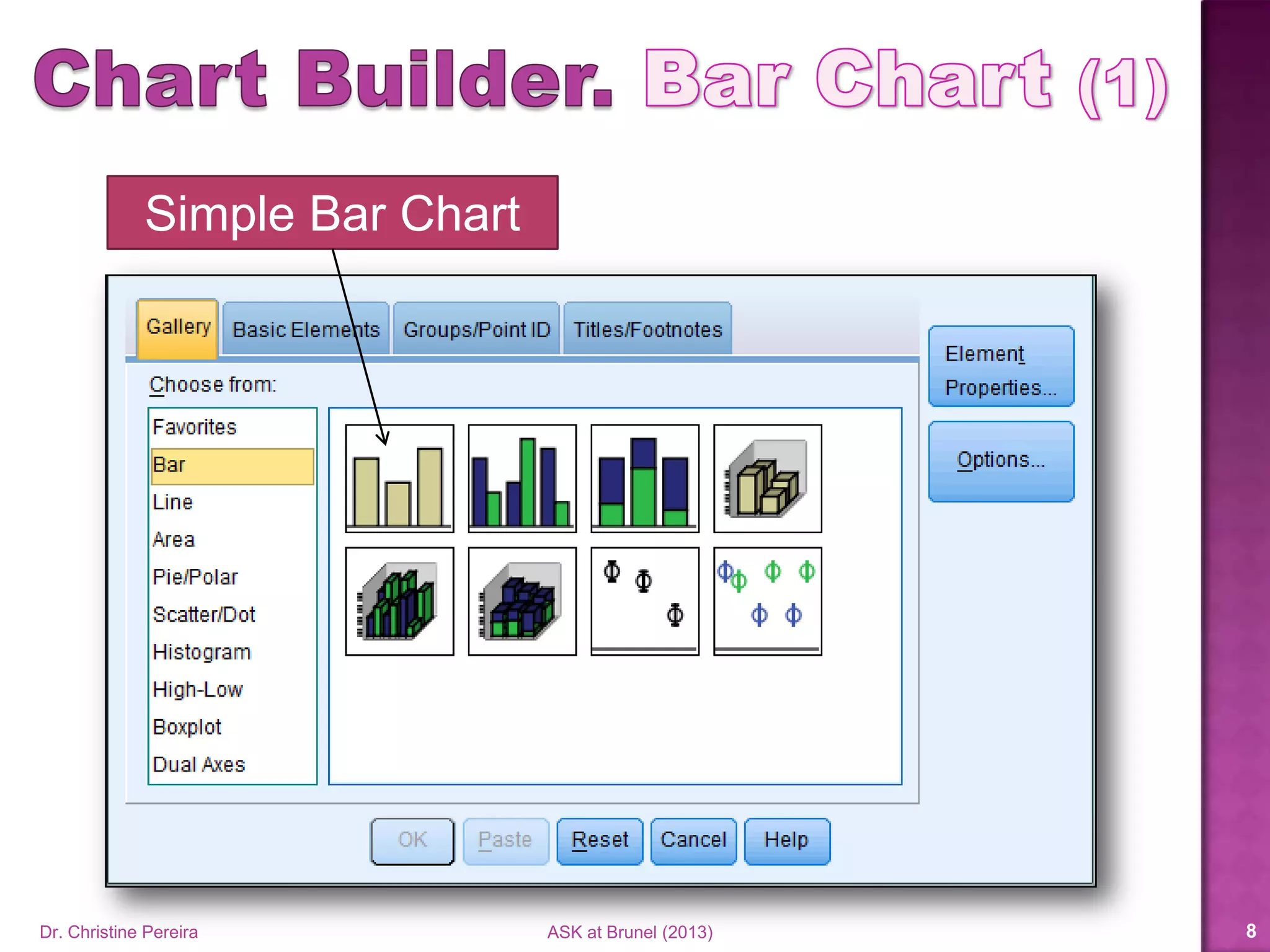
Simple Bar Chart
Dr. Christine Pereira ASK at Brunel (2014) 8
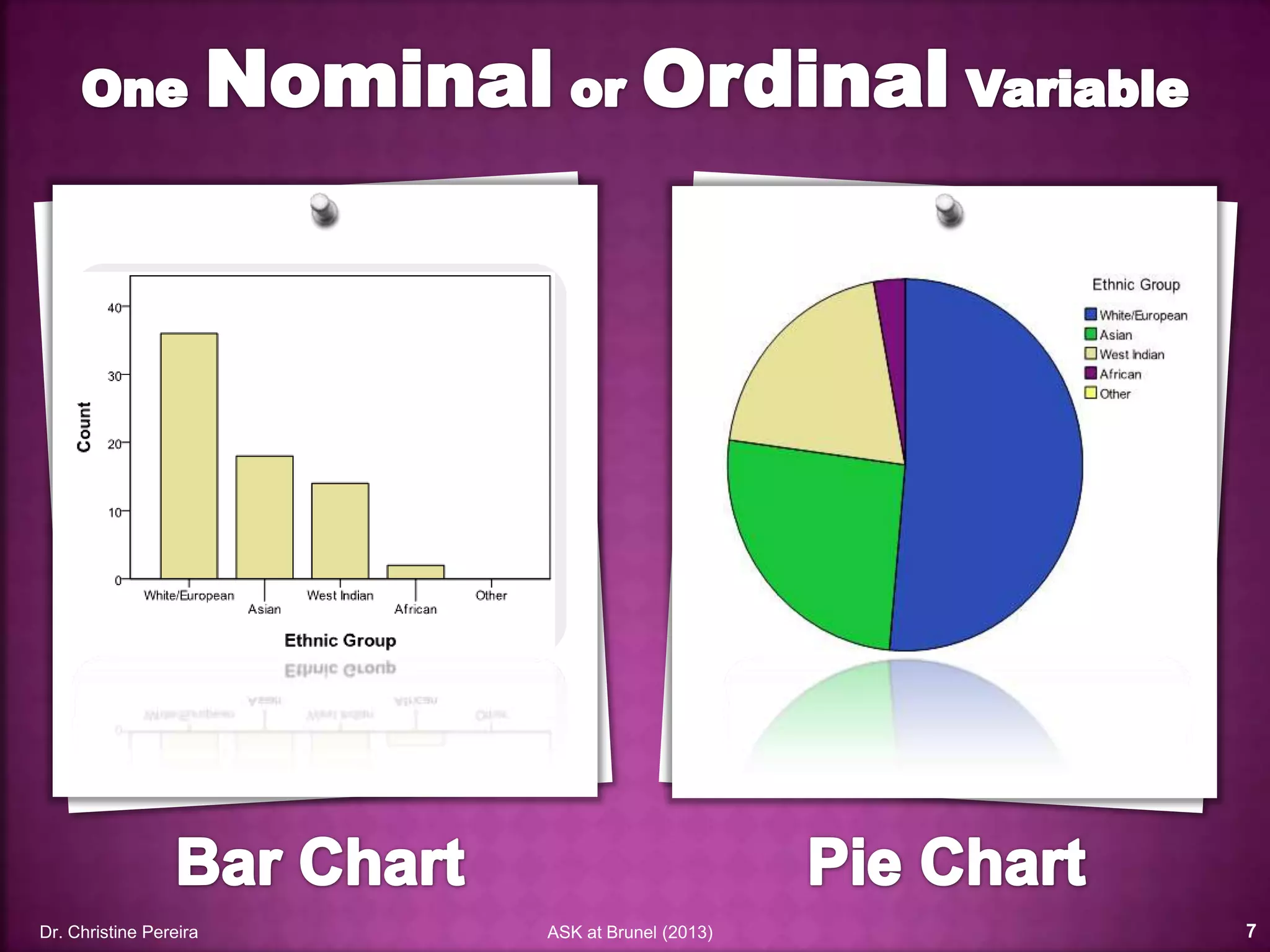
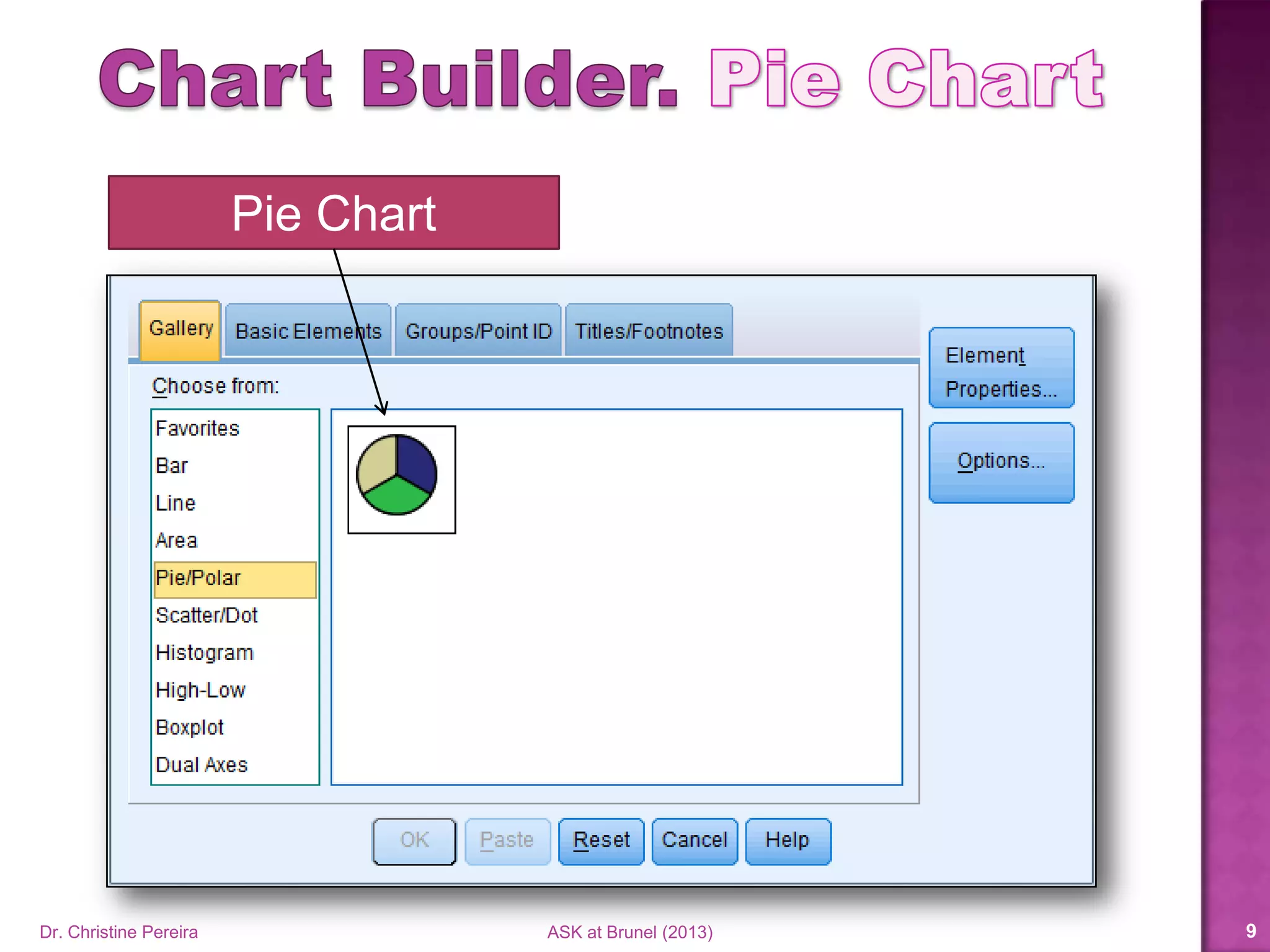
Pie Chart
Dr. Christine Pereira ASK at Brunel (2014) 9
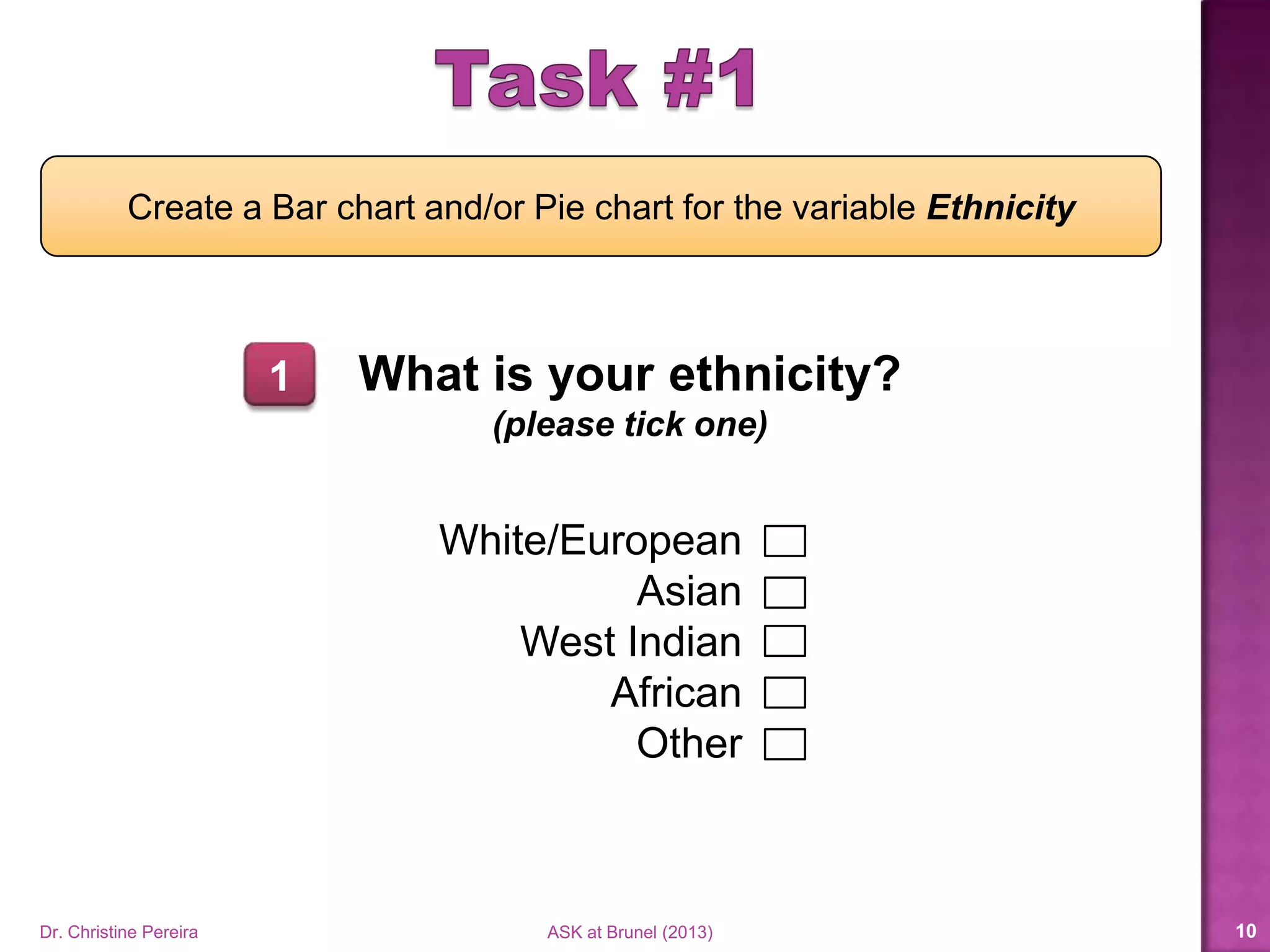
What is your ethnicity?
(please tick one)
White/European
Asian
West Indian
African
Other
Create a Bar chart and/or Pie chart for the variable Ethnicity
1
Dr. Christine Pereira ASK at Brunel (2014) 10
Dr. Christine Pereira ASK at Brunel (2014) 11
Dr. Christine Pereira ASK at Brunel (2014) 12
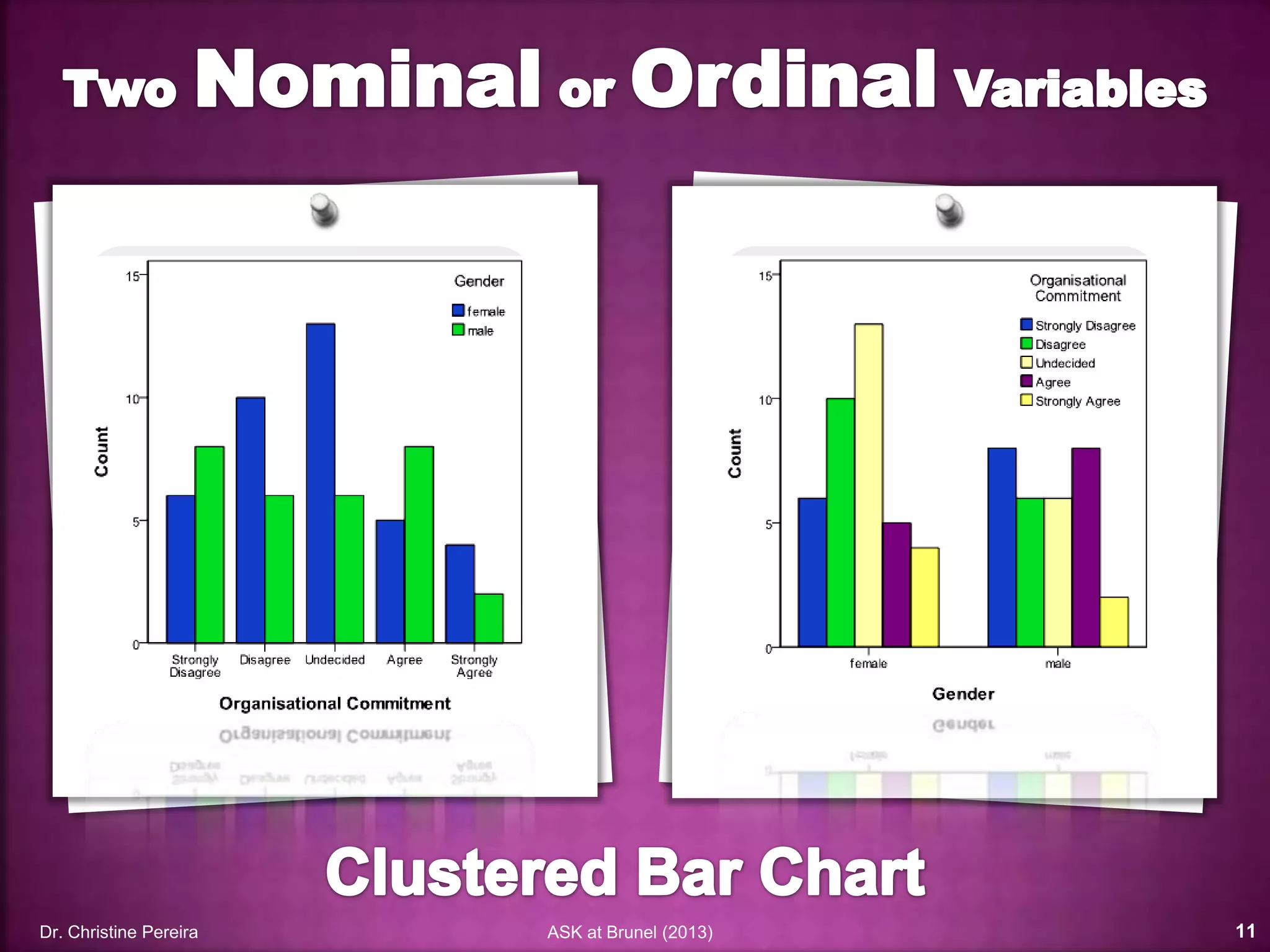
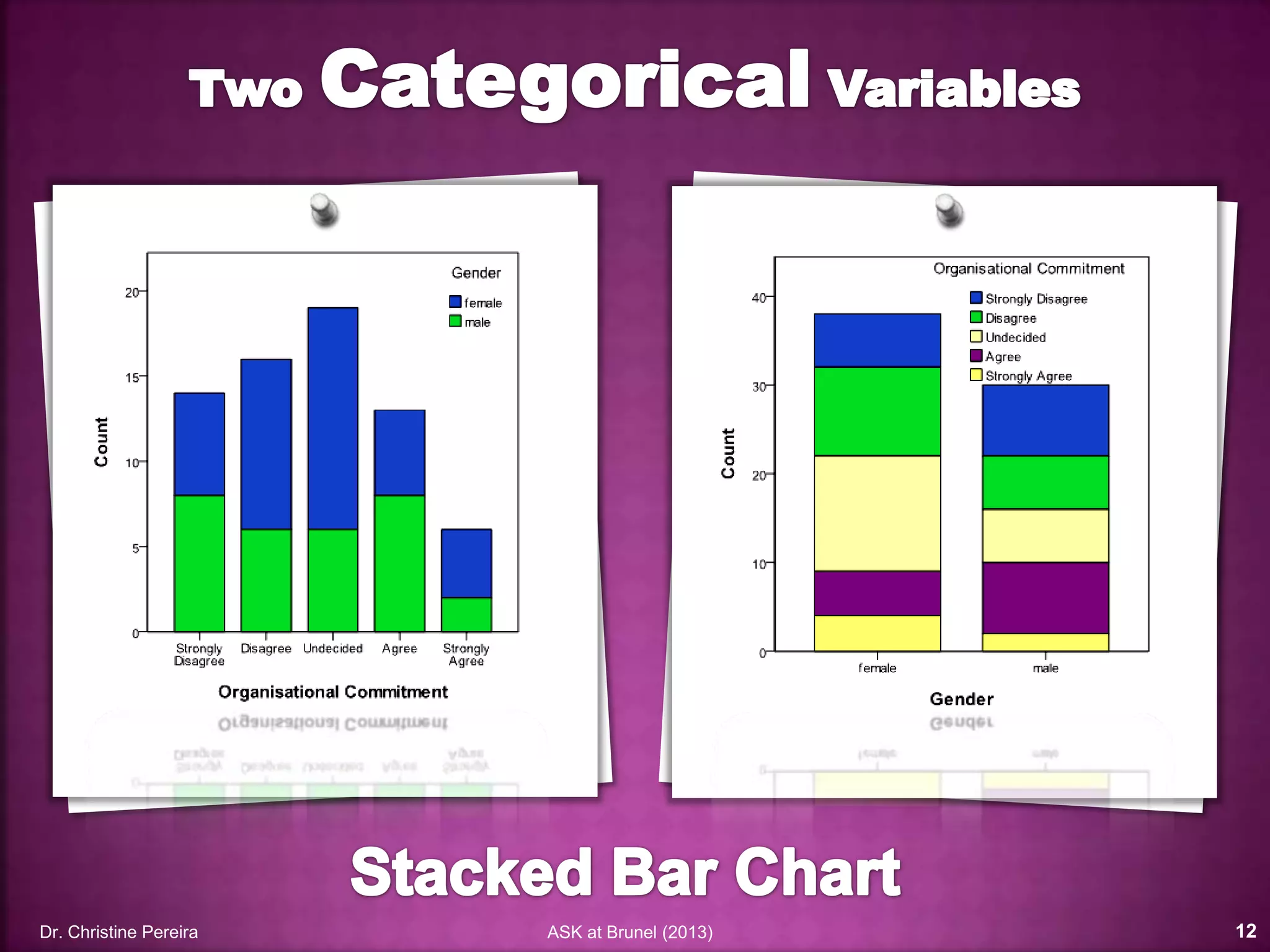
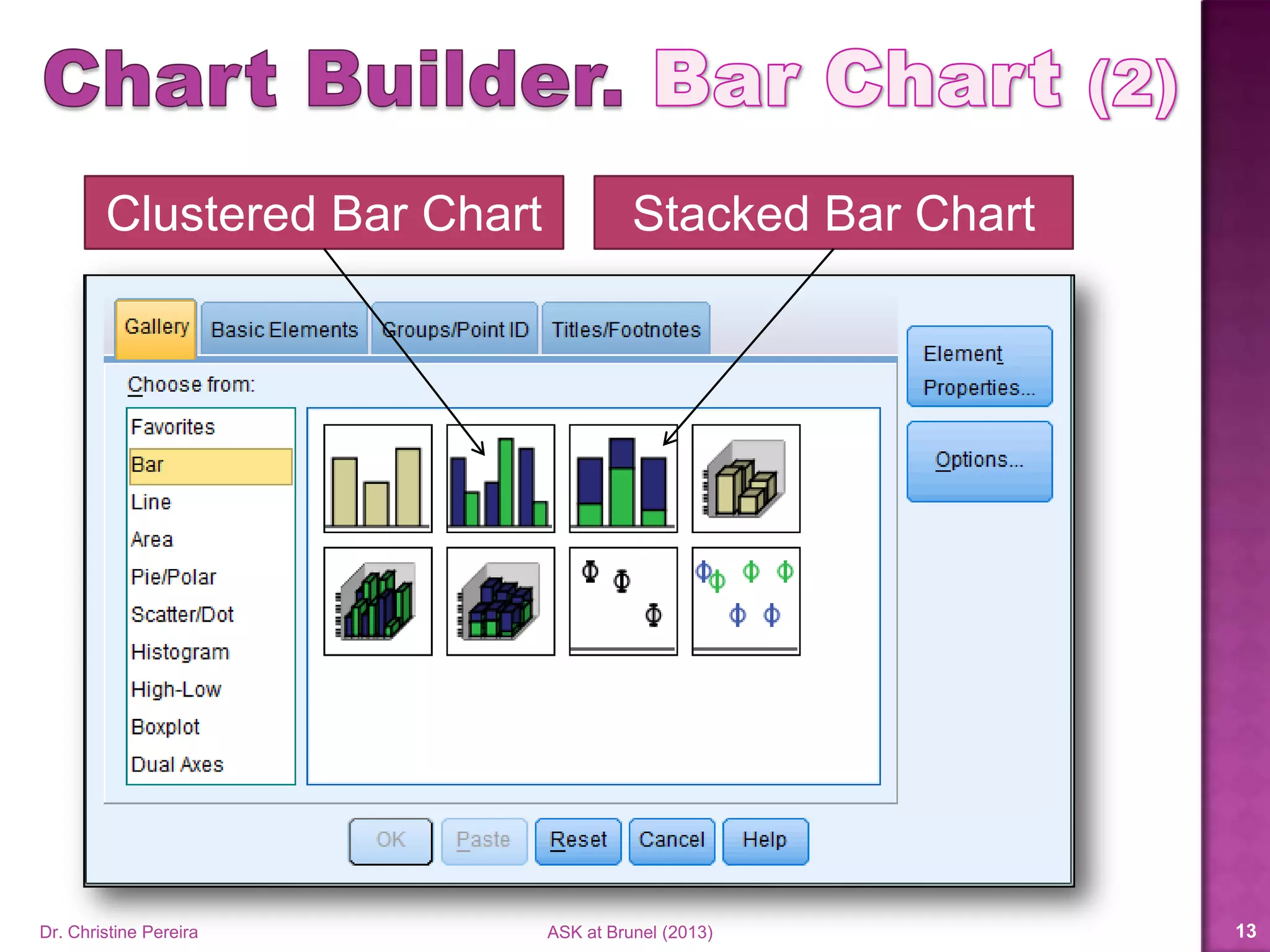
Clustered Bar Chart Stacked Bar Chart
Dr. Christine Pereira ASK at Brunel (2014) 13
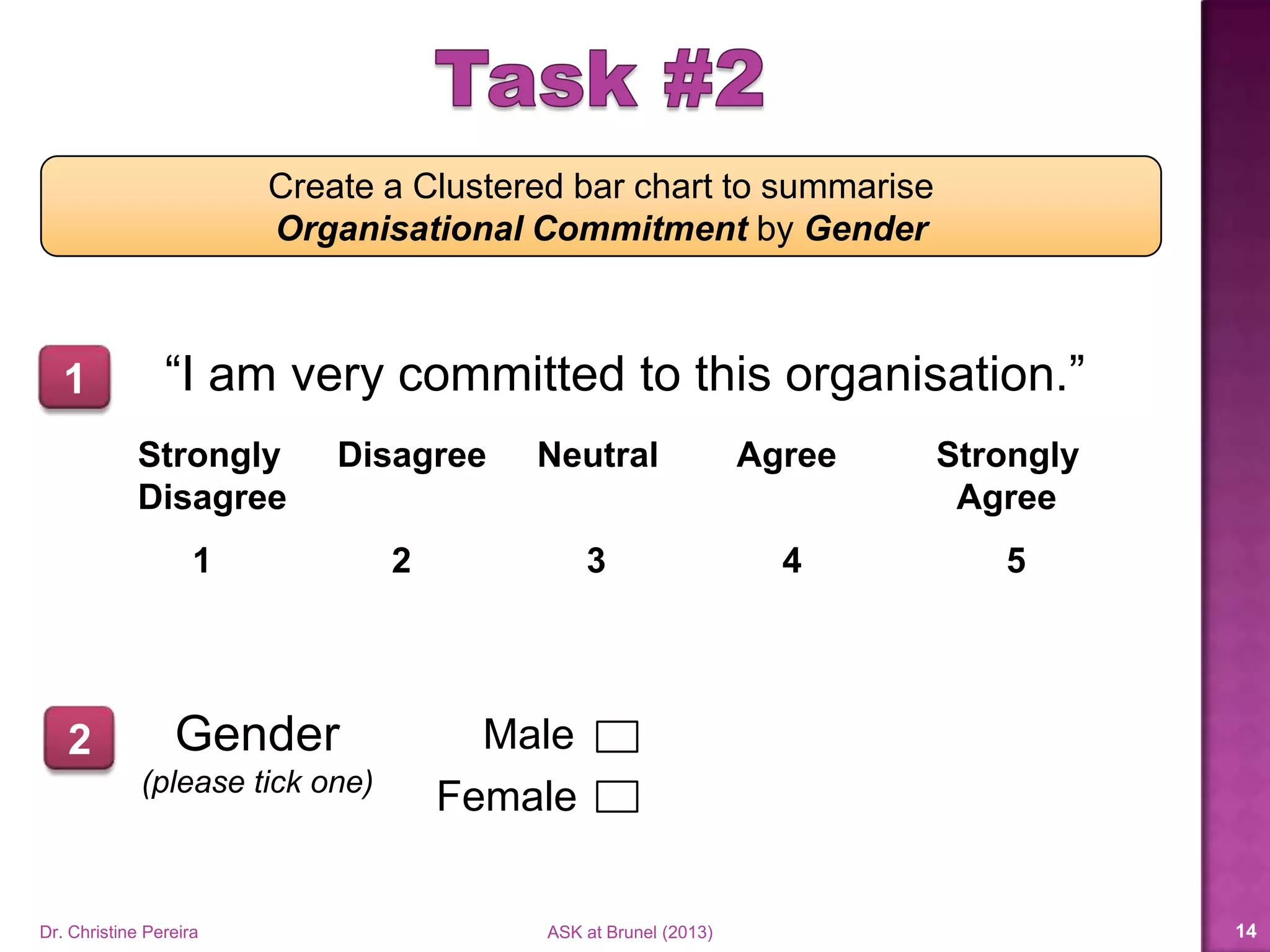
Create a Clustered bar chart to summarise
Organisational Commitment by Gender
“I am very committed to this organisation.”
Strongly Disagree Neutral Agree Strongly
Disagree Agree
1 2 3 4 5
1
Dr. Christine Pereira ASK at Brunel (2014) 14
Gender
(please tick one)
Male
Female
2
Dr. Christine Pereira ASK at Brunel (2014) 15
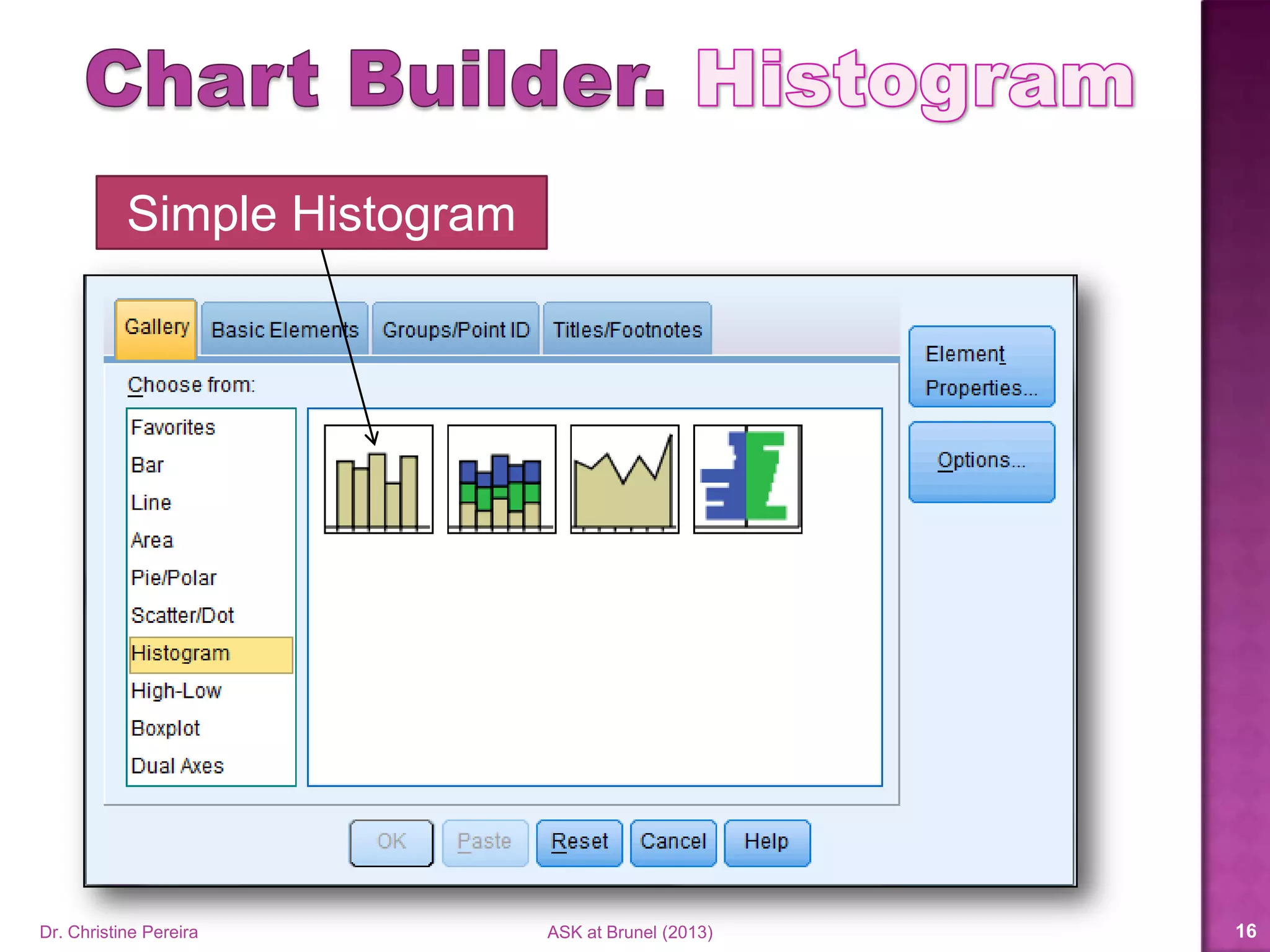
Simple Histogram
Dr. Christine Pereira ASK at Brunel (2014) 16
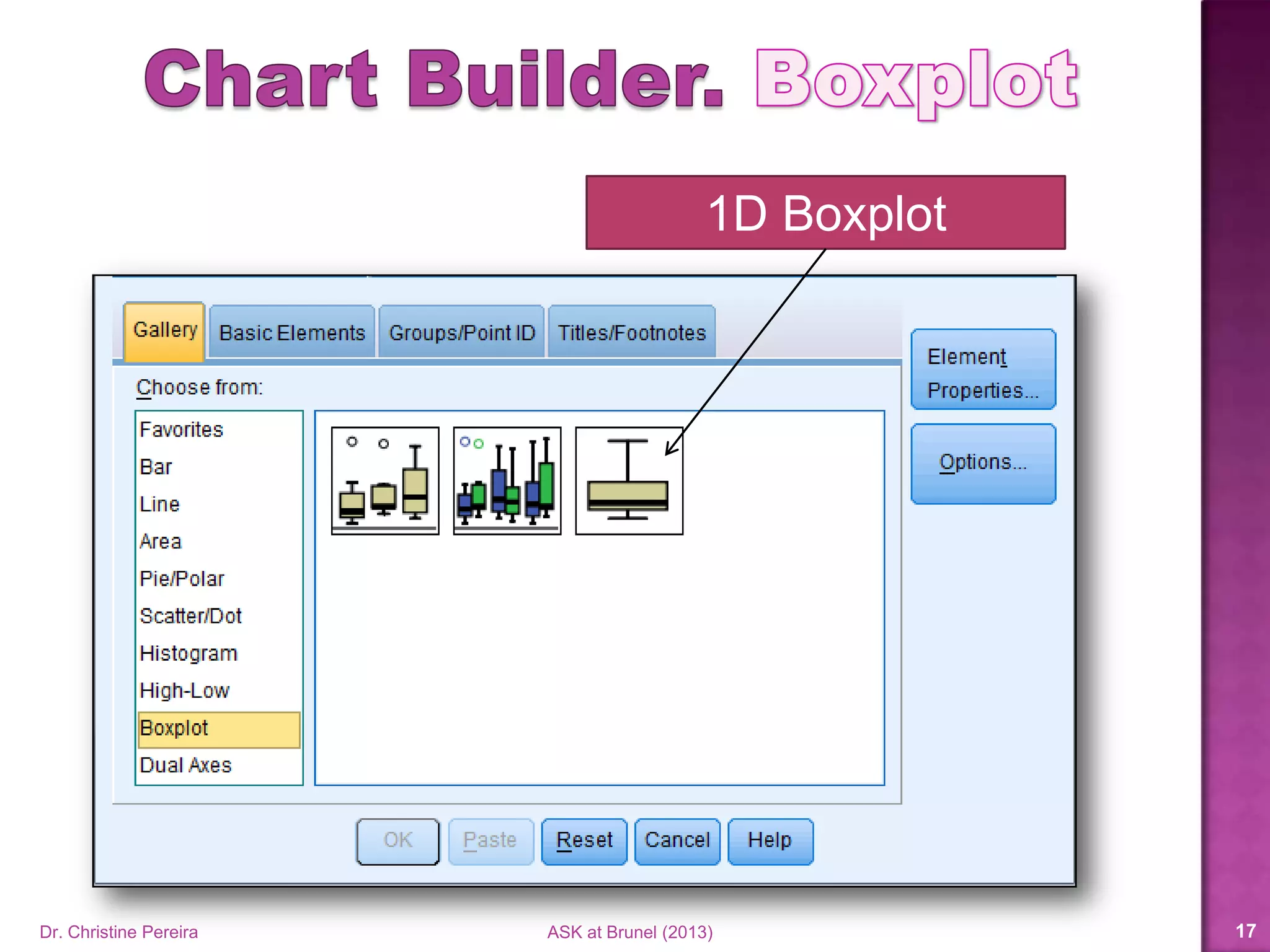
1D Boxplot
Dr. Christine Pereira ASK at Brunel (2014) 17
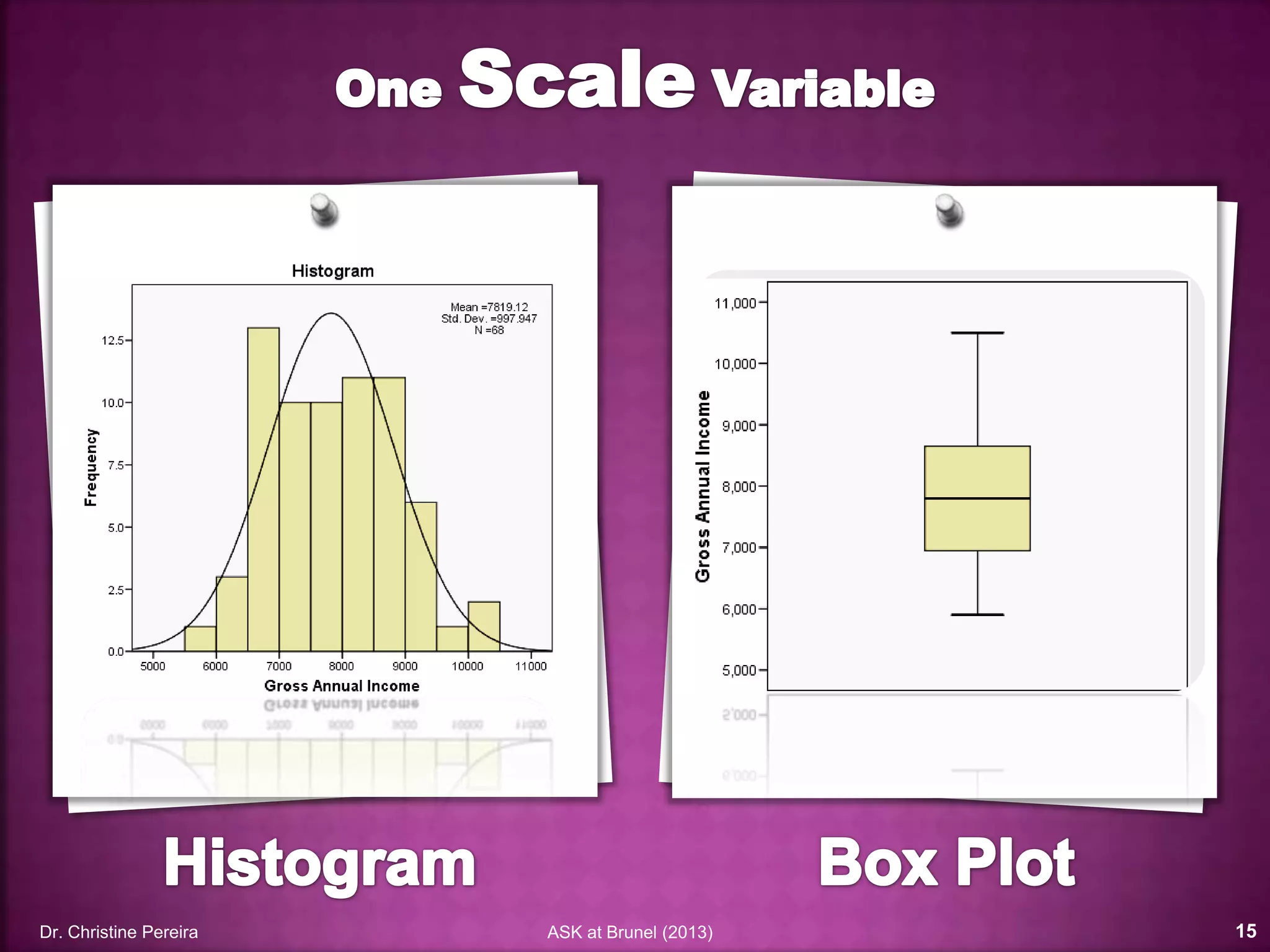
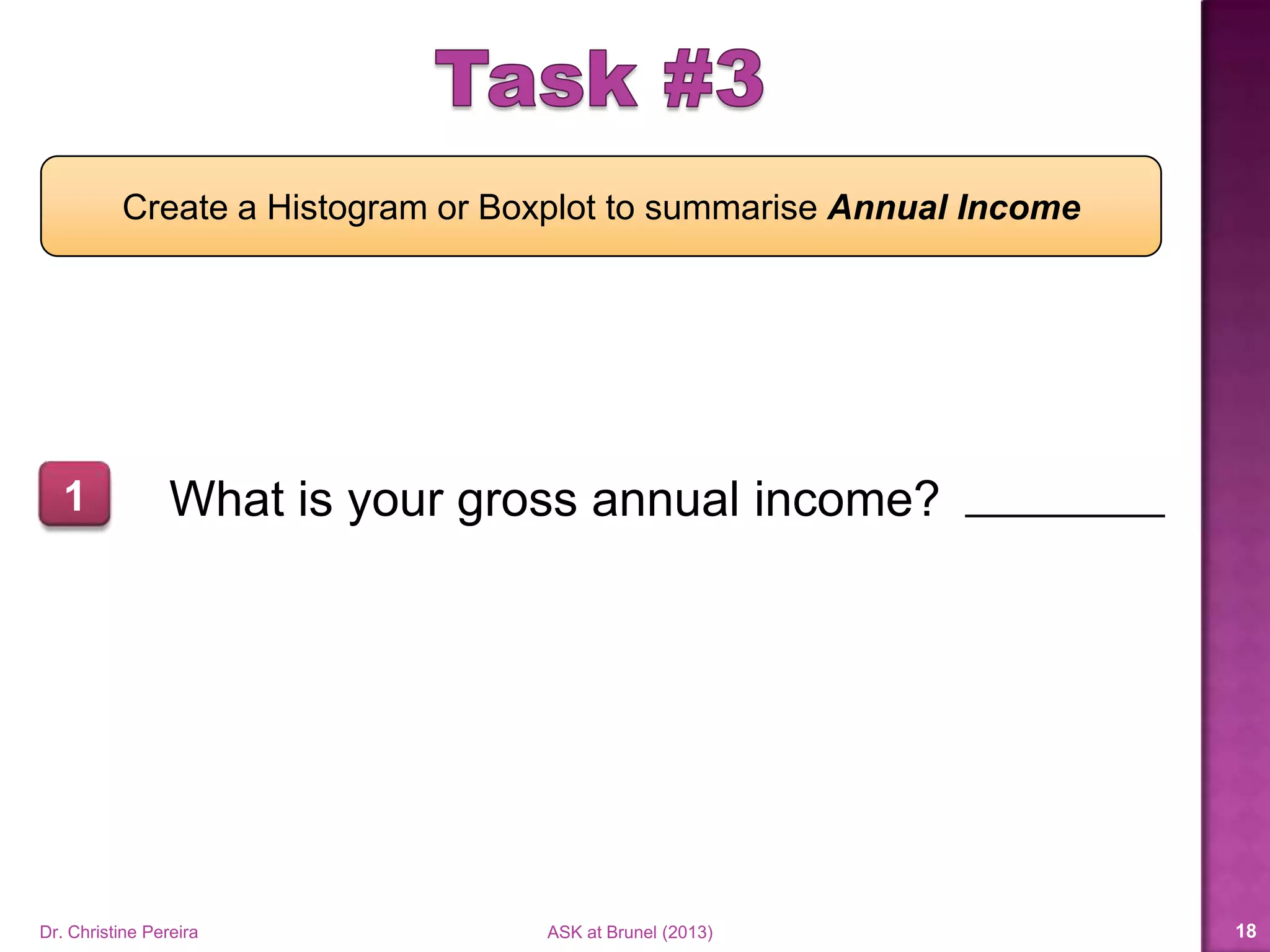
Create a Histogram or Boxplot to summarise Annual Income
What is your gross annual income?1
Dr. Christine Pereira ASK at Brunel (2014) 18
Dr. Christine Pereira ASK at Brunel (2014) 19
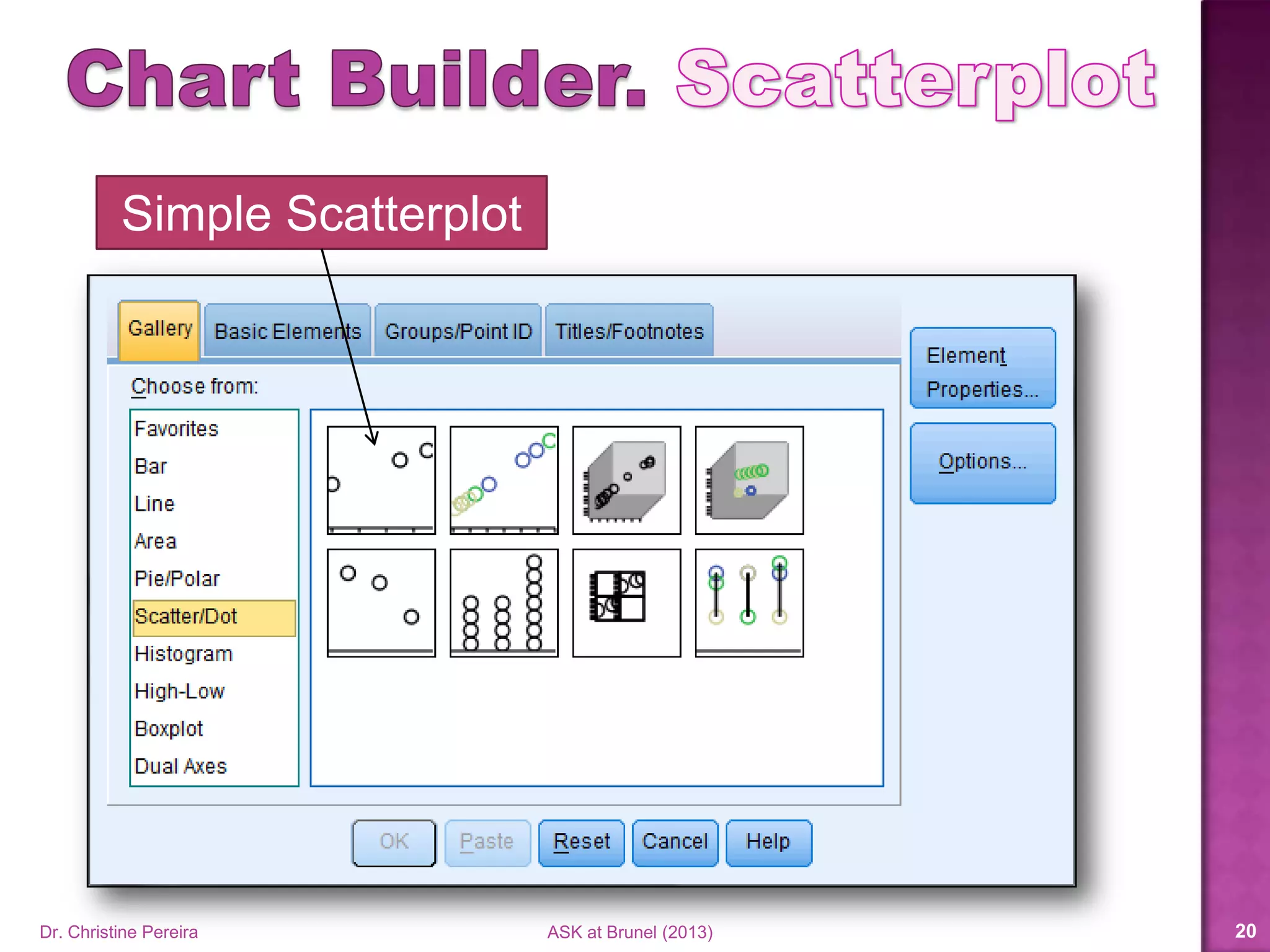
Simple Scatterplot
Dr. Christine Pereira ASK at Brunel (2014) 20
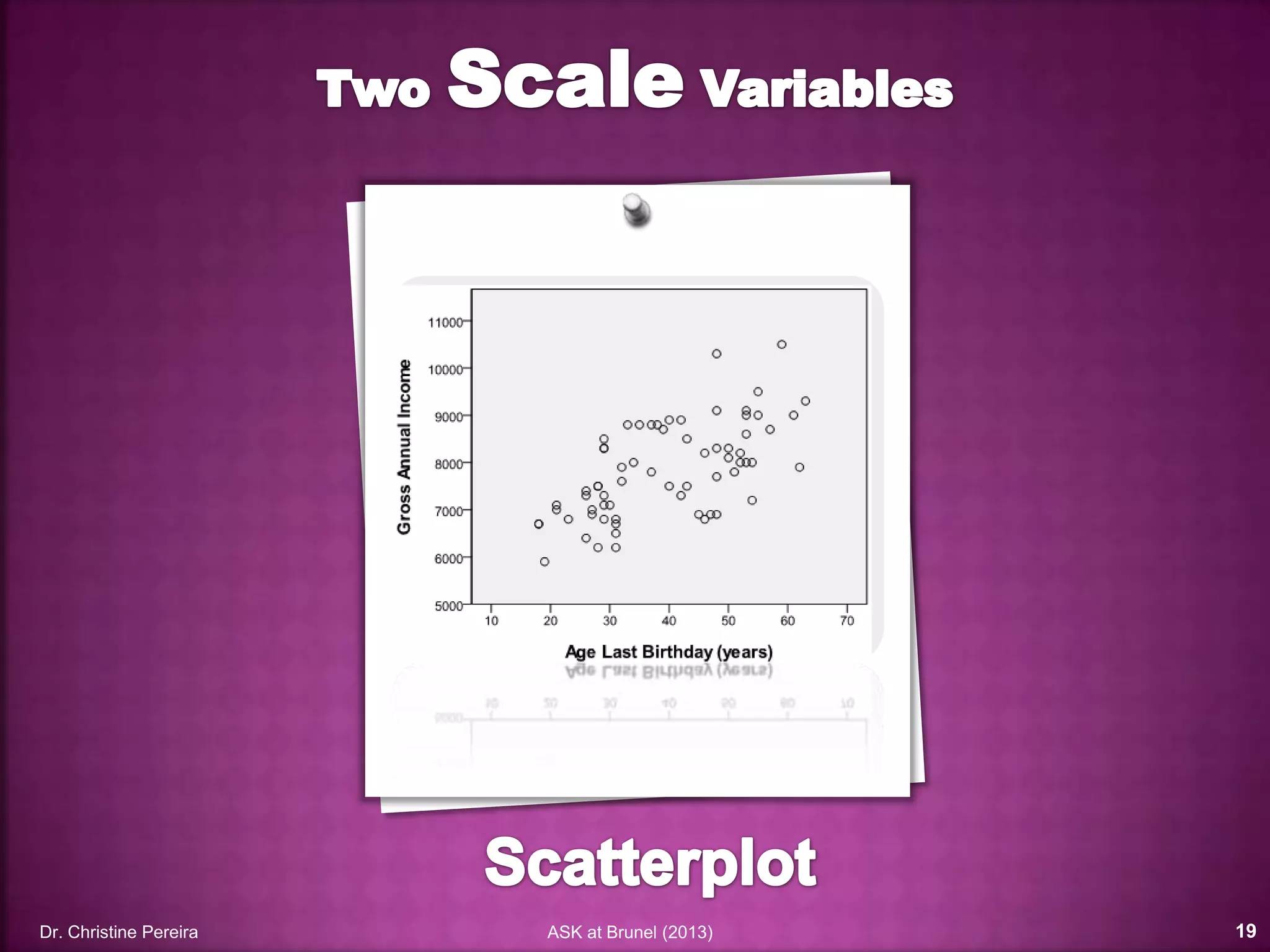
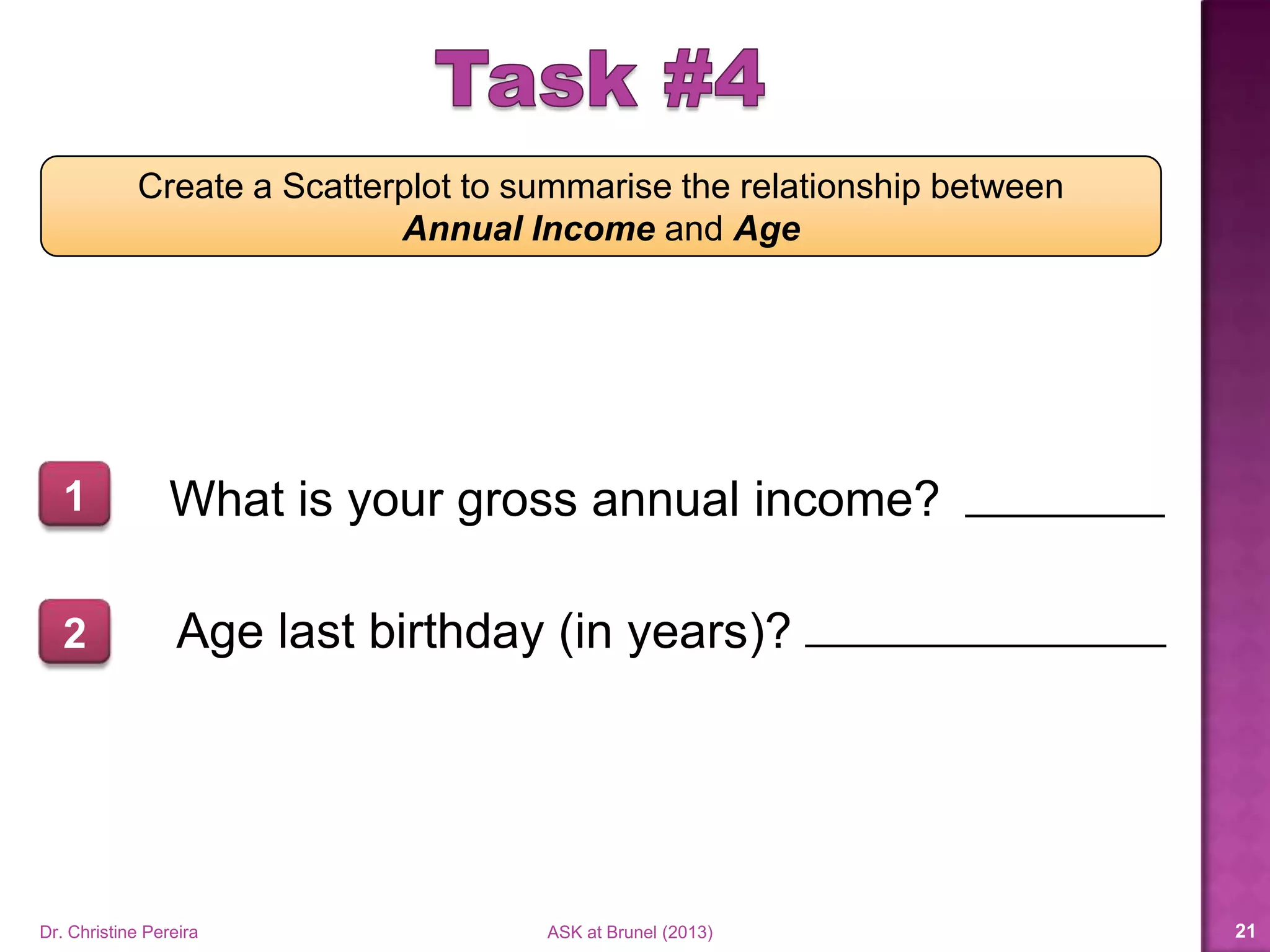
Create a Scatterplot to summarise the relationship between
Annual Income and Age
What is your gross annual income?1
Age last birthday (in years)?2
Dr. Christine Pereira ASK at Brunel (2014) 21
Dr. Christine Pereira ASK at Brunel (2014) 22
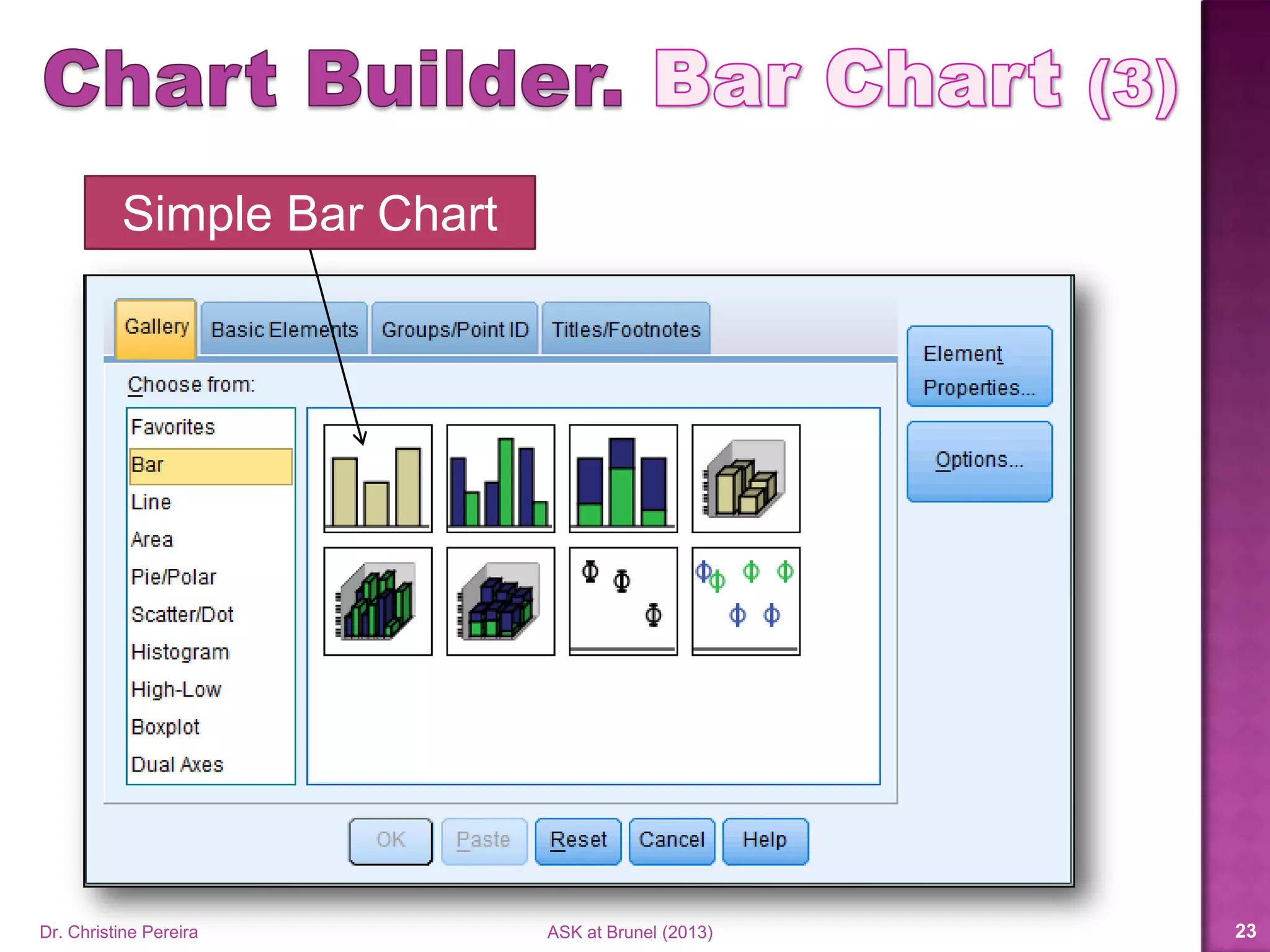
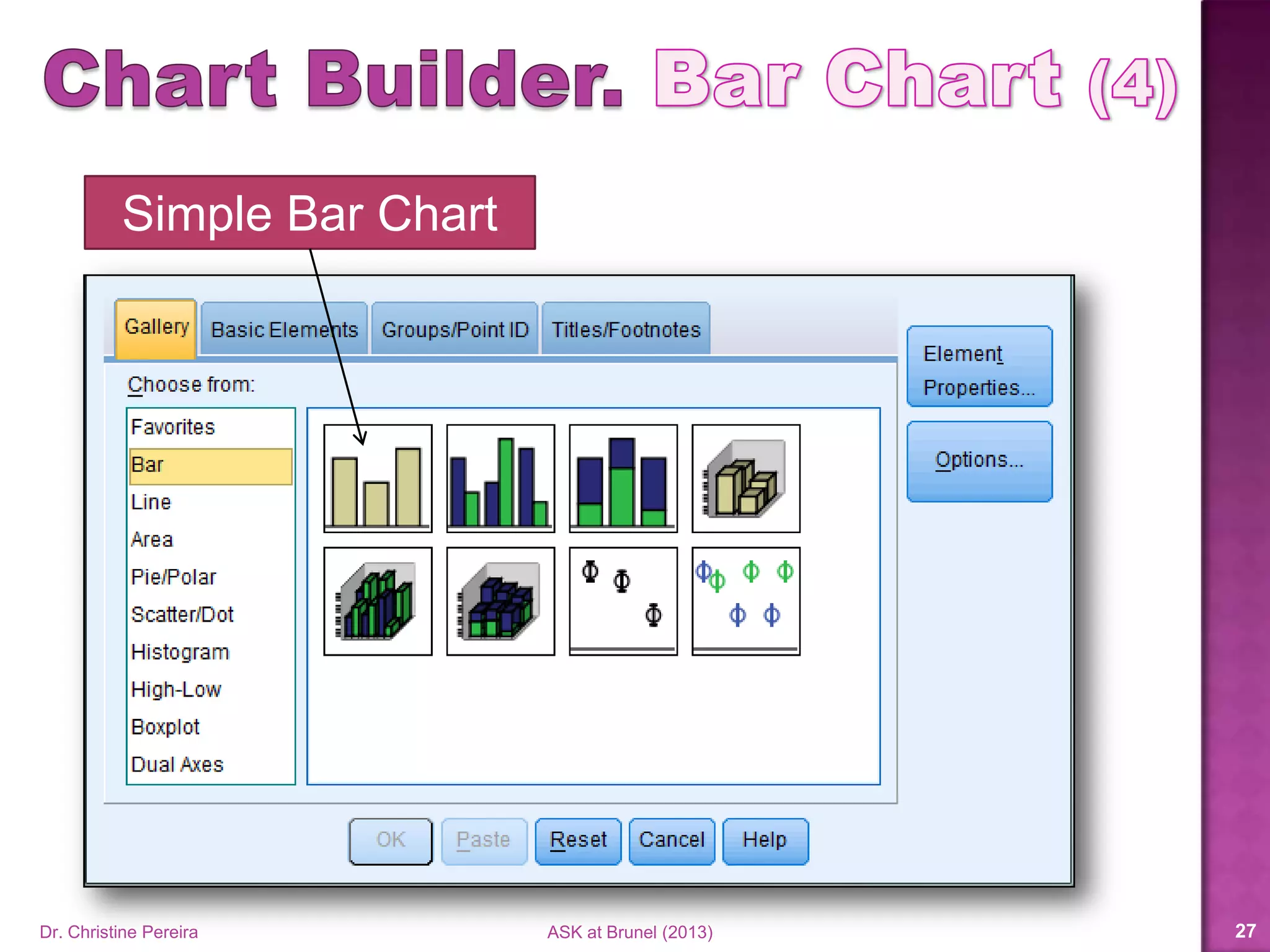
Simple Bar Chart
Dr. Christine Pereira ASK at Brunel (2014) 23
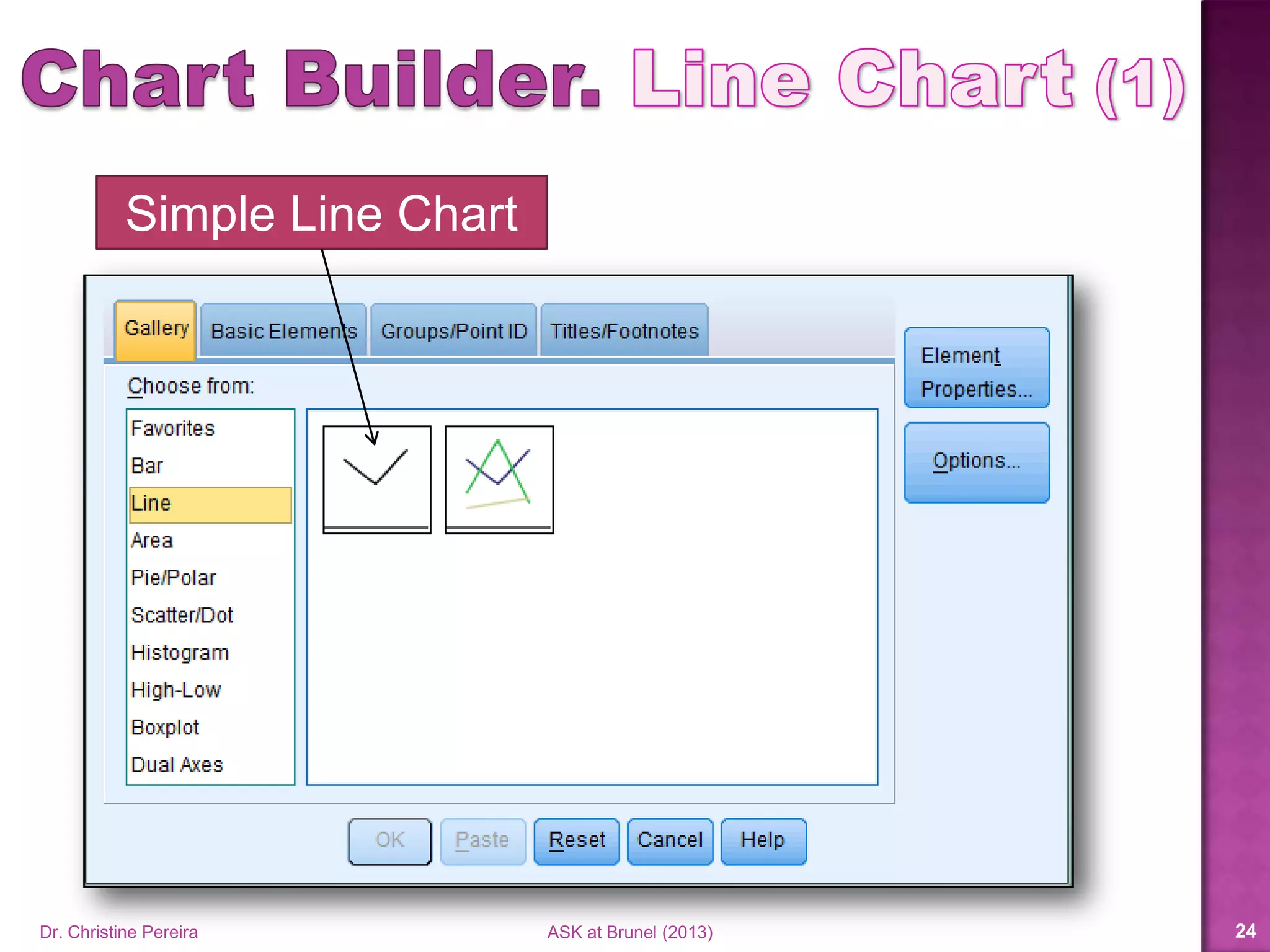
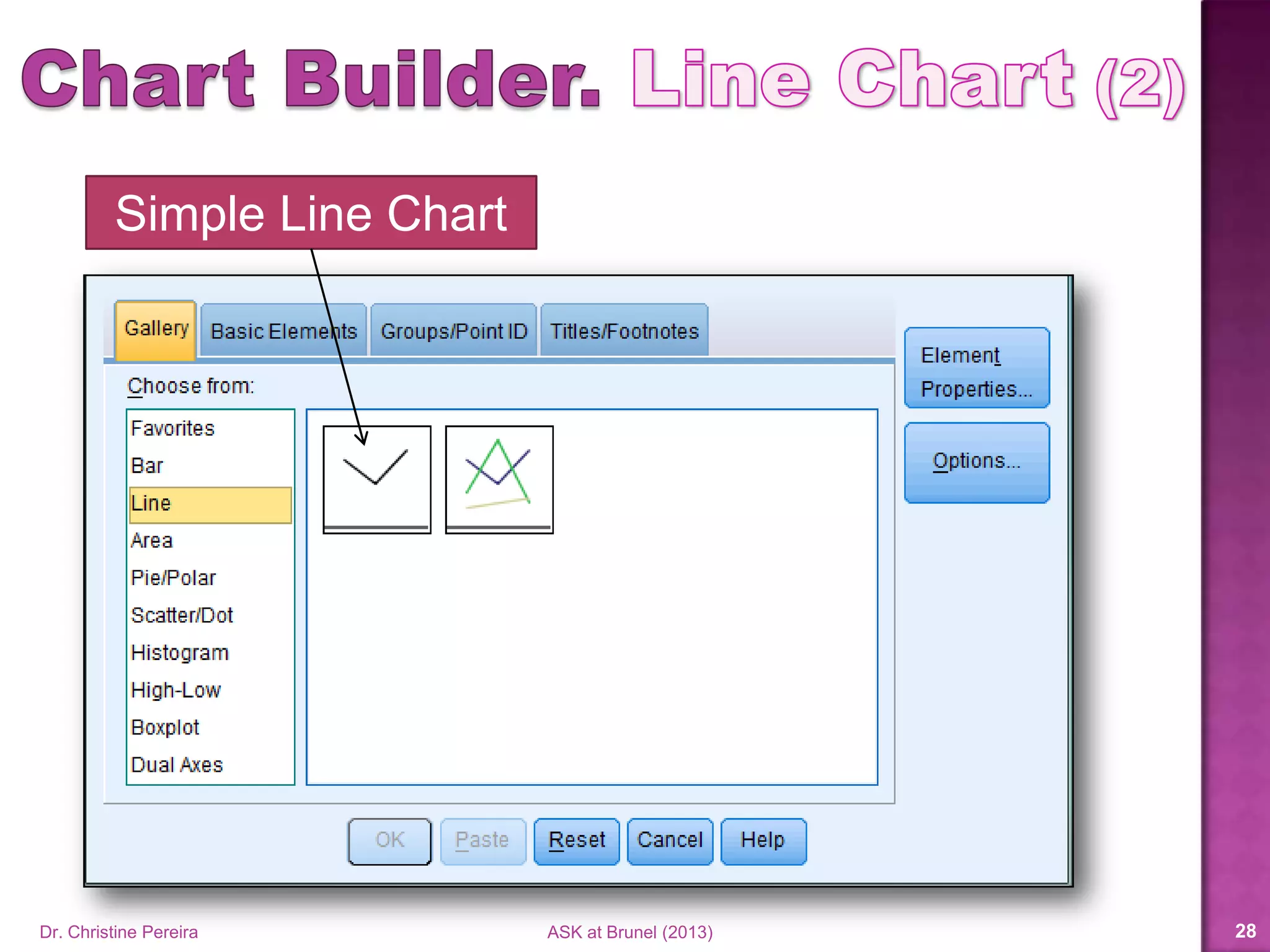
Simple Line Chart
Dr. Christine Pereira ASK at Brunel (2014) 24
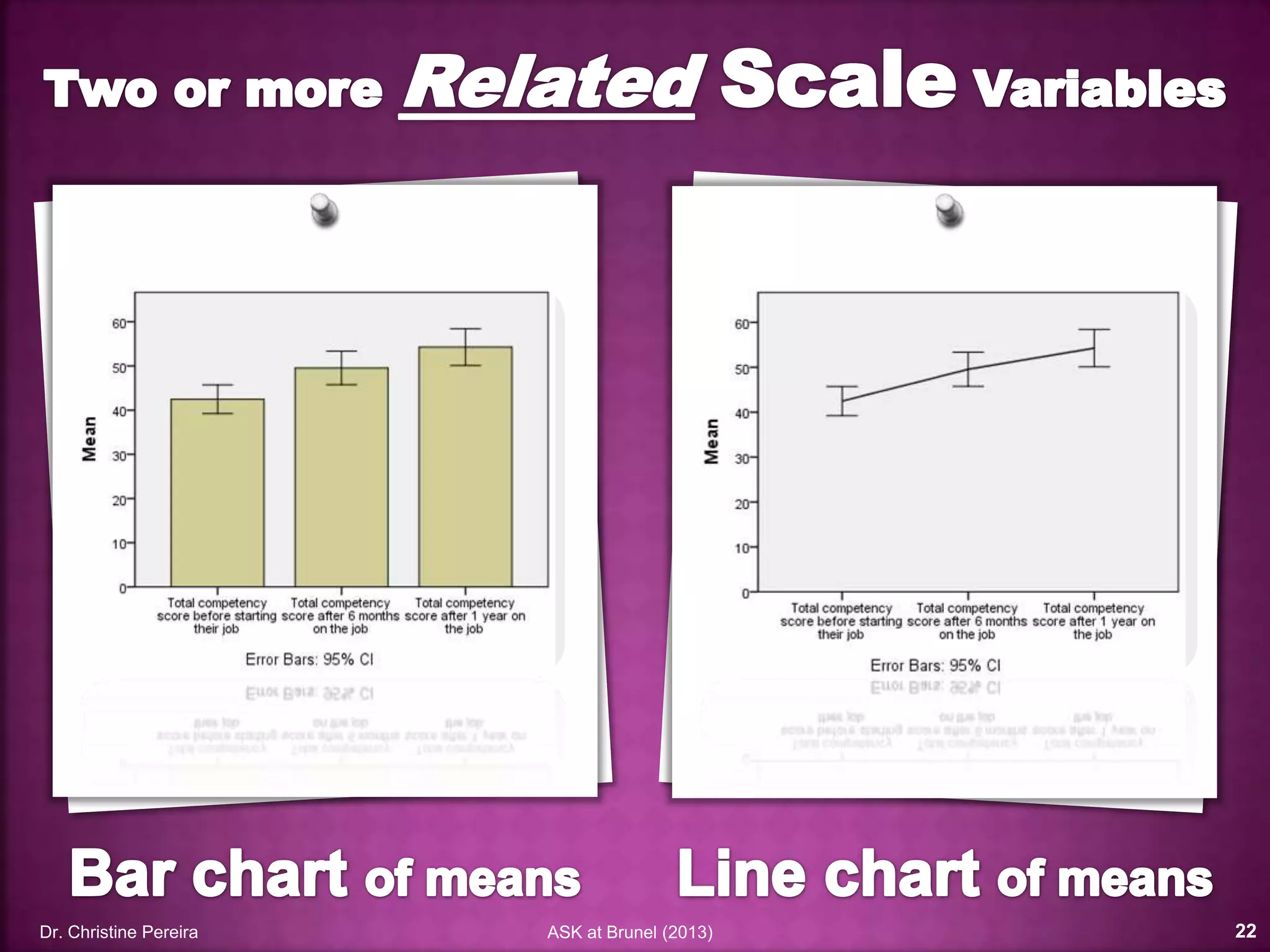
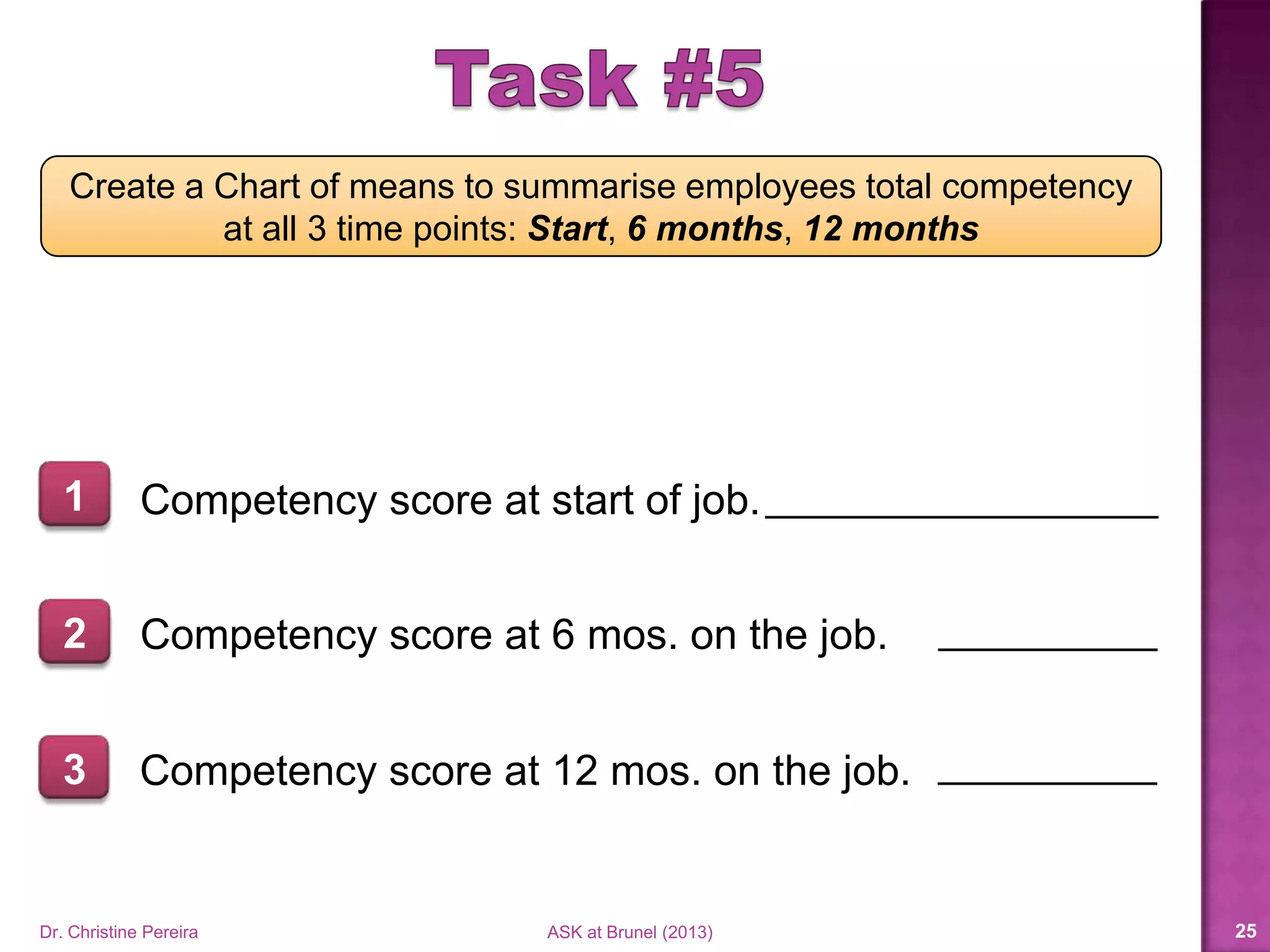
Create a Chart of means to summarise employees total competency
at all 3 time points: Start, 6 months, 12 months
Competency score at start of job.1
2 Competency score at 6 mos. on the job.
3 Competency score at 12 mos. on the job.
Dr. Christine Pereira ASK at Brunel (2014) 25
Dr. Christine Pereira ASK at Brunel (2014) 26
Simple Bar Chart
Dr. Christine Pereira ASK at Brunel (2014) 27
Simple Line Chart
Dr. Christine Pereira ASK at Brunel (2014) 28
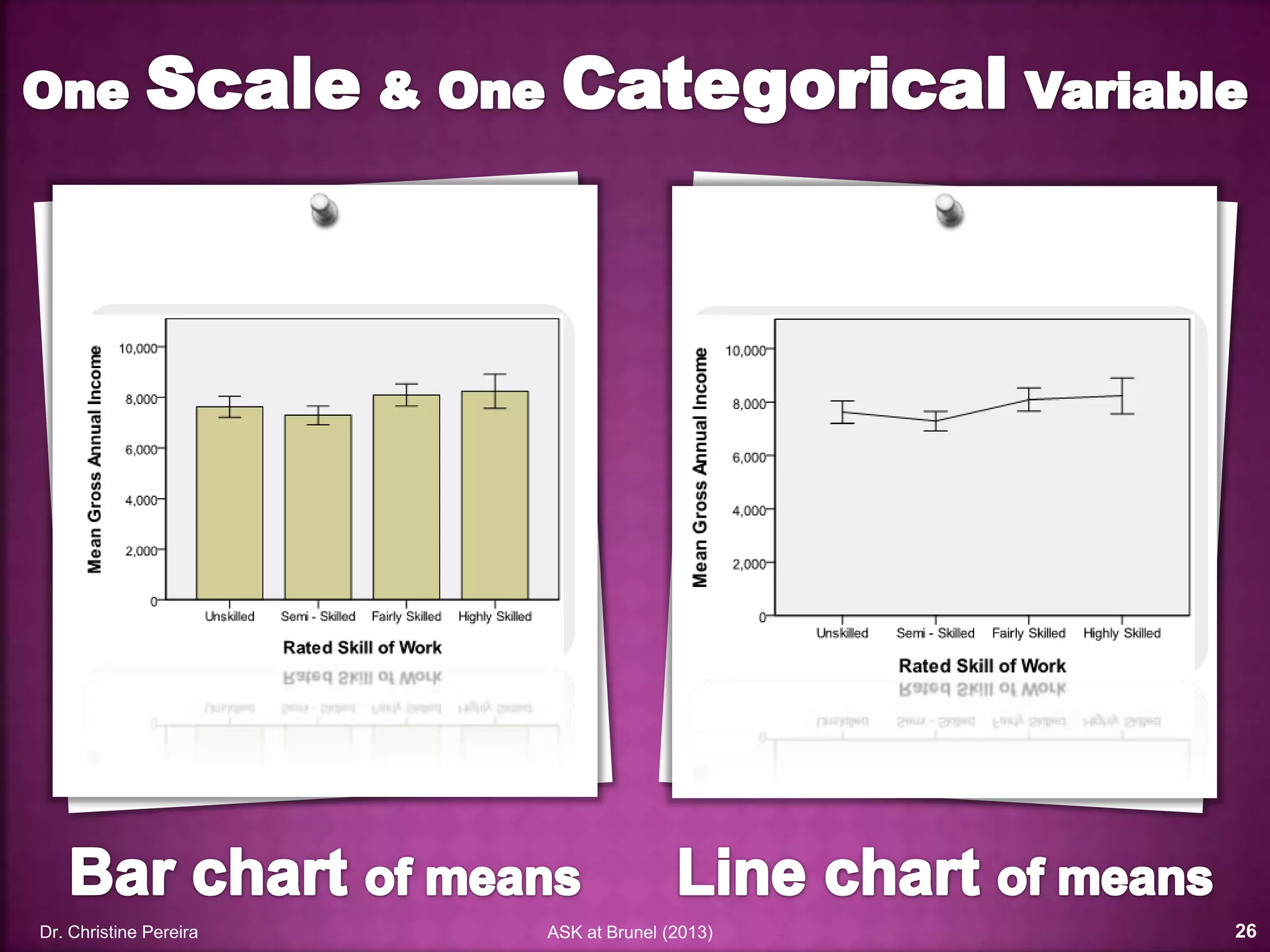
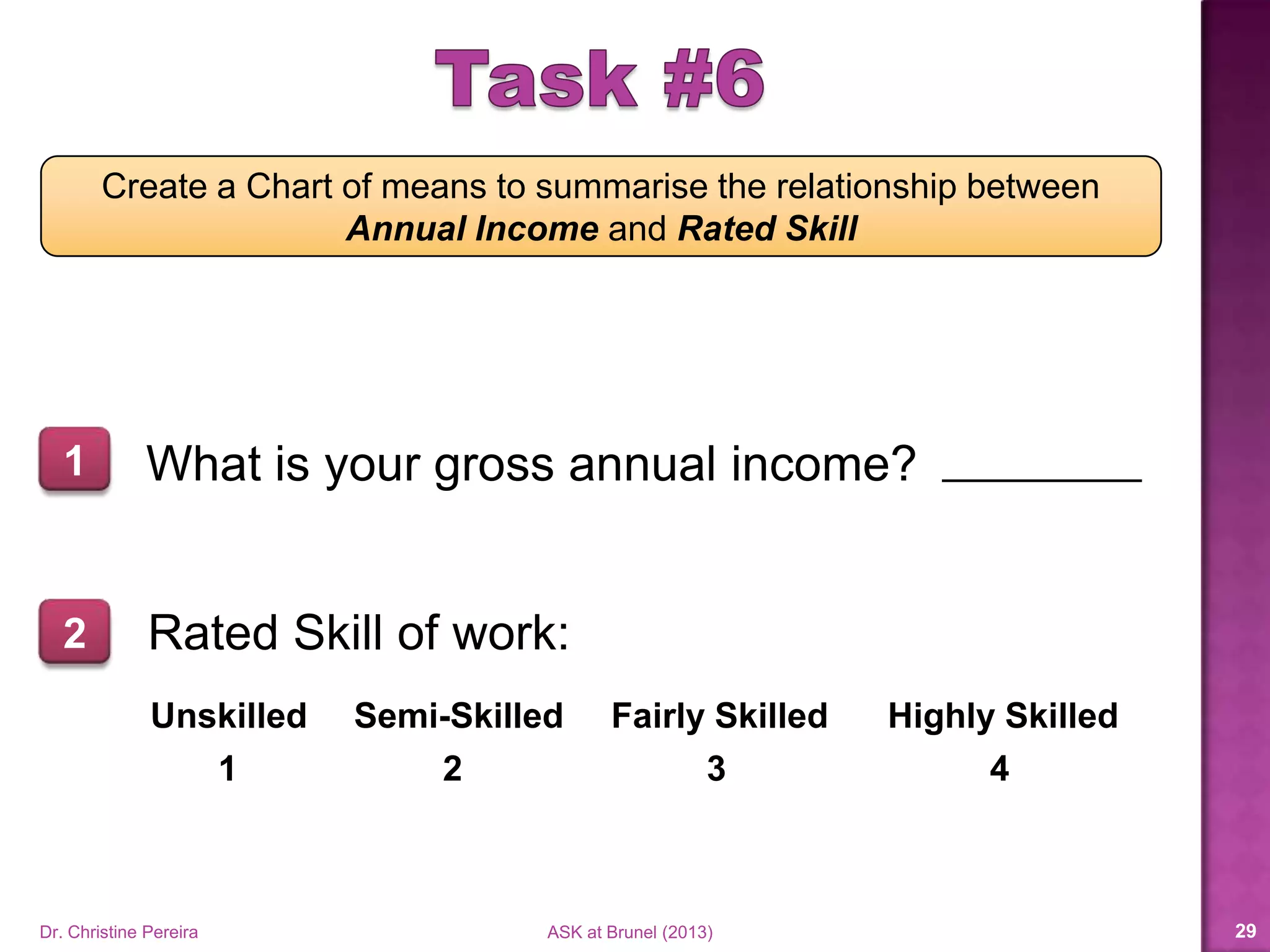
Create a Chart of means to summarise the relationship between
Annual Income and Rated Skill
What is your gross annual income?1
2 Rated Skill of work:
Unskilled Semi-Skilled Fairly Skilled Highly Skilled
1 2 3 4
Dr. Christine Pereira ASK at Brunel (2014) 29
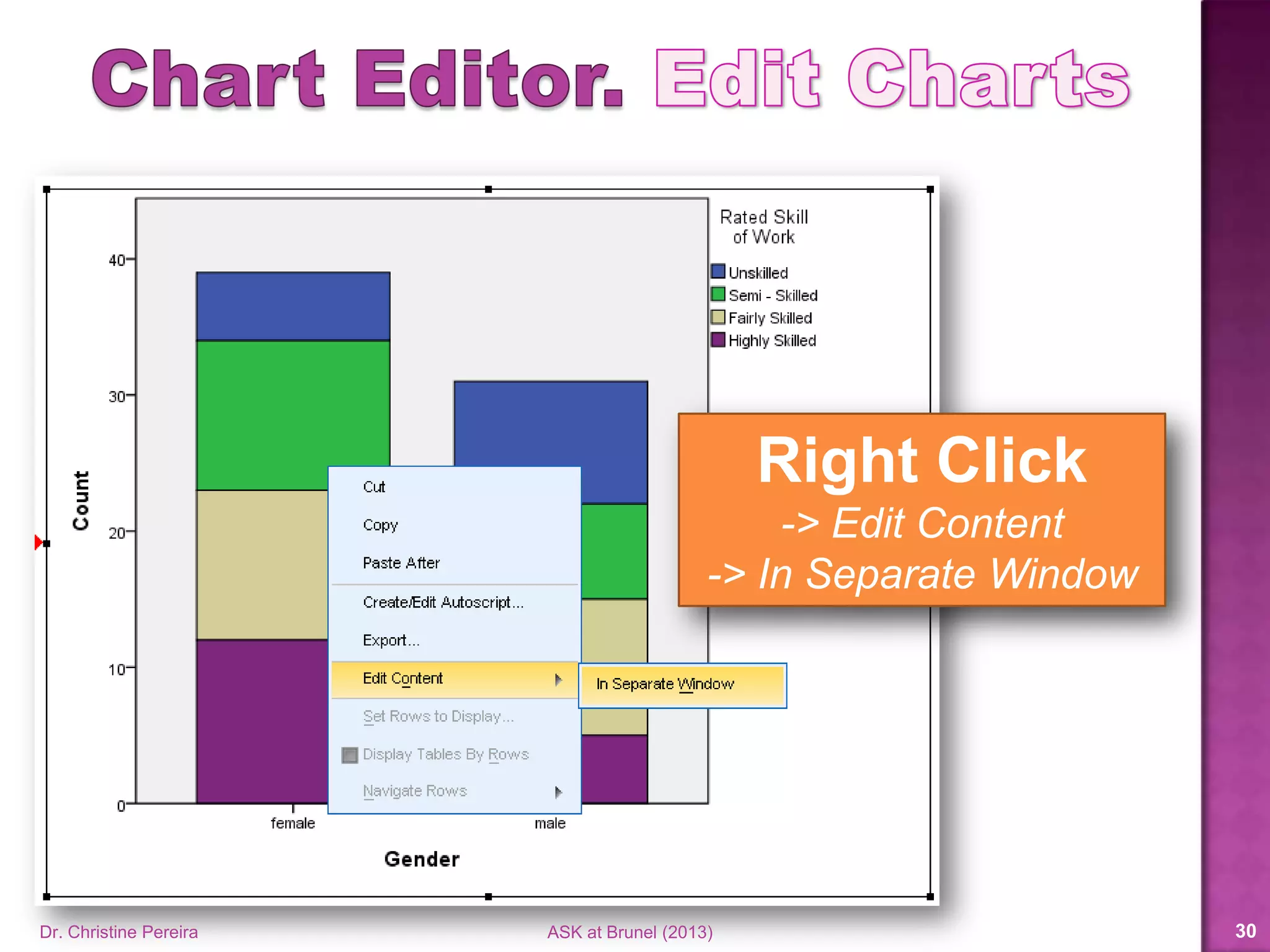
Right Click
-> Edit Content
-> In Separate Window
Dr. Christine Pereira ASK at Brunel (2014) 30
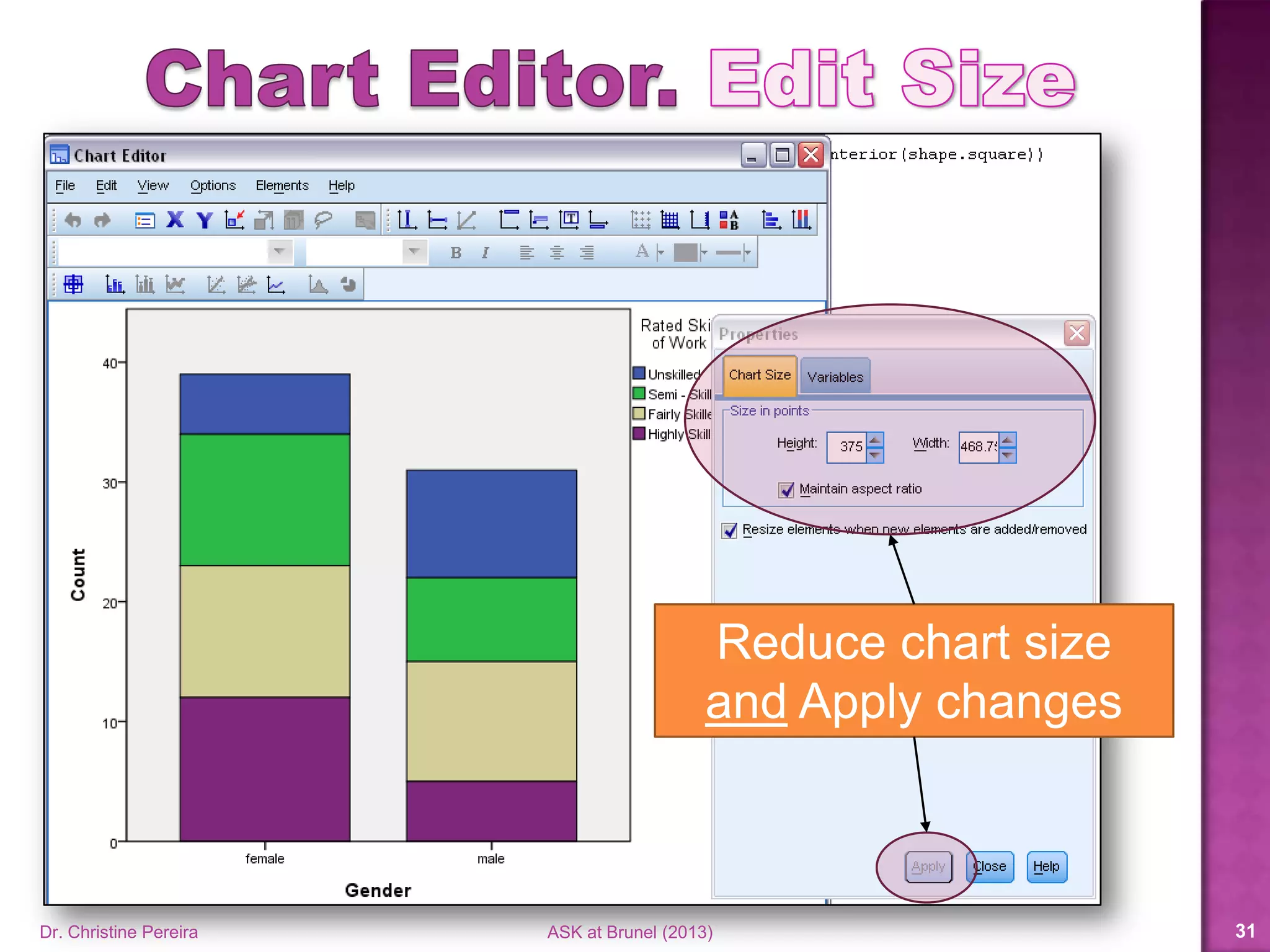
Reduce chart size
and Apply changes
Dr. Christine Pereira ASK at Brunel (2014) 31
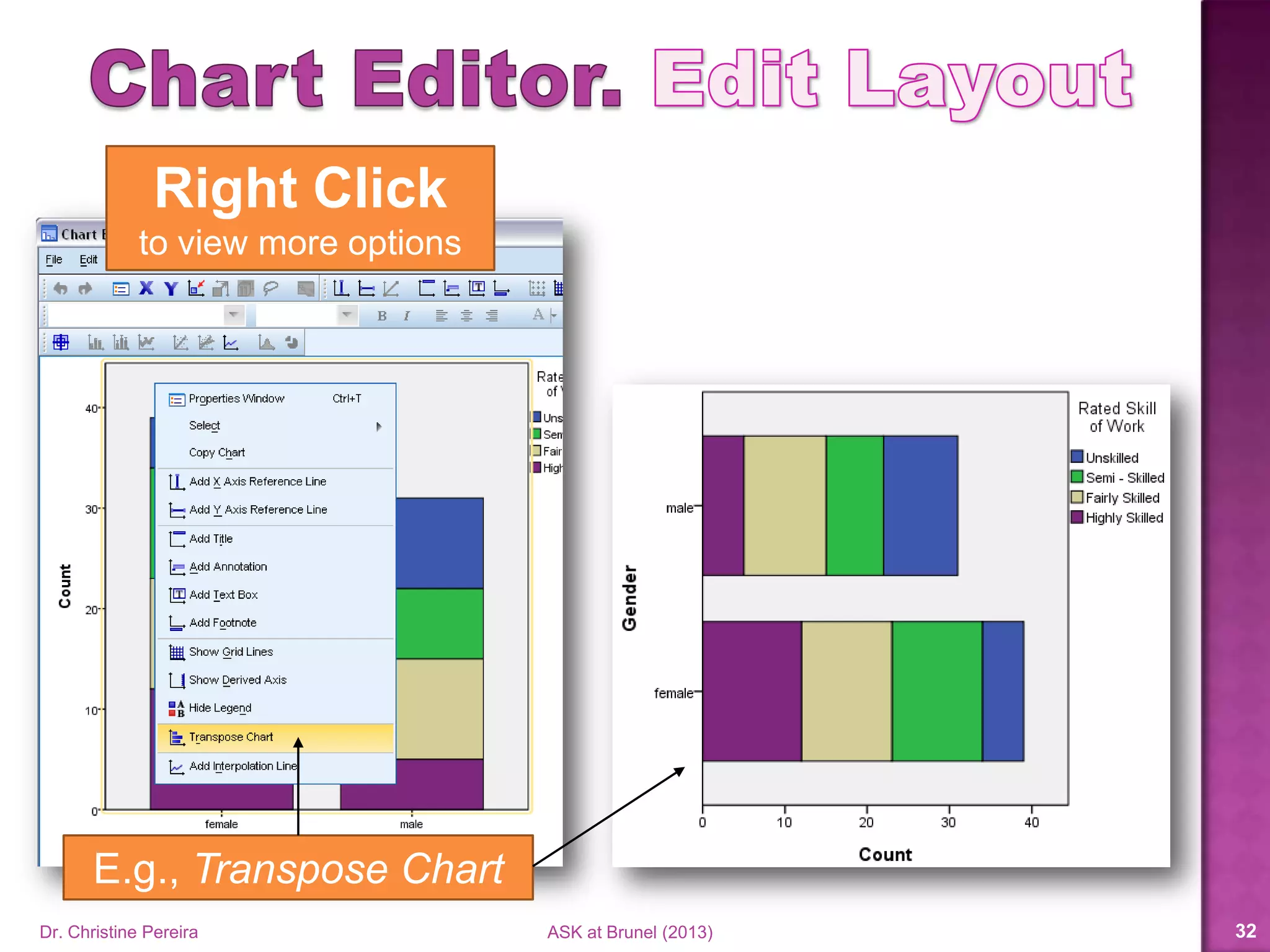
Right Click
to view more options
E.g., Transpose Chart
Dr. Christine Pereira ASK at Brunel (2014) 32
There’s much more in Chart Editor
You can change:
 Colours
 Fonts
 Axis labels
 Data labels
 Insert trend lines
 Rearrange (or remove) variables
 …the list goes on
Dr. Christine Pereira ASK at Brunel (2014) 33
 More resources available on Blackboard
 Go to Academic Skills under My Organisations
 In the left side column
 Under Resources click on Statistics and SPSS
 Here you can find videos, power point slides and
guides for charts and graphs in SPSS
Dr. Christine Pereira ASK at Brunel (2014) 34
Representing Data Numerically
Dr. Christine Pereira ASK at Brunel (2014) 35
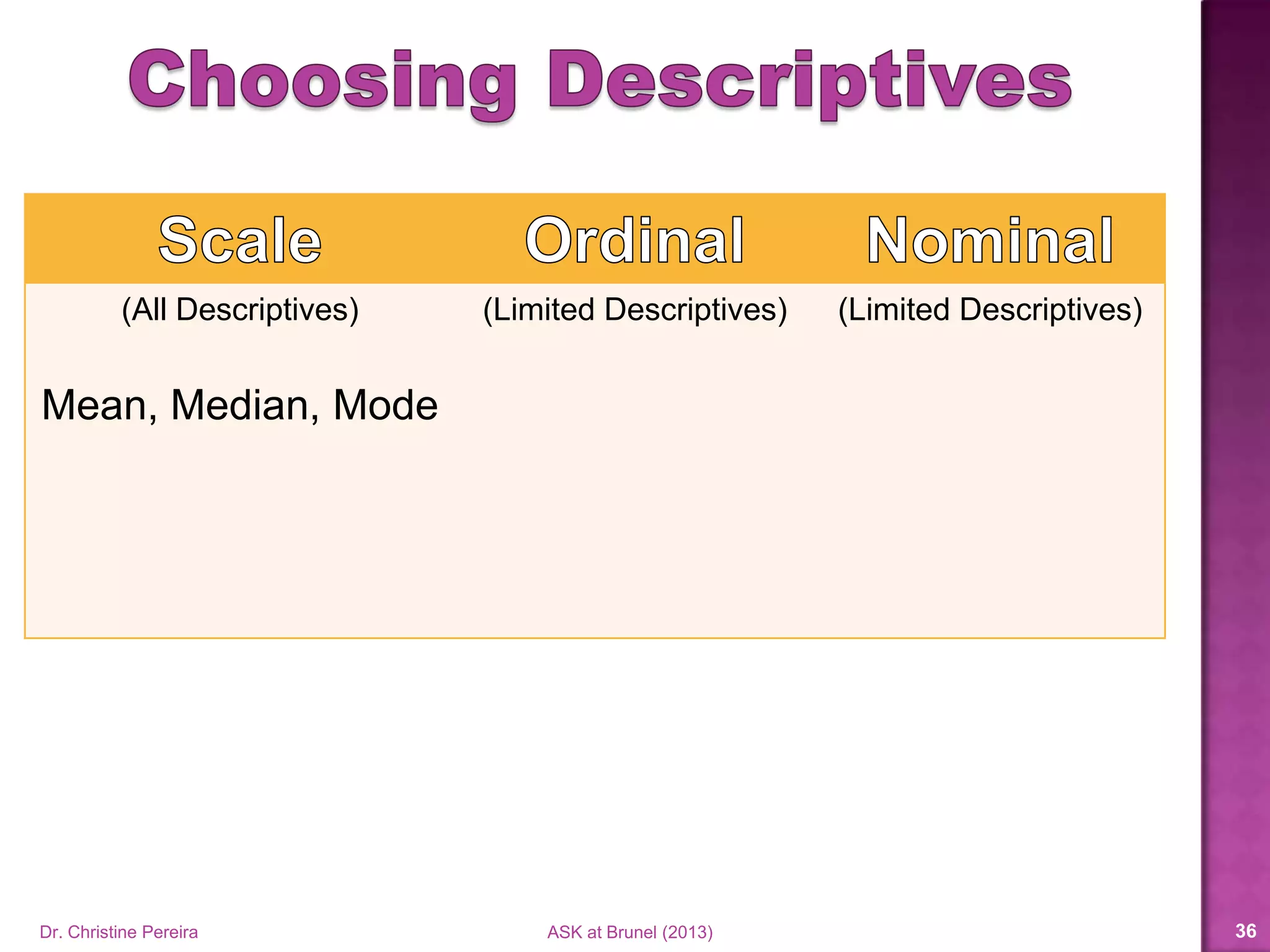
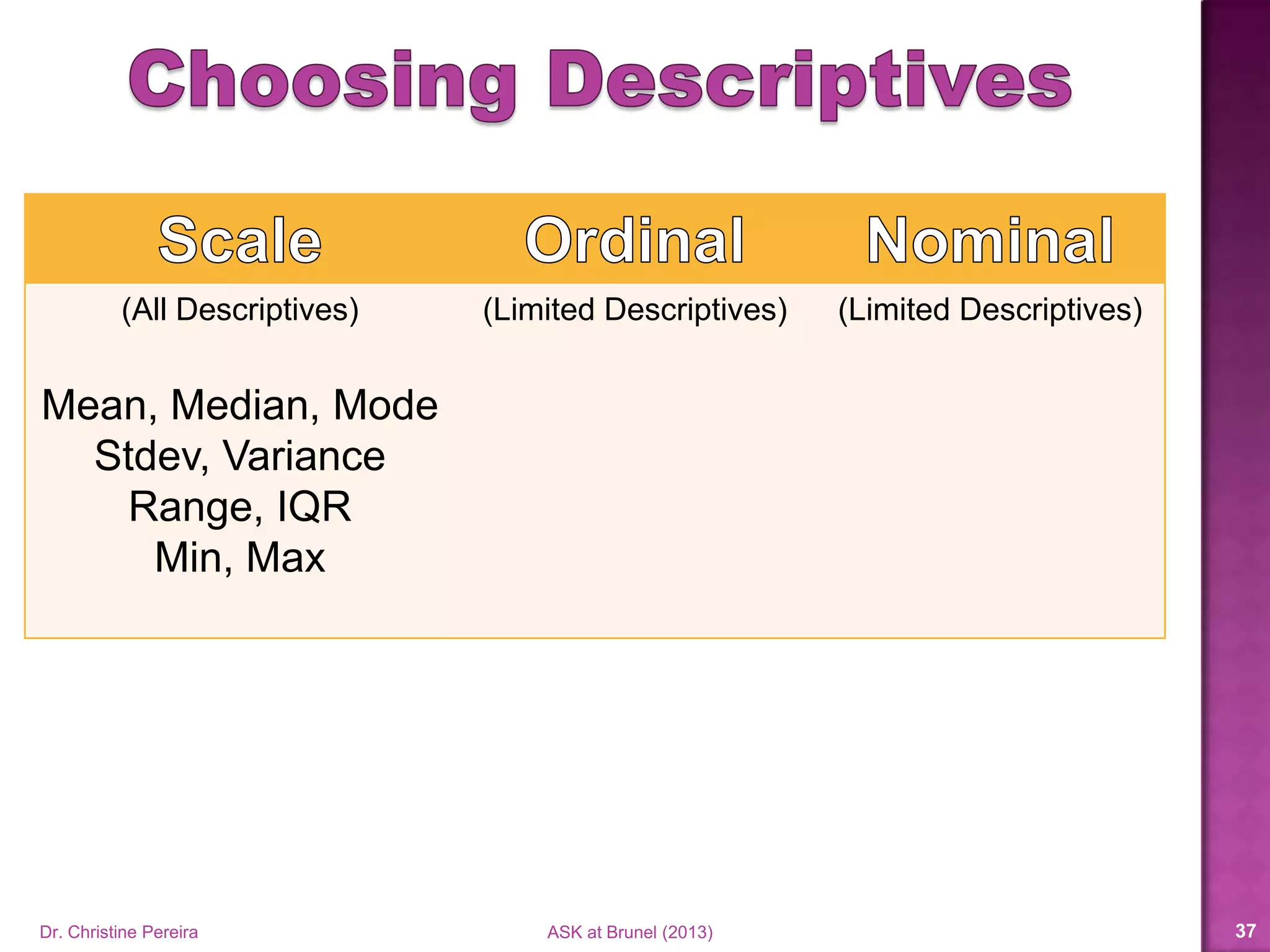
(All Descriptives)
Mean, Median, Mode
(Limited Descriptives) (Limited Descriptives)
Dr. Christine Pereira ASK at Brunel (2014) 36
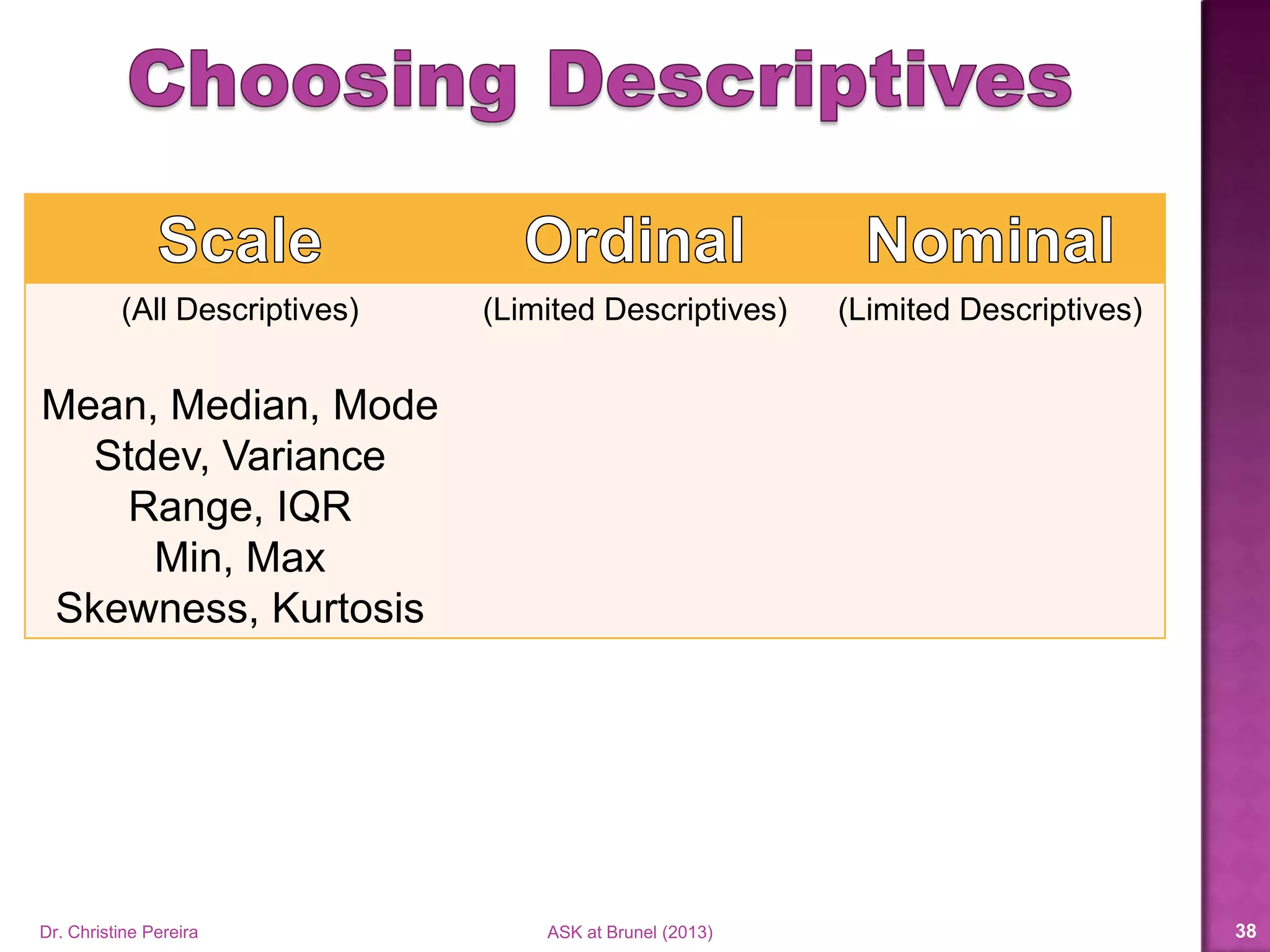
(All Descriptives)
Mean, Median, Mode
Stdev, Variance
Range, Percentiles,
Min, Max, etc…
(Limited Descriptives) (Limited Descriptives)
Dr. Christine Pereira ASK at Brunel (2014) 37
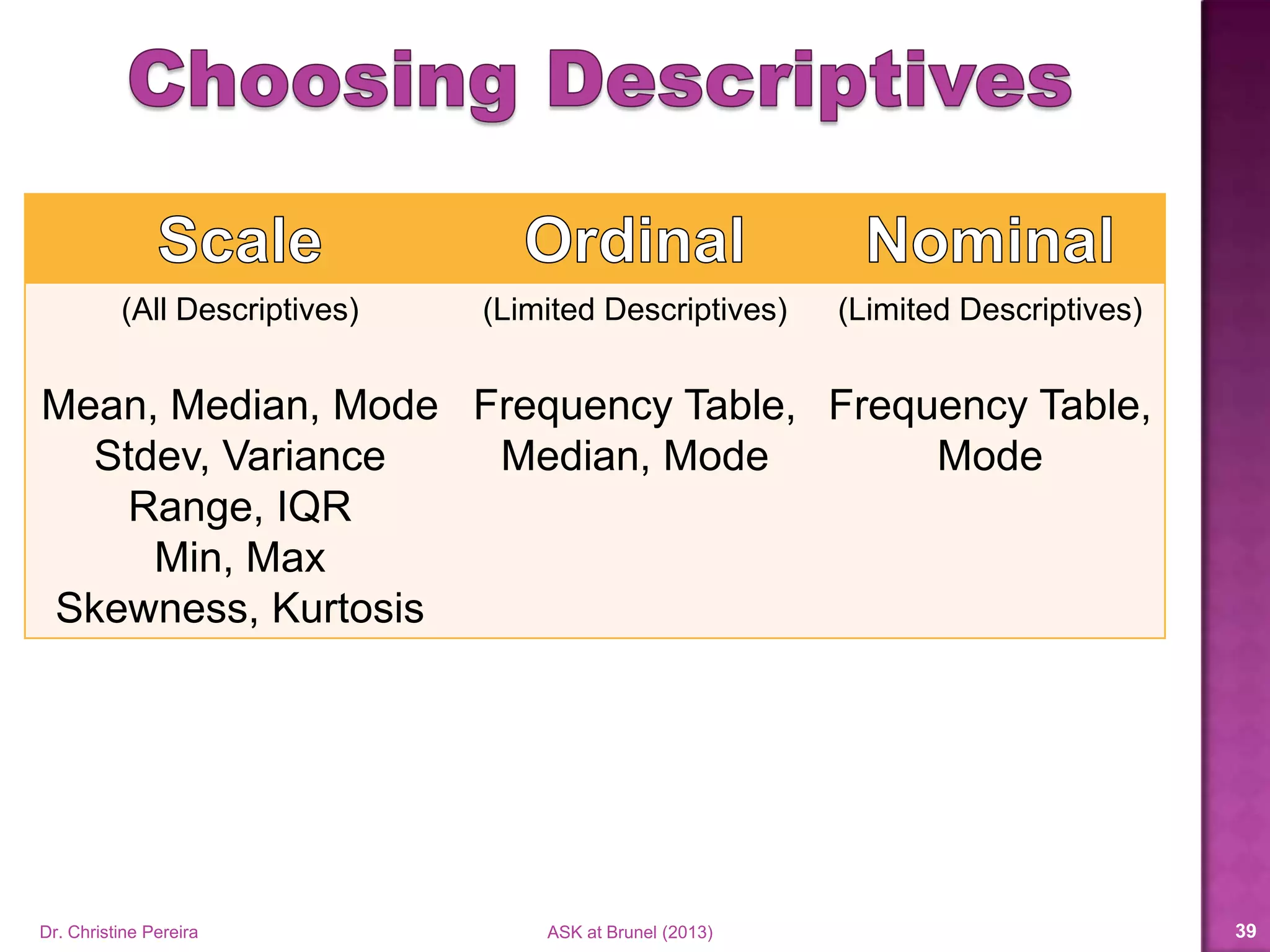
(All Descriptives)
Mean, Median, Mode
Stdev, Variance
Range, Percentiles,
Min, Max, etc…
(Limited Descriptives)
Frequency Table,
Median, Mode
(Limited Descriptives)
Frequency Table,
Mode
Dr. Christine Pereira ASK at Brunel (2014) 38
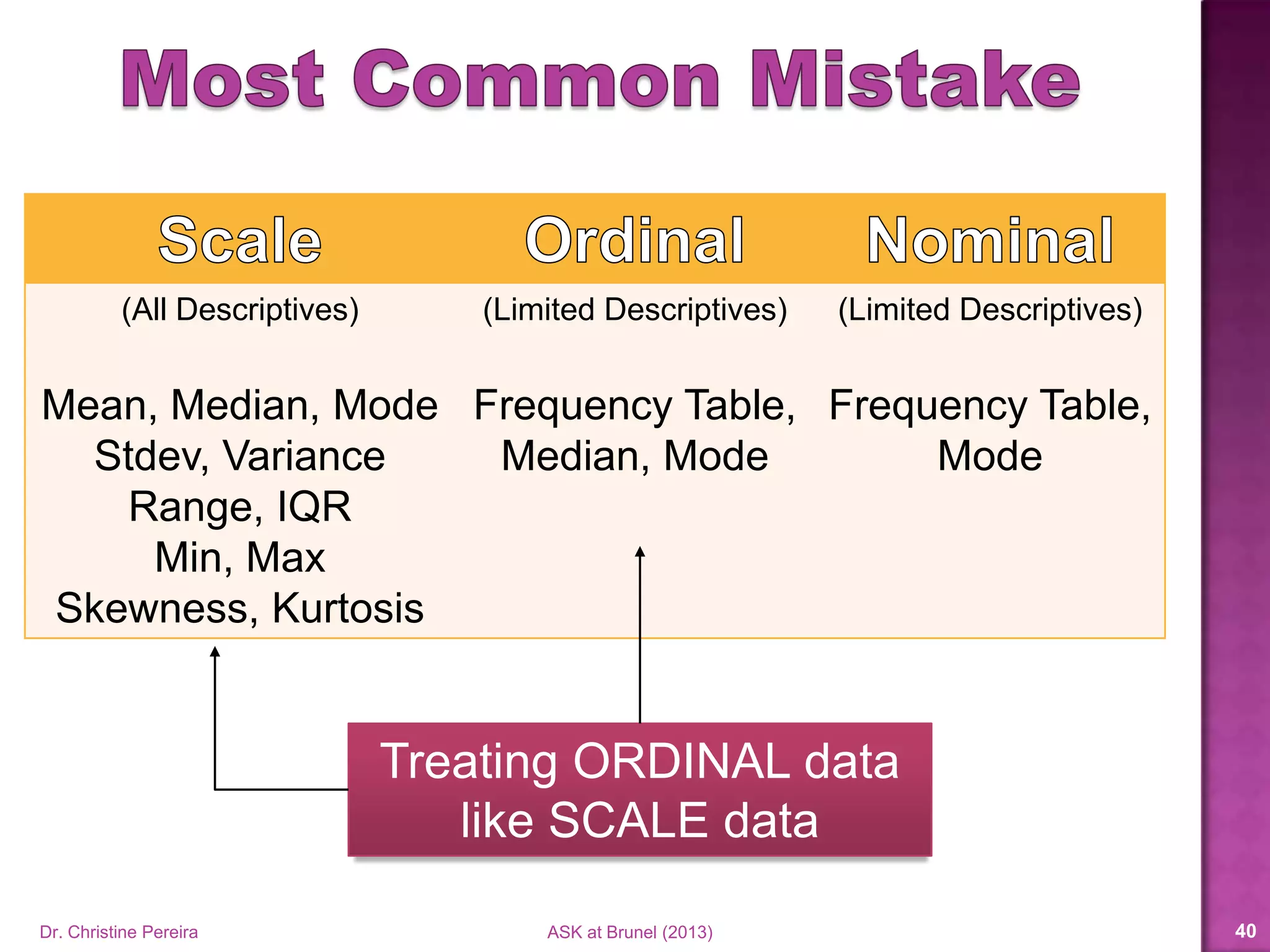
(All Descriptives)
Mean, Median, Mode
Stdev, Variance
Range, Percentiles,
Min, Max, etc…
(Limited Descriptives)
Frequency Table,
Median, Mode
(Limited Descriptives)
Frequency Table,
Mode
Treating ORDINAL data
like SCALE data
Dr. Christine Pereira ASK at Brunel (2014) 39
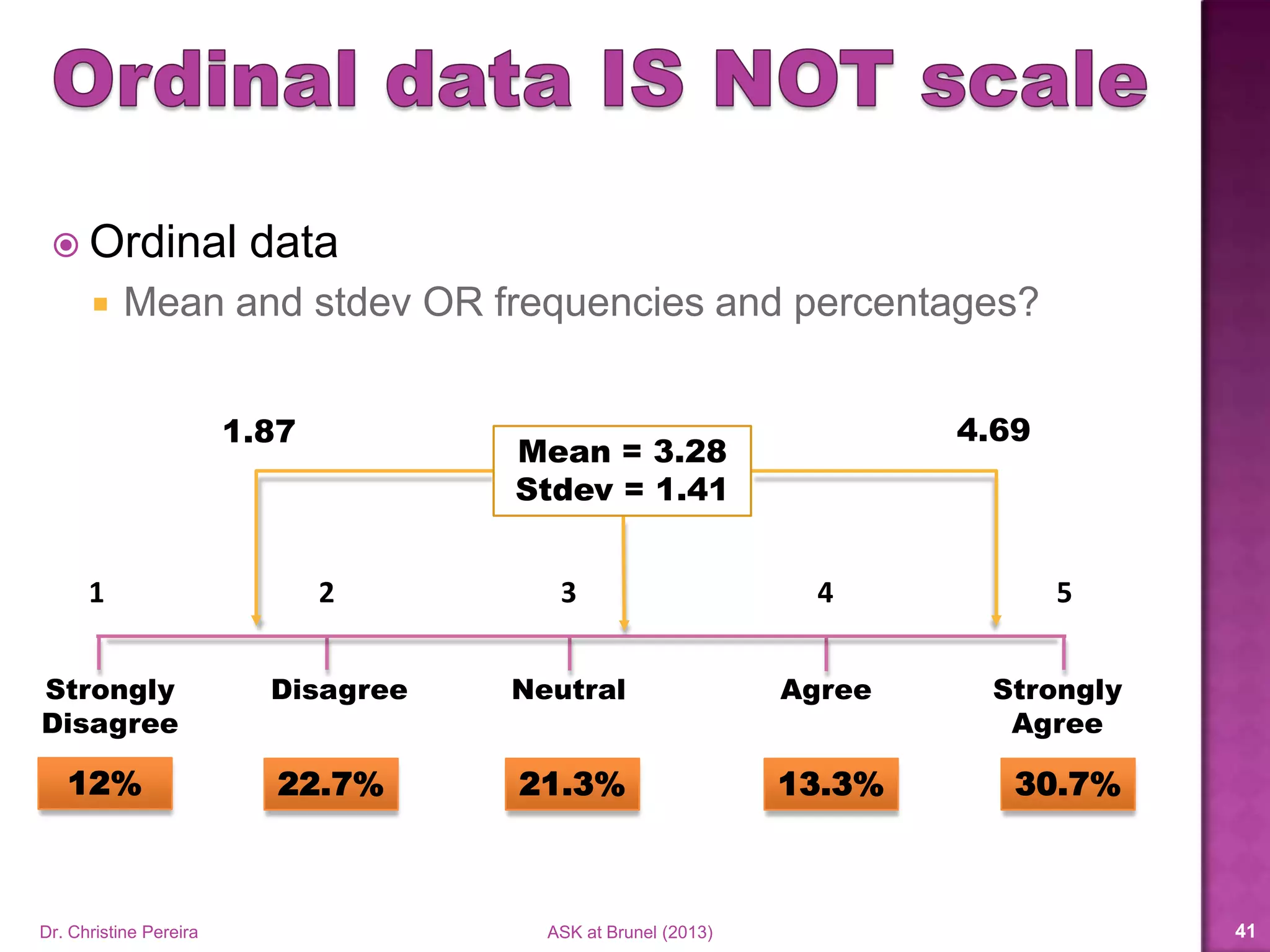
 Ordinal data
 Mean and stdev OR frequencies and percentages?
Strongly
Disagree
Strongly
Agree
NeutralDisagree Agree
1 2 3 4 5
12% 22.7% 21.3% 13.3% 30.7%
Mean = 3.28
Stdev = 1.41
1.87 4.69
Dr. Christine Pereira ASK at Brunel (2014) 40
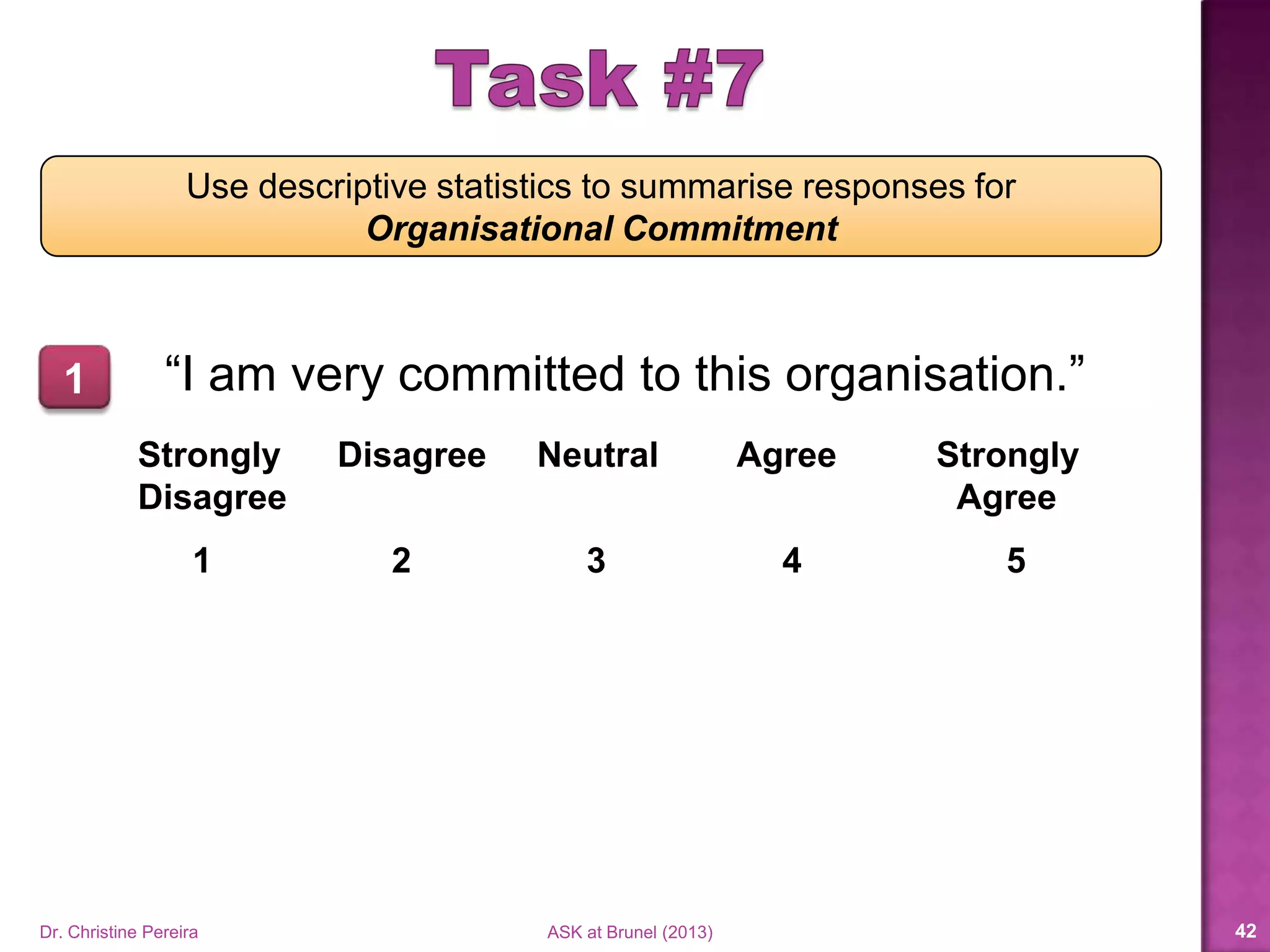
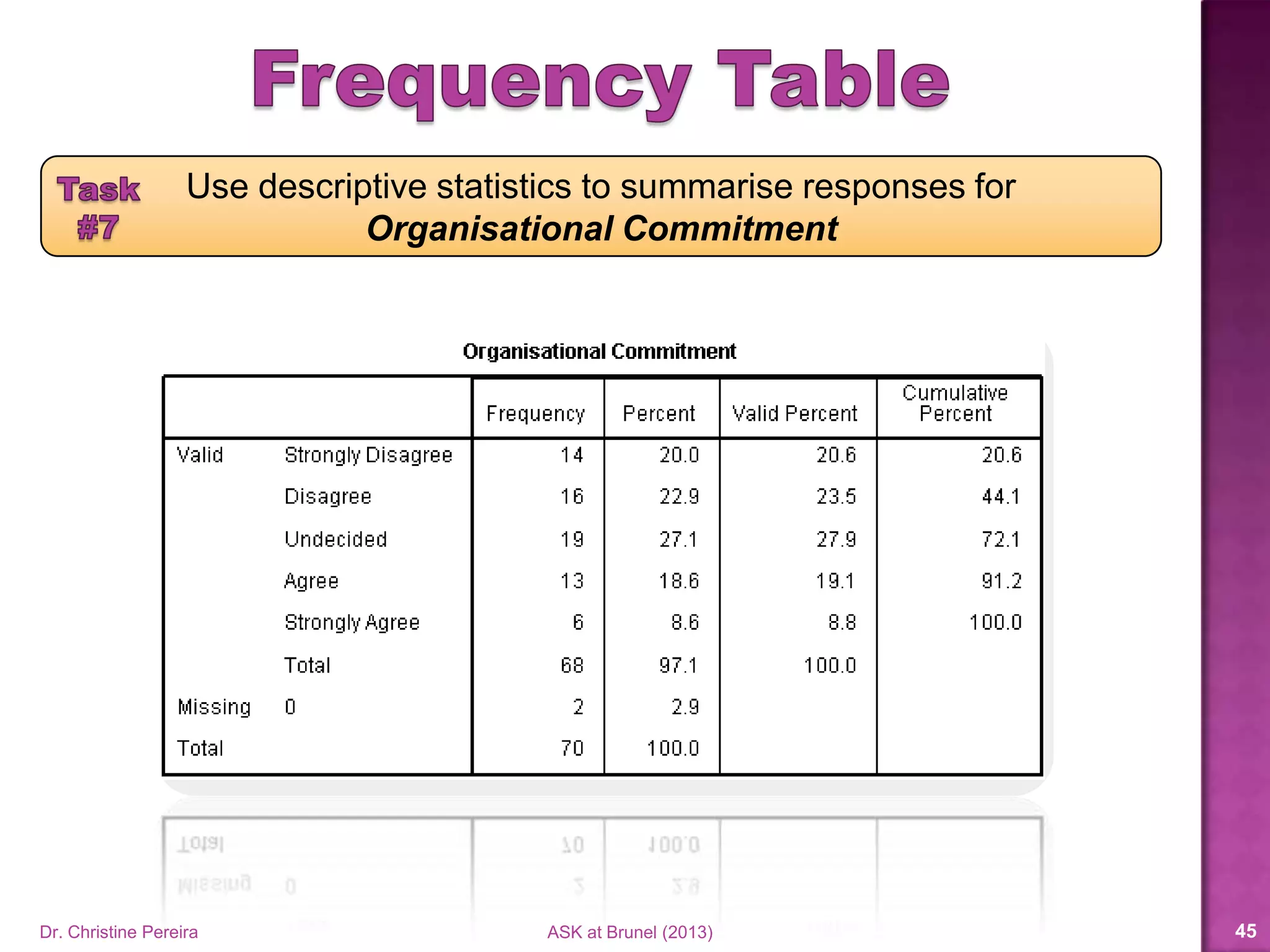
Use descriptive statistics to summarise responses for
Organisational Commitment
“I am very committed to this organisation.”
Strongly Disagree Neutral Agree Strongly
Disagree Agree
1 2 3 4 5
1
Dr. Christine Pereira ASK at Brunel (2014) 41
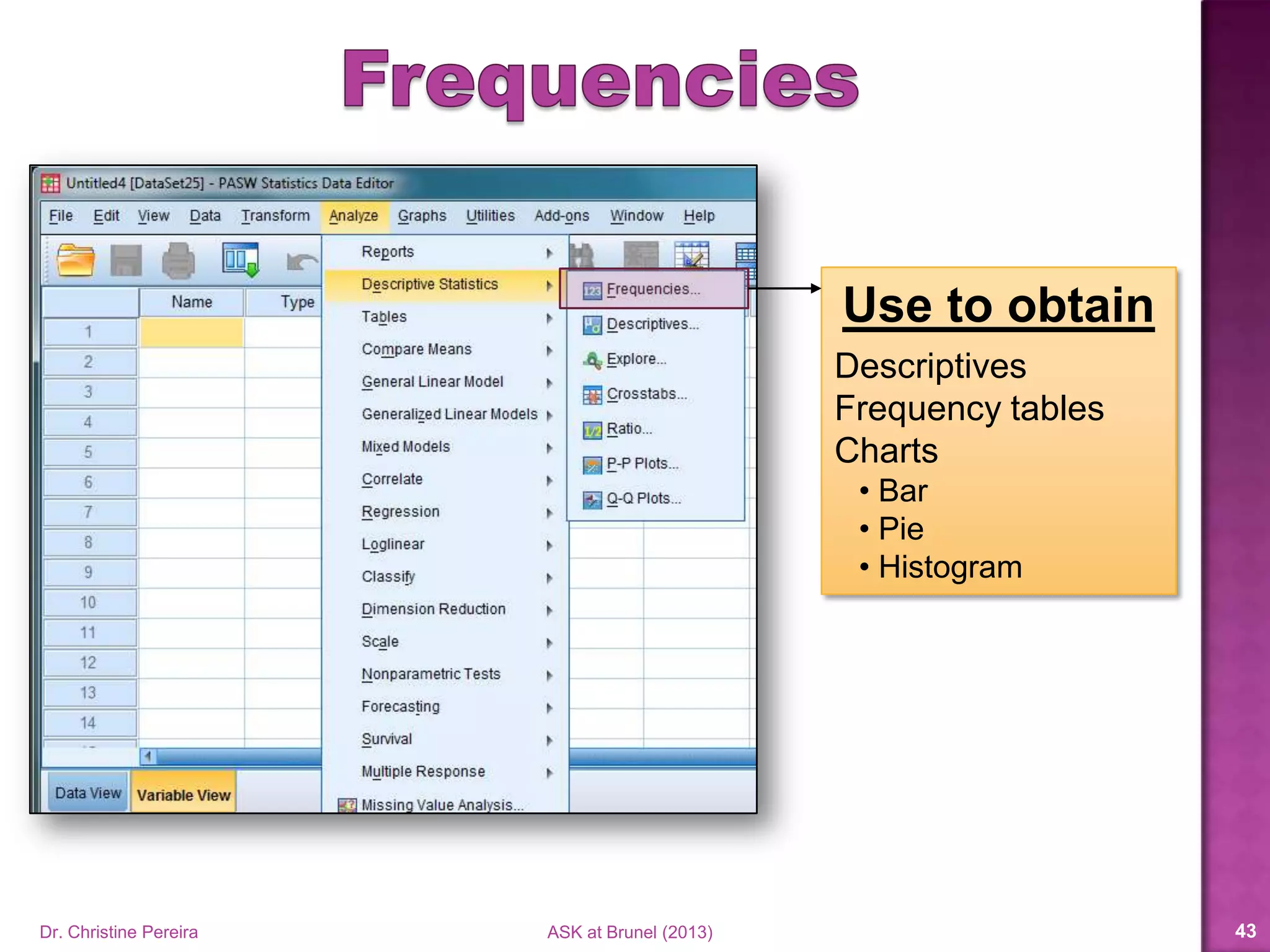
Use to obtain
Descriptives
Frequency tables
Charts
• Bar
• Pie
• Histogram
Dr. Christine Pereira ASK at Brunel (2014) 42
Dr. Christine Pereira ASK at Brunel (2014) 43
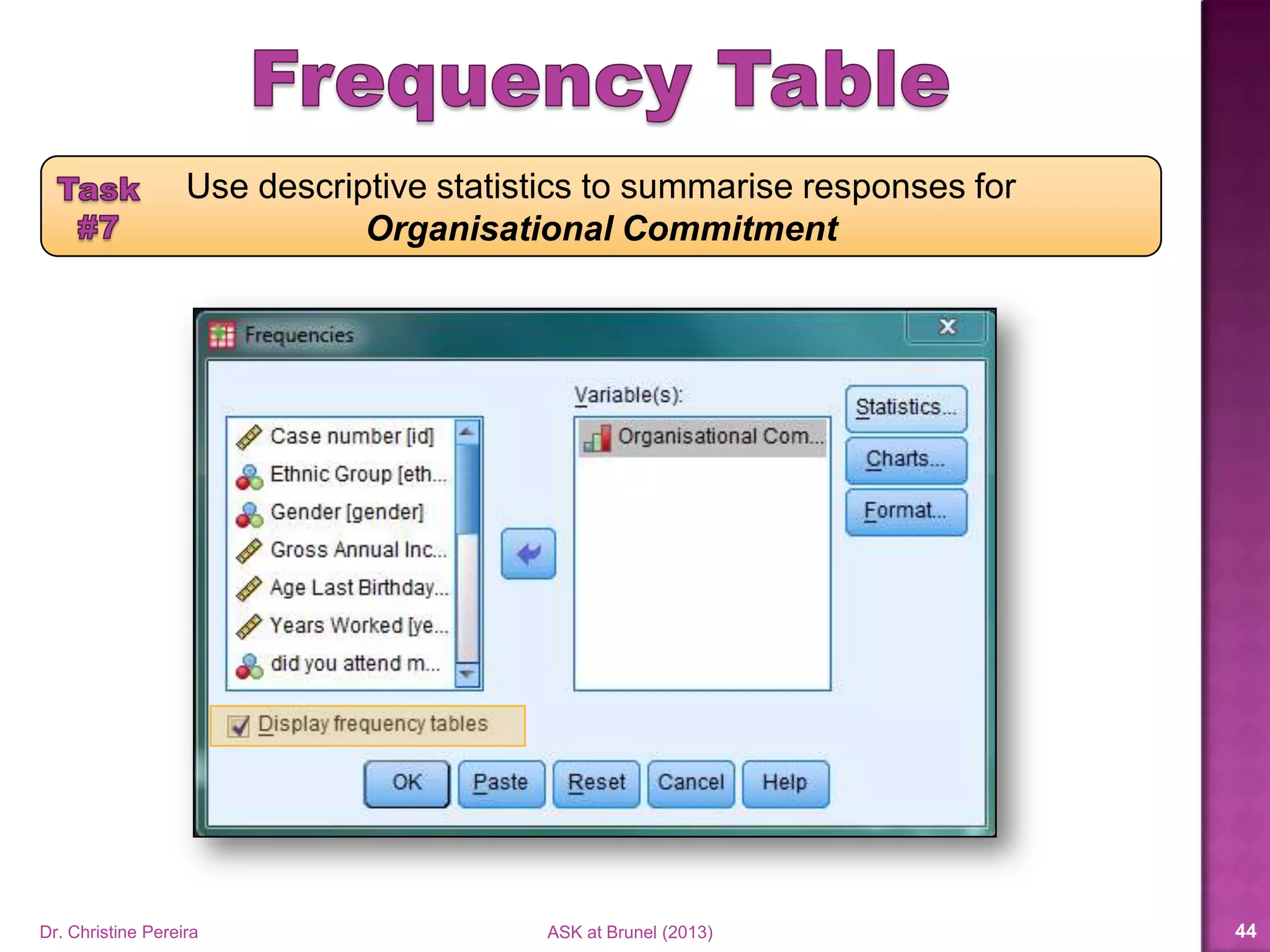
Use descriptive statistics to summarise responses for
Organisational Commitment
Dr. Christine Pereira ASK at Brunel (2014) 44
Use descriptive statistics to summarise responses for
Organisational Commitment
Dr. Christine Pereira ASK at Brunel (2014) 45
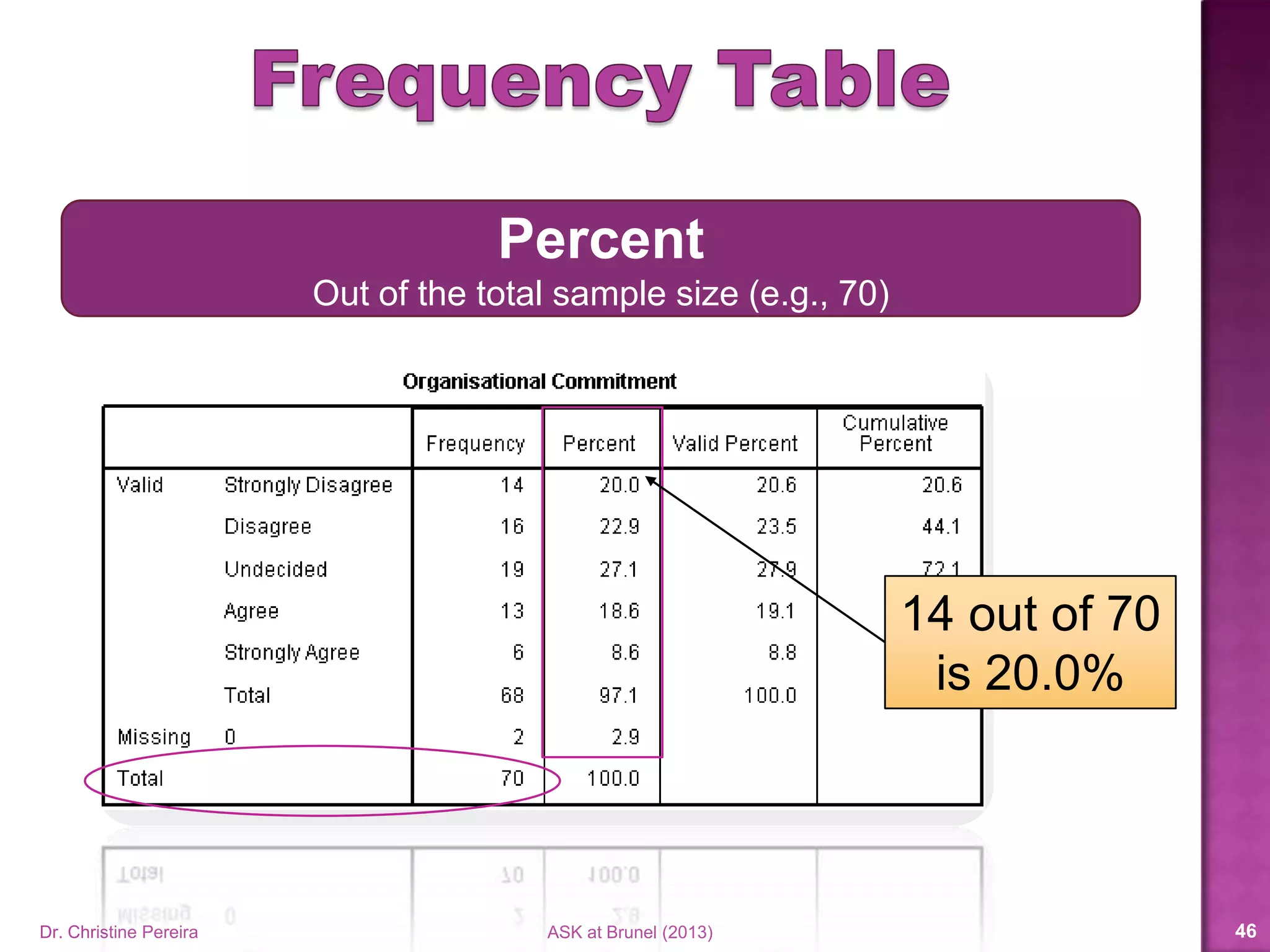
14 out of 70
is 20.0%
Percent
Out of the total sample size (e.g., 70)
Dr. Christine Pereira ASK at Brunel (2014) 46
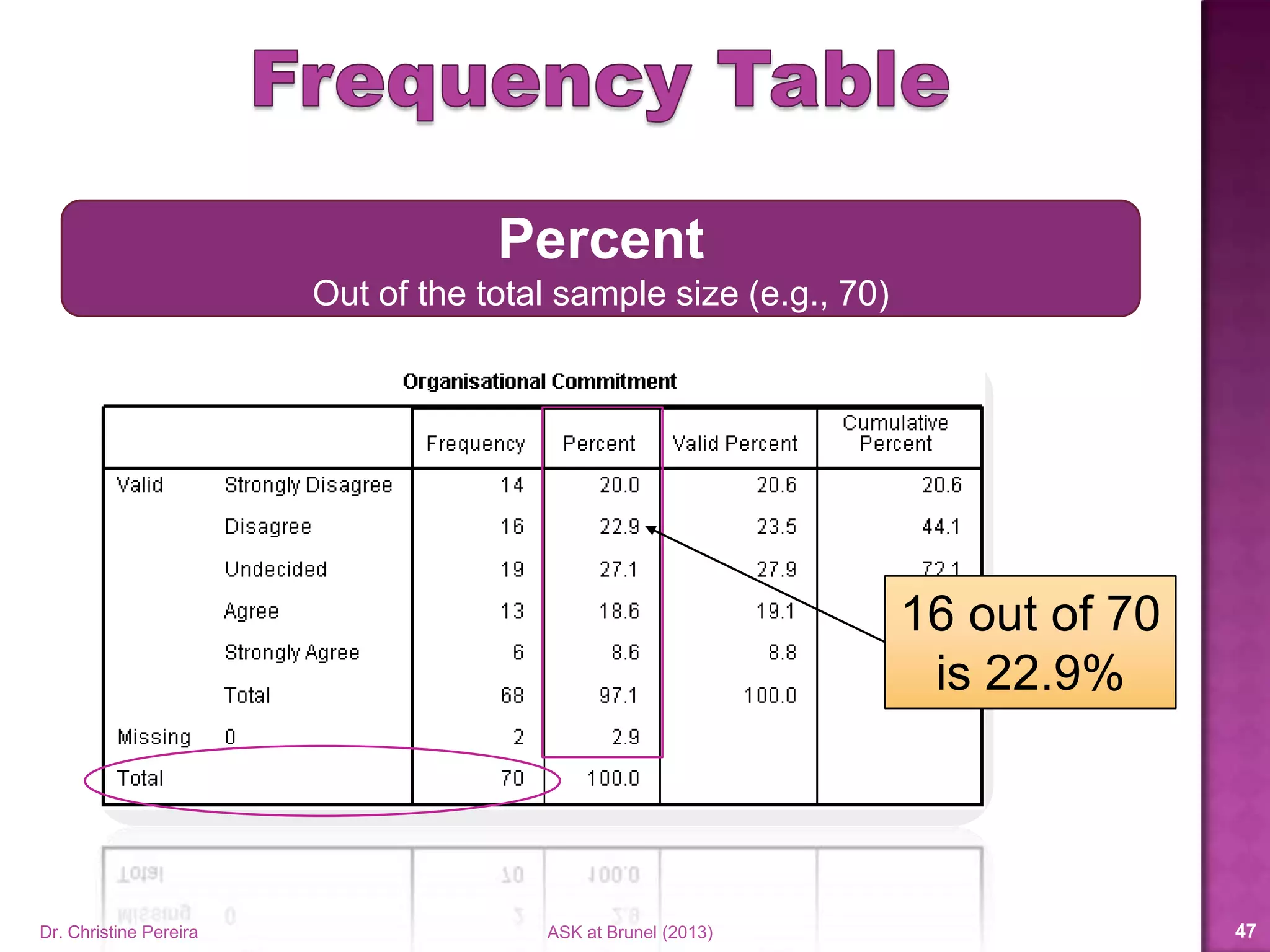
16 out of 70
is 22.9%
Percent
Out of the total sample size (e.g., 70)
Dr. Christine Pereira ASK at Brunel (2014) 47
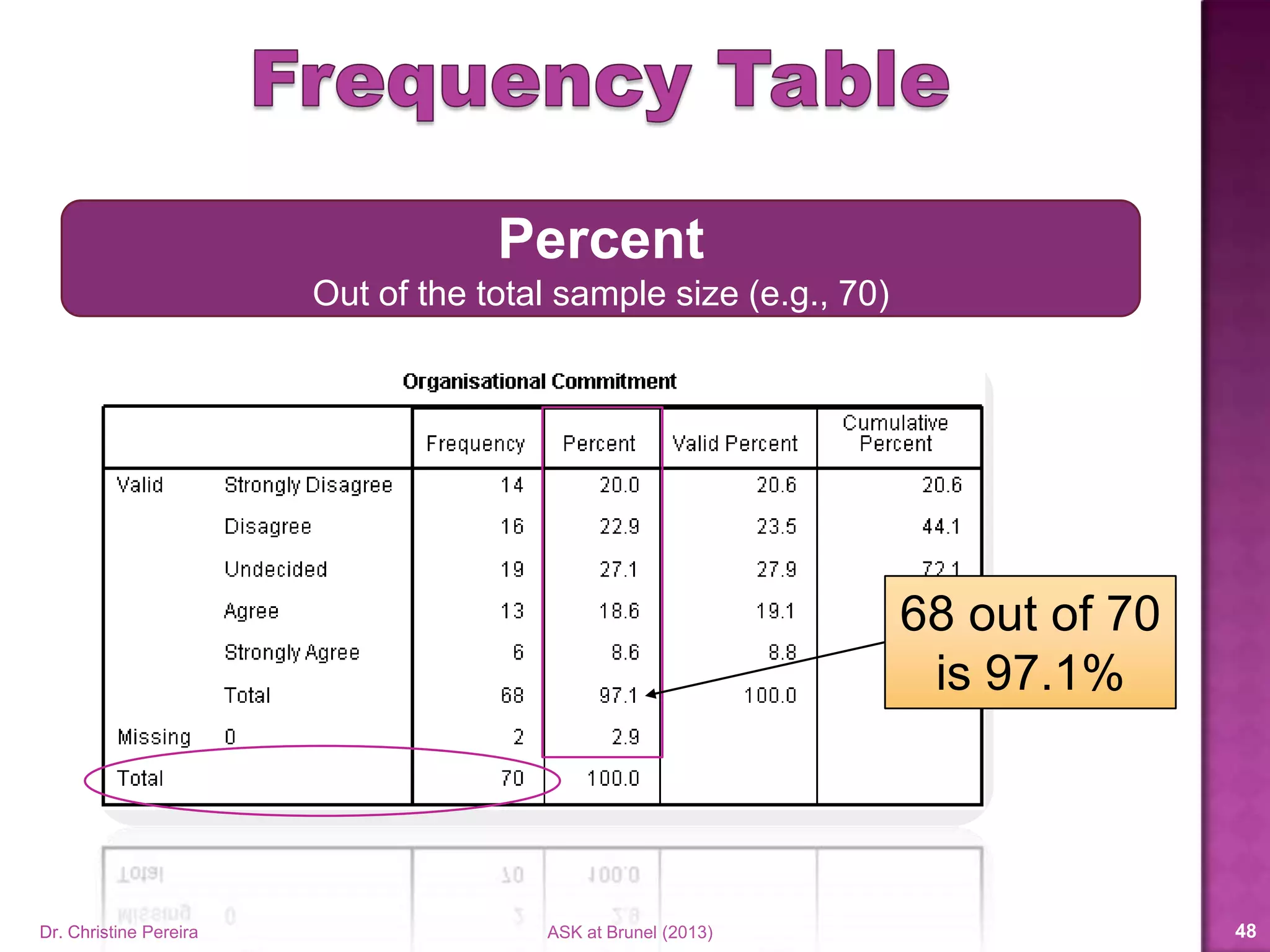
68 out of 70
is 97.1%
Percent
Out of the total sample size (e.g., 70)
Dr. Christine Pereira ASK at Brunel (2014) 48
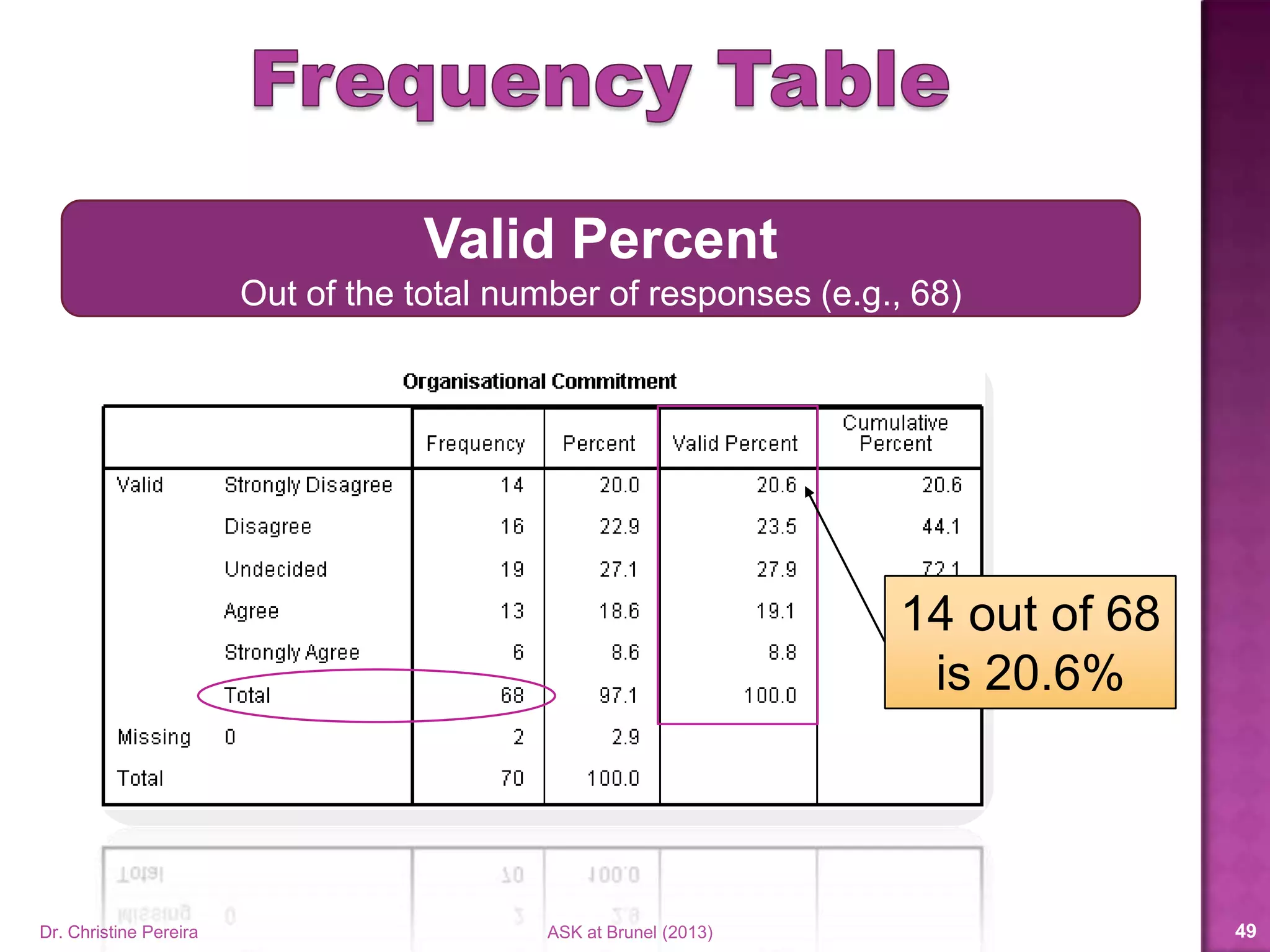
14 out of 68
is 20.6%
Valid Percent
Out of the total number of responses (e.g., 68)
Dr. Christine Pereira ASK at Brunel (2014) 49
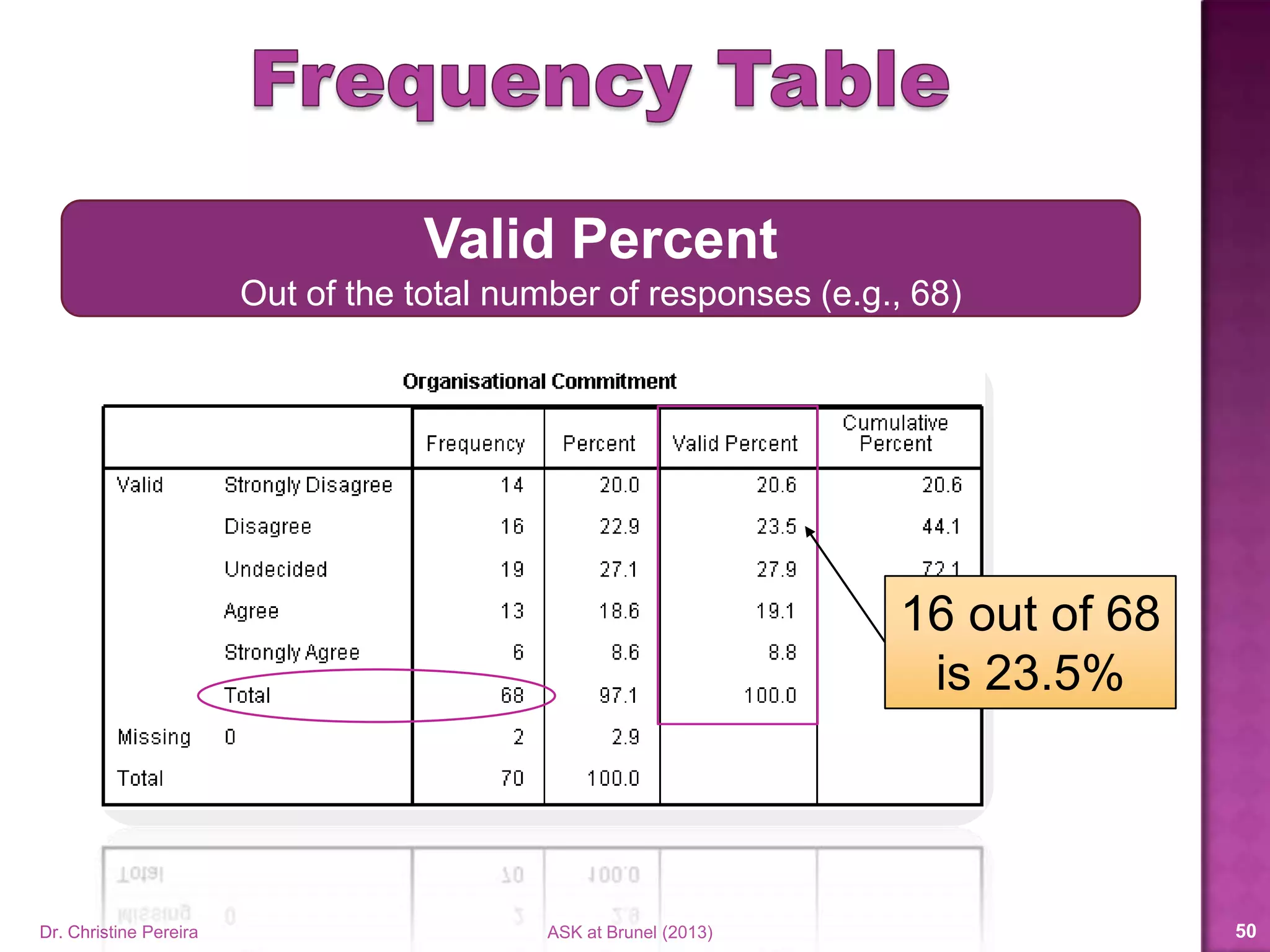
16 out of 68
is 23.5%
Valid Percent
Out of the total number of responses (e.g., 68)
Dr. Christine Pereira ASK at Brunel (2014) 50
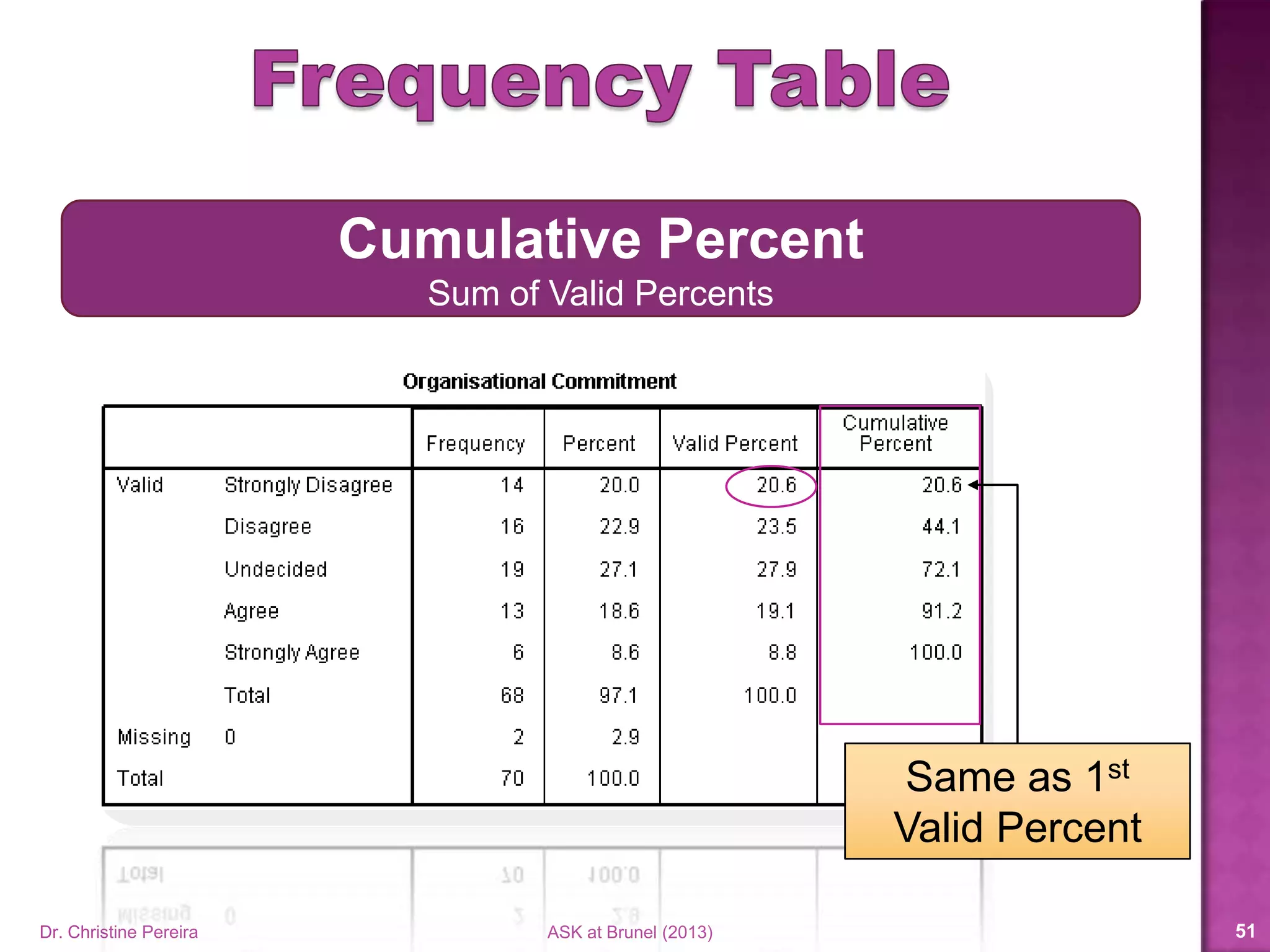
Same as 1st
Valid Percent
Cumulative Percent
Sum of Valid Percents
Dr. Christine Pereira ASK at Brunel (2014) 51
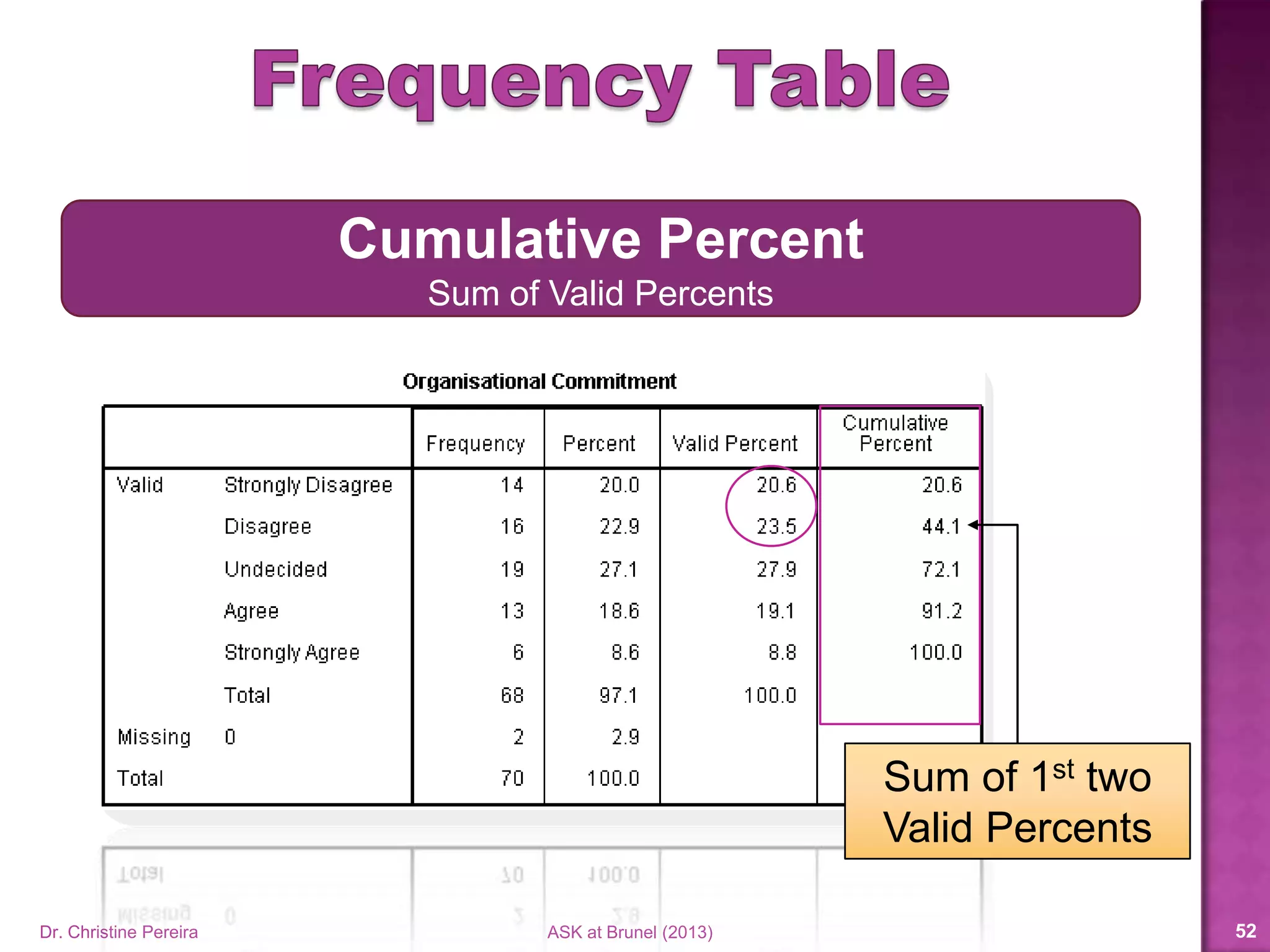
Sum of 1st two
Valid Percents
Cumulative Percent
Sum of Valid Percents
Dr. Christine Pereira ASK at Brunel (2014) 52
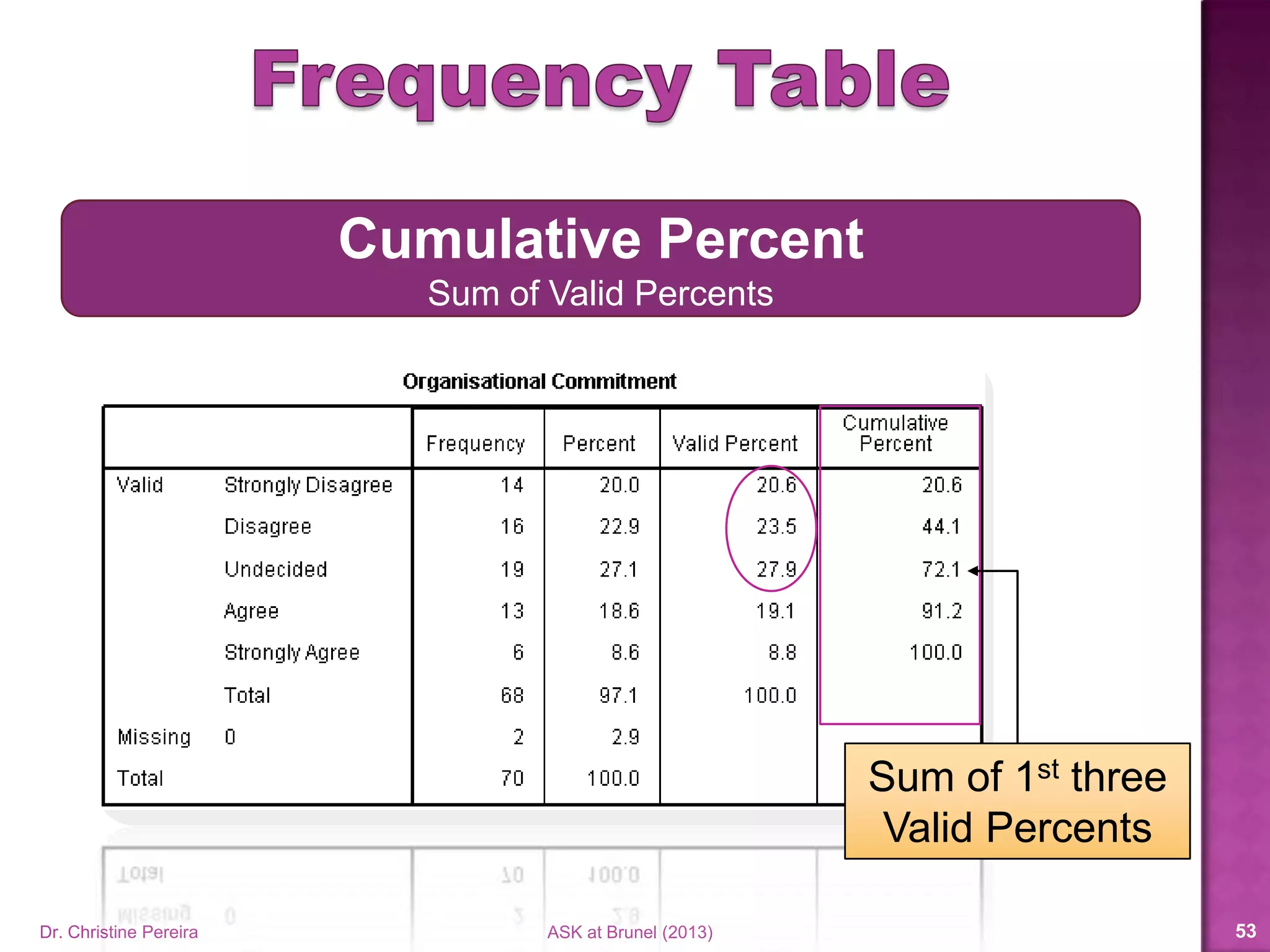
Sum of 1st three
Valid Percents
Cumulative Percent
Sum of Valid Percents
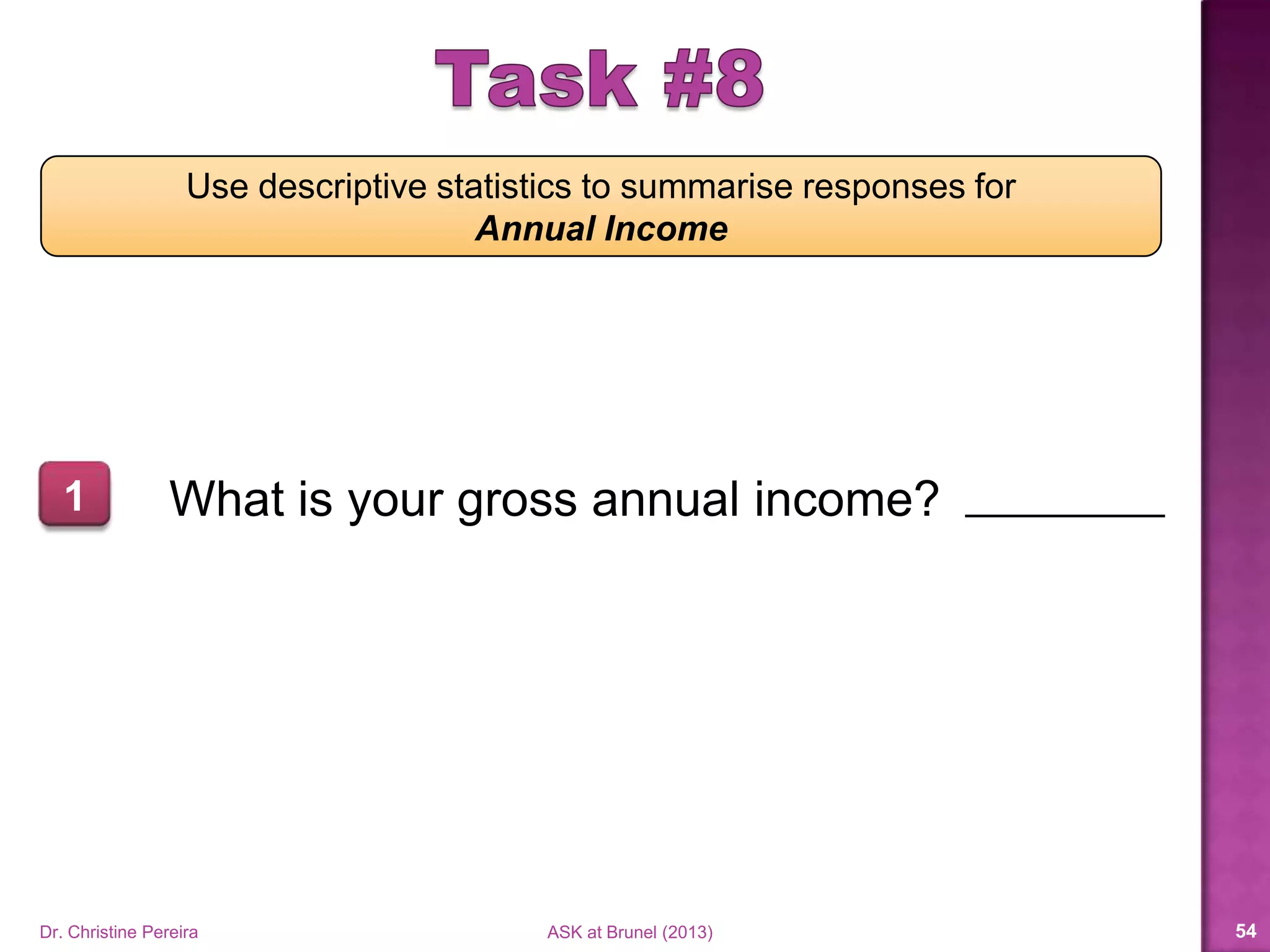
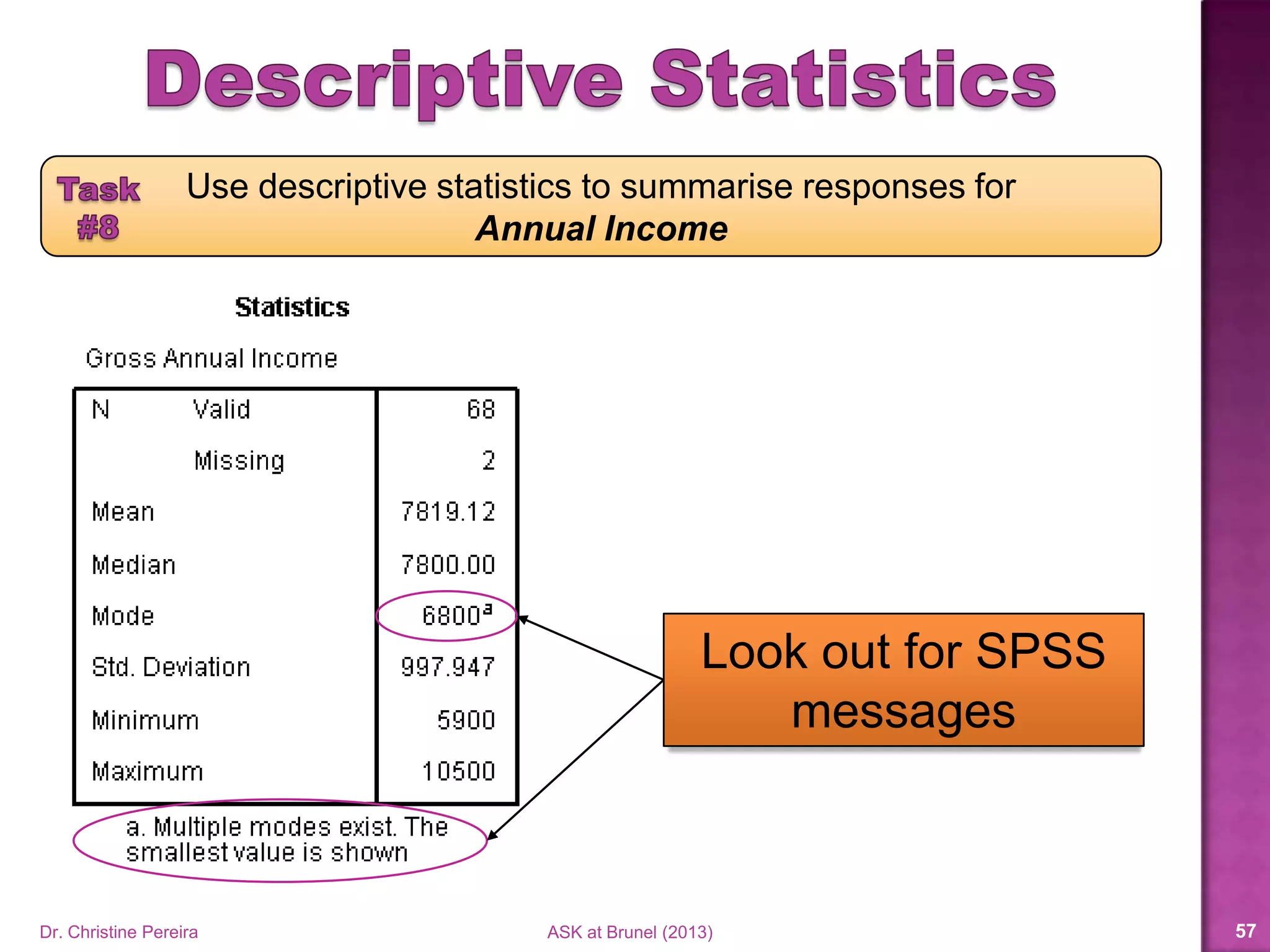
Use descriptive statistics to summarise responses for
Annual Income
What is your gross annual income?1
Dr. Christine Pereira ASK at Brunel (2014) 53
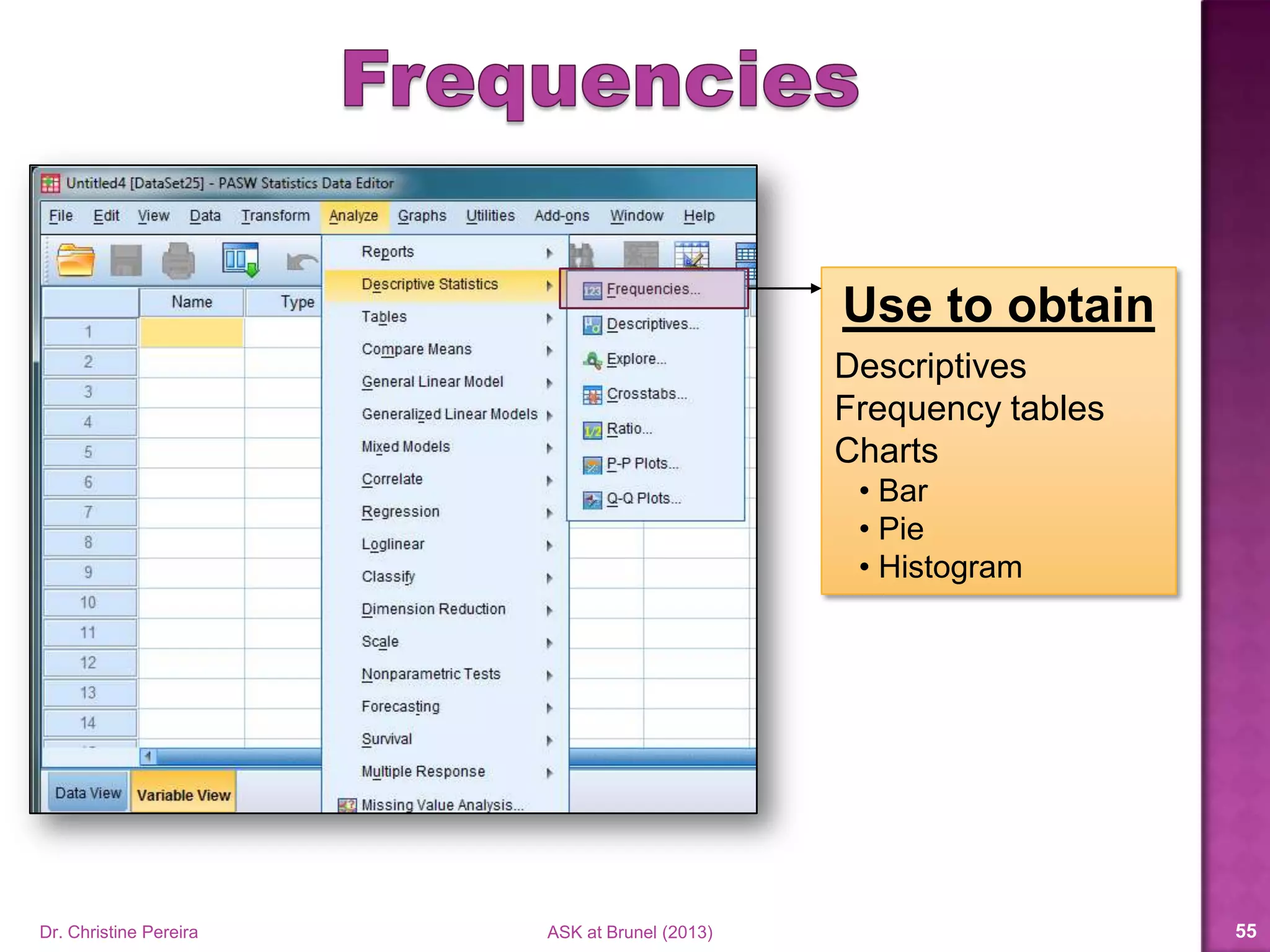
Use to obtain
Descriptives
Frequency tables
Charts
• Bar
• Pie
• Histogram
Dr. Christine Pereira ASK at Brunel (2014) 54
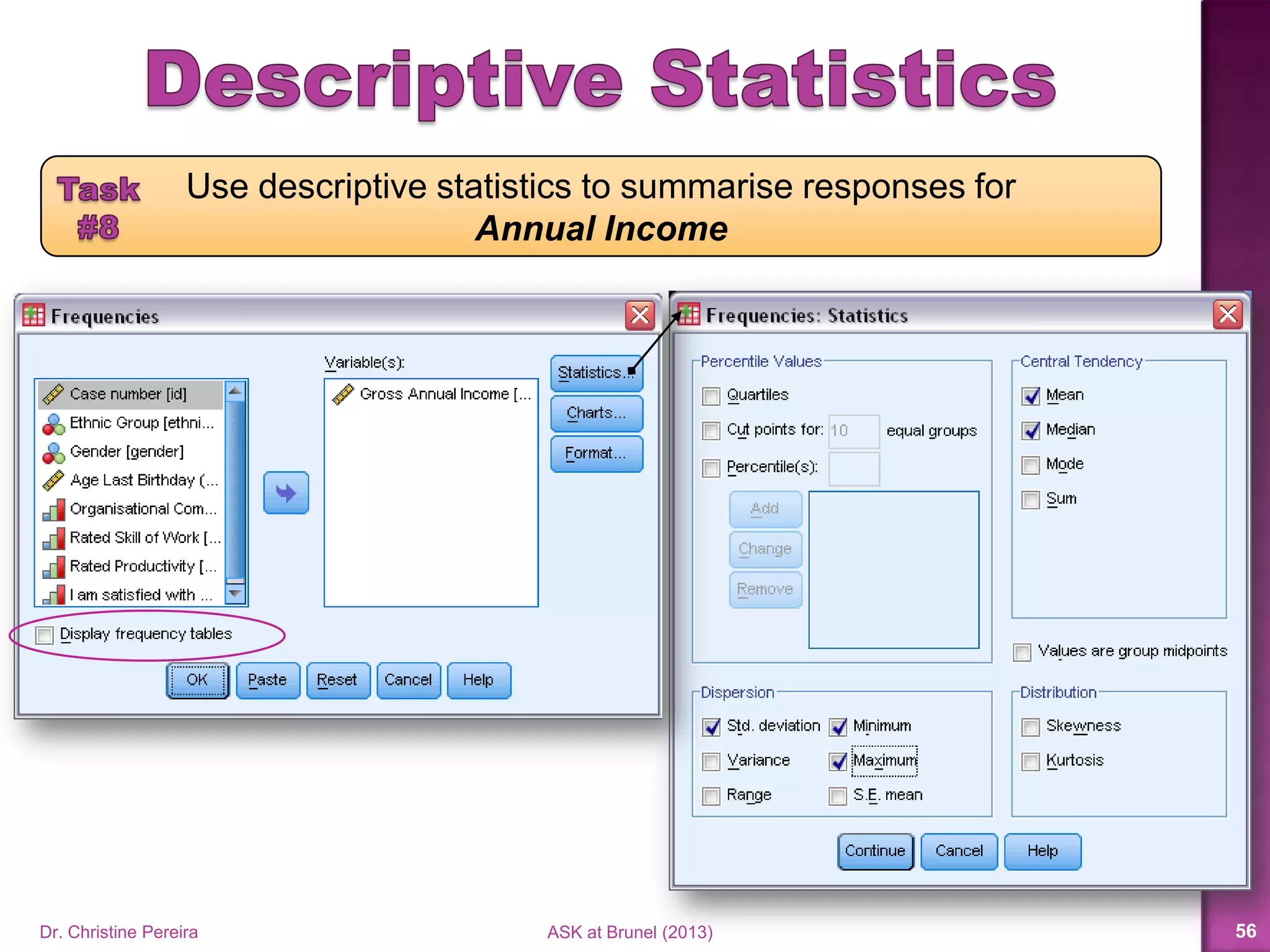
Use descriptive statistics to summarise responses for
Annual Income
Dr. Christine Pereira ASK at Brunel (2014) 55
Use descriptive statistics to summarise responses for
Annual Income
Dr. Christine Pereira ASK at Brunel (2014) 56
Dr. Christine Pereira ASK at Brunel (2014) 57
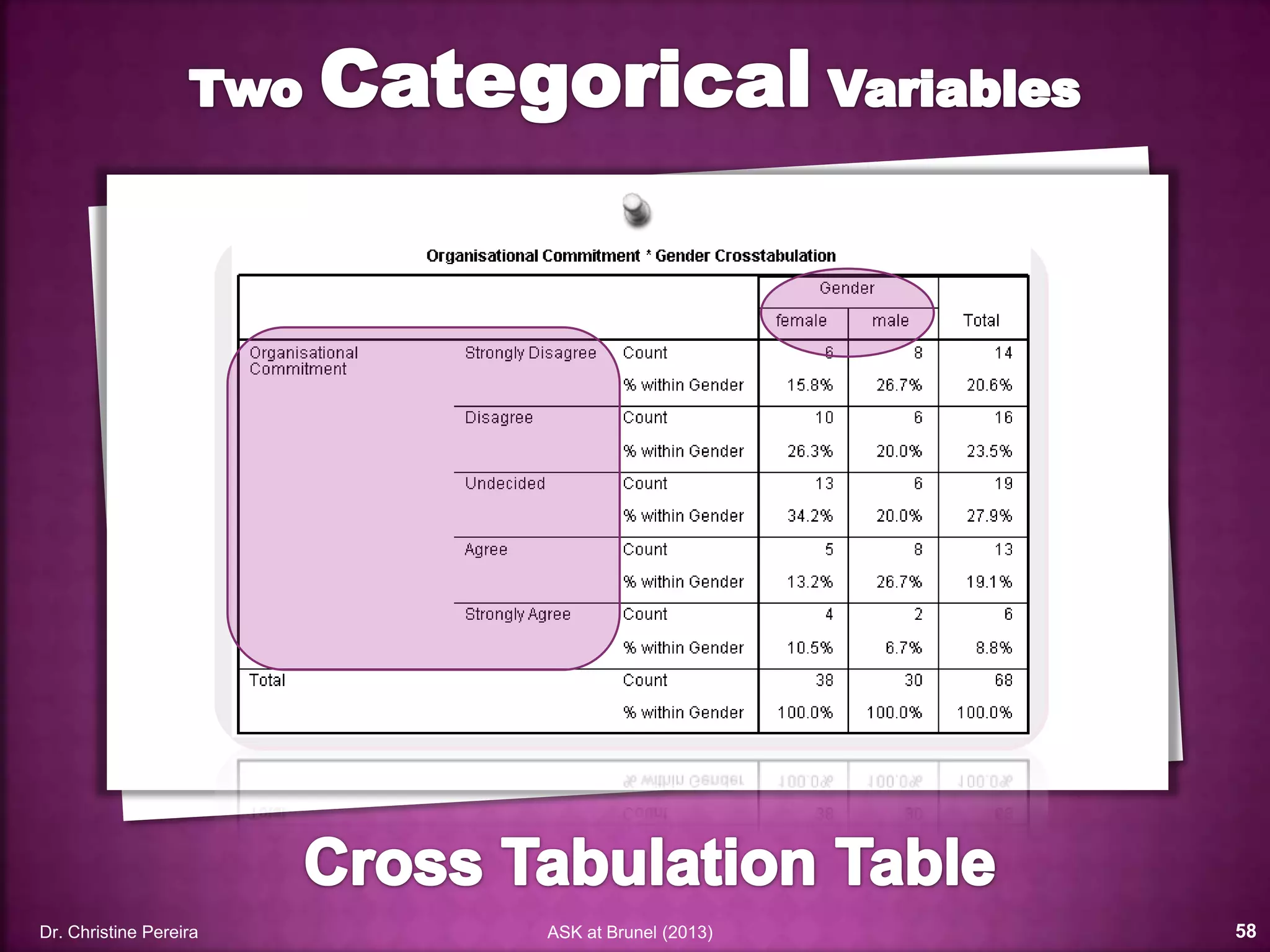
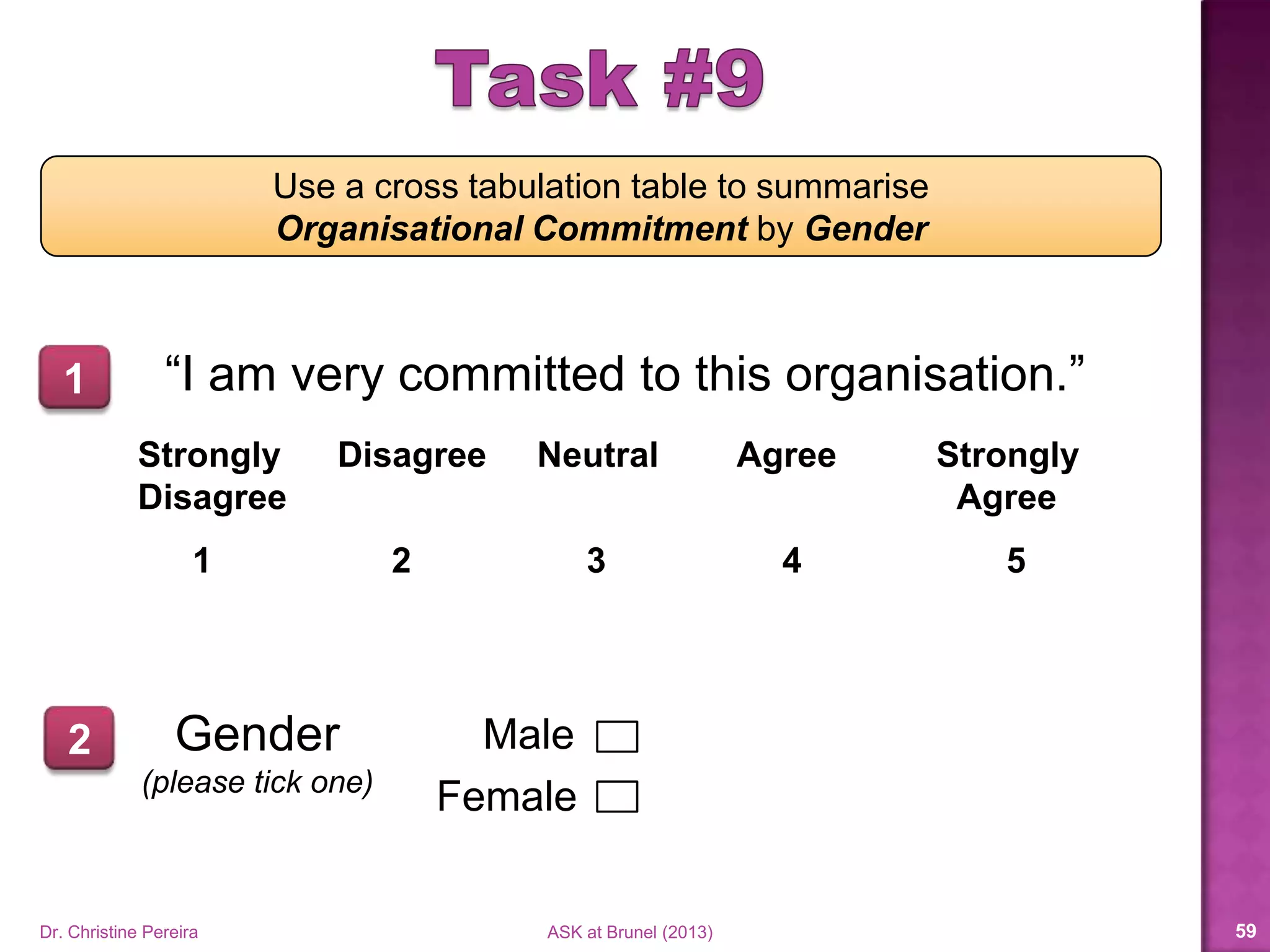
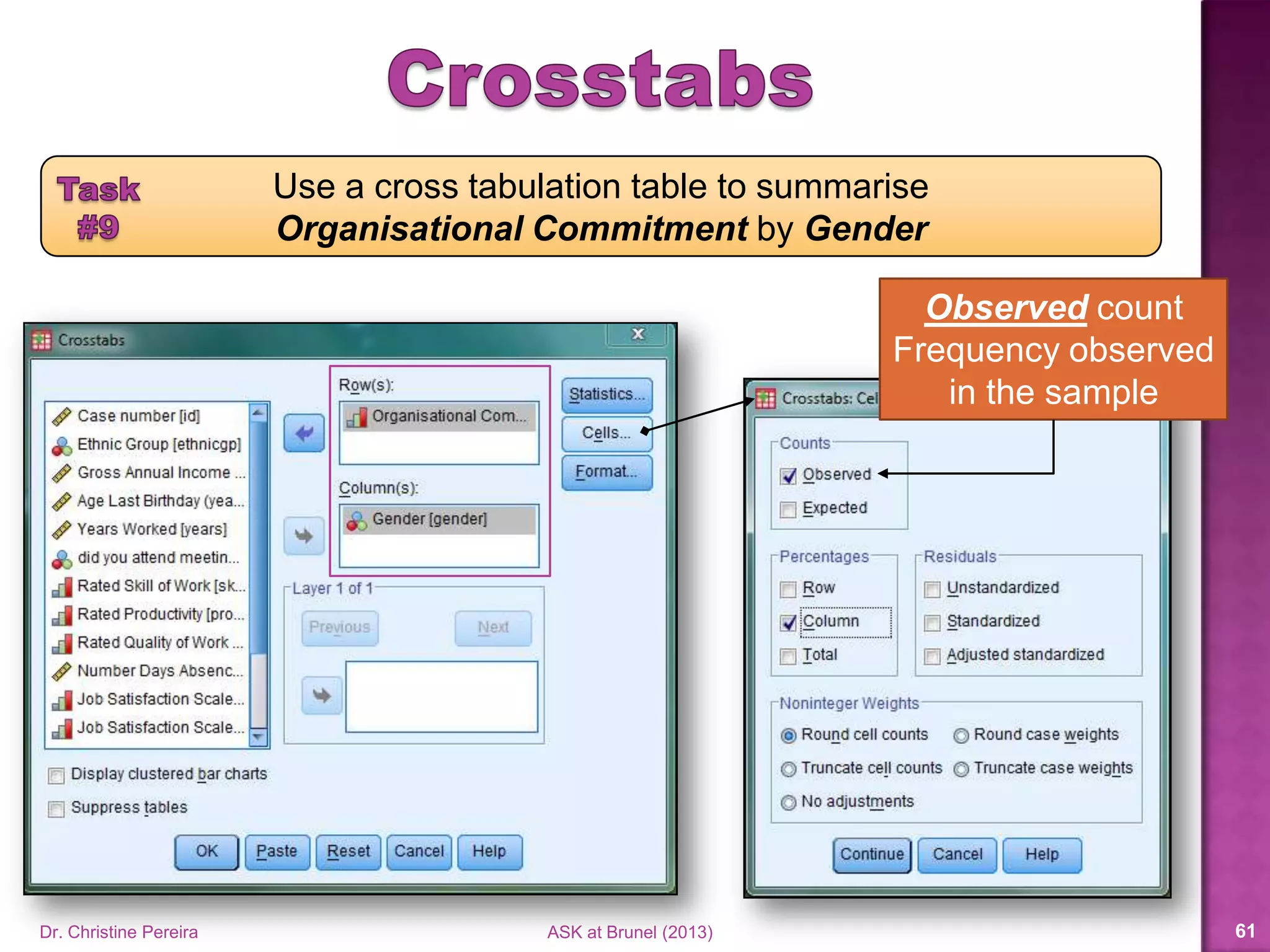
Use a cross tabulation table to summarise
Organisational Commitment by Gender
“I am very committed to this organisation.”
Strongly Disagree Neutral Agree Strongly
Disagree Agree
1 2 3 4 5
Gender
(please tick one)
Male
Female
1
2
Dr. Christine Pereira ASK at Brunel (2014) 58
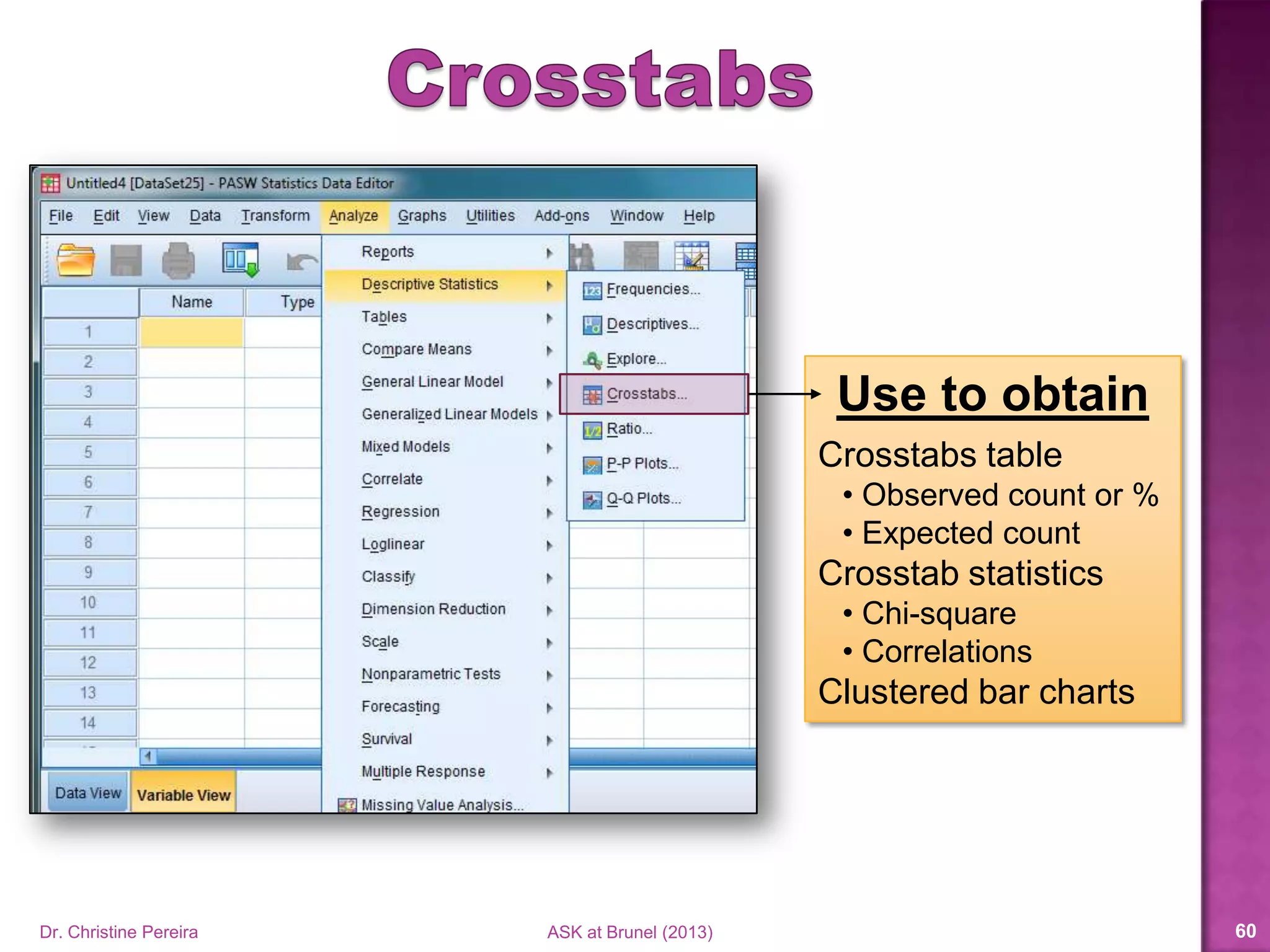
Use to obtain
Crosstabs table
• Observed count or %
• Expected count
Crosstab statistics
• Chi-square
• Correlations
Clustered bar charts
Dr. Christine Pereira ASK at Brunel (2014) 59
Use a cross tabulation table to summarise
Organisational Commitment by Gender
Dr. Christine Pereira ASK at Brunel (2014) 60
Observed count
Frequency observed
in the sample
Use a cross tabulation table to summarise
Organisational Commitment by Gender
Dr. Christine Pereira ASK at Brunel (2014) 61
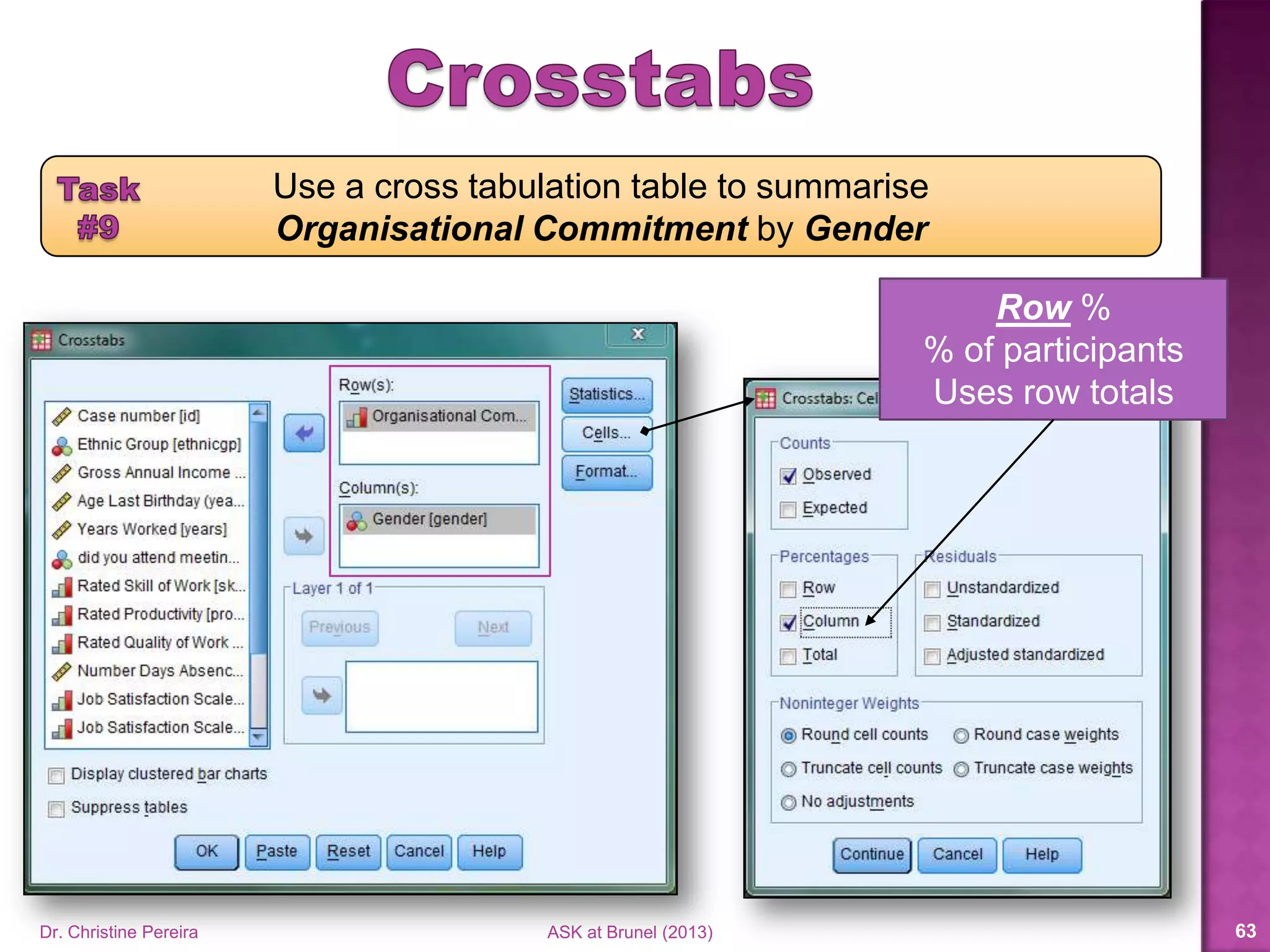
Row %
% of participants
Uses row totals
Use a cross tabulation table to summarise
Organisational Commitment by Gender
Dr. Christine Pereira ASK at Brunel (2014) 62
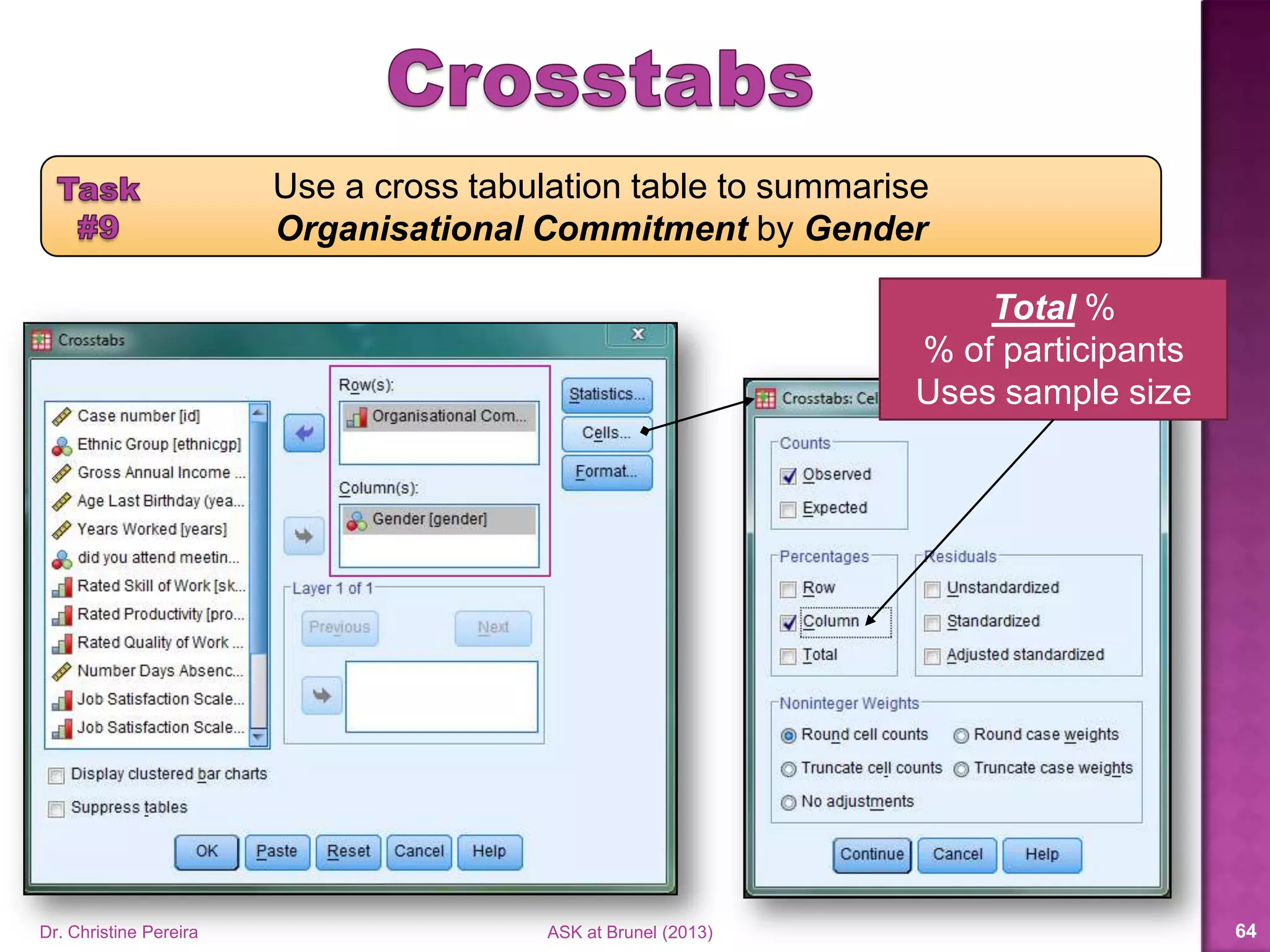
Total %
% of participants
Uses sample size
Use a cross tabulation table to summarise
Organisational Commitment by Gender
Dr. Christine Pereira ASK at Brunel (2014) 63
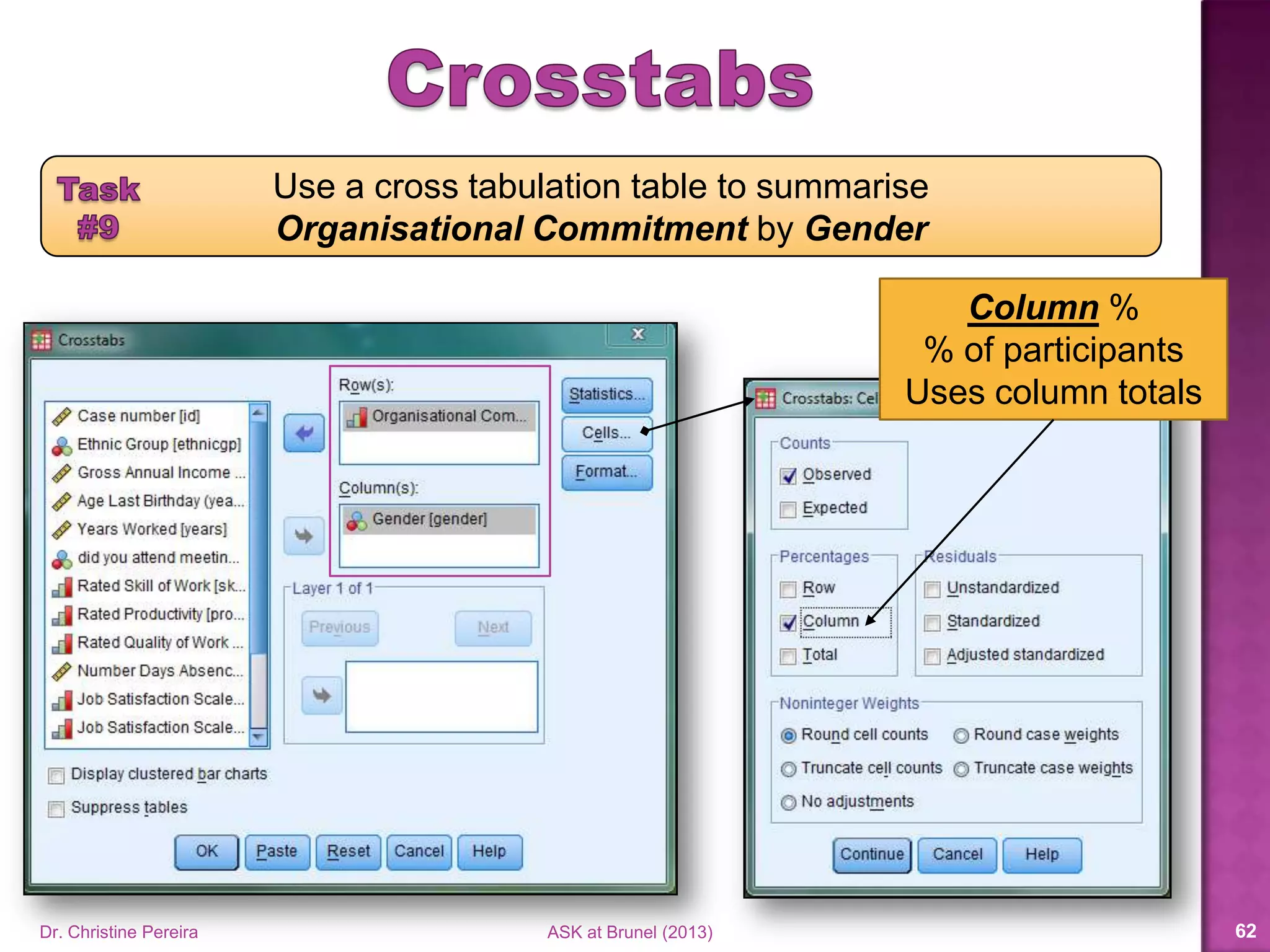
Column %
% of participants
Uses column totals
Use a cross tabulation table to summarise
Organisational Commitment by Gender
Dr. Christine Pereira ASK at Brunel (2014) 64
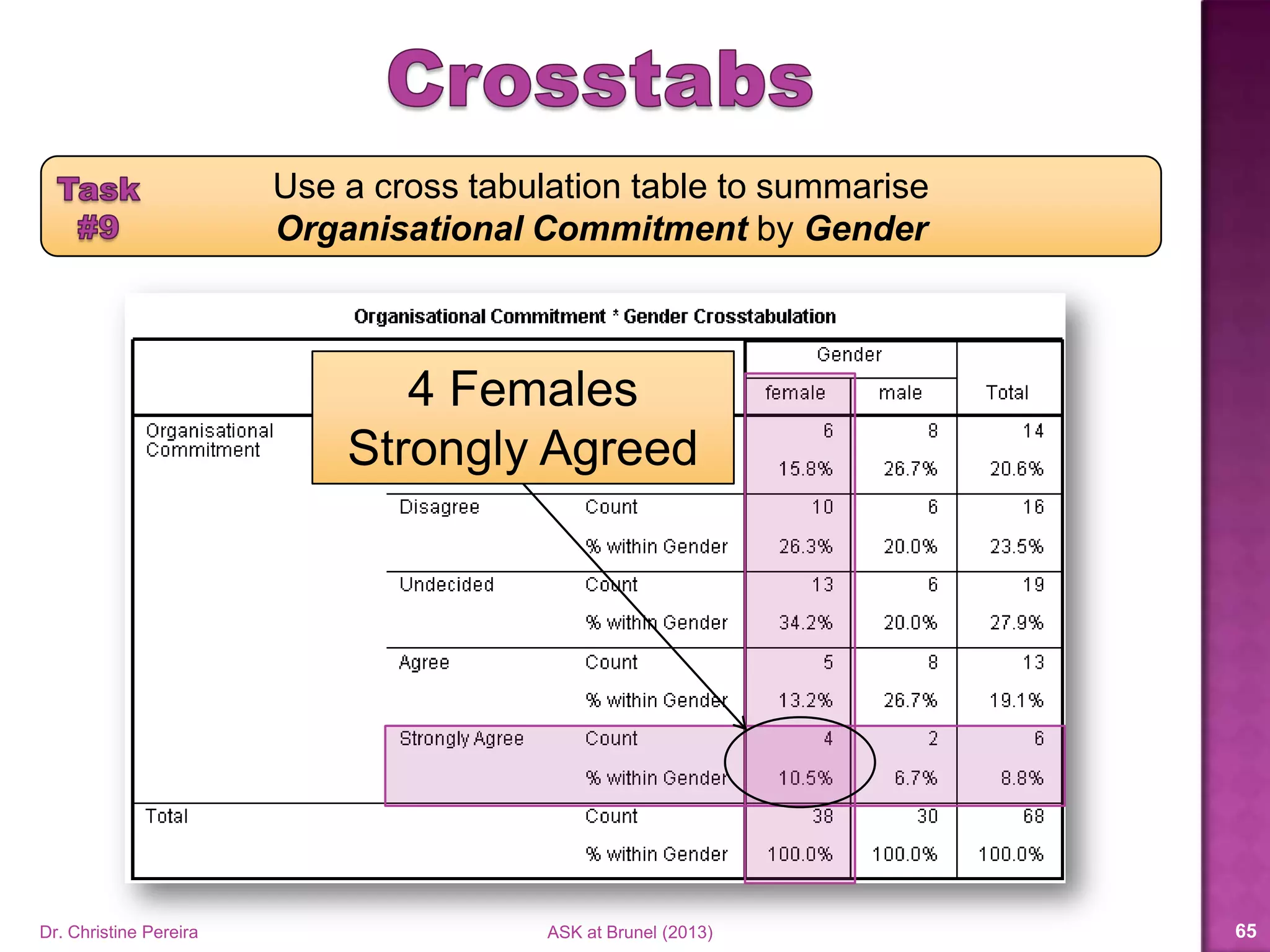
4 Females
Strongly Agreed
Use a cross tabulation table to summarise
Organisational Commitment by Gender
Dr. Christine Pereira ASK at Brunel (2014) 65
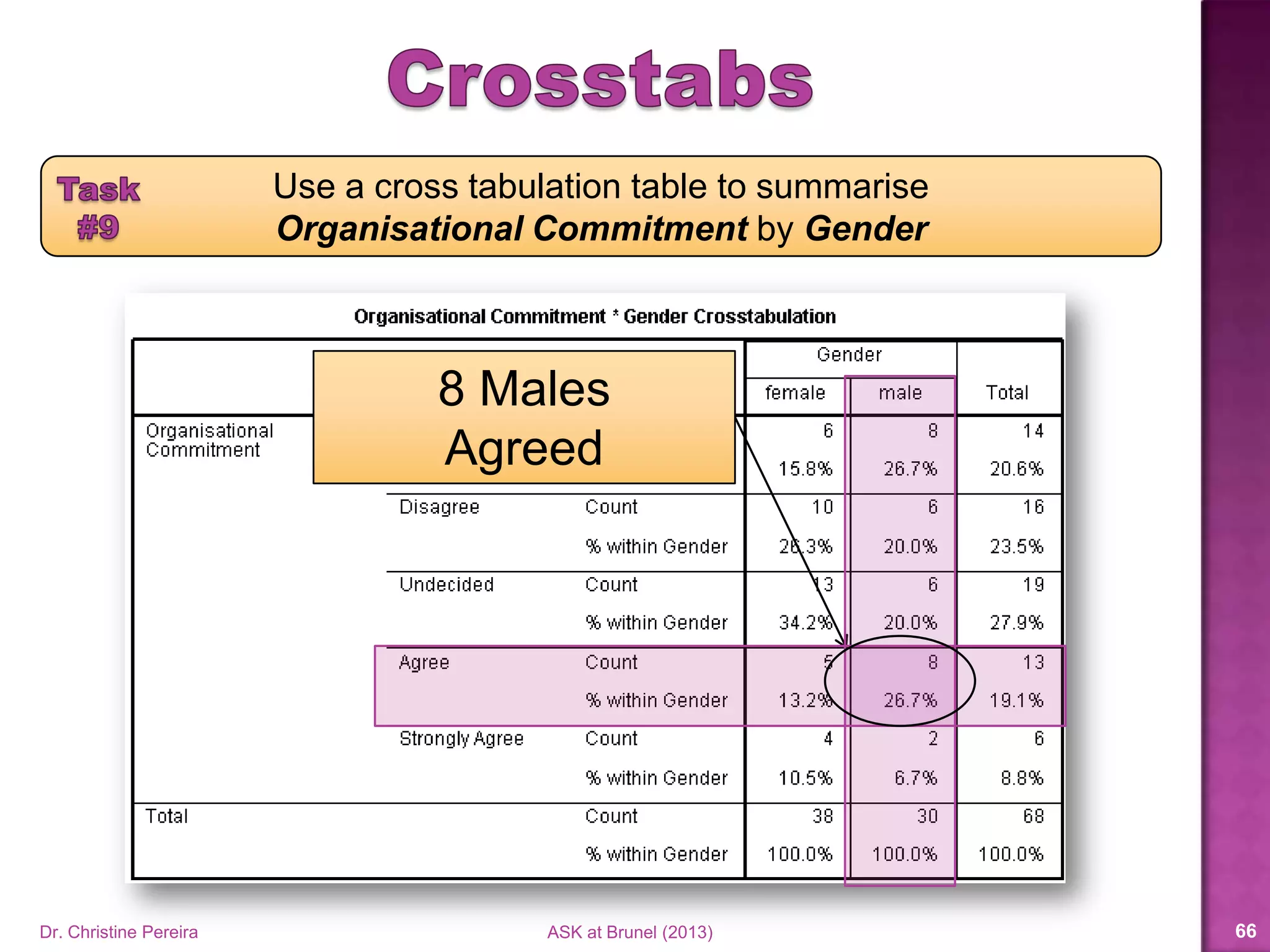
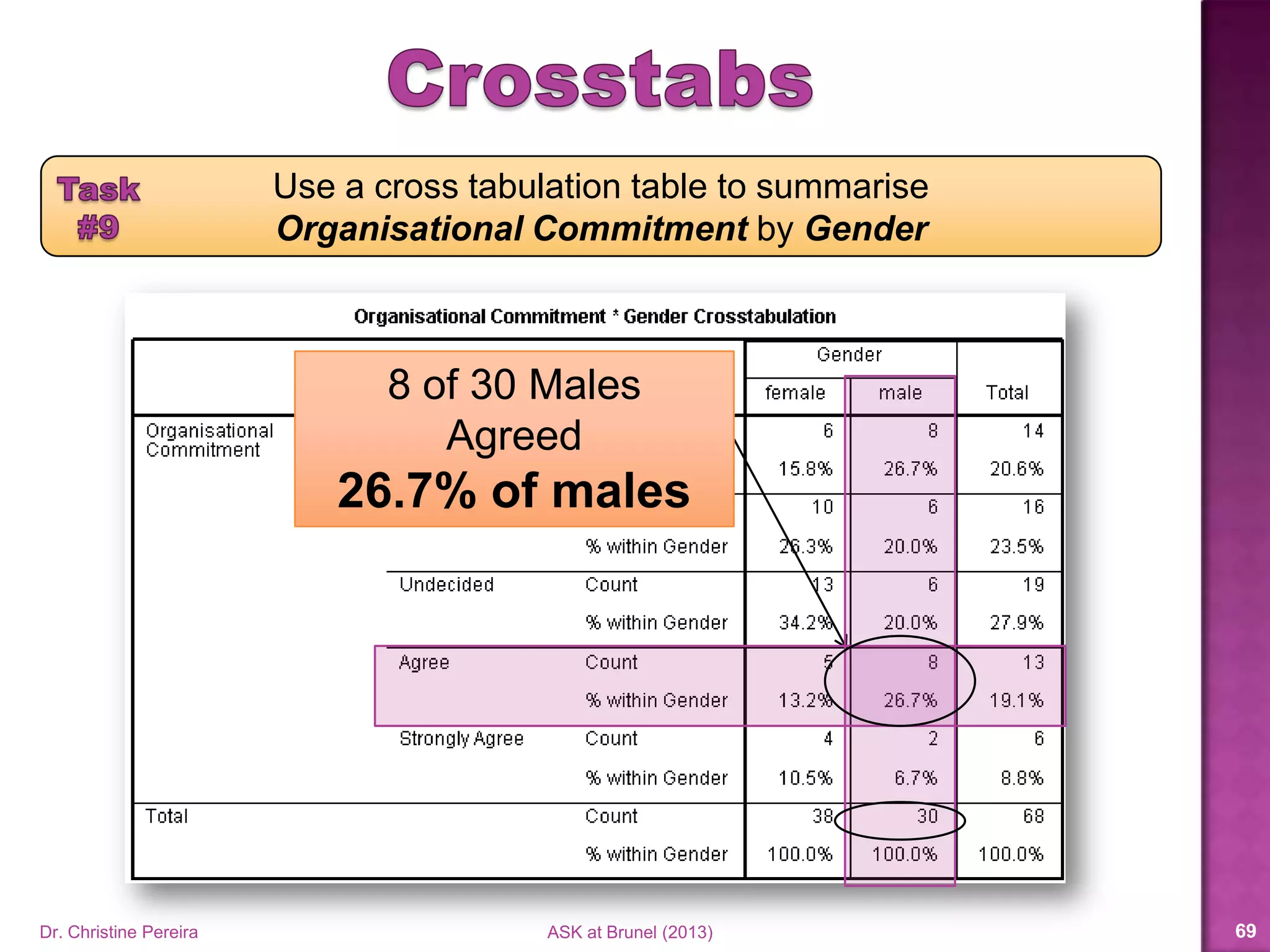
8 Males
Agreed
Use a cross tabulation table to summarise
Organisational Commitment by Gender
Dr. Christine Pereira ASK at Brunel (2014) 66
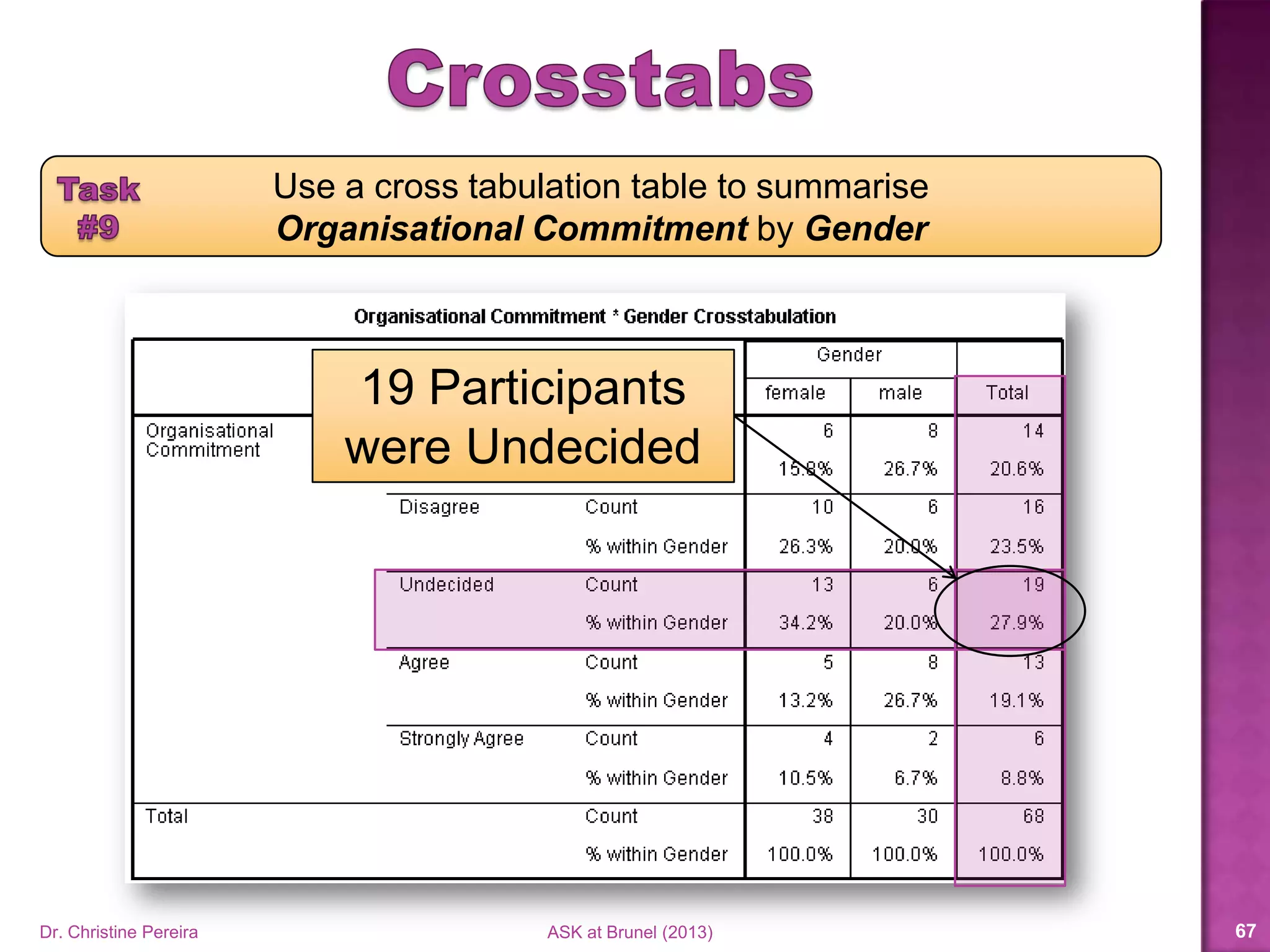
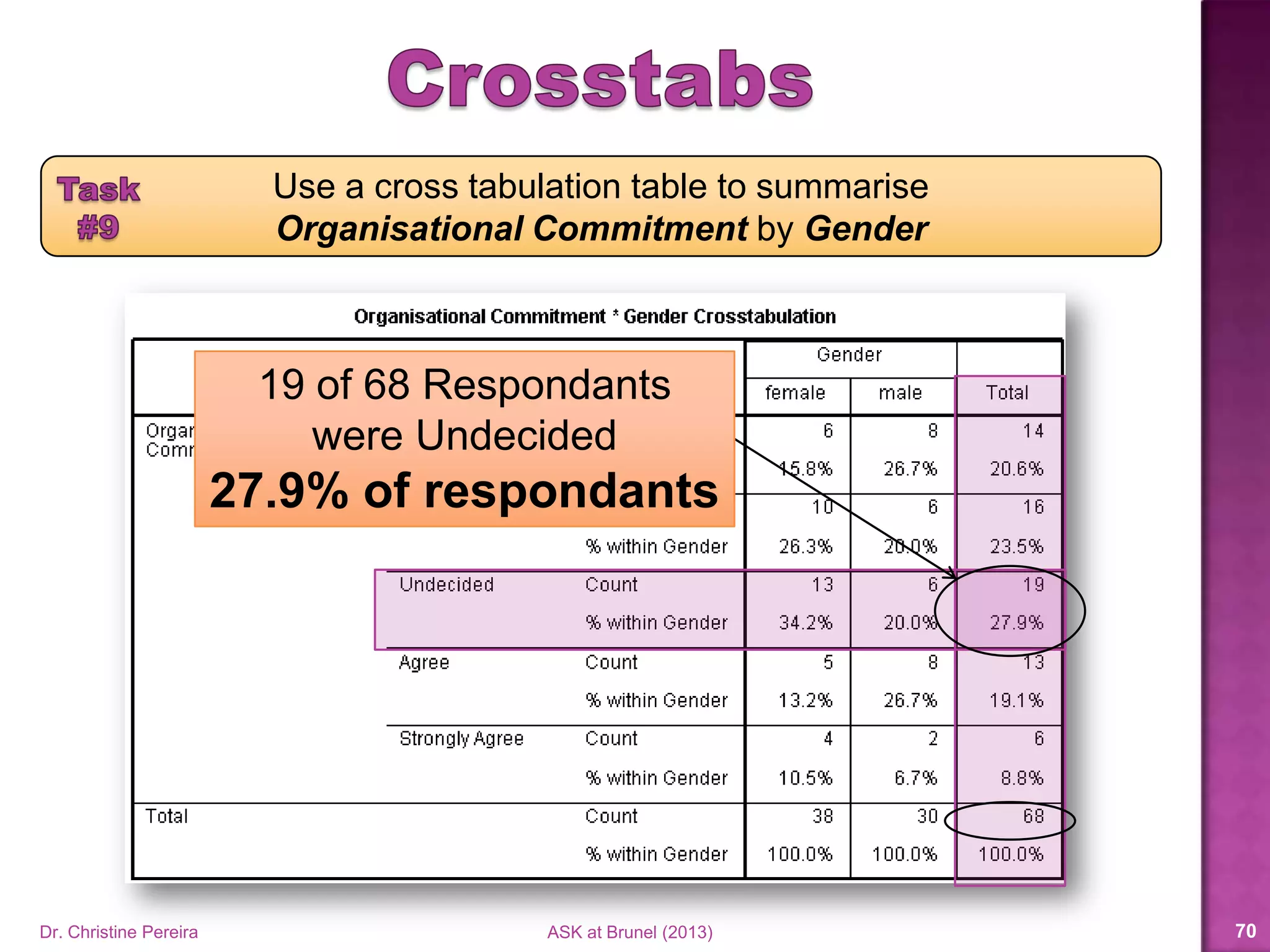
19 Participants
were Undecided
Use a cross tabulation table to summarise
Organisational Commitment by Gender
Dr. Christine Pereira ASK at Brunel (2014) 67
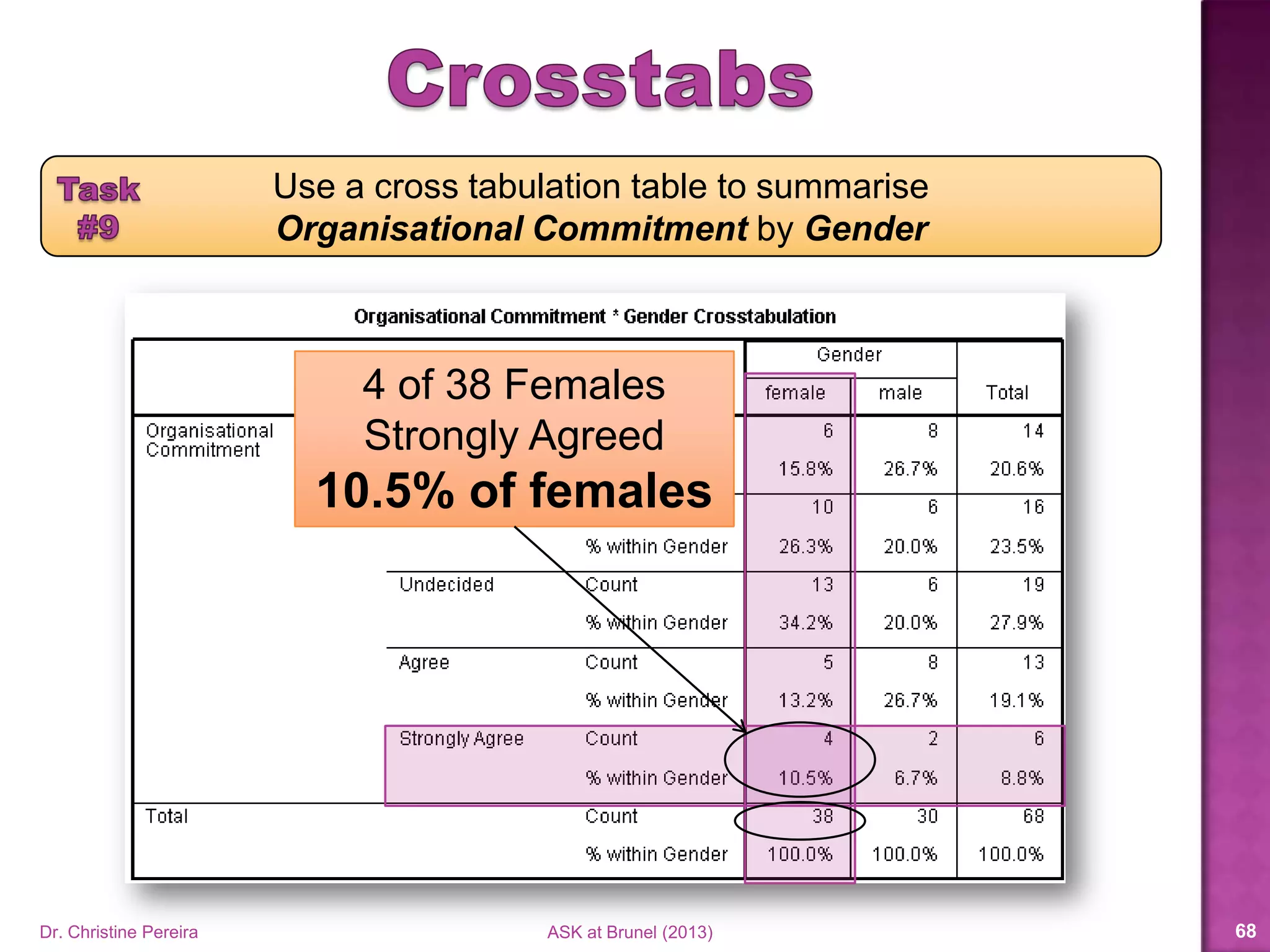
4 of 38 Females
Strongly Agreed
10.5% of females
Use a cross tabulation table to summarise
Organisational Commitment by Gender
Dr. Christine Pereira ASK at Brunel (2014) 68
8 of 30 Males
Agreed
26.7% of males
Use a cross tabulation table to summarise
Organisational Commitment by Gender
Dr. Christine Pereira ASK at Brunel (2014) 69
19 of 68 Respondents
were Undecided
27.9% of respondents
Dr. Christine Pereira ASK at Brunel (2014) 70
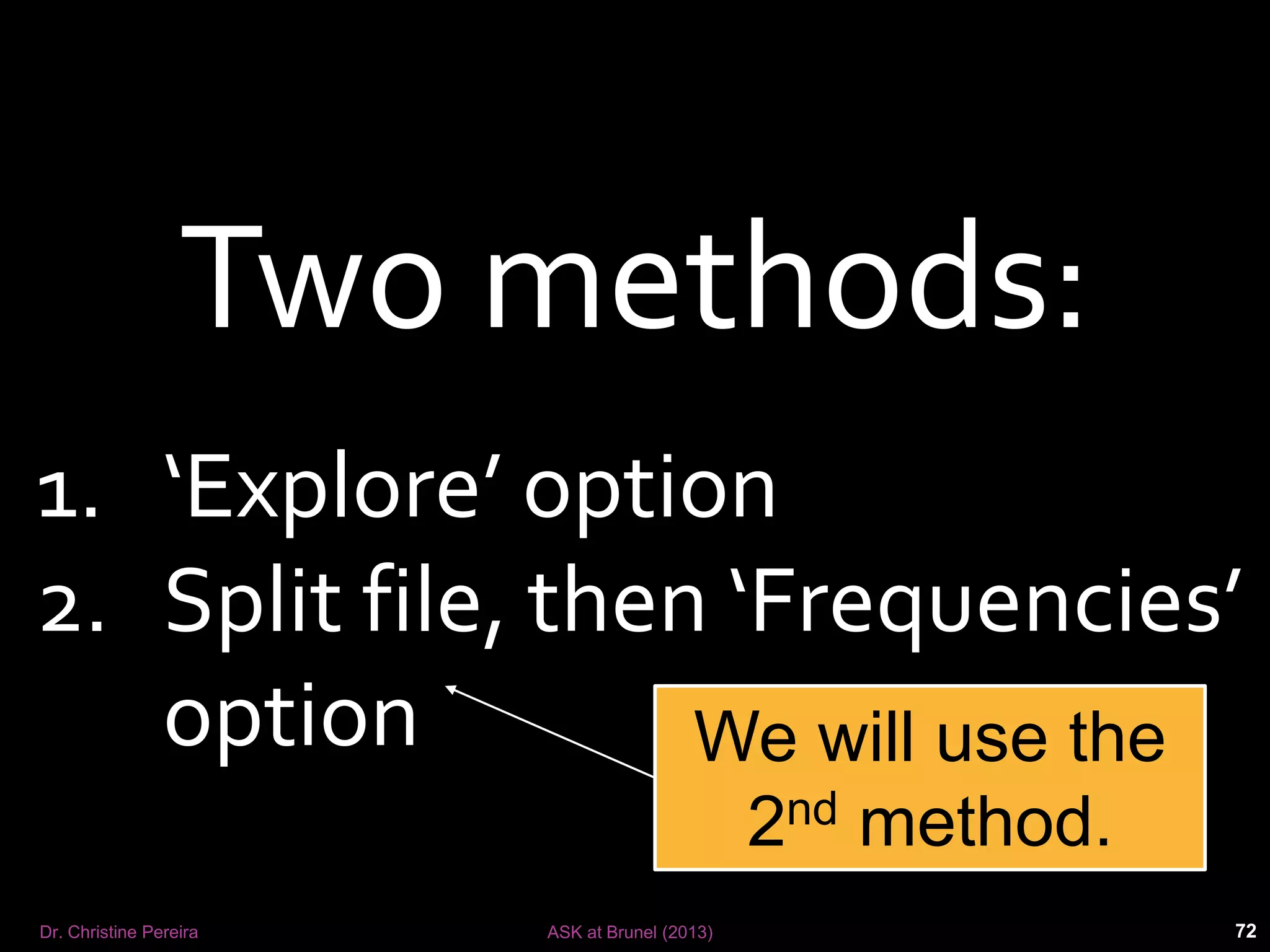
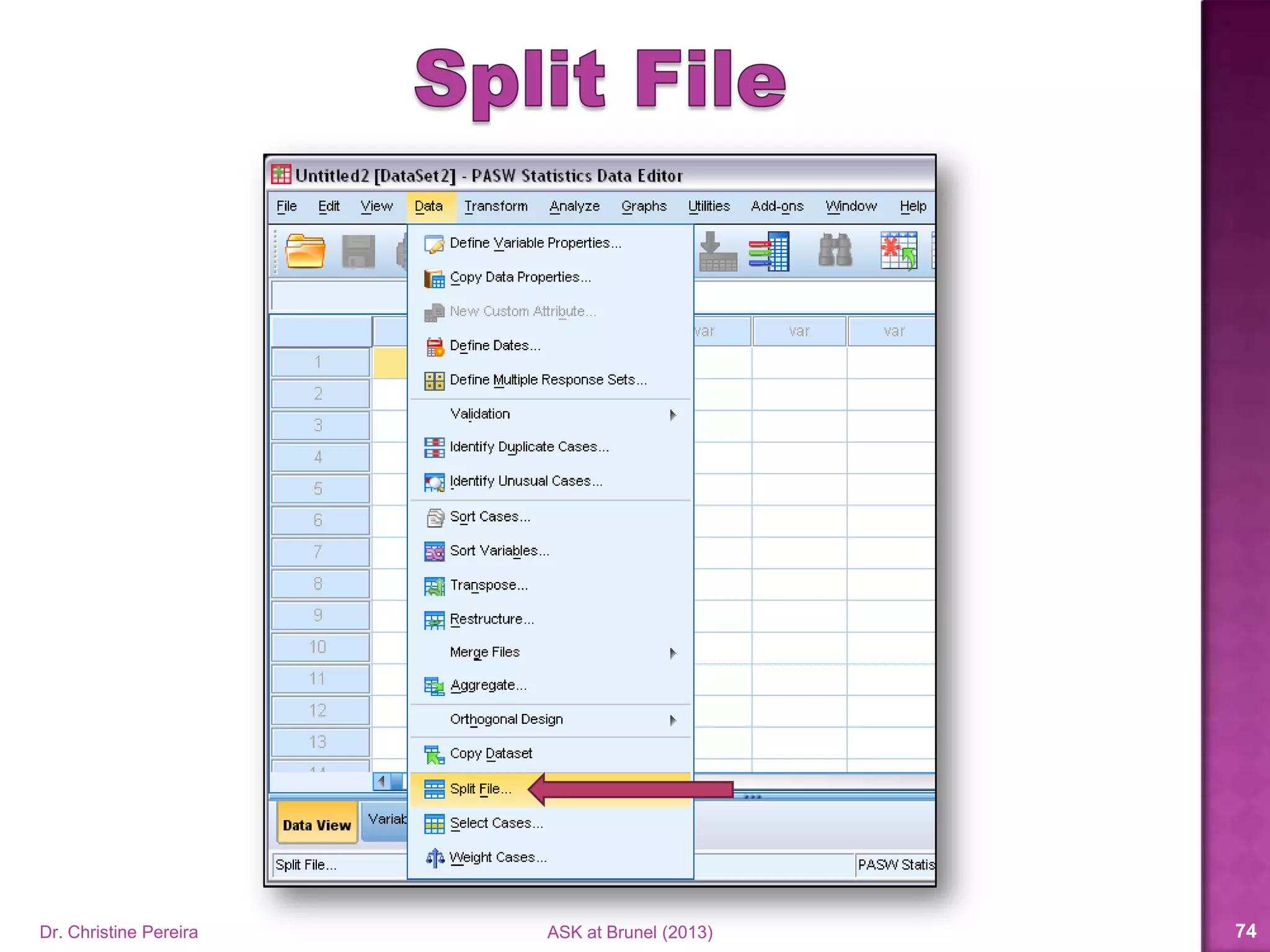
Two methods:
1. ‘Explore’ option
2. Split file, then ‘Frequencies’
option We will use the
2nd method.
Dr. Christine Pereira ASK at Brunel (2014) 71
Dr. Christine Pereira ASK at Brunel (2014) 72
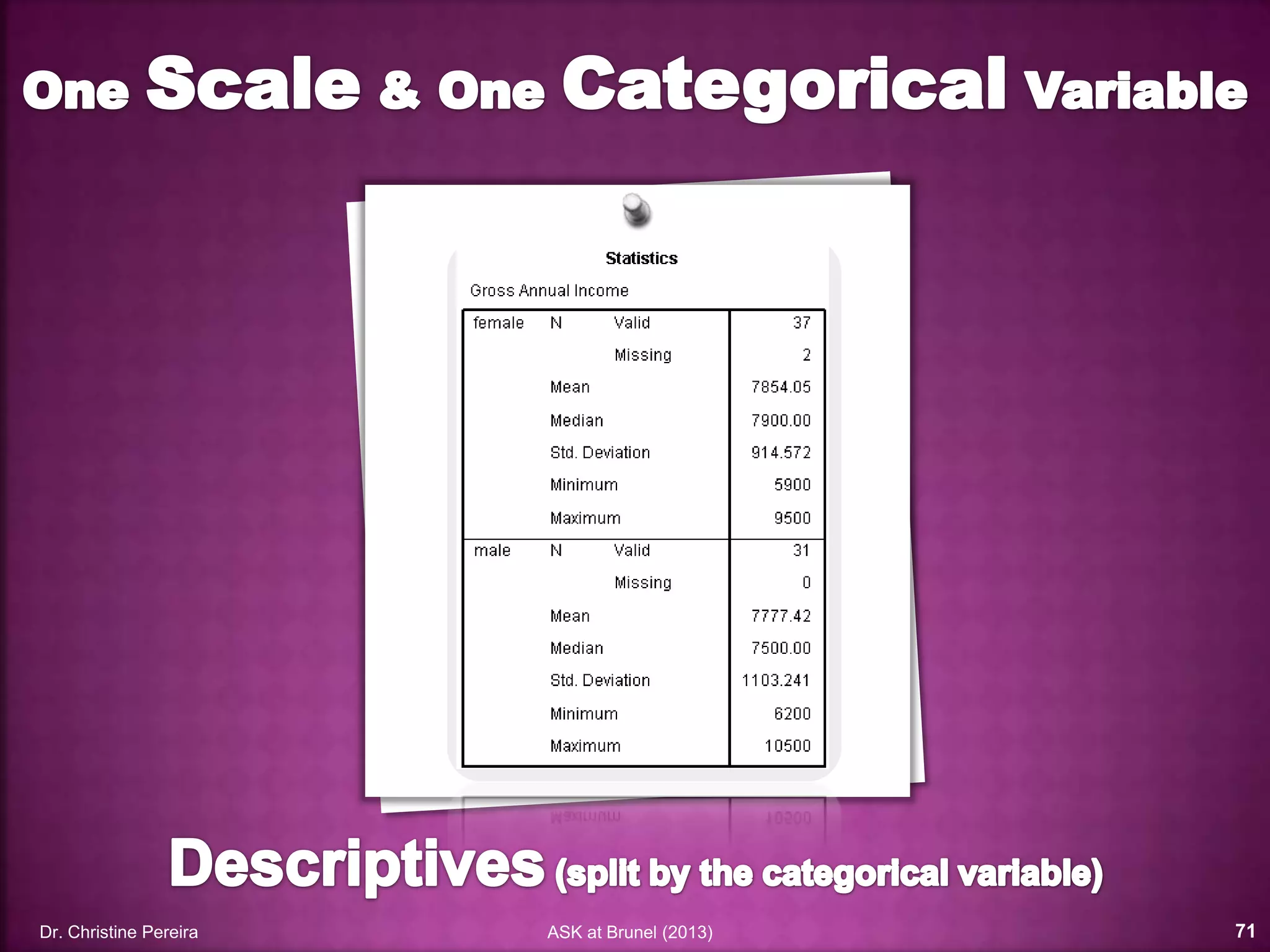
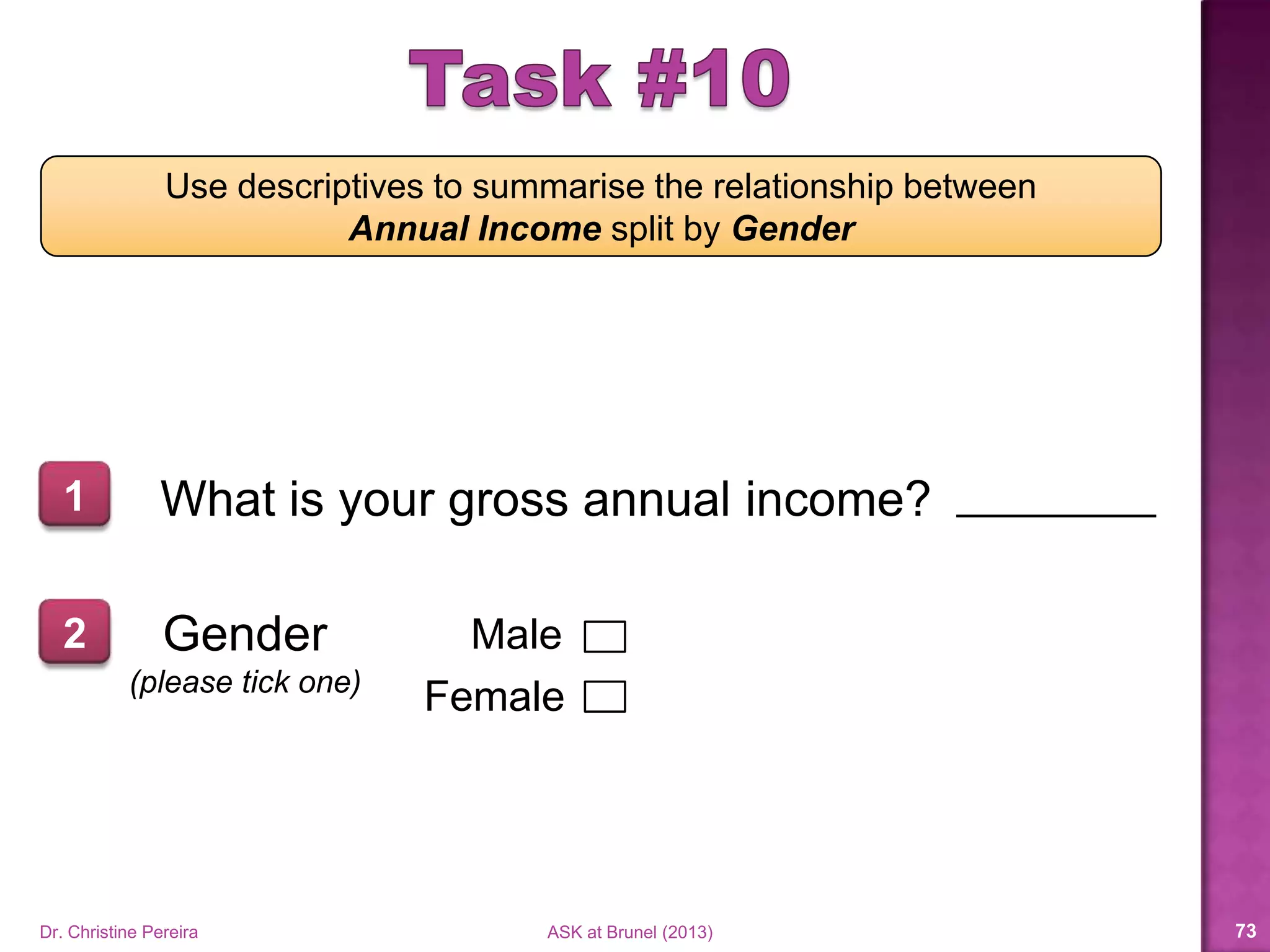
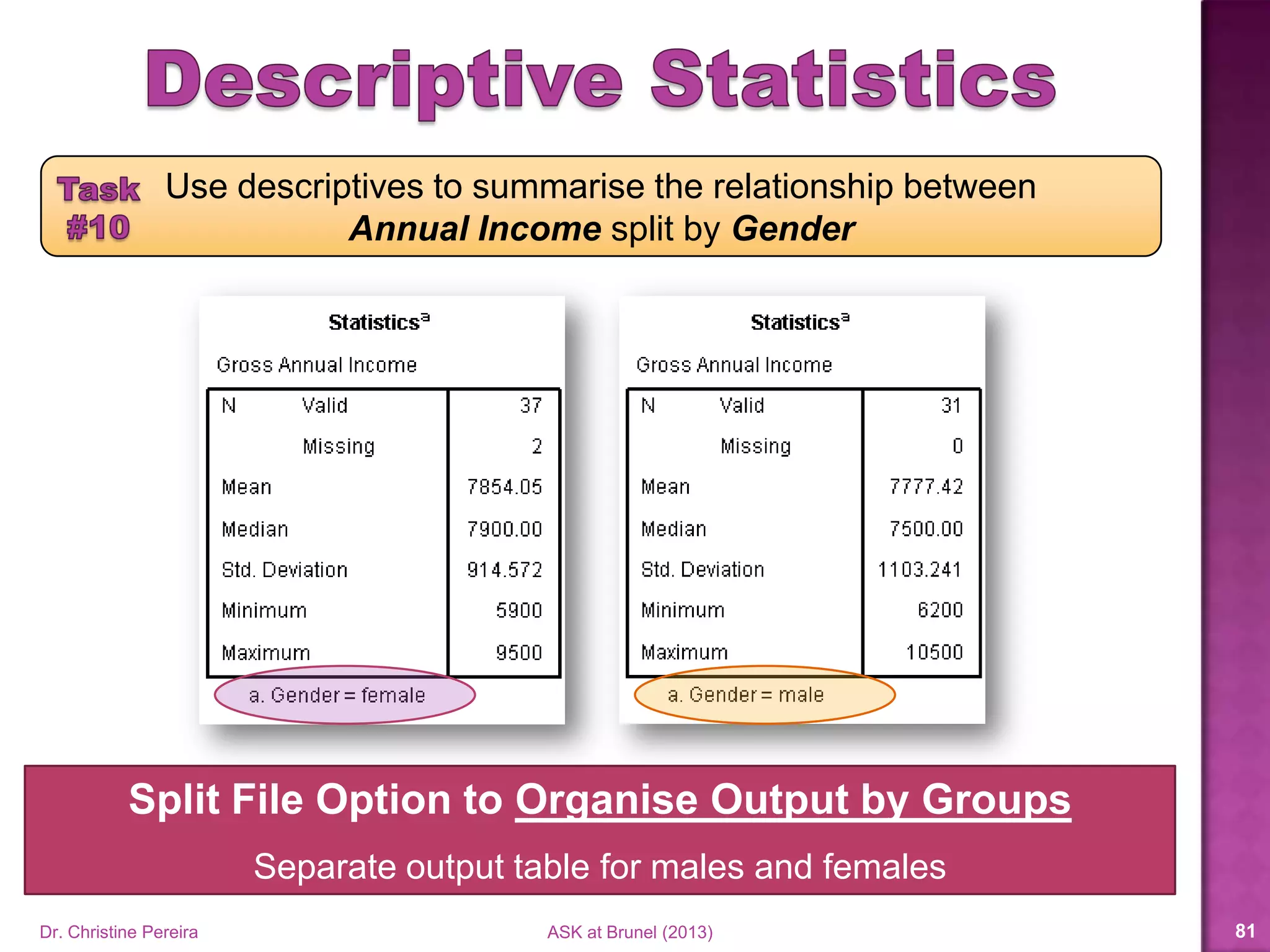
Use descriptives to summarise the relationship between
Annual Income split by Gender
What is your gross annual income?1
2 Gender
(please tick one)
Male
Female
Dr. Christine Pereira ASK at Brunel (2014) 73
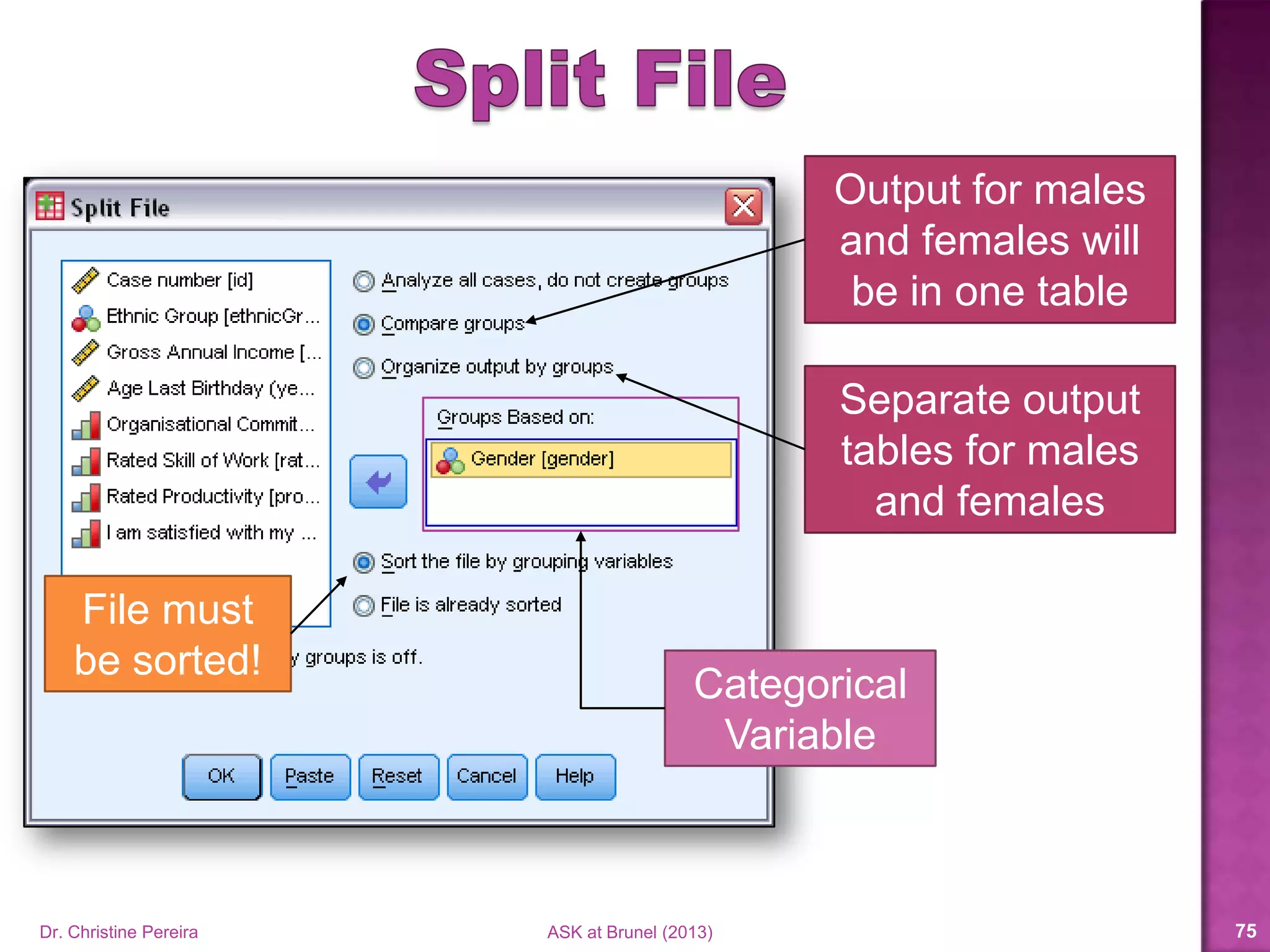
Categorical
Variable
Output for males
and females will
be in one table
Separate output
tables for males
and females
File must
be sorted!
Dr. Christine Pereira ASK at Brunel (2014) 74
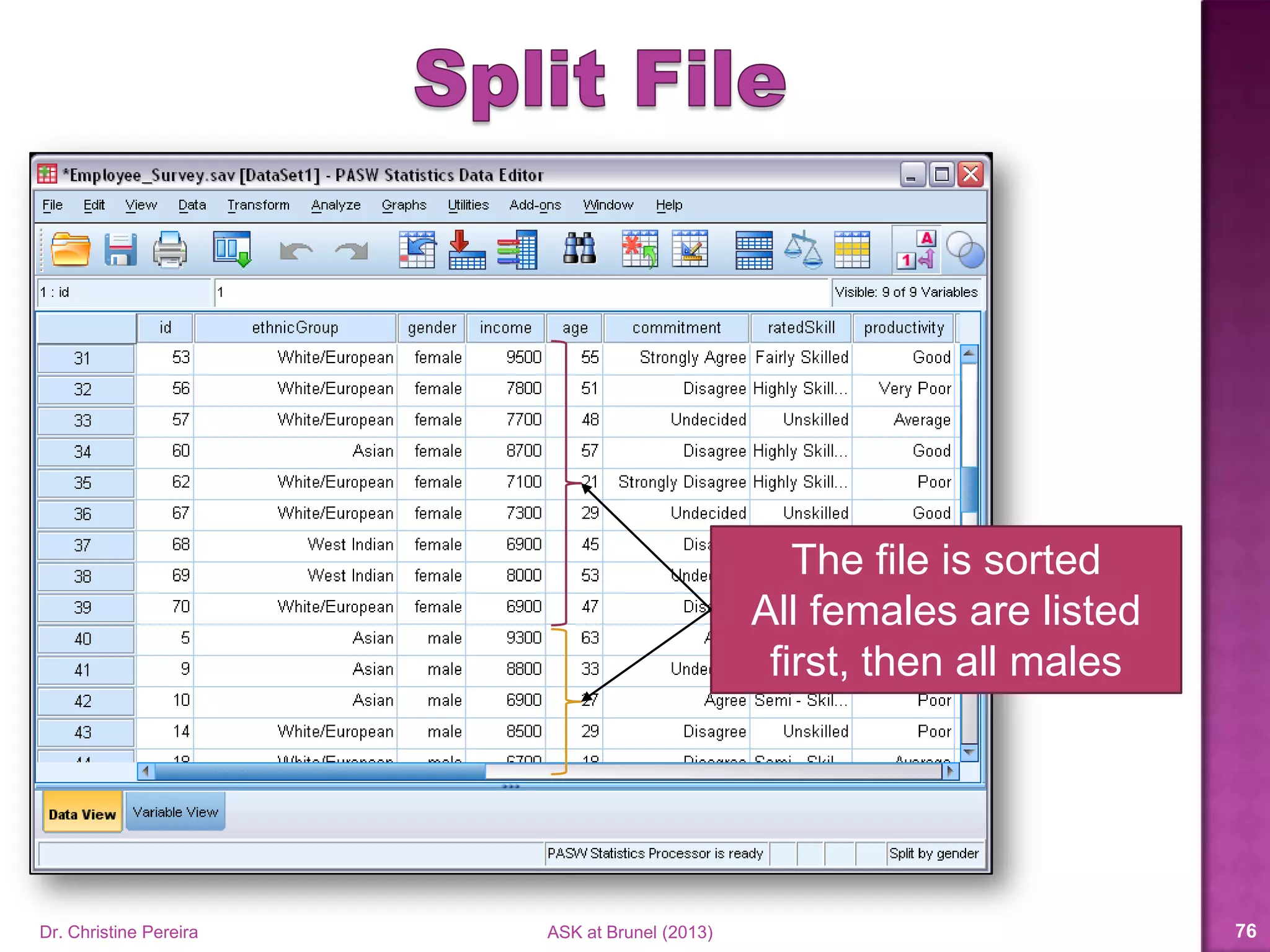
The file is sorted
All females are listed
first, then all males
Dr. Christine Pereira ASK at Brunel (2014) 75
Dr. Christine Pereira ASK at Brunel (2014) 76
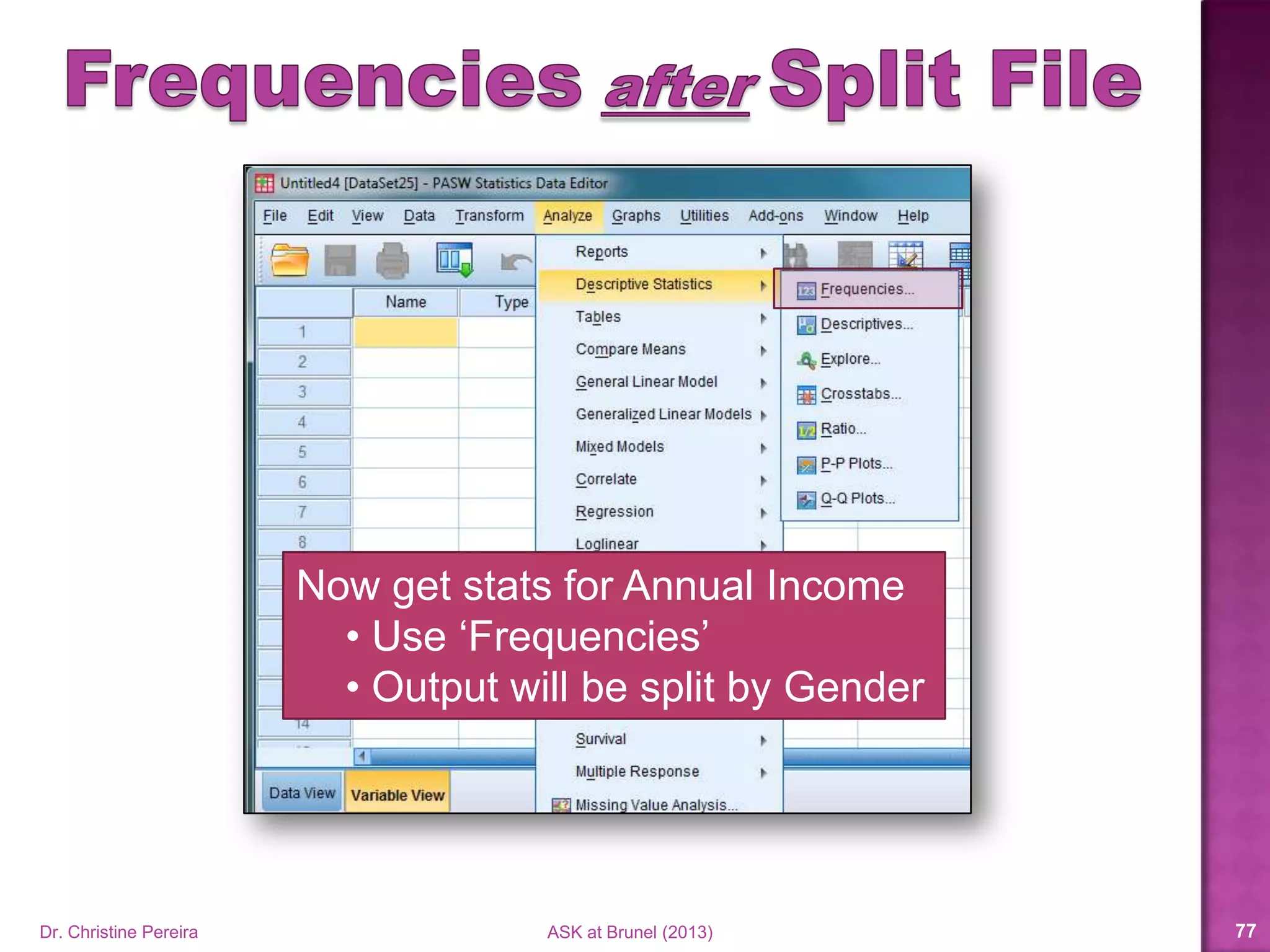
Now get stats for Annual Income
• Use ‘Frequencies’
• Output will be split by Gender
Use descriptives to summarise the relationship between
Annual Income split by Gender
Dr. Christine Pereira ASK at Brunel (2014) 77
Dr. Christine Pereira ASK at Brunel (2014) 78
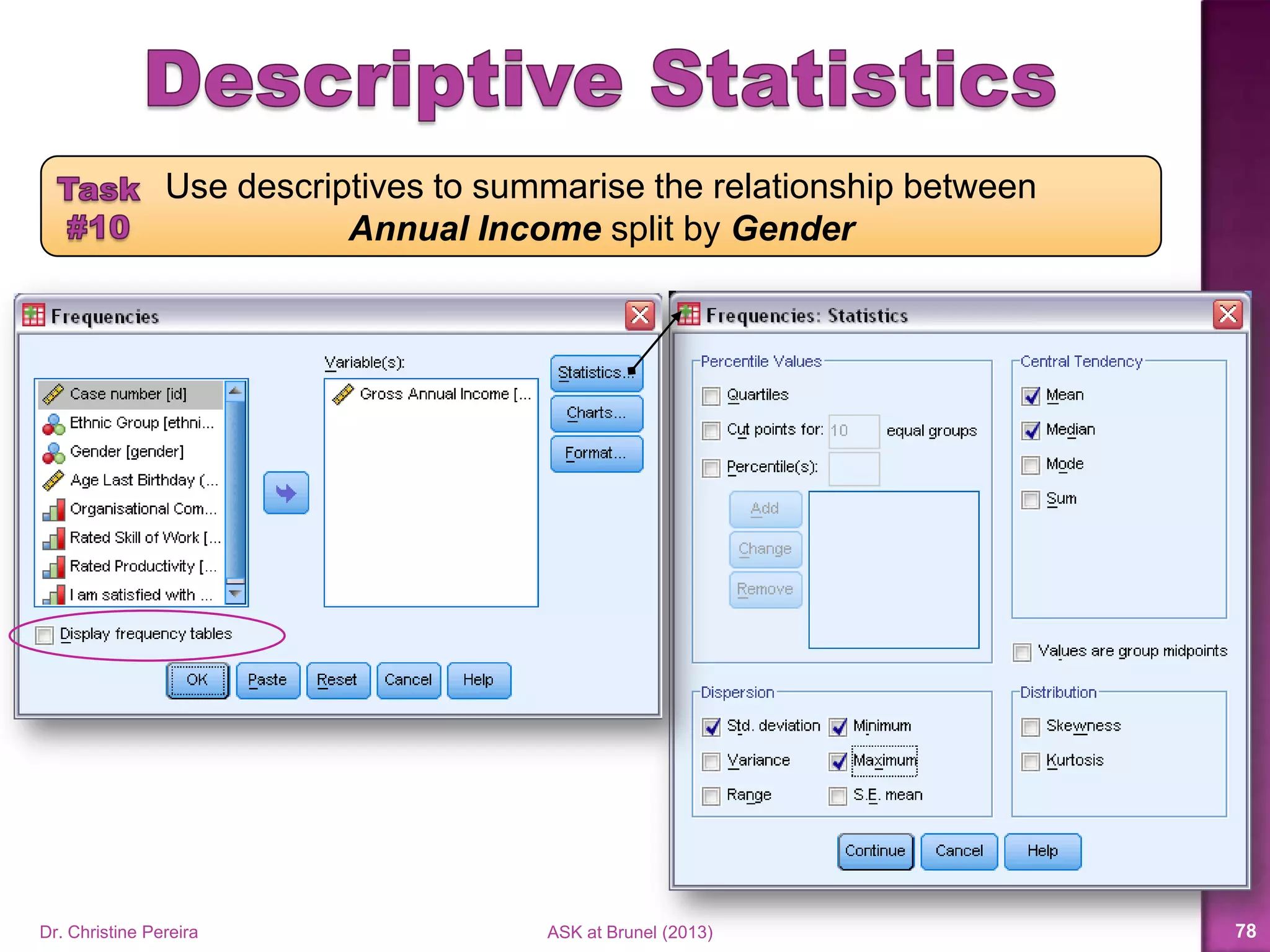
Use descriptives to summarise the relationship between
Annual Income split by Gender
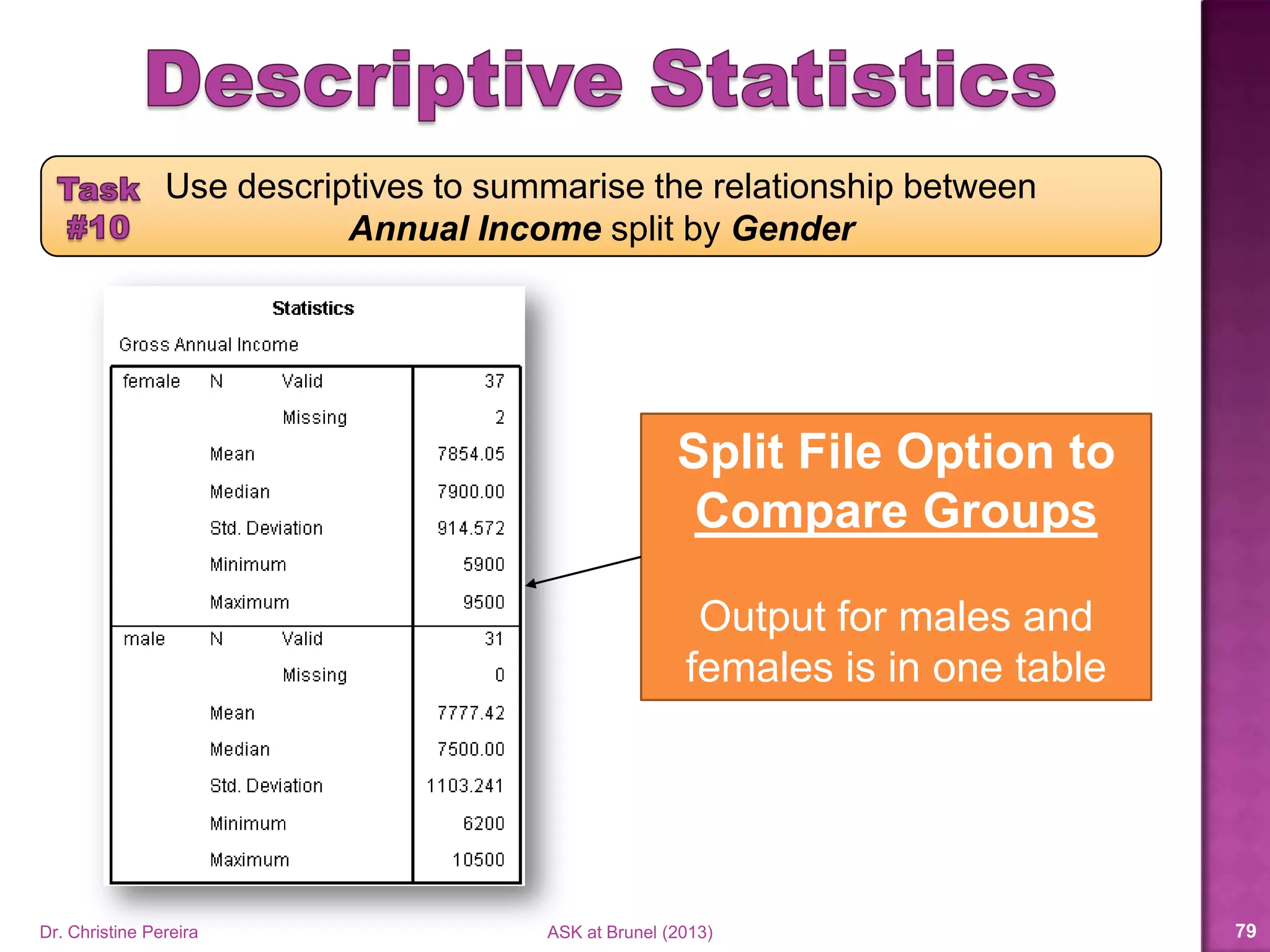
Split File Option to
Compare Groups
Output for males and
females is in one table
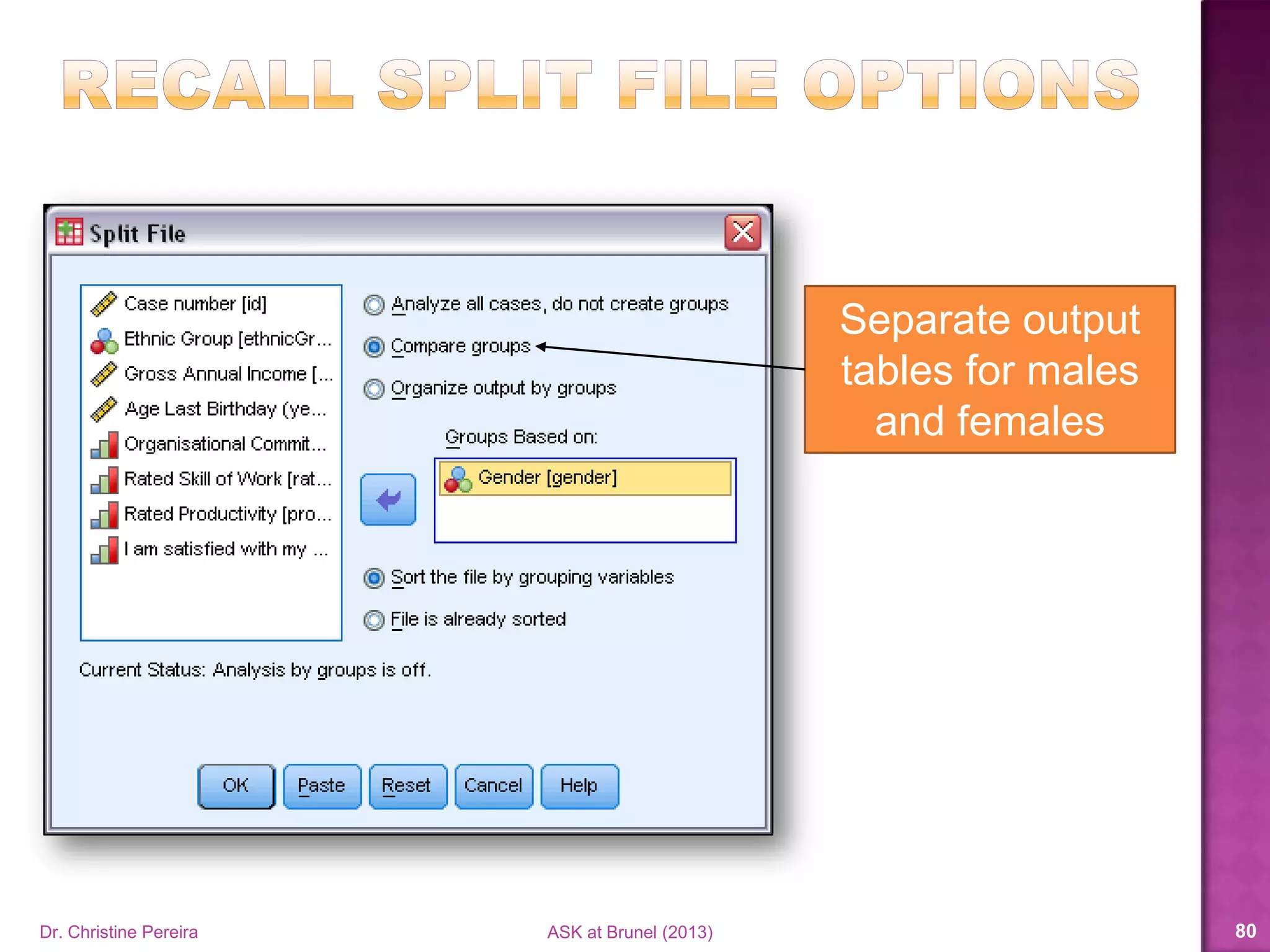
Separate output
tables for males
and females
Dr. Christine Pereira ASK at Brunel (2014) 79
Dr. Christine Pereira ASK at Brunel (2014) 80
Use descriptives to summarise the relationship between
Annual Income split by Gender
Split File Option to Organise Output by Groups
Separate output table for males and females
Dr. Christine Pereira ASK at Brunel (2014) 81
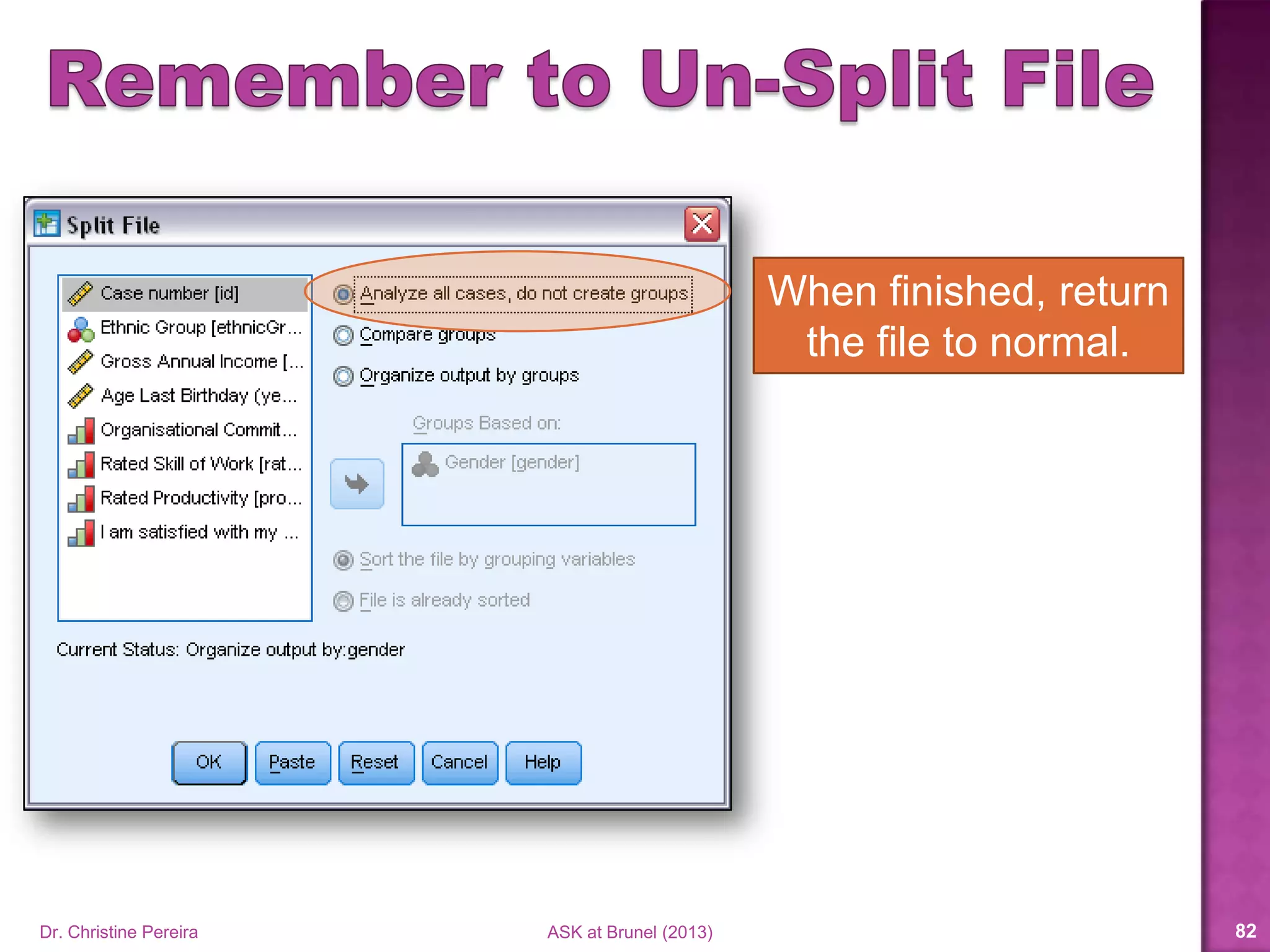
When finished, return
the file to normal.
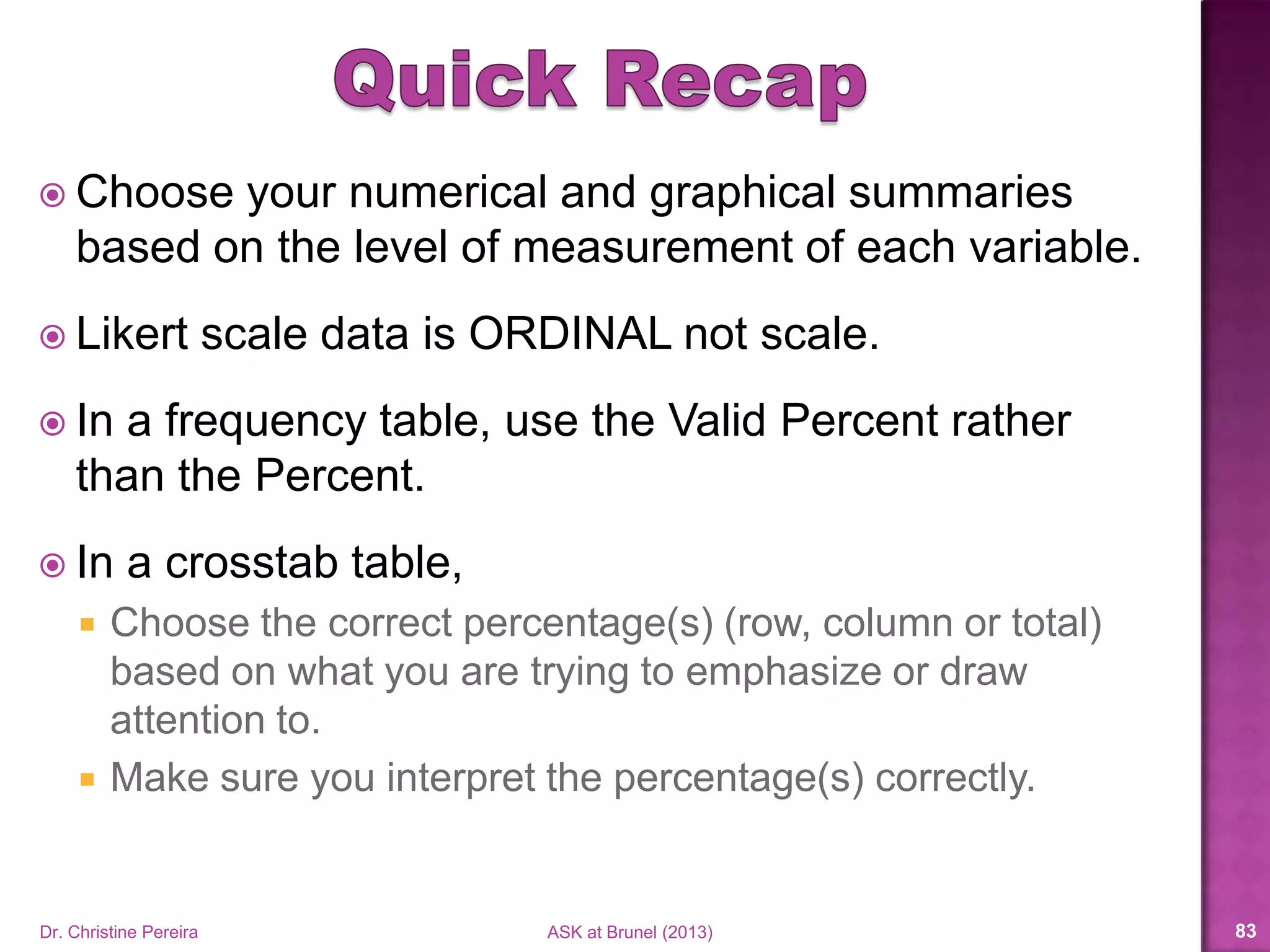
 Choose your numerical and graphical summaries
based on the level of measurement of each variable.
 Likert scale data is ORDINAL not scale.
 In a frequency table, use the Valid Percent rather
than the Percent.
 In a crosstab table,
 Choose the correct percentage(s) (row, column or total)
based on what you are trying to emphasize or draw
attention to.
 Make sure you interpret the percentage(s) correctly.
Dr. Christine Pereira ASK at Brunel (2014) 82
Dr. Christine PereiraASK at Brunel (2013) 83
Short video
tutorials on all
these topics
 SPSS Survival Manual, 4th Edition (2010) by Julie Pallant.
 SPSS Survival Manual, 5th Edition (2013) by Julie Pallant.
 Discovering Statistics Using SPSS, 3rd Edition (2009) by
Andy Field.
 Discovering Statistics Using SPSS, 4th Edition (2013) by
Andy Field.
Dr. Christine Pereira ASK at Brunel (2014) 84
Dr. Christine Pereira ASK at Brunel (2014) 85

Basics of SPSS, Part 2

  • 1.
    Part 2: Summarising Datausing Descriptive StatisticsDr.ChristinePereira
  • 2.
     Choose appropriategraphical summaries  Charts and graphs in SPSS  Choose appropriate numerical summaries  Descriptive statistics in SPSS  Frequency tables in SPSS Dr. Christine Pereira ASK at Brunel (2014) 2
  • 3.
     Log intoBlackboard  Under “My Organisations” click “Academic Skills”  In the left column under “Workshop presentations”  Click Statistics and SPSS  Find the Basics of SPSS Workshop  Download and save the SPSS data file: EmployeeSurvey.sav Dr. Christine Pereira ASK at Brunel (2014) 3
  • 4.
    Representing Data Graphically Dr.Christine Pereira ASK at Brunel (2014) 4
  • 5.
    Dr. Christine PereiraASK at Brunel (2014) 5
  • 6.
  • 7.
    Dr. Christine PereiraASK at Brunel (2014) 7
  • 8.
    Simple Bar Chart Dr.Christine Pereira ASK at Brunel (2014) 8
  • 9.
    Pie Chart Dr. ChristinePereira ASK at Brunel (2014) 9
  • 10.
    What is yourethnicity? (please tick one) White/European Asian West Indian African Other Create a Bar chart and/or Pie chart for the variable Ethnicity 1 Dr. Christine Pereira ASK at Brunel (2014) 10
  • 11.
    Dr. Christine PereiraASK at Brunel (2014) 11
  • 12.
    Dr. Christine PereiraASK at Brunel (2014) 12
  • 13.
    Clustered Bar ChartStacked Bar Chart Dr. Christine Pereira ASK at Brunel (2014) 13
  • 14.
    Create a Clusteredbar chart to summarise Organisational Commitment by Gender “I am very committed to this organisation.” Strongly Disagree Neutral Agree Strongly Disagree Agree 1 2 3 4 5 1 Dr. Christine Pereira ASK at Brunel (2014) 14 Gender (please tick one) Male Female 2
  • 15.
    Dr. Christine PereiraASK at Brunel (2014) 15
  • 16.
    Simple Histogram Dr. ChristinePereira ASK at Brunel (2014) 16
  • 17.
    1D Boxplot Dr. ChristinePereira ASK at Brunel (2014) 17
  • 18.
    Create a Histogramor Boxplot to summarise Annual Income What is your gross annual income?1 Dr. Christine Pereira ASK at Brunel (2014) 18
  • 19.
    Dr. Christine PereiraASK at Brunel (2014) 19
  • 20.
    Simple Scatterplot Dr. ChristinePereira ASK at Brunel (2014) 20
  • 21.
    Create a Scatterplotto summarise the relationship between Annual Income and Age What is your gross annual income?1 Age last birthday (in years)?2 Dr. Christine Pereira ASK at Brunel (2014) 21
  • 22.
    Dr. Christine PereiraASK at Brunel (2014) 22
  • 23.
    Simple Bar Chart Dr.Christine Pereira ASK at Brunel (2014) 23
  • 24.
    Simple Line Chart Dr.Christine Pereira ASK at Brunel (2014) 24
  • 25.
    Create a Chartof means to summarise employees total competency at all 3 time points: Start, 6 months, 12 months Competency score at start of job.1 2 Competency score at 6 mos. on the job. 3 Competency score at 12 mos. on the job. Dr. Christine Pereira ASK at Brunel (2014) 25
  • 26.
    Dr. Christine PereiraASK at Brunel (2014) 26
  • 27.
    Simple Bar Chart Dr.Christine Pereira ASK at Brunel (2014) 27
  • 28.
    Simple Line Chart Dr.Christine Pereira ASK at Brunel (2014) 28
  • 29.
    Create a Chartof means to summarise the relationship between Annual Income and Rated Skill What is your gross annual income?1 2 Rated Skill of work: Unskilled Semi-Skilled Fairly Skilled Highly Skilled 1 2 3 4 Dr. Christine Pereira ASK at Brunel (2014) 29
  • 30.
    Right Click -> EditContent -> In Separate Window Dr. Christine Pereira ASK at Brunel (2014) 30
  • 31.
    Reduce chart size andApply changes Dr. Christine Pereira ASK at Brunel (2014) 31
  • 32.
    Right Click to viewmore options E.g., Transpose Chart Dr. Christine Pereira ASK at Brunel (2014) 32
  • 33.
    There’s much morein Chart Editor You can change:  Colours  Fonts  Axis labels  Data labels  Insert trend lines  Rearrange (or remove) variables  …the list goes on Dr. Christine Pereira ASK at Brunel (2014) 33
  • 34.
     More resourcesavailable on Blackboard  Go to Academic Skills under My Organisations  In the left side column  Under Resources click on Statistics and SPSS  Here you can find videos, power point slides and guides for charts and graphs in SPSS Dr. Christine Pereira ASK at Brunel (2014) 34
  • 35.
    Representing Data Numerically Dr.Christine Pereira ASK at Brunel (2014) 35
  • 36.
    (All Descriptives) Mean, Median,Mode (Limited Descriptives) (Limited Descriptives) Dr. Christine Pereira ASK at Brunel (2014) 36
  • 37.
    (All Descriptives) Mean, Median,Mode Stdev, Variance Range, Percentiles, Min, Max, etc… (Limited Descriptives) (Limited Descriptives) Dr. Christine Pereira ASK at Brunel (2014) 37
  • 38.
    (All Descriptives) Mean, Median,Mode Stdev, Variance Range, Percentiles, Min, Max, etc… (Limited Descriptives) Frequency Table, Median, Mode (Limited Descriptives) Frequency Table, Mode Dr. Christine Pereira ASK at Brunel (2014) 38
  • 39.
    (All Descriptives) Mean, Median,Mode Stdev, Variance Range, Percentiles, Min, Max, etc… (Limited Descriptives) Frequency Table, Median, Mode (Limited Descriptives) Frequency Table, Mode Treating ORDINAL data like SCALE data Dr. Christine Pereira ASK at Brunel (2014) 39
  • 40.
     Ordinal data Mean and stdev OR frequencies and percentages? Strongly Disagree Strongly Agree NeutralDisagree Agree 1 2 3 4 5 12% 22.7% 21.3% 13.3% 30.7% Mean = 3.28 Stdev = 1.41 1.87 4.69 Dr. Christine Pereira ASK at Brunel (2014) 40
  • 41.
    Use descriptive statisticsto summarise responses for Organisational Commitment “I am very committed to this organisation.” Strongly Disagree Neutral Agree Strongly Disagree Agree 1 2 3 4 5 1 Dr. Christine Pereira ASK at Brunel (2014) 41
  • 42.
    Use to obtain Descriptives Frequencytables Charts • Bar • Pie • Histogram Dr. Christine Pereira ASK at Brunel (2014) 42
  • 43.
    Dr. Christine PereiraASK at Brunel (2014) 43 Use descriptive statistics to summarise responses for Organisational Commitment
  • 44.
    Dr. Christine PereiraASK at Brunel (2014) 44 Use descriptive statistics to summarise responses for Organisational Commitment
  • 45.
    Dr. Christine PereiraASK at Brunel (2014) 45 14 out of 70 is 20.0% Percent Out of the total sample size (e.g., 70)
  • 46.
    Dr. Christine PereiraASK at Brunel (2014) 46 16 out of 70 is 22.9% Percent Out of the total sample size (e.g., 70)
  • 47.
    Dr. Christine PereiraASK at Brunel (2014) 47 68 out of 70 is 97.1% Percent Out of the total sample size (e.g., 70)
  • 48.
    Dr. Christine PereiraASK at Brunel (2014) 48 14 out of 68 is 20.6% Valid Percent Out of the total number of responses (e.g., 68)
  • 49.
    Dr. Christine PereiraASK at Brunel (2014) 49 16 out of 68 is 23.5% Valid Percent Out of the total number of responses (e.g., 68)
  • 50.
    Dr. Christine PereiraASK at Brunel (2014) 50 Same as 1st Valid Percent Cumulative Percent Sum of Valid Percents
  • 51.
    Dr. Christine PereiraASK at Brunel (2014) 51 Sum of 1st two Valid Percents Cumulative Percent Sum of Valid Percents
  • 52.
    Dr. Christine PereiraASK at Brunel (2014) 52 Sum of 1st three Valid Percents Cumulative Percent Sum of Valid Percents
  • 53.
    Use descriptive statisticsto summarise responses for Annual Income What is your gross annual income?1 Dr. Christine Pereira ASK at Brunel (2014) 53
  • 54.
    Use to obtain Descriptives Frequencytables Charts • Bar • Pie • Histogram Dr. Christine Pereira ASK at Brunel (2014) 54
  • 55.
    Use descriptive statisticsto summarise responses for Annual Income Dr. Christine Pereira ASK at Brunel (2014) 55
  • 56.
    Use descriptive statisticsto summarise responses for Annual Income Dr. Christine Pereira ASK at Brunel (2014) 56
  • 57.
    Dr. Christine PereiraASK at Brunel (2014) 57
  • 58.
    Use a crosstabulation table to summarise Organisational Commitment by Gender “I am very committed to this organisation.” Strongly Disagree Neutral Agree Strongly Disagree Agree 1 2 3 4 5 Gender (please tick one) Male Female 1 2 Dr. Christine Pereira ASK at Brunel (2014) 58
  • 59.
    Use to obtain Crosstabstable • Observed count or % • Expected count Crosstab statistics • Chi-square • Correlations Clustered bar charts Dr. Christine Pereira ASK at Brunel (2014) 59
  • 60.
    Use a crosstabulation table to summarise Organisational Commitment by Gender Dr. Christine Pereira ASK at Brunel (2014) 60 Observed count Frequency observed in the sample
  • 61.
    Use a crosstabulation table to summarise Organisational Commitment by Gender Dr. Christine Pereira ASK at Brunel (2014) 61 Row % % of participants Uses row totals
  • 62.
    Use a crosstabulation table to summarise Organisational Commitment by Gender Dr. Christine Pereira ASK at Brunel (2014) 62 Total % % of participants Uses sample size
  • 63.
    Use a crosstabulation table to summarise Organisational Commitment by Gender Dr. Christine Pereira ASK at Brunel (2014) 63 Column % % of participants Uses column totals
  • 64.
    Use a crosstabulation table to summarise Organisational Commitment by Gender Dr. Christine Pereira ASK at Brunel (2014) 64 4 Females Strongly Agreed
  • 65.
    Use a crosstabulation table to summarise Organisational Commitment by Gender Dr. Christine Pereira ASK at Brunel (2014) 65 8 Males Agreed
  • 66.
    Use a crosstabulation table to summarise Organisational Commitment by Gender Dr. Christine Pereira ASK at Brunel (2014) 66 19 Participants were Undecided
  • 67.
    Use a crosstabulation table to summarise Organisational Commitment by Gender Dr. Christine Pereira ASK at Brunel (2014) 67 4 of 38 Females Strongly Agreed 10.5% of females
  • 68.
    Use a crosstabulation table to summarise Organisational Commitment by Gender Dr. Christine Pereira ASK at Brunel (2014) 68 8 of 30 Males Agreed 26.7% of males
  • 69.
    Use a crosstabulation table to summarise Organisational Commitment by Gender Dr. Christine Pereira ASK at Brunel (2014) 69 19 of 68 Respondents were Undecided 27.9% of respondents
  • 70.
    Dr. Christine PereiraASK at Brunel (2014) 70
  • 71.
    Two methods: 1. ‘Explore’option 2. Split file, then ‘Frequencies’ option We will use the 2nd method. Dr. Christine Pereira ASK at Brunel (2014) 71
  • 72.
    Dr. Christine PereiraASK at Brunel (2014) 72 Use descriptives to summarise the relationship between Annual Income split by Gender What is your gross annual income?1 2 Gender (please tick one) Male Female
  • 73.
    Dr. Christine PereiraASK at Brunel (2014) 73
  • 74.
    Categorical Variable Output for males andfemales will be in one table Separate output tables for males and females File must be sorted! Dr. Christine Pereira ASK at Brunel (2014) 74
  • 75.
    The file issorted All females are listed first, then all males Dr. Christine Pereira ASK at Brunel (2014) 75
  • 76.
    Dr. Christine PereiraASK at Brunel (2014) 76 Now get stats for Annual Income • Use ‘Frequencies’ • Output will be split by Gender
  • 77.
    Use descriptives tosummarise the relationship between Annual Income split by Gender Dr. Christine Pereira ASK at Brunel (2014) 77
  • 78.
    Dr. Christine PereiraASK at Brunel (2014) 78 Use descriptives to summarise the relationship between Annual Income split by Gender Split File Option to Compare Groups Output for males and females is in one table
  • 79.
    Separate output tables formales and females Dr. Christine Pereira ASK at Brunel (2014) 79
  • 80.
    Dr. Christine PereiraASK at Brunel (2014) 80 Use descriptives to summarise the relationship between Annual Income split by Gender Split File Option to Organise Output by Groups Separate output table for males and females
  • 81.
    Dr. Christine PereiraASK at Brunel (2014) 81 When finished, return the file to normal.
  • 82.
     Choose yournumerical and graphical summaries based on the level of measurement of each variable.  Likert scale data is ORDINAL not scale.  In a frequency table, use the Valid Percent rather than the Percent.  In a crosstab table,  Choose the correct percentage(s) (row, column or total) based on what you are trying to emphasize or draw attention to.  Make sure you interpret the percentage(s) correctly. Dr. Christine Pereira ASK at Brunel (2014) 82
  • 83.
    Dr. Christine PereiraASKat Brunel (2013) 83 Short video tutorials on all these topics
  • 84.
     SPSS SurvivalManual, 4th Edition (2010) by Julie Pallant.  SPSS Survival Manual, 5th Edition (2013) by Julie Pallant.  Discovering Statistics Using SPSS, 3rd Edition (2009) by Andy Field.  Discovering Statistics Using SPSS, 4th Edition (2013) by Andy Field. Dr. Christine Pereira ASK at Brunel (2014) 84
  • 85.
    Dr. Christine PereiraASK at Brunel (2014) 85