Visvesvaraya Technological University

Jnana Sangama, Belgaum, Karnataka

SEMINAR ON

I-FI
Reality Reinvented


Introduction



Augmented reality
◦ Augmented reality system
◦ Augmenting our world
◦ Example – Wikitude
◦ Example-Google glass



Implementation



Components of AR system
Head mounted display
Tracking & orientation
Global positioning system
Differential GPS

Digital compass
Mobile computing


Using Augmented reality



Limitations



Looking into future..



Conclusion



References
•

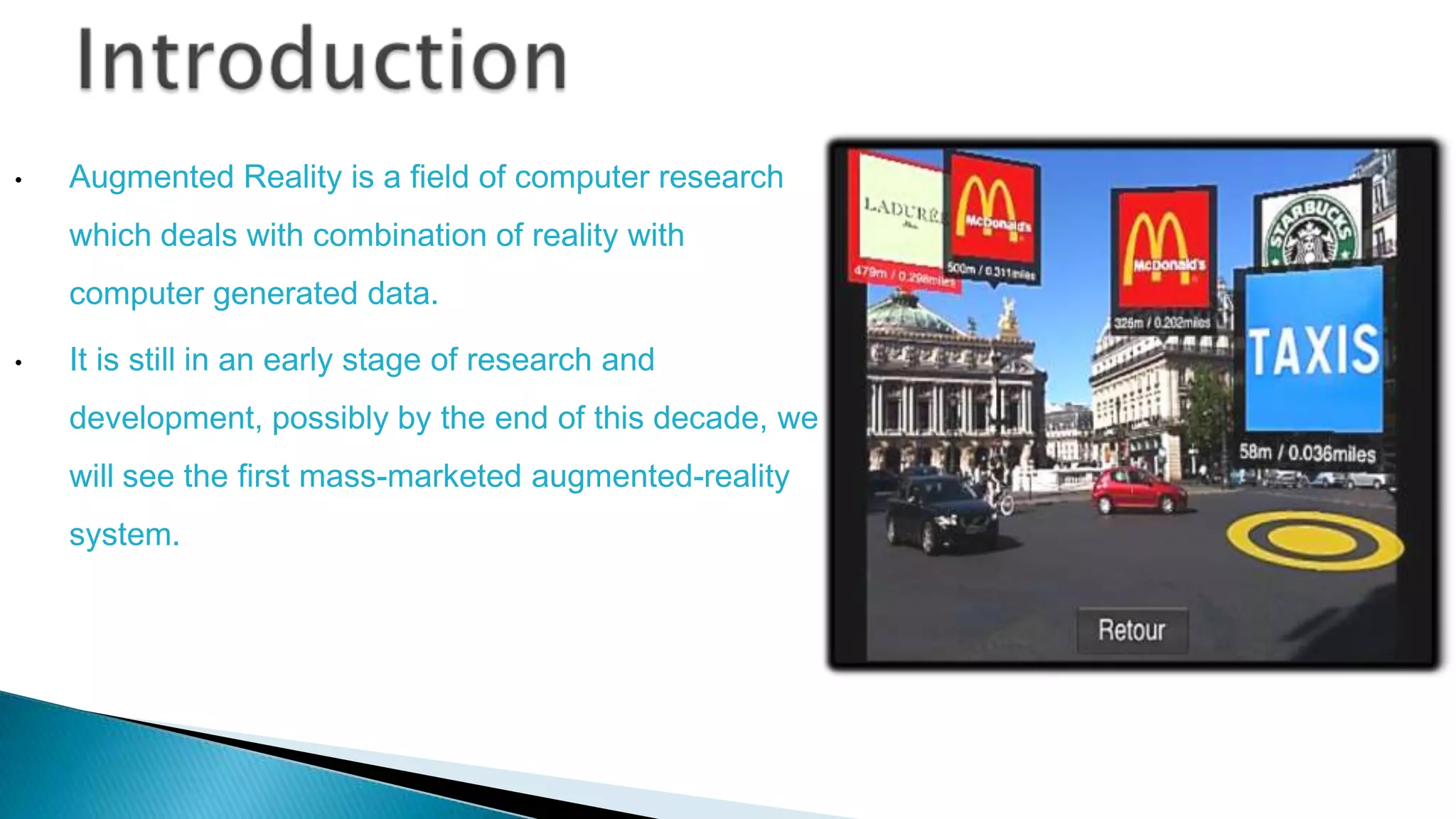
Augmented Reality is a field of computer research
which deals with combination of reality with
computer generated data.

•

It is still in an early stage of research and
development, possibly by the end of this decade, we
will see the first mass-marketed augmented-reality

system.
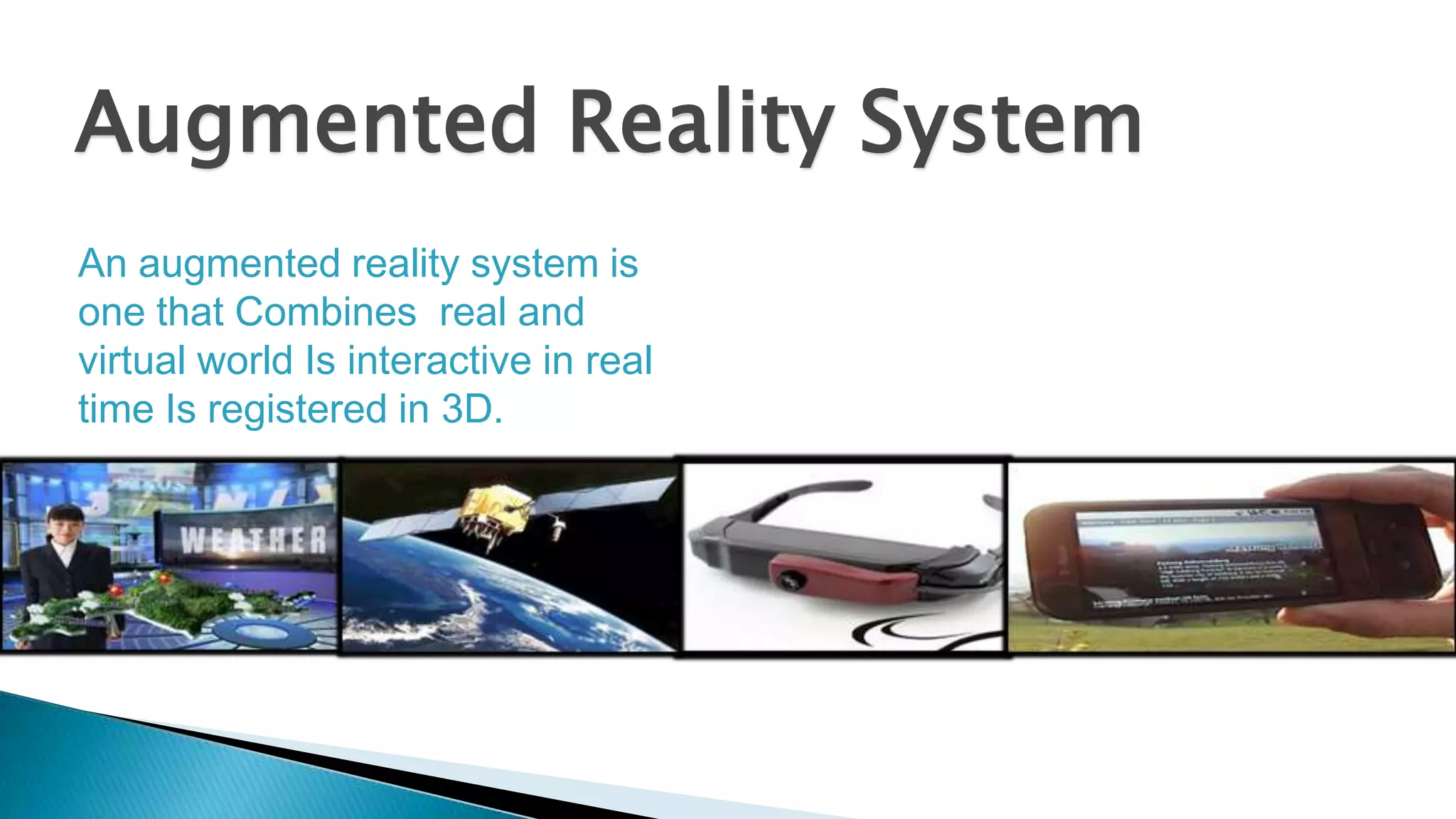
Augmented Reality System
An augmented reality system is
one that Combines real and
virtual world Is interactive in real
time Is registered in 3D.






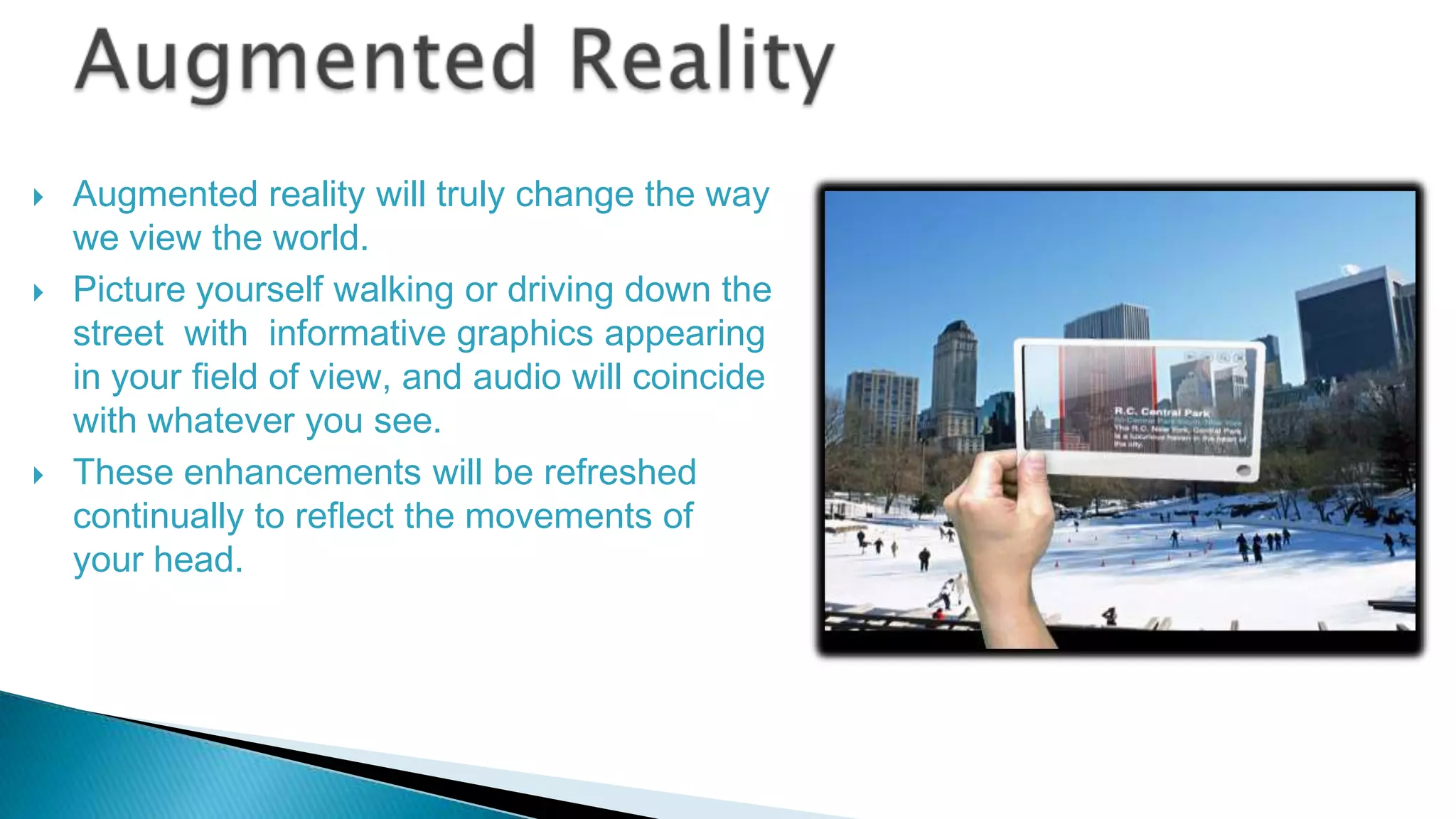
Augmented reality will truly change the way
we view the world.
Picture yourself walking or driving down the
street with informative graphics appearing
in your field of view, and audio will coincide
with whatever you see.
These enhancements will be refreshed
continually to reflect the movements of
your head.


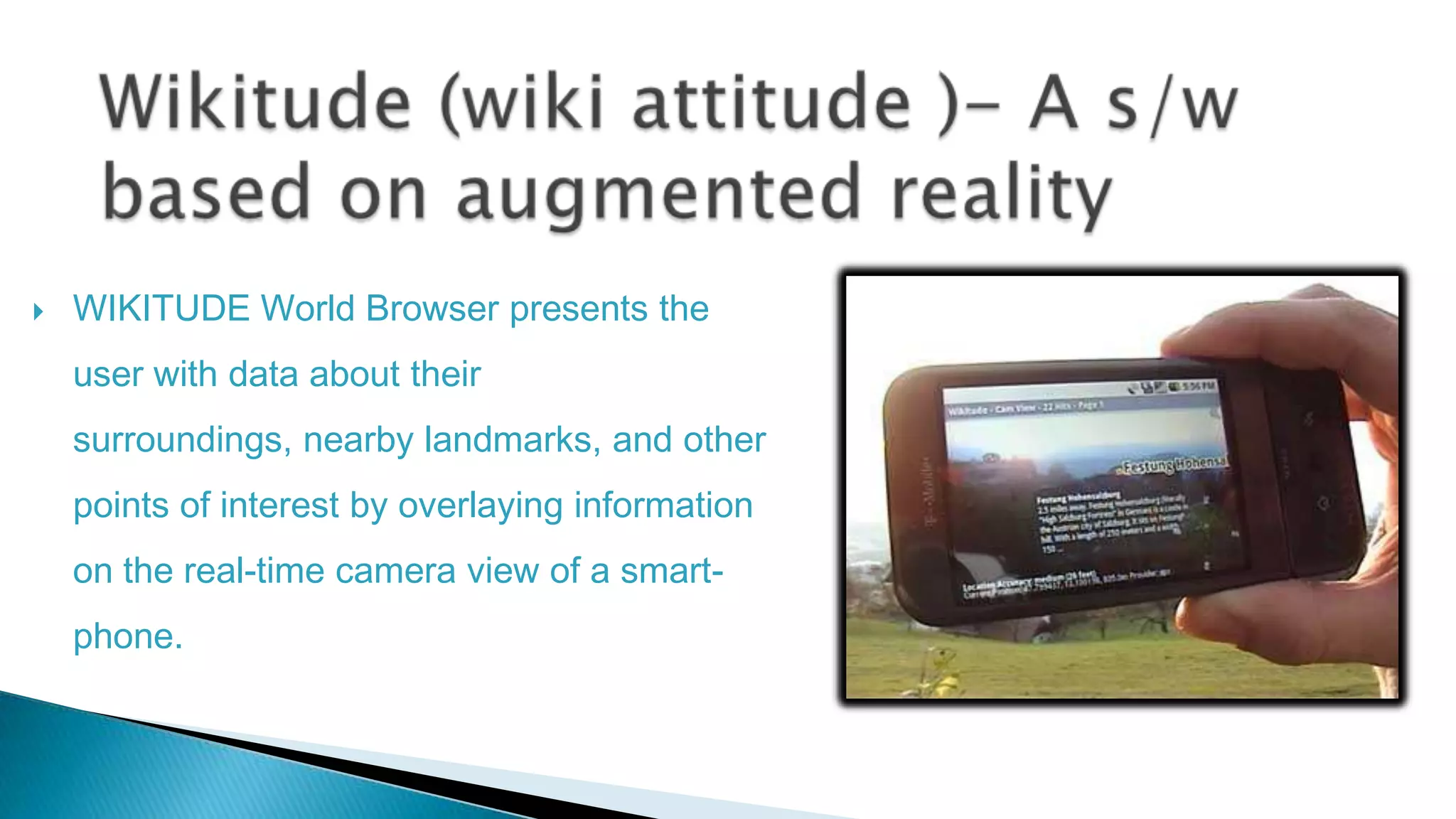
WIKITUDE World Browser presents the

user with data about their
surroundings, nearby landmarks, and other
points of interest by overlaying information
on the real-time camera view of a smartphone.
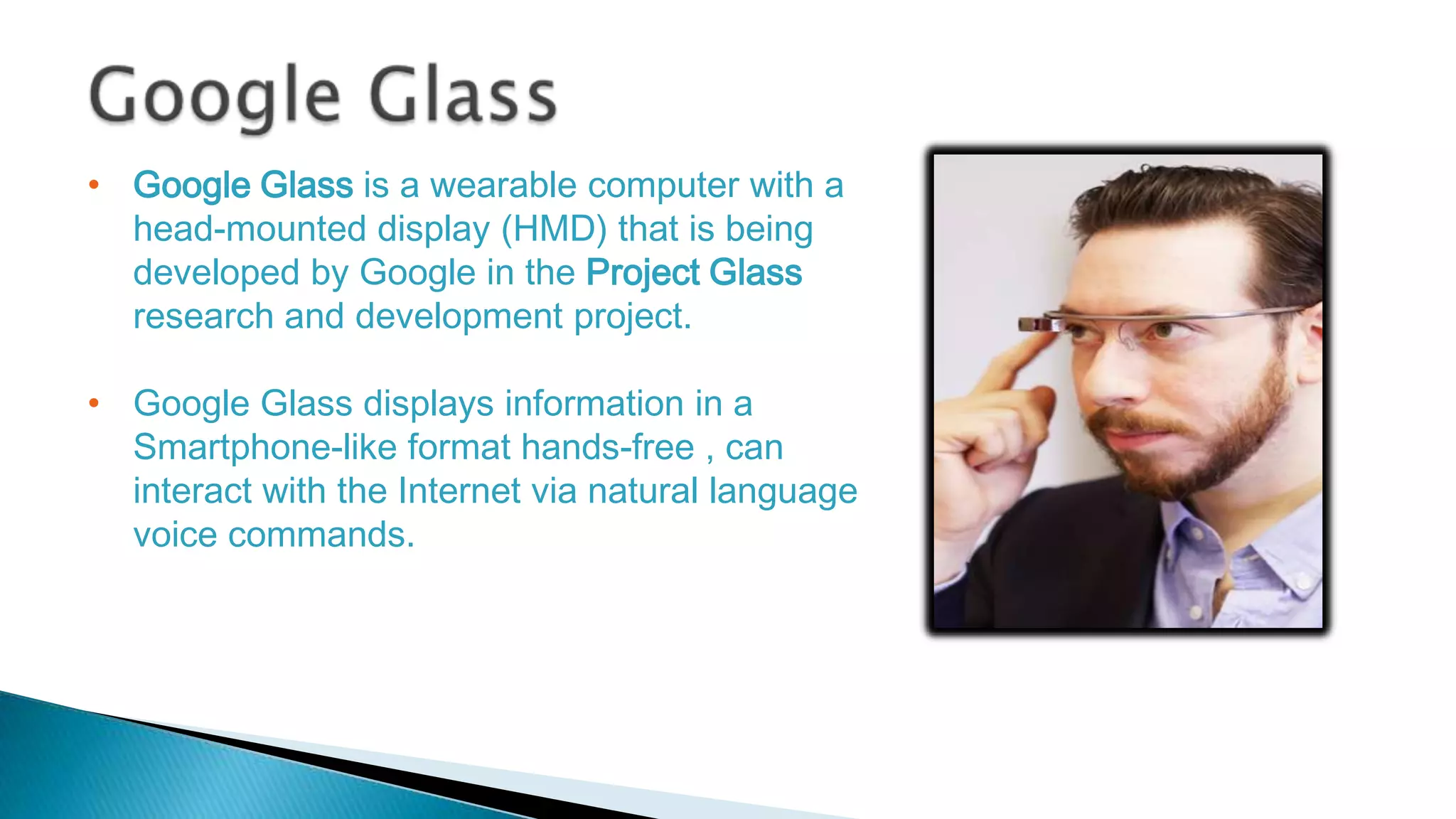
• Google Glass is a wearable computer with a
head-mounted display (HMD) that is being
developed by Google in the Project Glass
research and development project.
• Google Glass displays information in a
Smartphone-like format hands-free , can
interact with the Internet via natural language
voice commands.
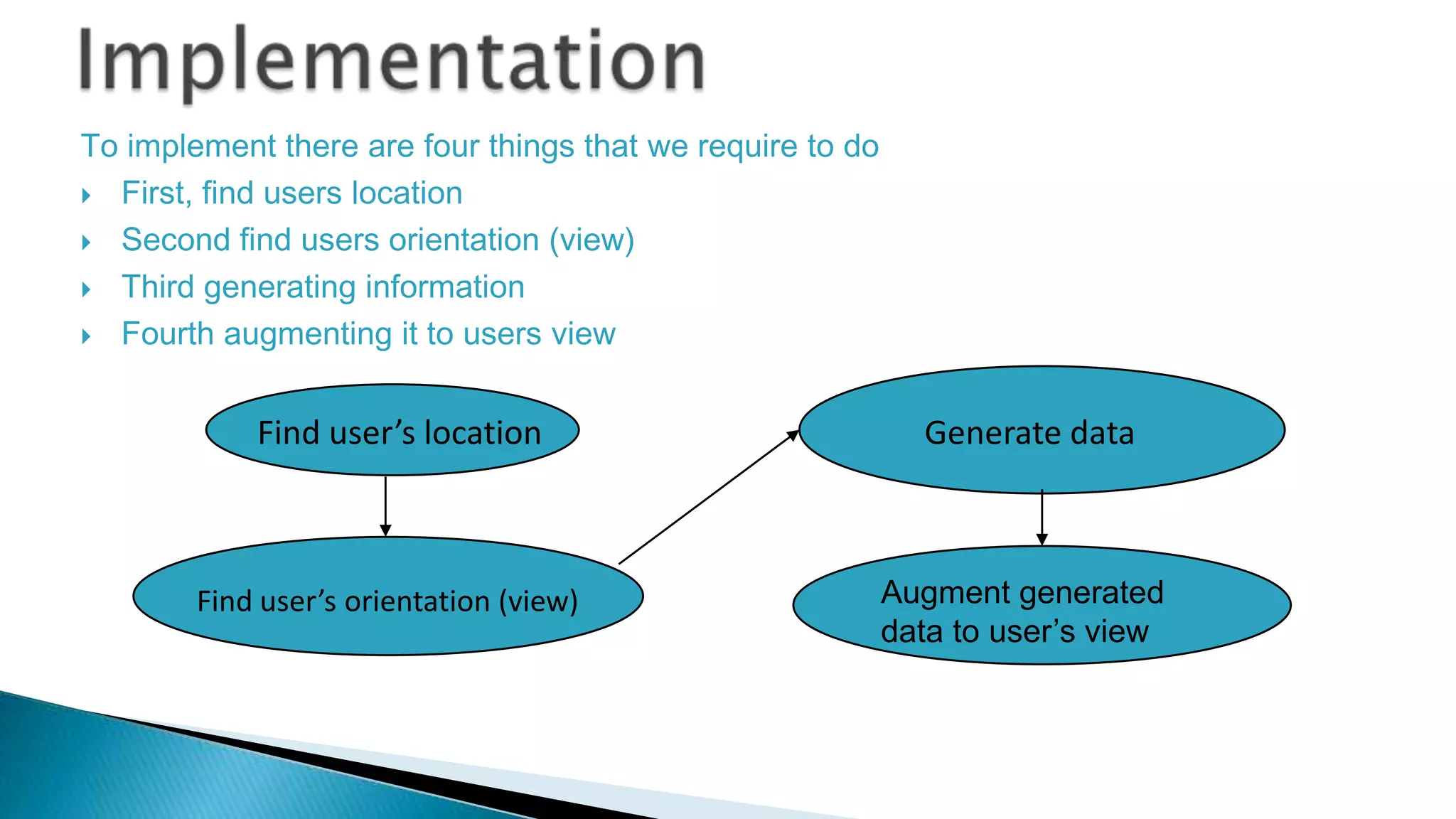
To implement there are four things that we require to do
 First, find users location
 Second find users orientation (view)
 Third generating information
 Fourth augmenting it to users view

Find user’s location

Find user’s orientation (view)

Generate data

Augment generated
data to user’s view
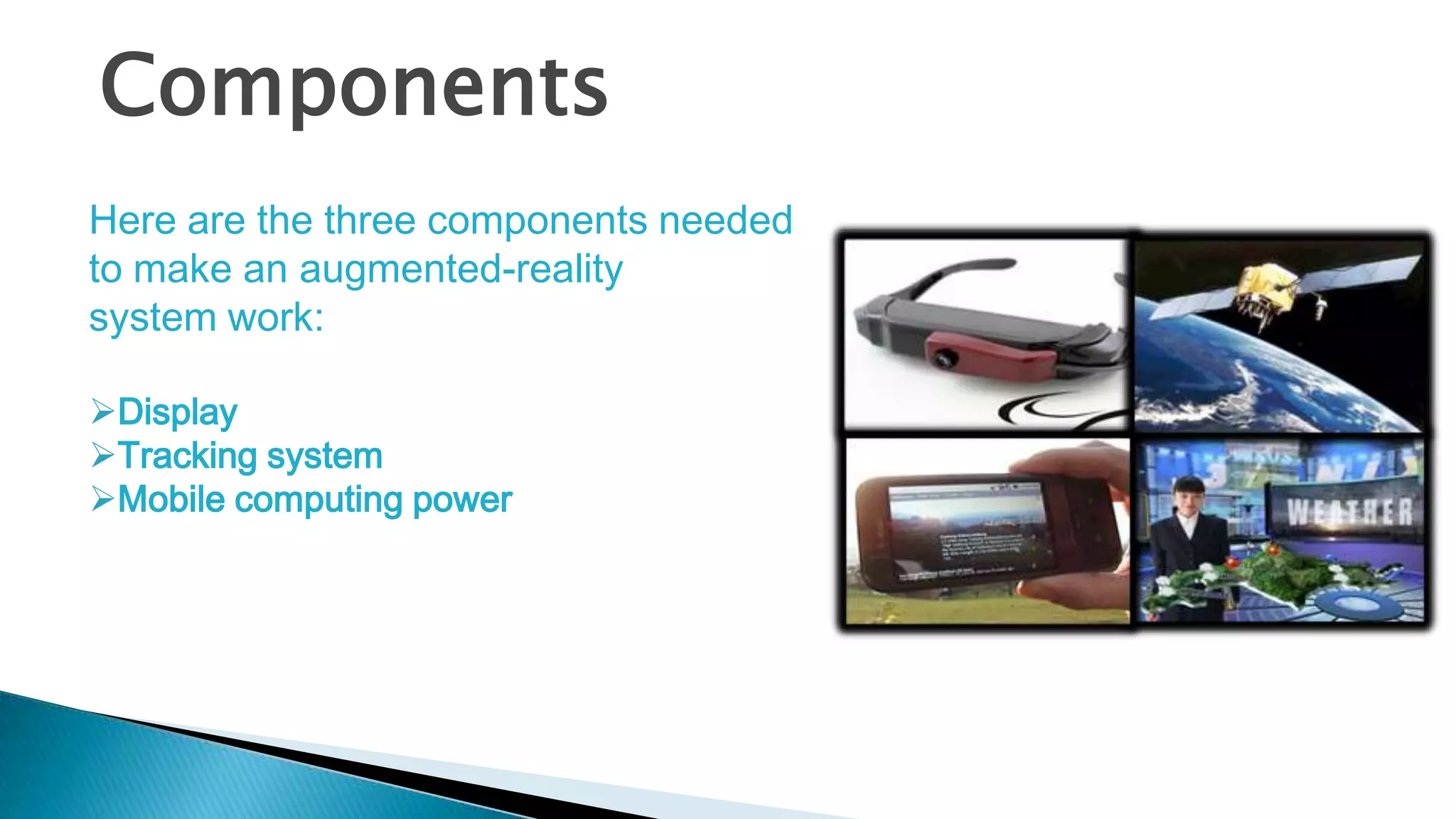
Components
Here are the three components needed
to make an augmented-reality
system work:
Display
Tracking system
Mobile computing power






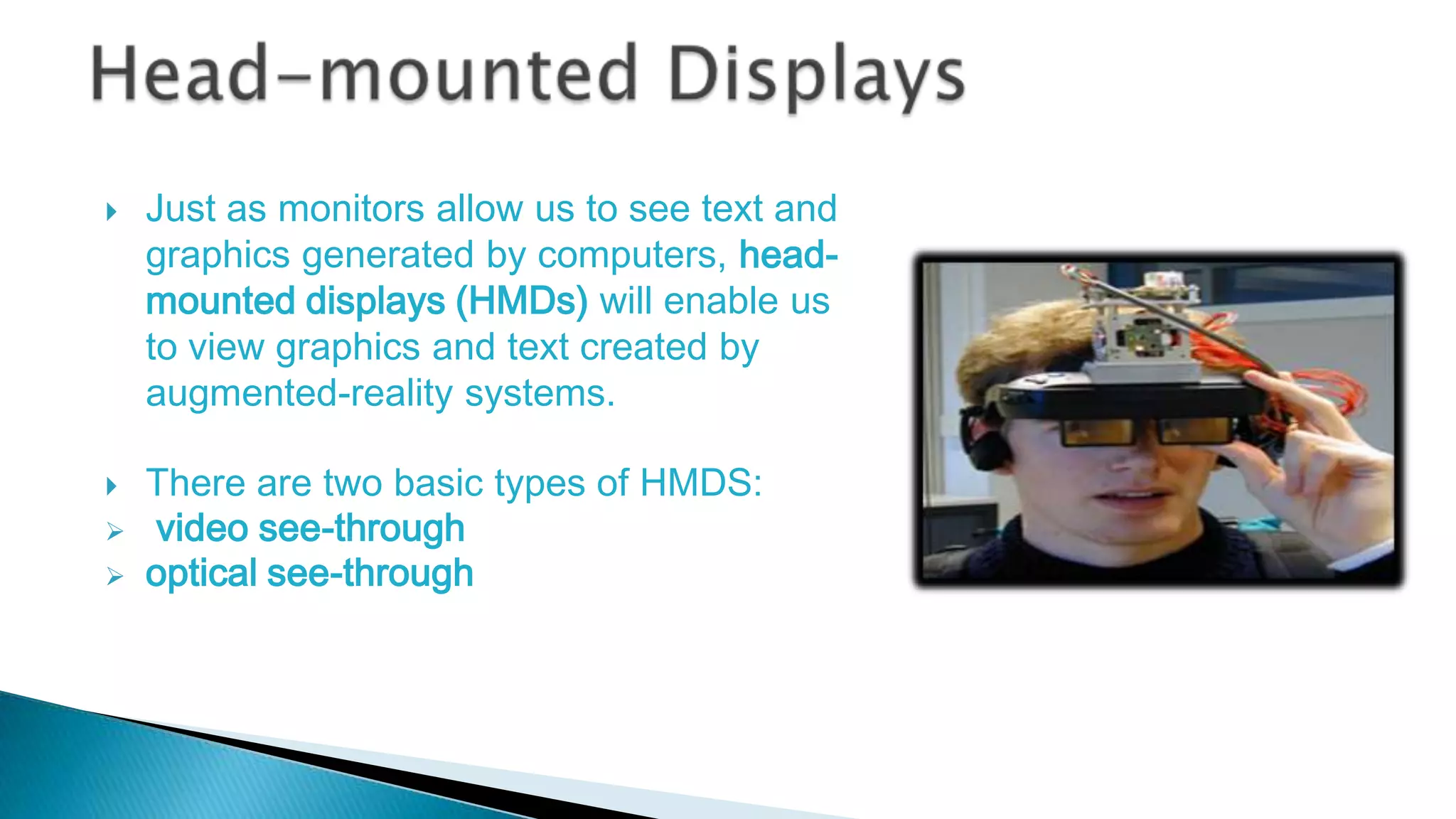
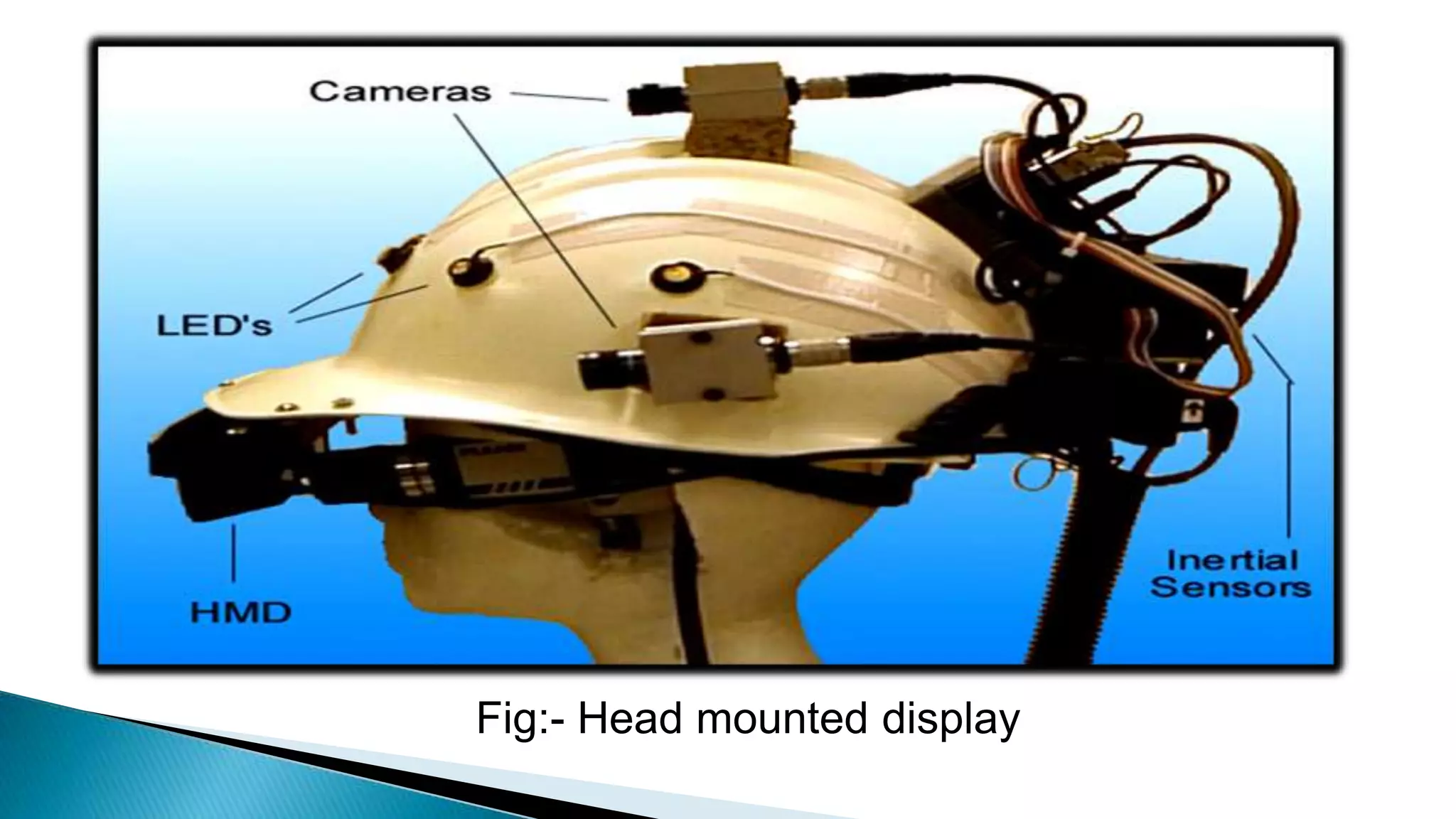
Just as monitors allow us to see text and
graphics generated by computers, headmounted displays (HMDs) will enable us
to view graphics and text created by
augmented-reality systems.
There are two basic types of HMDS:
video see-through
optical see-through
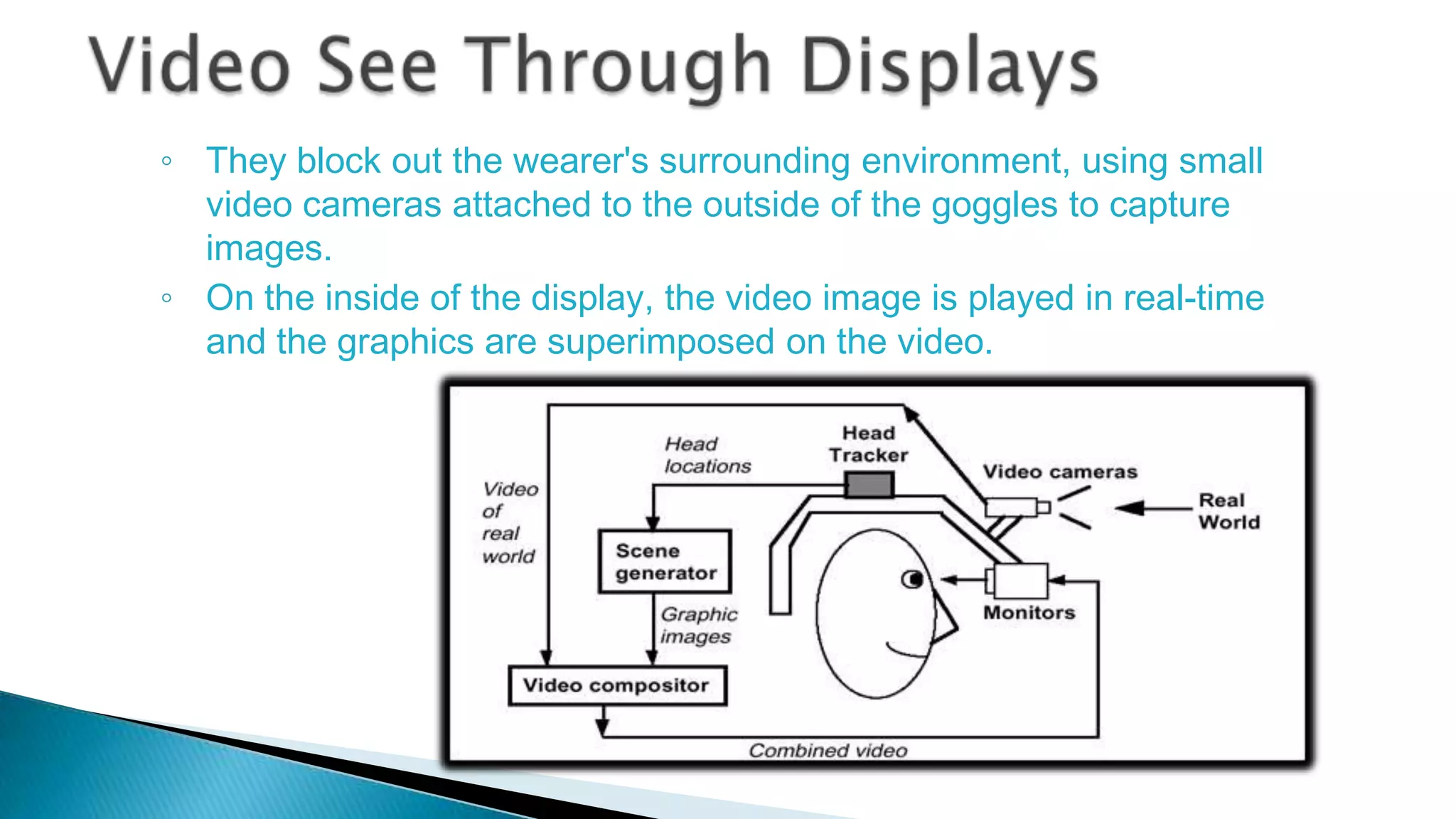
◦ They block out the wearer's surrounding environment, using small
video cameras attached to the outside of the goggles to capture
images.
◦ On the inside of the display, the video image is played in real-time
and the graphics are superimposed on the video.
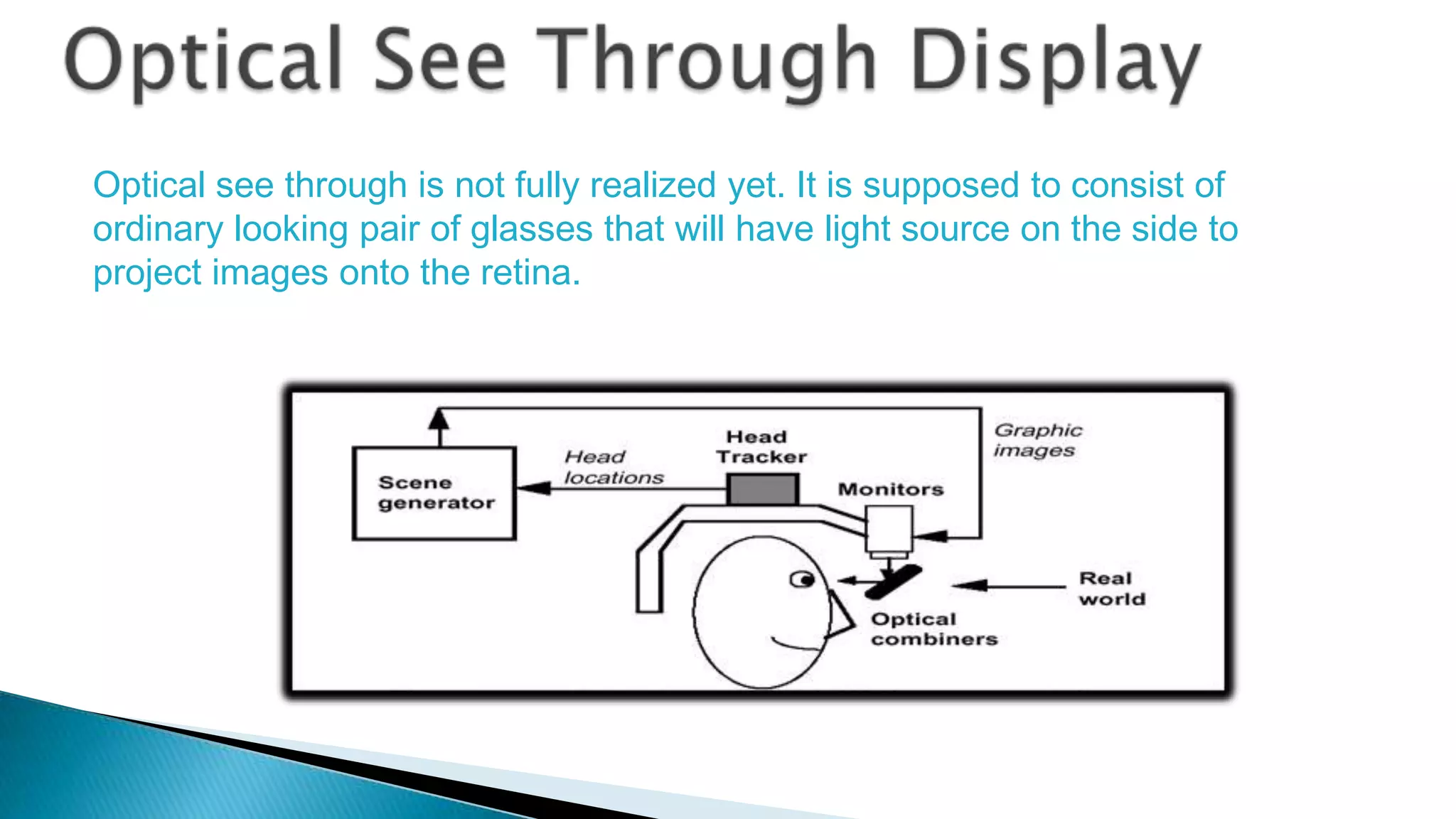
Optical see through is not fully realized yet. It is supposed to consist of
ordinary looking pair of glasses that will have light source on the side to
project images onto the retina.
Fig:- Head mounted display




The biggest challenge facing developers of augmented reality is the
need to know where the user is located in reference to his or her
surroundings.
There's also the additional problem of tracking the movement of
users' eyes and heads.
1.Where the user is located

2.Where he is looking




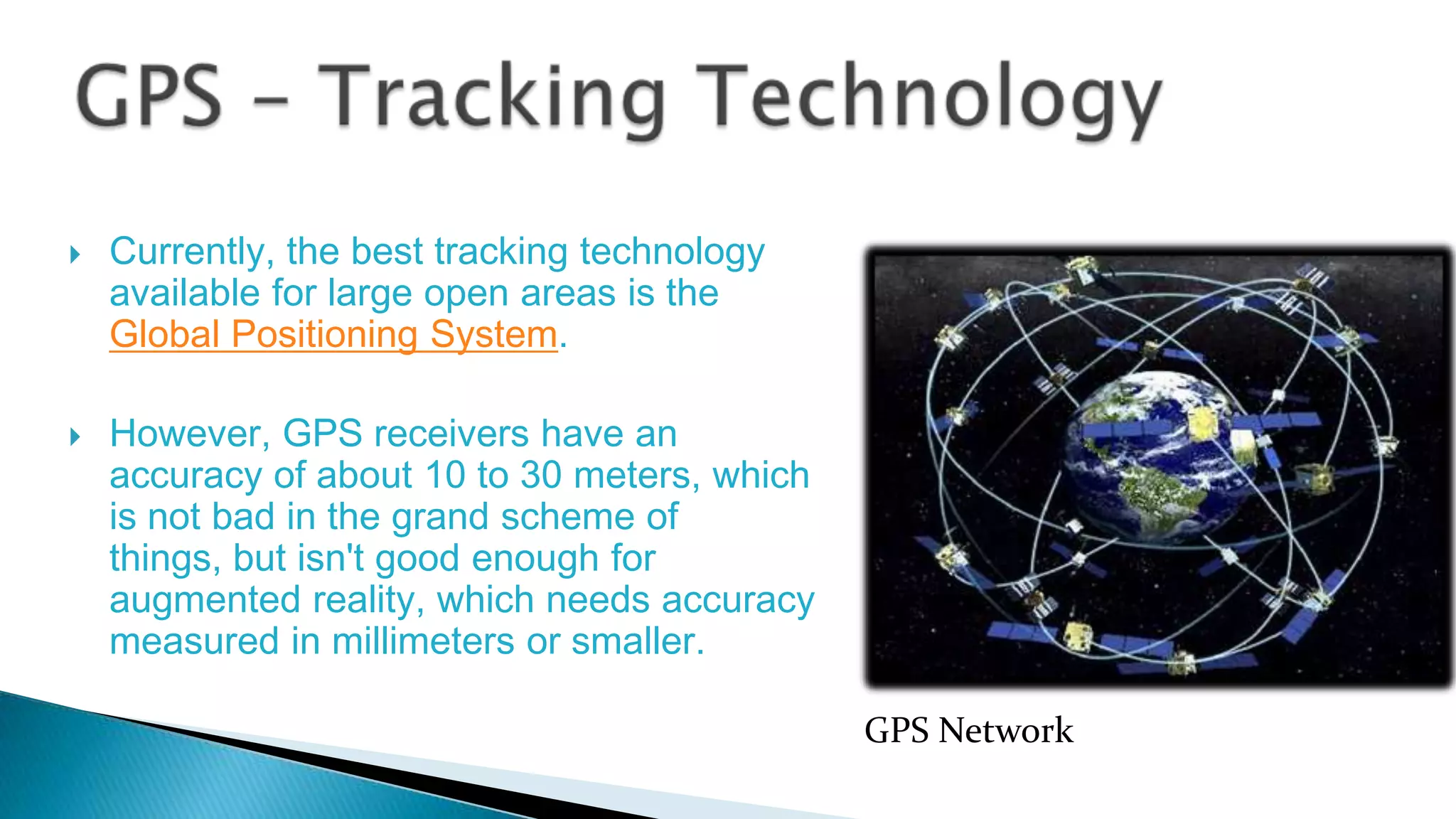
Currently, the best tracking technology
available for large open areas is the
Global Positioning System.
However, GPS receivers have an
accuracy of about 10 to 30 meters, which
is not bad in the grand scheme of
things, but isn't good enough for
augmented reality, which needs accuracy
measured in millimeters or smaller.
GPS Network






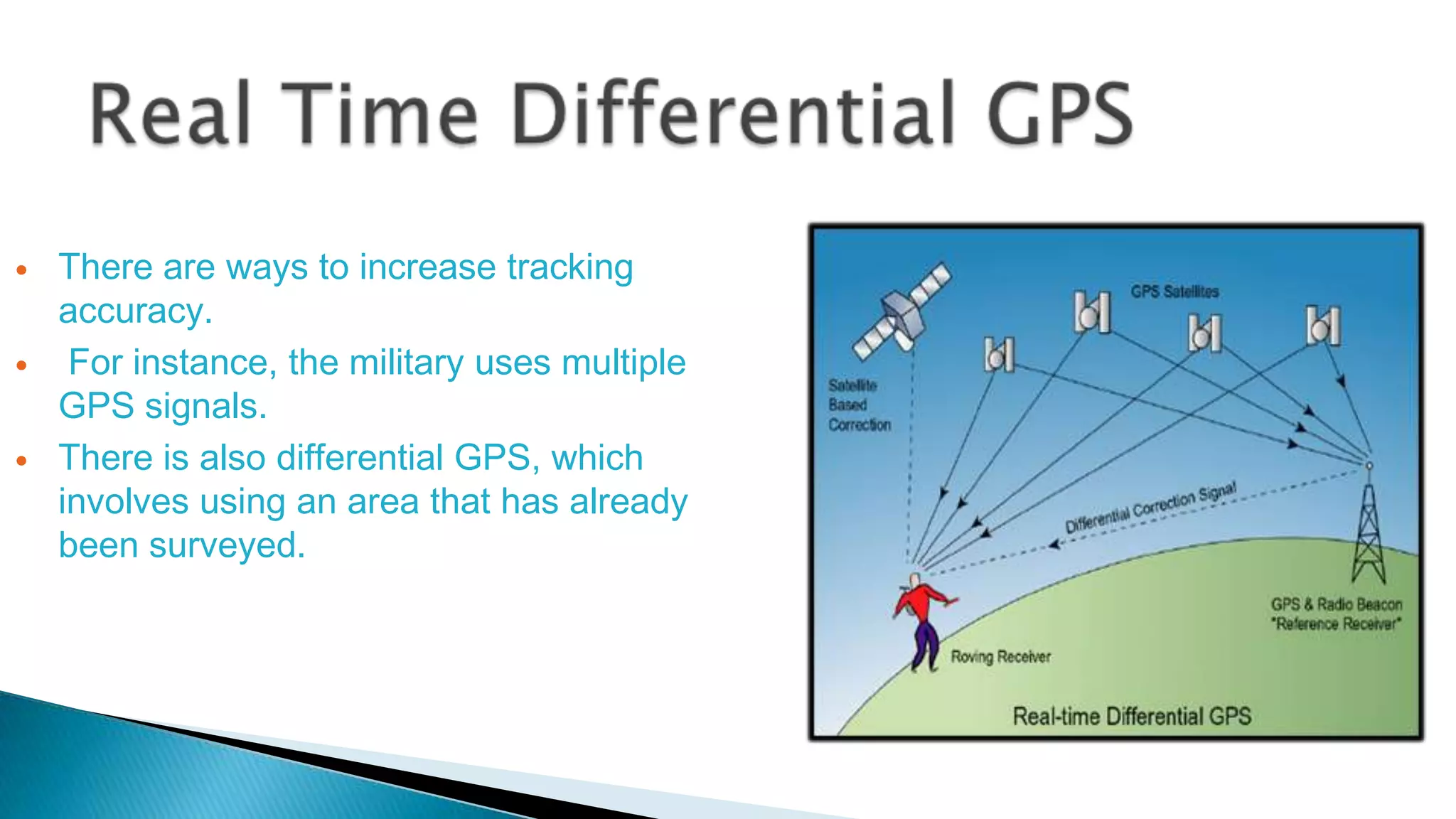
There are ways to increase tracking
accuracy.
For instance, the military uses multiple
GPS signals.
There is also differential GPS, which
involves using an area that has already
been surveyed.




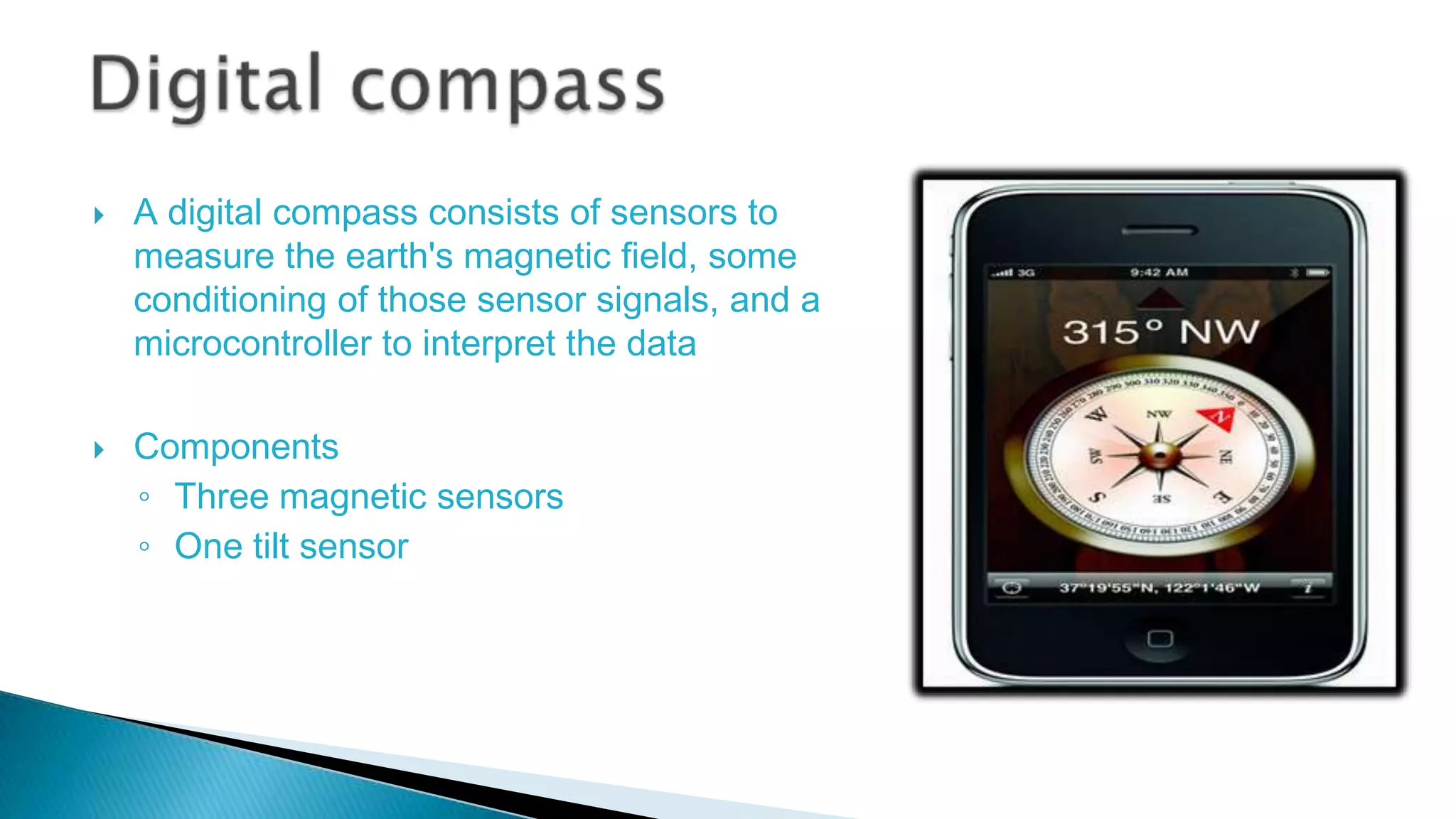
A digital compass consists of sensors to
measure the earth's magnetic field, some
conditioning of those sensor signals, and a
microcontroller to interpret the data

Components
◦ Three magnetic sensors
◦ One tilt sensor
Wearable computers
 Mobile computing can be accomplished with help of wearable computers
 A wearable computer is a battery powered computer system worn on the
user’s body(belt, backpack etc).
 It is designed for mobile & predominantly hands free operations often
incorporating head mounted display & speech input.
Once researchers overcome the challenges that face
them, augmented reality will likely pervade every corner of our lives. It
has the potential to be used in almost every industry, including:


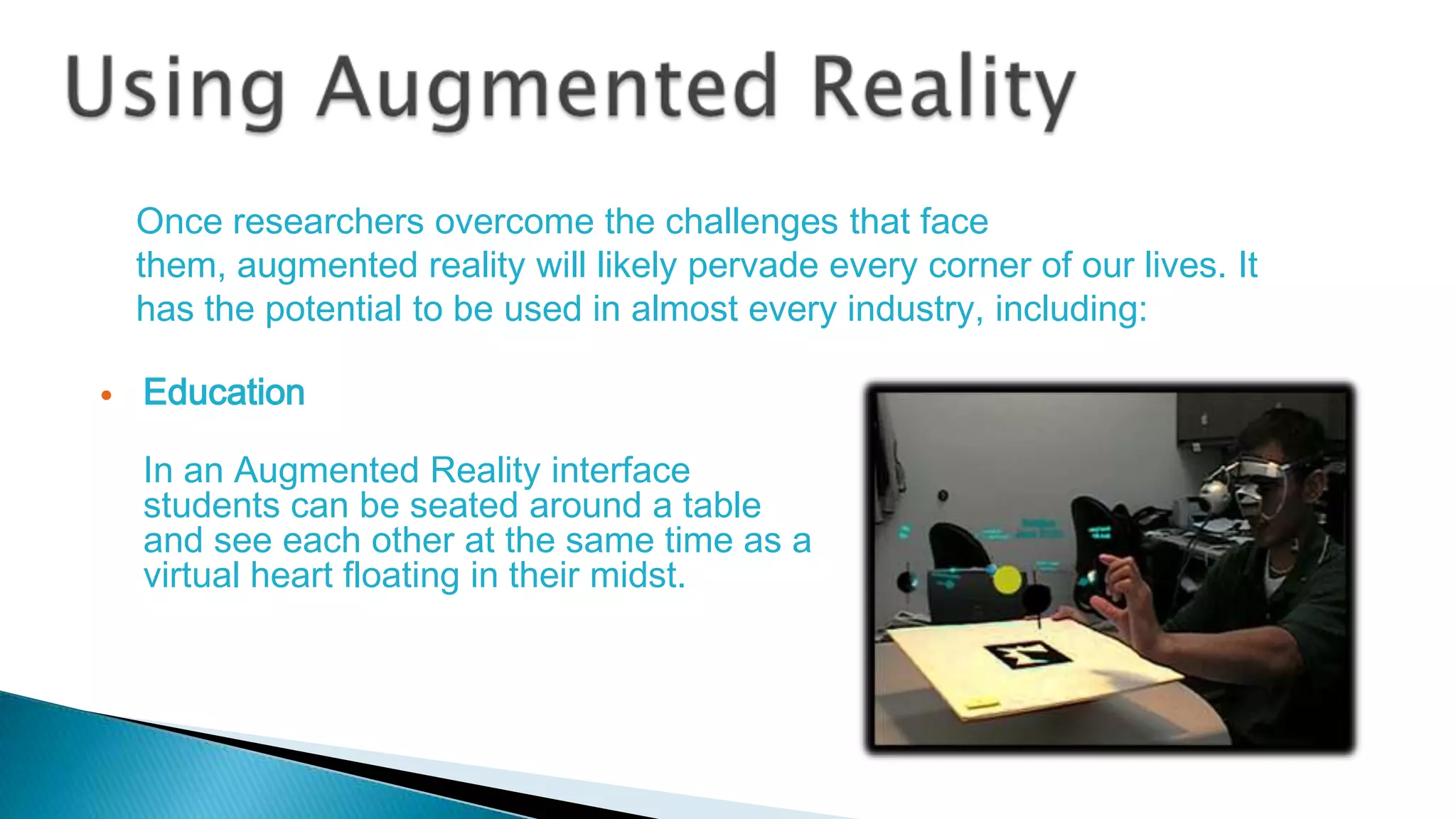
Education
In an Augmented Reality interface
students can be seated around a table
and see each other at the same time as a
virtual heart floating in their midst.




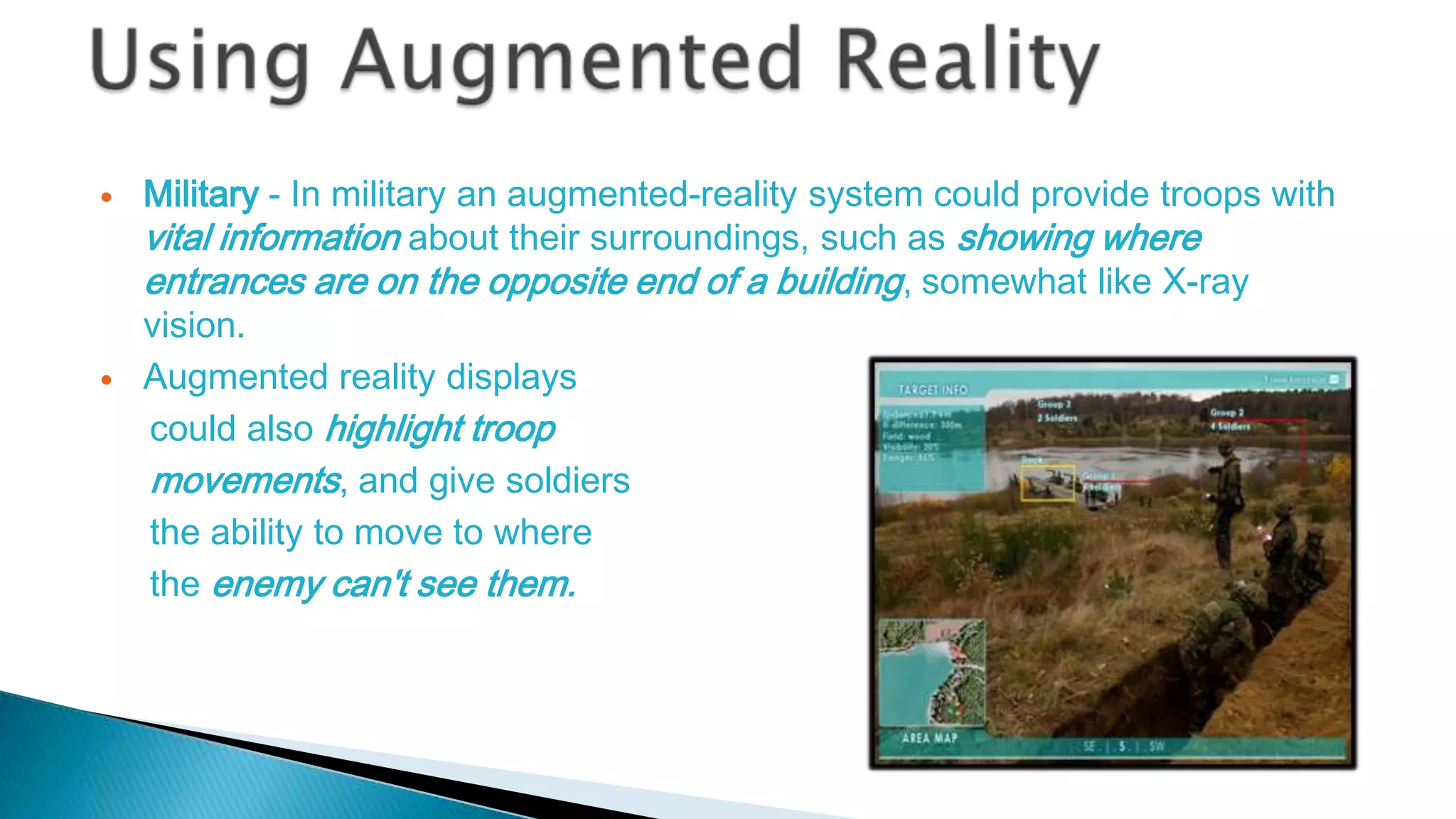
Military - In military an augmented-reality system could provide troops with
vital information about their surroundings, such as showing where
entrances are on the opposite end of a building, somewhat like X-ray
vision.
Augmented reality displays
could also highlight troop
movements, and give soldiers
the ability to move to where
the enemy can't see them.






Instant information -Tourists and students could use these systems to
learn more about a certain historical event.
Imagine walking onto a Civil War battlefield and seeing a re-creation of
historical events on a head-mounted, augmented-reality display.
Gaming – The video games played on the desktop can be taken
outside. The game could be projected onto the real world around
you, and you could, literally, be in it as one of the characters.


Accurate tracking and orientation



For wearable augmented reality system, there are still not enough

computing power to create stereo 3D graphics


The size of AR systems is yet another problem.






Expanding a PC screen to real environment..program windows &
icons appear as virtual devices in real space & are eye or
gesture operated, by gazing or pointing.
Enhanced media application ,like pseudo holographic virtual
screens, virtual surround cinema.
Replacement of cell phones: eye dialing, insertion of information
directly into environment.


Augmented reality will further blur the line between
what's real and what's computer-generated by
enhancing what we see, hear, feel and smell.


http://www.metalliccloud.com/rob/future_thinking/
http://en.wikipedia.org/wiki/Augmented_reality



http://www.howstuffworks.com/augmented-reality.html



http://www.youtube.com/watch?v=tpaJBu4BEuA


Augmented reality The future of computing

Augmented reality The future of computing

  • 1.
    Visvesvaraya Technological University JnanaSangama, Belgaum, Karnataka SEMINAR ON I-FI
  • 2.
  • 3.
     Introduction  Augmented reality ◦ Augmentedreality system ◦ Augmenting our world ◦ Example – Wikitude ◦ Example-Google glass  Implementation  Components of AR system Head mounted display Tracking & orientation Global positioning system
  • 4.
    Differential GPS Digital compass Mobilecomputing  Using Augmented reality  Limitations  Looking into future..  Conclusion  References
  • 5.
    • Augmented Reality isa field of computer research which deals with combination of reality with computer generated data. • It is still in an early stage of research and development, possibly by the end of this decade, we will see the first mass-marketed augmented-reality system.
  • 6.
    Augmented Reality System Anaugmented reality system is one that Combines real and virtual world Is interactive in real time Is registered in 3D.
  • 7.
       Augmented reality willtruly change the way we view the world. Picture yourself walking or driving down the street with informative graphics appearing in your field of view, and audio will coincide with whatever you see. These enhancements will be refreshed continually to reflect the movements of your head.
  • 8.
     WIKITUDE World Browserpresents the user with data about their surroundings, nearby landmarks, and other points of interest by overlaying information on the real-time camera view of a smartphone.
  • 9.
    • Google Glassis a wearable computer with a head-mounted display (HMD) that is being developed by Google in the Project Glass research and development project. • Google Glass displays information in a Smartphone-like format hands-free , can interact with the Internet via natural language voice commands.
  • 10.
    To implement thereare four things that we require to do  First, find users location  Second find users orientation (view)  Third generating information  Fourth augmenting it to users view Find user’s location Find user’s orientation (view) Generate data Augment generated data to user’s view
  • 11.
    Components Here are thethree components needed to make an augmented-reality system work: Display Tracking system Mobile computing power
  • 12.
        Just as monitorsallow us to see text and graphics generated by computers, headmounted displays (HMDs) will enable us to view graphics and text created by augmented-reality systems. There are two basic types of HMDS: video see-through optical see-through
  • 13.
    ◦ They blockout the wearer's surrounding environment, using small video cameras attached to the outside of the goggles to capture images. ◦ On the inside of the display, the video image is played in real-time and the graphics are superimposed on the video.
  • 14.
    Optical see throughis not fully realized yet. It is supposed to consist of ordinary looking pair of glasses that will have light source on the side to project images onto the retina.
  • 15.
  • 16.
      The biggest challengefacing developers of augmented reality is the need to know where the user is located in reference to his or her surroundings. There's also the additional problem of tracking the movement of users' eyes and heads.
  • 17.
    1.Where the useris located 2.Where he is looking
  • 18.
      Currently, the besttracking technology available for large open areas is the Global Positioning System. However, GPS receivers have an accuracy of about 10 to 30 meters, which is not bad in the grand scheme of things, but isn't good enough for augmented reality, which needs accuracy measured in millimeters or smaller. GPS Network
  • 19.
       There are waysto increase tracking accuracy. For instance, the military uses multiple GPS signals. There is also differential GPS, which involves using an area that has already been surveyed.
  • 20.
      A digital compassconsists of sensors to measure the earth's magnetic field, some conditioning of those sensor signals, and a microcontroller to interpret the data Components ◦ Three magnetic sensors ◦ One tilt sensor
  • 21.
    Wearable computers  Mobilecomputing can be accomplished with help of wearable computers  A wearable computer is a battery powered computer system worn on the user’s body(belt, backpack etc).  It is designed for mobile & predominantly hands free operations often incorporating head mounted display & speech input.
  • 22.
    Once researchers overcomethe challenges that face them, augmented reality will likely pervade every corner of our lives. It has the potential to be used in almost every industry, including:  Education In an Augmented Reality interface students can be seated around a table and see each other at the same time as a virtual heart floating in their midst.
  • 23.
      Military - Inmilitary an augmented-reality system could provide troops with vital information about their surroundings, such as showing where entrances are on the opposite end of a building, somewhat like X-ray vision. Augmented reality displays could also highlight troop movements, and give soldiers the ability to move to where the enemy can't see them.
  • 24.
       Instant information -Touristsand students could use these systems to learn more about a certain historical event. Imagine walking onto a Civil War battlefield and seeing a re-creation of historical events on a head-mounted, augmented-reality display. Gaming – The video games played on the desktop can be taken outside. The game could be projected onto the real world around you, and you could, literally, be in it as one of the characters.
  • 25.
     Accurate tracking andorientation  For wearable augmented reality system, there are still not enough computing power to create stereo 3D graphics  The size of AR systems is yet another problem.
  • 26.
       Expanding a PCscreen to real environment..program windows & icons appear as virtual devices in real space & are eye or gesture operated, by gazing or pointing. Enhanced media application ,like pseudo holographic virtual screens, virtual surround cinema. Replacement of cell phones: eye dialing, insertion of information directly into environment.
  • 27.
     Augmented reality willfurther blur the line between what's real and what's computer-generated by enhancing what we see, hear, feel and smell.
  • 28.