


Augmented Reality
K.S. RAJU CSE-A
Agenda
1) What is Augmented Reality?
2) Augmented Reality vsVirtual Reality.
3) AR System.
4) Requirements.
5) Types ofAugmented Reality.
6) Key issues ofAR.
7) Applications ofAR.
What is Augmented Reality?
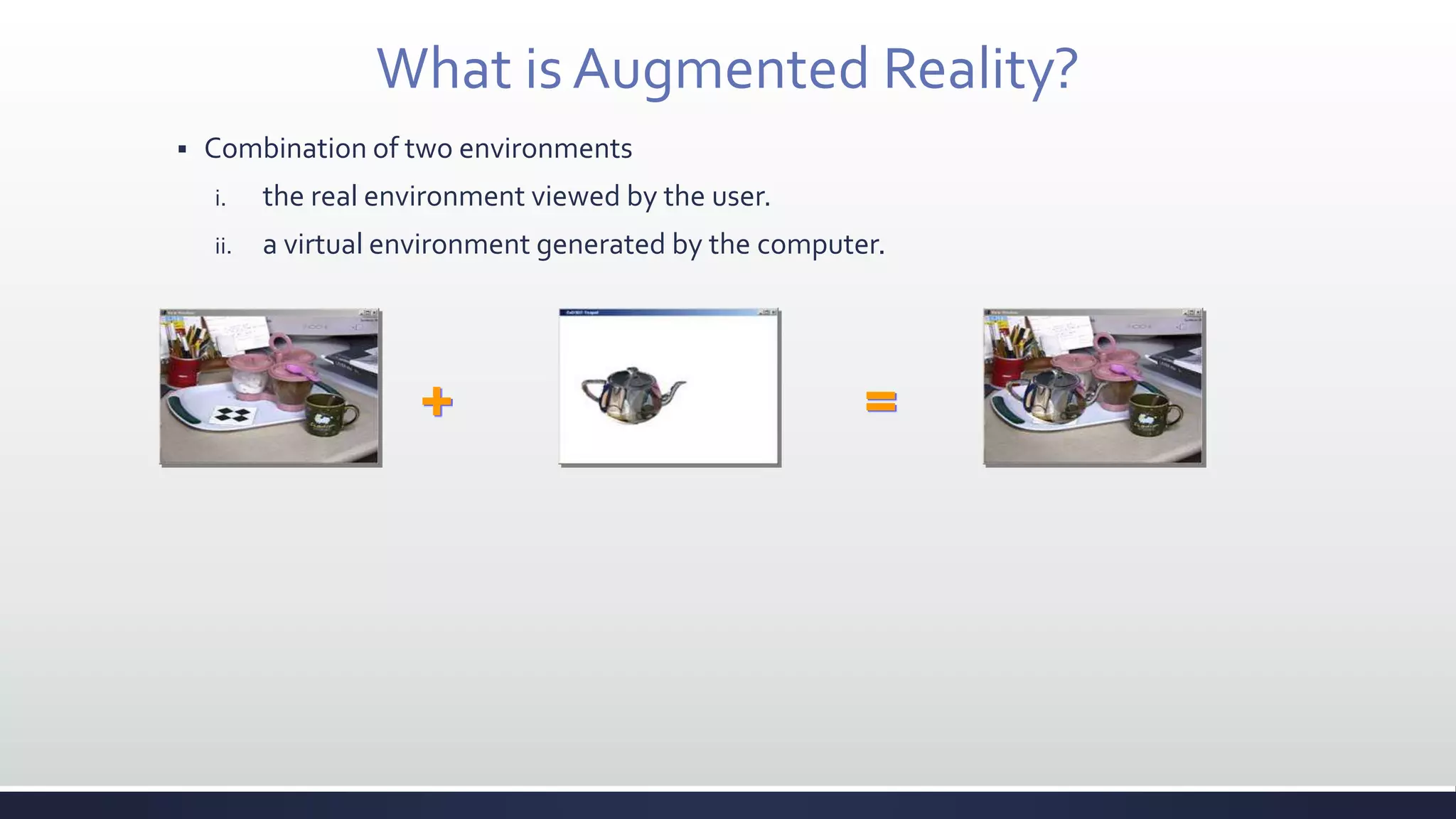
 Combination of two environments
i. the real environment viewed by the user.
ii. a virtual environment generated by the computer.
+ =
Term “Augmented Reality”
 Real environment is augmented by means of virtual objects
 Supplements reality, instead of completely replacing it
 Image-enhanced by
 inserting additional information.
 removing the unnecessary region.
 Why research this?
 Enhances person’s perception.
 Enhances person’s performance.
 Provides a user with
 work efficiency, convenience, interesting effects, and information in industry,
education, entertainment, etc.
Virtual Reality
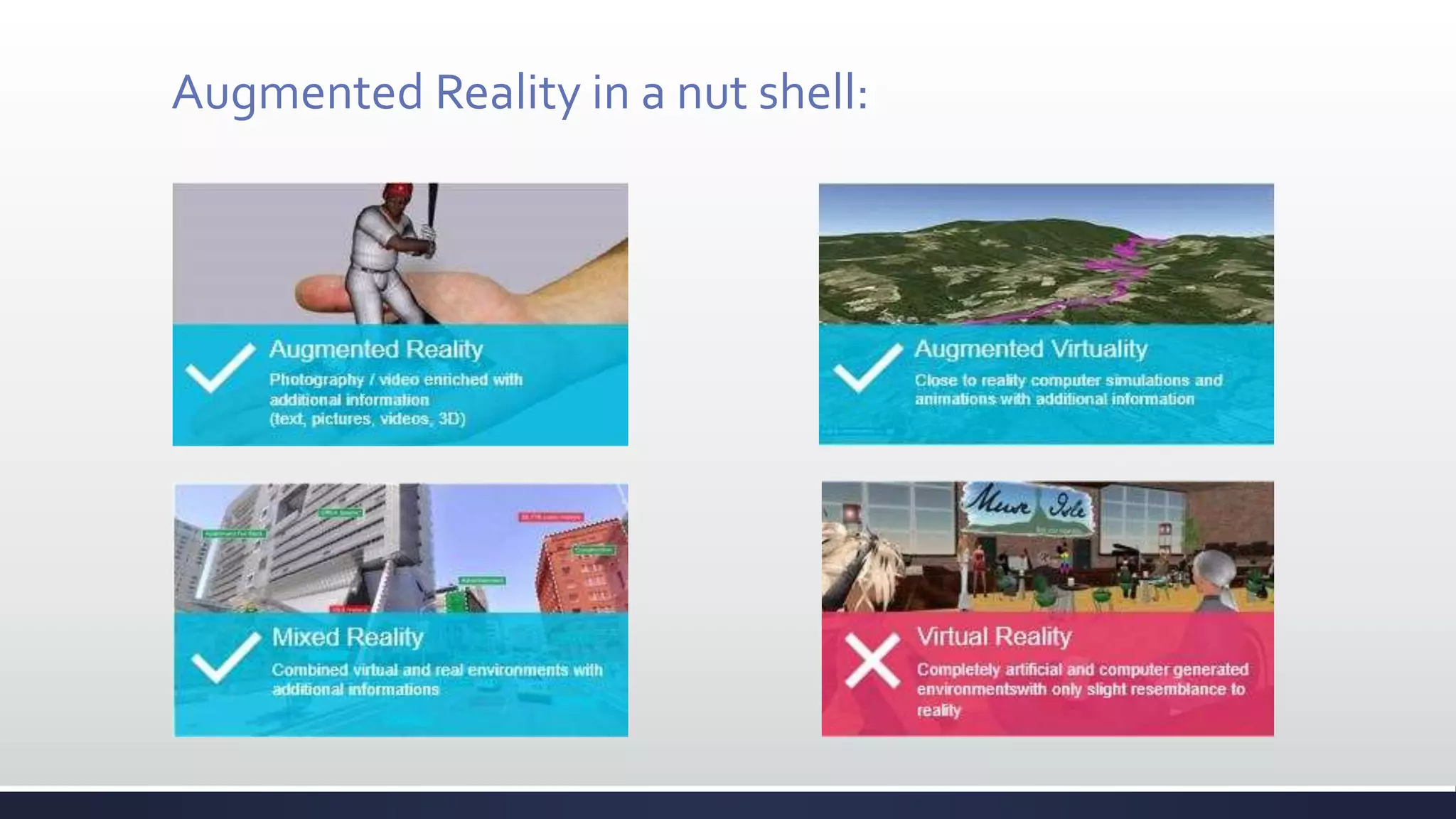
Augmented Reality in a nut shell:
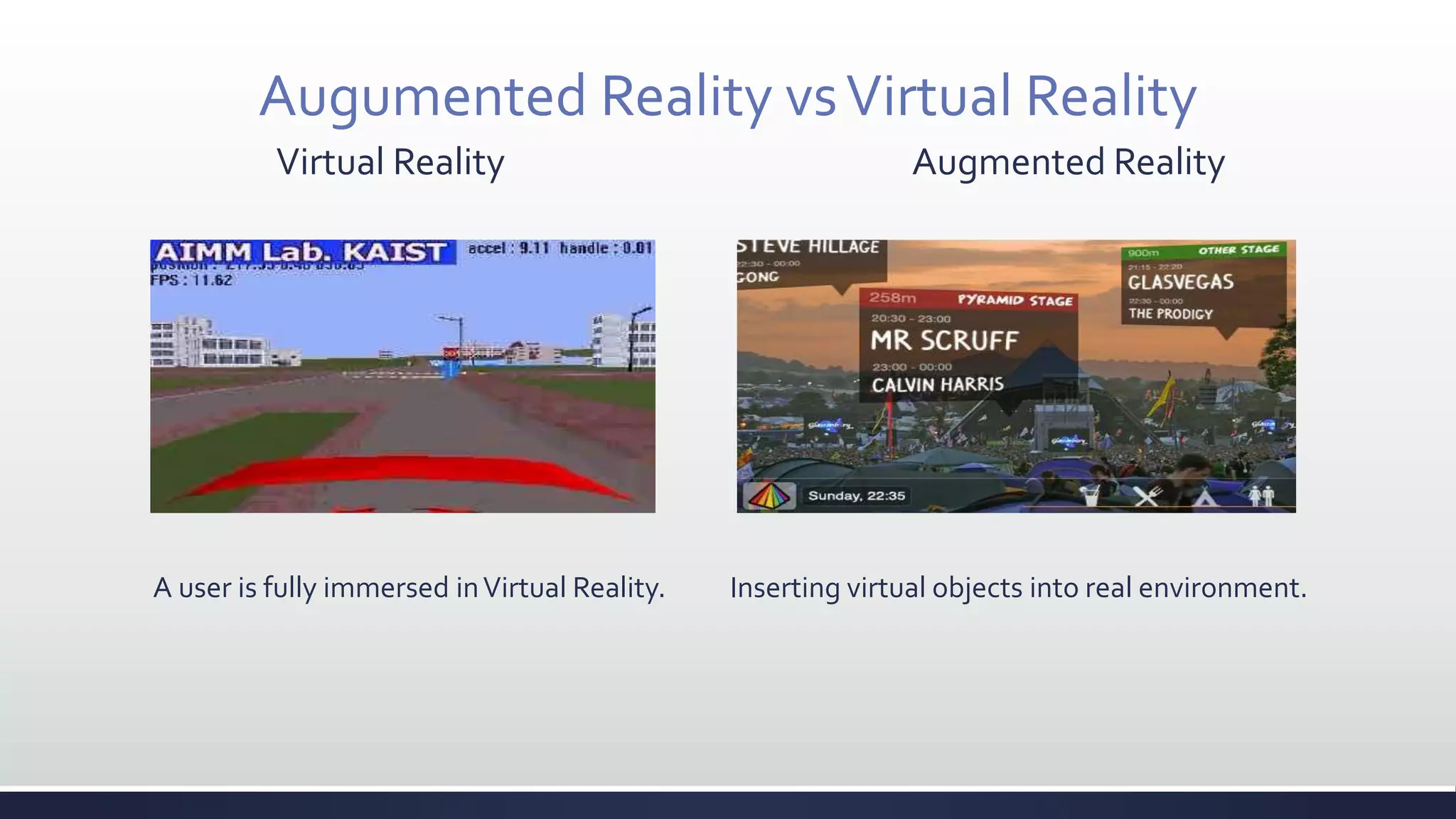
Augumented Reality vsVirtual Reality
Virtual Reality Augmented Reality
A user is fully immersed inVirtual Reality. Inserting virtual objects into real environment.
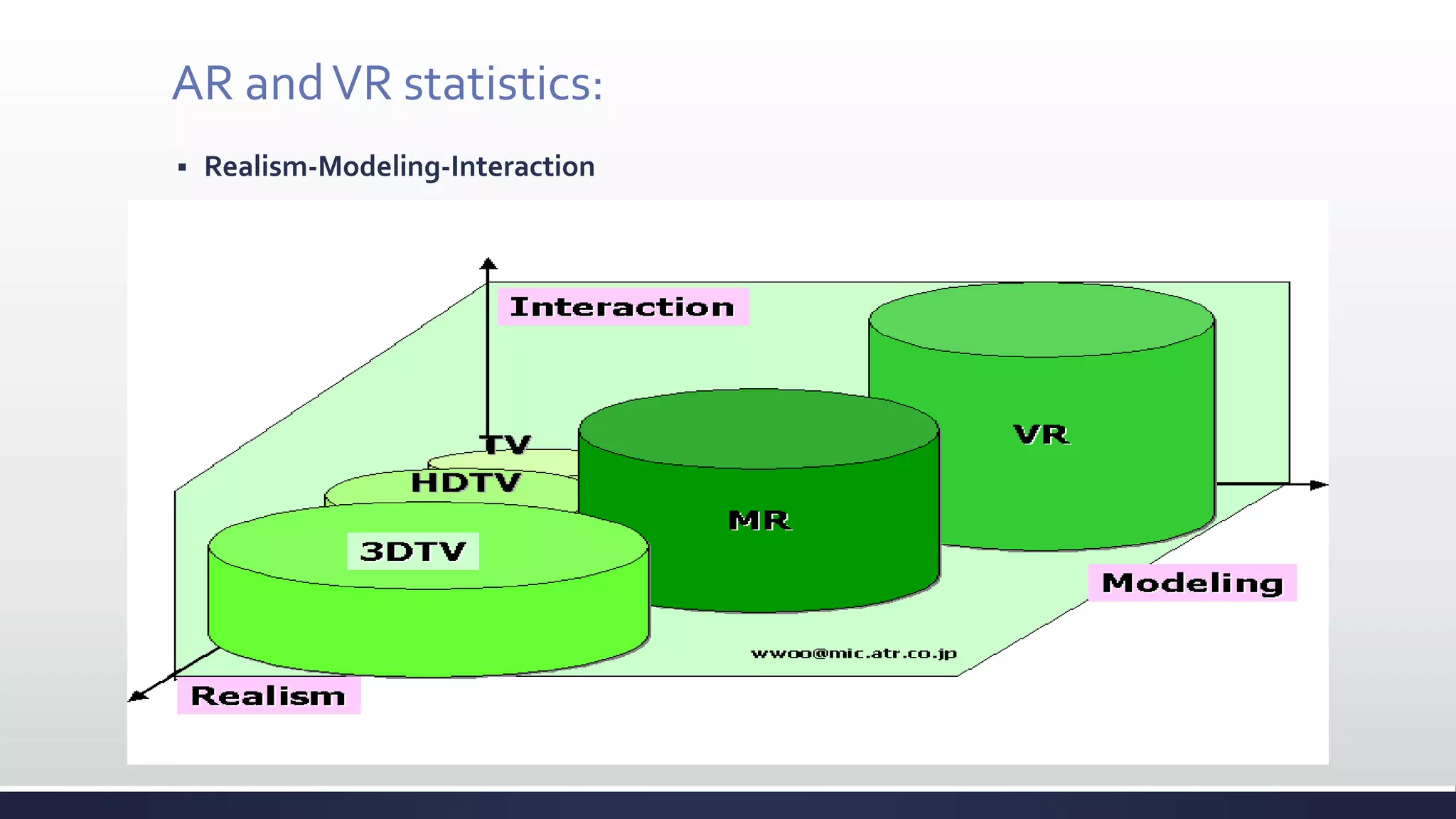
AR andVR statistics:
 Realism-Modeling-Interaction
AR System
 Requirements of AR system
 Blending real and virtual
 Real-time interaction
 Registration between 3D and 2D
 Portability for wearable AR
 Non-AR system:
 Composition in film (ex. “Jurassic Park”)
 Photorealistic virtual object
 But not interactive media
 2D virtual overlay (ex. “captions inTV”)
 Interactive in real-time
 But not combined with the real world in 3D
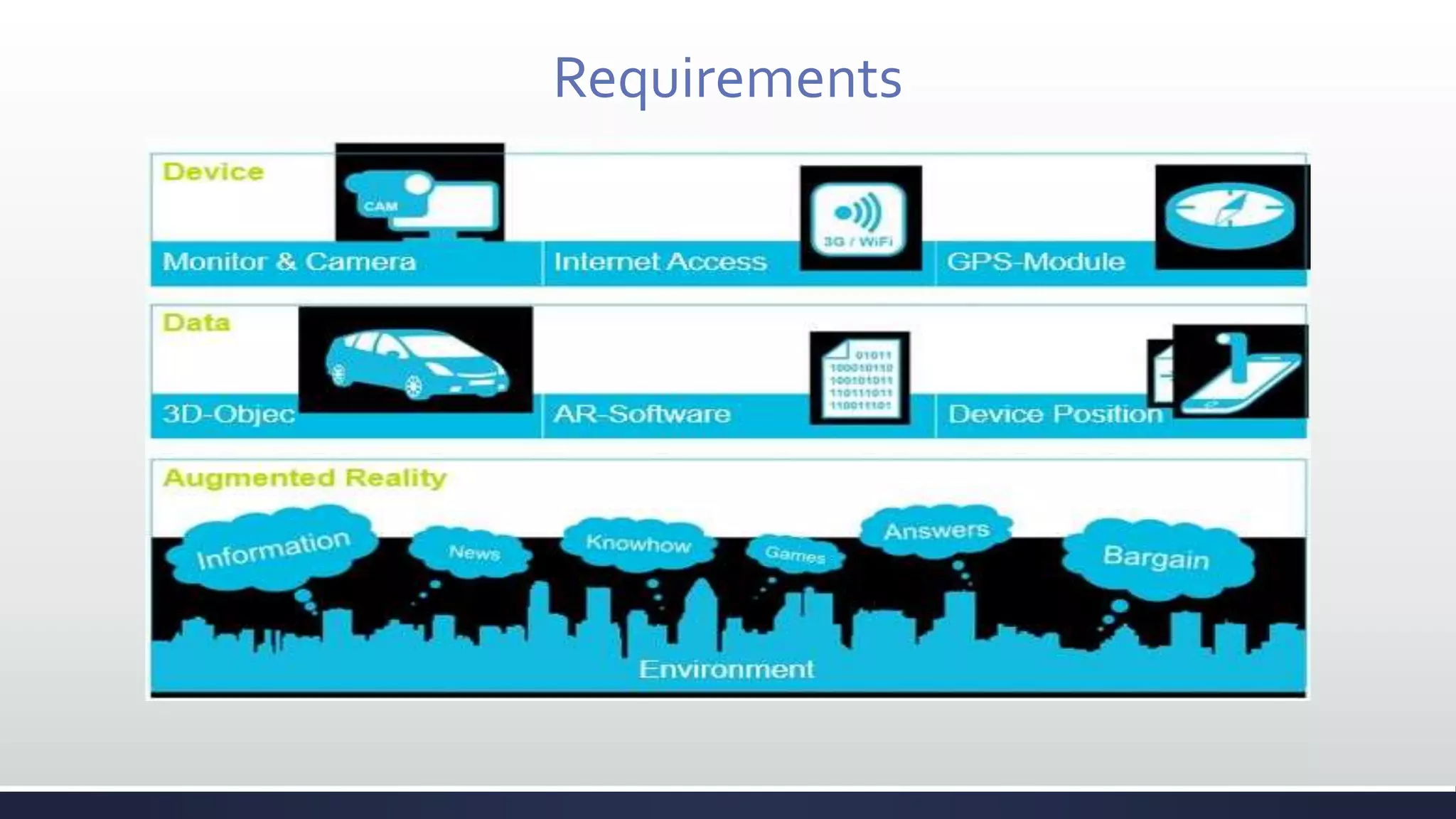
Requirements
Types of Augmented Reality
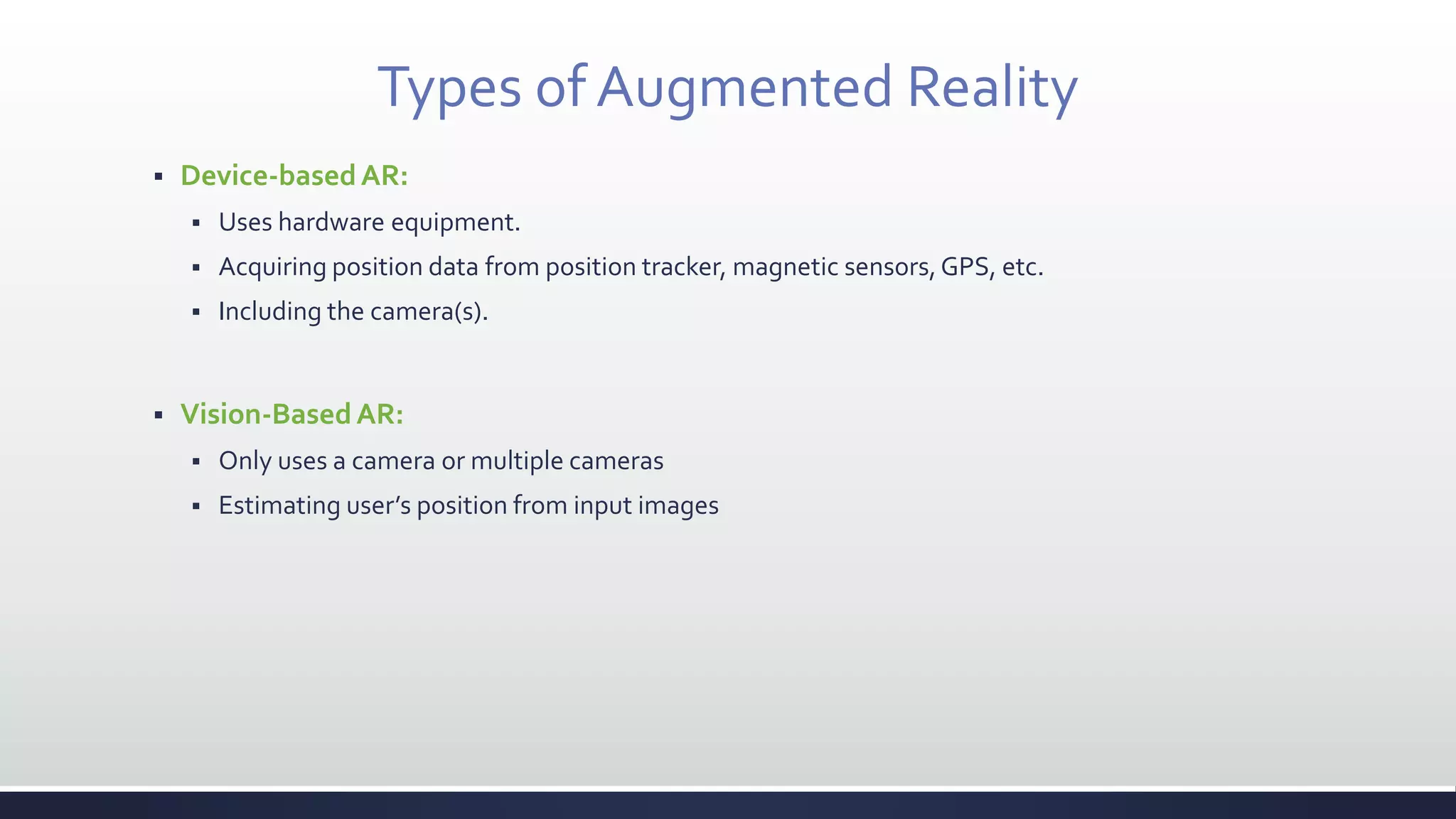
 Device-basedAR:
 Uses hardware equipment.
 Acquiring position data from position tracker, magnetic sensors,GPS, etc.
 Including the camera(s).
 Vision-BasedAR:
 Only uses a camera or multiple cameras
 Estimating user’s position from input images
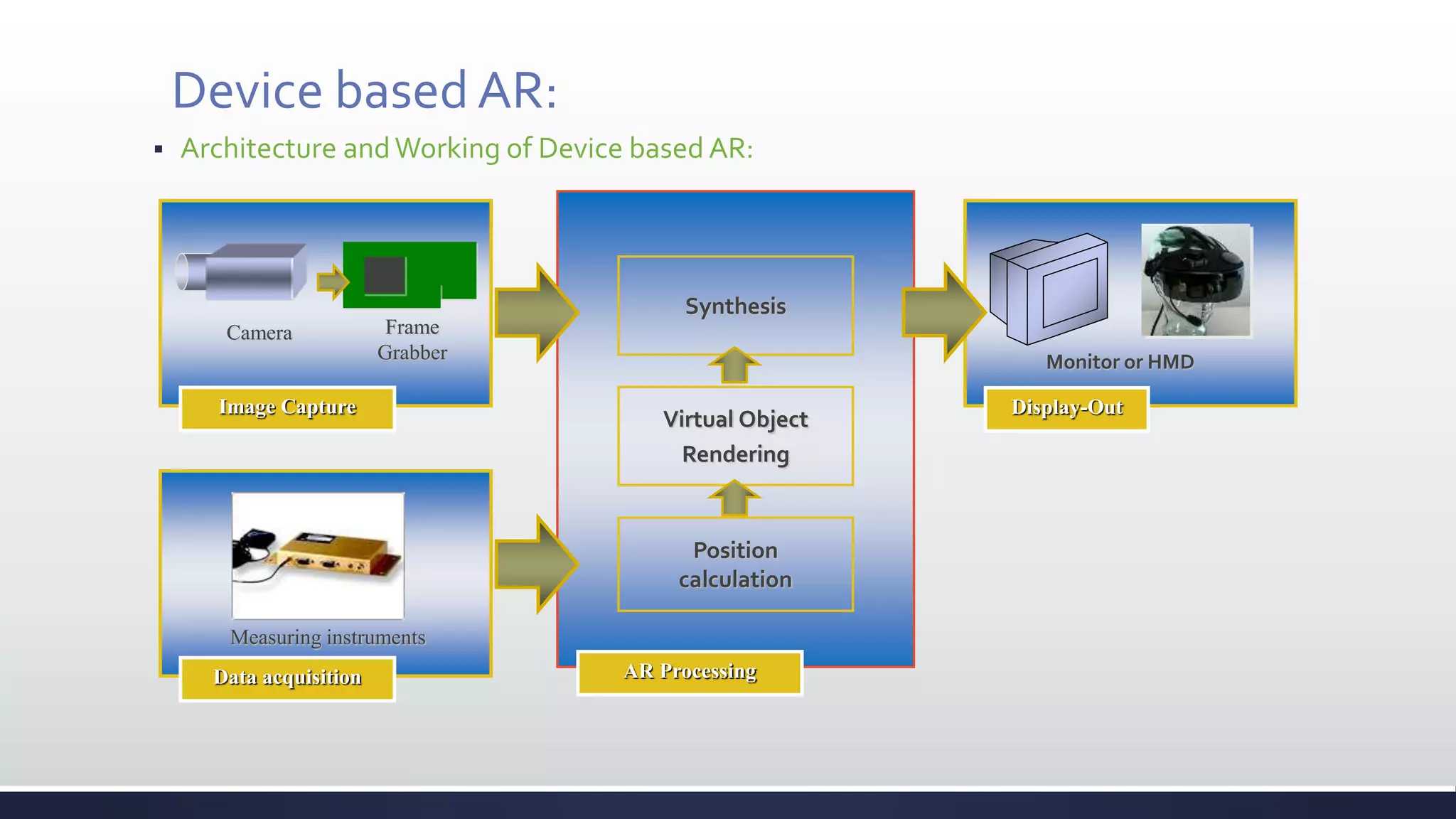
Device based AR:
 Architecture andWorking of Device based AR:
Image Capture
Camera Frame
Grabber
Display-Out
Monitor or HMD
AR Processing
Synthesis
Virtual Object
Rendering
Position
calculation
Data acquisition
Measuring instruments
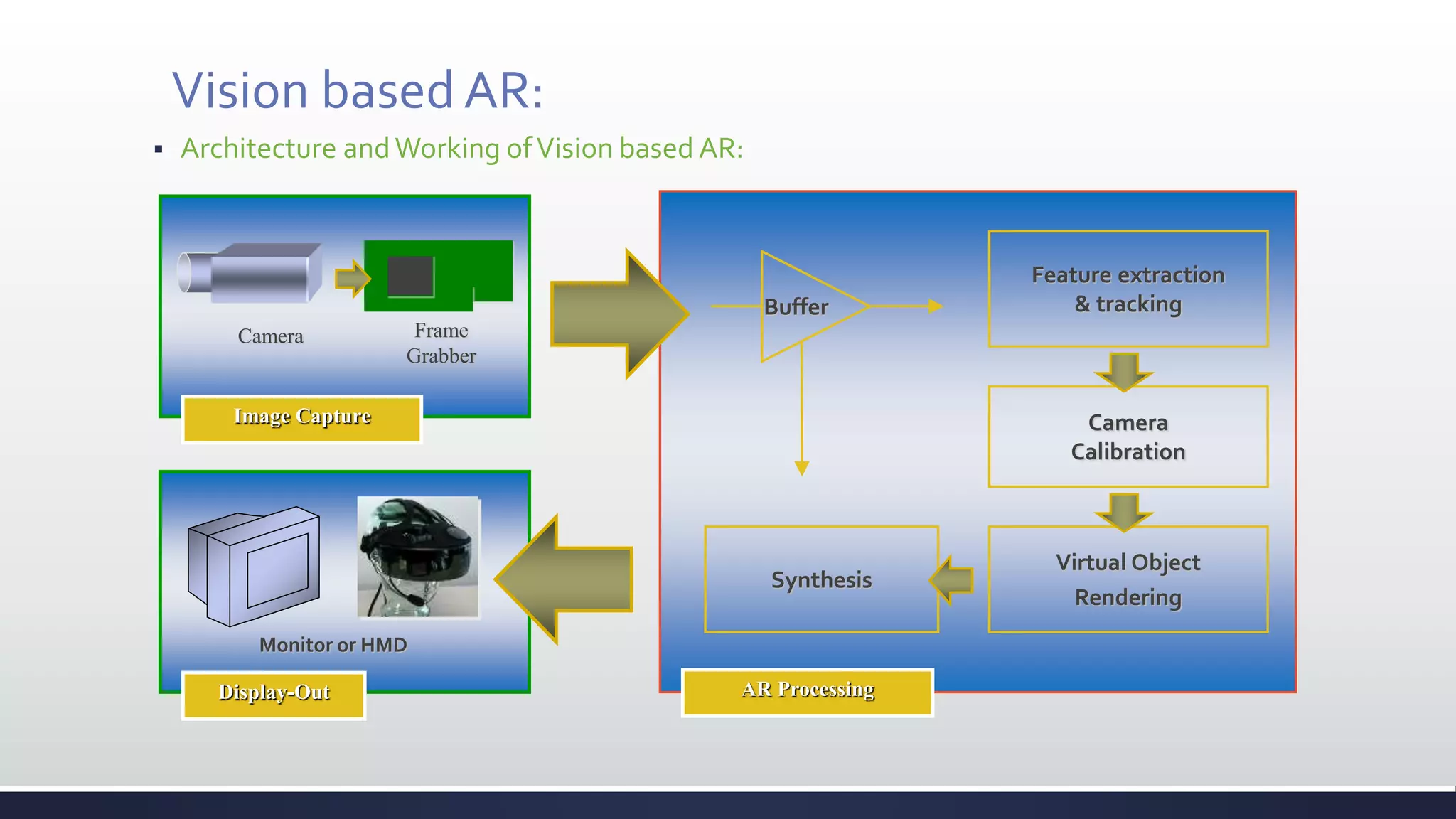
Vision based AR:
 Architecture andWorking ofVision based AR:
Display-Out AR Processing
Image Capture
Camera Frame
Grabber
Feature extraction
& tracking
Monitor or HMD
Synthesis
Virtual Object
Rendering
Camera
Calibration
Buffer
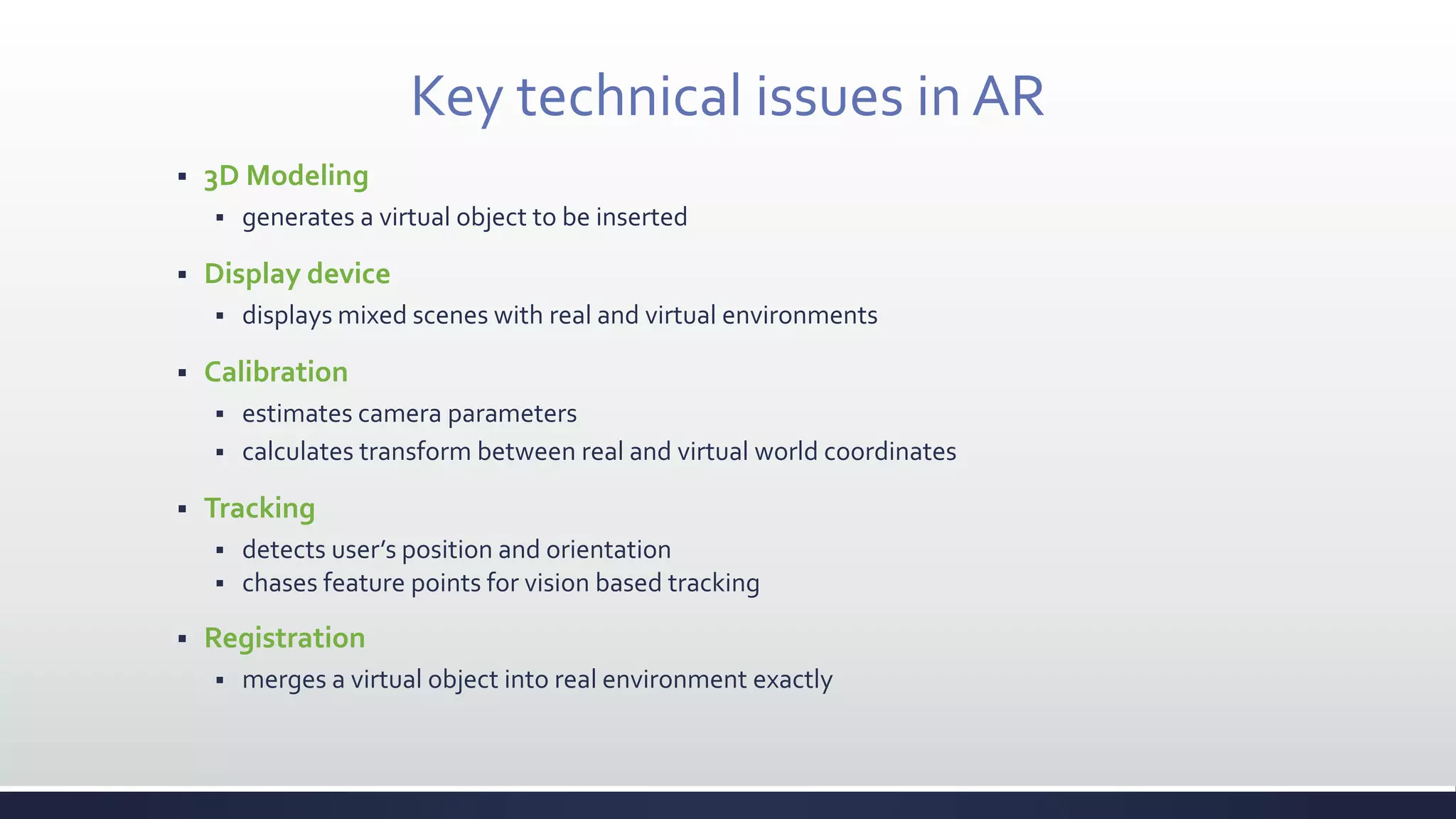
Key technical issues in AR
 3D Modeling
 generates a virtual object to be inserted
 Display device
 displays mixed scenes with real and virtual environments
 Calibration
 estimates camera parameters
 calculates transform between real and virtual world coordinates
 Tracking
 detects user’s position and orientation
 chases feature points for vision based tracking
 Registration
 merges a virtual object into real environment exactly
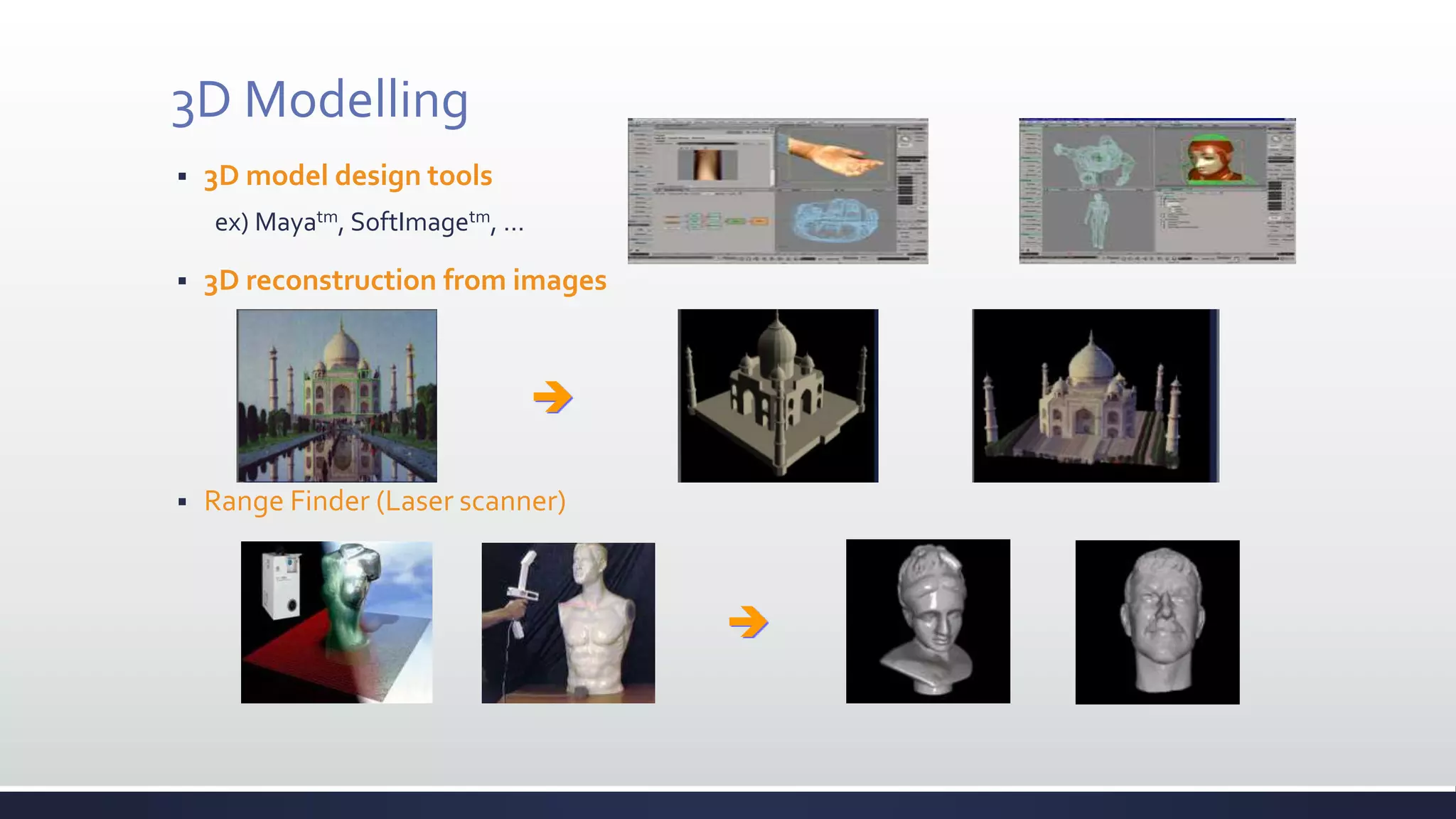
3D Modelling
 3D model design tools
ex) Mayatm, SoftImagetm, …
 3D reconstruction from images
 Range Finder (Laser scanner)


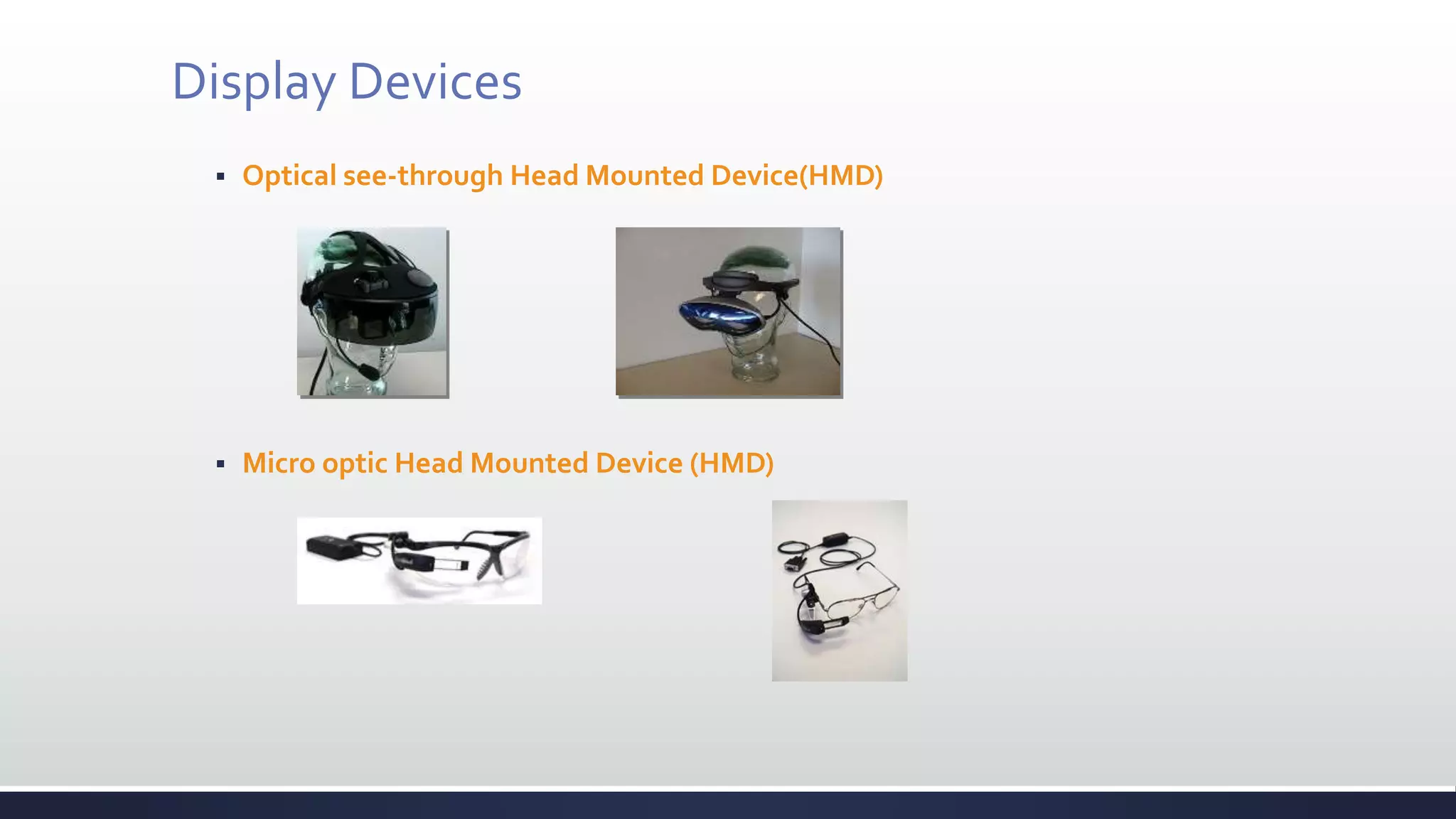
Display Devices
 Optical see-through Head Mounted Device(HMD)
 Micro optic Head Mounted Device (HMD)
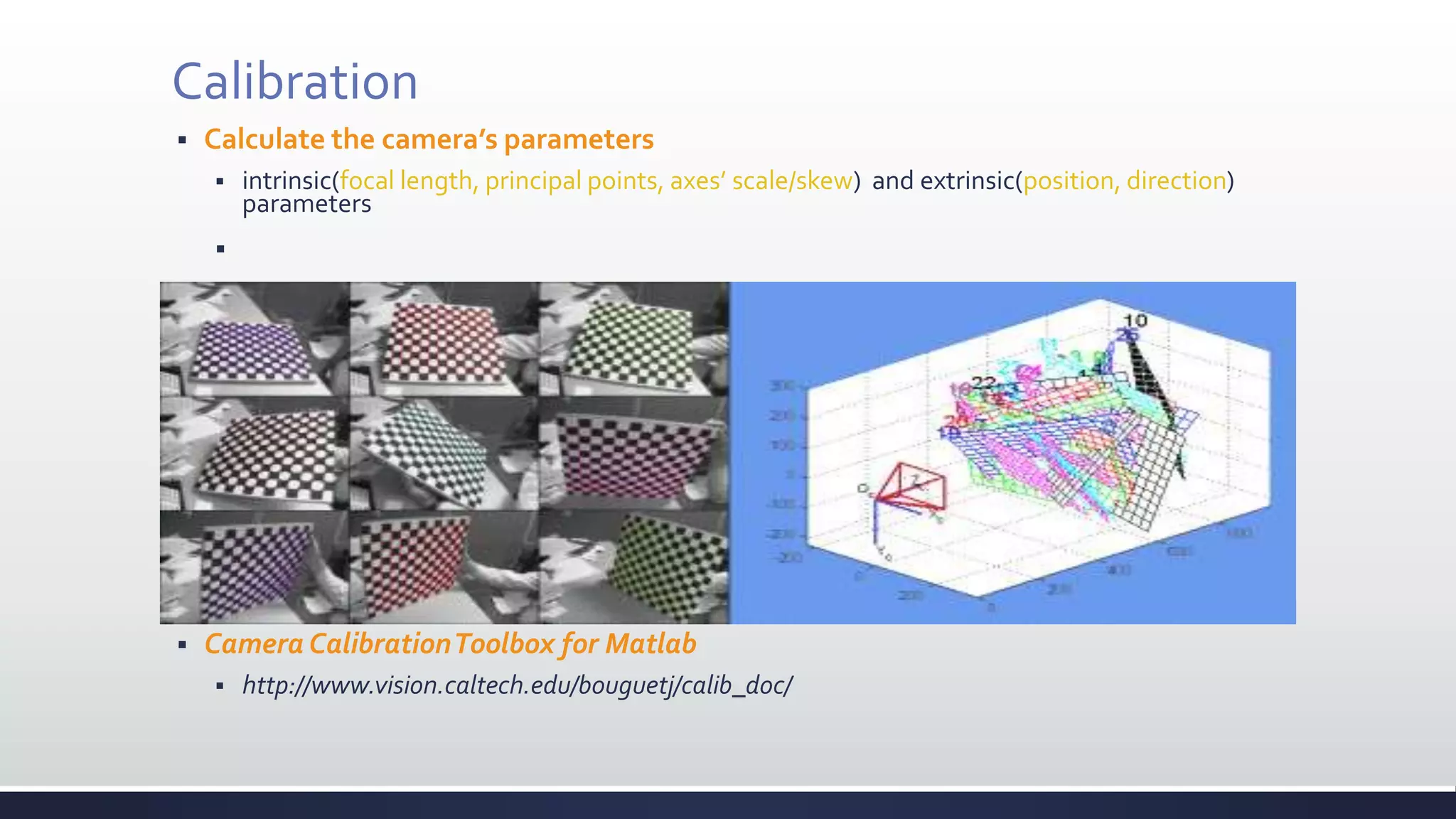
Calibration
 Calculate the camera’s parameters
 intrinsic(focal length, principal points, axes’ scale/skew) and extrinsic(position, direction)
parameters

 Camera CalibrationToolbox for Matlab
 http://www.vision.caltech.edu/bouguetj/calib_doc/
Tracking & Registration
 Tracking
 Report the locations and orientations of the user and the surrounding objects in the
environment.
 continually matched with the user’s real-world and
the computer generated virtual-world.
 Registration
 Virtual and real worlds must be properly aligned.
 If not
 compromises illusion that the two coexist
 prevents acceptance of many applications
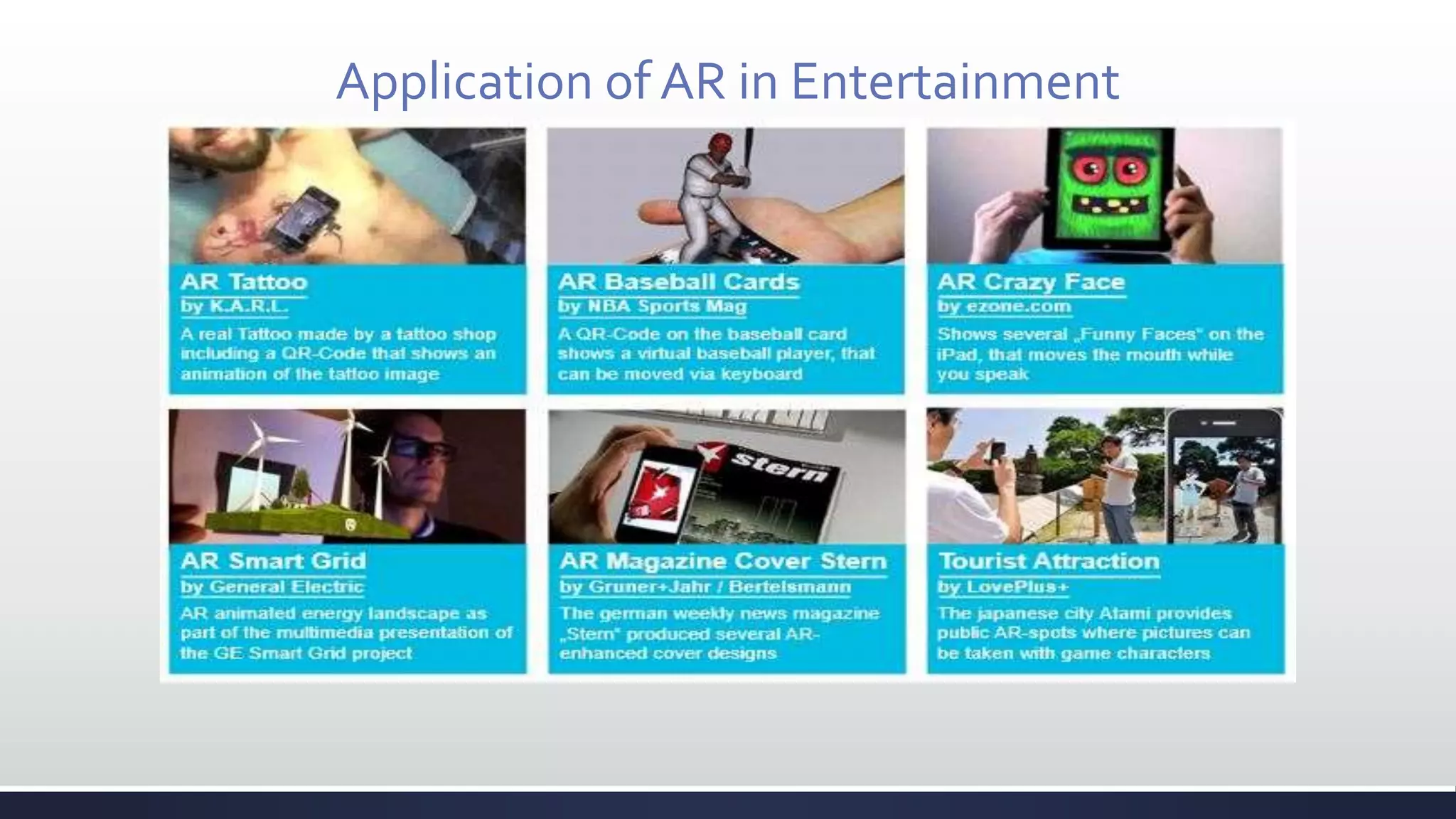
Application of AR in Entertainment
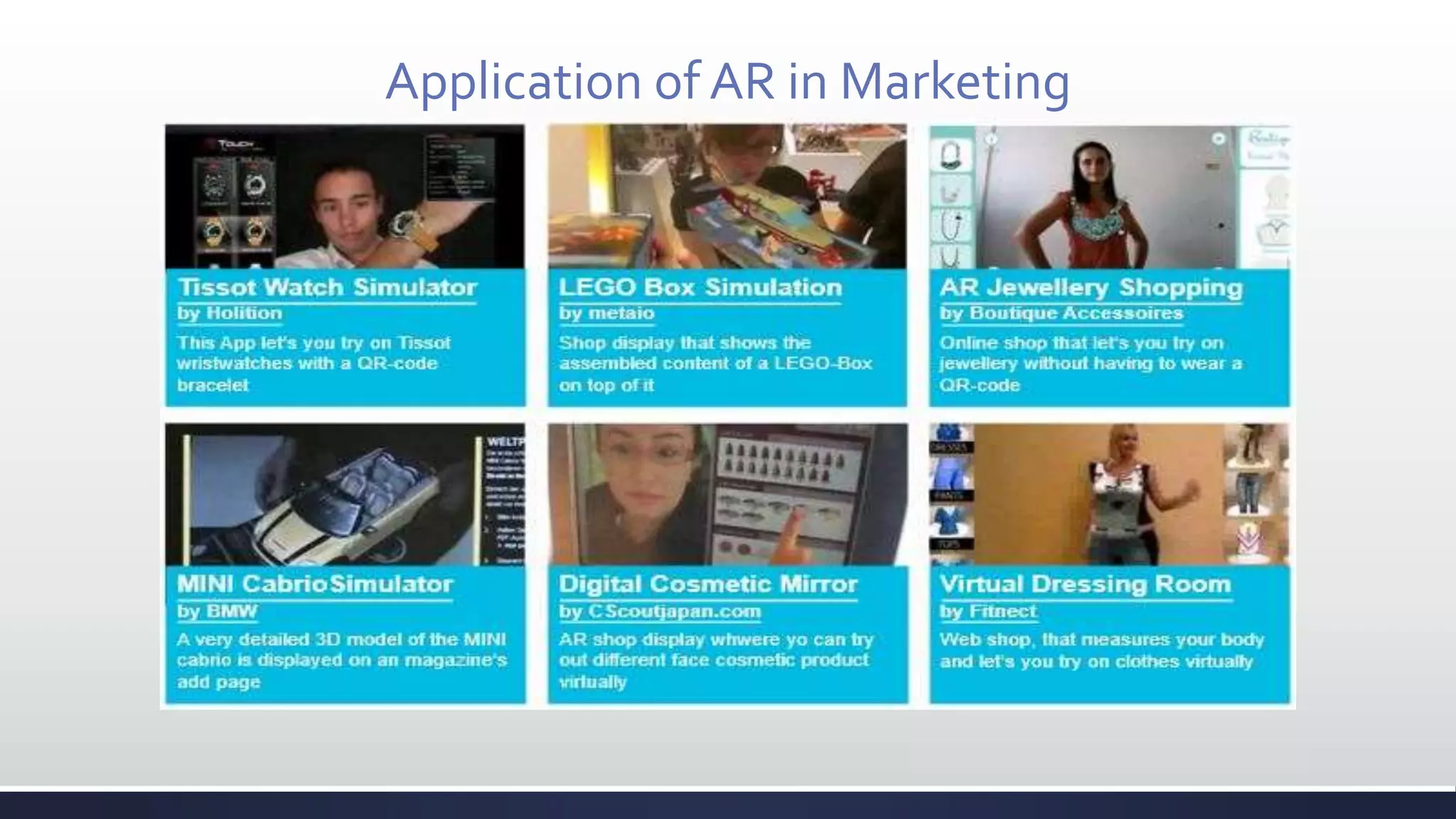
Application of AR in Marketing
Application of AR byTOYOTA Automobiles
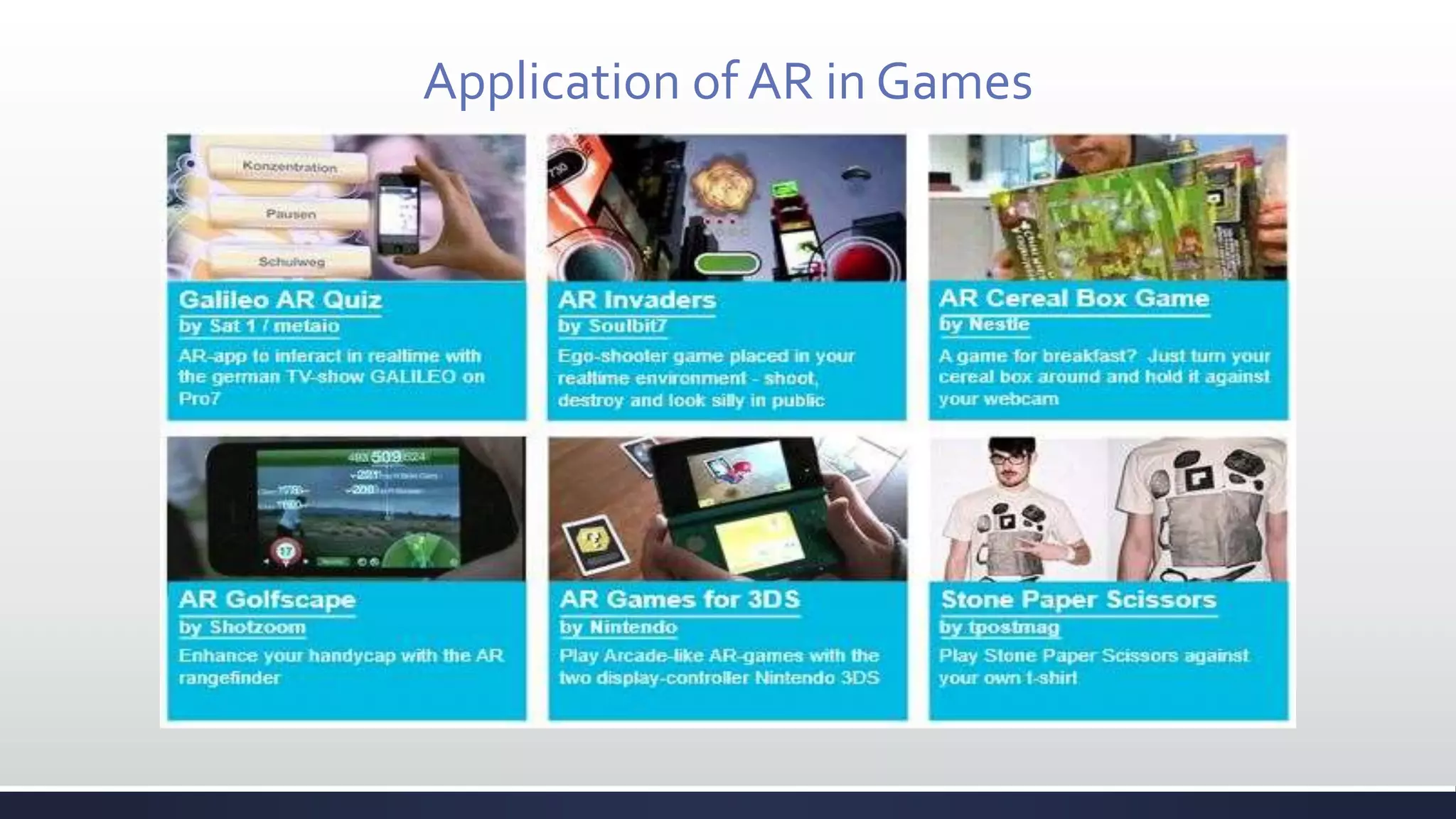
Application of AR in Games
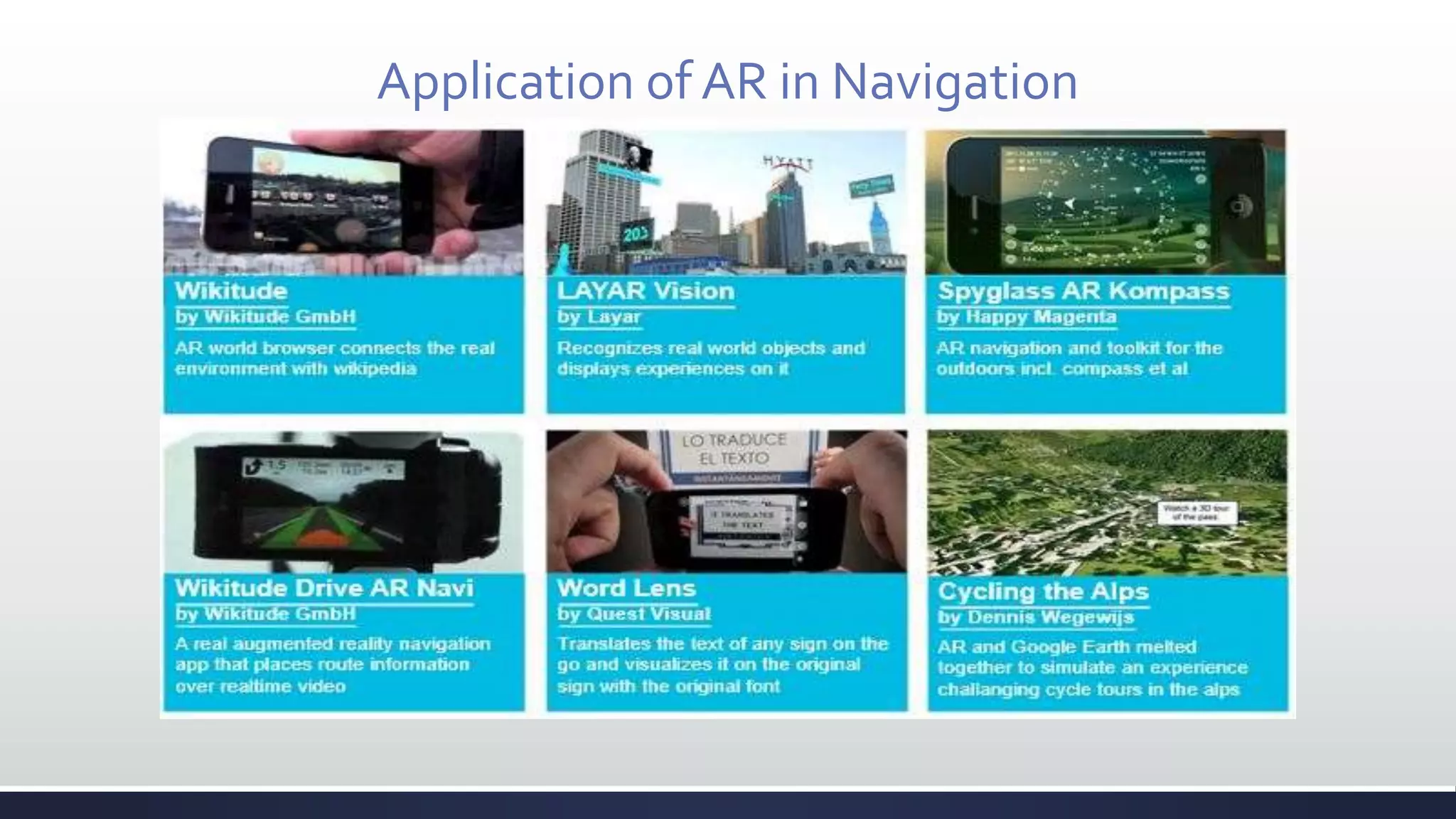
Application of AR in Navigation
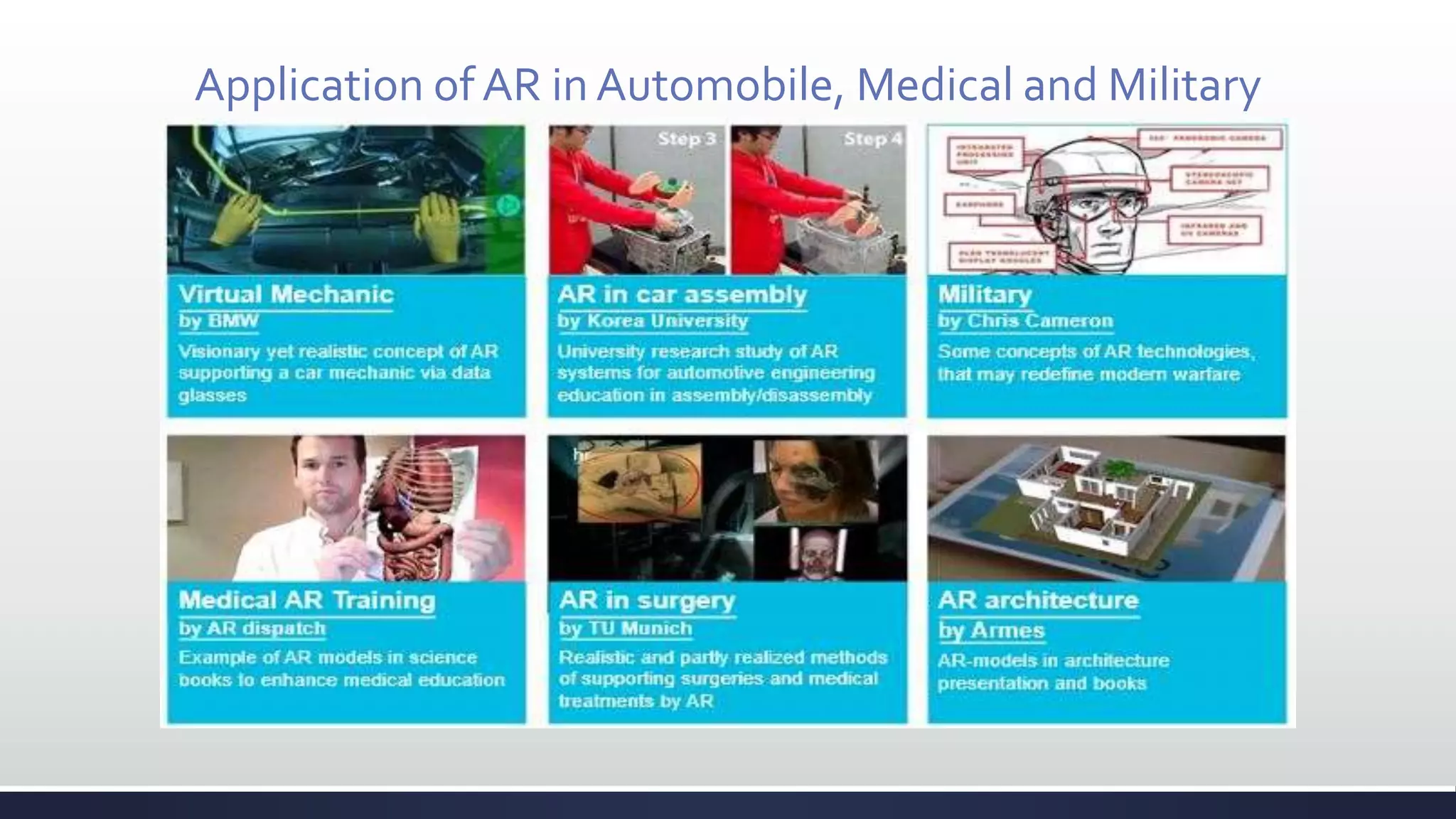
Application of AR in Automobile, Medical and Military
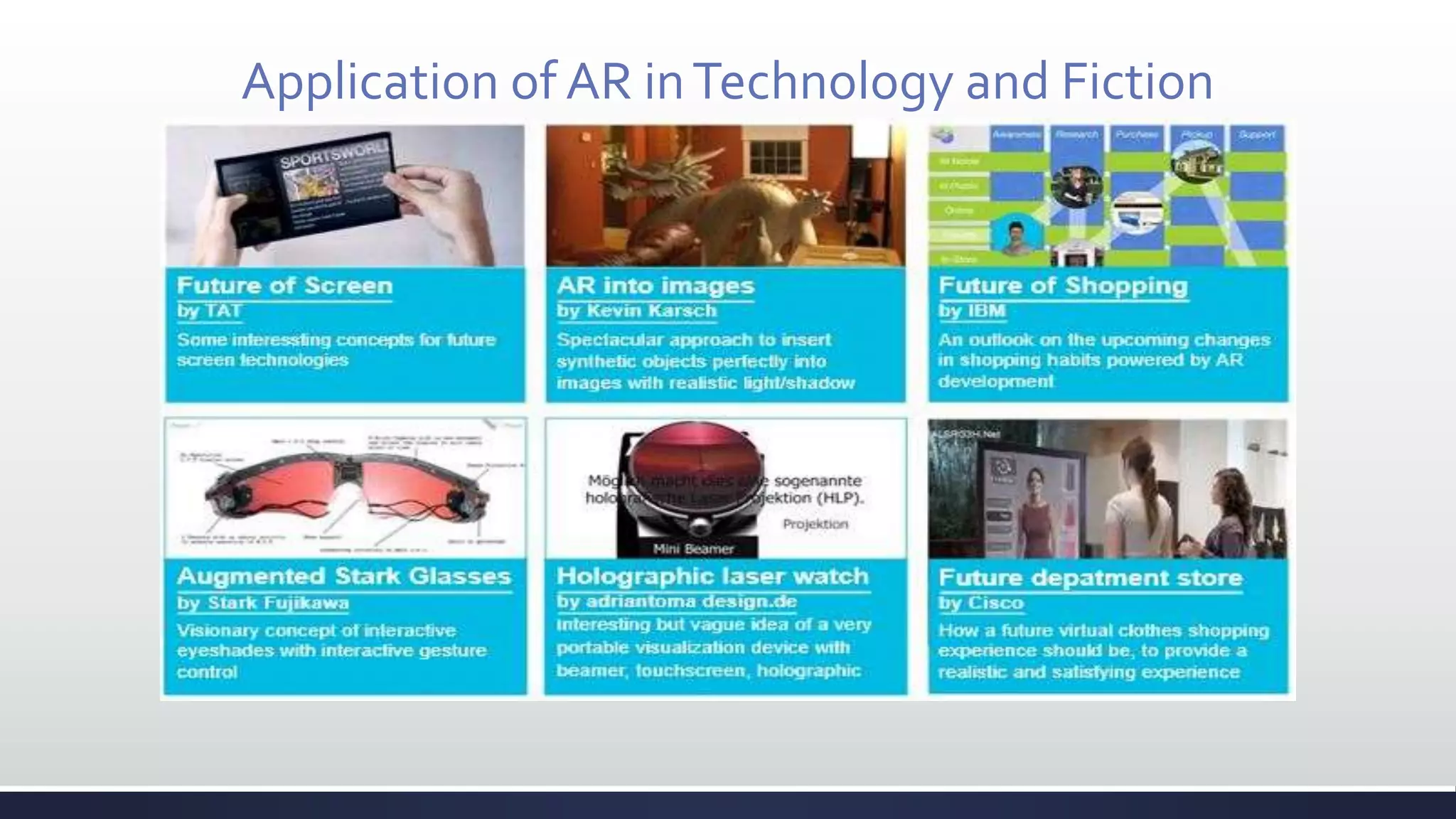
Application of AR inTechnology and Fiction
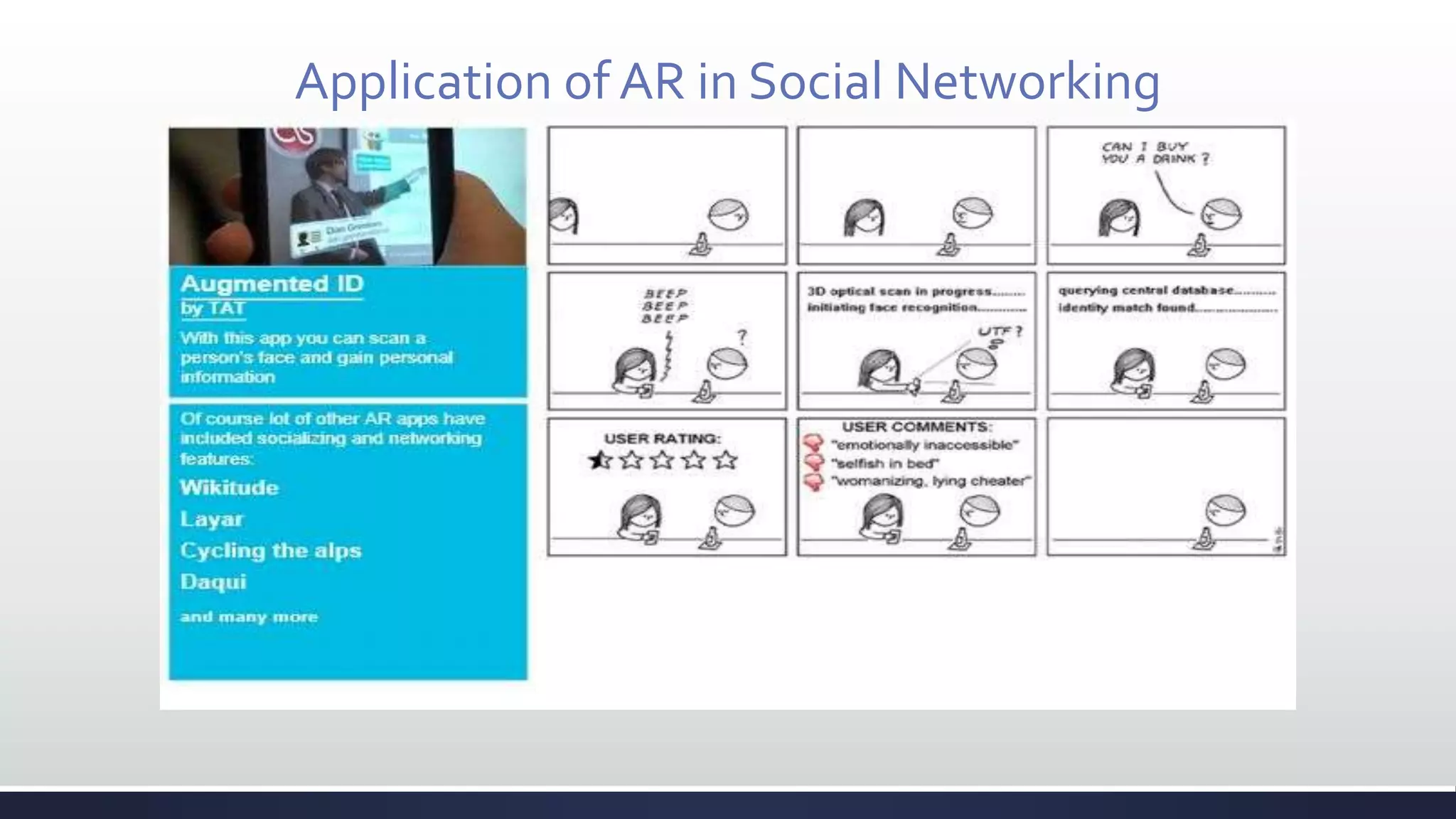
Application of AR in Social Networking
Thank you.

Augmented Reality

  • 1.
  • 2.
    Agenda 1) What isAugmented Reality? 2) Augmented Reality vsVirtual Reality. 3) AR System. 4) Requirements. 5) Types ofAugmented Reality. 6) Key issues ofAR. 7) Applications ofAR.
  • 3.
    What is AugmentedReality?  Combination of two environments i. the real environment viewed by the user. ii. a virtual environment generated by the computer. + =
  • 4.
    Term “Augmented Reality” Real environment is augmented by means of virtual objects  Supplements reality, instead of completely replacing it  Image-enhanced by  inserting additional information.  removing the unnecessary region.  Why research this?  Enhances person’s perception.  Enhances person’s performance.  Provides a user with  work efficiency, convenience, interesting effects, and information in industry, education, entertainment, etc. Virtual Reality
  • 5.
  • 6.
    Augumented Reality vsVirtualReality Virtual Reality Augmented Reality A user is fully immersed inVirtual Reality. Inserting virtual objects into real environment.
  • 7.
    AR andVR statistics: Realism-Modeling-Interaction
  • 8.
    AR System  Requirementsof AR system  Blending real and virtual  Real-time interaction  Registration between 3D and 2D  Portability for wearable AR  Non-AR system:  Composition in film (ex. “Jurassic Park”)  Photorealistic virtual object  But not interactive media  2D virtual overlay (ex. “captions inTV”)  Interactive in real-time  But not combined with the real world in 3D
  • 9.
  • 10.
    Types of AugmentedReality  Device-basedAR:  Uses hardware equipment.  Acquiring position data from position tracker, magnetic sensors,GPS, etc.  Including the camera(s).  Vision-BasedAR:  Only uses a camera or multiple cameras  Estimating user’s position from input images
  • 11.
    Device based AR: Architecture andWorking of Device based AR: Image Capture Camera Frame Grabber Display-Out Monitor or HMD AR Processing Synthesis Virtual Object Rendering Position calculation Data acquisition Measuring instruments
  • 12.
    Vision based AR: Architecture andWorking ofVision based AR: Display-Out AR Processing Image Capture Camera Frame Grabber Feature extraction & tracking Monitor or HMD Synthesis Virtual Object Rendering Camera Calibration Buffer
  • 13.
    Key technical issuesin AR  3D Modeling  generates a virtual object to be inserted  Display device  displays mixed scenes with real and virtual environments  Calibration  estimates camera parameters  calculates transform between real and virtual world coordinates  Tracking  detects user’s position and orientation  chases feature points for vision based tracking  Registration  merges a virtual object into real environment exactly
  • 14.
    3D Modelling  3Dmodel design tools ex) Mayatm, SoftImagetm, …  3D reconstruction from images  Range Finder (Laser scanner)  
  • 15.
    Display Devices  Opticalsee-through Head Mounted Device(HMD)  Micro optic Head Mounted Device (HMD)
  • 16.
    Calibration  Calculate thecamera’s parameters  intrinsic(focal length, principal points, axes’ scale/skew) and extrinsic(position, direction) parameters   Camera CalibrationToolbox for Matlab  http://www.vision.caltech.edu/bouguetj/calib_doc/
  • 17.
    Tracking & Registration Tracking  Report the locations and orientations of the user and the surrounding objects in the environment.  continually matched with the user’s real-world and the computer generated virtual-world.  Registration  Virtual and real worlds must be properly aligned.  If not  compromises illusion that the two coexist  prevents acceptance of many applications
  • 18.
    Application of ARin Entertainment
  • 19.
    Application of ARin Marketing
  • 20.
    Application of ARbyTOYOTA Automobiles
  • 21.
  • 22.
    Application of ARin Navigation
  • 23.
    Application of ARin Automobile, Medical and Military
  • 24.
    Application of ARinTechnology and Fiction
  • 25.
    Application of ARin Social Networking
  • 26.

Editor's Notes

  • #4 May require more than one slide
  • #10 May require more than one slide