Security & Permissions
Topics
• Android security design principles
• Permissions
• Application signing
Android Security
Design Principles
Android Security via Linux
• Android is a multi-process system, in which
each application (and parts of the system) runs
in its own process.
• Most security between applications and the
system is enforced at the process level through
standard Linux facilities, such as user and
group IDs that are assigned to applications.
Android Security “Over” Linux
• Additional finer-grained security features are
provided through a "permission" mechanism
> Enforces restrictions on the specific operations that a
particular process can perform, and per-URI
permissions for granting ad-hoc access to specific
pieces of data.
Android Security Design Principles
• No application, by default, has permission to
perform any operations that would adversely
impact other applications, the operating system,
or the user.
> Reading or writing the user's private data (such as
contacts or e-mails), Reading or writing another
application's files, Performing network access,
Keeping the device awake etc
• An application's process is a secure sandbox
> It can't disrupt other applications, except by explicitly
declaring the permissions it needs for additional
capabilities not provided by the basic sandbox.
Permissions
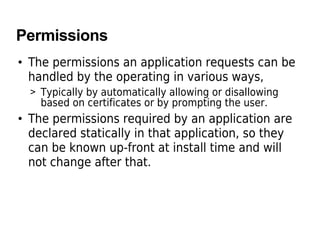
Permissions
• The permissions an application requests can be
handled by the operating in various ways,
> Typically by automatically allowing or disallowing
based on certificates or by prompting the user.
• The permissions required by an application are
declared statically in that application, so they
can be known up-front at install time and will
not change after that.
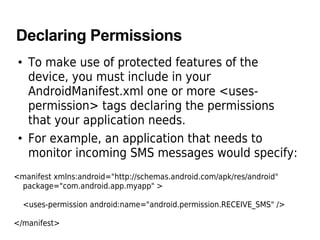
Declaring Permissions
• To make use of protected features of the
device, you must include in your
AndroidManifest.xml one or more <uses-
permission> tags declaring the permissions
that your application needs.
• For example, an application that needs to
monitor incoming SMS messages would specify:
<manifest xmlns:android="http://schemas.android.com/apk/res/android"
package="com.android.app.myapp" >
<uses-permission android:name="android.permission.RECEIVE_SMS" />
</manifest>
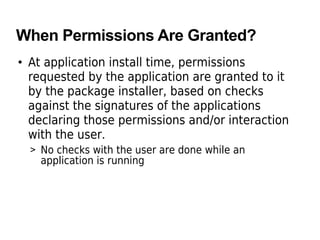
When Permissions Are Granted?
• At application install time, permissions
requested by the application are granted to it
by the package installer, based on checks
against the signatures of the applications
declaring those permissions and/or interaction
with the user.
> No checks with the user are done while an
application is running
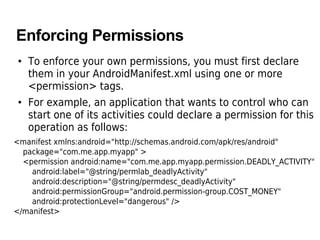
Enforcing Permissions
• To enforce your own permissions, you must first declare
them in your AndroidManifest.xml using one or more
<permission> tags.
• For example, an application that wants to control who can
start one of its activities could declare a permission for this
operation as follows:
<manifest xmlns:android="http://schemas.android.com/apk/res/android"
package="com.me.app.myapp" >
<permission android:name="com.me.app.myapp.permission.DEADLY_ACTIVITY"
android:label="@string/permlab_deadlyActivity"
android:description="@string/permdesc_deadlyActivity"
android:permissionGroup="android.permission-group.COST_MONEY"
android:protectionLevel="dangerous" />
</manifest>
Application Signing
Application Signing
• All Android applications (.apk files) must be
signed with a certificate whose private key is
held by their developer
> This certificate identifies the author of the
application.
> The certificate does not need to be signed by a
certificate authority: it is perfectly allowable, and
typical, for Android applications to use self-signed
certificates.
> The certificate is used only to establish trust
relationships between applications, not for wholesale
control over whether an application can be installed.
Thank you

Android security

  • 1.
  • 2.
    Topics • Android securitydesign principles • Permissions • Application signing
  • 3.
  • 4.
    Android Security viaLinux • Android is a multi-process system, in which each application (and parts of the system) runs in its own process. • Most security between applications and the system is enforced at the process level through standard Linux facilities, such as user and group IDs that are assigned to applications.
  • 5.
    Android Security “Over”Linux • Additional finer-grained security features are provided through a "permission" mechanism > Enforces restrictions on the specific operations that a particular process can perform, and per-URI permissions for granting ad-hoc access to specific pieces of data.
  • 6.
    Android Security DesignPrinciples • No application, by default, has permission to perform any operations that would adversely impact other applications, the operating system, or the user. > Reading or writing the user's private data (such as contacts or e-mails), Reading or writing another application's files, Performing network access, Keeping the device awake etc • An application's process is a secure sandbox > It can't disrupt other applications, except by explicitly declaring the permissions it needs for additional capabilities not provided by the basic sandbox.
  • 7.
  • 8.
    Permissions • The permissionsan application requests can be handled by the operating in various ways, > Typically by automatically allowing or disallowing based on certificates or by prompting the user. • The permissions required by an application are declared statically in that application, so they can be known up-front at install time and will not change after that.
  • 9.
    Declaring Permissions • Tomake use of protected features of the device, you must include in your AndroidManifest.xml one or more <uses- permission> tags declaring the permissions that your application needs. • For example, an application that needs to monitor incoming SMS messages would specify: <manifest xmlns:android="http://schemas.android.com/apk/res/android" package="com.android.app.myapp" > <uses-permission android:name="android.permission.RECEIVE_SMS" /> </manifest>
  • 10.
    When Permissions AreGranted? • At application install time, permissions requested by the application are granted to it by the package installer, based on checks against the signatures of the applications declaring those permissions and/or interaction with the user. > No checks with the user are done while an application is running
  • 11.
    Enforcing Permissions • Toenforce your own permissions, you must first declare them in your AndroidManifest.xml using one or more <permission> tags. • For example, an application that wants to control who can start one of its activities could declare a permission for this operation as follows: <manifest xmlns:android="http://schemas.android.com/apk/res/android" package="com.me.app.myapp" > <permission android:name="com.me.app.myapp.permission.DEADLY_ACTIVITY" android:label="@string/permlab_deadlyActivity" android:description="@string/permdesc_deadlyActivity" android:permissionGroup="android.permission-group.COST_MONEY" android:protectionLevel="dangerous" /> </manifest>
  • 12.
  • 13.
    Application Signing • AllAndroid applications (.apk files) must be signed with a certificate whose private key is held by their developer > This certificate identifies the author of the application. > The certificate does not need to be signed by a certificate authority: it is perfectly allowable, and typical, for Android applications to use self-signed certificates. > The certificate is used only to establish trust relationships between applications, not for wholesale control over whether an application can be installed.
  • 14.