Android Security

Presentation By,
Midhun P G
8th Nov, 2013
WALK THROUGH


Android Basics






Android Security Model














Application Sandboxing
Permission Model

What is an Android application?






Introduction
Versions
Android Stack

Application Components
Manifest file
Requesting Permissions

Android more secure than IOS??
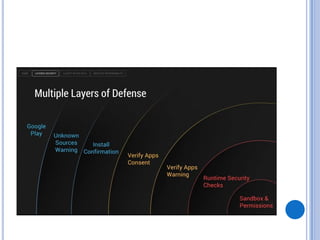
Multiple Layers of Android security
Android Malwares
How effective are mobile anti-viruses
Android Rooting
Android Market
Android Application Vulnerability Scanner Toolkit
Open Security issues in Android platform
Top 7 Vulnerabilities Android Application Developers May Jump Into
Android Basics
There are 4 billion mobile phones among 7 billion
people in the world
 Android owns the crown among its competitors
 The use of smartphones for financial transactions
and storing private information is increasing
 Losing the mobile phone is more worse than losing
wallets
 Securing the data residing in mobiles is of prime
importance.

Android uses a kind of UNIX sandboxing method
to run its applications
 Applications uses IPC mechanisms to
communicate among each other
 These IPC mechanisms uses concept of
endpoints
 All the configuration parameters and the security
parameters of an application are defined in a file
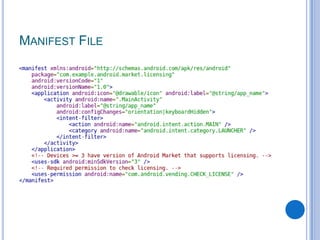
called AndroidManifest.xml

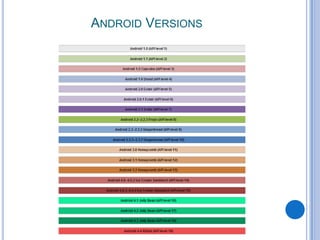
ANDROID VERSIONS
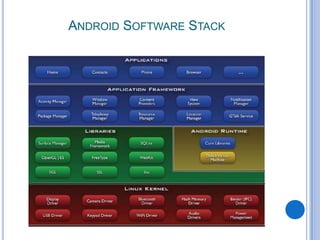
ANDROID SOFTWARE STACK
Android Security Model


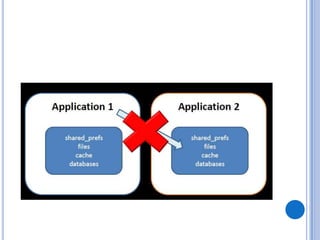
Unix Sandboxing



Each application have its own user name and
memory space



One app cannot access resources of other app



Android permission enforcement
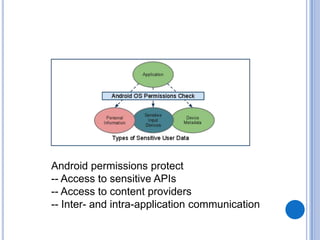
Android permissions protect
-- Access to sensitive APIs
-- Access to content providers
-- Inter- and intra-application communication
What is an Android Application…?
WHAT IS AN ANDROID APPLICATION…?


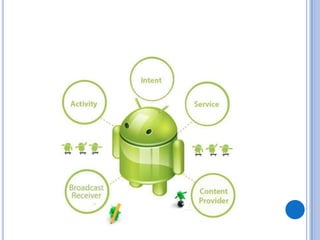
Android applications are composed of one or more
application components
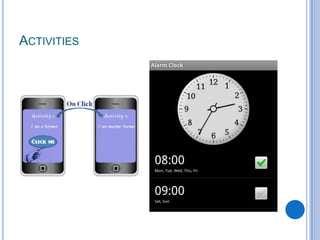
Activities
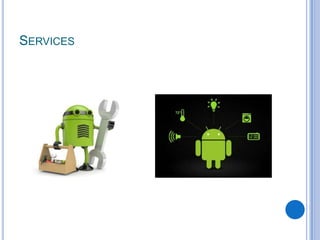
 Services
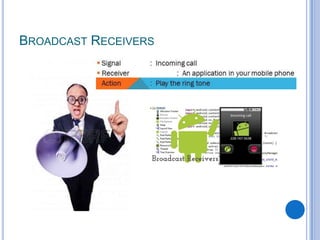
 Broadcast Receivers
 Content Providers


Each component performs a different role in the
overall application behavior, and each one can be
activated individually (even by other applications)
 The manifest file must declare all components in
the application and should also declare all
application requirements.

ACTIVITIES
SERVICES
BROADCAST RECEIVERS
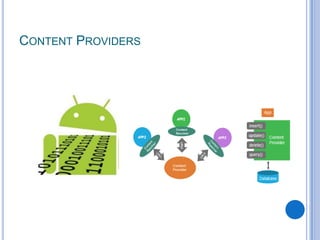
CONTENT PROVIDERS
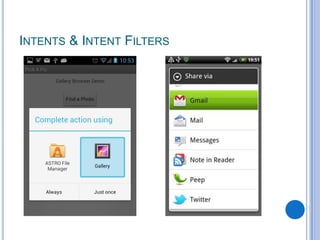
INTENTS & INTENT FILTERS
MANIFEST FILE
COMPONENT PERMISSION


Components can be made accessible to other
applications (exported) or be made private
Default is private 
 Converted to public when component is registered to
receive an implicit intents 




Components can be protected by permission
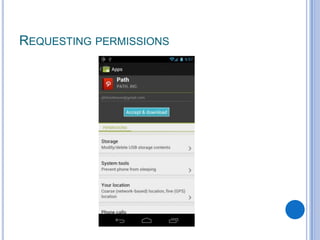
REQUESTING PERMISSIONS
Android more secure than IOS??
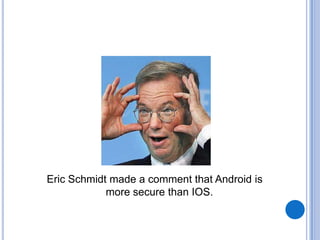
Eric Schmidt made a comment that Android is
more secure than IOS.
The comment only prompted laughter from the crowd


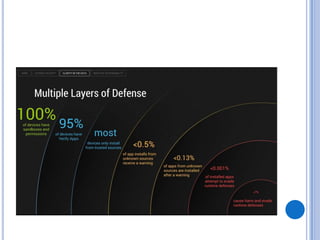
Google backed up their chairman, stating that only
0.001% of installed apps are malicious.



They provided data for it.
Multiple Layers of Android security
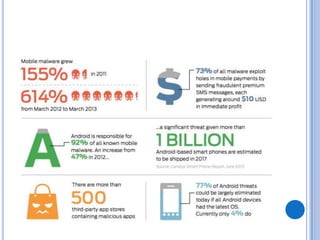
Android Malwares
Android Is Secure...Users Aren‘t
 Google can't count malware it doesn't see
 Android has defenses...to protect itself, not your
data
 Many of Android's defenses are bypassed with a
few taps, or by users


unauthorized sources
 Rooting
 What else.. ?

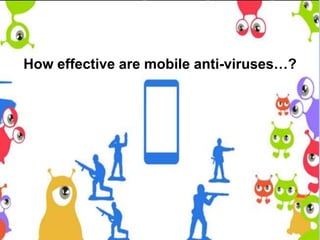
How effective are mobile anti-viruses…?


No, Mobile Anti-Malware Utilities for Android are
Not Perfect, or Even the Same Protection You Get
on the Desktop



You can't just install a mobile security suite on your
Android phone and assume you'll be safe
regardless of what you do.



The real weapon you have against Android
malware is common sense.
How Do You Protect Yourself…?
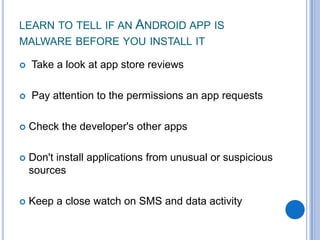
LEARN TO TELL IF AN ANDROID APP IS
MALWARE BEFORE YOU INSTALL IT


Take a look at app store reviews



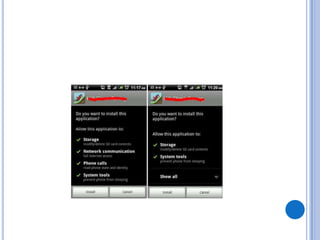
Pay attention to the permissions an app requests



Check the developer's other apps



Don't install applications from unusual or suspicious
sources



Keep a close watch on SMS and data activity
ANDROID ROOTING


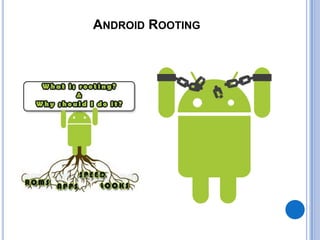
Android rooting is the process of allowing users
of smartphones, tablets, and other devices running
the Android mobile operating system to
attain privileged control (known as "root access")
within Android's subsystem.
GENERAL ROOTING TERMS
Root
 ROM
 Kernel
 Flash
 Brick
 Bootloader
 Recovery
 ADB

"Rooting" vs. "jailbreaking"


In the tightly-controlled iOS world, technical
restrictions prevent
installing or booting into a modified or entirely new
operating system (a "locked bootloader" prevents this)
 sideloading unsigned applications onto the device
 user-installed apps from having root privileges (and are
run in a secure sandboxed environment)




Bypassing all these restrictions together constitute
the expansive term "jailbreaking" of Apple devices
Android Market
OPEN SECURITY ISSUES IN ANDROID
PLATFORM
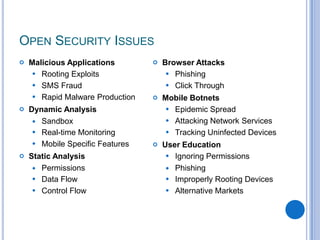
OPEN SECURITY ISSUES






Malicious Applications
 Rooting Exploits
 SMS Fraud
 Rapid Malware Production
Dynamic Analysis
 Sandbox
 Real-time Monitoring
 Mobile Specific Features
Static Analysis
 Permissions
 Data Flow
 Control Flow



Browser Attacks
 Phishing
 Click Through



Mobile Botnets
 Epidemic Spread
 Attacking Network Services
 Tracking Uninfected Devices



User Education
 Ignoring Permissions
 Phishing
 Improperly Rooting Devices
 Alternative Markets
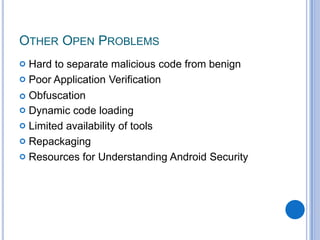
OTHER OPEN PROBLEMS


Hard to separate malicious code from benign
 Poor Application Verification
 Obfuscation
 Dynamic code loading
 Limited availability of tools
 Repackaging
 Resources for Understanding Android Security
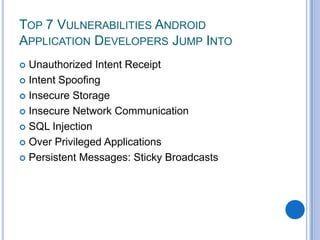
TOP 7 VULNERABILITIES ANDROID
APPLICATION DEVELOPERS JUMP INTO
Unauthorized Intent Receipt
 Intent Spoofing
 Insecure Storage
 Insecure Network Communication
 SQL Injection
 Over Privileged Applications
 Persistent Messages: Sticky Broadcasts

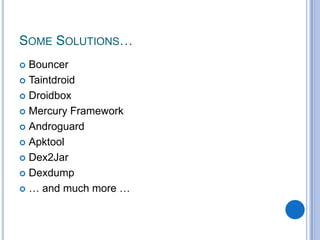
SOME SOLUTIONS…
Bouncer
 Taintdroid
 Droidbox
 Mercury Framework
 Androguard
 Apktool
 Dex2Jar
 Dexdump
 … and much more …

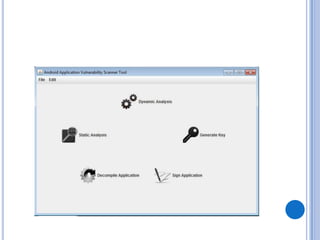
ANDROID APPLICATION
VULNERABILITY SCANNER TOOLKIT


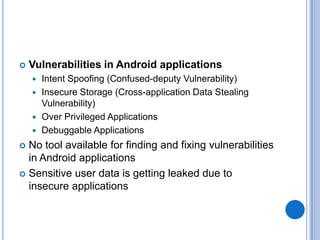
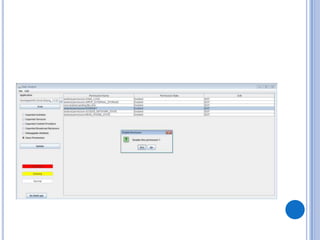
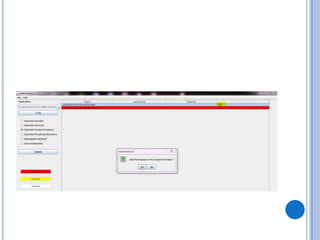
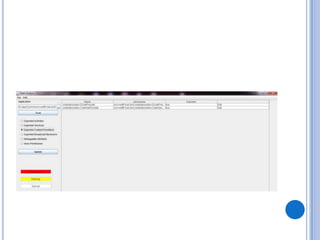
Vulnerabilities in Android applications
Intent Spoofing (Confused-deputy Vulnerability)
 Insecure Storage (Cross-application Data Stealing
Vulnerability)
 Over Privileged Applications
 Debuggable Applications


No tool available for finding and fixing vulnerabilities
in Android applications
 Sensitive user data is getting leaked due to
insecure applications



http://securityresearch.in/index.php/mobile/androidapplication-vulnerability-scanner-toolkit
SOME TIPS TO KEEP YOUR DATA SECURE


Always use encryption (whatsapp)



Never download apps from unsolicited emails and
texts (malware)



Always check apps permissions (confused-deputy
attacks, malware)



Monitor your data and messages
Android security
Android security

Android security

  • 1.
  • 2.
    WALK THROUGH  Android Basics     AndroidSecurity Model            Application Sandboxing Permission Model What is an Android application?     Introduction Versions Android Stack Application Components Manifest file Requesting Permissions Android more secure than IOS?? Multiple Layers of Android security Android Malwares How effective are mobile anti-viruses Android Rooting Android Market Android Application Vulnerability Scanner Toolkit Open Security issues in Android platform Top 7 Vulnerabilities Android Application Developers May Jump Into
  • 3.
  • 4.
    There are 4billion mobile phones among 7 billion people in the world  Android owns the crown among its competitors  The use of smartphones for financial transactions and storing private information is increasing  Losing the mobile phone is more worse than losing wallets  Securing the data residing in mobiles is of prime importance. 
  • 5.
    Android uses akind of UNIX sandboxing method to run its applications  Applications uses IPC mechanisms to communicate among each other  These IPC mechanisms uses concept of endpoints  All the configuration parameters and the security parameters of an application are defined in a file called AndroidManifest.xml 
  • 6.
  • 7.
  • 8.
  • 9.
     Unix Sandboxing  Each applicationhave its own user name and memory space  One app cannot access resources of other app  Android permission enforcement
  • 12.
    Android permissions protect --Access to sensitive APIs -- Access to content providers -- Inter- and intra-application communication
  • 13.
    What is anAndroid Application…?
  • 14.
    WHAT IS ANANDROID APPLICATION…?  Android applications are composed of one or more application components Activities  Services  Broadcast Receivers  Content Providers  Each component performs a different role in the overall application behavior, and each one can be activated individually (even by other applications)  The manifest file must declare all components in the application and should also declare all application requirements. 
  • 16.
  • 17.
  • 18.
  • 19.
  • 20.
  • 21.
  • 22.
    COMPONENT PERMISSION  Components canbe made accessible to other applications (exported) or be made private Default is private   Converted to public when component is registered to receive an implicit intents    Components can be protected by permission
  • 23.
  • 24.
  • 26.
    Eric Schmidt madea comment that Android is more secure than IOS.
  • 27.
    The comment onlyprompted laughter from the crowd
  • 28.
     Google backed uptheir chairman, stating that only 0.001% of installed apps are malicious.  They provided data for it.
  • 29.
    Multiple Layers ofAndroid security
  • 32.
  • 34.
    Android Is Secure...UsersAren‘t  Google can't count malware it doesn't see  Android has defenses...to protect itself, not your data  Many of Android's defenses are bypassed with a few taps, or by users  unauthorized sources  Rooting  What else.. ? 
  • 35.
    How effective aremobile anti-viruses…?
  • 36.
     No, Mobile Anti-MalwareUtilities for Android are Not Perfect, or Even the Same Protection You Get on the Desktop  You can't just install a mobile security suite on your Android phone and assume you'll be safe regardless of what you do.  The real weapon you have against Android malware is common sense.
  • 37.
    How Do YouProtect Yourself…?
  • 38.
    LEARN TO TELLIF AN ANDROID APP IS MALWARE BEFORE YOU INSTALL IT  Take a look at app store reviews  Pay attention to the permissions an app requests  Check the developer's other apps  Don't install applications from unusual or suspicious sources  Keep a close watch on SMS and data activity
  • 39.
  • 40.
     Android rooting isthe process of allowing users of smartphones, tablets, and other devices running the Android mobile operating system to attain privileged control (known as "root access") within Android's subsystem.
  • 41.
    GENERAL ROOTING TERMS Root ROM  Kernel  Flash  Brick  Bootloader  Recovery  ADB 
  • 42.
  • 43.
     In the tightly-controllediOS world, technical restrictions prevent installing or booting into a modified or entirely new operating system (a "locked bootloader" prevents this)  sideloading unsigned applications onto the device  user-installed apps from having root privileges (and are run in a secure sandboxed environment)   Bypassing all these restrictions together constitute the expansive term "jailbreaking" of Apple devices
  • 44.
  • 45.
    OPEN SECURITY ISSUESIN ANDROID PLATFORM
  • 46.
    OPEN SECURITY ISSUES    MaliciousApplications  Rooting Exploits  SMS Fraud  Rapid Malware Production Dynamic Analysis  Sandbox  Real-time Monitoring  Mobile Specific Features Static Analysis  Permissions  Data Flow  Control Flow  Browser Attacks  Phishing  Click Through  Mobile Botnets  Epidemic Spread  Attacking Network Services  Tracking Uninfected Devices  User Education  Ignoring Permissions  Phishing  Improperly Rooting Devices  Alternative Markets
  • 47.
    OTHER OPEN PROBLEMS  Hardto separate malicious code from benign  Poor Application Verification  Obfuscation  Dynamic code loading  Limited availability of tools  Repackaging  Resources for Understanding Android Security
  • 48.
    TOP 7 VULNERABILITIESANDROID APPLICATION DEVELOPERS JUMP INTO Unauthorized Intent Receipt  Intent Spoofing  Insecure Storage  Insecure Network Communication  SQL Injection  Over Privileged Applications  Persistent Messages: Sticky Broadcasts 
  • 49.
    SOME SOLUTIONS… Bouncer  Taintdroid Droidbox  Mercury Framework  Androguard  Apktool  Dex2Jar  Dexdump  … and much more … 
  • 50.
  • 51.
     Vulnerabilities in Androidapplications Intent Spoofing (Confused-deputy Vulnerability)  Insecure Storage (Cross-application Data Stealing Vulnerability)  Over Privileged Applications  Debuggable Applications  No tool available for finding and fixing vulnerabilities in Android applications  Sensitive user data is getting leaked due to insecure applications 
  • 59.
  • 60.
    SOME TIPS TOKEEP YOUR DATA SECURE  Always use encryption (whatsapp)  Never download apps from unsolicited emails and texts (malware)  Always check apps permissions (confused-deputy attacks, malware)  Monitor your data and messages