Module 11:  Calling Stored Procedures with Microsoft ADO.NET
Overview Overview of Stored Procedures Calling Stored Procedures
Lesson: Overview of Stored Procedures What Is a Stored Procedure? Why Use Stored Procedures? Practice: Select the Correct Stored Procedure
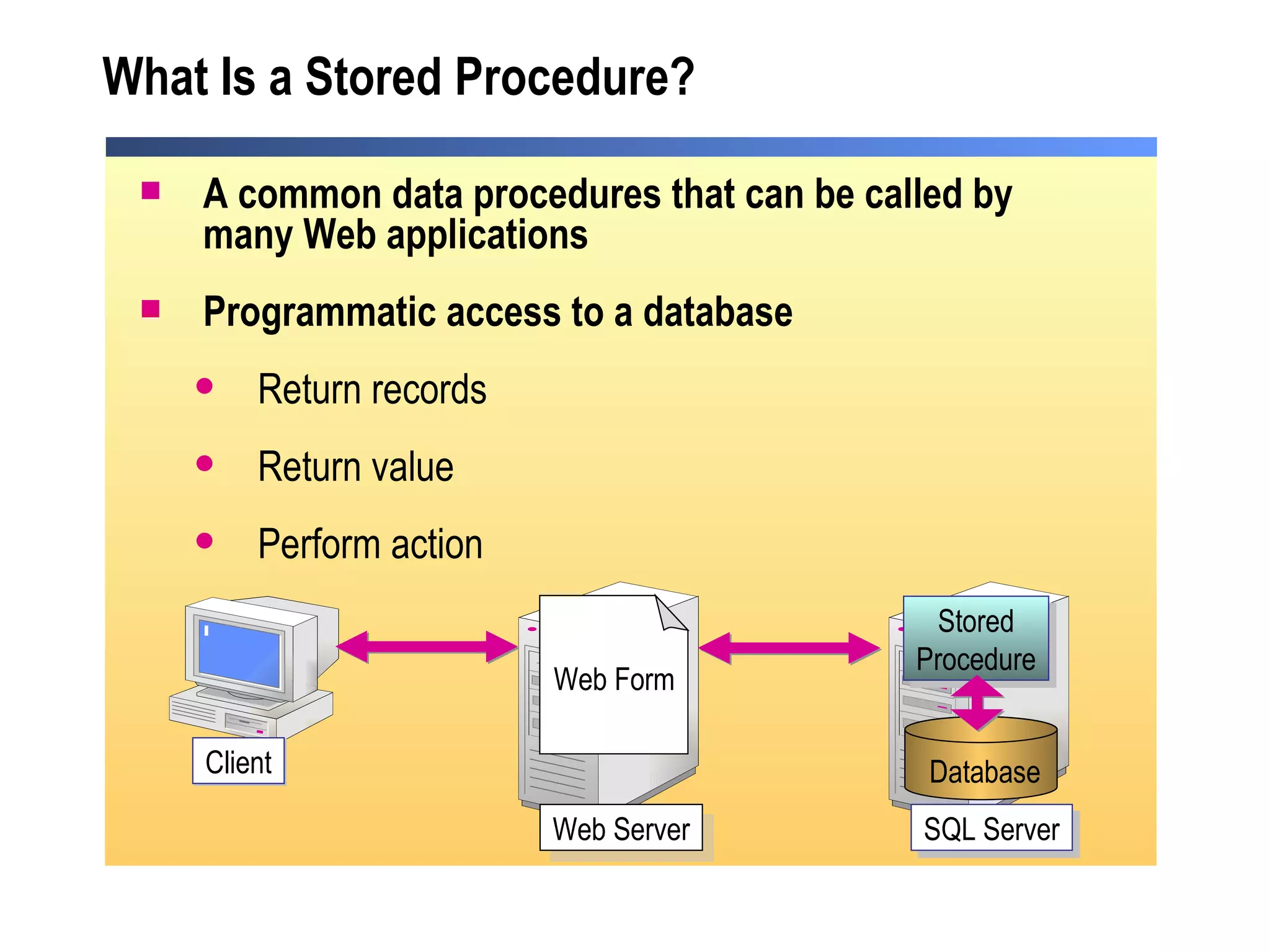
What Is a Stored Procedure? A common data procedures that can be called by many Web applications Programmatic access to a database  Return records Return value Perform action Client SQL Server Web Form Stored Procedure Web Server Database
Why Use Stored Procedures? Modular programming Distribution of work Database security Faster execution  Reduces network traffic Provides flexibility
Practice:  Select the Correct Stored Procedure Students will: Given scenarios, decide what type of stored procedure needs to be used Time: 5 Minutes
Lesson: Calling Stored Procedures Calling Stored Procedures Demonstration: Calling a Stored Procedure Practice: Displaying Data from a Stored Procedure Using Parameters Passing Input Parameters Using Output Parameters Demonstration: Passing Parameters
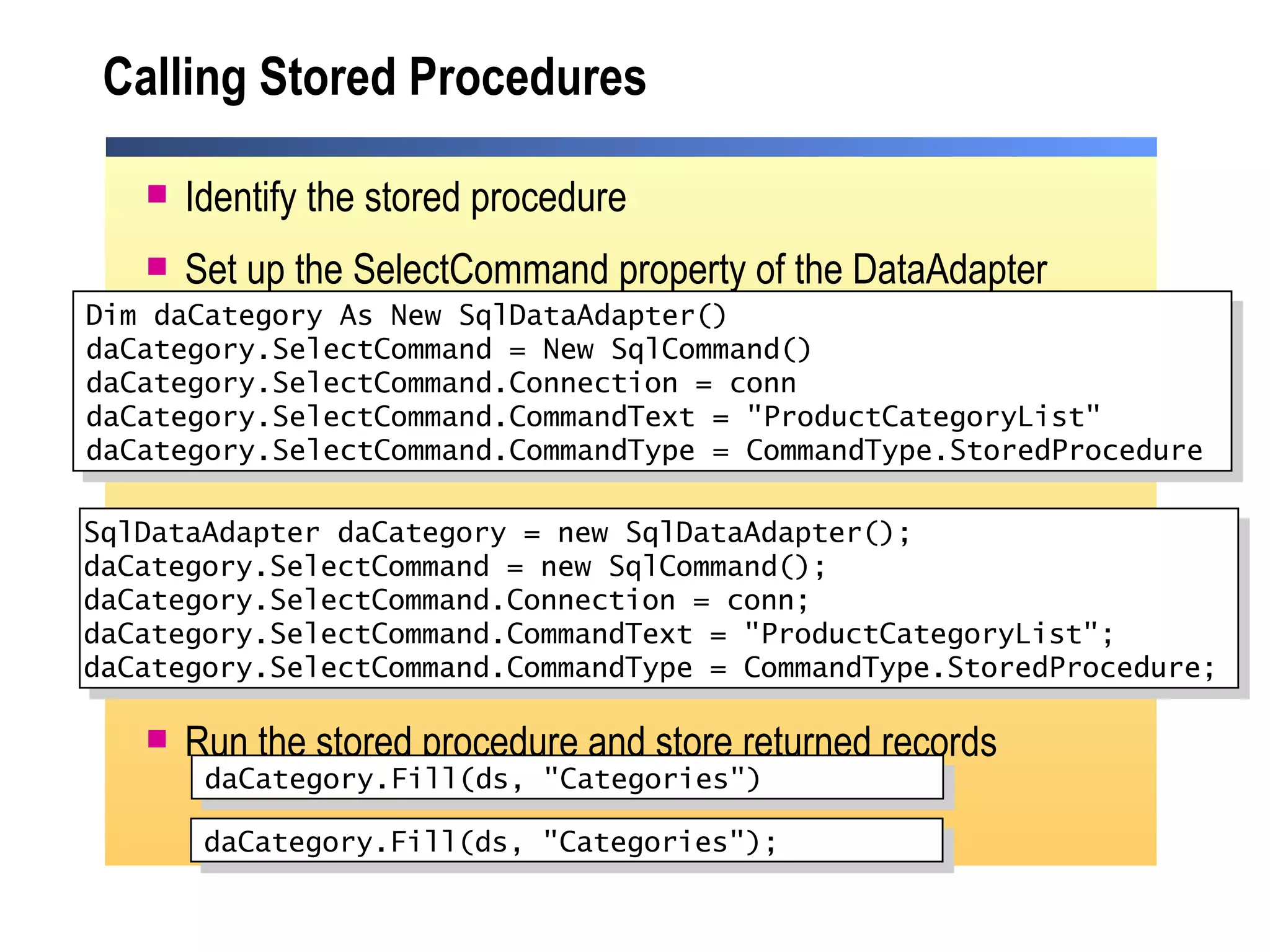
Calling Stored Procedures Identify the stored procedure Set up the SelectCommand property of the DataAdapter Run the stored procedure and store returned records Dim daCategory As New SqlDataAdapter() daCategory.SelectCommand = New SqlCommand() daCategory.SelectCommand.Connection = conn daCategory.SelectCommand.CommandText = "ProductCategoryList" daCategory.SelectCommand.CommandType = CommandType.StoredProcedure daCategory.Fill(ds, "Categories") SqlDataAdapter daCategory = new SqlDataAdapter(); daCategory.SelectCommand = new SqlCommand(); daCategory.SelectCommand.Connection = conn; daCategory.SelectCommand.CommandText = "ProductCategoryList"; daCategory.SelectCommand.CommandType = CommandType.StoredProcedure;  daCategory.Fill(ds, "Categories");
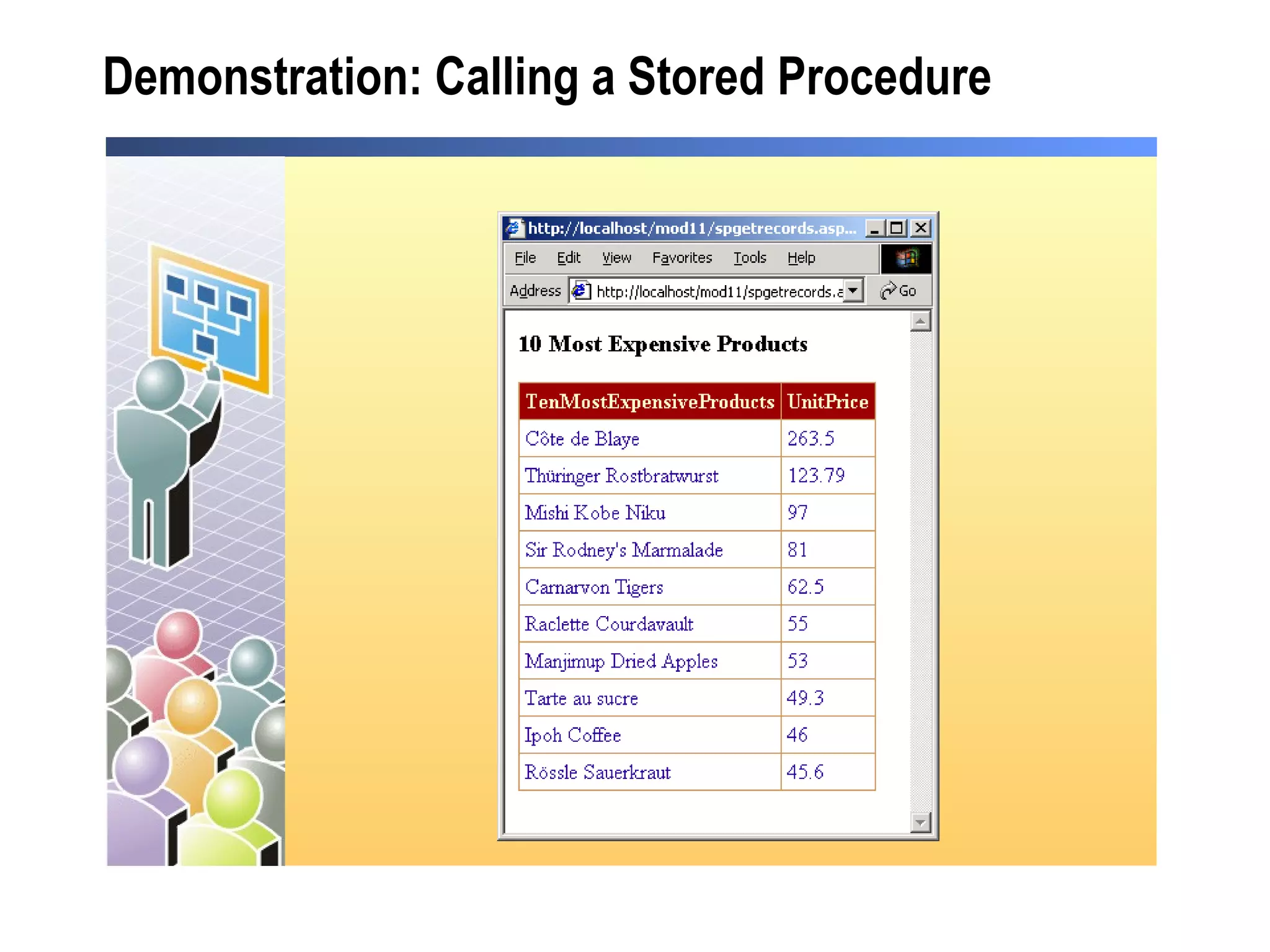
Demonstration: Calling a Stored Procedure
Practice: Displaying Data from a Stored Procedure Students will: Drag a stored procedure from Server Explorer onto an ASP.NET Web form Create a  DataReader  to read data From the stored procedure Bind a  DataGrid  to the  DataReader Time: 15 Minutes
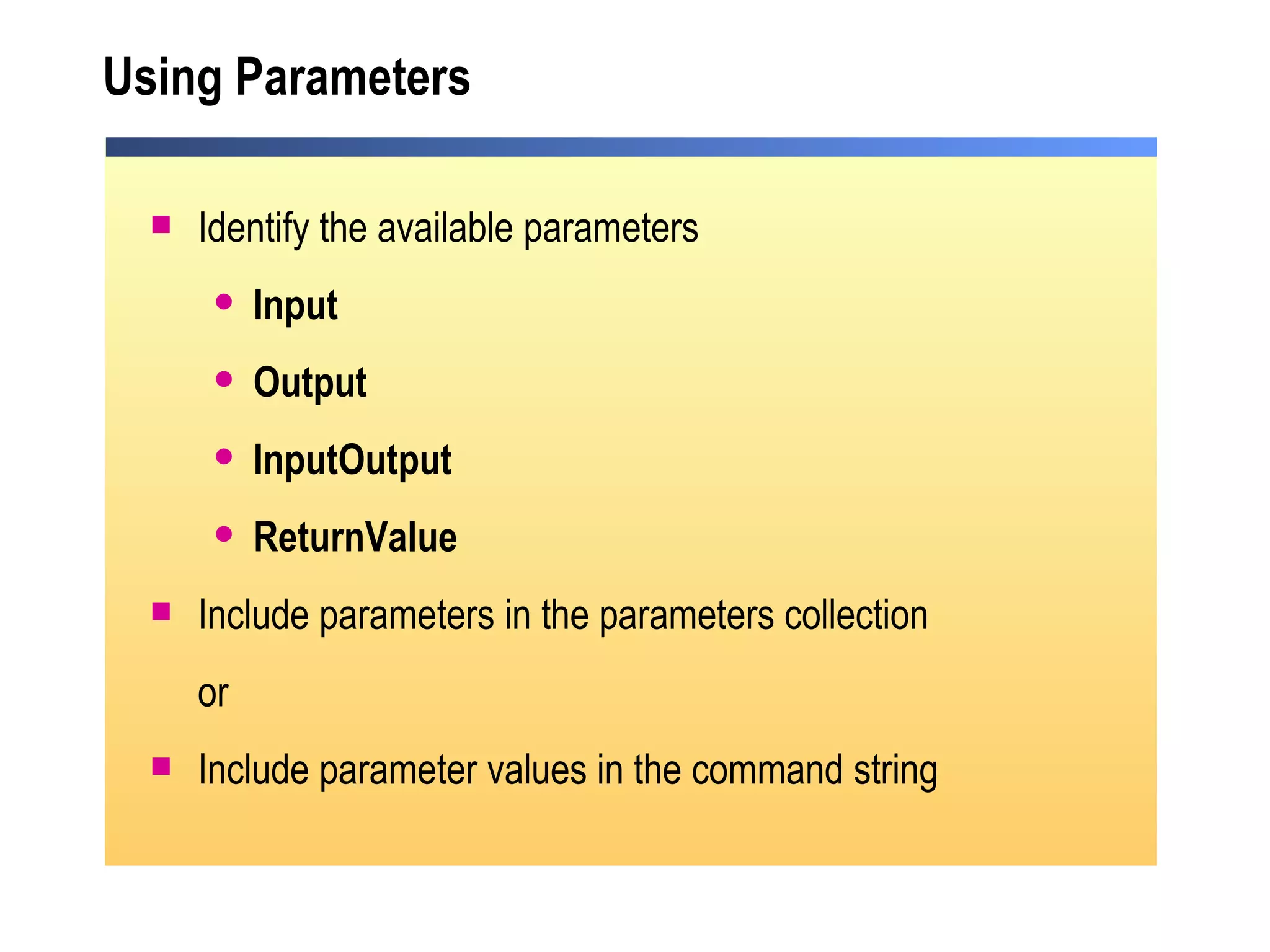
Using Parameters Identify the available parameters Input Output InputOutput ReturnValue Include parameters in the parameters collection or Include parameter values in the command string
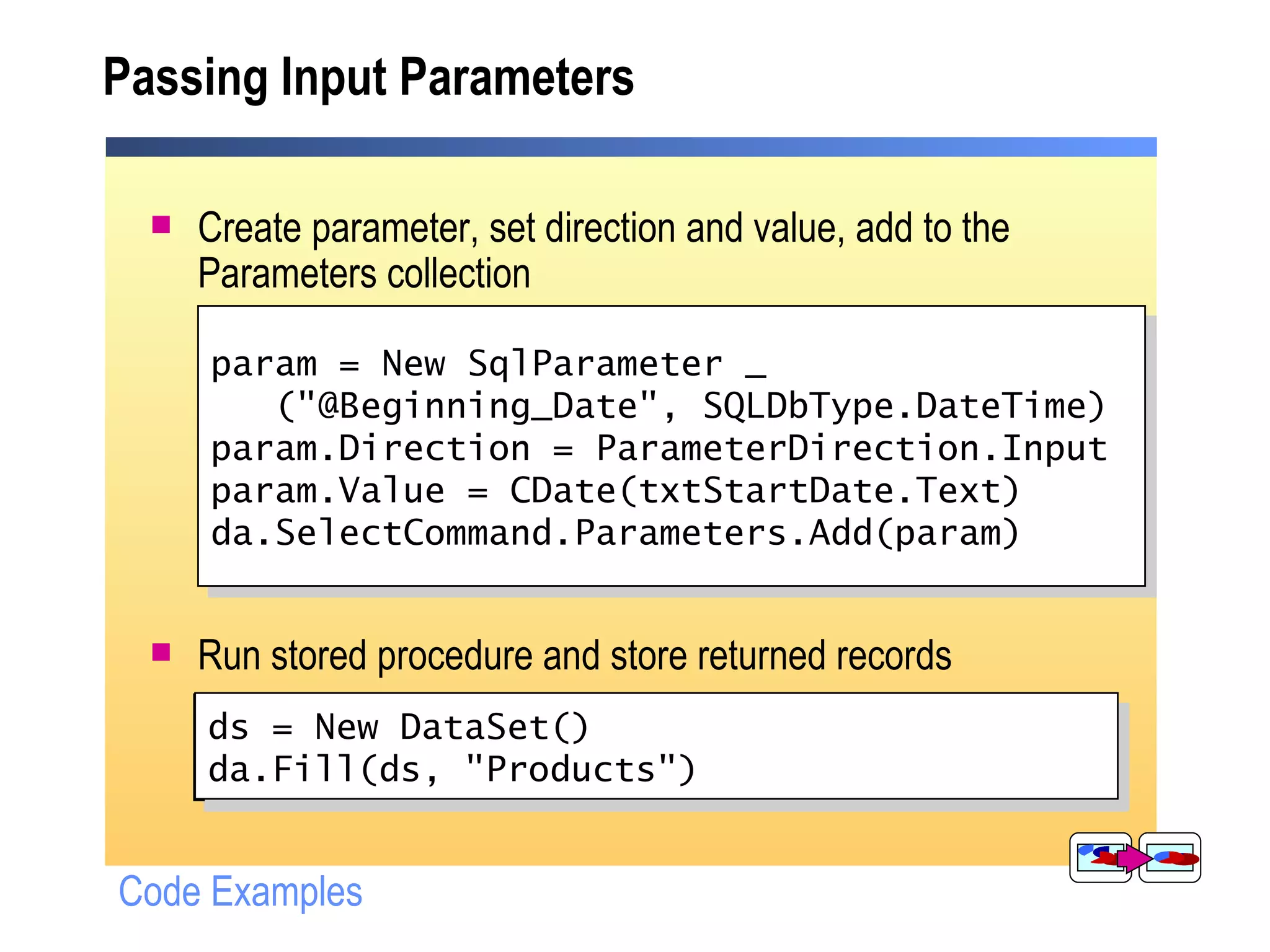
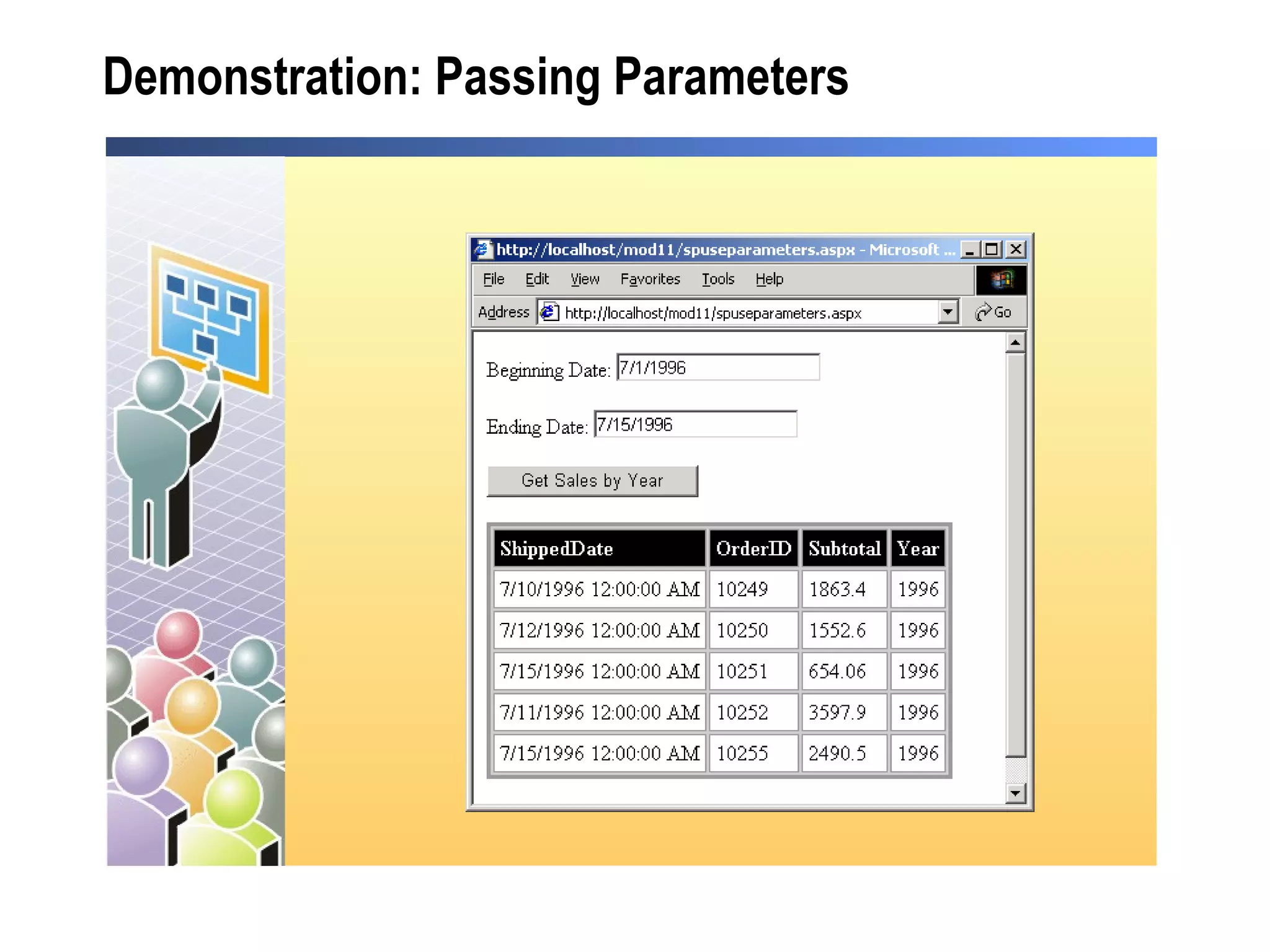
Passing Input Parameters Create parameter, set direction and value, add to the Parameters collection Run stored procedure and store returned records SqlParameter param = new SqlParameter ("@Beginning_Date", SqlDbType.DateTime); param.Direction = ParameterDirection.Input; param.Value = Convert.ToDateTime (txtStartDate.Text); da.SelectCommand.Parameters.Add(param); ds = New DataSet(); da.Fill(ds, "Products"); Code Examples ds = New DataSet() da.Fill(ds, "Products") param = New SqlParameter _ ("@Beginning_Date", SQLDbType.DateTime) param.Direction = ParameterDirection.Input param.Value = CDate(txtStartDate.Text) da.SelectCommand.Parameters.Add(param)
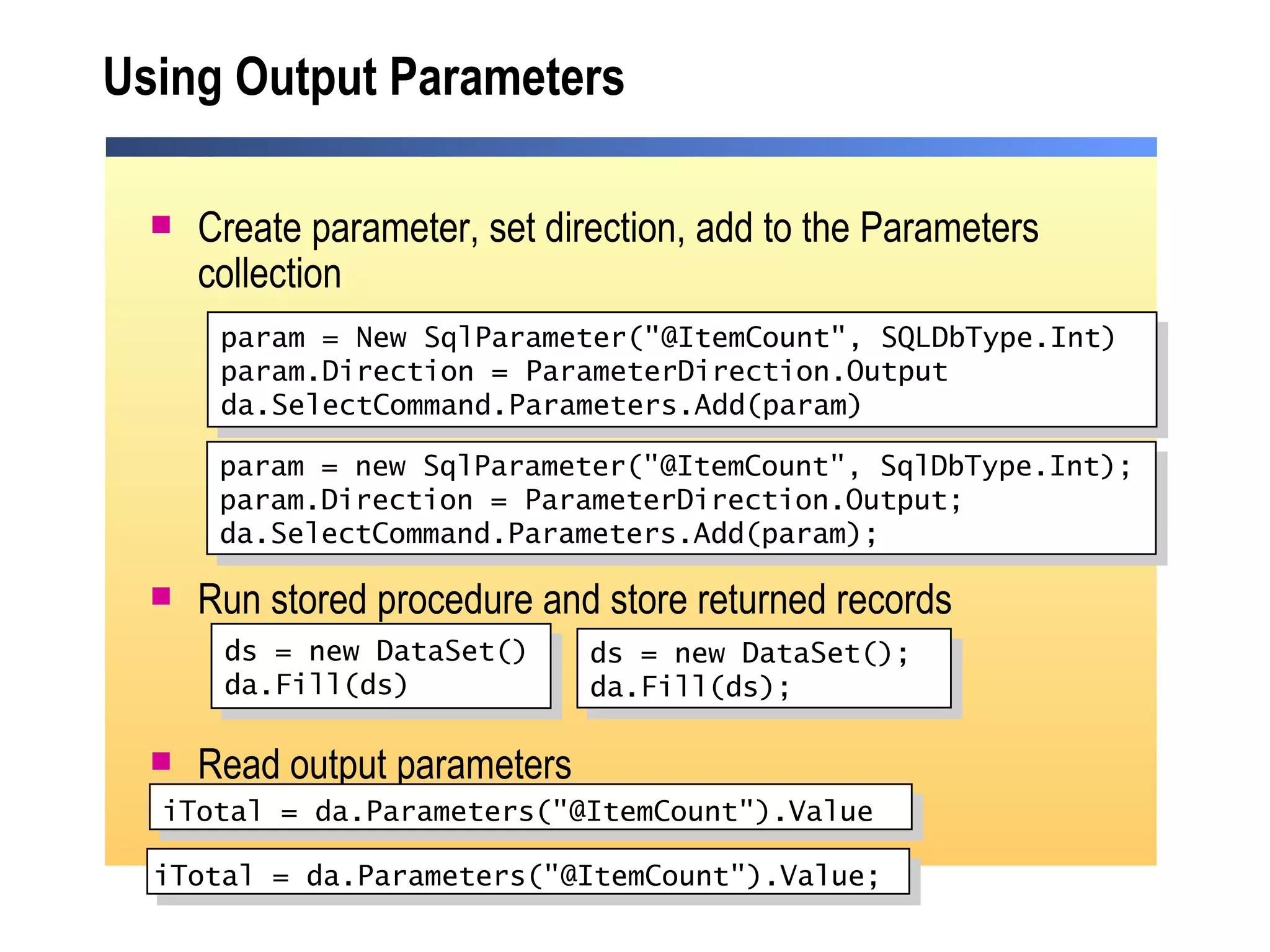
Using Output Parameters Create parameter, set direction, add to the Parameters collection Run stored procedure and store returned records Read output parameters param = New SqlParameter("@ItemCount", SQLDbType.Int) param.Direction = ParameterDirection.Output da.SelectCommand.Parameters.Add(param) ds = new DataSet() da.Fill(ds) iTotal = da.Parameters("@ItemCount").Value   param = new SqlParameter("@ItemCount", SqlDbType.Int); param.Direction = ParameterDirection.Output; da.SelectCommand.Parameters.Add(param);  ds = new DataSet(); da.Fill(ds); iTotal = da.Parameters("@ItemCount").Value;
Demonstration: Passing Parameters
Review Overview of Stored Procedures Calling Stored Procedures
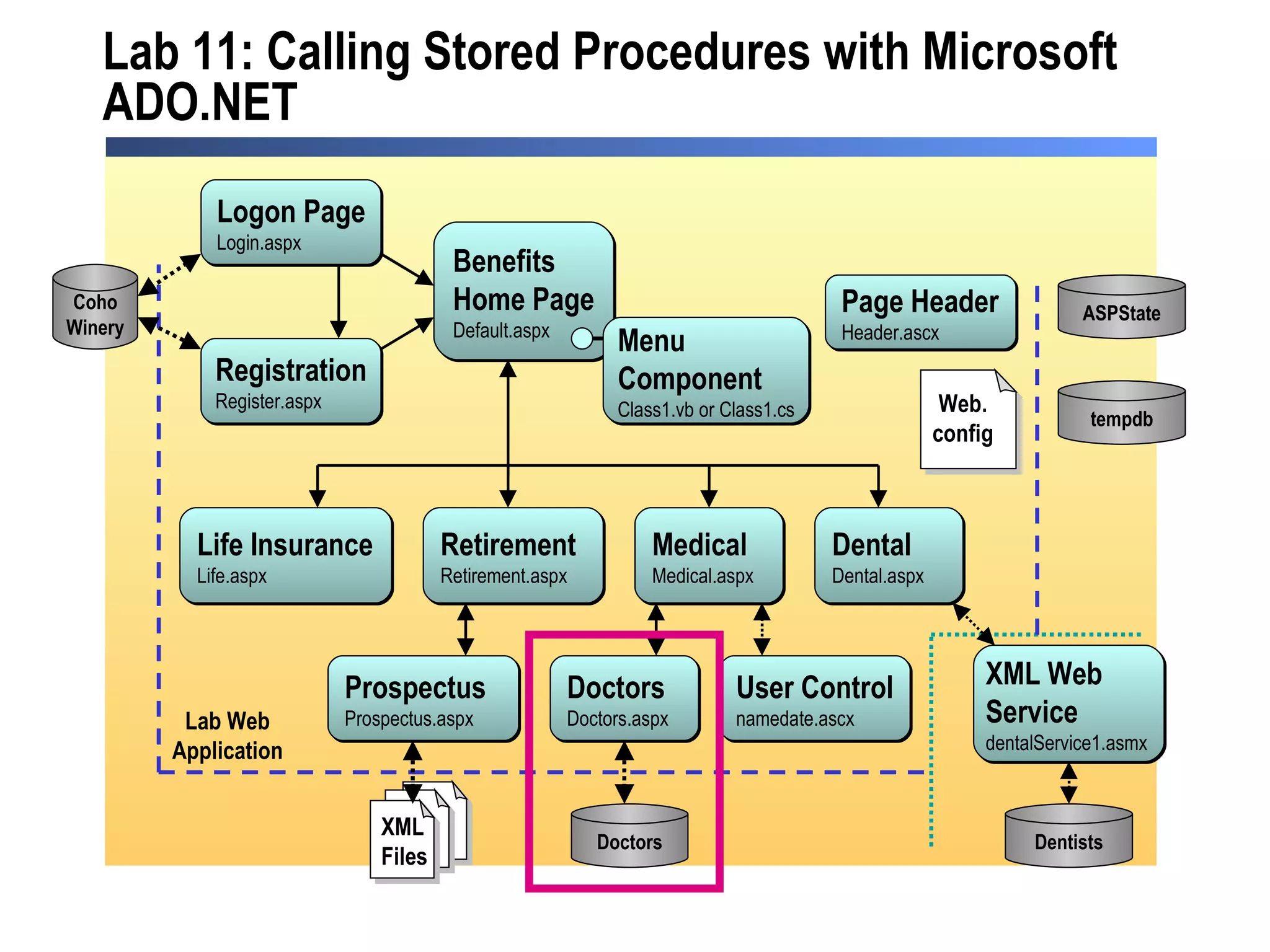
Lab 11: Calling Stored Procedures with Microsoft ADO.NET Medical Medical.aspx Benefits Home Page Default.aspx Life Insurance Life.aspx Retirement Retirement.aspx Dental Dental.aspx Dentists Doctors Doctors.aspx  Doctors Logon Page Login.aspx Registration Register.aspx Coho Winery Prospectus Prospectus.aspx XML Web  Service dentalService1.asmx  Page Header Header.ascx ASPState tempdb Lab Web Application User Control namedate.ascx Menu  Component Class1.vb or Class1.cs XML Files Web. config

2310 b 11

  • 1.
    Module 11: Calling Stored Procedures with Microsoft ADO.NET
  • 2.
    Overview Overview ofStored Procedures Calling Stored Procedures
  • 3.
    Lesson: Overview ofStored Procedures What Is a Stored Procedure? Why Use Stored Procedures? Practice: Select the Correct Stored Procedure
  • 4.
    What Is aStored Procedure? A common data procedures that can be called by many Web applications Programmatic access to a database Return records Return value Perform action Client SQL Server Web Form Stored Procedure Web Server Database
  • 5.
    Why Use StoredProcedures? Modular programming Distribution of work Database security Faster execution Reduces network traffic Provides flexibility
  • 6.
    Practice: Selectthe Correct Stored Procedure Students will: Given scenarios, decide what type of stored procedure needs to be used Time: 5 Minutes
  • 7.
    Lesson: Calling StoredProcedures Calling Stored Procedures Demonstration: Calling a Stored Procedure Practice: Displaying Data from a Stored Procedure Using Parameters Passing Input Parameters Using Output Parameters Demonstration: Passing Parameters
  • 8.
    Calling Stored ProceduresIdentify the stored procedure Set up the SelectCommand property of the DataAdapter Run the stored procedure and store returned records Dim daCategory As New SqlDataAdapter() daCategory.SelectCommand = New SqlCommand() daCategory.SelectCommand.Connection = conn daCategory.SelectCommand.CommandText = "ProductCategoryList" daCategory.SelectCommand.CommandType = CommandType.StoredProcedure daCategory.Fill(ds, "Categories") SqlDataAdapter daCategory = new SqlDataAdapter(); daCategory.SelectCommand = new SqlCommand(); daCategory.SelectCommand.Connection = conn; daCategory.SelectCommand.CommandText = "ProductCategoryList"; daCategory.SelectCommand.CommandType = CommandType.StoredProcedure; daCategory.Fill(ds, "Categories");
  • 9.
    Demonstration: Calling aStored Procedure
  • 10.
    Practice: Displaying Datafrom a Stored Procedure Students will: Drag a stored procedure from Server Explorer onto an ASP.NET Web form Create a DataReader to read data From the stored procedure Bind a DataGrid to the DataReader Time: 15 Minutes
  • 11.
    Using Parameters Identifythe available parameters Input Output InputOutput ReturnValue Include parameters in the parameters collection or Include parameter values in the command string
  • 12.
    Passing Input ParametersCreate parameter, set direction and value, add to the Parameters collection Run stored procedure and store returned records SqlParameter param = new SqlParameter ("@Beginning_Date", SqlDbType.DateTime); param.Direction = ParameterDirection.Input; param.Value = Convert.ToDateTime (txtStartDate.Text); da.SelectCommand.Parameters.Add(param); ds = New DataSet(); da.Fill(ds, "Products"); Code Examples ds = New DataSet() da.Fill(ds, "Products") param = New SqlParameter _ ("@Beginning_Date", SQLDbType.DateTime) param.Direction = ParameterDirection.Input param.Value = CDate(txtStartDate.Text) da.SelectCommand.Parameters.Add(param)
  • 13.
    Using Output ParametersCreate parameter, set direction, add to the Parameters collection Run stored procedure and store returned records Read output parameters param = New SqlParameter("@ItemCount", SQLDbType.Int) param.Direction = ParameterDirection.Output da.SelectCommand.Parameters.Add(param) ds = new DataSet() da.Fill(ds) iTotal = da.Parameters("@ItemCount").Value param = new SqlParameter("@ItemCount", SqlDbType.Int); param.Direction = ParameterDirection.Output; da.SelectCommand.Parameters.Add(param); ds = new DataSet(); da.Fill(ds); iTotal = da.Parameters("@ItemCount").Value;
  • 14.
  • 15.
    Review Overview ofStored Procedures Calling Stored Procedures
  • 16.
    Lab 11: CallingStored Procedures with Microsoft ADO.NET Medical Medical.aspx Benefits Home Page Default.aspx Life Insurance Life.aspx Retirement Retirement.aspx Dental Dental.aspx Dentists Doctors Doctors.aspx Doctors Logon Page Login.aspx Registration Register.aspx Coho Winery Prospectus Prospectus.aspx XML Web Service dentalService1.asmx Page Header Header.ascx ASPState tempdb Lab Web Application User Control namedate.ascx Menu Component Class1.vb or Class1.cs XML Files Web. config