Using Templates with List-Bound Controls Displaying Data in the Repeater and DataList Controls Using Templates Demonstration: Using a DataList Control
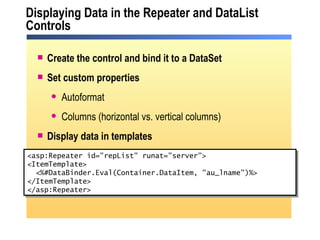
Displaying Data in the Repeater and DataList Controls <asp:Repeater id=&quot;repList&quot; runat=&quot;server&quot;> <ItemTemplate> <%#DataBinder.Eval(Container.DataItem, &quot;au_lname&quot;)%> </ItemTemplate> </asp:Repeater>  Create the control and bind it to a DataSet Set custom properties Autoformat Columns (horizontal vs. vertical columns) Display data in templates
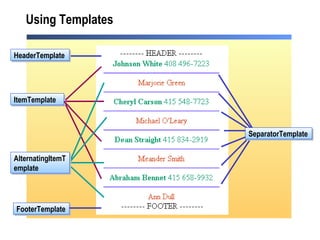
Using Templates FooterTemplate HeaderTemplate ItemTemplate SeparatorTemplate AlternatingItemTemplate
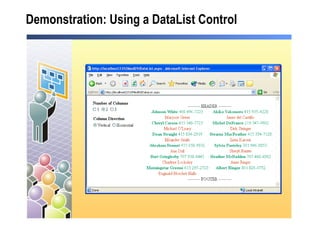
Demonstration:  Using a DataList Control

2310 b xc

  • 1.
    Using Templates withList-Bound Controls Displaying Data in the Repeater and DataList Controls Using Templates Demonstration: Using a DataList Control
  • 2.
    Displaying Data inthe Repeater and DataList Controls <asp:Repeater id=&quot;repList&quot; runat=&quot;server&quot;> <ItemTemplate> <%#DataBinder.Eval(Container.DataItem, &quot;au_lname&quot;)%> </ItemTemplate> </asp:Repeater> Create the control and bind it to a DataSet Set custom properties Autoformat Columns (horizontal vs. vertical columns) Display data in templates
  • 3.
    Using Templates FooterTemplateHeaderTemplate ItemTemplate SeparatorTemplate AlternatingItemTemplate
  • 4.
    Demonstration: Usinga DataList Control