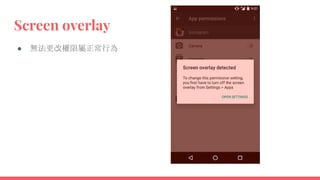
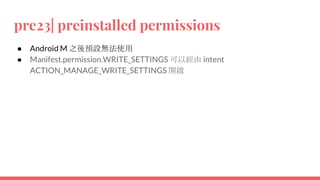
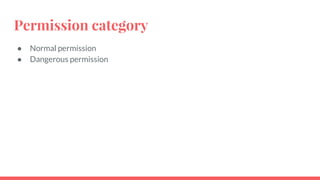
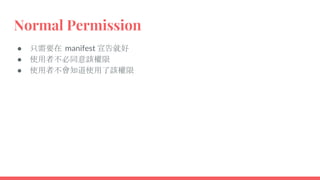
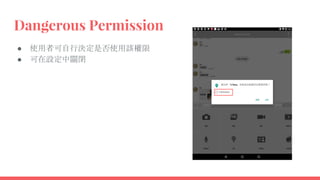
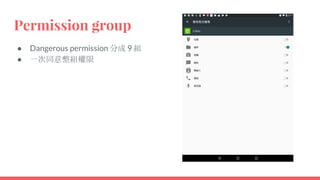
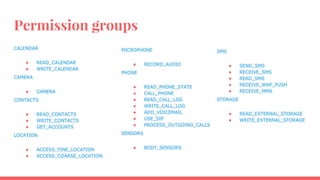
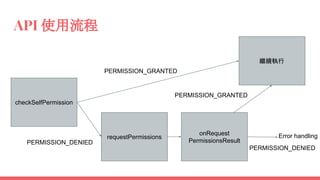
This document discusses changes to Android's permission system in version 6.0 and later. It describes the differences between normal and dangerous permissions, and how apps must now request dangerous permissions from users at runtime rather than automatically receiving them during installation. It provides details on the new permission request APIs and how apps should handle when permissions are granted or denied by the user.








![APIs
int Context#checkSelfPermission(String permission)
void Activity/Fragment#RequestPermissions(String[] permissions, int
requestCode)
void Activity/Fragment#onRequestPermissionsResult(int requestCode, String[]
permissions, int[] grantResults )
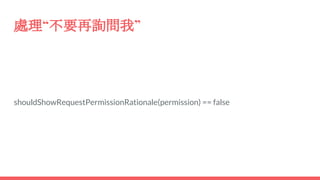
boolean Activity/Fragment#shouldShowRequestPermissionRationale(String
permission)](https://image.slidesharecdn.com/android6-151226200049/85/Android-6-0-permission-change-19-320.jpg)
![要求權限
if (checkSelfPermission(Manifest.permission.READ_CONTACTS)
!= PackageManager.PERMISSION_GRANTED) {
// Should we show an explanation?
if (shouldShowRequestPermissionRationale(Manifest.permission.READ_CONTACTS)) {
// Show an expanation to the user *asynchronously* -- don't block
// this thread waiting for the user's response! After the user
// sees the explanation, try again to request the permission.
} else {
// No explanation needed, we can request the permission.
requestPermissions(new String[]{Manifest.permission.READ_CONTACTS},
MY_PERMISSIONS_REQUEST_READ_CONTACTS);
// MY_PERMISSIONS_REQUEST_READ_CONTACTS is an
// app-defined int constant. The callback method gets the
// result of the request.
}
}](https://image.slidesharecdn.com/android6-151226200049/85/Android-6-0-permission-change-20-320.jpg)
![處理回應
@Override
public void onRequestPermissionsResult(int requestCode, String permissions[], int[] grantResults) {
switch (requestCode) {
case MY_PERMISSIONS_REQUEST_READ_CONTACTS: {
// If request is cancelled, the result arrays are empty.
if (grantResults.length > 0
&& grantResults[0] == PackageManager.PERMISSION_GRANTED) {
// permission was granted, yay! Do the
// contacts-related task you need to do.
} else {
// permission denied, boo! Disable the
// functionality that depends on this permission.
}
return;
}
}
}](https://image.slidesharecdn.com/android6-151226200049/85/Android-6-0-permission-change-21-320.jpg)