Understanding Android Security ModelPragati Ogal RaiMTS1, Software Engineer, PayPal MobilePragati.Rai@paypal.comSV Android Dev CampMarch 04, 2011
AgendaWhy should I understand Android’s Security Model?What is Android’s security model?Architecture			ComponentsIntentsPermissionsAndroidManifest.xmlApplication SigningSystem PackagesExternal StorageFilesBinders
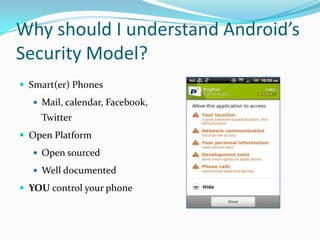
Why should I understand Android’s Security Model?Smart(er) PhonesMail, calendar, Facebook, TwitterOpen PlatformOpen sourcedWell documentedYOU control your phone
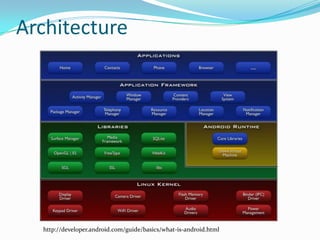
Architecturehttp://developer.android.com/guide/basics/what-is-android.html
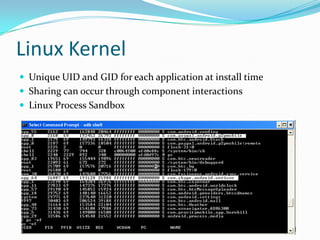
Linux KernelUnique UID and GID for each application at install timeSharing can occur through component interactionsLinux Process Sandbox
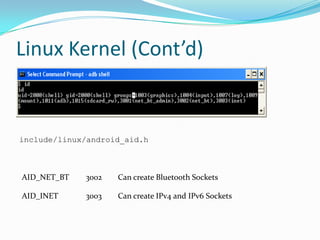
Linux Kernel (Cont’d)include/linux/android_aid.hAID_NET_BT	3002	Can create Bluetooth SocketsAID_INET	3003	Can create IPv4 and IPv6 Sockets
MiddlewareDalvik VM is not a security boundaryNo security managerPermissions are enforced in OS and not in VMBytecode verification for optimizationNative vs. Java code
Binder Component FrameworkBeOS, Palm, AndroidApplications are made of various componentsApplications interact via components
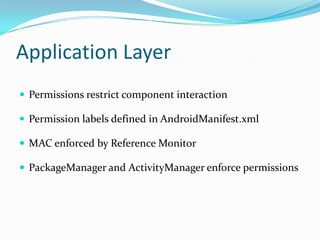
Application LayerPermissions restrict component interactionPermission labels defined in AndroidManifest.xmlMAC enforced by Reference MonitorPackageManager and ActivityManager enforce permissions
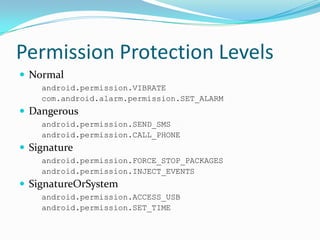
Permission Protection LevelsNormalandroid.permission.VIBRATEcom.android.alarm.permission.SET_ALARMDangerousandroid.permission.SEND_SMSandroid.permission.CALL_PHONESignatureandroid.permission.FORCE_STOP_PACKAGESandroid.permission.INJECT_EVENTSSignatureOrSystemandroid.permission.ACCESS_USBandroid.permission.SET_TIME
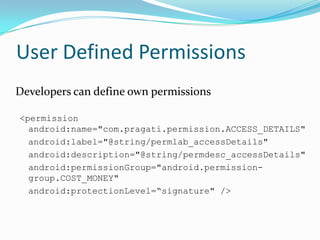
User Defined Permissions	Developers can define own permissions<permission android:name="com.pragati.permission.ACCESS_DETAILS"android:label="@string/permlab_accessDetails"android:description="@string/permdesc_accessDetails"android:permissionGroup="android.permission-group.COST_MONEY"android:protectionLevel=“signature" />
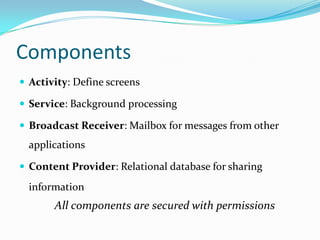
ComponentsActivity: Define screensService: Background processingBroadcast Receiver: Mailbox for messages from other applicationsContent Provider: Relational database for sharing informationAll components are secured with permissions
ActivityOften run in their UIDSecured using Permissionsandroid:exported=true Badly configured data can be passed using IntentAdd categories to Intent FilterDo not pass sensitive data in intents
ServiceStarted with IntentPermissions can be enforced on ServiceCalled can “bind” to service using bindService()Binder channel to talk to serviceCheck permissions of calling component against PERMISSION_DENIED or PERMISSION_GRANTEDgetPackageManager().checkPermission(	permToCheck, name.getPackageName())
BroadcastsSending Broadcast IntentsFor sensitive data, pass manifest permission nameReceiving Broadcast IntentsValidate input from intentsIntent Filter is not a security boundaryCategories narrow down delivery but do not guarantee securityandroid:exported=trueSticky broadcasts stick aroundNeed special privilege BROADCAST_STICKY
Content ProviderAllow applications to share dataDefine permissions for accessing <provider>Content providers use URI schemsContent://<authority>/<table>/[<id>]
BinderSynchronous RPC mechanismDefine interface with AIDLSame process or different processestransact() and Binder.onTransact()Data sent as a ParcelSecured by caller permission or identity checking
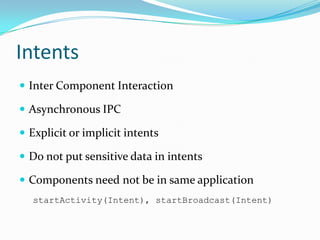
IntentsInter Component InteractionAsynchronous IPCExplicit or implicit intentsDo not put sensitive data in intentsComponents need not be in same applicationstartActivity(Intent), startBroadcast(Intent)
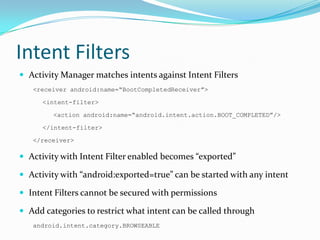
Intent FiltersActivity Manager matches intents against Intent Filters<receiver android:name=“BootCompletedReceiver”><intent-filter><action android:name=“android.intent.action.BOOT_COMPLETED”/></intent-filter></receiver>Activity with Intent Filter enabled becomes “exported”Activity with “android:exported=true” can be started with any intentIntent Filters cannot be secured with permissionsAdd categories to restrict what intent can be called throughandroid.intent.category.BROWSEABLE
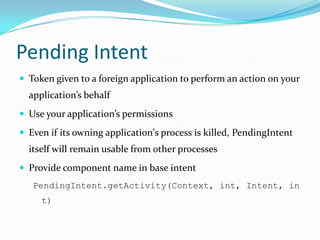
Pending IntentToken given to a foreign application to perform an action on your application’s behalfUse your application’s permissionsEven if its owning application's process is killed, PendingIntent itself will remain usable from other processes Provide component name in base intentPendingIntent.getActivity(Context, int, Intent, int)
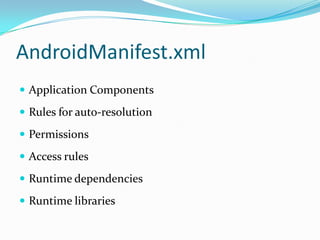
AndroidManifest.xmlApplication ComponentsRules for auto-resolutionPermissionsAccess rulesRuntime dependenciesRuntime libraries
AndroidManifest.xmlhttp://www.cse.psu.edu/~enck/cse597a-s09/slides/cse597a-android.pdf
External StorageStarting API 8 (Android 2.2) APKs can be stored on external devicesAPK is stored in encrypted container called asec fileKey is randomly generated and stored on deviceDex files, private data, native shared libraries still reside on internal memoryExternal devices are mounted with “noexec”VFAT does not support Linux access controlSensitive data should be encrypted before storing
Application SignatureApplications are self-signed; no CA requiredSignature define persistenceDetect if the application has changed Application updateSignatures define authorshipEstablish trust between applications Run in same Linux ID
Application UpgradeApplications can register for auto-updatesApplications  should have the same signatureNo additional permissions should be addedInstall location is preserved
System PackagesCome bundled with ROMHave signatureOrSystem PermissionCannot be uninstalled/system/app
Files and PreferencesApplications have own area for filesFiles are protected by Unix like file permissionsDifferent modes: world readable, world writable, private, appendFile = openFileOutput(“myFile”, 		Context.MODE_WORLD_READABLE);SharedPreferences is system feature with file protected with permissions
SummaryLinux process sandbox Permission based component interactionPermission labels defined in AndroidManifest.xmlApplications need to be signedSignature define persistence and authorshipInstall time security decisions
Referenceshttp://developer.android.comJesse Burns http://www.isecpartners.com/files/iSEC_Securing_Android_Apps.pdfWilliam Enck, MachigarOngtang, and Patrick McDaniel, Understanding Android Security. IEEE Security & Privacy Magazine, 7(1):50--57, January/February, 2009.
Thank You!Pragati.Rai@paypal.com

Understanding android security model