Accessibility 2.0:  Blended Accessibility For Blended Learning Brian Kelly UKOLN University of Bath Bath UK Email [email_address] UKOLN is supported by: http://www.ukoln.ac.uk/web-focus/events/conferences/blended-learning-mmu-2006-06/ About This Talk Brian Kelly reviews the traditional approaches taken to addressing the accessibility of Web resources. Although a political success, Brian argues that the WAI model is flawed. An alternative approach, developed by UKOLN and TechDis, is described. Brian concludes by arguing for a user-focused approach – “Accessibility 2.0” This work is licensed under a Attribution-NonCommercial-ShareAlike 2.0 licence (but note caveat)
Contents Background WAI – The Answer To Universal Web Accessibility? WAI Limitations An Alternative Way: A Holistic Approach To E-Learning Accessibility Building On This Work: The Tangram Metaphor Accessibility 2.0 Questions
About Me Brian Kelly: UK Web Focus Adviser on best practices and innovative uses of Web Funded by JISC and MLA (Museums, Libraries and Archives Council) Supports Higher and Further Education and cultural heritage communities Based at UKOLN, University of Bath Related work: Providing advice on maximising access to networked resources  Working with JISC’s TechDis advisory service Co-author of several papers on e-learning accessibility: CJLR paper in 2004, ALT-C and W4A paper in 2005, W4A paper in 2006, …
About You Are you: Familiar with WAI (Web Accessibility Initiative)? Using WAI WCAG guidelines in your: Web site development? e-learning development work? Using the guidelines successfully? Using any other approaches to e-learning accessibility?
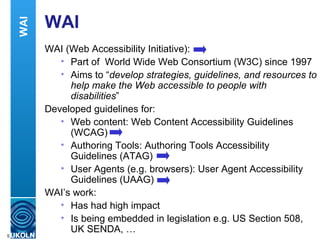
WAI WAI (Web Accessibility Initiative): Part of  World Wide Web Consortium (W3C) since 1997 Aims to “ develop strategies, guidelines, and resources to help make the Web accessible to people with disabilities ” Developed guidelines for: Web content: Web Content Accessibility Guidelines (WCAG) Authoring Tools: Authoring Tools Accessibility Guidelines (ATAG) User Agents (e.g. browsers): User Agent Accessibility Guidelines (UAAG) WAI’s work: Has had high impact Is being embedded in legislation e.g. US Section 508, UK SENDA, … WAI
Problem Solved? Is the accessibility of e-learning solved? We just need to ensure WAI guidelines are implemented Your views: We should be ensuring our e-learning resources are universally accessible Following WAI guidelines can help ensure we achieve this We have to, or we could be sued Rreview of WAI Approach But: Is the WAI model simple or simplistic? (flawed as we can’t do much about browsers and authoring tools) What about other developments in IT?  Is the WAI approach designed for Web sites relevant for learning services? Is “universal accessibility” possible – or is it more of a rallying call / an aspiration?
Reviewing WAI WAI's ambitions are clearly laudable But does its approach work? Let's briefly look at: Experiences of use of WAI The WAI model The WCAG guidelines The context of use  What is accessibility? Rreview of WAI Approach
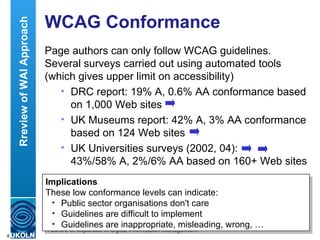
WCAG Conformance Page authors can only follow WCAG guidelines. Several surveys carried out using automated tools (which gives upper limit on accessibility) DRC report: 19% A, 0.6% AA conformance based on 1,000 Web sites UK Museums report: 42% A, 3% AA conformance based on 124 Web sites UK Universities surveys (2002, 04):  43%/58% A, 2%/6% AA based on 160+ Web sites DRC – Disability Rights Commission, independent body legislated to stop discrimination and promote equality of opportunity of disabled people.  Implications These low conformance levels can indicate: Public sector organisations don't care Guidelines are difficult to implement Guidelines are inappropriate, misleading, wrong, … Rreview of WAI Approach
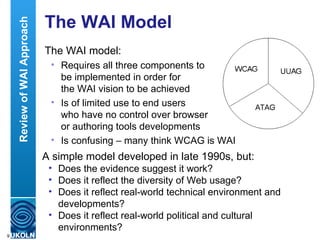
The WAI Model The WAI model: Requires all three components to  be implemented in order for  the WAI vision to be achieved  Is of limited use to end users  who have no control over browser  or authoring tools developments Is confusing – many think WCAG is WAI A simple model developed in late 1990s, but: Does the evidence suggest it work? Does it reflect the diversity of Web usage? Does it reflect real-world technical environment and developments? Does it reflect real-world political and cultural environments? Review of WAI Approach
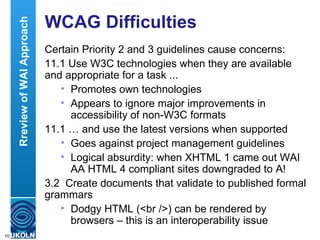
WCAG Difficulties Certain Priority 2 and 3 guidelines cause concerns: 11.1 Use W3C technologies when they are available and appropriate for a task ...  Promotes own technologies Appears to ignore major improvements in accessibility of non-W3C formats 11.1 … and use the latest versions when supported Goes against project management guidelines Logical absurdity: when XHTML 1 came out WAI AA HTML 4 compliant sites downgraded to A!  3.2  Create documents that validate to published formal grammars Dodgy HTML (<br />) can be rendered by browsers – this is an interoperability issue Rreview of WAI Approach
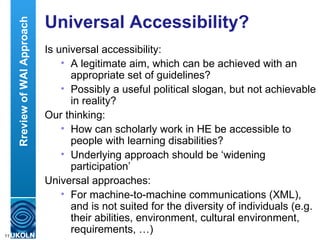
Universal Accessibility? Is universal accessibility: A legitimate aim, which can be achieved with an appropriate set of guidelines? Possibly a useful political slogan, but not achievable in reality? Our thinking: How can scholarly work in HE be accessible to people with learning disabilities? Underlying approach should be ‘widening participation’ Universal approaches: For machine-to-machine communications (XML), and is not suited for the diversity of individuals (e.g. their abilities, environment, cultural environment, requirements, …)  Rreview of WAI Approach
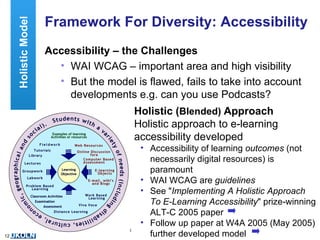
Framework For Diversity: Accessibility Accessibility – the Challenges WAI WCAG – important area and high visibility But the model is flawed, fails to take into account developments e.g. can you use Podcasts? Holistic ( Blended)   Approach Holistic approach to e-learning accessibility developed Accessibility of learning  outcomes  (not necessarily digital resources) is paramount WAI WCAG are  guidelines See &quot; Implementing A Holistic Approach To E-Learning Accessibility &quot; prize-winning ALT-C 2005 paper Follow up paper at W4A 2005 (May 2005) further developed model Holistic Model WAI
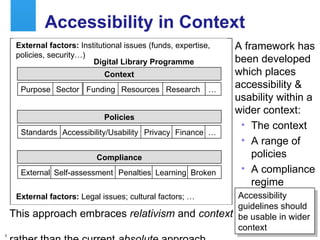
Accessibility in Context A framework has been developed which places accessibility & usability within a wider context: The context A range of policies A compliance regime  Purpose Sector Funding Resources Context Accessibility/Usability Privacy Policies … Finance External Self-assessment Penalties Learning Compliance Digital Library Programme Broken Standards Research … External factors:  Institutional issues (funds, expertise, policies, security…) External factors:  Legal issues; cultural factors; … This approach embraces  relativism  and  context   rather than the current  absolute  approach Accessibility guidelines should be usable in wider context
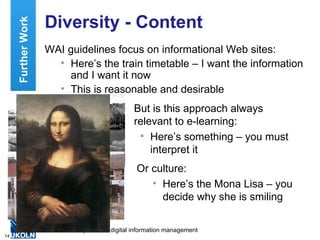
Diversity - Content WAI guidelines focus on informational Web sites: Here’s the train timetable – I want the information and I want it now This is reasonable and desirable Further Work But is this approach always  relevant to e-learning: Here’s something – you must interpret it Or culture: Here’s the Mona Lisa – you decide why she is smiling
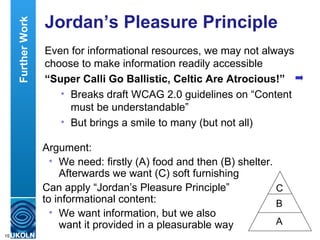
Jordan’s Pleasure Principle Even for informational resources, we may not always choose to make information readily accessible “ Super Calli Go Ballistic, Celtic Are Atrocious!” Breaks draft WCAG 2.0 guidelines on “Content must be understandable” But brings a smile to many (but not all) Further Work Argument: We need: firstly (A) food and then (B) shelter. Afterwards we want (C) soft furnishing  Can apply “Jordan’s Pleasure Principle”  to informational content: We want information, but we also  want it provided in a pleasurable way C B A
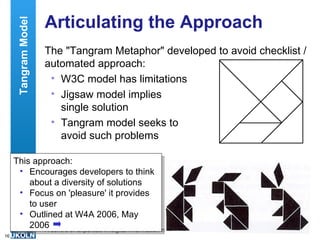
Articulating the Approach The &quot;Tangram Metaphor&quot; developed to avoid checklist / automated approach: W3C model has limitations Jigsaw model implies  single solution Tangram model seeks to  avoid such problems This approach: Encourages developers to think about a diversity of solutions Focus on 'pleasure' it provides to user Outlined at W4A 2006, May 2006 Tangram Model
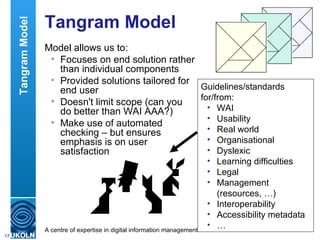
Tangram Model Model allows us to: Focuses on end solution rather than individual components Provided solutions tailored for end user Doesn't limit scope (can you  do better than WAI AAA?) Make use of automated checking – but ensures emphasis is on user satisfaction Guidelines/standards for/from: WAI Usability Real world Organisational Dyslexic  Learning difficulties Legal Management (resources, …) Interoperability Accessibility metadata … Tangram Model
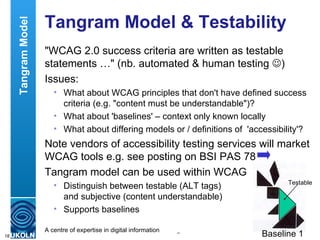
Tangram Model & Testability &quot;WCAG 2.0 success criteria are written as testable statements …&quot; (nb. automated & human testing   ) Issues: What about WCAG principles that don't have defined success criteria (e.g. &quot;content must be understandable&quot;)? What about 'baselines' – context only known locally What about differing models or / definitions of  'accessibility'? Note vendors of accessibility testing services will market WCAG tools e.g. see posting on BSI PAS 78 Tangram model can be used within WCAG Distinguish between testable (ALT tags)  and subjective (content understandable) Supports baselines Baseline 1 Testable Tangram Model
The Cathedral & The Bazaar WAI Approach: Large-scale  and ambitious –but slow-moving External dependencies (e.g. on legal systems) Based on single approach (&quot;you must …&quot;) Web-centric approach  Cathedral approach to development Holistic Approach: Modular & can be more rapid-moving & responsive Based on diversity of approaches - &quot;seek to …&quot;  Covers Web, other IT and real-world accessibility Bazaar approach to development &quot; I don't claim people should do 100% of what I say “ J Neilson WCAG 2.0’s ‘baseline’ seems to recognise a contextual view    but is limited to Web technologies  
The Legal Framework This approach is well-suited for the UK legal framework: SENDA/DDA legislation requires &quot; organisations to take reasonable measures to ensure people with disabilities are not discriminated against unfairly &quot; Note that the legislation is: Technologically neutral Backwards and forwards compatible Avoids version control complexities … The legislation also covers usability, as well as accessibility
Blended Accessibility Background Talk on  best practices for public library Web sites  Example given of Flash game: Aimed at children Simple to develop They love it Question: What about accessibility? Response: (defensive) Err, we'll have to remove it. Blended solution What's the purpose of the game? To amuse kids, while parents are browsing for books. Would building blocks provide an equivalent alternative? Note this treats kids as users with different learning styles, not as 'something for the blind, …
Accessibility 2.0 Can the term “Accessibility 2.0” help in articulating a blended approach (similar to Web 2.0, e-Learning 2.0, Library 2.0, …)? Characteristics: User-focus Diversity Blended Widening participation Avoidance of dogma … Accessibility 2.0
Are You A Believer? (1) You want to make your PowerPoint slides available in your VLE.  Do you: A Acknowledge that you can’t as PPT is a proprietary format and so breaks WCAG 1.0 B Think about making PPT and HTML versions available, but realise that MS HTML is invalid, and so this breaks WCAG C Make PPT (and HTML) versions available as this is more accessible than having no file available  D Ensure images in PTT file have ALT tags – as PPT files can be accessible Accessibility 2.0
Are You A Believer? (2) You want to make your PowerPoint presentations more accessible.  Do you: A Make use of Eric Meyer’s S5 software, as this is compliant with XHTML, makes use of CSS and is fashionable amongst the Web development community (and isn’t produced by Microsoft) B Realise that S5 (a) produces poor quality printouts (which your student use for note-taking) and (b) is difficult to produce visual effects which you use to make your presentations more interesting Accessibility 2.0
Are You A Believer? (3) You want to make a recording of a paper on &quot; Contextual Web Accessibility - Maximizing the Benefit of Accessibility Guidelines &quot; you gave at the W4A 2006 workshop available as Podcasts.  Do you: A Acknowledge that you can’t as you don’t have the resources available to provide transcripts of your talks available, as required to conform with WCAG B Create the Podcast as a recording of your talks makes the talk more accessible than having no recording available  C Provide the Podcast alongside the MS Word, PDF and XHTML versions of the paper and the PowerPoint slides, which provide variants of the real world idea (as opposed to the resources) Accessibility 2.0 Accessibility 2.0 for Web 2.0
Are You A Believer? (4) You have a PC cluster with multimedia PCs.  It is pointed out that deaf students can’t benefit from this.  Do you: A Remove the multimedia PCs in order to provide a level playing field? B Ensure that captioning tools are available in order to allow students with hearing difficulties can still access the learning resources? Accessibility 2.0
Are You A Believer? (5) You are organising a Geology field trip to Snowdonia.  However it is pointed out that Snowdonia is not wheelchair friendly.  Do you: Cancel the field trip as it is not universally accessible? Call for a wheelchair ramp to be installed and boycott Wales until this happens? Seek to ensure that the learning outcomes of the field trip are accessible and make use of alternative technologies e.g. mobile phones/MMS/3G to allow student at base camp to engage in discussions and go to wheelchair-friendly pub for social activities? Accessibility 2.0
Are You A Believer? (6) You have deployed Blogs for students to reflect on their learning experiences On reviewing the Blogs you discover that your students aren't using ALT tags or images or expanding abbreviations, in breach of WCAG Do you: Withdraw the Blogging service? Point out issues, but leave it to students to decide what to do? Accessibility 2.0 Accessibility 2.0 for Web 2.0
Application To Communications Skype, Instant Messaging, … Banned at some institutions for various reasons (ideological, performance, accessibility, …) But: Can be used to allow geographically-challenged students to listen to talks Use in lectures when no induction loop available Skype IM / IM can be used for mentoring support, feedback, … Accessibility 2.0 Accessibility barrier or accessibility benefit?
Challenges For Accessibility 2.0 Moving away from a simplistic checklist approach has benefits: Ability to address the diversity to be found Ability to do more than may be required in checklist But also leads to challenges: What are the appropriate ‘reasonable measures’? How do I advise / evaluate / monitor? No simple answers (as with evaluation of learning) but some suggestions: Documented policies are essentially Sharing and discussion of approaches taken Talking to your users! Accessibility 2.0
Building On This Work TechDis Perspective &quot; As .. awareness of accessibility has matured .. shift in e-learning communities from a standards based paradigm to a more holistic approach that discriminates between delivery mechanisms, content and context – … approach focuses more on the learner’s experience than the intrinsic nature of the resource, and … brings responsibility for accessibility to a wider audience. &quot; Other points: Discrimination by compliance; real world resources are less accessible than digital ones – don't ban digital resources needlessly Need to distinguish between: Content delivery vehicle Context of use Next Steps
Accessibility & Usability Possible (probable) danger: We must address accessibility (legal fears) We follow WCAG guidelines We run automated tools We feel happy – and stop there But: Our Web sites & e-learning systems aren't usable We'd failed to give enough attention to usability Next Steps Note: SENDA legislation covers access  and use  of digital resources. ..&quot;relationship between accessibility &  usability has long been a source of discussion, .. no definitive model exists.&quot; Further work needed – but usability needs to be addressed
Personalisation  Traditional view: Digital resources must all be fully accessible People with disabilities have rights to access all resources Personalising views based on (disabled) user profiles is therefore wrong Current thinking: Digital resources can't be fully accessible Personalisation (e.g. PLEs) is felt to be valuable Disabled users have equals rights in avoiding unnecessary information! Standards are being developed for support personalised access to (e-)learning resources, including IMS AccessForAll Next Steps
Next Steps What next? Is there a broad acceptance of the approaches described?  Dealing with the backlash – we want a simple set of rules we can implement A roadmap for the future: Sharing experiences Observing patterns of best practices – and (importantly) mistakes Engagement with others  Further development of the approach Next Steps
Conclusions Web accessibility: Should be a goal But accessibility is a more important goal Blended accessibility has strong parallels with blended learning – the focus is on the learning
Questions Any questions? Note resources cited are bookmarked in del.icio.us using tag  'blended-learning-mmu-2006 '

Accessibility 2.0: Blended Learning For Blended Accessibility

  • 1.
    Accessibility 2.0: Blended Accessibility For Blended Learning Brian Kelly UKOLN University of Bath Bath UK Email [email_address] UKOLN is supported by: http://www.ukoln.ac.uk/web-focus/events/conferences/blended-learning-mmu-2006-06/ About This Talk Brian Kelly reviews the traditional approaches taken to addressing the accessibility of Web resources. Although a political success, Brian argues that the WAI model is flawed. An alternative approach, developed by UKOLN and TechDis, is described. Brian concludes by arguing for a user-focused approach – “Accessibility 2.0” This work is licensed under a Attribution-NonCommercial-ShareAlike 2.0 licence (but note caveat)
  • 2.
    Contents Background WAI– The Answer To Universal Web Accessibility? WAI Limitations An Alternative Way: A Holistic Approach To E-Learning Accessibility Building On This Work: The Tangram Metaphor Accessibility 2.0 Questions
  • 3.
    About Me BrianKelly: UK Web Focus Adviser on best practices and innovative uses of Web Funded by JISC and MLA (Museums, Libraries and Archives Council) Supports Higher and Further Education and cultural heritage communities Based at UKOLN, University of Bath Related work: Providing advice on maximising access to networked resources Working with JISC’s TechDis advisory service Co-author of several papers on e-learning accessibility: CJLR paper in 2004, ALT-C and W4A paper in 2005, W4A paper in 2006, …
  • 4.
    About You Areyou: Familiar with WAI (Web Accessibility Initiative)? Using WAI WCAG guidelines in your: Web site development? e-learning development work? Using the guidelines successfully? Using any other approaches to e-learning accessibility?
  • 5.
    WAI WAI (WebAccessibility Initiative): Part of World Wide Web Consortium (W3C) since 1997 Aims to “ develop strategies, guidelines, and resources to help make the Web accessible to people with disabilities ” Developed guidelines for: Web content: Web Content Accessibility Guidelines (WCAG) Authoring Tools: Authoring Tools Accessibility Guidelines (ATAG) User Agents (e.g. browsers): User Agent Accessibility Guidelines (UAAG) WAI’s work: Has had high impact Is being embedded in legislation e.g. US Section 508, UK SENDA, … WAI
  • 6.
    Problem Solved? Isthe accessibility of e-learning solved? We just need to ensure WAI guidelines are implemented Your views: We should be ensuring our e-learning resources are universally accessible Following WAI guidelines can help ensure we achieve this We have to, or we could be sued Rreview of WAI Approach But: Is the WAI model simple or simplistic? (flawed as we can’t do much about browsers and authoring tools) What about other developments in IT? Is the WAI approach designed for Web sites relevant for learning services? Is “universal accessibility” possible – or is it more of a rallying call / an aspiration?
  • 7.
    Reviewing WAI WAI'sambitions are clearly laudable But does its approach work? Let's briefly look at: Experiences of use of WAI The WAI model The WCAG guidelines The context of use What is accessibility? Rreview of WAI Approach
  • 8.
    WCAG Conformance Pageauthors can only follow WCAG guidelines. Several surveys carried out using automated tools (which gives upper limit on accessibility) DRC report: 19% A, 0.6% AA conformance based on 1,000 Web sites UK Museums report: 42% A, 3% AA conformance based on 124 Web sites UK Universities surveys (2002, 04): 43%/58% A, 2%/6% AA based on 160+ Web sites DRC – Disability Rights Commission, independent body legislated to stop discrimination and promote equality of opportunity of disabled people. Implications These low conformance levels can indicate: Public sector organisations don't care Guidelines are difficult to implement Guidelines are inappropriate, misleading, wrong, … Rreview of WAI Approach
  • 9.
    The WAI ModelThe WAI model: Requires all three components to be implemented in order for the WAI vision to be achieved Is of limited use to end users who have no control over browser or authoring tools developments Is confusing – many think WCAG is WAI A simple model developed in late 1990s, but: Does the evidence suggest it work? Does it reflect the diversity of Web usage? Does it reflect real-world technical environment and developments? Does it reflect real-world political and cultural environments? Review of WAI Approach
  • 10.
    WCAG Difficulties CertainPriority 2 and 3 guidelines cause concerns: 11.1 Use W3C technologies when they are available and appropriate for a task ... Promotes own technologies Appears to ignore major improvements in accessibility of non-W3C formats 11.1 … and use the latest versions when supported Goes against project management guidelines Logical absurdity: when XHTML 1 came out WAI AA HTML 4 compliant sites downgraded to A! 3.2 Create documents that validate to published formal grammars Dodgy HTML (<br />) can be rendered by browsers – this is an interoperability issue Rreview of WAI Approach
  • 11.
    Universal Accessibility? Isuniversal accessibility: A legitimate aim, which can be achieved with an appropriate set of guidelines? Possibly a useful political slogan, but not achievable in reality? Our thinking: How can scholarly work in HE be accessible to people with learning disabilities? Underlying approach should be ‘widening participation’ Universal approaches: For machine-to-machine communications (XML), and is not suited for the diversity of individuals (e.g. their abilities, environment, cultural environment, requirements, …) Rreview of WAI Approach
  • 12.
    Framework For Diversity:Accessibility Accessibility – the Challenges WAI WCAG – important area and high visibility But the model is flawed, fails to take into account developments e.g. can you use Podcasts? Holistic ( Blended) Approach Holistic approach to e-learning accessibility developed Accessibility of learning outcomes (not necessarily digital resources) is paramount WAI WCAG are guidelines See &quot; Implementing A Holistic Approach To E-Learning Accessibility &quot; prize-winning ALT-C 2005 paper Follow up paper at W4A 2005 (May 2005) further developed model Holistic Model WAI
  • 13.
    Accessibility in ContextA framework has been developed which places accessibility & usability within a wider context: The context A range of policies A compliance regime Purpose Sector Funding Resources Context Accessibility/Usability Privacy Policies … Finance External Self-assessment Penalties Learning Compliance Digital Library Programme Broken Standards Research … External factors: Institutional issues (funds, expertise, policies, security…) External factors: Legal issues; cultural factors; … This approach embraces relativism and context rather than the current absolute approach Accessibility guidelines should be usable in wider context
  • 14.
    Diversity - ContentWAI guidelines focus on informational Web sites: Here’s the train timetable – I want the information and I want it now This is reasonable and desirable Further Work But is this approach always relevant to e-learning: Here’s something – you must interpret it Or culture: Here’s the Mona Lisa – you decide why she is smiling
  • 15.
    Jordan’s Pleasure PrincipleEven for informational resources, we may not always choose to make information readily accessible “ Super Calli Go Ballistic, Celtic Are Atrocious!” Breaks draft WCAG 2.0 guidelines on “Content must be understandable” But brings a smile to many (but not all) Further Work Argument: We need: firstly (A) food and then (B) shelter. Afterwards we want (C) soft furnishing Can apply “Jordan’s Pleasure Principle” to informational content: We want information, but we also want it provided in a pleasurable way C B A
  • 16.
    Articulating the ApproachThe &quot;Tangram Metaphor&quot; developed to avoid checklist / automated approach: W3C model has limitations Jigsaw model implies single solution Tangram model seeks to avoid such problems This approach: Encourages developers to think about a diversity of solutions Focus on 'pleasure' it provides to user Outlined at W4A 2006, May 2006 Tangram Model
  • 17.
    Tangram Model Modelallows us to: Focuses on end solution rather than individual components Provided solutions tailored for end user Doesn't limit scope (can you do better than WAI AAA?) Make use of automated checking – but ensures emphasis is on user satisfaction Guidelines/standards for/from: WAI Usability Real world Organisational Dyslexic Learning difficulties Legal Management (resources, …) Interoperability Accessibility metadata … Tangram Model
  • 18.
    Tangram Model &Testability &quot;WCAG 2.0 success criteria are written as testable statements …&quot; (nb. automated & human testing  ) Issues: What about WCAG principles that don't have defined success criteria (e.g. &quot;content must be understandable&quot;)? What about 'baselines' – context only known locally What about differing models or / definitions of 'accessibility'? Note vendors of accessibility testing services will market WCAG tools e.g. see posting on BSI PAS 78 Tangram model can be used within WCAG Distinguish between testable (ALT tags) and subjective (content understandable) Supports baselines Baseline 1 Testable Tangram Model
  • 19.
    The Cathedral &The Bazaar WAI Approach: Large-scale and ambitious –but slow-moving External dependencies (e.g. on legal systems) Based on single approach (&quot;you must …&quot;) Web-centric approach Cathedral approach to development Holistic Approach: Modular & can be more rapid-moving & responsive Based on diversity of approaches - &quot;seek to …&quot; Covers Web, other IT and real-world accessibility Bazaar approach to development &quot; I don't claim people should do 100% of what I say “ J Neilson WCAG 2.0’s ‘baseline’ seems to recognise a contextual view  but is limited to Web technologies 
  • 20.
    The Legal FrameworkThis approach is well-suited for the UK legal framework: SENDA/DDA legislation requires &quot; organisations to take reasonable measures to ensure people with disabilities are not discriminated against unfairly &quot; Note that the legislation is: Technologically neutral Backwards and forwards compatible Avoids version control complexities … The legislation also covers usability, as well as accessibility
  • 21.
    Blended Accessibility BackgroundTalk on best practices for public library Web sites Example given of Flash game: Aimed at children Simple to develop They love it Question: What about accessibility? Response: (defensive) Err, we'll have to remove it. Blended solution What's the purpose of the game? To amuse kids, while parents are browsing for books. Would building blocks provide an equivalent alternative? Note this treats kids as users with different learning styles, not as 'something for the blind, …
  • 22.
    Accessibility 2.0 Canthe term “Accessibility 2.0” help in articulating a blended approach (similar to Web 2.0, e-Learning 2.0, Library 2.0, …)? Characteristics: User-focus Diversity Blended Widening participation Avoidance of dogma … Accessibility 2.0
  • 23.
    Are You ABeliever? (1) You want to make your PowerPoint slides available in your VLE. Do you: A Acknowledge that you can’t as PPT is a proprietary format and so breaks WCAG 1.0 B Think about making PPT and HTML versions available, but realise that MS HTML is invalid, and so this breaks WCAG C Make PPT (and HTML) versions available as this is more accessible than having no file available D Ensure images in PTT file have ALT tags – as PPT files can be accessible Accessibility 2.0
  • 24.
    Are You ABeliever? (2) You want to make your PowerPoint presentations more accessible. Do you: A Make use of Eric Meyer’s S5 software, as this is compliant with XHTML, makes use of CSS and is fashionable amongst the Web development community (and isn’t produced by Microsoft) B Realise that S5 (a) produces poor quality printouts (which your student use for note-taking) and (b) is difficult to produce visual effects which you use to make your presentations more interesting Accessibility 2.0
  • 25.
    Are You ABeliever? (3) You want to make a recording of a paper on &quot; Contextual Web Accessibility - Maximizing the Benefit of Accessibility Guidelines &quot; you gave at the W4A 2006 workshop available as Podcasts. Do you: A Acknowledge that you can’t as you don’t have the resources available to provide transcripts of your talks available, as required to conform with WCAG B Create the Podcast as a recording of your talks makes the talk more accessible than having no recording available C Provide the Podcast alongside the MS Word, PDF and XHTML versions of the paper and the PowerPoint slides, which provide variants of the real world idea (as opposed to the resources) Accessibility 2.0 Accessibility 2.0 for Web 2.0
  • 26.
    Are You ABeliever? (4) You have a PC cluster with multimedia PCs. It is pointed out that deaf students can’t benefit from this. Do you: A Remove the multimedia PCs in order to provide a level playing field? B Ensure that captioning tools are available in order to allow students with hearing difficulties can still access the learning resources? Accessibility 2.0
  • 27.
    Are You ABeliever? (5) You are organising a Geology field trip to Snowdonia. However it is pointed out that Snowdonia is not wheelchair friendly. Do you: Cancel the field trip as it is not universally accessible? Call for a wheelchair ramp to be installed and boycott Wales until this happens? Seek to ensure that the learning outcomes of the field trip are accessible and make use of alternative technologies e.g. mobile phones/MMS/3G to allow student at base camp to engage in discussions and go to wheelchair-friendly pub for social activities? Accessibility 2.0
  • 28.
    Are You ABeliever? (6) You have deployed Blogs for students to reflect on their learning experiences On reviewing the Blogs you discover that your students aren't using ALT tags or images or expanding abbreviations, in breach of WCAG Do you: Withdraw the Blogging service? Point out issues, but leave it to students to decide what to do? Accessibility 2.0 Accessibility 2.0 for Web 2.0
  • 29.
    Application To CommunicationsSkype, Instant Messaging, … Banned at some institutions for various reasons (ideological, performance, accessibility, …) But: Can be used to allow geographically-challenged students to listen to talks Use in lectures when no induction loop available Skype IM / IM can be used for mentoring support, feedback, … Accessibility 2.0 Accessibility barrier or accessibility benefit?
  • 30.
    Challenges For Accessibility2.0 Moving away from a simplistic checklist approach has benefits: Ability to address the diversity to be found Ability to do more than may be required in checklist But also leads to challenges: What are the appropriate ‘reasonable measures’? How do I advise / evaluate / monitor? No simple answers (as with evaluation of learning) but some suggestions: Documented policies are essentially Sharing and discussion of approaches taken Talking to your users! Accessibility 2.0
  • 31.
    Building On ThisWork TechDis Perspective &quot; As .. awareness of accessibility has matured .. shift in e-learning communities from a standards based paradigm to a more holistic approach that discriminates between delivery mechanisms, content and context – … approach focuses more on the learner’s experience than the intrinsic nature of the resource, and … brings responsibility for accessibility to a wider audience. &quot; Other points: Discrimination by compliance; real world resources are less accessible than digital ones – don't ban digital resources needlessly Need to distinguish between: Content delivery vehicle Context of use Next Steps
  • 32.
    Accessibility & UsabilityPossible (probable) danger: We must address accessibility (legal fears) We follow WCAG guidelines We run automated tools We feel happy – and stop there But: Our Web sites & e-learning systems aren't usable We'd failed to give enough attention to usability Next Steps Note: SENDA legislation covers access and use of digital resources. ..&quot;relationship between accessibility & usability has long been a source of discussion, .. no definitive model exists.&quot; Further work needed – but usability needs to be addressed
  • 33.
    Personalisation Traditionalview: Digital resources must all be fully accessible People with disabilities have rights to access all resources Personalising views based on (disabled) user profiles is therefore wrong Current thinking: Digital resources can't be fully accessible Personalisation (e.g. PLEs) is felt to be valuable Disabled users have equals rights in avoiding unnecessary information! Standards are being developed for support personalised access to (e-)learning resources, including IMS AccessForAll Next Steps
  • 34.
    Next Steps Whatnext? Is there a broad acceptance of the approaches described? Dealing with the backlash – we want a simple set of rules we can implement A roadmap for the future: Sharing experiences Observing patterns of best practices – and (importantly) mistakes Engagement with others Further development of the approach Next Steps
  • 35.
    Conclusions Web accessibility:Should be a goal But accessibility is a more important goal Blended accessibility has strong parallels with blended learning – the focus is on the learning
  • 36.
    Questions Any questions?Note resources cited are bookmarked in del.icio.us using tag 'blended-learning-mmu-2006 '