





Open Practices for the
Connected Researcher
Presentation by Brian Kelly, UKOLN on 25 October 2012
for an Open Access Week event at the University of Exeter
1
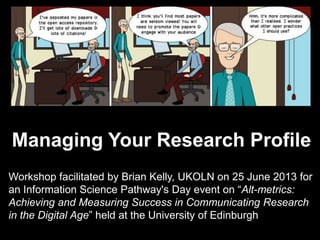
Managing Your Research Profile
Workshop facilitated by Brian Kelly, UKOLN on 25 June 2013 for
an Information Science Pathway's Day event on “Alt-metrics:
Achieving and Measuring Success in Communicating Research
in the Digital Age” held at the University of Edinburgh
UKOLN is supported by:
Managing Your Research
Profile: Introduction
Brian Kelly
UKOLN
University of Bath
Bath, UK
This work is licensed under a
Create Commons Attribution 2.0
licence (but note caveat)
Acceptable Use Policy
Recording this talk, taking photos,
having discussions using Twitter,
etc. is encouraged - but try to keep
distractions to others minimised.
Blog:
http://ukwebfocus.wordpress.com/
Twitter: @briankelly / @ukwebfocus
http://www.ukoln.ac.uk/web-focus/events/workshops/sgs-dtc-edinburgh-2013-06/
Caveat: images may not be
available with a CC licence.
Where possible, links to
source of images are
provided to help you assess
risks of reuse.
33
You are free to:
copy, share, adapt, or re-mix;
photograph, film, or broadcast;
blog, live-blog, or post video of
this presentation provided that:
You attribute the work to its author and respect the rights
and licences associated with its components.
Idea from Cameron Neylon
Slide Concept by Cameron Neylon, who has waived all copyright and related or neighbouring rights. This slide only CCZero.
Social Media Icons adapted with permission from originals by Christopher Ross. Original images are available under GPL at:
http://www.thisismyurl.com/free-downloads/15-free-speech-bubble-icons-for-popular-websites
About Me
Brian Kelly:
• UK Web Focus: national advisory post to UK HEIs
• Long-standing Web evangelist (since 1993)
• Based at UKOLN at the University of Bath
• Prolific blogger (1,100+ posts since Nov 2006)
• User of various devices to support professional
(and social) activities
• Prolific speaker (~400 talks from 1996-2012)
Research profile:
• Peer-reviewed papers published on Web
accessibility, standards, preservation, …
• Largest no. of downloaded papers from Bath IR
• Highly-cited papers in Web accessibility (e.g. W4A)4
Introduction
About This Workshop: Aims
Session aims:
Provide an understanding of how social media can:
• Enhance the visibility of research outputs
• Enable researchers to develop their professional
networks with their peers & potential collaborators
• Provide mechanisms for observing & participating
in discussions about one‟s research
This session also provides an opportunity to:
• Use of a variety of social media tools e.g.
LinkedIn, ResearchGate, Academia.edu, Twitter,
…
• Monitor interest in research outputs
• Understand strengths & limitations of such metrics
5
Introduction
Learning Objectives
By the end of the session you should:
• Be aware of the importance of being able to
develop your professional network and maximise
awareness of your research outputs
• Have made use of a variety of tools which can
support these aims
• Be aware of the need to be able to evaluate
effective usage of such tools
• Have made use of a variety of tools which can
support these aims
6
About This Workshop: Format
The format of the workshop session:
• Open: Resources are available with a Creative
Commons licence
• Interactive: There will be an opportunity for
hands-on use of the tools and services described
• Participative: Participants will be encouraged to:
 Ask questions
 Provide examples of their use of social media
 Be sceptical – ask questions if you are uncertain
or doubtful
7
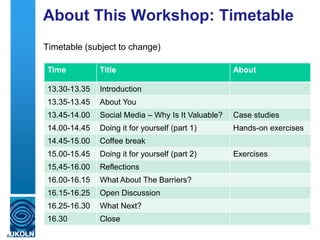
About This Workshop: Timetable
Timetable (subject to change)
8
Time Title About
13.30-13.35 Introduction
13.35-13.45 About You
13.45-14.00 Social Media – Why Is It Valuable? Case studies
14.00-14.45 Doing it for yourself (part 1) Hands-on exercises
14.45-15.00 Coffee break
15.00-15.45 Doing it for yourself (part 2) Exercises
15,45-16.00 Reflections
16.00-16.15 What About The Barriers?
16.15-16.25 Open Discussion
16.25-16.30 What Next?
16.30 Close
About You
Please introduce yourself and summarise your interests
• Your name
• What you do
• Your previous use of social web tools
• What you hope to gain from today‟s session
9
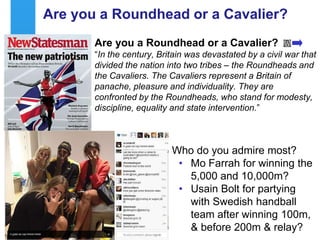
Are you a Roundhead or a Cavalier?
“In the century, Britain was devastated by a civil war that
divided the nation into two tribes – the Roundheads and
the Cavaliers. The Cavaliers represent a Britain of
panache, pleasure and individuality. They are
confronted by the Roundheads, who stand for modesty,
discipline, equality and state intervention.”
10
Who do you admire most?
• Mo Farrah for winning the
5,000 and 10,000m?
• Usain Bolt for partying
with Swedish handball
team after winning 100m,
& before 200m & relay?
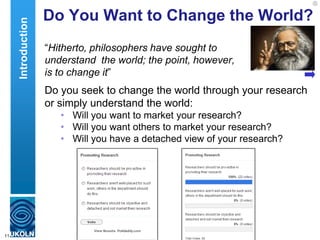
Do You Want to Change the World?
“Hitherto, philosophers have sought to
understand the world; the point, however,
is to change it”
Do you seek to change the world through your research
or simply understand the world:
• Will you want to market your research?
• Will you want others to market your research?
• Will you have a detached view of your research?
11
Introduction
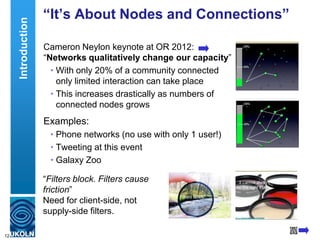
“It’s About Nodes and Connections”
Cameron Neylon keynote at OR 2012:
“Networks qualitatively change our capacity”
• With only 20% of a community connected
only limited interaction can take place
• This increases drastically as numbers of
connected nodes grows
Examples:
• Phone networks (no use with only 1 user!)
• Tweeting at this event
• Galaxy Zoo
12
“Filters block. Filters cause
friction”
Need for client-side, not
supply-side filters.
Introduction
13
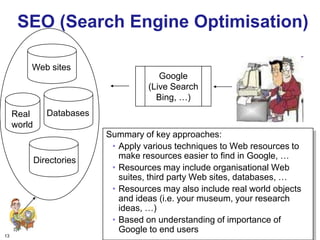
SEO (Search Engine Optimisation)
Summary of key approaches:
• Apply various techniques to Web resources to
make resources easier to find in Google, …
• Resources may include organisational Web
suites, third party Web sites, databases, …
• Resources may also include real world objects
and ideas (i.e. your museum, your research
ideas, …)
• Based on understanding of importance of
Google to end users
Databases
Web sites
Real
world
Directories
Google
(Live Search
Bing, …)
14
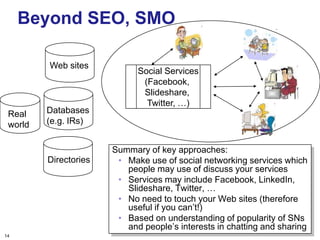
Beyond SEO, SMO
Summary of key approaches:
• Make use of social networking services which
people may use of discuss your services
• Services may include Facebook, LinkedIn,
Slideshare, Twitter, …
• No need to touch your Web sites (therefore
useful if you can‟t!)
• Based on understanding of popularity of SNs
and people‟s interests in chatting and sharing
Databases
(e.g. IRs)
Web sites
Directories
Social Services
(Facebook,
Slideshare,
Twitter, …)
Real
world
15
TheEvidence
Give Me The Evidence!
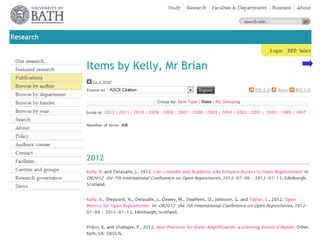
My Papers
My papers in the University of Bath Opus repository
16
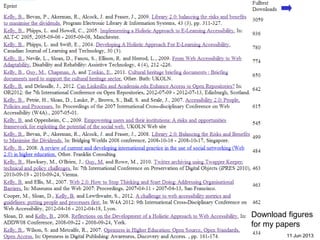
Open Access enhances access
Downloads for Brian Kelly
17 11 Jun 2013
Download figures
for my papers
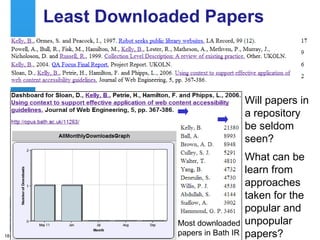
Least Downloaded Papers
Will papers in
a repository
be seldom
seen?
What can be
learn from
approaches
taken for the
popular and
unpopular
papers?18
Most downloaded
papers in Bath IR
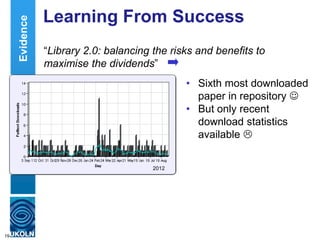
Learning From Success
“Library 2.0: balancing the risks and benefits to
maximise the dividends”
19
• Sixth most downloaded
paper in repository 
• But only recent
download statistics
available 
2012
Evidence
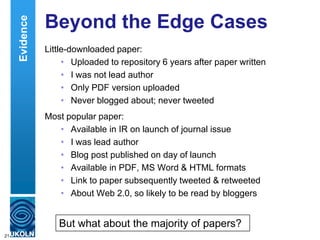
Beyond the Edge Cases
Little-downloaded paper:
• Uploaded to repository 6 years after paper written
• I was not lead author
• Only PDF version uploaded
• Never blogged about; never tweeted
Most popular paper:
• Available in IR on launch of journal issue
• I was lead author
• Blog post published on day of launch
• Available in PDF, MS Word & HTML formats
• Link to paper subsequently tweeted & retweeted
• About Web 2.0, so likely to be read by bloggers
21
But what about the majority of papers?
Evidence
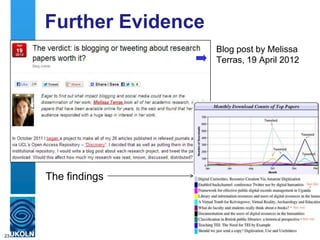
Further Evidence
Blog post by Melissa
Terras, 19 April 2012
23
The findings
Tip No. 1: Be Pro-active
Tip No. 1:
Be pro-active
24
Try it for yourself
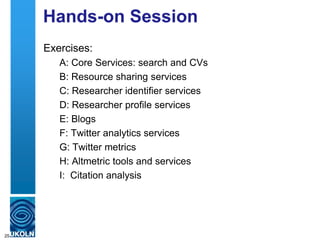
Hands-on Session
Exercises:
A: Core Services: search and CVs
B: Resource sharing services
C: Researcher identifier services
D: Researcher profile services
E: Blogs
F: Twitter analytics services
G: Twitter metrics
H: Altmetric tools and services
I: Citation analysis
25
Tip No. 7: Develop Your
Network
Tip No. 5:
Develop your network
26
About The Hands-on Exercises
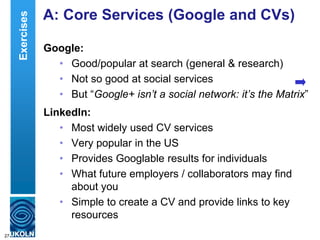
A: Core Services (Google and CVs)
Google:
• Good/popular at search (general & research)
• Not so good at social services
• But “Google+ isn’t a social network: it’s the Matrix”
LinkedIn:
• Most widely used CV services
• Very popular in the US
• Provides Googlable results for individuals
• What future employers / collaborators may find
about you
• Simple to create a CV and provide links to key
resources
27
Exercises
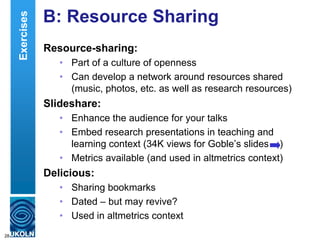
B: Resource Sharing
Resource-sharing:
• Part of a culture of openness
• Can develop a network around resources shared
(music, photos, etc. as well as research resources)
Slideshare:
• Enhance the audience for your talks
• Embed research presentations in teaching and
learning context (34K views for Goble‟s slides )
• Metrics available (and used in altmetrics context)
Delicious:
• Sharing bookmarks
• Dated – but may revive?
• Used in altmetrics context
28
Exercises
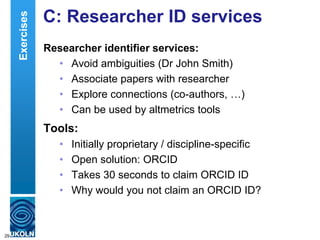
C: Researcher ID services
Researcher identifier services:
• Avoid ambiguities (Dr John Smith)
• Associate papers with researcher
• Explore connections (co-authors, …)
• Can be used by altmetrics tools
Tools:
• Initially proprietary / discipline-specific
• Open solution: ORCID
• Takes 30 seconds to claim ORCID ID
• Why would you not claim an ORCID ID?
29
Exercises
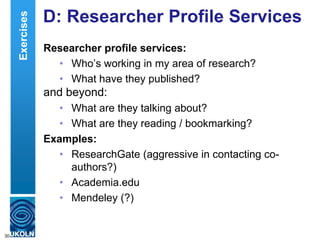
D: Researcher Profile Services
Researcher profile services:
• Who‟s working in my area of research?
• What have they published?
and beyond:
• What are they talking about?
• What are they reading / bookmarking?
Examples:
• ResearchGate (aggressive in contacting co-
authors?)
• Academia.edu
• Mendeley (?)
30
Exercises
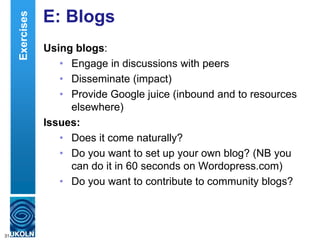
E: Blogs
Using blogs:
• Engage in discussions with peers
• Disseminate (impact)
• Provide Google juice (inbound and to resources
elsewhere)
Issues:
• Does it come naturally?
• Do you want to set up your own blog? (NB you
can do it in 60 seconds on Wordopress.com)
• Do you want to contribute to community blogs?
31
Exercises
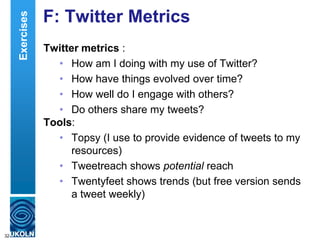
F: Twitter Metrics
Twitter metrics :
• How am I doing with my use of Twitter?
• How have things evolved over time?
• How well do I engage with others?
• Do others share my tweets?
Tools:
• Topsy (I use to provide evidence of tweets to my
resources)
• Tweetreach shows potential reach
• Twentyfeet shows trends (but free version sends
a tweet weekly)
32
Exercises
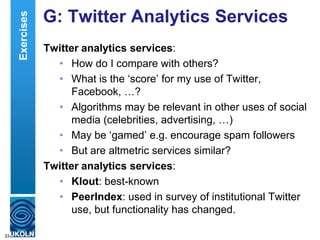
G: Twitter Analytics Services
Twitter analytics services:
• How do I compare with others?
• What is the „score‟ for my use of Twitter,
Facebook, …?
• Algorithms may be relevant in other uses of social
media (celebrities, advertising, …)
• May be „gamed‟ e.g. encourage spam followers
• But are altmetric services similar?
Twitter analytics services:
• Klout: best-known
• PeerIndex: used in survey of institutional Twitter
use, but functionality has changed.
33
Exercises
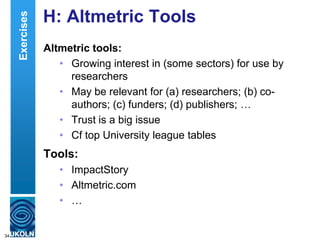
H: Altmetric Tools
Altmetric tools:
• Growing interest in (some sectors) for use by
researchers
• May be relevant for (a) researchers; (b) co-
authors; (c) funders; (d) publishers; …
• Trust is a big issue
• Cf top University league tables
Tools:
• ImpactStory
• Altmetric.com
• …
34
Exercises
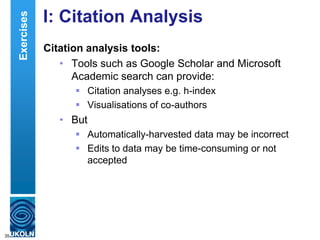
I: Citation Analysis
Citation analysis tools:
• Tools such as Google Scholar and Microsoft
Academic search can provide:
 Citation analyses e.g. h-index
 Visualisations of co-authors
• But
 Automatically-harvested data may be incorrect
 Edits to data may be time-consuming or not
accepted
35
Exercises
Tip No. 1: Be Pro-active
Tip No. 1:
Be pro-active
36
Implementation Plan
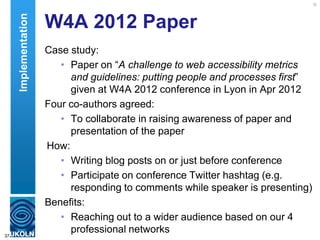
W4A 2012 Paper
Case study:
• Paper on “A challenge to web accessibility metrics
and guidelines: putting people and processes first”
given at W4A 2012 conference in Lyon in Apr 2012
Four co-authors agreed:
• To collaborate in raising awareness of paper and
presentation of the paper
How:
• Writing blog posts on or just before conference
• Participate on conference Twitter hashtag (e.g.
responding to comments while speaker is presenting)
Benefits:
• Reaching out to a wider audience based on our 4
professional networks37
Implementation
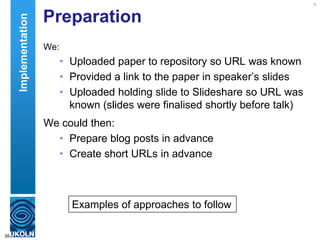
Preparation
We:
• Uploaded paper to repository so URL was known
• Provided a link to the paper in speaker‟s slides
• Uploaded holding slide to Slideshare so URL was
known (slides were finalised shortly before talk)
We could then:
• Prepare blog posts in advance
• Create short URLs in advance
38
Examples of approaches to follow
Implementation
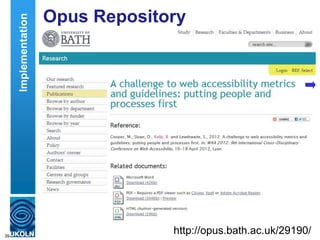
Opus Repository
Paper uploaded to Opus repository
39
http://opus.bath.ac.uk/29190/
Implementation
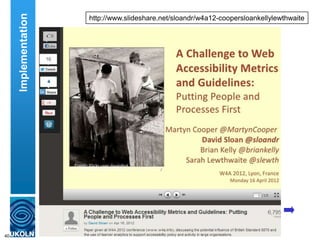
Metadata provided to give context to slides
40
http://www.slideshare.net/sloandr/w4a12-coopersloankellylewthwaite
Implementation
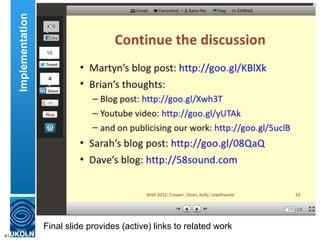
Final slide provides (active) links to related work
41
Implementation
Tip No. 3: Monitor What
Works
Tip No. 2:
Monitor what works (for you)
42
Gathering and Interpreting Evidence
Capture Statistics
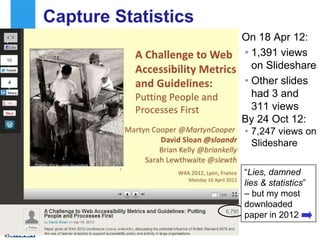
On 18 Apr 12:
• 1,391 views
on Slideshare
• Other slides
had 3 and
311 views
By 24 Oct 12:
• 7,247 views on
Slideshare
43
“Lies, damned
lies & statistics”
– but my most
downloaded
paper in 2012
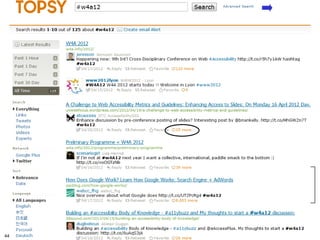
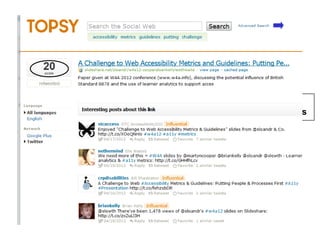
Topsy and Event Hashtag
Buzz around event
hashtag captured
by Topsy
44
Topsy & Discussion About Slides
Topsy recorded
discussions about slides
45
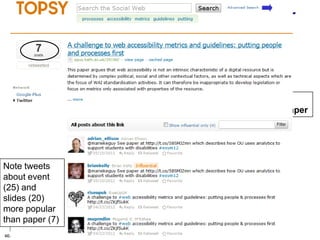
Topsy & Discussion About Paper
Topsy recorded
discussions about paper
46
Note tweets
about event
(25) and
slides (20)
more popular
than paper (7)
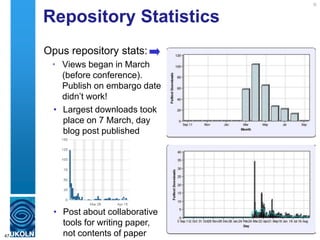
Repository Statistics
Opus repository stats:
• Views began in March
(before conference).
Publish on embargo date
didn‟t work!
47
• Largest downloads took
place on 7 March, day
blog post published
• Post about collaborative
tools for writing paper,
not contents of paper
Tip No. 4: Don’t Forget the
Links!
Tip No. 3:
Don’t forget the links
48
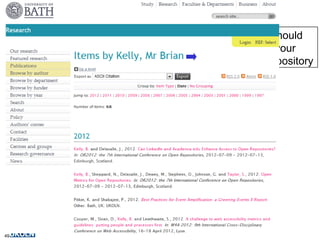
Personal Professional Profiles
The IR
Your papers should
be hosted on your
institutional repository
49
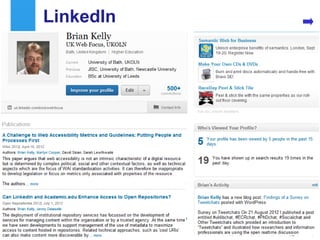
LinkedIn
Links to paper added to
• LinkedIn
• Academia.edu
• My pages on UKOLN Web site and blog
• …
50
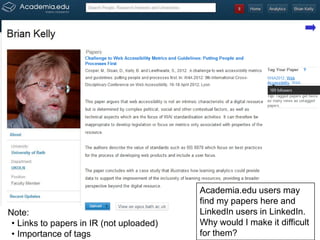
Academia.edu
Academia.edu
51
Note:
• Links to papers in IR (not uploaded)
• Importance of tags
Academia.edu users may
find my papers here and
LinkedIn users in LinkedIn.
Why would I make it difficult
for them?
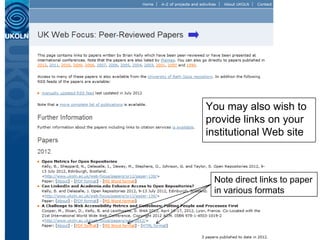
The Institutional Web Site
52
Note direct links to paper
in various formats
You may also wish to
provide links on your
institutional Web site
The Blog
If you have a blog you
can provide links to
your papers (again to
all formats)
53
Commentable Pages on Blog
Recent development:
Commentable pages for
papers with links to key
resources (IR & publisher‟s
copy, metrics, citations, …)
54
Tip No. 5: Don’t Forget the
Google Juice!
Tip No. 4:
Don‟t forget the Google juice!
55
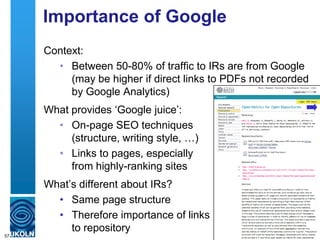
Importance of Google
Context:
• Between 50-80% of traffic to IRs are from Google
(may be higher if direct links to PDFs not recorded
by Google Analytics)
What provides „Google juice‟:
• On-page SEO techniques
(structure, writing style, …)
• Links to pages, especially
from highly-ranking sites
56
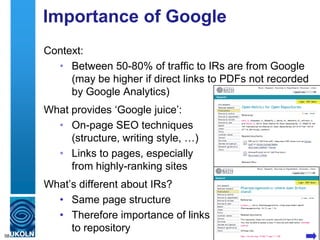
Importance of Google
Context:
• Between 50-80% of traffic to IRs are from Google
(may be higher if direct links to PDFs not recorded
by Google Analytics)
What provides „Google juice‟:
• On-page SEO techniques
(structure, writing style, …)
• Links to pages, especially
from highly-ranking sites
What‟s different about IRs?
• Same page structure
• Therefore importance of links
to repository
57
Importance of Google
Context:
• Between 50-80% of traffic to IRs are from Google
(may be higher if direct links to PDFs not recorded
by Google Analytics)
What provides „Google juice‟:
• On-page SEO techniques
(structure, writing style, …)
• Links to pages, especially
from highly-ranking sites
What‟s different about IRs?
• Same page structure
• Therefore importance of links
to repository
58
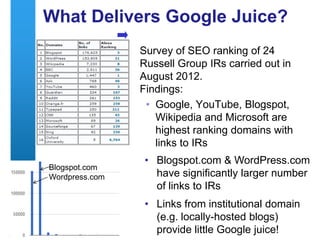
What Delivers Google Juice?
Survey of SEO ranking of 24
Russell Group IRs carried out in
August 2012.
Findings:
• Google, YouTube, Blogspot,
Wikipedia and Microsoft are
highest ranking domains with
links to IRs
59
• Blogspot.com & WordPress.com
have significantly larger number
of links to IRs
• Links from institutional domain
(e.g. locally-hosted blogs)
provide little Google juice!
Blogspot.com
Wordpress.com
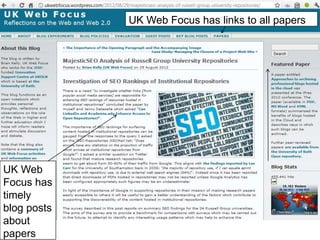
UK Web
Focus
blog has a
rotating
Featured
Paper link60
UK Web
Focus has
timely
blog posts
about
papers
UK Web Focus has links to all papers
Health Warning!
Suggestions given can help to enhance the
visibility of one’s research.
Highly visible and popular research is not
necessarily an indication of quality!
61
Tip No. 7: Develop Your
Network
Tip No. 5:
Develop your network
62
Understanding and Addressing Barriers
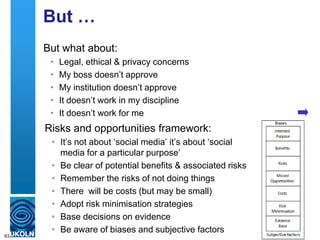
But …
But what about:
• Legal, ethical & privacy concerns
• My boss doesn‟t approve
• My institution doesn‟t approve
• It doesn‟t work in my discipline
• It doesn‟t work for me
63
Risks and opportunities framework:
• It‟s not about „social media‟ it‟s about „social
media for a particular purpose‟
• Be clear of potential benefits & associated risks
• Remember the risks of not doing things
• There will be costs (but may be small)
• Adopt risk minimisation strategies
• Base decisions on evidence
• Be aware of biases and subjective factors
Tip No. 7: Develop Your
Network
Tip No. 5:
Develop your network
64
Discussion
Discussion
Time for open discussion
65
Tip No. 7: Develop Your
Network
Tip No. 5:
Develop your network
66
Misc
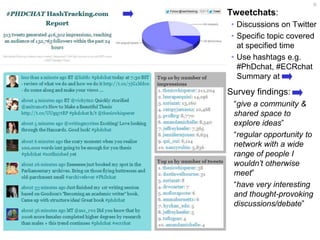
Tweetchat Tweetchats:
• Discussions on Twitter
• Specific topic covered
at specified time
• Use hashtags e.g.
#PhDchat, #ECRchat
Summary at
Survey findings:
“give a community &
shared space to
explore ideas”
“regular opportunity to
network with a wide
range of people I
wouldn’t otherwise
meet”
“have very interesting
and thought-provoking
discussions/debate”
67
Conclusions
1 Be pro-active
2 Monitor what works for you
3 Don‟t forget the links
4 Don‟t forget the Google juice
5 Develop your network
Other important tips:
6. Encourage feedback and discussion
7. Understand your network
8. Know your limits
9. Seek improvements
10.Be ethical
11.Participate
68
More comprehensive version of this
talk is available at
http://www.ukoln.ac.uk/web-
focus/events/seminars/exeter-
open-access-week-2012/
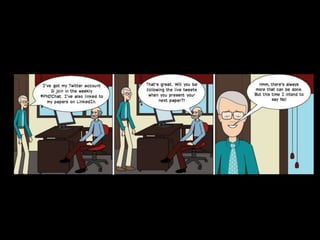
Any Questions?
Cartoon
69

Managing Your Research Profile

  • 1.
    Open Practices forthe Connected Researcher Presentation by Brian Kelly, UKOLN on 25 October 2012 for an Open Access Week event at the University of Exeter 1 Managing Your Research Profile Workshop facilitated by Brian Kelly, UKOLN on 25 June 2013 for an Information Science Pathway's Day event on “Alt-metrics: Achieving and Measuring Success in Communicating Research in the Digital Age” held at the University of Edinburgh
  • 2.
    UKOLN is supportedby: Managing Your Research Profile: Introduction Brian Kelly UKOLN University of Bath Bath, UK This work is licensed under a Create Commons Attribution 2.0 licence (but note caveat) Acceptable Use Policy Recording this talk, taking photos, having discussions using Twitter, etc. is encouraged - but try to keep distractions to others minimised. Blog: http://ukwebfocus.wordpress.com/ Twitter: @briankelly / @ukwebfocus http://www.ukoln.ac.uk/web-focus/events/workshops/sgs-dtc-edinburgh-2013-06/ Caveat: images may not be available with a CC licence. Where possible, links to source of images are provided to help you assess risks of reuse.
  • 3.
    33 You are freeto: copy, share, adapt, or re-mix; photograph, film, or broadcast; blog, live-blog, or post video of this presentation provided that: You attribute the work to its author and respect the rights and licences associated with its components. Idea from Cameron Neylon Slide Concept by Cameron Neylon, who has waived all copyright and related or neighbouring rights. This slide only CCZero. Social Media Icons adapted with permission from originals by Christopher Ross. Original images are available under GPL at: http://www.thisismyurl.com/free-downloads/15-free-speech-bubble-icons-for-popular-websites
  • 4.
    About Me Brian Kelly: •UK Web Focus: national advisory post to UK HEIs • Long-standing Web evangelist (since 1993) • Based at UKOLN at the University of Bath • Prolific blogger (1,100+ posts since Nov 2006) • User of various devices to support professional (and social) activities • Prolific speaker (~400 talks from 1996-2012) Research profile: • Peer-reviewed papers published on Web accessibility, standards, preservation, … • Largest no. of downloaded papers from Bath IR • Highly-cited papers in Web accessibility (e.g. W4A)4 Introduction
  • 5.
    About This Workshop:Aims Session aims: Provide an understanding of how social media can: • Enhance the visibility of research outputs • Enable researchers to develop their professional networks with their peers & potential collaborators • Provide mechanisms for observing & participating in discussions about one‟s research This session also provides an opportunity to: • Use of a variety of social media tools e.g. LinkedIn, ResearchGate, Academia.edu, Twitter, … • Monitor interest in research outputs • Understand strengths & limitations of such metrics 5 Introduction
  • 6.
    Learning Objectives By theend of the session you should: • Be aware of the importance of being able to develop your professional network and maximise awareness of your research outputs • Have made use of a variety of tools which can support these aims • Be aware of the need to be able to evaluate effective usage of such tools • Have made use of a variety of tools which can support these aims 6
  • 7.
    About This Workshop:Format The format of the workshop session: • Open: Resources are available with a Creative Commons licence • Interactive: There will be an opportunity for hands-on use of the tools and services described • Participative: Participants will be encouraged to:  Ask questions  Provide examples of their use of social media  Be sceptical – ask questions if you are uncertain or doubtful 7
  • 8.
    About This Workshop:Timetable Timetable (subject to change) 8 Time Title About 13.30-13.35 Introduction 13.35-13.45 About You 13.45-14.00 Social Media – Why Is It Valuable? Case studies 14.00-14.45 Doing it for yourself (part 1) Hands-on exercises 14.45-15.00 Coffee break 15.00-15.45 Doing it for yourself (part 2) Exercises 15,45-16.00 Reflections 16.00-16.15 What About The Barriers? 16.15-16.25 Open Discussion 16.25-16.30 What Next? 16.30 Close
  • 9.
    About You Please introduceyourself and summarise your interests • Your name • What you do • Your previous use of social web tools • What you hope to gain from today‟s session 9
  • 10.
    Are you aRoundhead or a Cavalier? Are you a Roundhead or a Cavalier? “In the century, Britain was devastated by a civil war that divided the nation into two tribes – the Roundheads and the Cavaliers. The Cavaliers represent a Britain of panache, pleasure and individuality. They are confronted by the Roundheads, who stand for modesty, discipline, equality and state intervention.” 10 Who do you admire most? • Mo Farrah for winning the 5,000 and 10,000m? • Usain Bolt for partying with Swedish handball team after winning 100m, & before 200m & relay?
  • 11.
    Do You Wantto Change the World? “Hitherto, philosophers have sought to understand the world; the point, however, is to change it” Do you seek to change the world through your research or simply understand the world: • Will you want to market your research? • Will you want others to market your research? • Will you have a detached view of your research? 11 Introduction
  • 12.
    “It’s About Nodesand Connections” Cameron Neylon keynote at OR 2012: “Networks qualitatively change our capacity” • With only 20% of a community connected only limited interaction can take place • This increases drastically as numbers of connected nodes grows Examples: • Phone networks (no use with only 1 user!) • Tweeting at this event • Galaxy Zoo 12 “Filters block. Filters cause friction” Need for client-side, not supply-side filters. Introduction
  • 13.
    13 SEO (Search EngineOptimisation) Summary of key approaches: • Apply various techniques to Web resources to make resources easier to find in Google, … • Resources may include organisational Web suites, third party Web sites, databases, … • Resources may also include real world objects and ideas (i.e. your museum, your research ideas, …) • Based on understanding of importance of Google to end users Databases Web sites Real world Directories Google (Live Search Bing, …)
  • 14.
    14 Beyond SEO, SMO Summaryof key approaches: • Make use of social networking services which people may use of discuss your services • Services may include Facebook, LinkedIn, Slideshare, Twitter, … • No need to touch your Web sites (therefore useful if you can‟t!) • Based on understanding of popularity of SNs and people‟s interests in chatting and sharing Databases (e.g. IRs) Web sites Directories Social Services (Facebook, Slideshare, Twitter, …) Real world
  • 15.
  • 16.
    My Papers My papersin the University of Bath Opus repository 16
  • 17.
    Open Access enhancesaccess Downloads for Brian Kelly 17 11 Jun 2013 Download figures for my papers
  • 18.
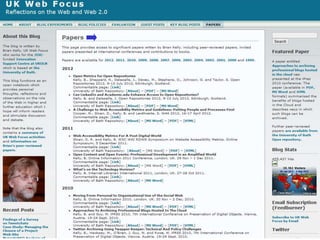
    Least Downloaded Papers Willpapers in a repository be seldom seen? What can be learn from approaches taken for the popular and unpopular papers?18 Most downloaded papers in Bath IR
  • 19.
    Learning From Success “Library2.0: balancing the risks and benefits to maximise the dividends” 19 • Sixth most downloaded paper in repository  • But only recent download statistics available  2012 Evidence
  • 21.
    Beyond the EdgeCases Little-downloaded paper: • Uploaded to repository 6 years after paper written • I was not lead author • Only PDF version uploaded • Never blogged about; never tweeted Most popular paper: • Available in IR on launch of journal issue • I was lead author • Blog post published on day of launch • Available in PDF, MS Word & HTML formats • Link to paper subsequently tweeted & retweeted • About Web 2.0, so likely to be read by bloggers 21 But what about the majority of papers? Evidence
  • 23.
    Further Evidence Blog postby Melissa Terras, 19 April 2012 23 The findings
  • 24.
    Tip No. 1:Be Pro-active Tip No. 1: Be pro-active 24 Try it for yourself
  • 25.
    Hands-on Session Exercises: A: CoreServices: search and CVs B: Resource sharing services C: Researcher identifier services D: Researcher profile services E: Blogs F: Twitter analytics services G: Twitter metrics H: Altmetric tools and services I: Citation analysis 25
  • 26.
    Tip No. 7:Develop Your Network Tip No. 5: Develop your network 26 About The Hands-on Exercises
  • 27.
    A: Core Services(Google and CVs) Google: • Good/popular at search (general & research) • Not so good at social services • But “Google+ isn’t a social network: it’s the Matrix” LinkedIn: • Most widely used CV services • Very popular in the US • Provides Googlable results for individuals • What future employers / collaborators may find about you • Simple to create a CV and provide links to key resources 27 Exercises
  • 28.
    B: Resource Sharing Resource-sharing: •Part of a culture of openness • Can develop a network around resources shared (music, photos, etc. as well as research resources) Slideshare: • Enhance the audience for your talks • Embed research presentations in teaching and learning context (34K views for Goble‟s slides ) • Metrics available (and used in altmetrics context) Delicious: • Sharing bookmarks • Dated – but may revive? • Used in altmetrics context 28 Exercises
  • 29.
    C: Researcher IDservices Researcher identifier services: • Avoid ambiguities (Dr John Smith) • Associate papers with researcher • Explore connections (co-authors, …) • Can be used by altmetrics tools Tools: • Initially proprietary / discipline-specific • Open solution: ORCID • Takes 30 seconds to claim ORCID ID • Why would you not claim an ORCID ID? 29 Exercises
  • 30.
    D: Researcher ProfileServices Researcher profile services: • Who‟s working in my area of research? • What have they published? and beyond: • What are they talking about? • What are they reading / bookmarking? Examples: • ResearchGate (aggressive in contacting co- authors?) • Academia.edu • Mendeley (?) 30 Exercises
  • 31.
    E: Blogs Using blogs: •Engage in discussions with peers • Disseminate (impact) • Provide Google juice (inbound and to resources elsewhere) Issues: • Does it come naturally? • Do you want to set up your own blog? (NB you can do it in 60 seconds on Wordopress.com) • Do you want to contribute to community blogs? 31 Exercises
  • 32.
    F: Twitter Metrics Twittermetrics : • How am I doing with my use of Twitter? • How have things evolved over time? • How well do I engage with others? • Do others share my tweets? Tools: • Topsy (I use to provide evidence of tweets to my resources) • Tweetreach shows potential reach • Twentyfeet shows trends (but free version sends a tweet weekly) 32 Exercises
  • 33.
    G: Twitter AnalyticsServices Twitter analytics services: • How do I compare with others? • What is the „score‟ for my use of Twitter, Facebook, …? • Algorithms may be relevant in other uses of social media (celebrities, advertising, …) • May be „gamed‟ e.g. encourage spam followers • But are altmetric services similar? Twitter analytics services: • Klout: best-known • PeerIndex: used in survey of institutional Twitter use, but functionality has changed. 33 Exercises
  • 34.
    H: Altmetric Tools Altmetrictools: • Growing interest in (some sectors) for use by researchers • May be relevant for (a) researchers; (b) co- authors; (c) funders; (d) publishers; … • Trust is a big issue • Cf top University league tables Tools: • ImpactStory • Altmetric.com • … 34 Exercises
  • 35.
    I: Citation Analysis Citationanalysis tools: • Tools such as Google Scholar and Microsoft Academic search can provide:  Citation analyses e.g. h-index  Visualisations of co-authors • But  Automatically-harvested data may be incorrect  Edits to data may be time-consuming or not accepted 35 Exercises
  • 36.
    Tip No. 1:Be Pro-active Tip No. 1: Be pro-active 36 Implementation Plan
  • 37.
    W4A 2012 Paper Casestudy: • Paper on “A challenge to web accessibility metrics and guidelines: putting people and processes first” given at W4A 2012 conference in Lyon in Apr 2012 Four co-authors agreed: • To collaborate in raising awareness of paper and presentation of the paper How: • Writing blog posts on or just before conference • Participate on conference Twitter hashtag (e.g. responding to comments while speaker is presenting) Benefits: • Reaching out to a wider audience based on our 4 professional networks37 Implementation
  • 38.
    Preparation We: • Uploaded paperto repository so URL was known • Provided a link to the paper in speaker‟s slides • Uploaded holding slide to Slideshare so URL was known (slides were finalised shortly before talk) We could then: • Prepare blog posts in advance • Create short URLs in advance 38 Examples of approaches to follow Implementation
  • 39.
    Opus Repository Paper uploadedto Opus repository 39 http://opus.bath.ac.uk/29190/ Implementation
  • 40.
    Metadata provided togive context to slides 40 http://www.slideshare.net/sloandr/w4a12-coopersloankellylewthwaite Implementation
  • 41.
    Final slide provides(active) links to related work 41 Implementation
  • 42.
    Tip No. 3:Monitor What Works Tip No. 2: Monitor what works (for you) 42 Gathering and Interpreting Evidence
  • 43.
    Capture Statistics On 18Apr 12: • 1,391 views on Slideshare • Other slides had 3 and 311 views By 24 Oct 12: • 7,247 views on Slideshare 43 “Lies, damned lies & statistics” – but my most downloaded paper in 2012
  • 44.
    Topsy and EventHashtag Buzz around event hashtag captured by Topsy 44
  • 45.
    Topsy & DiscussionAbout Slides Topsy recorded discussions about slides 45
  • 46.
    Topsy & DiscussionAbout Paper Topsy recorded discussions about paper 46 Note tweets about event (25) and slides (20) more popular than paper (7)
  • 47.
    Repository Statistics Opus repositorystats: • Views began in March (before conference). Publish on embargo date didn‟t work! 47 • Largest downloads took place on 7 March, day blog post published • Post about collaborative tools for writing paper, not contents of paper
  • 48.
    Tip No. 4:Don’t Forget the Links! Tip No. 3: Don’t forget the links 48 Personal Professional Profiles
  • 49.
    The IR Your papersshould be hosted on your institutional repository 49
  • 50.
    LinkedIn Links to paperadded to • LinkedIn • Academia.edu • My pages on UKOLN Web site and blog • … 50
  • 51.
    Academia.edu Academia.edu 51 Note: • Links topapers in IR (not uploaded) • Importance of tags Academia.edu users may find my papers here and LinkedIn users in LinkedIn. Why would I make it difficult for them?
  • 52.
    The Institutional WebSite 52 Note direct links to paper in various formats You may also wish to provide links on your institutional Web site
  • 53.
    The Blog If youhave a blog you can provide links to your papers (again to all formats) 53
  • 54.
    Commentable Pages onBlog Recent development: Commentable pages for papers with links to key resources (IR & publisher‟s copy, metrics, citations, …) 54
  • 55.
    Tip No. 5:Don’t Forget the Google Juice! Tip No. 4: Don‟t forget the Google juice! 55 Importance of Google
  • 56.
    Importance of Google Context: •Between 50-80% of traffic to IRs are from Google (may be higher if direct links to PDFs not recorded by Google Analytics) What provides „Google juice‟: • On-page SEO techniques (structure, writing style, …) • Links to pages, especially from highly-ranking sites 56
  • 57.
    Importance of Google Context: •Between 50-80% of traffic to IRs are from Google (may be higher if direct links to PDFs not recorded by Google Analytics) What provides „Google juice‟: • On-page SEO techniques (structure, writing style, …) • Links to pages, especially from highly-ranking sites What‟s different about IRs? • Same page structure • Therefore importance of links to repository 57
  • 58.
    Importance of Google Context: •Between 50-80% of traffic to IRs are from Google (may be higher if direct links to PDFs not recorded by Google Analytics) What provides „Google juice‟: • On-page SEO techniques (structure, writing style, …) • Links to pages, especially from highly-ranking sites What‟s different about IRs? • Same page structure • Therefore importance of links to repository 58
  • 59.
    What Delivers GoogleJuice? Survey of SEO ranking of 24 Russell Group IRs carried out in August 2012. Findings: • Google, YouTube, Blogspot, Wikipedia and Microsoft are highest ranking domains with links to IRs 59 • Blogspot.com & WordPress.com have significantly larger number of links to IRs • Links from institutional domain (e.g. locally-hosted blogs) provide little Google juice! Blogspot.com Wordpress.com
  • 60.
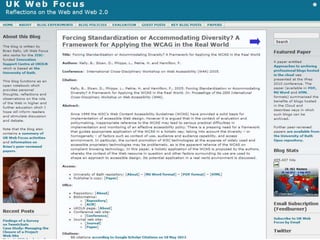
    UK Web Focus blog hasa rotating Featured Paper link60 UK Web Focus has timely blog posts about papers UK Web Focus has links to all papers
  • 61.
    Health Warning! Suggestions givencan help to enhance the visibility of one’s research. Highly visible and popular research is not necessarily an indication of quality! 61
  • 62.
    Tip No. 7:Develop Your Network Tip No. 5: Develop your network 62 Understanding and Addressing Barriers
  • 63.
    But … But whatabout: • Legal, ethical & privacy concerns • My boss doesn‟t approve • My institution doesn‟t approve • It doesn‟t work in my discipline • It doesn‟t work for me 63 Risks and opportunities framework: • It‟s not about „social media‟ it‟s about „social media for a particular purpose‟ • Be clear of potential benefits & associated risks • Remember the risks of not doing things • There will be costs (but may be small) • Adopt risk minimisation strategies • Base decisions on evidence • Be aware of biases and subjective factors
  • 64.
    Tip No. 7:Develop Your Network Tip No. 5: Develop your network 64 Discussion
  • 65.
  • 66.
    Tip No. 7:Develop Your Network Tip No. 5: Develop your network 66 Misc
  • 67.
    Tweetchat Tweetchats: • Discussionson Twitter • Specific topic covered at specified time • Use hashtags e.g. #PhDchat, #ECRchat Summary at Survey findings: “give a community & shared space to explore ideas” “regular opportunity to network with a wide range of people I wouldn’t otherwise meet” “have very interesting and thought-provoking discussions/debate” 67
  • 68.
    Conclusions 1 Be pro-active 2Monitor what works for you 3 Don‟t forget the links 4 Don‟t forget the Google juice 5 Develop your network Other important tips: 6. Encourage feedback and discussion 7. Understand your network 8. Know your limits 9. Seek improvements 10.Be ethical 11.Participate 68 More comprehensive version of this talk is available at http://www.ukoln.ac.uk/web- focus/events/seminars/exeter- open-access-week-2012/
  • 69.