Inclusive Accessibility Standards Liddy Nevile La Trobe University
Summary Inclusion Context World Wide Web Consortium work IMS GLC / ISO / DC /….. AfA work FLUID … .
Inclusion Where would we be without  Einstein, Beethoven, Edison, Roosevelt,  da Vinci or Stephen Hawking? Exclusion leads to a vicious cycle of disenfranchisement  lack of self-esteem, under-education, unemployment, poverty and social instability. Inclusion leads to a virtuous cycle of enfranchisement new ideas, flexibility and adaptability. - Jutta Treviranus
The dimensions of inclusion People with disabilities   Medical, cognitive, cultural, …. People in disabling circumstances Eyes-busy in the car, in a noisy environment, wearing safety equipment, … People in mobile environments Away from institutions, away from home, on the road, … …
Context for standards Philosophical/political differences Who’s responsible? Jurisdictional differences How’s it enforced? Industry-led standards Different goals and outcomes State-led standards Different levels of expertise Political considerations
Economic advantages Inclusive in workplace terms More people available to do the work Inclusive of new market share More people able to use the products A more inclusive, happier society
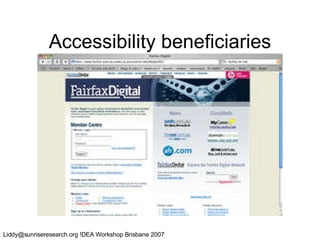
Accessibility beneficiaries
The ‘size’ of the problem
How do we know what he needs?
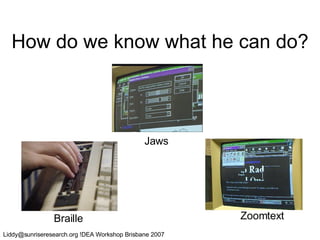
How do we know what he can do? Braille Jaws Zoomtext
How do we know what they need? they
How many options? http://www.humanfactors.com/downloads/accessibletesting.asp
Quality products or processes If the products are not perfect, what happens? The legal defence to not having good products (in Aust/NZ) is unreasonableness of the work required to have good products (ie the process) Should the quality of the process be the focus? A focus on process would support certification of compliant organisations….
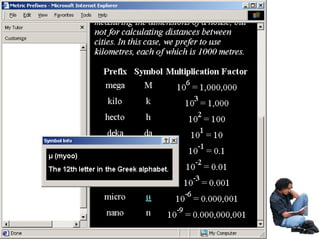
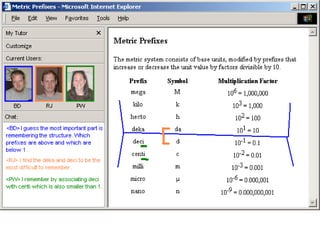
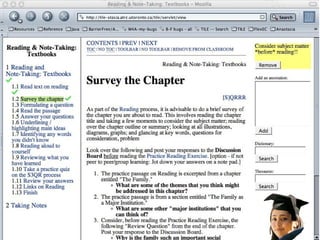
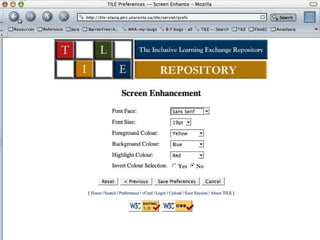
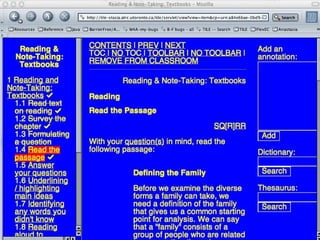
TILE E-learning environment that enables  learner-centric transformation of learning content and delivery Authoring support for transformable content and Metadata Browser Learning Object Repository Learner Preference System http: //barrierfree .ca/TILE


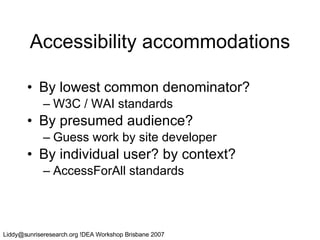
Accessibility accommodations By lowest common denominator? W3C / WAI standards By presumed audience? Guess work by site developer By individual user? by context? AccessForAll standards
Universal accessibility The World Wide Web Consortium’s  Web Accessibility Initiative’s  Web Content Accessibility Guidelines (WCAG) Authoring Tools Accessibility Guidelines (ATAG) User Agent Accessibility Guidelines (UAAG) Accessibility implications of all W3C recommendations ……
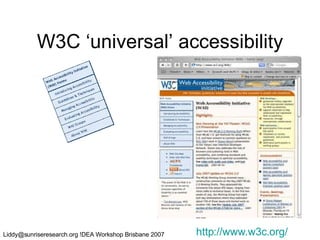
W3C ‘universal’ accessibility http://www.w3c.org/
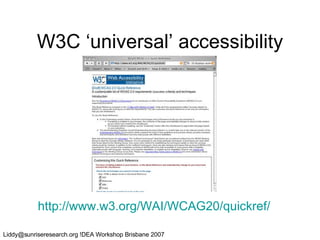
W3C ‘universal’ accessibility http://www.w3.org/WAI/WCAG20/quickref/
WAI-ARIA Is for developers of Web browsers, assistive technologies, and other user agents Web technologies (technical specifications) Accessibility evaluation tools For Web content developers and authoring tool developers, a separate document will provide best practices for implementing WAI-ARIA in Web content. But…. (Accessible Rich Internet Applications)
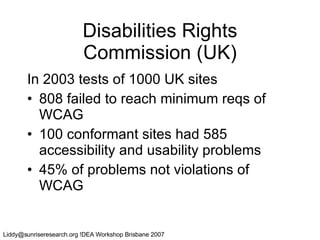
Disabilities Rights Commission (UK) In 2003 tests of 1000 UK sites 808 failed to reach minimum reqs of WCAG 100 conformant sites had 585 accessibility and usability problems 45% of problems not violations of WCAG
It seems…. no guidelines will make all sites accessible for everyone but anyway, not all sites will be accessible so a broader approach (AccessForAll) has been developed to complement the W3C WAI work.
Accessibility metadata Even if resources are accessibility standards conformant, those that suit an individual user are: not necessarily accessible to her not discoverable if they are accessible Resources that are not ‘universally’ accessible might satisfy her needs and/or preferences might have been made accessible retrospectively might be made accessible just-in-time
AccessForAll metadata Originally 3 main components: Metadata to describe needs and preferences of user Metadata to describe accessibility characteristics of resources Accessibility service to match resources to needs and preferences
AccessForAll metadata Interoperability is critical: originally for education - driven (IMS GLC) contemporaneously cross-sectoral (DCMI) ISO supported (JTC1 SC36) Government support  AGLS, NZGLS, Ontario, …
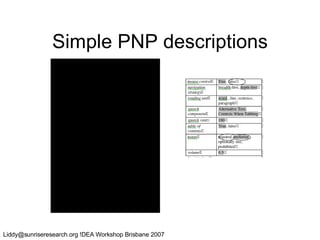
Personal Needs and Preferences (PNPs) Display:  how resources are to be presented and structured,  Control:  how resources are to be controlled and operated, and  Content:  what supplementary or alternative   resources are to be supplied.
Display preferences Where the user can’t see the text, it may need to be transformed into another mode - auditory or tactile (Braille).  Text may need to be bigger and a different colour. Images may need to be bigger.
Control preferences Some assistive technologies effectively replace the typical mouse and keyboard combination without any adjustment  but others use technologies that require special configuration.  An on-screen keyboard will use screen space e.g.
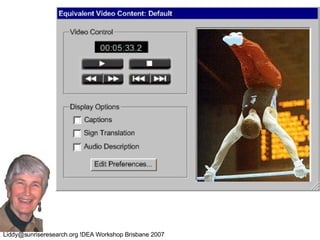
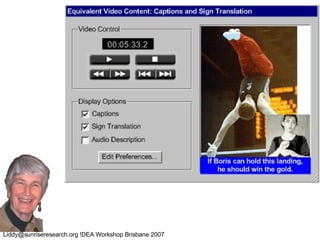
Content preferences A dyslexic person may need additional images to avoid  excessive text density a ‘foreigner’ may need an alternative language a eyes-busy person may need a text description of an image.
Simple PNP descriptions
Digital Resource Description (DRDs) Display:  how the resource can be presented and structured,  Control:  how the resource can be controlled and operated, and  Content:  what supplementary or alternative   resources are supplied with the resource.
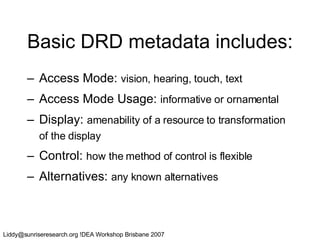
Basic DRD metadata includes: Access Mode:  vision, hearing, touch, text Access Mode Usage:  informative or ornamental Display:  amenability of a resource to transformation of the display Control:  how the method of control is flexible Alternatives:  any known alternatives
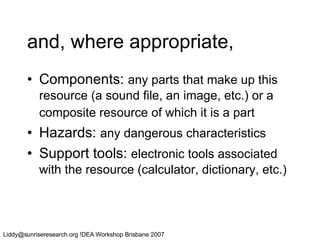
and, where appropriate, Components:  any parts that make up this resource (a sound file, an image, etc.) or a composite resource of which it is a part   Hazards:  any dangerous characteristics Support tools:  electronic tools associated with the resource (calculator, dictionary, etc.)
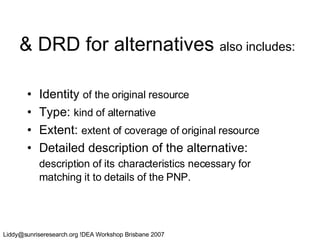
& DRD for alternatives  also includes:   Identity  of the original resource Type:  kind of alternative Extent:  extent of coverage of original resource Detailed description of the alternative:  description of its   characteristics necessary for matching it to details of the PNP.
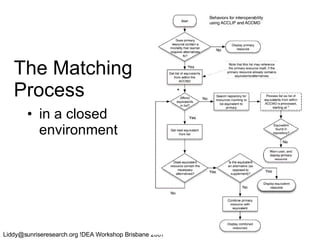
The Matching Process in a closed environment
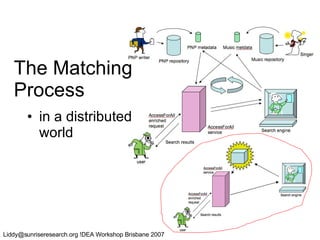
The Matching Process in a distributed world
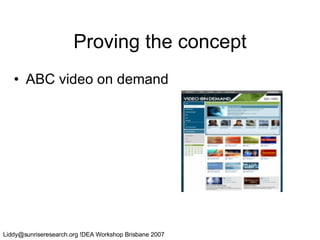
Proving the concept ABC video on demand
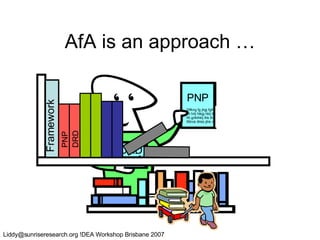
AfA is an approach … PNP DRD  Dlfkng fg jhgj fglhk fgh Rt hrtj hlkjg hklj thkkj tt Rt grlkthklj thk thl kjrthk Rthnk tlhkk jthk rth th lrt Framework PNP DRD
But …
Liddy@sunriseresearch.org !DEA Workshop Brisbane 2007
Project leadership Jutta Treviranus, ATRC, U of Toronto University of California, Berkeley University of Cambridge, UK University of British Columbia York University and  at least 5 other universities  and 3 corporations
Vision Advance status of  UI development  and design in  academic community source projects …so that they can fulfill their potential as platforms for innovation… UI = user interface, user interaction, user experience, usability and accessibility
Current Problems Systemic problem of poor and inconsistent UI Frequently left to programmers Tackled at the end Redundantly developed Inadequately tested and refined User experience (UX) designers not well integrated into development culture and….
“You say tomato, I say tomato, let’s call the whole thing off” Academic communities are very diverse  People differ greatly in preferences, needs, habits, concepts, comforts, convictions….
Different strokes for different folks… Institutional preferences and branding Conventions of academic discipline Cultural differences Linguistic differences Differences related to age Differences related to role and perspective Different teaching approaches Different learning approaches Disability and environmental constraints
Differences related to  academic discipline language (e.g., the meaning of color) values and notions of quality tools environment modes of interaction and academic engagement In academia, we foster and thrive on diversity.
Accessibility Legal commitment to equal access No system-wide strategy, band-aid approach at greater and greater cost Guidelines seen to constrain creativity
Goal:  Consistent User Experience Growing number of tools Growing number of developers A consistent identifiable look Intuitive and transparent design
Consistent User Experience vs. Accommodating Differences Do we need to choose? Or can we have our cake and eat it too?
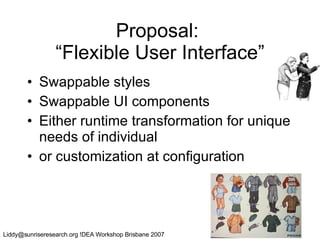
Proposal:  “Flexible User Interface” Swappable styles Swappable UI components Either runtime transformation for unique needs of individual or customization at configuration
2 Interwoven Approaches Address systemic or process shortcomings as well as education and awareness Address barriers related to the software, architecture and tools
Overarching Goal To support the precarious values of usability, accessibility, internationalization/localization, quality assurance and security To incrementally improve the overall user experience of Sakai, uPortal, Kuali Student, and Moodle
Participating Projects Sakai Collaboration and learning environment Teaching, research, and group collaboration uPortal Enterprise portal system Aggregates personalized content Moodle Learning management system Strong focus on pedagogy Kuali Student Upcoming, next generation student system Viable alternative to high-cost commercial products
Supporting Objectives To develop: architectural framework for a flexible UI living library of robust, usable, accessible UI components community processes that support innovative, high quality user experience design and development tools and processes for developing and implementing modular, sharable UI components mechanisms for refining components
The Fluid Approach Cross-project collaboration Take a holistic approach by combining both technology and UX design A two-fold path: Social : build a community around UX Technical : new UI development tools
What will FLUID build? A living library of flexible UI components that can be used across applications Easy to wire up and customize Components are more than widgets A new component framework built specifically to improve usability Semantics and specifications Integration with open source projects
User Experience & the Designer’s Toolkit
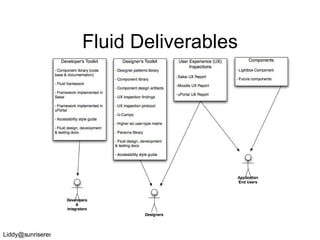
Fluid Deliverables
Designer’s Toolkit UI Design Patterns Help grow the current Sakai library Extend to uPortal and Moodle Component library Iterative design and testing Component design artifacts Design Patterns as taxonomy / folksonomy
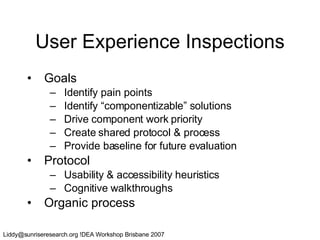
User Experience Inspections Goals Identify pain points Identify “componentizable” solutions Drive component work priority Create shared protocol & process Provide baseline for future evaluation Protocol Usability & accessibility heuristics Cognitive walkthroughs Organic process
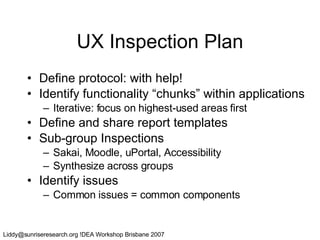
UX Inspection Plan Define protocol: with help! Identify functionality “chunks” within applications Iterative: focus on highest-used areas first Define and share report templates Sub-group Inspections Sakai, Moodle, uPortal, Accessibility Synthesize across groups Identify issues  Common issues = common components
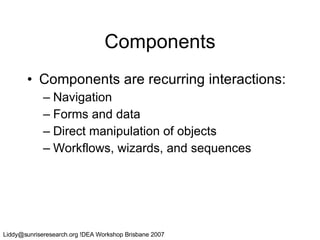
Components Components are recurring interactions: Navigation Forms and data Direct manipulation of objects Workflows, wizards, and sequences
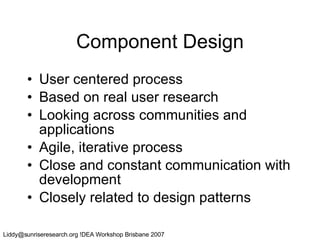
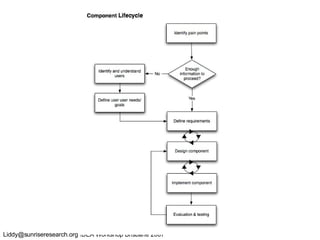
Component Design User centered process Based on real user research Looking across communities and applications Agile, iterative process Close and constant communication with development Closely related to design patterns
 
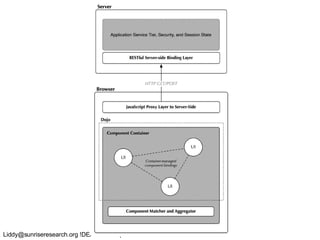
A bit about the technology Unique challenge: how to enable support for very diverse presentation technologies? Based on JavaScript, DHTML, and AJAX Thin binding layer between client and RESTful, largely stateless server Loose coupling, works across applications In summary:  Web 2.0 made more usable & accessible
Fluid Accessibility Web 2.0  will  be accessible it’s just a matter of time ARIA: Accessible Rich Internet Applications (W3C) AccessForAll for component metadata Ongoing toolkit accessibility support Dojo, YUI, others? Design specific alternatives Fluid: Accessibility from the ground up
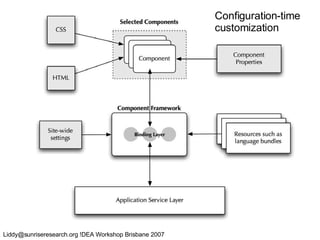
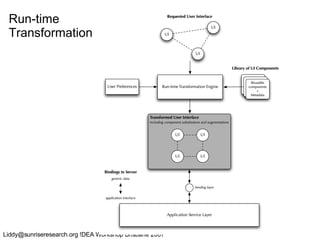
Flexibility & Customization Fluid will be a highly flexible UI layer At configuration-time: Appearance, branding, style, page text Locale, reading level, density Functionality and user experience At run-time: Swap in accessible controls Re-styling for higher contrast, etc. Components built for specific disciplines or user needs
Configuration-time  customization
Run-time Transformation
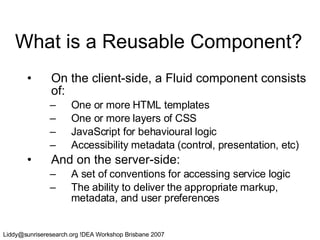
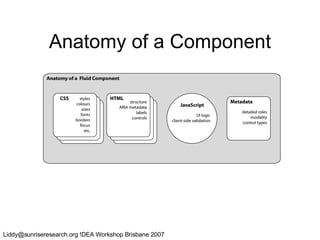
What is a Reusable Component? On the client-side, a Fluid component consists of: One or more HTML templates One or more layers of CSS JavaScript for behavioural logic Accessibility metadata (control, presentation, etc) And on the server-side: A set of conventions for accessing service logic The ability to deliver the appropriate markup, metadata, and user preferences
Anatomy of a Component
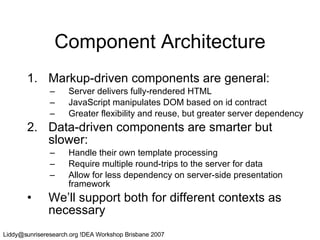
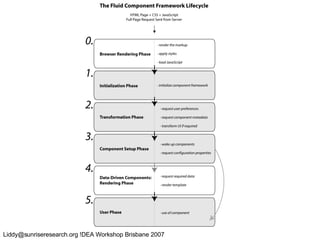
Component Architecture Markup-driven components are general: Server delivers fully-rendered HTML JavaScript manipulates DOM based on id contract Greater flexibility and reuse, but greater server dependency Data-driven components are smarter but slower: Handle their own template processing Require multiple round-trips to the server for data Allow for less dependency on server-side presentation framework We’ll support both for different contexts as necessary
 
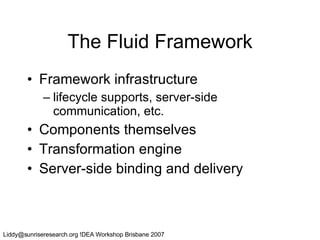
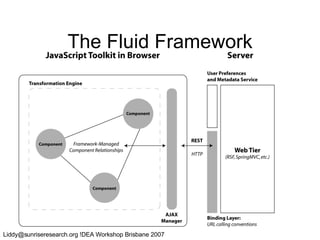
The Fluid Framework Framework infrastructure lifecycle supports, server-side communication, etc. Components themselves Transformation engine Server-side binding and delivery
The Fluid Framework
 
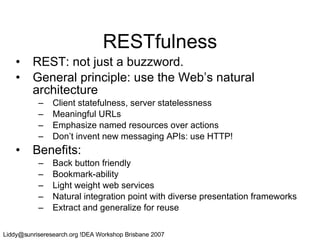
RESTfulness REST: not just a buzzword. General principle: use the Web’s natural architecture Client statefulness, server statelessness Meaningful URLs Emphasize named resources over actions Don’t invent new messaging APIs: use HTTP! Benefits: Back button friendly Bookmark-ability Light weight web services Natural integration point with diverse presentation frameworks Extract and generalize for reuse
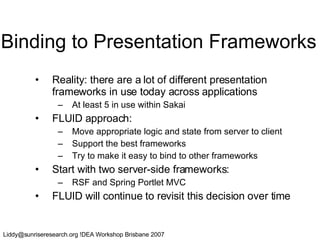
Binding to Presentation Frameworks Reality: there are a lot of different presentation frameworks in use today across applications At least 5 in use within Sakai FLUID approach: Move appropriate logic and state from server to client Support the best frameworks Try to make it easy to bind to other frameworks Start with two server-side frameworks: RSF and Spring Portlet MVC FLUID will continue to revisit this decision over time
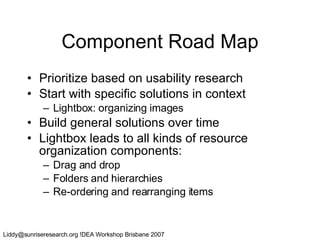
Component Road Map Prioritize based on usability research Start with specific solutions in context Lightbox: organizing images Build general solutions over time Lightbox leads to all kinds of resource organization components: Drag and drop Folders and hierarchies Re-ordering and rearranging items
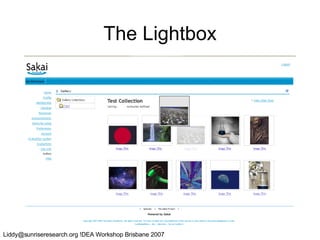
First Component: Lightbox Image Gallery: a mini iPhoto for Sakai Some clear UX problems to solve No way to re-order or sort images in albums Plans Build components for reorganizing images Create accessible controls Test in Sakai
The Lightbox
Drag & Drop Accessibility What does accessibility mean here? Keyboard access Support for magnification and linearization Focus on the goal, not the task Re-ordering images Doesn’t necessarily look like DnD What alternatives are available on the desktop? Cut and paste-style interactions
Short Term Goals Plan heuristic evaluations Foster a vibrant community Evaluate technology in practice Develop real components with candidate technology Create prototype component components Design, develop, integrate, test, iterate Create accessible alternatives or equivalents Plan ongoing architecture and design
Where FLUID’s Going Next Comprehensive usability evaluations of Sakai, uPortal, and Moodle Implementation of new components that improve high-priority UX problems Definition of new AccessForAll branch for UI components: Metadata Preferences Integration and expansion of framework Helping to make real improvements in Sakai
In Summary For more information, visit the Fluid Project web site: www.fluidproject.org Design and development work is ramping up Goal: incremental, achievable improvements Join the FLUID community, they invite your input!
Thank you.

Workshop

  • 1.
    Inclusive Accessibility StandardsLiddy Nevile La Trobe University
  • 2.
    Summary Inclusion ContextWorld Wide Web Consortium work IMS GLC / ISO / DC /….. AfA work FLUID … .
  • 3.
    Inclusion Where wouldwe be without Einstein, Beethoven, Edison, Roosevelt, da Vinci or Stephen Hawking? Exclusion leads to a vicious cycle of disenfranchisement lack of self-esteem, under-education, unemployment, poverty and social instability. Inclusion leads to a virtuous cycle of enfranchisement new ideas, flexibility and adaptability. - Jutta Treviranus
  • 4.
    The dimensions ofinclusion People with disabilities Medical, cognitive, cultural, …. People in disabling circumstances Eyes-busy in the car, in a noisy environment, wearing safety equipment, … People in mobile environments Away from institutions, away from home, on the road, … …
  • 5.
    Context for standardsPhilosophical/political differences Who’s responsible? Jurisdictional differences How’s it enforced? Industry-led standards Different goals and outcomes State-led standards Different levels of expertise Political considerations
  • 6.
    Economic advantages Inclusivein workplace terms More people available to do the work Inclusive of new market share More people able to use the products A more inclusive, happier society
  • 7.
  • 8.
    The ‘size’ ofthe problem
  • 9.
    How do weknow what he needs?
  • 10.
    How do weknow what he can do? Braille Jaws Zoomtext
  • 11.
    How do weknow what they need? they
  • 12.
    How many options?http://www.humanfactors.com/downloads/accessibletesting.asp
  • 13.
    Quality products orprocesses If the products are not perfect, what happens? The legal defence to not having good products (in Aust/NZ) is unreasonableness of the work required to have good products (ie the process) Should the quality of the process be the focus? A focus on process would support certification of compliant organisations….
  • 14.
    TILE E-learning environmentthat enables learner-centric transformation of learning content and delivery Authoring support for transformable content and Metadata Browser Learning Object Repository Learner Preference System http: //barrierfree .ca/TILE
  • 15.
  • 16.
  • 17.
  • 18.
  • 19.
  • 20.
  • 21.
  • 22.
  • 23.
    Accessibility accommodations Bylowest common denominator? W3C / WAI standards By presumed audience? Guess work by site developer By individual user? by context? AccessForAll standards
  • 24.
    Universal accessibility TheWorld Wide Web Consortium’s Web Accessibility Initiative’s Web Content Accessibility Guidelines (WCAG) Authoring Tools Accessibility Guidelines (ATAG) User Agent Accessibility Guidelines (UAAG) Accessibility implications of all W3C recommendations ……
  • 25.
  • 26.
    W3C ‘universal’ accessibilityhttp://www.w3.org/WAI/WCAG20/quickref/
  • 27.
    WAI-ARIA Is fordevelopers of Web browsers, assistive technologies, and other user agents Web technologies (technical specifications) Accessibility evaluation tools For Web content developers and authoring tool developers, a separate document will provide best practices for implementing WAI-ARIA in Web content. But…. (Accessible Rich Internet Applications)
  • 28.
    Disabilities Rights Commission(UK) In 2003 tests of 1000 UK sites 808 failed to reach minimum reqs of WCAG 100 conformant sites had 585 accessibility and usability problems 45% of problems not violations of WCAG
  • 29.
    It seems…. noguidelines will make all sites accessible for everyone but anyway, not all sites will be accessible so a broader approach (AccessForAll) has been developed to complement the W3C WAI work.
  • 30.
    Accessibility metadata Evenif resources are accessibility standards conformant, those that suit an individual user are: not necessarily accessible to her not discoverable if they are accessible Resources that are not ‘universally’ accessible might satisfy her needs and/or preferences might have been made accessible retrospectively might be made accessible just-in-time
  • 31.
    AccessForAll metadata Originally3 main components: Metadata to describe needs and preferences of user Metadata to describe accessibility characteristics of resources Accessibility service to match resources to needs and preferences
  • 32.
    AccessForAll metadata Interoperabilityis critical: originally for education - driven (IMS GLC) contemporaneously cross-sectoral (DCMI) ISO supported (JTC1 SC36) Government support AGLS, NZGLS, Ontario, …
  • 33.
    Personal Needs andPreferences (PNPs) Display: how resources are to be presented and structured, Control: how resources are to be controlled and operated, and Content: what supplementary or alternative resources are to be supplied.
  • 34.
    Display preferences Wherethe user can’t see the text, it may need to be transformed into another mode - auditory or tactile (Braille). Text may need to be bigger and a different colour. Images may need to be bigger.
  • 35.
    Control preferences Someassistive technologies effectively replace the typical mouse and keyboard combination without any adjustment but others use technologies that require special configuration. An on-screen keyboard will use screen space e.g.
  • 36.
    Content preferences Adyslexic person may need additional images to avoid excessive text density a ‘foreigner’ may need an alternative language a eyes-busy person may need a text description of an image.
  • 37.
  • 38.
    Digital Resource Description(DRDs) Display: how the resource can be presented and structured, Control: how the resource can be controlled and operated, and Content: what supplementary or alternative resources are supplied with the resource.
  • 39.
    Basic DRD metadataincludes: Access Mode: vision, hearing, touch, text Access Mode Usage: informative or ornamental Display: amenability of a resource to transformation of the display Control: how the method of control is flexible Alternatives: any known alternatives
  • 40.
    and, where appropriate,Components: any parts that make up this resource (a sound file, an image, etc.) or a composite resource of which it is a part Hazards: any dangerous characteristics Support tools: electronic tools associated with the resource (calculator, dictionary, etc.)
  • 41.
    & DRD foralternatives also includes: Identity of the original resource Type: kind of alternative Extent: extent of coverage of original resource Detailed description of the alternative: description of its characteristics necessary for matching it to details of the PNP.
  • 42.
    The Matching Processin a closed environment
  • 43.
    The Matching Processin a distributed world
  • 44.
    Proving the conceptABC video on demand
  • 45.
    AfA is anapproach … PNP DRD  Dlfkng fg jhgj fglhk fgh Rt hrtj hlkjg hklj thkkj tt Rt grlkthklj thk thl kjrthk Rthnk tlhkk jthk rth th lrt Framework PNP DRD
  • 46.
  • 47.
  • 48.
    Project leadership JuttaTreviranus, ATRC, U of Toronto University of California, Berkeley University of Cambridge, UK University of British Columbia York University and at least 5 other universities and 3 corporations
  • 49.
    Vision Advance statusof UI development and design in academic community source projects …so that they can fulfill their potential as platforms for innovation… UI = user interface, user interaction, user experience, usability and accessibility
  • 50.
    Current Problems Systemicproblem of poor and inconsistent UI Frequently left to programmers Tackled at the end Redundantly developed Inadequately tested and refined User experience (UX) designers not well integrated into development culture and….
  • 51.
    “You say tomato,I say tomato, let’s call the whole thing off” Academic communities are very diverse People differ greatly in preferences, needs, habits, concepts, comforts, convictions….
  • 52.
    Different strokes fordifferent folks… Institutional preferences and branding Conventions of academic discipline Cultural differences Linguistic differences Differences related to age Differences related to role and perspective Different teaching approaches Different learning approaches Disability and environmental constraints
  • 53.
    Differences related to academic discipline language (e.g., the meaning of color) values and notions of quality tools environment modes of interaction and academic engagement In academia, we foster and thrive on diversity.
  • 54.
    Accessibility Legal commitmentto equal access No system-wide strategy, band-aid approach at greater and greater cost Guidelines seen to constrain creativity
  • 55.
    Goal: ConsistentUser Experience Growing number of tools Growing number of developers A consistent identifiable look Intuitive and transparent design
  • 56.
    Consistent User Experiencevs. Accommodating Differences Do we need to choose? Or can we have our cake and eat it too?
  • 57.
    Proposal: “FlexibleUser Interface” Swappable styles Swappable UI components Either runtime transformation for unique needs of individual or customization at configuration
  • 58.
    2 Interwoven ApproachesAddress systemic or process shortcomings as well as education and awareness Address barriers related to the software, architecture and tools
  • 59.
    Overarching Goal Tosupport the precarious values of usability, accessibility, internationalization/localization, quality assurance and security To incrementally improve the overall user experience of Sakai, uPortal, Kuali Student, and Moodle
  • 60.
    Participating Projects SakaiCollaboration and learning environment Teaching, research, and group collaboration uPortal Enterprise portal system Aggregates personalized content Moodle Learning management system Strong focus on pedagogy Kuali Student Upcoming, next generation student system Viable alternative to high-cost commercial products
  • 61.
    Supporting Objectives Todevelop: architectural framework for a flexible UI living library of robust, usable, accessible UI components community processes that support innovative, high quality user experience design and development tools and processes for developing and implementing modular, sharable UI components mechanisms for refining components
  • 62.
    The Fluid ApproachCross-project collaboration Take a holistic approach by combining both technology and UX design A two-fold path: Social : build a community around UX Technical : new UI development tools
  • 63.
    What will FLUIDbuild? A living library of flexible UI components that can be used across applications Easy to wire up and customize Components are more than widgets A new component framework built specifically to improve usability Semantics and specifications Integration with open source projects
  • 64.
    User Experience &the Designer’s Toolkit
  • 65.
  • 66.
    Designer’s Toolkit UIDesign Patterns Help grow the current Sakai library Extend to uPortal and Moodle Component library Iterative design and testing Component design artifacts Design Patterns as taxonomy / folksonomy
  • 67.
    User Experience InspectionsGoals Identify pain points Identify “componentizable” solutions Drive component work priority Create shared protocol & process Provide baseline for future evaluation Protocol Usability & accessibility heuristics Cognitive walkthroughs Organic process
  • 68.
    UX Inspection PlanDefine protocol: with help! Identify functionality “chunks” within applications Iterative: focus on highest-used areas first Define and share report templates Sub-group Inspections Sakai, Moodle, uPortal, Accessibility Synthesize across groups Identify issues Common issues = common components
  • 69.
    Components Components arerecurring interactions: Navigation Forms and data Direct manipulation of objects Workflows, wizards, and sequences
  • 70.
    Component Design Usercentered process Based on real user research Looking across communities and applications Agile, iterative process Close and constant communication with development Closely related to design patterns
  • 71.
  • 72.
    A bit aboutthe technology Unique challenge: how to enable support for very diverse presentation technologies? Based on JavaScript, DHTML, and AJAX Thin binding layer between client and RESTful, largely stateless server Loose coupling, works across applications In summary: Web 2.0 made more usable & accessible
  • 73.
    Fluid Accessibility Web2.0 will be accessible it’s just a matter of time ARIA: Accessible Rich Internet Applications (W3C) AccessForAll for component metadata Ongoing toolkit accessibility support Dojo, YUI, others? Design specific alternatives Fluid: Accessibility from the ground up
  • 74.
    Flexibility & CustomizationFluid will be a highly flexible UI layer At configuration-time: Appearance, branding, style, page text Locale, reading level, density Functionality and user experience At run-time: Swap in accessible controls Re-styling for higher contrast, etc. Components built for specific disciplines or user needs
  • 75.
  • 76.
  • 77.
    What is aReusable Component? On the client-side, a Fluid component consists of: One or more HTML templates One or more layers of CSS JavaScript for behavioural logic Accessibility metadata (control, presentation, etc) And on the server-side: A set of conventions for accessing service logic The ability to deliver the appropriate markup, metadata, and user preferences
  • 78.
    Anatomy of aComponent
  • 79.
    Component Architecture Markup-drivencomponents are general: Server delivers fully-rendered HTML JavaScript manipulates DOM based on id contract Greater flexibility and reuse, but greater server dependency Data-driven components are smarter but slower: Handle their own template processing Require multiple round-trips to the server for data Allow for less dependency on server-side presentation framework We’ll support both for different contexts as necessary
  • 80.
  • 81.
    The Fluid FrameworkFramework infrastructure lifecycle supports, server-side communication, etc. Components themselves Transformation engine Server-side binding and delivery
  • 82.
  • 83.
  • 84.
    RESTfulness REST: notjust a buzzword. General principle: use the Web’s natural architecture Client statefulness, server statelessness Meaningful URLs Emphasize named resources over actions Don’t invent new messaging APIs: use HTTP! Benefits: Back button friendly Bookmark-ability Light weight web services Natural integration point with diverse presentation frameworks Extract and generalize for reuse
  • 85.
    Binding to PresentationFrameworks Reality: there are a lot of different presentation frameworks in use today across applications At least 5 in use within Sakai FLUID approach: Move appropriate logic and state from server to client Support the best frameworks Try to make it easy to bind to other frameworks Start with two server-side frameworks: RSF and Spring Portlet MVC FLUID will continue to revisit this decision over time
  • 86.
    Component Road MapPrioritize based on usability research Start with specific solutions in context Lightbox: organizing images Build general solutions over time Lightbox leads to all kinds of resource organization components: Drag and drop Folders and hierarchies Re-ordering and rearranging items
  • 87.
    First Component: LightboxImage Gallery: a mini iPhoto for Sakai Some clear UX problems to solve No way to re-order or sort images in albums Plans Build components for reorganizing images Create accessible controls Test in Sakai
  • 88.
  • 89.
    Drag & DropAccessibility What does accessibility mean here? Keyboard access Support for magnification and linearization Focus on the goal, not the task Re-ordering images Doesn’t necessarily look like DnD What alternatives are available on the desktop? Cut and paste-style interactions
  • 90.
    Short Term GoalsPlan heuristic evaluations Foster a vibrant community Evaluate technology in practice Develop real components with candidate technology Create prototype component components Design, develop, integrate, test, iterate Create accessible alternatives or equivalents Plan ongoing architecture and design
  • 91.
    Where FLUID’s GoingNext Comprehensive usability evaluations of Sakai, uPortal, and Moodle Implementation of new components that improve high-priority UX problems Definition of new AccessForAll branch for UI components: Metadata Preferences Integration and expansion of framework Helping to make real improvements in Sakai
  • 92.
    In Summary Formore information, visit the Fluid Project web site: www.fluidproject.org Design and development work is ramping up Goal: incremental, achievable improvements Join the FLUID community, they invite your input!
  • 93.