
Two Trainers Trade Twenty Technology  Training Tips  Internet Librarian International October 17, 2006 Rob Coers  Michael Stephens
Who We Are Rob Qualified as a music librarian Worked in several public libraries Since 1996 internet trainer and consultant in the Netherlands www.robcoers.nl
 
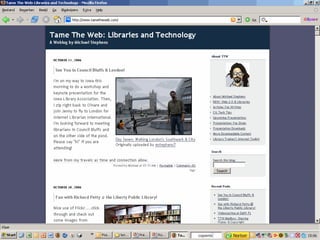
Who We Are Michael Training since 1995 in libraries PhD student & blogger Instructor, Dominican University GSLIS Fired up about tools, tech & librarians www.tametheweb.com
 
Introduction Why technology training? Why now? Technology training VS training
Our Goal: We will discuss: Teaching people how to work with technology, software and the Internet. Ways YOU can train effectively Some new ideas to think about
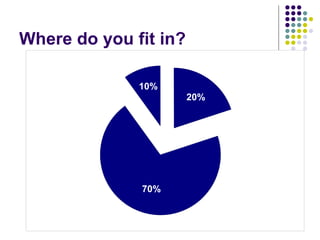
Where do you fit in?
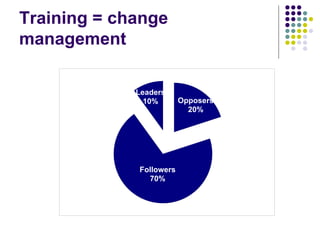
Training = change management
Organizations, libraries, colleagues, society 10 % trendsetters, early adaptors, leaders, US 70% followers, want to be guided and open to hear your story 20% oppose to everything what is new
This is what often happens As trainers we are often focused on these 20% LOST TIME, LOST ENERGY They won’t jump on anyway
So … Focus on the 70% Convince them WHY what you have to tell can be important for THEM
Emphasize on: Professionality Being ahead of others Know what is going on in the digital world Show what you know
Emphasize on: Necessity Libraries are on the edge of irrelevance Knowledge = power You may lose your job if you don’t …
Emphasize on: Personal advantages Get to meet interesting people Be the first to buy a new 2nd hand bicycle Find people with the same hobby as you
How to do all this? Tell your personal experiences with … Look at succesful libraries Tell “what’s in it for YOU”
And … “ Stop trying to provide step-by-step directions” “ Encourage independence” Brenda Hough, and Michael Porter, podcast at OPAL session
What has changed since 2005 Enormous growth of Web 2.0 applications Further expansion of Google More people get connected worldwide People have basic computer literacies
Already doing this? Mouse instructions Surfing the internet E-mail for beginners Searching the internet
Consider if you are still doing this for the 20 % of opposers
Develop new classes Tips & tricks for succesful blogging Do more with your digital camera! Explore Flickr with us Organize your life with RSS Looking for del.icio.us recipies?
Examples
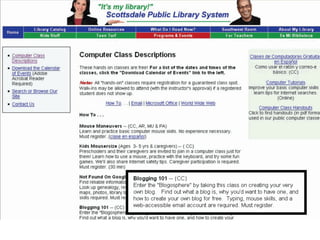
Weblogs Why train about this? How to train?
Why blog? Professionality Tell the people what is going on in your library or in your field of interest Search engines love weblogs, so get your library rank higher in their search results
Why blog? Necessity Get in control of your own press releases Get in touch with your readers
Why blog? Personal advantages Get to know other bloggers Be “in the know” It’s free, it’s easy and it’s fun to do
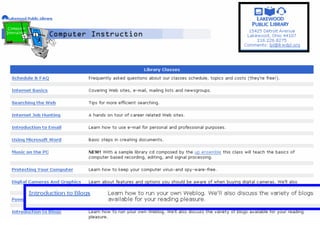
How to train on blogs? Let participants create their own weblog (WordPress, Blogger, local blogware) Start posting articles Let participants comment on postings Writing tips, how to trigger comments Find other weblogs via Bloglines
 
 
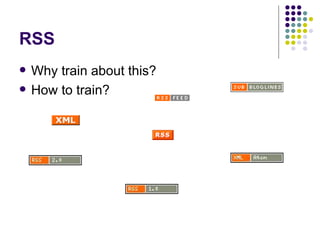
RSS Why train about this? How to train?
Why RSS? Professionality Have the library news published on other websites in your community Select local websites with RSS feeds
Why RSS? Necessity Stay on top of the news on any topic Save time by reading RSS headlines
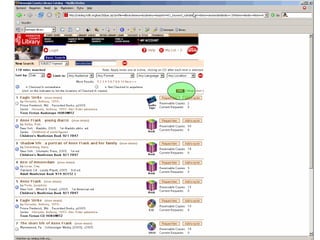
Why RSS? Personal advantages Be rss’ed on the cheapest fuel in your neighbourhood Know it when the library has new items about your subject
 
How? Comes naturally when you train about weblogs Let participants subscribe to Netvibes Show some popular news- and commericial websites with RSS
 
You may be focussing on the 70%
“ Why are we doing this?”
 
Pew Study: Millennials Team Oriented Immersed in media & gadgets (that’s mobile!) They use the Social Web and IM Accept loss of privacy for accessibility Their learning is shaped by technology & collaboration
IM is here! (AOL Instant Messaging Trends Survey, August ‘04) 80 million Americans use IM (27%) 250 million world wide 7 billion messages sent each day Pew Internet Study 53 million American adults use instant messaging and its appeal is  especially apparent among young adults and technology enthusiasts.  IM Stats
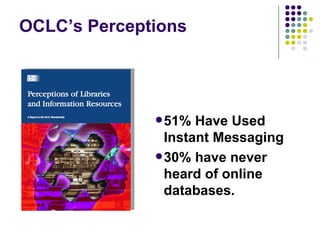
OCLC’s Perceptions 51% Have Used Instant Messaging 30% have never heard of online databases.
 
Flickr YOUR PART MICHAEL Why train about this? What to train? How to train?
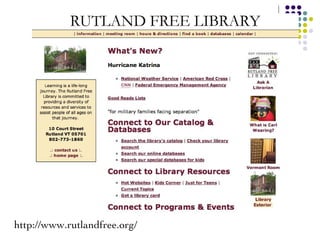
http://www.rutlandfree.org/
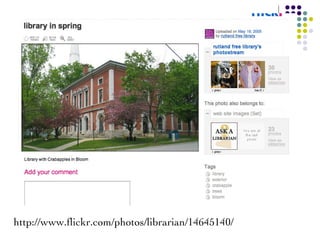
http://www.flickr.com/photos/librarian/14645140/
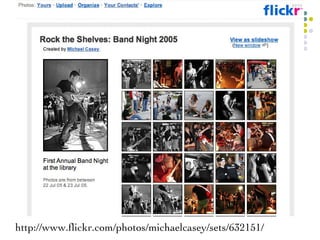
http://www.flickr.com/photos/michaelcasey/sets/632151/
 
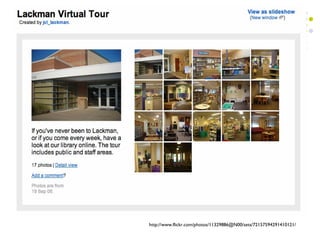
http://www.flickr.com/photos/11329886@N00/sets/72157594291410121/
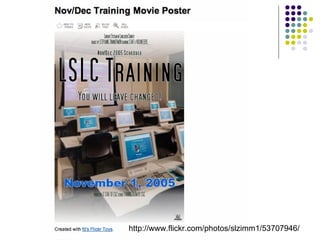
http://www.flickr.com/photos/slzimm1/53707946/
 
More Tips for Training  in a 2.0 World
Flexible Librarians &  Nimble Organizations
 
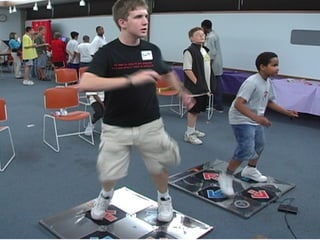
Flexible Professionals ALISE Keynote: Randall Bass Fostering a Scholarship of Teaching and a Culture of Learning Educators should ask: “ W hat happens if I try this a whole new way?” We should be teaching for understanding. Understanding = flexible performance
I think there is a small subset of active librarian bloggers who get their issues out into the air, but in general, institutional inertia keeps blogs out of the realm of useful tool and keeps them as personal side-projects. Librarian Bloggers Survey respondent 2005 Institutional Inertia
Training in person, online, off-site Part of staff development Part of the culture - up and down A well-trained staff can carry your message to your users Librarian 2.0 understands  the value of Learning & Training
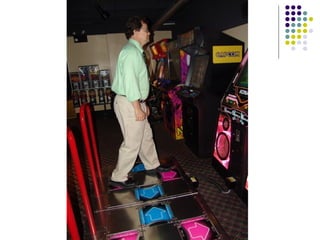
Experience & Play


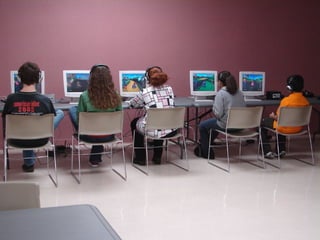
Immersion & Exploration
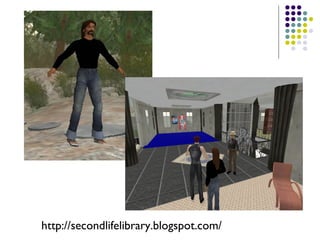
http://secondlifelibrary.blogspot.com/
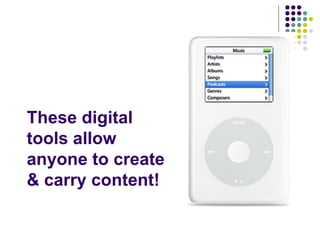
These digital tools allow anyone to create & carry content!
 
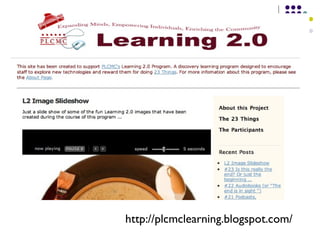
http://plcmclearning.blogspot.com/
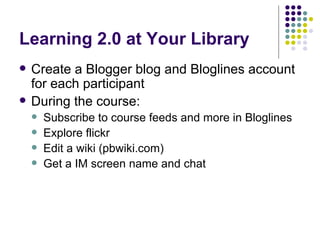
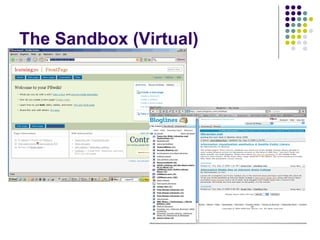
Learning 2.0 at Your Library Create a Blogger blog and Bloglines account for each participant During the course: Subscribe to course feeds and more in Bloglines Explore flickr Edit a wiki (pbwiki.com) Get a IM screen name and chat
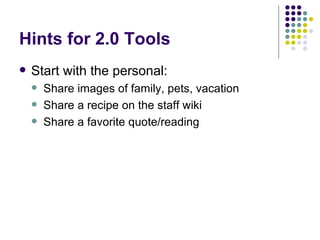
Hints for 2.0 Tools Start with the personal: Share images of family, pets, vacation Share a recipe on the staff wiki Share a favorite quote/reading
The Sandbox “ Why are we doing this?” Emerging Technology Group Time to plan for innovation Training Web 2.0
The Sandbox (Virtual)
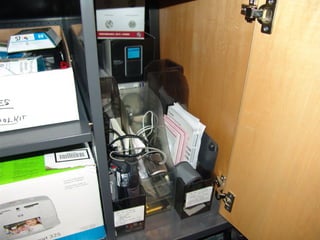
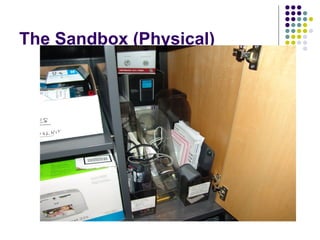
The Sandbox (Physical)
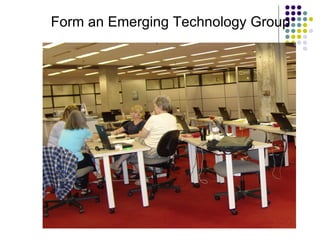
Form an Emerging Technology Group
 
Resources Delivering Top-Notch Technology Training for Your Patrons / Brenda Hough and Michael Porter Learning 2.0 weblog
Twenty Tech Training Tips 2006 Make training part of your change management strategy Have Web2.0 / Library 2.0 literacy part of competencies Focus on the 70% in your organization Be enthusiastic, believe in what you are so enthusiastic about Reconsider your current offerings Add new classes Emphasize on professionality Emphasize on necessity Emphasize on personal advantages Teach for understanding Tell the library’s story (big picture) Try, try again, play & experience (gamers) Use Web 2.0 sites for promotion Create an Emerging Technology Group Start a Learning 2.0 course Get personal first Offer a sandbox online and the “Gadget Garage” too! Share training with new technologies Devote time to Innovation Make it ok to play
Now YOU can  practice our tips! Michael: mstephens7@mac.com Rob: info@robcoers.nl

Twenty tech training tips

  • 1.
    Two Trainers TradeTwenty Technology Training Tips Internet Librarian International October 17, 2006 Rob Coers Michael Stephens
  • 2.
    Who We AreRob Qualified as a music librarian Worked in several public libraries Since 1996 internet trainer and consultant in the Netherlands www.robcoers.nl
  • 3.
  • 4.
    Who We AreMichael Training since 1995 in libraries PhD student & blogger Instructor, Dominican University GSLIS Fired up about tools, tech & librarians www.tametheweb.com
  • 5.
  • 6.
    Introduction Why technologytraining? Why now? Technology training VS training
  • 7.
    Our Goal: Wewill discuss: Teaching people how to work with technology, software and the Internet. Ways YOU can train effectively Some new ideas to think about
  • 8.
    Where do youfit in?
  • 9.
  • 10.
    Organizations, libraries, colleagues,society 10 % trendsetters, early adaptors, leaders, US 70% followers, want to be guided and open to hear your story 20% oppose to everything what is new
  • 11.
    This is whatoften happens As trainers we are often focused on these 20% LOST TIME, LOST ENERGY They won’t jump on anyway
  • 12.
    So … Focuson the 70% Convince them WHY what you have to tell can be important for THEM
  • 13.
    Emphasize on: ProfessionalityBeing ahead of others Know what is going on in the digital world Show what you know
  • 14.
    Emphasize on: NecessityLibraries are on the edge of irrelevance Knowledge = power You may lose your job if you don’t …
  • 15.
    Emphasize on: Personaladvantages Get to meet interesting people Be the first to buy a new 2nd hand bicycle Find people with the same hobby as you
  • 16.
    How to doall this? Tell your personal experiences with … Look at succesful libraries Tell “what’s in it for YOU”
  • 17.
    And … “Stop trying to provide step-by-step directions” “ Encourage independence” Brenda Hough, and Michael Porter, podcast at OPAL session
  • 18.
    What has changedsince 2005 Enormous growth of Web 2.0 applications Further expansion of Google More people get connected worldwide People have basic computer literacies
  • 19.
    Already doing this?Mouse instructions Surfing the internet E-mail for beginners Searching the internet
  • 20.
    Consider if youare still doing this for the 20 % of opposers
  • 21.
    Develop new classesTips & tricks for succesful blogging Do more with your digital camera! Explore Flickr with us Organize your life with RSS Looking for del.icio.us recipies?
  • 22.
  • 23.
    Weblogs Why trainabout this? How to train?
  • 24.
    Why blog? ProfessionalityTell the people what is going on in your library or in your field of interest Search engines love weblogs, so get your library rank higher in their search results
  • 25.
    Why blog? NecessityGet in control of your own press releases Get in touch with your readers
  • 26.
    Why blog? Personaladvantages Get to know other bloggers Be “in the know” It’s free, it’s easy and it’s fun to do
  • 27.
    How to trainon blogs? Let participants create their own weblog (WordPress, Blogger, local blogware) Start posting articles Let participants comment on postings Writing tips, how to trigger comments Find other weblogs via Bloglines
  • 28.
  • 29.
  • 30.
    RSS Why trainabout this? How to train?
  • 31.
    Why RSS? ProfessionalityHave the library news published on other websites in your community Select local websites with RSS feeds
  • 32.
    Why RSS? NecessityStay on top of the news on any topic Save time by reading RSS headlines
  • 33.
    Why RSS? Personaladvantages Be rss’ed on the cheapest fuel in your neighbourhood Know it when the library has new items about your subject
  • 34.
  • 35.
    How? Comes naturallywhen you train about weblogs Let participants subscribe to Netvibes Show some popular news- and commericial websites with RSS
  • 36.
  • 37.
    You may befocussing on the 70%
  • 38.
    “ Why arewe doing this?”
  • 39.
  • 40.
    Pew Study: MillennialsTeam Oriented Immersed in media & gadgets (that’s mobile!) They use the Social Web and IM Accept loss of privacy for accessibility Their learning is shaped by technology & collaboration
  • 41.
    IM is here!(AOL Instant Messaging Trends Survey, August ‘04) 80 million Americans use IM (27%) 250 million world wide 7 billion messages sent each day Pew Internet Study 53 million American adults use instant messaging and its appeal is especially apparent among young adults and technology enthusiasts. IM Stats
  • 42.
    OCLC’s Perceptions 51%Have Used Instant Messaging 30% have never heard of online databases.
  • 43.
  • 44.
    Flickr YOUR PARTMICHAEL Why train about this? What to train? How to train?
  • 45.
  • 46.
  • 47.
  • 48.
  • 49.
  • 50.
  • 51.
  • 52.
    More Tips forTraining in a 2.0 World
  • 53.
    Flexible Librarians & Nimble Organizations
  • 54.
  • 55.
    Flexible Professionals ALISEKeynote: Randall Bass Fostering a Scholarship of Teaching and a Culture of Learning Educators should ask: “ W hat happens if I try this a whole new way?” We should be teaching for understanding. Understanding = flexible performance
  • 56.
    I think thereis a small subset of active librarian bloggers who get their issues out into the air, but in general, institutional inertia keeps blogs out of the realm of useful tool and keeps them as personal side-projects. Librarian Bloggers Survey respondent 2005 Institutional Inertia
  • 57.
    Training in person,online, off-site Part of staff development Part of the culture - up and down A well-trained staff can carry your message to your users Librarian 2.0 understands the value of Learning & Training
  • 58.
  • 59.
  • 60.
  • 61.
  • 62.
  • 63.
  • 64.
    These digital toolsallow anyone to create & carry content!
  • 65.
  • 66.
  • 67.
    Learning 2.0 atYour Library Create a Blogger blog and Bloglines account for each participant During the course: Subscribe to course feeds and more in Bloglines Explore flickr Edit a wiki (pbwiki.com) Get a IM screen name and chat
  • 68.
    Hints for 2.0Tools Start with the personal: Share images of family, pets, vacation Share a recipe on the staff wiki Share a favorite quote/reading
  • 69.
    The Sandbox “Why are we doing this?” Emerging Technology Group Time to plan for innovation Training Web 2.0
  • 70.
  • 71.
  • 72.
    Form an EmergingTechnology Group
  • 73.
  • 74.
    Resources Delivering Top-NotchTechnology Training for Your Patrons / Brenda Hough and Michael Porter Learning 2.0 weblog
  • 75.
    Twenty Tech TrainingTips 2006 Make training part of your change management strategy Have Web2.0 / Library 2.0 literacy part of competencies Focus on the 70% in your organization Be enthusiastic, believe in what you are so enthusiastic about Reconsider your current offerings Add new classes Emphasize on professionality Emphasize on necessity Emphasize on personal advantages Teach for understanding Tell the library’s story (big picture) Try, try again, play & experience (gamers) Use Web 2.0 sites for promotion Create an Emerging Technology Group Start a Learning 2.0 course Get personal first Offer a sandbox online and the “Gadget Garage” too! Share training with new technologies Devote time to Innovation Make it ok to play
  • 76.
    Now YOU can practice our tips! Michael: mstephens7@mac.com Rob: info@robcoers.nl