An introduction to
Microsoft Office
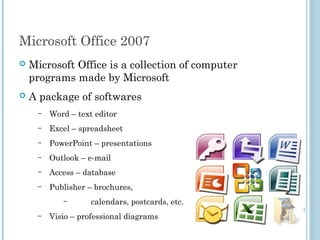
Microsoft Office 2007
 Microsoft Office is a collection of computer
programs made by Microsoft
 A package of softwares
– Word – text editor
– Excel – spreadsheet
– PowerPoint – presentations
– Outlook – e-mail
– Access – database
– Publisher – brochures,
– calendars, postcards, etc.
– Visio – professional diagrams
Microsoft Word 2007
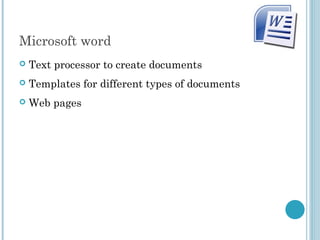
Microsoft word
 Text processor to create documents
 Templates for different types of documents
 Web pages
Simple formatting
 Text: Font, size, color, bold/italic/underline
 Layout: Bullets, numbering, alignment
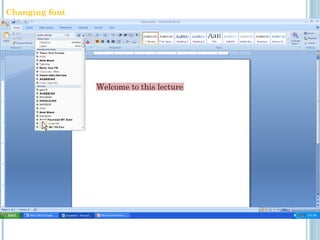
Welcome to this lecture
Changing font
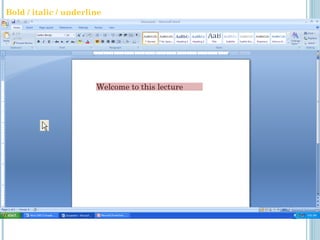
Welcome to this lecture
Bold / italic / underline
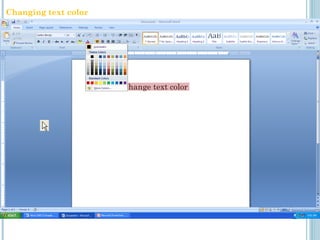
How to change text color
Changing text color
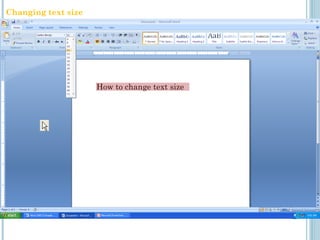
How to change text size
Changing text size
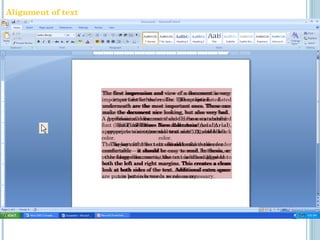
The first impression and view of a document is very
important for the reader. The options listed
underneath are the most important ones. These can
make the document nice looking, but also very bad.
A professional document should have a standard
font (like Times New Roman or Arial),
appropriate size (normal text size 12), and black
color.
The layout of the text should make the reader
comfortable – it should be easy to read. In thesis, or
other large documents, the text is often aligned to
both the left and right margins. This creates a clean
look at both sides of the text. Additional extra space
are put in between words as necessary.
The first impression and view of a document is very
important for the reader. The options listed
underneath are the most important ones. These can
make the document nice looking, but also very bad.
A professional document should have a standard
font (like Times New Roman or Arial),
appropriate size (normal text size 12), and black
color.
The layout of the text should make the reader
comfortable – it should be easy to read. In thesis, or
other large documents, the text is often aligned to
both the left and right margins. This creates a clean
look at both sides of the text. Additional extra space
are put in between words as necessary.
The first impression and view of a document is very
important for the reader. The options listed
underneath are the most important ones. These can
make the document nice looking, but also very bad.
A professional document should have a standard
font (like Times New Roman or Arial),
appropriate size (normal text size 12), and black
color.
The layout of the text should make the reader
comfortable – it should be easy to read. In thesis, or
other large documents, the text is often aligned to
both the left and right margins. This creates a clean
look at both sides of the text. Additional extra space
are put in between words as necessary.
Alignment of text
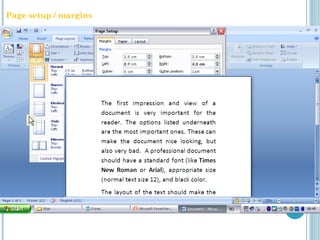
4,0 cm
0 cm
2,5 cm 2,5 cm
4,0 cm
Left
2,5 cm 2,5 cm
Page setup / margins
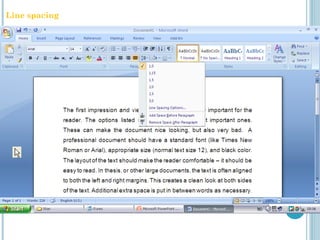
Line spacing
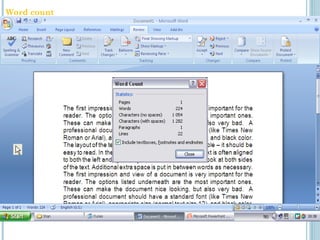
Word count
Heading 1
Heading 3
Heading 2
Texttextexttexttexttexttextexttexttexte
xttextexttexttexttexttextexttexttext
Texttextexttexttexttexttextexttexttexte
xttextexttexttexttexttextexttexttext
Heading 3
Texttextexttexttexttexttextexttexttexte
xttextexttexttexttexttextexttexttexttext
Texttextexttexttexttexttextexttexttexte
xttextexttexttexttexttextexttexttext
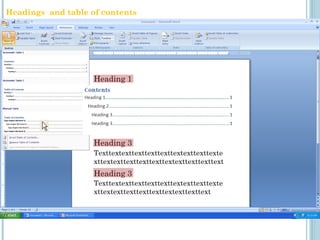
Headings and table of contents
1
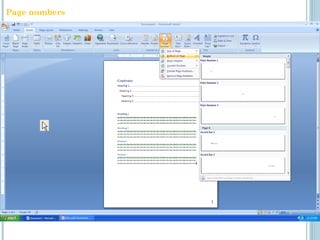
Page numbers
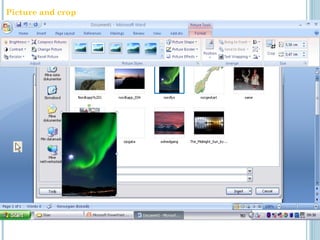
Picture and crop
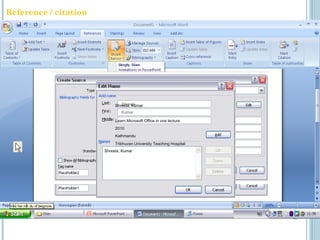
Shresta
Kumar
Shresta, Kumar
Shresta, Kumar
Learn Microsoft Office in one lecture
2010
Kathmandu
Tribhuvan University Teaching Hospital
Reference / citation
(1)
Reference list / bibliography
1
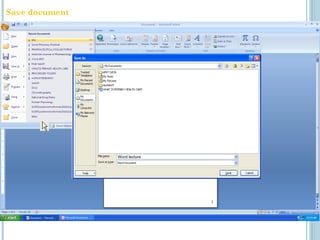
Word lecture
Save document
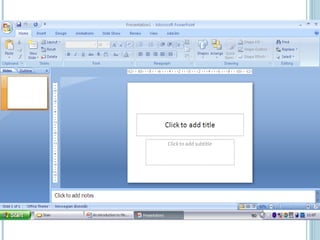
Microsoft PowerPoint
 Software to make presentations
 Templates and different designs
 Similar menu as Microsoft Word
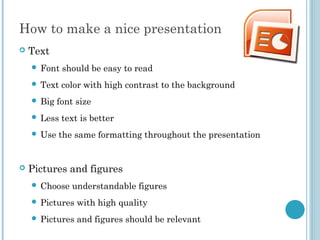
How to make a nice presentation
 Text
 Font should be easy to read
 Text color with high contrast to the background
 Big font size
 Less text is better
 Use the same formatting throughout the presentation
 Pictures and figures
 Choose understandable figures
 Pictures with high quality
 Pictures and figures should be relevant
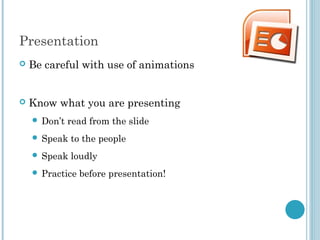
Presentation
 Be careful with use of animations
 Know what you are presenting
 Don’t read from the slide
 Speak to the people
 Speak loudly
 Practice before presentation!
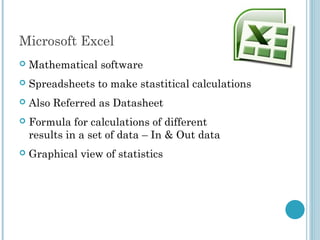
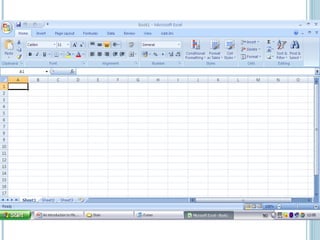
Microsoft Excel
Microsoft Excel
 Mathematical software
 Spreadsheets to make stastitical calculations
 Also Referred as Datasheet
 Formula for calculations of different
results in a set of data – In & Out data
 Graphical view of statistics
Thank You

Introduction to Microsoft Office

  • 1.
  • 2.
    Microsoft Office 2007 Microsoft Office is a collection of computer programs made by Microsoft  A package of softwares – Word – text editor – Excel – spreadsheet – PowerPoint – presentations – Outlook – e-mail – Access – database – Publisher – brochures, – calendars, postcards, etc. – Visio – professional diagrams
  • 3.
  • 4.
    Microsoft word  Textprocessor to create documents  Templates for different types of documents  Web pages
  • 5.
    Simple formatting  Text:Font, size, color, bold/italic/underline  Layout: Bullets, numbering, alignment
  • 6.
    Welcome to thislecture Changing font
  • 7.
    Welcome to thislecture Bold / italic / underline
  • 8.
    How to changetext color Changing text color
  • 9.
    How to changetext size Changing text size
  • 10.
    The first impressionand view of a document is very important for the reader. The options listed underneath are the most important ones. These can make the document nice looking, but also very bad. A professional document should have a standard font (like Times New Roman or Arial), appropriate size (normal text size 12), and black color. The layout of the text should make the reader comfortable – it should be easy to read. In thesis, or other large documents, the text is often aligned to both the left and right margins. This creates a clean look at both sides of the text. Additional extra space are put in between words as necessary. The first impression and view of a document is very important for the reader. The options listed underneath are the most important ones. These can make the document nice looking, but also very bad. A professional document should have a standard font (like Times New Roman or Arial), appropriate size (normal text size 12), and black color. The layout of the text should make the reader comfortable – it should be easy to read. In thesis, or other large documents, the text is often aligned to both the left and right margins. This creates a clean look at both sides of the text. Additional extra space are put in between words as necessary. The first impression and view of a document is very important for the reader. The options listed underneath are the most important ones. These can make the document nice looking, but also very bad. A professional document should have a standard font (like Times New Roman or Arial), appropriate size (normal text size 12), and black color. The layout of the text should make the reader comfortable – it should be easy to read. In thesis, or other large documents, the text is often aligned to both the left and right margins. This creates a clean look at both sides of the text. Additional extra space are put in between words as necessary. Alignment of text
  • 11.
    4,0 cm 0 cm 2,5cm 2,5 cm 4,0 cm Left 2,5 cm 2,5 cm Page setup / margins
  • 12.
  • 13.
  • 14.
    Heading 1 Heading 3 Heading2 Texttextexttexttexttexttextexttexttexte xttextexttexttexttexttextexttexttext Texttextexttexttexttexttextexttexttexte xttextexttexttexttexttextexttexttext Heading 3 Texttextexttexttexttexttextexttexttexte xttextexttexttexttexttextexttexttexttext Texttextexttexttexttexttextexttexttexte xttextexttexttexttexttextexttexttext Headings and table of contents
  • 15.
  • 16.
  • 17.
    Shresta Kumar Shresta, Kumar Shresta, Kumar LearnMicrosoft Office in one lecture 2010 Kathmandu Tribhuvan University Teaching Hospital Reference / citation
  • 18.
  • 19.
  • 20.
  • 21.
    Microsoft PowerPoint  Softwareto make presentations  Templates and different designs  Similar menu as Microsoft Word
  • 23.
    How to makea nice presentation  Text  Font should be easy to read  Text color with high contrast to the background  Big font size  Less text is better  Use the same formatting throughout the presentation  Pictures and figures  Choose understandable figures  Pictures with high quality  Pictures and figures should be relevant
  • 24.
    Presentation  Be carefulwith use of animations  Know what you are presenting  Don’t read from the slide  Speak to the people  Speak loudly  Practice before presentation!
  • 25.
  • 26.
    Microsoft Excel  Mathematicalsoftware  Spreadsheets to make stastitical calculations  Also Referred as Datasheet  Formula for calculations of different results in a set of data – In & Out data  Graphical view of statistics
  • 28.

Editor's Notes

  • #2 <number>
  • #3 <number>
  • #4 <number>
  • #5 <number>
  • #6 The first impression and view of a document is very important for the reader. The options listed underneath are the most important ones. These can make the document nice looking, but also very bad. A professional document should have a standard font (like Times New Roman or Arial), appropriate size (normal text size 12), and black color. The layout of the text should make the reader comfortable – it should be easy to read. In thesis, or other large documents, the text is often aligned to both the left and right margins. This creates a clean look at both sides of the text. Additional extra space are put in between words as necessary. Text: Font, size, color, bold/italic/underline Layout: Bullets, numbering, alignment, line spacing Home  [choose formatting] <number>
  • #7 <number>
  • #8 <number>
  • #9 <number>
  • #10 <number>
  • #11 <number>
  • #12 <number>
  • #13 <number>
  • #14 <number>
  • #15 <number>
  • #16 <number>
  • #17 <number>
  • #18 <number>
  • #19 <number>
  • #20 <number>
  • #21 <number>
  • #22 <number>
  • #23 <number>
  • #24 <number>
  • #25 <number>
  • #26 <number>
  • #27 <number>
  • #28 <number>
  • #29 <number>