What Is Trello?
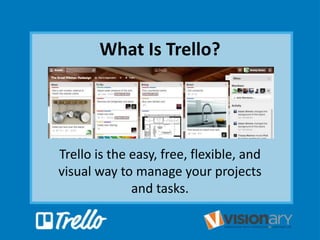
Trello is the easy, free, flexible, and
visual way to manage your projects
and tasks.
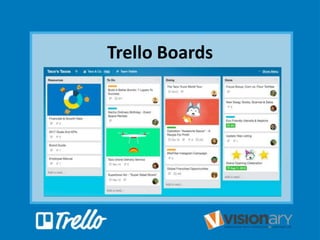
Trello Boards
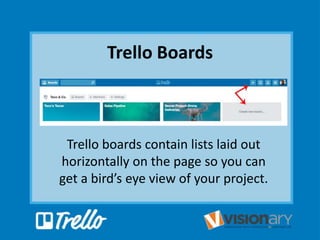
Trello Boards
Trello boards contain lists laid out
horizontally on the page so you can
get a bird’s eye view of your project.
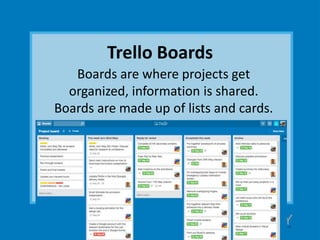
Trello Boards
Boards are where projects get
organized, information is shared.
Boards are made up of lists and cards.
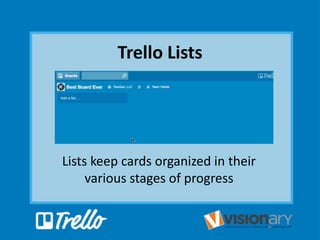
Trello Lists
Lists keep cards organized in their
various stages of progress
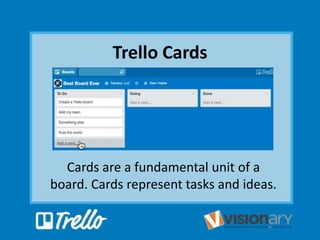
Trello Cards
Cards are a fundamental unit of a
board. Cards represent tasks and ideas.
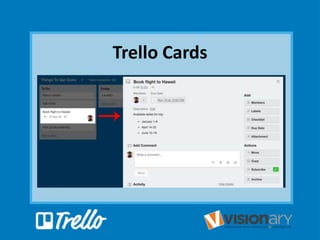
Trello Cards
Trello Cards
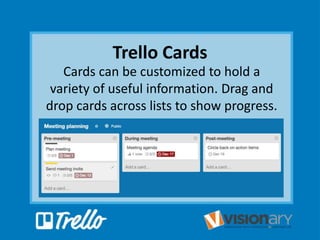
Cards can be customized to hold a
variety of useful information. Drag and
drop cards across lists to show progress.
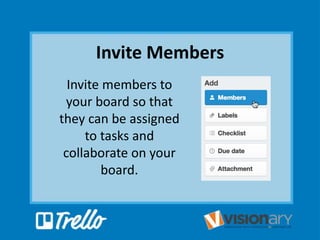
Invite Members
Invite members to
your board so that
they can be assigned
to tasks and
collaborate on your
board.
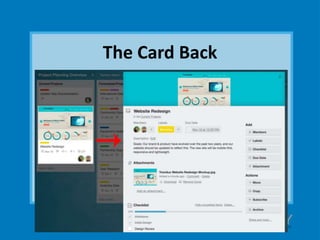
The Card Back
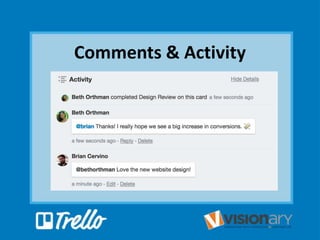
Comments & Activity
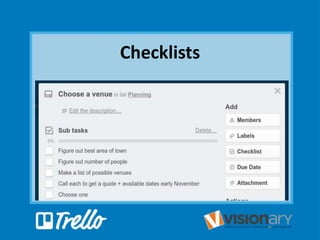
Checklists
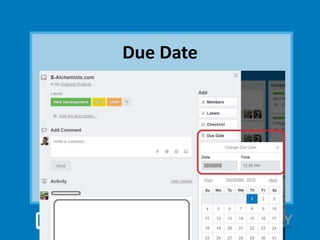
Due Date
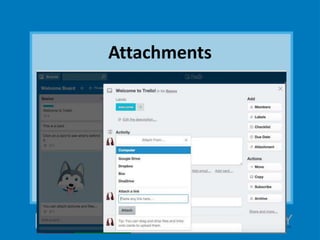
Attachments
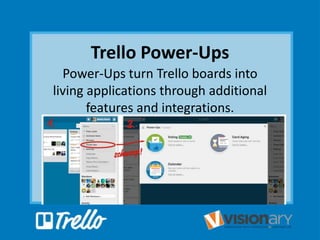
Trello Power-Ups
Power-Ups turn Trello boards into
living applications through additional
features and integrations.
trello.com
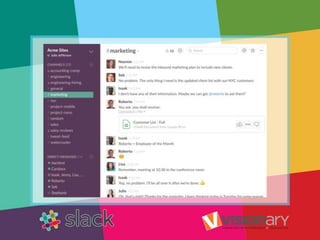
What Is Slack?
Slack is an instant messaging and
collaboration system on steroids.
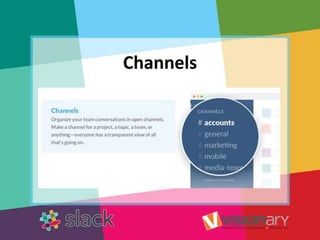
Channels
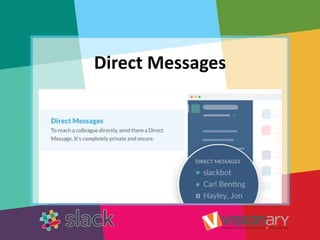
Direct Messages
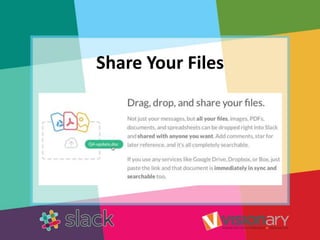
Share Your Files
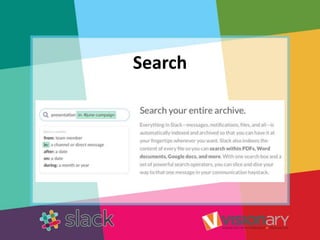
Search
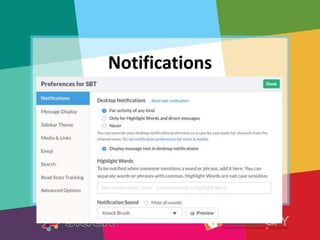
Notifications
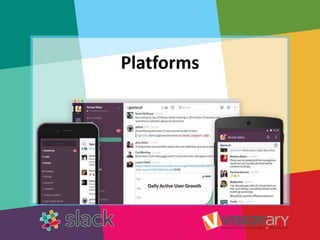
Platforms
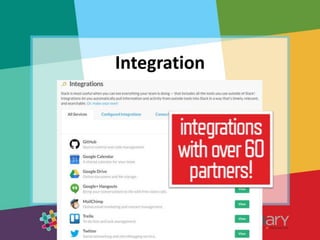
Integration
slack.com
WHAT IS EVERNOTE?
A Suite of Software and
Services Designed for
Notetaking and Archiving.
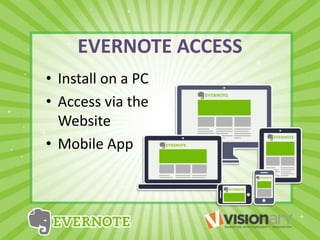
EVERNOTE ACCESS
• Install on a PC
• Access via the
Website
• Mobile App
USE EVERNOTE FOR:
STORING IMAGES
Business Cards
Accident Info
Expense Reports
Receipts
Whiteboards
Screen Capture
SAVING DOCUMENTS
PDFs, Word, Excel
Power Point
IMPORTANT DATA
Passwords
Contacts
Encrypt Content
USE EVERNOTE FOR:
RECORDING YOUR THOUGHTS
Record audio from your computer
or mobile device
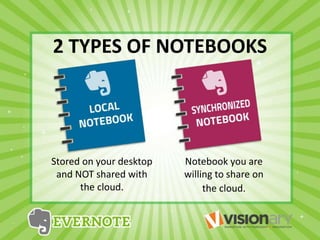
2 TYPES OF NOTEBOOKS
Stored on your desktop
and NOT shared with
the cloud.
Notebook you are
willing to share on
the cloud.
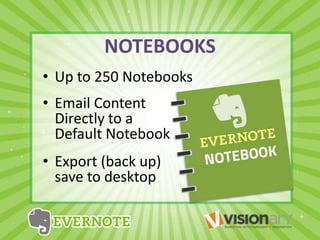
NOTEBOOKS
• Up to 250 Notebooks
• Email Content
Directly to a
Default Notebook
• Export (back up)
save to desktop
A NOTE CAN BE…
• Formatted Text
• A Webpage
• Photograph
• Voice Memo
• Handwritten Note
A NOTE ABOUT NOTES
• Can Have Attachments
• Sorted into Folders
• Annotated
• Tagged
NOTES CAN BE…
• Given Comments
• Searched
• Exported
• Shared
• Edited
WORKING WITH NOTES
• Create Text Note
• Paste PDF into Note
• Create Multi-Media Notes
• Add Screenshots
• Clip Web Content
• Merge Multiple Notes
• Create a Note from Email
SORTING NOTES
• Create Tags
(Group Notes)
• Find Text in Notes
• Advanced Search
Options
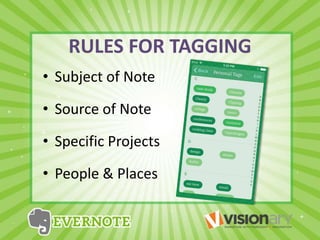
RULES FOR TAGGING
• Subject of Note
• Source of Note
• Specific Projects
• People & Places
PRODUCTS
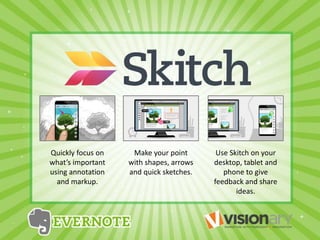
Quickly focus on
what’s important
using annotation
and markup.
Make your point
with shapes, arrows
and quick sketches.
Use Skitch on your
desktop, tablet and
phone to give
feedback and share
ideas.
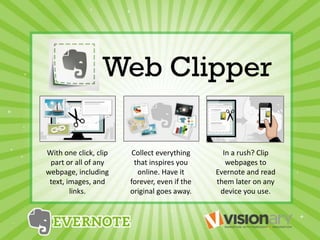
With one click, clip
part or all of any
webpage, including
text, images, and
links.
Collect everything
that inspires you
online. Have it
forever, even if the
original goes away.
In a rush? Clip
webpages to
Evernote and read
them later on any
device you use.
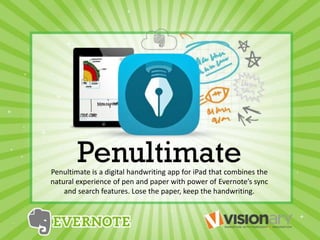
Penultimate is a digital handwriting app for iPad that combines the
natural experience of pen and paper with power of Evernote’s sync
and search features. Lose the paper, keep the handwriting.
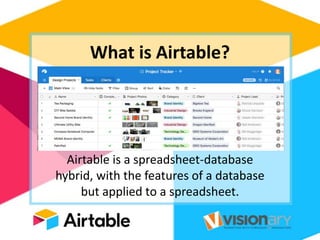
What is Airtable?
Airtable is a spreadsheet-database
hybrid, with the features of a database
but applied to a spreadsheet.
Airtable has six basic
components:
• Bases
• Tables
• Views
• Fields
• Records
• Teams
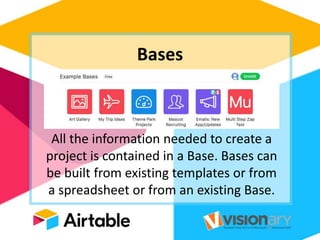
Bases
All the information needed to create a
project is contained in a Base. Bases can
be built from existing templates or from
a spreadsheet or from an existing Base.
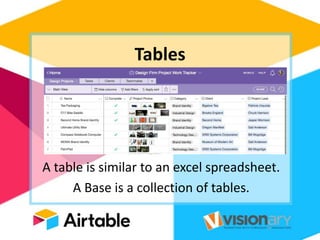
Tables
A table is similar to an excel spreadsheet.
A Base is a collection of tables.
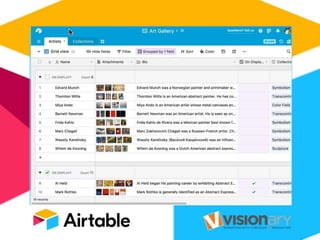
Views
Views show the result sets of
data queries and can be
saved for future purposes.
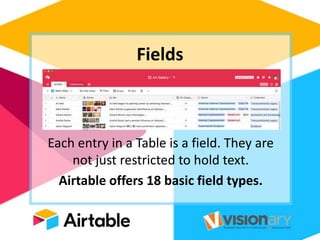
Fields
Each entry in a Table is a field. They are
not just restricted to hold text.
Airtable offers 18 basic field types.
Records
Each row of a
Table is a Record.
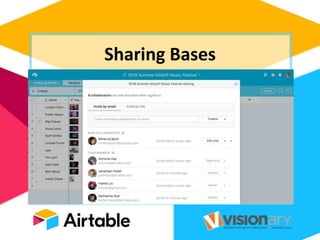
Sharing Bases
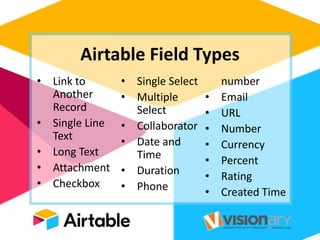
Airtable Field Types
• Link to
Another
Record
• Single Line
Text
• Long Text
• Attachment
• Checkbox
• Single Select
• Multiple
Select
• Collaborator
• Date and
Time
• Duration
• Phone
number
• Email
• URL
• Number
• Currency
• Percent
• Rating
• Created Time
Link to Another Record
A linked record field is a powerful
way to link together related
tables in a base.
Single Line Text
A single line text field accepts a
single line of text for each cell.
You can put any text value you
want into each cell.
Long Text
A long text field is great when
you need to keep notes or
multiple lines of text in each
record.
Attachment
The attachment field allows you to
attach multiple files directly to your
Airtable records. If the file is an image,
the cell will show thumbnails.
Checkbox
A checkbox field is useful for true/false
values within a record or a checkbox
field called "Done" that you can check
off when a task is complete.
Single Select
A single select field is ideal when
you want to be able to select a
single option from a preset list of
options.
Multiple Select
Select predetermined options from
a list. Unlike a single select field,
however, you can select as many
options as you'd like per cell.
Date and Time
A date field allows you to easily
enter a date and optionally a time
into a cell using a calendar widget to
select a specific date.
Phone Number
Phone number fields are particularly
advantageous on mobile where you
can also tap buttons to call or text
that number.
Email
A email field is intended to store a
single email address in each cell that
is a clickable link.
URL
A URL field is intended to store a
single URL in each cell. Clicking on a
URL will bring you to that URL.
Number
A number field will only accept a
number value, and provide
formatting options for the number.
Currency
A currency field is a specific type of
number column that formats the
number as a currency amount. You
can specify a currency symbol.
Percent
A percent field is a specific type of
number column that formats the
number as a percentage.
Rating
The rating field allows you to rate
your records for the purposes of
ranking or quality assessment.
Airtable.com
This presentation is available on:

Cloud-Based Productivity Tools for Business

  • 3.
    What Is Trello? Trellois the easy, free, flexible, and visual way to manage your projects and tasks.
  • 4.
  • 5.
    Trello Boards Trello boardscontain lists laid out horizontally on the page so you can get a bird’s eye view of your project.
  • 6.
    Trello Boards Boards arewhere projects get organized, information is shared. Boards are made up of lists and cards.
  • 7.
    Trello Lists Lists keepcards organized in their various stages of progress
  • 8.
    Trello Cards Cards area fundamental unit of a board. Cards represent tasks and ideas.
  • 9.
  • 10.
    Trello Cards Cards canbe customized to hold a variety of useful information. Drag and drop cards across lists to show progress.
  • 11.
    Invite Members Invite membersto your board so that they can be assigned to tasks and collaborate on your board.
  • 12.
  • 13.
  • 14.
  • 15.
  • 16.
  • 17.
    Trello Power-Ups Power-Ups turnTrello boards into living applications through additional features and integrations.
  • 19.
  • 21.
    What Is Slack? Slackis an instant messaging and collaboration system on steroids.
  • 23.
  • 24.
  • 25.
  • 26.
  • 27.
  • 28.
  • 29.
  • 30.
  • 32.
    WHAT IS EVERNOTE? ASuite of Software and Services Designed for Notetaking and Archiving.
  • 33.
    EVERNOTE ACCESS • Installon a PC • Access via the Website • Mobile App
  • 34.
    USE EVERNOTE FOR: STORINGIMAGES Business Cards Accident Info Expense Reports Receipts Whiteboards Screen Capture SAVING DOCUMENTS PDFs, Word, Excel Power Point IMPORTANT DATA Passwords Contacts Encrypt Content
  • 35.
    USE EVERNOTE FOR: RECORDINGYOUR THOUGHTS Record audio from your computer or mobile device
  • 36.
    2 TYPES OFNOTEBOOKS Stored on your desktop and NOT shared with the cloud. Notebook you are willing to share on the cloud.
  • 37.
    NOTEBOOKS • Up to250 Notebooks • Email Content Directly to a Default Notebook • Export (back up) save to desktop
  • 38.
    A NOTE CANBE… • Formatted Text • A Webpage • Photograph • Voice Memo • Handwritten Note
  • 39.
    A NOTE ABOUTNOTES • Can Have Attachments • Sorted into Folders • Annotated • Tagged
  • 40.
    NOTES CAN BE… •Given Comments • Searched • Exported • Shared • Edited
  • 41.
    WORKING WITH NOTES •Create Text Note • Paste PDF into Note • Create Multi-Media Notes • Add Screenshots • Clip Web Content • Merge Multiple Notes • Create a Note from Email
  • 42.
    SORTING NOTES • CreateTags (Group Notes) • Find Text in Notes • Advanced Search Options
  • 43.
    RULES FOR TAGGING •Subject of Note • Source of Note • Specific Projects • People & Places
  • 44.
  • 45.
    Quickly focus on what’simportant using annotation and markup. Make your point with shapes, arrows and quick sketches. Use Skitch on your desktop, tablet and phone to give feedback and share ideas.
  • 46.
    With one click,clip part or all of any webpage, including text, images, and links. Collect everything that inspires you online. Have it forever, even if the original goes away. In a rush? Clip webpages to Evernote and read them later on any device you use.
  • 47.
    Penultimate is adigital handwriting app for iPad that combines the natural experience of pen and paper with power of Evernote’s sync and search features. Lose the paper, keep the handwriting.
  • 49.
    What is Airtable? Airtableis a spreadsheet-database hybrid, with the features of a database but applied to a spreadsheet.
  • 50.
    Airtable has sixbasic components: • Bases • Tables • Views • Fields • Records • Teams
  • 51.
    Bases All the informationneeded to create a project is contained in a Base. Bases can be built from existing templates or from a spreadsheet or from an existing Base.
  • 52.
    Tables A table issimilar to an excel spreadsheet. A Base is a collection of tables.
  • 53.
    Views Views show theresult sets of data queries and can be saved for future purposes.
  • 55.
    Fields Each entry ina Table is a field. They are not just restricted to hold text. Airtable offers 18 basic field types.
  • 56.
    Records Each row ofa Table is a Record.
  • 57.
  • 58.
    Airtable Field Types •Link to Another Record • Single Line Text • Long Text • Attachment • Checkbox • Single Select • Multiple Select • Collaborator • Date and Time • Duration • Phone number • Email • URL • Number • Currency • Percent • Rating • Created Time
  • 59.
    Link to AnotherRecord A linked record field is a powerful way to link together related tables in a base.
  • 60.
    Single Line Text Asingle line text field accepts a single line of text for each cell. You can put any text value you want into each cell.
  • 61.
    Long Text A longtext field is great when you need to keep notes or multiple lines of text in each record.
  • 62.
    Attachment The attachment fieldallows you to attach multiple files directly to your Airtable records. If the file is an image, the cell will show thumbnails.
  • 63.
    Checkbox A checkbox fieldis useful for true/false values within a record or a checkbox field called "Done" that you can check off when a task is complete.
  • 64.
    Single Select A singleselect field is ideal when you want to be able to select a single option from a preset list of options.
  • 65.
    Multiple Select Select predeterminedoptions from a list. Unlike a single select field, however, you can select as many options as you'd like per cell.
  • 66.
    Date and Time Adate field allows you to easily enter a date and optionally a time into a cell using a calendar widget to select a specific date.
  • 67.
    Phone Number Phone numberfields are particularly advantageous on mobile where you can also tap buttons to call or text that number.
  • 68.
    Email A email fieldis intended to store a single email address in each cell that is a clickable link.
  • 69.
    URL A URL fieldis intended to store a single URL in each cell. Clicking on a URL will bring you to that URL.
  • 70.
    Number A number fieldwill only accept a number value, and provide formatting options for the number.
  • 71.
    Currency A currency fieldis a specific type of number column that formats the number as a currency amount. You can specify a currency symbol.
  • 72.
    Percent A percent fieldis a specific type of number column that formats the number as a percentage.
  • 73.
    Rating The rating fieldallows you to rate your records for the purposes of ranking or quality assessment.
  • 74.
  • 75.
    This presentation isavailable on:

Editor's Notes

  • #4 Trello is the easy, free, flexible, and visual way to manage your projects and tasks.
  • #6 Trello boards contain lists laid out horizontally on the page so you can get a bird’s eye view of your project.
  • #7 Boards are where projects get organized, information is shared. Boards are made up of lists and cards.
  • #8 Lists keep cards organized in their various stages of progress
  • #9 Cards are a fundamental unit of a board. Cards represent tasks and ideas.
  • #11 Cards can be customized to hold a variety of useful information. Drag and drop cards across lists to show progress.
  • #12 Invite members to your board so that they can be assigned to tasks and collaborate on your board.
  • #13 Card Descriptions - Add more specific information about your card, links to websites, or step by step directions.
  • #14 Comments can be added to cards when communicating and collaborating with team members, like giving feedback or updates. @ mention a member of your board or team in a comment and they will receive a notification in Trello. The activity feed is a timeline of all of the comments and actions on a card.
  • #15 Add Checklists for cards that require subtasks or have multiple steps to make sure nothing falls through the cracks.
  • #16 Add Checklists for cards that require subtasks or have multiple steps to make sure nothing falls through the cracks.
  • #17 Add Attachments from both your computer and many cloud storage services like Dropbox, Google Drive, Box, and OneDrive.
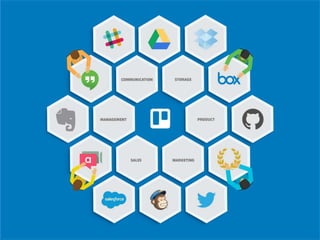
  • #18 Power-Ups turn Trello boards into living applications through additional features and integrations. Power-ups are only available in the paid version.
  • #22 Slack is an instant messaging and collaboration system on steroids.
  • #24 Slack’s channels help you focus by enabling you to separate messages, discussions and notifications by purpose, department or topic:
  • #25 When you need to send a message to one person instead of a group, Slack provides traditional instant messaging functionality for you to do so:
  • #26 Sharing documents is one of the basics of collaboration. Slack enables you to share all types of files, even those stored outside of the solution itself:
  • #27 Slacks robust search functionality enables you to find key information quickly, even if it’s inside of a document you’ve shared:
  • #28 Slack enables you to fine-tune your notifications (by channel, keywords and more) so you can focus on your highest priorities.
  • #30 Integration is what takes Slack from a normal online instant messaging and collaboration system to a solution that enables you to centralize all your notifications
  • #33 Evernote is a suite of software and services designed for note taking and archiving.
  • #34 Evernote is a suite of software and services designed for note taking and archiving.
  • #35 You can use Evernote for Storing Images, Saving Documents and Important Data
  • #36 You can use Evernote for Storing Images, Saving Documents and Important Data
  • #37 There are two types of Notebooks. Local Notebook: Stored on your desktop and NOT shared with the cloud. Synchronized Notebook: a notebook you are willing to share on the cloud.
  • #38 You have have up to 250 Notebooks, Email content directly to a default notebook and export your notbook to your desktop for back up.
  • #39 Notes can be Formatted Text, A Webpage, Voice Memo, Photograph or a Handwritten Note
  • #40 Notes can have attachments, sorted into folders tagged, annotated, and edited.
  • #41 Notes can have attachments, sorted into folders tagged, annotated, and edited.
  • #42 You can create text notes, paste a PDF into a note, add screenshots, create multi-media notes, clip web content, merge multiple notes and create a note from email.
  • #43 You can sort notes by creating Tags which groups notes together, find text within notes and use Evernote’s advanced search option.
  • #44 You can sort notes by creating Tags which groups notes together, find text within notes and use Evernote’s advanced search option.
  • #45 There are a variety of products that add functionality to the Evernote platform.
  • #46 Skitch allows you to use annotations, shapes and sketches to illustrate your ideas.
  • #47 Web Clipper allows you to quickly and easily clip articles, text and images right into Evernote.
  • #48 Penultimate is a digital handwriting app for the iPad.
  • #50 Airtable is a spreadsheet-database hybrid, with the features of a database but applied to a spreadsheet.
  • #51 Airtable has six basic components
  • #52 All the information needed to create a project is contained in a Base. Bases can be built from existing templates or from a spreadsheet or from an existing Base.
  • #53 A table is similar to an excel spreadsheet. A Base is a collection of tables.
  • #54 Views show the result sets of data queries and can be saved for future purposes.
  • #56 Each entry in a Table is a field. They are not just restricted to hold text. Airtable offers 18 basic field types.
  • #57 Each row of a Table is a Record
  • #58 There are four collaborator permission levels for shared Bases. Creator = full access, Editor = add, edit, Commentator = see and comment on records, Read Only
  • #60 A linked record field is a powerful way to link together related tables in a base.
  • #61 A single line text field accepts a single line of text for each cell. You can put any text value you want into each cell.
  • #62 A long text field is great when you need to keep notes or multiple lines of text in each record.
  • #63 The attachment field allows you to attach multiple files directly to your Airtable records. If the file is an image, the cell will show thumbnails.
  • #64 A checkbox field is useful for true/false values within a record or a checkbox field called "Done" that you can check off when a task is complete
  • #65 A single select field is ideal when you want to be able to select a single option from a preset list of options.
  • #66 Select predetermined options from a list. Unlike a single select field, however, you can select as many options as you'd like per cell.
  • #67 A date field allows you to easily enter a date and optionally a time into a cell using a calendar widget to select a specific date.
  • #68 Phone number fields are particularly advantageous on mobile where you can also tap buttons to call or text that number.
  • #69 A email field is intended to store a single email address in each cell that is a clickable link.
  • #70 A URL field is intended to store a single URL in each cell. Clicking on a URL will bring you to that URL.
  • #71 A number field will only accept a number value, and provide formatting options for the number.
  • #72 A currency field is a specific type of number column that formats the number as a currency amount. You can specify a currency symbol.
  • #73 A currency field is a specific type of number column that formats the number as a currency amount. You can specify a currency symbol.
  • #74 The rating field allows you to rate your records for the purposes of ranking or quality assessment.
  • #76 This presentation is available at SlideShare.com.