Define MS-Word?’
• Microsoft Word or MS Word (often
called Word) is a graphical word processing
program that users can type with. It is made
by the computer company Microsoft. Its
purpose is to allow users to type and save
documents. Similar to other word processors,
it has helpful tools to make documents.
Define in MS- Word in Print?’
 Click File > Print. To preview each page,
click the forward and backward arrows
at the bottom of the page. If the text is
too small to read, use the zoom slider at
the bottom of the page to enlarge it.
Choose the number of copies, and any
other options you want, and click
the Print button.
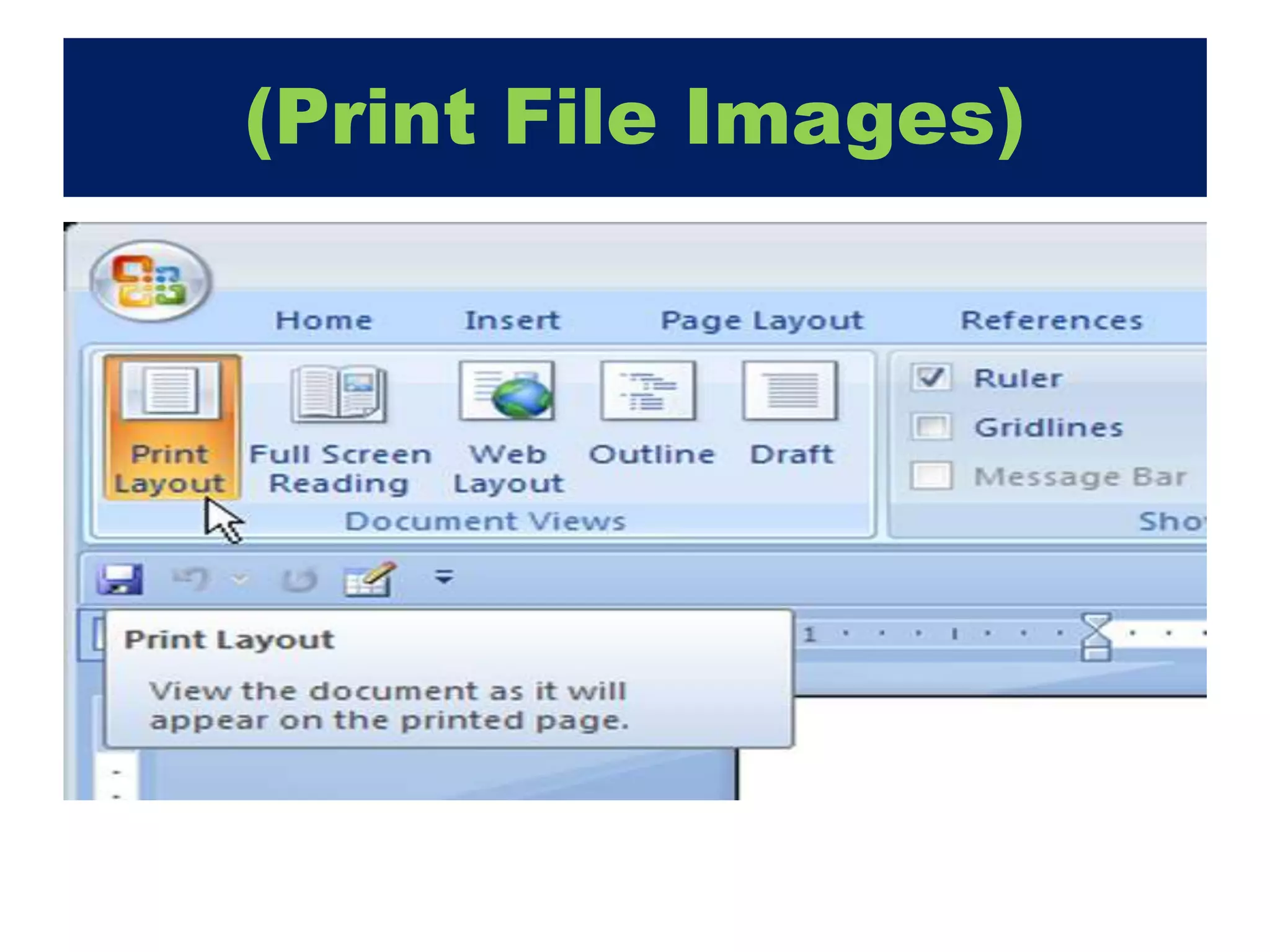
(Print File Images)
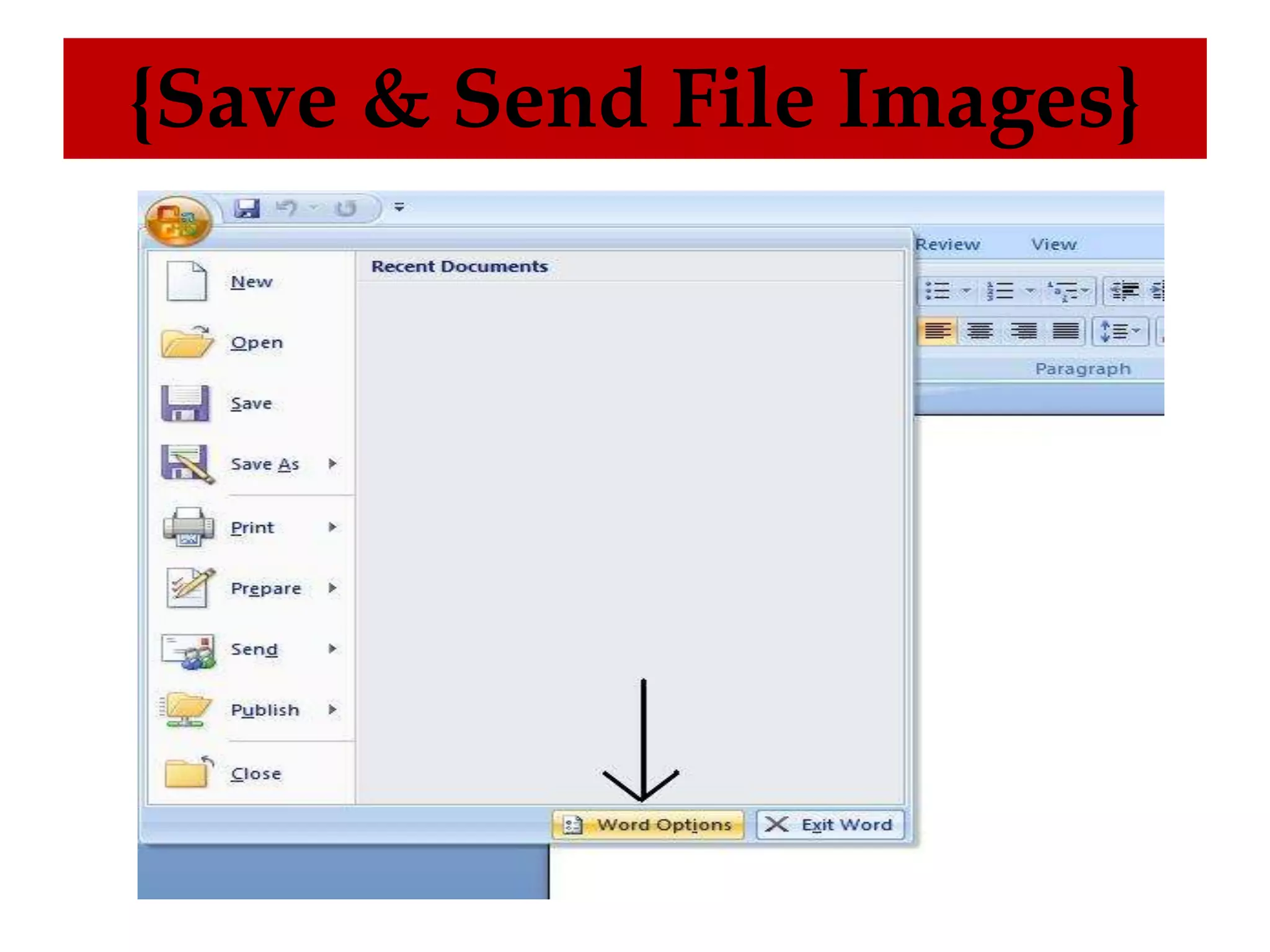
Define MS- Word in Save &
Send?’
• Mail merge consists of combining मेलand
letters and pre-addressed envelopes or
mailing labels for mass mailings from a form
letter. ... It is a powerful tool for writing a
personalized letter or e-mail to many people
at the same time.
{Save & Send File Images}
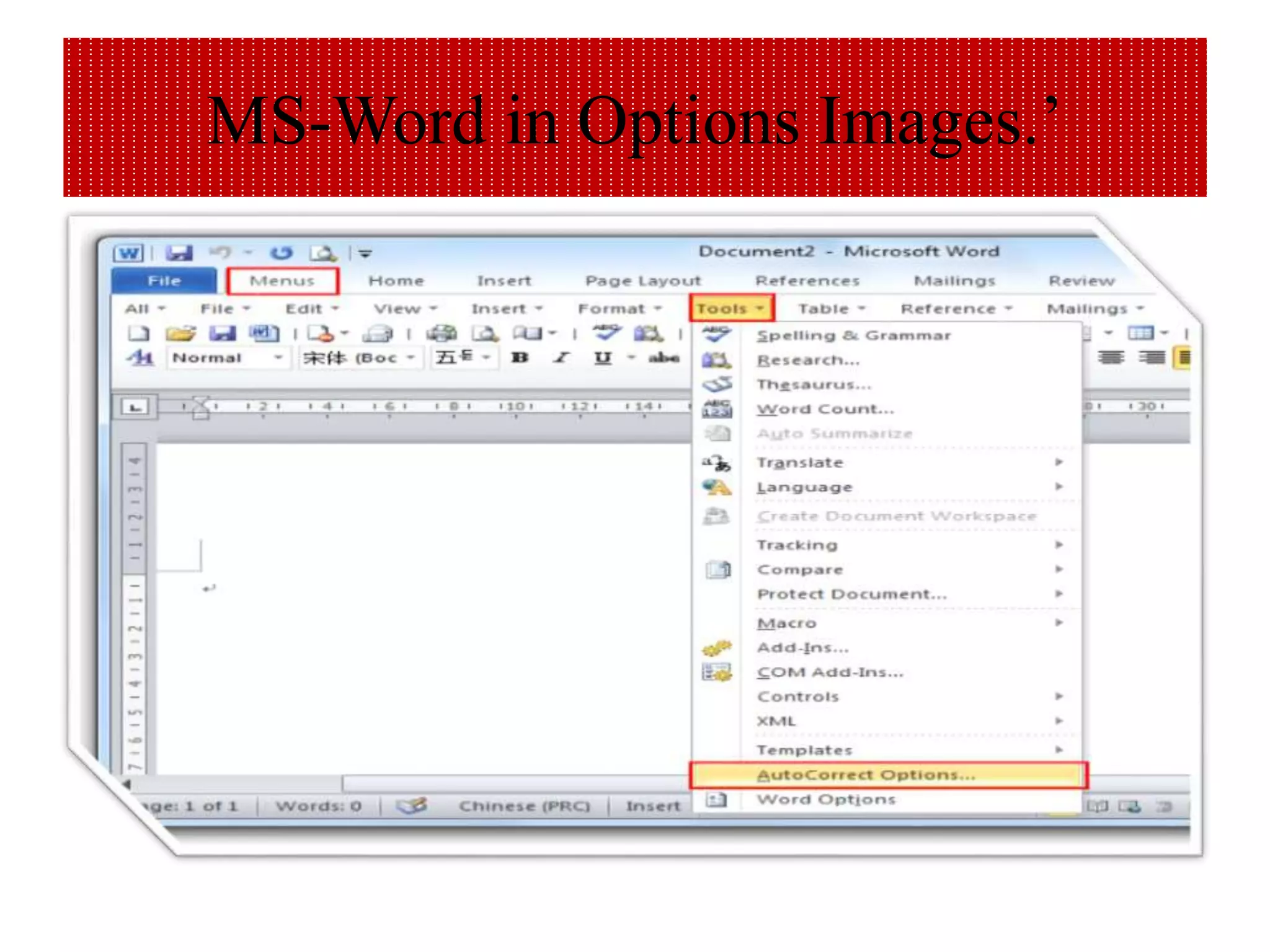
Define MS-Word in Options?’
Use advanced Word options to customize
editing tasks, document display, printing
preferences, and more. To choose your
advanced Word options, select File > Options,
and on the left pane, select Advanced. Set up
the way you select, replace, and format words
and paragraphs.
MS-Word in Options Images.’
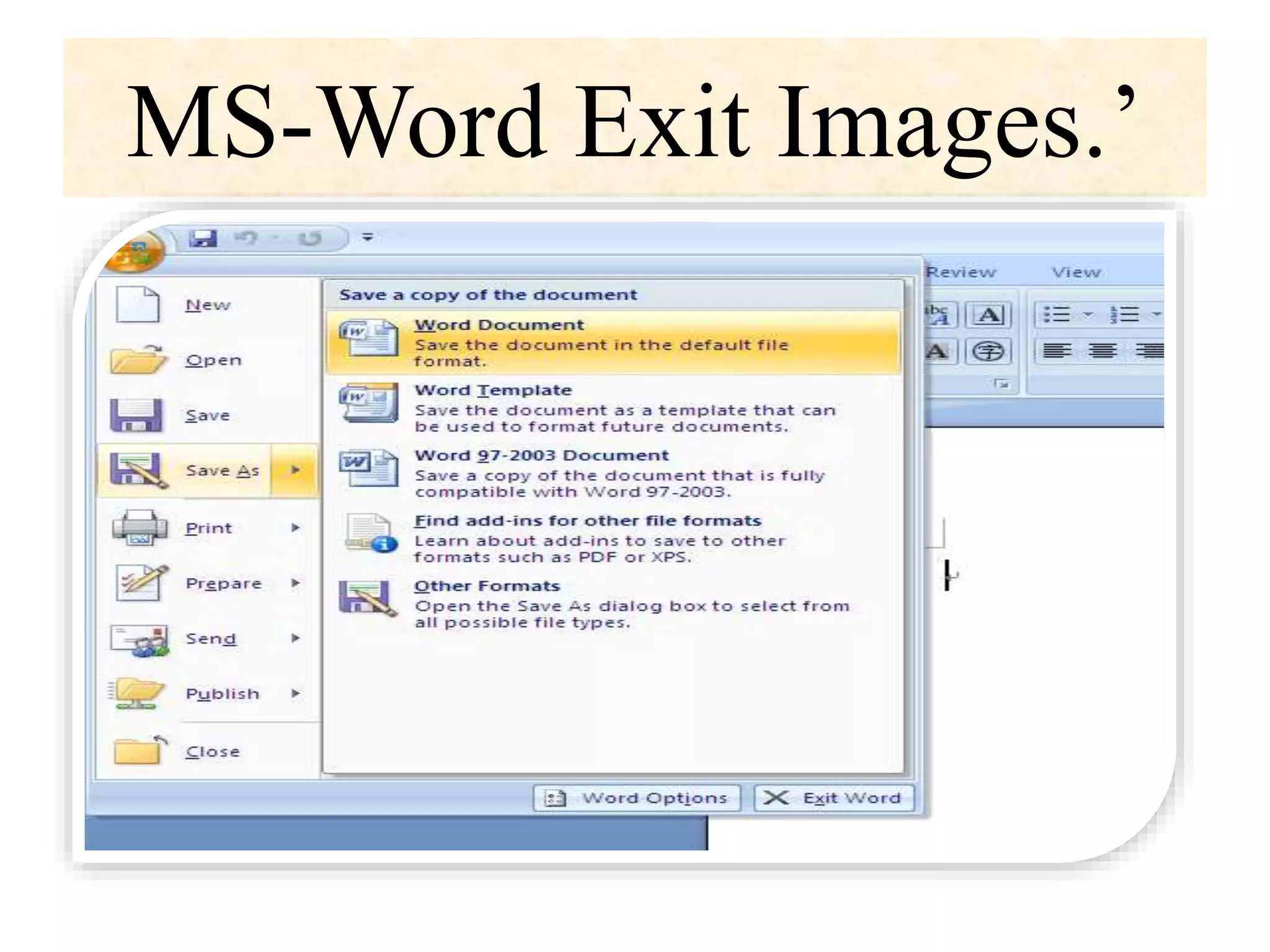
Define MS- Word in Exit?’
• To close a document in Word, click the
File tab and choose the Close
command or use the keyboard shortcut
Ctrl+W. Word banishes the document
from its window, but then the program
sits there and waits for you to do
something else, such as start working
on a new document or open a
document you previously saved.
MS-Word Exit Images.’
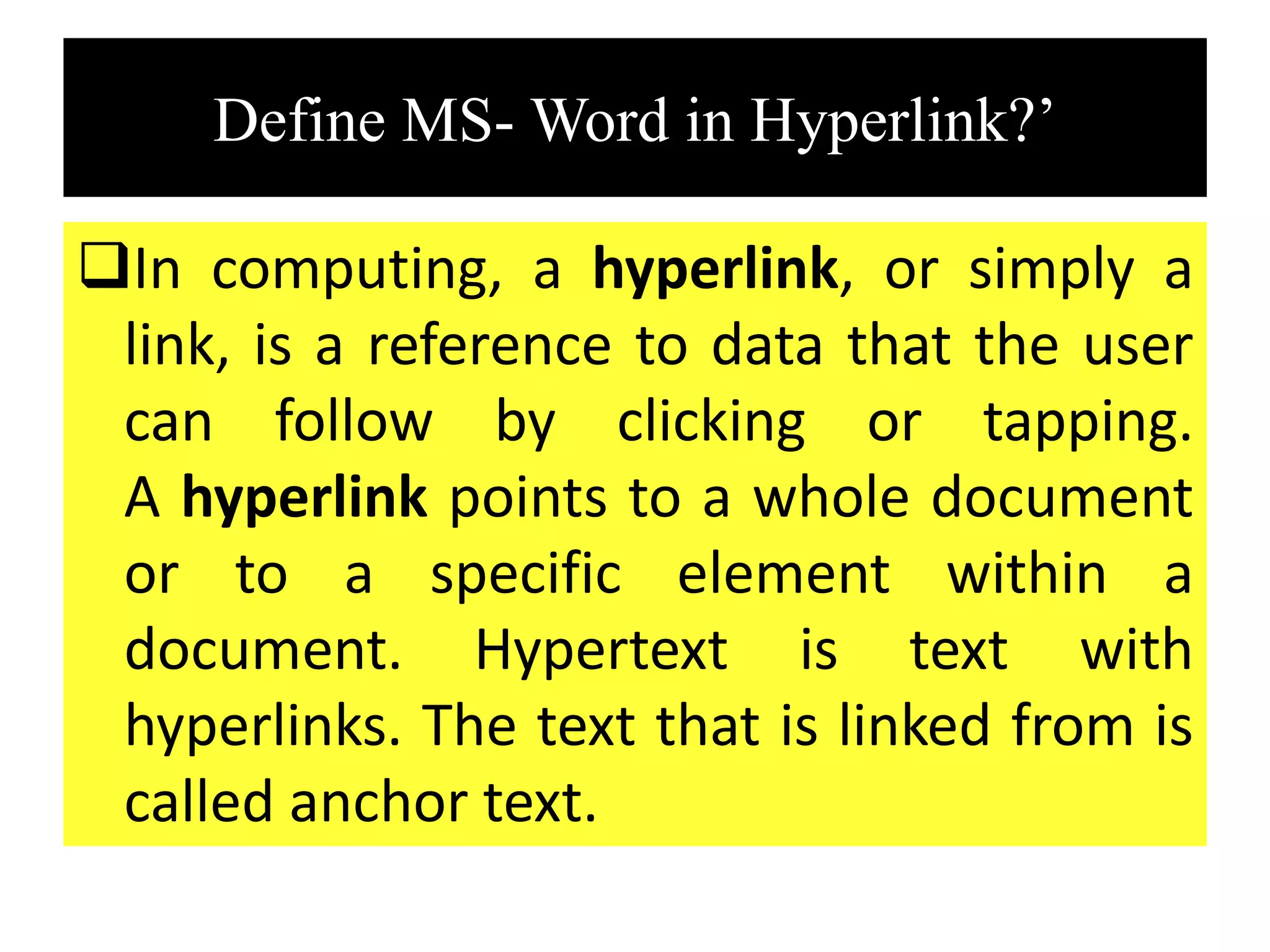
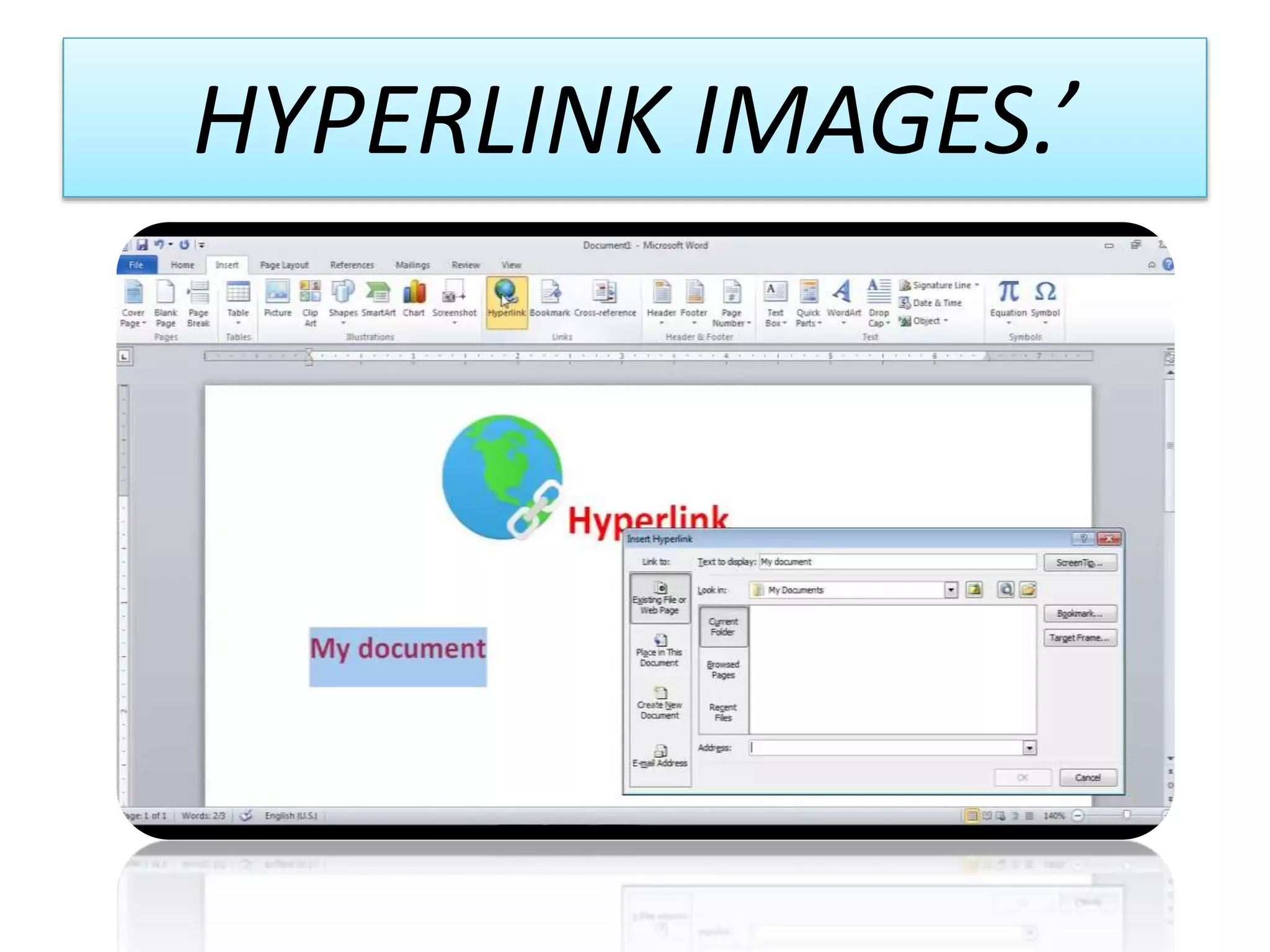
Define MS- Word in Hyperlink?’
In computing, a hyperlink, or simply a
link, is a reference to data that the user
can follow by clicking or tapping.
A hyperlink points to a whole document
or to a specific element within a
document. Hypertext is text with
hyperlinks. The text that is linked from is
called anchor text.
HYPERLINK IMAGES.’
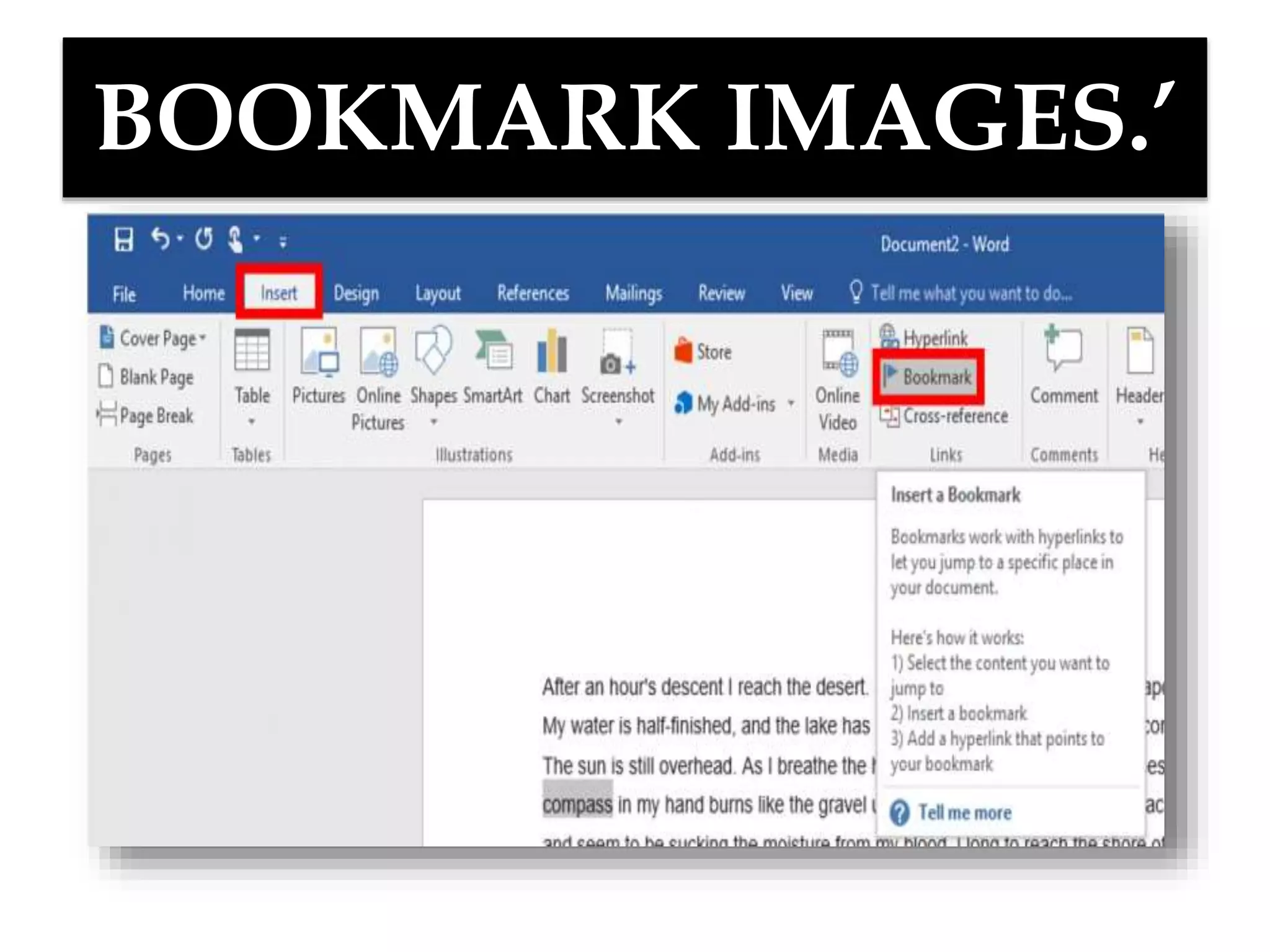
Define MS-Word in Bookmark?’
A bookmark in Word works like
a bookmark you might place in a book: it
marks a place that you want to find again
easily. You can enter as many bookmarks as
you want in your document or Outlook
message, and you can give each one a unique
name so they're easy to identify.
BOOKMARK IMAGES.’
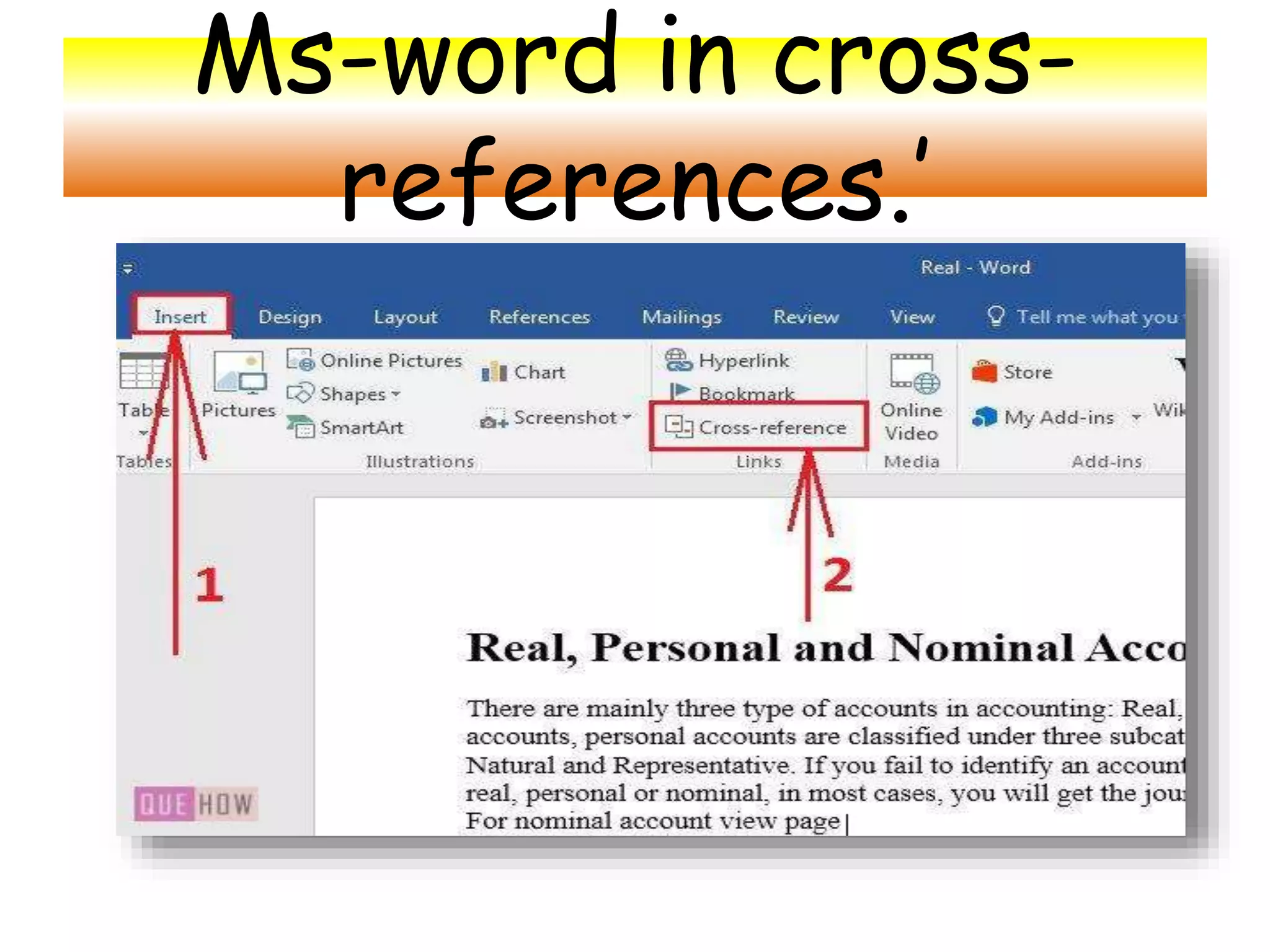
Define MS- Word in Cross
Reference?’
A cross-reference allows you to link to other
parts of the same document. For example, you
might use a cross-reference to link to a chart
or graphic that appears elsewhere in the
document. The cross-reference appears as a
link that takes the reader to the referenced
item.
Ms-word in cross-
references.’
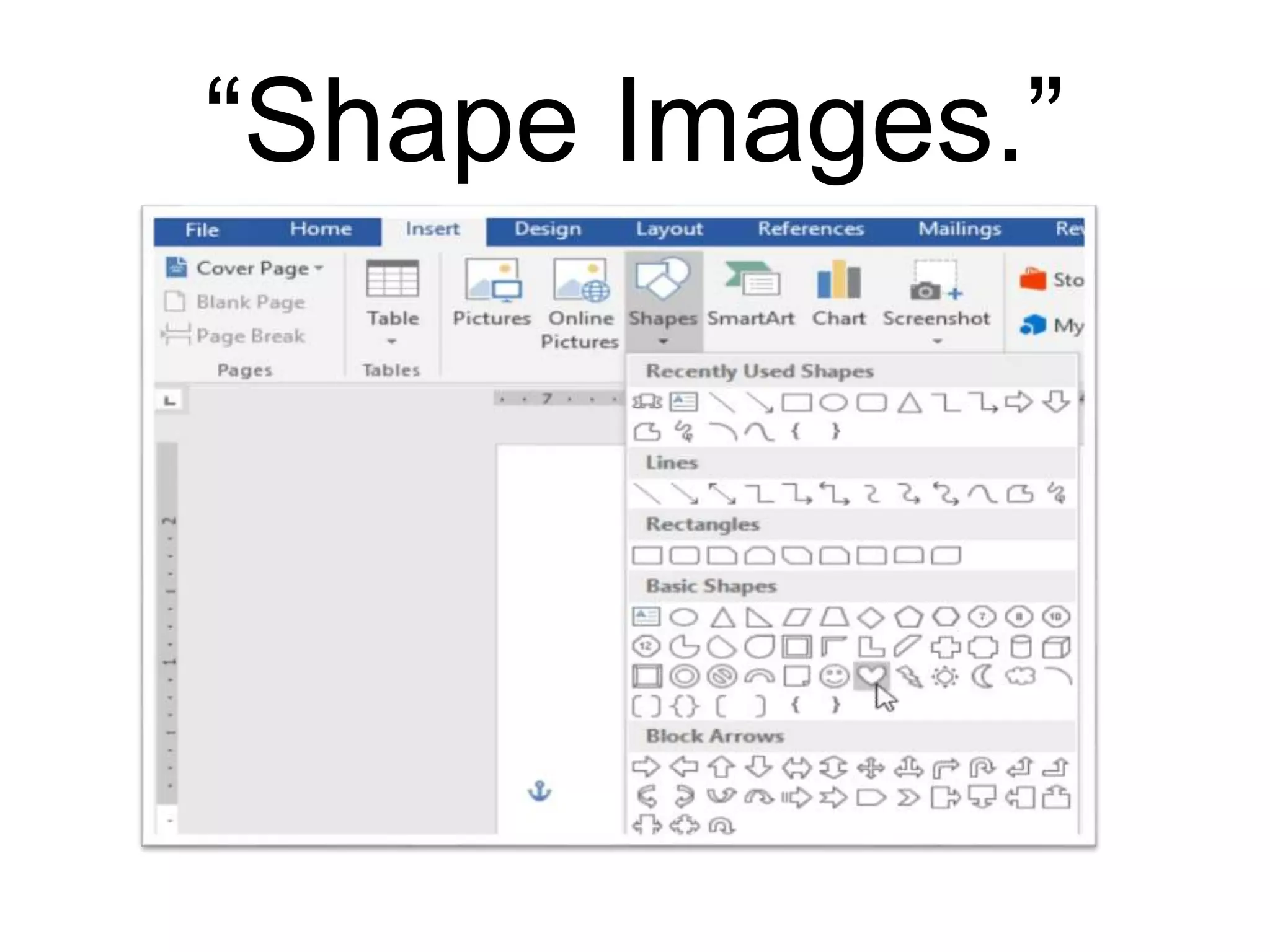
Define MS-Word in Shape?
A SHAPE field is the Drawing Canvas and is
similar to a placeholder, which is automatically
created for any drawn picture. Drawn pictures
(also called vector drawings) are created from
lines, curves, rectangles, and other objects.
AutoShapes are drawn pictures.
“Shape Images.”
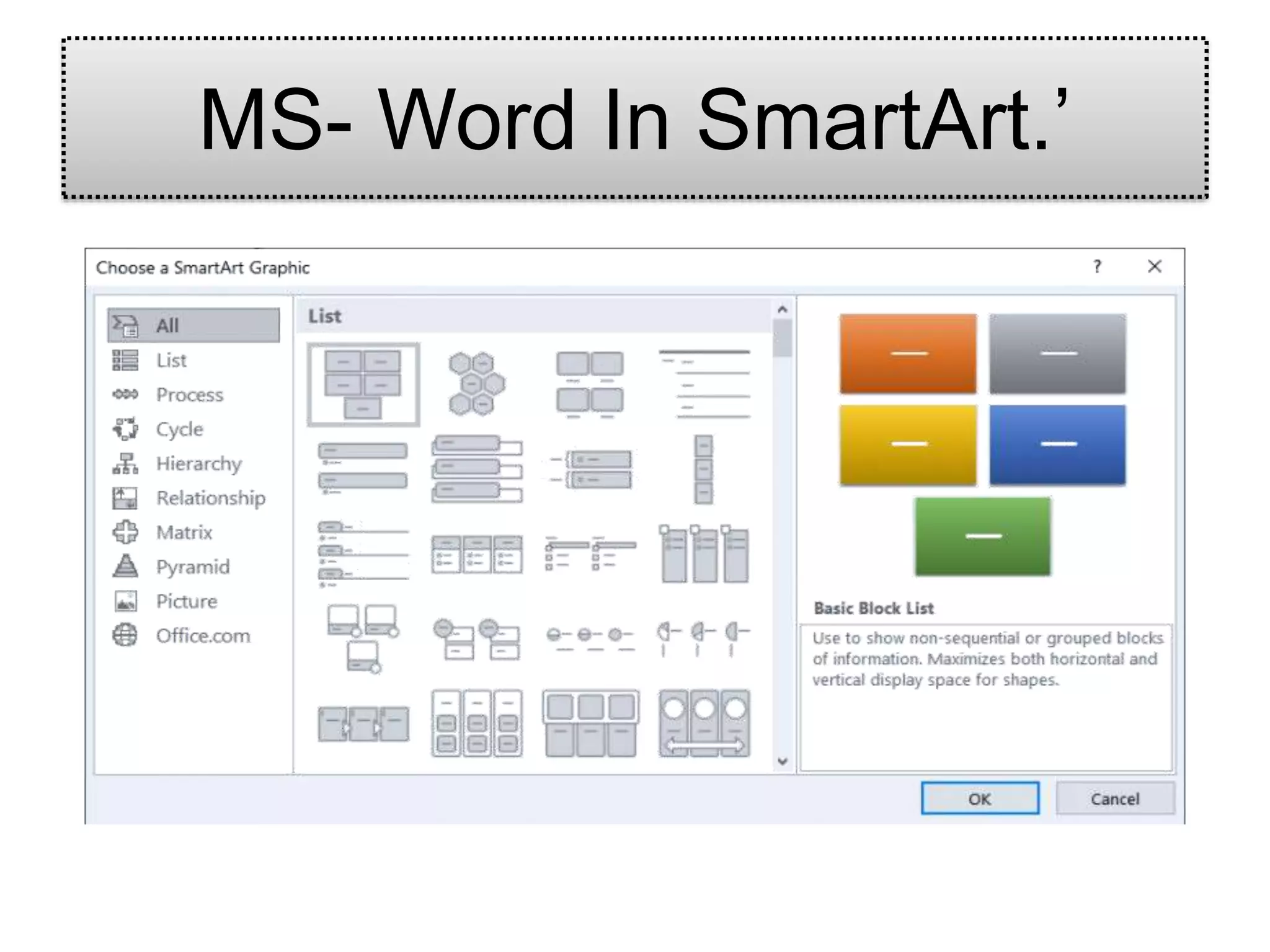
A SmartArt graphic is a visual representation
of your information and ideas. You create one
by choosing a layout that fits your message.
Some layouts (such as organization charts and
Venn diagrams) portray specific kinds of
information, while others simply enhance the
appearance of a bulleted list.
MS- Word In SmartArt.’
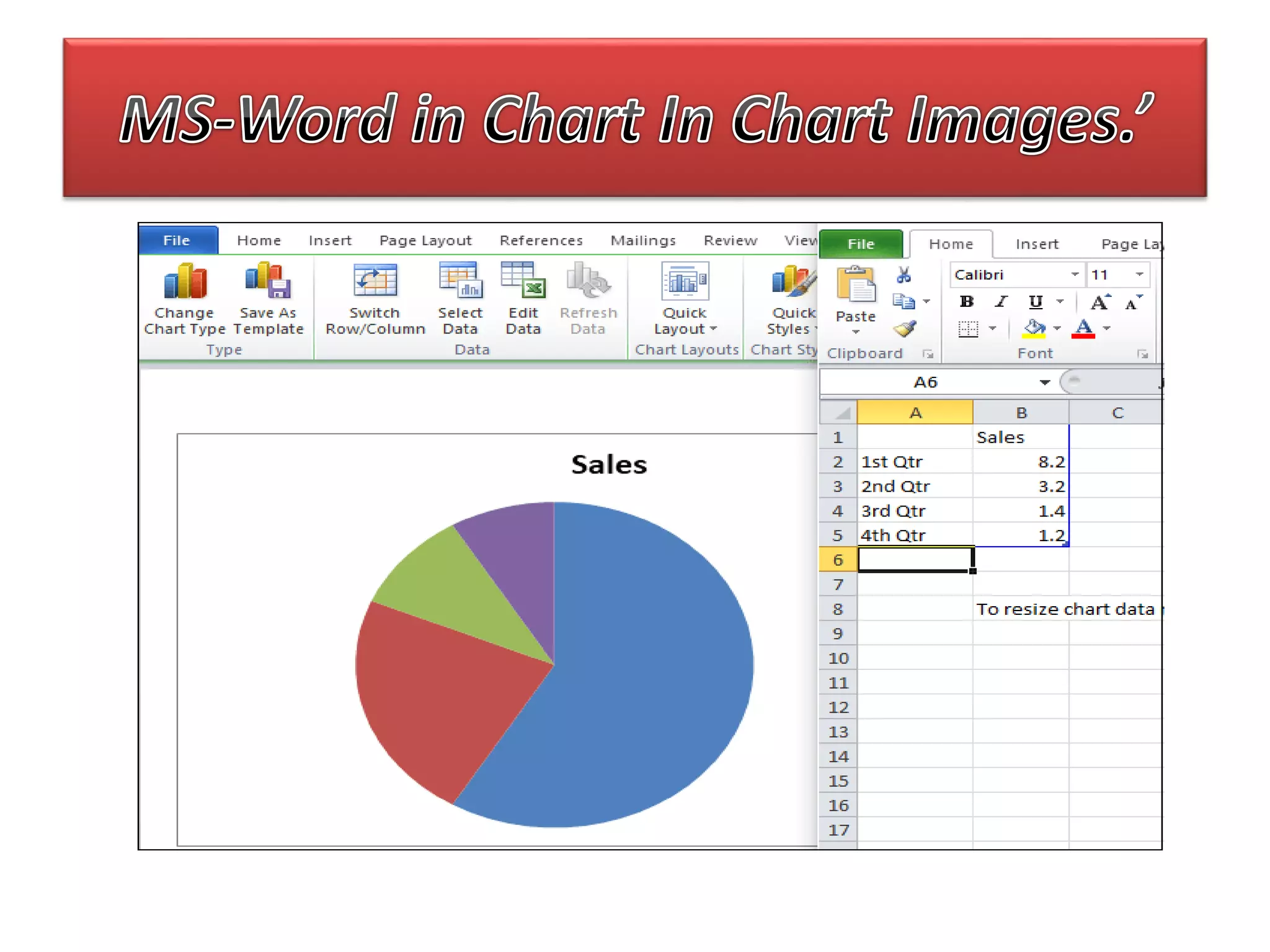
Define MS-word in Chart?’
 A chart is a tool you can use to communicate
data graphically. ...
 Word uses a spreadsheet as a placeholder for
entering chart data, much like Excel. ...
 You can edit the chart data at any time by
selecting your chart and clicking the Edit Data
command on the Design tab.
Define MS-Word in Text Box?’
A text box is an object you can add to your
document that lets you put and
type text anywhere in your file. Text boxes can
be useful for drawing attention to
specific text and can also be helpful when you
need to move text around in your document.
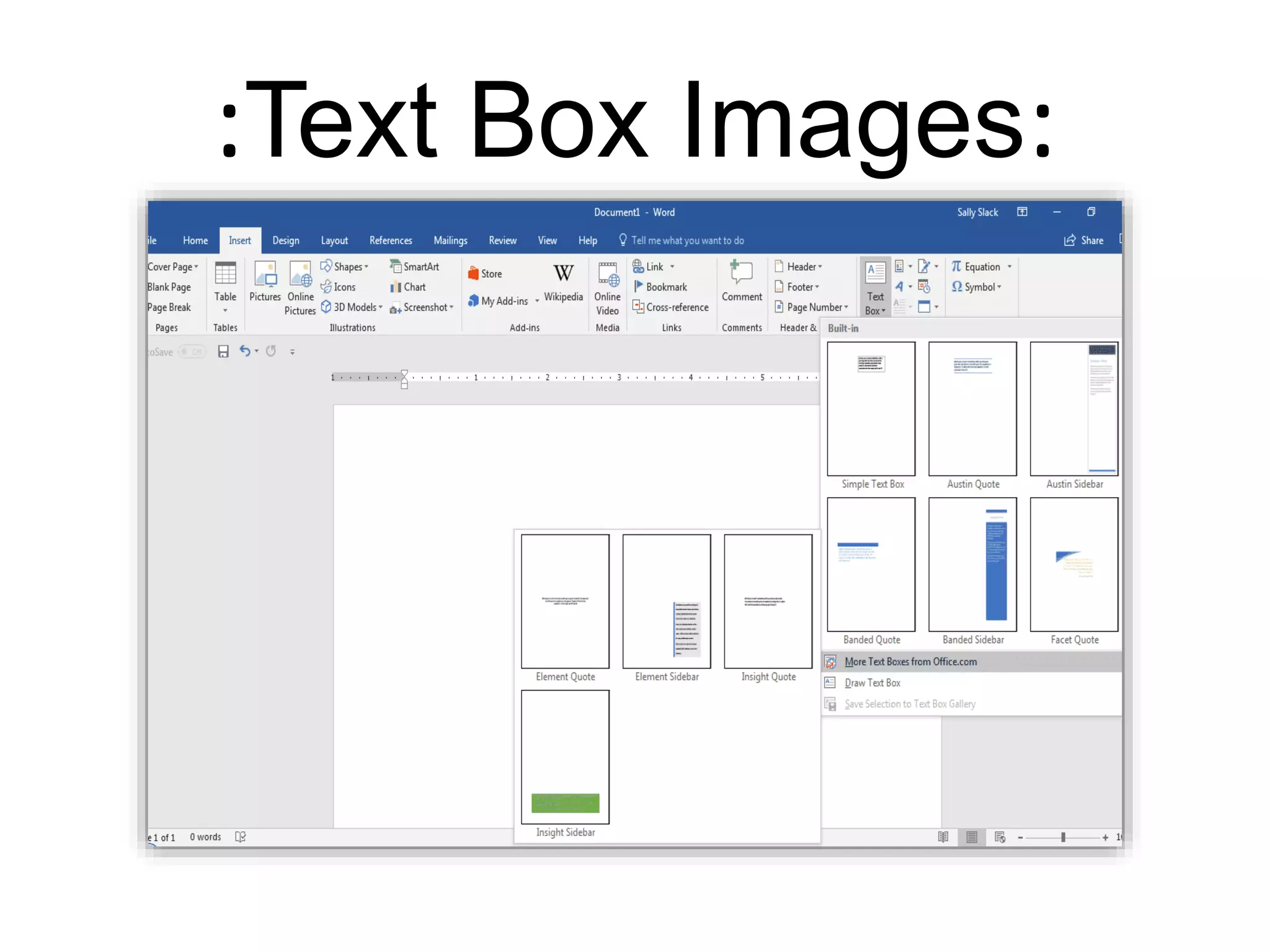
:Text Box Images:
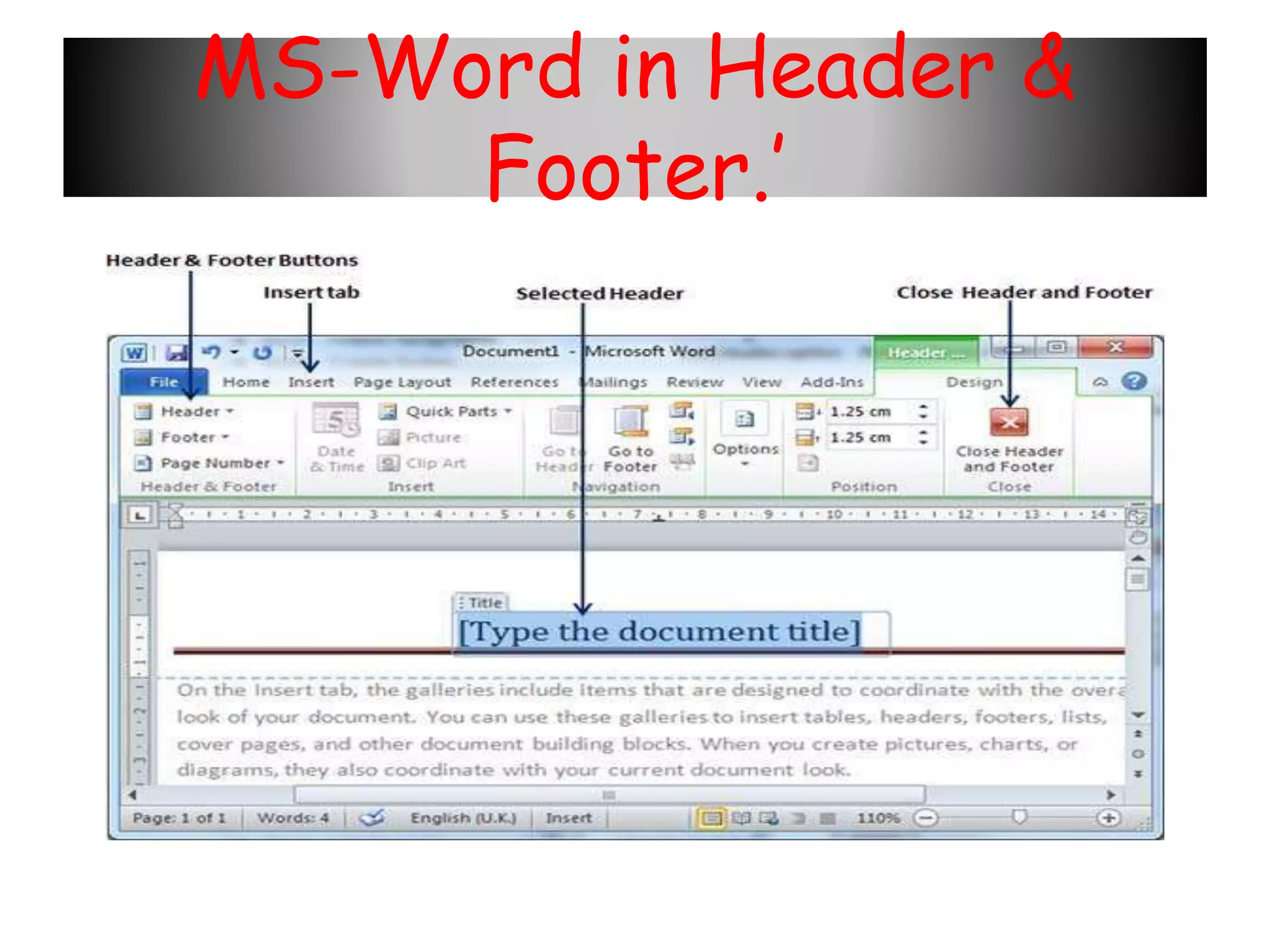
Define In MS-word in Header & Footer?
MS-Word in Header &
Footer.’
Sometimes abbreviated as page no, a page
number is the number of the
specific page in a document. The document
may be printed, like a book or a magazine,
or electronic, like a
Microsoft Word document or an e-book.
MS-WordinPageNumbersImages.’
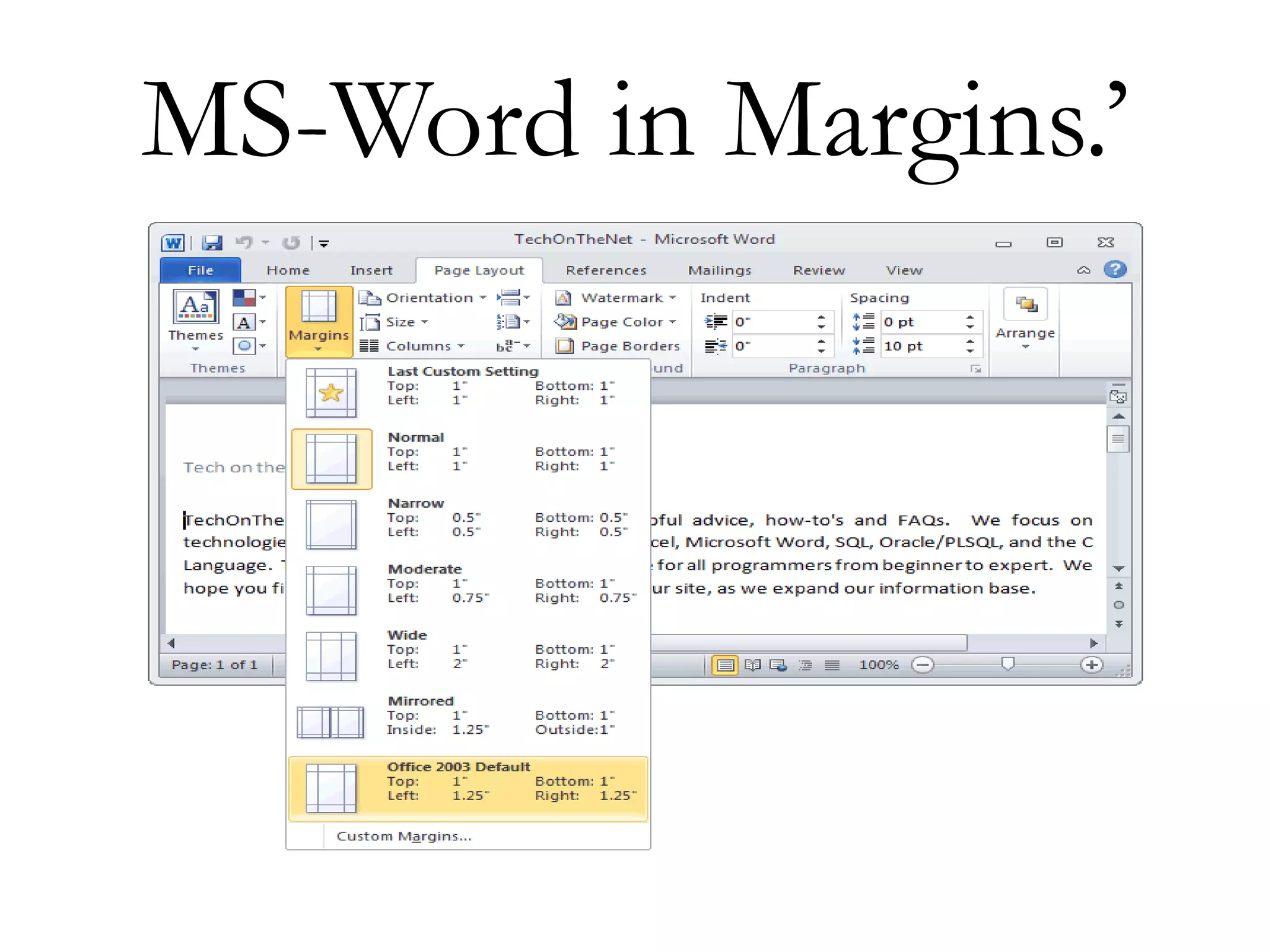
Define MS-Word in
Margins?
Margins are the blank spaces that line the
top, bottom, and left and right sides of a
document. They are important because they
help make a document look neat and
professional. To change margins, click on the
Margins button, found on the Page Layout
tab.
MS-Word in Margins.’
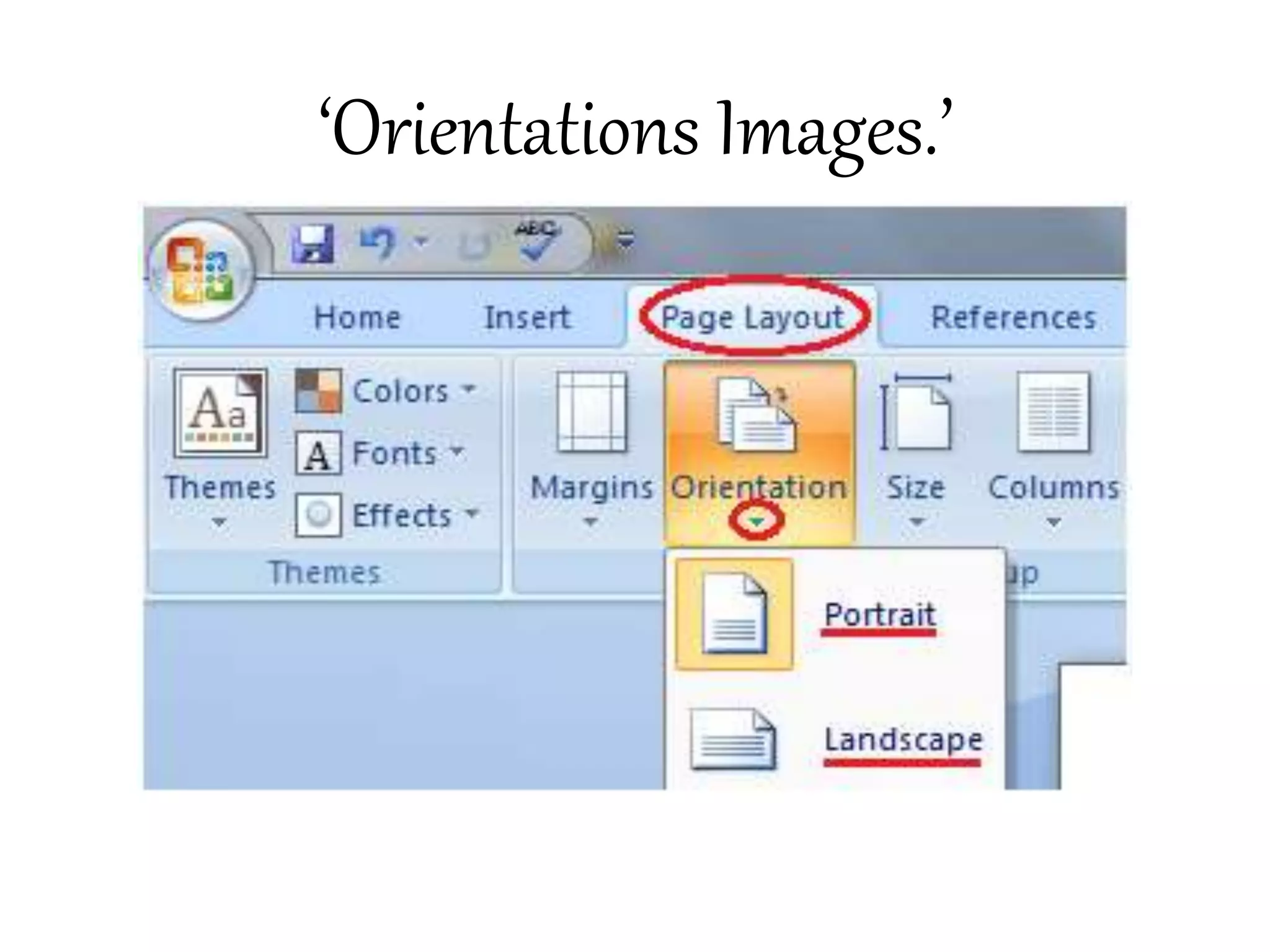
Define MS-Word in Orientation?’
• Page orientation is the direction in which a
document is displayed or printed. The two
basic types of page orientation are portrait
(vertical) and landscape (horizontal). Most
monitors have a landscape display, while most
documents are printed in portrait mode.
‘Orientations Images.’
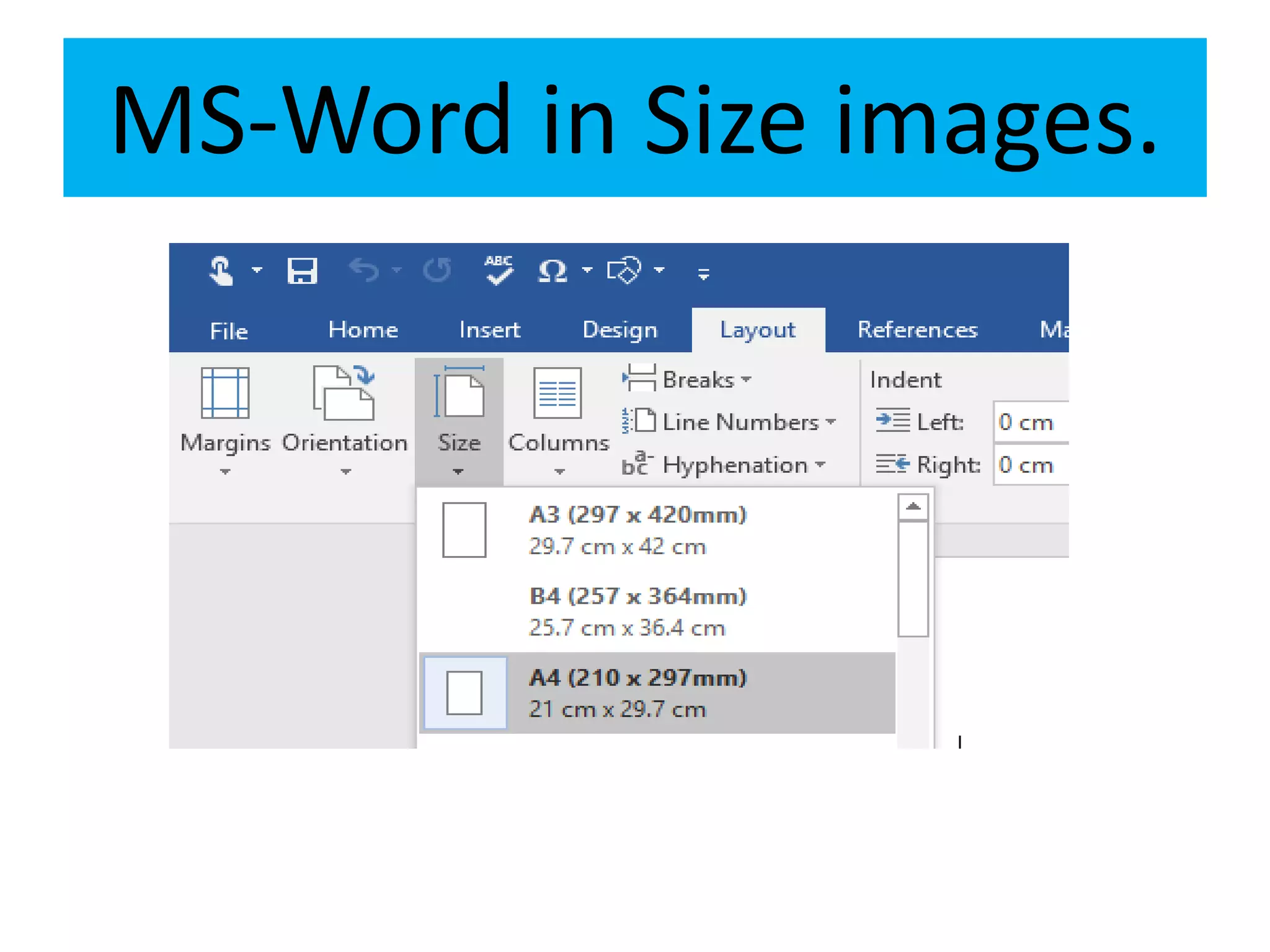
• Word's default paper size is “Letter,”
which is 8.5 x 11 inches. If you use a
different size more frequently than
the default, you can change the
default size of all new documents.
MS-Word in Size images.
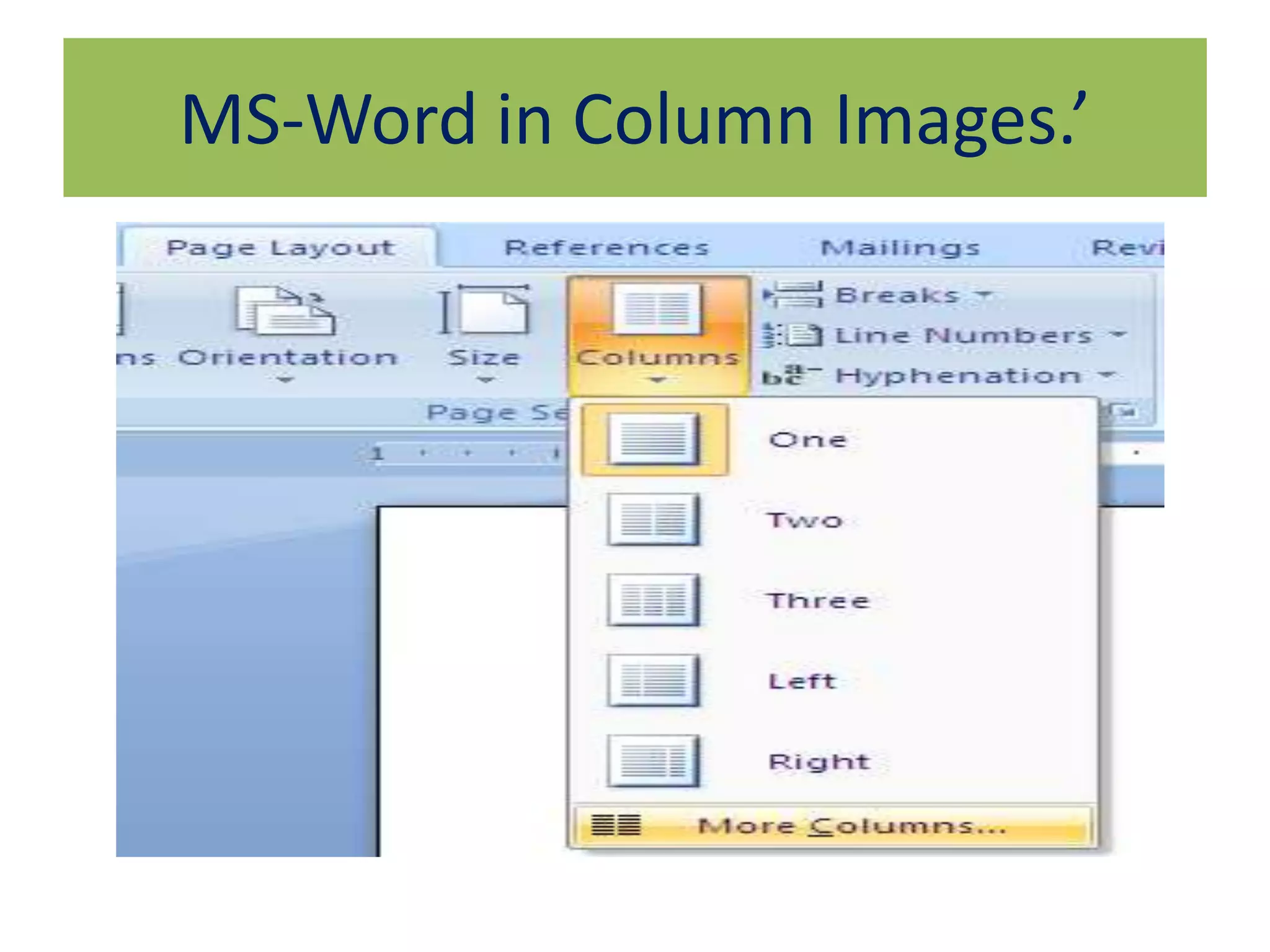
Define MS-Word in Column?’
• Column Basics. The Word columns tool lets
you divide the page vertically into two or
more columns in such a way that text that you
type into them runs down the first column
until it is full and then it snakes over to start
again at the top of the second column
MS-Word in Column Images.’
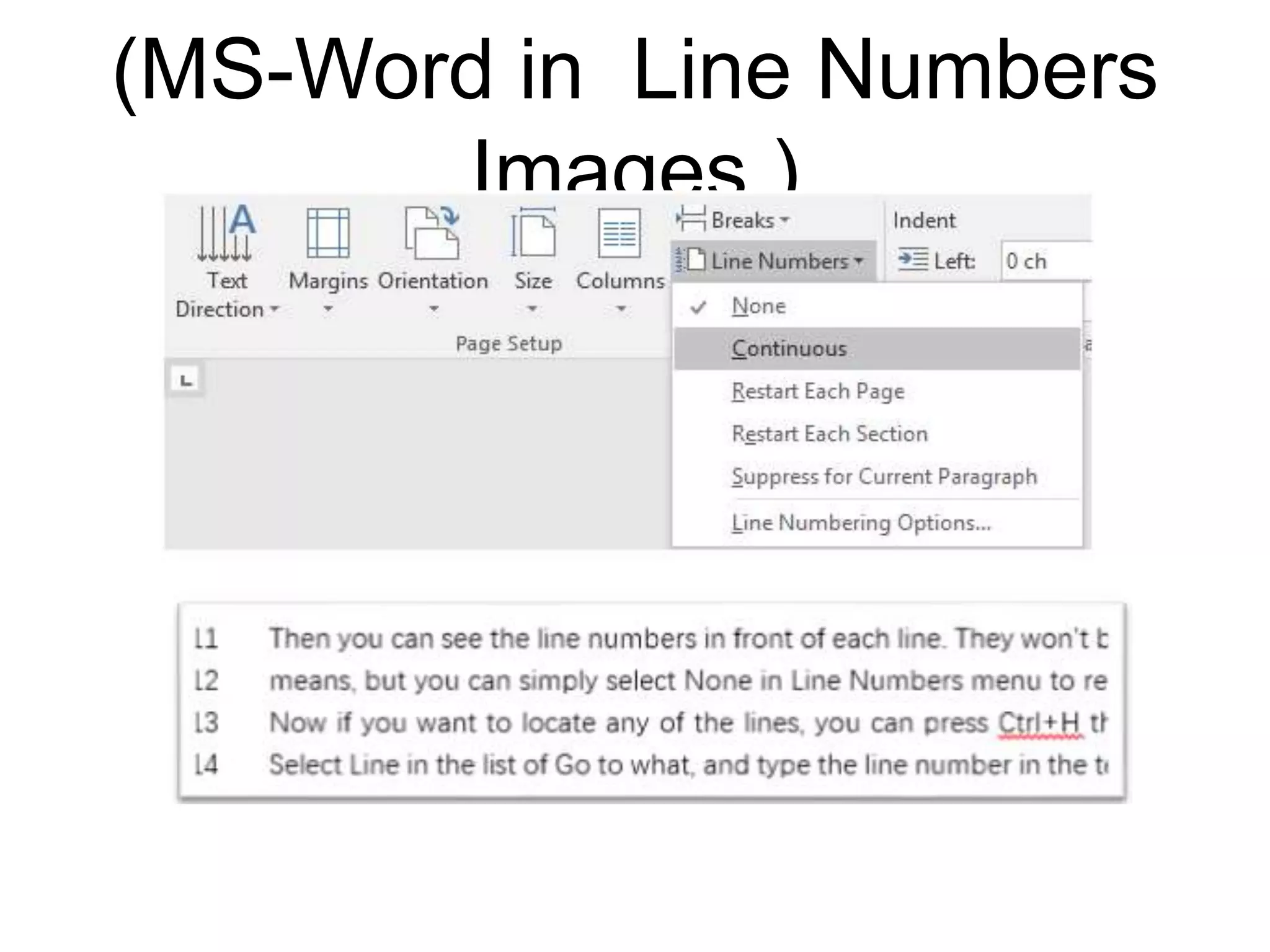
Define MS-Word in Line Number.’
• This is useful when you need to refer to
specific lines in a document, such as a script or
a legal contract. By default, Word numbers
every line in a document (except those in
tables, footnotes, endnotes, text boxes, and
headers and footers). However, you can
choose which line numbers to display
(MS-Word in Line Numbers
Images.)
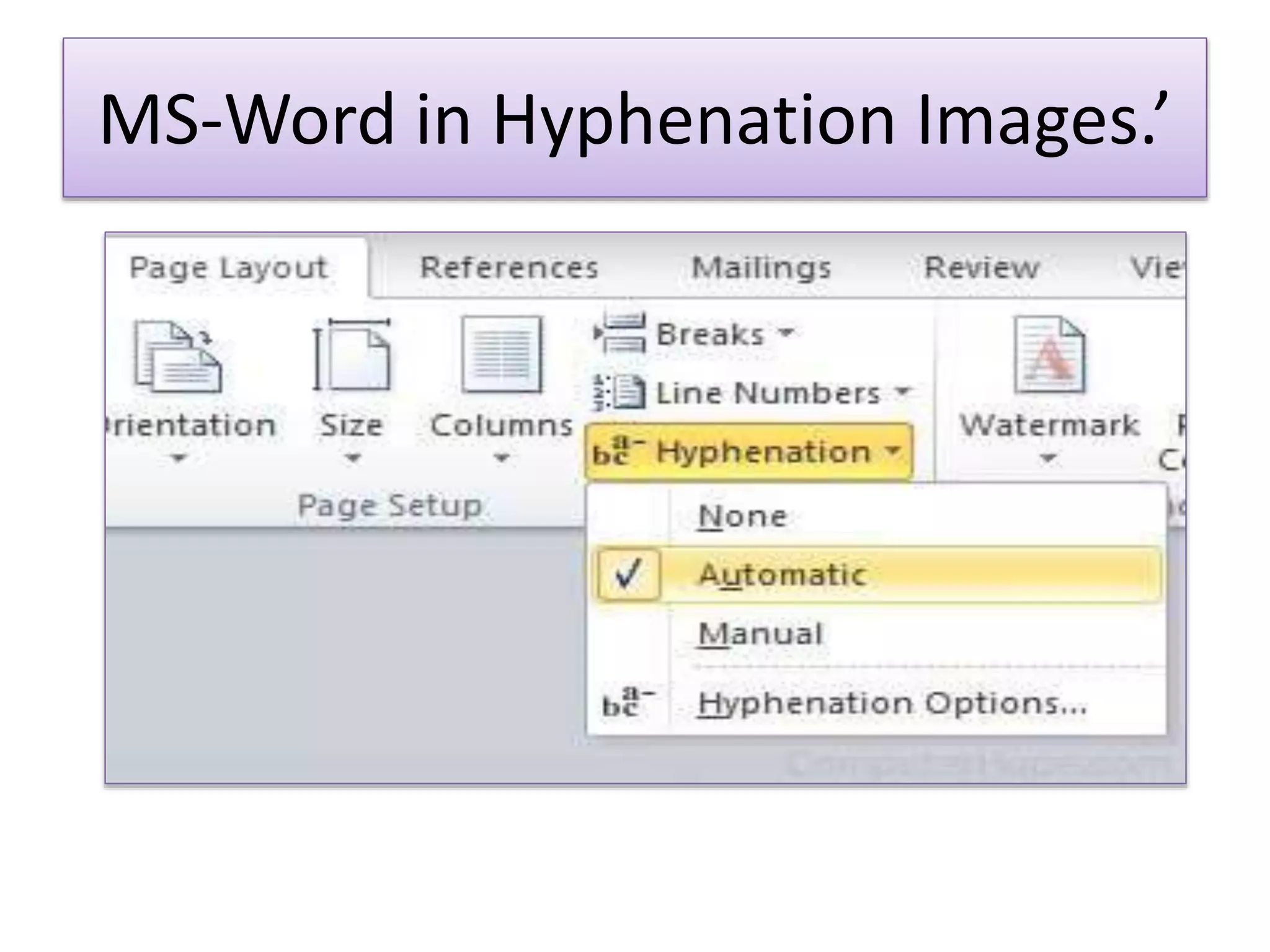
Define MS-Word in Hyphenation?’
• The hyphen ‐ is a punctuation mark
used to join words and to separate
syllables of a single word. The use of
hyphens is called hyphenation. Non-
hyphenated is an example of a
hyphenated word.
MS-Word in Hyphenation Images.’
Define MS-Word in Watermark?’
A watermark is a picture that shows up
faintly behind the text on
a Word document page. When you draft
a document, you can watermark the
document with Draft Copy stamp, or you
can watermark a duplicate document
with the Duplicate stamp.
Define MS-Word
Define MS-Word

Define MS-Word

  • 1.
    Define MS-Word?’ • MicrosoftWord or MS Word (often called Word) is a graphical word processing program that users can type with. It is made by the computer company Microsoft. Its purpose is to allow users to type and save documents. Similar to other word processors, it has helpful tools to make documents.
  • 2.
    Define in MS-Word in Print?’  Click File > Print. To preview each page, click the forward and backward arrows at the bottom of the page. If the text is too small to read, use the zoom slider at the bottom of the page to enlarge it. Choose the number of copies, and any other options you want, and click the Print button.
  • 3.
  • 4.
    Define MS- Wordin Save & Send?’ • Mail merge consists of combining मेलand letters and pre-addressed envelopes or mailing labels for mass mailings from a form letter. ... It is a powerful tool for writing a personalized letter or e-mail to many people at the same time.
  • 5.
    {Save & SendFile Images}
  • 6.
    Define MS-Word inOptions?’ Use advanced Word options to customize editing tasks, document display, printing preferences, and more. To choose your advanced Word options, select File > Options, and on the left pane, select Advanced. Set up the way you select, replace, and format words and paragraphs.
  • 7.
  • 8.
    Define MS- Wordin Exit?’ • To close a document in Word, click the File tab and choose the Close command or use the keyboard shortcut Ctrl+W. Word banishes the document from its window, but then the program sits there and waits for you to do something else, such as start working on a new document or open a document you previously saved.
  • 9.
  • 10.
    Define MS- Wordin Hyperlink?’ In computing, a hyperlink, or simply a link, is a reference to data that the user can follow by clicking or tapping. A hyperlink points to a whole document or to a specific element within a document. Hypertext is text with hyperlinks. The text that is linked from is called anchor text.
  • 11.
  • 12.
    Define MS-Word inBookmark?’ A bookmark in Word works like a bookmark you might place in a book: it marks a place that you want to find again easily. You can enter as many bookmarks as you want in your document or Outlook message, and you can give each one a unique name so they're easy to identify.
  • 13.
  • 14.
    Define MS- Wordin Cross Reference?’ A cross-reference allows you to link to other parts of the same document. For example, you might use a cross-reference to link to a chart or graphic that appears elsewhere in the document. The cross-reference appears as a link that takes the reader to the referenced item.
  • 15.
  • 16.
    Define MS-Word inShape? A SHAPE field is the Drawing Canvas and is similar to a placeholder, which is automatically created for any drawn picture. Drawn pictures (also called vector drawings) are created from lines, curves, rectangles, and other objects. AutoShapes are drawn pictures.
  • 17.
  • 18.
    A SmartArt graphicis a visual representation of your information and ideas. You create one by choosing a layout that fits your message. Some layouts (such as organization charts and Venn diagrams) portray specific kinds of information, while others simply enhance the appearance of a bulleted list.
  • 19.
    MS- Word InSmartArt.’
  • 20.
    Define MS-word inChart?’  A chart is a tool you can use to communicate data graphically. ...  Word uses a spreadsheet as a placeholder for entering chart data, much like Excel. ...  You can edit the chart data at any time by selecting your chart and clicking the Edit Data command on the Design tab.
  • 22.
    Define MS-Word inText Box?’ A text box is an object you can add to your document that lets you put and type text anywhere in your file. Text boxes can be useful for drawing attention to specific text and can also be helpful when you need to move text around in your document.
  • 23.
  • 24.
    Define In MS-wordin Header & Footer?
  • 25.
    MS-Word in Header& Footer.’
  • 26.
    Sometimes abbreviated aspage no, a page number is the number of the specific page in a document. The document may be printed, like a book or a magazine, or electronic, like a Microsoft Word document or an e-book.
  • 27.
  • 28.
    Define MS-Word in Margins? Marginsare the blank spaces that line the top, bottom, and left and right sides of a document. They are important because they help make a document look neat and professional. To change margins, click on the Margins button, found on the Page Layout tab.
  • 29.
  • 30.
    Define MS-Word inOrientation?’ • Page orientation is the direction in which a document is displayed or printed. The two basic types of page orientation are portrait (vertical) and landscape (horizontal). Most monitors have a landscape display, while most documents are printed in portrait mode.
  • 31.
  • 32.
    • Word's defaultpaper size is “Letter,” which is 8.5 x 11 inches. If you use a different size more frequently than the default, you can change the default size of all new documents.
  • 33.
  • 34.
    Define MS-Word inColumn?’ • Column Basics. The Word columns tool lets you divide the page vertically into two or more columns in such a way that text that you type into them runs down the first column until it is full and then it snakes over to start again at the top of the second column
  • 35.
  • 36.
    Define MS-Word inLine Number.’ • This is useful when you need to refer to specific lines in a document, such as a script or a legal contract. By default, Word numbers every line in a document (except those in tables, footnotes, endnotes, text boxes, and headers and footers). However, you can choose which line numbers to display
  • 37.
    (MS-Word in LineNumbers Images.)
  • 38.
    Define MS-Word inHyphenation?’ • The hyphen ‐ is a punctuation mark used to join words and to separate syllables of a single word. The use of hyphens is called hyphenation. Non- hyphenated is an example of a hyphenated word.
  • 39.
  • 40.
    Define MS-Word inWatermark?’ A watermark is a picture that shows up faintly behind the text on a Word document page. When you draft a document, you can watermark the document with Draft Copy stamp, or you can watermark a duplicate document with the Duplicate stamp.