
INTRODUCTION TO
WINDOWS
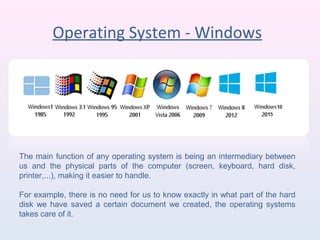
Operating System - Windows
The main function of any operating system is being an intermediary between
us and the physical parts of the computer (screen, keyboard, hard disk,
printer,...), making it easier to handle.
For example, there is no need for us to know exactly in what part of the hard
disk we have saved a certain document we created, the operating systems
takes care of it.
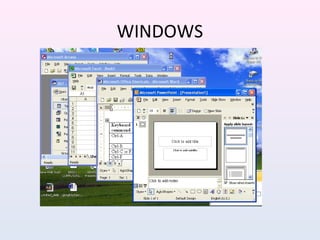
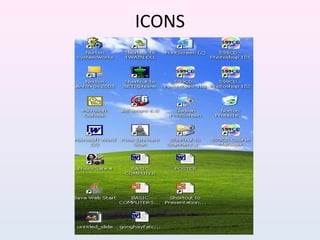
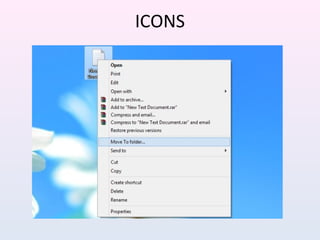
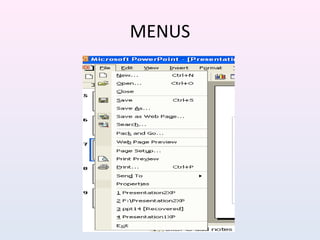
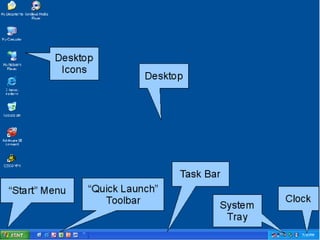
THE WIMP INTERFACE
• WINDOWS
• ICONS
• MENUS
• POINTER
WINDOWS
ICONS
ICONS
MENUS
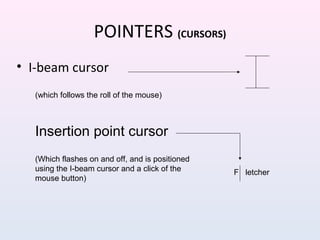
POINTERS (CURSORS)
• I-beam cursor
(which follows the roll of the mouse)
Insertion point cursor
F letcher
(Which flashes on and off, and is positioned
using the I-beam cursor and a click of the
mouse button)
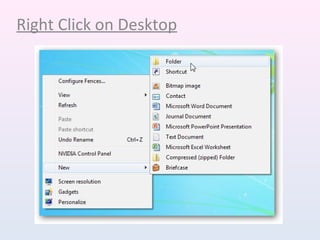
Right Click on Desktop
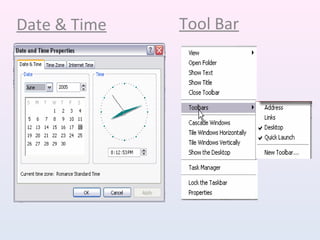
Date & Time Tool Bar
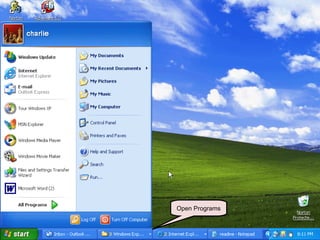
BREAK POINT
• Let’s get some hands on experience
• Find the Windows key.
– Bottom row second key from the left side.
– Press once, (this is the same as left clicking on the
start button).
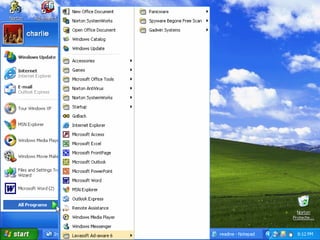
– Bring the cursor arrow over the All Programs
Arrow head.
– Notice how the program files are displayed.
Open Programs
Thank You

Introduction to Microsoft Windows

  • 1.
  • 2.
    Operating System -Windows The main function of any operating system is being an intermediary between us and the physical parts of the computer (screen, keyboard, hard disk, printer,...), making it easier to handle. For example, there is no need for us to know exactly in what part of the hard disk we have saved a certain document we created, the operating systems takes care of it.
  • 4.
    THE WIMP INTERFACE •WINDOWS • ICONS • MENUS • POINTER
  • 5.
  • 6.
  • 7.
  • 8.
  • 9.
    POINTERS (CURSORS) • I-beamcursor (which follows the roll of the mouse) Insertion point cursor F letcher (Which flashes on and off, and is positioned using the I-beam cursor and a click of the mouse button)
  • 10.
  • 12.
    Date & TimeTool Bar
  • 13.
    BREAK POINT • Let’sget some hands on experience • Find the Windows key. – Bottom row second key from the left side. – Press once, (this is the same as left clicking on the start button). – Bring the cursor arrow over the All Programs Arrow head. – Notice how the program files are displayed.
  • 14.
  • 16.