Susana Gonzáles #14
8°A


                      1
If formatted slides are hard to read in Slide Sorter view, press Alt
             and click a slide to see its heading clearly.

                PowerPoint provides these views:

     Normal view is the default view that lets you focus on an
   individual slide. The slide you are currently editing is called the
                              current slide.

  Slide Sorter view displays all the slides in a presentation on a
                           single screen.

 Notes Pages view shows one slide at time, along with any notes
  that are associated with slide. This view lets you create and edit
                                notes.

   Reading view if you display the presentation in a window it
    enables you to also work in other window at the same time.
                                                                         2
You can modify you presentation s view by changing its
                       color.

                   Using Zoom

 o PowePoint s zoom tools let you change the
     magnification of slides on the screen.

o You can either use the Zoom dialog box or the
   Zoom control to change magnification levels.

o You can drag the Zoom control s slider bar to
    the right or left to change the zoom level.

                                                         3
Creating Properties For A Presentation

   Porperties are details that the user defines in his/her
    documents. Document properties include detailed
information such as title, author s name, subject, and key
    words that identify the document s topic or content.

 PowerPoint can save presentations in several different
                     file format.

                  Aligning Paragraphs


 When you apply paragraph formats such as alignment,
 you do not have to select the entire paragraph of text.
  Just click anywhere in the paragraph and apply the
      format, it would apply to all the paragraph.
                                                             4
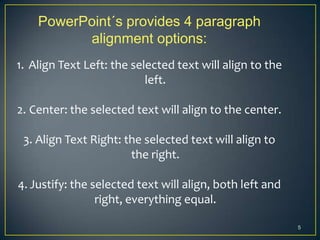
PowerPoint´s provides 4 paragraph
          alignment options:
1. Align Text Left: the selected text will align to the
                           left.

2. Center: the selected text will align to the center.

 3. Align Text Right: the selected text will align to
                       the right.

4. Justify: the selected text will align, both left and
                 right, everything equal.

                                                          5
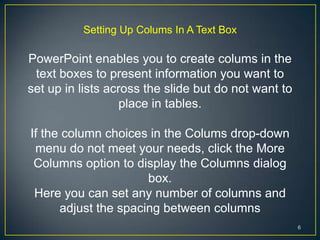
Setting Up Colums In A Text Box

PowerPoint enables you to create colums in the
 text boxes to present information you want to
set up in lists across the slide but do not want to
                   place in tables.

If the column choices in the Colums drop-down
 menu do not meet your needs, click the More
 Columns option to display the Columns dialog
                      box.
 Here you can set any number of columns and
      adjust the spacing between columns
                                                      6
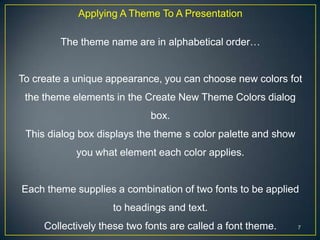
Applying A Theme To A Presentation

        The theme name are in alphabetical order…


To create a unique appearance, you can choose new colors fot
 the theme elements in the Create New Theme Colors dialog
                             box.
 This dialog box displays the theme s color palette and show
            you what element each color applies.


Each theme supplies a combination of two fonts to be applied
                    to headings and text.
     Collectively these two fonts are called a font theme.     7

Susana gonzález power point essentials

  • 1.
  • 2.
    If formatted slidesare hard to read in Slide Sorter view, press Alt and click a slide to see its heading clearly. PowerPoint provides these views:  Normal view is the default view that lets you focus on an individual slide. The slide you are currently editing is called the current slide.  Slide Sorter view displays all the slides in a presentation on a single screen.  Notes Pages view shows one slide at time, along with any notes that are associated with slide. This view lets you create and edit notes.  Reading view if you display the presentation in a window it enables you to also work in other window at the same time. 2
  • 3.
    You can modifyyou presentation s view by changing its color. Using Zoom o PowePoint s zoom tools let you change the magnification of slides on the screen. o You can either use the Zoom dialog box or the Zoom control to change magnification levels. o You can drag the Zoom control s slider bar to the right or left to change the zoom level. 3
  • 4.
    Creating Properties ForA Presentation Porperties are details that the user defines in his/her documents. Document properties include detailed information such as title, author s name, subject, and key words that identify the document s topic or content. PowerPoint can save presentations in several different file format. Aligning Paragraphs When you apply paragraph formats such as alignment, you do not have to select the entire paragraph of text. Just click anywhere in the paragraph and apply the format, it would apply to all the paragraph. 4
  • 5.
    PowerPoint´s provides 4paragraph alignment options: 1. Align Text Left: the selected text will align to the left. 2. Center: the selected text will align to the center. 3. Align Text Right: the selected text will align to the right. 4. Justify: the selected text will align, both left and right, everything equal. 5
  • 6.
    Setting Up ColumsIn A Text Box PowerPoint enables you to create colums in the text boxes to present information you want to set up in lists across the slide but do not want to place in tables. If the column choices in the Colums drop-down menu do not meet your needs, click the More Columns option to display the Columns dialog box. Here you can set any number of columns and adjust the spacing between columns 6
  • 7.
    Applying A ThemeTo A Presentation The theme name are in alphabetical order… To create a unique appearance, you can choose new colors fot the theme elements in the Create New Theme Colors dialog box. This dialog box displays the theme s color palette and show you what element each color applies. Each theme supplies a combination of two fonts to be applied to headings and text. Collectively these two fonts are called a font theme. 7