OOAD
Sequence Diagrams
Interaction Diagrams

 Interaction diagrams describe exemplary
  how groups of objects collaborate in some
  behavior.
 An interaction diagram typically captures the
  behavior of a single use case.
 Interaction diagrams do not capture the
  complete behavior, only typical scenarios.
Types of Interaction Diagrams
  There are two types of interaction diagrams:
 Sequence diagrams emphasize the order or
  concurrency of the interactions.
 Collaboration diagrams emphasize the
  interacting objects.
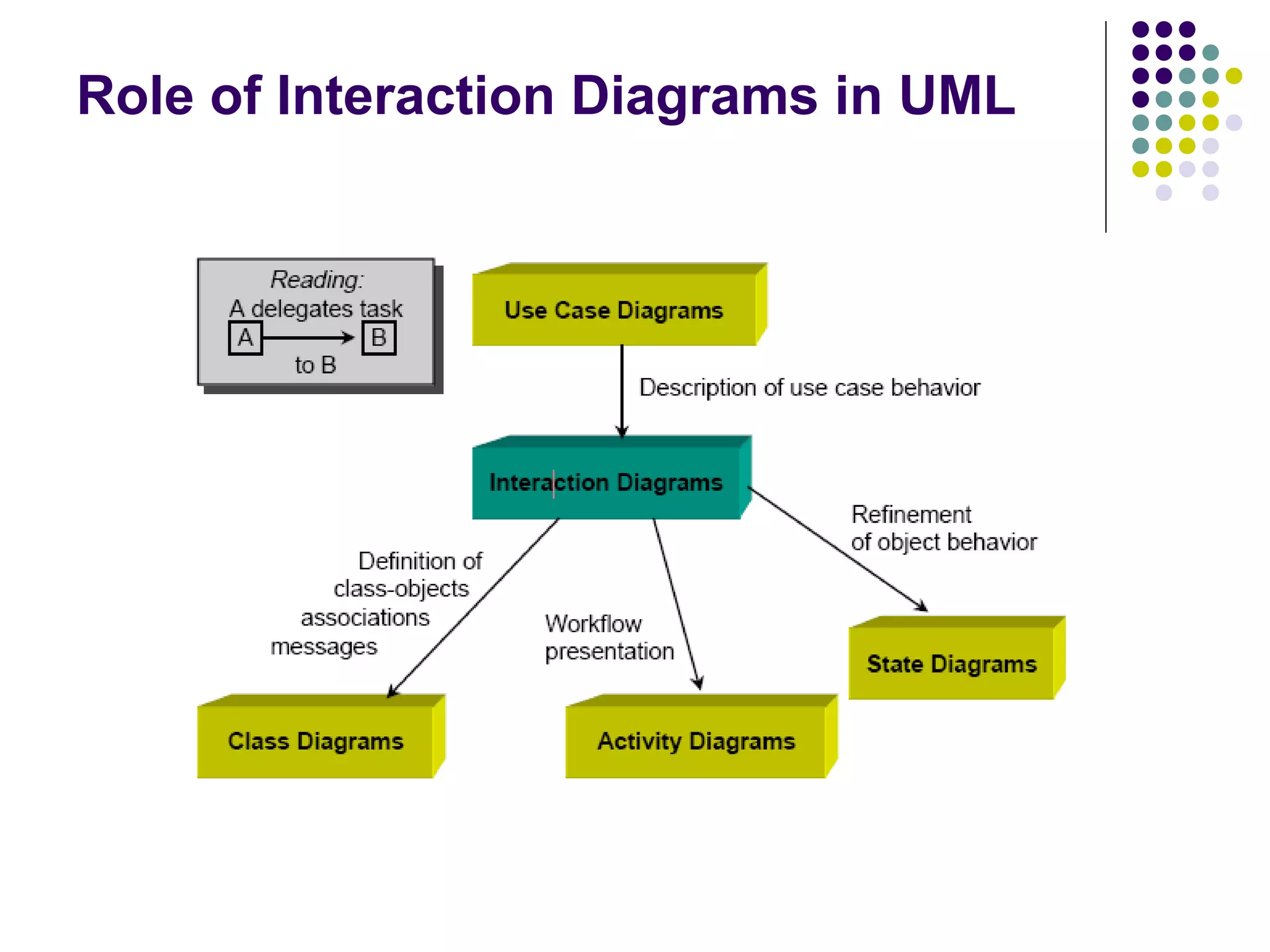
Role of Interaction Diagrams in UML
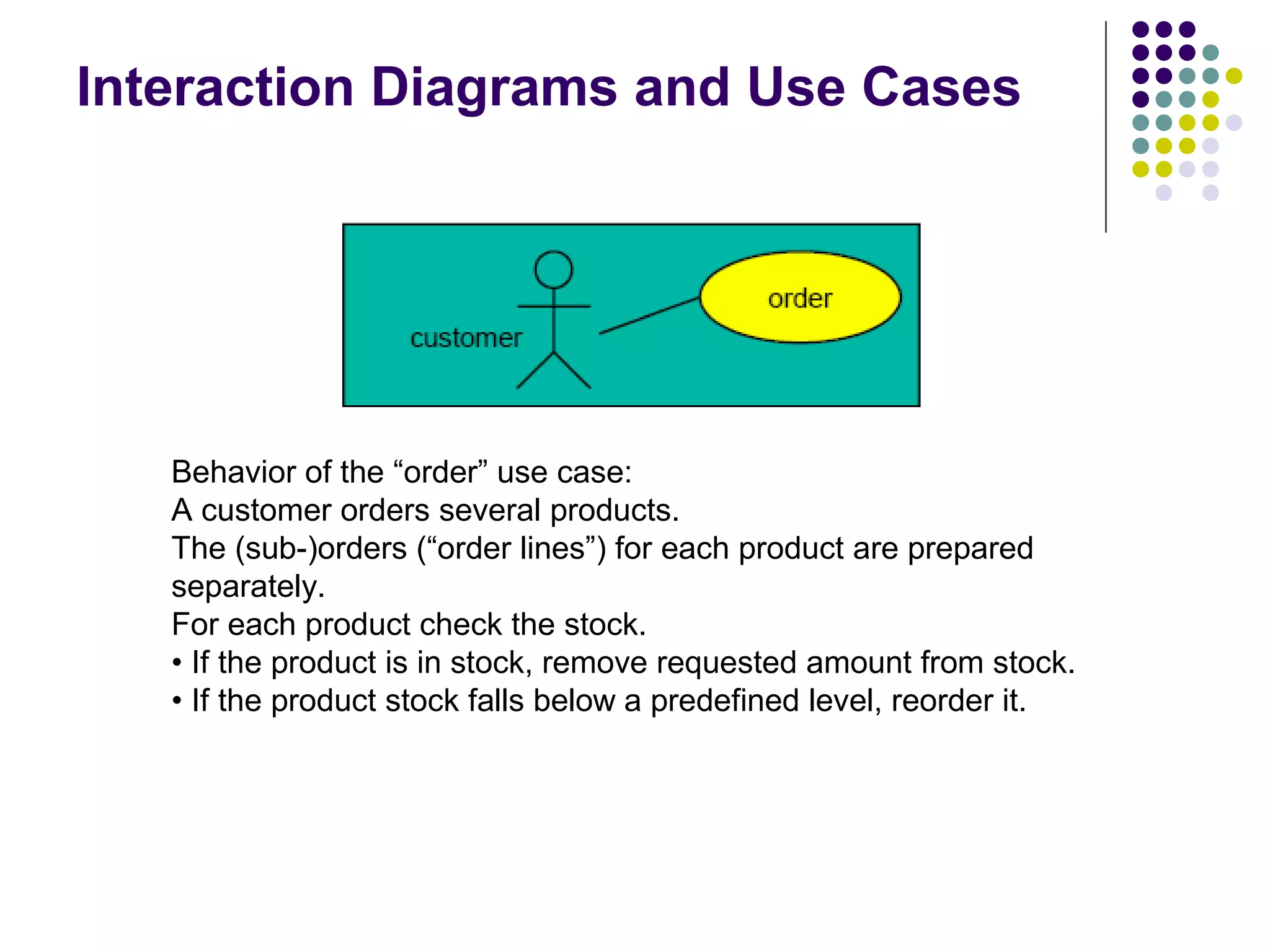
Interaction Diagrams and Use Cases


   Behavior of the “order” use case:
   A customer orders several products.
   The (sub-)orders (“order lines”) for each product are prepared
   separately.
   For each product check the stock.
   • If the product is in stock, remove requested amount from stock.
   • If the product stock falls below a predefined level, reorder it.
Object
   Object naming:
                                                          myBirthdy
       syntax: [instanceName][:className]
                                                            :Date
       Name classes consistently with your class
        diagram (same classes).
       Include instance names when objects are
        referred to in messages or when several objects
        of the same type exist in the diagram.
   The Life-Line represents the object’s life
    during the interaction
Messages
 An  interaction between two objects is
  performed as a message sent from one
  object to another (simple operation call,
  Signaling, RPC)
 If object obj sends a message to another
               1
  object obj2 some link must exist between
  those two objects (dependency, same
  objects)
Messages (Cont.)
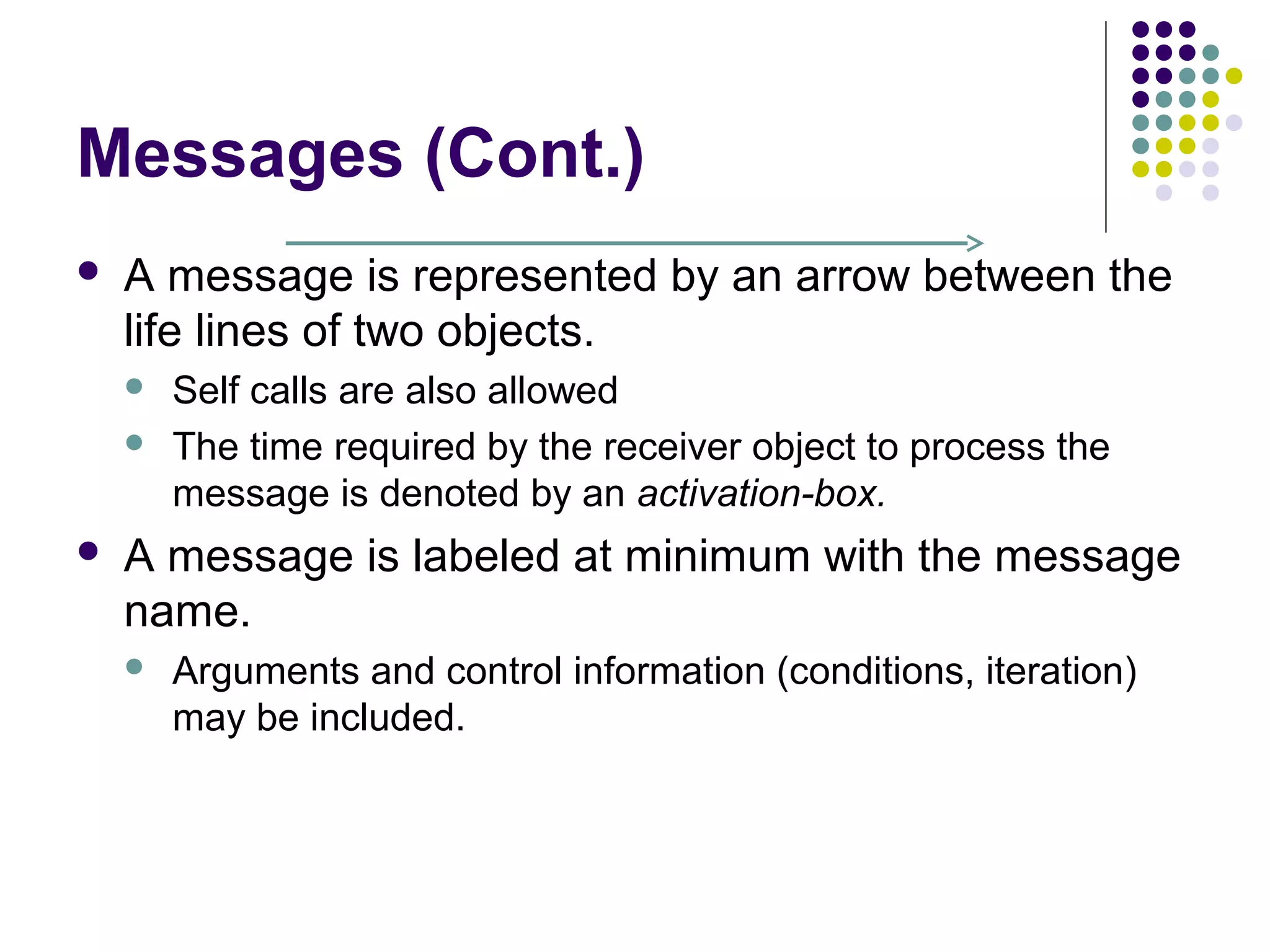
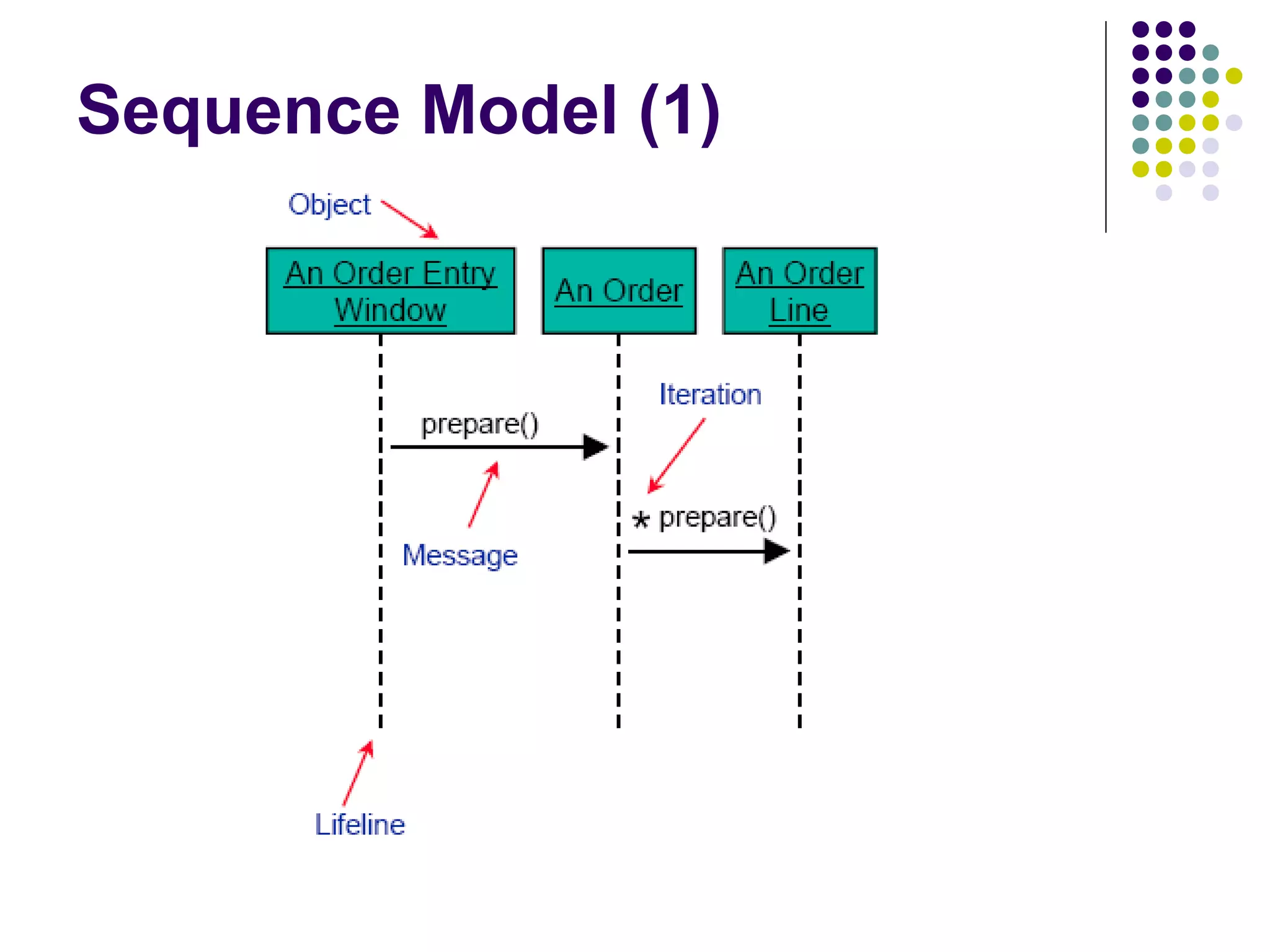
   A message is represented by an arrow between the
    life lines of two objects.
       Self calls are also allowed
       The time required by the receiver object to process the
        message is denoted by an activation-box.
   A message is labeled at minimum with the message
    name.
       Arguments and control information (conditions, iteration)
        may be included.
Return Values
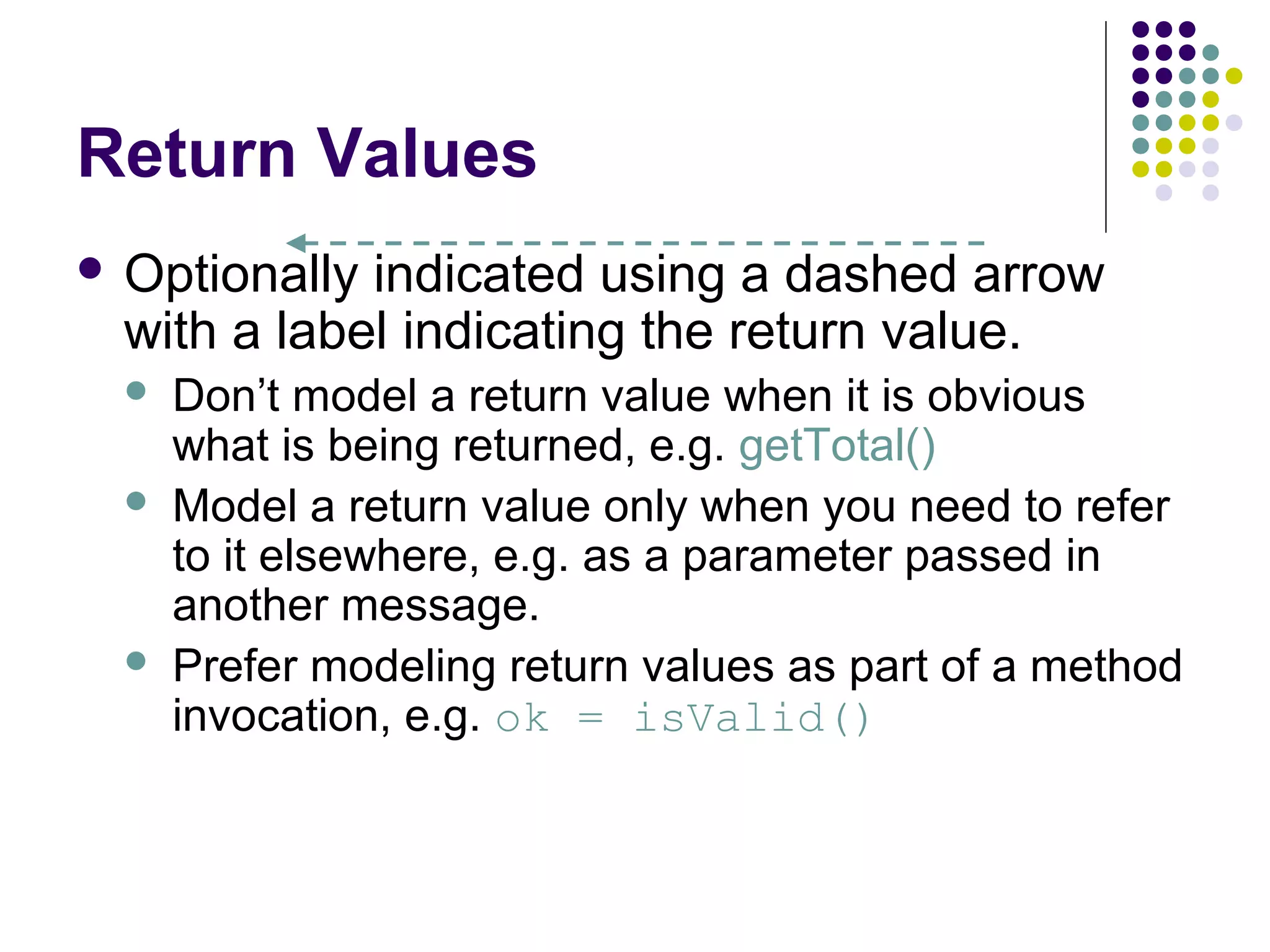
 Optionally indicated using a dashed arrow
  with a label indicating the return value.
     Don’t model a return value when it is obvious
      what is being returned, e.g. getTotal()
     Model a return value only when you need to refer
      to it elsewhere, e.g. as a parameter passed in
      another message.
     Prefer modeling return values as part of a method
      invocation, e.g. ok = isValid()
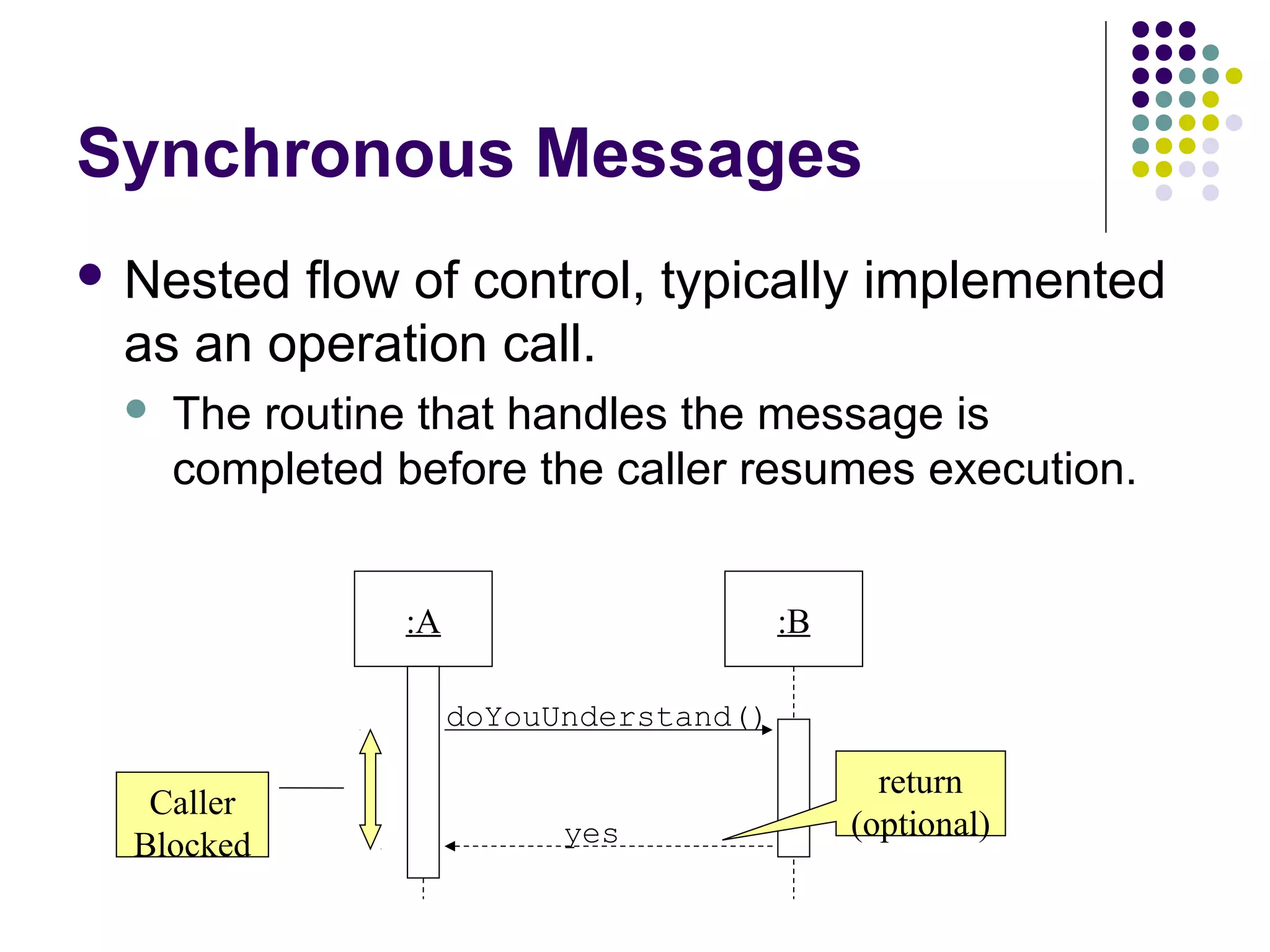
Synchronous Messages
 Nestedflow of control, typically implemented
 as an operation call.
    The routine that handles the message is
     completed before the caller resumes execution.


                :A                       :B

                     doYouUnderstand()

                                                return
   Caller
                           yes                (optional)
  Blocked
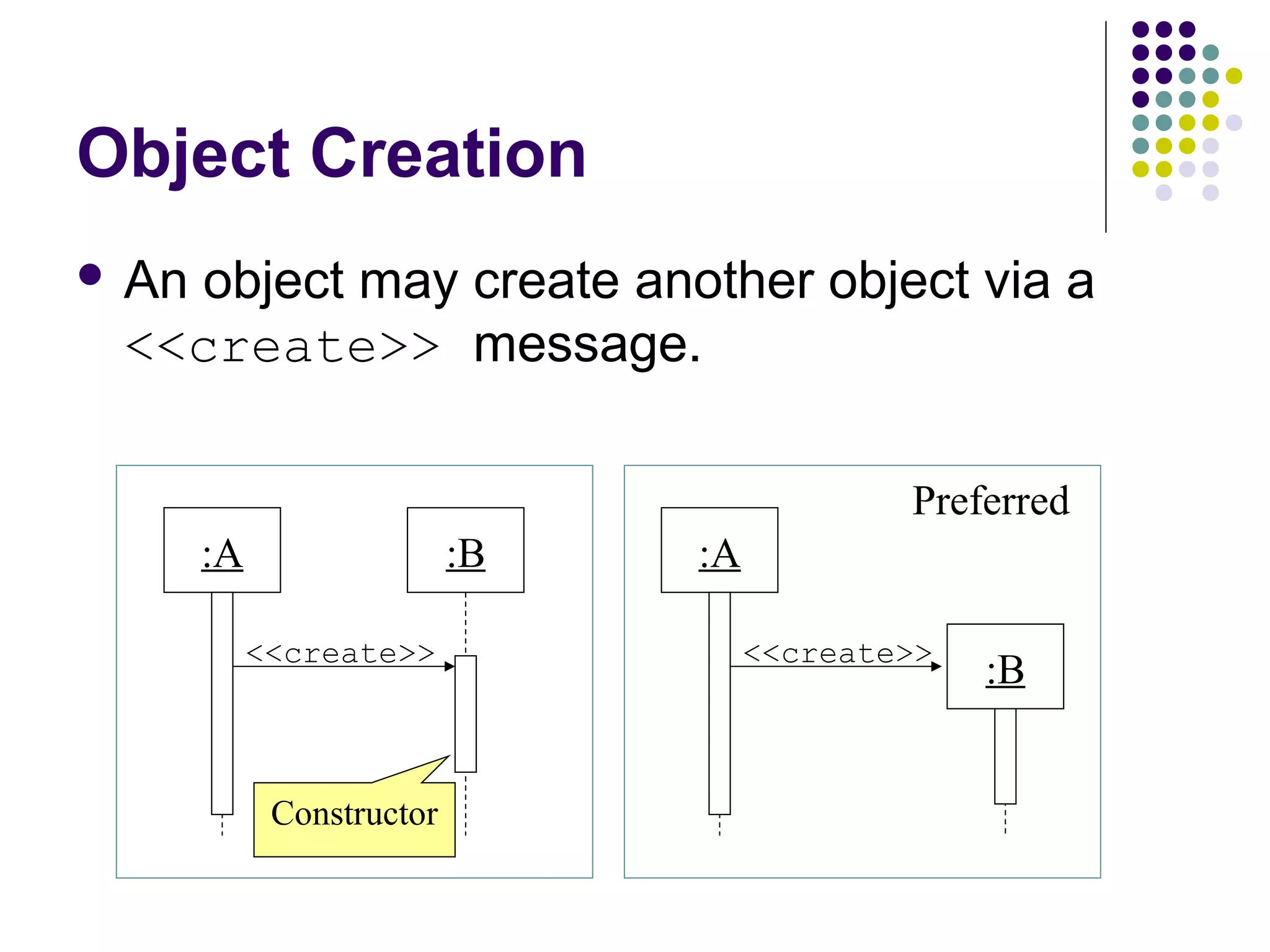
Object Creation
 An
   object may create another object via a
 <<create>> message.

                                             Preferred
       :A                  :B   :A

            <<create>>               <<create>>
                                                  :B


             Constructor
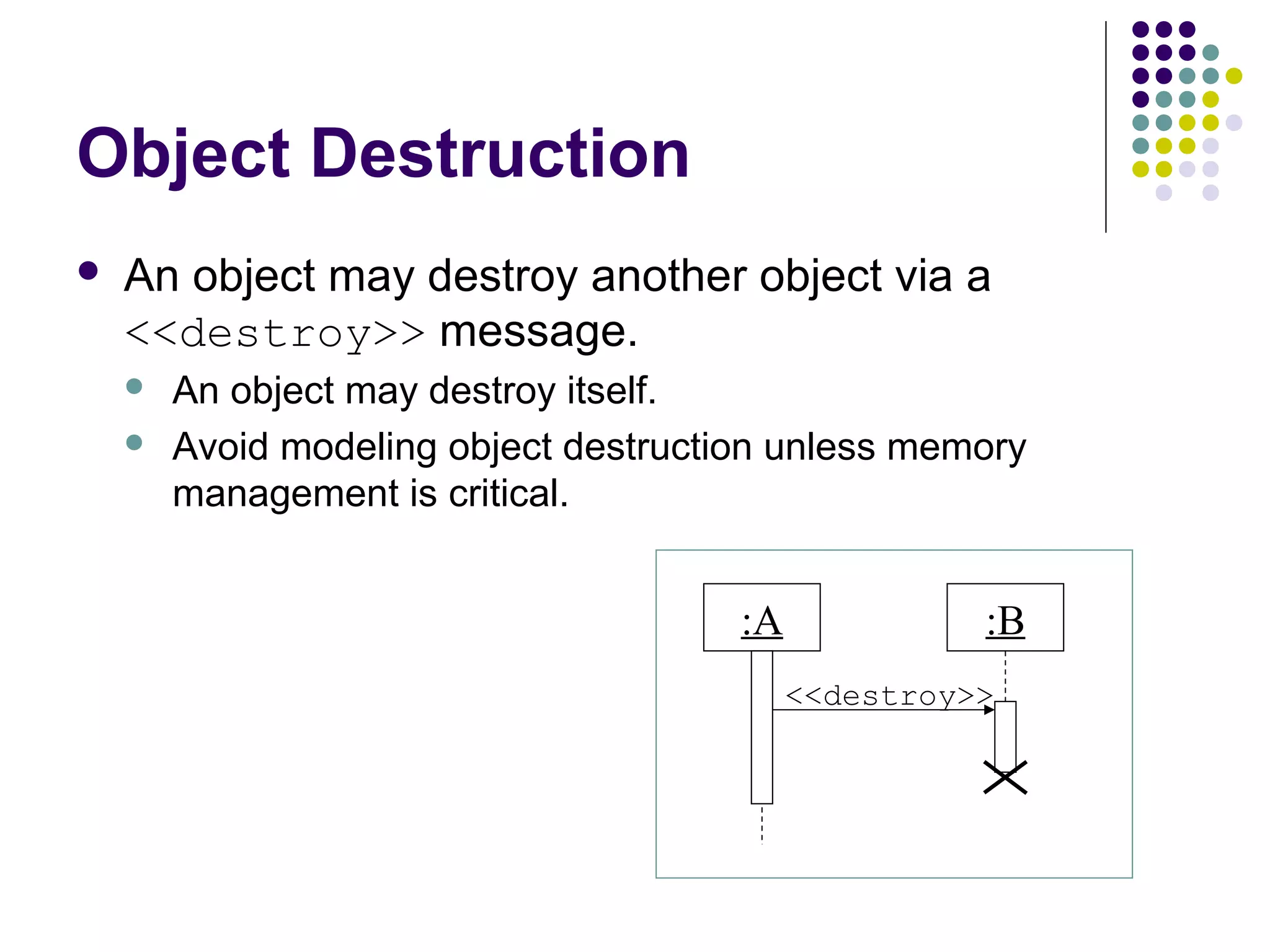
Object Destruction
   An object may destroy another object via a
    <<destroy>> message.
       An object may destroy itself.
       Avoid modeling object destruction unless memory
        management is critical.


                                       :A             :B
                                            <<destroy>>
Sequence Model (1)
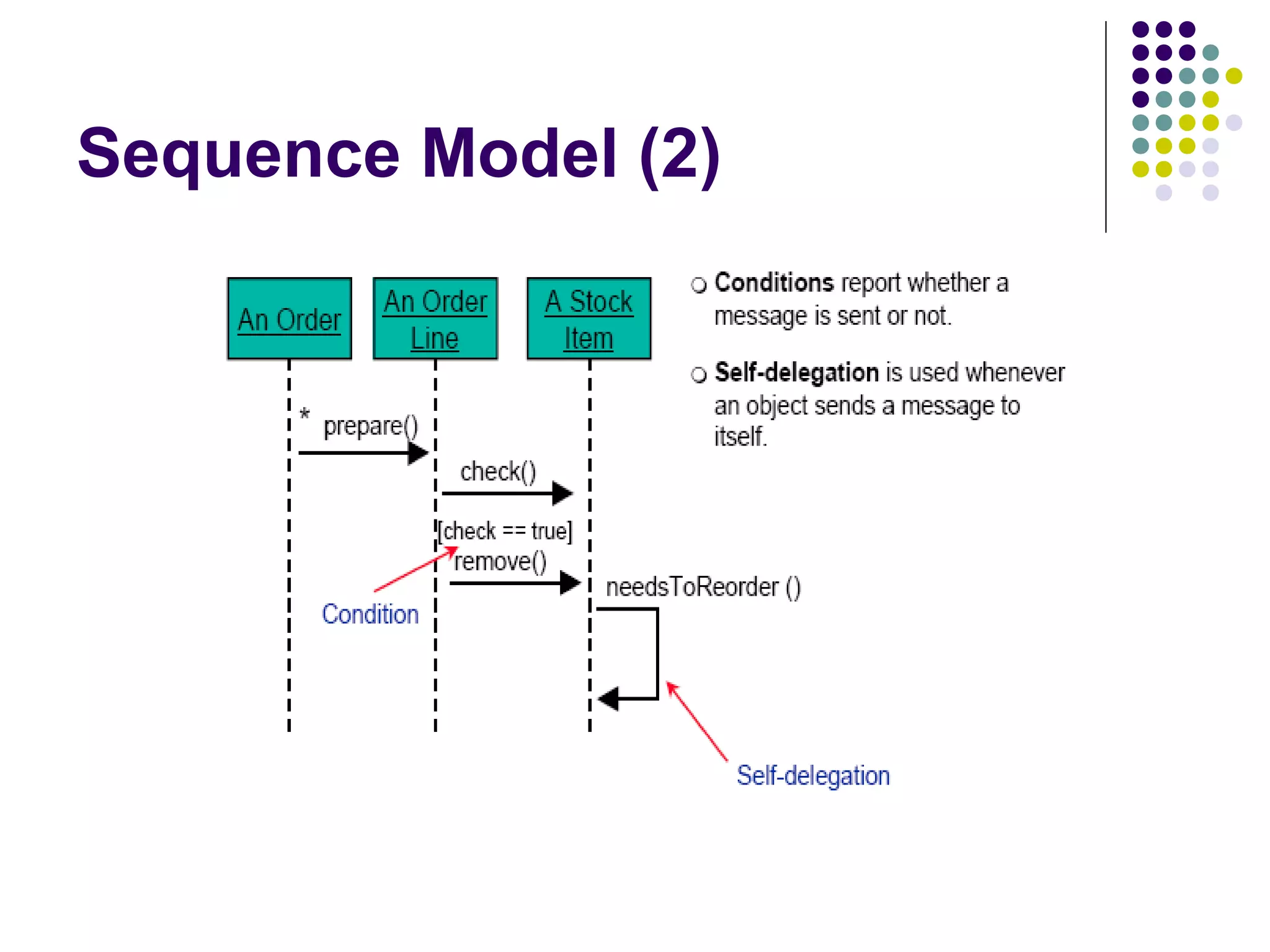
Sequence Model (2)
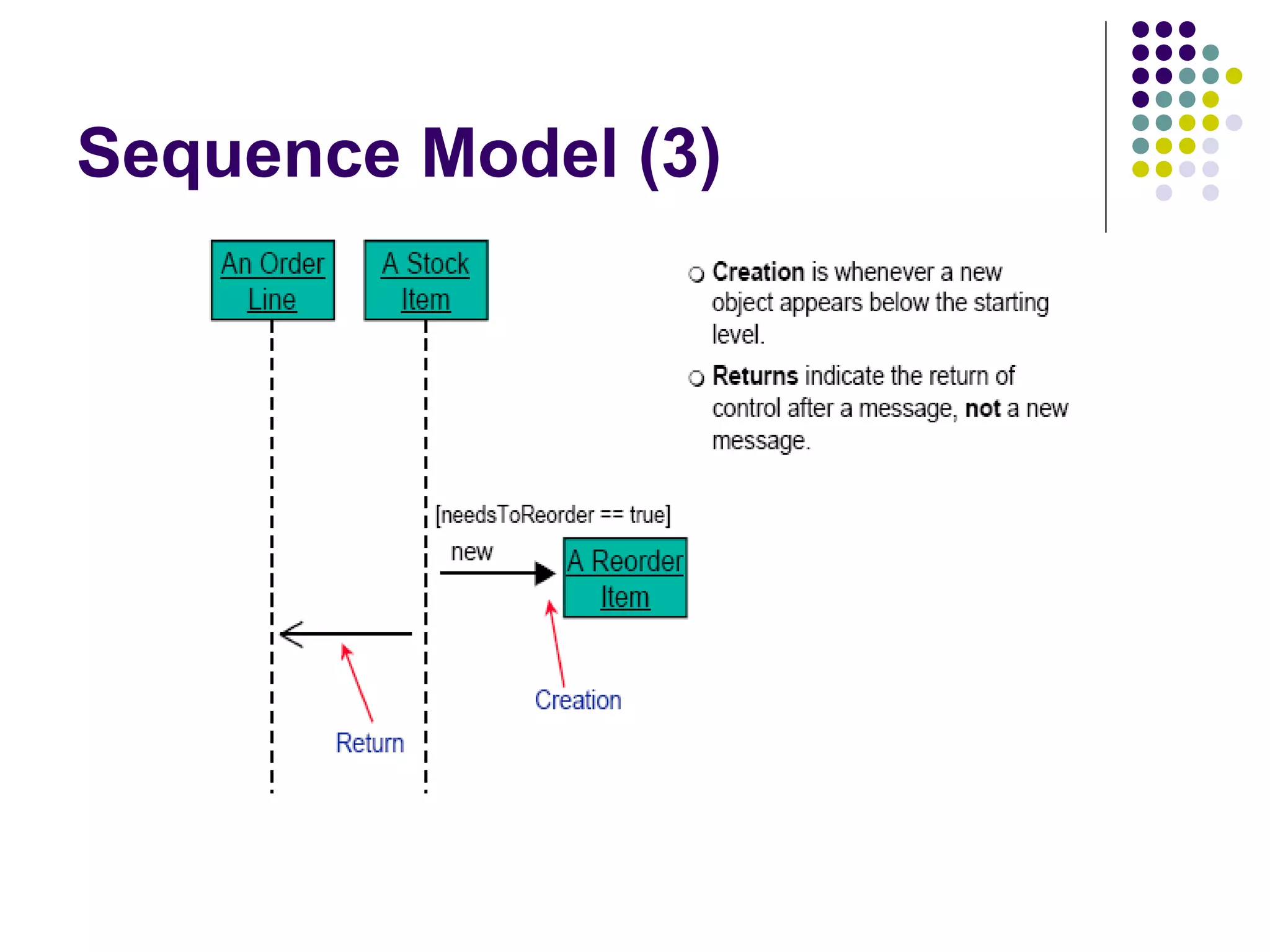
Sequence Model (3)
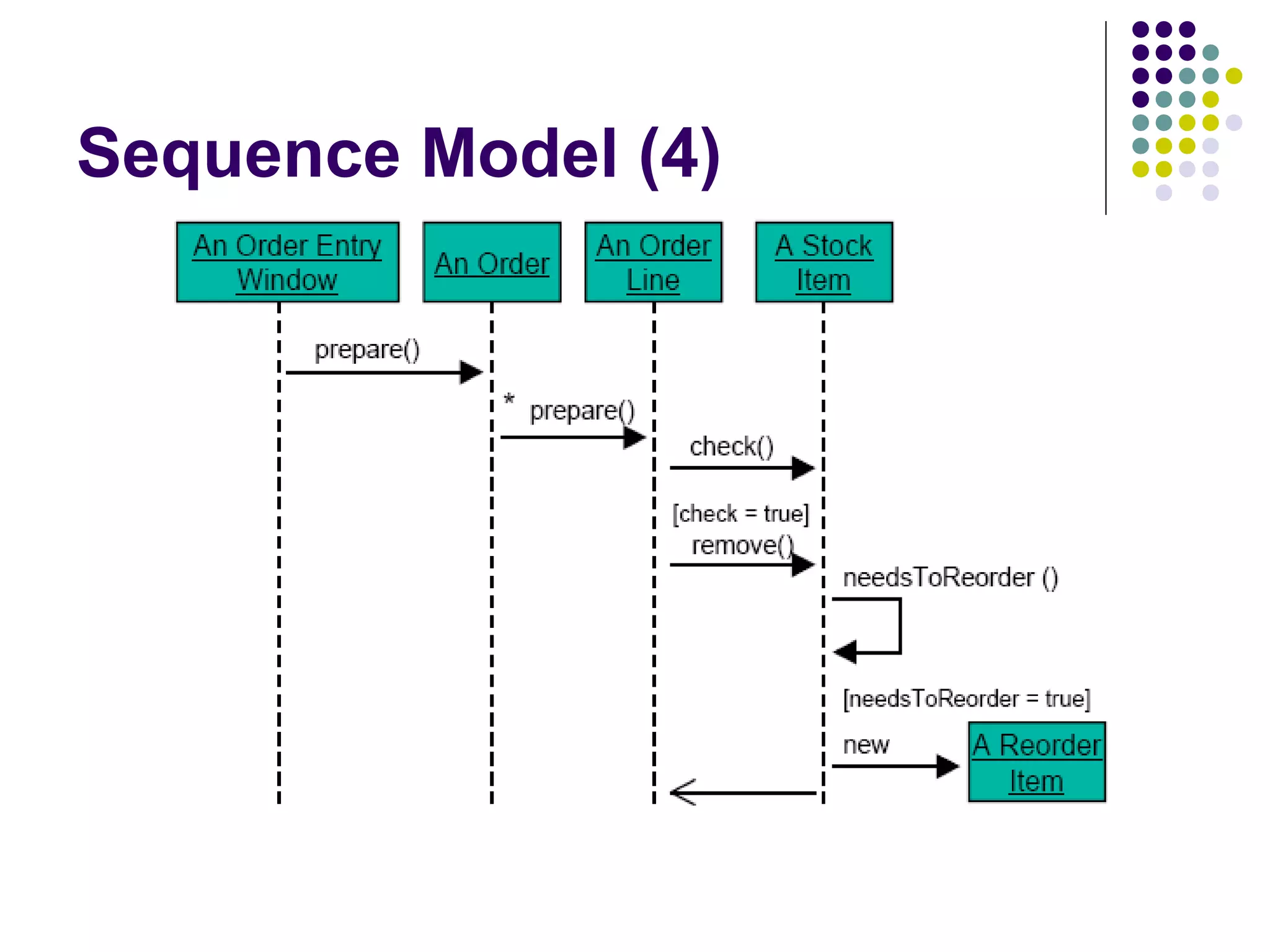
Sequence Model (4)
Why not just code it?
    Sequence diagrams can be somewhat close to the code
     level. So why not just code up that algorithm rather than
     drawing it as a sequence diagram?

    a good sequence diagram is still a bit above the level of the real code (not
     EVERY line of code is drawn on diagram)
    sequence diagrams are language-agnostic (can be implemented in many
     different languages
    non-coders can do sequence diagrams
    easier to do sequence diagrams as a team
    can see many objects/classes at a time on same page (visual bandwidth)


17
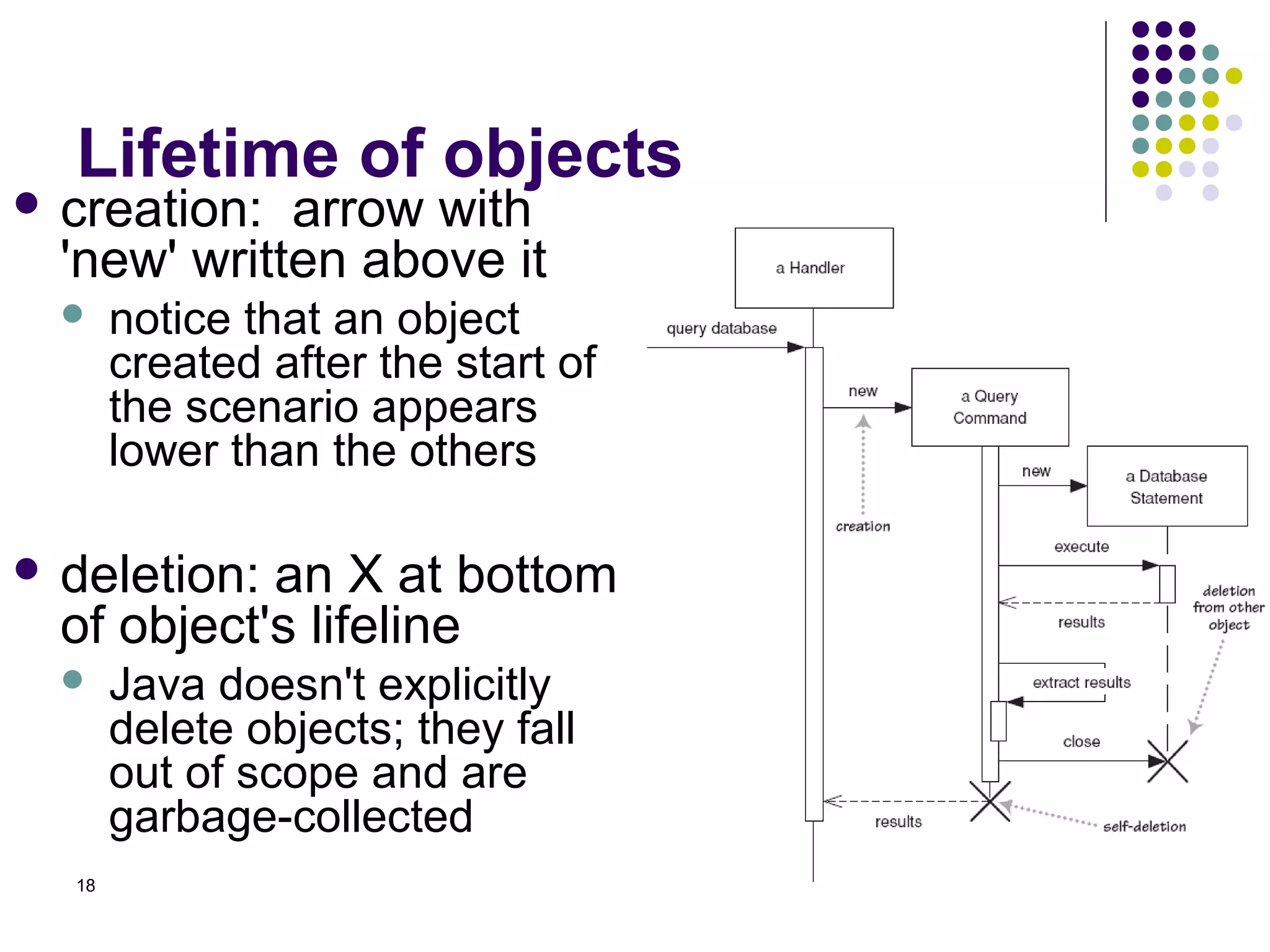
Lifetime of objects
 creation:  arrow with
  'new' written above it
      notice that an object
       created after the start of
       the scenario appears
       lower than the others

 deletion: an X at bottom
  of object's lifeline
      Java doesn't explicitly
       delete objects; they fall
       out of scope and are
       garbage-collected
  18
Indicating selection and loops
    frame: box around part of a sequence diagram
     to indicate selection or loop
        if -> (opt) [condition]
        if/else -> (alt) [condition], separated by horiz. dashed
         line
        loop -> (loop) [condition or opt [balance 0]
                                        items to loop over] [balance 100.00]
                                                 <>      alt       <


                                                                         [balance 100 ]
                                                                                >= .00


                                                    loop   [balance 0]
                                                                  <


19
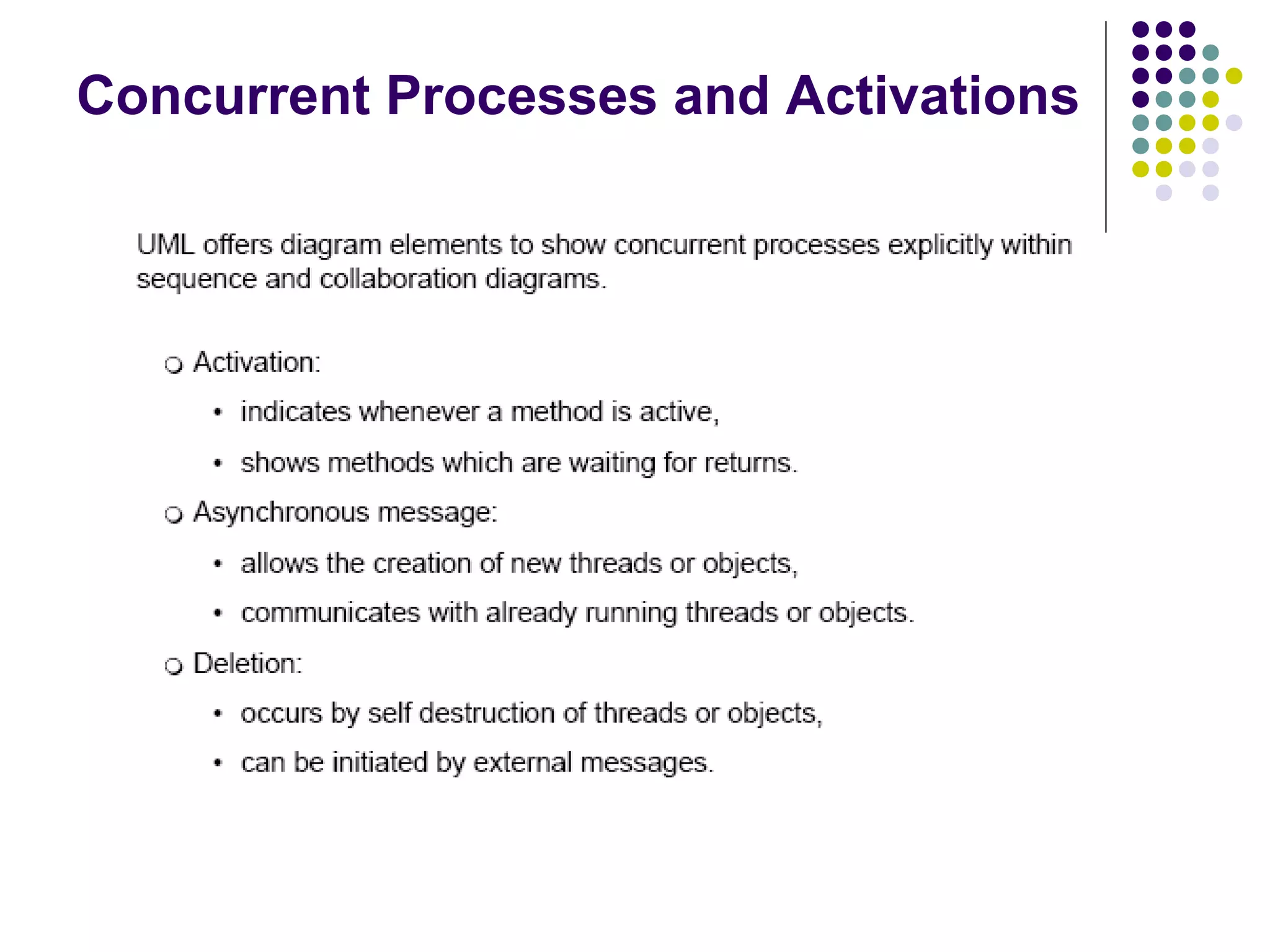
Concurrent Processes and Activations
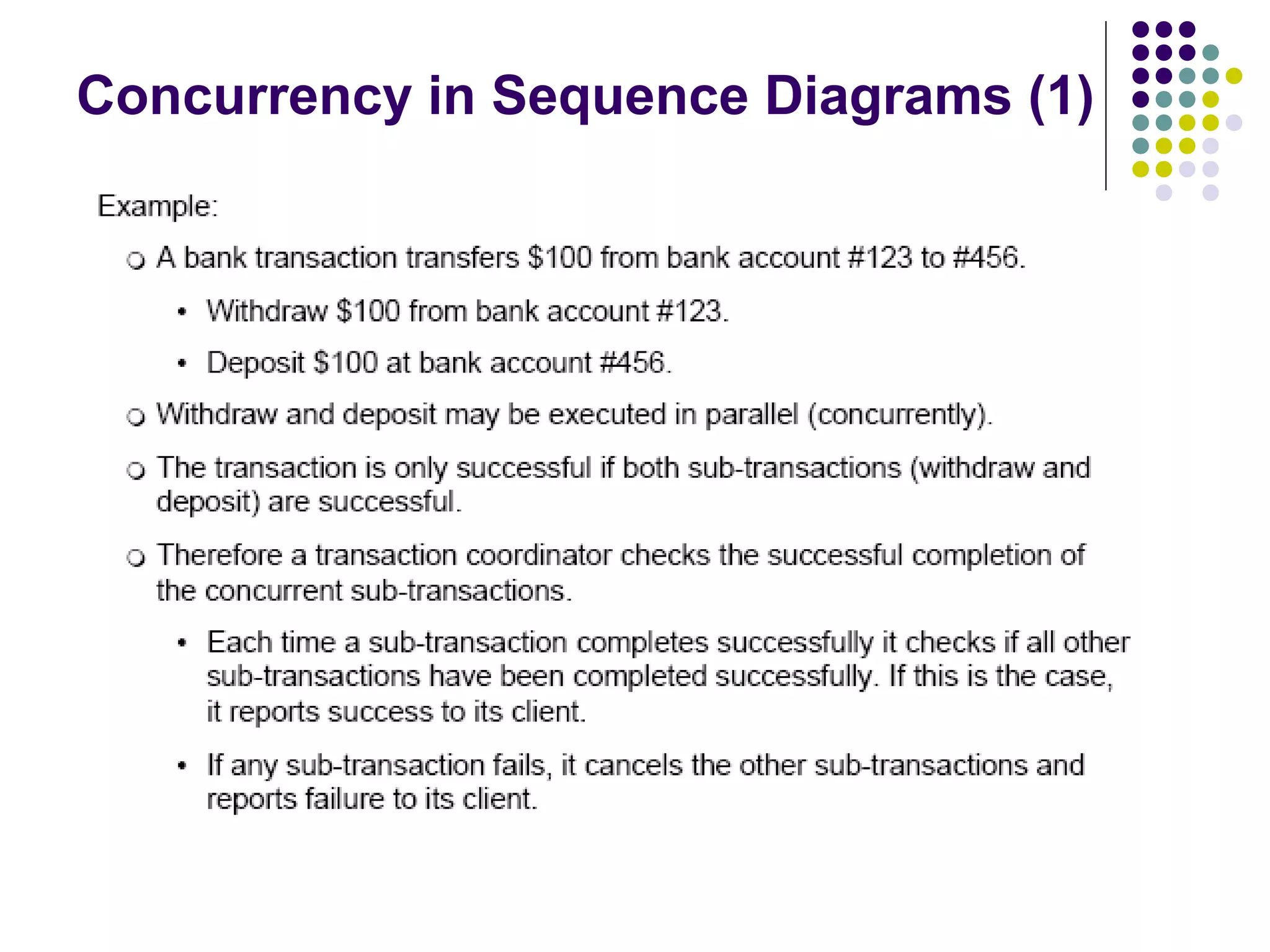
Concurrency in Sequence Diagrams (1)
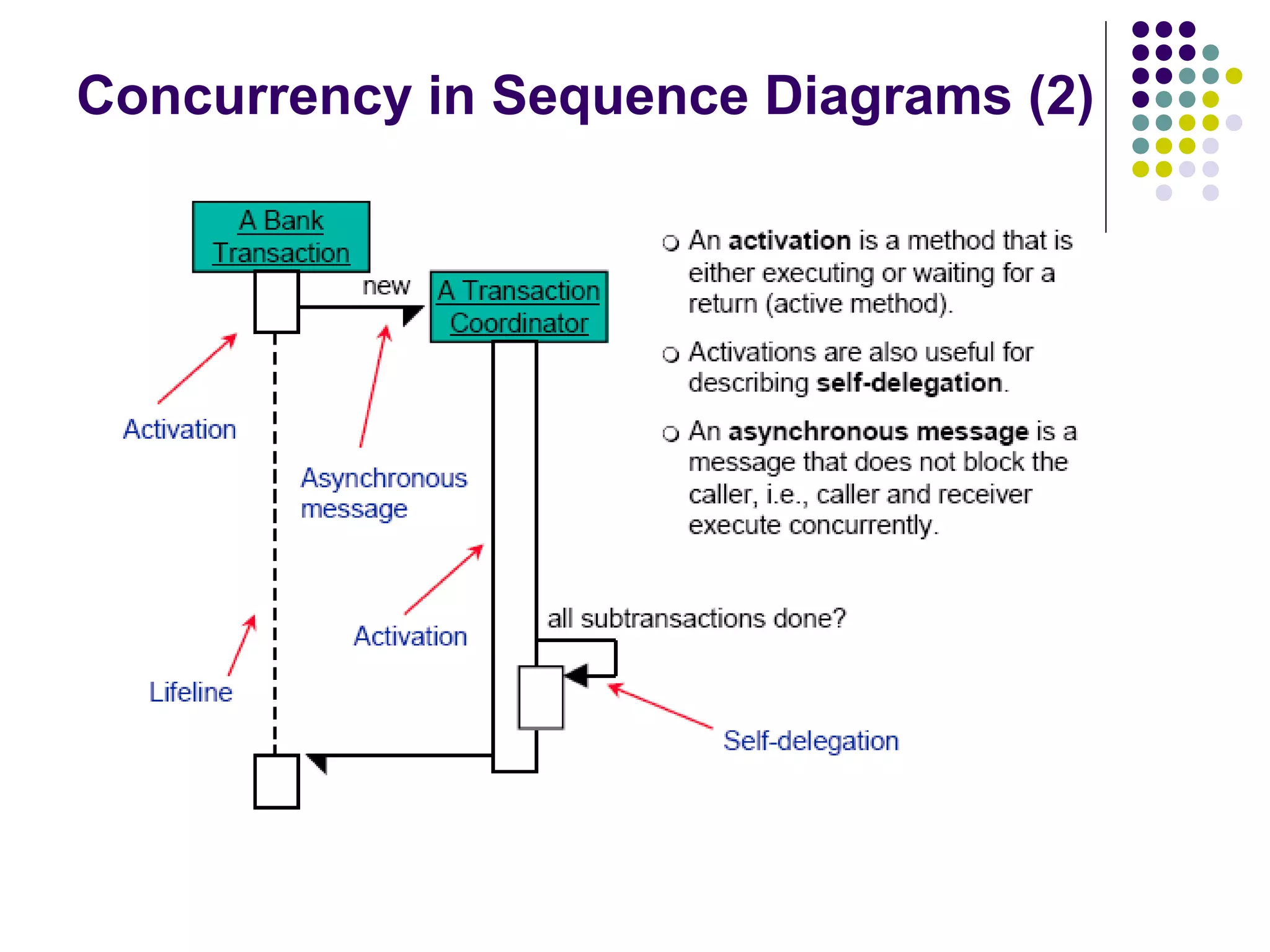
Concurrency in Sequence Diagrams (2)
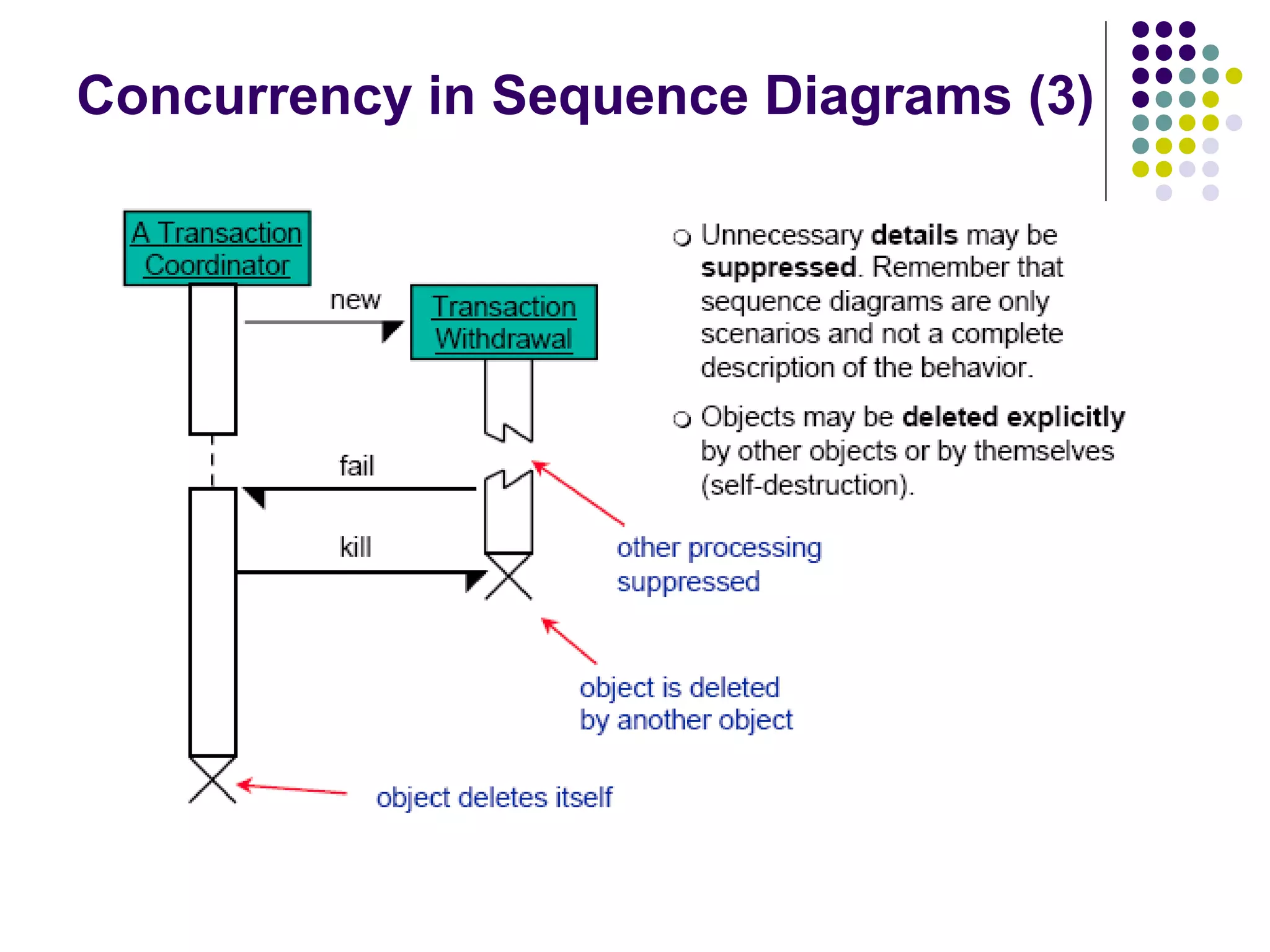
Concurrency in Sequence Diagrams (3)
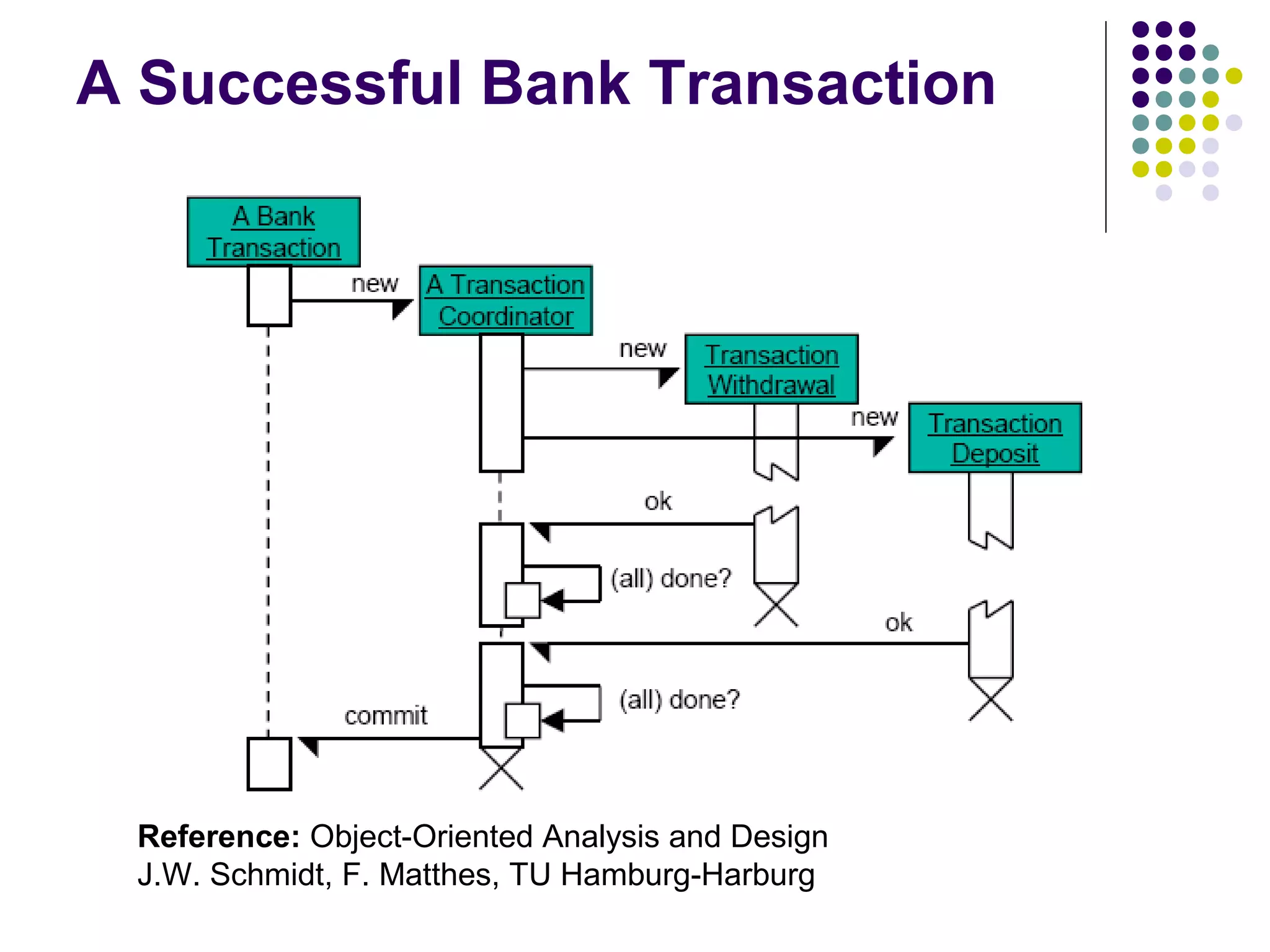
A Successful Bank Transaction


 Reference: Object-Oriented Analysis and Design
 J.W. Schmidt, F. Matthes, TU Hamburg-Harburg
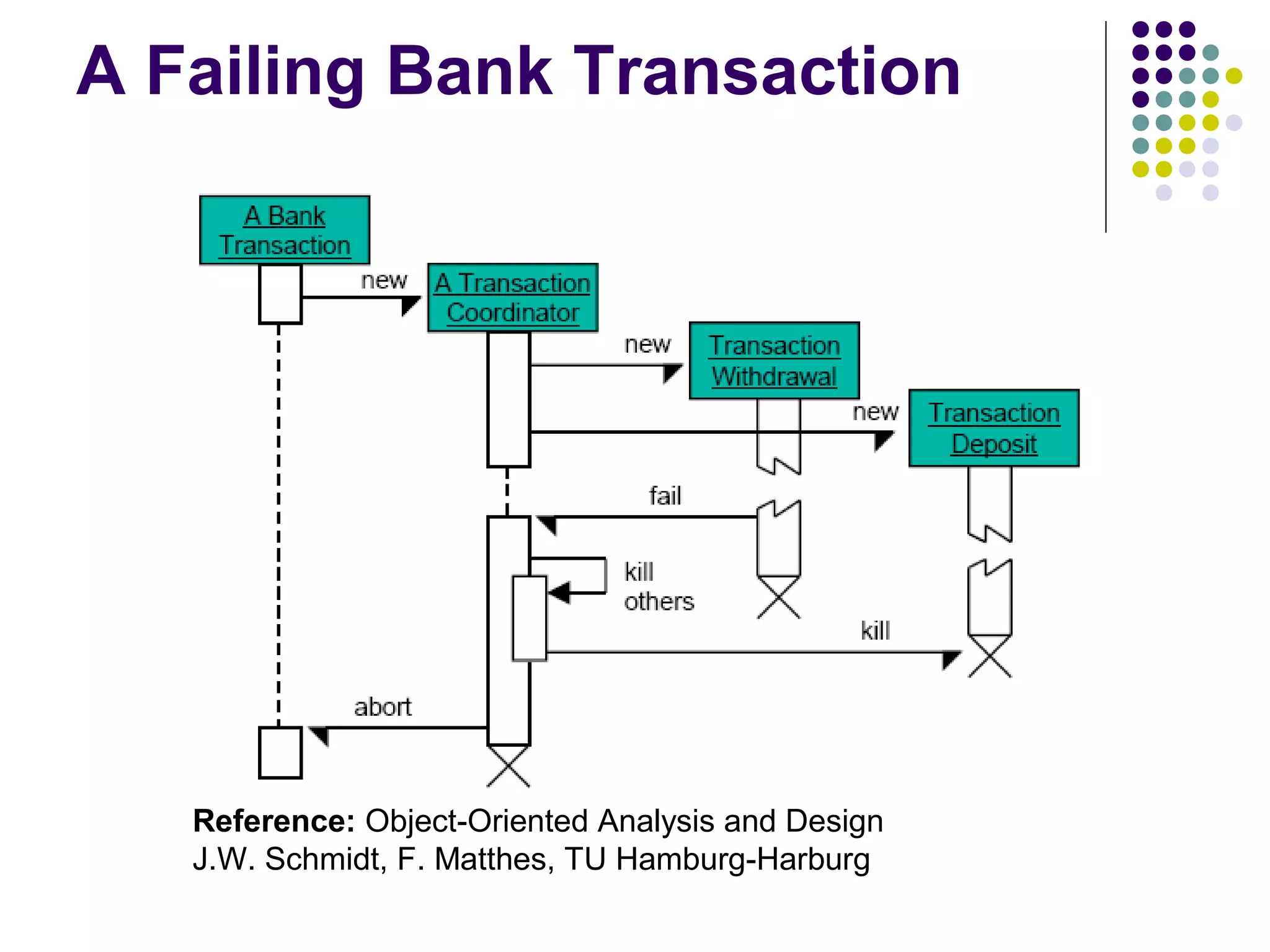
A Failing Bank Transaction


   Reference: Object-Oriented Analysis and Design
   J.W. Schmidt, F. Matthes, TU Hamburg-Harburg
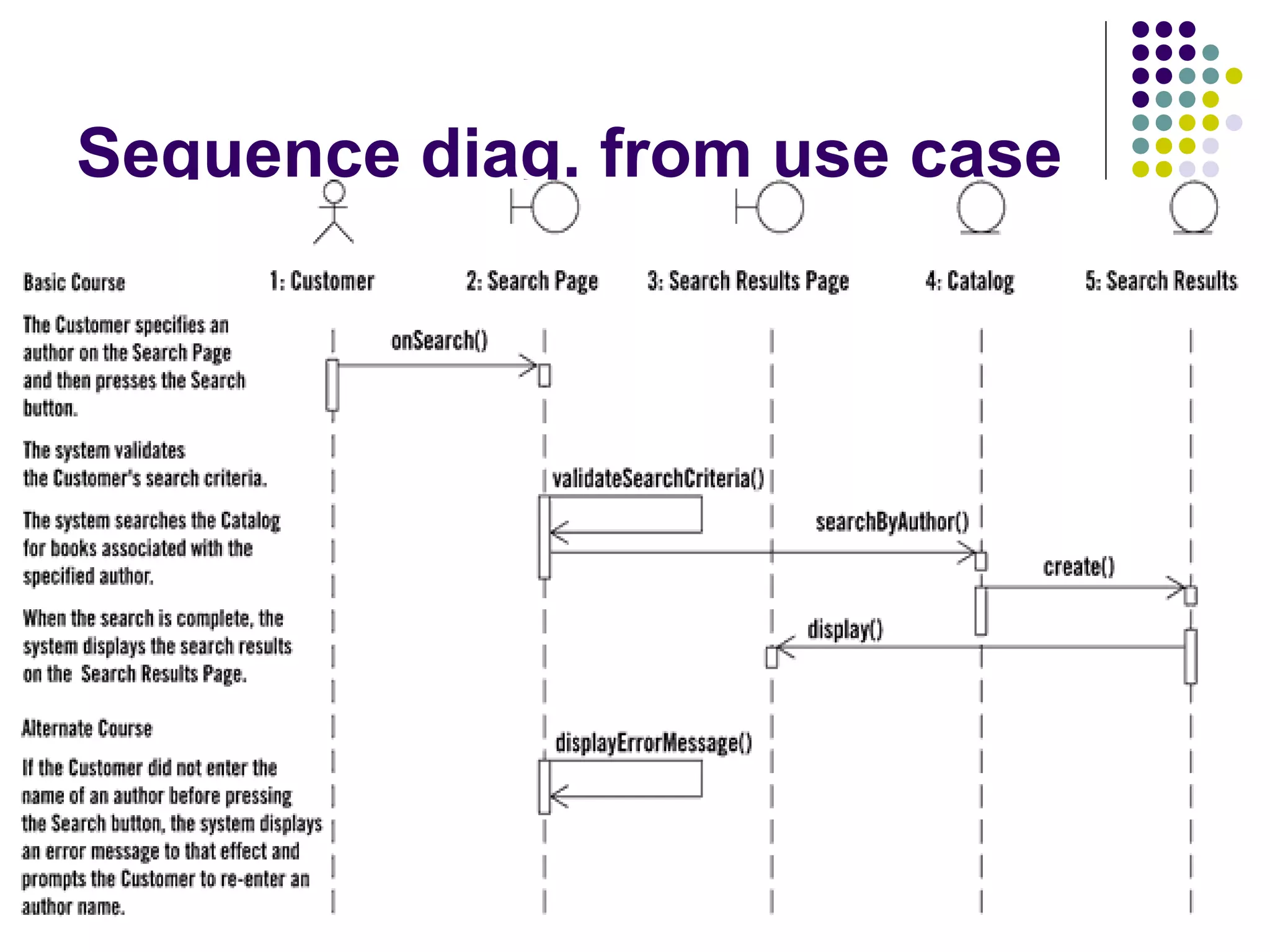
Sequence diag. from use case


26

Ooad sequence diagram lecture

  • 1.
  • 2.
    Interaction Diagrams  Interactiondiagrams describe exemplary how groups of objects collaborate in some behavior.  An interaction diagram typically captures the behavior of a single use case.  Interaction diagrams do not capture the complete behavior, only typical scenarios.
  • 3.
    Types of InteractionDiagrams There are two types of interaction diagrams:  Sequence diagrams emphasize the order or concurrency of the interactions.  Collaboration diagrams emphasize the interacting objects.
  • 4.
    Role of InteractionDiagrams in UML
  • 5.
    Interaction Diagrams andUse Cases Behavior of the “order” use case: A customer orders several products. The (sub-)orders (“order lines”) for each product are prepared separately. For each product check the stock. • If the product is in stock, remove requested amount from stock. • If the product stock falls below a predefined level, reorder it.
  • 6.
    Object  Object naming: myBirthdy  syntax: [instanceName][:className] :Date  Name classes consistently with your class diagram (same classes).  Include instance names when objects are referred to in messages or when several objects of the same type exist in the diagram.  The Life-Line represents the object’s life during the interaction
  • 7.
    Messages  An interaction between two objects is performed as a message sent from one object to another (simple operation call, Signaling, RPC)  If object obj sends a message to another 1 object obj2 some link must exist between those two objects (dependency, same objects)
  • 8.
    Messages (Cont.)  A message is represented by an arrow between the life lines of two objects.  Self calls are also allowed  The time required by the receiver object to process the message is denoted by an activation-box.  A message is labeled at minimum with the message name.  Arguments and control information (conditions, iteration) may be included.
  • 9.
    Return Values  Optionallyindicated using a dashed arrow with a label indicating the return value.  Don’t model a return value when it is obvious what is being returned, e.g. getTotal()  Model a return value only when you need to refer to it elsewhere, e.g. as a parameter passed in another message.  Prefer modeling return values as part of a method invocation, e.g. ok = isValid()
  • 10.
    Synchronous Messages  Nestedflowof control, typically implemented as an operation call.  The routine that handles the message is completed before the caller resumes execution. :A :B doYouUnderstand() return Caller yes (optional) Blocked
  • 11.
    Object Creation  An object may create another object via a <<create>> message. Preferred :A :B :A <<create>> <<create>> :B Constructor
  • 12.
    Object Destruction  An object may destroy another object via a <<destroy>> message.  An object may destroy itself.  Avoid modeling object destruction unless memory management is critical. :A :B <<destroy>>
  • 13.
  • 14.
  • 15.
  • 16.
  • 17.
    Why not justcode it?  Sequence diagrams can be somewhat close to the code level. So why not just code up that algorithm rather than drawing it as a sequence diagram?  a good sequence diagram is still a bit above the level of the real code (not EVERY line of code is drawn on diagram)  sequence diagrams are language-agnostic (can be implemented in many different languages  non-coders can do sequence diagrams  easier to do sequence diagrams as a team  can see many objects/classes at a time on same page (visual bandwidth) 17
  • 18.
    Lifetime of objects creation: arrow with 'new' written above it  notice that an object created after the start of the scenario appears lower than the others  deletion: an X at bottom of object's lifeline  Java doesn't explicitly delete objects; they fall out of scope and are garbage-collected 18
  • 19.
    Indicating selection andloops  frame: box around part of a sequence diagram to indicate selection or loop  if -> (opt) [condition]  if/else -> (alt) [condition], separated by horiz. dashed line  loop -> (loop) [condition or opt [balance 0] items to loop over] [balance 100.00] <> alt < [balance 100 ] >= .00 loop [balance 0] < 19
  • 20.
  • 21.
  • 22.
  • 23.
  • 24.
    A Successful BankTransaction Reference: Object-Oriented Analysis and Design J.W. Schmidt, F. Matthes, TU Hamburg-Harburg
  • 25.
    A Failing BankTransaction Reference: Object-Oriented Analysis and Design J.W. Schmidt, F. Matthes, TU Hamburg-Harburg
  • 26.