Sequence Diagram
A category of Interaction diagram
Agenda
Points
1. About
2. Challenges
3. Use Cases
4. Components
5. Conclusion
6. Q&A
About
A sequence diagram belongs to the interaction diagram of UML and it interprets the
interactions of parts within a system.
Most importantly the order in which the interactions occur when a particular use case is
executed.
This is preferred by the developers and readers for its simplicity.
Challenges
Challenge 1
Basic Knowledge of
system
Challenge 2
Training on weapons /
UML Components :-)
Challenge 3
A comprehensive
description of the
particular use case
Use Case
We have some use cases of the big streams where sequence diagrams are quite useful in
implementation and performing the agile process.
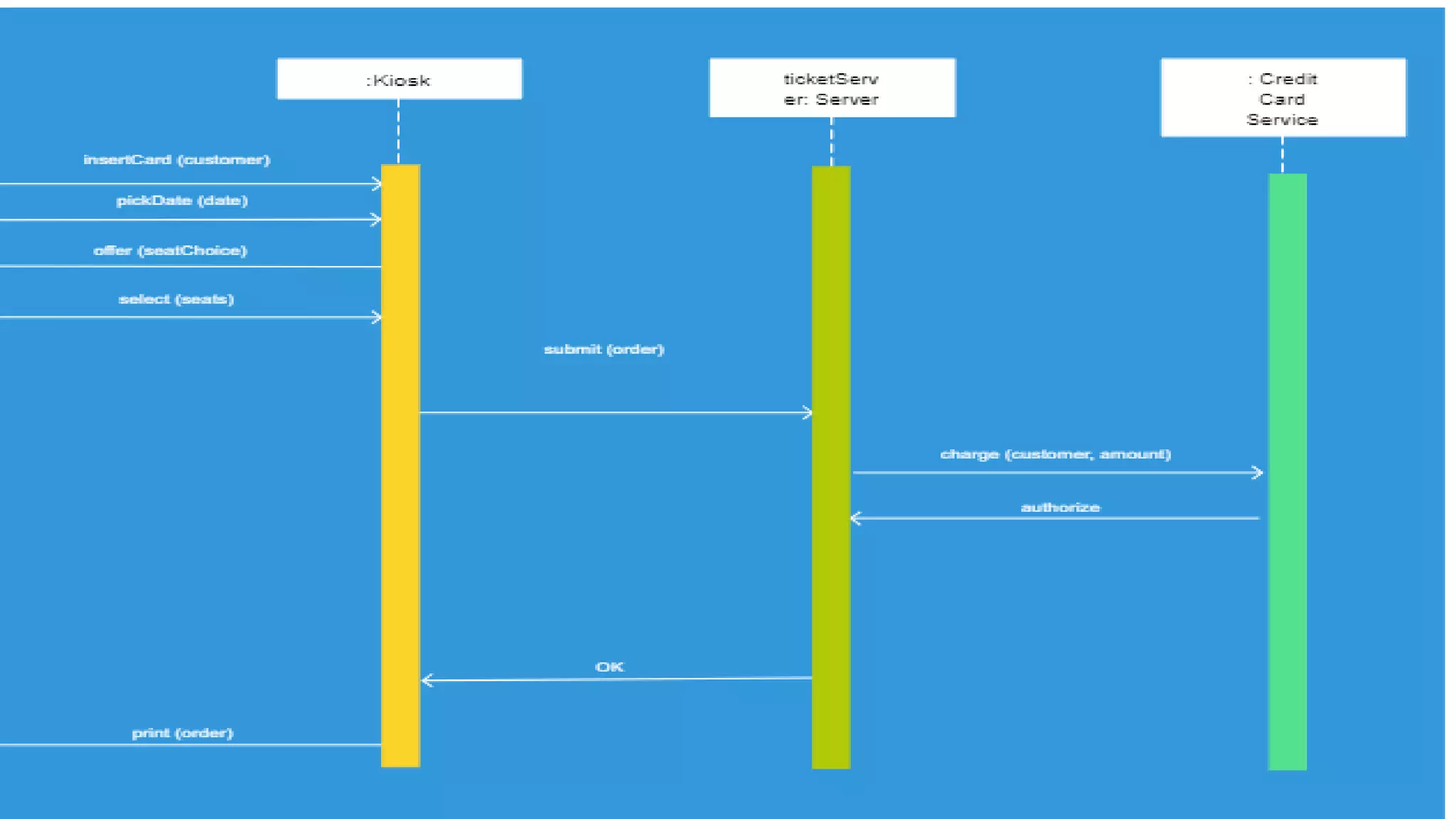
1: Ticketing System: From IRCTC Website login to Website Server to Payment Gateway
2: ATM System: From User to ATM Machine to Bank
3: Facebook user Authentication
4: Online purchase
5: User Registration System
NOTE: There would be n number of ways to design the Sequence Diagrams but it should follow the rules of using
components.
Use Case (Cont.)
1: Identify the objects or participants in the use cases
2: List down the steps involved in the execution of the use case
3: Identity which msgs should be passed between the objects
Important Points
Components
A sequence diagram is structured in such a way that it represents a timeline that begins
at the top and descends gradually to mark the sequence of interactions.
Each object has a column and msg exchanged between them are represented with
arrows.
Lifeline
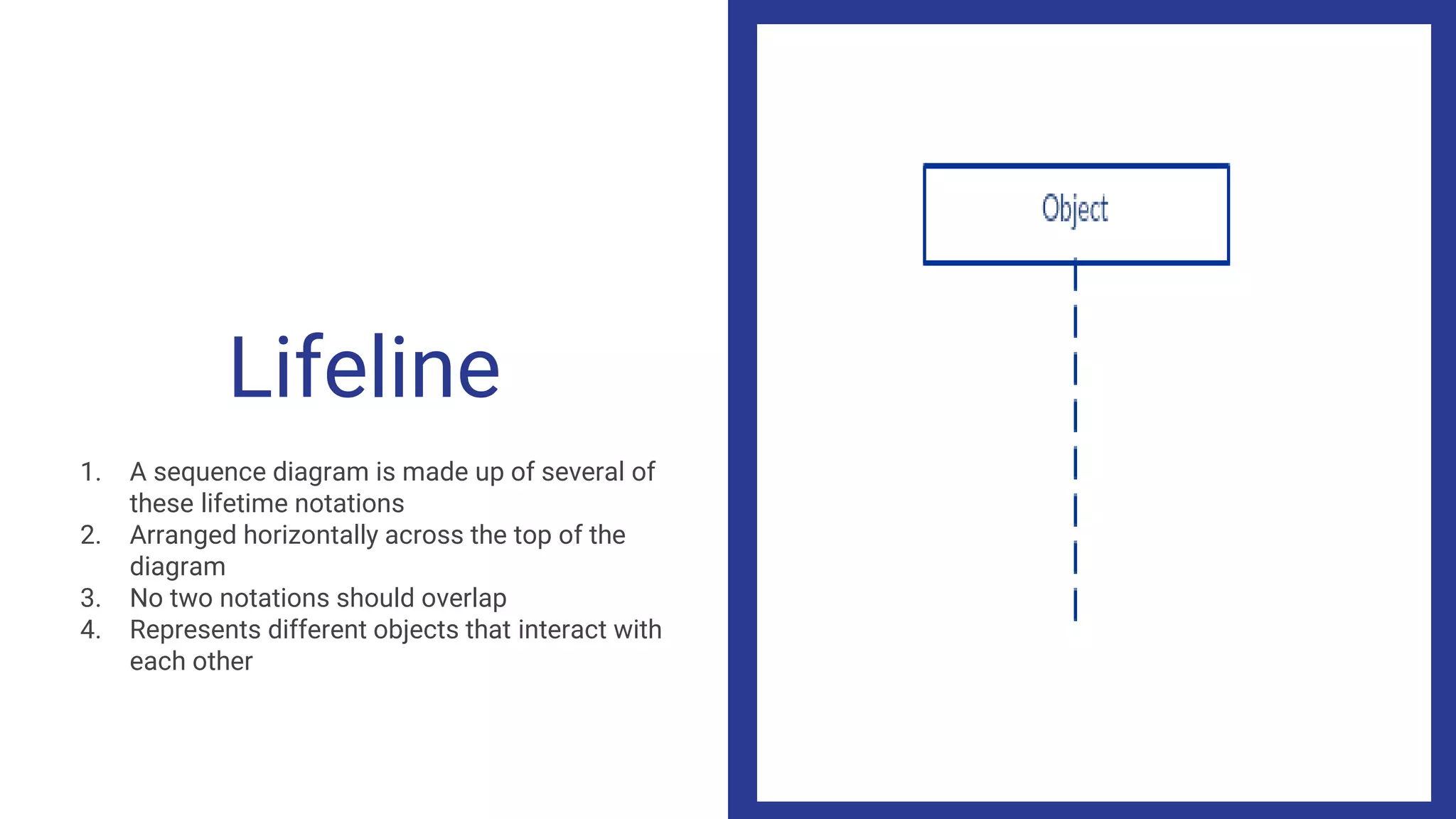
1. A sequence diagram is made up of several of
these lifetime notations
2. Arranged horizontally across the top of the
diagram
3. No two notations should overlap
4. Represents different objects that interact with
each other
Actor
A lifeline notation with an actor is used when
the diagram is owned by a use case
Activation Bars
1. It is a bar that placed in the lifeline
2. It indicates that the object is active during the
interaction
3. The length indicates the duration of the
interaction.
Focus of Control
Blank space on the Activation bar indicates the
waiting time and blacked space indicates the
execution time.
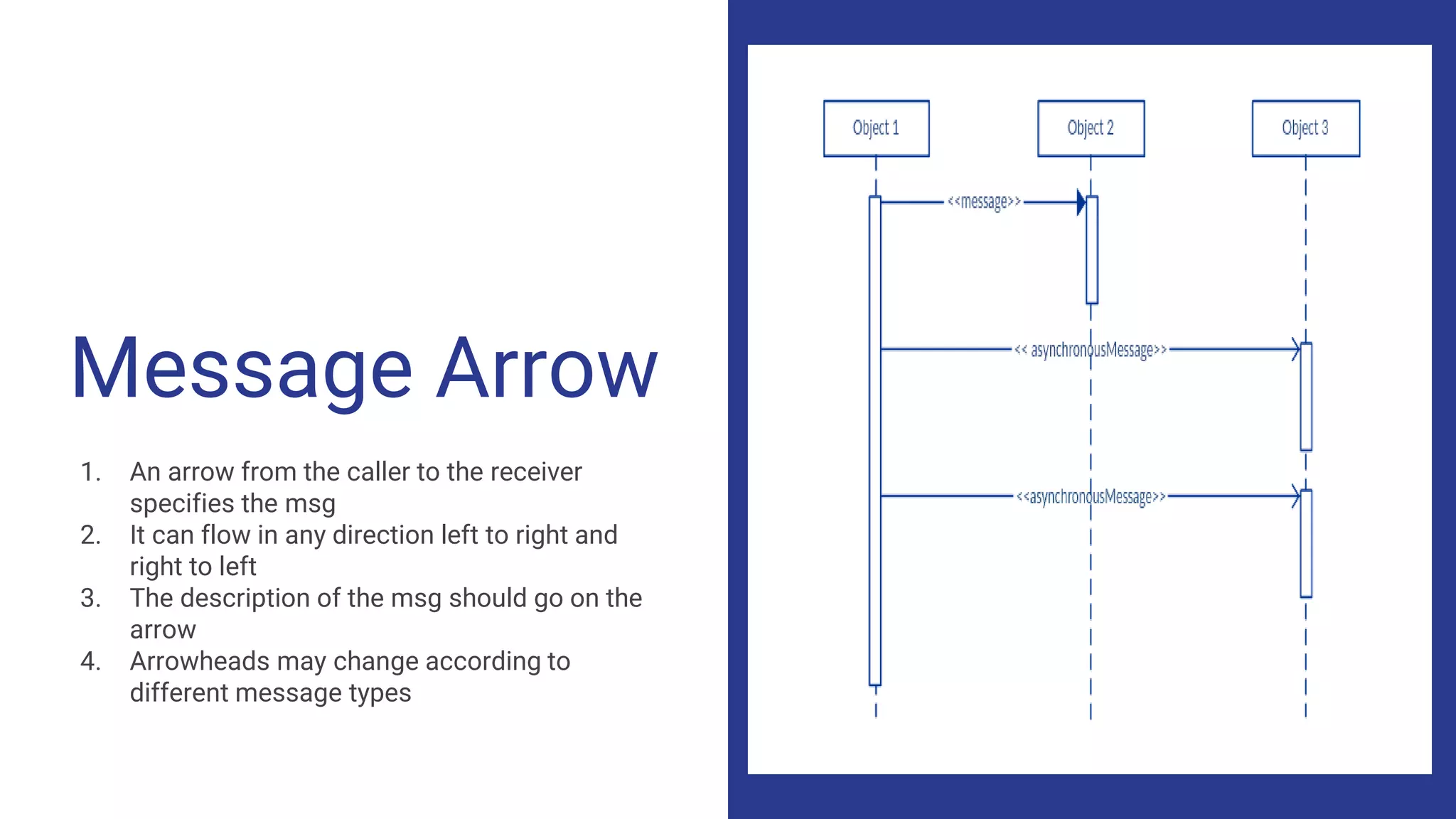
Message Arrow
1. An arrow from the caller to the receiver
specifies the msg
2. It can flow in any direction left to right and
right to left
3. The description of the msg should go on the
arrow
4. Arrowheads may change according to
different message types
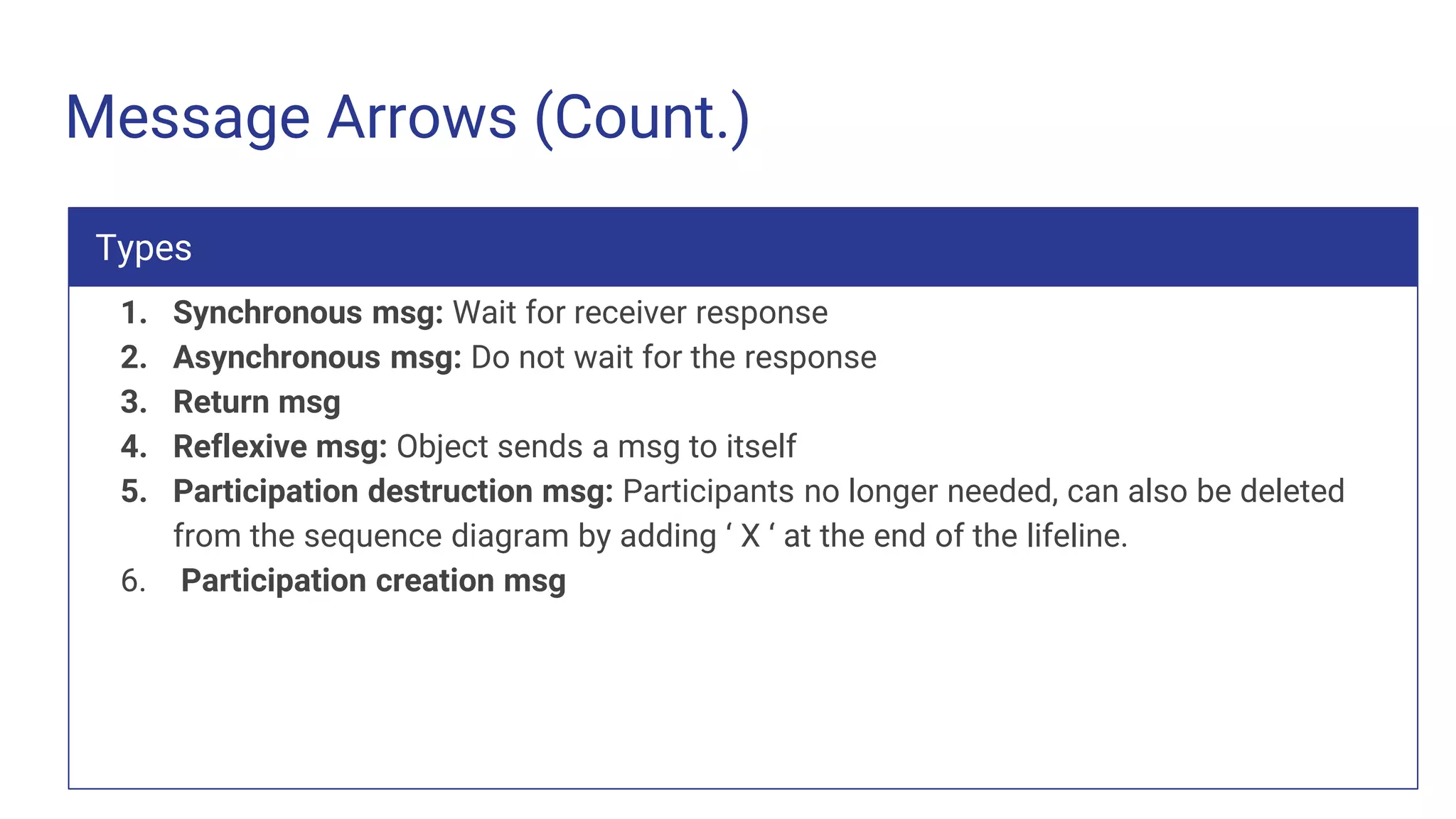
Message Arrows (Count.)
1. Synchronous msg: Wait for receiver response
2. Asynchronous msg: Do not wait for the response
3. Return msg
4. Reflexive msg: Object sends a msg to itself
5. Participation destruction msg: Participants no longer needed, can also be deleted
from the sequence diagram by adding ‘ X ‘ at the end of the lifeline.
6. Participation creation msg
Types
Comment
It can be linked to the related object with the
dotted line
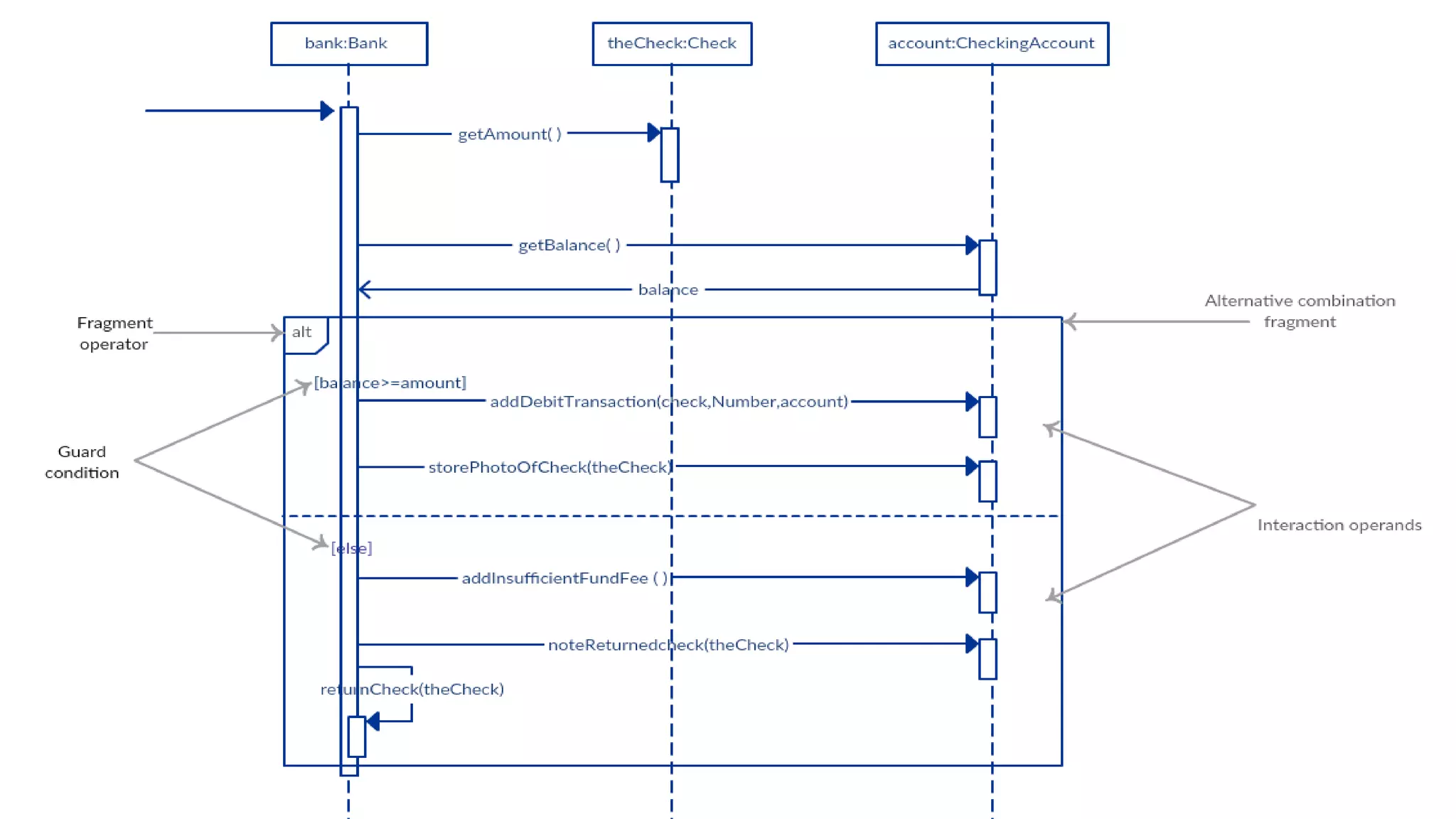
Guards
Like if conditions in programming we use
guards in sequence diagram
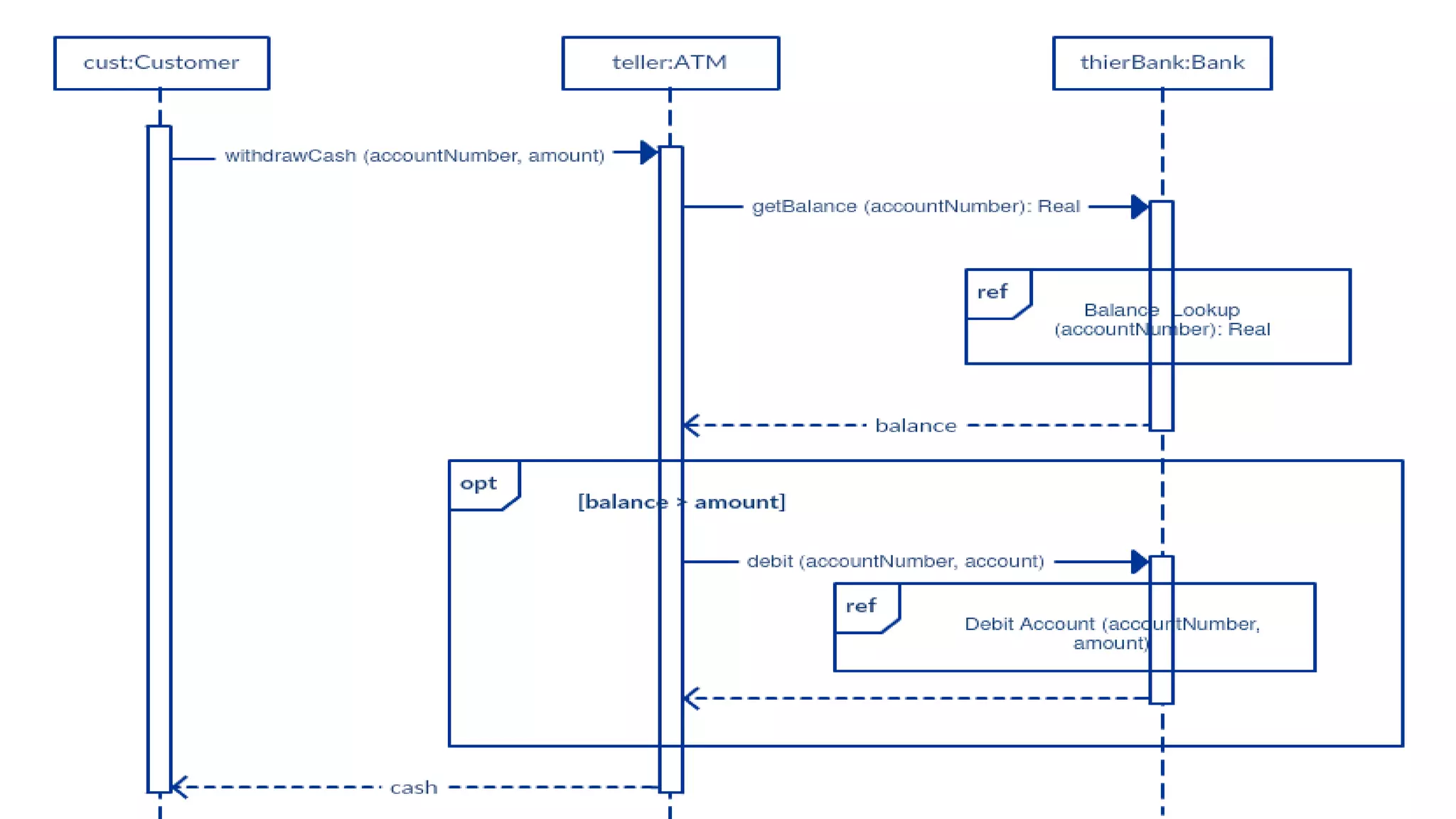
Fragments
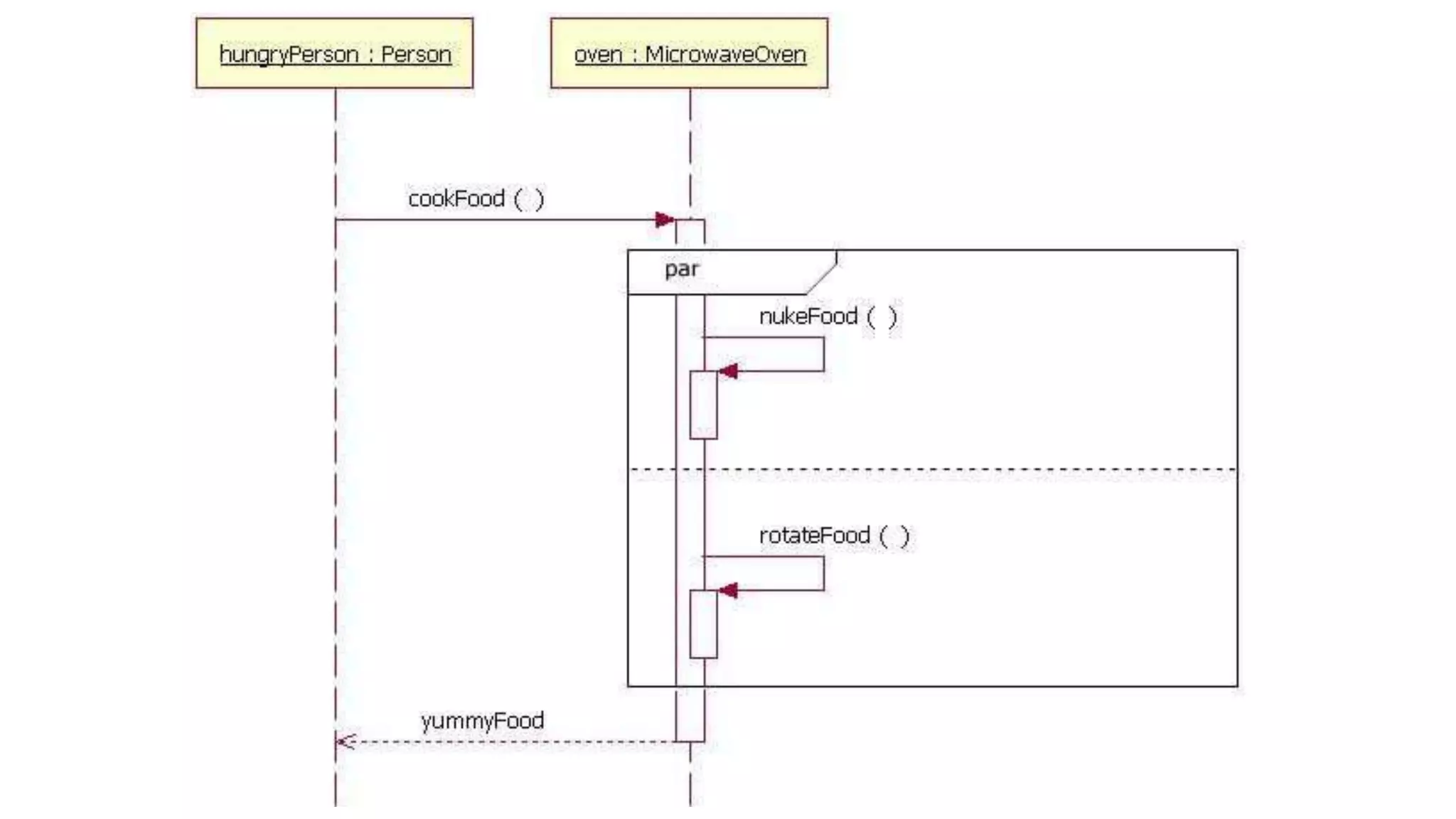
We manage complex interactions with fragments
1. Alternation (Alt): Symbolize a choice between two or more msgs sequence. ( If and
else )
2. Optional: Fragment executes only if the supplied condition is true
3. Parallel: If conditions match, each fragment or the msg will execute parallel
4. Loop: Fragments may execute multiple times. It represents the repetitive sequence
5. Reference (Ref): Refer to an interaction defined on another diagram
Types
Conclusion
Here we model the logic of a sophisticated procedure, function, or operation. See how
objects and components interact with each other to complete a process. Plan and
understand the detailed functionality of an existing or future scenario.
Abhinav Bhatnagar, DocASAP, India

Sequence diagram

  • 1.
    Sequence Diagram A categoryof Interaction diagram
  • 2.
    Agenda Points 1. About 2. Challenges 3.Use Cases 4. Components 5. Conclusion 6. Q&A
  • 3.
    About A sequence diagrambelongs to the interaction diagram of UML and it interprets the interactions of parts within a system. Most importantly the order in which the interactions occur when a particular use case is executed. This is preferred by the developers and readers for its simplicity.
  • 4.
    Challenges Challenge 1 Basic Knowledgeof system Challenge 2 Training on weapons / UML Components :-) Challenge 3 A comprehensive description of the particular use case
  • 5.
    Use Case We havesome use cases of the big streams where sequence diagrams are quite useful in implementation and performing the agile process. 1: Ticketing System: From IRCTC Website login to Website Server to Payment Gateway 2: ATM System: From User to ATM Machine to Bank 3: Facebook user Authentication 4: Online purchase 5: User Registration System NOTE: There would be n number of ways to design the Sequence Diagrams but it should follow the rules of using components.
  • 11.
    Use Case (Cont.) 1:Identify the objects or participants in the use cases 2: List down the steps involved in the execution of the use case 3: Identity which msgs should be passed between the objects Important Points
  • 12.
    Components A sequence diagramis structured in such a way that it represents a timeline that begins at the top and descends gradually to mark the sequence of interactions. Each object has a column and msg exchanged between them are represented with arrows.
  • 13.
    Lifeline 1. A sequencediagram is made up of several of these lifetime notations 2. Arranged horizontally across the top of the diagram 3. No two notations should overlap 4. Represents different objects that interact with each other
  • 14.
    Actor A lifeline notationwith an actor is used when the diagram is owned by a use case
  • 15.
    Activation Bars 1. Itis a bar that placed in the lifeline 2. It indicates that the object is active during the interaction 3. The length indicates the duration of the interaction. Focus of Control Blank space on the Activation bar indicates the waiting time and blacked space indicates the execution time.
  • 16.
    Message Arrow 1. Anarrow from the caller to the receiver specifies the msg 2. It can flow in any direction left to right and right to left 3. The description of the msg should go on the arrow 4. Arrowheads may change according to different message types
  • 17.
    Message Arrows (Count.) 1.Synchronous msg: Wait for receiver response 2. Asynchronous msg: Do not wait for the response 3. Return msg 4. Reflexive msg: Object sends a msg to itself 5. Participation destruction msg: Participants no longer needed, can also be deleted from the sequence diagram by adding ‘ X ‘ at the end of the lifeline. 6. Participation creation msg Types
  • 20.
    Comment It can belinked to the related object with the dotted line
  • 21.
    Guards Like if conditionsin programming we use guards in sequence diagram
  • 22.
    Fragments We manage complexinteractions with fragments 1. Alternation (Alt): Symbolize a choice between two or more msgs sequence. ( If and else ) 2. Optional: Fragment executes only if the supplied condition is true 3. Parallel: If conditions match, each fragment or the msg will execute parallel 4. Loop: Fragments may execute multiple times. It represents the repetitive sequence 5. Reference (Ref): Refer to an interaction defined on another diagram Types
  • 27.
    Conclusion Here we modelthe logic of a sophisticated procedure, function, or operation. See how objects and components interact with each other to complete a process. Plan and understand the detailed functionality of an existing or future scenario.
  • 28.