HTML Server Controls in ASP.net
Brought to you by www.SiryMedia.in
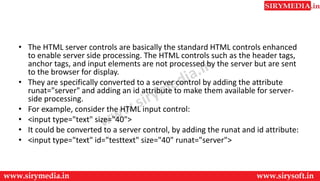
• The HTML server controls are basically the standard HTML controls enhanced
to enable server side processing. The HTML controls such as the header tags,
anchor tags, and input elements are not processed by the server but are sent
to the browser for display.
• They are specifically converted to a server control by adding the attribute
runat="server" and adding an id attribute to make them available for server-
side processing.
• For example, consider the HTML input control:
• <input type="text" size="40">
• It could be converted to a server control, by adding the runat and id attribute:
• <input type="text" id="testtext" size="40" runat="server">
Advantages of using HTML Server Controls
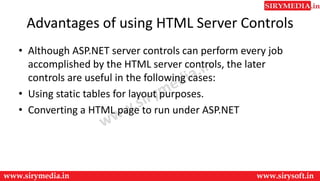
• Although ASP.NET server controls can perform every job
accomplished by the HTML server controls, the later
controls are useful in the following cases:
• Using static tables for layout purposes.
• Converting a HTML page to run under ASP.NET
HTML server controls
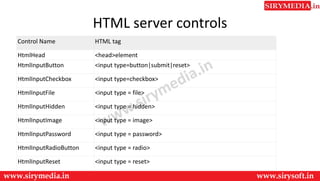
Control Name HTML tag
HtmlHead <head>element
HtmlInputButton <input type=button|submit|reset>
HtmlInputCheckbox <input type=checkbox>
HtmlInputFile <input type = file>
HtmlInputHidden <input type = hidden>
HtmlInputImage <input type = image>
HtmlInputPassword <input type = password>
HtmlInputRadioButton <input type = radio>
HtmlInputReset <input type = reset>
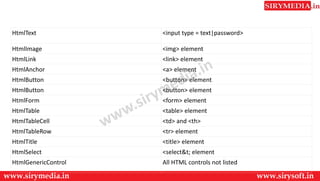
HtmlText <input type = text|password>
HtmlImage <img> element
HtmlLink <link> element
HtmlAnchor <a> element
HtmlButton <button> element
HtmlForm <form> element
HtmlTable <table> element
HtmlTableCell <td> and <th>
HtmlTableRow <tr> element
HtmlTitle <title> element
HtmlSelect <select&t; element
HtmlGenericControl All HTML controls not listed
Thank You
For more updates subscribe to our YouTube channel
SiryMedia
To watch more videos visit our website
www.sirymedia.in

Asp.net html server control

  • 1.
    HTML Server Controlsin ASP.net Brought to you by www.SiryMedia.in
  • 2.
    • The HTMLserver controls are basically the standard HTML controls enhanced to enable server side processing. The HTML controls such as the header tags, anchor tags, and input elements are not processed by the server but are sent to the browser for display. • They are specifically converted to a server control by adding the attribute runat="server" and adding an id attribute to make them available for server- side processing. • For example, consider the HTML input control: • <input type="text" size="40"> • It could be converted to a server control, by adding the runat and id attribute: • <input type="text" id="testtext" size="40" runat="server">
  • 3.
    Advantages of usingHTML Server Controls • Although ASP.NET server controls can perform every job accomplished by the HTML server controls, the later controls are useful in the following cases: • Using static tables for layout purposes. • Converting a HTML page to run under ASP.NET
  • 4.
    HTML server controls ControlName HTML tag HtmlHead <head>element HtmlInputButton <input type=button|submit|reset> HtmlInputCheckbox <input type=checkbox> HtmlInputFile <input type = file> HtmlInputHidden <input type = hidden> HtmlInputImage <input type = image> HtmlInputPassword <input type = password> HtmlInputRadioButton <input type = radio> HtmlInputReset <input type = reset>
  • 5.
    HtmlText <input type= text|password> HtmlImage <img> element HtmlLink <link> element HtmlAnchor <a> element HtmlButton <button> element HtmlButton <button> element HtmlForm <form> element HtmlTable <table> element HtmlTableCell <td> and <th> HtmlTableRow <tr> element HtmlTitle <title> element HtmlSelect <select&t; element HtmlGenericControl All HTML controls not listed
  • 6.
    Thank You For moreupdates subscribe to our YouTube channel SiryMedia To watch more videos visit our website www.sirymedia.in