Life cycle of on applet


                          1
Objectives

On completion of this period, you would be able
  to learn
• Life cycle of an applet


                                                  2
Recap

In the last class, you have studied about applet
  classes and applet architecture
• Applet class hierarchy
• Applet methods
• Applet architecture


                                                   3
Applet Life Cycle


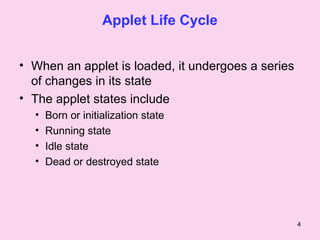
• When an applet is loaded, it undergoes a series
  of changes in its state
• The applet states include
  •   Born or initialization state
  •   Running state
  •   Idle state
  •   Dead or destroyed state


                                                    4
Applet Life Cycle                                contd..

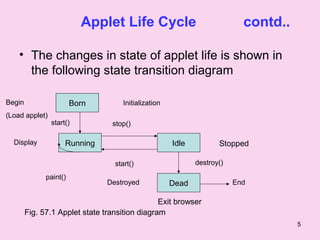
    • The changes in state of applet life is shown in
      the following state transition diagram

Begin                   Born         Initialization
(Load applet)
                start()          stop()

  Display            Running                          Idle          Stopped

                                  start()                    destroy()

              paint()
                                Destroyed             Dead               End

                                                Exit browser
        Fig. 57.1 Applet state transition diagram
                                                                                     5
Applet Life Cycle                   contd..

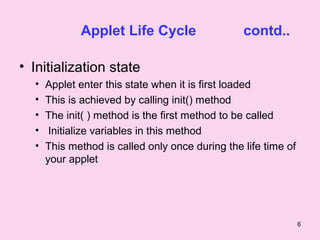
• Initialization state
  •   Applet enter this state when it is first loaded
  •   This is achieved by calling init() method
  •   The init( ) method is the first method to be called
  •    Initialize variables in this method
  •   This method is called only once during the life time of
      your applet


                                                                6
Applet Life Cycle                       contd..

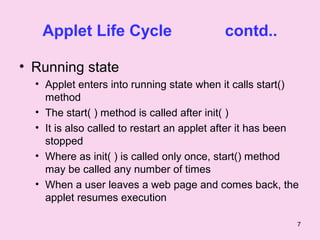
• Running state
  • Applet enters into running state when it calls start()
    method
  • The start( ) method is called after init( )
  • It is also called to restart an applet after it has been
    stopped
  • Where as init( ) is called only once, start() method
    may be called any number of times
  • When a user leaves a web page and comes back, the
    applet resumes execution

                                                           7
Applet Life Cycle            contd..

• Idle or stopped state
  • Applet becomes idle when it is stopped
  • Stopping automatically occurs when we leave
    the page containing the current applet
  • We can achieve this by calling stop() method
  • stop() method suspends applet execution until
    the user clicks on it


                                                 8
Applet Life Cycle                contd..

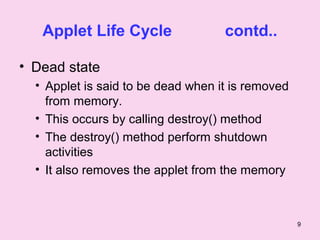
• Dead state
  • Applet is said to be dead when it is removed
    from memory.
  • This occurs by calling destroy() method
  • The destroy() method perform shutdown
    activities
  • It also removes the applet from the memory


                                                   9
Applet Life Cycle                 contd..

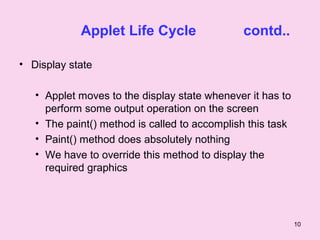
• Display state

   • Applet moves to the display state whenever it has to
     perform some output operation on the screen
   • The paint() method is called to accomplish this task
   • Paint() method does absolutely nothing
   • We have to override this method to display the
     required graphics


                                                            10
Summary
  In this class you, have learnt

• Applet life cycle has different state
  – Born
  – Running
  – Idle
  – Dead


                                          11
Summary           contd..


The method useful for these state change

  – init()
  – start()
  – stop()
  – paint()
  – destroy()


                                           12
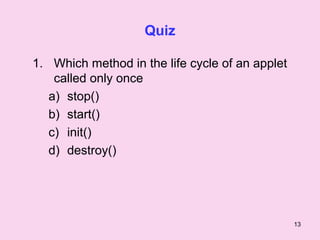
Quiz

1. Which method in the life cycle of an applet
    called only once
   a) stop()
   b) start()
   c) init()
   d) destroy()


                                                 13
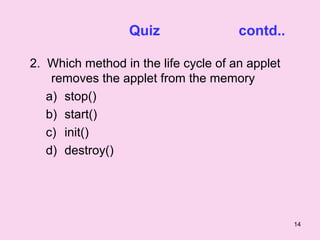
Quiz                contd..

2. Which method in the life cycle of an applet
    removes the applet from the memory
   a) stop()
   b) start()
   c) init()
   d) destroy()


                                                 14
Frequently Asked Questions

1. Write about the life cycle of an applet


                                             15

Applet life cycle

  • 1.
    Life cycle ofon applet 1
  • 2.
    Objectives On completion ofthis period, you would be able to learn • Life cycle of an applet 2
  • 3.
    Recap In the lastclass, you have studied about applet classes and applet architecture • Applet class hierarchy • Applet methods • Applet architecture 3
  • 4.
    Applet Life Cycle •When an applet is loaded, it undergoes a series of changes in its state • The applet states include • Born or initialization state • Running state • Idle state • Dead or destroyed state 4
  • 5.
    Applet Life Cycle contd.. • The changes in state of applet life is shown in the following state transition diagram Begin Born Initialization (Load applet) start() stop() Display Running Idle Stopped start() destroy() paint() Destroyed Dead End Exit browser Fig. 57.1 Applet state transition diagram 5
  • 6.
    Applet Life Cycle contd.. • Initialization state • Applet enter this state when it is first loaded • This is achieved by calling init() method • The init( ) method is the first method to be called • Initialize variables in this method • This method is called only once during the life time of your applet 6
  • 7.
    Applet Life Cycle contd.. • Running state • Applet enters into running state when it calls start() method • The start( ) method is called after init( ) • It is also called to restart an applet after it has been stopped • Where as init( ) is called only once, start() method may be called any number of times • When a user leaves a web page and comes back, the applet resumes execution 7
  • 8.
    Applet Life Cycle contd.. • Idle or stopped state • Applet becomes idle when it is stopped • Stopping automatically occurs when we leave the page containing the current applet • We can achieve this by calling stop() method • stop() method suspends applet execution until the user clicks on it 8
  • 9.
    Applet Life Cycle contd.. • Dead state • Applet is said to be dead when it is removed from memory. • This occurs by calling destroy() method • The destroy() method perform shutdown activities • It also removes the applet from the memory 9
  • 10.
    Applet Life Cycle contd.. • Display state • Applet moves to the display state whenever it has to perform some output operation on the screen • The paint() method is called to accomplish this task • Paint() method does absolutely nothing • We have to override this method to display the required graphics 10
  • 11.
    Summary Inthis class you, have learnt • Applet life cycle has different state – Born – Running – Idle – Dead 11
  • 12.
    Summary contd.. The method useful for these state change – init() – start() – stop() – paint() – destroy() 12
  • 13.
    Quiz 1. Which methodin the life cycle of an applet called only once a) stop() b) start() c) init() d) destroy() 13
  • 14.
    Quiz contd.. 2. Which method in the life cycle of an applet removes the applet from the memory a) stop() b) start() c) init() d) destroy() 14
  • 15.
    Frequently Asked Questions 1.Write about the life cycle of an applet 15