INTRODUCTION TO SPSS
Prof. Ramakanta Mohalik
Regional Institute of Education
Bhubaneswar
mohalikrk@gmail.com
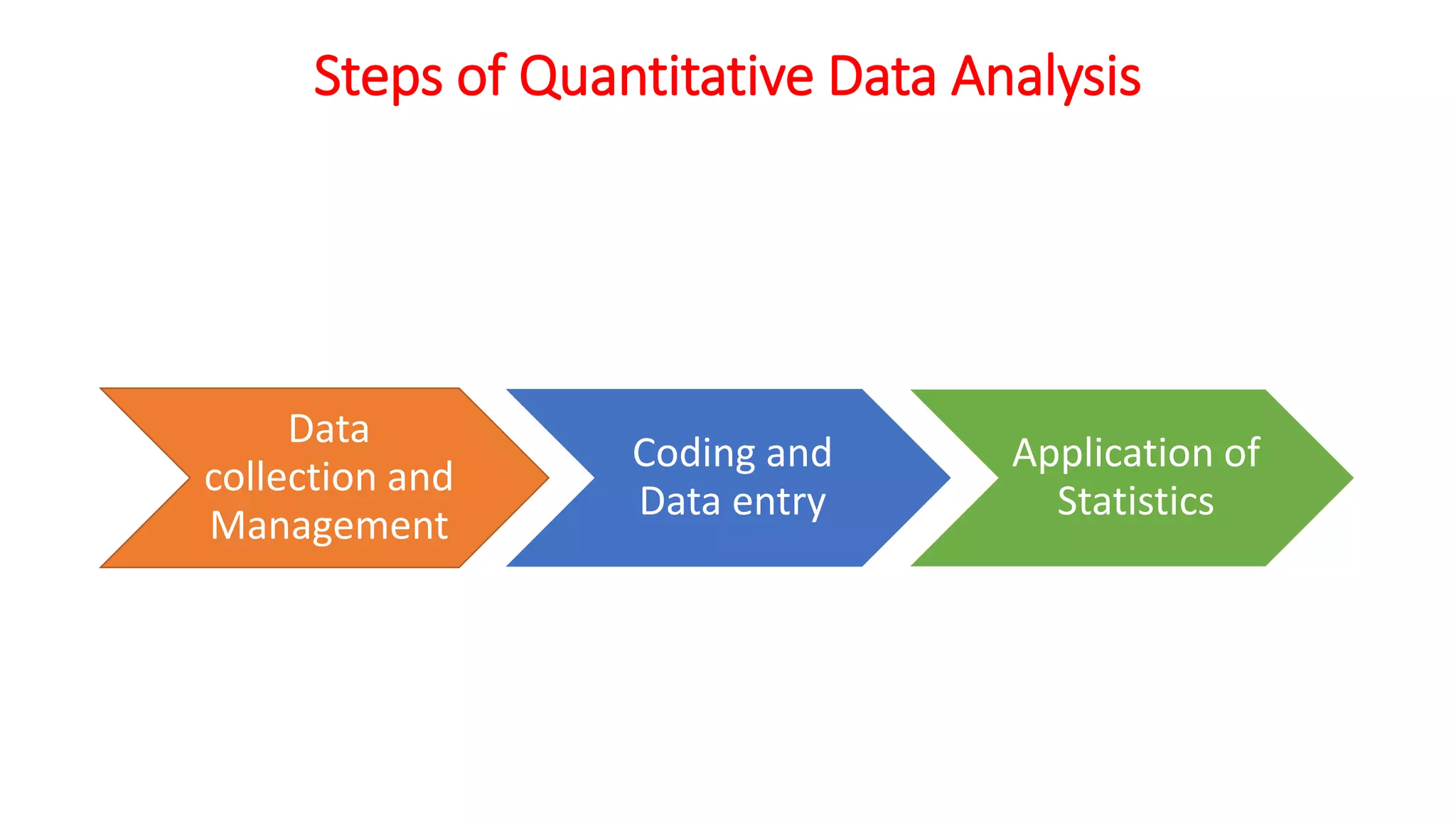
Steps of Quantitative Data Analysis
Data
collection and
Management
Coding and
Data entry
Application of
Statistics
Quantitative Data Analysis Software
• SPSS
• Systat
• Excel
• SAS
• Lotous
• SPSS is among the most widely used programs for
statistical analysis in social sciences.
Development of SPSS
• SPSS (originally, Statistical Package for the Social
Sciences) was released in its first version in 1968 but
now it stands for Statistical Product and Service
Solutions.
• It was developed by Norman H Nie and C. Hadlai
Hull. Both are professor of political science. Norman
Nie was then a Political Sciences Postgraduate at
Stanford University, and is now Research Professor in
the Department of Political Science at Stanford and
Professor Emeritus of Political Science at the
University of Chicago.
• Between 2009 and 2010, the premier vendor for SPSS
was called PASW (Predictive Analytics Software )
Statistics.
• The company announced on July 28, 2009 that it was
being acquired by IBM for US$1.2 billion.
• As of January 2010, it became "SPSS: An IBM
Company". Complete transfer of business to IBM was
done by October 1, 2010.
Windows in SPSS
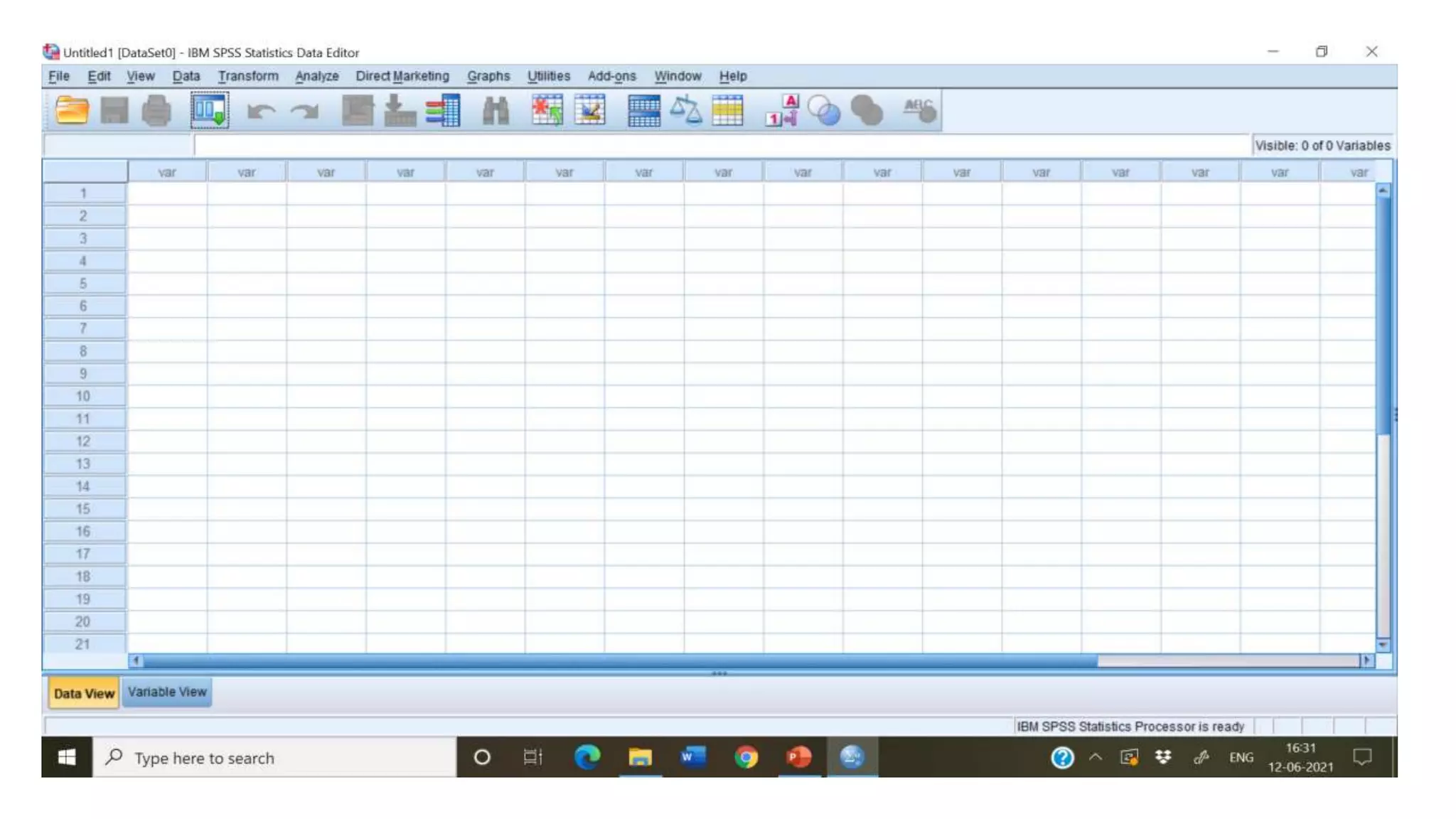
• Data Editor: It is used to insert as well as store data in
a spreadsheet format. To save any file in the data
editor window, it takes the extension as .sav
• Output Viewer: It contains the results of the statistical
procedure. Its file extension is .spv
• Chart Editor: Here, one can modify charts and plots.
You can also change colors, use different fonts etc.
• Syntax Editor: It used to give commands instead of
working from pulldown menu. It records all your
analysis. Its file extension is .spss
Menus in SPSS
• File: To create new files, open existing files, read files and print.
• Edit: To modify or copy text from output or syntax windows.
• View: To change the appearance of screen, change font etc.
• Data: To make changes in SPSS data files (merge, select, sort etc)
• Transform: To change selected variables (create new variables)
• Analyze: To calculate different statistics
• Graphs: To create bar, pie, histograms etc.
• Utilities: To change fonts, display information on the contents of SPSS
• Window: To arrange, select and control the attributes of SPSS window
• Help: To get assistance about how to use.
Managing Data File
• Entering own data
• Adding cases or variables
• Deleting cases or variables
• Defining variables
• Opening data files (importing data files)
• Saving data files
Transforming data files
• Create new variable,
• Recoding variables,
• Selecting cases
• Random selection
• Managing missing values
• Examining and printing output
Summarizing Data Graphically
• Frequencies
• Bar Charts
• Histogram
• Box and Whisker Plot
• Stem and Leaf Plot
Summarizing Data Numerically
• Mode
• Median and Percentiles
• Mean
• SD
Inferential Statistics
• Validity conditions (Normality of Data)
• Estimation of Population mean by Standard Error of the Mean (SEM)
• Interval Estimation
• One sample t-test
• Paired t-test
• Independent t-test

Working with SPSS

  • 1.
    INTRODUCTION TO SPSS Prof.Ramakanta Mohalik Regional Institute of Education Bhubaneswar mohalikrk@gmail.com
  • 2.
    Steps of QuantitativeData Analysis Data collection and Management Coding and Data entry Application of Statistics
  • 3.
    Quantitative Data AnalysisSoftware • SPSS • Systat • Excel • SAS • Lotous • SPSS is among the most widely used programs for statistical analysis in social sciences.
  • 4.
    Development of SPSS •SPSS (originally, Statistical Package for the Social Sciences) was released in its first version in 1968 but now it stands for Statistical Product and Service Solutions. • It was developed by Norman H Nie and C. Hadlai Hull. Both are professor of political science. Norman Nie was then a Political Sciences Postgraduate at Stanford University, and is now Research Professor in the Department of Political Science at Stanford and Professor Emeritus of Political Science at the University of Chicago.
  • 5.
    • Between 2009and 2010, the premier vendor for SPSS was called PASW (Predictive Analytics Software ) Statistics. • The company announced on July 28, 2009 that it was being acquired by IBM for US$1.2 billion. • As of January 2010, it became "SPSS: An IBM Company". Complete transfer of business to IBM was done by October 1, 2010.
  • 6.
    Windows in SPSS •Data Editor: It is used to insert as well as store data in a spreadsheet format. To save any file in the data editor window, it takes the extension as .sav • Output Viewer: It contains the results of the statistical procedure. Its file extension is .spv • Chart Editor: Here, one can modify charts and plots. You can also change colors, use different fonts etc. • Syntax Editor: It used to give commands instead of working from pulldown menu. It records all your analysis. Its file extension is .spss
  • 8.
    Menus in SPSS •File: To create new files, open existing files, read files and print. • Edit: To modify or copy text from output or syntax windows. • View: To change the appearance of screen, change font etc. • Data: To make changes in SPSS data files (merge, select, sort etc) • Transform: To change selected variables (create new variables) • Analyze: To calculate different statistics • Graphs: To create bar, pie, histograms etc. • Utilities: To change fonts, display information on the contents of SPSS • Window: To arrange, select and control the attributes of SPSS window • Help: To get assistance about how to use.
  • 9.
    Managing Data File •Entering own data • Adding cases or variables • Deleting cases or variables • Defining variables • Opening data files (importing data files) • Saving data files
  • 10.
    Transforming data files •Create new variable, • Recoding variables, • Selecting cases • Random selection • Managing missing values • Examining and printing output
  • 11.
    Summarizing Data Graphically •Frequencies • Bar Charts • Histogram • Box and Whisker Plot • Stem and Leaf Plot
  • 12.
    Summarizing Data Numerically •Mode • Median and Percentiles • Mean • SD
  • 13.
    Inferential Statistics • Validityconditions (Normality of Data) • Estimation of Population mean by Standard Error of the Mean (SEM) • Interval Estimation • One sample t-test • Paired t-test • Independent t-test