


SEO BASICS
Chris Burgess
@chrisburgess
chrisburgess.com.au
What I’ll Cover…
• What Is SEO?
• What Are SERPs?
• Why Should I Care?
• Getting Found
• Onsite and Offsite
• Keyword Research
• Content
• Page Anatomy
• Essential Tools
• WordPress SEO by Yoast
• SERPs of Tomorrow
• Resources
What is SEO?
Can Anyone Do SEO?
What Is SEO?
Search Engine Optimization
Search is Everywhere
What Are Algorithms
• Search engines use a program called an algorithm (think of it like a
secret recipe) to determine what pages to suggest for a search
query by a user.
• Algorithms are constantly being updated which means that rankings
are constantly changing.
What Is SEO?
What are SERPs
Search Queries vs Keywords
WordPress plugins
WordPress SEO plugins
Yoast plugin
best plugins
how do I install a plugin
plugin
SEARCH QUERIES KEYWORD
Why Should I Care?
Because you get more visitors, leads, clients,
customers to your website…
Getting Found
Getting It Right
Getting It Wrong
Put Your Visitors First
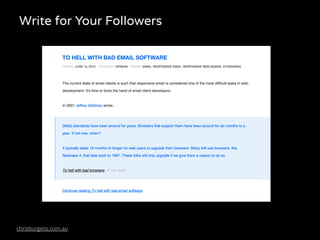
Write for Your Followers
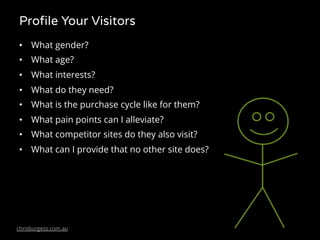
Profile Your Visitors
• What gender?
• What age?
• What interests?
• What do they need?
• What is the purchase cycle like for them?
• What pain points can I alleviate?
• What competitor sites do they also visit?
• What can I provide that no other site does?
What do you want to be found for?
What are you main goals?
• More visitors?
• More leads?
• More customers?
• More online sales?
• To provide a superior onsite experience?
Onsite and Offsite
The Evolution of SEO
http://www.slideshare.net/randfish
Onsite SEO
• Optimise your pages content
• Titles, headings, images, text, meta descriptions
• Keywords and content strategy
• Site speed
• Site security
• XML sitemaps and Robots.txt
• Schema markup
• Overall site configuration
Aim for…
• Fast site speed (good theme, good hosting, site configuration - aim
for load time 3-4 seconds)
• Focus on keeping visitors on your site and viewing multiple pages
(use internal linking)
• Keep your bounce rate down if more than
Image: http://www.internetmarketingninjas.com/blog/search-engine-optimization/normal-bounce-rate/
Offsite SEO
• Links (context, anchor text), citations, mentions
• You want links from high authority sites
• Links from low authority or low trust sites can be harmful
• Social media
• Blogs, forums, etc.
• Examples of good links: mainstream news site or blog, natural
• Example of bad links: spammy, unnatural
Your best strategy should be to encourage natural linking.
Create stuff people like, people share stuff they like 
How do I get links?
• Inbound Marketing – create high quality and unique
content and lots of it!
– Blog, news, articles, surveys, interviews
– Social media
– Podcasts
– Video
– eBooks
– Newsletters
– Infographics
– Whitepapers
– Apps
Keyword Research
Topic/Keyword Research
• Knowing your audience
• What they search for
• What keywords to focus on
• Competitor analysis
• Look for words that have high search volume and low competition, they will
be easier to rank for
• Many tools and methods available
• Looking for keywords with:
– high traffic value
– low competition
– make great titles
– make great content
Google Keyword Planner
http://adwords.google.com/keywordplanner
Google Trends – Keyword research
https://www.google.com.au/trends/
Content
Content Structure
• Heading Tags (e.g <h1> </h1>) in hierarchal order
<h1>Only 1 Heading 1(with target topic/keyword)<h1>
<h2>Sub Heading 2</h2>
<h3>Heading 3</h3>
<h2>Sub Heading 2</h2>
<h3>Heading 3</h3>
<h4>Heading 4</h4>
<h4>Heading 4</h4>
<h5>Heading 5</h5>
<h6>Heading 6</h6>
<h6>Heading 6</h6>
<h3>Heading 3</h3>
Content Structure
• Descriptive Filenames
• Image ALT Tags
Content Structure
• Page Titles – Unique Title Tag for each page combination of target
keywords
• Page URLs – Try to use keyword with hyphens as separators
• Meta Description – Used in SERPs, try to include chosen keyword
Page URL
Meta Description
Page Title
Content Structure
Page Anatomy
H2
H2
H3
External
Links
Internal
Links
Images
Essential Tools
Essential Tools
• Google Analytics
• Google Search Console (Webmaster Tools)
• Google Keyword Planner
• Excel/Google Docs
• WordPress ;)
I’d highly recommend starting off using these free tools.
Specialists will use a variety of tools, however the above are more than
enough to get started.
Google Tools
Google Analytics
Google Search Console
(formerly Webmaster Tools)
Google Keyword Planner
WordPress SEO
By Yoast
https://wordpress.org/plugins/wordpress-seo/
The SERPs of Tomorrow
The Internet of Things (IoT)
Recommended Resources
• WordPress Native Help
• Beginners Guide to SEO - https://moz.com/beginners-guide-to-seo
• SEO Meetup - https://www.meetup.com/Melbourne-SEO/
• Search Engine Ranking Factors - http://moz.com/search-ranking-factors
• Google Webmaster Resources - http://www.google.com/webmasters/
Thanks!
Chris Burgess
@chrisburgess
chrisburgess.com.au

WordPress SEO Basics - Melbourne WordPress Meetup