Professional WordPress Security: Beyond
Security Plugins
Chris Burgess ∙ @chrisburgess ∙ https://chrisburgess.com.au/
About This Presentation
• WordPress security is an often neglected topic, and with WordPress being
used for more complex and business-critical sites, it needs to be treated far
more seriously.
• It’s not uncommon to hear comments like “just install a security plugin and it’ll
be right!“. Security plugins and services are a step in the right direction, but
there are many other steps you can take to keep your site secure.
• In this presentation, Chris will provide some practical advice on how you can
add additional layers of security to your WordPress website.
About This Presentation
• WordPress security is an often neglected topic, and with
WordPress being used for more complex and business-
critical sites, it needs to be treated far more seriously.
• It’s not uncommon to hear comments like “just install a
security plugin and it’ll be right!“. Security plugins and
services are a step in the right direction, but there are many
other steps you can take to keep your site secure.
• In this presentation, Chris will provide some practical advice
on how you can add additional layers of security to your
WordPress website.
Overview
• Who Is This Guy?
• Why Should I Care?
• How Sites Are Compromised
• Prevention
• Practical Detection
• What Can You Do?
• Further Resources
Who Is This Guy?
• Chris Burgess
• Passionate about web development, security and digital
marketing
• Passionate about keeping up-to-date with the latest web
technologies
Why Should I Care?
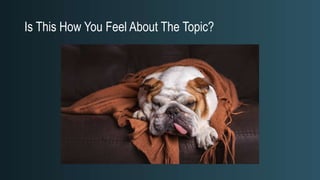
Is This How You Feel About The Topic?
Not Everyone Loves Security But Everyone Should
Care About It.
• Are you a WordPress developer?
• Do you have your own WordPress site?
• Do you manage WordPress sites for your clients?
If you answered ”Yes” to any of the above questions, then you should factor
WordPress security practices into your workflow.
Security Is Not Absolute. It’s About
Risks And Managing The Risks.
It’s all about context…
“Security is not a product, security is a
process"
Bruce Schneier
Probability vs Severity
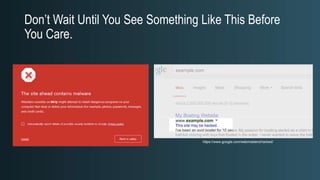
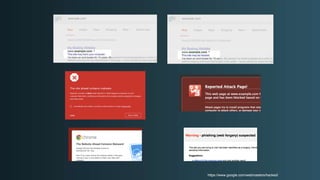
Don’t Wait Until You See Something Like This Before
You Care.
https://www.google.com/webmasters/hacked/
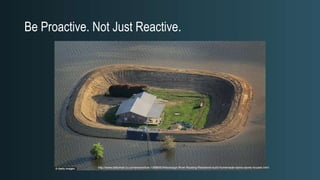
Be Proactive. Not Just Reactive.
http://www.dailymail.co.uk/news/article-1388660/Mississippi-River-flooding-Residents-build-homemade-dams-saves-houses.html
There Is No Such Thing As Absolute
Security But You Can Reduce Risks
How Sites Are Compromised
Common Myths And Misconceptions
“WordPress sites always get hacked.”
“No one is interested in attacking my site.”
“I’ve got nothing valuable for anyone to steal.”
“Security is not my problem, my host/developer/plugin takes care
of security for me.”
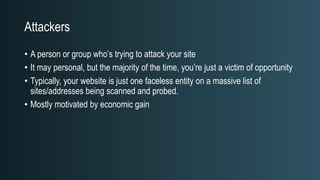
Attackers
• A person or group who’s trying to attack your site
• It may personal, but the majority of the time, you’re just a victim of opportunity
• Typically, your website is just one faceless entity on a massive list of
sites/addresses being scanned and probed.
• Mostly motivated by economic gain
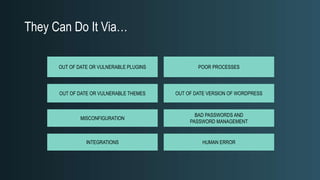
They Can Do It Via…
OUT OF DATE OR VULNERABLE THEMES
OUT OF DATE OR VULNERABLE PLUGINS
OUT OF DATE VERSION OF WORDPRESS
INTEGRATIONS
POOR PROCESSES
BAD PASSWORDS AND
PASSWORD MANAGEMENT
MISCONFIGURATION
HUMAN ERROR
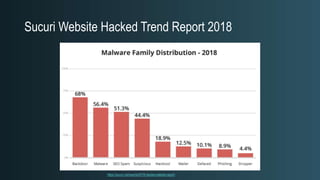
Sucuri Website Hacked Trend Report 2018
https://sucuri.net/reports/2018-hacked-website-report/
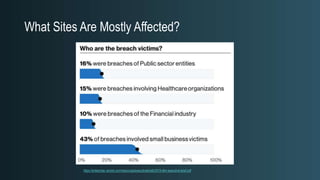
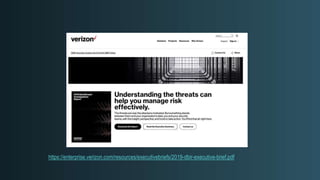
What Sites Are Mostly Affected?
https://enterprise.verizon.com/resources/executivebriefs/2019-dbir-executive-brief.pdf
https://www.google.com/webmasters/hacked/
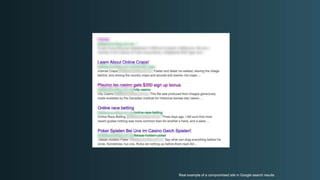
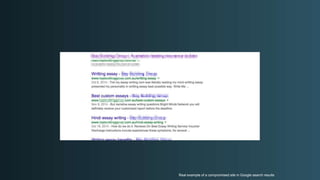
Real example of a compromised site in Google search results
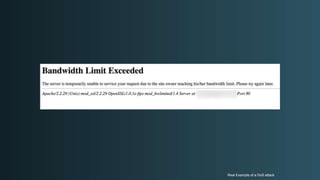
Real Example of a DoS attack
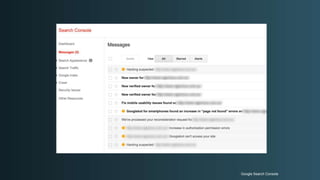
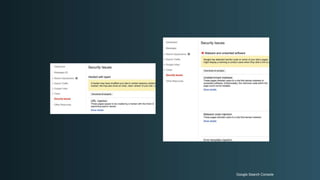
Google Search Console
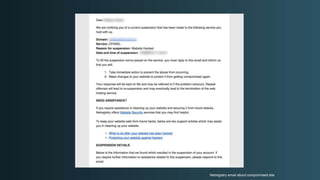
Netregistry email about compromised site
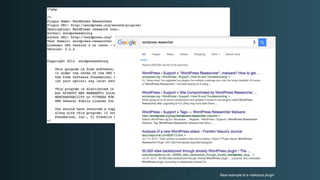
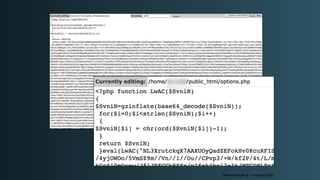
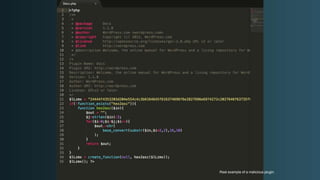
Real example of a malicious plugin
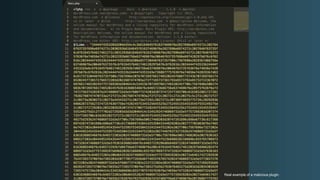
Real example of a malicious file
Google Search Console
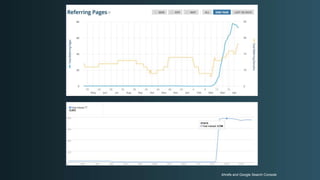
Ahrefs and Google Search Console
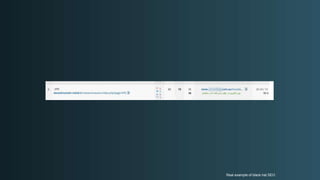
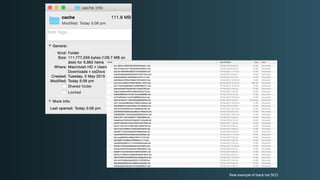
Real example of black hat SEO
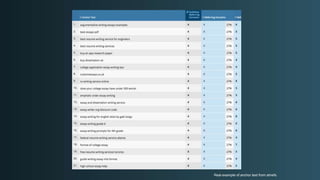
Real example of anchor text from ahrefs.
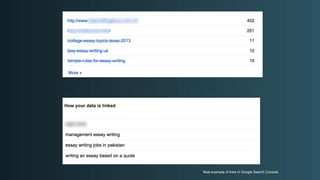
Real example of links in Google Search Console
Real example of a malicious plugin.
Real example of black hat SEO.
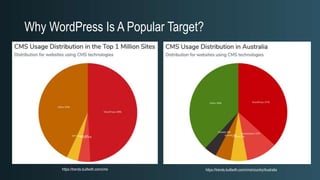
Why WordPress Is A Popular Target?
https://trends.builtwith.com/cms/country/Australiahttps://trends.builtwith.com/cms
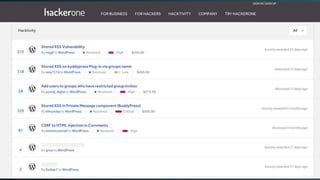
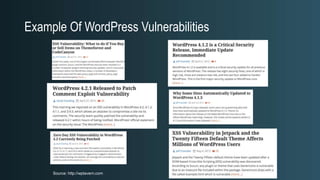
Example Of WordPress Vulnerabilities
Source: http://wptavern.com
“Most successful WordPress hack attacks
are typically the result of human error, be
human error, be it a configuration error or
configuration error or failing to maintain
maintain WordPress, such as keeping
keeping core and all plugins up to date, or
to date, or installing insecure plugins etc.”
plugins etc.”
- Robert Abela (@robertabela)
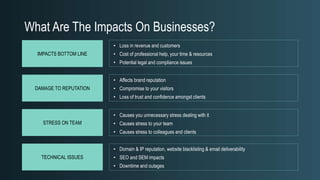
What Are The Impacts On Businesses?
• Loss in revenue and customers
• Cost of professional help, your time & resources
• Potential legal and compliance issues
• Affects brand reputation
• Compromise to your visitors
• Loss of trust and confidence amongst clients
IMPACTS BOTTOM LINE
DAMAGE TO REPUTATION
STRESS ON TEAM
TECHNICAL ISSUES
• Causes you unnecessary stress dealing with it
• Causes stress to your team
• Causes stress to colleagues and clients
• Domain & IP reputation, website blacklisting & email deliverability
• SEO and SEM impacts
• Downtime and outages
Prevention
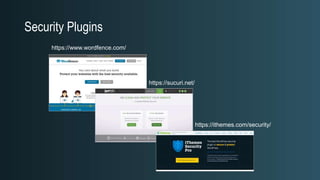
Security Plugins
https://www.wordfence.com/
https://sucuri.net/
https://ithemes.com/security/
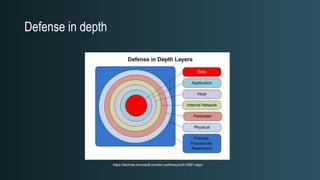
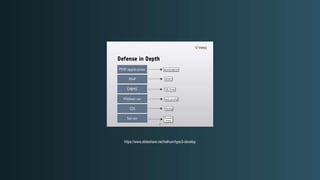
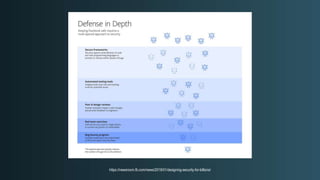
Defense in depth
https://technet.microsoft.com/en-us/library/cc512681.aspx
"Is Penetration Testing Worth it? There are two reasons
why you might want to conduct a penetration test. One,
you want to know whether a certain vulnerability is
present because you're going to fix it if it is. And two,
you need a big, scary report to persuade your boss to
spend more money. If neither is true, I'm going to save
you a lot of money by giving you this free penetration
test: You’re vulnerable. Now, go do something useful
about it."
-- Bruce Schneier
http://www.schneier.com/blog/archives/2007/05/is_penetration.htm
l
https://www.edureka.co/blog/what-is-cybersecurity/
Defense In Depth
“While we boast the idea of employing a defense in depth strategy in the design
of our offering, we can’t say it’s the only defense in depth strategy an
organization will need. The strategy involves much more than our tools. Instead,
we say that we are a complementary solution to your existing security posture
and we encourage you to use any other tools you require to round out your
defensive position.”
Sucuri
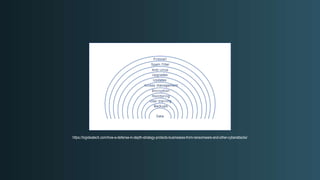
https://bigideatech.com/how-a-defense-in-depth-strategy-protects-businesses-from-ransomware-and-other-cyberattacks/
https://www.slideshare.net/helhum/typo3-develop
https://newsroom.fb.com/news/2019/01/designing-security-for-billions/
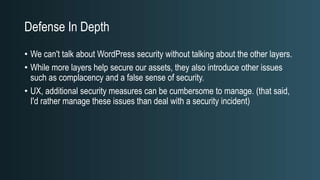
Defense In Depth
• We can't talk about WordPress security without talking about the other layers.
• While more layers help secure our assets, they also introduce other issues
such as complacency and a false sense of security.
• UX, additional security measures can be cumbersome to manage. (that said,
I'd rather manage these issues than deal with a security incident)
Practical Detection
Tools
• You can’t rely only on tools, they won’t always detect a compromise.
• Most WordPress security tools work by using signatures.
• Scanning your site with online tools work only if your site has active malware,
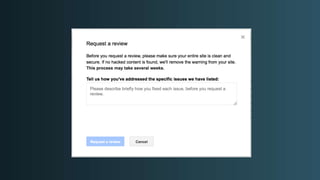
is defaced or blacklisted.
• If a site has been compromised, it cannot be trusted.
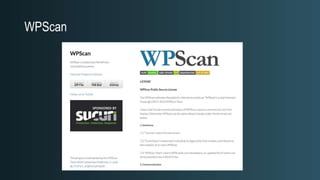
WPScan
Example of WPScan
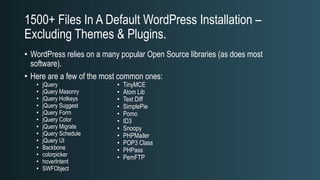
1500+ Files In A Default WordPress Installation –
Excluding Themes & Plugins.
• WordPress relies on a many popular Open Source libraries (as does most
software).
• Here are a few of the most common ones:
• jQuery
• jQuery Masonry
• jQuery Hotkeys
• jQuery Suggest
• jQuery Form
• jQuery Color
• jQuery Migrate
• jQuery Schedule
• jQuery UI
• Backbone
• colorpicker
• hoverIntent
• SWFObject
• TinyMCE
• Atom Lib
• Text Diff
• SimplePie
• Pomo
• ID3
• Snoopy
• PHPMailer
• POP3 Class
• PHPass
• PemFTP
Isolation
• Look out for a shared web root, “addon” domains in cPanel, other web apps in
subfolders.
example.com/index.php
example.com/otherapp/
example.com/*
example.com/*
A Word On Staging/Test Environments
• While it’s never been easier to clone, copy, spin-up a new instance of an
environment, it’s also never been easier to lose track and manage these
environments.
• In many respects, these are softer targets than your production sites, so make
sure they’re protected.
Checking Content
• You can check your site from both a back end and front end perspective, this
is particularly useful since malware will use measures to hide its existence
• Grep for server side
• ScreamingFrog for crawling Internet facing (rendered) content
If The Server Has Been Compromised,
It Cannot Be Trusted.
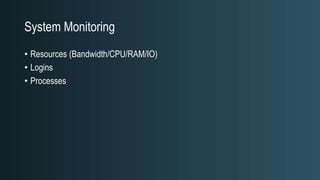
System Monitoring
• Resources (Bandwidth/CPU/RAM/IO)
• Logins
• Processes
Integrity Monitoring
• Tripwire
• git
• wp-cli
• Any diff tools
• Plugins
Firewalls
• Network Firewalls
• Web Application Firewalls
• Security Services
• Proxies
IDS/IPS
• Typically at the host level
• OSSEC
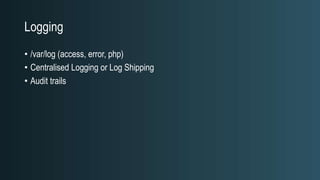
Logging
• /var/log (access, error, php)
• Centralised Logging or Log Shipping
• Audit trails
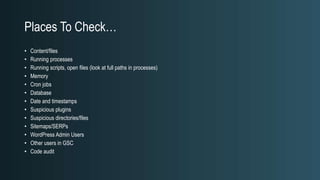
Places To Check…
• Content/files
• Running processes
• Running scripts, open files (look at full paths in processes)
• Memory
• Cron jobs
• Database
• Date and timestamps
• Suspicious plugins
• Suspicious directories/files
• Sitemaps/SERPs
• WordPress Admin Users
• Other users in GSC
• Code audit
What Can You Do?
Image Source: https://twitter.com/sittingduckdev
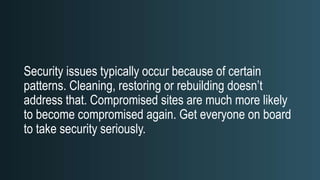
Security issues typically occur because of certain
patterns. Cleaning, restoring or rebuilding doesn’t
address that. Compromised sites are much more likely
to become compromised again. Get everyone on board
to take security seriously.
What Can You Do?
• Establish basic processes
• Practice the principle of least privilege (POLP)
• Take backups seriously
• Be ruthless with your Plugin choices
• Maintain
• Monitor
• Choose a good host
Be Practically Paranoid
http://favoritememes.com/_nw/37/42148895.jpg
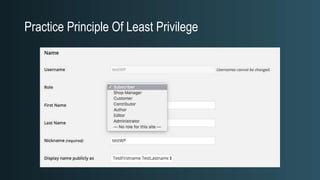
Practice Principle Of Least Privilege
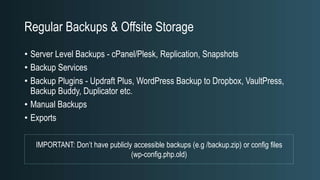
Regular Backups & Offsite Storage
• Server Level Backups - cPanel/Plesk, Replication, Snapshots
• Backup Services
• Backup Plugins - Updraft Plus, WordPress Backup to Dropbox, VaultPress,
Backup Buddy, Duplicator etc.
• Manual Backups
• Exports
IMPORTANT: Don’t have publicly accessible backups (e.g /backup.zip) or config files
(wp-config.php.old)
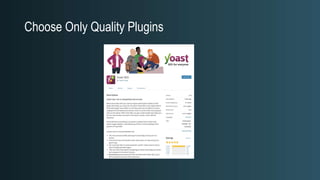
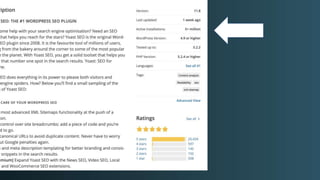
Choose Only Quality Plugins
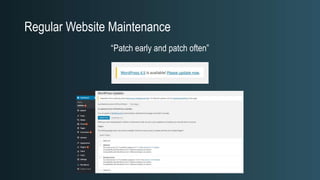
Regular Website Maintenance
“Patch early and patch often”
Use Isolation
• Separate Users/Servers/Instances
• Keeps attacks isolated
• Far more advantages than disadvantages
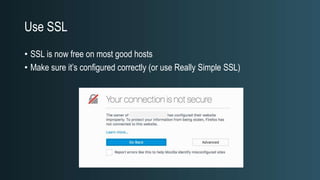
Use SSL
• SSL is now free on most good hosts
• Make sure it’s configured correctly (or use Really Simple SSL)
Use Strong Encryption Everywhere
• SFTP/SCP
• SSH
• HTTPS
• Avoid ”Less Secure” options
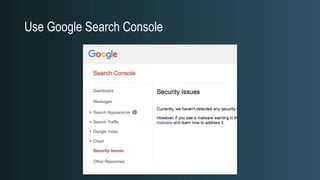
Use Google Search Console
Use Password/Key Management
• LastPass
• Dashlane
• 1Password
• Browser Password Manager
• Native OS
• KeePass
• Passwordsafe
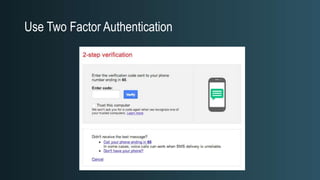
Use Two Factor Authentication
Maintain Server Security
• Monitoring
• Integrity Monitoring
• Firewalls
• IDS/IPS
• Logging
Just Because…
• We don’t rely ONLY on security plugins doesn’t mean we shouldn’t use
them…
• Sucuri, Wordfence, iThemes Security etc. are all excellent choices. Learn to
use them effectively.
• For high value assets, I’d highly recommend paying for a premium licence.
Further Resources
Reading
• WordPress Docs/Codex
• OWASP
• OS/Platform Specific Resources (AWS, Ubuntu, Docker etc.)
• Host Management Specific Resources (Plesk, cPanel etc.)
• Stay Updated
Other Resources
• WordPress.org
• https://wordpress.org/about/security/
• https://wordpress.org/news/category/security/
• Google Safe Browsing -
https://www.google.com/transparencyreport/safebrowsing/diagnostic/
• OWASP WordPress Security -
https://www.owasp.org/index.php/OWASP_Wordpress_Security_Implementati
on_Guideline
• https://wpvulndb.com/
• https://www.wpsecuritybloggers.com
• https://www.wpwhitesecurity.com
• https://sucuri.net/
• https://wpscan.org/
Places to Learn about General Web App Security
• OWASP (global): https://www.owasp.org/index.php/Main_Page
• OWASP Melbourne: https://www.meetup.com/Application-Security-OWASP-
Melbourne/
https://www.owasp.org/index.php/Main_Page
https://wpaustralia.org/
Chris Burgess ∙ @chrisburgess ∙ https://chrisburgess.com.au/
Thanks/Questions?

Professional WordPress Security: Beyond Security Plugins

  • 1.
    Professional WordPress Security:Beyond Security Plugins Chris Burgess ∙ @chrisburgess ∙ https://chrisburgess.com.au/
  • 2.
    About This Presentation •WordPress security is an often neglected topic, and with WordPress being used for more complex and business-critical sites, it needs to be treated far more seriously. • It’s not uncommon to hear comments like “just install a security plugin and it’ll be right!“. Security plugins and services are a step in the right direction, but there are many other steps you can take to keep your site secure. • In this presentation, Chris will provide some practical advice on how you can add additional layers of security to your WordPress website. About This Presentation • WordPress security is an often neglected topic, and with WordPress being used for more complex and business- critical sites, it needs to be treated far more seriously. • It’s not uncommon to hear comments like “just install a security plugin and it’ll be right!“. Security plugins and services are a step in the right direction, but there are many other steps you can take to keep your site secure. • In this presentation, Chris will provide some practical advice on how you can add additional layers of security to your WordPress website.
  • 3.
    Overview • Who IsThis Guy? • Why Should I Care? • How Sites Are Compromised • Prevention • Practical Detection • What Can You Do? • Further Resources
  • 4.
    Who Is ThisGuy? • Chris Burgess • Passionate about web development, security and digital marketing • Passionate about keeping up-to-date with the latest web technologies
  • 5.
  • 6.
    Is This HowYou Feel About The Topic?
  • 7.
    Not Everyone LovesSecurity But Everyone Should Care About It. • Are you a WordPress developer? • Do you have your own WordPress site? • Do you manage WordPress sites for your clients? If you answered ”Yes” to any of the above questions, then you should factor WordPress security practices into your workflow.
  • 8.
    Security Is NotAbsolute. It’s About Risks And Managing The Risks. It’s all about context…
  • 9.
    “Security is nota product, security is a process" Bruce Schneier
  • 10.
  • 11.
    Don’t Wait UntilYou See Something Like This Before You Care. https://www.google.com/webmasters/hacked/
  • 12.
    Be Proactive. NotJust Reactive. http://www.dailymail.co.uk/news/article-1388660/Mississippi-River-flooding-Residents-build-homemade-dams-saves-houses.html
  • 13.
    There Is NoSuch Thing As Absolute Security But You Can Reduce Risks
  • 14.
    How Sites AreCompromised
  • 15.
    Common Myths AndMisconceptions “WordPress sites always get hacked.” “No one is interested in attacking my site.” “I’ve got nothing valuable for anyone to steal.” “Security is not my problem, my host/developer/plugin takes care of security for me.”
  • 17.
    Attackers • A personor group who’s trying to attack your site • It may personal, but the majority of the time, you’re just a victim of opportunity • Typically, your website is just one faceless entity on a massive list of sites/addresses being scanned and probed. • Mostly motivated by economic gain
  • 18.
    They Can DoIt Via… OUT OF DATE OR VULNERABLE THEMES OUT OF DATE OR VULNERABLE PLUGINS OUT OF DATE VERSION OF WORDPRESS INTEGRATIONS POOR PROCESSES BAD PASSWORDS AND PASSWORD MANAGEMENT MISCONFIGURATION HUMAN ERROR
  • 19.
    Sucuri Website HackedTrend Report 2018 https://sucuri.net/reports/2018-hacked-website-report/
  • 20.
    What Sites AreMostly Affected? https://enterprise.verizon.com/resources/executivebriefs/2019-dbir-executive-brief.pdf
  • 21.
  • 22.
  • 23.
    Real example ofa compromised site in Google search results
  • 24.
    Real example ofa compromised site in Google search results
  • 25.
    Real Example ofa DoS attack
  • 26.
  • 27.
    Netregistry email aboutcompromised site
  • 28.
    Real example ofa malicious plugin
  • 29.
    Real example ofa malicious file
  • 30.
  • 31.
    Ahrefs and GoogleSearch Console
  • 32.
    Real example ofblack hat SEO
  • 33.
    Real example ofanchor text from ahrefs.
  • 34.
    Real example oflinks in Google Search Console
  • 36.
    Real example ofa malicious plugin.
  • 37.
    Real example ofa malicious plugin.
  • 38.
    Real example ofblack hat SEO.
  • 39.
    Why WordPress IsA Popular Target? https://trends.builtwith.com/cms/country/Australiahttps://trends.builtwith.com/cms
  • 40.
    Example Of WordPressVulnerabilities Source: http://wptavern.com
  • 41.
    “Most successful WordPresshack attacks are typically the result of human error, be human error, be it a configuration error or configuration error or failing to maintain maintain WordPress, such as keeping keeping core and all plugins up to date, or to date, or installing insecure plugins etc.” plugins etc.” - Robert Abela (@robertabela)
  • 42.
    What Are TheImpacts On Businesses? • Loss in revenue and customers • Cost of professional help, your time & resources • Potential legal and compliance issues • Affects brand reputation • Compromise to your visitors • Loss of trust and confidence amongst clients IMPACTS BOTTOM LINE DAMAGE TO REPUTATION STRESS ON TEAM TECHNICAL ISSUES • Causes you unnecessary stress dealing with it • Causes stress to your team • Causes stress to colleagues and clients • Domain & IP reputation, website blacklisting & email deliverability • SEO and SEM impacts • Downtime and outages
  • 43.
  • 44.
  • 45.
  • 46.
    "Is Penetration TestingWorth it? There are two reasons why you might want to conduct a penetration test. One, you want to know whether a certain vulnerability is present because you're going to fix it if it is. And two, you need a big, scary report to persuade your boss to spend more money. If neither is true, I'm going to save you a lot of money by giving you this free penetration test: You’re vulnerable. Now, go do something useful about it." -- Bruce Schneier http://www.schneier.com/blog/archives/2007/05/is_penetration.htm l
  • 47.
  • 48.
    Defense In Depth “Whilewe boast the idea of employing a defense in depth strategy in the design of our offering, we can’t say it’s the only defense in depth strategy an organization will need. The strategy involves much more than our tools. Instead, we say that we are a complementary solution to your existing security posture and we encourage you to use any other tools you require to round out your defensive position.” Sucuri
  • 49.
  • 50.
  • 51.
  • 52.
    Defense In Depth •We can't talk about WordPress security without talking about the other layers. • While more layers help secure our assets, they also introduce other issues such as complacency and a false sense of security. • UX, additional security measures can be cumbersome to manage. (that said, I'd rather manage these issues than deal with a security incident)
  • 53.
  • 54.
    Tools • You can’trely only on tools, they won’t always detect a compromise. • Most WordPress security tools work by using signatures. • Scanning your site with online tools work only if your site has active malware, is defaced or blacklisted. • If a site has been compromised, it cannot be trusted.
  • 55.
  • 56.
  • 58.
    1500+ Files InA Default WordPress Installation – Excluding Themes & Plugins. • WordPress relies on a many popular Open Source libraries (as does most software). • Here are a few of the most common ones: • jQuery • jQuery Masonry • jQuery Hotkeys • jQuery Suggest • jQuery Form • jQuery Color • jQuery Migrate • jQuery Schedule • jQuery UI • Backbone • colorpicker • hoverIntent • SWFObject • TinyMCE • Atom Lib • Text Diff • SimplePie • Pomo • ID3 • Snoopy • PHPMailer • POP3 Class • PHPass • PemFTP
  • 59.
    Isolation • Look outfor a shared web root, “addon” domains in cPanel, other web apps in subfolders.
  • 60.
  • 61.
  • 62.
  • 63.
  • 64.
    A Word OnStaging/Test Environments • While it’s never been easier to clone, copy, spin-up a new instance of an environment, it’s also never been easier to lose track and manage these environments. • In many respects, these are softer targets than your production sites, so make sure they’re protected.
  • 65.
    Checking Content • Youcan check your site from both a back end and front end perspective, this is particularly useful since malware will use measures to hide its existence • Grep for server side • ScreamingFrog for crawling Internet facing (rendered) content
  • 66.
    If The ServerHas Been Compromised, It Cannot Be Trusted.
  • 67.
    System Monitoring • Resources(Bandwidth/CPU/RAM/IO) • Logins • Processes
  • 68.
    Integrity Monitoring • Tripwire •git • wp-cli • Any diff tools • Plugins
  • 69.
    Firewalls • Network Firewalls •Web Application Firewalls • Security Services • Proxies
  • 70.
    IDS/IPS • Typically atthe host level • OSSEC
  • 71.
    Logging • /var/log (access,error, php) • Centralised Logging or Log Shipping • Audit trails
  • 72.
    Places To Check… •Content/files • Running processes • Running scripts, open files (look at full paths in processes) • Memory • Cron jobs • Database • Date and timestamps • Suspicious plugins • Suspicious directories/files • Sitemaps/SERPs • WordPress Admin Users • Other users in GSC • Code audit
  • 73.
  • 74.
  • 75.
    Security issues typicallyoccur because of certain patterns. Cleaning, restoring or rebuilding doesn’t address that. Compromised sites are much more likely to become compromised again. Get everyone on board to take security seriously.
  • 76.
    What Can YouDo? • Establish basic processes • Practice the principle of least privilege (POLP) • Take backups seriously • Be ruthless with your Plugin choices • Maintain • Monitor • Choose a good host
  • 77.
  • 78.
    Practice Principle OfLeast Privilege
  • 79.
    Regular Backups &Offsite Storage • Server Level Backups - cPanel/Plesk, Replication, Snapshots • Backup Services • Backup Plugins - Updraft Plus, WordPress Backup to Dropbox, VaultPress, Backup Buddy, Duplicator etc. • Manual Backups • Exports IMPORTANT: Don’t have publicly accessible backups (e.g /backup.zip) or config files (wp-config.php.old)
  • 80.
  • 82.
    Regular Website Maintenance “Patchearly and patch often”
  • 83.
    Use Isolation • SeparateUsers/Servers/Instances • Keeps attacks isolated • Far more advantages than disadvantages
  • 84.
    Use SSL • SSLis now free on most good hosts • Make sure it’s configured correctly (or use Really Simple SSL)
  • 85.
    Use Strong EncryptionEverywhere • SFTP/SCP • SSH • HTTPS • Avoid ”Less Secure” options
  • 86.
  • 87.
    Use Password/Key Management •LastPass • Dashlane • 1Password • Browser Password Manager • Native OS • KeePass • Passwordsafe
  • 88.
    Use Two FactorAuthentication
  • 89.
    Maintain Server Security •Monitoring • Integrity Monitoring • Firewalls • IDS/IPS • Logging
  • 90.
    Just Because… • Wedon’t rely ONLY on security plugins doesn’t mean we shouldn’t use them… • Sucuri, Wordfence, iThemes Security etc. are all excellent choices. Learn to use them effectively. • For high value assets, I’d highly recommend paying for a premium licence.
  • 91.
  • 92.
    Reading • WordPress Docs/Codex •OWASP • OS/Platform Specific Resources (AWS, Ubuntu, Docker etc.) • Host Management Specific Resources (Plesk, cPanel etc.) • Stay Updated
  • 93.
    Other Resources • WordPress.org •https://wordpress.org/about/security/ • https://wordpress.org/news/category/security/ • Google Safe Browsing - https://www.google.com/transparencyreport/safebrowsing/diagnostic/ • OWASP WordPress Security - https://www.owasp.org/index.php/OWASP_Wordpress_Security_Implementati on_Guideline

  • 94.
    • https://wpvulndb.com/ • https://www.wpsecuritybloggers.com •https://www.wpwhitesecurity.com • https://sucuri.net/ • https://wpscan.org/
  • 95.
    Places to Learnabout General Web App Security • OWASP (global): https://www.owasp.org/index.php/Main_Page • OWASP Melbourne: https://www.meetup.com/Application-Security-OWASP- Melbourne/
  • 96.
  • 97.
  • 98.
    Chris Burgess ∙@chrisburgess ∙ https://chrisburgess.com.au/ Thanks/Questions?

Editor's Notes

  • #20 Malware Family Backdoor - Files used to reinfect and retain access. Malware - Generic term used for browser-side code used to create drive by downloads. SPAM-SEO - Compromise that targets a website’s SEO. HackTool - Exploit or DDOS tools used to attack other sites. Defaced - Hacks that leave a website’s homepage unusable and promoting an unrelated subject (i.e., Hacktavism). Phishing - Used in phishing lures in which attackers attempt to trick users into sharing sensitive information (i.e., log in information, credit card data, etc..).
  • #21 Malware Family Backdoor - Files used to reinfect and retain access. Malware - Generic term used for browser-side code used to create drive by downloads. SPAM-SEO - Compromise that targets a website’s SEO. HackTool - Exploit or DDOS tools used to attack other sites. Defaced - Hacks that leave a website’s homepage unusable and promoting an unrelated subject (i.e., Hacktavism). Phishing - Used in phishing lures in which attackers attempt to trick users into sharing sensitive information (i.e., log in information, credit card data, etc..).