WordPress Hosting Basics
@chrisburgess chrisburgess.com.au
About Me
• Chris Burgess
• Worked in IT with a passion for web technologies for 20+ years
• Co-founder and Chief Technology Officer at digital agency Clickify
• Run a few personal websites
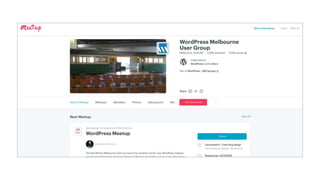
• Regular part of the furniture at Meetups and co-manage the WordPress and SEO
Meetups in Melbourne.
Disclaimer
• There are plenty of good hosting providers and plenty of bad ones.
• I’m not going to tell you who’s the best hosting provider, it is subjective and comes down
to your budget and needs.
• The purpose of my presentation today is to help you understand more about the basics of
WordPress hosting, give you some handy tips and help you to choose the right option for
your needs.
• In the interest of full disclosure, I do run a digital agency and one of our services is
hosting and maintenance, but I’m happy to give you my unbiased opinion on other
providers if you have questions, just grab me after the presentation or email me!
What We’ll Cover
• What Exactly Is Hosting?
• Types Of Hosting
• WordPress Hosting Basics
• Supporting Services
• How To Choose A Hosting Provider
• Reselling Hosting
• Where To Go For Help
What Exactly Is Hosting?
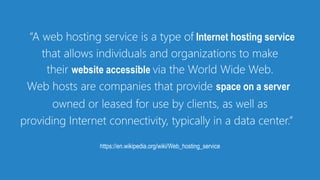
“A web hosting service is a type of Internet hosting service
that allows individuals and organizations to make
their website accessible via the World Wide Web.
Web hosts are companies that provide space on a server
owned or leased for use by clients, as well as
providing Internet connectivity, typically in a data center.”
https://en.wikipedia.org/wiki/Web_hosting_service
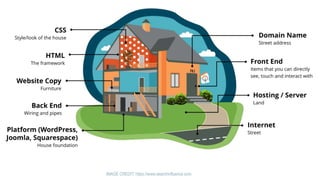
IMAGE CREDIT: https://www.searchinfluence.com
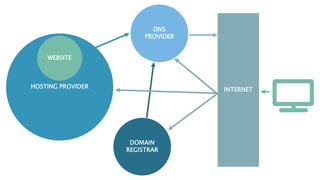
HOSTING PROVIDER
WEBSITE
DOMAIN
REGISTRAR
DNS
PROVIDER
INTERNET
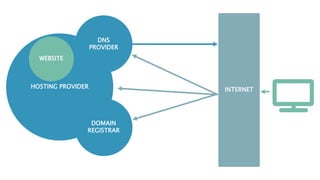
HOSTING PROVIDER
WEBSITE
DOMAIN
REGISTRAR
DNS
PROVIDER
INTERNET
Why is my site so slow?
Site Speed
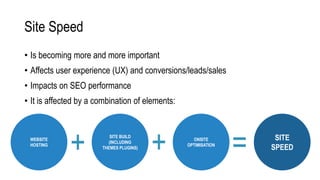
• Is becoming more and more important
• Affects user experience (UX) and conversions/leads/sales
• Impacts on SEO performance
• It is affected by a combination of elements:
WEBSITE
HOSTING
SITE BUILD
(INCLUDING
THEMES PLUGINS)
= SITE
SPEED
ONSITE
OPTIMISATION
++
Page Speed
• One of the common reasons why people move hosts is because they find it
too slow.
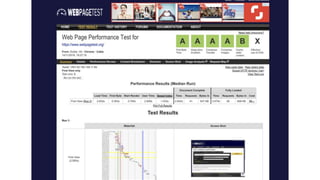
• There are online tools to help measure the speed of your site if you are not
sure such as:
• https://www.webpagetest.org/
• https://developers.google.com/speed/pagespeed/insights/
Types of Hosting
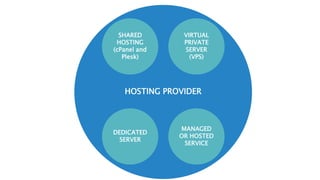
HOSTING PROVIDER
VIRTUAL
PRIVATE
SERVER
(VPS)
SHARED
HOSTING
(cPanel and
Plesk)
DEDICATED
SERVER
MANAGED
OR HOSTED
SERVICE
Choose based on your needs and budget
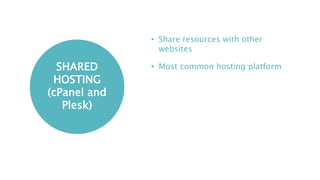
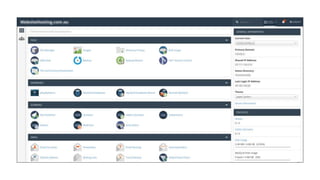
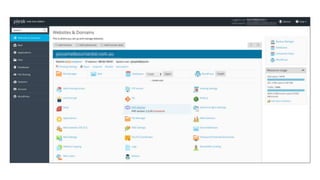
SHARED
HOSTING
(cPanel and
Plesk)
• Share resources with other
websites
• Most common hosting platform
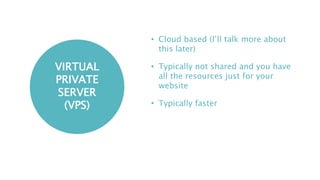
VIRTUAL
PRIVATE
SERVER
(VPS)
• Cloud based (I’ll talk more about
this later)
• Typically not shared and you have
all the resources just for your
website
• Typically faster
DEDICATED
SERVER
• Physical server
• Typically not shared and you have
all the resources just for your
website
• Typically faster
MANAGED
OR HOSTED
SERVICE
• The hosting provider manages the
hosting for you.
• The word “managed” is used quite
freely, in particular when it comes
to WordPress hosting.
• A host may or may not assist with
management of your website. This
can include WordPress core, theme
and plugins.
Standard Hosting Resources
• Memory
• CPU
• Disk Space
• Network Bandwidth
• Number of sites (and databases, email addresses etc.)
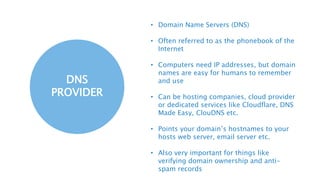
What Is DNS?
DNS
PROVIDER
• Domain Name Servers (DNS)
• Often referred to as the phonebook of the
Internet
• Computers need IP addresses, but domain
names are easy for humans to remember
and use
• Can be hosting companies, cloud provider
or dedicated services like Cloudflare, DNS
Made Easy, ClouDNS etc.
• Points your domain’s hostnames to your
hosts web server, email server etc.
• Also very important for things like
verifying domain ownership and anti-
spam records
DNSPerf.com
What Is A Domain Registrar?
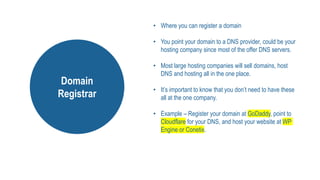
• Where you can register a domain
• You point your domain to a DNS provider, could be your
hosting company since most of the offer DNS servers.
• Most large hosting companies will sell domains, host
DNS and hosting all in the one place.
• It’s important to know that you don’t need to have these
all at the one company.
• Example – Register your domain at GoDaddy, point to
Cloudflare for your DNS, and host your website at WP
Engine or Conetix.
Domain
Registrar
WordPress Hosting Basics
wordpress.com wordpress.org
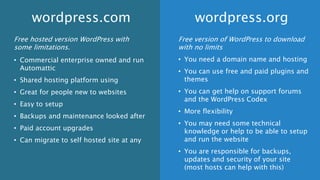
Free hosted version WordPress with
some limitations.
• Commercial enterprise owned and run
Automattic
• Shared hosting platform using
• Great for people new to websites
• Easy to setup
• Backups and maintenance looked after
• Paid account upgrades
• Can migrate to self hosted site at any
Free version of WordPress to download
with no limits
• You need a domain name and hosting
• You can use free and paid plugins and
themes
• You can get help on support forums
and the WordPress Codex
• More flexibility
• You may need some technical
knowledge or help to be able to setup
and run the website
• You are responsible for backups,
updates and security of your site
(most hosts can help with this)
wordpress.com wordpress.org
Hosting Your Own Copy Of
WordPress (WordPress.org)
Getting Started
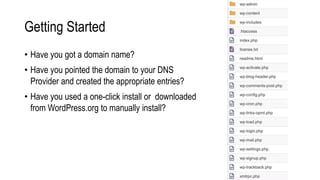
• Have you got a domain name?
• Have you pointed the domain to your DNS
Provider and created the appropriate entries?
• Have you used a one-click install or downloaded
from WordPress.org to manually install?
Recommended Requirements
• PHP version 7.2 or greater.
• MySQL version 5.6 or greater OR MariaDB version 10.0 or greater.
• HTTPS support
• Although runs on much less…
SOURCE: https://wordpress.org/about/requirements/
How Do You Check This?
Here’s a letter you can send to your host; copy and paste:
I’m interested in running the open-source WordPress <https://wordpress.org/> web software and I was wondering if
my account supported the following:
• PHP 7.2 or greater
• MySQL 5.6 or greater OR MariaDB 10.0 or greater
• Nginx or Apache with mod_rewrite module
• HTTPS support
SOURCE: https://wordpress.org/about/requirements/
Supporting Services
SSL Certificates
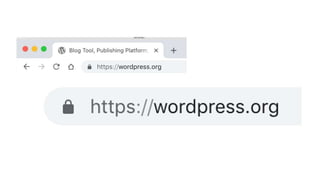
• SSL encrypts traffic between your browser and the web server, it’s what gives a site
the padlock in the address bar.
• There are a few different types of SSL certificates: Let’s Encrypt, Standard
Certificates, Wildcard Certificates, EV Certificates
• With the popularity of Let’s Encrypt, SSL is now included for free with many hosting
packages.
• Personally I recommend most sites use SSL, however keep in mind that you still
need to secure your site.
Email
• Email doesn’t need to be connected to your website hosting
• There are advantages to using an email platform like G Suite or Office 365
• Email is often included in standard hosting packages
• Email is often not included in managed WordPress or specialised (high
availability) hosting
Shared Hosting Email vs Email Platform
• Mail platforms such as G Suite and Office 365 give you features like Single
Sign On, 2 Factor Authentication and archiving and retention policies.
• It is an extra cost, but you get more “business-ready” features.
Sending Email from Your Site
• Things like notifications etc. failing is a common issue
• Set up SPF DNS records
• Use an email gateway such as Sendgrid, Mandrill
• Tools like MX Toolbox can help you troubleshoot email issues
Backups
• Whatever you do, put backups at the top of your list
• When something happens, you’ll thank yourself
• Allow for multiple offsite backups
• Test your backups
• Don’t rely on your host for backups
Management
• General site management could include:
• Monitoring resources usage, response times and uptime
• Applying Updates to WordPress, theme and plugins. As well as any other software
running on your web server
• Testing to make sure it functions correctly (e.g forms, purchases)
Security
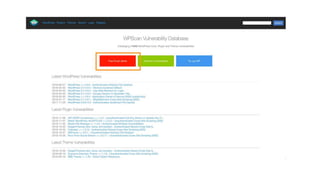
• Stay in the loop
• Keep things updated
• Use quality components
• Practice good general security
Password Management
• LastPass, Dashlane, Roboform, 1Password
• Create a secure note with your hosting URLs, usernames and passwords for
reference
• Always be practically paranoid
Logging
• Treat your logs as valuable, the store a wealth of information
• Security isn’t absolute, there’s an old saying “if you can’t prevent, you must
detect”
• Consider centralised logging, it’s easy to configure
• You can also use specialised logging tools/platforms such as Splunk, Loggly,
Papertrail and Logstash (ELK Stack)
Local Hosting
• Your can turn your computer into a web server, this is very useful for building
sites, testing and experimenting
• MAMP/XAMPP, DesktopServer, Local by Flywheel,
• The software your local computer runs is different to what runs on a web host,
but you can transfer files (sites) in between the 2 without any problem, at
times with minimal effort
How To Choose A Hosting
Provider
As The Saying Goes. You Get What You Pay For.
Things To Consider
• Features: Storage, Bandwidth, Email, cPanel/Plesk etc.
• Price: Compare prices based on features and services offered
• Support: What do they provide and how?
• Feedback: Do your research and talk to people at meetup
• Platform: Recommend Linux/Unix platform
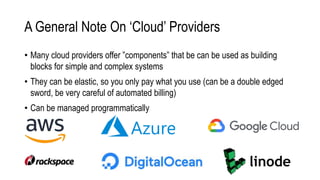
A General Note On ‘Cloud’ Providers
• Many cloud providers offer ”components” that be can be used as building
blocks for simple and complex systems
• They can be elastic, so you only pay what you use (can be a double edged
sword, be very careful of automated billing)
• Can be managed programmatically
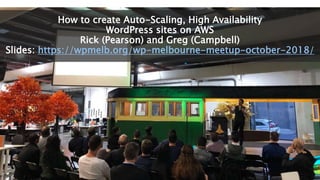
How to create Auto-Scaling, High Availability
WordPress sites on AWS
Rick (Pearson) and Greg (Campbell)
Slides: https://wpmelb.org/wp-melbourne-meetup-october-2018/
A Note on Root Access
• In Unix/Linux “root” access is the administrator account
• You typically won’t get root access when you’re using a reseller or shared
hosting account.
• When you’re hosting things yourself, you will get a root account. This allows
you to modify system files.
• With great power comes great responsibility.
Other Features
• Shell access (ssh)
• git
• wp-cli
• Dev/Staging/Production Environments
• Content Delivery Network (CDN)
Reselling Hosting
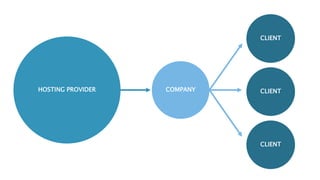
HOSTING PROVIDER
CLIENT
COMPANY CLIENT
CLIENT
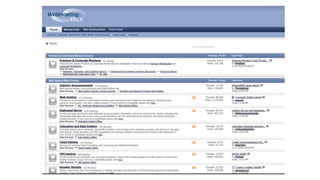
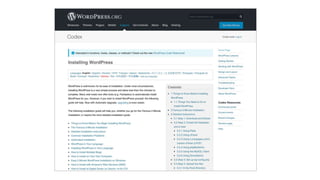
Where To Go For Help
Homework
• Set up a test WordPress site
• Experiment with logs, debugging and diagnostics
• Become comfortable manually moving WordPress from one host to another

• Things will start to fall into place when you’re actually doing it
• Ask for help if you need it, there are plenty of experienced people happy to
help those who are learning
Going Further
• We’ve only just scratched the surface…
• System Reliability Engineering is a term you’ll hear often when researching
these topics
• Look into the world DevOps, there’s an incredibly active community in
Melbourne with events on all the time
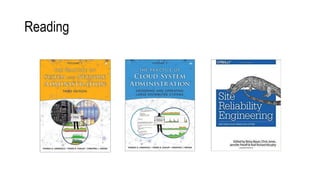
Reading
Thanks! 
@chrisburgess chrisburgess.com.au

WordPress Hosting Basics

  • 1.
  • 2.
    About Me • ChrisBurgess • Worked in IT with a passion for web technologies for 20+ years • Co-founder and Chief Technology Officer at digital agency Clickify • Run a few personal websites • Regular part of the furniture at Meetups and co-manage the WordPress and SEO Meetups in Melbourne.
  • 3.
    Disclaimer • There areplenty of good hosting providers and plenty of bad ones. • I’m not going to tell you who’s the best hosting provider, it is subjective and comes down to your budget and needs. • The purpose of my presentation today is to help you understand more about the basics of WordPress hosting, give you some handy tips and help you to choose the right option for your needs. • In the interest of full disclosure, I do run a digital agency and one of our services is hosting and maintenance, but I’m happy to give you my unbiased opinion on other providers if you have questions, just grab me after the presentation or email me!
  • 4.
    What We’ll Cover •What Exactly Is Hosting? • Types Of Hosting • WordPress Hosting Basics • Supporting Services • How To Choose A Hosting Provider • Reselling Hosting • Where To Go For Help
  • 5.
  • 6.
    “A web hostingservice is a type of Internet hosting service that allows individuals and organizations to make their website accessible via the World Wide Web. Web hosts are companies that provide space on a server owned or leased for use by clients, as well as providing Internet connectivity, typically in a data center.” https://en.wikipedia.org/wiki/Web_hosting_service
  • 7.
  • 8.
  • 9.
  • 10.
    Why is mysite so slow?
  • 11.
    Site Speed • Isbecoming more and more important • Affects user experience (UX) and conversions/leads/sales • Impacts on SEO performance • It is affected by a combination of elements: WEBSITE HOSTING SITE BUILD (INCLUDING THEMES PLUGINS) = SITE SPEED ONSITE OPTIMISATION ++
  • 12.
    Page Speed • Oneof the common reasons why people move hosts is because they find it too slow. • There are online tools to help measure the speed of your site if you are not sure such as: • https://www.webpagetest.org/ • https://developers.google.com/speed/pagespeed/insights/
  • 14.
  • 15.
  • 16.
    Choose based onyour needs and budget
  • 17.
    SHARED HOSTING (cPanel and Plesk) • Shareresources with other websites • Most common hosting platform
  • 20.
    VIRTUAL PRIVATE SERVER (VPS) • Cloud based(I’ll talk more about this later) • Typically not shared and you have all the resources just for your website • Typically faster
  • 21.
    DEDICATED SERVER • Physical server •Typically not shared and you have all the resources just for your website • Typically faster
  • 22.
    MANAGED OR HOSTED SERVICE • Thehosting provider manages the hosting for you. • The word “managed” is used quite freely, in particular when it comes to WordPress hosting. • A host may or may not assist with management of your website. This can include WordPress core, theme and plugins.
  • 23.
    Standard Hosting Resources •Memory • CPU • Disk Space • Network Bandwidth • Number of sites (and databases, email addresses etc.)
  • 24.
  • 26.
    DNS PROVIDER • Domain NameServers (DNS) • Often referred to as the phonebook of the Internet • Computers need IP addresses, but domain names are easy for humans to remember and use • Can be hosting companies, cloud provider or dedicated services like Cloudflare, DNS Made Easy, ClouDNS etc. • Points your domain’s hostnames to your hosts web server, email server etc. • Also very important for things like verifying domain ownership and anti- spam records
  • 27.
  • 28.
    What Is ADomain Registrar?
  • 29.
    • Where youcan register a domain • You point your domain to a DNS provider, could be your hosting company since most of the offer DNS servers. • Most large hosting companies will sell domains, host DNS and hosting all in the one place. • It’s important to know that you don’t need to have these all at the one company. • Example – Register your domain at GoDaddy, point to Cloudflare for your DNS, and host your website at WP Engine or Conetix. Domain Registrar
  • 30.
  • 31.
  • 32.
    Free hosted versionWordPress with some limitations. • Commercial enterprise owned and run Automattic • Shared hosting platform using • Great for people new to websites • Easy to setup • Backups and maintenance looked after • Paid account upgrades • Can migrate to self hosted site at any Free version of WordPress to download with no limits • You need a domain name and hosting • You can use free and paid plugins and themes • You can get help on support forums and the WordPress Codex • More flexibility • You may need some technical knowledge or help to be able to setup and run the website • You are responsible for backups, updates and security of your site (most hosts can help with this) wordpress.com wordpress.org
  • 33.
    Hosting Your OwnCopy Of WordPress (WordPress.org)
  • 34.
    Getting Started • Haveyou got a domain name? • Have you pointed the domain to your DNS Provider and created the appropriate entries? • Have you used a one-click install or downloaded from WordPress.org to manually install?
  • 35.
    Recommended Requirements • PHPversion 7.2 or greater. • MySQL version 5.6 or greater OR MariaDB version 10.0 or greater. • HTTPS support • Although runs on much less… SOURCE: https://wordpress.org/about/requirements/
  • 36.
    How Do YouCheck This? Here’s a letter you can send to your host; copy and paste: I’m interested in running the open-source WordPress <https://wordpress.org/> web software and I was wondering if my account supported the following: • PHP 7.2 or greater • MySQL 5.6 or greater OR MariaDB 10.0 or greater • Nginx or Apache with mod_rewrite module • HTTPS support SOURCE: https://wordpress.org/about/requirements/
  • 37.
  • 38.
    SSL Certificates • SSLencrypts traffic between your browser and the web server, it’s what gives a site the padlock in the address bar. • There are a few different types of SSL certificates: Let’s Encrypt, Standard Certificates, Wildcard Certificates, EV Certificates • With the popularity of Let’s Encrypt, SSL is now included for free with many hosting packages. • Personally I recommend most sites use SSL, however keep in mind that you still need to secure your site.
  • 40.
    Email • Email doesn’tneed to be connected to your website hosting • There are advantages to using an email platform like G Suite or Office 365 • Email is often included in standard hosting packages • Email is often not included in managed WordPress or specialised (high availability) hosting
  • 41.
    Shared Hosting Emailvs Email Platform • Mail platforms such as G Suite and Office 365 give you features like Single Sign On, 2 Factor Authentication and archiving and retention policies. • It is an extra cost, but you get more “business-ready” features.
  • 42.
    Sending Email fromYour Site • Things like notifications etc. failing is a common issue • Set up SPF DNS records • Use an email gateway such as Sendgrid, Mandrill • Tools like MX Toolbox can help you troubleshoot email issues
  • 43.
    Backups • Whatever youdo, put backups at the top of your list • When something happens, you’ll thank yourself • Allow for multiple offsite backups • Test your backups • Don’t rely on your host for backups
  • 44.
    Management • General sitemanagement could include: • Monitoring resources usage, response times and uptime • Applying Updates to WordPress, theme and plugins. As well as any other software running on your web server • Testing to make sure it functions correctly (e.g forms, purchases)
  • 45.
    Security • Stay inthe loop • Keep things updated • Use quality components • Practice good general security
  • 47.
    Password Management • LastPass,Dashlane, Roboform, 1Password • Create a secure note with your hosting URLs, usernames and passwords for reference • Always be practically paranoid
  • 48.
    Logging • Treat yourlogs as valuable, the store a wealth of information • Security isn’t absolute, there’s an old saying “if you can’t prevent, you must detect” • Consider centralised logging, it’s easy to configure • You can also use specialised logging tools/platforms such as Splunk, Loggly, Papertrail and Logstash (ELK Stack)
  • 49.
    Local Hosting • Yourcan turn your computer into a web server, this is very useful for building sites, testing and experimenting • MAMP/XAMPP, DesktopServer, Local by Flywheel, • The software your local computer runs is different to what runs on a web host, but you can transfer files (sites) in between the 2 without any problem, at times with minimal effort
  • 50.
    How To ChooseA Hosting Provider
  • 51.
    As The SayingGoes. You Get What You Pay For.
  • 52.
    Things To Consider •Features: Storage, Bandwidth, Email, cPanel/Plesk etc. • Price: Compare prices based on features and services offered • Support: What do they provide and how? • Feedback: Do your research and talk to people at meetup • Platform: Recommend Linux/Unix platform
  • 53.
    A General NoteOn ‘Cloud’ Providers • Many cloud providers offer ”components” that be can be used as building blocks for simple and complex systems • They can be elastic, so you only pay what you use (can be a double edged sword, be very careful of automated billing) • Can be managed programmatically
  • 54.
    How to createAuto-Scaling, High Availability WordPress sites on AWS Rick (Pearson) and Greg (Campbell) Slides: https://wpmelb.org/wp-melbourne-meetup-october-2018/
  • 55.
    A Note onRoot Access • In Unix/Linux “root” access is the administrator account • You typically won’t get root access when you’re using a reseller or shared hosting account. • When you’re hosting things yourself, you will get a root account. This allows you to modify system files. • With great power comes great responsibility.
  • 56.
    Other Features • Shellaccess (ssh) • git • wp-cli • Dev/Staging/Production Environments • Content Delivery Network (CDN)
  • 57.
  • 58.
  • 59.
    Where To GoFor Help
  • 60.
    Homework • Set upa test WordPress site • Experiment with logs, debugging and diagnostics • Become comfortable manually moving WordPress from one host to another • Things will start to fall into place when you’re actually doing it • Ask for help if you need it, there are plenty of experienced people happy to help those who are learning
  • 65.
    Going Further • We’veonly just scratched the surface… • System Reliability Engineering is a term you’ll hear often when researching these topics • Look into the world DevOps, there’s an incredibly active community in Melbourne with events on all the time
  • 66.
  • 67.