SEARCH ENGINE OPTIMIZATION
GOOD SEO WORK ONLY GETS BETTER OVER TIME. IT’S ONLY SEARCH
ENGINE TRICKS THAT NEED TO KEEP CHANGING WHEN THE RANKING
ALGORITHMS CHANGE.
Shrishail Uttagi
Senior Front-End Developer
1. Glossary
2. How Search Engine works?
3. Are you on Google? (Demo)
4. How do I get my site on google? (Demo)
5. Anatomy of search result (Demo)
6. Help Google find your content
7. Top 10 Guidelines for SEO
INDEX
Here's a short glossary of important terms used in this guide:
 Index
 Crawl
 Crawler / Spider
 Googlebot
 SEO
1. GLOSSARY
Search engines have three primary functions:
1. Crawl: Scour the Internet for content, looking over the code/content for each URL they find.
2. Index: Store and organize the content found during the crawling process. Once a page is in the index, it’s in the running to be
displayed as a result to relevant queries.
3. Rank: Provide the pieces of content that will best answer a searcher's query, which means that results are ordered by most
relevant to least relevant.
How seacrh works?
2. HOW SEARCH ENGINE WORKS?
According to Google’s own search quality ratings, when it indexes the main content of each page, it checks factors like:
 The purpose of the page
 Expertise, authority, and trustworthiness – not just from the site and the page content, but expertise from the individual creator of
the content too.
 Content quality and amount
 Website info and info about the content creator
 Website reputation and content creator reputation
INDEXING
Determine whether your site is in Google's index - Do a site: search for your site's home URL. If you see results, you're in the index.
Example : search website and check it will list in search result or not
• Check which all pages are indexed "site:yourdomain.com"
If your site isn't in Google - Although Google crawls billions of pages, it's inevitable that some sites will be missed. When our crawlers
miss a site, it's frequently for one of the following reasons:
• The site isn't well connected from other sites on the web
• You've just launched a new site and Google hasn't had time to crawl it yet
• The design of the site makes it difficult for Google to crawl its content effectively
• Google received an error when trying to crawl your site
• Your policy blocks Google from crawling the site
3. ARE YOU ON GOOGLE?
• You don't even need to submit your site to Google
• Google is a fully automated search engine that uses web crawlers to explore the web constantly, looking for sites to add to our
index.
• Google Search Console provides tools to help you submit your content to Google and monitor how you're doing in Google Search.
• Google Search console
4. HOW DO I GET MY SITE ON GOOGLE?
5. ANATOMY OF SEARCH RESULT. [DEMO]
#1 Let Google see your page the same way a user does
#2 Sitemaps
 The first step to getting your site on Google is to be sure that Google can find it. The best way to do that is to submit a sitemap.
 Keep sitemap.xml in the root directory of your site.
Learn More Create sitemap online
#3 robot.txt
 A "robots.txt" file tells search engines whether they can access and therefore crawl parts of your site.
 This file, which must be named "robots.txt", is placed in the root directory of your site.
 It is possible that pages blocked by robots.txt can still be crawled, so for sensitive pages you should use a more secure method.
Learn More
6. HELP GOOGLE FIND YOUR CONTENT.
TOP 10 GUIDELINES FOR SEO
Google has to be able to visit the URL and look at the page content to start to understand what that page is about. To help the bots out,
you’ll need:
 An unprotected website is a security risk to users and other businesses
 https://securityheaders.com/
 A robots.txt file that tells Google where it can and can’t look for your site information
 A sitemap, which lists all your pages. If you’re running a WordPress site, you can set up a sitemap via Yoast SEO. If not, then you
can use an online sitemap generator.
7.1 A SECURE AND ACCESSIBLE WEBSITE
• Page speed has been cited as one of the main SEO ranking factors for years. Google wants to improve users’ experience of the
web, and fast-loading web pages will definitely do that.
• If your site doesn’t load fast on mobile devices, then it could be penalized.
• Use Google’s mobile testing tool to see how your site stacks up.
7.2 PAGE SPEED (INCLUDING MOBILE PAGE
SPEED)
Google’s mobile-first index is now a reality, which means it’s drawing its results from mobile-optimized sites first, rather than sites
geared to desktop computers. If your site isn’t mobile-optimized you risk being out in the cold, in SEO terms at least.
Things to look at include:
 Whether you have a responsive site that automatically resizes to fit the device
 Whether you’re using large fonts for easy readability on a small screen
 Accessibility and navigability, including making it easy to tap menus
 Ensuring that essential content isn’t hidden by interstitial ads
7.3 MOBILE FRIENDLINESS
 Did you know that nearly 60% of the sites that have a top ten Google search ranking are three years old or more?
 In some cases, the domain name matters.
 Higher clickthrough rates
 More attention in the search engine results pages
 More brand potential
 When it comes to search engine ranking factors, authority matters.
 Domain Authority
 Page Authority
Domain and Page Rating checker
7.4 DOMAIN AGE, URL, AND AUTHORITY
 Google’s search algorithm relies on keywords.
 One negative SEO ranking factor to be aware of is duplicate content. For SEO, fresh, original content is always best.
 And if you do have content that’s similar, tell Google which one should be ranked as most authoritative by using canonical URLs.
 <link rel="canonical" href="https://example.com/path1" />
 Different ways to handle canonical URLs
7.5 OPTIMIZED CONTENT
 Research shows that 95% of people only look at the first page of search results. And half the clicks on that page go to the first
three results.
 That means if you get keyword use wrong, you’ll seriously hurt your business
Getting Started With Using Keywords For SEO
 1. First, brainstorm the terms that you think your potential customers might be searching for.
 2.Next, find related terms by searching on Google, scrolling down to the bottom of the page of search results and seeing what else
people searching for that term also looked for.
Find Keywords
7.5 OPTIMIZED CONTENT CONTINUED...
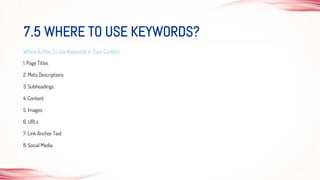
Where & How To Use Keywords in Your Content
1. Page Titles
2. Meta Descriptions
3. Subheadings
4. Content
5. Images
6. URLs
7. Link Anchor Text
8. Social Media
7.5 WHERE TO USE KEYWORDS?
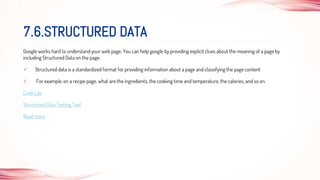
Google works hard to understand your web page. You can help google by providing explicit clues about the meaning of a page by
including Structured Data on the page.
 Structured data is a standardized format for providing information about a page and classifying the page content
 For example, on a recipe page, what are the ingredients, the cooking time and temperature, the calories, and so on.
Code Lab
Structured Data Testing Tool
Read more
7.6.STRUCTURED DATA
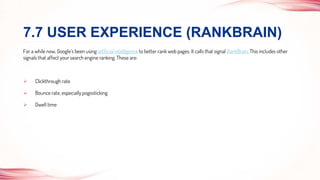
For a while now, Google’s been using artificial intelligence to better rank web pages. It calls that signal RankBrain. This includes other
signals that affect your search engine ranking. These are:
 Clickthrough rate
 Bounce rate, especially pogosticking
 Dwell time
7.7 USER EXPERIENCE (RANKBRAIN)
There are three kinds of links to think about:
1. Inbound links
2. Outbound links
3. Internal links
Check inbound links
7.8 LINKS
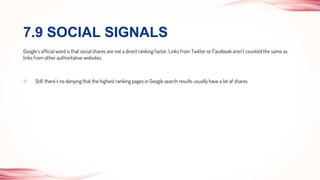
Google’s official word is that social shares are not a direct ranking factor. Links from Twitter or Facebook aren’t counted the same as
links from other authoritative websites.
 Still, there’s no denying that the highest ranking pages in Google search results usually have a lot of shares
7.9 SOCIAL SIGNALS
 The presence or absence of business information is one of the most crucial local SEO ranking factors.
So it’s important to look after areas like:
 NAP – name, address, phone number
 Business listings on Google My Business and Facebook
 Reviews on both those sites and on relevant directories like Yelp and others
 The right local search terms
7.10 REAL BUSINESS INFORMATION
Build a site for a user, not a spider.
GOOD SEO WORK ONLY GETS BETTER OVER TIME. IT’S ONLY SEARCH
ENGINE TRICKS THAT NEED TO KEEP CHANGING WHEN THE RANKING
ALGORITHMS CHANGE.

Search Engine Optimization

  • 1.
    SEARCH ENGINE OPTIMIZATION GOODSEO WORK ONLY GETS BETTER OVER TIME. IT’S ONLY SEARCH ENGINE TRICKS THAT NEED TO KEEP CHANGING WHEN THE RANKING ALGORITHMS CHANGE. Shrishail Uttagi Senior Front-End Developer
  • 2.
    1. Glossary 2. HowSearch Engine works? 3. Are you on Google? (Demo) 4. How do I get my site on google? (Demo) 5. Anatomy of search result (Demo) 6. Help Google find your content 7. Top 10 Guidelines for SEO INDEX
  • 3.
    Here's a shortglossary of important terms used in this guide:  Index  Crawl  Crawler / Spider  Googlebot  SEO 1. GLOSSARY
  • 4.
    Search engines havethree primary functions: 1. Crawl: Scour the Internet for content, looking over the code/content for each URL they find. 2. Index: Store and organize the content found during the crawling process. Once a page is in the index, it’s in the running to be displayed as a result to relevant queries. 3. Rank: Provide the pieces of content that will best answer a searcher's query, which means that results are ordered by most relevant to least relevant. How seacrh works? 2. HOW SEARCH ENGINE WORKS?
  • 5.
    According to Google’sown search quality ratings, when it indexes the main content of each page, it checks factors like:  The purpose of the page  Expertise, authority, and trustworthiness – not just from the site and the page content, but expertise from the individual creator of the content too.  Content quality and amount  Website info and info about the content creator  Website reputation and content creator reputation INDEXING
  • 6.
    Determine whether yoursite is in Google's index - Do a site: search for your site's home URL. If you see results, you're in the index. Example : search website and check it will list in search result or not • Check which all pages are indexed "site:yourdomain.com" If your site isn't in Google - Although Google crawls billions of pages, it's inevitable that some sites will be missed. When our crawlers miss a site, it's frequently for one of the following reasons: • The site isn't well connected from other sites on the web • You've just launched a new site and Google hasn't had time to crawl it yet • The design of the site makes it difficult for Google to crawl its content effectively • Google received an error when trying to crawl your site • Your policy blocks Google from crawling the site 3. ARE YOU ON GOOGLE?
  • 7.
    • You don'teven need to submit your site to Google • Google is a fully automated search engine that uses web crawlers to explore the web constantly, looking for sites to add to our index. • Google Search Console provides tools to help you submit your content to Google and monitor how you're doing in Google Search. • Google Search console 4. HOW DO I GET MY SITE ON GOOGLE?
  • 8.
    5. ANATOMY OFSEARCH RESULT. [DEMO]
  • 9.
    #1 Let Googlesee your page the same way a user does #2 Sitemaps  The first step to getting your site on Google is to be sure that Google can find it. The best way to do that is to submit a sitemap.  Keep sitemap.xml in the root directory of your site. Learn More Create sitemap online #3 robot.txt  A "robots.txt" file tells search engines whether they can access and therefore crawl parts of your site.  This file, which must be named "robots.txt", is placed in the root directory of your site.  It is possible that pages blocked by robots.txt can still be crawled, so for sensitive pages you should use a more secure method. Learn More 6. HELP GOOGLE FIND YOUR CONTENT.
  • 10.
  • 11.
    Google has tobe able to visit the URL and look at the page content to start to understand what that page is about. To help the bots out, you’ll need:  An unprotected website is a security risk to users and other businesses  https://securityheaders.com/  A robots.txt file that tells Google where it can and can’t look for your site information  A sitemap, which lists all your pages. If you’re running a WordPress site, you can set up a sitemap via Yoast SEO. If not, then you can use an online sitemap generator. 7.1 A SECURE AND ACCESSIBLE WEBSITE
  • 12.
    • Page speedhas been cited as one of the main SEO ranking factors for years. Google wants to improve users’ experience of the web, and fast-loading web pages will definitely do that. • If your site doesn’t load fast on mobile devices, then it could be penalized. • Use Google’s mobile testing tool to see how your site stacks up. 7.2 PAGE SPEED (INCLUDING MOBILE PAGE SPEED)
  • 13.
    Google’s mobile-first indexis now a reality, which means it’s drawing its results from mobile-optimized sites first, rather than sites geared to desktop computers. If your site isn’t mobile-optimized you risk being out in the cold, in SEO terms at least. Things to look at include:  Whether you have a responsive site that automatically resizes to fit the device  Whether you’re using large fonts for easy readability on a small screen  Accessibility and navigability, including making it easy to tap menus  Ensuring that essential content isn’t hidden by interstitial ads 7.3 MOBILE FRIENDLINESS
  • 14.
     Did youknow that nearly 60% of the sites that have a top ten Google search ranking are three years old or more?  In some cases, the domain name matters.  Higher clickthrough rates  More attention in the search engine results pages  More brand potential  When it comes to search engine ranking factors, authority matters.  Domain Authority  Page Authority Domain and Page Rating checker 7.4 DOMAIN AGE, URL, AND AUTHORITY
  • 15.
     Google’s searchalgorithm relies on keywords.  One negative SEO ranking factor to be aware of is duplicate content. For SEO, fresh, original content is always best.  And if you do have content that’s similar, tell Google which one should be ranked as most authoritative by using canonical URLs.  <link rel="canonical" href="https://example.com/path1" />  Different ways to handle canonical URLs 7.5 OPTIMIZED CONTENT
  • 16.
     Research showsthat 95% of people only look at the first page of search results. And half the clicks on that page go to the first three results.  That means if you get keyword use wrong, you’ll seriously hurt your business Getting Started With Using Keywords For SEO  1. First, brainstorm the terms that you think your potential customers might be searching for.  2.Next, find related terms by searching on Google, scrolling down to the bottom of the page of search results and seeing what else people searching for that term also looked for. Find Keywords 7.5 OPTIMIZED CONTENT CONTINUED...
  • 17.
    Where & HowTo Use Keywords in Your Content 1. Page Titles 2. Meta Descriptions 3. Subheadings 4. Content 5. Images 6. URLs 7. Link Anchor Text 8. Social Media 7.5 WHERE TO USE KEYWORDS?
  • 18.
    Google works hardto understand your web page. You can help google by providing explicit clues about the meaning of a page by including Structured Data on the page.  Structured data is a standardized format for providing information about a page and classifying the page content  For example, on a recipe page, what are the ingredients, the cooking time and temperature, the calories, and so on. Code Lab Structured Data Testing Tool Read more 7.6.STRUCTURED DATA
  • 19.
    For a whilenow, Google’s been using artificial intelligence to better rank web pages. It calls that signal RankBrain. This includes other signals that affect your search engine ranking. These are:  Clickthrough rate  Bounce rate, especially pogosticking  Dwell time 7.7 USER EXPERIENCE (RANKBRAIN)
  • 20.
    There are threekinds of links to think about: 1. Inbound links 2. Outbound links 3. Internal links Check inbound links 7.8 LINKS
  • 21.
    Google’s official wordis that social shares are not a direct ranking factor. Links from Twitter or Facebook aren’t counted the same as links from other authoritative websites.  Still, there’s no denying that the highest ranking pages in Google search results usually have a lot of shares 7.9 SOCIAL SIGNALS
  • 22.
     The presenceor absence of business information is one of the most crucial local SEO ranking factors. So it’s important to look after areas like:  NAP – name, address, phone number  Business listings on Google My Business and Facebook  Reviews on both those sites and on relevant directories like Yelp and others  The right local search terms 7.10 REAL BUSINESS INFORMATION
  • 23.
    Build a sitefor a user, not a spider.
  • 24.
    GOOD SEO WORKONLY GETS BETTER OVER TIME. IT’S ONLY SEARCH ENGINE TRICKS THAT NEED TO KEEP CHANGING WHEN THE RANKING ALGORITHMS CHANGE.