Reprographics Unit 4
Learning Outcomes What is Reprographics? Reprographics Equipment Heather’s Discovery! The importance of Training The need for expertise? In-House Copying External Agency Copying
What is Reprographics? There are many different types of documents which need to be copied within Caledonian Health & Fitness. Examples are: Legal documents eg employee contracts Educational documents eg training manuals Memorandums; Letters; Notices etc. The process of copying documents is known as  reprography .
Reprographics Equipment Reprographics involves carrying out a range of tasks some of which are more complex than others. As a result, a variety of equipment is required for the Reprographics department to act as an efficient support function to the organisation.
Reprographics Equipment Mr Millar has asked Heather to carry out an inventory  ( an audit ) of the reprographics equipment currently  used within Caledonian Health & Fitness. Heather noted the following pieces of equipment: Photocopier Printer: Ink Jet and Laser Scanner Binder: Comb and Thermal Laminator Desk Top Publishing Software Let’s now find out how each piece of equipment works ………
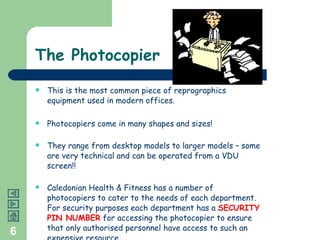
The Photocopier This is the most common piece of reprographics equipment used in modern offices. Photocopiers come in many shapes and sizes! They range from desktop models to larger models – some are very technical and can be operated from a VDU screen!! Caledonian Health & Fitness has a number of photocopiers to cater to the needs of each department.  For security purposes each department has a  SECURITY PIN NUMBER  for accessing the photocopier to ensure that only authorised personnel have access to such an expensive resource.
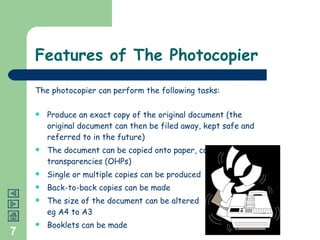
Features of The Photocopier The photocopier can perform the following tasks: Produce an exact copy of the original document (the original document can then be filed away, kept safe and referred to in the future) The document can be copied onto paper, card or overhead transparencies (OHPs) Single or multiple copies can be produced Back-to-back copies can be made The size of the document can be altered  eg A4 to A3 Booklets can be made
The Printer This is a very clever piece of equipment! It enables the document which has been created on the PC (this is known as the  soft copy ) to be copied onto paper (this is known as the  hard copy ) There are 2 main types of printers: The  INK-JET  Printer The  LASER  Printer
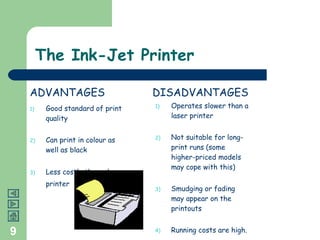
The Ink-Jet Printer Good standard of print quality Can print in colour as well as black Less costly than a laser printer Operates slower than a laser printer Not suitable for long-print runs (some higher-priced models may cope with this) Smudging or fading may appear on the printouts Running costs are high. ADVANTAGES DISADVANTAGES
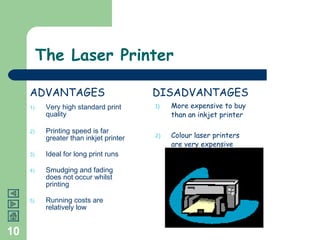
The Laser Printer Very high standard print quality Printing speed is far greater than inkjet printer Ideal for long print runs Smudging and fading does not occur whilst printing Running costs are relatively low More expensive to buy than an inkjet printer Colour laser printers are very expensive ADVANTAGES DISADVANTAGES
The Scanner The scanner  SCANS  (copies) what is known as the  SOURCE MATERIAL Examples of source material are:  magazines; photos; chart; printed text etc Once the source material has been copied it is then saved as a computer file  The file can then be used for a specific purpose eg Mr Smart could scan photos of new pieces of gym equipment and place them into the company’s monthly newsletter for customers to see
Types of Scanner There are 2 main types of scanner:  Flat Bed The source material is placed onto the glass plate The scanner then moves across the document (exactly as a photocopier) copying the image The image is then saved as a file to be used on the PC Hand Held This is a portable scanner The scanner is simply passed over the information and copied Many supermarkets are using these today to enable the customer to have more control over their shopping
Binder The binder is used to hold pages together to ensure that they are all kept in order Documents which often require a binder are:  reports; plans; instruction booklets etc Mr Ray Cruit often binds his training manuals together as he believes that it makes the documents look more professional and enables the users to look at the pages in the correct order.  It also keeps the pages free from wear and tear
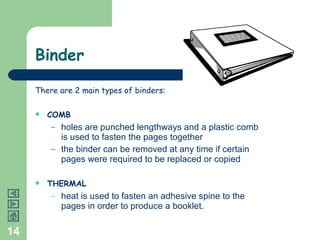
Binder There are 2 main types of binders:  COMB holes are punched lengthways and a plastic comb is used to fasten the pages together the binder can be removed at any time if certain pages were required to be replaced or copied THERMAL heat is used to fasten an adhesive spine to the pages in order to produce a booklet.
Laminator A laminator is a machine which is used to seal documents inside a plastic coating Ensures that the paper/card is protected from ‘ wear and tear’ Laminating is a great idea if the piece of paper/card is likely to be used regularly eg: Notices library card instruction sheets Mr Wallace issues staff with Identity Badges and laminates them to protect them for a long period of time
Desk Top Publishing This is a software package used to create high quality documents Microsoft Publisher is an example of DTP There is a variety of fonts, sizes and styles which can be used to create documents  Also a range of graphics and designs can be used to enhance the presentation of the document Mrs Ambleon uses DTP to produce the following documents for the Sales/Marketing Department Magazines Catalogues Posters
Group Activity You are about to create your very own business!! Your first task is to think of a business name You are the Managing Director of your business and it is very important that you have a business card so that you can hand it out to people at your business meetings Open up a Microsoft Publisher document Select a business card template Work your way through the wizard  Add in any pictures or graphics that you like Print choosing the multiple copies on page option To make sure your business cards are durable laminate them  Use a guillotine to ensure straight edges!
Activities Complete the following tasks in your activities booklet: Question 1: What is reprographics Question 2: Reprographics Request Form Question 3: Features of a good Photocopier Question 4: Laser Printer Question 5: Scanner Question 6: Binder Question 7: Identify the best type of equipment Question 8: Desk Top Publishing Question 9: Recommend the best type of equipment
“ Training is Required!” Heather reports back to Mr Millar on her findings. “ I have carried out the inventory check you asked for  and identified the reprographics equipment which is  currently being used.  I am quite concerned at the way  in which the equipment is being used – I saw one  member of staff jam a ruler in the photocopier to try  a fix a paper jam!” Mr Millar was very unhappy about this and asked for  training courses to be provided immediately
The Importance of Training Mr Wallace informs Mr Cruit about the importance of  training staff how to use the equipment properly: Staff must use the equipment  SAFELY  to ensure that no hazards occur eg electric shock PROCEDURES  must be followed at all times eg staff should report any fault to their line manager straight away Staff should use the equipment  EFFICIENTLY  – make sure that all resources are used properly and minimise waste
Training Courses For All! Mr Cruit now needs to create appropriate training  courses - he decides to create the following: THE INTRODUCTION TO REPROGRAPHICS EQUIPMENT This is for new employees who have joined the organisation and are unaware of procedures which need to be followed Qualified trainers will be used to DEMONSTRATE how to work the equipment as efficiently and safely as possible REPROGRAPHICS – THE REFRESHER’S COURSE! This is for employees who have been there for a long period of time and who require a reminder as to how to use the equipment REPROGRAPHICS – THE EXPERT’S CORNER This is for those employees who are responsible for maintaining and cleaning the equipment It is essential that they are fully aware of how the equipment operates in order to fix faults quickly and efficiently
Can we do it on our own? Heather is fascinated to discover how difficult and  demanding Reprographics can be!! This is why she has carried out the following research  on External Agency Copying.  These agencies actually  specialise  in Reprographics.  They provide a  SERVICE   to other businesses so that they can carry on with  their own work and not worry about processing their  own reprographics. Is this a good thing?  Let’s find out ………………………
Factors to consider When deciding upon whether to reproduce documents  IN-HOUSE or use an EXTERNAL AGENCY, Heather must  consider the following: The material to be copied eg. Text, photographs, charts etc. Whether or not the business has appropriate reprographics equipment Is colour copying required? Number of copies required and how quickly they are needed. The quality of copies required The  availability  and  cost  of using an external agency
In-House Copying Tasks can be completed quickly Urgent tasks can be ‘fed-in’ eg.  Staff have the ability to prioritise work No additional costs will be incurred eg. External agencies Initial cost is likely to be high – purchase / lease of equipment Staff will have to be trained Equipment must be capable of tasks required Equipment must be maintained and serviced regularly ADVANTAGES DISADVANTAGES
External Agency Copying Able to offer expertise and advice by employing specialist staff Ability to produce high quality documents eg. Glossy magazines, hard back covers on booklets etc Specialist equipment available for completion of particular tasks Extremely cost effective when producing large volumes of copying May be difficult to convey exact requirements More costly for small volumes of copying If a local firm is not available time may be wasted ADVANTAGES DISADVANTAGES
Activities Complete the following tasks in your activities booklet: Question 10: Why training is so important Question 11: Notice for your school’s Reprographics Department Question 12: The use of an External Agency
Notice Competition! Your class has been entered into  (Council’s Name) ‘ School Rules ’ Poster Campaign.  Your task is to design and produce a poster showing the rules of ( School Name ) - it must be unique and eye-catching.  Once completed the poster will be displayed on notice boards around the school and a copy will be printed in the local newspaper. You must supply copies to (Headteacher’s name) for ( his/her)  approval after which a copy must be sent to the Council.  An important point to think about : school corridors are busy places so you must make sure that the poster will be safe from wear and tear!!

Unit 4 - Reprographics

  • 1.
  • 2.
    Learning Outcomes Whatis Reprographics? Reprographics Equipment Heather’s Discovery! The importance of Training The need for expertise? In-House Copying External Agency Copying
  • 3.
    What is Reprographics?There are many different types of documents which need to be copied within Caledonian Health & Fitness. Examples are: Legal documents eg employee contracts Educational documents eg training manuals Memorandums; Letters; Notices etc. The process of copying documents is known as reprography .
  • 4.
    Reprographics Equipment Reprographicsinvolves carrying out a range of tasks some of which are more complex than others. As a result, a variety of equipment is required for the Reprographics department to act as an efficient support function to the organisation.
  • 5.
    Reprographics Equipment MrMillar has asked Heather to carry out an inventory ( an audit ) of the reprographics equipment currently used within Caledonian Health & Fitness. Heather noted the following pieces of equipment: Photocopier Printer: Ink Jet and Laser Scanner Binder: Comb and Thermal Laminator Desk Top Publishing Software Let’s now find out how each piece of equipment works ………
  • 6.
    The Photocopier Thisis the most common piece of reprographics equipment used in modern offices. Photocopiers come in many shapes and sizes! They range from desktop models to larger models – some are very technical and can be operated from a VDU screen!! Caledonian Health & Fitness has a number of photocopiers to cater to the needs of each department. For security purposes each department has a SECURITY PIN NUMBER for accessing the photocopier to ensure that only authorised personnel have access to such an expensive resource.
  • 7.
    Features of ThePhotocopier The photocopier can perform the following tasks: Produce an exact copy of the original document (the original document can then be filed away, kept safe and referred to in the future) The document can be copied onto paper, card or overhead transparencies (OHPs) Single or multiple copies can be produced Back-to-back copies can be made The size of the document can be altered eg A4 to A3 Booklets can be made
  • 8.
    The Printer Thisis a very clever piece of equipment! It enables the document which has been created on the PC (this is known as the soft copy ) to be copied onto paper (this is known as the hard copy ) There are 2 main types of printers: The INK-JET Printer The LASER Printer
  • 9.
    The Ink-Jet PrinterGood standard of print quality Can print in colour as well as black Less costly than a laser printer Operates slower than a laser printer Not suitable for long-print runs (some higher-priced models may cope with this) Smudging or fading may appear on the printouts Running costs are high. ADVANTAGES DISADVANTAGES
  • 10.
    The Laser PrinterVery high standard print quality Printing speed is far greater than inkjet printer Ideal for long print runs Smudging and fading does not occur whilst printing Running costs are relatively low More expensive to buy than an inkjet printer Colour laser printers are very expensive ADVANTAGES DISADVANTAGES
  • 11.
    The Scanner Thescanner SCANS (copies) what is known as the SOURCE MATERIAL Examples of source material are: magazines; photos; chart; printed text etc Once the source material has been copied it is then saved as a computer file The file can then be used for a specific purpose eg Mr Smart could scan photos of new pieces of gym equipment and place them into the company’s monthly newsletter for customers to see
  • 12.
    Types of ScannerThere are 2 main types of scanner: Flat Bed The source material is placed onto the glass plate The scanner then moves across the document (exactly as a photocopier) copying the image The image is then saved as a file to be used on the PC Hand Held This is a portable scanner The scanner is simply passed over the information and copied Many supermarkets are using these today to enable the customer to have more control over their shopping
  • 13.
    Binder The binderis used to hold pages together to ensure that they are all kept in order Documents which often require a binder are: reports; plans; instruction booklets etc Mr Ray Cruit often binds his training manuals together as he believes that it makes the documents look more professional and enables the users to look at the pages in the correct order. It also keeps the pages free from wear and tear
  • 14.
    Binder There are2 main types of binders: COMB holes are punched lengthways and a plastic comb is used to fasten the pages together the binder can be removed at any time if certain pages were required to be replaced or copied THERMAL heat is used to fasten an adhesive spine to the pages in order to produce a booklet.
  • 15.
    Laminator A laminatoris a machine which is used to seal documents inside a plastic coating Ensures that the paper/card is protected from ‘ wear and tear’ Laminating is a great idea if the piece of paper/card is likely to be used regularly eg: Notices library card instruction sheets Mr Wallace issues staff with Identity Badges and laminates them to protect them for a long period of time
  • 16.
    Desk Top PublishingThis is a software package used to create high quality documents Microsoft Publisher is an example of DTP There is a variety of fonts, sizes and styles which can be used to create documents Also a range of graphics and designs can be used to enhance the presentation of the document Mrs Ambleon uses DTP to produce the following documents for the Sales/Marketing Department Magazines Catalogues Posters
  • 17.
    Group Activity Youare about to create your very own business!! Your first task is to think of a business name You are the Managing Director of your business and it is very important that you have a business card so that you can hand it out to people at your business meetings Open up a Microsoft Publisher document Select a business card template Work your way through the wizard Add in any pictures or graphics that you like Print choosing the multiple copies on page option To make sure your business cards are durable laminate them Use a guillotine to ensure straight edges!
  • 18.
    Activities Complete thefollowing tasks in your activities booklet: Question 1: What is reprographics Question 2: Reprographics Request Form Question 3: Features of a good Photocopier Question 4: Laser Printer Question 5: Scanner Question 6: Binder Question 7: Identify the best type of equipment Question 8: Desk Top Publishing Question 9: Recommend the best type of equipment
  • 19.
    “ Training isRequired!” Heather reports back to Mr Millar on her findings. “ I have carried out the inventory check you asked for and identified the reprographics equipment which is currently being used. I am quite concerned at the way in which the equipment is being used – I saw one member of staff jam a ruler in the photocopier to try a fix a paper jam!” Mr Millar was very unhappy about this and asked for training courses to be provided immediately
  • 20.
    The Importance ofTraining Mr Wallace informs Mr Cruit about the importance of training staff how to use the equipment properly: Staff must use the equipment SAFELY to ensure that no hazards occur eg electric shock PROCEDURES must be followed at all times eg staff should report any fault to their line manager straight away Staff should use the equipment EFFICIENTLY – make sure that all resources are used properly and minimise waste
  • 21.
    Training Courses ForAll! Mr Cruit now needs to create appropriate training courses - he decides to create the following: THE INTRODUCTION TO REPROGRAPHICS EQUIPMENT This is for new employees who have joined the organisation and are unaware of procedures which need to be followed Qualified trainers will be used to DEMONSTRATE how to work the equipment as efficiently and safely as possible REPROGRAPHICS – THE REFRESHER’S COURSE! This is for employees who have been there for a long period of time and who require a reminder as to how to use the equipment REPROGRAPHICS – THE EXPERT’S CORNER This is for those employees who are responsible for maintaining and cleaning the equipment It is essential that they are fully aware of how the equipment operates in order to fix faults quickly and efficiently
  • 22.
    Can we doit on our own? Heather is fascinated to discover how difficult and demanding Reprographics can be!! This is why she has carried out the following research on External Agency Copying. These agencies actually specialise in Reprographics. They provide a SERVICE to other businesses so that they can carry on with their own work and not worry about processing their own reprographics. Is this a good thing? Let’s find out ………………………
  • 23.
    Factors to considerWhen deciding upon whether to reproduce documents IN-HOUSE or use an EXTERNAL AGENCY, Heather must consider the following: The material to be copied eg. Text, photographs, charts etc. Whether or not the business has appropriate reprographics equipment Is colour copying required? Number of copies required and how quickly they are needed. The quality of copies required The availability and cost of using an external agency
  • 24.
    In-House Copying Taskscan be completed quickly Urgent tasks can be ‘fed-in’ eg. Staff have the ability to prioritise work No additional costs will be incurred eg. External agencies Initial cost is likely to be high – purchase / lease of equipment Staff will have to be trained Equipment must be capable of tasks required Equipment must be maintained and serviced regularly ADVANTAGES DISADVANTAGES
  • 25.
    External Agency CopyingAble to offer expertise and advice by employing specialist staff Ability to produce high quality documents eg. Glossy magazines, hard back covers on booklets etc Specialist equipment available for completion of particular tasks Extremely cost effective when producing large volumes of copying May be difficult to convey exact requirements More costly for small volumes of copying If a local firm is not available time may be wasted ADVANTAGES DISADVANTAGES
  • 26.
    Activities Complete thefollowing tasks in your activities booklet: Question 10: Why training is so important Question 11: Notice for your school’s Reprographics Department Question 12: The use of an External Agency
  • 27.
    Notice Competition! Yourclass has been entered into (Council’s Name) ‘ School Rules ’ Poster Campaign. Your task is to design and produce a poster showing the rules of ( School Name ) - it must be unique and eye-catching. Once completed the poster will be displayed on notice boards around the school and a copy will be printed in the local newspaper. You must supply copies to (Headteacher’s name) for ( his/her) approval after which a copy must be sent to the Council. An important point to think about : school corridors are busy places so you must make sure that the poster will be safe from wear and tear!!