What is Printer
WHAT IS PRINTER
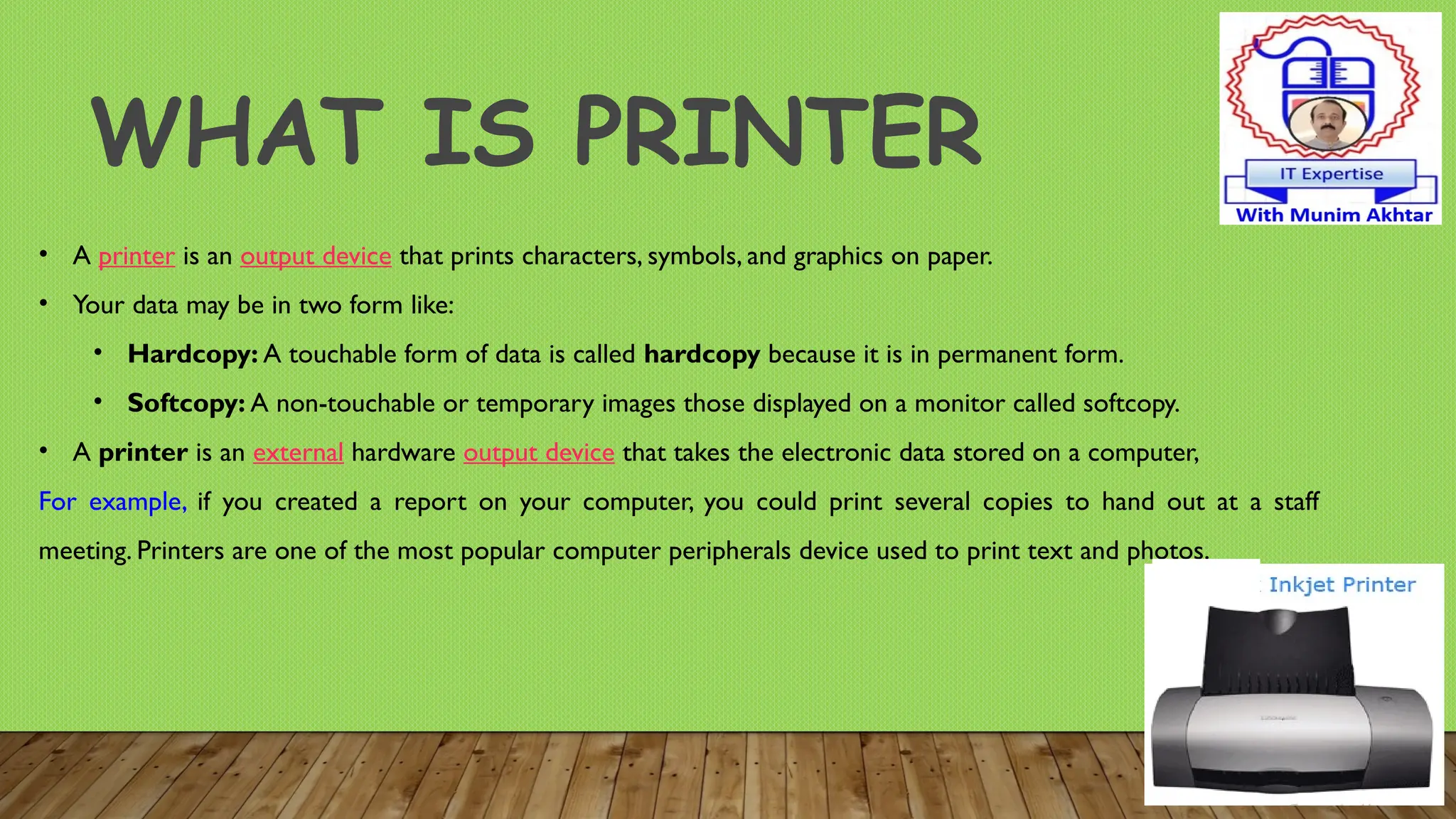
• A printer is an output device that prints characters, symbols, and graphics on paper.
• Your data may be in two form like:
• Hardcopy: A touchable form of data is called hardcopy because it is in permanent form.
• Softcopy: A non-touchable or temporary images those displayed on a monitor called softcopy.
• A printer is an external hardware output device that takes the electronic data stored on a computer,
For example, if you created a report on your computer, you could print several copies to hand out at a staff
meeting. Printers are one of the most popular computer peripherals device used to print text and photos.
TYPES OF PRINTER
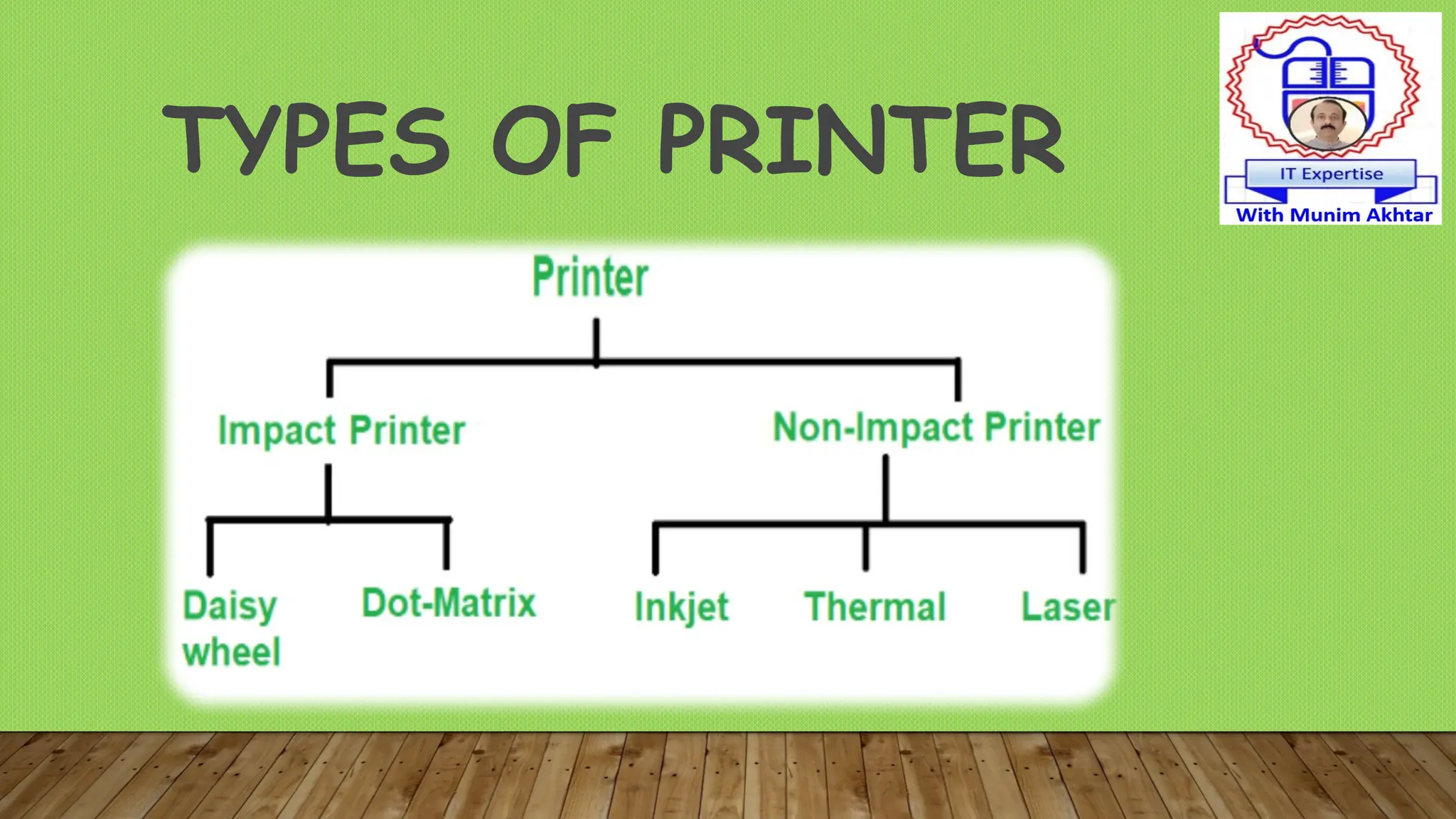
• Impact Printer:
Produces characters and
graphics on a piece of paper by
striking is called impact printer
in 1990.
• It prints by hammering a set of metal pin or
character set.
• Example Dot-matrix printers, Daisy-wheel
and line printers.
Non-Impact Printer:
A type of printer that produces
characters and graphics on a
piece of paper without striking.
• Printing is done by depositing ink in any form.
• Example Inkjet printers and Laser printers.
Difference of Printer
1. Dot-Matrix Printers
• A dot matrix printer is a computer printer using a series of pins to stamp
ink from a ribbon onto paper to produce words and numbers.
•It print character by character
• It print about 40-300 characters per second (cps)
• Can print some graphics, although the reproduction quality is poor.
• Normally black color print used in market
• Dot-matrix printers are noisy, inexpensive,
• It is just like carbon copy printer
• The first dot matrix printer was created by IBM in 1957.
• It is just like manual typewriter
• These printers have print heads composed of metallic or plastic
• Daisy-wheel printers are also loud and slow.
• It cannot print graphics
• It can support some fonts as well.
2. Daisy-Wheel Printers
3. LINE PRINTERS
• It is similar to the daisy-wheel printer.
• Line printers allow multiple characters to be simultaneously
printed on the same line.
• line printers are much faster than dot-matrix or daisy-wheel
printers.
• It is quite loud,
• It can support limited multi-font capability,
• It can often produce lower print quality.
NON-IMPACT PRINTERS
• A type of printer that does not operate by striking a head against a ribbon,
e,g., laser and ink-jet printers.
• Nonimpact printers use methods for creating an image that don't involve
actually touching the paper.
• These are faster and quieter than impact printers
• It can print characters and images without direct physical contact
between the printing mechanism and the paper.
1. INKJET PRINTERS
• They work by pushing droplets of ink onto paper with using of
printer toner.
• Inkjet printers spray tiny drops of ink onto the paper.
• These are used mostly for high-volume printing in office settings,
e.g.,
• Print copy of a document for school.
• Print pictures on photo printer.
• Print receipts for purchases made online.
2. LASER PRINTERS
• A type of printer which use of a laser beam to produce an
image on the drum that makes use of a focused beam of light
to transfer text and images onto paper.
• Laser printers use static electricity to arrange toner on paper
to form an image in 1971.
• The toner is then bonded to the paper with heat.
• Quickly print hundreds of text documents or pages.
• Print hard copies of professional or legal documents.
3-THERMAL WAX PRINTERS
Thermal Ribbons
• It is a printer that uses heated pins to "burn" images onto heat-
sensitive paper.
• Thermal wax printers use a ribbon Pin passes in front of tiny heated
pins that melt the wax from a ribbon onto the paper.
• Thermal wax printers can print much faster than ink and laser printers,
e.g., , averaging six to 12 inches per second
Advantages: High quality, Fast print runs, Reduced costs, Less
maintenance, Nearly unlimited print media choices
4- PLOTTER
• A plotter printer that is used for printing of vector graphics
• Vector graphics images in terms of 2D points, which are connected by lines
and curves to form polygons and other shapes.
• Plotters use a pen, pencil, marker tool to draw multiple, continuous lines
onto paper rather than a series of dots like a traditional printer.
• A vector graphic or vector image is an image made up paths
(lines with a starting and ending points).
• e.g. create layouts, diagrams and banners.
Plotter example

explain the different types of PRINTERS.pptx

  • 1.
  • 2.
    WHAT IS PRINTER •A printer is an output device that prints characters, symbols, and graphics on paper. • Your data may be in two form like: • Hardcopy: A touchable form of data is called hardcopy because it is in permanent form. • Softcopy: A non-touchable or temporary images those displayed on a monitor called softcopy. • A printer is an external hardware output device that takes the electronic data stored on a computer, For example, if you created a report on your computer, you could print several copies to hand out at a staff meeting. Printers are one of the most popular computer peripherals device used to print text and photos.
  • 3.
  • 4.
    • Impact Printer: Producescharacters and graphics on a piece of paper by striking is called impact printer in 1990. • It prints by hammering a set of metal pin or character set. • Example Dot-matrix printers, Daisy-wheel and line printers. Non-Impact Printer: A type of printer that produces characters and graphics on a piece of paper without striking. • Printing is done by depositing ink in any form. • Example Inkjet printers and Laser printers. Difference of Printer
  • 5.
    1. Dot-Matrix Printers •A dot matrix printer is a computer printer using a series of pins to stamp ink from a ribbon onto paper to produce words and numbers. •It print character by character • It print about 40-300 characters per second (cps) • Can print some graphics, although the reproduction quality is poor. • Normally black color print used in market • Dot-matrix printers are noisy, inexpensive, • It is just like carbon copy printer • The first dot matrix printer was created by IBM in 1957.
  • 6.
    • It isjust like manual typewriter • These printers have print heads composed of metallic or plastic • Daisy-wheel printers are also loud and slow. • It cannot print graphics • It can support some fonts as well. 2. Daisy-Wheel Printers
  • 7.
    3. LINE PRINTERS •It is similar to the daisy-wheel printer. • Line printers allow multiple characters to be simultaneously printed on the same line. • line printers are much faster than dot-matrix or daisy-wheel printers. • It is quite loud, • It can support limited multi-font capability, • It can often produce lower print quality.
  • 8.
    NON-IMPACT PRINTERS • Atype of printer that does not operate by striking a head against a ribbon, e,g., laser and ink-jet printers. • Nonimpact printers use methods for creating an image that don't involve actually touching the paper. • These are faster and quieter than impact printers • It can print characters and images without direct physical contact between the printing mechanism and the paper.
  • 9.
    1. INKJET PRINTERS •They work by pushing droplets of ink onto paper with using of printer toner. • Inkjet printers spray tiny drops of ink onto the paper. • These are used mostly for high-volume printing in office settings, e.g., • Print copy of a document for school. • Print pictures on photo printer. • Print receipts for purchases made online.
  • 10.
    2. LASER PRINTERS •A type of printer which use of a laser beam to produce an image on the drum that makes use of a focused beam of light to transfer text and images onto paper. • Laser printers use static electricity to arrange toner on paper to form an image in 1971. • The toner is then bonded to the paper with heat. • Quickly print hundreds of text documents or pages. • Print hard copies of professional or legal documents.
  • 11.
    3-THERMAL WAX PRINTERS ThermalRibbons • It is a printer that uses heated pins to "burn" images onto heat- sensitive paper. • Thermal wax printers use a ribbon Pin passes in front of tiny heated pins that melt the wax from a ribbon onto the paper. • Thermal wax printers can print much faster than ink and laser printers, e.g., , averaging six to 12 inches per second Advantages: High quality, Fast print runs, Reduced costs, Less maintenance, Nearly unlimited print media choices
  • 12.
    4- PLOTTER • Aplotter printer that is used for printing of vector graphics • Vector graphics images in terms of 2D points, which are connected by lines and curves to form polygons and other shapes. • Plotters use a pen, pencil, marker tool to draw multiple, continuous lines onto paper rather than a series of dots like a traditional printer. • A vector graphic or vector image is an image made up paths (lines with a starting and ending points). • e.g. create layouts, diagrams and banners.
  • 13.