 Hardcopy Output Devices
 Printers
 Types of Printers
 Impact Printers
 Nonimpact Printers
 Dot Matrix Printers
 Working of Dot Matrix Printers
 Speed
 Quality
 Inkjet Printers
 How does an inkjet printer work?
 Speed of inkjet printer
 Quality measures of inkjet printer
 Laser Printers
 Printing Process
 Speed of Laser Printer
 Quality measure of Laser Printer
 All in One Peripherals
 Comparison of Printers
 High Quality Printers
 Photo Printers
 Plotters
 Hardcopy: Hardcopy output is tangible and
refers to output which is printed.
Softcopy Devices Hardcopy
Devices
Monitors Printer
Projectors Plotter
Speakers
Video Graphics Card
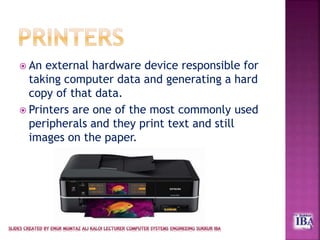
 An external hardware device responsible for
taking computer data and generating a hard
copy of that data.
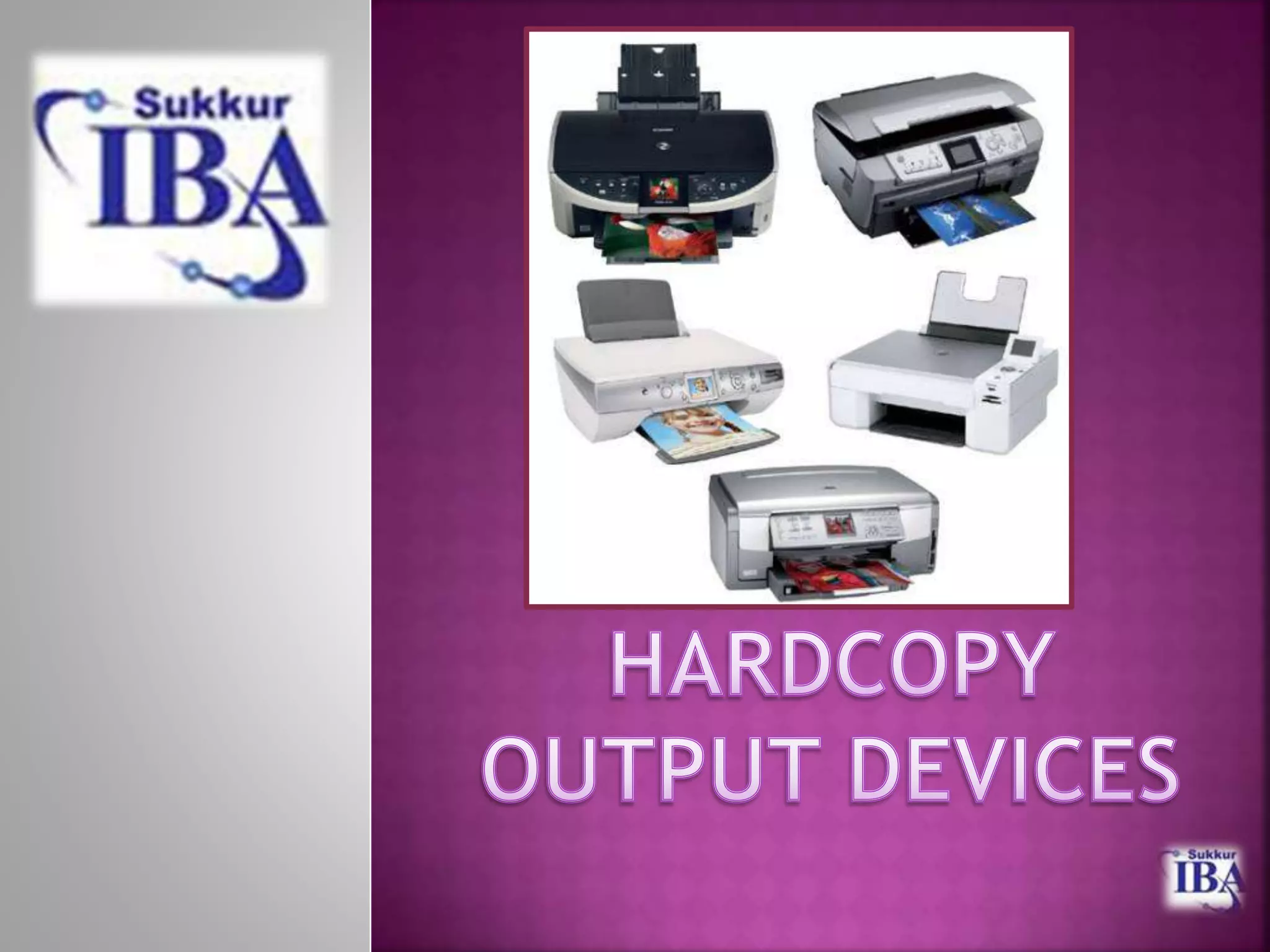
 Printers are one of the most commonly used
peripherals and they print text and still
images on the paper.
 The printer is computer output device that
accepts text and graphic as input, &
prints or illustrations on paper as a hard
copy in the form of documents etc.
 Printing is a process for reproducing text and
images typically with ink on paper.
 Many printers are primarily used as local
peripherals, and are attached by a printer cable
or, in most newer printers, a USB cable to a
computer which serves as a document source.
 In addition, a few modern printers can directly
interface to electronic media such as memory
card, or to image capture devices such as
digital camera.
 Printers can fall into two categories:
1. Impact printer: It produces text and images when
tiny wire pins on print head strike the ink ribbon
by physically contacting the paper.
 Examples: Dot matrix printer, Line printer, Daisy
wheel printer, Band printer.
2. Non-impact printer: It produces text and graphics
on paper without actually striking the paper.
 Examples: Inkjet, Laser printer.
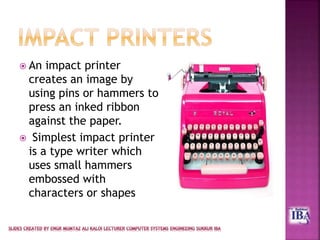
 An impact printer
creates an image by
using pins or hammers to
press an inked ribbon
against the paper.
 Simplest impact printer
is a type writer which
uses small hammers
embossed with
characters or shapes
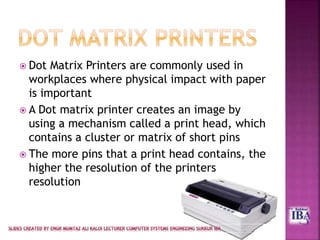
 Dot Matrix Printers are commonly used in
workplaces where physical impact with paper
is important
 A Dot matrix printer creates an image by
using a mechanism called a print head, which
contains a cluster or matrix of short pins
 The more pins that a print head contains, the
higher the resolution of the printers
resolution
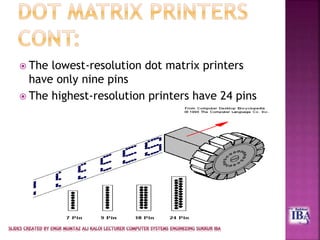
 The lowest-resolution dot matrix printers
have only nine pins
 The highest-resolution printers have 24 pins
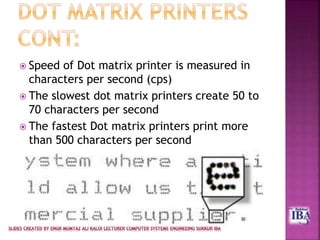
 Speed of Dot matrix printer is measured in
characters per second (cps)
 The slowest dot matrix printers create 50 to
70 characters per second
 The fastest Dot matrix printers print more
than 500 characters per second
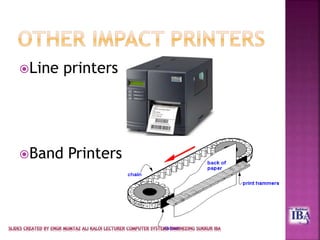
Line printers
Band Printers
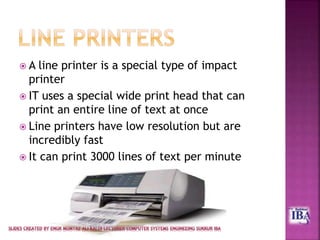
 A line printer is a special type of impact
printer
 IT uses a special wide print head that can
print an entire line of text at once
 Line printers have low resolution but are
incredibly fast
 It can print 3000 lines of text per minute
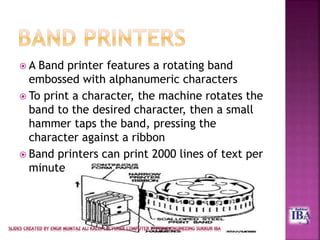
 A Band printer features a rotating band
embossed with alphanumeric characters
 To print a character, the machine rotates the
band to the desired character, then a small
hammer taps the band, pressing the
character against a ribbon
 Band printers can print 2000 lines of text per
minute
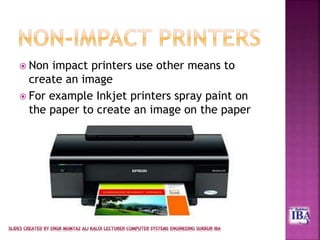
 Non impact printers use other means to
create an image
 For example Inkjet printers spray paint on
the paper to create an image on the paper
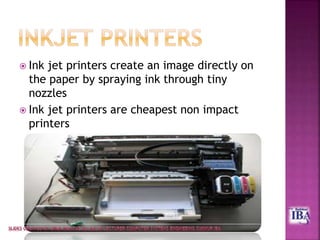
 Ink jet printers create an image directly on
the paper by spraying ink through tiny
nozzles
 Ink jet printers are cheapest non impact
printers
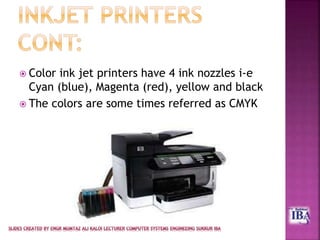
 Color ink jet printers have 4 ink nozzles i-e
Cyan (blue), Magenta (red), yellow and black
 The colors are some times referred as CMYK
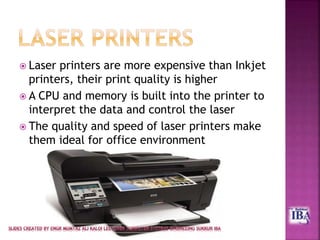
 Laser printers are more expensive than Inkjet
printers, their print quality is higher
 A CPU and memory is built into the printer to
interpret the data and control the laser
 The quality and speed of laser printers make
them ideal for office environment
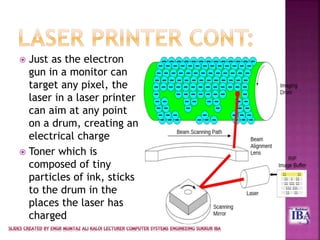
 Just as the electron
gun in a monitor can
target any pixel, the
laser in a laser printer
can aim at any point
on a drum, creating an
electrical charge
 Toner which is
composed of tiny
particles of ink, sticks
to the drum in the
places the laser has
charged
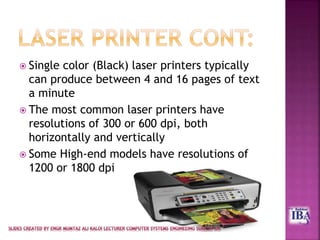
 Single color (Black) laser printers typically
can produce between 4 and 16 pages of text
a minute
 The most common laser printers have
resolutions of 300 or 600 dpi, both
horizontally and vertically
 Some High-end models have resolutions of
1200 or 1800 dpi
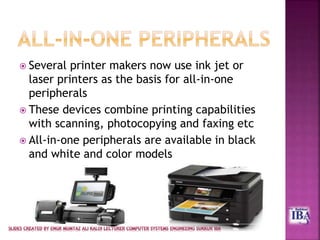
 Several printer makers now use ink jet or
laser printers as the basis for all-in-one
peripherals
 These devices combine printing capabilities
with scanning, photocopying and faxing etc
 All-in-one peripherals are available in black
and white and color models
 Image Quality
 Image quality, also known as printer resolution is
usually measured in dots per inch (dpi)
 More dots per inch a printer can produce the
higher its image quality
 Speed
 Printer speed is measured in the number of pages
per minute (ppm) the device can print
 Speed of dot matrix printers is measured in
characters per second (cps)
 Initial Cost
 The cost of new printers has fallen dramatically
in recent years
 It is possible to buy an average quality printer in
few thousand rupees
 Cost of Operation
 The cost of ink or toner and maintenance varies
with the type of printer
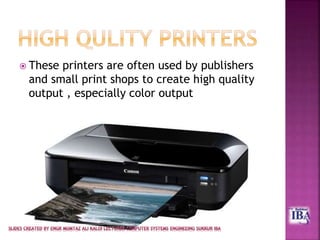
 These printers are often used by publishers
and small print shops to create high quality
output , especially color output
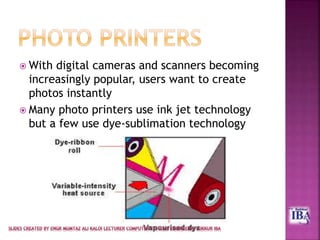
 With digital cameras and scanners becoming
increasingly popular, users want to create
photos instantly
 Many photo printers use ink jet technology
but a few use dye-sublimation technology
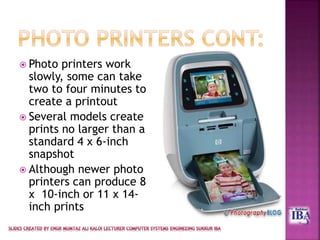
 Photo printers work
slowly, some can take
two to four minutes to
create a printout
 Several models create
prints no larger than a
standard 4 x 6-inch
snapshot
 Although newer photo
printers can produce 8
x 10-inch or 11 x 14-
inch prints
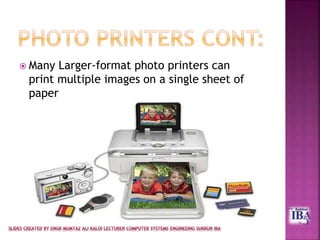
 Many Larger-format photo printers can
print multiple images on a single sheet of
paper
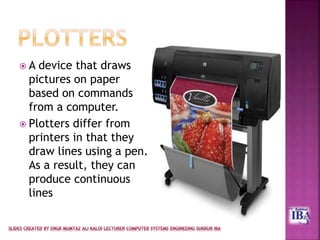
 A device that draws
pictures on paper
based on commands
from a computer.
 Plotters differ from
printers in that they
draw lines using a pen.
As a result, they can
produce continuous
lines
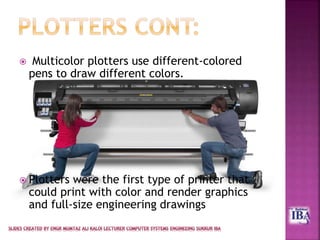
 Multicolor plotters use different-colored
pens to draw different colors.
 Plotters were the first type of printer that
could print with color and render graphics
and full-size engineering drawings
Printers

Printers

  • 2.
     Hardcopy OutputDevices  Printers  Types of Printers  Impact Printers  Nonimpact Printers  Dot Matrix Printers  Working of Dot Matrix Printers  Speed  Quality  Inkjet Printers  How does an inkjet printer work?  Speed of inkjet printer  Quality measures of inkjet printer
  • 3.
     Laser Printers Printing Process  Speed of Laser Printer  Quality measure of Laser Printer  All in One Peripherals  Comparison of Printers  High Quality Printers  Photo Printers  Plotters
  • 4.
     Hardcopy: Hardcopyoutput is tangible and refers to output which is printed. Softcopy Devices Hardcopy Devices Monitors Printer Projectors Plotter Speakers Video Graphics Card
  • 5.
     An externalhardware device responsible for taking computer data and generating a hard copy of that data.  Printers are one of the most commonly used peripherals and they print text and still images on the paper.
  • 6.
     The printeris computer output device that accepts text and graphic as input, & prints or illustrations on paper as a hard copy in the form of documents etc.  Printing is a process for reproducing text and images typically with ink on paper.
  • 7.
     Many printersare primarily used as local peripherals, and are attached by a printer cable or, in most newer printers, a USB cable to a computer which serves as a document source.  In addition, a few modern printers can directly interface to electronic media such as memory card, or to image capture devices such as digital camera.
  • 8.
     Printers canfall into two categories: 1. Impact printer: It produces text and images when tiny wire pins on print head strike the ink ribbon by physically contacting the paper.  Examples: Dot matrix printer, Line printer, Daisy wheel printer, Band printer. 2. Non-impact printer: It produces text and graphics on paper without actually striking the paper.  Examples: Inkjet, Laser printer.
  • 9.
     An impactprinter creates an image by using pins or hammers to press an inked ribbon against the paper.  Simplest impact printer is a type writer which uses small hammers embossed with characters or shapes
  • 10.
     Dot MatrixPrinters are commonly used in workplaces where physical impact with paper is important  A Dot matrix printer creates an image by using a mechanism called a print head, which contains a cluster or matrix of short pins  The more pins that a print head contains, the higher the resolution of the printers resolution
  • 11.
     The lowest-resolutiondot matrix printers have only nine pins  The highest-resolution printers have 24 pins
  • 12.
     Speed ofDot matrix printer is measured in characters per second (cps)  The slowest dot matrix printers create 50 to 70 characters per second  The fastest Dot matrix printers print more than 500 characters per second
  • 13.
  • 14.
     A lineprinter is a special type of impact printer  IT uses a special wide print head that can print an entire line of text at once  Line printers have low resolution but are incredibly fast  It can print 3000 lines of text per minute
  • 15.
     A Bandprinter features a rotating band embossed with alphanumeric characters  To print a character, the machine rotates the band to the desired character, then a small hammer taps the band, pressing the character against a ribbon  Band printers can print 2000 lines of text per minute
  • 16.
     Non impactprinters use other means to create an image  For example Inkjet printers spray paint on the paper to create an image on the paper
  • 17.
     Ink jetprinters create an image directly on the paper by spraying ink through tiny nozzles  Ink jet printers are cheapest non impact printers
  • 18.
     Color inkjet printers have 4 ink nozzles i-e Cyan (blue), Magenta (red), yellow and black  The colors are some times referred as CMYK
  • 19.
     Laser printersare more expensive than Inkjet printers, their print quality is higher  A CPU and memory is built into the printer to interpret the data and control the laser  The quality and speed of laser printers make them ideal for office environment
  • 20.
     Just asthe electron gun in a monitor can target any pixel, the laser in a laser printer can aim at any point on a drum, creating an electrical charge  Toner which is composed of tiny particles of ink, sticks to the drum in the places the laser has charged
  • 21.
     Single color(Black) laser printers typically can produce between 4 and 16 pages of text a minute  The most common laser printers have resolutions of 300 or 600 dpi, both horizontally and vertically  Some High-end models have resolutions of 1200 or 1800 dpi
  • 22.
     Several printermakers now use ink jet or laser printers as the basis for all-in-one peripherals  These devices combine printing capabilities with scanning, photocopying and faxing etc  All-in-one peripherals are available in black and white and color models
  • 23.
     Image Quality Image quality, also known as printer resolution is usually measured in dots per inch (dpi)  More dots per inch a printer can produce the higher its image quality  Speed  Printer speed is measured in the number of pages per minute (ppm) the device can print  Speed of dot matrix printers is measured in characters per second (cps)
  • 24.
     Initial Cost The cost of new printers has fallen dramatically in recent years  It is possible to buy an average quality printer in few thousand rupees  Cost of Operation  The cost of ink or toner and maintenance varies with the type of printer
  • 25.
     These printersare often used by publishers and small print shops to create high quality output , especially color output
  • 26.
     With digitalcameras and scanners becoming increasingly popular, users want to create photos instantly  Many photo printers use ink jet technology but a few use dye-sublimation technology
  • 27.
     Photo printerswork slowly, some can take two to four minutes to create a printout  Several models create prints no larger than a standard 4 x 6-inch snapshot  Although newer photo printers can produce 8 x 10-inch or 11 x 14- inch prints
  • 28.
     Many Larger-formatphoto printers can print multiple images on a single sheet of paper
  • 29.
     A devicethat draws pictures on paper based on commands from a computer.  Plotters differ from printers in that they draw lines using a pen. As a result, they can produce continuous lines
  • 30.
     Multicolor plottersuse different-colored pens to draw different colors.  Plotters were the first type of printer that could print with color and render graphics and full-size engineering drawings