Devices that Output
Hard Copy
2
What is a printer?
 An external hardware device responsible
for taking computer data and generating a
hard copy of that data. Printers are one of
the most commonly used peripherals and
they print text and still images on the
paper.
3
Printers
Impact Printers Non-Impact Printers
Daisy
wheel
Dot-
Matrix
Inkjet Thermal Laser
Categorizing Printers
Printers fall into two categories:
• Impact printers use a device to strike an inked
ribbon, pressing ink from the ribbon onto the paper.
• Non-impact printers use different methods to place
ink (or another substance) on the page.
5
“Factors affecting print quality”
 (1) DPI:
It is a measurement of printer’s resolution indicating how many ink dots
can be placed by the printer in one square inch. The higher the DPI, the
sharper is image. Image quality – Measured in dots per inch (dpi). Most
printers produce 300 – 1200 dpi.
 (2) Type of printer:
Each type of printer has its own capabilities of printing. Some types of
printers produce high quality print while other produce low quality print.
 (3) Print Mode:
The printing mode may also affect the quality. For example the draft mode
increases the print rate but quality is reduced.
 (4) Toner:
The quality and amount of toner also affects print quality.
Dot Matrix Printers
• How Do Dot Matrix Printers Work?
• Performance
7
“Dot Matrix Printer”
• The term dot matrix refers to
the process of placing dots to
form an image.
• Its speed is usually 30 to 550
characters per second (cps).
• This is the cheapest and the
most noisy printer and has a
low print quality. Dot Matrix
were 1st introduced by
Centronics in 1970.
8
How Dot-Matrix works?
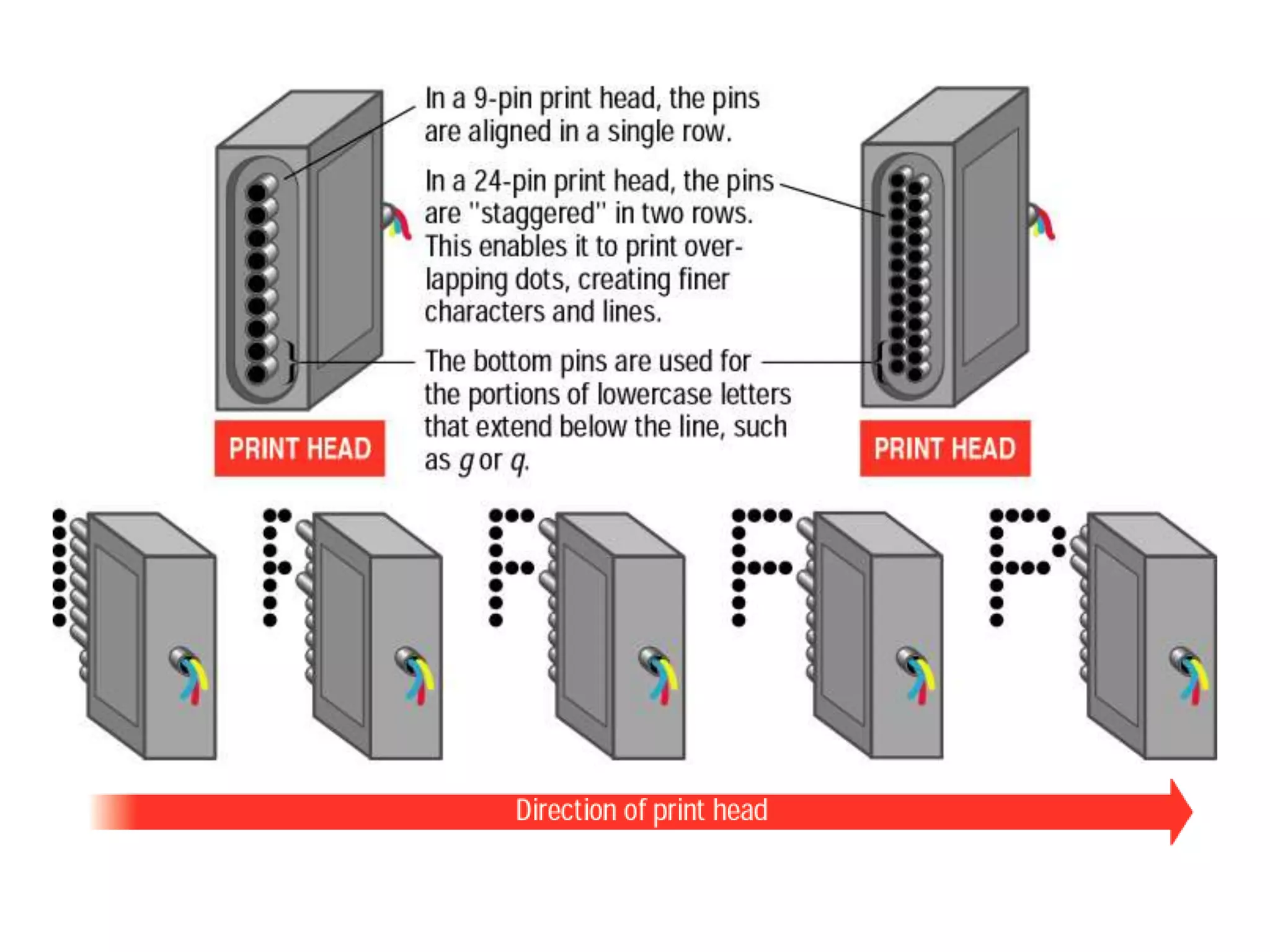
• The dot matrix forms images one character at a time
as the print head moves across the paper.
• Uses tiny pins to hit an ink ribbon and the paper
much as a typewriter does.
• This printer arranges dots to form characters and all
kinds of images.
• 9 to 24 vertical column pins are contained in a
rectangular print head. When print head moves across
the paper, pins are activated to form a dotted
character image. These printers can produce carbon
copies along with the originals.
10
“A typical dot matrix output”
Dot Matrix Printers - Performance
• Lower-resolution dot matrix printers use nine pins.
Higher-resolution models have 24 pins.
• Speed is measured in characters per second (cps).
Some dot matrix printers print 500 cps.
12
“Advantages/Dis-advantages of
Dot-Matrix”
• Advantages:
• (1) In-expensive.
• (2) Low per page cost.
• (3) Energy efficient.
• Dis-advantages:
• (1) Noisy
• (2) Low resolution
• (3) Limited fonts flexibility
• (4) Poor quality graphics output.
13
“Daisy Wheel Printer”
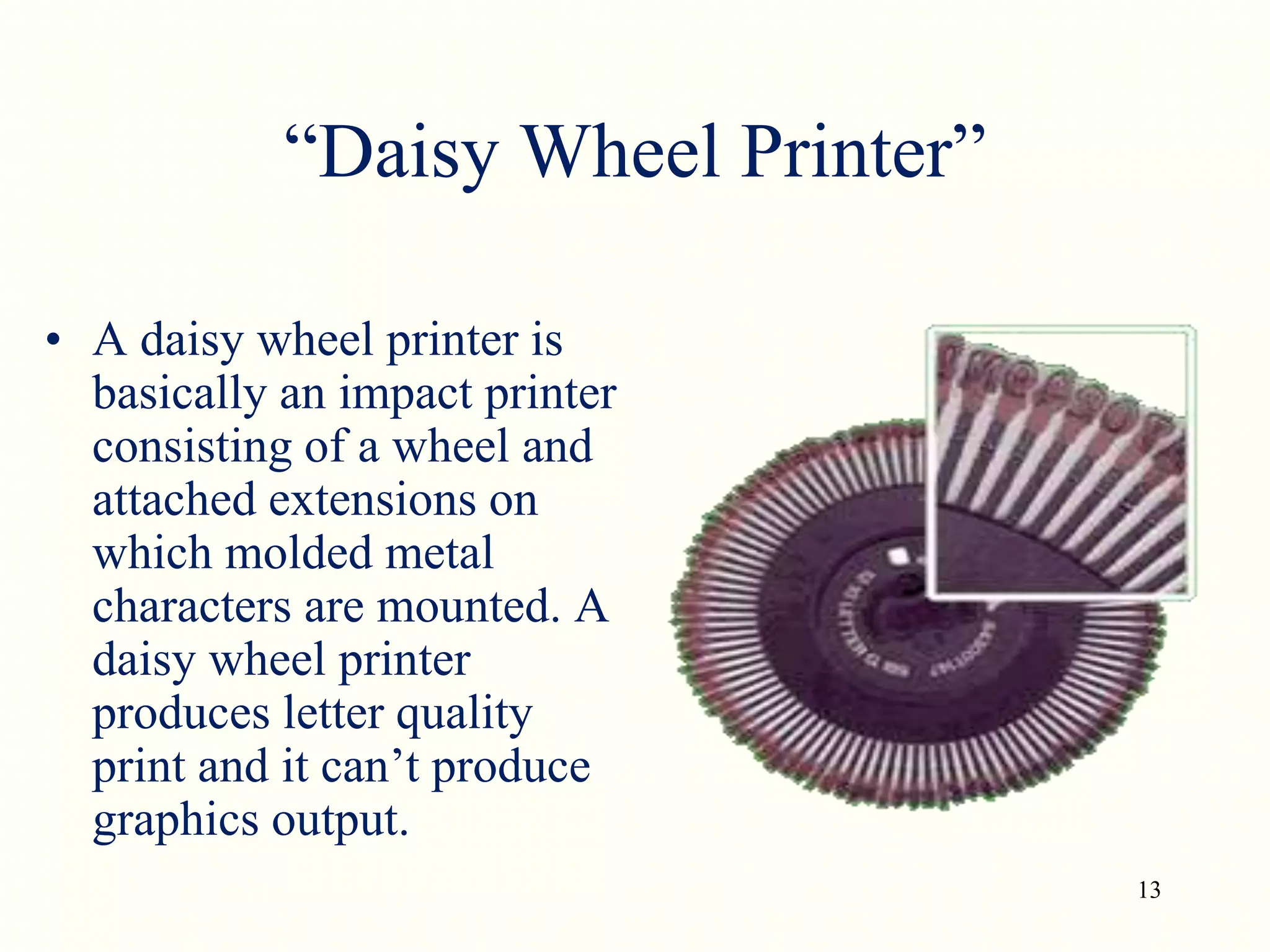
• A daisy wheel printer is
basically an impact printer
consisting of a wheel and
attached extensions on
which molded metal
characters are mounted. A
daisy wheel printer
produces letter quality
print and it can’t produce
graphics output.
14
How Daisy wheel printer
works?
• In a daisy wheel printer, a hammer presses
the wheel against a ribbon which in turn
makes an ink stain on the paper in the form
of a character mounted on the wheel
extensions.
• These printers are very noisy as there occur
great movement during the printing. Its
printing speed is also very slow ,i.e. less
than 90cps.
Ink Jet Printers
• How Do Ink Jet Printers Work?
• Performance
Ink Jet Printers –
How Do Ink Jet Printers Work?
• Ink jet printers are an example of non-impact
printers.
• The printer sprays tiny droplets of ink onto the paper.
• Ink jet printers are available for color and black-and-
white printing.
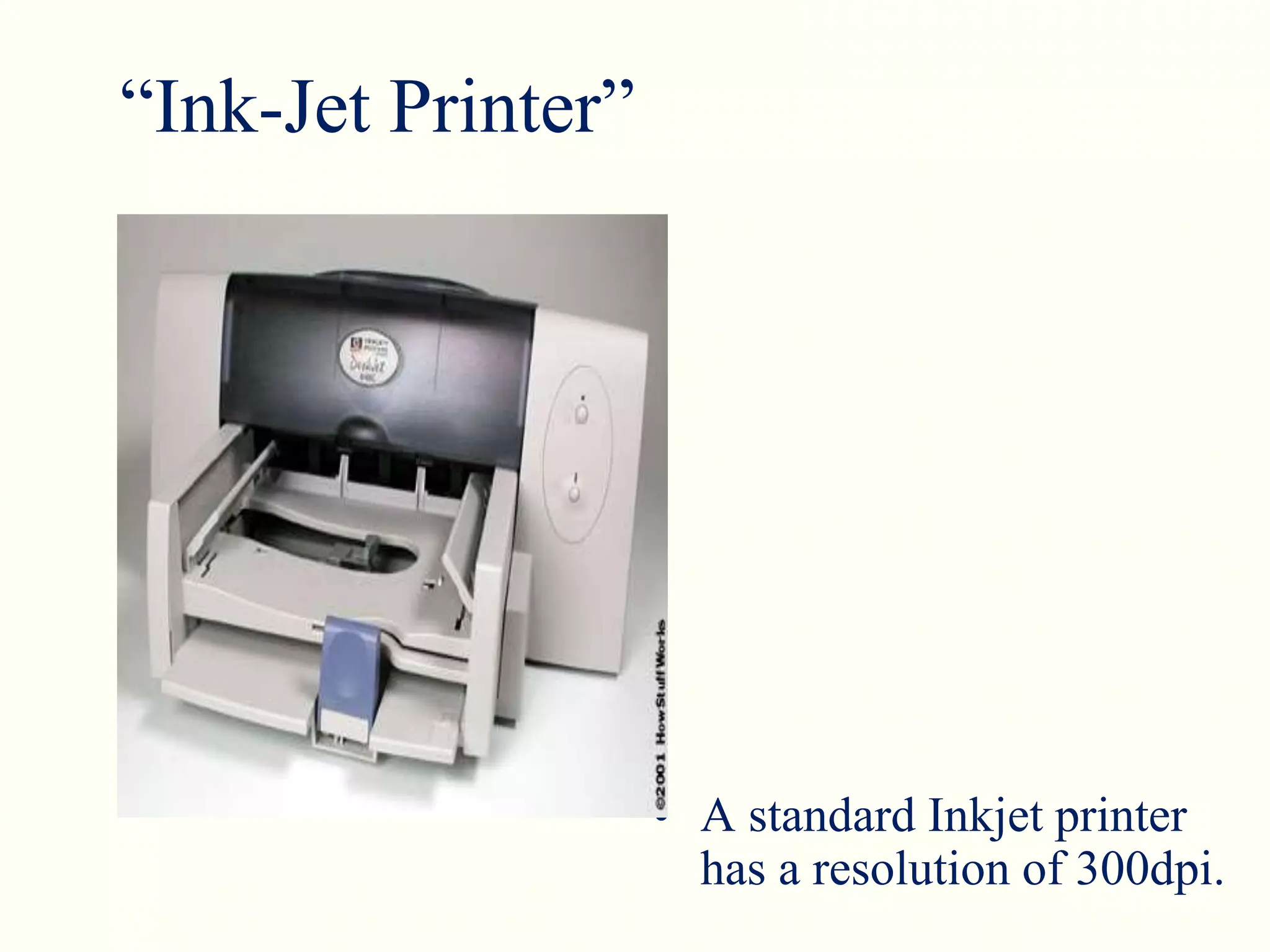
“Ink-Jet Printer”
• A standard Inkjet printer
has a resolution of 300dpi.
How Inkjet Printer works?
• (1) Print head having four ink
cartridges moves .
• (2) Software instructs where to apply
dots of ink, which color and what
quantity to use.
• (3) Electrical pulses are sent to the
resistors behind each nozzle.
• (4) Vapor bubbles of ink are formed
by resistors and the ink is forced to the
paper through nozzles.
• (5) A matrix of dots forms characters
and pictures.
Color cartridge showing inkjet nozzles.
Ink Jet Printers - Performance
Ink jet printers offer speeds of (2 – 4 pages per minute
ppm) and resolution (300 – 600 dots per inch dpi),
comparable to low-end laser printers.
Advantages/ Dis-advantages
Advantages:
(1) High resolution output.
(2) Energy efficient.
(3) Many options to select.
Dis-advantages:
(1) Expensive.
(2) Special paper required for higher resolution output.
(3) Time consuming in case of graphics printing.
Laser Printers
• How Do Laser Printers Work?
• Performance
Laser Printers –
How Do Laser Printers Work?
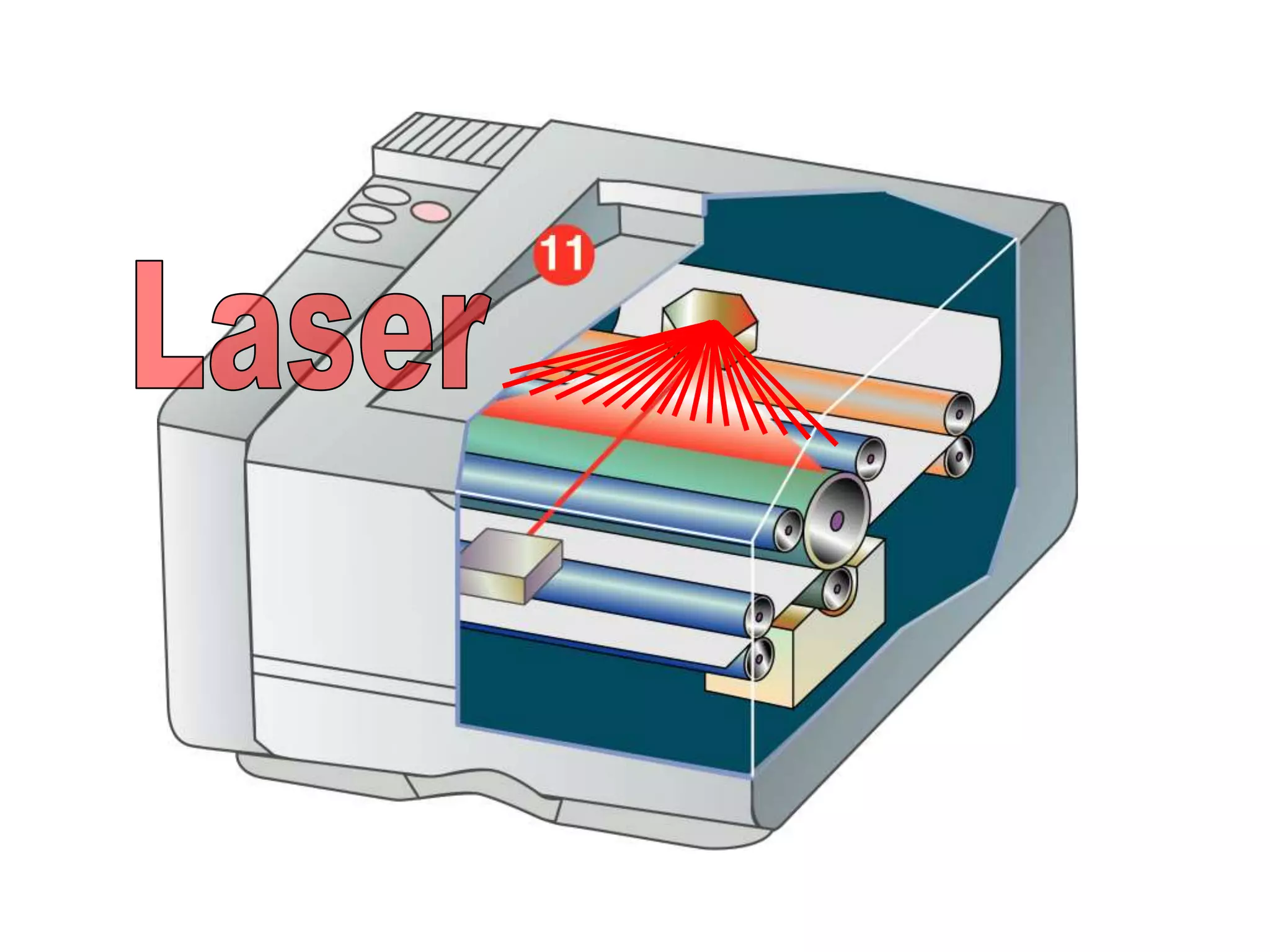
• Laser printers are non-impact printers.
• They use heat and pressure to bond particles of
toner to paper.
• Laser printers are available for color and black-and-
white printing.
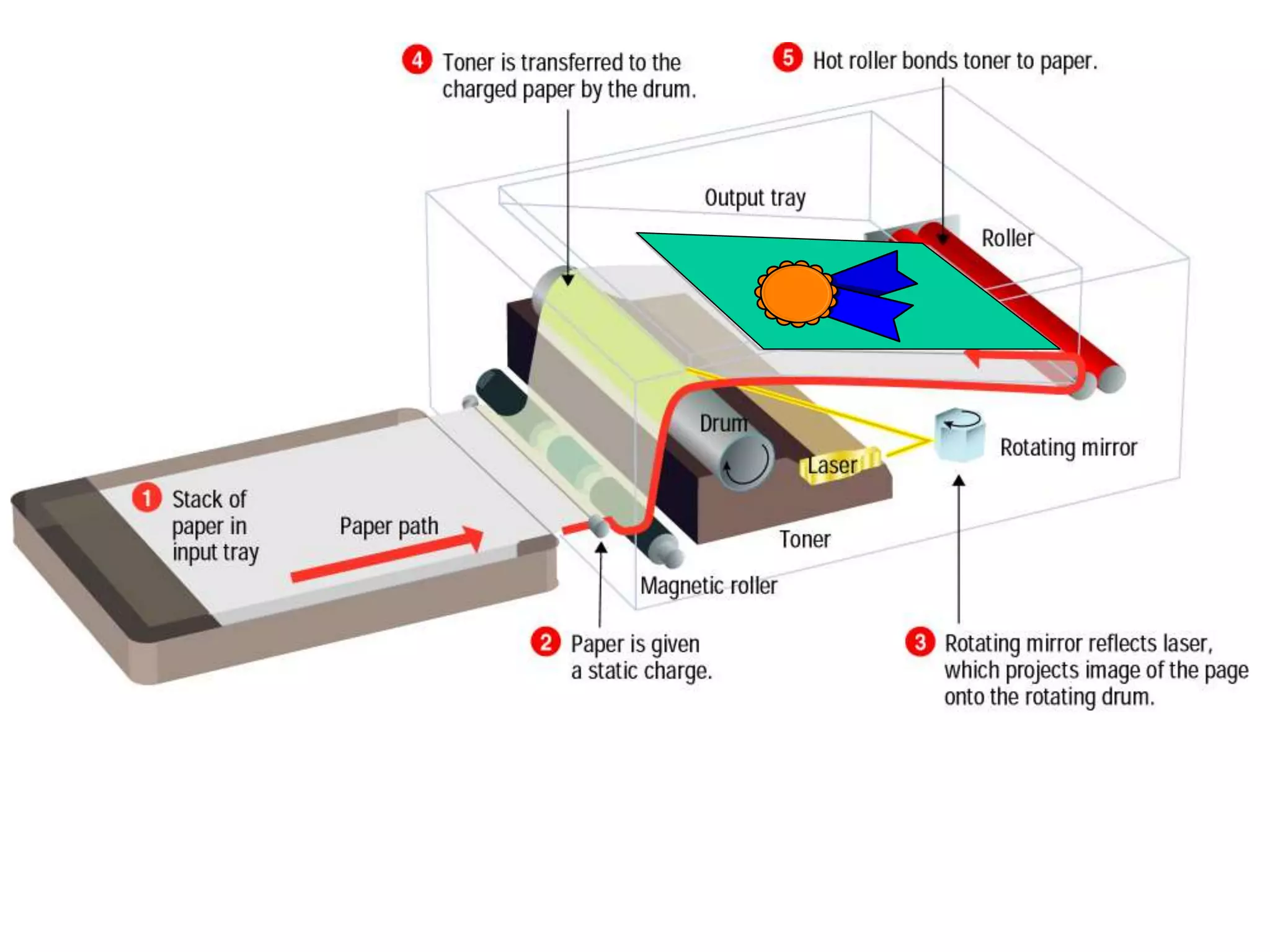
How Laser printer Works?
• (1) Paper is fed and the drum rotates.
• (2) A laser beam conveys information from the
computer to a rotating mirror and thus an image is
created on the drum.
• (3)The charges on the drum are ionized and the
toner sticks to the drum.
• (4)Toner is transferred from drum to paper.
• (5)Heat is applied to fuse the toner on the paper.
Laser Printers - Performance
• Laser printers provide resolutions from 300 – 1200
dpi and higher.
• Black-and-white laser printers usually produce 4 –
16 ppm.
• Laser printers produce higher-quality print than
ink jet printers, but are more expensive.
28
Thermal Printer
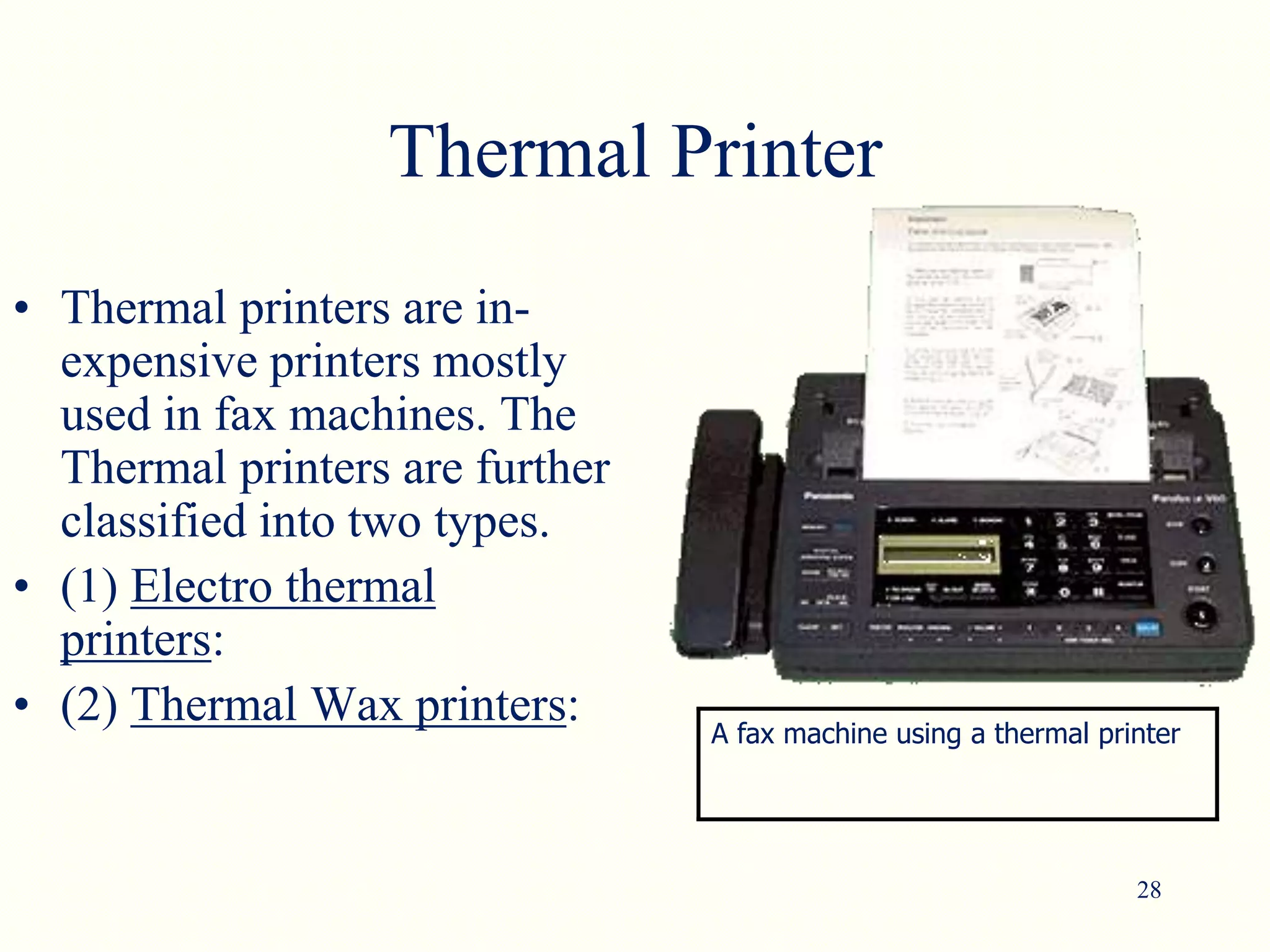
• Thermal printers are in-
expensive printers mostly
used in fax machines. The
Thermal printers are further
classified into two types.
• (1) Electro thermal
printers:
• (2) Thermal Wax printers: A fax machine using a thermal printer
29
“Multi-function printer”
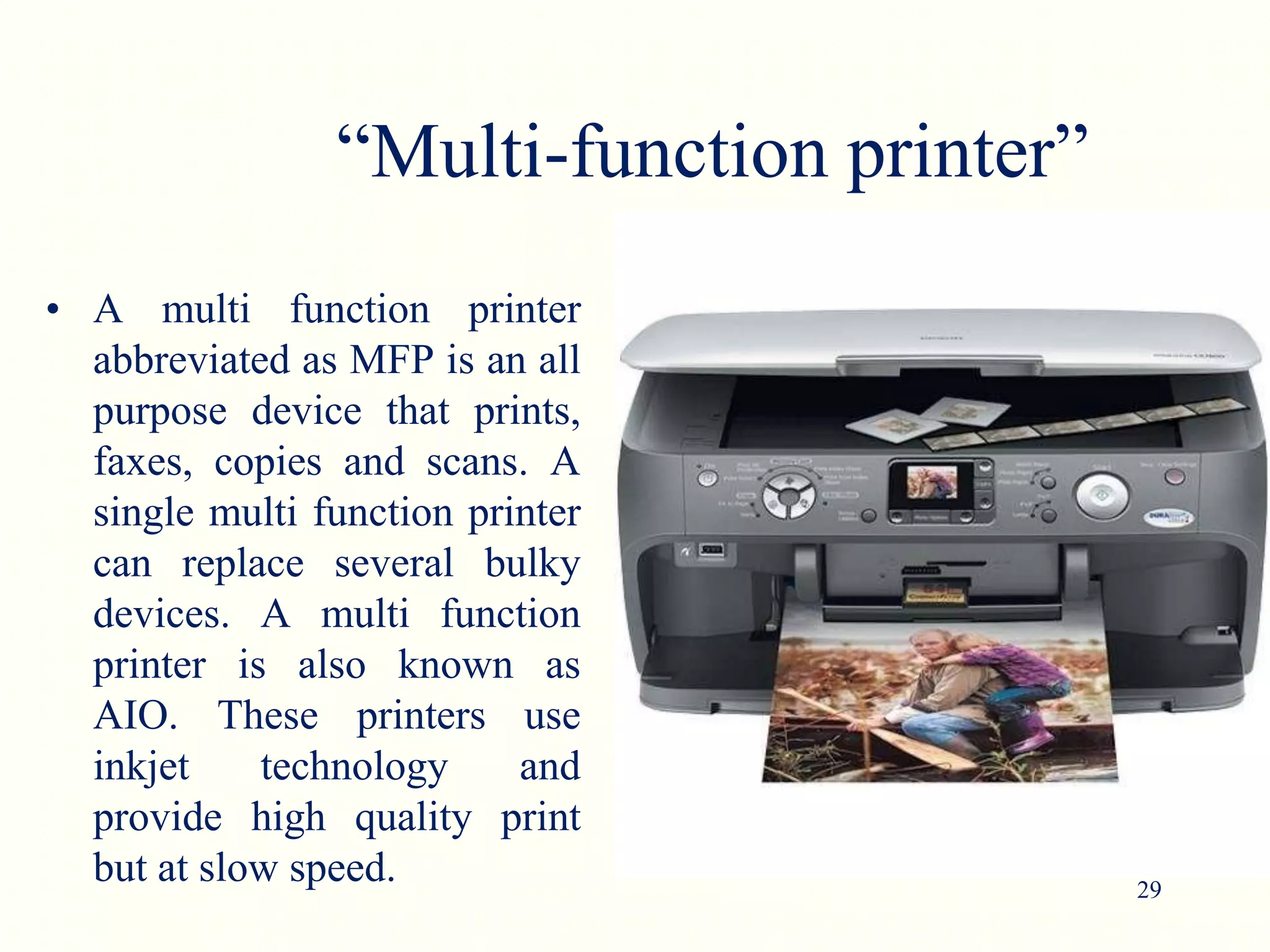
• A multi function printer
abbreviated as MFP is an all
purpose device that prints,
faxes, copies and scans. A
single multi function printer
can replace several bulky
devices. A multi function
printer is also known as
AIO. These printers use
inkjet technology and
provide high quality print
but at slow speed.
30
“Plotter”
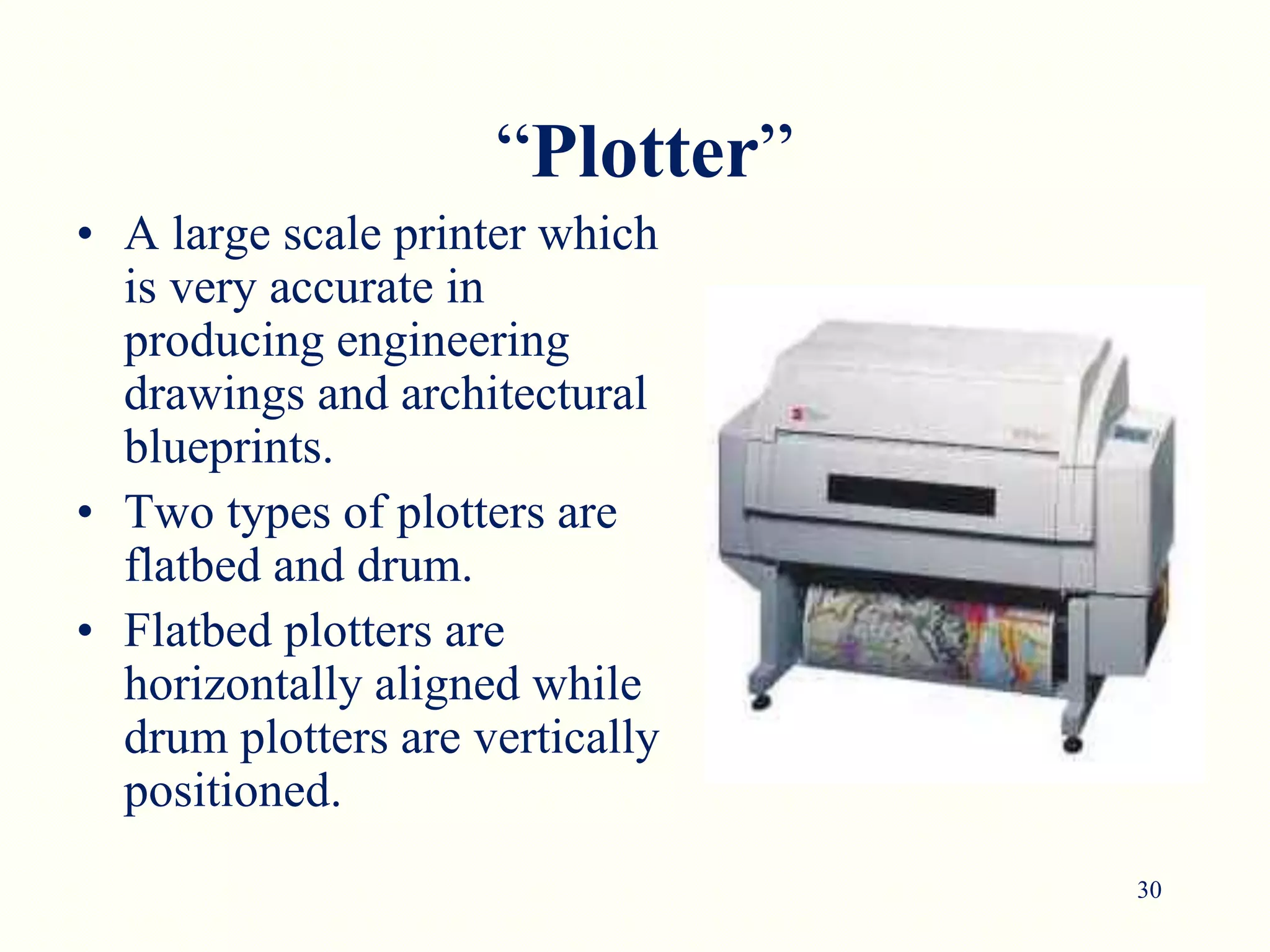
• A large scale printer which
is very accurate in
producing engineering
drawings and architectural
blueprints.
• Two types of plotters are
flatbed and drum.
• Flatbed plotters are
horizontally aligned while
drum plotters are vertically
positioned.
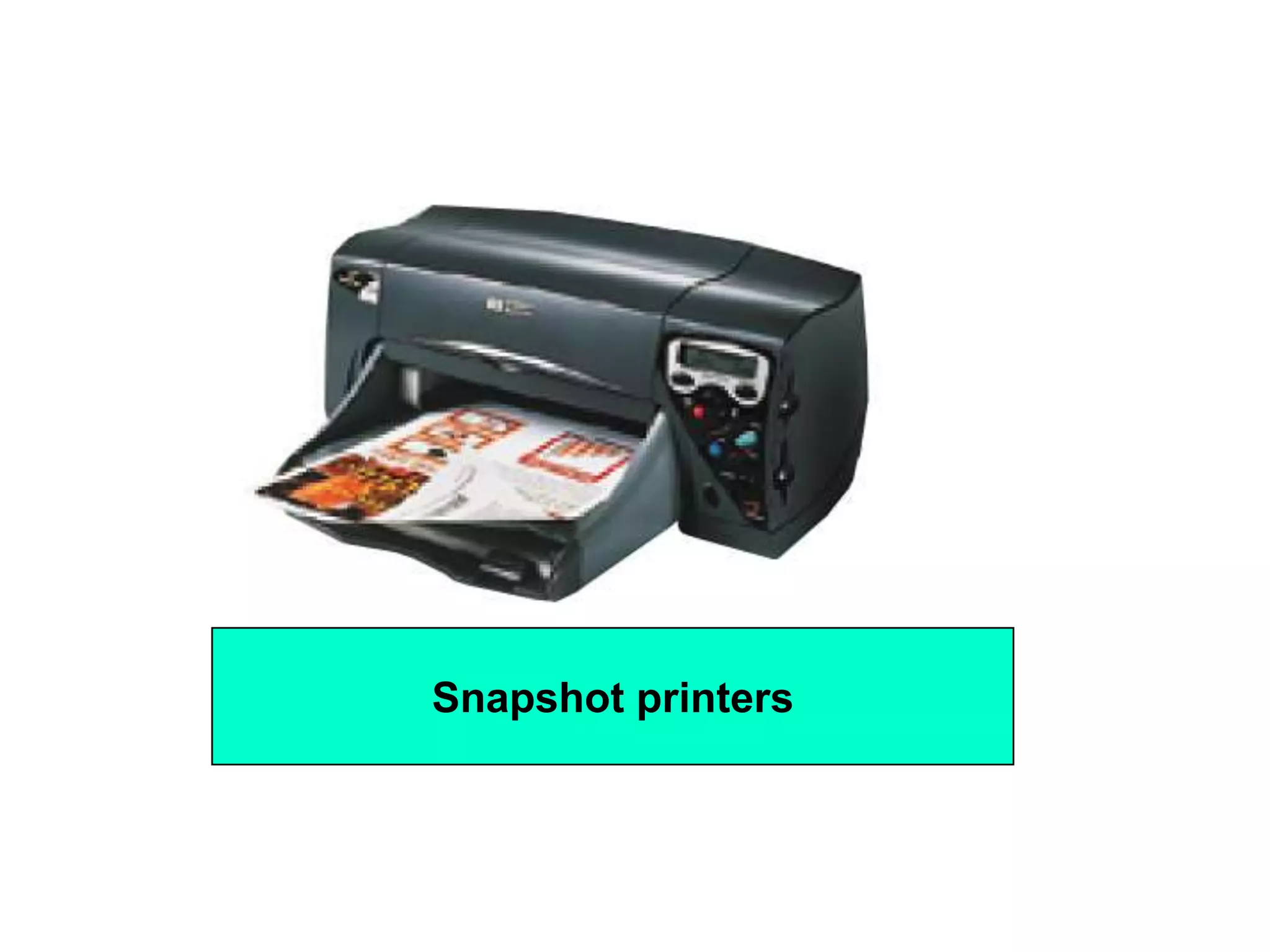
Snapshot Printers
• Snapshot printers are specialized, small-format
printers that print digital photographs.
• Snapshot printers are fairly slow, and can be more
expensive to operate
Snapshot printers
Other High-Quality Printers
Print shops and publishers use these printers to create
high-quality color images:
• Thermal-wax
• Dye-sublimation
• Fiery
• IRIS
• Plotters
Plotters use mechanical, ink jet, or thermal technology
to create large-format images for architectural or
engineering uses.
lesson Review
• List the three most commonly used types of printers.
• List the four criteria you should consider when
evaluating printers.
• Describe how a dot matrix printer creates an image
on a page.
• Explain the process by which a laser printer
operates.
• List five types of high-quality printing devices
commonly used in business.

Devices that output Hardcopy

  • 1.
  • 2.
    2 What is aprinter?  An external hardware device responsible for taking computer data and generating a hard copy of that data. Printers are one of the most commonly used peripherals and they print text and still images on the paper.
  • 3.
    3 Printers Impact Printers Non-ImpactPrinters Daisy wheel Dot- Matrix Inkjet Thermal Laser
  • 4.
    Categorizing Printers Printers fallinto two categories: • Impact printers use a device to strike an inked ribbon, pressing ink from the ribbon onto the paper. • Non-impact printers use different methods to place ink (or another substance) on the page.
  • 5.
    5 “Factors affecting printquality”  (1) DPI: It is a measurement of printer’s resolution indicating how many ink dots can be placed by the printer in one square inch. The higher the DPI, the sharper is image. Image quality – Measured in dots per inch (dpi). Most printers produce 300 – 1200 dpi.  (2) Type of printer: Each type of printer has its own capabilities of printing. Some types of printers produce high quality print while other produce low quality print.  (3) Print Mode: The printing mode may also affect the quality. For example the draft mode increases the print rate but quality is reduced.  (4) Toner: The quality and amount of toner also affects print quality.
  • 6.
    Dot Matrix Printers •How Do Dot Matrix Printers Work? • Performance
  • 7.
    7 “Dot Matrix Printer” •The term dot matrix refers to the process of placing dots to form an image. • Its speed is usually 30 to 550 characters per second (cps). • This is the cheapest and the most noisy printer and has a low print quality. Dot Matrix were 1st introduced by Centronics in 1970.
  • 8.
    8 How Dot-Matrix works? •The dot matrix forms images one character at a time as the print head moves across the paper. • Uses tiny pins to hit an ink ribbon and the paper much as a typewriter does. • This printer arranges dots to form characters and all kinds of images. • 9 to 24 vertical column pins are contained in a rectangular print head. When print head moves across the paper, pins are activated to form a dotted character image. These printers can produce carbon copies along with the originals.
  • 10.
    10 “A typical dotmatrix output”
  • 11.
    Dot Matrix Printers- Performance • Lower-resolution dot matrix printers use nine pins. Higher-resolution models have 24 pins. • Speed is measured in characters per second (cps). Some dot matrix printers print 500 cps.
  • 12.
    12 “Advantages/Dis-advantages of Dot-Matrix” • Advantages: •(1) In-expensive. • (2) Low per page cost. • (3) Energy efficient. • Dis-advantages: • (1) Noisy • (2) Low resolution • (3) Limited fonts flexibility • (4) Poor quality graphics output.
  • 13.
    13 “Daisy Wheel Printer” •A daisy wheel printer is basically an impact printer consisting of a wheel and attached extensions on which molded metal characters are mounted. A daisy wheel printer produces letter quality print and it can’t produce graphics output.
  • 14.
    14 How Daisy wheelprinter works? • In a daisy wheel printer, a hammer presses the wheel against a ribbon which in turn makes an ink stain on the paper in the form of a character mounted on the wheel extensions. • These printers are very noisy as there occur great movement during the printing. Its printing speed is also very slow ,i.e. less than 90cps.
  • 15.
    Ink Jet Printers •How Do Ink Jet Printers Work? • Performance
  • 16.
    Ink Jet Printers– How Do Ink Jet Printers Work? • Ink jet printers are an example of non-impact printers. • The printer sprays tiny droplets of ink onto the paper. • Ink jet printers are available for color and black-and- white printing.
  • 17.
    “Ink-Jet Printer” • Astandard Inkjet printer has a resolution of 300dpi.
  • 19.
    How Inkjet Printerworks? • (1) Print head having four ink cartridges moves . • (2) Software instructs where to apply dots of ink, which color and what quantity to use. • (3) Electrical pulses are sent to the resistors behind each nozzle. • (4) Vapor bubbles of ink are formed by resistors and the ink is forced to the paper through nozzles. • (5) A matrix of dots forms characters and pictures. Color cartridge showing inkjet nozzles.
  • 20.
    Ink Jet Printers- Performance Ink jet printers offer speeds of (2 – 4 pages per minute ppm) and resolution (300 – 600 dots per inch dpi), comparable to low-end laser printers.
  • 21.
    Advantages/ Dis-advantages Advantages: (1) Highresolution output. (2) Energy efficient. (3) Many options to select. Dis-advantages: (1) Expensive. (2) Special paper required for higher resolution output. (3) Time consuming in case of graphics printing.
  • 22.
    Laser Printers • HowDo Laser Printers Work? • Performance
  • 24.
    Laser Printers – HowDo Laser Printers Work? • Laser printers are non-impact printers. • They use heat and pressure to bond particles of toner to paper. • Laser printers are available for color and black-and- white printing.
  • 25.
    How Laser printerWorks? • (1) Paper is fed and the drum rotates. • (2) A laser beam conveys information from the computer to a rotating mirror and thus an image is created on the drum. • (3)The charges on the drum are ionized and the toner sticks to the drum. • (4)Toner is transferred from drum to paper. • (5)Heat is applied to fuse the toner on the paper.
  • 27.
    Laser Printers -Performance • Laser printers provide resolutions from 300 – 1200 dpi and higher. • Black-and-white laser printers usually produce 4 – 16 ppm. • Laser printers produce higher-quality print than ink jet printers, but are more expensive.
  • 28.
    28 Thermal Printer • Thermalprinters are in- expensive printers mostly used in fax machines. The Thermal printers are further classified into two types. • (1) Electro thermal printers: • (2) Thermal Wax printers: A fax machine using a thermal printer
  • 29.
    29 “Multi-function printer” • Amulti function printer abbreviated as MFP is an all purpose device that prints, faxes, copies and scans. A single multi function printer can replace several bulky devices. A multi function printer is also known as AIO. These printers use inkjet technology and provide high quality print but at slow speed.
  • 30.
    30 “Plotter” • A largescale printer which is very accurate in producing engineering drawings and architectural blueprints. • Two types of plotters are flatbed and drum. • Flatbed plotters are horizontally aligned while drum plotters are vertically positioned.
  • 31.
    Snapshot Printers • Snapshotprinters are specialized, small-format printers that print digital photographs. • Snapshot printers are fairly slow, and can be more expensive to operate
  • 32.
  • 33.
    Other High-Quality Printers Printshops and publishers use these printers to create high-quality color images: • Thermal-wax • Dye-sublimation • Fiery • IRIS • Plotters
  • 34.
    Plotters use mechanical,ink jet, or thermal technology to create large-format images for architectural or engineering uses.
  • 35.
    lesson Review • Listthe three most commonly used types of printers. • List the four criteria you should consider when evaluating printers. • Describe how a dot matrix printer creates an image on a page. • Explain the process by which a laser printer operates. • List five types of high-quality printing devices commonly used in business.