
Smart Cards
Future Life………
PRESENTATION BY:
J.HARI KRISHNAN
What is a smart card?What is a smart card?
EVALUATION
70’s
Smart Card First Patent in Germany and later in
France and Japan.
80’s
Mass usage in Pay Phones and Debit Cards.
90’s
Smart Card based Mobiles Chips & Sim Cards.
2000’s Onwards
 Payment and Ticketing Applications
 Credit cards, Mass transit (Smart rip)
 Healthcare and Identification
 Insurance information, Drivers license
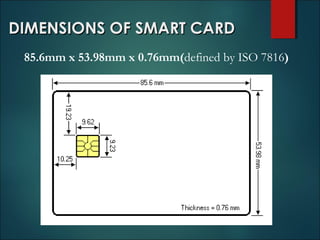
DIMENSIONS OF SMART CARDDIMENSIONS OF SMART CARD
85.6mm x 53.98mm x 0.76mm(defined by ISO 7816)
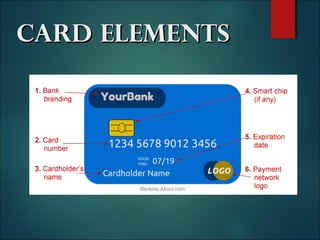
Card ElementsCard Elements
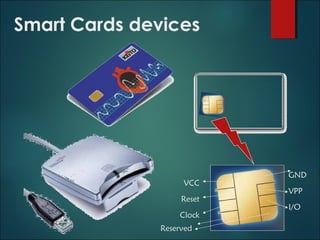
Smart Cards devices
VCC
Reset
Clock
GND
VPP
I/O
Reserved
Typical Configurations
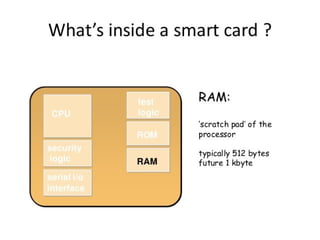
 256 bytes to 4KB RAM.
 8KB to 32KB ROM.
 1KB to 32KB EEPROM.
 8-bit to 16-bit CPU. 8051
based designs are common.
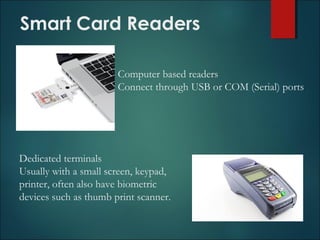
Smart Card Readers
Computer based readers
Connect through USB or COM (Serial) ports
Dedicated terminals
Usually with a small screen, keypad,
printer, often also have biometric
devices such as thumb print scanner.
Why Smart Cards?Why Smart Cards?
Security: Data and codes on the card are
encrypted by the chip maker. The Smart
Card’s circuit chip almost impossible to forge.
Trust: Minimal human interaction.
Portability.
Less Paper work: Eco-Friendly
Two Types of Chips
Memory chip
 Acts as a small
floppy disk with
optional security
 Are inexpensive
 Offer little security
features
Microprocessor
 Can add, delete, and
manipulate its
memory.
 Acts as a miniature
computer that
includes an operating
system, hard disk, and
input/output ports.
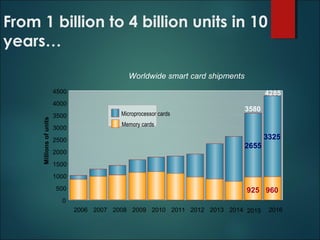
From 1 billion to 4 billion units in 10
years…
Worldwide smart card shipments
925 960
2655
3325
0
500
1000
1500
2000
2500
3000
3500
4000
4500
Millionsofunits
Microprocessor cards
Memory cards
4285
3580
2006 2007 2008 2009 2010 2011 2012 2013 2014 2015 2016
925 960
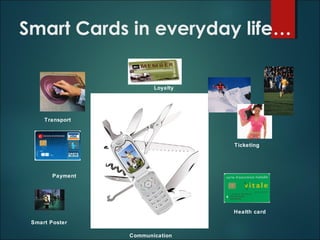
Smart Cards in everyday life…
Ticketing
Payment
Loyalty
Transport
Smart Poster
Health card
Communication
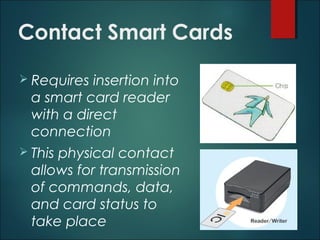
Contact Smart Cards
 Requires insertion into
a smart card reader
with a direct
connection
 This physical contact
allows for transmission
of commands, data,
and card status to
take place
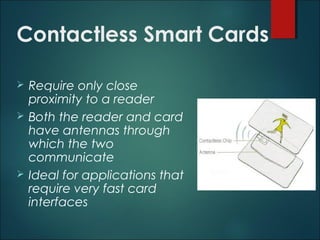
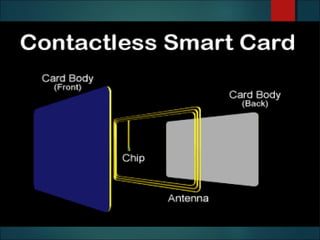
Contactless Smart Cards
 Require only close
proximity to a reader
 Both the reader and card
have antennas through
which the two
communicate
 Ideal for applications that
require very fast card
interfaces
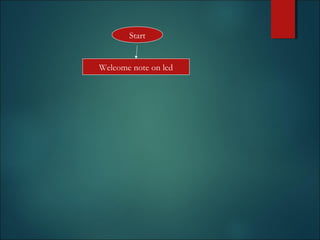
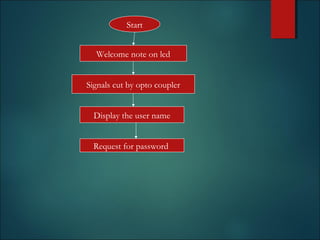
Start
Welcome note on lcd
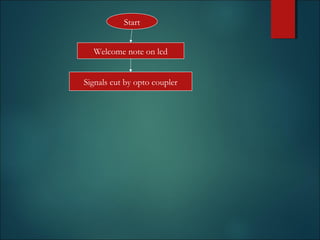
Start
Signals cut by opto coupler
Welcome note on lcd
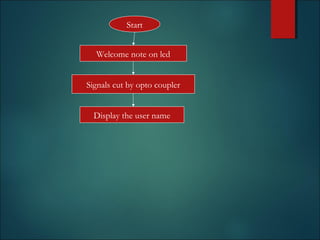
Start
Signals cut by opto coupler
Welcome note on lcd
Display the user name
Start
Signals cut by opto coupler
Welcome note on lcd
Display the user name
Request for password
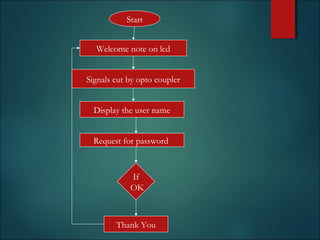
Start
Signals cut by opto coupler
Welcome note on lcd
Display the user name
Request for password
Thank You
If
OK
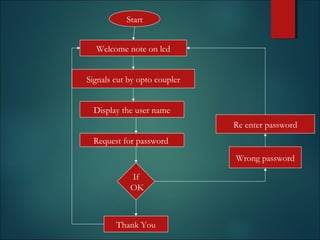
Start
Signals cut by opto coupler
Welcome note on lcd
Display the user name
Request for password
Wrong password
Re enter password
Thank You
If
OK
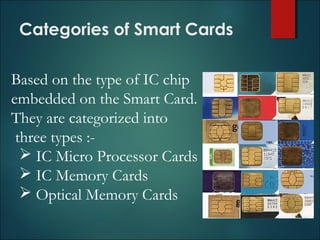
Categories of Smart Cards
Based on the type of IC chip
embedded on the Smart Card.
They are categorized into
three types :-
 IC Micro Processor Cards
 IC Memory Cards
 Optical Memory Cards
Biometric techniques
 Finger print identification.
 Features of finger prints can be kept on
the card (even verified on the card)
 Photograph/IRIS pattern etc.
 Such information is to be verified by a
person. The information can be stored in
the card securely
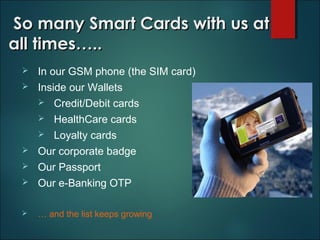
So many Smart Cards with us atSo many Smart Cards with us at
all times…..all times…..
 In our GSM phone (the SIM card)
 Inside our Wallets
 Credit/Debit cards
 HealthCare cards
 Loyalty cards
 Our corporate badge
 Our Passport
 Our e-Banking OTP
 … and the list keeps growing
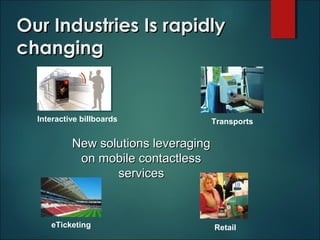
Our Industries Is rapidlyOur Industries Is rapidly
changingchanging
eTicketing
Interactive billboards Transports
Retail
New solutions leveragingNew solutions leveraging
on mobile contactlesson mobile contactless
servicesservices
Smart Card Applications
 Banking & Finance
 Mobile Communication
 Pay Phone Cards
 Transportation
 Electronic Tolls
 Passports
 Electronic Cash
 Retailer Loyalty Programs
 Information security
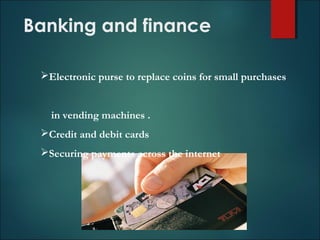
Banking and finance
Electronic purse to replace coins for small purchases
in vending machines .
Credit and debit cards
Securing payments across the internet
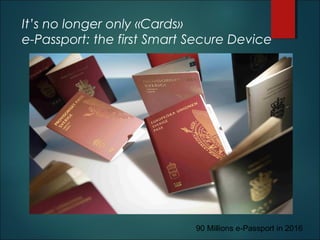
It’s no longer only «Cards»
e-Passport: the first Smart Secure Device
90 Millions e-Passport in 2016
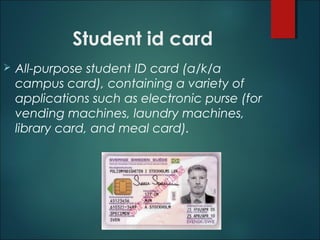
Student id card
 All-purpose student ID card (a/k/a
campus card), containing a variety of
applications such as electronic purse (for
vending machines, laundry machines,
library card, and meal card).
Advantages
 Flexibility
 Security
 Portability
 Increasing data storage capacity
 Reliability.
 Never 100% sure Secure
Because,
• Malware’s
• Internet Browsers
• Hacking
Disadvantages
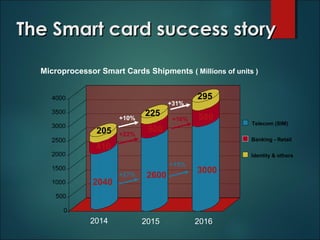
The Smart card success storyThe Smart card success story
2040
410
205
2600
500
225
3000
580
295
0
500
1000
1500
2000
2500
3000
3500
4000
Identity & others
Banking - Retail
Telecom (SIM)
+15%
+27%
+22%
+16%
+31%
+10%
2014 2015 2016
Microprocessor Smart Cards Shipments ( Millions of units )
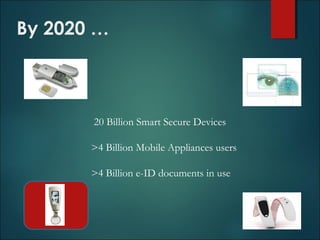
By 2020 …
20 Billion Smart Secure Devices
>4 Billion Mobile Appliances users
>4 Billion e-ID documents in use
THANK YOUTHANK YOU

Smart Card

  • 1.
  • 2.
    What is asmart card?What is a smart card?
  • 3.
    EVALUATION 70’s Smart Card FirstPatent in Germany and later in France and Japan. 80’s Mass usage in Pay Phones and Debit Cards. 90’s Smart Card based Mobiles Chips & Sim Cards.
  • 4.
    2000’s Onwards  Paymentand Ticketing Applications  Credit cards, Mass transit (Smart rip)  Healthcare and Identification  Insurance information, Drivers license
  • 5.
    DIMENSIONS OF SMARTCARDDIMENSIONS OF SMART CARD 85.6mm x 53.98mm x 0.76mm(defined by ISO 7816)
  • 6.
  • 8.
  • 9.
    Typical Configurations  256bytes to 4KB RAM.  8KB to 32KB ROM.  1KB to 32KB EEPROM.  8-bit to 16-bit CPU. 8051 based designs are common.
  • 10.
    Smart Card Readers Computerbased readers Connect through USB or COM (Serial) ports Dedicated terminals Usually with a small screen, keypad, printer, often also have biometric devices such as thumb print scanner.
  • 11.
    Why Smart Cards?WhySmart Cards? Security: Data and codes on the card are encrypted by the chip maker. The Smart Card’s circuit chip almost impossible to forge. Trust: Minimal human interaction. Portability. Less Paper work: Eco-Friendly
  • 12.
    Two Types ofChips Memory chip  Acts as a small floppy disk with optional security  Are inexpensive  Offer little security features Microprocessor  Can add, delete, and manipulate its memory.  Acts as a miniature computer that includes an operating system, hard disk, and input/output ports.
  • 13.
    From 1 billionto 4 billion units in 10 years… Worldwide smart card shipments 925 960 2655 3325 0 500 1000 1500 2000 2500 3000 3500 4000 4500 Millionsofunits Microprocessor cards Memory cards 4285 3580 2006 2007 2008 2009 2010 2011 2012 2013 2014 2015 2016 925 960
  • 14.
    Smart Cards ineveryday life… Ticketing Payment Loyalty Transport Smart Poster Health card Communication
  • 15.
    Contact Smart Cards Requires insertion into a smart card reader with a direct connection  This physical contact allows for transmission of commands, data, and card status to take place
  • 16.
    Contactless Smart Cards Require only close proximity to a reader  Both the reader and card have antennas through which the two communicate  Ideal for applications that require very fast card interfaces
  • 18.
  • 19.
    Start Signals cut byopto coupler Welcome note on lcd
  • 20.
    Start Signals cut byopto coupler Welcome note on lcd Display the user name
  • 21.
    Start Signals cut byopto coupler Welcome note on lcd Display the user name Request for password
  • 22.
    Start Signals cut byopto coupler Welcome note on lcd Display the user name Request for password Thank You If OK
  • 23.
    Start Signals cut byopto coupler Welcome note on lcd Display the user name Request for password Wrong password Re enter password Thank You If OK
  • 24.
    Categories of SmartCards Based on the type of IC chip embedded on the Smart Card. They are categorized into three types :-  IC Micro Processor Cards  IC Memory Cards  Optical Memory Cards
  • 25.
    Biometric techniques  Fingerprint identification.  Features of finger prints can be kept on the card (even verified on the card)  Photograph/IRIS pattern etc.  Such information is to be verified by a person. The information can be stored in the card securely
  • 26.
    So many SmartCards with us atSo many Smart Cards with us at all times…..all times…..  In our GSM phone (the SIM card)  Inside our Wallets  Credit/Debit cards  HealthCare cards  Loyalty cards  Our corporate badge  Our Passport  Our e-Banking OTP  … and the list keeps growing
  • 27.
    Our Industries IsrapidlyOur Industries Is rapidly changingchanging eTicketing Interactive billboards Transports Retail New solutions leveragingNew solutions leveraging on mobile contactlesson mobile contactless servicesservices
  • 28.
    Smart Card Applications Banking & Finance  Mobile Communication  Pay Phone Cards  Transportation  Electronic Tolls  Passports  Electronic Cash  Retailer Loyalty Programs  Information security
  • 29.
    Banking and finance Electronicpurse to replace coins for small purchases in vending machines . Credit and debit cards Securing payments across the internet
  • 30.
    It’s no longeronly «Cards» e-Passport: the first Smart Secure Device 90 Millions e-Passport in 2016
  • 31.
    Student id card All-purpose student ID card (a/k/a campus card), containing a variety of applications such as electronic purse (for vending machines, laundry machines, library card, and meal card).
  • 32.
    Advantages  Flexibility  Security Portability  Increasing data storage capacity  Reliability.
  • 33.
     Never 100%sure Secure Because, • Malware’s • Internet Browsers • Hacking Disadvantages
  • 34.
    The Smart cardsuccess storyThe Smart card success story 2040 410 205 2600 500 225 3000 580 295 0 500 1000 1500 2000 2500 3000 3500 4000 Identity & others Banking - Retail Telecom (SIM) +15% +27% +22% +16% +31% +10% 2014 2015 2016 Microprocessor Smart Cards Shipments ( Millions of units )
  • 35.
    By 2020 … 20Billion Smart Secure Devices >4 Billion Mobile Appliances users >4 Billion e-ID documents in use
  • 36.