Long Business Systems, Inc. (LBSi)

          Management Software Solutions

         We help businesses manage for success
       Cleveland – Columbus – Cincinnati - Pittsburgh
Cash Flow Reporting


Agenda:
  Why is it important?
  Authorizations & setup
  Elements of Cash Flow Report
  Recurring Postings & Cash Flow Report
  Cash Flow Reports
Why Cash Flow Planning?
 Simple Goal: have enough cash on hand when needed
 How?
 Implement good cash flow techniques to ensure you can always meet
 your obligations


 Start by using the SAP Business One Cash Flow reporting tool
   Keep it simple to start with
   Add more functionality as you go
 Know your current financial ratios and how they impact cash flow
   Define where they are now and monitor
Know your liquidity ratios
 Cash Flow planning is linked to Liquidity
 Liquid assets, i.e. cash are needed for day to day operations
 Liquidity ratios measure company’s ability to meet its obligations


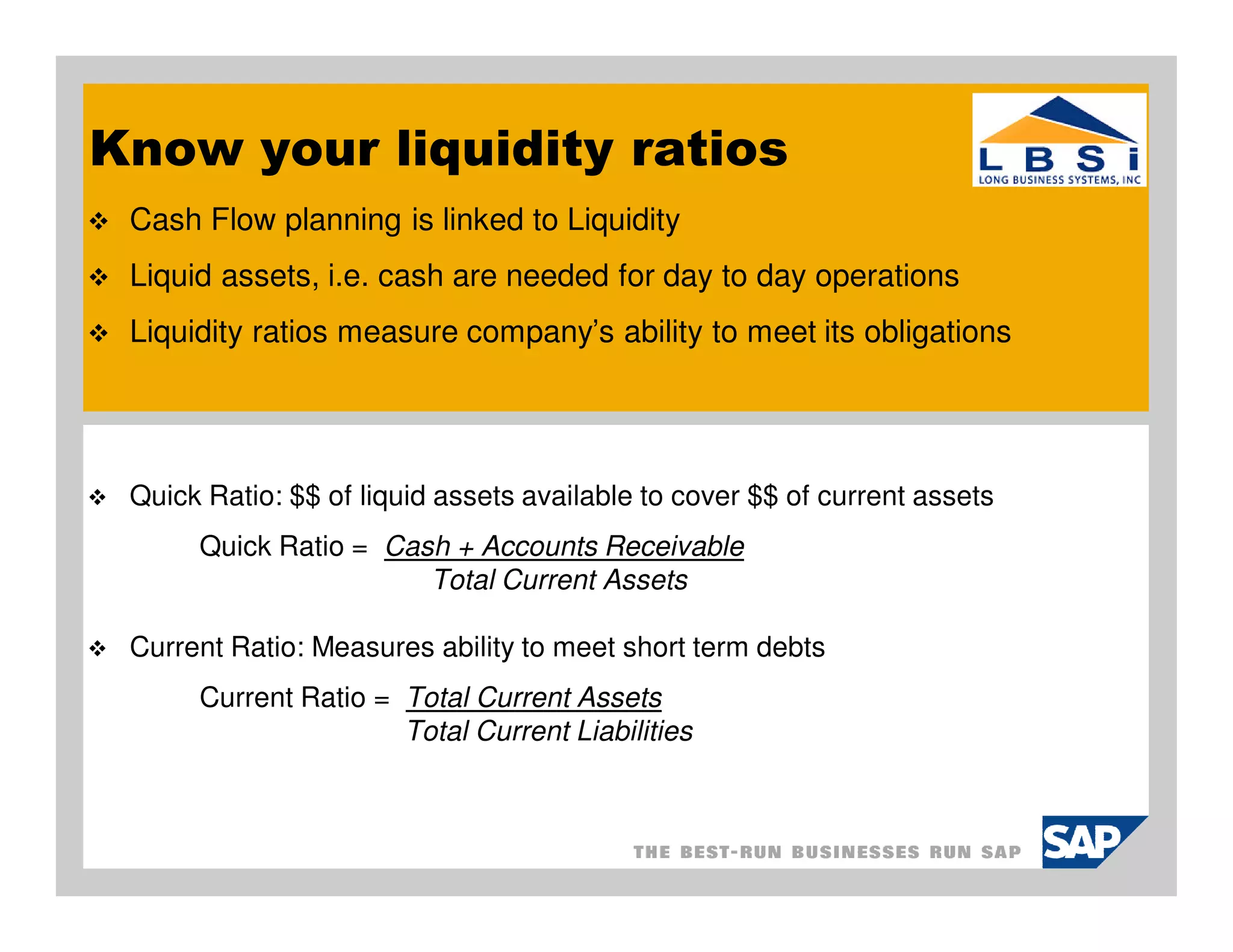
 Quick Ratio: $$ of liquid assets available to cover $$ of current assets
      Quick Ratio = Cash + Accounts Receivable
                       Total Current Assets

 Current Ratio: Measures ability to meet short term debts
      Current Ratio = Total Current Assets
                      Total Current Liabilities
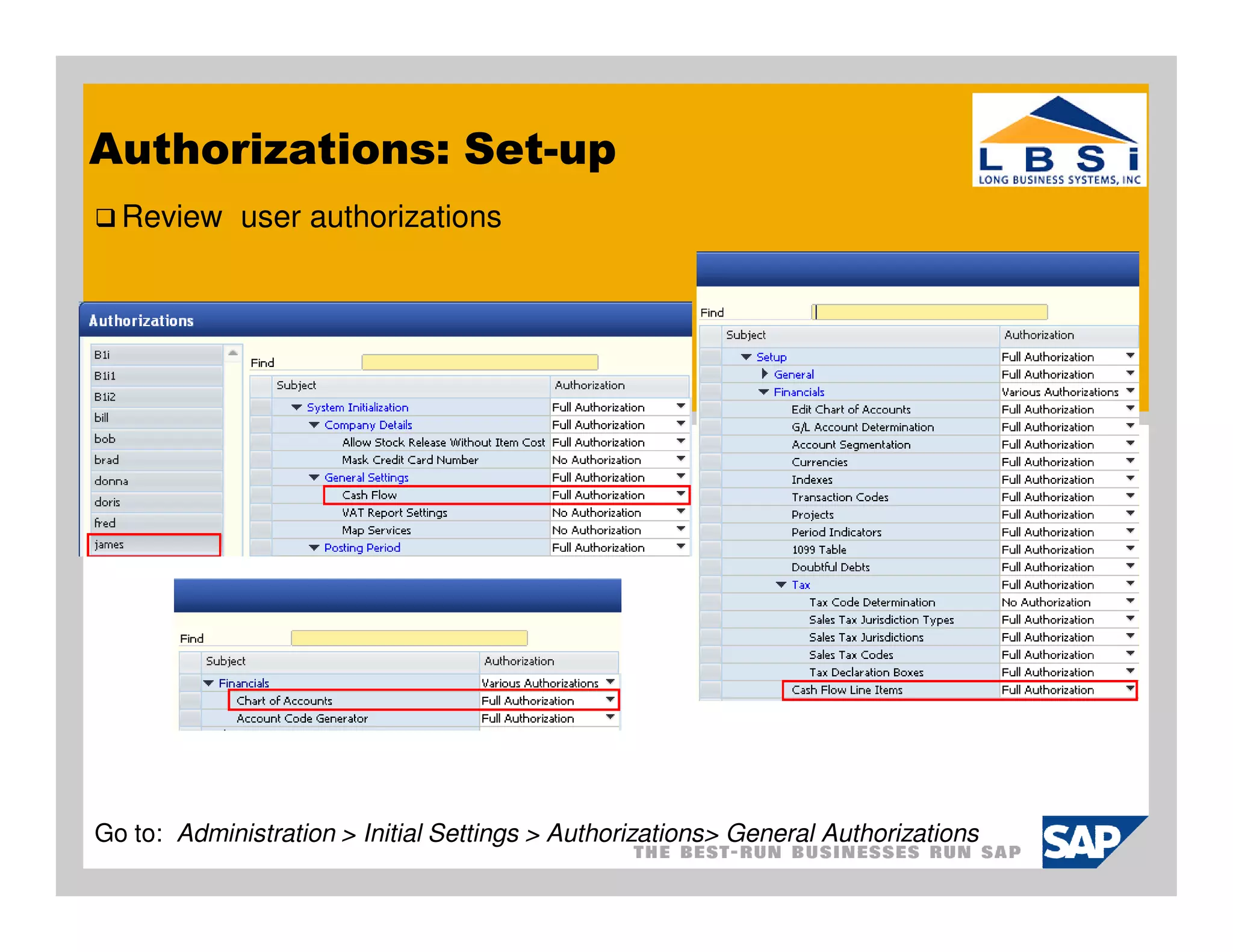
Authorizations: Set-up
  Review user authorizations


Go to: Administration > Initial Settings > Authorizations> General Authorizations
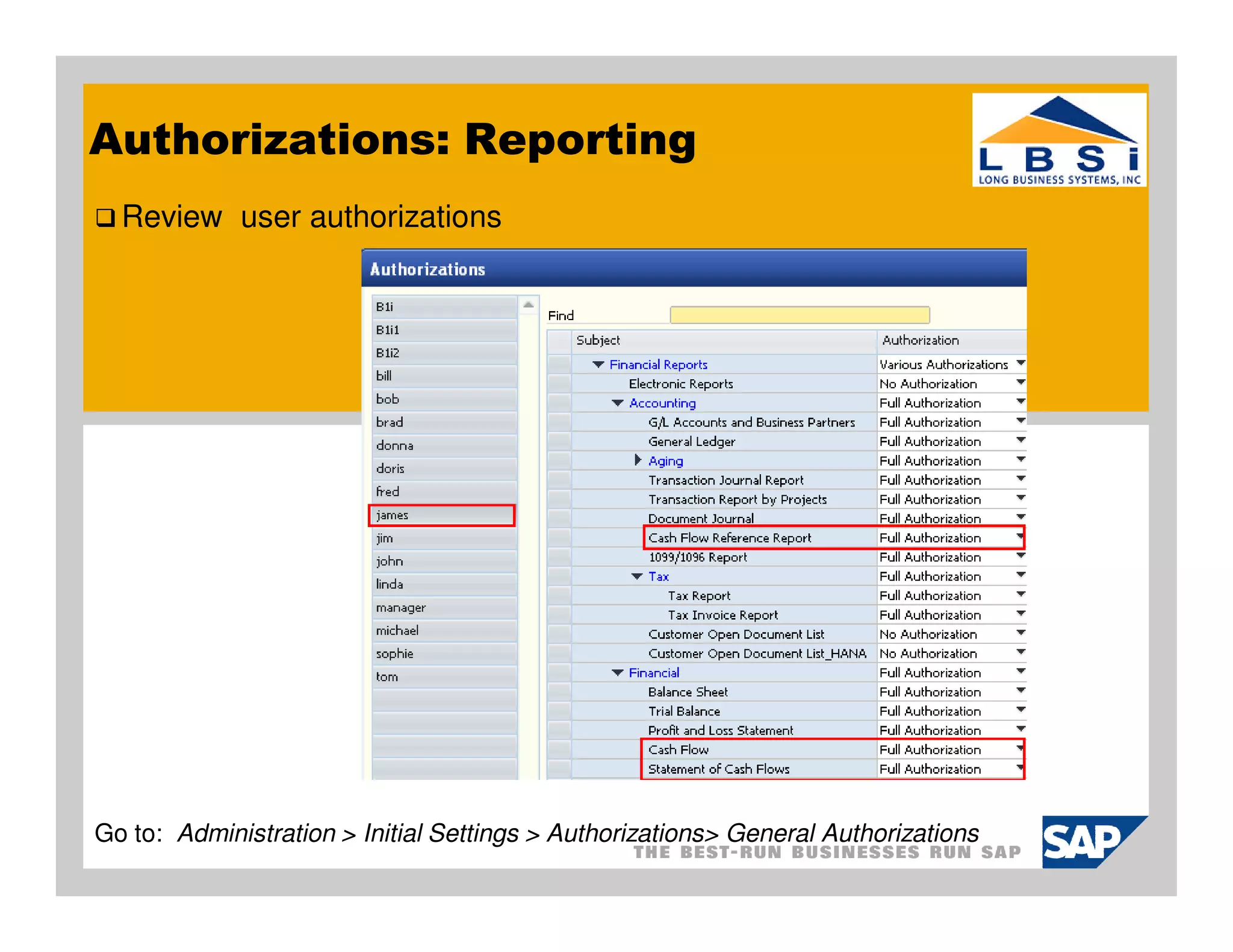
Authorizations: Reporting
  Review user authorizations


Go to: Administration > Initial Settings > Authorizations> General Authorizations
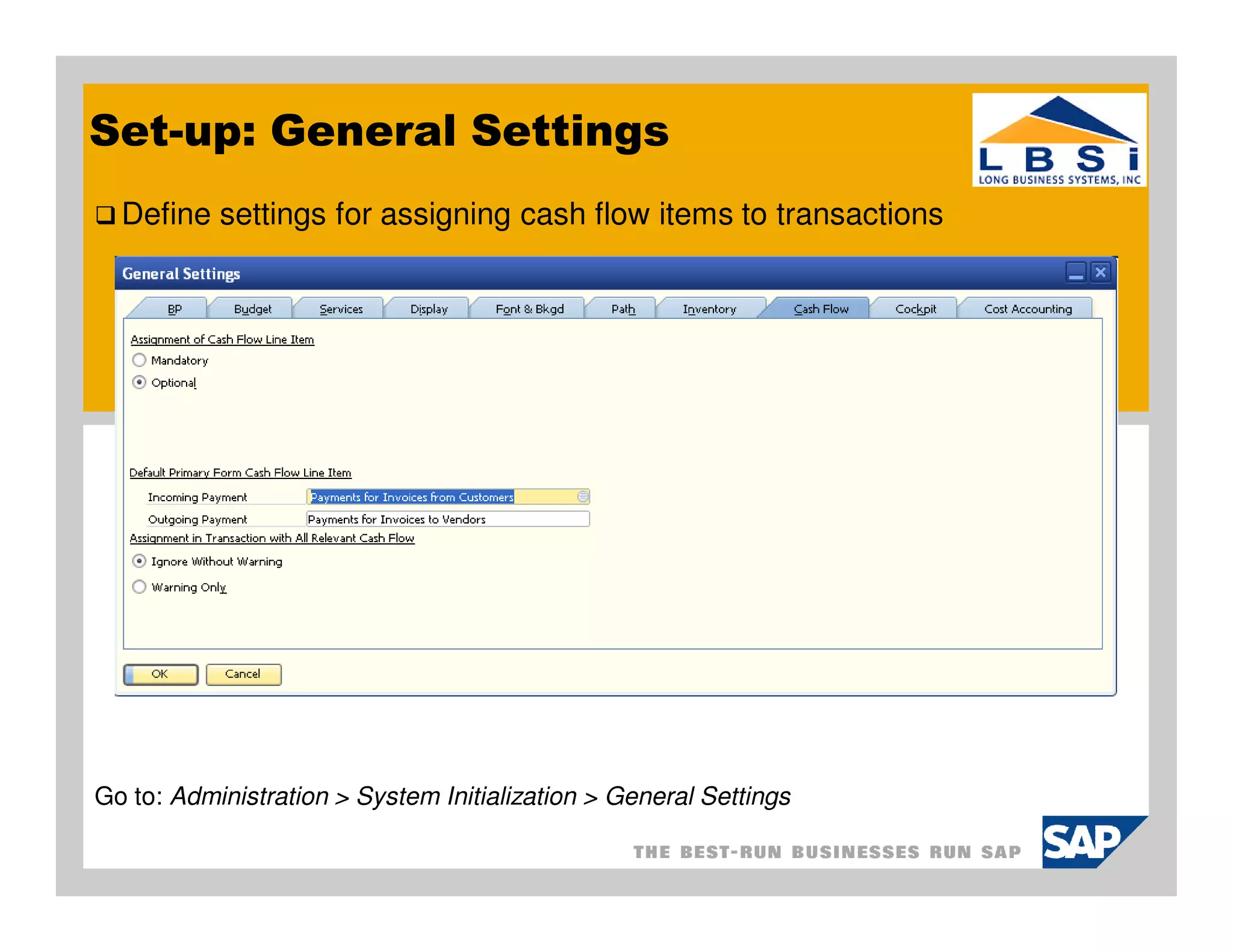
Set-up: General Settings
  Define settings for assigning cash flow items to transactions


Go to: Administration > System Initialization > General Settings
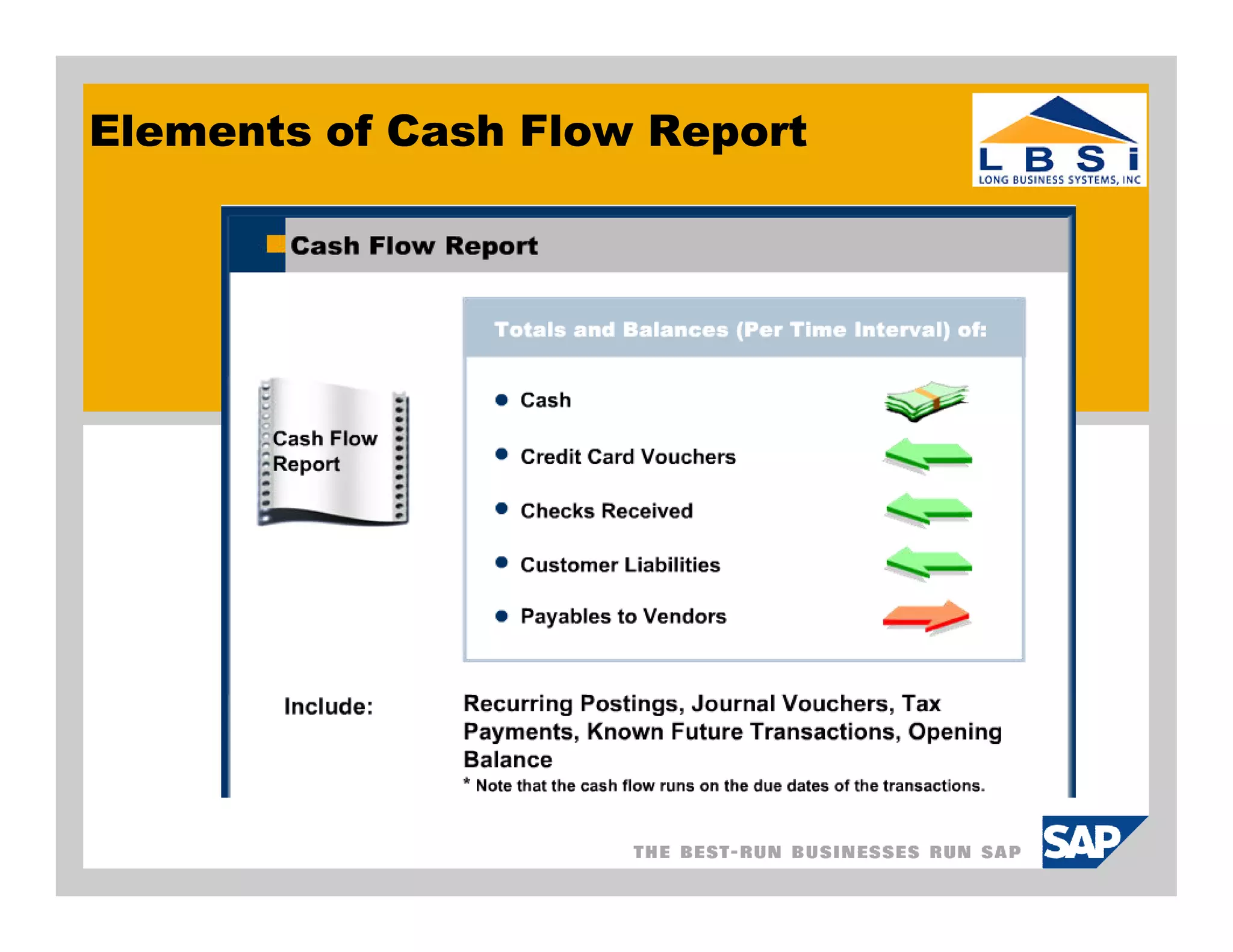
Elements of Cash Flow Report
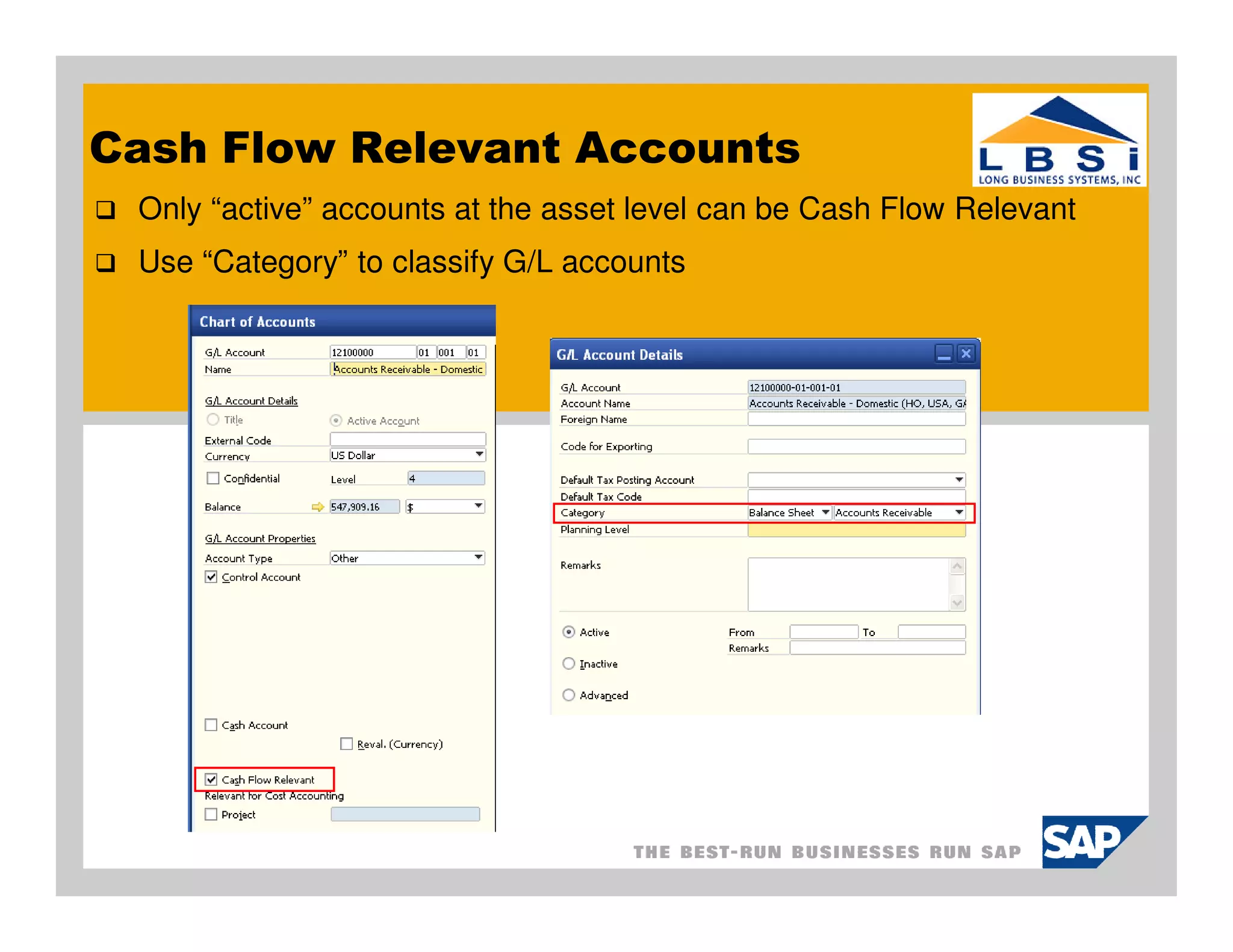
Cash Flow Relevant Accounts
 Only “active” accounts at the asset level can be Cash Flow Relevant
 Use “Category” to classify G/L accounts
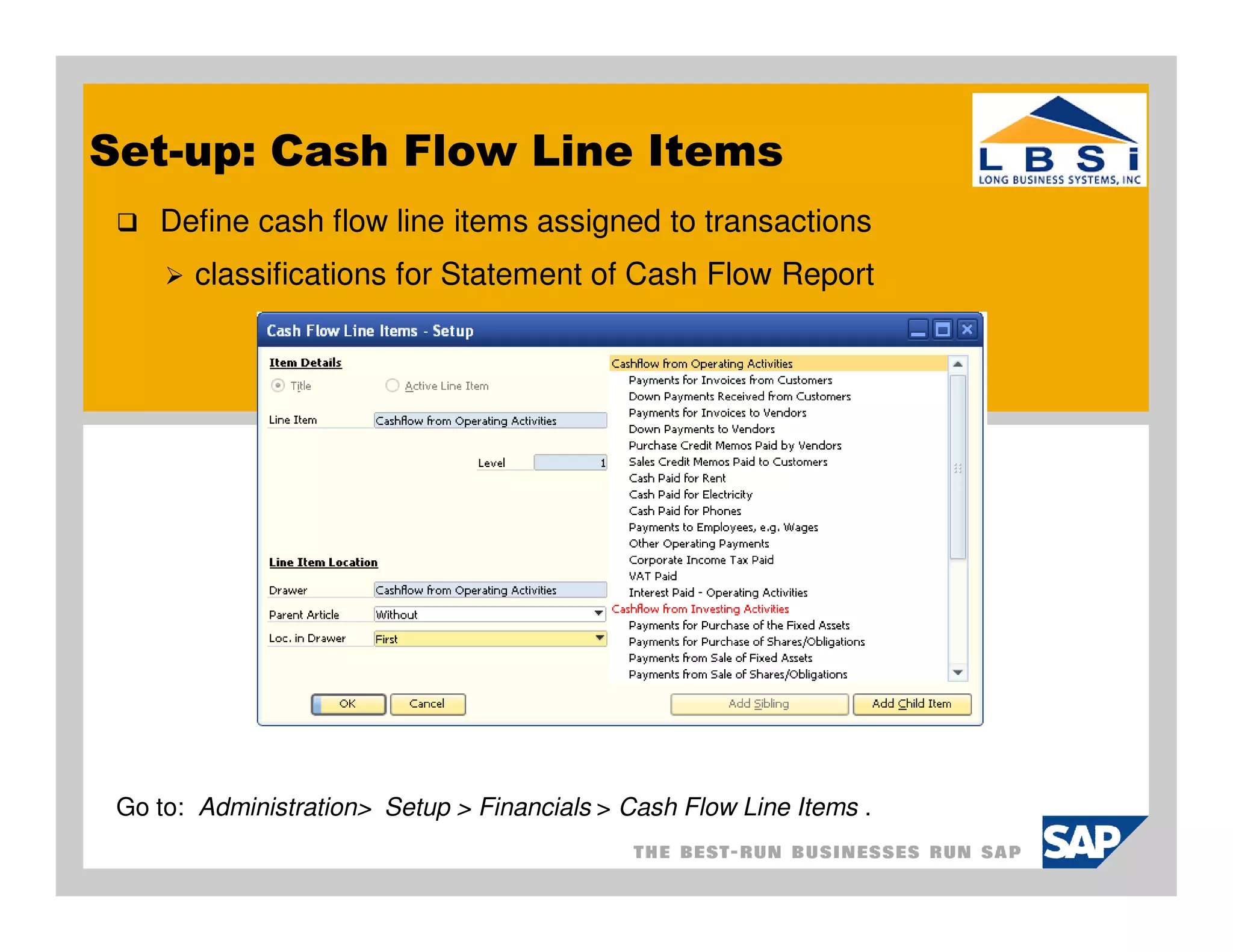
Set-up: Cash Flow Line Items
    Define cash flow line items assigned to transactions
       classifications for Statement of Cash Flow Report


 Go to: Administration> Setup > Financials > Cash Flow Line Items .
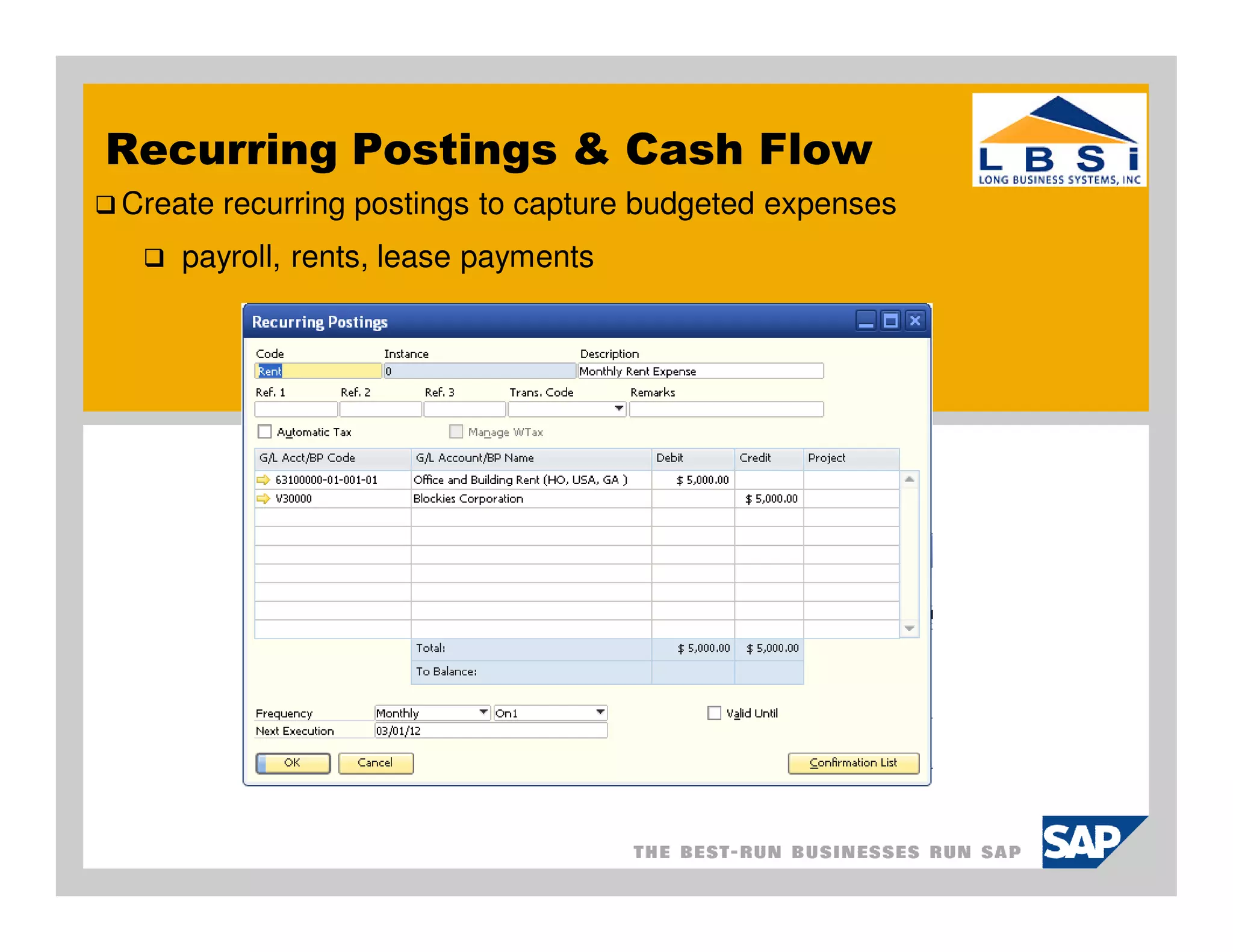
Recurring Postings & Cash Flow
Create recurring postings to capture budgeted expenses
    payroll, rents, lease payments
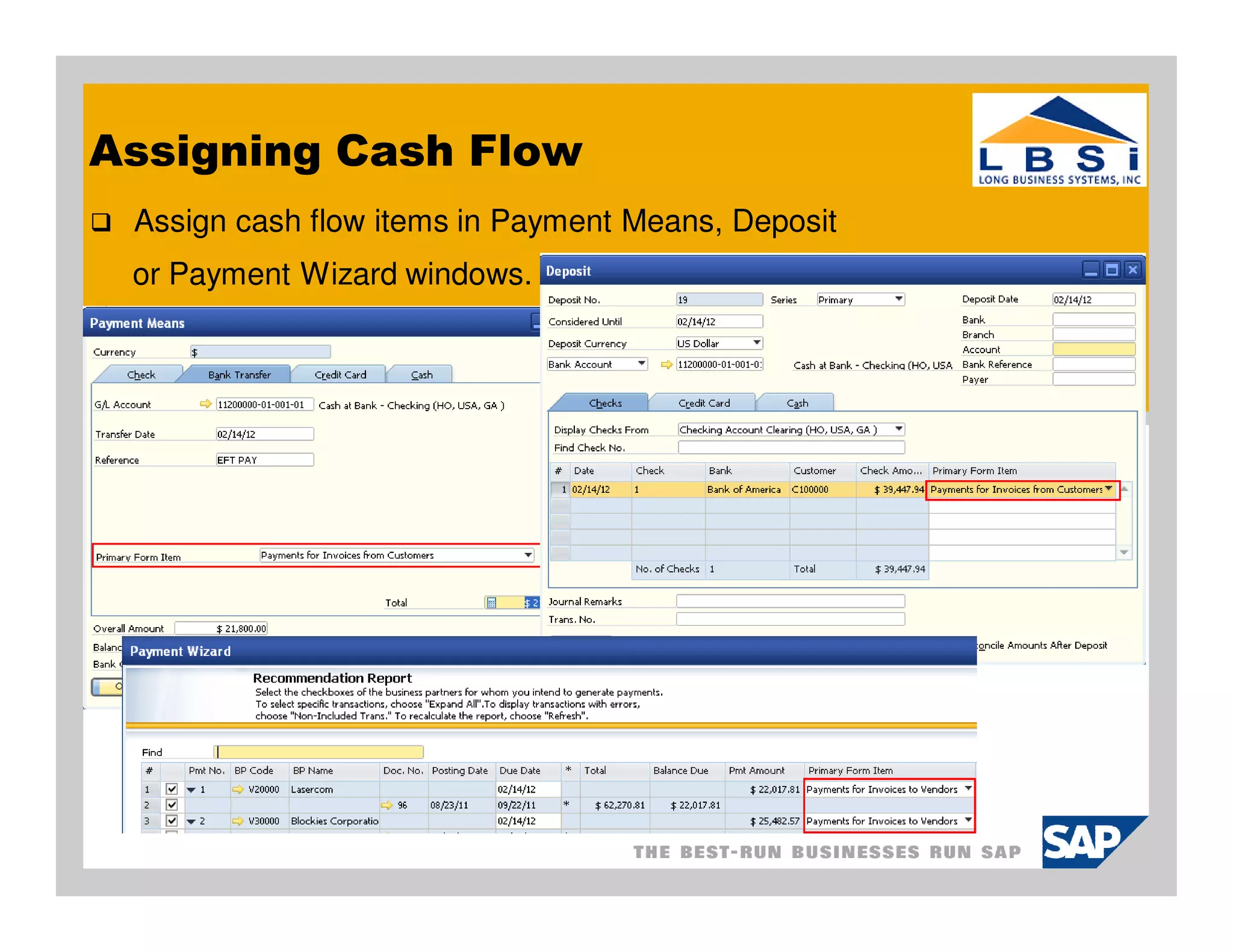
Assigning Cash Flow
 Assign cash flow items in Payment Means, Deposit
 or Payment Wizard windows.
Cash Flow Reference Report
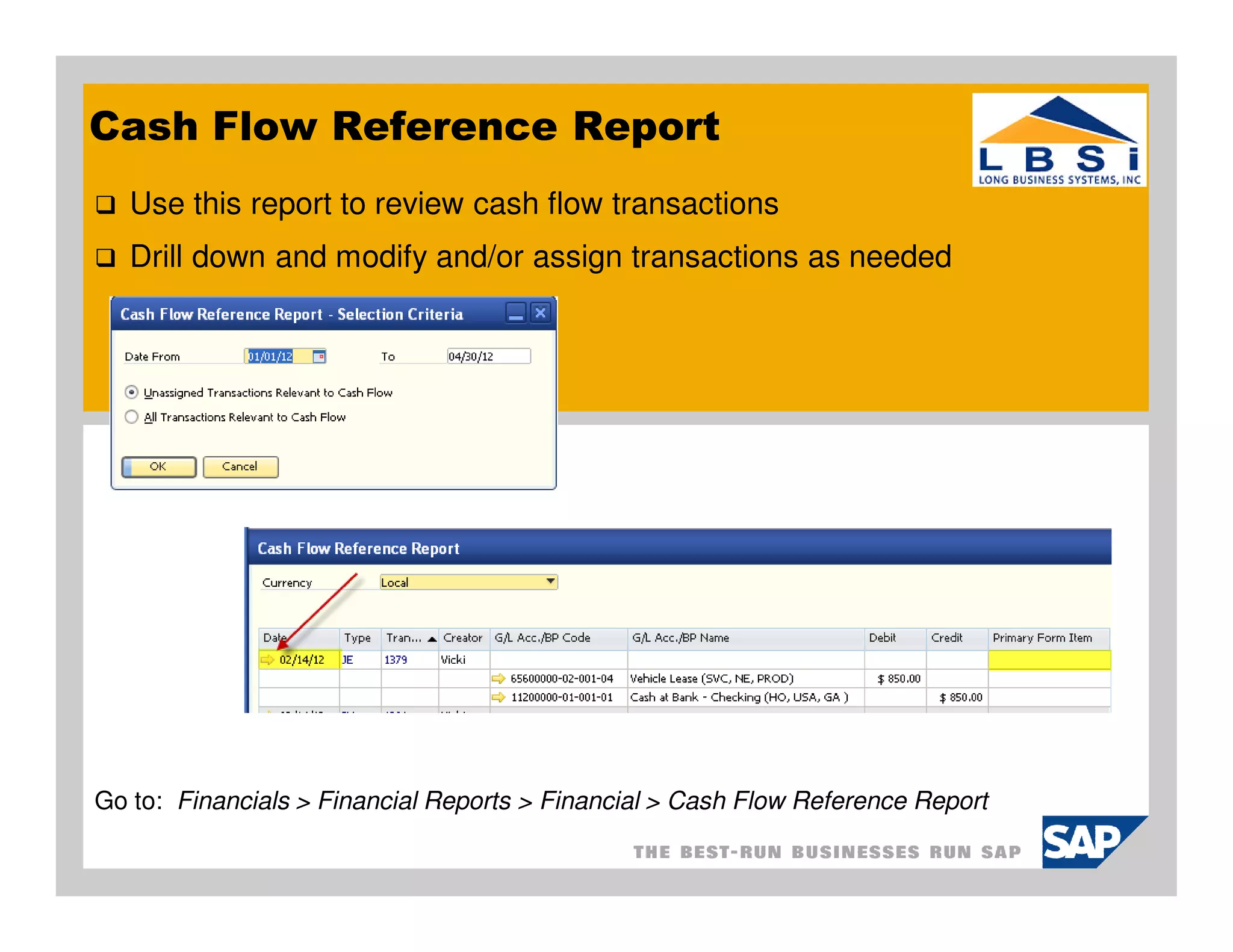
   Use this report to review cash flow transactions
   Drill down and modify and/or assign transactions as needed


Go to: Financials > Financial Reports > Financial > Cash Flow Reference Report
Statement of Cash Flow Report
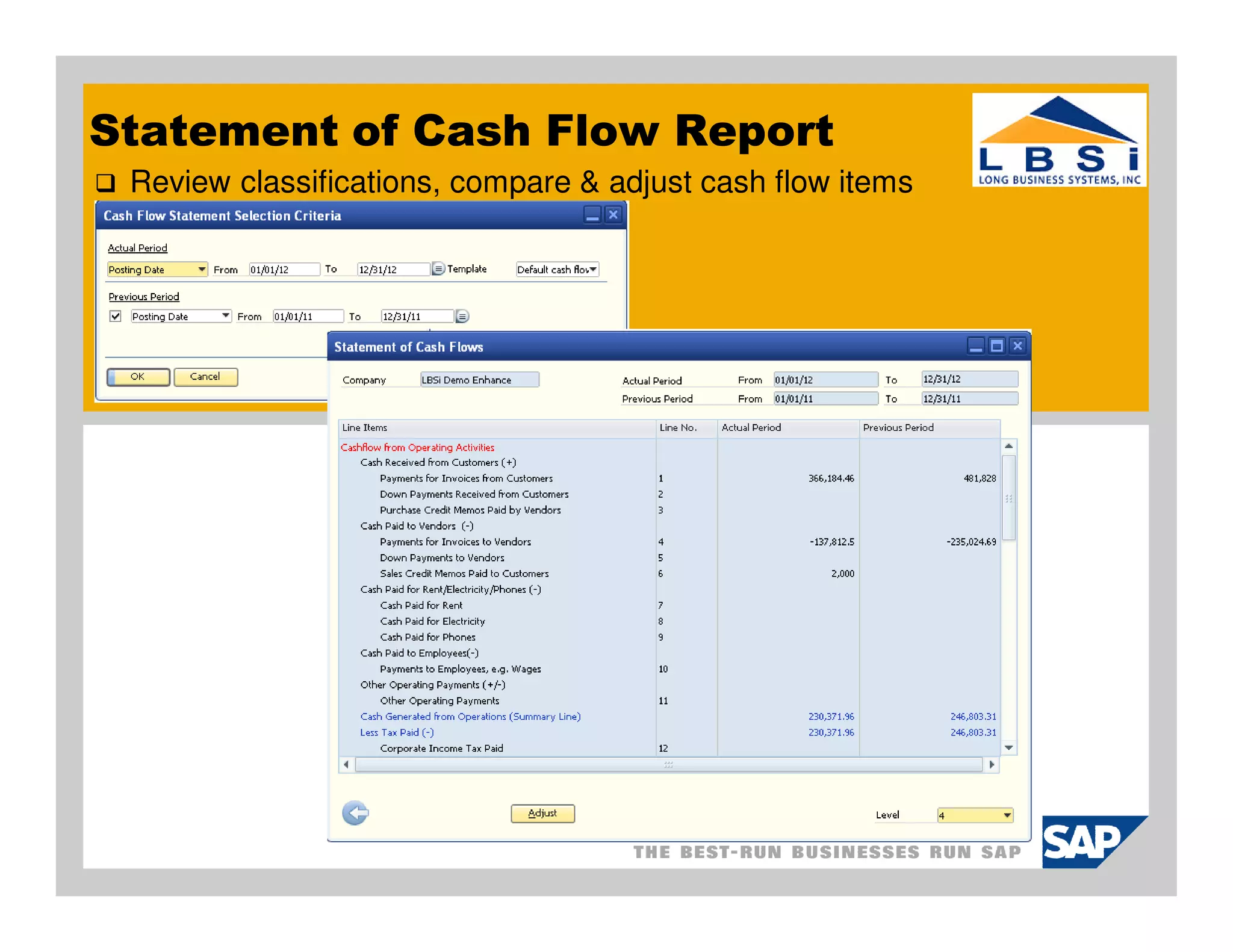
 Review classifications, compare & adjust cash flow items
Cash Flow Report
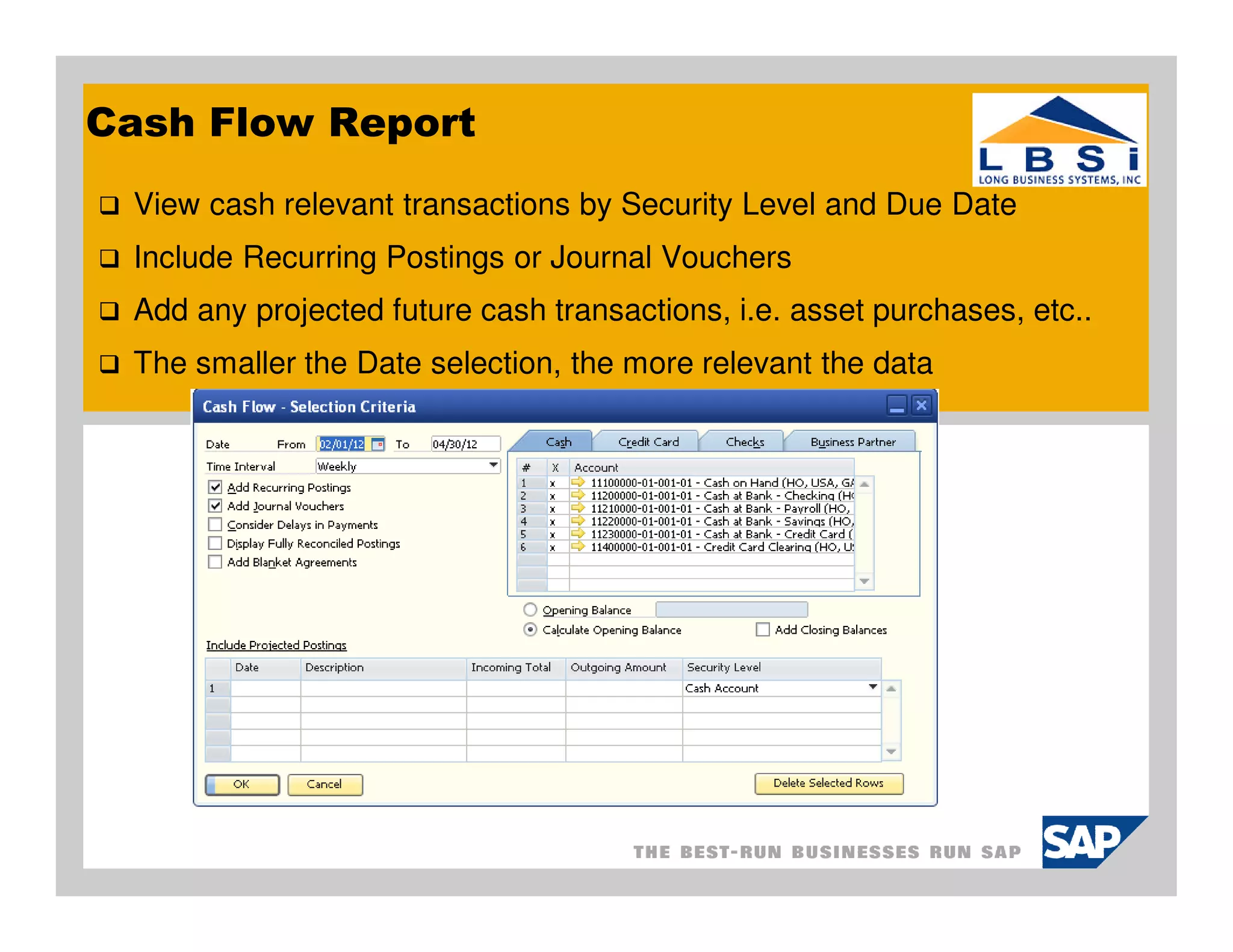
 View cash relevant transactions by Security Level and Due Date
 Include Recurring Postings or Journal Vouchers
 Add any projected future cash transactions, i.e. asset purchases, etc..
 The smaller the Date selection, the more relevant the data
Cash Flow Report
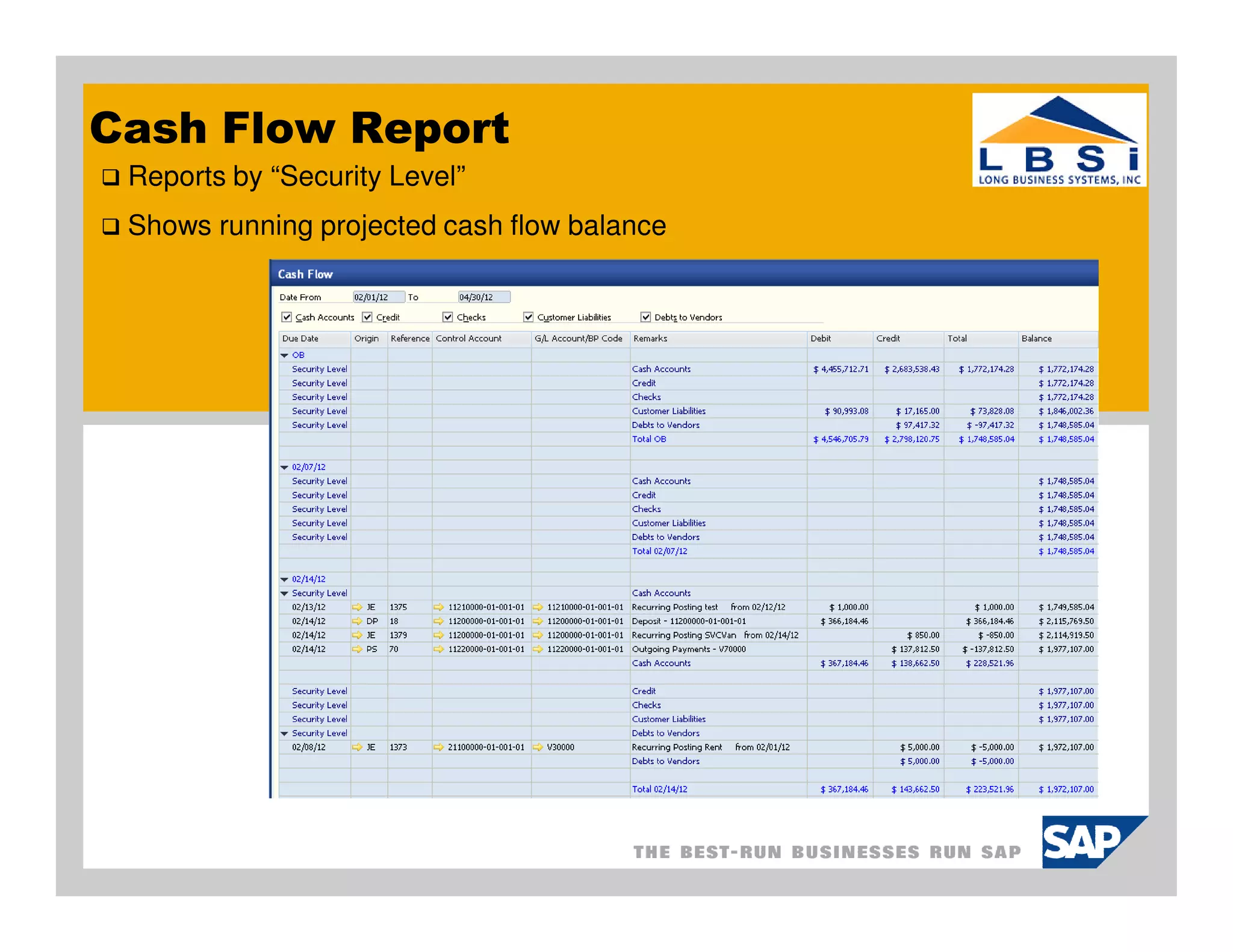
 Reports by “Security Level”
 Shows running projected cash flow balance
Thank you for taking time to participate in the SAP
Business One User Group Meeting.

Please take a few minutes to respond to our survey
and provide us with feedback and suggestions going
forward.


  o   We are always looking for new clients to work with. And we would like
      to find more clients and partners like you – companies that are
      engaged, smart, and focused on their future.
  o   Can you help us out by referring LBSi to someone who could benefit
      from our services?
Next Meetings:


  o   Tuesday, Mar. 13, 2012
       o What’s New

  o   Tuesday, Apr. 10, 2012
       o TBA   – Give us your ideas
Long Business Systems, Inc. (LBSi)
                Cleveland – Columbus – Cincinnati –Pittsburgh


  Contact Information:
  Vicki Smith
  Senior Consultant
  email: vicki@lbsi.com
  Phone: 440-846-8500 ext 22
  www.lbsi.com

SAP Business-One-Cash-Flow-Reporting

  • 1.
    Long Business Systems,Inc. (LBSi) Management Software Solutions We help businesses manage for success Cleveland – Columbus – Cincinnati - Pittsburgh
  • 2.
    Cash Flow Reporting Agenda: Why is it important? Authorizations & setup Elements of Cash Flow Report Recurring Postings & Cash Flow Report Cash Flow Reports
  • 3.
    Why Cash FlowPlanning? Simple Goal: have enough cash on hand when needed How? Implement good cash flow techniques to ensure you can always meet your obligations Start by using the SAP Business One Cash Flow reporting tool Keep it simple to start with Add more functionality as you go Know your current financial ratios and how they impact cash flow Define where they are now and monitor
  • 4.
    Know your liquidityratios Cash Flow planning is linked to Liquidity Liquid assets, i.e. cash are needed for day to day operations Liquidity ratios measure company’s ability to meet its obligations Quick Ratio: $$ of liquid assets available to cover $$ of current assets Quick Ratio = Cash + Accounts Receivable Total Current Assets Current Ratio: Measures ability to meet short term debts Current Ratio = Total Current Assets Total Current Liabilities
  • 5.
    Authorizations: Set-up Review user authorizations Go to: Administration > Initial Settings > Authorizations> General Authorizations
  • 6.
    Authorizations: Reporting Review user authorizations Go to: Administration > Initial Settings > Authorizations> General Authorizations
  • 7.
    Set-up: General Settings Define settings for assigning cash flow items to transactions Go to: Administration > System Initialization > General Settings
  • 8.
    Elements of CashFlow Report
  • 9.
    Cash Flow RelevantAccounts Only “active” accounts at the asset level can be Cash Flow Relevant Use “Category” to classify G/L accounts
  • 10.
    Set-up: Cash FlowLine Items Define cash flow line items assigned to transactions classifications for Statement of Cash Flow Report Go to: Administration> Setup > Financials > Cash Flow Line Items .
  • 11.
    Recurring Postings &Cash Flow Create recurring postings to capture budgeted expenses payroll, rents, lease payments
  • 12.
    Assigning Cash Flow Assign cash flow items in Payment Means, Deposit or Payment Wizard windows.
  • 13.
    Cash Flow ReferenceReport Use this report to review cash flow transactions Drill down and modify and/or assign transactions as needed Go to: Financials > Financial Reports > Financial > Cash Flow Reference Report
  • 14.
    Statement of CashFlow Report Review classifications, compare & adjust cash flow items
  • 15.
    Cash Flow Report View cash relevant transactions by Security Level and Due Date Include Recurring Postings or Journal Vouchers Add any projected future cash transactions, i.e. asset purchases, etc.. The smaller the Date selection, the more relevant the data
  • 16.
    Cash Flow Report Reports by “Security Level” Shows running projected cash flow balance
  • 17.
    Thank you fortaking time to participate in the SAP Business One User Group Meeting. Please take a few minutes to respond to our survey and provide us with feedback and suggestions going forward. o We are always looking for new clients to work with. And we would like to find more clients and partners like you – companies that are engaged, smart, and focused on their future. o Can you help us out by referring LBSi to someone who could benefit from our services?
  • 18.
    Next Meetings: o Tuesday, Mar. 13, 2012 o What’s New o Tuesday, Apr. 10, 2012 o TBA – Give us your ideas
  • 19.
    Long Business Systems,Inc. (LBSi) Cleveland – Columbus – Cincinnati –Pittsburgh Contact Information: Vicki Smith Senior Consultant email: vicki@lbsi.com Phone: 440-846-8500 ext 22 www.lbsi.com