Long Business Systems, Inc. (LBSi)

LBSI is a technology services firm that understands technology is a tool
  that enables you to grow profitably, outpace the competition, and
               provide better service to your customers.


               Cleveland – Columbus – Cincinnati – Pittsburgh
Pick and Pack Process
Presented by: Vicki Smith


   Agenda:
     Review open sales orders / planned shipments
     Release planned shipments
     Print and update Pick List
     Commit to Delivery
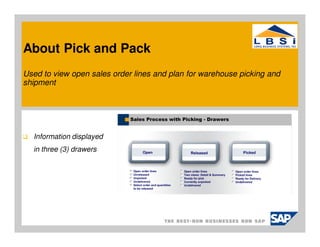
About Pick and Pack
Used to view open sales order lines and plan for warehouse picking and
shipment


  Information displayed
  in three (3) drawers
Review Sales Order Lines
    to Release


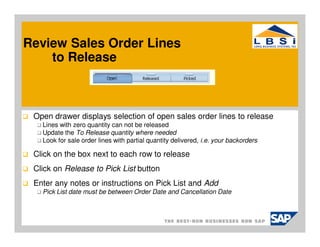
 Open drawer displays selection of open sales order lines to release
   Lines with zero quantity can not be released
   Update the To Release quantity where needed
   Look for sale order lines with partial quantity delivered, i.e. your backorders

 Click on the box next to each row to release
 Click on Release to Pick List button
 Enter any notes or instructions on Pick List and Add
   Pick List date must be between Order Date and Cancellation Date
Review Pick Lists to Issue


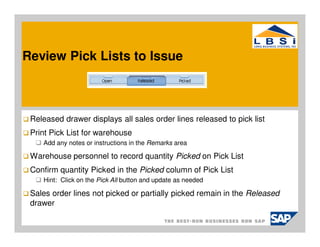
 Released drawer displays all sales order lines released to pick list
 Print Pick List for warehouse
    Add any notes or instructions in the Remarks area

 Warehouse personnel to record quantity Picked on Pick List
 Confirm quantity Picked in the Picked column of Pick List
    Hint: Click on the Pick All button and update as needed

 Sales order lines not picked or partially picked remain in the Released
 drawer
Review Picked Sales Order Lines
  Ready to Ship


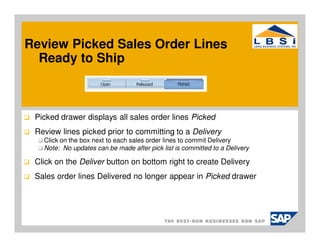
 Picked drawer displays all sales order lines Picked
 Review lines picked prior to committing to a Delivery
   Click on the box next to each sales order lines to commit Delivery
   Note: No updates can be made after pick list is committed to a Delivery

 Click on the Deliver button on bottom right to create Delivery
 Sales order lines Delivered no longer appear in Picked drawer
Next Meetings:


  o   Thursday, July 28, 2011
       o   Using LinkedIn to grow your business
  o   Tuesday, August 16, 2011
       o   SAP 8.81 New Features
  o   Tuesday, Sept 16, 2011
       o 10   Ways to Improve Customer Service
Thank you for taking time to participate in the SAP
Business One User Group Meeting.

Please take a few minutes to respond to our survey
and provide us with feedback and suggestions going
forward.


  o   We are always looking for new clients to work with. And we would like
      to find more clients and partners like you – companies that are
      engaged, smart, and focused on their future.
  o   Can you help us out by referring LBSi to someone who could benefit
      from our services?
Long Business Systems, Inc. (LBSi)
           Cleveland – Columbus – Cincinnati – Pittsburgh


  Contact Information:
  Vicki Smith
  Senior Consultant
  email: vicki@lbsi.com
  Phone: 440-846-8500 ext 22
  www.lbsi.com

SAP Business-One-Pick-and-Pack

  • 1.
    Long Business Systems,Inc. (LBSi) LBSI is a technology services firm that understands technology is a tool that enables you to grow profitably, outpace the competition, and provide better service to your customers. Cleveland – Columbus – Cincinnati – Pittsburgh
  • 2.
    Pick and PackProcess Presented by: Vicki Smith Agenda: Review open sales orders / planned shipments Release planned shipments Print and update Pick List Commit to Delivery
  • 3.
    About Pick andPack Used to view open sales order lines and plan for warehouse picking and shipment Information displayed in three (3) drawers
  • 4.
    Review Sales OrderLines to Release Open drawer displays selection of open sales order lines to release Lines with zero quantity can not be released Update the To Release quantity where needed Look for sale order lines with partial quantity delivered, i.e. your backorders Click on the box next to each row to release Click on Release to Pick List button Enter any notes or instructions on Pick List and Add Pick List date must be between Order Date and Cancellation Date
  • 5.
    Review Pick Liststo Issue Released drawer displays all sales order lines released to pick list Print Pick List for warehouse Add any notes or instructions in the Remarks area Warehouse personnel to record quantity Picked on Pick List Confirm quantity Picked in the Picked column of Pick List Hint: Click on the Pick All button and update as needed Sales order lines not picked or partially picked remain in the Released drawer
  • 6.
    Review Picked SalesOrder Lines Ready to Ship Picked drawer displays all sales order lines Picked Review lines picked prior to committing to a Delivery Click on the box next to each sales order lines to commit Delivery Note: No updates can be made after pick list is committed to a Delivery Click on the Deliver button on bottom right to create Delivery Sales order lines Delivered no longer appear in Picked drawer
  • 7.
    Next Meetings: o Thursday, July 28, 2011 o Using LinkedIn to grow your business o Tuesday, August 16, 2011 o SAP 8.81 New Features o Tuesday, Sept 16, 2011 o 10 Ways to Improve Customer Service
  • 8.
    Thank you fortaking time to participate in the SAP Business One User Group Meeting. Please take a few minutes to respond to our survey and provide us with feedback and suggestions going forward. o We are always looking for new clients to work with. And we would like to find more clients and partners like you – companies that are engaged, smart, and focused on their future. o Can you help us out by referring LBSi to someone who could benefit from our services?
  • 9.
    Long Business Systems,Inc. (LBSi) Cleveland – Columbus – Cincinnati – Pittsburgh Contact Information: Vicki Smith Senior Consultant email: vicki@lbsi.com Phone: 440-846-8500 ext 22 www.lbsi.com