Published: August, 2016
Cancelling Documents
Have you ever created a new marketing document accidentally when you were in the process of
adding additional lines or thought you were saving as draft? I am sure you answered yes as even
the most “seasoned” user has accidentally done this from time to time.
In older versions of SAP Business One you would have had to follow various steps depending on
the document to correct the erroneous transaction. This added additional steps and in the case
of an invoice (for example) the customer would see all this activity on their statement.
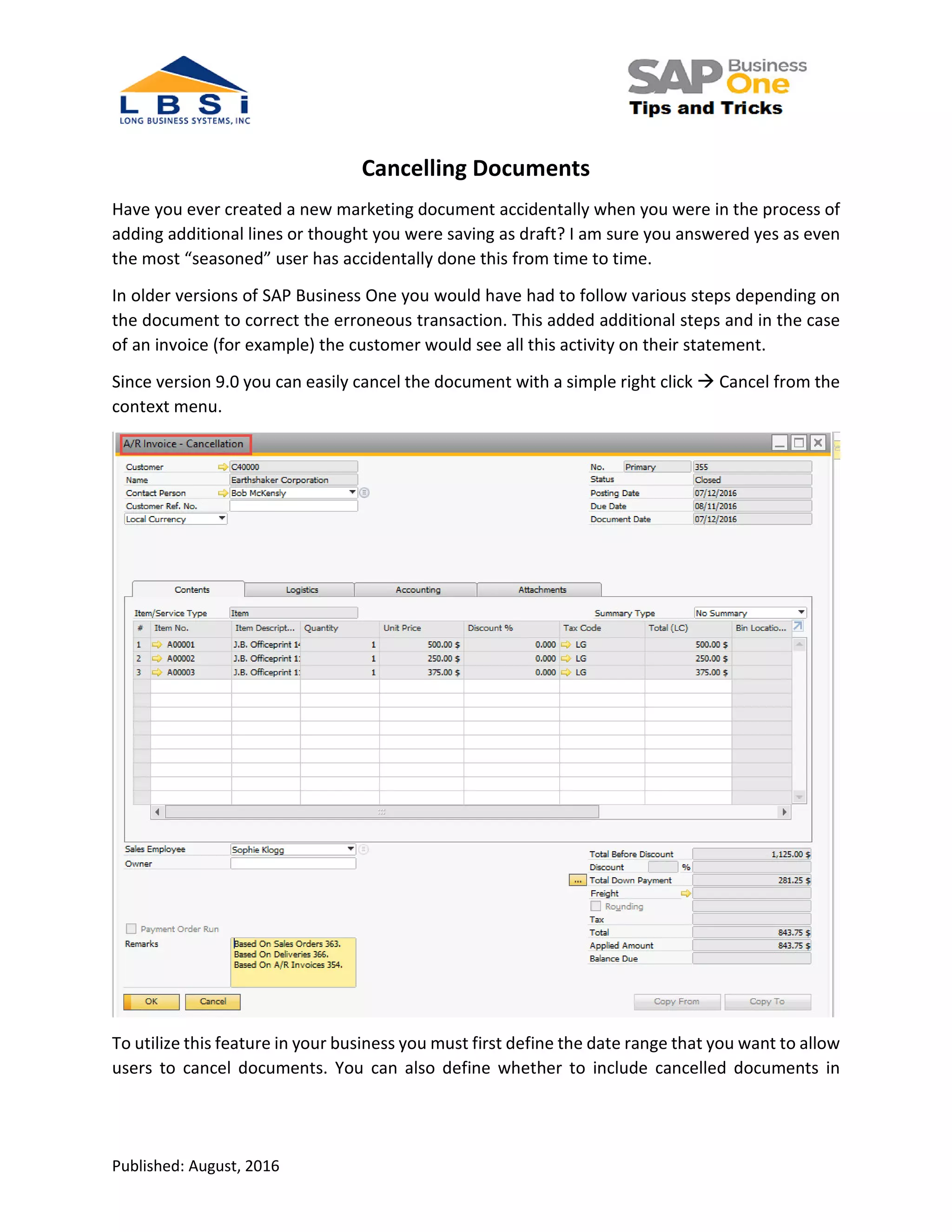
Since version 9.0 you can easily cancel the document with a simple right click Cancel from the
context menu.
To utilize this feature in your business you must first define the date range that you want to allow
users to cancel documents. You can also define whether to include cancelled documents in
Published: August, 2016
standard SAP Business One reports. These settings are performed under Administration
System initialization Document Settings General Tab:
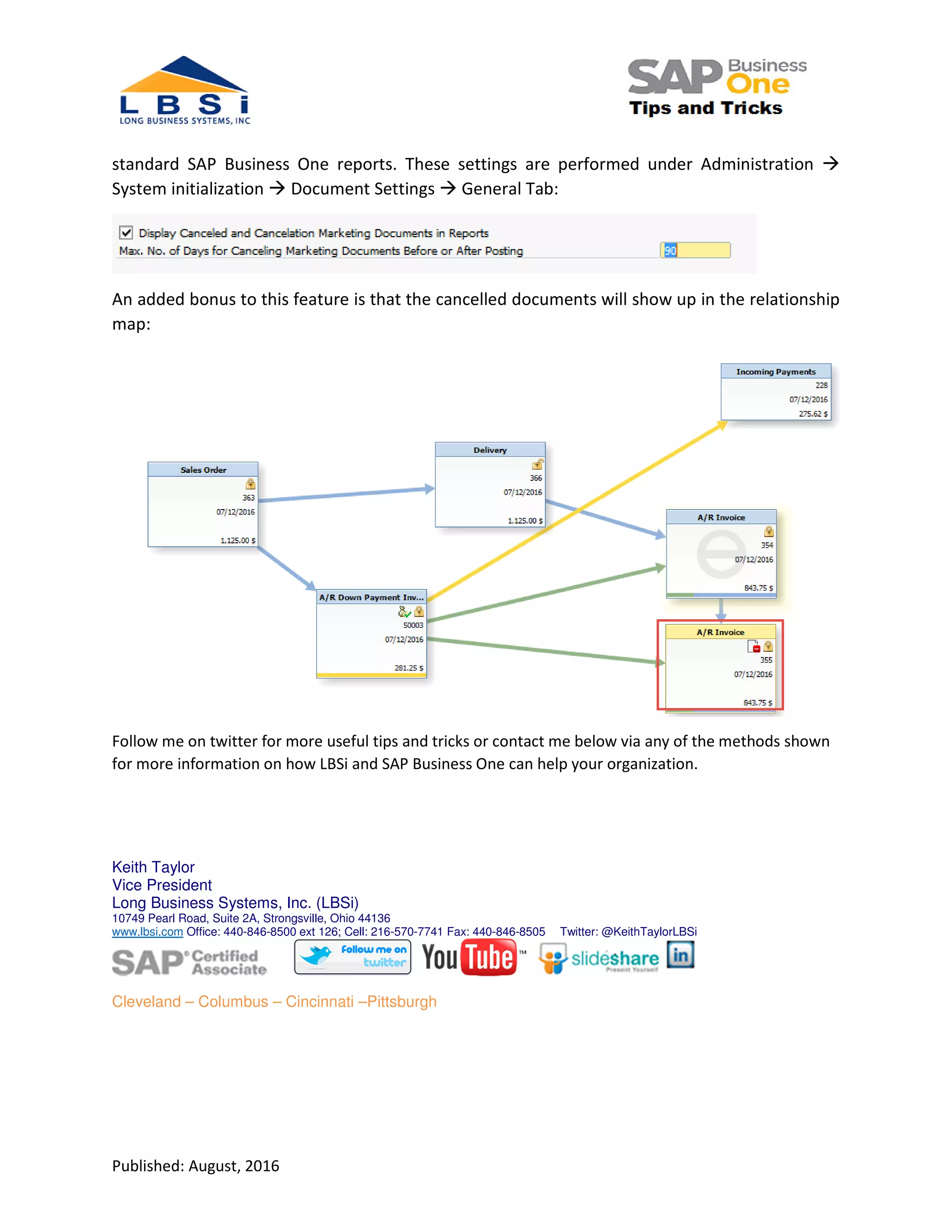
An added bonus to this feature is that the cancelled documents will show up in the relationship
map:
Follow me on twitter for more useful tips and tricks or contact me below via any of the methods shown
for more information on how LBSi and SAP Business One can help your organization.
Keith Taylor
Vice President
Long Business Systems, Inc. (LBSi)
10749 Pearl Road, Suite 2A, Strongsville, Ohio 44136
www.lbsi.com Office: 440-846-8500 ext 126; Cell: 216-570-7741 Fax: 440-846-8505 Twitter: @KeithTaylorLBSi
Cleveland – Columbus – Cincinnati –Pittsburgh

SAP Business One Tips and Tricks Cancelling Documents

  • 1.
    Published: August, 2016 CancellingDocuments Have you ever created a new marketing document accidentally when you were in the process of adding additional lines or thought you were saving as draft? I am sure you answered yes as even the most “seasoned” user has accidentally done this from time to time. In older versions of SAP Business One you would have had to follow various steps depending on the document to correct the erroneous transaction. This added additional steps and in the case of an invoice (for example) the customer would see all this activity on their statement. Since version 9.0 you can easily cancel the document with a simple right click Cancel from the context menu. To utilize this feature in your business you must first define the date range that you want to allow users to cancel documents. You can also define whether to include cancelled documents in
  • 2.
    Published: August, 2016 standardSAP Business One reports. These settings are performed under Administration System initialization Document Settings General Tab: An added bonus to this feature is that the cancelled documents will show up in the relationship map: Follow me on twitter for more useful tips and tricks or contact me below via any of the methods shown for more information on how LBSi and SAP Business One can help your organization. Keith Taylor Vice President Long Business Systems, Inc. (LBSi) 10749 Pearl Road, Suite 2A, Strongsville, Ohio 44136 www.lbsi.com Office: 440-846-8500 ext 126; Cell: 216-570-7741 Fax: 440-846-8505 Twitter: @KeithTaylorLBSi Cleveland – Columbus – Cincinnati –Pittsburgh