WELCOME
TO DUSP!
INTRO TO GIS IN DUSP, GIS TESTOUT
REVIEW and DUSPVIZ
FALL 2014
AUGUST 28, 2014
Review Session Outline
• Introductions
• GIS@DUSP
• What is GIS?
• How is it used in planning?
• Testout Review
• Making Maps
• Relational Databases
• Descriptive Stats
• Geoprocessing
• Data Extraction
• Open Lab Session (Room 9-251)
Introductions
Mike Foster
DUSP GIS/Data Viz Specialist
Room 9-528, near cron in the backyard
Office Hours: Tuesday Afternoons, 1pm-4pm
GIS@DUSP
Geographic Information Systems (GIS) has become
an essential tool for understanding the urban and
built environment.
GIS at DUSP is not just learning software, it is training
your mind to utilize spatial problem solving methods.
GIS@DUSP
We have many resources available including:
DATA FORT
MIT GEOWEB
MIT LIBRARIES
GIS LAB
OFFICE HOURS
NUMEROUS COURSES
GIS@DUSP
COMPUTING ENVIRONMENT
Don’t run over the network!
Set all home drives, drives, and databases to local or
USB folders.
See instructions for that here:
GIS@DUSP Computing Environment
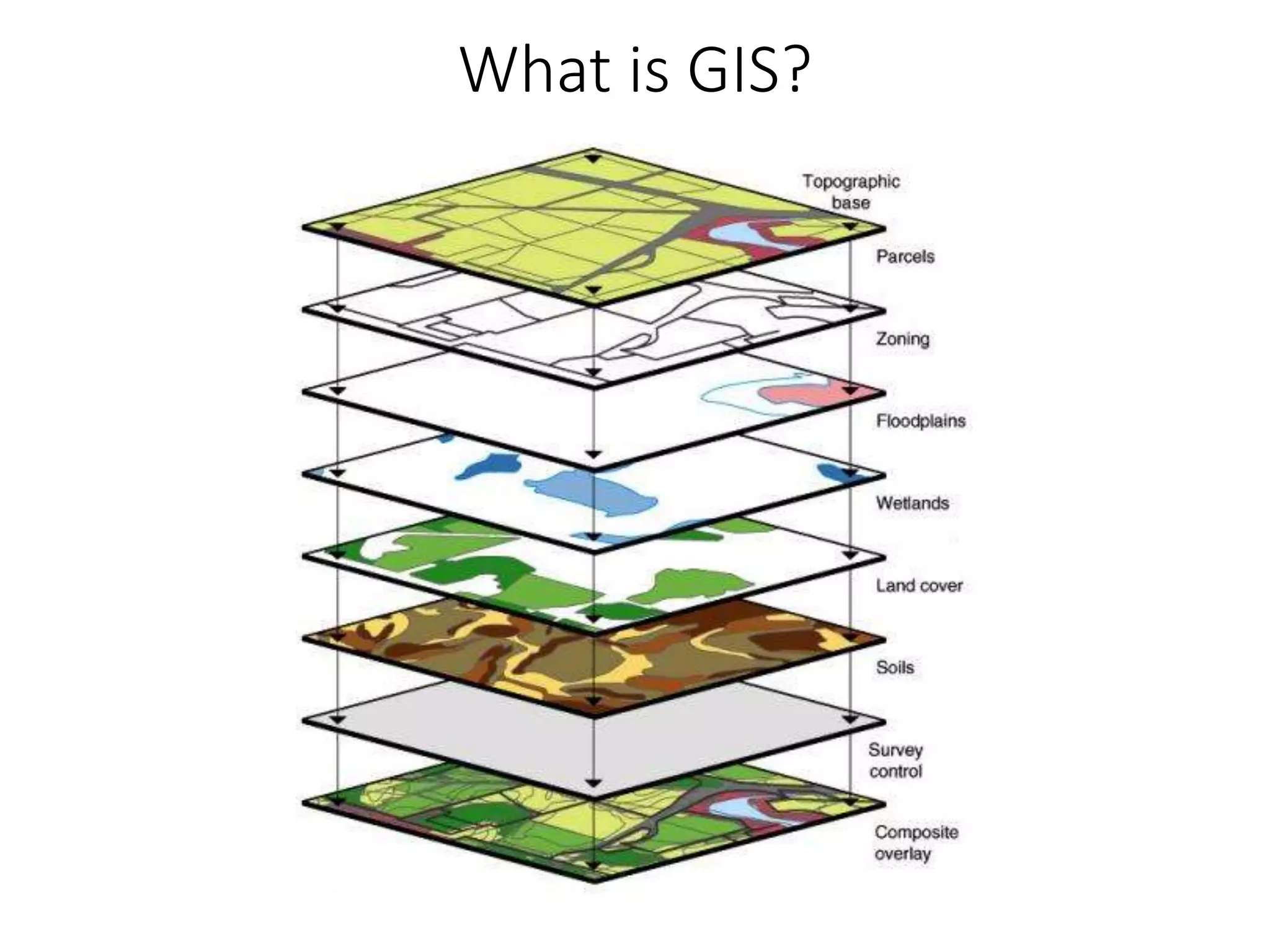
What is GIS?
• Geographic Information System
• A system designed to capture, store, manipulate,
analyze, manage, and present all types of spatial data
• What is spatial data?
• Any data that sits somewhere in space!
• But, it’s not just a system…
… it’s a discipline consisting of complex analytical
methods and concepts.
“The art and science of coming up with
solutions to problems using spatial methods.”
What is GIS?
Okay, good, why should I care?
• Urban and Regional Planners
use GIS all the time!
• Planning, specifically
planning data, is
inherently spatial
• Knowledge of spatial analysis
concepts and methods is
fundamental to high-level
research and analysis
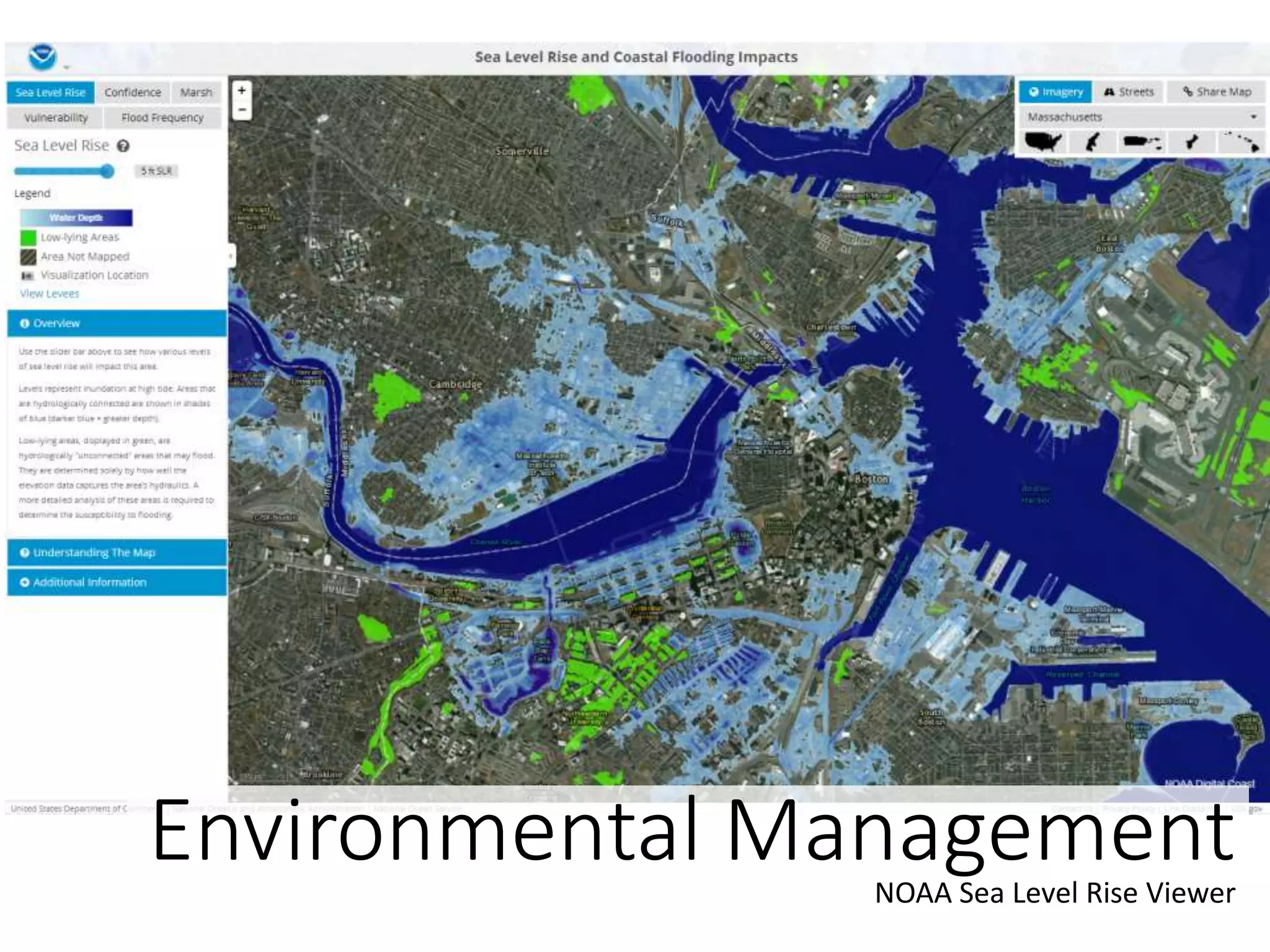
How do planners use GIS?
Tax AssessingCity of Cambridge Assessors Office
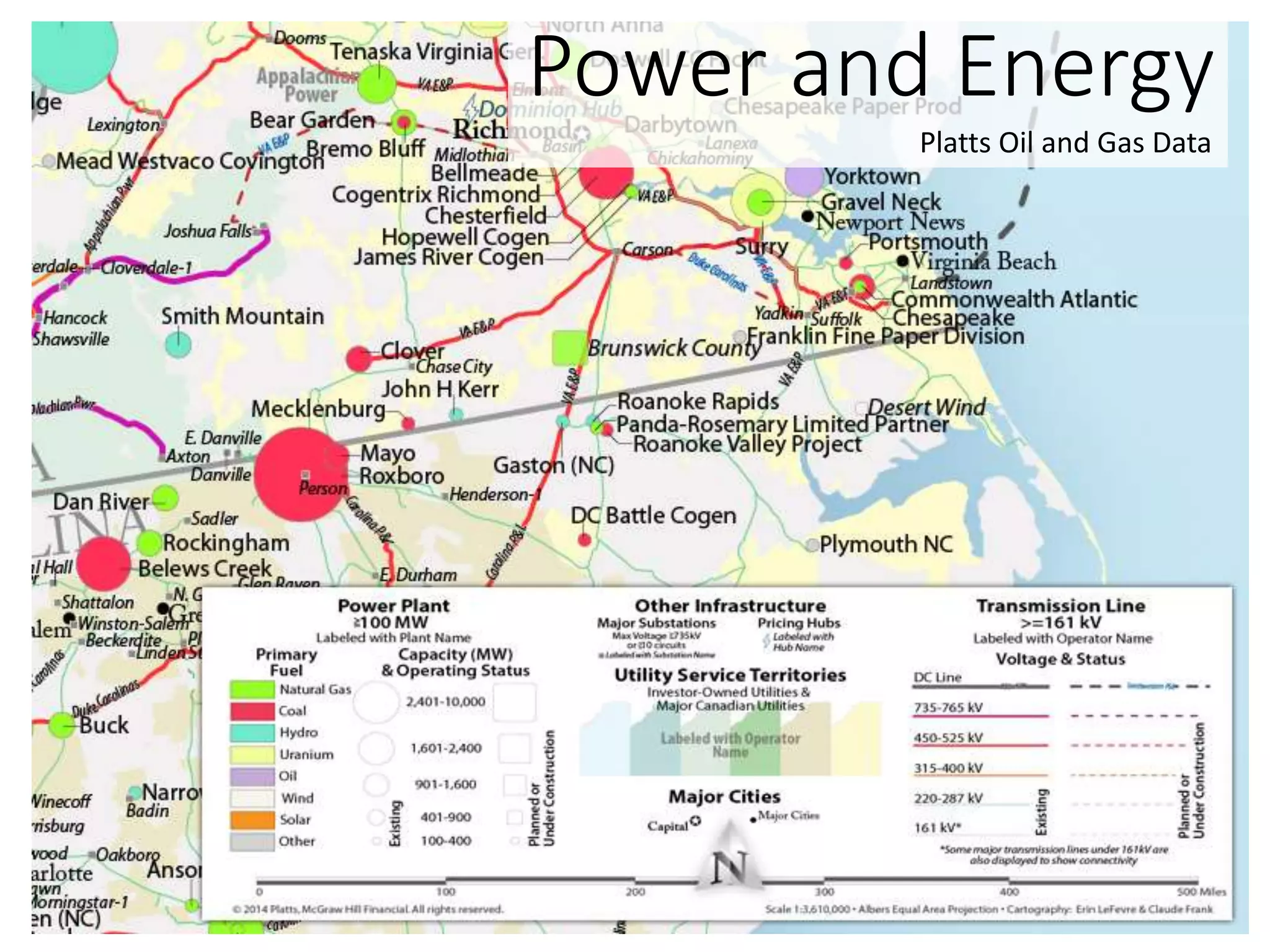
Power and Energy
Platts Oil and Gas Data
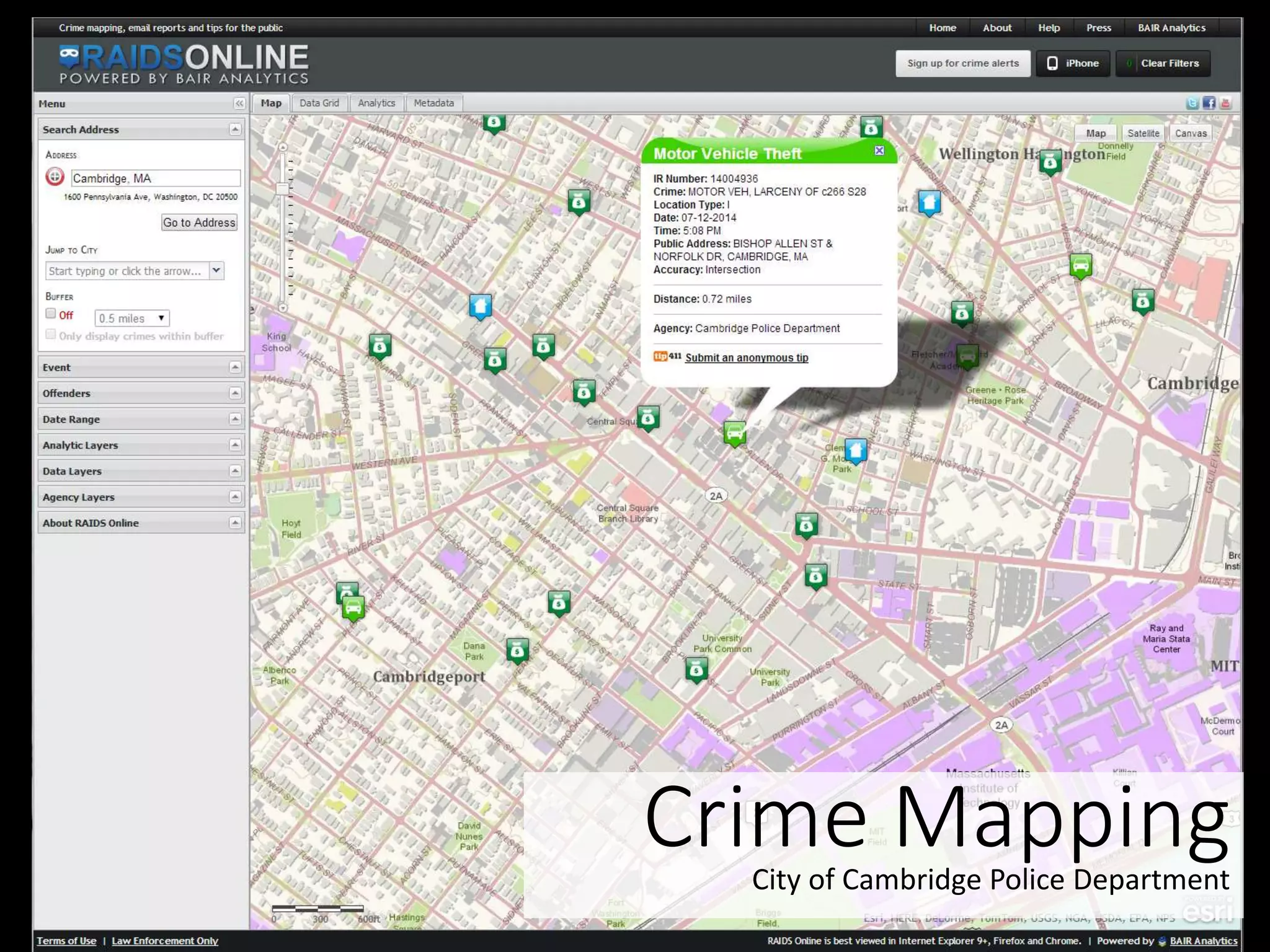
Crime MappingCity of Cambridge Police Department
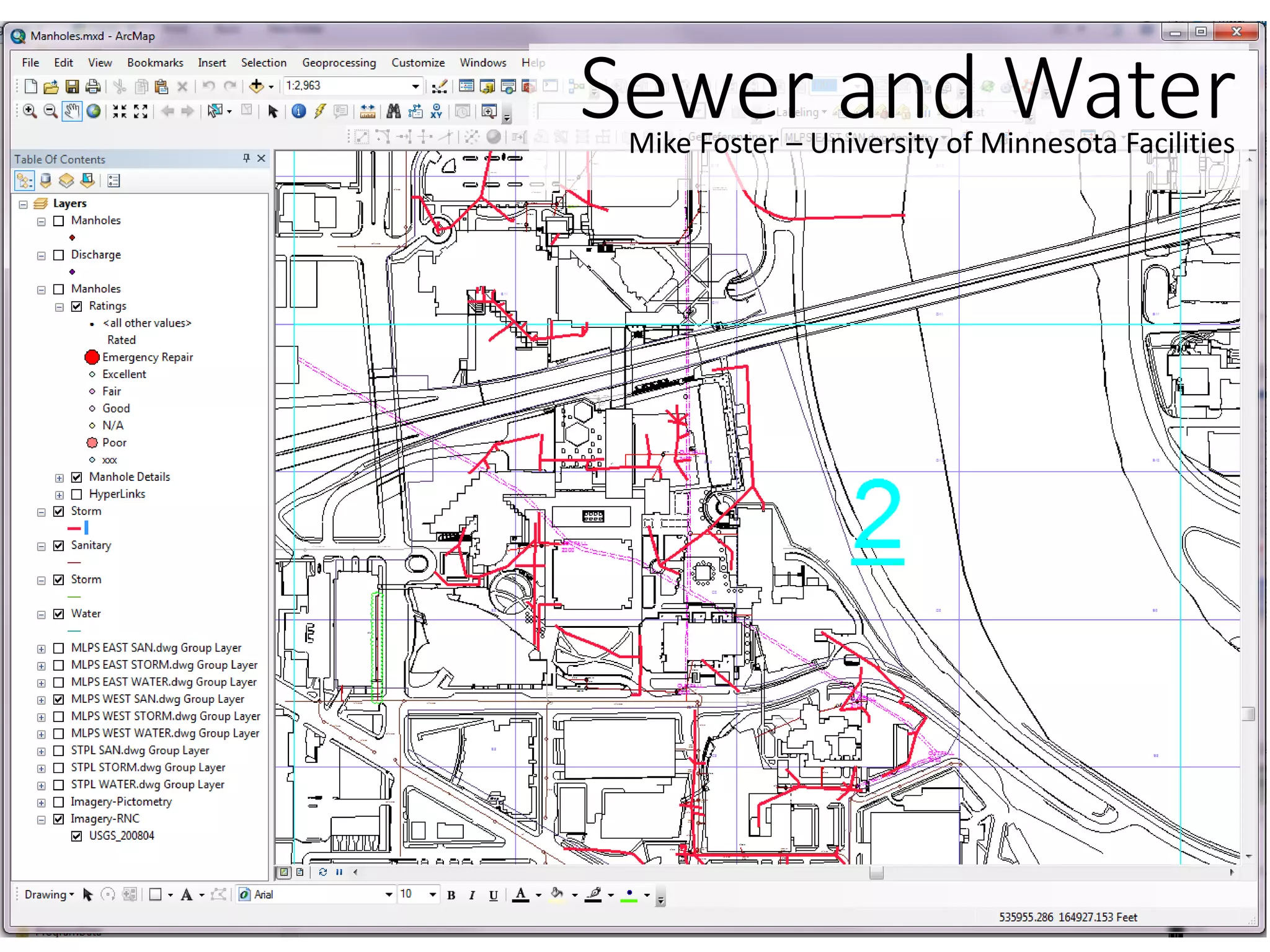
Sewer and WaterMike Foster – University of Minnesota Facilities
Environmental ManagementNOAA Sea Level Rise Viewer
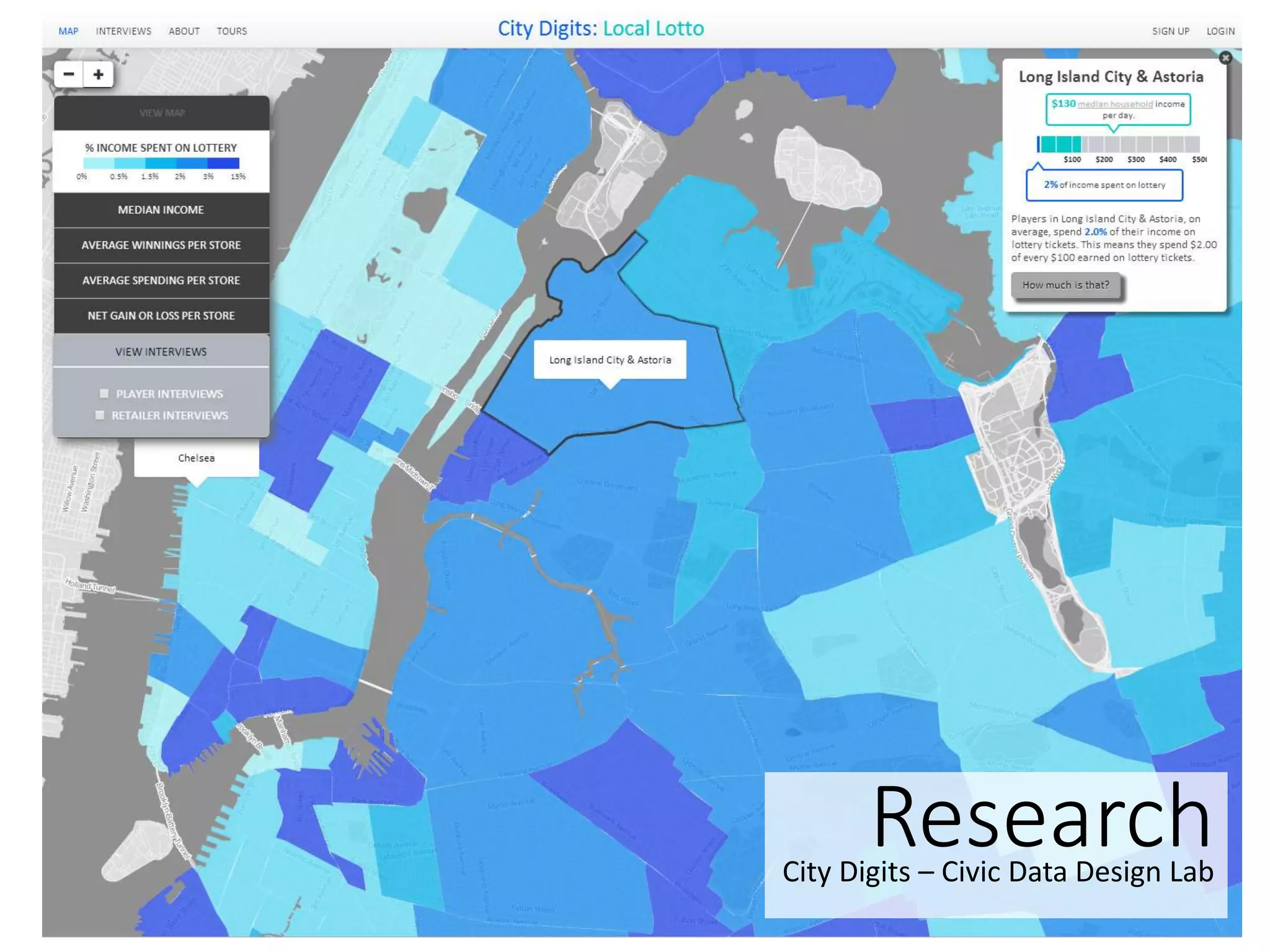
ResearchCity Digits – Civic Data Design Lab
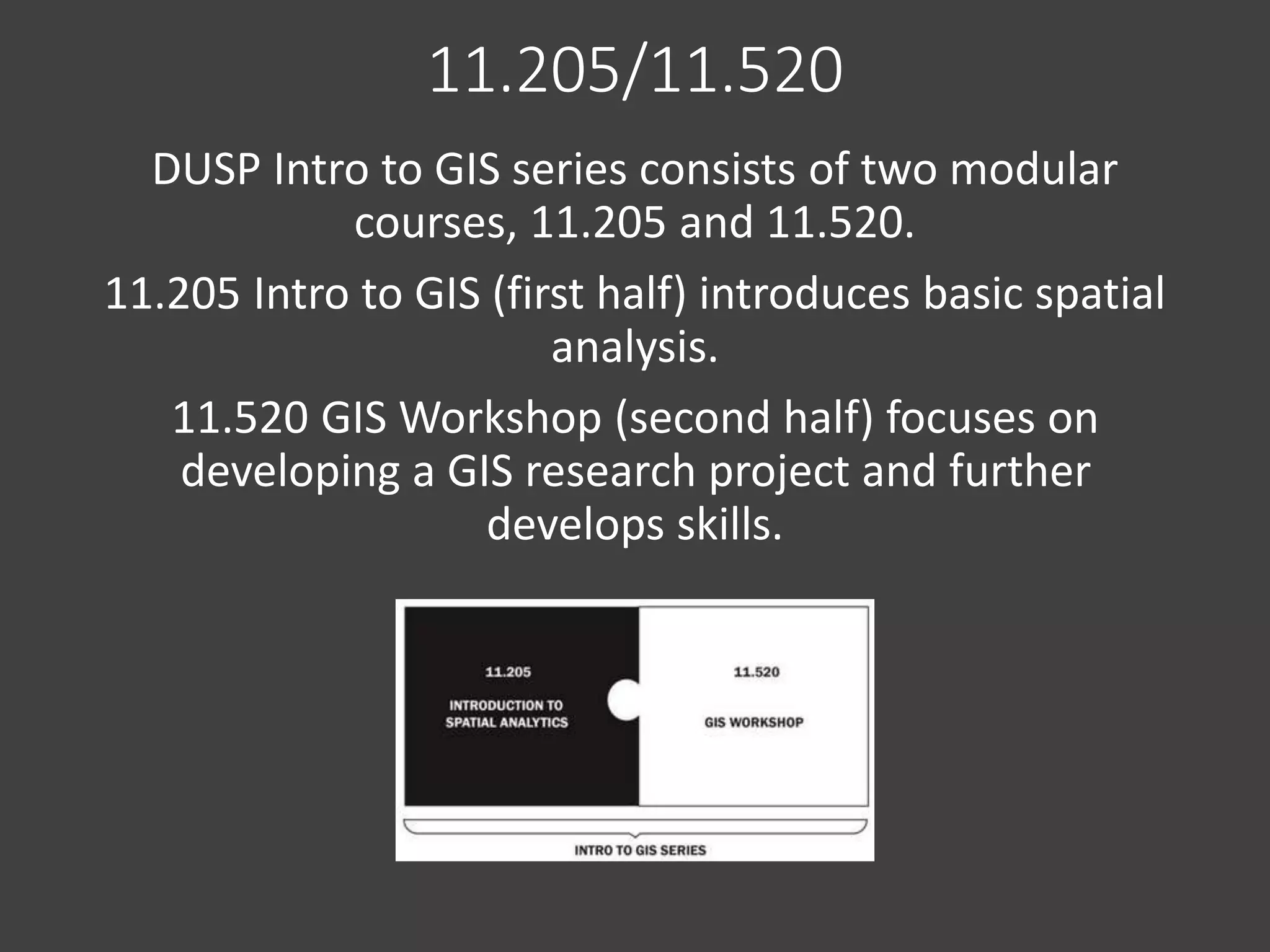
11.205/11.520
DUSP Intro to GIS series consists of two modular
courses, 11.205 and 11.520.
11.205 Intro to GIS (first half) introduces basic spatial
analysis.
11.520 GIS Workshop (second half) focuses on
developing a GIS research project and further
develops skills.
Test Out
Introduction to Spatial Analysis is required by the
MCP degree, students who have a previous
background in GIS can test-out of this course.
Test Out Examination
Tomorrow, August 29, 2:30-5:00pm, Room 9-251
GIS Testout Review
• Making Maps
•Relational Databases
•Descriptive Statistics
•Geoprocessing
• Data Extraction
Part 1 – Making Maps
• GIS is not only making maps, but spatial data is
often most easily consumed through a map.
• A good map is a communication piece and tells a
story.
• The way you classify, normalize, symbolize, and
present your data can completely change your
story.
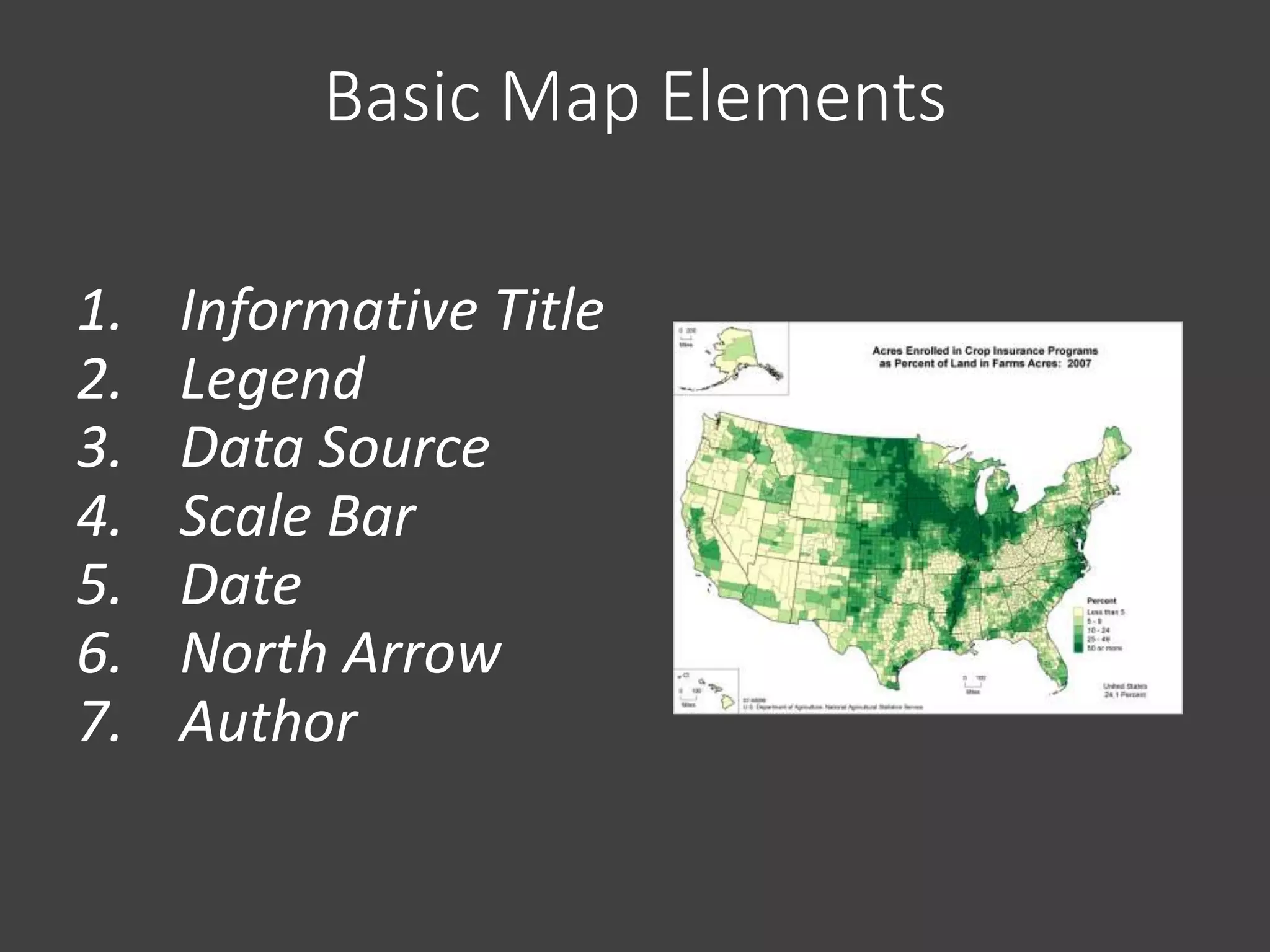
Basic Map Elements
1. Informative Title
2. Legend
3. Data Source
4. Scale Bar
5. Date
6. North Arrow
7. Author
Different Types of Maps
• Reference Map
• General Reference
• Portray the earth’s surface with as much accuracy as possible.
• Thematic Map
• Designed to show a particular theme or communicate a
particular message
• Choropleth
• Proportional Symbol
• Isarithmic or Isopleth (contour)
• Dot
• Dasymetric
• Know what to use to best show your data!
• Each has its positives and negatives
When you map your data…
• Remember, your map is a communication tool, it is
your goal to tell a story, as simple as it may sound.
• Consider the best methods, and read each and
every map with an intelligent eye.
• The way you classify, normalize, and symbolize your
data can completely change your message.
• How to Lie with Maps
• Mark Monmonier, 2nd Ed. (1996)
• Maps are powerful tools, treat them as such!
Symbology
• The quality of a map’s design affects its readers
ability to extract information and to learn from the
map.
• Symbology has been developed to portray the
world accurately and effectively convey information
to the map reader.
• The symbols should be intuitive, easy-to-
understand, and follow standards whenever
possible.
• i.e. don’t use a picture of ship to show a train station,
and make water blue!
Color on your Maps
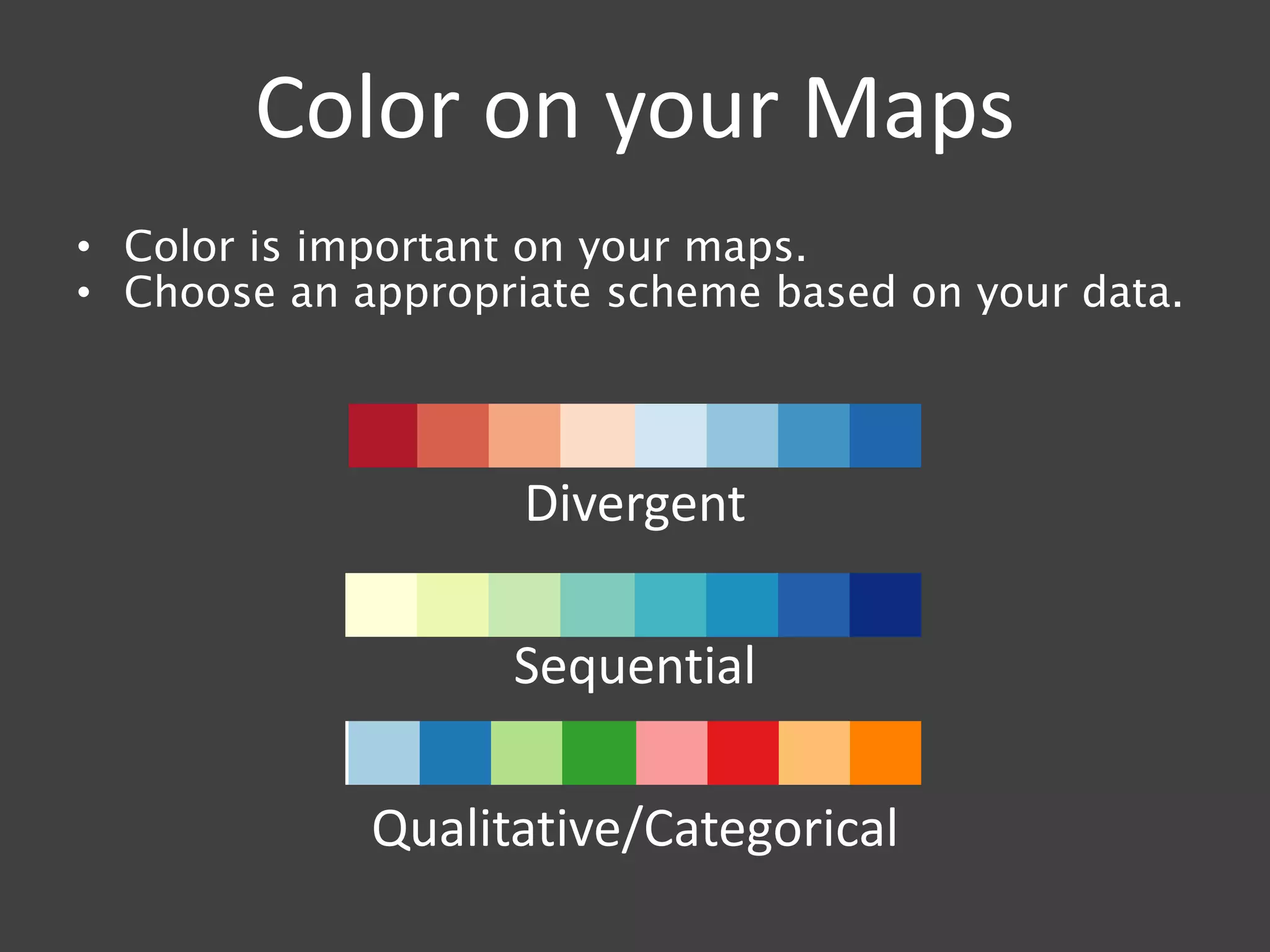
• Color is important on your maps.
• Choose an appropriate scheme based on your data.
Divergent
Sequential
Qualitative/Categorical
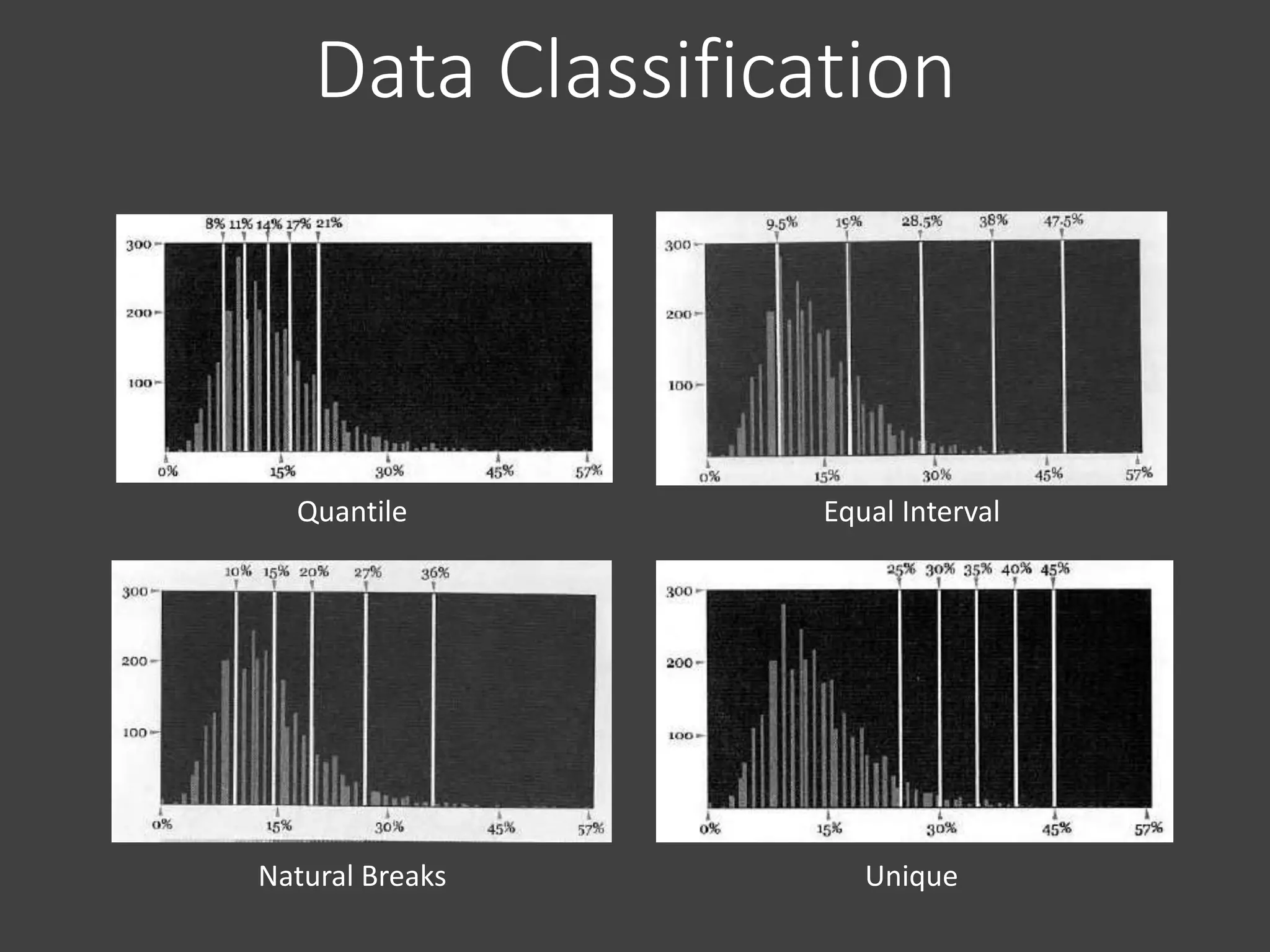
Quantile Equal Interval
Natural Breaks Unique
Data Classification
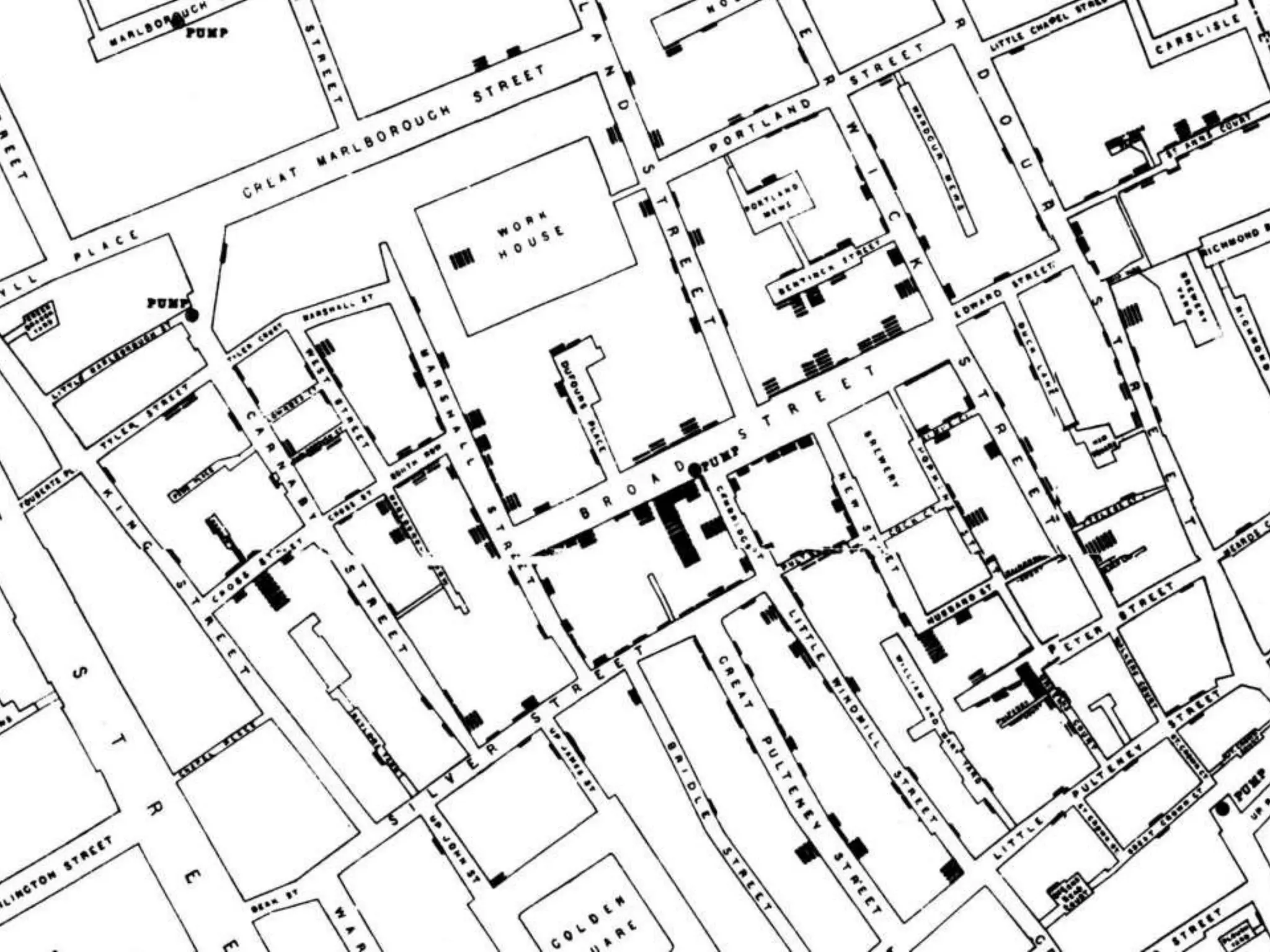
Geocoding
• The process of finding associated geographic
coordinates from tabular geographic data. For
example, plotting address points, or plotting points
based on cities.
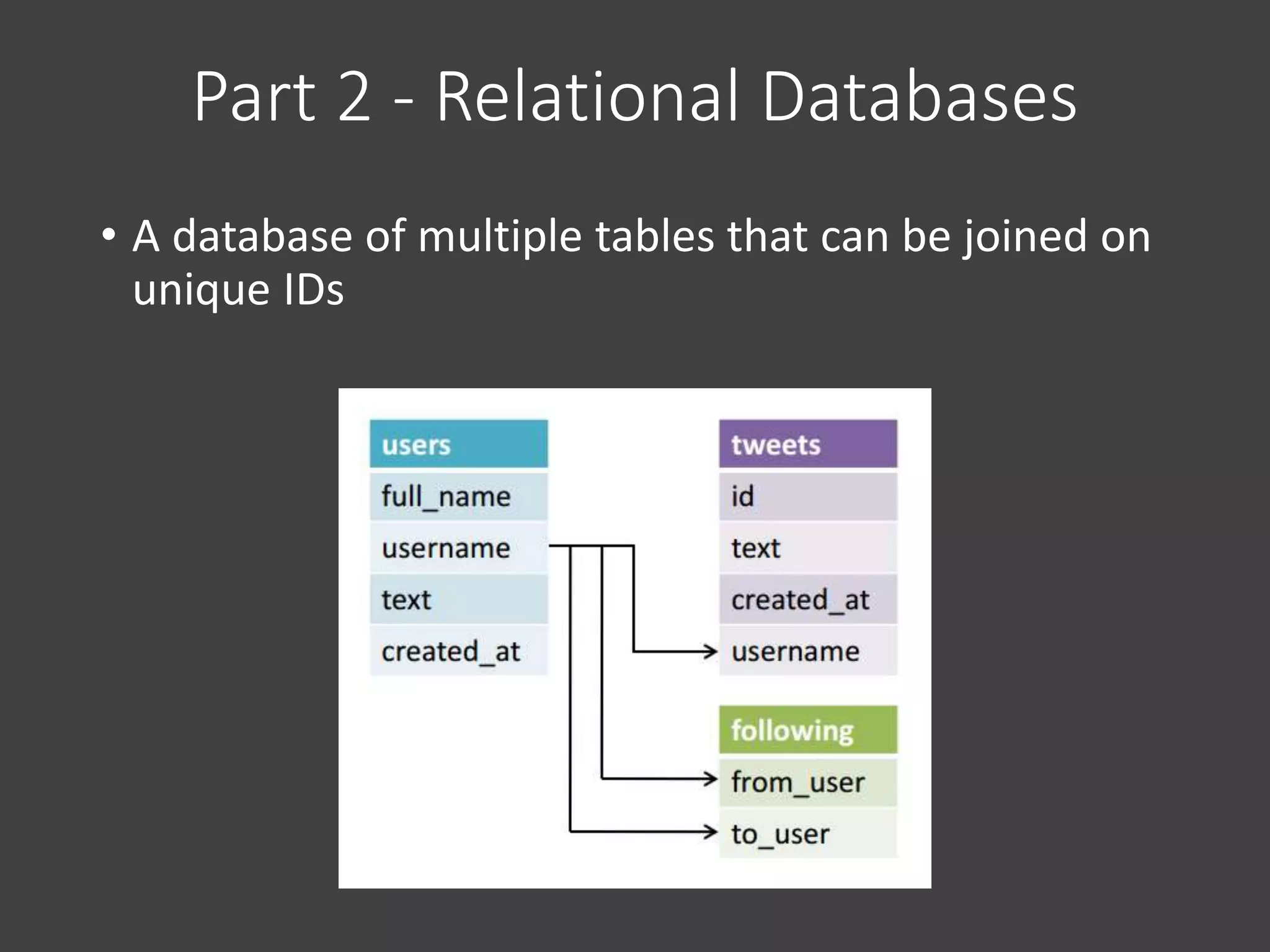
Part 2 - Relational Databases
• A database of multiple tables that can be joined on
unique IDs
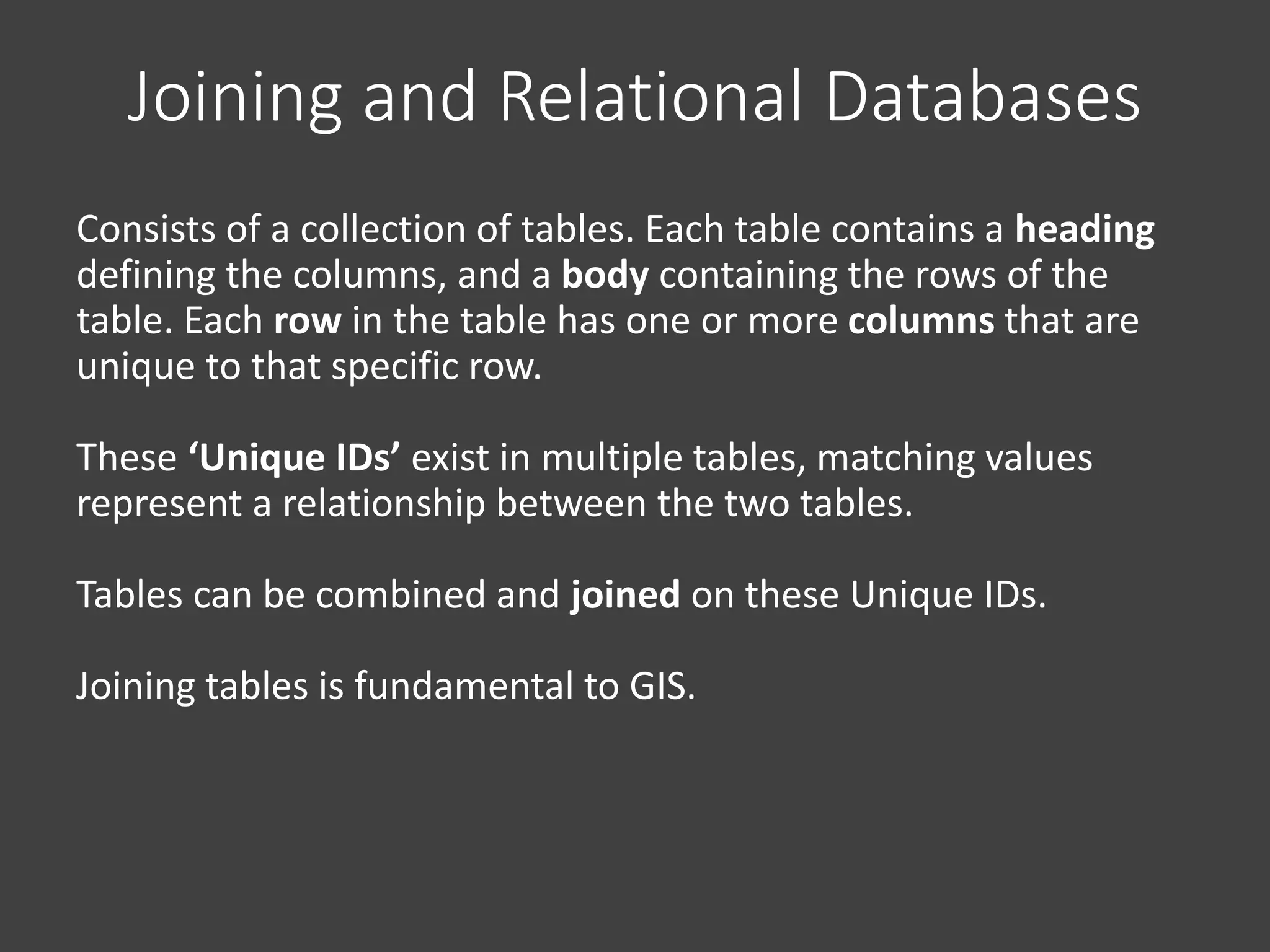
Consists of a collection of tables. Each table contains a heading
defining the columns, and a body containing the rows of the
table. Each row in the table has one or more columns that are
unique to that specific row.
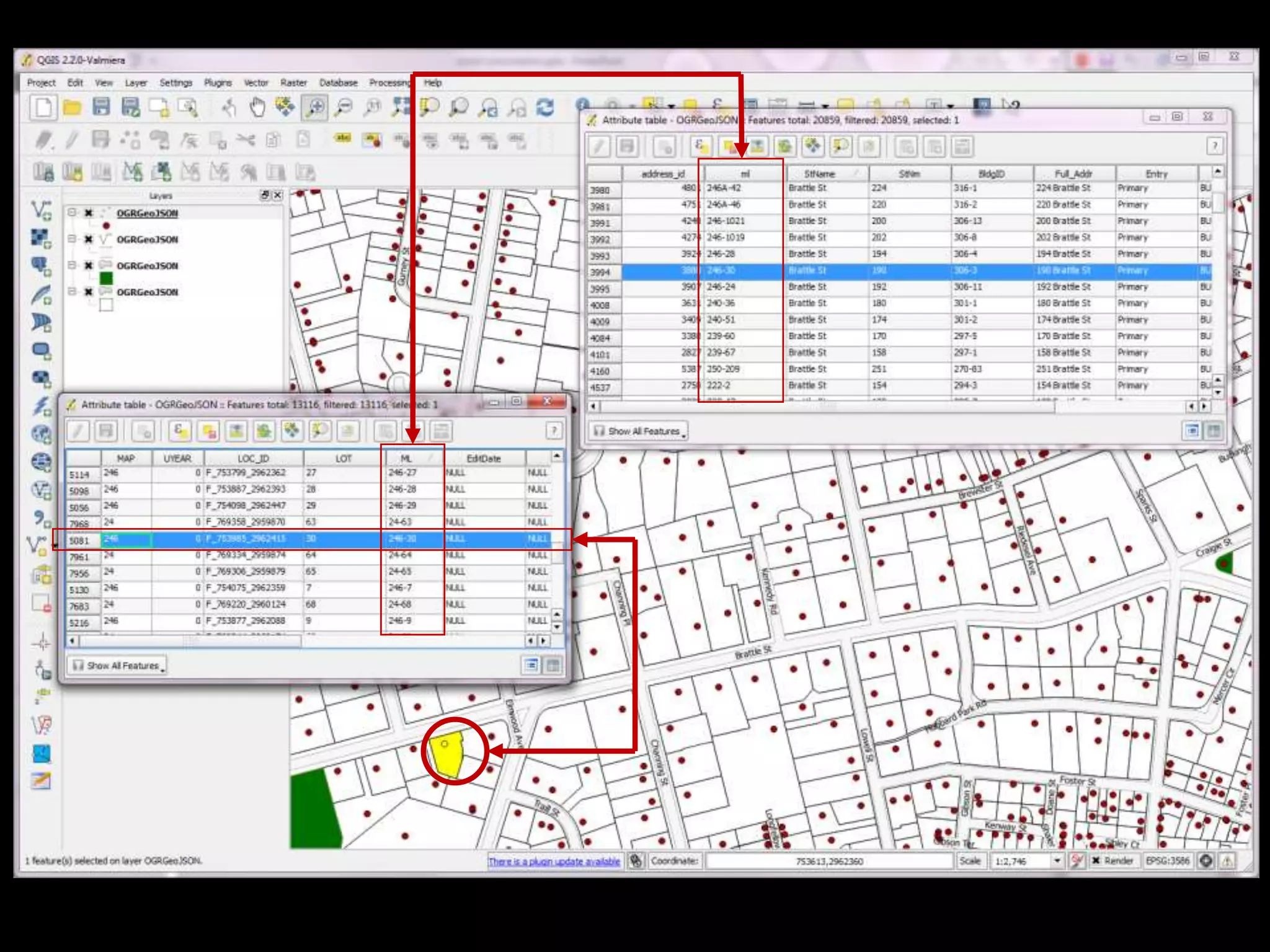
These ‘Unique IDs’ exist in multiple tables, matching values
represent a relationship between the two tables.
Tables can be combined and joined on these Unique IDs.
Joining tables is fundamental to GIS.
Joining and Relational Databases
Part 3 – Descriptive Statistics
• The first step in any analysis,
including spatial analysis, is to look
at the distribution of the data.
• Definition: The arrangement of
values that one or more variables
take in a dataset. Data is ‘binned’
• Describing the distribution:
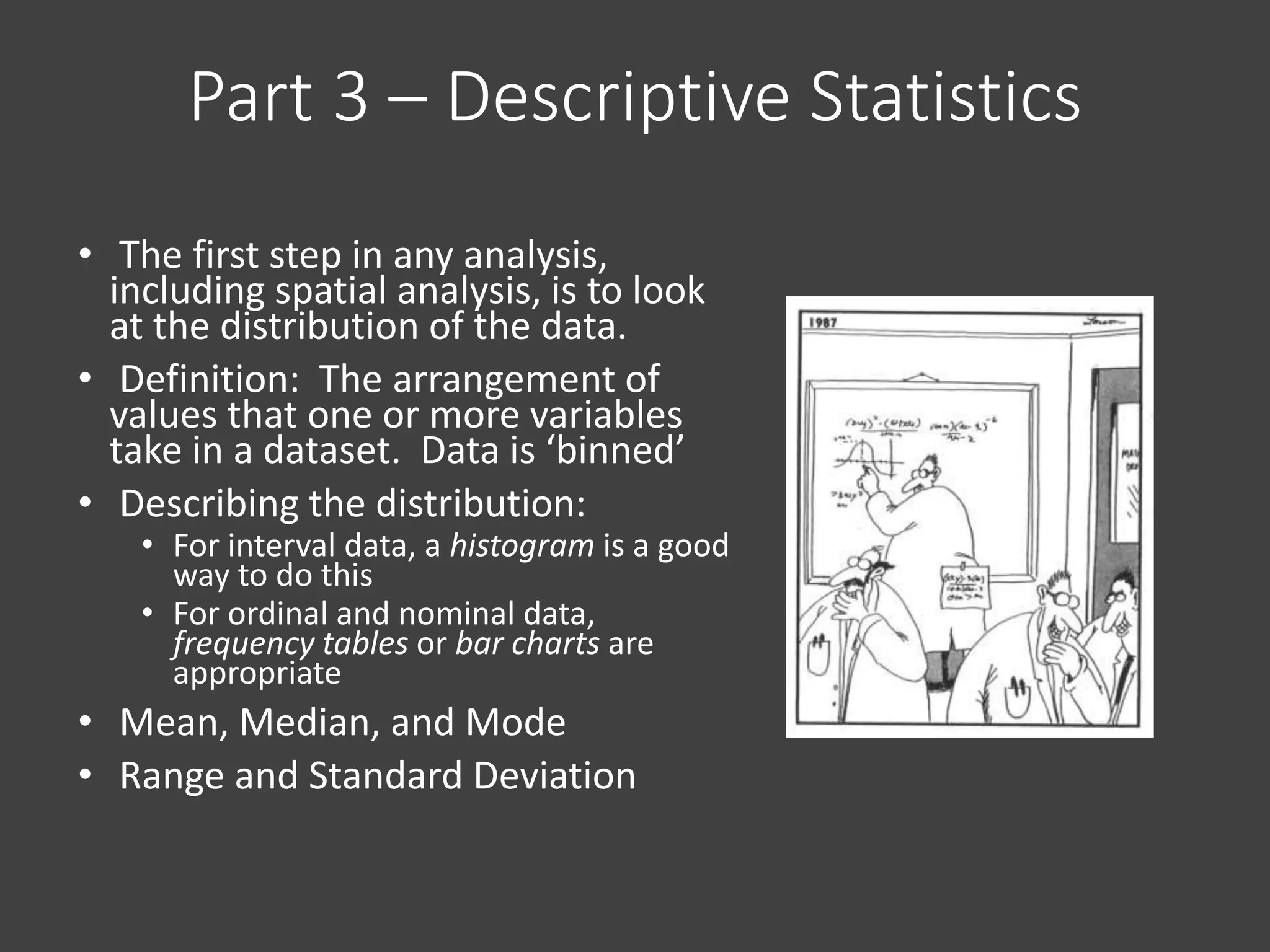
• For interval data, a histogram is a good
way to do this
• For ordinal and nominal data,
frequency tables or bar charts are
appropriate
• Mean, Median, and Mode
• Range and Standard Deviation
Descriptive Statistics…
• Using GIS in an Urban Planning
setting, you are going to use
descriptive summary stats all the
time, and there are important
things to remember... data is just
a part of the puzzle, focusing on
trends and averages, not the
individual.
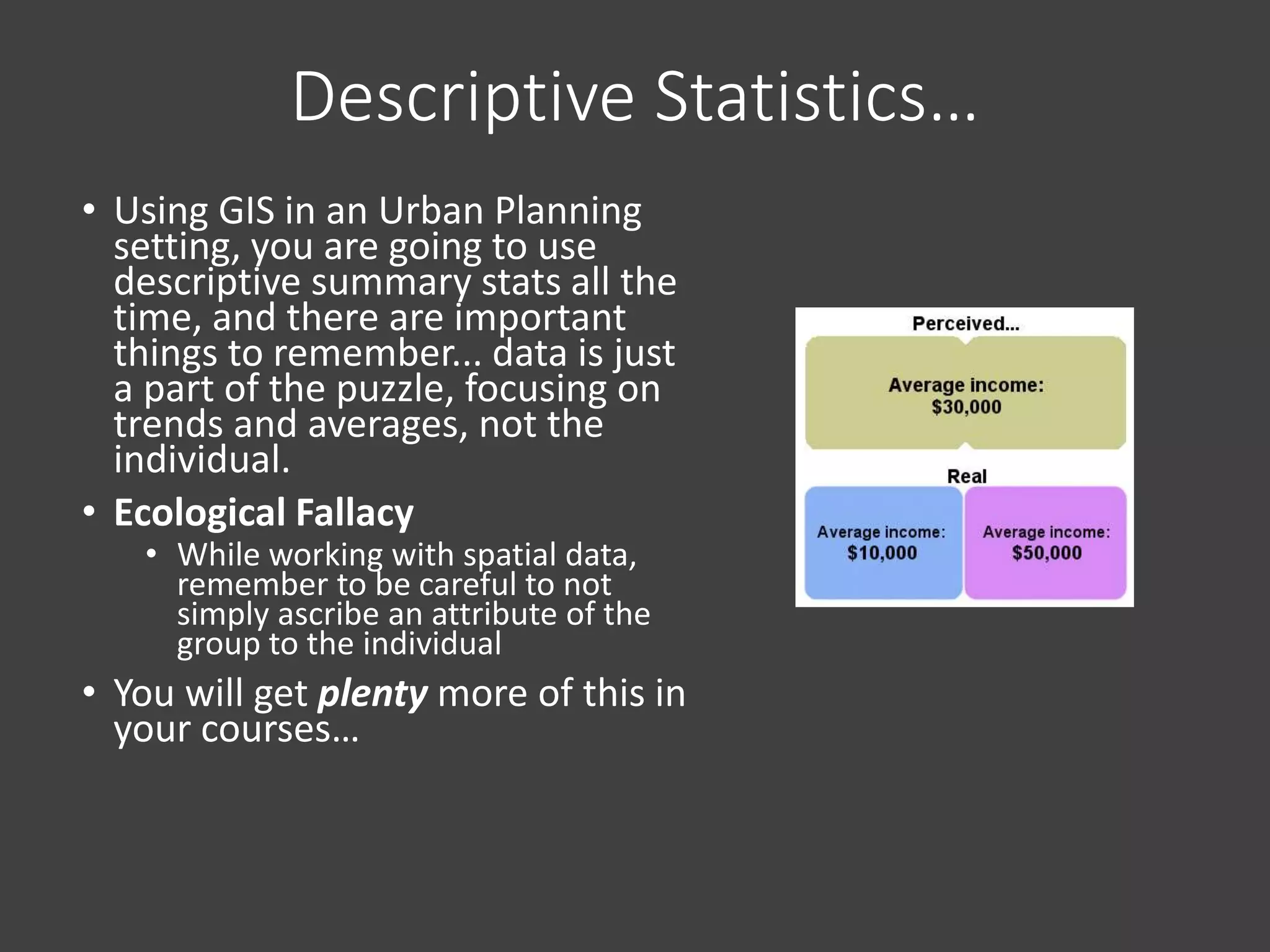
• Ecological Fallacy
• While working with spatial data,
remember to be careful to not
simply ascribe an attribute of the
group to the individual
• You will get plenty more of this in
your courses…
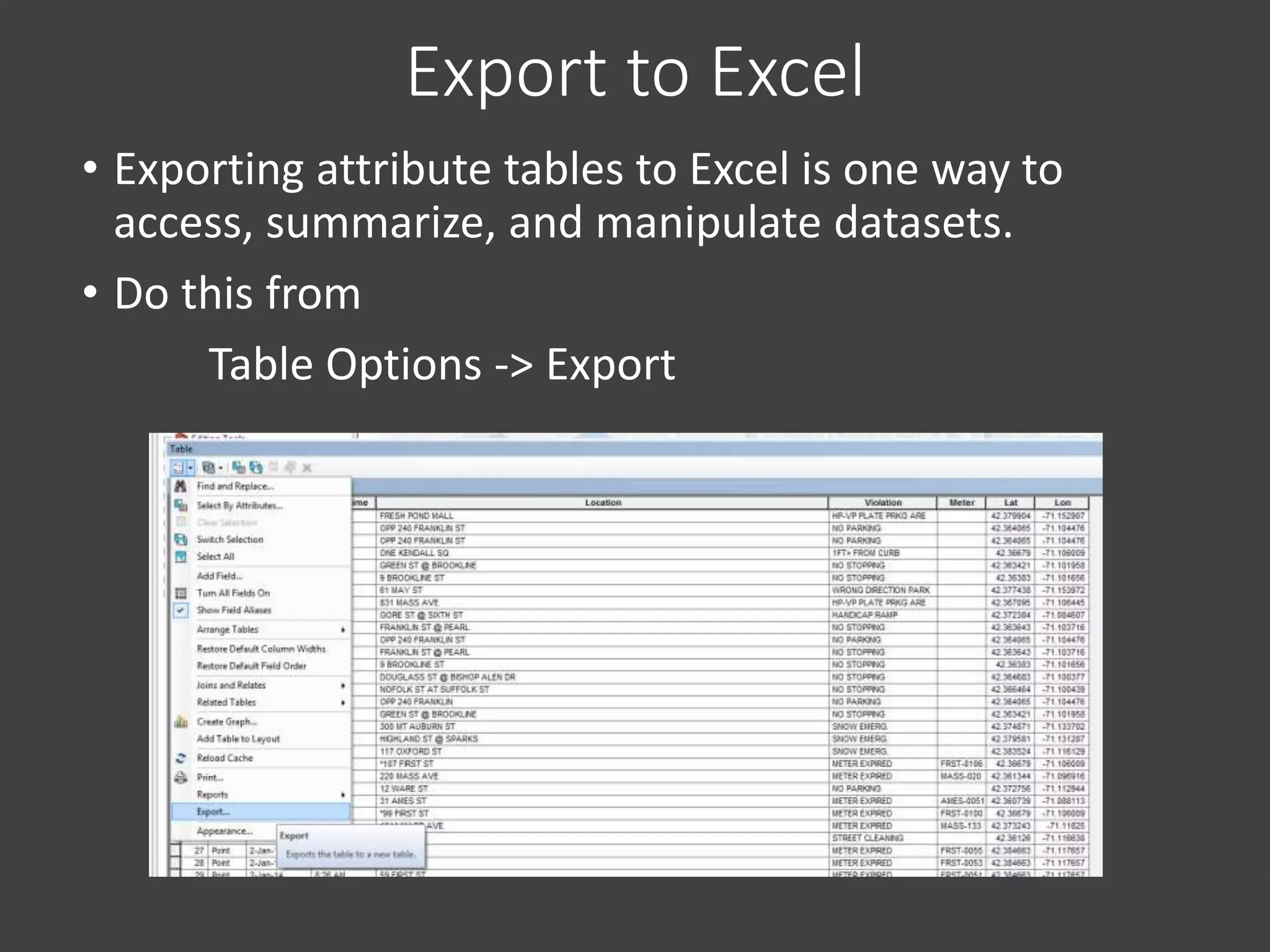
Export to Excel
• Exporting attribute tables to Excel is one way to
access, summarize, and manipulate datasets.
• Do this from
Table Options -> Export
Part 4 – Geoprocessing
• Geoprocessing is a general term given to a variety
of operations on spatial data in which data layers
are combined or transformed in different ways to
yield new geometric or attribute information.
• Typical geoprocessing tasks produce new datasets
based on set criteria.
Geoprocessing
• So, this begs the question, what is a “GIS Operation”?
• GIS Operations are closely related to the database
operations we discussed earlier in this lecture.
• Common Geoprocessing Operations
• Buffer
• Clip
• Intersect
• Spatial Join
• Union
• Merge
• Calculate Geometry
• Field Calculator
• Table Join
Buffer
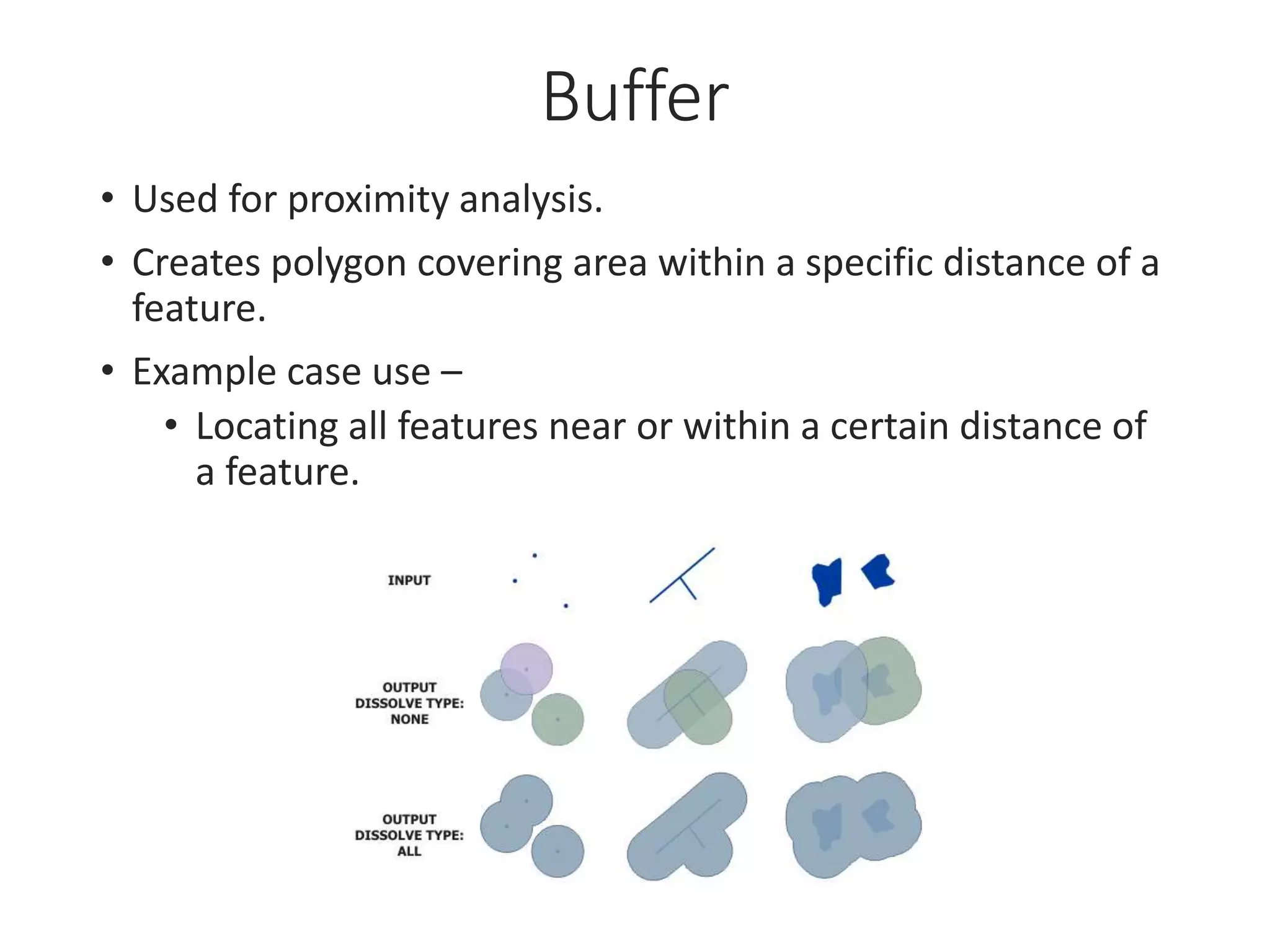
• Used for proximity analysis.
• Creates polygon covering area within a specific distance of a
feature.
• Example case use –
• Locating all features near or within a certain distance of
a feature.
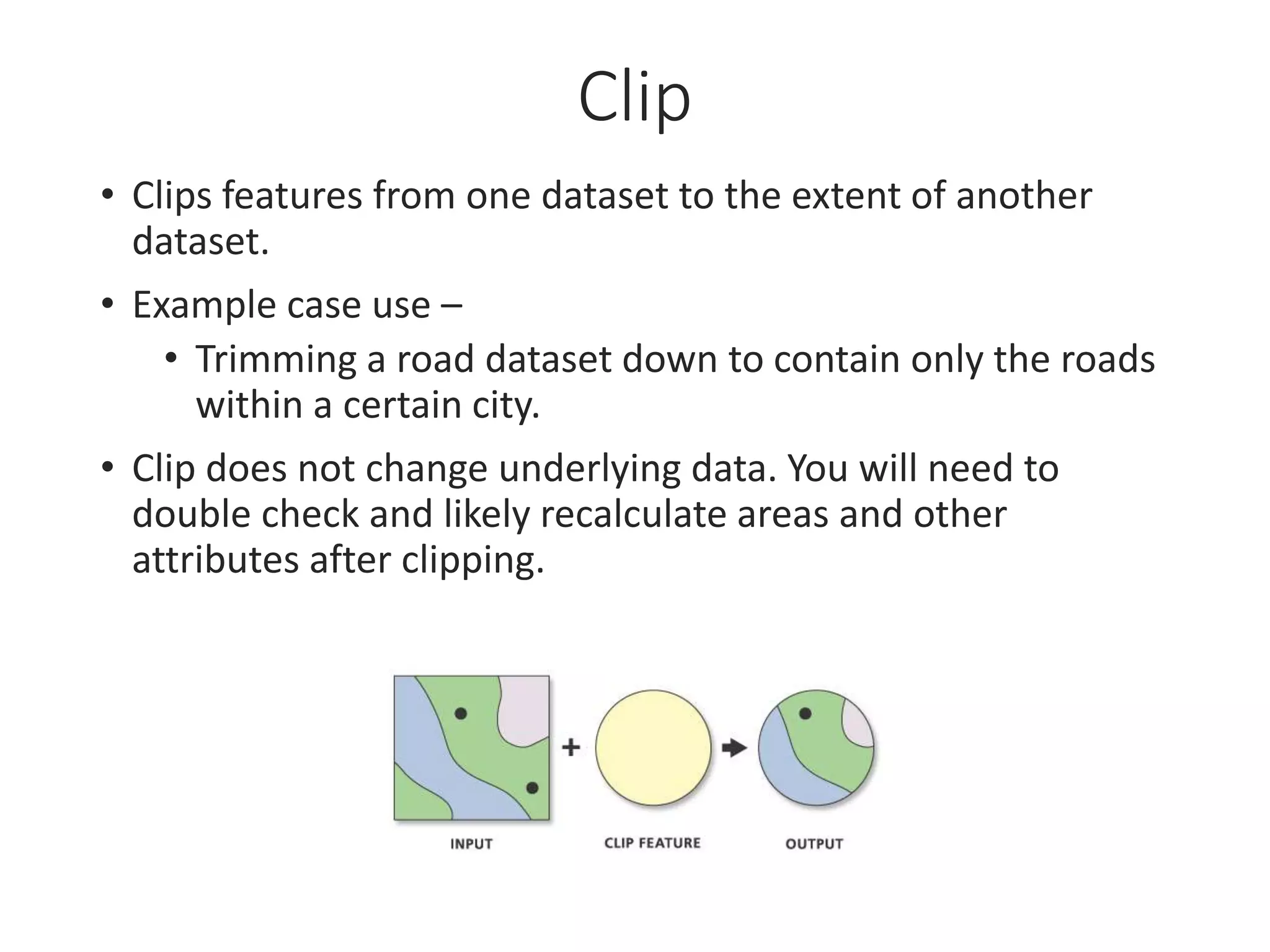
Clip
• Clips features from one dataset to the extent of another
dataset.
• Example case use –
• Trimming a road dataset down to contain only the roads
within a certain city.
• Clip does not change underlying data. You will need to
double check and likely recalculate areas and other
attributes after clipping.
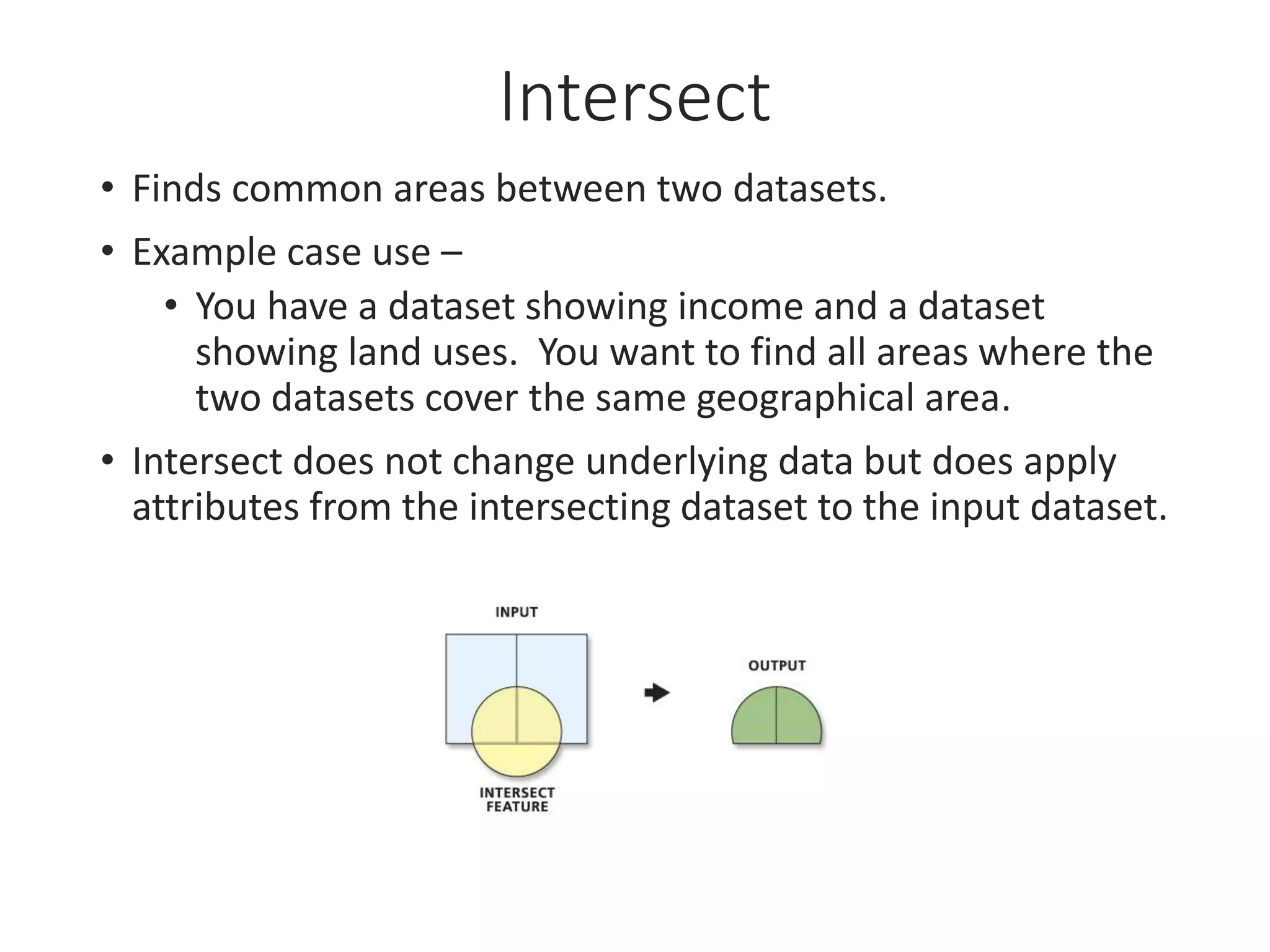
Intersect
• Finds common areas between two datasets.
• Example case use –
• You have a dataset showing income and a dataset
showing land uses. You want to find all areas where the
two datasets cover the same geographical area.
• Intersect does not change underlying data but does apply
attributes from the intersecting dataset to the input dataset.
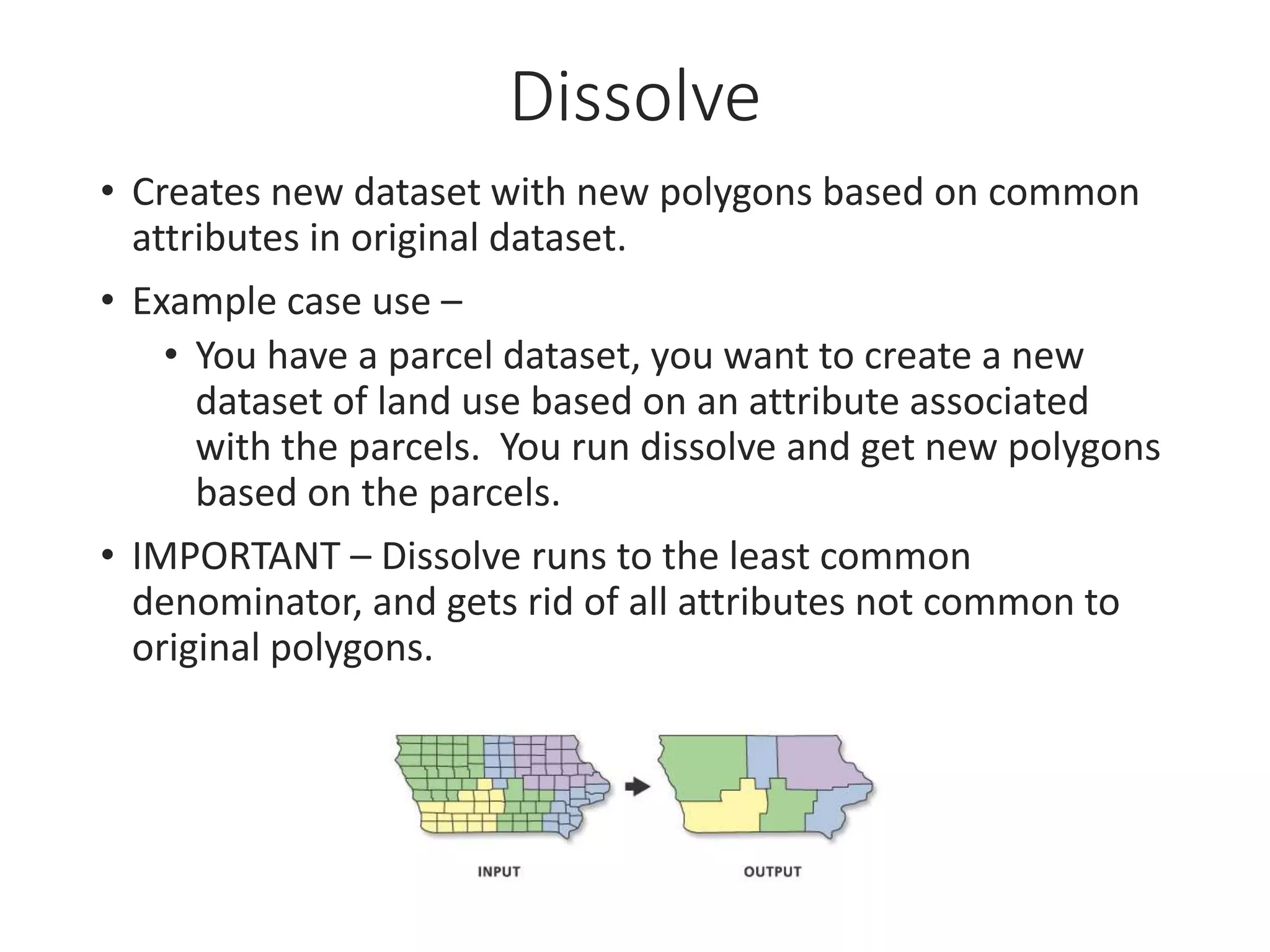
Dissolve
• Creates new dataset with new polygons based on common
attributes in original dataset.
• Example case use –
• You have a parcel dataset, you want to create a new
dataset of land use based on an attribute associated
with the parcels. You run dissolve and get new polygons
based on the parcels.
• IMPORTANT – Dissolve runs to the least common
denominator, and gets rid of all attributes not common to
original polygons.
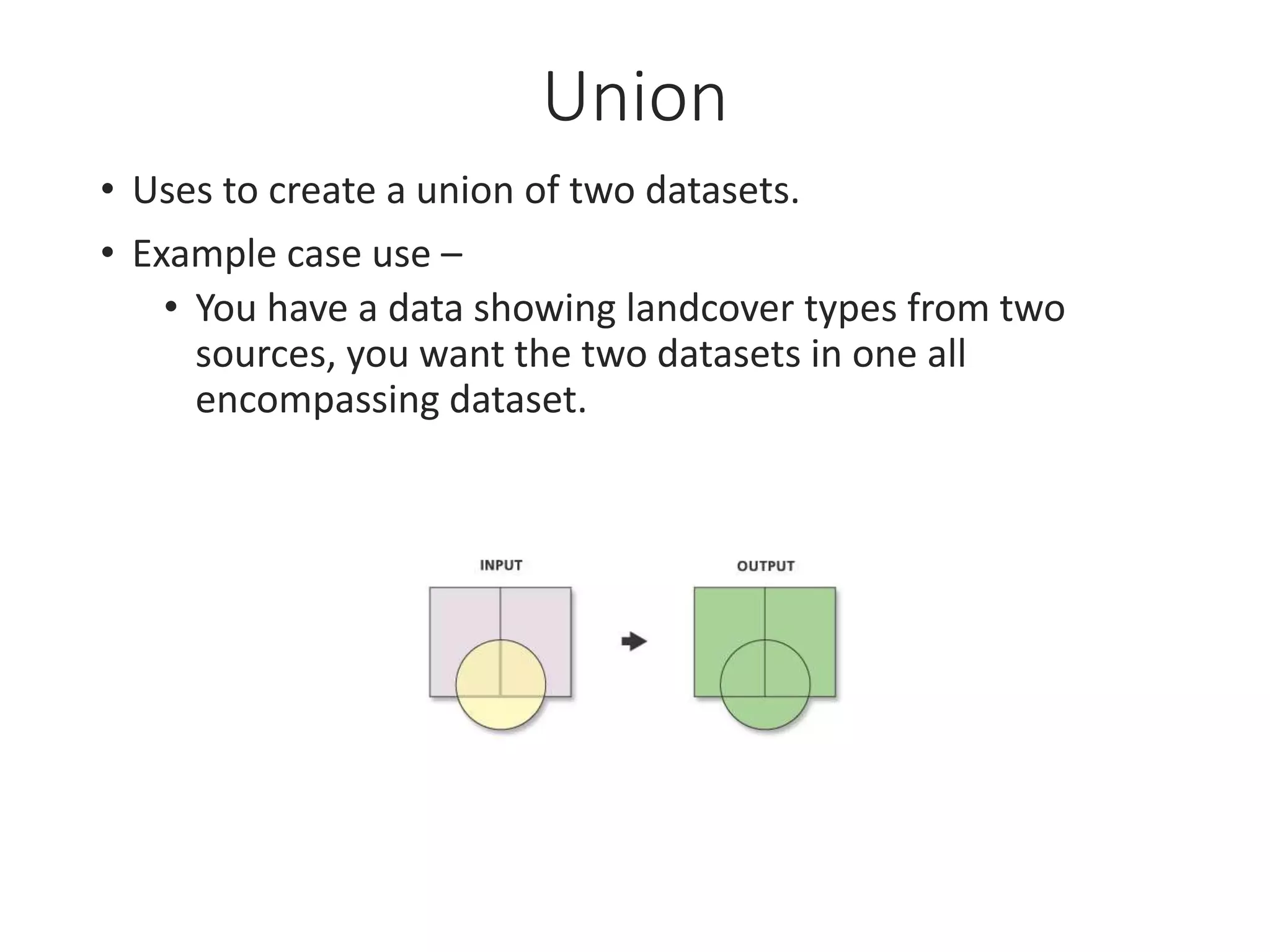
Union
• Uses to create a union of two datasets.
• Example case use –
• You have a data showing landcover types from two
sources, you want the two datasets in one all
encompassing dataset.
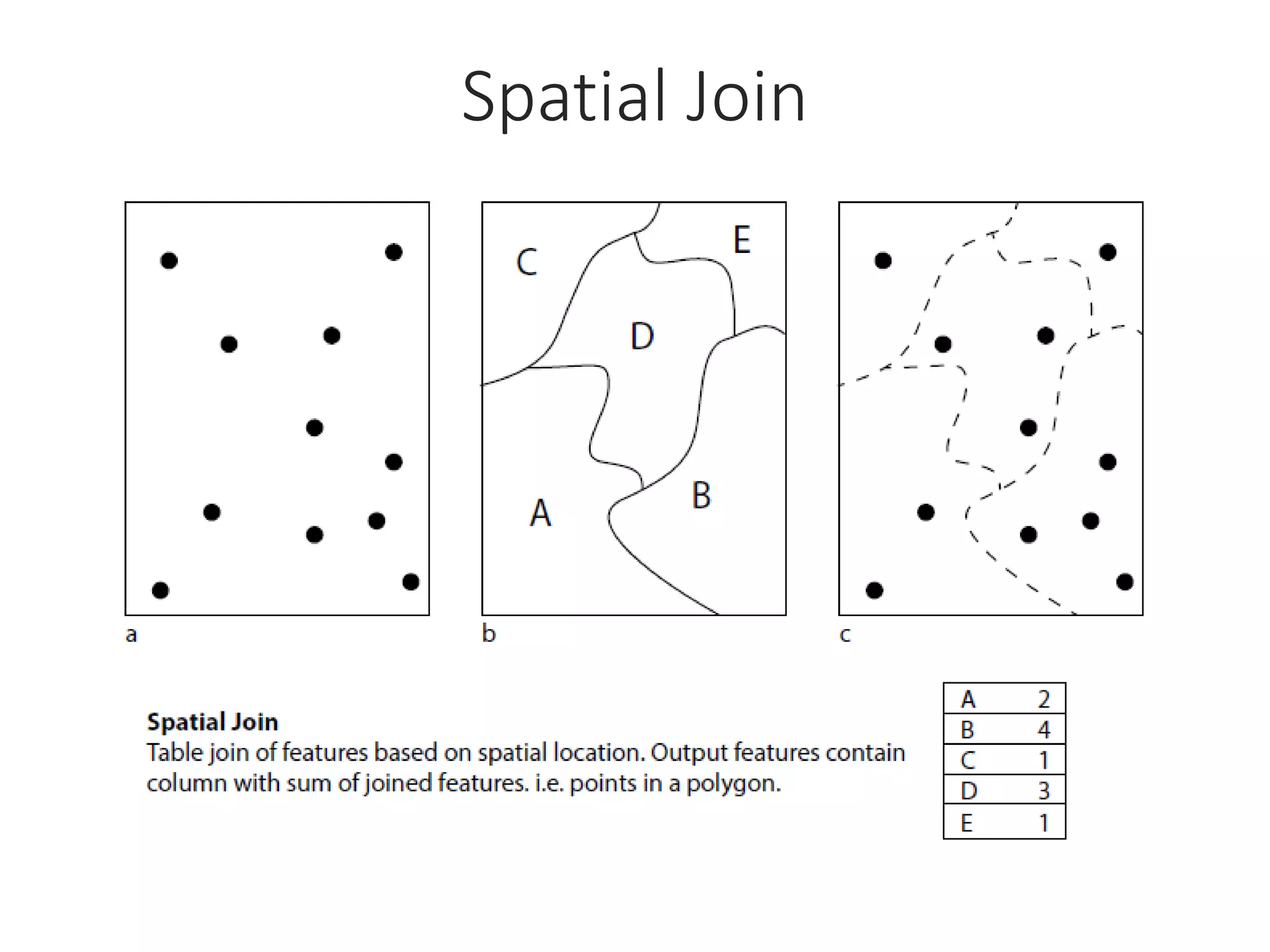
Spatial Join
Merge
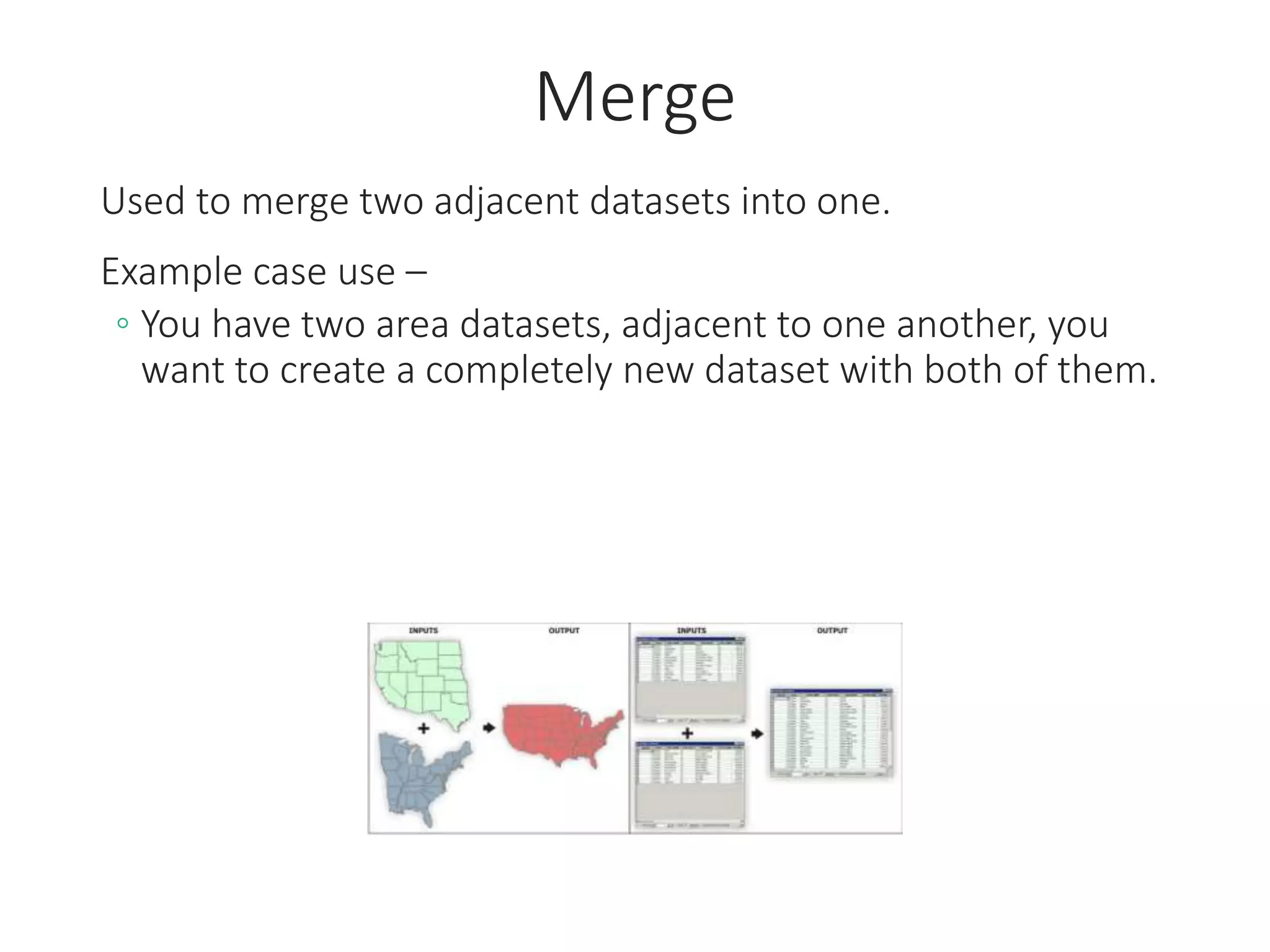
Used to merge two adjacent datasets into one.
Example case use –
◦ You have two area datasets, adjacent to one another, you
want to create a completely new dataset with both of them.
Append
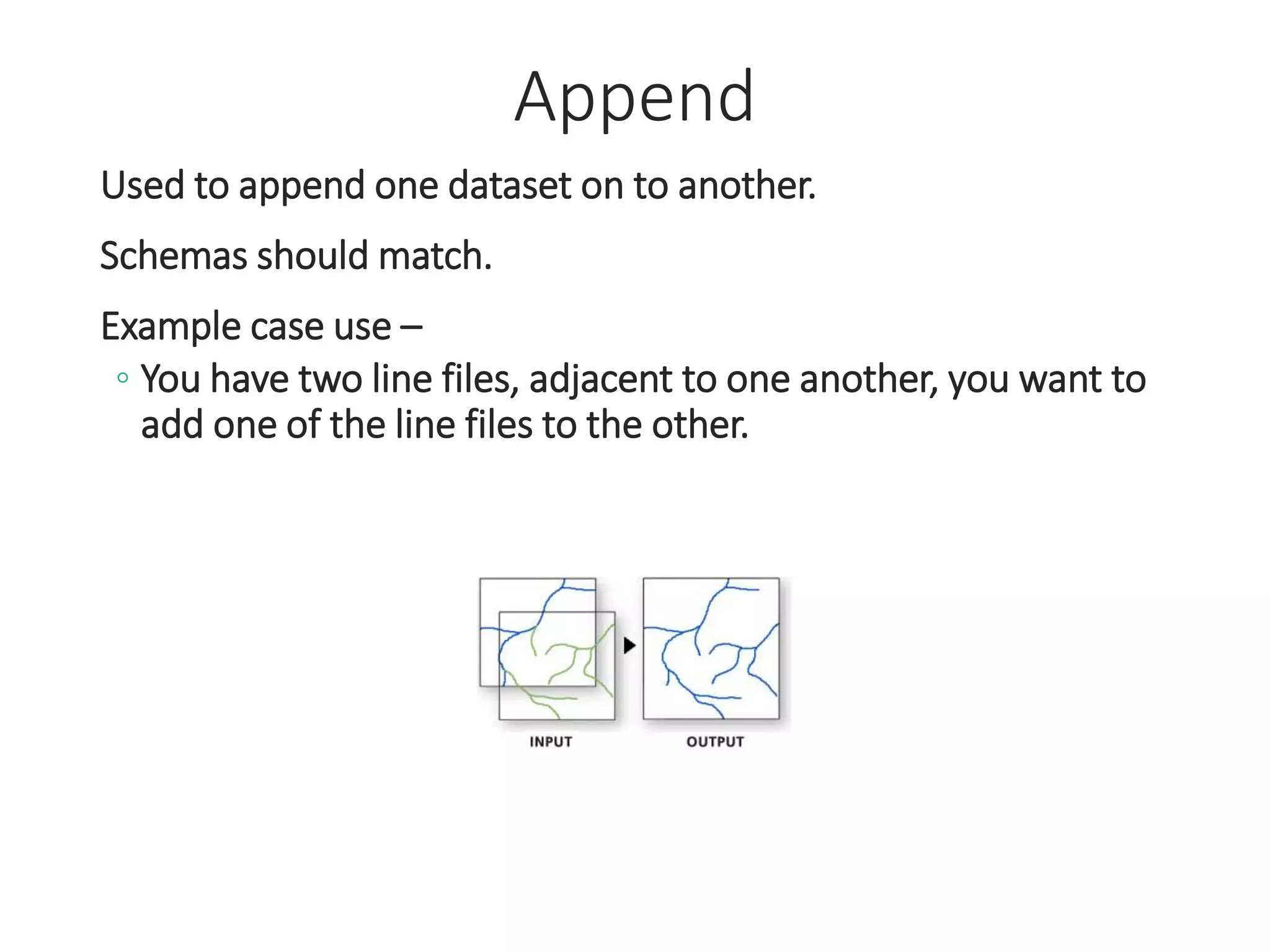
Used to append one dataset on to another.
Schemas should match.
Example case use –
◦ You have two line files, adjacent to one another, you want to
add one of the line files to the other.
Part 5 – Data Extraction Methods
Data extraction, or spatial extraction, makes it
possible to look at rich disaggregated datasets, such
as census data, and extract data and information.
Methods of extraction, for example, involve taking
census unit level data, which has been aggregated by
tract, block, or other, and combining it or modifying
it systematically to derive new information and data.
(Schlossberg, 2003)
Extraction Methods
Methods used to extract data when you have multiple
varying sources and geographies
• These are the most common, many exist…
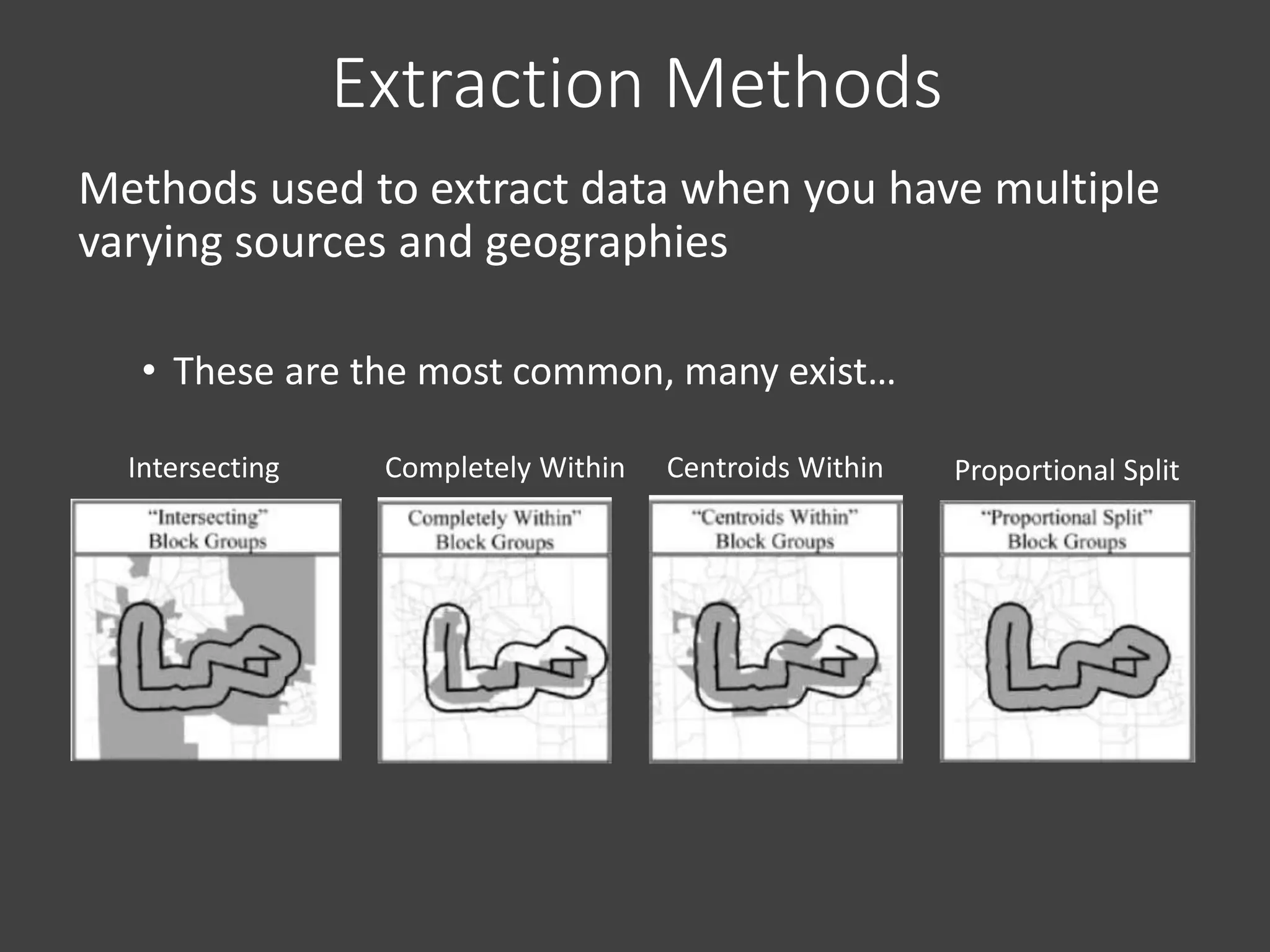
Intersecting Completely Within Centroids Within Proportional Split
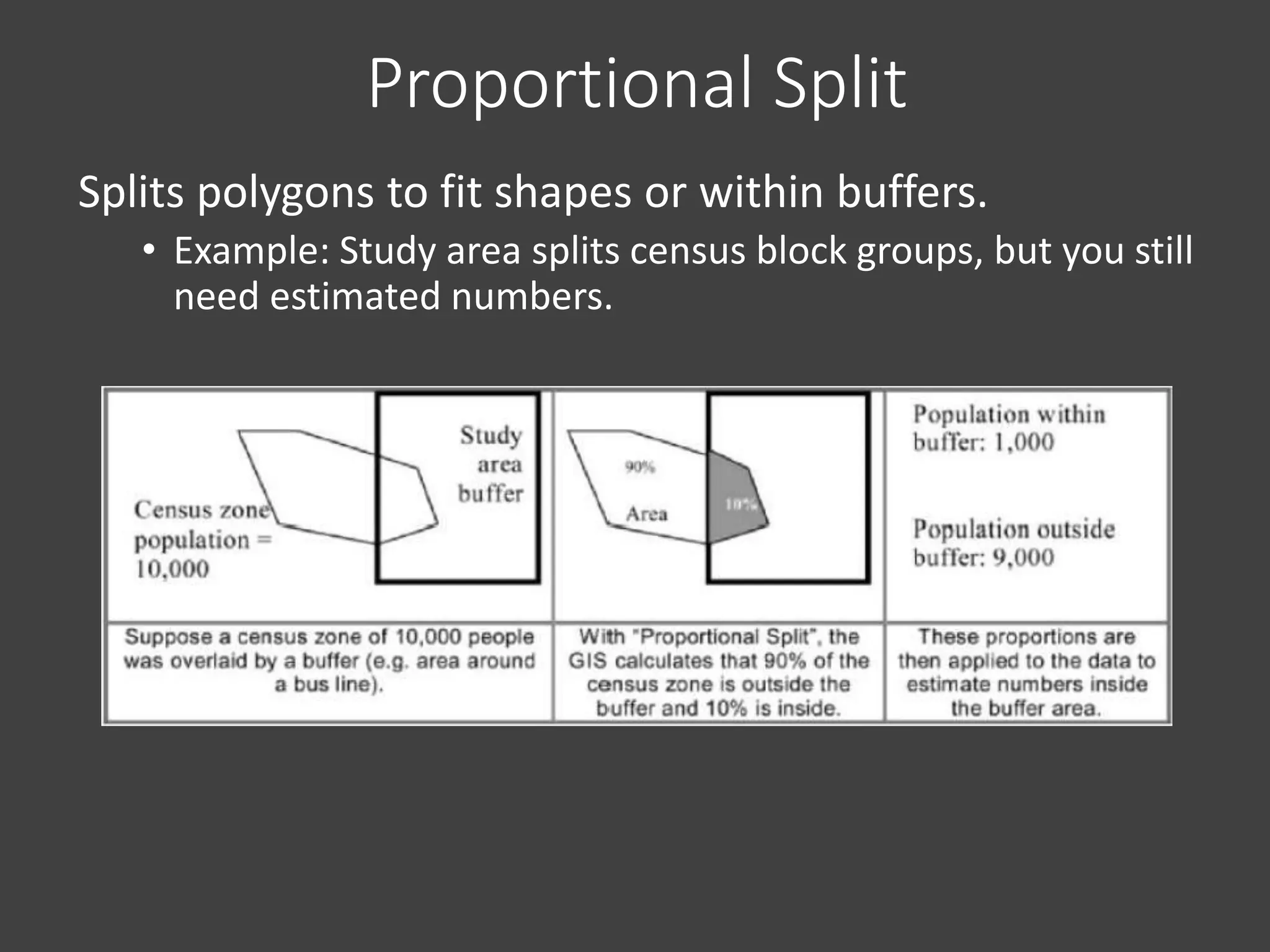
Proportional Split
Splits polygons to fit shapes or within buffers.
• Example: Study area splits census block groups, but you still
need estimated numbers.
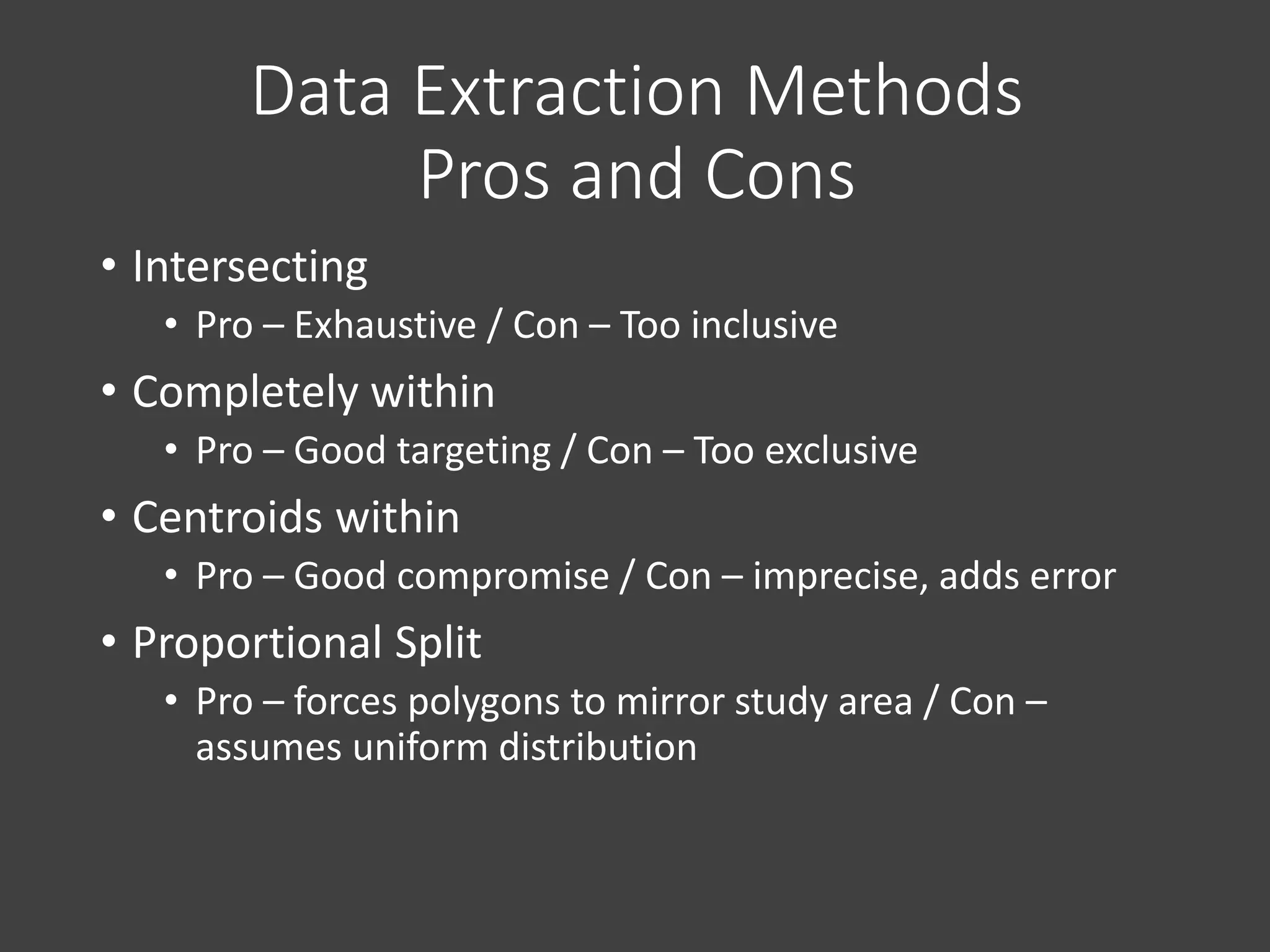
• Intersecting
• Pro – Exhaustive / Con – Too inclusive
• Completely within
• Pro – Good targeting / Con – Too exclusive
• Centroids within
• Pro – Good compromise / Con – imprecise, adds error
• Proportional Split
• Pro – forces polygons to mirror study area / Con –
assumes uniform distribution
Data Extraction Methods
Pros and Cons
GIS Open Lab
Immediately following this session in
Room 9-251 until 7pm.
Test your skills, play with data.
Need help?
• gishelp@mit.edu (MIT Libraries GIS)
• GIS Lab – Mon-Thurs 1-5pm, Fri 2-4pm
• DUSP GIS - Mike Foster
• GIS/Data Visualization/Graphics Specialist
• email – mjfoster@mit.edu
• office - Building 9-528 (right near the lab)
MY OFFICE HOURS
Tuesday Afternoons 1pm-4pm, 9-528
DUSPVIZ
A DUSP initiative to improve departmental capacity
in data analysis, visual representation, and
technological communication tools.
Workshops and sessions are lead by students, staff,
and faculty.
Goal is to share knowledge on GIS, Design, and other
tech specific topics.
http://duspviz.mit.edu
DUSPVIZ SESSIONS
Adobe Illustrator, Photoshop, InDesign
ArcGIS Tools
Design Tools (Rhino, etc.)
Web Maps and Websites
Poster Design
QGIS
… and more.

Review presentation for Orientation 2014

  • 1.
    WELCOME TO DUSP! INTRO TOGIS IN DUSP, GIS TESTOUT REVIEW and DUSPVIZ FALL 2014 AUGUST 28, 2014
  • 2.
    Review Session Outline •Introductions • GIS@DUSP • What is GIS? • How is it used in planning? • Testout Review • Making Maps • Relational Databases • Descriptive Stats • Geoprocessing • Data Extraction • Open Lab Session (Room 9-251)
  • 3.
    Introductions Mike Foster DUSP GIS/DataViz Specialist Room 9-528, near cron in the backyard Office Hours: Tuesday Afternoons, 1pm-4pm
  • 4.
    GIS@DUSP Geographic Information Systems(GIS) has become an essential tool for understanding the urban and built environment. GIS at DUSP is not just learning software, it is training your mind to utilize spatial problem solving methods.
  • 5.
    GIS@DUSP We have manyresources available including: DATA FORT MIT GEOWEB MIT LIBRARIES GIS LAB OFFICE HOURS NUMEROUS COURSES
  • 6.
    GIS@DUSP COMPUTING ENVIRONMENT Don’t runover the network! Set all home drives, drives, and databases to local or USB folders. See instructions for that here: GIS@DUSP Computing Environment
  • 7.
    What is GIS? •Geographic Information System • A system designed to capture, store, manipulate, analyze, manage, and present all types of spatial data • What is spatial data? • Any data that sits somewhere in space! • But, it’s not just a system… … it’s a discipline consisting of complex analytical methods and concepts. “The art and science of coming up with solutions to problems using spatial methods.”
  • 8.
  • 9.
    Okay, good, whyshould I care? • Urban and Regional Planners use GIS all the time! • Planning, specifically planning data, is inherently spatial • Knowledge of spatial analysis concepts and methods is fundamental to high-level research and analysis
  • 10.
  • 11.
    Tax AssessingCity ofCambridge Assessors Office
  • 12.
    Power and Energy PlattsOil and Gas Data
  • 13.
    Crime MappingCity ofCambridge Police Department
  • 14.
    Sewer and WaterMikeFoster – University of Minnesota Facilities
  • 15.
  • 16.
    ResearchCity Digits –Civic Data Design Lab
  • 17.
    11.205/11.520 DUSP Intro toGIS series consists of two modular courses, 11.205 and 11.520. 11.205 Intro to GIS (first half) introduces basic spatial analysis. 11.520 GIS Workshop (second half) focuses on developing a GIS research project and further develops skills.
  • 18.
    Test Out Introduction toSpatial Analysis is required by the MCP degree, students who have a previous background in GIS can test-out of this course. Test Out Examination Tomorrow, August 29, 2:30-5:00pm, Room 9-251
  • 19.
    GIS Testout Review •Making Maps •Relational Databases •Descriptive Statistics •Geoprocessing • Data Extraction
  • 20.
    Part 1 –Making Maps • GIS is not only making maps, but spatial data is often most easily consumed through a map. • A good map is a communication piece and tells a story. • The way you classify, normalize, symbolize, and present your data can completely change your story.
  • 21.
    Basic Map Elements 1.Informative Title 2. Legend 3. Data Source 4. Scale Bar 5. Date 6. North Arrow 7. Author
  • 22.
    Different Types ofMaps • Reference Map • General Reference • Portray the earth’s surface with as much accuracy as possible. • Thematic Map • Designed to show a particular theme or communicate a particular message • Choropleth • Proportional Symbol • Isarithmic or Isopleth (contour) • Dot • Dasymetric • Know what to use to best show your data! • Each has its positives and negatives
  • 23.
    When you mapyour data… • Remember, your map is a communication tool, it is your goal to tell a story, as simple as it may sound. • Consider the best methods, and read each and every map with an intelligent eye. • The way you classify, normalize, and symbolize your data can completely change your message. • How to Lie with Maps • Mark Monmonier, 2nd Ed. (1996) • Maps are powerful tools, treat them as such!
  • 24.
    Symbology • The qualityof a map’s design affects its readers ability to extract information and to learn from the map. • Symbology has been developed to portray the world accurately and effectively convey information to the map reader. • The symbols should be intuitive, easy-to- understand, and follow standards whenever possible. • i.e. don’t use a picture of ship to show a train station, and make water blue!
  • 25.
    Color on yourMaps • Color is important on your maps. • Choose an appropriate scheme based on your data. Divergent Sequential Qualitative/Categorical
  • 26.
    Quantile Equal Interval NaturalBreaks Unique Data Classification
  • 27.
    Geocoding • The processof finding associated geographic coordinates from tabular geographic data. For example, plotting address points, or plotting points based on cities.
  • 29.
    Part 2 -Relational Databases • A database of multiple tables that can be joined on unique IDs
  • 30.
    Consists of acollection of tables. Each table contains a heading defining the columns, and a body containing the rows of the table. Each row in the table has one or more columns that are unique to that specific row. These ‘Unique IDs’ exist in multiple tables, matching values represent a relationship between the two tables. Tables can be combined and joined on these Unique IDs. Joining tables is fundamental to GIS. Joining and Relational Databases
  • 32.
    Part 3 –Descriptive Statistics • The first step in any analysis, including spatial analysis, is to look at the distribution of the data. • Definition: The arrangement of values that one or more variables take in a dataset. Data is ‘binned’ • Describing the distribution: • For interval data, a histogram is a good way to do this • For ordinal and nominal data, frequency tables or bar charts are appropriate • Mean, Median, and Mode • Range and Standard Deviation
  • 33.
    Descriptive Statistics… • UsingGIS in an Urban Planning setting, you are going to use descriptive summary stats all the time, and there are important things to remember... data is just a part of the puzzle, focusing on trends and averages, not the individual. • Ecological Fallacy • While working with spatial data, remember to be careful to not simply ascribe an attribute of the group to the individual • You will get plenty more of this in your courses…
  • 34.
    Export to Excel •Exporting attribute tables to Excel is one way to access, summarize, and manipulate datasets. • Do this from Table Options -> Export
  • 35.
    Part 4 –Geoprocessing • Geoprocessing is a general term given to a variety of operations on spatial data in which data layers are combined or transformed in different ways to yield new geometric or attribute information. • Typical geoprocessing tasks produce new datasets based on set criteria.
  • 36.
    Geoprocessing • So, thisbegs the question, what is a “GIS Operation”? • GIS Operations are closely related to the database operations we discussed earlier in this lecture. • Common Geoprocessing Operations • Buffer • Clip • Intersect • Spatial Join • Union • Merge • Calculate Geometry • Field Calculator • Table Join
  • 37.
    Buffer • Used forproximity analysis. • Creates polygon covering area within a specific distance of a feature. • Example case use – • Locating all features near or within a certain distance of a feature.
  • 38.
    Clip • Clips featuresfrom one dataset to the extent of another dataset. • Example case use – • Trimming a road dataset down to contain only the roads within a certain city. • Clip does not change underlying data. You will need to double check and likely recalculate areas and other attributes after clipping.
  • 39.
    Intersect • Finds commonareas between two datasets. • Example case use – • You have a dataset showing income and a dataset showing land uses. You want to find all areas where the two datasets cover the same geographical area. • Intersect does not change underlying data but does apply attributes from the intersecting dataset to the input dataset.
  • 40.
    Dissolve • Creates newdataset with new polygons based on common attributes in original dataset. • Example case use – • You have a parcel dataset, you want to create a new dataset of land use based on an attribute associated with the parcels. You run dissolve and get new polygons based on the parcels. • IMPORTANT – Dissolve runs to the least common denominator, and gets rid of all attributes not common to original polygons.
  • 41.
    Union • Uses tocreate a union of two datasets. • Example case use – • You have a data showing landcover types from two sources, you want the two datasets in one all encompassing dataset.
  • 42.
  • 43.
    Merge Used to mergetwo adjacent datasets into one. Example case use – ◦ You have two area datasets, adjacent to one another, you want to create a completely new dataset with both of them.
  • 44.
    Append Used to appendone dataset on to another. Schemas should match. Example case use – ◦ You have two line files, adjacent to one another, you want to add one of the line files to the other.
  • 45.
    Part 5 –Data Extraction Methods Data extraction, or spatial extraction, makes it possible to look at rich disaggregated datasets, such as census data, and extract data and information. Methods of extraction, for example, involve taking census unit level data, which has been aggregated by tract, block, or other, and combining it or modifying it systematically to derive new information and data. (Schlossberg, 2003)
  • 46.
    Extraction Methods Methods usedto extract data when you have multiple varying sources and geographies • These are the most common, many exist… Intersecting Completely Within Centroids Within Proportional Split
  • 47.
    Proportional Split Splits polygonsto fit shapes or within buffers. • Example: Study area splits census block groups, but you still need estimated numbers.
  • 48.
    • Intersecting • Pro– Exhaustive / Con – Too inclusive • Completely within • Pro – Good targeting / Con – Too exclusive • Centroids within • Pro – Good compromise / Con – imprecise, adds error • Proportional Split • Pro – forces polygons to mirror study area / Con – assumes uniform distribution Data Extraction Methods Pros and Cons
  • 49.
    GIS Open Lab Immediatelyfollowing this session in Room 9-251 until 7pm. Test your skills, play with data.
  • 50.
    Need help? • gishelp@mit.edu(MIT Libraries GIS) • GIS Lab – Mon-Thurs 1-5pm, Fri 2-4pm • DUSP GIS - Mike Foster • GIS/Data Visualization/Graphics Specialist • email – mjfoster@mit.edu • office - Building 9-528 (right near the lab) MY OFFICE HOURS Tuesday Afternoons 1pm-4pm, 9-528
  • 51.
    DUSPVIZ A DUSP initiativeto improve departmental capacity in data analysis, visual representation, and technological communication tools. Workshops and sessions are lead by students, staff, and faculty. Goal is to share knowledge on GIS, Design, and other tech specific topics. http://duspviz.mit.edu
  • 52.
    DUSPVIZ SESSIONS Adobe Illustrator,Photoshop, InDesign ArcGIS Tools Design Tools (Rhino, etc.) Web Maps and Websites Poster Design QGIS … and more.