INTRODUCING GIS
AND REMOTE
SENSING
DATA TYPES
Aspatial data—data not tied to a location on
the earth’s surface
Spatial data—data associated with a location on
earth
Much of the information we deal with daily has
some spatial component.
WHAT IS GIS?
1. Data Management
– Manages various kinds of GIS data including vector,
raster, images, tables, other data files
– Data models and architectures
– Conversion between formats
– Import/export utilities
– Interacts with RDBMS (SQL Server, Oracle, etc…)
WHAT IS GIS?
Analysis
– Spatially aware data
– Attribute and spatial query
– Proximity and Overlay
– Advanced geoprocessing techniques
– Decision support
– Flexible, customization
• Programming, scripting (to perform analysis)
WHAT IS GIS?
1. Visualization
– Maps! Maps! Maps!
• If a picture is worth a 1000 words…
– Professional cartographic tool
– Charts, graphs, tables, etc…
– Various coordinate systems
– 2D and 3D
– Web, desktop, handheld, etc…
WHAT IS GIS?
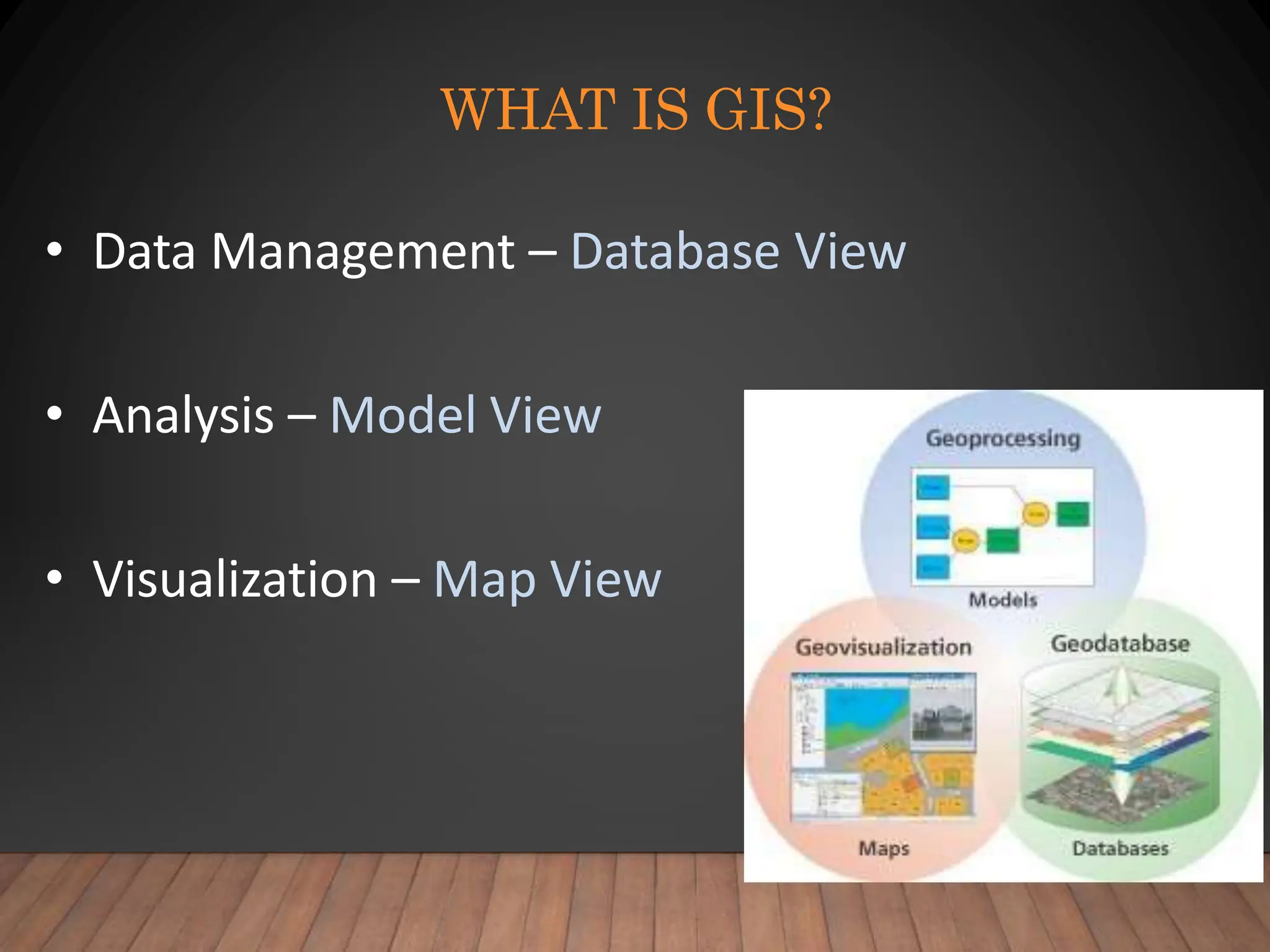
• Data Management – Database View
• Analysis – Model View
• Visualization – Map View
“G” VS. “IS”
• GIS uses maps to spatially analyze and search for
patterns in the data that would otherwise not be found.
(Content)
• GIS stores, manipulates, and displays data files and
relationships in a information system using standard
computing practices. (IT)
• With advances in technology, GIS users must now
deal with both aspects!
THE “G”
• “G” = Geographic
– Denotes the concept of spatial location on
Earth’s surface
– Importance of relative location (not just where
you are but where you are in relation to
everything else)
– Theories and techniques in Geography form
the basis of GIS
THE “I”
• “I” = Information
– Substance (knowledge) about location
– Factual and interpretative
– Tables + Maps + Analysis
– Transformation of table information into spatial
context for analysis
– Technology and computer systems
WHAT ABOUT THE “S” IN
GIS?
• Systems
• Science
• Studies
• Services
GEOSPATIAL
?
• Geographic + GIS = “Geospatial”
• Move in recent years to better define the industry
and to focus on data and procedures (business) over
geographic principles (academic)
• Geospatial includes all subcomponents of GIS
embedded in other areas (remote sensing, GPS etc.)
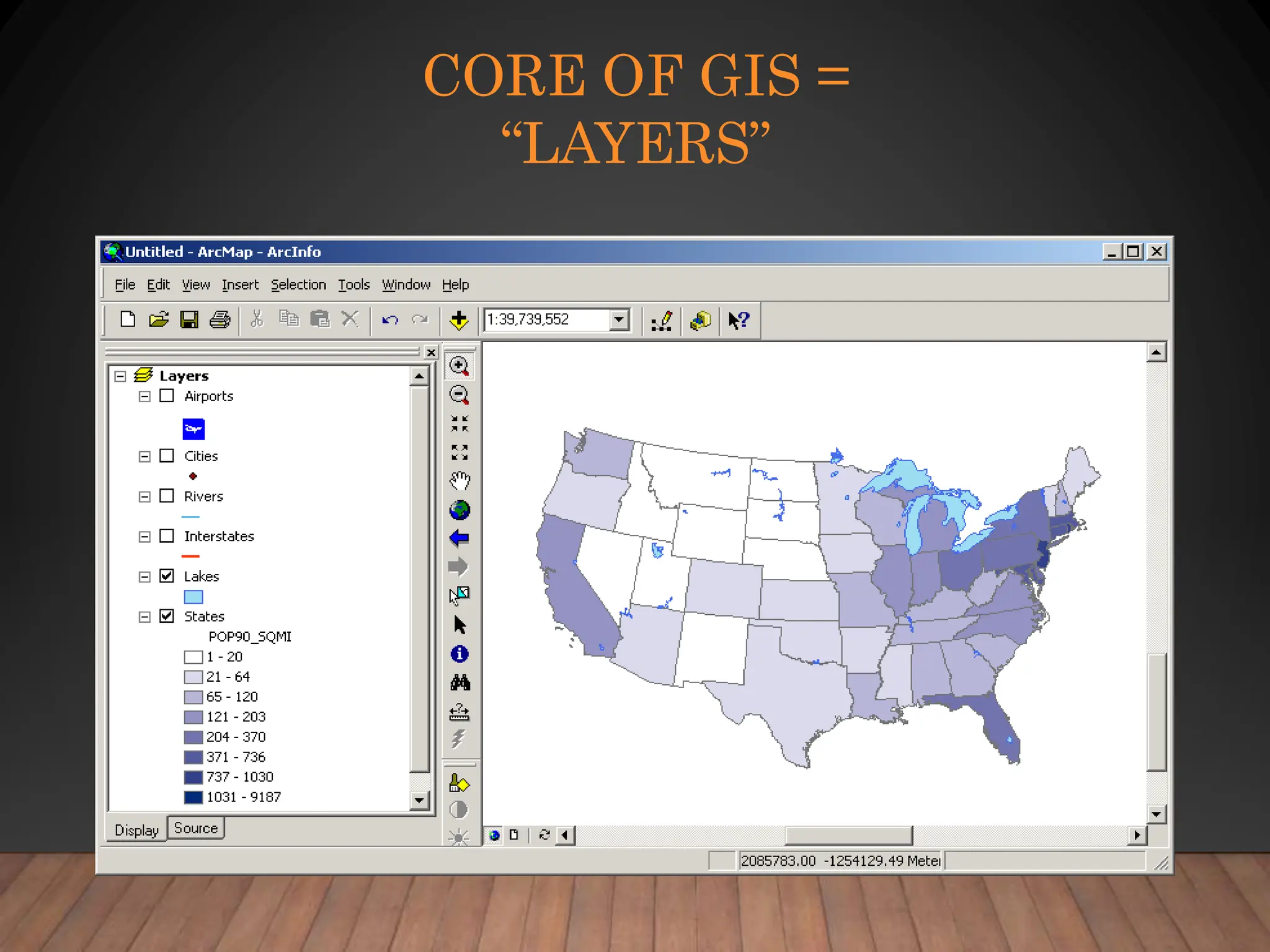
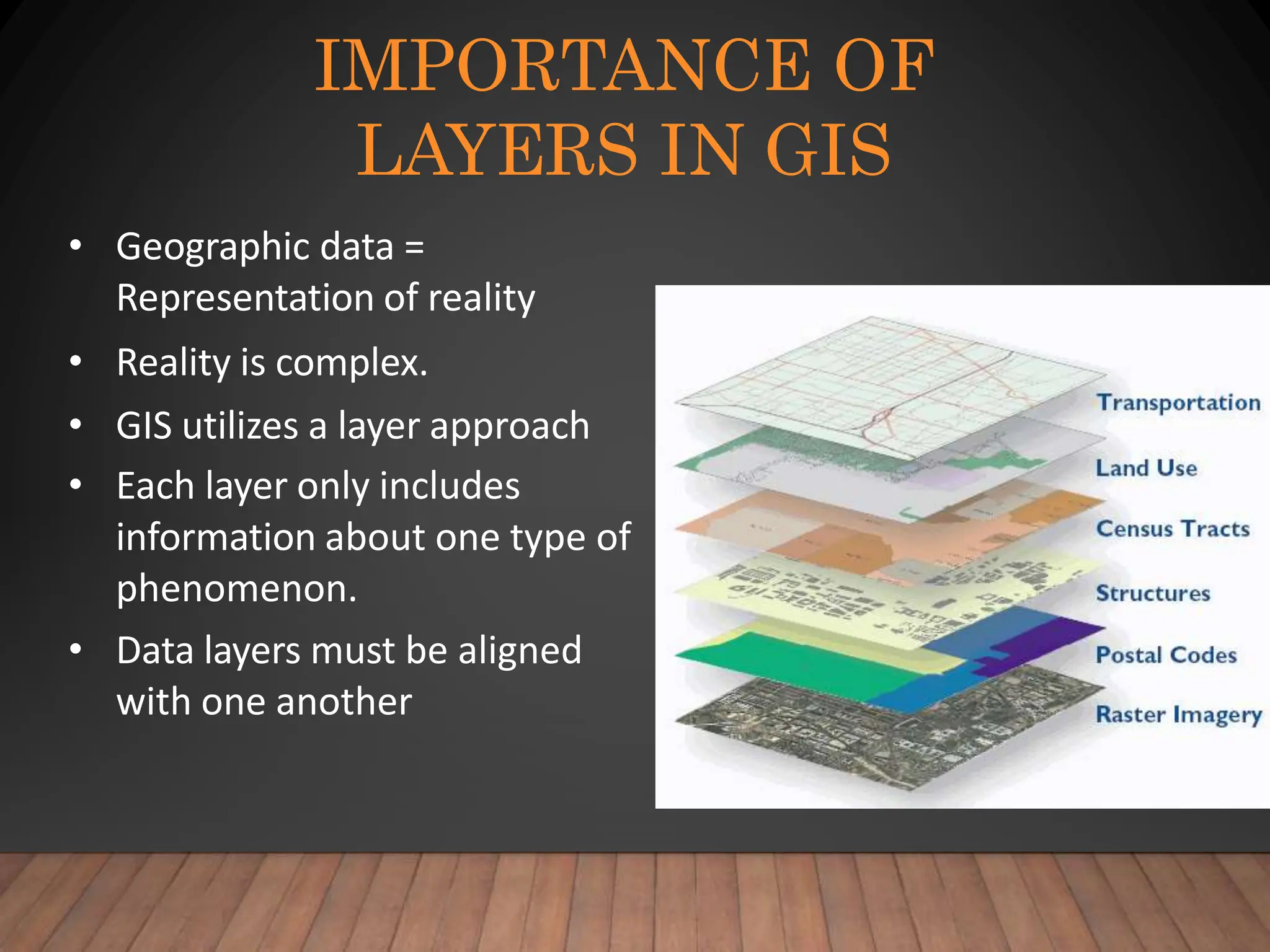
CORE OF GIS =
“LAYERS”
IMPORTANCE OF
LAYERS IN GIS
• Geographic data =
Representation of reality
• Reality is complex.
• GIS utilizes a layer approach
• Each layer only includes
information about one type of
phenomenon.
• Data layers must be aligned
with one another
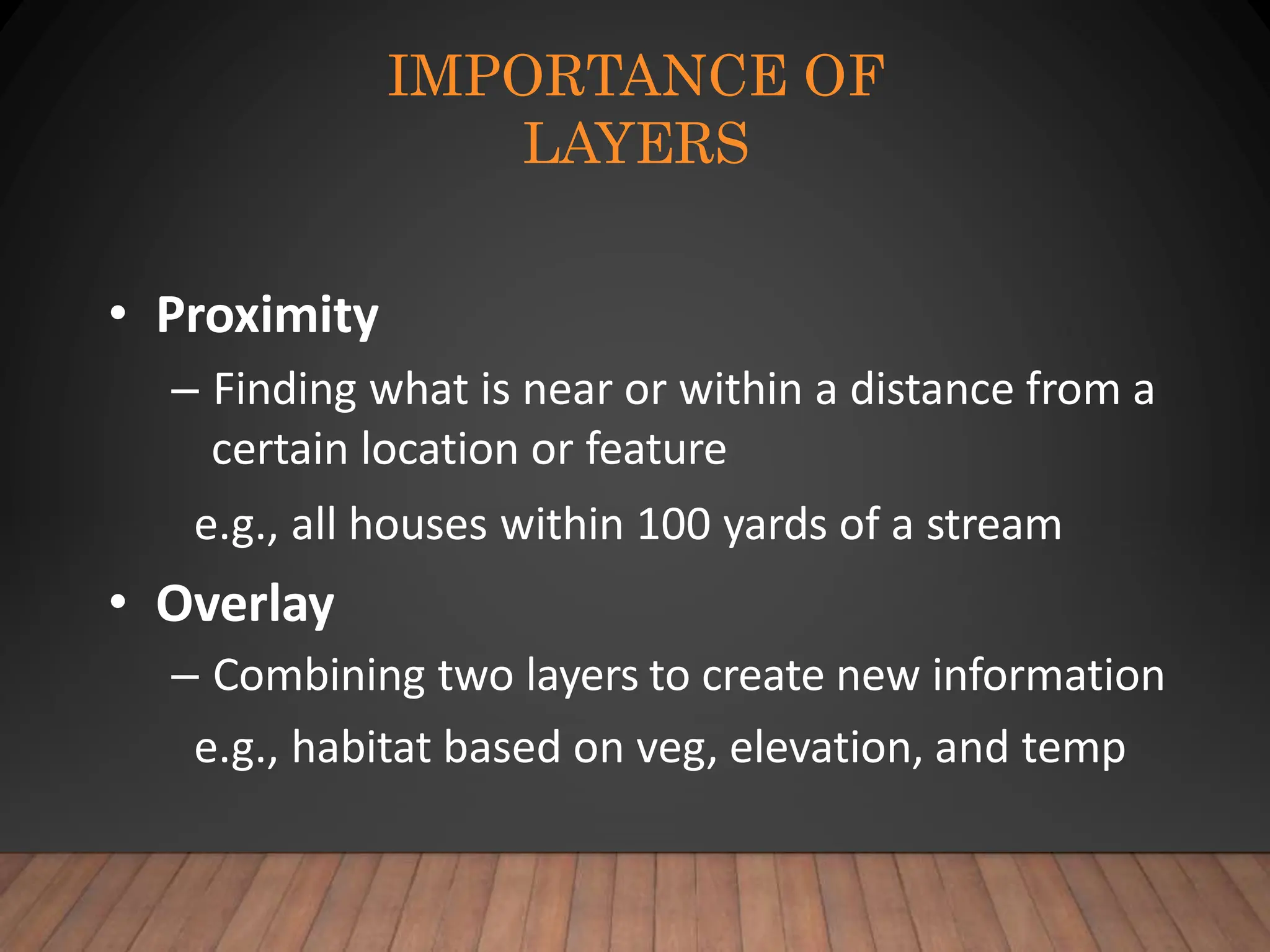
IMPORTANCE OF
LAYERS
• Proximity
– Finding what is near or within a distance from a
certain location or feature
e.g., all houses within 100 yards of a stream
• Overlay
– Combining two layers to create new information
e.g., habitat based on veg, elevation, and temp
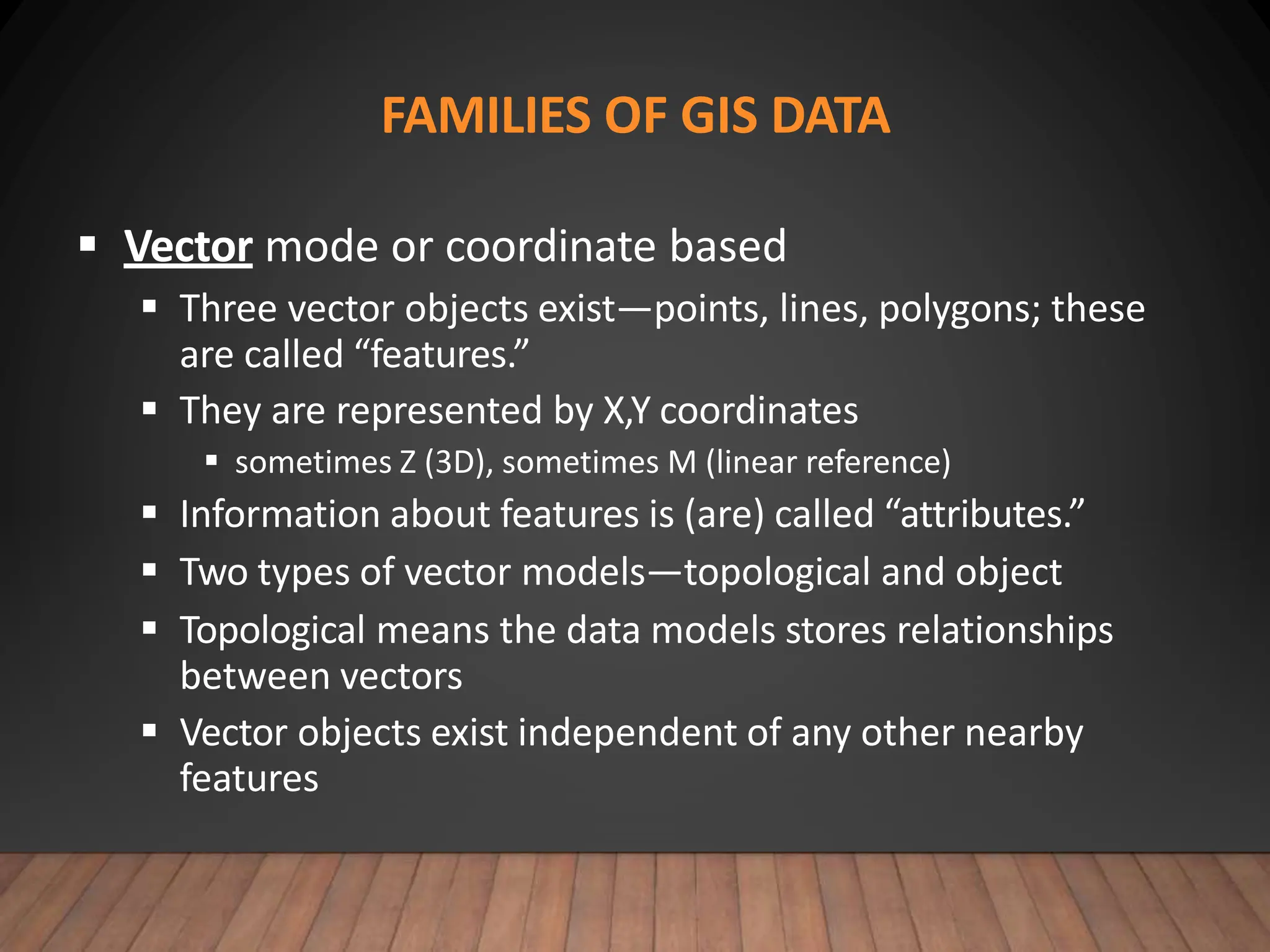
FAMILIES OF GIS DATA
 Vector mode or coordinate based
 Three vector objects exist—points, lines, polygons; these
are called “features.”
 They are represented by X,Y coordinates
 sometimes Z (3D), sometimes M (linear reference)
 Information about features is (are) called “attributes.”
 Two types of vector models—topological and object
 Topological means the data models stores relationships
between vectors
 Vector objects exist independent of any other nearby
features
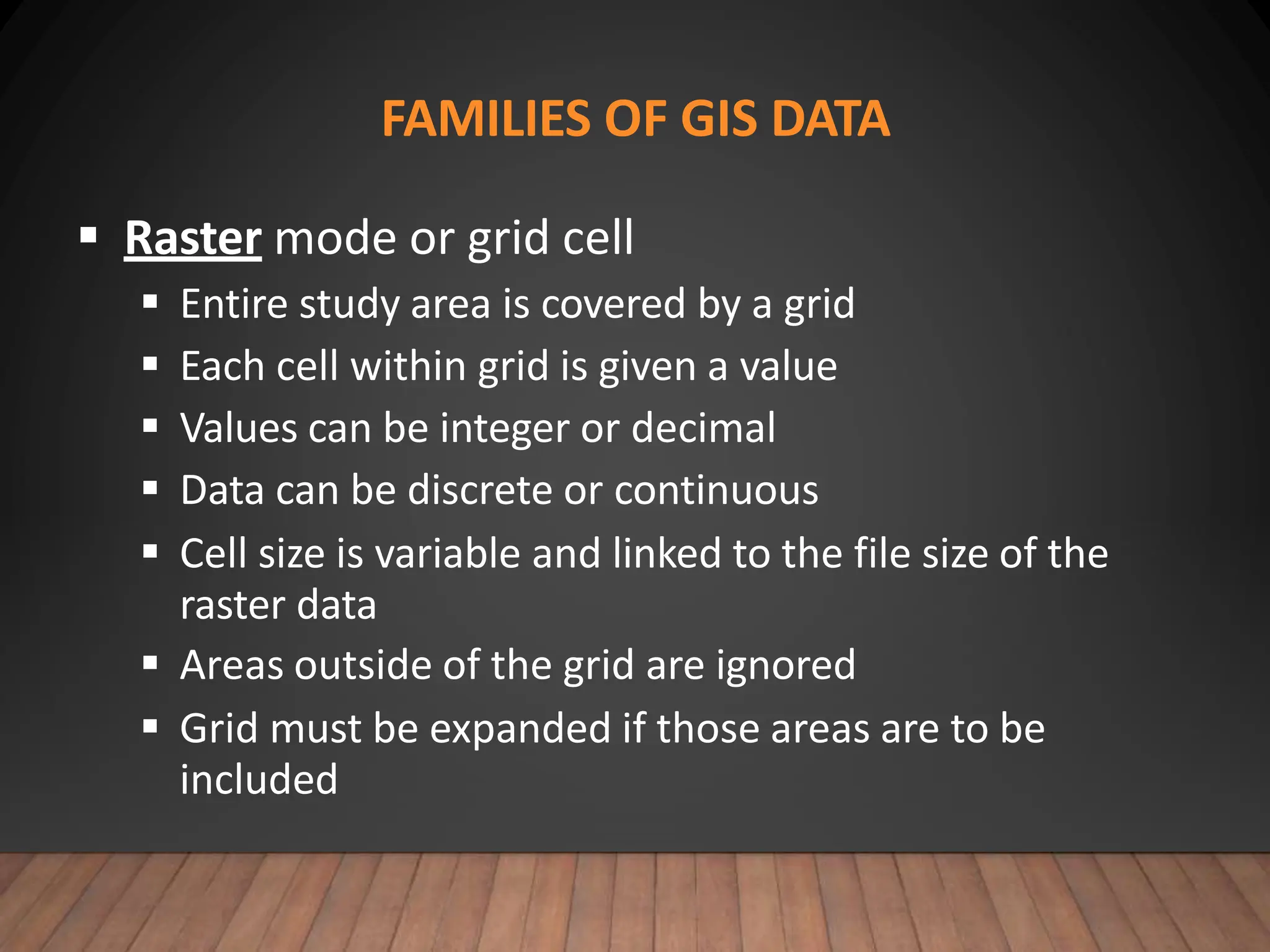
FAMILIES OF GIS DATA
 Raster mode or grid cell
 Entire study area is covered by a grid
 Each cell within grid is given a value
 Values can be integer or decimal
 Data can be discrete or continuous
 Cell size is variable and linked to the file size of the
raster data
 Areas outside of the grid are ignored
 Grid must be expanded if those areas are to be
included
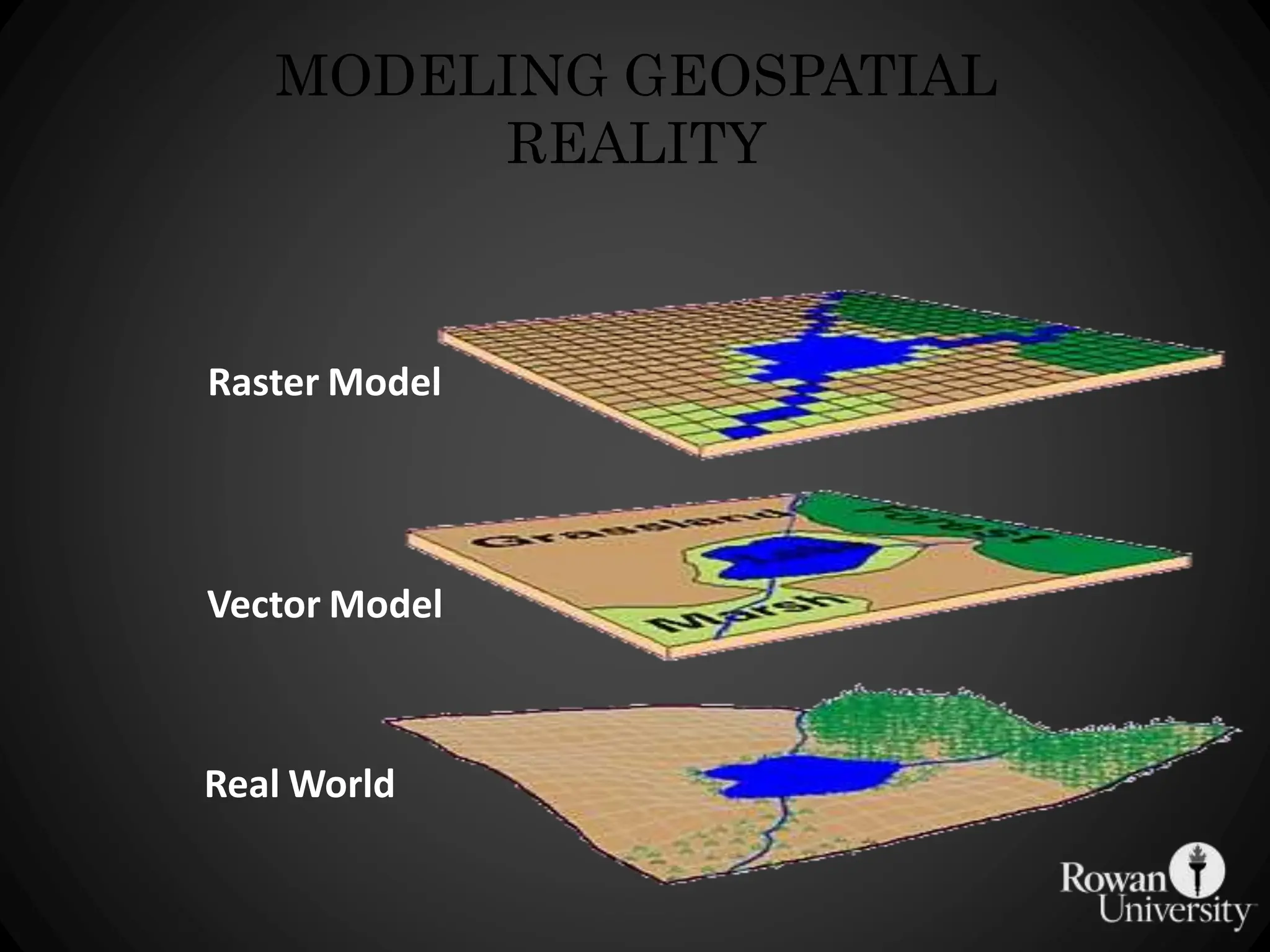
MODELING GEOSPATIAL
REALITY
Real World
Vector Model
Raster Model
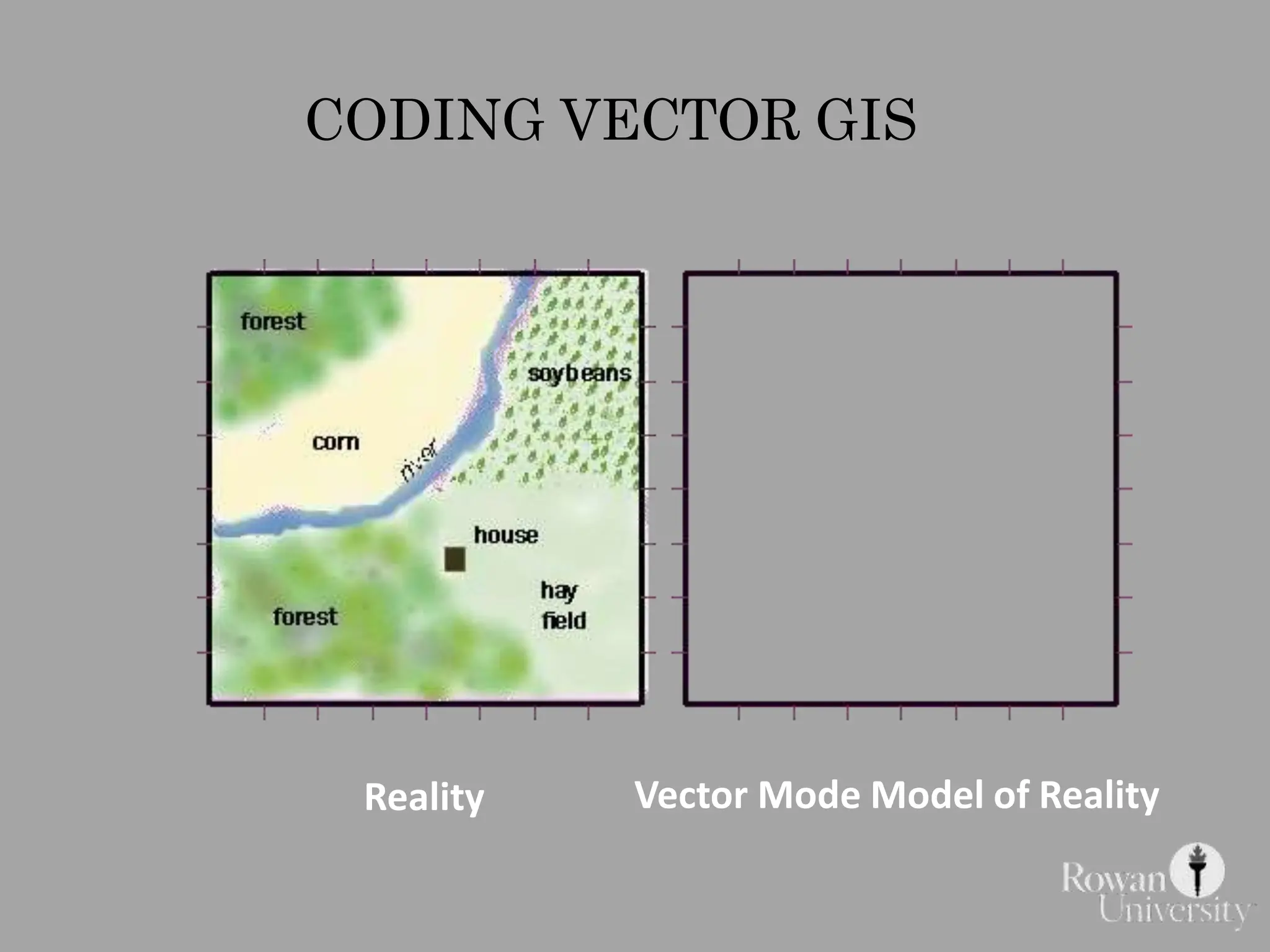
CODING VECTOR GIS
Reality Vector Mode Model of Reality
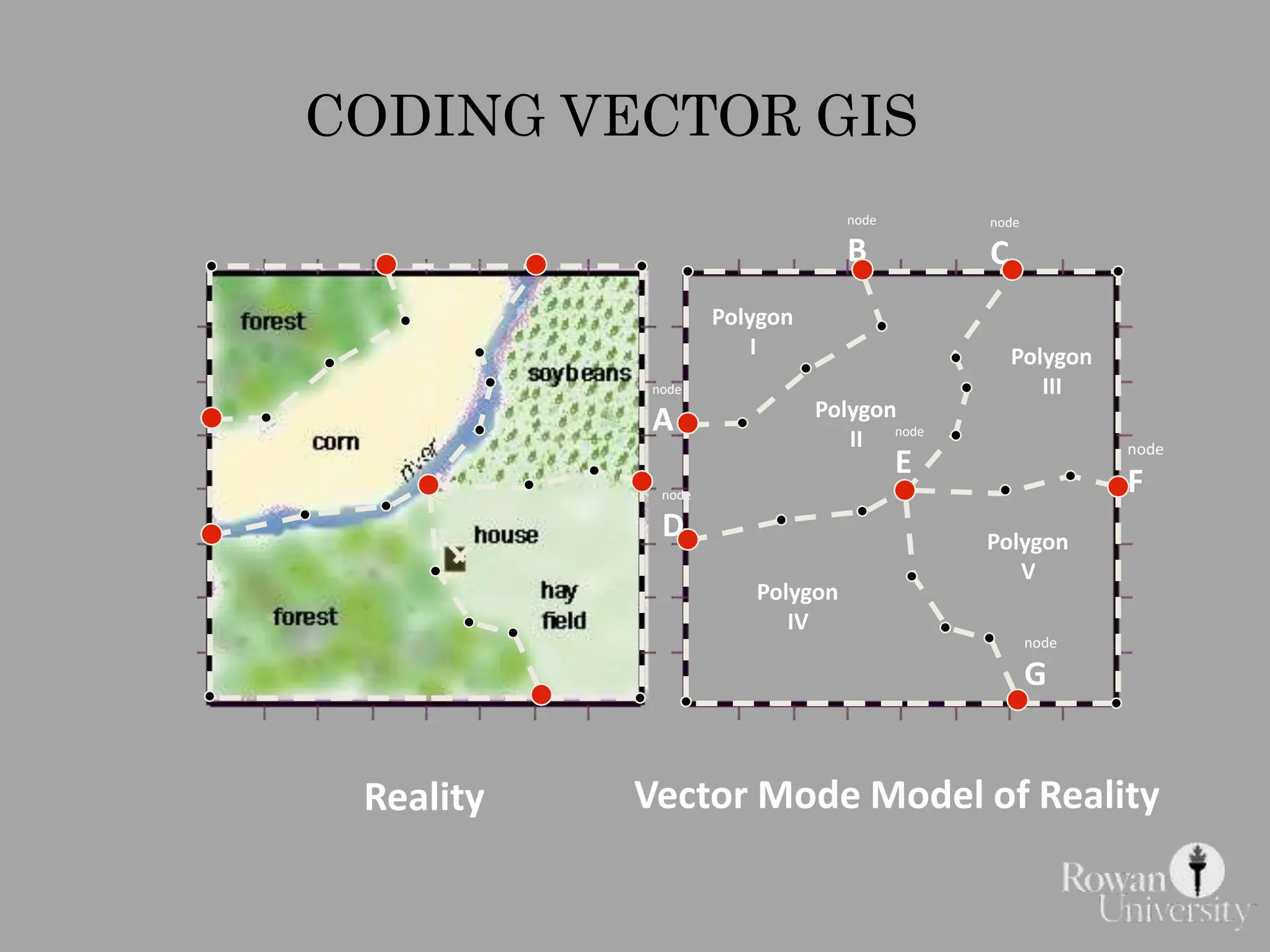
CODING VECTOR GIS
Polygon
I
Polygon
II
Polygon
III
Polygon
V
Polygon
IV
node
A
node
B
node
C
node
E
node
F
node
G
node
D
Reality Vector Mode Model of Reality
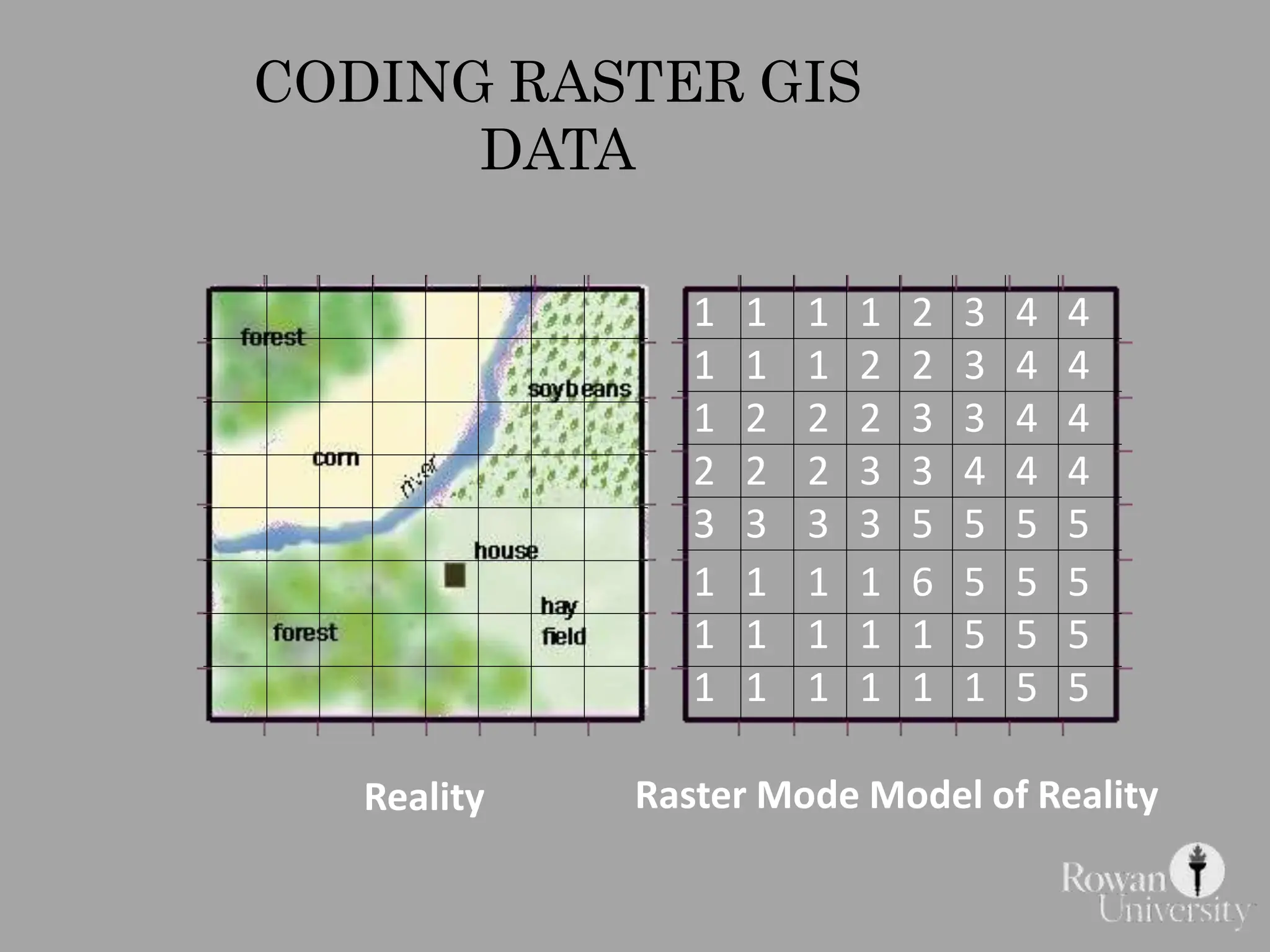
CODING RASTER GIS
DATA
1 1 1 1 2 3 4 4
1 1 1 2 2 3 4 4
1 2 2 2 3 3 4 4
2 2 2 3 3 4 4 4
3 3 3 3 5 5 5 5
1 1 1 1 6 5 5 5
1 1 1 1 1 5 5 5
1 1 1 1 1 1 5 5
Reality Raster Mode Model of Reality
ADVANTAGES OF VECTOR
• Vector data make maps that look more like maps
we are use to seeing on paper.
• The shapes of features are accurately
represented.
• Vector data can have topology
• Vector data is good for managing attributes
• Vector data has smaller storage requirement
– Only the objects need to be represented in the
database (empty space in-between is not captured)
DISADVANTAGES OF VECTOR
• Complicated data structure
• Software must manage many data tables
• Not good at representing geographic features
that gradually change over location
– For example elevation or moisture in soil
• Slower processing time
ADVANTAGES OF
RASTER
• Good at depicting continuously changing
surfaces such as elevation or soil moisture
• Grid format is simple data structure
• Easier for computer to make analytical
calculations
• Ideal for utilizing remote sensing images
DISADVANTAGES OF RASTER
• Maps can be blocky looking (depending on
the size of the grid cells)
• Cells can only be coded for one attribute
when there may be more than one
attribute at each location
• Can have very large datasets (depending on
the size of the grid cell)
• Not topological: adjacency data structure
REMOTE
SENSING
• Remotely-Sensed data is one of the most important
sources of data for GIS.
• RS means - Acquiring data from a distance
• Usually uses electromagnetic energy
– sunlight, radar, laser
• Originally captured on photographic film
• Recent platforms utilize digital sensors
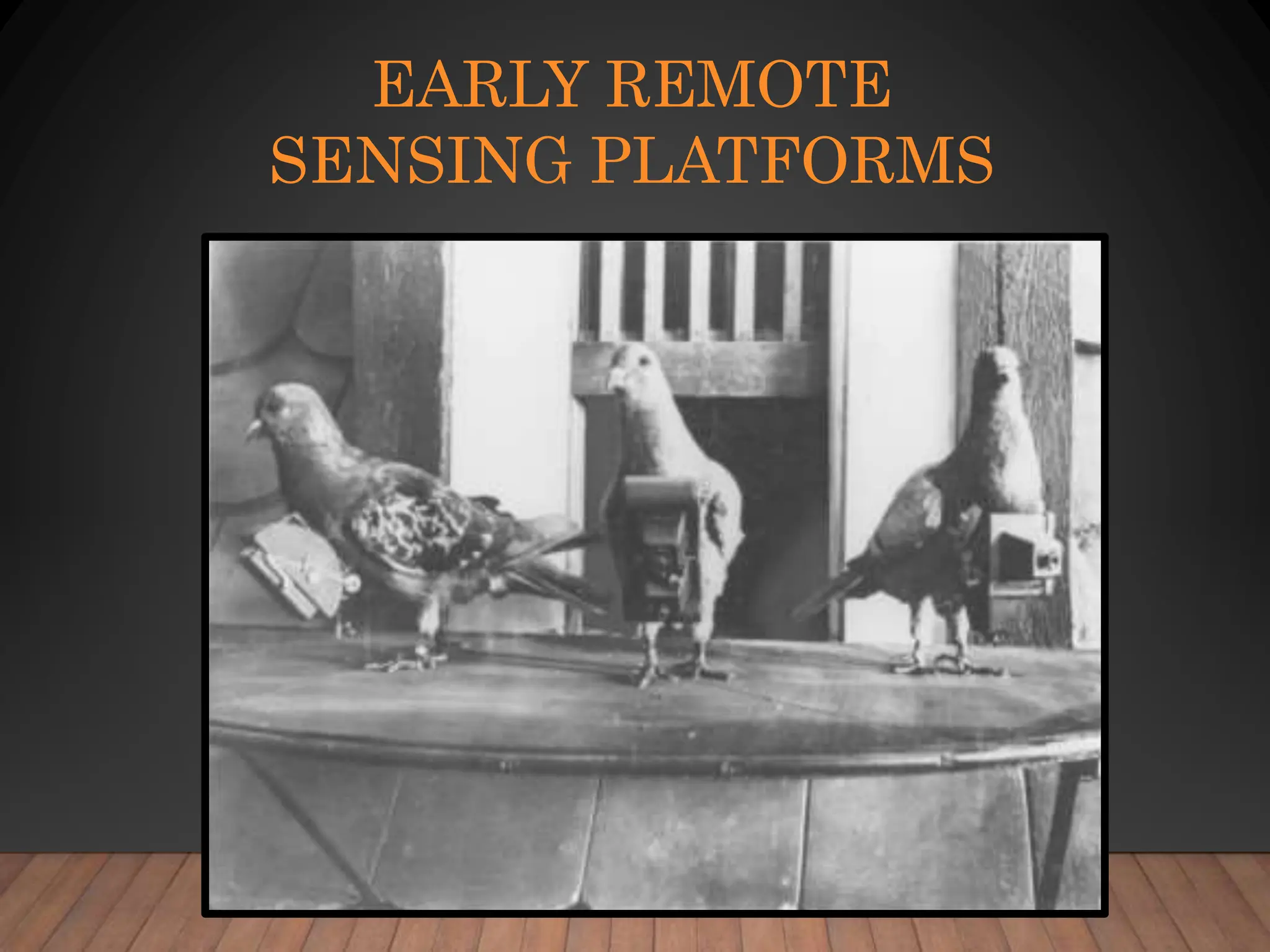
EARLY REMOTE
SENSING PLATFORMS
WHAT KINDS OF DEVICES
COLLECT THE DATA?
• Aircraft
– High altitude
– Low altitude
• Spacecraft:
– Landsat
– SPOT
– Weather satellites
– GeoEye-1
Geosynchronous Orbit
when the satellite moves at
the same speed as the
spinning earth – results in the
camera staying over the same
spot of the earth
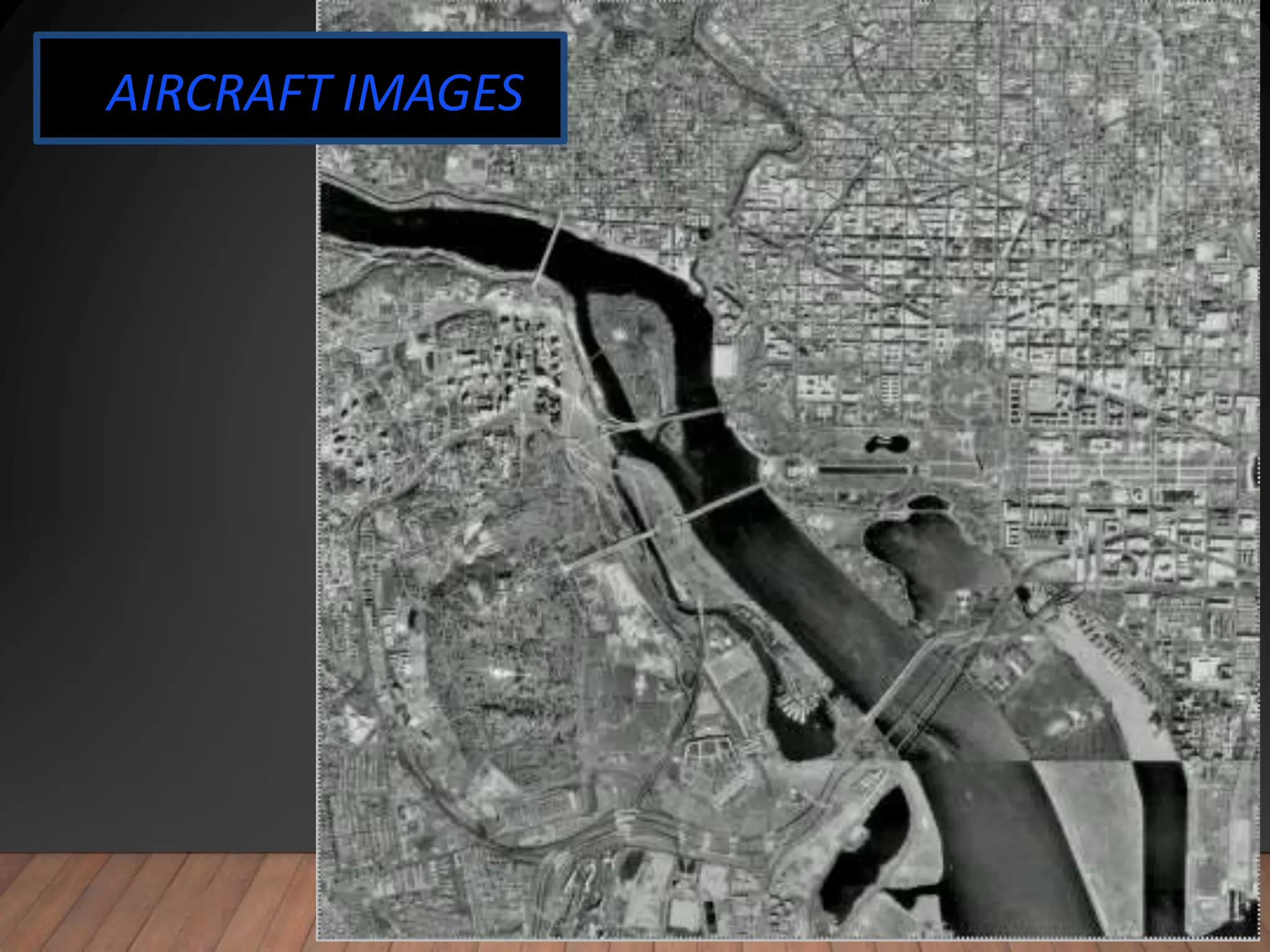
AIRCRAFT IMAGES
DIGITAL ORTHOGRAPHIC
PHOTOS
• Digital photos of the earth
• Usually acquired by aircraft
• Orthographic means that the photo has all distortion
removed
– A regular photo from an airplane will have distortion due to:
• Parallax – effect that distance away from the center point of a photo
will always have distortion
• Terrain – the hills and valleys or a land area will cause distortion in the
photo
– An orthographic photo is adjusted by computer software to
make the image line up with a flat map
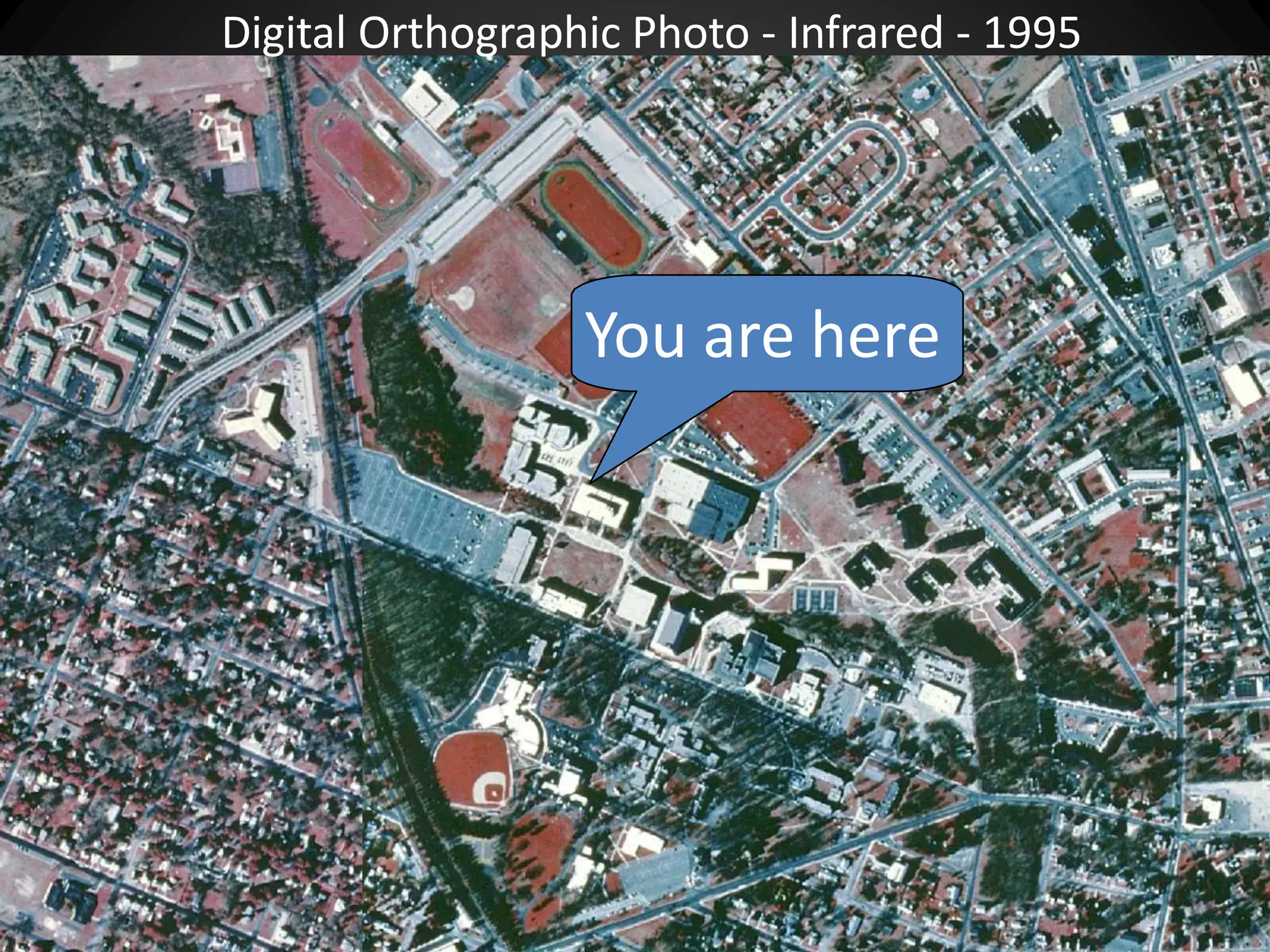
You are here
Digital Orthographic Photo - Infrared - 1995
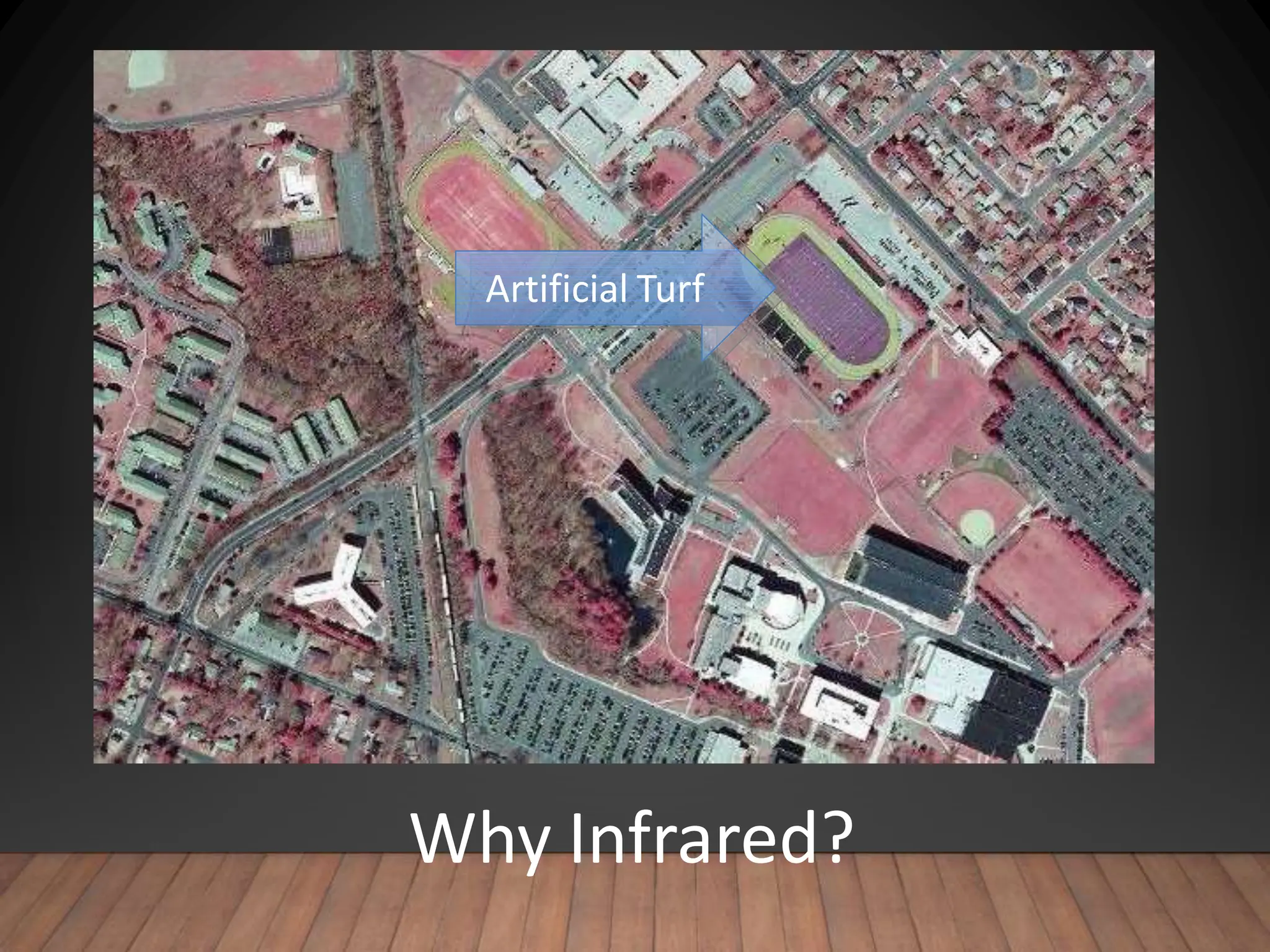
Why Infrared?
Artificial Turf
REMOTE SENSING
MEDIUMS
• Black and White or “Panchromatic”
– Sensitive to visible light
• True Color
– Similar to color film
• Infrared
– Sensitive to infrared frequencies that can’t be seen by humans
– Developed by military for identifying tanks painted with camouflage
– Good for evaluating conditions of vegetation
– Good for evaluating moisture in soil
• False-color adjusted
– When frequencies of received data are shifted to allow or enhanced human viewing
• Multi spectral
– When more than a single “band” of energy is captured
– Color is multi-spectral (3 bands)
– Some satellites can have 7 or even more “bands” of sensitivity
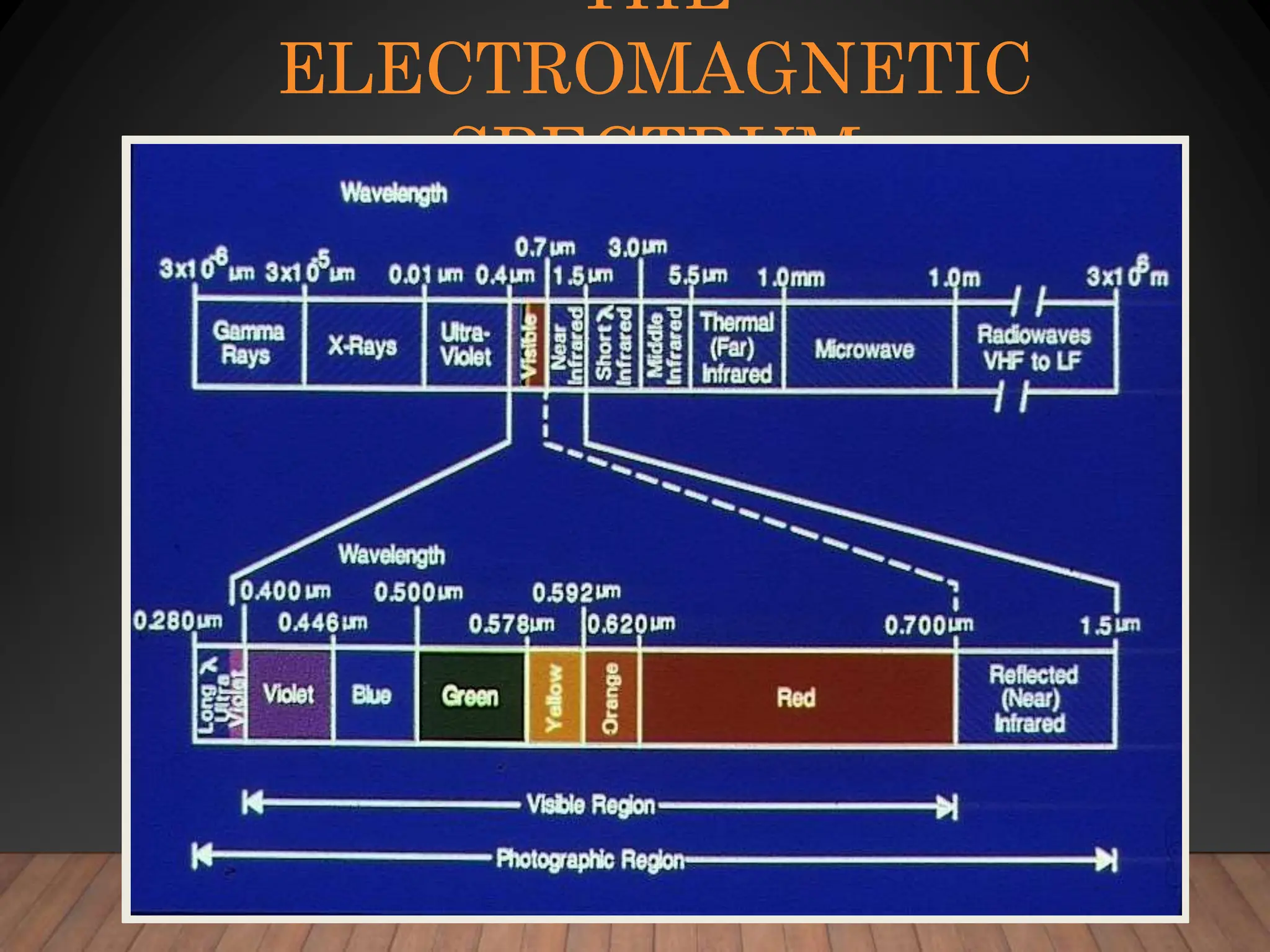
THE
ELECTROMAGNETIC
SPECTRUM
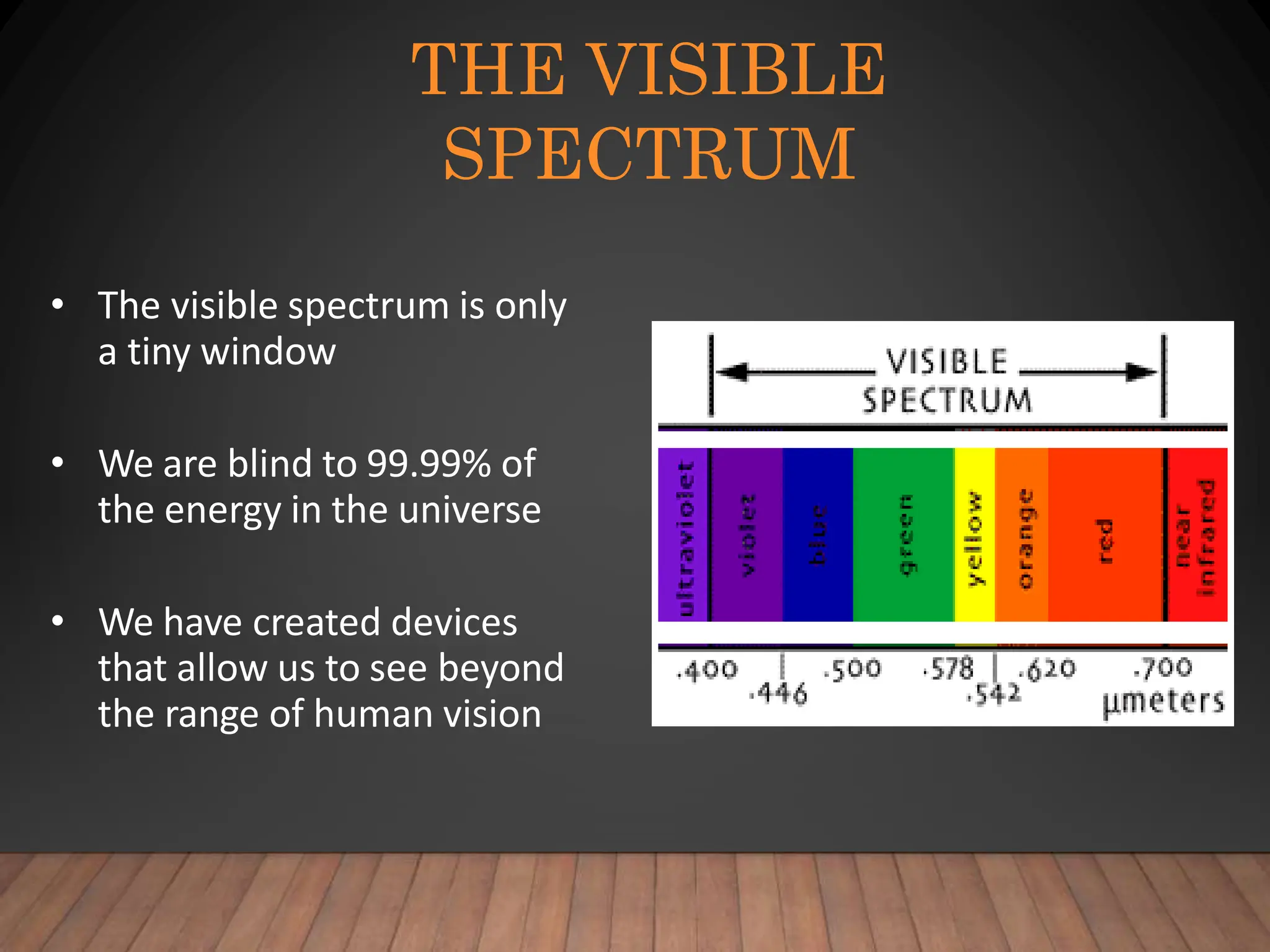
THE VISIBLE
SPECTRUM
• The visible spectrum is only
a tiny window
• We are blind to 99.99% of
the energy in the universe
• We have created devices
that allow us to see beyond
the range of human vision
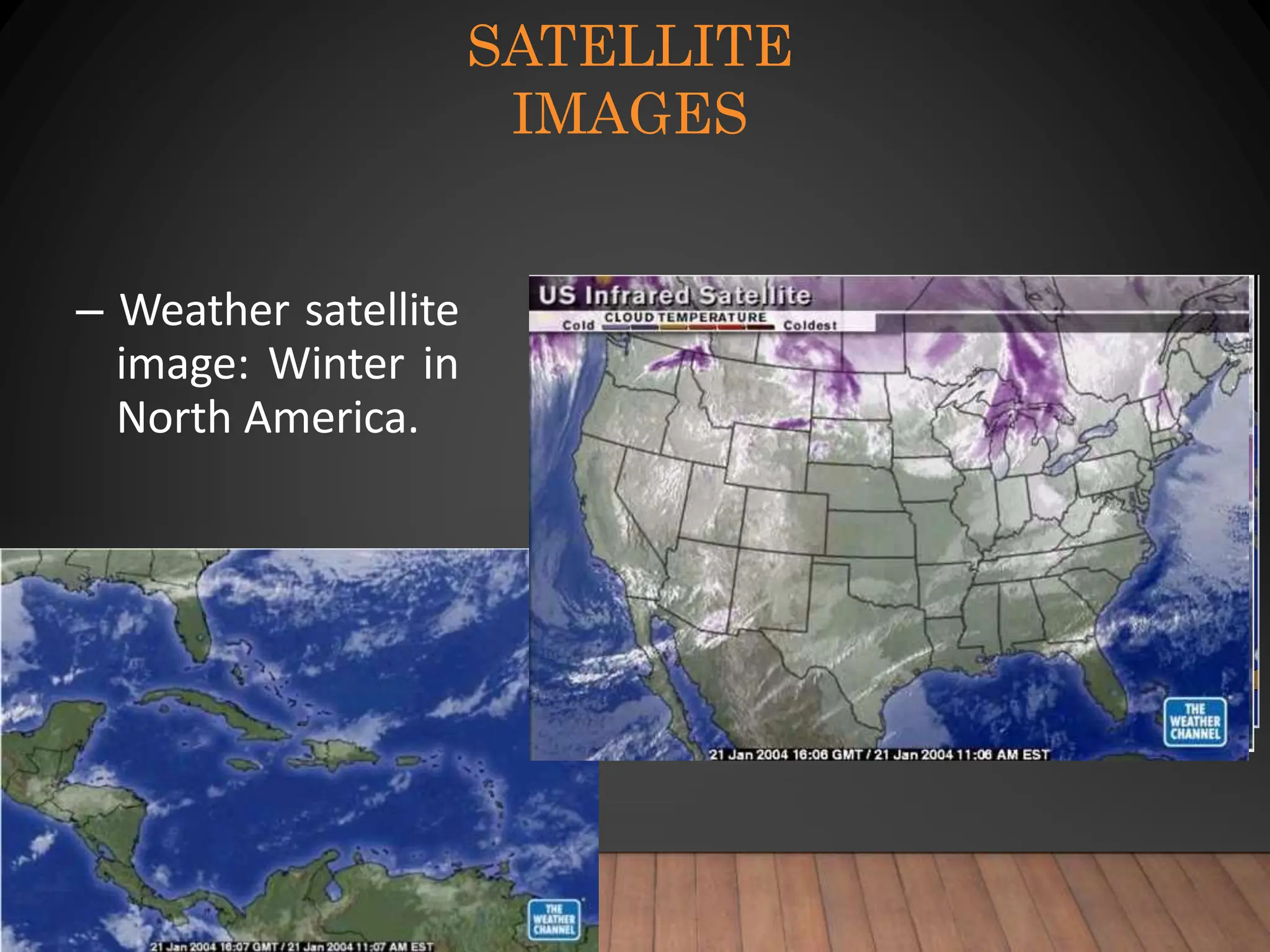
SATELLITE
IMAGES
– Weather satellite
image: Winter in
North America.
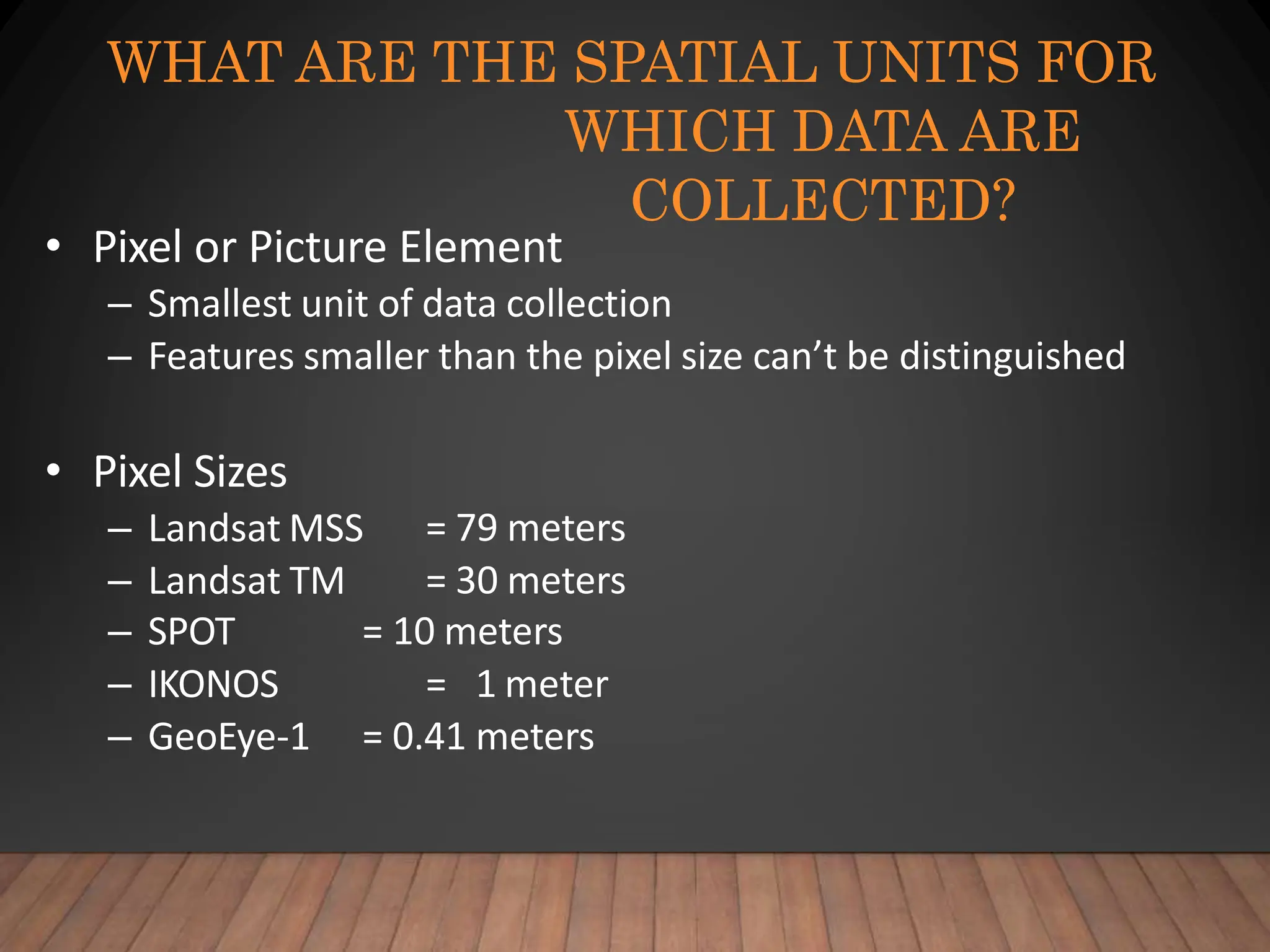
WHAT ARE THE SPATIAL UNITS FOR
WHICH DATA ARE
COLLECTED?
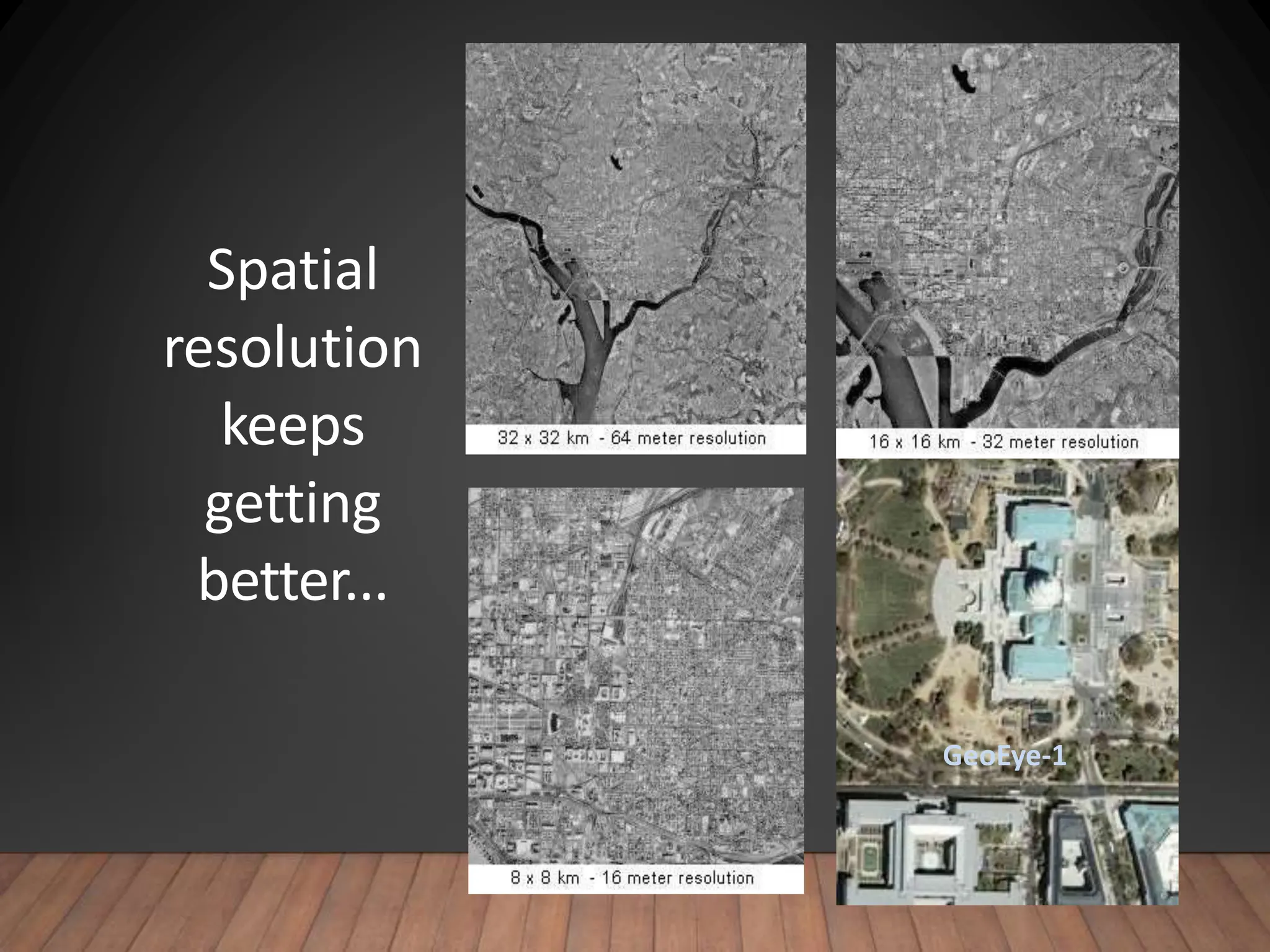
• Pixel or Picture Element
– Smallest unit of data collection
– Features smaller than the pixel size can’t be distinguished
• Pixel Sizes
– Landsat MSS
– Landsat TM
= 79 meters
= 30 meters
– SPOT
– IKONOS
– GeoEye-1
= 10 meters
= 1 meter
= 0.41 meters
Spatial
resolution
keeps
getting
better...
GeoEye-1
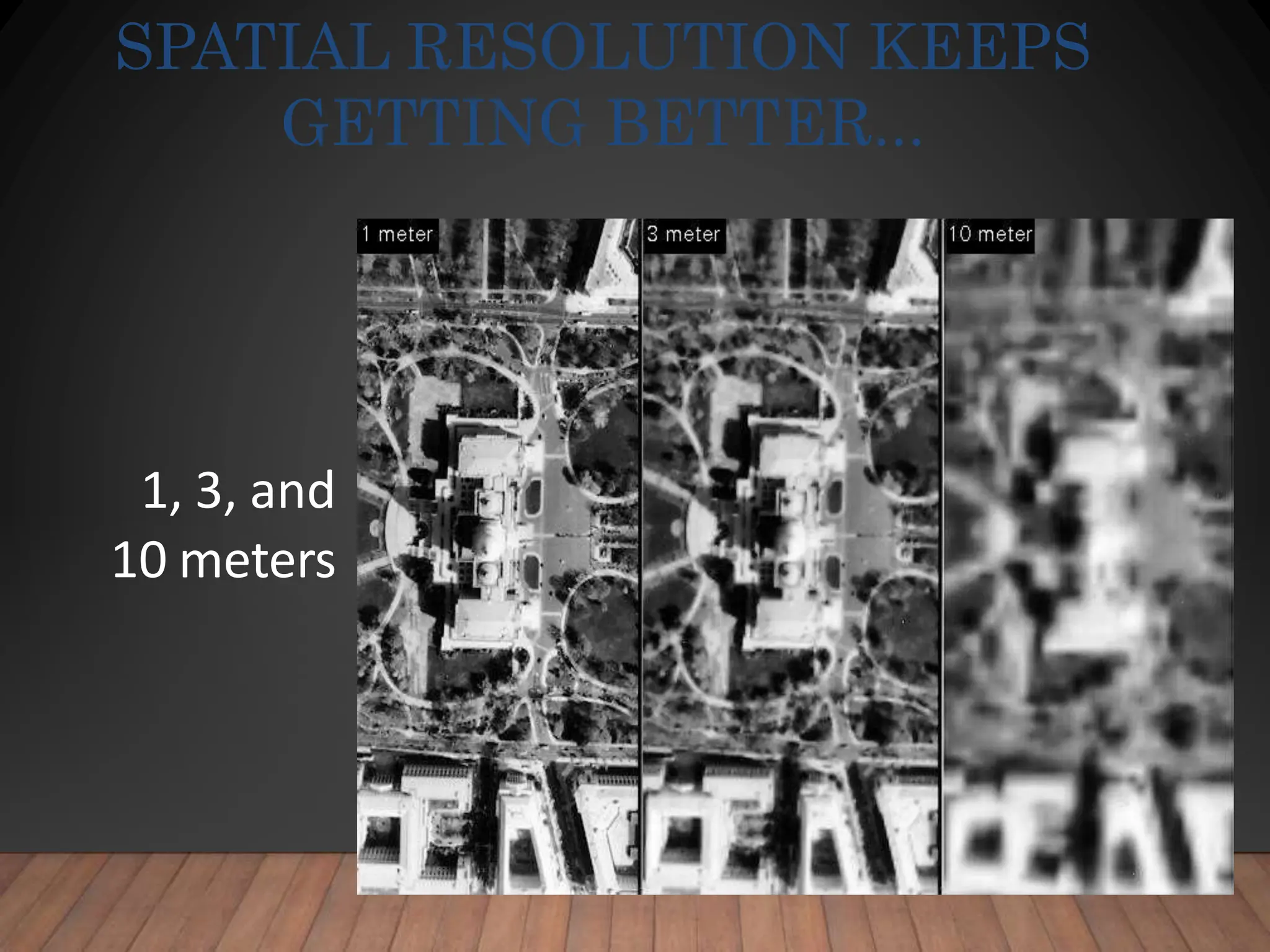
1, 3, and
10 meters
SPATIAL RESOLUTION KEEPS
GETTING BETTER...
TEMPORAL
RESOLUTION
• Remote sensing images begin to get old as soon
as they are taken.
• Satellites repeatedly circle the earth.
• Airplanes must be commissioned every time they
photograph (expensive).
• NJ aerial photography was taken 1995, 2002, and
2007. Statewide aerials often have to be taken in
multiple years. (95/97) (07/08)
• Turnaround is improving: NearMap’s 2cm imagery
of Brisbane floods released within 1 week.
•
WHAT IS GIS?
• Now that we’ve learned the essential elements
that make up a GIS…
• …and have seen examples of how GIS is being
used…
• …let’s take a look at the big picture.
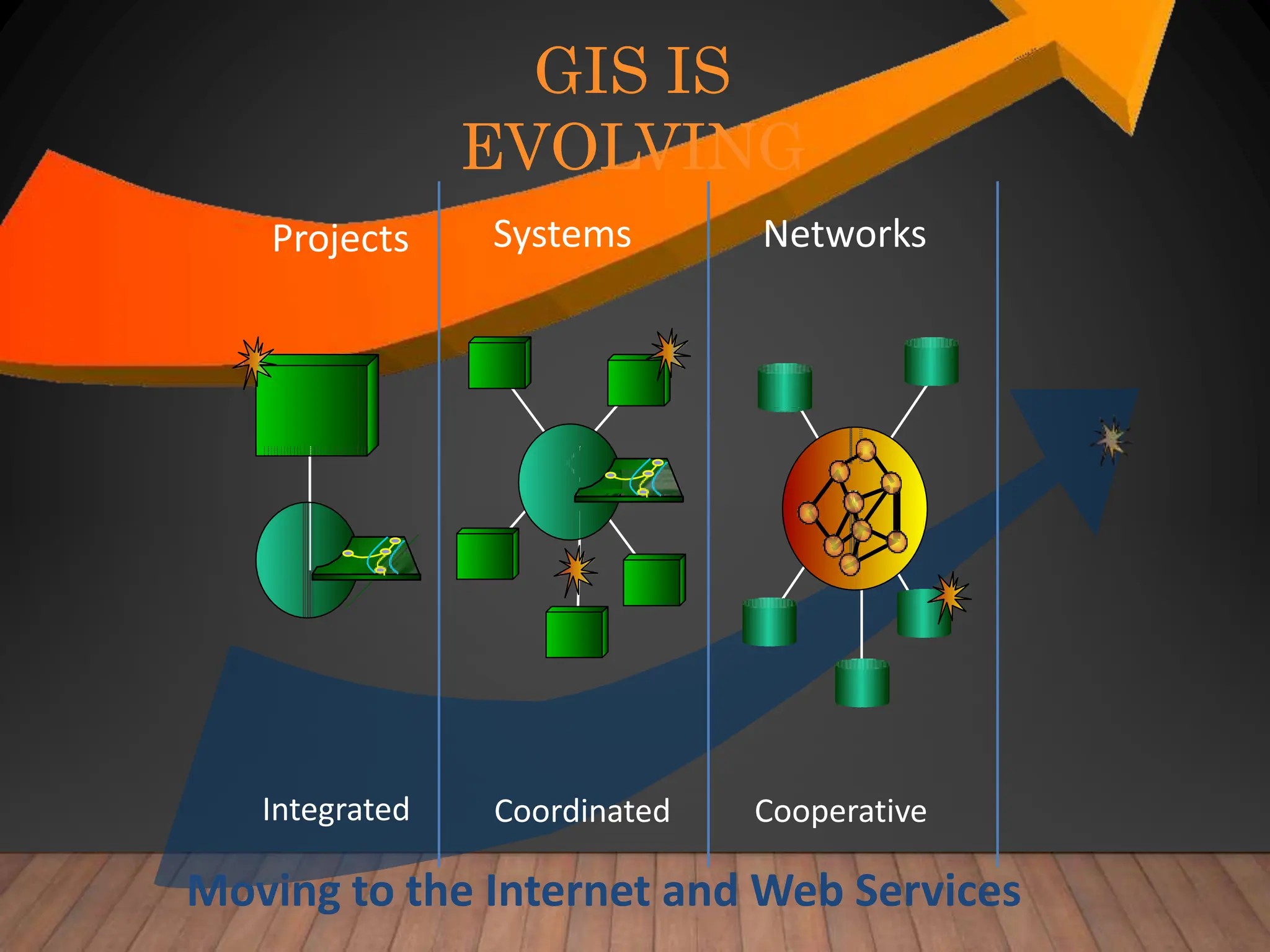
GIS IS
EVOLVING
Projects Systems Networks
Integrated Coordinated Cooperative
Moving to the Internet and Web Services
HOW IS GIS
USED?
• Sometimes, the best way to learn about GIS is to
see how it’s being used…..
– Science
– Emergency management
– Government record-keeping
– Business location
– Environmental management
– Planning
– Crime mapping
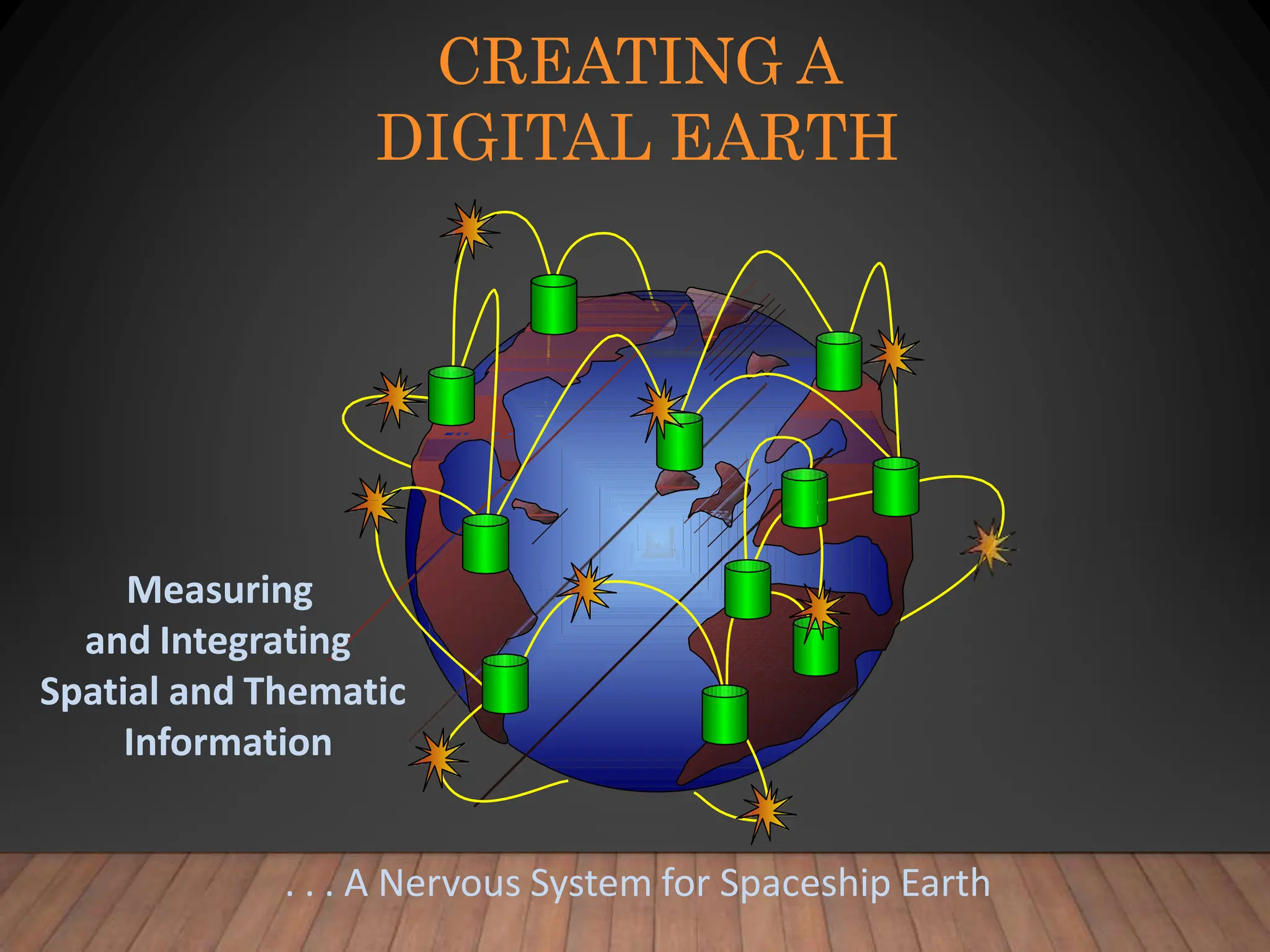
CREATING A
DIGITAL EARTH
Measuring
and Integrating
Spatial and Thematic
Information
. . . A Nervous System for Spaceship Earth
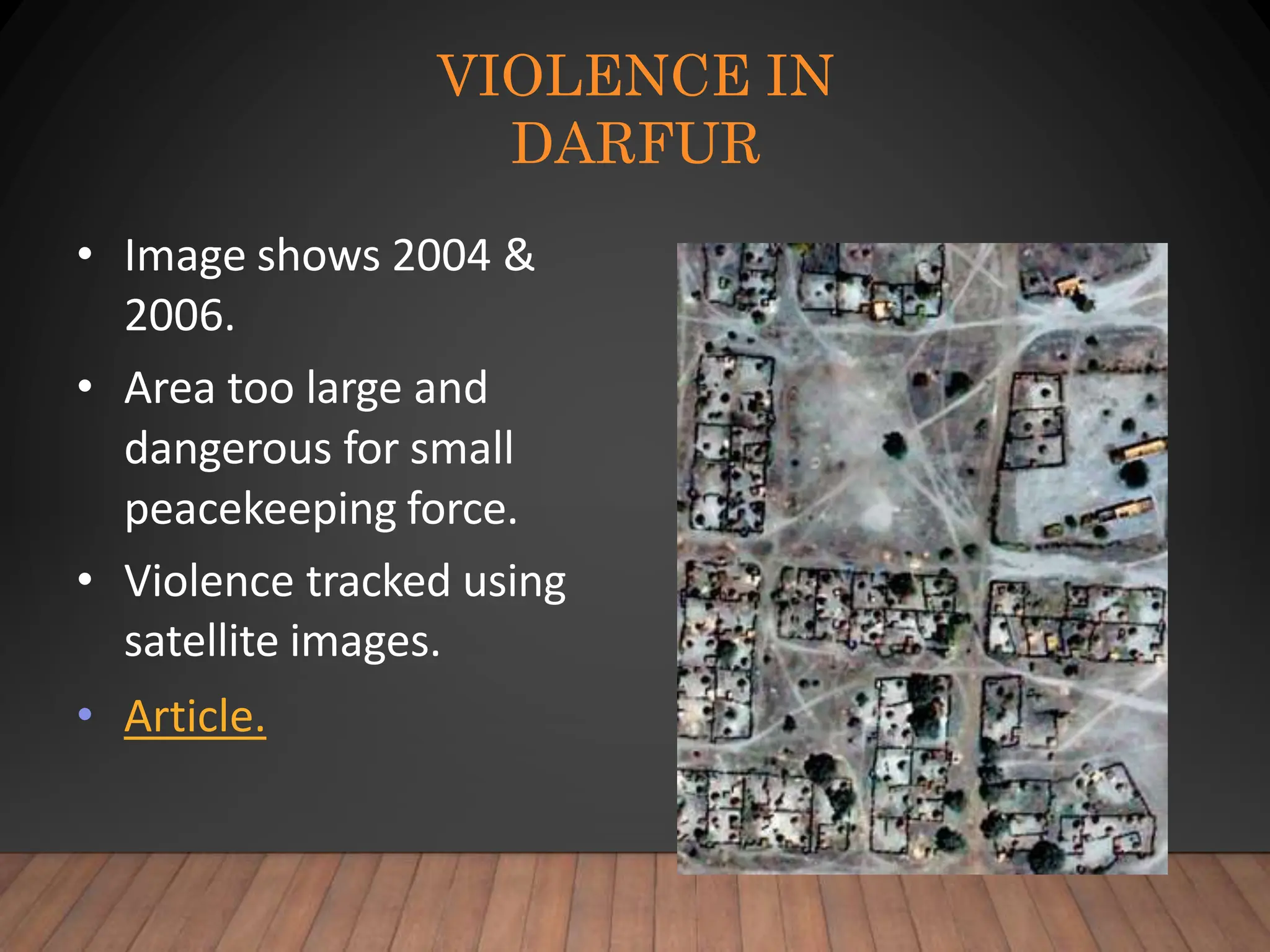
VIOLENCE IN
DARFUR
• Image shows 2004 &
2006.
• Area too large and
dangerous for small
peacekeeping force.
• Violence tracked using
satellite images.
• Article.
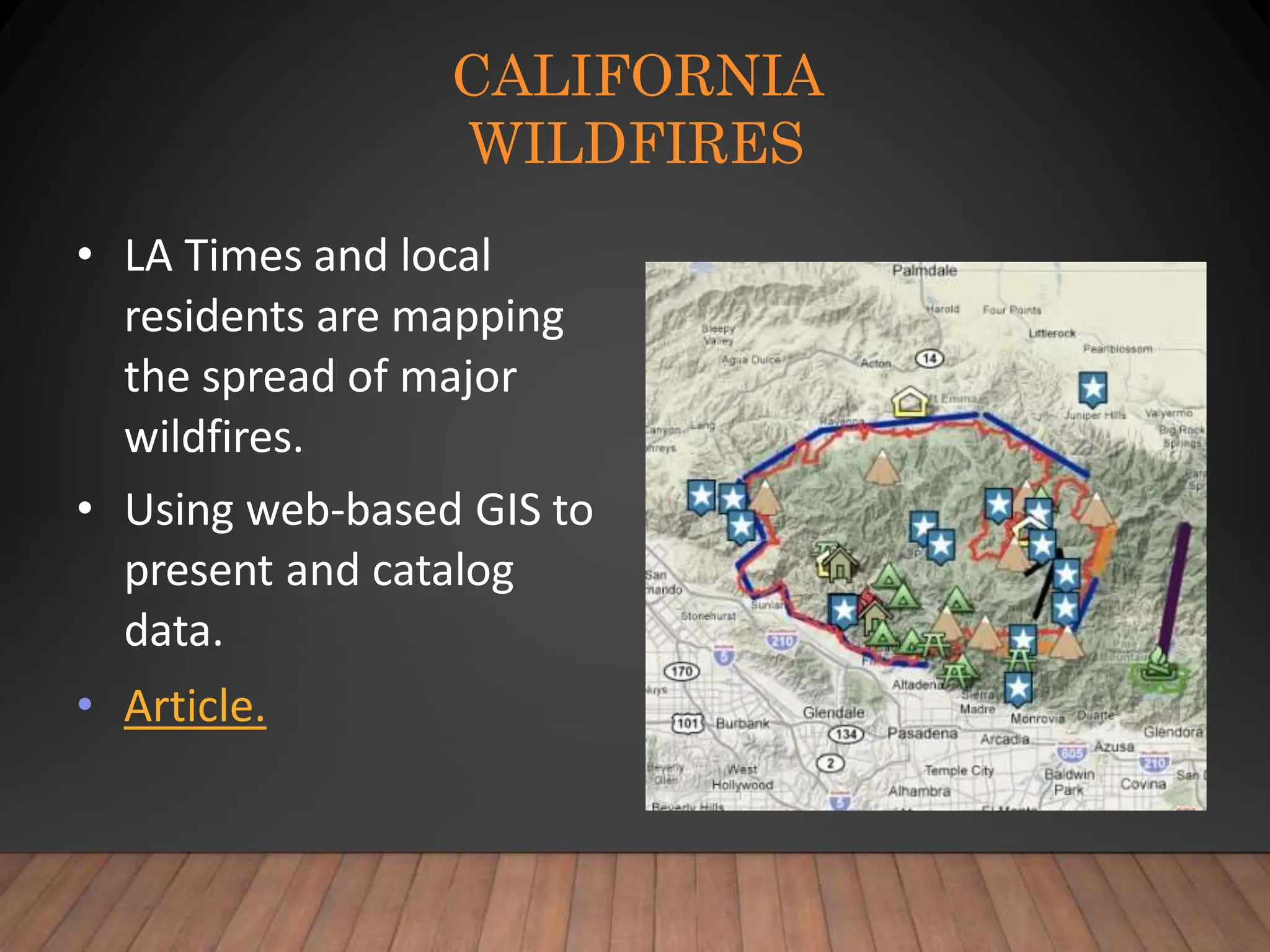
CALIFORNIA
WILDFIRES
• LA Times and local
residents are mapping
the spread of major
wildfires.
• Using web-based GIS to
present and catalog
data.
• Article.
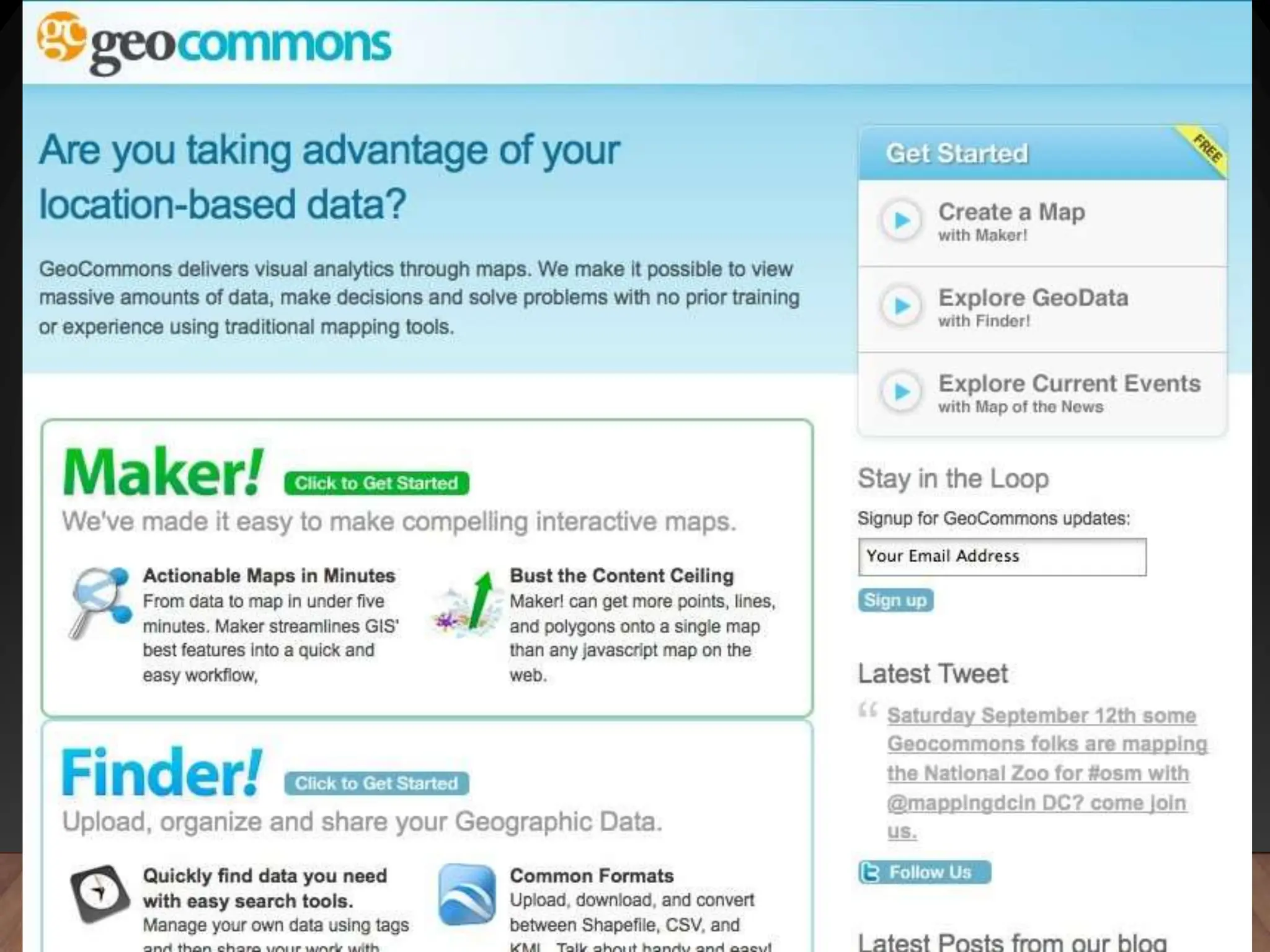
GEOCOMMONS
• GeoCommons is a "mashup" maker
• Upload your data – excel or GIS and have it
mapped
• Find data others have shared
• Make maps, then export to Google Earth
RESPONSE TO HAITIAN
EARTHQUAKE
• Users of OpenStreetMap volunteered time to
update the map around Port-au-Prince.
• CrisisCamp volunteers are adding features such
as camps, collapsed buildings & recovery efforts.
• How volunteers are using GIS to help in Haiti.

GIS and Remote sensing CIvil Engg by Mrunmayee

  • 1.
  • 2.
    DATA TYPES Aspatial data—datanot tied to a location on the earth’s surface Spatial data—data associated with a location on earth Much of the information we deal with daily has some spatial component.
  • 3.
    WHAT IS GIS? 1.Data Management – Manages various kinds of GIS data including vector, raster, images, tables, other data files – Data models and architectures – Conversion between formats – Import/export utilities – Interacts with RDBMS (SQL Server, Oracle, etc…)
  • 4.
    WHAT IS GIS? Analysis –Spatially aware data – Attribute and spatial query – Proximity and Overlay – Advanced geoprocessing techniques – Decision support – Flexible, customization • Programming, scripting (to perform analysis)
  • 5.
    WHAT IS GIS? 1.Visualization – Maps! Maps! Maps! • If a picture is worth a 1000 words… – Professional cartographic tool – Charts, graphs, tables, etc… – Various coordinate systems – 2D and 3D – Web, desktop, handheld, etc…
  • 6.
    WHAT IS GIS? •Data Management – Database View • Analysis – Model View • Visualization – Map View
  • 7.
    “G” VS. “IS” •GIS uses maps to spatially analyze and search for patterns in the data that would otherwise not be found. (Content) • GIS stores, manipulates, and displays data files and relationships in a information system using standard computing practices. (IT) • With advances in technology, GIS users must now deal with both aspects!
  • 8.
    THE “G” • “G”= Geographic – Denotes the concept of spatial location on Earth’s surface – Importance of relative location (not just where you are but where you are in relation to everything else) – Theories and techniques in Geography form the basis of GIS
  • 9.
    THE “I” • “I”= Information – Substance (knowledge) about location – Factual and interpretative – Tables + Maps + Analysis – Transformation of table information into spatial context for analysis – Technology and computer systems
  • 10.
    WHAT ABOUT THE“S” IN GIS? • Systems • Science • Studies • Services
  • 11.
    GEOSPATIAL ? • Geographic +GIS = “Geospatial” • Move in recent years to better define the industry and to focus on data and procedures (business) over geographic principles (academic) • Geospatial includes all subcomponents of GIS embedded in other areas (remote sensing, GPS etc.)
  • 12.
    CORE OF GIS= “LAYERS”
  • 13.
    IMPORTANCE OF LAYERS INGIS • Geographic data = Representation of reality • Reality is complex. • GIS utilizes a layer approach • Each layer only includes information about one type of phenomenon. • Data layers must be aligned with one another
  • 14.
    IMPORTANCE OF LAYERS • Proximity –Finding what is near or within a distance from a certain location or feature e.g., all houses within 100 yards of a stream • Overlay – Combining two layers to create new information e.g., habitat based on veg, elevation, and temp
  • 15.
    FAMILIES OF GISDATA  Vector mode or coordinate based  Three vector objects exist—points, lines, polygons; these are called “features.”  They are represented by X,Y coordinates  sometimes Z (3D), sometimes M (linear reference)  Information about features is (are) called “attributes.”  Two types of vector models—topological and object  Topological means the data models stores relationships between vectors  Vector objects exist independent of any other nearby features
  • 16.
    FAMILIES OF GISDATA  Raster mode or grid cell  Entire study area is covered by a grid  Each cell within grid is given a value  Values can be integer or decimal  Data can be discrete or continuous  Cell size is variable and linked to the file size of the raster data  Areas outside of the grid are ignored  Grid must be expanded if those areas are to be included
  • 17.
  • 18.
    CODING VECTOR GIS RealityVector Mode Model of Reality
  • 19.
  • 20.
    CODING RASTER GIS DATA 11 1 1 2 3 4 4 1 1 1 2 2 3 4 4 1 2 2 2 3 3 4 4 2 2 2 3 3 4 4 4 3 3 3 3 5 5 5 5 1 1 1 1 6 5 5 5 1 1 1 1 1 5 5 5 1 1 1 1 1 1 5 5 Reality Raster Mode Model of Reality
  • 21.
    ADVANTAGES OF VECTOR •Vector data make maps that look more like maps we are use to seeing on paper. • The shapes of features are accurately represented. • Vector data can have topology • Vector data is good for managing attributes • Vector data has smaller storage requirement – Only the objects need to be represented in the database (empty space in-between is not captured)
  • 22.
    DISADVANTAGES OF VECTOR •Complicated data structure • Software must manage many data tables • Not good at representing geographic features that gradually change over location – For example elevation or moisture in soil • Slower processing time
  • 23.
    ADVANTAGES OF RASTER • Goodat depicting continuously changing surfaces such as elevation or soil moisture • Grid format is simple data structure • Easier for computer to make analytical calculations • Ideal for utilizing remote sensing images
  • 24.
    DISADVANTAGES OF RASTER •Maps can be blocky looking (depending on the size of the grid cells) • Cells can only be coded for one attribute when there may be more than one attribute at each location • Can have very large datasets (depending on the size of the grid cell) • Not topological: adjacency data structure
  • 25.
    REMOTE SENSING • Remotely-Sensed datais one of the most important sources of data for GIS. • RS means - Acquiring data from a distance • Usually uses electromagnetic energy – sunlight, radar, laser • Originally captured on photographic film • Recent platforms utilize digital sensors
  • 26.
  • 27.
    WHAT KINDS OFDEVICES COLLECT THE DATA? • Aircraft – High altitude – Low altitude • Spacecraft: – Landsat – SPOT – Weather satellites – GeoEye-1 Geosynchronous Orbit when the satellite moves at the same speed as the spinning earth – results in the camera staying over the same spot of the earth
  • 28.
  • 29.
    DIGITAL ORTHOGRAPHIC PHOTOS • Digitalphotos of the earth • Usually acquired by aircraft • Orthographic means that the photo has all distortion removed – A regular photo from an airplane will have distortion due to: • Parallax – effect that distance away from the center point of a photo will always have distortion • Terrain – the hills and valleys or a land area will cause distortion in the photo – An orthographic photo is adjusted by computer software to make the image line up with a flat map
  • 30.
    You are here DigitalOrthographic Photo - Infrared - 1995
  • 31.
  • 32.
    REMOTE SENSING MEDIUMS • Blackand White or “Panchromatic” – Sensitive to visible light • True Color – Similar to color film • Infrared – Sensitive to infrared frequencies that can’t be seen by humans – Developed by military for identifying tanks painted with camouflage – Good for evaluating conditions of vegetation – Good for evaluating moisture in soil • False-color adjusted – When frequencies of received data are shifted to allow or enhanced human viewing • Multi spectral – When more than a single “band” of energy is captured – Color is multi-spectral (3 bands) – Some satellites can have 7 or even more “bands” of sensitivity
  • 33.
  • 34.
    THE VISIBLE SPECTRUM • Thevisible spectrum is only a tiny window • We are blind to 99.99% of the energy in the universe • We have created devices that allow us to see beyond the range of human vision
  • 35.
  • 36.
    WHAT ARE THESPATIAL UNITS FOR WHICH DATA ARE COLLECTED? • Pixel or Picture Element – Smallest unit of data collection – Features smaller than the pixel size can’t be distinguished • Pixel Sizes – Landsat MSS – Landsat TM = 79 meters = 30 meters – SPOT – IKONOS – GeoEye-1 = 10 meters = 1 meter = 0.41 meters
  • 37.
  • 38.
    1, 3, and 10meters SPATIAL RESOLUTION KEEPS GETTING BETTER...
  • 39.
    TEMPORAL RESOLUTION • Remote sensingimages begin to get old as soon as they are taken. • Satellites repeatedly circle the earth. • Airplanes must be commissioned every time they photograph (expensive). • NJ aerial photography was taken 1995, 2002, and 2007. Statewide aerials often have to be taken in multiple years. (95/97) (07/08) • Turnaround is improving: NearMap’s 2cm imagery of Brisbane floods released within 1 week. •
  • 40.
    WHAT IS GIS? •Now that we’ve learned the essential elements that make up a GIS… • …and have seen examples of how GIS is being used… • …let’s take a look at the big picture.
  • 41.
    GIS IS EVOLVING Projects SystemsNetworks Integrated Coordinated Cooperative Moving to the Internet and Web Services
  • 42.
    HOW IS GIS USED? •Sometimes, the best way to learn about GIS is to see how it’s being used….. – Science – Emergency management – Government record-keeping – Business location – Environmental management – Planning – Crime mapping
  • 43.
    CREATING A DIGITAL EARTH Measuring andIntegrating Spatial and Thematic Information . . . A Nervous System for Spaceship Earth
  • 44.
    VIOLENCE IN DARFUR • Imageshows 2004 & 2006. • Area too large and dangerous for small peacekeeping force. • Violence tracked using satellite images. • Article.
  • 45.
    CALIFORNIA WILDFIRES • LA Timesand local residents are mapping the spread of major wildfires. • Using web-based GIS to present and catalog data. • Article.
  • 46.
    GEOCOMMONS • GeoCommons isa "mashup" maker • Upload your data – excel or GIS and have it mapped • Find data others have shared • Make maps, then export to Google Earth
  • 47.
    RESPONSE TO HAITIAN EARTHQUAKE •Users of OpenStreetMap volunteered time to update the map around Port-au-Prince. • CrisisCamp volunteers are adding features such as camps, collapsed buildings & recovery efforts. • How volunteers are using GIS to help in Haiti.