KAMLESH KUMAR
An overlay operation is much more than a simple merging of linework; all the attributes of the features taking part in the
overlay are carried through. In general, there are two methods for performing overlay analysis—feature overlay (overlaying
points, lines, or polygons) and raster overlay. Some types of overlay analysis lend themselves to one or the other of these
methods. Overlay analysis to find locations meeting certain criteria is often best done using raster overlay (although you can

do it with feature data). Of course, this also depends on whether your data is already stored as features or raster. It may be
worthwhile to convert the data from one format to the other to perform the analysis.
Weighted Overlay
Overlays several raster files using a common measurement scale and weights each according to its importance.
The weighted overlay table allows the calculation of a multiple criteria analysis between several raster files.
Raster- The raster of the criteria being weighted.
Influence- The influence of the raster compared to the other criteria as a percentage of 100.
Field- The field of the criteria raster to use for weighting.
Remap- The scaled weights for the criterion.
In addition to numerical values for the scaled weights in Remap, the following options are available:
Restricted- Assigns the restricted value (the minimum value of the evaluation scale set, minus one) to cells in the output,
regardless of whether other input raster files have a different scale value set for that cell.
No data - Assigns No Data to cells in the output, regardless of whether other input raster files have a different scale value
set for that cell.
Add both the classified
and unclassified image to
the window but the task
should be performed on
the unclassified image as
shown in the image.
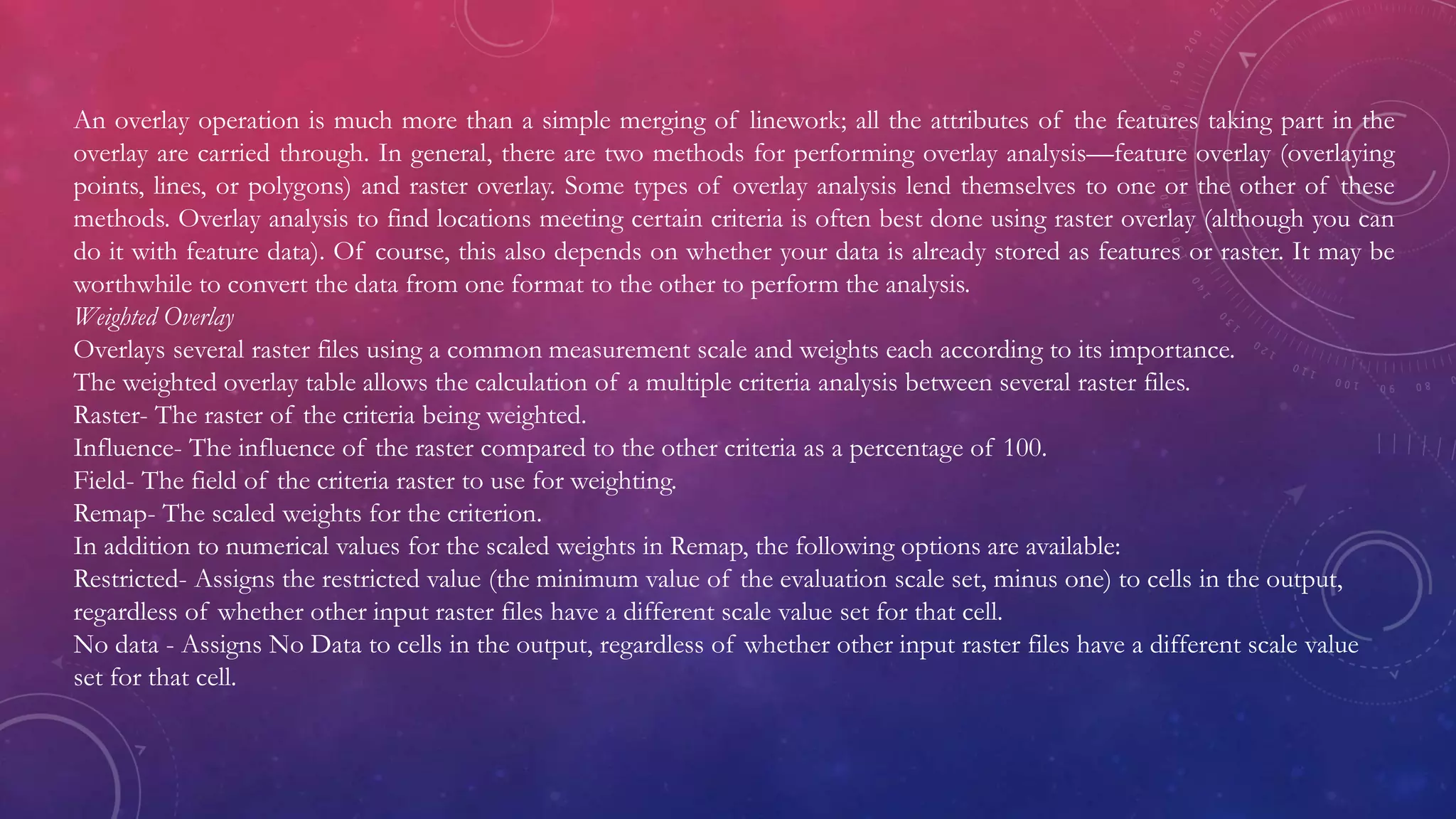
LAYER – 1 RAINFALL
RAINFALL POINT FILE TO IDW(OUTPUT CELL SIZE - 50)
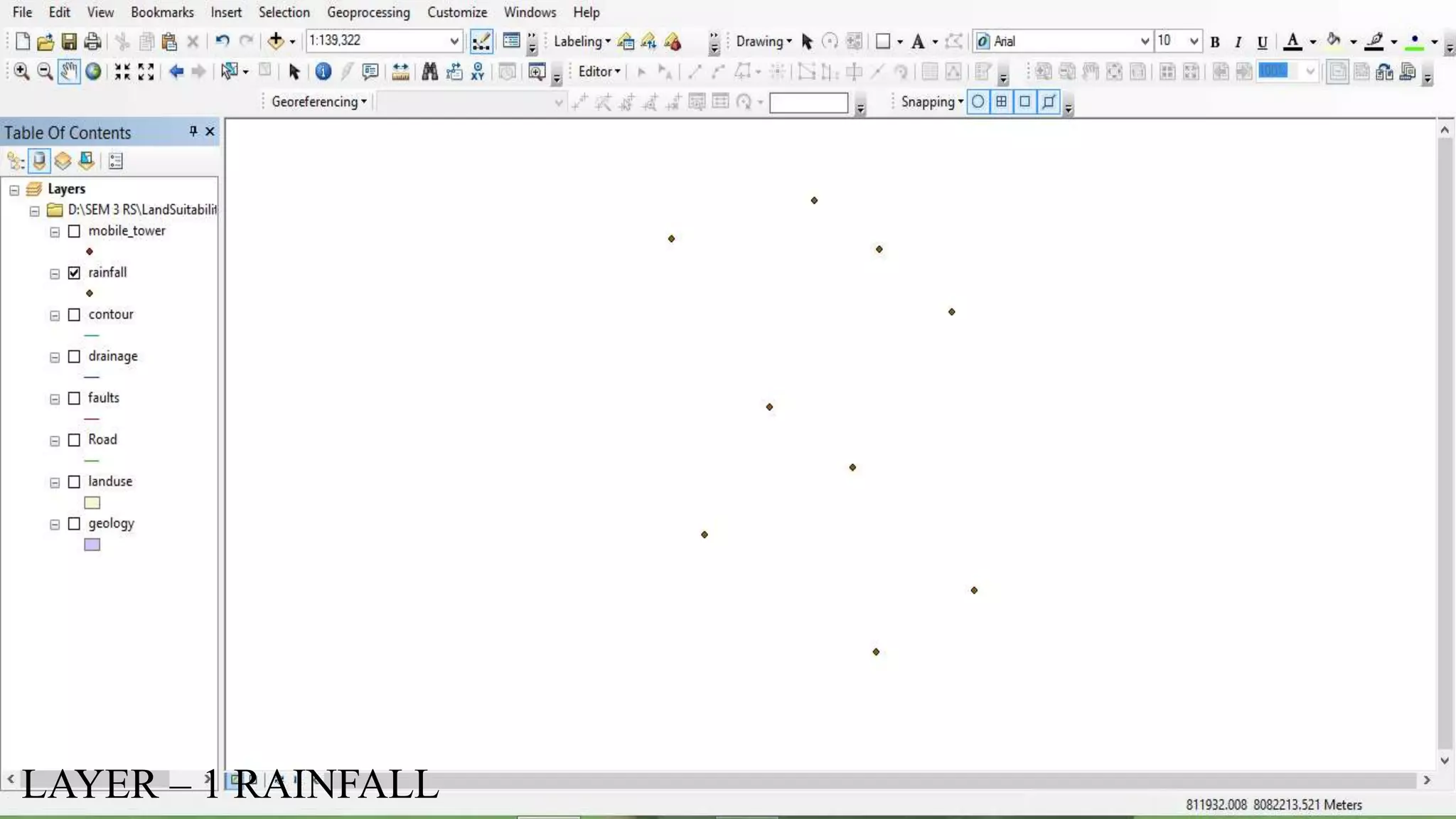
RECLASSIFICATION OF IDW
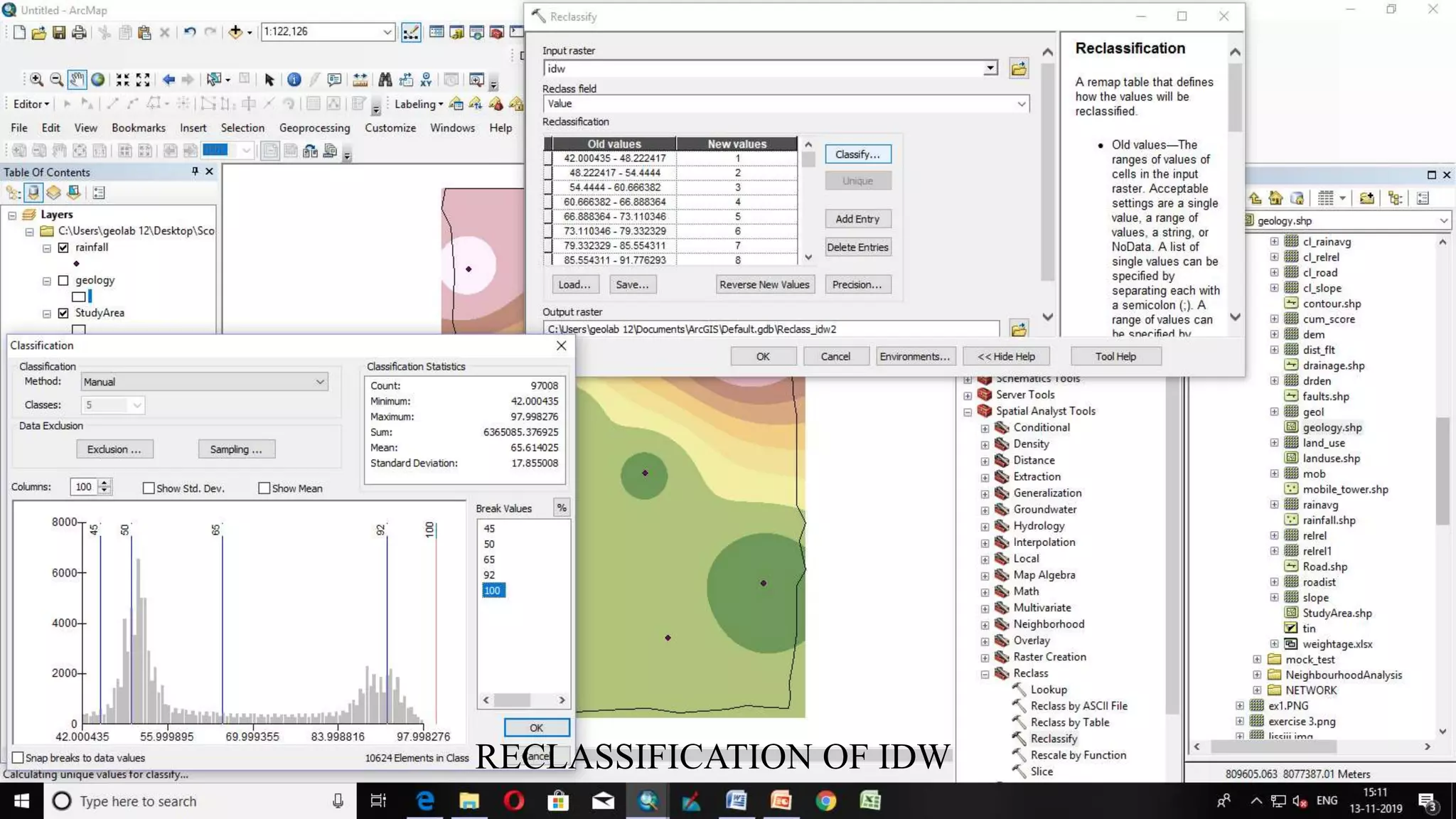
RECLASSIFIED IDW
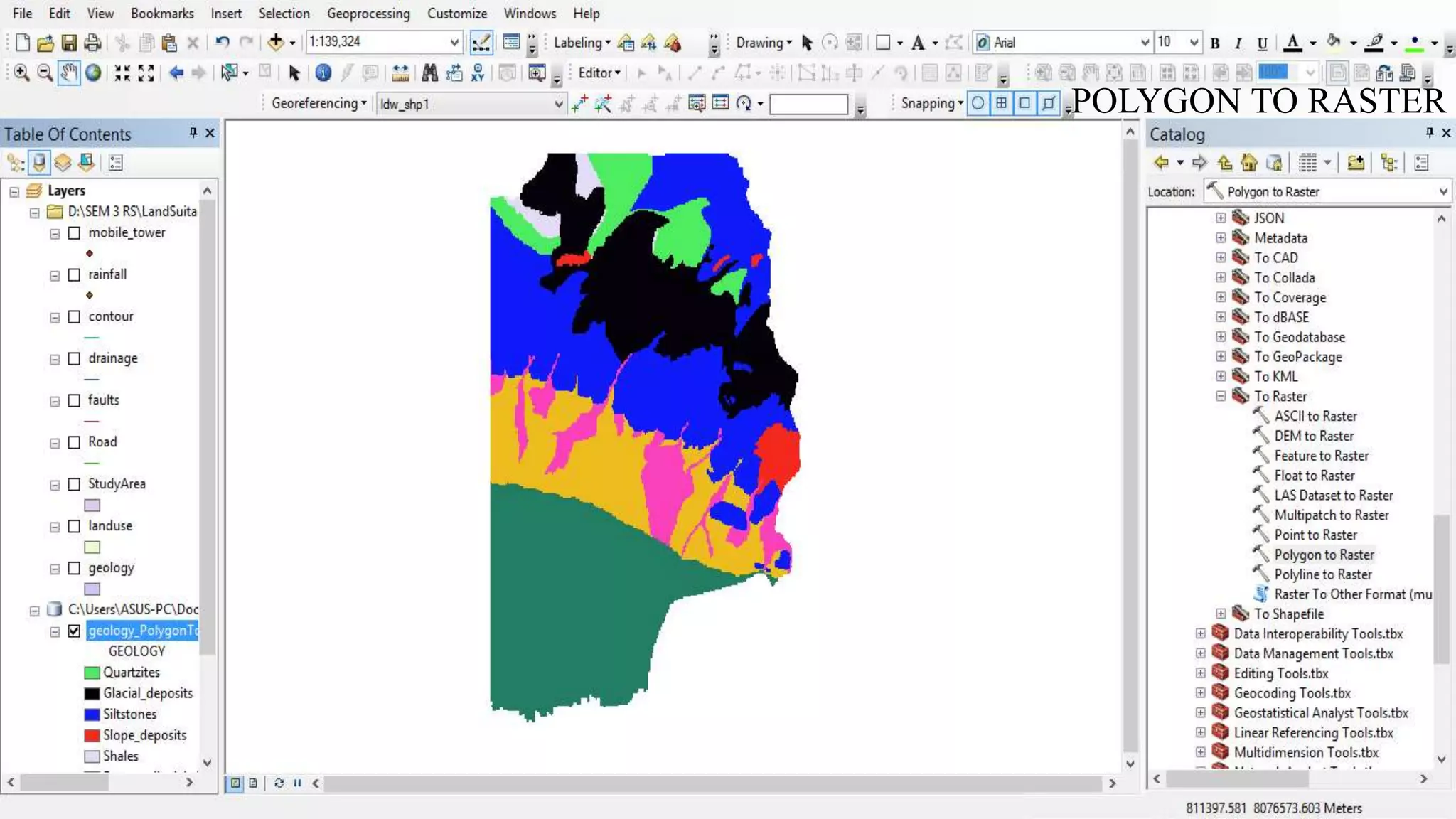
LAYER 2: GEOLOGY
POLYGON TO RASTER
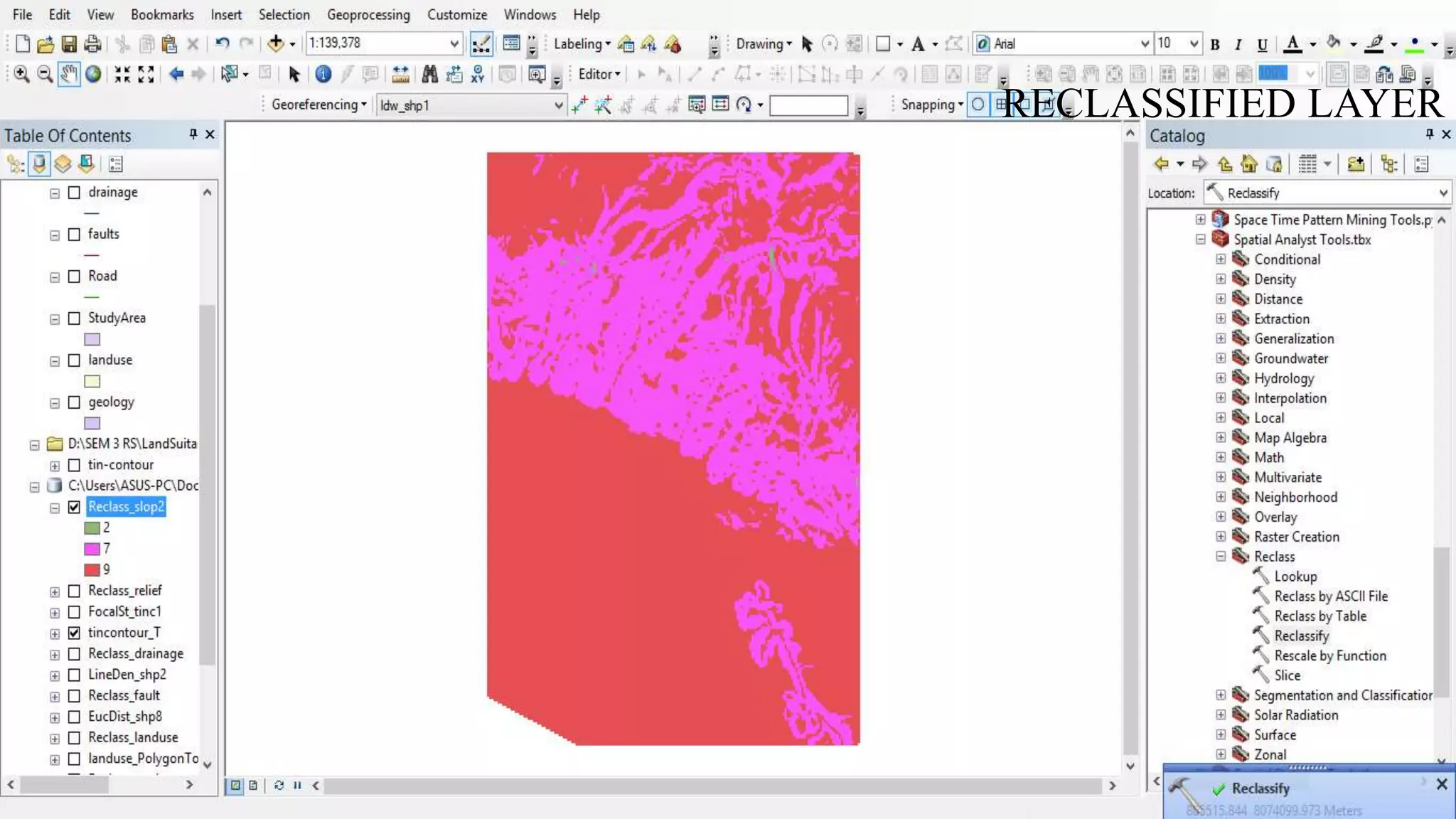
RECLASSIFIED LAYER
LAYER – 3 LANDUSE
POLYGON TO RASTER
RECLASSIFIED LAYER
LAYER -3 FAULTS
CALCULATE DISTANCE (EUCLIDIAN DISTANCE)
RECLASSIFIED LAYER
LAYER 5: DRAINAGE
CALCULATE DENSITY (LINE DENSITY WITH RADIUS-500)
RECLASSIFIED LAYER
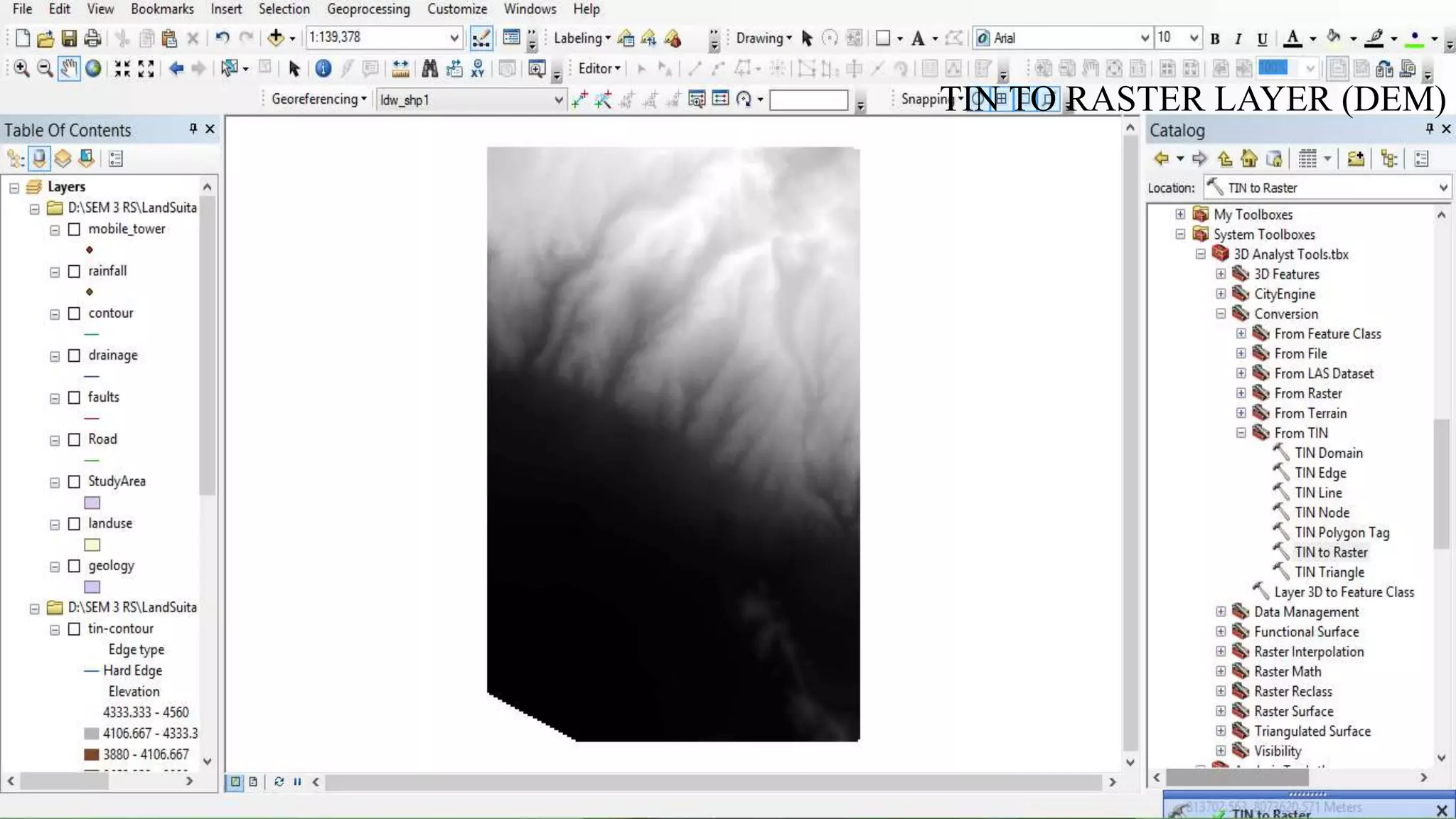
LAYER 6: RELIEF
CREATE TIN
TIN TO RASTER LAYER (DEM)
NEIGHBOURHOOD → FOCAL STATISTICS
RECLASSIFIED LAYER
LAYER 7: SLOPE
Raster layer (DEM )
SLOPE
RECLASSIFIED LAYER
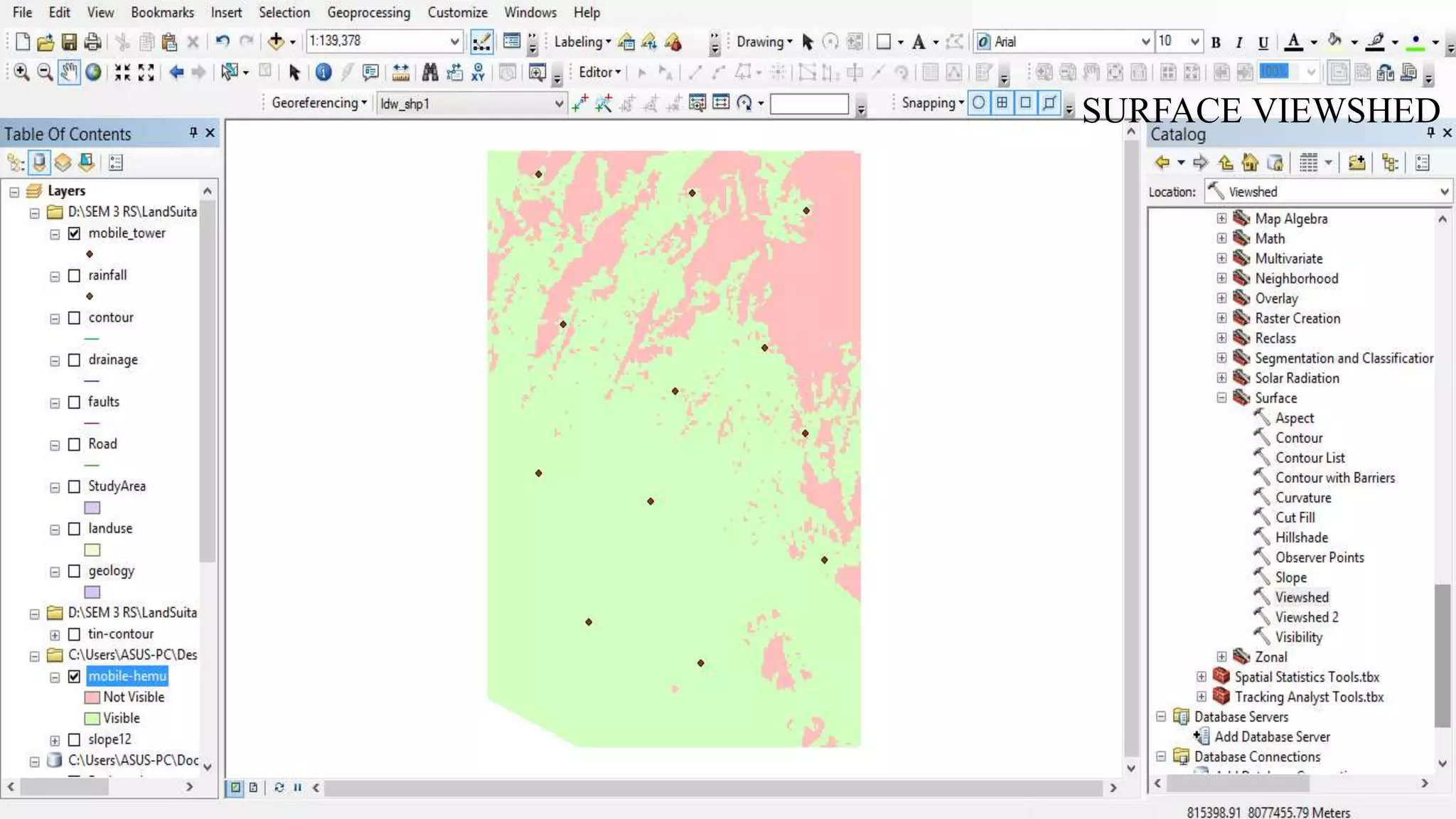
LAYER 8: MOBILE TOWERS
SURFACE VIEWSHED
RECLASSIFIED LAYER
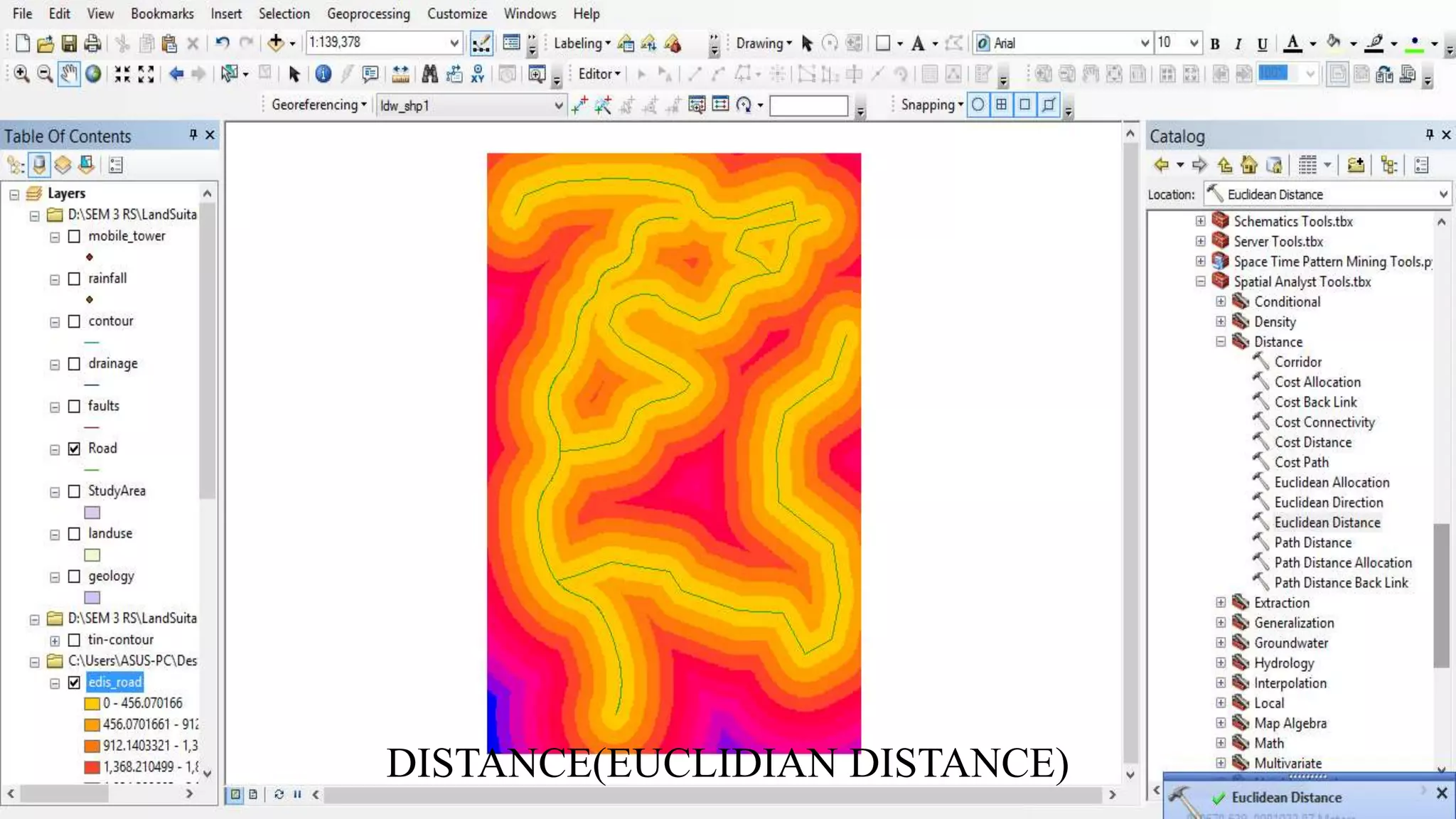
LAYER 9: ROAD
DISTANCE(EUCLIDIAN DISTANCE)
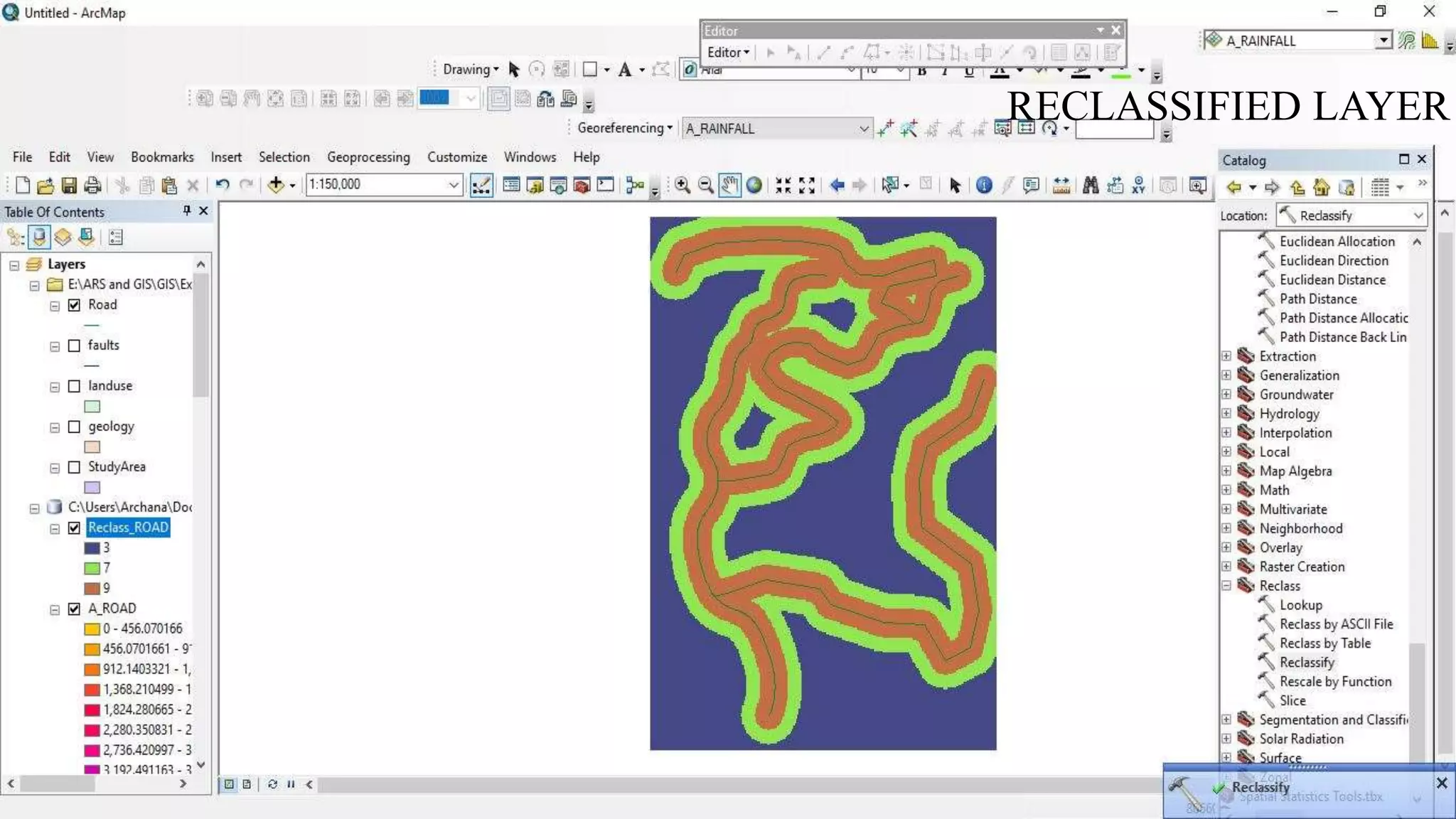
RECLASSIFIED LAYER
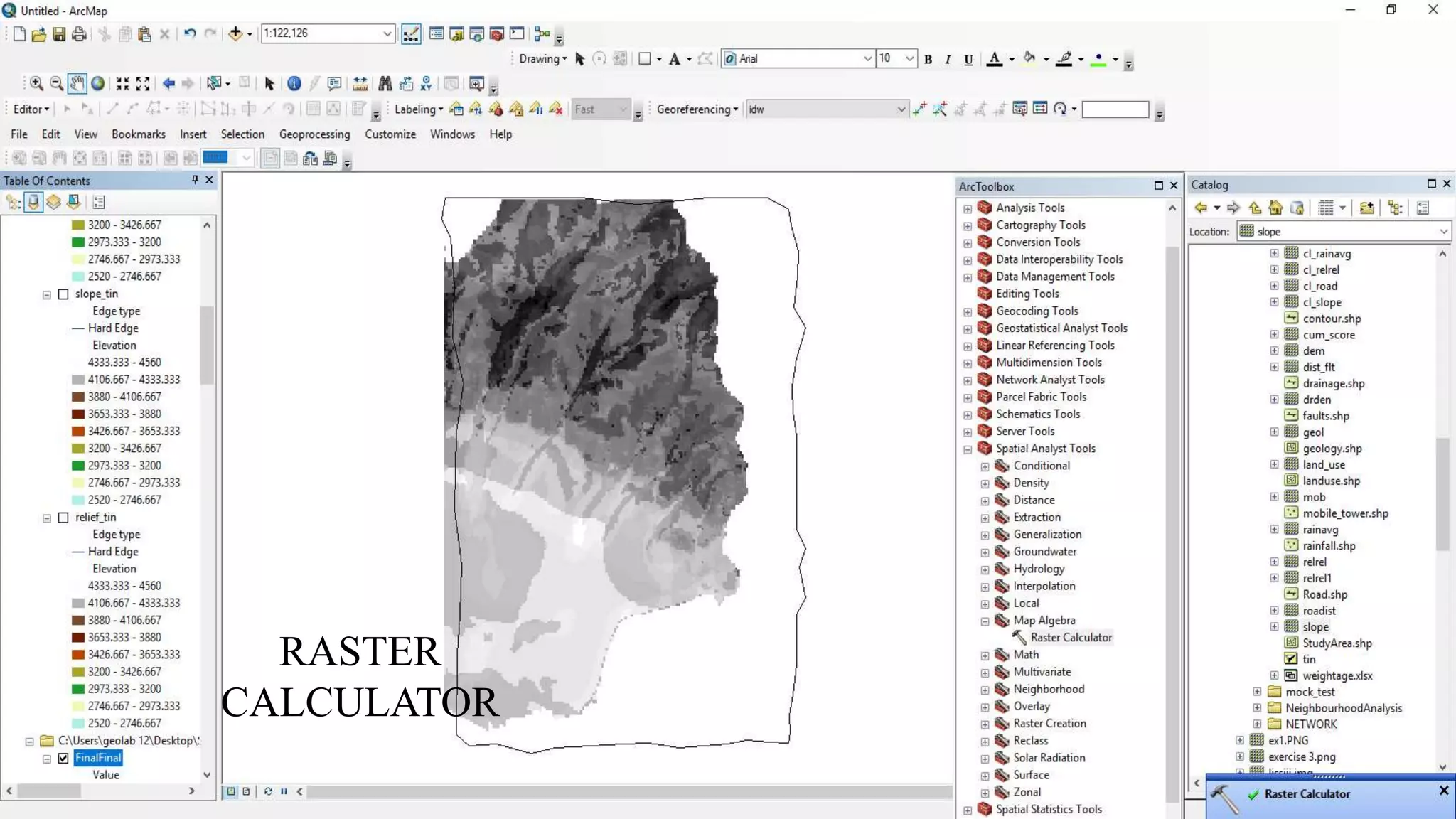
SPATIALANALYSIS TOOL → MAP ALGEBRA → RASTER CALCULATOR
FORMULA – (PRIORITY 1 * LAYER 1)+(PRIORITY 2 * LAYER 2)+(PRIORITY N * LAYER N)
INTEGRATION OF ALL LAYERS
RASTER
CALCULATOR
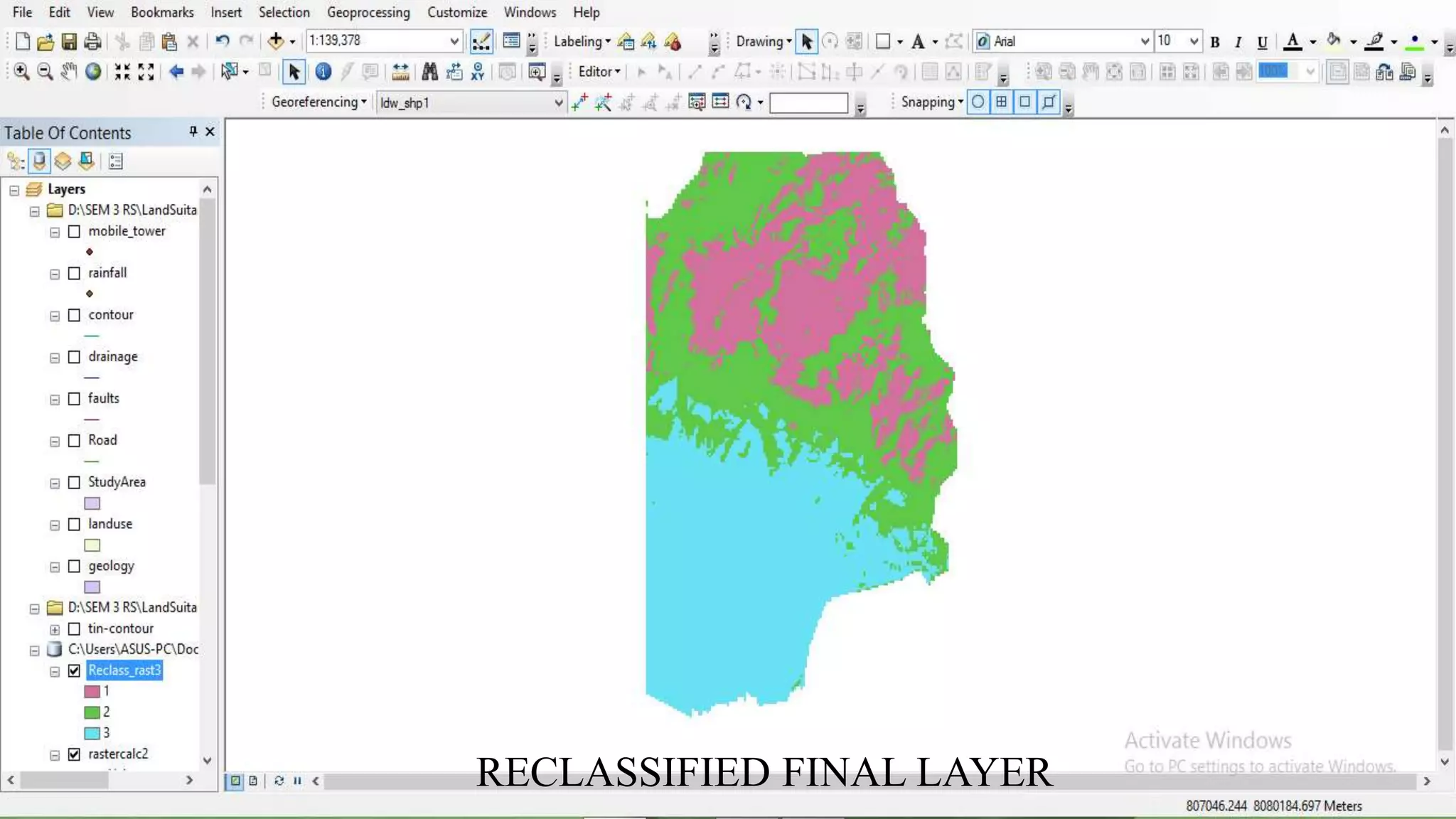
RECLASSIFIED FINAL LAYER
Signing off..

Remote Sensing: Overlay Analysis