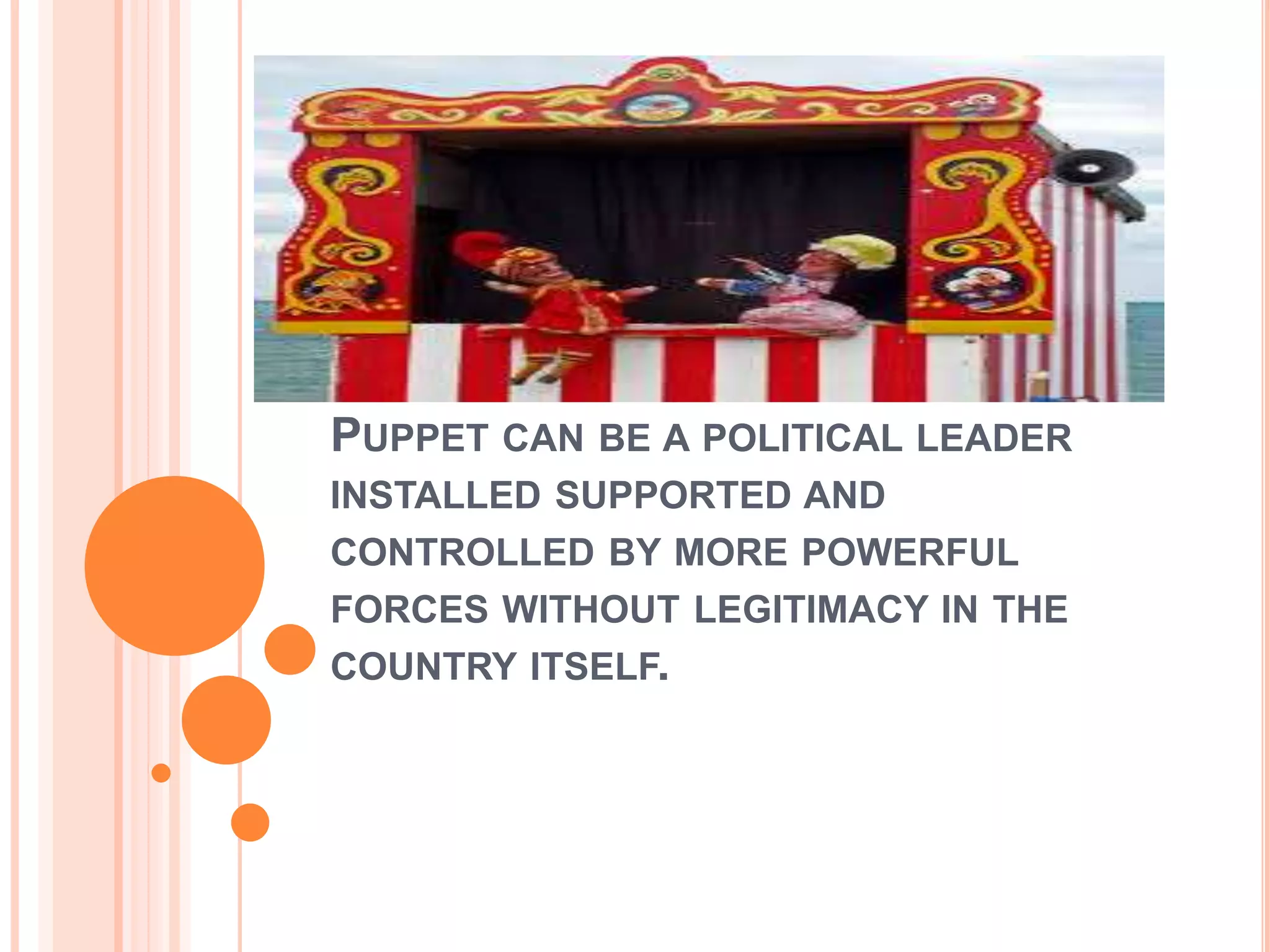
PUPPET CAN BE A POLITICAL LEADER
INSTALLED SUPPORTED AND
CONTROLLED BY MORE POWERFUL
FORCES WITHOUT LEGITIMACY IN THE
COUNTRY ITSELF.
EDUCATIONAL MEDIA
Puppets , LCD, Specimen.
Deblina Roy
M.Sc. Nursing 1st year
DEFINITION
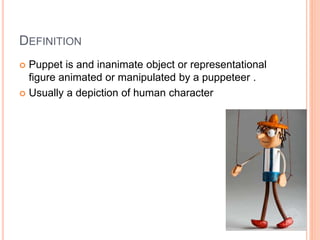
 Puppet is and inanimate object or representational
figure animated or manipulated by a puppeteer .
 Usually a depiction of human character
 It is a very ancient form of theatre.
 Transformed
 Manipulated by at least one puppeteer.
 Fundamental in children education.
 Stimulate imagination
 Creative
 Interactive
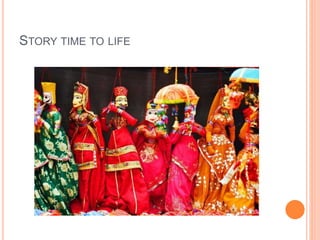
STORY TIME TO LIFE
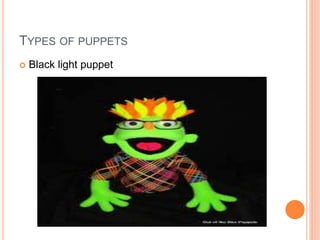
TYPES OF PUPPETS
 Black light puppet
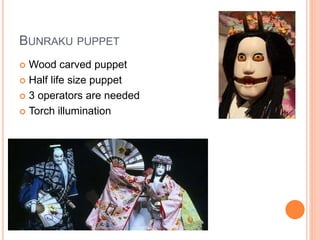
BUNRAKU PUPPET
 Wood carved puppet
 Half life size puppet
 3 operators are needed
 Torch illumination
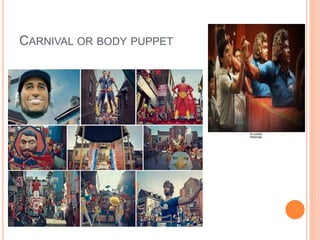
CARNIVAL OR BODY PUPPET
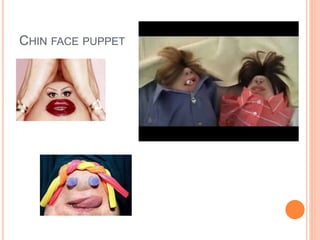
CHIN FACE PUPPET
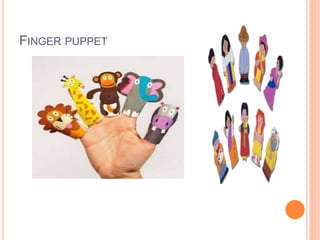
FINGER PUPPET
HAND OR GLOVE PUPPET
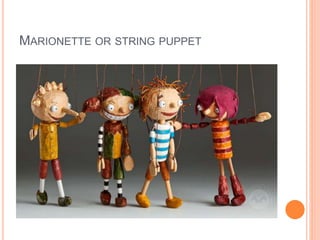
MARIONETTE OR STRING PUPPET
HUMAN ARM PUPPET
 Hand puppet
 Rod puppet
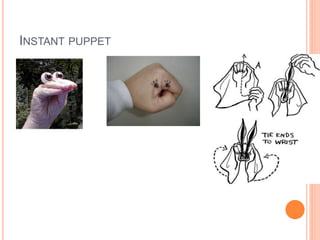
INSTANT PUPPET
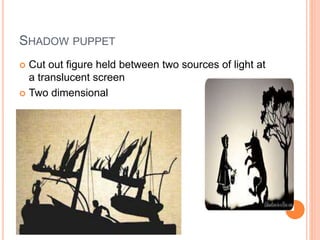
SHADOW PUPPET
 Cut out figure held between two sources of light at
a translucent screen
 Two dimensional
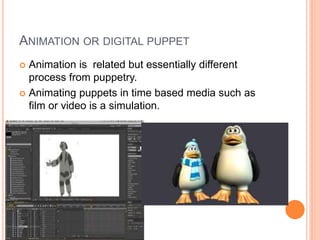
ANIMATION OR DIGITAL PUPPET
 Animation is related but essentially different
process from puppetry.
 Animating puppets in time based media such as
film or video is a simulation.
PURPOSES OF PUPPETS
 Developing communication skills
 Teaching emotions
 Anxiety, fear , gain trust ,
 Develop fine motor skills
 Providing a visual aid which makes song and
stories
 Motivate and support children
 Learning difficulties and hearing difficulties.
ADVANTAGES
 Stories can be told to a small group of people
 Attracts attention of the group
 Humorous and less critical
 Lasting impact in the mind
 Useful in teaching children
DISADVANTAGES
 Difficult to master the art of puppetry
 Difficult to set up
 Not suitable for a very large group
 Children
 Time consuming in terms of preparation and
performance.
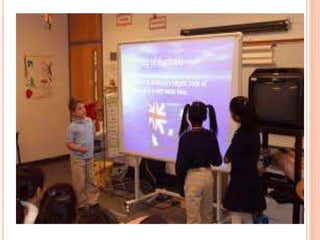
LCD PANELS
 This aid has been largely superseded by data
projectors
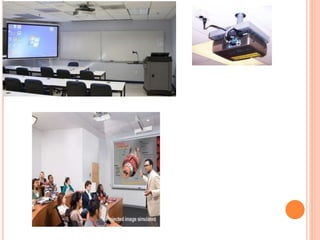
 A liquid crystal display (LCD) panel connected to a
computer
 And then with help of a projector is displayed on a
screen
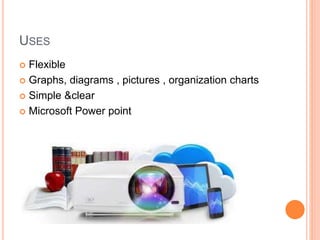
USES
 Flexible
 Graphs, diagrams , pictures , organization charts
 Simple &clear
 Microsoft Power point
GUIDELINES
 Limit no of slides to not more than 12 for more than
10 mins
 Ensure text contrasts with the background , but
avoid patterned background
 Comply with copyright law when pictures , charts ,
tables or diagram are used.
 Standardize position , colors and styles
 Use only one or two animation or transition effects
ADVANTAGES
 The sequence can be interspersed with summary
screens listing for example , search steps
 Less susceptible to last minute technical difficulties
or un expected events
DISADVANTAGES
 The teacher cannot interact with the content to
illustrate the points raised by the students
 It may take up a minute to load the presentation.
 Time consuming to prepare for teachers
 Technical faults may be faced if power failure
occurs
 Device may get corrupted with viruses.
SPECIMEN
Deblina Roy
M.Sc. Nursing 1st year
King George’s Medical University.
DEFINITION
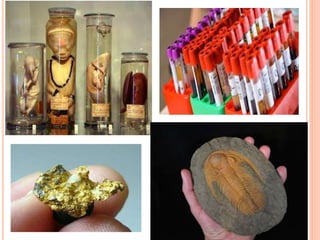
 Part of real objects taken from the natural setting .
 It is a sample that shows quality of sturcture
1. Eg : various parts of the body
2. Animal parts
3. Sections of lung
4. Slides of blood or other material
ADVANTAGES
 real things can be shown
 The educational aid can be preserved for a long
time
 Students can get hand on experience
 Practical knowledge can be given
DISADVANTAGES
 Difficult to prepare
 Expensive
 Needs special settings for preservation
Puppets, LCD, specimen as educational media

Puppets, LCD, specimen as educational media

  • 1.
    PUPPET CAN BEA POLITICAL LEADER INSTALLED SUPPORTED AND CONTROLLED BY MORE POWERFUL FORCES WITHOUT LEGITIMACY IN THE COUNTRY ITSELF.
  • 2.
    EDUCATIONAL MEDIA Puppets ,LCD, Specimen. Deblina Roy M.Sc. Nursing 1st year
  • 3.
    DEFINITION  Puppet isand inanimate object or representational figure animated or manipulated by a puppeteer .  Usually a depiction of human character
  • 4.
     It isa very ancient form of theatre.  Transformed  Manipulated by at least one puppeteer.  Fundamental in children education.  Stimulate imagination  Creative  Interactive
  • 5.
  • 6.
    TYPES OF PUPPETS Black light puppet
  • 7.
    BUNRAKU PUPPET  Woodcarved puppet  Half life size puppet  3 operators are needed  Torch illumination
  • 8.
  • 9.
  • 10.
  • 11.
  • 12.
  • 13.
    HUMAN ARM PUPPET Hand puppet  Rod puppet
  • 14.
  • 15.
    SHADOW PUPPET  Cutout figure held between two sources of light at a translucent screen  Two dimensional
  • 16.
    ANIMATION OR DIGITALPUPPET  Animation is related but essentially different process from puppetry.  Animating puppets in time based media such as film or video is a simulation.
  • 17.
    PURPOSES OF PUPPETS Developing communication skills  Teaching emotions  Anxiety, fear , gain trust ,  Develop fine motor skills  Providing a visual aid which makes song and stories  Motivate and support children  Learning difficulties and hearing difficulties.
  • 18.
    ADVANTAGES  Stories canbe told to a small group of people  Attracts attention of the group  Humorous and less critical  Lasting impact in the mind  Useful in teaching children
  • 19.
    DISADVANTAGES  Difficult tomaster the art of puppetry  Difficult to set up  Not suitable for a very large group  Children  Time consuming in terms of preparation and performance.
  • 21.
    LCD PANELS  Thisaid has been largely superseded by data projectors  A liquid crystal display (LCD) panel connected to a computer  And then with help of a projector is displayed on a screen
  • 22.
    USES  Flexible  Graphs,diagrams , pictures , organization charts  Simple &clear  Microsoft Power point
  • 24.
    GUIDELINES  Limit noof slides to not more than 12 for more than 10 mins  Ensure text contrasts with the background , but avoid patterned background  Comply with copyright law when pictures , charts , tables or diagram are used.  Standardize position , colors and styles  Use only one or two animation or transition effects
  • 25.
    ADVANTAGES  The sequencecan be interspersed with summary screens listing for example , search steps  Less susceptible to last minute technical difficulties or un expected events
  • 26.
    DISADVANTAGES  The teachercannot interact with the content to illustrate the points raised by the students  It may take up a minute to load the presentation.  Time consuming to prepare for teachers  Technical faults may be faced if power failure occurs  Device may get corrupted with viruses.
  • 27.
    SPECIMEN Deblina Roy M.Sc. Nursing1st year King George’s Medical University.
  • 28.
    DEFINITION  Part ofreal objects taken from the natural setting .  It is a sample that shows quality of sturcture 1. Eg : various parts of the body 2. Animal parts 3. Sections of lung 4. Slides of blood or other material
  • 30.
    ADVANTAGES  real thingscan be shown  The educational aid can be preserved for a long time  Students can get hand on experience  Practical knowledge can be given
  • 31.
    DISADVANTAGES  Difficult toprepare  Expensive  Needs special settings for preservation