



Pin It, Tag It, Bookmark It!

      TLT Center Summer Series
         Seton Hall University
  Mary Zedeck, Instructional Designer
            June 20, 2012
The Plan for Today
• Resources
• Overview
• Tools
  – Delicious – the granddaddy
  – Pinterest – what’s so Pinteresting?
    • Housing and Residence Life
  – Diigo – a demonstration
• Implementation discussion
• Additional tools
Workshop Resources
Overview
•   Why?
•   Bookmarking…Digital/Content Curation
•   How is this Social?
•   Terminology
    – Bookmark, Pin, Link
    – Tag
    – Folksonomy
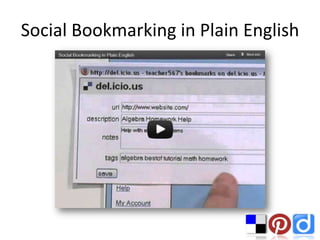
Social Bookmarking in Plain English
Delicious
•   One of the first popular social bookmarking sites
•   “All your bookmarks in one place”
•   Discover, Share, Follow
•   Individual or collaborative
•   Private or public
•   Easily share on Facebook or Twitter
•   Browser buttons
•   Profile
•   Glossary
Delicious Glossary
• Link (bookmark) – a website added to your
  collection
• Stack – a set of links related to a topic
• Feed – your network’s activity on delicious
• Tag – word or words assigned to identify a
  link
• Tag Bundles – way to organize existing tags
  into groups
Examples
• Flipped Classroom
• Crowdfunding
• QR Code Resources
Delicious Hands-On
Pinterest
• Latest buzz
• Visually focused collection of information
  – Photos, videos, quotes
• 11 million+ users, ~70% women
• Big brands, small brands, individuals, magazines,
  photographers, educators…
• Individual and Collaborative
• Pubic
• Easily share on Facebook and Twitter
• Profile
• Glossary
Pinterest Glossary
• Pin – an image or video added to a board
• Pinning – adding a pin to a board
• Board – a set of pins related to a theme
• Re-pinning – grabbing a pin on someone’s
  board and copying it to yours
• Likes – allow you to high five another pinner
• Activity – updates in your social network
Examples
•   Nordstrom
•   Small Things
•   Seton Hall Housing and Residence Life
•   1st Grade Teacher
•   Lesson Plan Ideas
•   Marvelous Math
•   Free Tools for Teachers
•   Vicki Davis
•   16 Ways Teachers are Using Pinterest
Delicious vs Pinterest

• Delicious Stack for Nonprofit Technology
  Infographics
• Pinterest Board for Nonprofit Infographics
Pinterest Hands-On
Diigo
• Layout similar to Delicious
• More tools
• Snapshot, capture, highlight, annotate, sticky notes,
  read later
• Advertising
• Education account
• Evolution and overview of Diigo:
  http://www.diigo.com/
• Groups: http://groups.diigo.com/index
• Person search: http://www.diigo.com/people/search
Examples
•   MDEbookmarks
•   Josh Allen
•   Mr. Barnes – Language Arts
•   Diigo in Education Resources
•   Diigo in Education Group
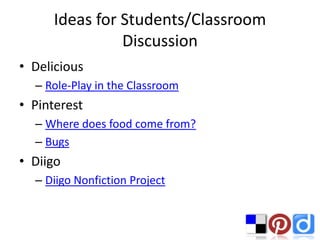
Ideas for Students/Classroom
               Discussion
• Delicious
  – Role-Play in the Classroom
• Pinterest
  – Where does food come from?
  – Bugs
• Diigo
  – Diigo Nonfiction Project
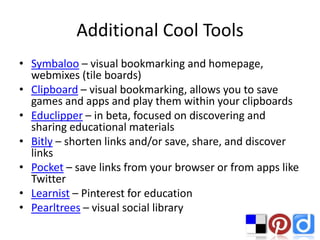
Additional Cool Tools
• Symbaloo – visual bookmarking and homepage,
  webmixes (tile boards)
• Clipboard – visual bookmarking, allows you to save
  games and apps and play them within your clipboards
• Educlipper – in beta, focused on discovering and
  sharing educational materials
• Bitly – shorten links and/or save, share, and discover
  links
• Pocket – save links from your browser or from apps like
  Twitter
• Learnist – Pinterest for education
• Pearltrees – visual social library

Pin it, Tag it, Bookmark it

  • 1.
    Pin It, TagIt, Bookmark It! TLT Center Summer Series Seton Hall University Mary Zedeck, Instructional Designer June 20, 2012
  • 3.
    The Plan forToday • Resources • Overview • Tools – Delicious – the granddaddy – Pinterest – what’s so Pinteresting? • Housing and Residence Life – Diigo – a demonstration • Implementation discussion • Additional tools
  • 4.
  • 5.
    Overview • Why? • Bookmarking…Digital/Content Curation • How is this Social? • Terminology – Bookmark, Pin, Link – Tag – Folksonomy
  • 6.
    Social Bookmarking inPlain English
  • 7.
    Delicious • One of the first popular social bookmarking sites • “All your bookmarks in one place” • Discover, Share, Follow • Individual or collaborative • Private or public • Easily share on Facebook or Twitter • Browser buttons • Profile • Glossary
  • 8.
    Delicious Glossary • Link(bookmark) – a website added to your collection • Stack – a set of links related to a topic • Feed – your network’s activity on delicious • Tag – word or words assigned to identify a link • Tag Bundles – way to organize existing tags into groups
  • 9.
    Examples • Flipped Classroom •Crowdfunding • QR Code Resources
  • 10.
  • 12.
    Pinterest • Latest buzz •Visually focused collection of information – Photos, videos, quotes • 11 million+ users, ~70% women • Big brands, small brands, individuals, magazines, photographers, educators… • Individual and Collaborative • Pubic • Easily share on Facebook and Twitter • Profile • Glossary
  • 13.
    Pinterest Glossary • Pin– an image or video added to a board • Pinning – adding a pin to a board • Board – a set of pins related to a theme • Re-pinning – grabbing a pin on someone’s board and copying it to yours • Likes – allow you to high five another pinner • Activity – updates in your social network
  • 14.
    Examples • Nordstrom • Small Things • Seton Hall Housing and Residence Life • 1st Grade Teacher • Lesson Plan Ideas • Marvelous Math • Free Tools for Teachers • Vicki Davis • 16 Ways Teachers are Using Pinterest
  • 15.
    Delicious vs Pinterest •Delicious Stack for Nonprofit Technology Infographics • Pinterest Board for Nonprofit Infographics
  • 16.
  • 19.
    Diigo • Layout similarto Delicious • More tools • Snapshot, capture, highlight, annotate, sticky notes, read later • Advertising • Education account • Evolution and overview of Diigo: http://www.diigo.com/ • Groups: http://groups.diigo.com/index • Person search: http://www.diigo.com/people/search
  • 20.
    Examples • MDEbookmarks • Josh Allen • Mr. Barnes – Language Arts • Diigo in Education Resources • Diigo in Education Group
  • 21.
    Ideas for Students/Classroom Discussion • Delicious – Role-Play in the Classroom • Pinterest – Where does food come from? – Bugs • Diigo – Diigo Nonfiction Project
  • 22.
    Additional Cool Tools •Symbaloo – visual bookmarking and homepage, webmixes (tile boards) • Clipboard – visual bookmarking, allows you to save games and apps and play them within your clipboards • Educlipper – in beta, focused on discovering and sharing educational materials • Bitly – shorten links and/or save, share, and discover links • Pocket – save links from your browser or from apps like Twitter • Learnist – Pinterest for education • Pearltrees – visual social library