Workshop 4:
Managing your digital identity and the digital future
Recap from Workshop 3
• What is a student ambassador for digital
literacy?
• Managing and sharing information
• Understanding plagiarism and good academic
practice in writing
Digital footprint and
identity
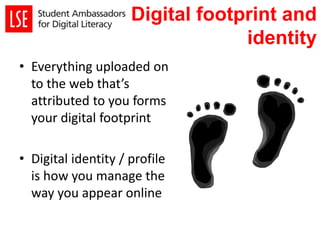
• Everything uploaded on
to the web that’s
attributed to you forms
your digital footprint
• Digital identity / profile
is how you manage the
way you appear online
Activity – What is your digital
footprint?
In pairs:
each other
• Share with each other:
– What kinds of information you found?
– Which websites hosted this information?
– Did anything surprise you or worry you?
All images sourced from Wikimedia commons
Why does it matter?
Your Digital Profile video –
London Metropolitan University
Chris O’Reilly – Your Digital Profile (2014). London Metropolitan University.
https://www.youtube.com/watch?v=1AiK-qxoy0s
“…everyone’s career will also be understood by
what we say through online communication
such as Facebook, email and Twitter… so learn
to be digitally articulate and literate…”
Charlie Beckett, head of Media and Communications
department, LSE
“We investigate everyone who applies; if there
is no on-line presence at all, we will not invite
them to interview...”
Director of Digital Strategies, Racepoint Group UK
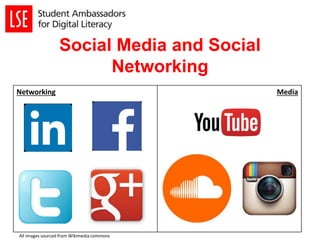
Social Media and Social
Networking
Networking Media
All images sourced from Wikimedia commons
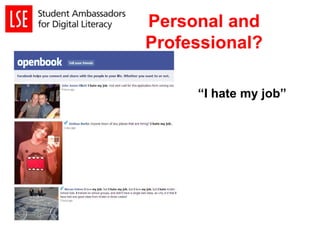
Personal and
Professional?
“I hate my job”
Activity – 5 tips to improve
your digital presence
• In groups of 4:
– Come up with 5 tips on managing digital identity
– Think about concepts such as online safety, using social
media to communicate strategically and how you could
use social media to display your skills and creativity
Taking Advantage
• Build a positive online presence
• Expand your network
• Writing for blogs/twitter
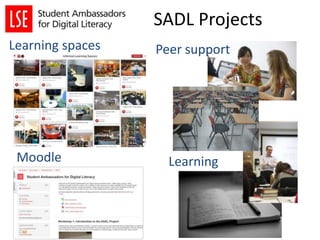
SADL Projects
Learning spaces
Learning
Peer support
Moodle
• R01 is available for groups to meet up and
work on projects in week 7 & 8 (see Doodle
poll).
• The senior ambassadors will be available to
give support
• You might want to use some of the tools we
explored in workshop 3 to organise your
project and work collaboratively e.g.
Googledocs/Evernote/Trello/Wunderlist
Project groups &
support
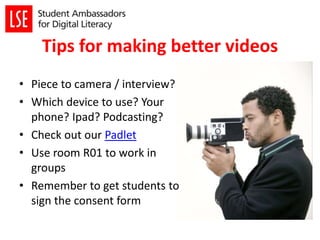
Tips for making better videos
• Piece to camera / interview?
• Which device to use? Your
phone? Ipad? Podcasting?
• Check out our Padlet
• Use room R01 to work in
groups
• Remember to get students to
sign the consent form
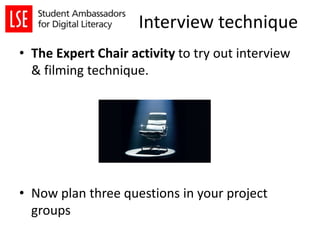
Interview technique
• The Expert Chair activity to try out interview
& filming technique.
• Now plan three questions in your project
groups
SADL Celebration!
• Wednesday 11 March 3pm
• Each group to present on for 10 – 15 minutes
on each project
• Heads of departments and other academics
will be invited to see your findings
• Certificates awarded & drinks afterwards!
Getting further help and staying in
touch
• SADL project blog:
http://blogs.lse.ac.uk/lsesadl/
• Facebook group:
• https://www.facebook.com/groups/76039193
7307254/
• Email your senior ambassador or drop in to
one of the sessions in week 7&8.
Thank you!
• Would you like to be involved next year?
• Would you be willing to take part in a focus
group or video interview?
• Look out for the feedback
and evaluation survey

LSE SADL Workshop 4 2014-15

  • 1.
    Workshop 4: Managing yourdigital identity and the digital future
  • 2.
    Recap from Workshop3 • What is a student ambassador for digital literacy? • Managing and sharing information • Understanding plagiarism and good academic practice in writing
  • 3.
    Digital footprint and identity •Everything uploaded on to the web that’s attributed to you forms your digital footprint • Digital identity / profile is how you manage the way you appear online
  • 4.
    Activity – Whatis your digital footprint? In pairs: each other • Share with each other: – What kinds of information you found? – Which websites hosted this information? – Did anything surprise you or worry you? All images sourced from Wikimedia commons
  • 5.
    Why does itmatter?
  • 6.
    Your Digital Profilevideo – London Metropolitan University Chris O’Reilly – Your Digital Profile (2014). London Metropolitan University. https://www.youtube.com/watch?v=1AiK-qxoy0s
  • 7.
    “…everyone’s career willalso be understood by what we say through online communication such as Facebook, email and Twitter… so learn to be digitally articulate and literate…” Charlie Beckett, head of Media and Communications department, LSE “We investigate everyone who applies; if there is no on-line presence at all, we will not invite them to interview...” Director of Digital Strategies, Racepoint Group UK
  • 8.
    Social Media andSocial Networking Networking Media All images sourced from Wikimedia commons
  • 9.
  • 10.
    Activity – 5tips to improve your digital presence • In groups of 4: – Come up with 5 tips on managing digital identity – Think about concepts such as online safety, using social media to communicate strategically and how you could use social media to display your skills and creativity
  • 11.
    Taking Advantage • Builda positive online presence • Expand your network • Writing for blogs/twitter
  • 12.
  • 13.
    • R01 isavailable for groups to meet up and work on projects in week 7 & 8 (see Doodle poll). • The senior ambassadors will be available to give support • You might want to use some of the tools we explored in workshop 3 to organise your project and work collaboratively e.g. Googledocs/Evernote/Trello/Wunderlist Project groups & support
  • 14.
    Tips for makingbetter videos • Piece to camera / interview? • Which device to use? Your phone? Ipad? Podcasting? • Check out our Padlet • Use room R01 to work in groups • Remember to get students to sign the consent form
  • 15.
    Interview technique • TheExpert Chair activity to try out interview & filming technique. • Now plan three questions in your project groups
  • 16.
    SADL Celebration! • Wednesday11 March 3pm • Each group to present on for 10 – 15 minutes on each project • Heads of departments and other academics will be invited to see your findings • Certificates awarded & drinks afterwards!
  • 17.
    Getting further helpand staying in touch • SADL project blog: http://blogs.lse.ac.uk/lsesadl/ • Facebook group: • https://www.facebook.com/groups/76039193 7307254/ • Email your senior ambassador or drop in to one of the sessions in week 7&8.
  • 18.
    Thank you! • Wouldyou like to be involved next year? • Would you be willing to take part in a focus group or video interview? • Look out for the feedback and evaluation survey

Editor's Notes

  • #4 Stress positive connotation with ‘footprint’ and can’t control it necessarily Vs idea that you CAN control your digital identity
  • #5 In pairs:- Each student Googles their partner Reports back on the types of information that’s available straight away (first website, images, any other people who may appear alongside/instead) what did you find about the person? did anything worry you? Surprise you? Be clear they don’t share with us exactly what they found – just a few insights. Why does it matter? Discussion?
  • #6 Draw it! In Groups – poster activity to highlight why it matters for other students – give out flipcharts & pens 10 minutes
  • #7  Start at 0.50? Stop at 5.32 (or earlier)
  • #8 Why is it important Employer’s are looking; opportunity to widen your network There are some sectors who will google you before the consider you for interview and if you are not there, they may not call you to interview eg. journalism, media, advertising, PR, marketing, public affairs etc. They are active in these arenas and so need you to be confident with social networking – you may well be their target audience. We’ll be looking at you can take advantage of your digital footprint & the pitfalls
  • #9 In basic terms, networking sites primarily deal with connecting you with others. Media sites are mainly involved in allowing you to share photos, videos, music etc. Increasingly blurred lines between social media and social networking. Dedicated profiles on social media sites, the ability to message both publically and privately and the ability to share media on networking sites means shows a convergence between the two, therefore allowing greater cross-over between sites than ever before Personal vs professional and is there a distinction
  • #10 In basic terms, networking sites primarily deal with connecting you with others. Media sites are mainly involved in allowing you to share photos, videos, music etc. Increasingly blurred lines between social media and social networking. Dedicated profiles on social media sites, the ability to message both publically and privately and the ability to share media on networking sites means shows a convergence between the two, therefore allowing greater cross-over between sites than ever before Personal vs professional and is there a distinction. Do you want employers, lecturers, colleagues to see it? Check Social Networking Privacy Settings and if the answer is no then keep it private Images found on http://youropenbook.org/ now closed down and replaced by http://willmoffat.github.io/FacebookSearch/
  • #11 Give out our hand-out of our 10 tips 1) If in doubt don’t post! Or keep it private. If you what to keep a public profile don’t include anything that you might find embarrassing later or wouldn’t want your work colleagues, lecturers or an employer to see. Consider using a different name (e.g a nickname) for your more private social profile. Once information has been posted online it can become almost impossible to remove because of archiving and file sharing. Even if you deactivate your social networking account, the information may still be held in the system and be accessible to others. 2) Clearly separate your personal and professional online profiles. 3) Keep CVs / Profiles up-to-date 4) Don’t use unsuitable email addresses / voicemail message
  • #12 Informal social networking - Twitter – follow employers in your chosen sector (Networking) Example given by PR company who tweet if they need an intern. Some people have 2 accounts, like Facebook, personal profile and public profile Commenting on blog posts and news Develop a profile – Construct your profile carefully – people will judge you on it Don’t make cold contacts – build relationships around common interests and connections Decide where you stand on privacy and on the boundaries between personal and professional Multiple presences on the web: carefully worded summary which says clearly who you are, what you want, connections, recommendations, links to website, twitter profile. Use Linked in to bring it all together If you blog set it to tweet automatically, Link Twitter to Facebook etc CV - Could put links to photographs, music lists, websites etc or add Linked in Profile if it is impressive Signature on email/Business card with links
  • #13 Give out the project hand-outs with list of students in each group & senior contact details. Students have to move into their groups (the seniors can join those that are low on numbers).
  • #15 Give out the DSLR’s, tripods, ipads & podcasting kits (1 of each device for each group). Give out the filming technique hand-out Tips for filming http://sonicsight.com.au/7-mistakes-to-avoid-when-filming/ http://sonicsight.com.au/7-tips-when-filming-interviews/
  • #16 Game for pairs. One person interviews the other on their specialist subject, which should be ridiculous, like “nonsense studies” or “underpants prophesy”. Interviewer gets three questions, then wraps up. We demo this with one of the senior ambassadors acting as the interviewer. Expert profiles are already created to be given out. Chance for students to relax & try out the equipment & interviewing.
  • #17 Jane