Insert Video into Your Blogger Post
                             Production I – Fall 2010


Step 1:
Login to your blog and create a
New Post. In the New Post window
click the Insert Video icon.


Step 2:
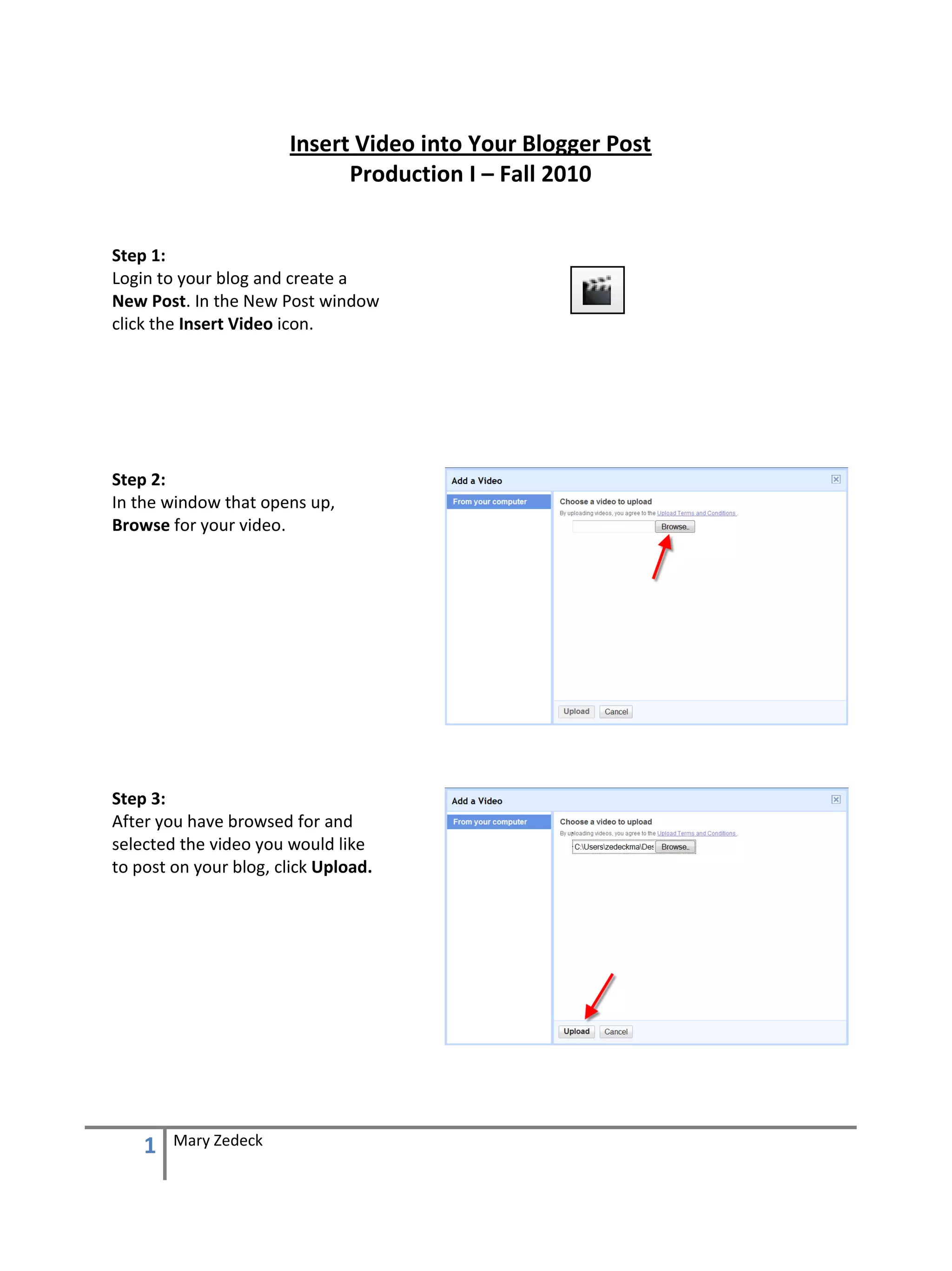
In the window that opens up,
Browse for your video.


Step 3:
After you have browsed for and
selected the video you would like
to post on your blog, click Upload.


    1   Mary Zedeck
Step 4:
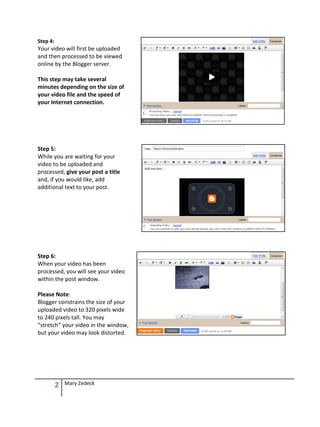
Your video will first be uploaded
and then processed to be viewed
online by the Blogger server.

This step may take several
minutes depending on the size of
your video file and the speed of
your Internet connection.


Step 5:
While you are waiting for your
video to be uploaded and
processed, give your post a title
and, if you would like, add
additional text to your post.


Step 6:
When your video has been
processed, you will see your video
within the post window.

Please Note:
Blogger constrains the size of your
uploaded video to 320 pixels wide
to 240 pixels tall. You may
“stretch” your video in the window,
but your video may look distorted.


          2   Mary Zedeck
Step 7:
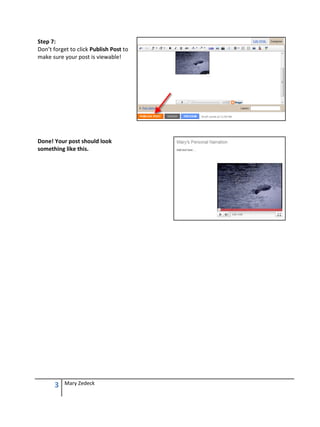
Don’t forget to click Publish Post to
make sure your post is viewable!


Done! Your post should look
something like this.


      3   Mary Zedeck

Insertvideointoblogger

  • 1.
    Insert Video intoYour Blogger Post Production I – Fall 2010 Step 1: Login to your blog and create a New Post. In the New Post window click the Insert Video icon. Step 2: In the window that opens up, Browse for your video. Step 3: After you have browsed for and selected the video you would like to post on your blog, click Upload. 1 Mary Zedeck
  • 2.
    Step 4: Your videowill first be uploaded and then processed to be viewed online by the Blogger server. This step may take several minutes depending on the size of your video file and the speed of your Internet connection. Step 5: While you are waiting for your video to be uploaded and processed, give your post a title and, if you would like, add additional text to your post. Step 6: When your video has been processed, you will see your video within the post window. Please Note: Blogger constrains the size of your uploaded video to 320 pixels wide to 240 pixels tall. You may “stretch” your video in the window, but your video may look distorted. 2 Mary Zedeck
  • 3.
    Step 7: Don’t forgetto click Publish Post to make sure your post is viewable! Done! Your post should look something like this. 3 Mary Zedeck