Sharing IdeasMary ZedeckApril 1, 2011
Agenda – April 1, 2011Quick overview of social media definition and categoriesSharing Ideas – Hands-onBloggerGoogle SitesPDF Portfolio (need Adobe Acrobat 9 Pro)Teaching and learning integration discussion (throughout workshop)
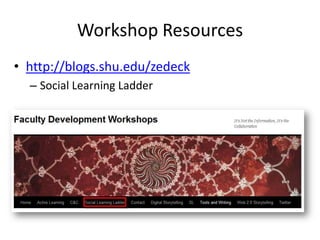
Workshop Resourceshttp://blogs.shu.edu/zedeckSocial Learning Ladder
What is social media?Social mediais media designed to be disseminated through social interaction, created using highly accessible and scalable publishing techniques. Social media supports the human need for social interaction with technology, transforming broadcast media monologues (one to many) into social media dialogues (many to many). It supports the democratization of knowledge and information, transforming people from content consumers into content producers.~ Wikipedia
What is social media?Social media are online communications in which individuals shift flexibly between the role of audience and author.To do this, individuals use social software that enables anyone without knowledge of html coding to create, comment on, share content and to form communities around shared interests.~Natalie GrecoKoibot Creative, LLC
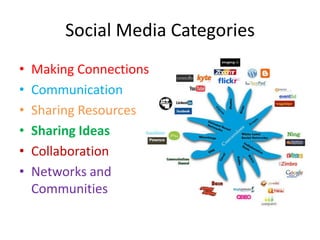
Social Media CategoriesMaking ConnectionsCommunicationSharing ResourcesSharing IdeasCollaborationNetworks and Communities
Social Learning is about…sharing ideasand reflecting on learningclass blog – learning blog
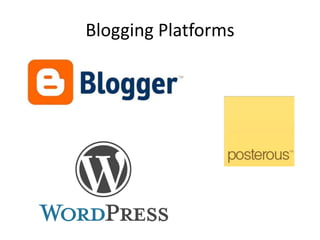
Blogging Platforms
Blogging Hands-OnUsing the login information provided, log into Google:  https://www.google.com/accounts/LoginChoose More (bottom left)BloggerEnter password againDisplay Name – enter YOUR nameGenderAcceptContinueBlog title (you can change this later)Blog URL – check availabilityContinueChoose Template (you can personalize this later)Start Blogging!
Blogging Hands-OnCreating First PostTitleBody TextPreviewPublish PostView PostClick on title of your blog, write that URL on the boardGo to someone’s blog and comment on their postCreating Second PostTitle, Body TextAdd hyperlink and pictureAbout MeEdit profileDashboard (if time permits)Template Designer
Google Siteshttp://spreadsheets.google.com/pub?key=0Ai_c-lAAUbjUdDNYVm9Hd3c5aG90cGxjekhsN24xZ0E&hl=en&output=html
Google Sites Hands-OnChoose My Account in Blogger (upper right)Choose More (bottom left)SitesEnter passwordCreate siteChoose template (Personal and Professional)Name your SiteURL fills itself inChoose themeOther optionsType codeCreate site
Google Sites Hands-OnEdit SiteEdit homepageTo edit another page, click on it in Navigation and then Edit PageEdit sidebar (navigation)Site Content, Site Settings and Site AppearanceReturn to SiteInsert, Format, Table, LayoutMore ActionsSave
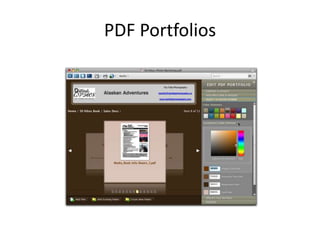
PDF Portfolios
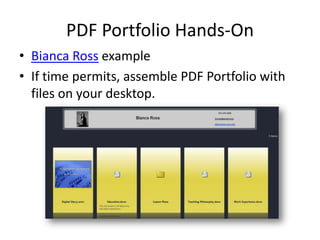
PDF Portfolio Hands-OnBianca Ross exampleIf time permits, assemble PDF Portfolio with files on your desktop.
Additional Workshops in SLL SeriesCollaboration – Apr 29Wikis, Google Docs, VoiceThreadNetworks/Communities – May 6NING, Grou.ps
Workshop Evaluationhttp://asset.tltc.shu.edu:80/servlets/asset.AssetSurvey?surveyid=4385

SLL Sharing Ideas

  • 1.
  • 2.
    Agenda – April1, 2011Quick overview of social media definition and categoriesSharing Ideas – Hands-onBloggerGoogle SitesPDF Portfolio (need Adobe Acrobat 9 Pro)Teaching and learning integration discussion (throughout workshop)
  • 3.
  • 4.
    What is socialmedia?Social mediais media designed to be disseminated through social interaction, created using highly accessible and scalable publishing techniques. Social media supports the human need for social interaction with technology, transforming broadcast media monologues (one to many) into social media dialogues (many to many). It supports the democratization of knowledge and information, transforming people from content consumers into content producers.~ Wikipedia
  • 5.
    What is socialmedia?Social media are online communications in which individuals shift flexibly between the role of audience and author.To do this, individuals use social software that enables anyone without knowledge of html coding to create, comment on, share content and to form communities around shared interests.~Natalie GrecoKoibot Creative, LLC
  • 6.
    Social Media CategoriesMakingConnectionsCommunicationSharing ResourcesSharing IdeasCollaborationNetworks and Communities
  • 7.
    Social Learning isabout…sharing ideasand reflecting on learningclass blog – learning blog
  • 8.
  • 9.
    Blogging Hands-OnUsing thelogin information provided, log into Google: https://www.google.com/accounts/LoginChoose More (bottom left)BloggerEnter password againDisplay Name – enter YOUR nameGenderAcceptContinueBlog title (you can change this later)Blog URL – check availabilityContinueChoose Template (you can personalize this later)Start Blogging!
  • 10.
    Blogging Hands-OnCreating FirstPostTitleBody TextPreviewPublish PostView PostClick on title of your blog, write that URL on the boardGo to someone’s blog and comment on their postCreating Second PostTitle, Body TextAdd hyperlink and pictureAbout MeEdit profileDashboard (if time permits)Template Designer
  • 11.
  • 12.
    Google Sites Hands-OnChooseMy Account in Blogger (upper right)Choose More (bottom left)SitesEnter passwordCreate siteChoose template (Personal and Professional)Name your SiteURL fills itself inChoose themeOther optionsType codeCreate site
  • 13.
    Google Sites Hands-OnEditSiteEdit homepageTo edit another page, click on it in Navigation and then Edit PageEdit sidebar (navigation)Site Content, Site Settings and Site AppearanceReturn to SiteInsert, Format, Table, LayoutMore ActionsSave
  • 14.
  • 15.
    PDF Portfolio Hands-OnBiancaRoss exampleIf time permits, assemble PDF Portfolio with files on your desktop.
  • 16.
    Additional Workshops inSLL SeriesCollaboration – Apr 29Wikis, Google Docs, VoiceThreadNetworks/Communities – May 6NING, Grou.ps
  • 17.

Editor's Notes

  • #4 Go to blog and show resources.
  • #9 Show Prod I blog - BloggerFaculty development – Wordpress
  • #18 Also on blog