Essential 2 Education
Libraries Connect Communities to History
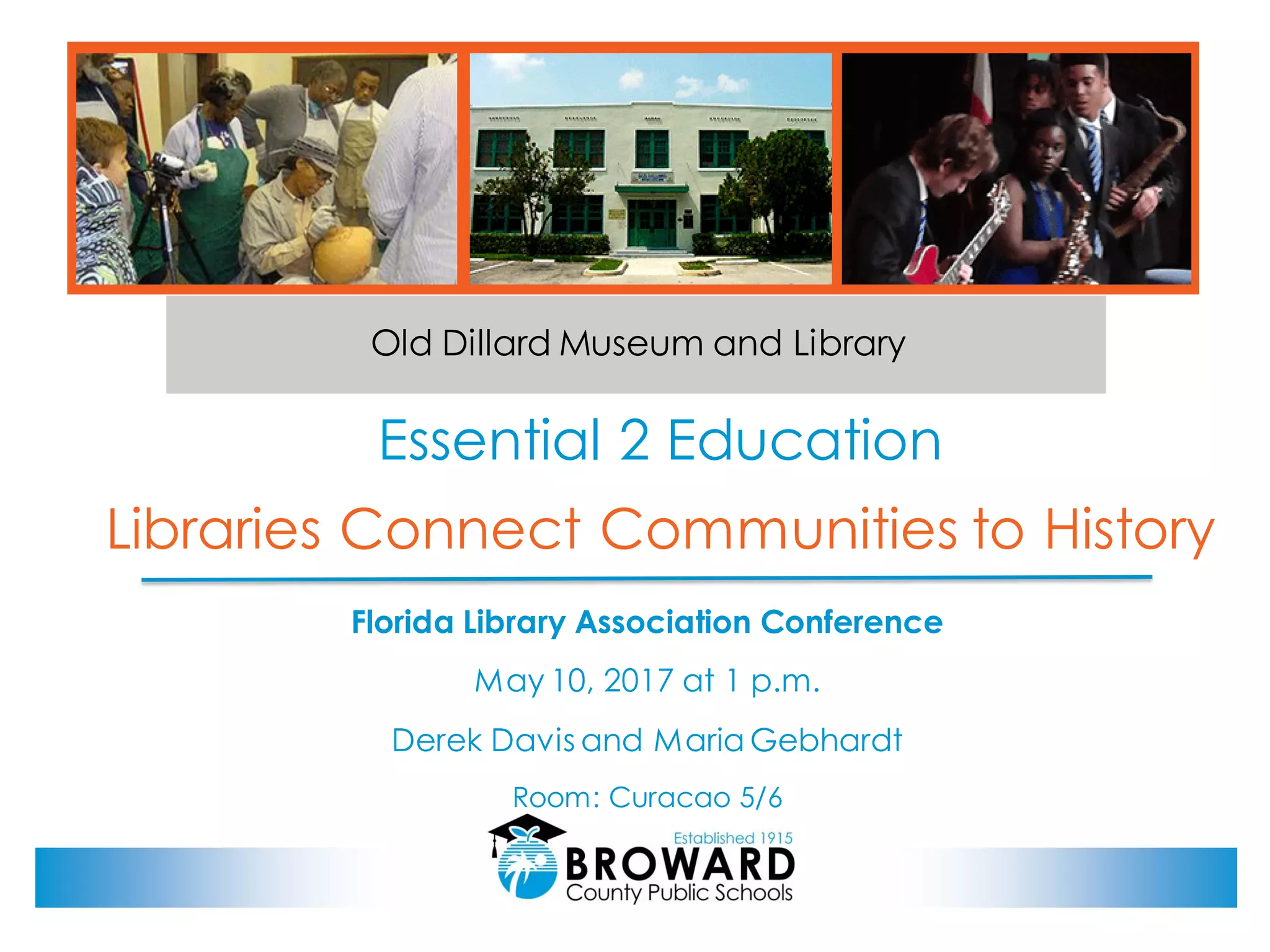
Old Dillard Museum and Library
Florida Library Association Conference
May 10, 2017 at 1 p.m.
Derek Davis and Maria Gebhardt
Room: Curacao 5/6
2
Today's Presentation
Part I – Derek Davis, Slides 3 - 13:
• Why Museums Matter
• About the Old Dillard Museum
• What's on Display
• Activities
• Opportunities for Students
Part II – Maria Gebhardt, Slides 14 - 35
• Digital Collections
• Metadata
• Tips (Tips about digitization, storage, aligning with your IT Department,
promotion, sharing your digital collection, and time management)
• Expanding the Digital Collection
• Helpful Tools (Completely free online resources)
Part III – Derek Davis, Slides 36 - 49
• How Museums Collect and Share
• Comparing Libraries to Museums
• Building Repositories
• Three Keys to Engagement
3
Part I:
Part I – Derek Davis, Slides 3 - 13:
• Why Museums Matter
• About the Old Dillard Museum
• What's on Display
• Activities
• Opportunities for Students
4
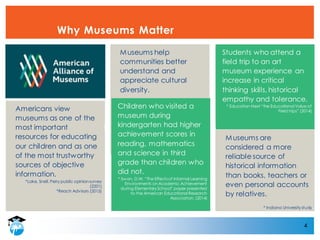
Why Museums Matter
Museums help
communities better
understand and
appreciate cultural
diversity.
Students who attend a
field trip to an art
museum experience an
increase in critical
thinking skills, historical
empathy and tolerance.
* Education Next “the Educational Value of
Field trips” (2014)
Children who visited a
museum during
kindergarten had higher
achievement scores in
reading, mathematics
and science in third
grade than children who
did not.
* Swan, D.W. “The Effects of Informal Learning
Environments on Academic Achievement
during Elementary School” paper presented
to the American Educational Research
Association, (2014)
Americans view
museums as one of the
most important
resources for educating
our children and as one
of the most trustworthy
sources of objective
information.
*Lake, Snell, Perry public opinion survey
(2201)
*Reach Advisors (2015)
Museums are
considered a more
reliable source of
historical information
than books, teachers or
even personal accounts
by relatives.
* Indiana University study
5
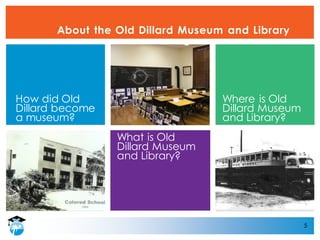
About the Old Dillard Museum and Library
What is Old
Dillard Museum
and Library?
How did Old
Dillard become
a museum?
Where is Old
Dillard Museum
and Library?
6
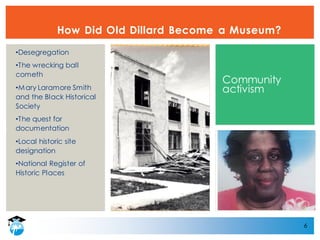
How Did Old Dillard Become a Museum?
•Desegregation
•The wrecking ball
cometh
•Mary Laramore Smith
and the Black Historical
Society
•The quest for
documentation
•Local historic site
designation
•National Register of
Historic Places
Community
activism
7
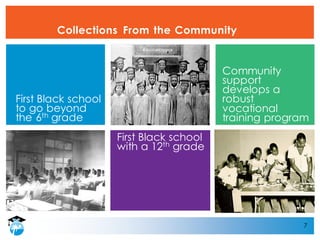
Collections From the Community
First Black school
with a 12th grade
First Black school
to go beyond
the 6th grade
Community
support
develops a
robust
vocational
training program
8
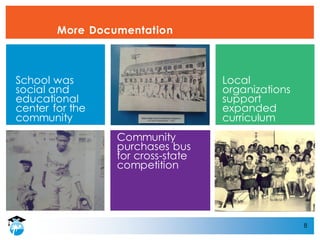
More Documentation
Community
purchases bus
for cross-state
competition
School was
social and
educational
center for the
community
Local
organizations
support
expanded
curriculum
9
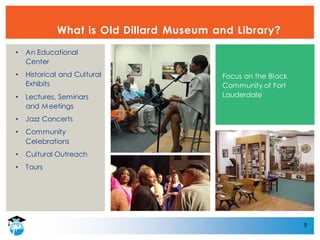
What is Old Dillard Museum and Library?
• An Educational
Center
• Historical and Cultural
Exhibits
• Lectures, Seminars
and Meetings
• Jazz Concerts
• Community
Celebrations
• Cultural Outreach
• Tours
Focus on the Black
Community of Fort
Lauderdale
10
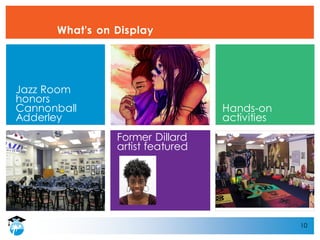
What's on Display
Former Dillard
artist featured
Jazz Room
honors
Cannonball
Adderley
Hands-on
activities
11
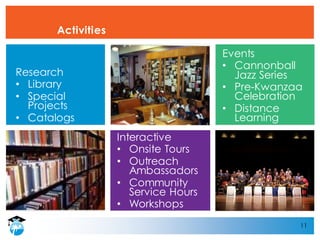
Activities
Interactive
• Onsite Tours
• Outreach
Ambassadors
• Community
Service Hours
• Workshops
Research
• Library
• Special
Projects
• Catalogs
Events
• Cannonball
Jazz Series
• Pre-Kwanzaa
Celebration
• Distance
Learning
12
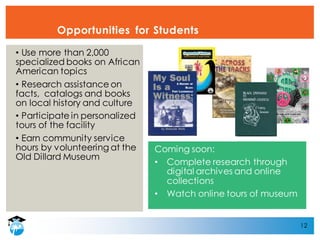
Opportunities for Students
• Use more than 2,000
specialized books on African
American topics
• Research assistance on
facts, catalogs and books
on local history and culture
• Participate in personalized
tours of the facility
• Earn community service
hours by volunteering at the
Old Dillard Museum
Coming soon:
• Complete research through
digital archives and online
collections
• Watch online tours of museum
13
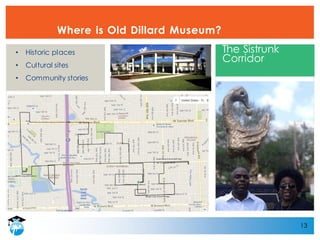
Where is Old Dillard Museum?
• Historic places
• Cultural sites
• Community stories
The Sistrunk
Corridor
14
Part II:
Part II – Maria Gebhardt, Slides 14 - 35:
• Digital Collections
• Metadata
• Tips
• Tips About Digitization
• Tips About Storage
• Tips About Aligning with Your IT Department
• Tips About Promotion
• Tips About Sharing Your Digital Collection
• Tips About Time Management
• Expanding the Digital Collection
• Helpful Free Tools
15
Digital Collections
16
Digital Collections
Why create a digital library?
• Increase awareness of your resources to internal and external
customers.
• Create an open access tool to showcase memorabilia only
seen at a library or museum in-person.
• Enhance a digital collection online easily.
17
Digital Collections
18
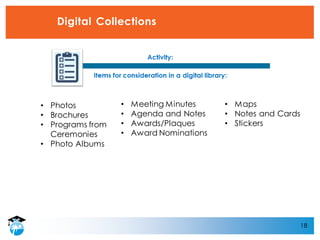
Digital Collections
• Photos
• Brochures
• Programs from
Ceremonies
• Photo Albums
• Meeting Minutes
• Agenda and Notes
• Awards/Plaques
• Award Nominations
• Maps
• Notes and Cards
• Stickers
19
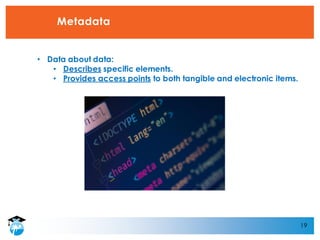
Metadata
• Data about data:
• Describes specific elements.
• Provides access points to both tangible and electronic items.
20
Advantages of Metadata
According to Lesk, metadata has numerous purposes:
• Metadata can increase the description of an item, especially an
image or audio file that cannot easily be found.
• Metadata can provide additional information about objects in
your collection.
• Metadata can make historical data about objects easily
available to viewers.
• Metadata can provide specific information about objects such as
the material used for a sculpture or specific uses.
• Metadata provides an opportunity for a consistent, standard
format for information.1
1 – Lesk, M. (2005). UnderstandingDigital Libraries. San Francisco, CA. Morgan Kaufman Publishers.
21
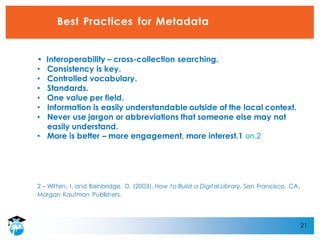
Best Practices for Metadata
• Interoperability – cross-collection searching.
• Consistency is key.
• Controlled vocabulary.
• Standards.
• One value per field.
• Information is easily understandable outside of the local context.
• Never use jargon or abbreviations that someone else may not
easily understand.
• More is better – more engagement, more interest.1 on.2
2 – Witten, I. and Bainbridge, D. (2003). How to Build a Digital Library. San Francisco, CA.
Morgan Kaufman Publishers.
22
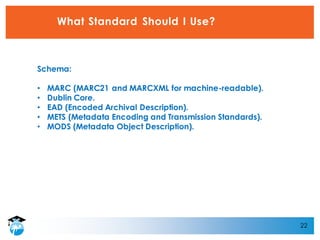
What Standard Should I Use?
Schema:
• MARC (MARC21 and MARCXML for machine-readable).
• Dublin Core.
• EAD (Encoded Archival Description).
• METS (Metadata Encoding and Transmission Standards).
• MODS (Metadata Object Description).
23
24
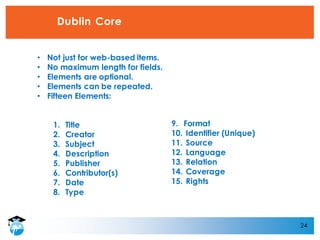
Dublin Core
• Not just for web-based items.
• No maximum length for fields.
• Elements are optional.
• Elements can be repeated.
• Fifteen Elements:
1. Title
2. Creator
3. Subject
4. Description
5. Publisher
6. Contributor(s)
7. Date
8. Type
Not just for web-based items
No maximum length for fields
15 Elements:
1. Title
2. Creator
3. Subject
4. Description
5. Publisher
6. Contributor(s)
7. Date
8. Type
9. Format
10. Identifier (Unique)
11. Source
12. Language
13. Relation
14. Coverage
15. Rights
25
26
Tips About Digitization
• Take photos and scan at the same time – create three files of each
item.
• Use common sense – even if a photo has a date, if that date does
not seem to match the time period check it out.
• Ask about names, especially of staff members and elected
officials.
27
Tips About Storage
• Never, never rely on one copy. USB drives and DVDs may not
always work.
• Use the computer as a the first copy and save everything onto an
external hard drive as a second copy.
• Third copy – Especially in Florida, save a copy of everything and
mail it to another location before hurricane season even starts.
• What about the cloud?
• Keep a copy of all of your metadata on a spreadsheet.
• Update your digital collection and update the back-ups.
• Lesson Learned: Add a requirement in your collection
management guidelines/policies to set a meeting to review and
present information based on your fiscal calendar. It is a great
opportunity to get your files saved on time!
• Think about potential water damage early on.
28
Tips About Aligning with Your IT Department
• Ask about policies.
• Ask about what online tools are
available.
• Ask if file formats, programs,
extensions, or storage options are not
allowed or are not compatible.
• Ask about where IT is moving in the
future to ensure your are wasting your
time and will have to convert your
project or duplicate efforts.
Don’t wait until you have already created your digital library to
coordinate with IT. Set-up a meeting, send emails and help to
sychronize the project.
29
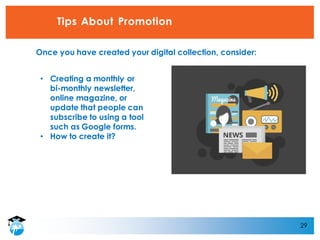
Tips About Promotion
• Creating a monthly or
bi-monthly newsletter,
online magazine, or
update that people can
subscribe to using a tool
such as Google forms.
• How to create it?
Once you have created your digital collection, consider:
30
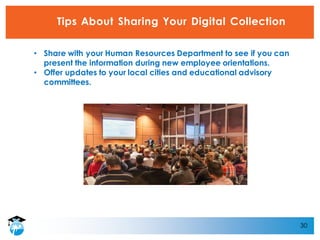
Tips About Sharing Your Digital Collection
• Share with your Human Resources Department to see if you can
present the information during new employee orientations.
• Offer updates to your local cities and educational advisory
committees.
31
Tips About Time Management
Don’t overpromise how quickly you can deliver a digital collection. Be
realistic and share deadlines.
32
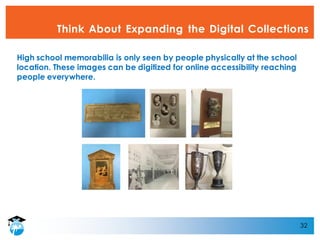
Think About Expanding the Digital Collections
High school memorabilia is only seen by people physically at the school
location. These images can be digitized for online accessibility reaching
people everywhere.
33
Project Management Tools
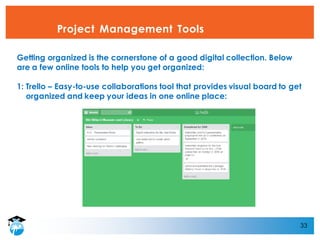
Getting organized is the cornerstone of a good digital collection. Below
are a few online tools to help you get organized:
1: Trello – Easy-to-use collaborations tool that provides visual board to get
organized and keep your ideas in one online place:
34
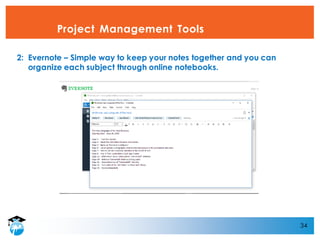
Project Management Tools
2: Evernote – Simple way to keep your notes together and you can
organize each subject through online notebooks.
35
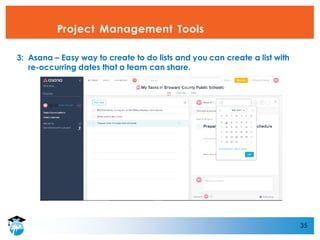
Project Management Tools
3: Asana – Easy way to create to do lists and you can create a list with
re-occurring dates that a team can share.
36
Part III:
Part III – Derek Davis, Slides 36 - 49:
• How Museums Collect and Share
• Comparing Libraries to Museums
• CSI and Museums
• Building Repositories
• Three Keys to Engagement
• Destination Sistrunk
37
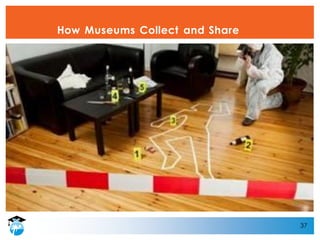
How Museums Collect and Share
38
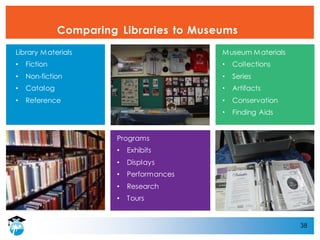
Comparing Libraries to Museums
Programs
• Exhibits
• Displays
• Performances
• Research
• Tours
Library Materials
• Fiction
• Non-fiction
• Catalog
• Reference
Museum Materials
• Collections
• Series
• Artifacts
• Conservation
• Finding Aids
39
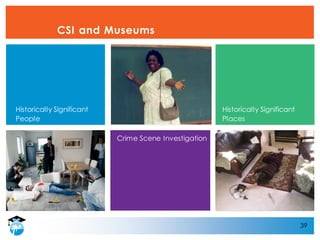
CSI and Museums
Crime Scene Investigation
Historically Significant
People
Historically Significant
Places
40
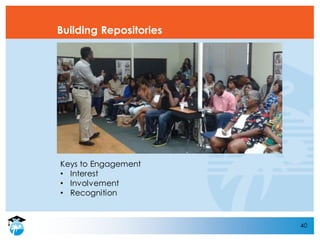
Building Repositories
Keys to Engagement
• Interest
• Involvement
• Recognition
41
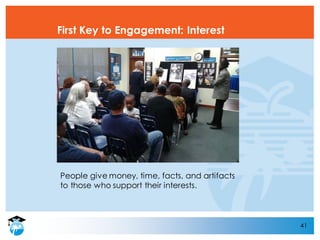
First Key to Engagement: Interest
People give money, time, facts, and artifacts
to those who support their interests.
42
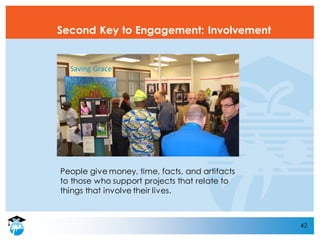
Second Key to Engagement: Involvement
People give money, time, facts, and artifacts
to those who support projects that relate to
things that involve their lives.
Saving Grace
43
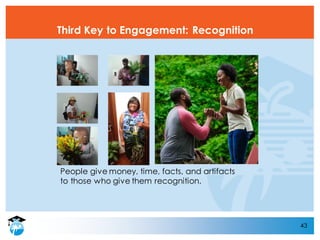
Third Key to Engagement: Recognition
People give money, time, facts, and artifacts
to those who give them recognition.
44
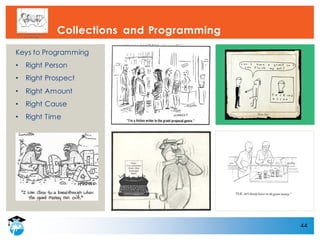
Collections and Programming
Keys to Programming
• Right Person
• Right Prospect
• Right Amount
• Right Cause
• Right Time
45
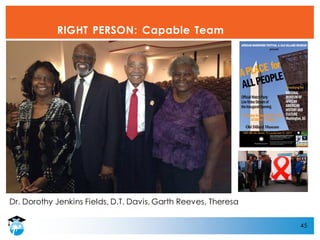
RIGHT PERSON: Capable Team
Dr. Dorothy Jenkins Fields, D.T. Davis, Garth Reeves, Theresa
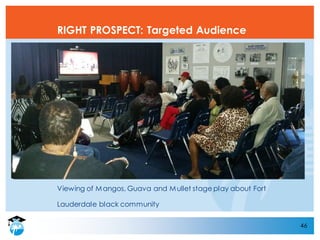
Viewing of Mangos, Guava and Mullet stage play about Fort
Lauderdale black community
46
RIGHT PROSPECT: Targeted Audience
47
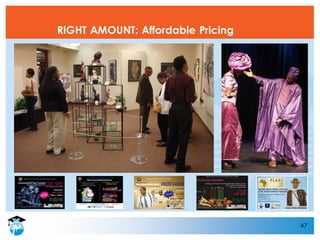
RIGHT AMOUNT: Affordable Pricing
48
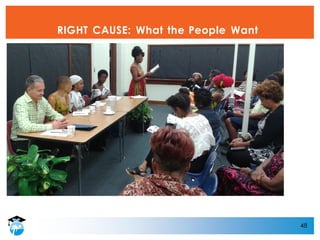
RIGHT CAUSE: What the People Want
49
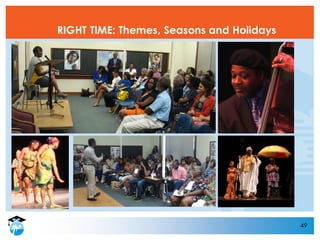
RIGHT TIME: Themes, Seasons and Holidays

Libraries Connect Communities to History

  • 1.
    Essential 2 Education LibrariesConnect Communities to History Old Dillard Museum and Library Florida Library Association Conference May 10, 2017 at 1 p.m. Derek Davis and Maria Gebhardt Room: Curacao 5/6
  • 2.
    2 Today's Presentation Part I– Derek Davis, Slides 3 - 13: • Why Museums Matter • About the Old Dillard Museum • What's on Display • Activities • Opportunities for Students Part II – Maria Gebhardt, Slides 14 - 35 • Digital Collections • Metadata • Tips (Tips about digitization, storage, aligning with your IT Department, promotion, sharing your digital collection, and time management) • Expanding the Digital Collection • Helpful Tools (Completely free online resources) Part III – Derek Davis, Slides 36 - 49 • How Museums Collect and Share • Comparing Libraries to Museums • Building Repositories • Three Keys to Engagement
  • 3.
    3 Part I: Part I– Derek Davis, Slides 3 - 13: • Why Museums Matter • About the Old Dillard Museum • What's on Display • Activities • Opportunities for Students
  • 4.
    4 Why Museums Matter Museumshelp communities better understand and appreciate cultural diversity. Students who attend a field trip to an art museum experience an increase in critical thinking skills, historical empathy and tolerance. * Education Next “the Educational Value of Field trips” (2014) Children who visited a museum during kindergarten had higher achievement scores in reading, mathematics and science in third grade than children who did not. * Swan, D.W. “The Effects of Informal Learning Environments on Academic Achievement during Elementary School” paper presented to the American Educational Research Association, (2014) Americans view museums as one of the most important resources for educating our children and as one of the most trustworthy sources of objective information. *Lake, Snell, Perry public opinion survey (2201) *Reach Advisors (2015) Museums are considered a more reliable source of historical information than books, teachers or even personal accounts by relatives. * Indiana University study
  • 5.
    5 About the OldDillard Museum and Library What is Old Dillard Museum and Library? How did Old Dillard become a museum? Where is Old Dillard Museum and Library?
  • 6.
    6 How Did OldDillard Become a Museum? •Desegregation •The wrecking ball cometh •Mary Laramore Smith and the Black Historical Society •The quest for documentation •Local historic site designation •National Register of Historic Places Community activism
  • 7.
    7 Collections From theCommunity First Black school with a 12th grade First Black school to go beyond the 6th grade Community support develops a robust vocational training program
  • 8.
    8 More Documentation Community purchases bus forcross-state competition School was social and educational center for the community Local organizations support expanded curriculum
  • 9.
    9 What is OldDillard Museum and Library? • An Educational Center • Historical and Cultural Exhibits • Lectures, Seminars and Meetings • Jazz Concerts • Community Celebrations • Cultural Outreach • Tours Focus on the Black Community of Fort Lauderdale
  • 10.
    10 What's on Display FormerDillard artist featured Jazz Room honors Cannonball Adderley Hands-on activities
  • 11.
    11 Activities Interactive • Onsite Tours •Outreach Ambassadors • Community Service Hours • Workshops Research • Library • Special Projects • Catalogs Events • Cannonball Jazz Series • Pre-Kwanzaa Celebration • Distance Learning
  • 12.
    12 Opportunities for Students •Use more than 2,000 specialized books on African American topics • Research assistance on facts, catalogs and books on local history and culture • Participate in personalized tours of the facility • Earn community service hours by volunteering at the Old Dillard Museum Coming soon: • Complete research through digital archives and online collections • Watch online tours of museum
  • 13.
    13 Where is OldDillard Museum? • Historic places • Cultural sites • Community stories The Sistrunk Corridor
  • 14.
    14 Part II: Part II– Maria Gebhardt, Slides 14 - 35: • Digital Collections • Metadata • Tips • Tips About Digitization • Tips About Storage • Tips About Aligning with Your IT Department • Tips About Promotion • Tips About Sharing Your Digital Collection • Tips About Time Management • Expanding the Digital Collection • Helpful Free Tools
  • 15.
  • 16.
    16 Digital Collections Why createa digital library? • Increase awareness of your resources to internal and external customers. • Create an open access tool to showcase memorabilia only seen at a library or museum in-person. • Enhance a digital collection online easily.
  • 17.
  • 18.
    18 Digital Collections • Photos •Brochures • Programs from Ceremonies • Photo Albums • Meeting Minutes • Agenda and Notes • Awards/Plaques • Award Nominations • Maps • Notes and Cards • Stickers
  • 19.
    19 Metadata • Data aboutdata: • Describes specific elements. • Provides access points to both tangible and electronic items.
  • 20.
    20 Advantages of Metadata Accordingto Lesk, metadata has numerous purposes: • Metadata can increase the description of an item, especially an image or audio file that cannot easily be found. • Metadata can provide additional information about objects in your collection. • Metadata can make historical data about objects easily available to viewers. • Metadata can provide specific information about objects such as the material used for a sculpture or specific uses. • Metadata provides an opportunity for a consistent, standard format for information.1 1 – Lesk, M. (2005). UnderstandingDigital Libraries. San Francisco, CA. Morgan Kaufman Publishers.
  • 21.
    21 Best Practices forMetadata • Interoperability – cross-collection searching. • Consistency is key. • Controlled vocabulary. • Standards. • One value per field. • Information is easily understandable outside of the local context. • Never use jargon or abbreviations that someone else may not easily understand. • More is better – more engagement, more interest.1 on.2 2 – Witten, I. and Bainbridge, D. (2003). How to Build a Digital Library. San Francisco, CA. Morgan Kaufman Publishers.
  • 22.
    22 What Standard ShouldI Use? Schema: • MARC (MARC21 and MARCXML for machine-readable). • Dublin Core. • EAD (Encoded Archival Description). • METS (Metadata Encoding and Transmission Standards). • MODS (Metadata Object Description).
  • 23.
  • 24.
    24 Dublin Core • Notjust for web-based items. • No maximum length for fields. • Elements are optional. • Elements can be repeated. • Fifteen Elements: 1. Title 2. Creator 3. Subject 4. Description 5. Publisher 6. Contributor(s) 7. Date 8. Type Not just for web-based items No maximum length for fields 15 Elements: 1. Title 2. Creator 3. Subject 4. Description 5. Publisher 6. Contributor(s) 7. Date 8. Type 9. Format 10. Identifier (Unique) 11. Source 12. Language 13. Relation 14. Coverage 15. Rights
  • 25.
  • 26.
    26 Tips About Digitization •Take photos and scan at the same time – create three files of each item. • Use common sense – even if a photo has a date, if that date does not seem to match the time period check it out. • Ask about names, especially of staff members and elected officials.
  • 27.
    27 Tips About Storage •Never, never rely on one copy. USB drives and DVDs may not always work. • Use the computer as a the first copy and save everything onto an external hard drive as a second copy. • Third copy – Especially in Florida, save a copy of everything and mail it to another location before hurricane season even starts. • What about the cloud? • Keep a copy of all of your metadata on a spreadsheet. • Update your digital collection and update the back-ups. • Lesson Learned: Add a requirement in your collection management guidelines/policies to set a meeting to review and present information based on your fiscal calendar. It is a great opportunity to get your files saved on time! • Think about potential water damage early on.
  • 28.
    28 Tips About Aligningwith Your IT Department • Ask about policies. • Ask about what online tools are available. • Ask if file formats, programs, extensions, or storage options are not allowed or are not compatible. • Ask about where IT is moving in the future to ensure your are wasting your time and will have to convert your project or duplicate efforts. Don’t wait until you have already created your digital library to coordinate with IT. Set-up a meeting, send emails and help to sychronize the project.
  • 29.
    29 Tips About Promotion •Creating a monthly or bi-monthly newsletter, online magazine, or update that people can subscribe to using a tool such as Google forms. • How to create it? Once you have created your digital collection, consider:
  • 30.
    30 Tips About SharingYour Digital Collection • Share with your Human Resources Department to see if you can present the information during new employee orientations. • Offer updates to your local cities and educational advisory committees.
  • 31.
    31 Tips About TimeManagement Don’t overpromise how quickly you can deliver a digital collection. Be realistic and share deadlines.
  • 32.
    32 Think About Expandingthe Digital Collections High school memorabilia is only seen by people physically at the school location. These images can be digitized for online accessibility reaching people everywhere.
  • 33.
    33 Project Management Tools Gettingorganized is the cornerstone of a good digital collection. Below are a few online tools to help you get organized: 1: Trello – Easy-to-use collaborations tool that provides visual board to get organized and keep your ideas in one online place:
  • 34.
    34 Project Management Tools 2:Evernote – Simple way to keep your notes together and you can organize each subject through online notebooks.
  • 35.
    35 Project Management Tools 3:Asana – Easy way to create to do lists and you can create a list with re-occurring dates that a team can share.
  • 36.
    36 Part III: Part III– Derek Davis, Slides 36 - 49: • How Museums Collect and Share • Comparing Libraries to Museums • CSI and Museums • Building Repositories • Three Keys to Engagement • Destination Sistrunk
  • 37.
  • 38.
    38 Comparing Libraries toMuseums Programs • Exhibits • Displays • Performances • Research • Tours Library Materials • Fiction • Non-fiction • Catalog • Reference Museum Materials • Collections • Series • Artifacts • Conservation • Finding Aids
  • 39.
    39 CSI and Museums CrimeScene Investigation Historically Significant People Historically Significant Places
  • 40.
    40 Building Repositories Keys toEngagement • Interest • Involvement • Recognition
  • 41.
    41 First Key toEngagement: Interest People give money, time, facts, and artifacts to those who support their interests.
  • 42.
    42 Second Key toEngagement: Involvement People give money, time, facts, and artifacts to those who support projects that relate to things that involve their lives. Saving Grace
  • 43.
    43 Third Key toEngagement: Recognition People give money, time, facts, and artifacts to those who give them recognition.
  • 44.
    44 Collections and Programming Keysto Programming • Right Person • Right Prospect • Right Amount • Right Cause • Right Time
  • 45.
    45 RIGHT PERSON: CapableTeam Dr. Dorothy Jenkins Fields, D.T. Davis, Garth Reeves, Theresa
  • 46.
    Viewing of Mangos,Guava and Mullet stage play about Fort Lauderdale black community 46 RIGHT PROSPECT: Targeted Audience
  • 47.
  • 48.
    48 RIGHT CAUSE: Whatthe People Want
  • 49.
    49 RIGHT TIME: Themes,Seasons and Holidays