Mobile   Learning WBL 4 WPL  (Wireless Blended Learning for Work Place Learners)  By Myron Agyiri
Project  Overview Provide access to mobile learning for 300 work place learners in Hospitality, Construction, Business, CIT and Care Each learner will be issued with a PDA pre-loaded with personalised content Key Aims are: Deliver underpinning knowledge personalised according to learner profile Deliver innovative and flexible assessment opportunities Improve the range of diverse portfolio evidence through digital video and images Develop a sustainable system of staff development in m-learning by embedding reflective practice, action research, dissemination and collaboration
Project  Overview Select Hardware 01/01/08 Procure hardware 31/03/08 Install Software 29/02/08 Train Staff 29/02/08 Interim Report 12/03/08 Issue PDAs and provide learner induction  31/03/08 Action Research Initial Feedback  31/04/08  Action Research Interventions  31/05/08 Action Research Final Feedback  19/07/08 Internal Dissemination 19/07/08 Final Report 25/07/08 External Dissemination 19/09/08
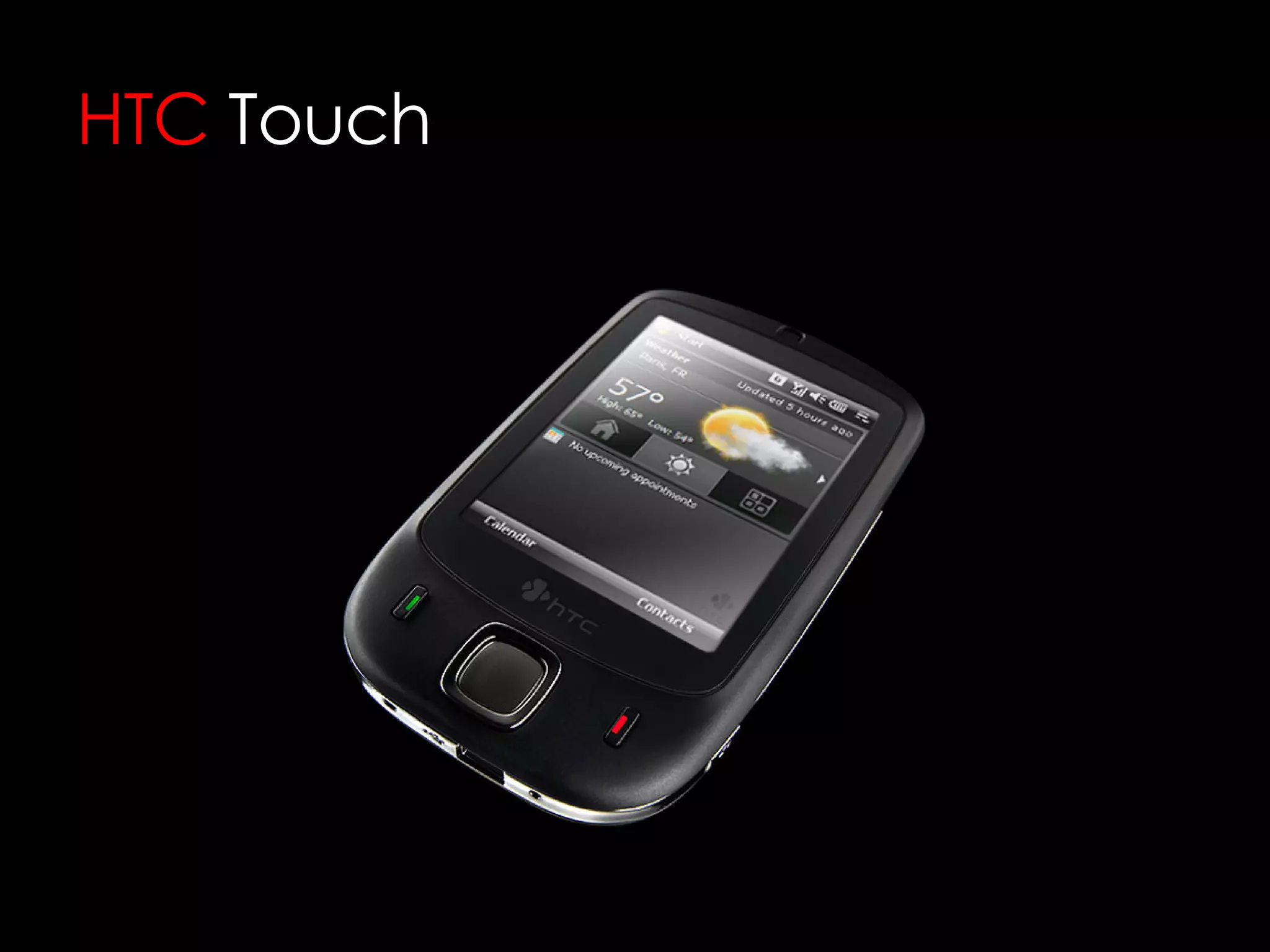
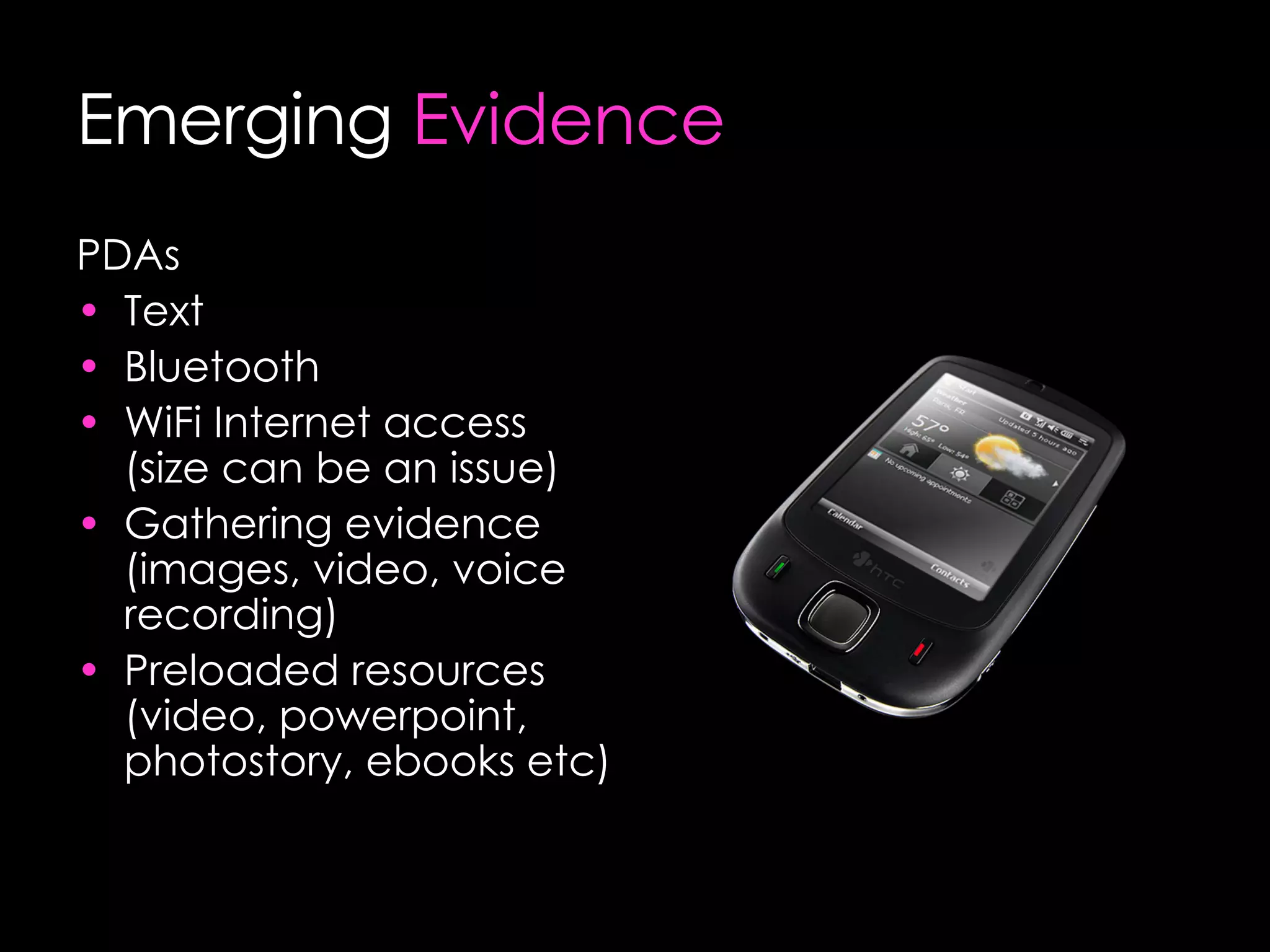
HTC   Touch
 
Evidence  Gathering Photographic  Before During After Video Procedures Tasks Audio Professional Discussion Q&A Sessions Reflective Diaries
Communicating  With Learners Text Messaging Assignment Setting Q&A Task Setting Assessment Live Collaborative  Lessons
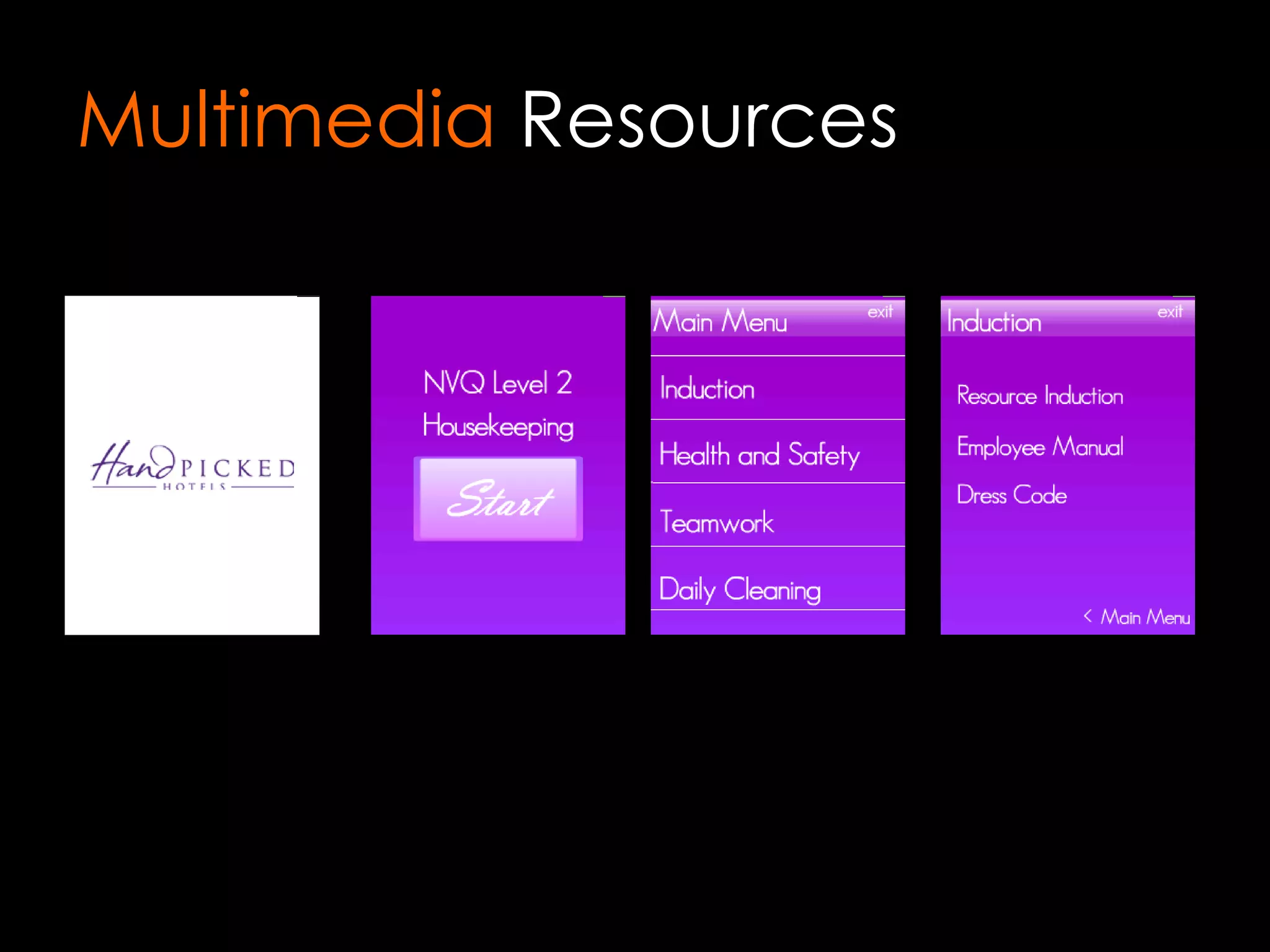
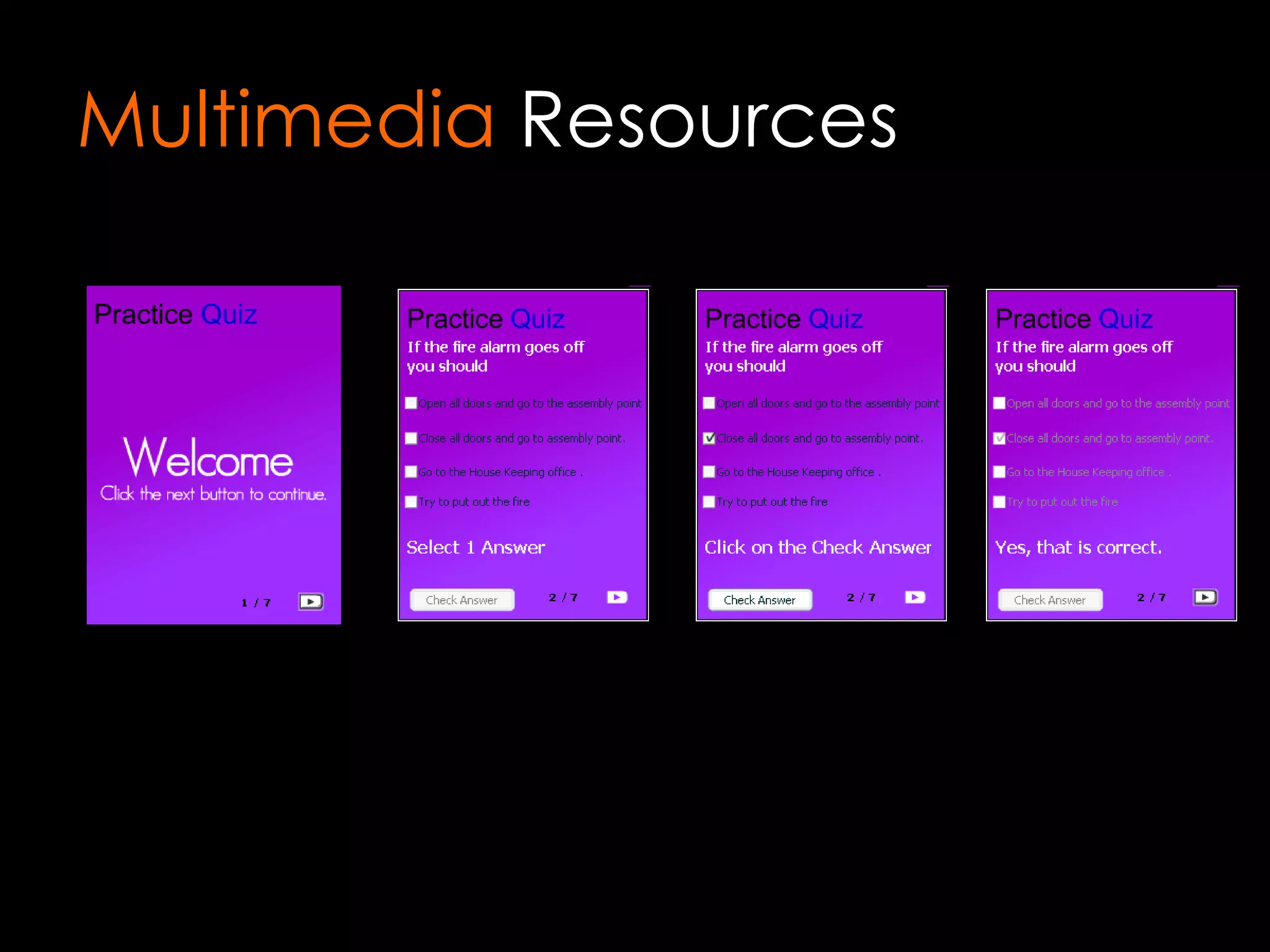
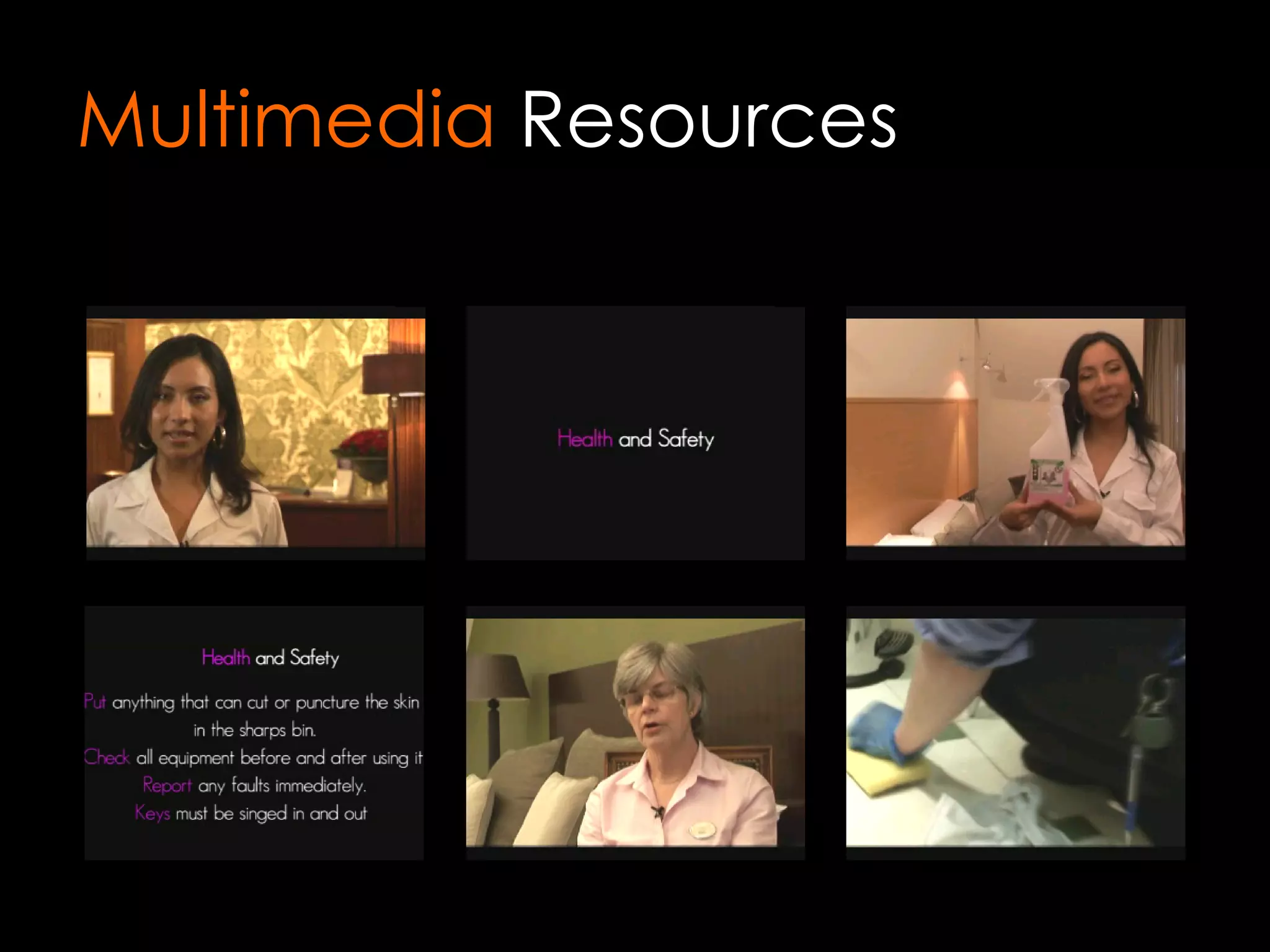
Multimedia  Resources Housekeeping (Handpicked Hotels) Customer Services Health and Safety Other Bespoke Resources Video On Demand Quiz / Assessment Flash   Based
Multimedia  Resources
Online   Resources Internet Access Test VQ/Learn VQ Live Lesson video streaming Interactive online Collaboration e Portfolios Web Based PDA Based Pocket Word Pocket Excel Pocket PowerPoint Microsoft e Reader (e books)
Action  Research How do students feel that having access to learning material in the workplace has enhanced their learning experience.
Action  Research Has the use of mobile learning improved the students’ ability to gather evidence for their portfolios?
Action  Research What professional development is needed to enable tutors to capitalise on the use of mobile technology?
Tips for  teachers  Involve the students from the start  e.g. What device? How will you use it? Choose the device carefully Link the allocation of the device with attendance Provide safety tips for students Provide suitable technical support
Using the PDA in the  classroom Video – practical activities Photo – taking photos of practical activities, using photo story to create simple movies Send videos of short clips related to health and safety, short case studies Bluetooth short podcasts, videos, links to further learning on VLE Sending SMS/MMS Used as a note taking and storage device
The  Results Attendance for the group increased to 93% compared to 83% of other groups Students used the devices creatively offering assistance to tutors Greater connection to WiFi using the device – surf the net, send emails Calendar used to organise time, appointments, activities, homework, assignment hand in dates More comprehensive use of Windows Mobile applications – Word, Excel, PowerPoint
The next  step Further use of bluetooth for podcasts & short video clips Further use of SMS – two way SMS piloted in the department.  Opportunities to send short bite size questions for revision/recap of sessions Further use of WiFi to connect to VLE for download/upload of files Further use of calendar for milestones, meetings for IT Projects Opportunities for peer assessment and easy file sharing
Lessons  Learnt Technical Allow plenty of time for device selection Ensure device selected is fit for purpose Check all software and connections work together Ensure you have adequate secure storage Involve the IT department
Lessons  Learnt Project Management Set up a steering group Establish policies and procedures
Lessons  Learnt Teaching & Learning Start from the beginning of the qualification Create a bank of resources in advance Set up wireless access points in advance and train staff to use them Ensure you have subject specialists committed to the project Allow time for distribution of devices and training of staff/learners Involve employers and learners from an early stage Don’t assume…..
Action  Research How effective has mobile learning been in improving course delivery for tutors and learners in the workplace?
Emerging  Evidence Students (carpentry) are using the devices to take photos for their NVQ portfolios and can print out the photos straightaway (previously they were using disposable cameras and the quality was poor or photos wouldn’t develop, also expensive to pay for developing costs) Carpentry tutor also reports that the Photostory resource, hanging a door is very useful, as students can easily refer to this when they are in the workplace.  They also find the voice over useful and they pay more attention. Sparked interest in other areas of the college
Emerging  Evidence Tutors are excited about the variety of resources on the PDAs eg voice recorder which will help with reflective diaries CIT report that attendance of the group issued with PDAs is 93% compared to the other 3 groups (all studying National Diploma) which are at 83% Connection to the college WIFI has enabled learners to connect to Blackboard and the internet where they can download files and view on the PDA
Emerging  Evidence Students also use the video camera in class to film practical activities which can be used as evidence for their coursework Students are using them as a storage device to save their work and take notes in class. The students like the portability of the devices and that it functions as a PC and a phone (although we are not providing them with sim cards)
Emerging  Evidence Mobile phones are great if you want to text your learners or even Bluetooth short video clips and in most instances this doesn’t involve the purchase of additional hardware. PDAs are ideal for the above but also offer additional possibilities for providing windows based resources and enabling learners to capture voice, video and photographic evidence. However, if use of the internet is important for your learners you need to consider a subnotebook pc such as the asus.
Emerging  Evidence Mobile Phones Text Bluetooth No need to purchase hardware
Emerging  Evidence PDAs Text Bluetooth WiFi Internet access (size can be an issue) Gathering evidence (images, video, voice recording) Preloaded resources (video, powerpoint, photostory, ebooks etc)
Emerging  Evidence UMPC (Ultra Mobile PC) Bluetooth WiFi Internet Access Office applications
Questions   ?

Myron Agyiri

  • 1.
    Mobile Learning WBL 4 WPL (Wireless Blended Learning for Work Place Learners) By Myron Agyiri
  • 2.
    Project OverviewProvide access to mobile learning for 300 work place learners in Hospitality, Construction, Business, CIT and Care Each learner will be issued with a PDA pre-loaded with personalised content Key Aims are: Deliver underpinning knowledge personalised according to learner profile Deliver innovative and flexible assessment opportunities Improve the range of diverse portfolio evidence through digital video and images Develop a sustainable system of staff development in m-learning by embedding reflective practice, action research, dissemination and collaboration
  • 3.
    Project OverviewSelect Hardware 01/01/08 Procure hardware 31/03/08 Install Software 29/02/08 Train Staff 29/02/08 Interim Report 12/03/08 Issue PDAs and provide learner induction 31/03/08 Action Research Initial Feedback 31/04/08 Action Research Interventions 31/05/08 Action Research Final Feedback 19/07/08 Internal Dissemination 19/07/08 Final Report 25/07/08 External Dissemination 19/09/08
  • 4.
    HTC Touch
  • 5.
  • 6.
    Evidence GatheringPhotographic Before During After Video Procedures Tasks Audio Professional Discussion Q&A Sessions Reflective Diaries
  • 7.
    Communicating WithLearners Text Messaging Assignment Setting Q&A Task Setting Assessment Live Collaborative Lessons
  • 8.
    Multimedia ResourcesHousekeeping (Handpicked Hotels) Customer Services Health and Safety Other Bespoke Resources Video On Demand Quiz / Assessment Flash Based
  • 9.
  • 10.
  • 11.
  • 12.
    Online Resources Internet Access Test VQ/Learn VQ Live Lesson video streaming Interactive online Collaboration e Portfolios Web Based PDA Based Pocket Word Pocket Excel Pocket PowerPoint Microsoft e Reader (e books)
  • 13.
    Action ResearchHow do students feel that having access to learning material in the workplace has enhanced their learning experience.
  • 14.
    Action ResearchHas the use of mobile learning improved the students’ ability to gather evidence for their portfolios?
  • 15.
    Action ResearchWhat professional development is needed to enable tutors to capitalise on the use of mobile technology?
  • 16.
    Tips for teachers Involve the students from the start e.g. What device? How will you use it? Choose the device carefully Link the allocation of the device with attendance Provide safety tips for students Provide suitable technical support
  • 17.
    Using the PDAin the classroom Video – practical activities Photo – taking photos of practical activities, using photo story to create simple movies Send videos of short clips related to health and safety, short case studies Bluetooth short podcasts, videos, links to further learning on VLE Sending SMS/MMS Used as a note taking and storage device
  • 18.
    The ResultsAttendance for the group increased to 93% compared to 83% of other groups Students used the devices creatively offering assistance to tutors Greater connection to WiFi using the device – surf the net, send emails Calendar used to organise time, appointments, activities, homework, assignment hand in dates More comprehensive use of Windows Mobile applications – Word, Excel, PowerPoint
  • 19.
    The next step Further use of bluetooth for podcasts & short video clips Further use of SMS – two way SMS piloted in the department. Opportunities to send short bite size questions for revision/recap of sessions Further use of WiFi to connect to VLE for download/upload of files Further use of calendar for milestones, meetings for IT Projects Opportunities for peer assessment and easy file sharing
  • 20.
    Lessons LearntTechnical Allow plenty of time for device selection Ensure device selected is fit for purpose Check all software and connections work together Ensure you have adequate secure storage Involve the IT department
  • 21.
    Lessons LearntProject Management Set up a steering group Establish policies and procedures
  • 22.
    Lessons LearntTeaching & Learning Start from the beginning of the qualification Create a bank of resources in advance Set up wireless access points in advance and train staff to use them Ensure you have subject specialists committed to the project Allow time for distribution of devices and training of staff/learners Involve employers and learners from an early stage Don’t assume…..
  • 23.
    Action ResearchHow effective has mobile learning been in improving course delivery for tutors and learners in the workplace?
  • 24.
    Emerging EvidenceStudents (carpentry) are using the devices to take photos for their NVQ portfolios and can print out the photos straightaway (previously they were using disposable cameras and the quality was poor or photos wouldn’t develop, also expensive to pay for developing costs) Carpentry tutor also reports that the Photostory resource, hanging a door is very useful, as students can easily refer to this when they are in the workplace. They also find the voice over useful and they pay more attention. Sparked interest in other areas of the college
  • 25.
    Emerging EvidenceTutors are excited about the variety of resources on the PDAs eg voice recorder which will help with reflective diaries CIT report that attendance of the group issued with PDAs is 93% compared to the other 3 groups (all studying National Diploma) which are at 83% Connection to the college WIFI has enabled learners to connect to Blackboard and the internet where they can download files and view on the PDA
  • 26.
    Emerging EvidenceStudents also use the video camera in class to film practical activities which can be used as evidence for their coursework Students are using them as a storage device to save their work and take notes in class. The students like the portability of the devices and that it functions as a PC and a phone (although we are not providing them with sim cards)
  • 27.
    Emerging EvidenceMobile phones are great if you want to text your learners or even Bluetooth short video clips and in most instances this doesn’t involve the purchase of additional hardware. PDAs are ideal for the above but also offer additional possibilities for providing windows based resources and enabling learners to capture voice, video and photographic evidence. However, if use of the internet is important for your learners you need to consider a subnotebook pc such as the asus.
  • 28.
    Emerging EvidenceMobile Phones Text Bluetooth No need to purchase hardware
  • 29.
    Emerging EvidencePDAs Text Bluetooth WiFi Internet access (size can be an issue) Gathering evidence (images, video, voice recording) Preloaded resources (video, powerpoint, photostory, ebooks etc)
  • 30.
    Emerging EvidenceUMPC (Ultra Mobile PC) Bluetooth WiFi Internet Access Office applications
  • 31.