



Prepared by: LENG Tola SNA15-B
 Active Directory, Trust Domain on
Windows.
Homework
1. Create two OU (SNA15-A, SNA15-B)............................................................3
2. Create Users of class SNA-A and SNA-B(Description: Students, Office:
B13,A21)................................................................................................................6
a. Create and use syntax for create users of class SNA15-B.....................6
b. Create and use syntax for create users of class SNA15-A.....................7
3&4. Create two groups for G_SNA15A and G_SNA15A and Add users of
class SNA-A and SNA-B into each groups........................................................12
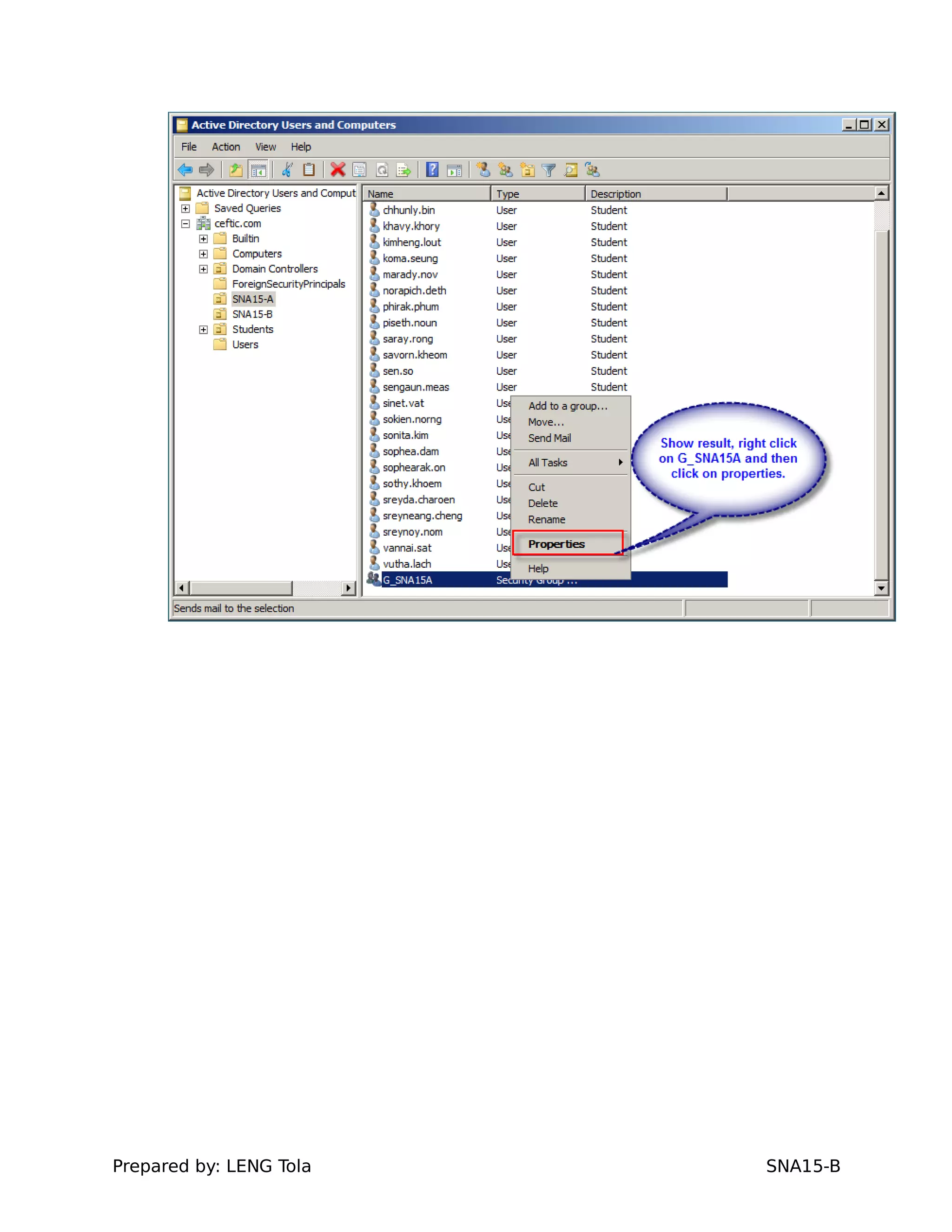
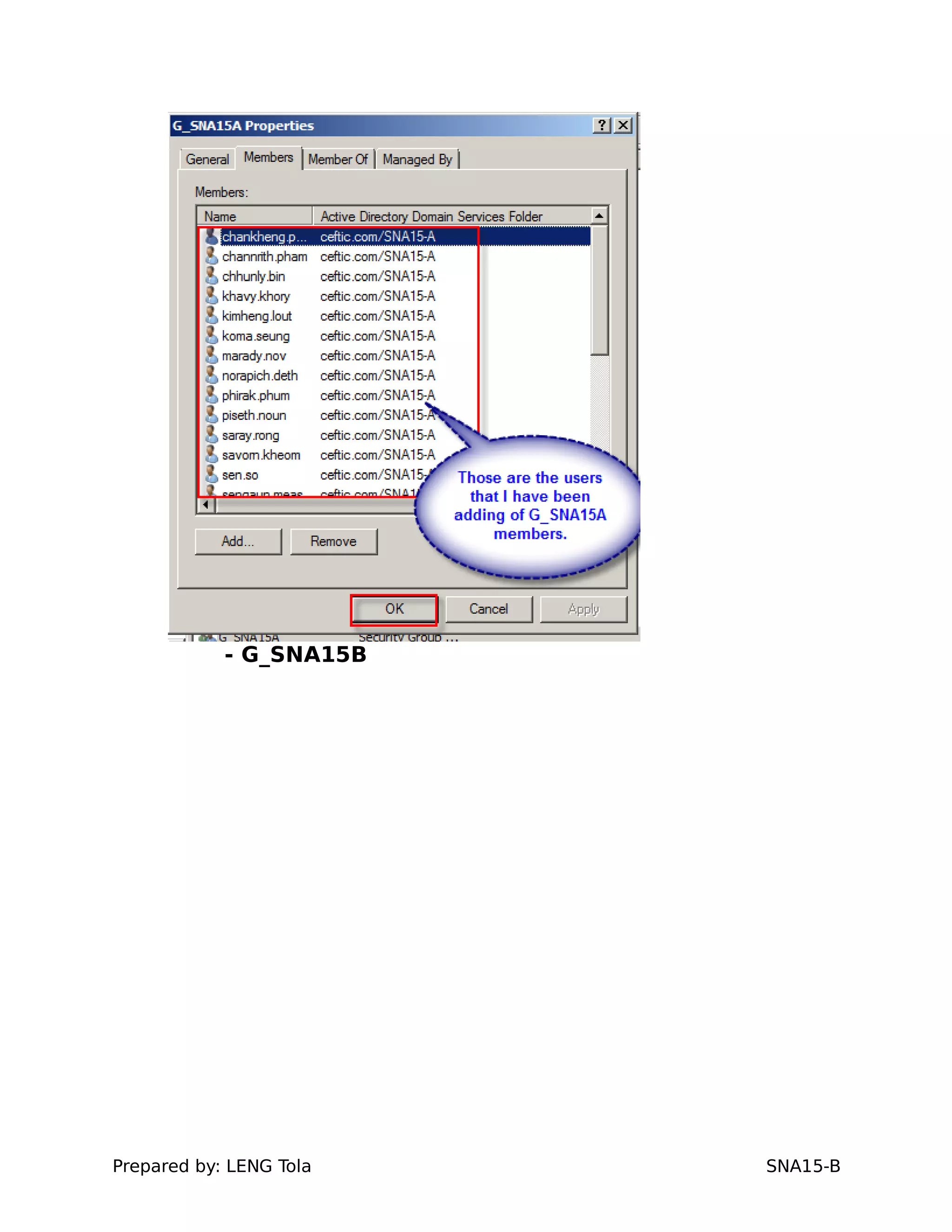
- G_SNA15A......................................................................................................12
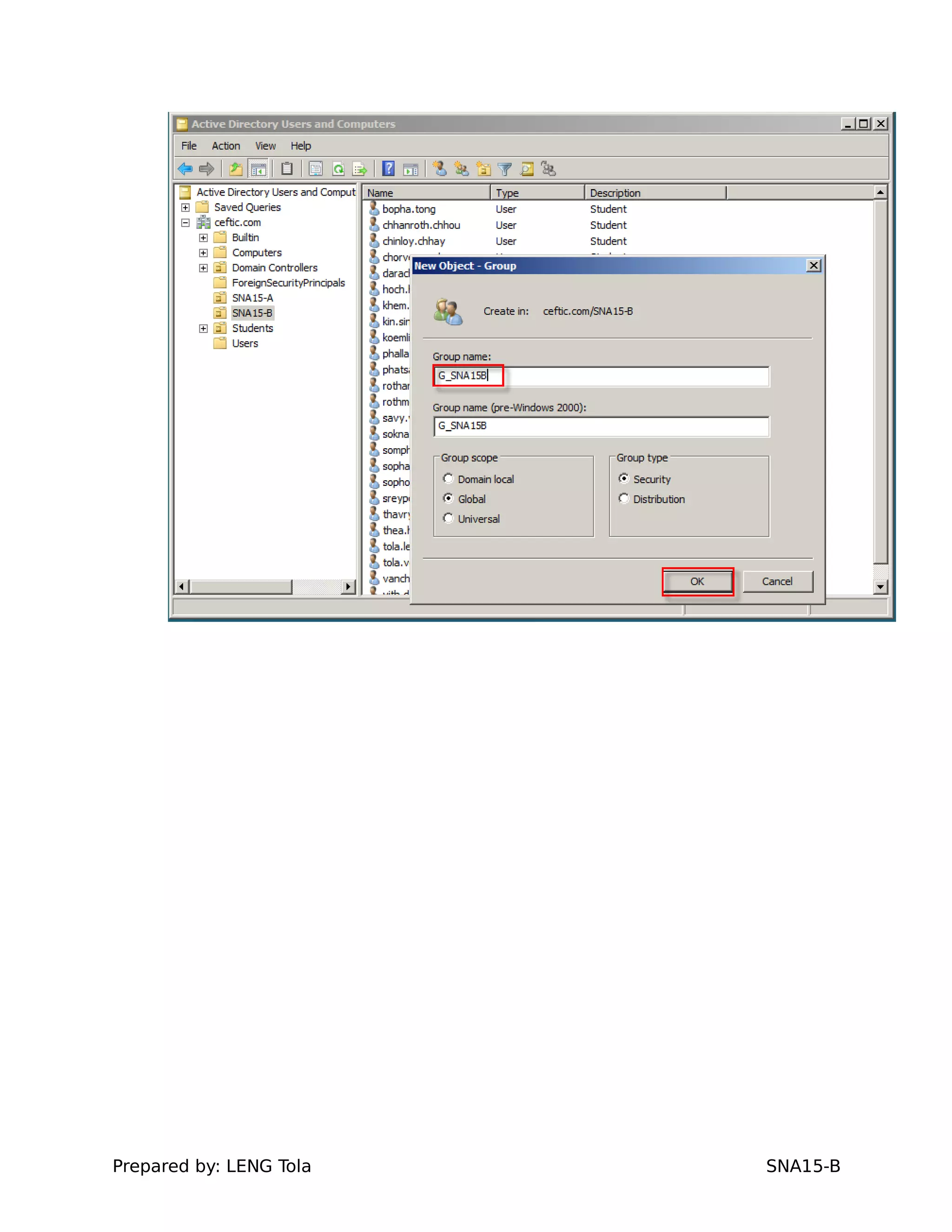
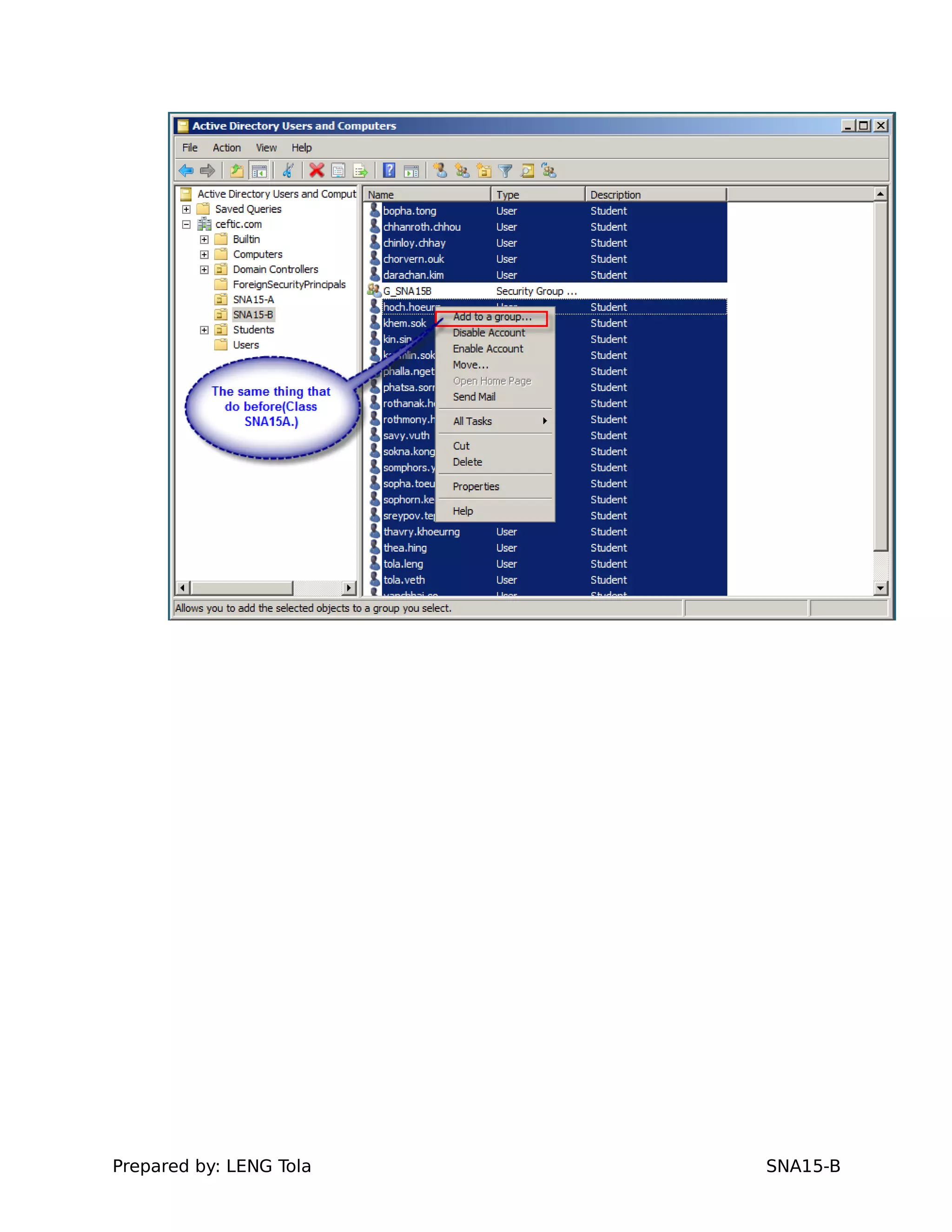
- G_SNA15B......................................................................................................19
4. client joins domain with windows srv2008...............................................25
5. Create user profile on windows client (take one user in class SNA-A&B
login)....................................................................................................................33
a. A user in class SNA-A................................................................................33
b. A user in class SNA-B................................................................................35
6. Set limit hours logon for two users in Class SNA-A&B to login server
(any users)..........................................................................................................39
- Note: Start from 8:00AM to 6:00PM and from Monday until Friday..
Class a.SNA15-A..............................................................................................39
b.Class SNA15-B..............................................................................................40
7. Set temporary or account expire two users for class SNA-A&B (any
users)...................................................................................................................46
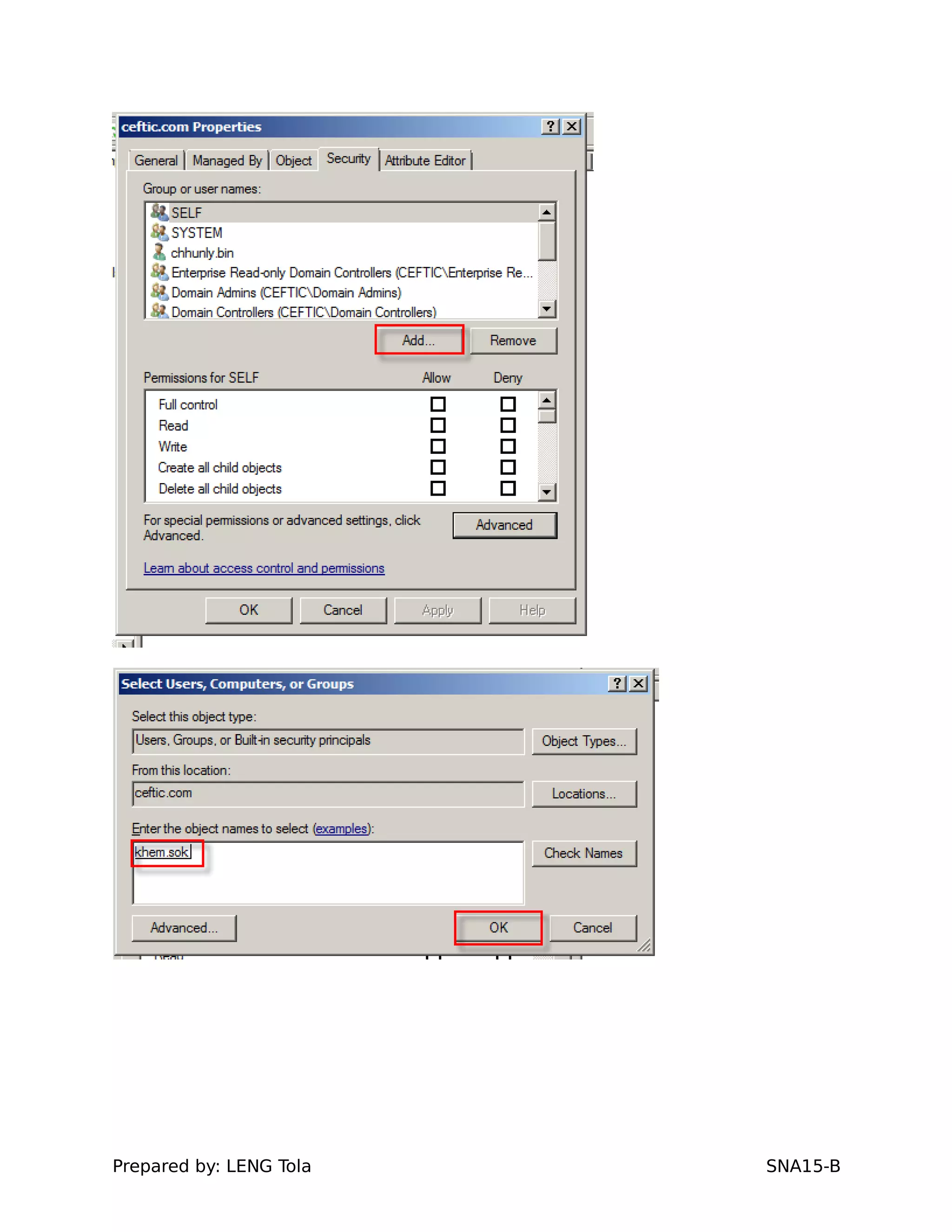
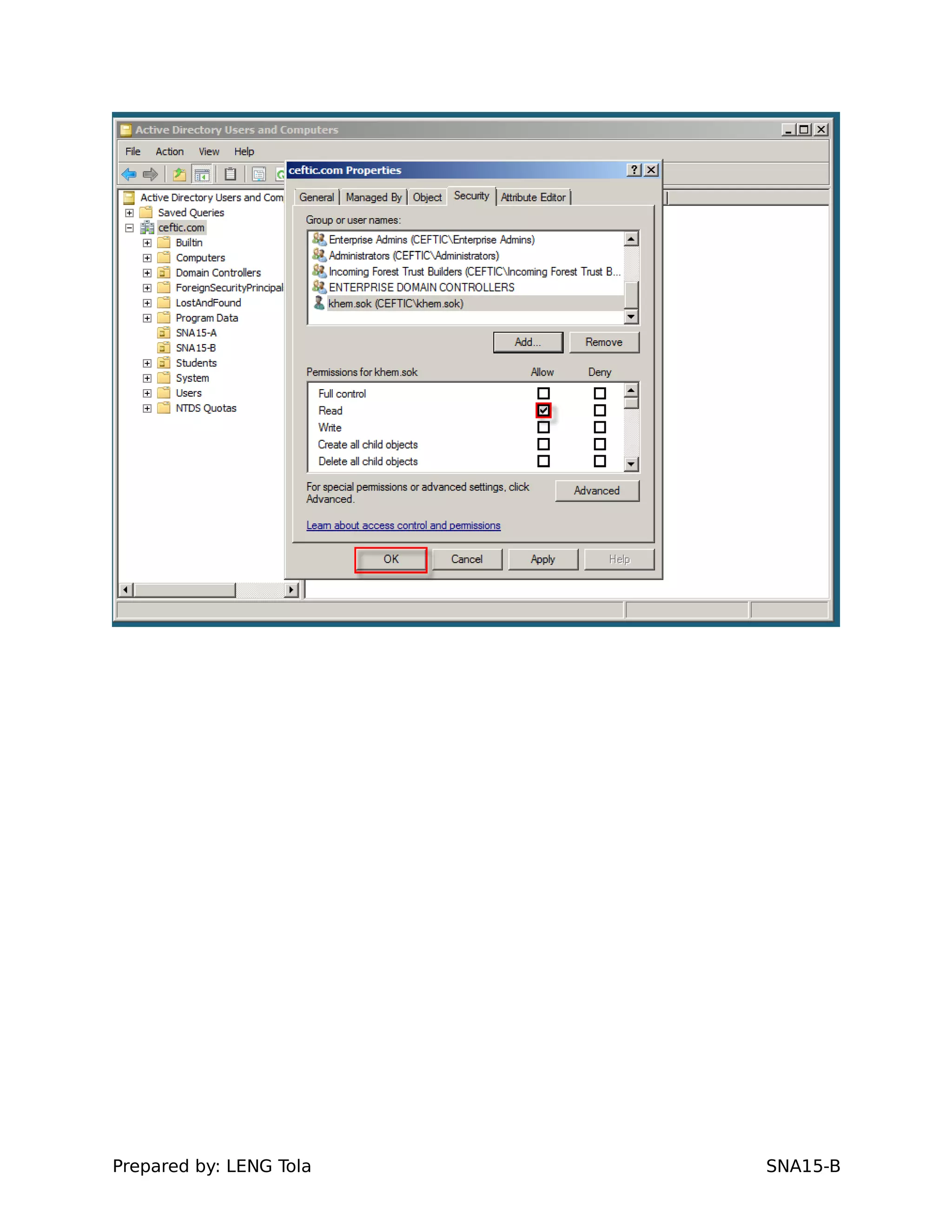
8.Delegate two users (Class Monitor) on each OUs.......................................51
10. Configure Trust domain...............................................................................79
Prepared by: LENG Tola SNA15-B
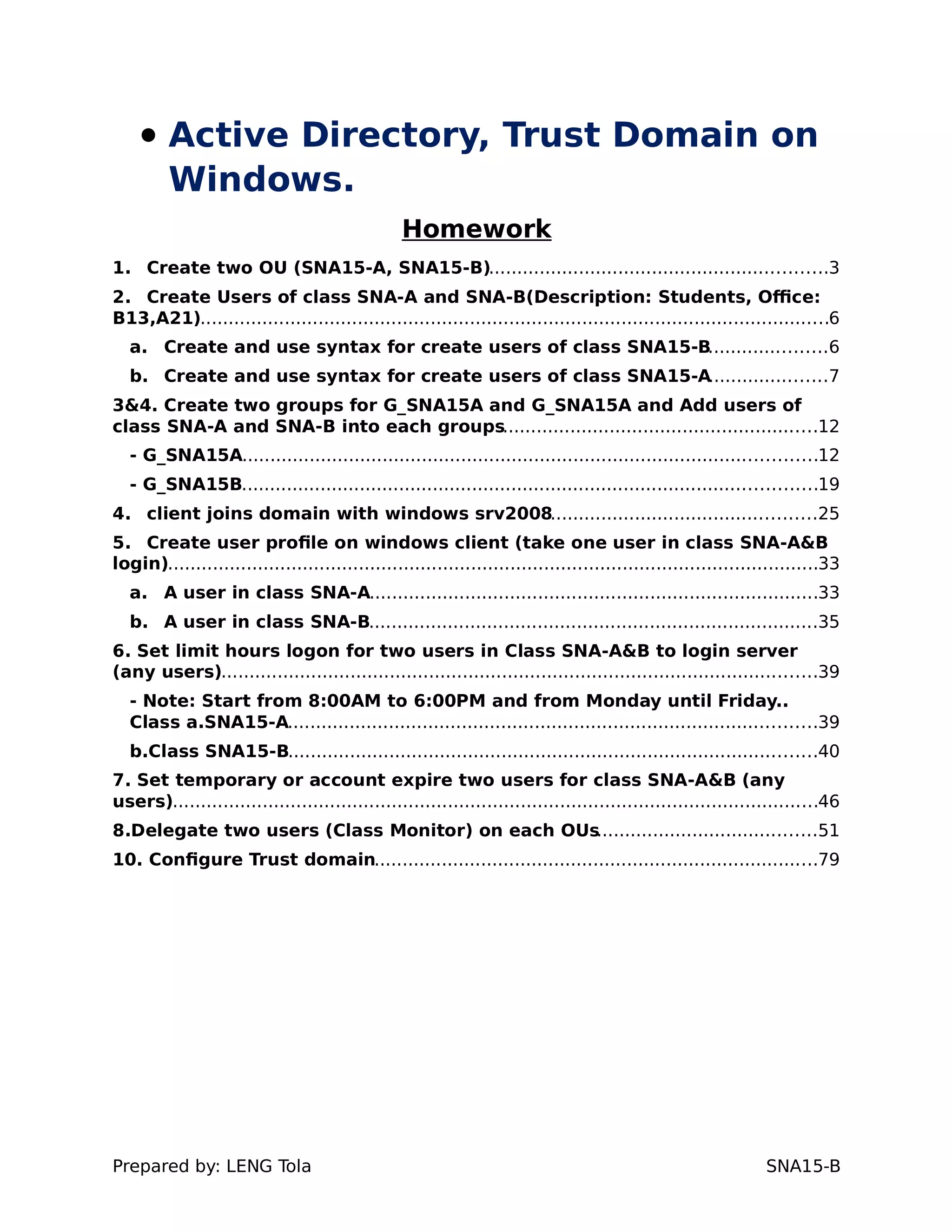
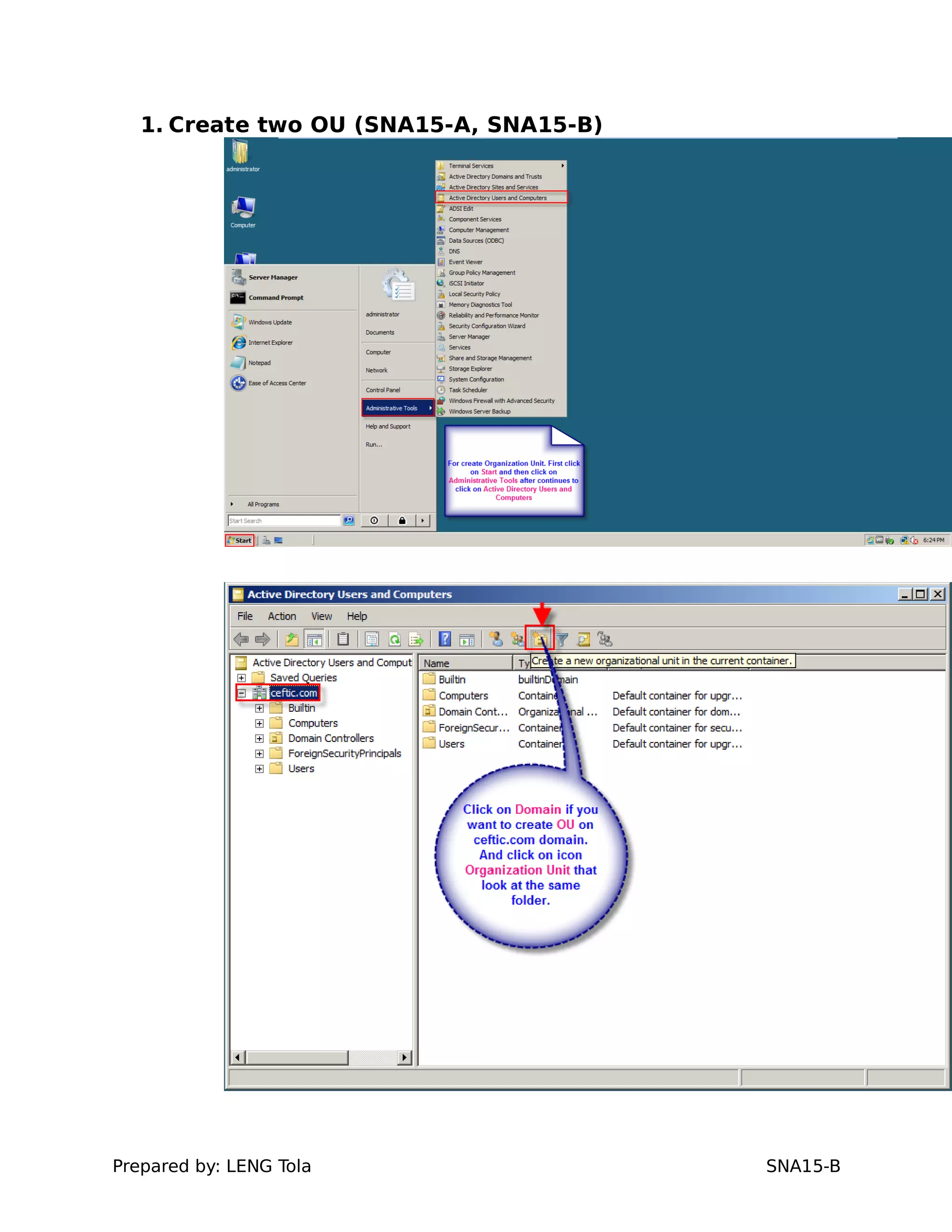
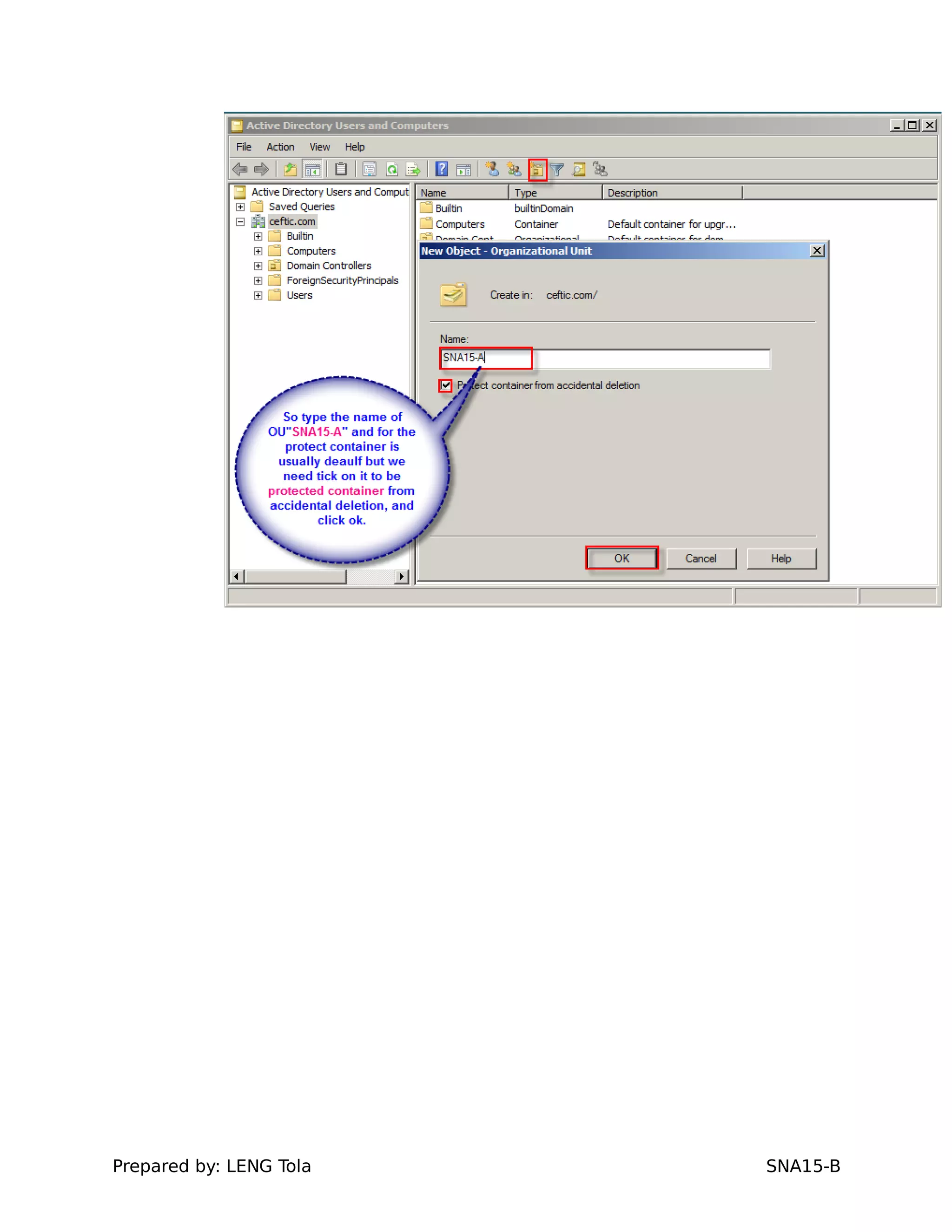
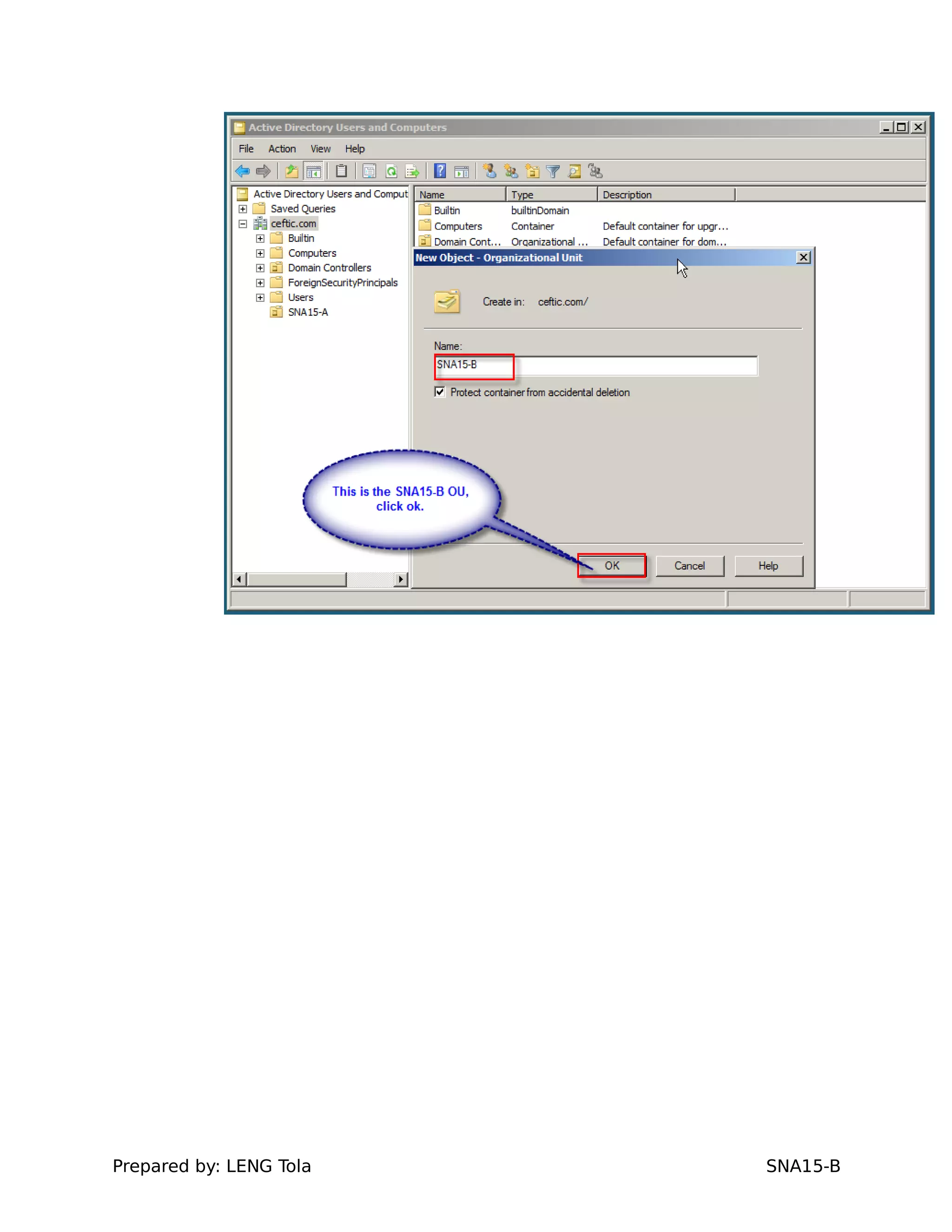
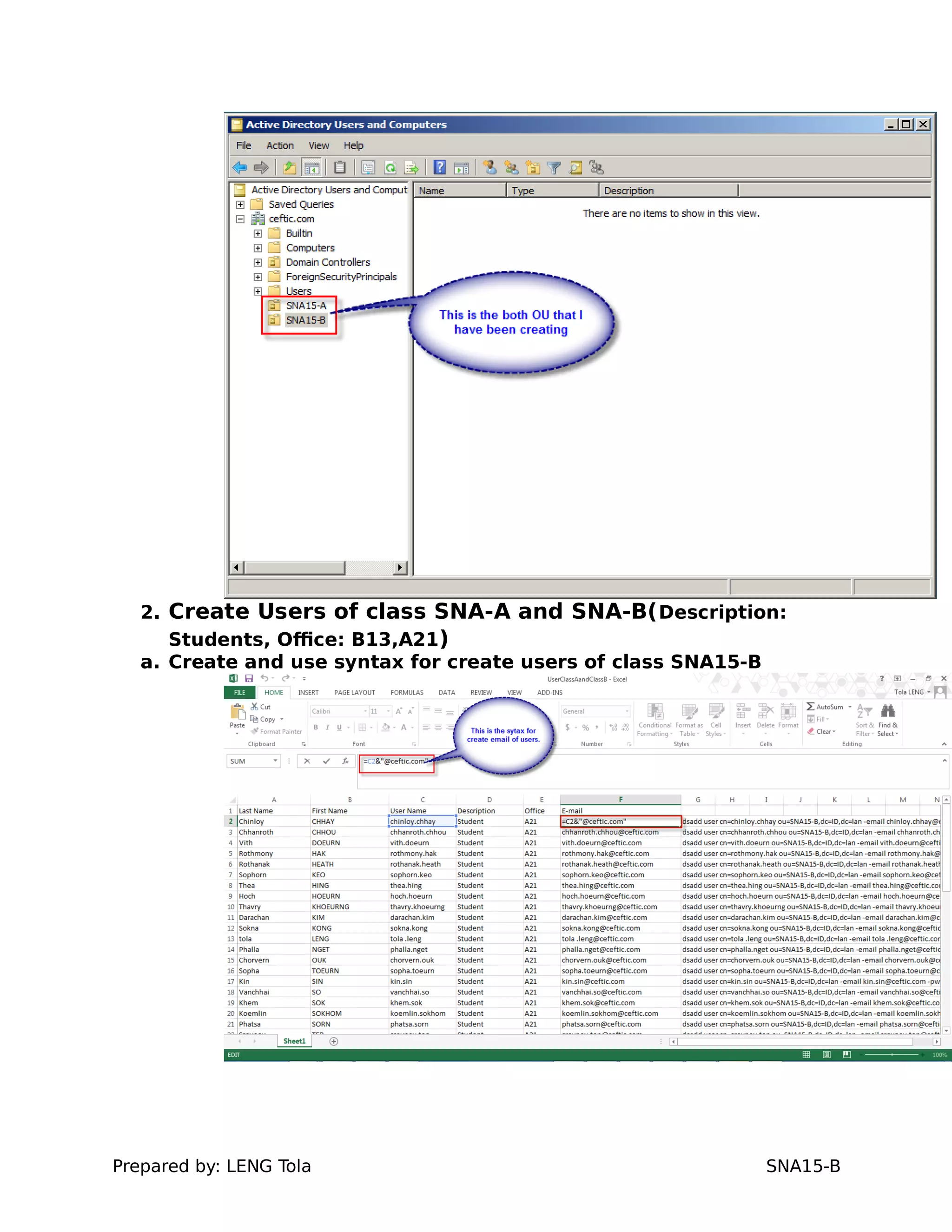
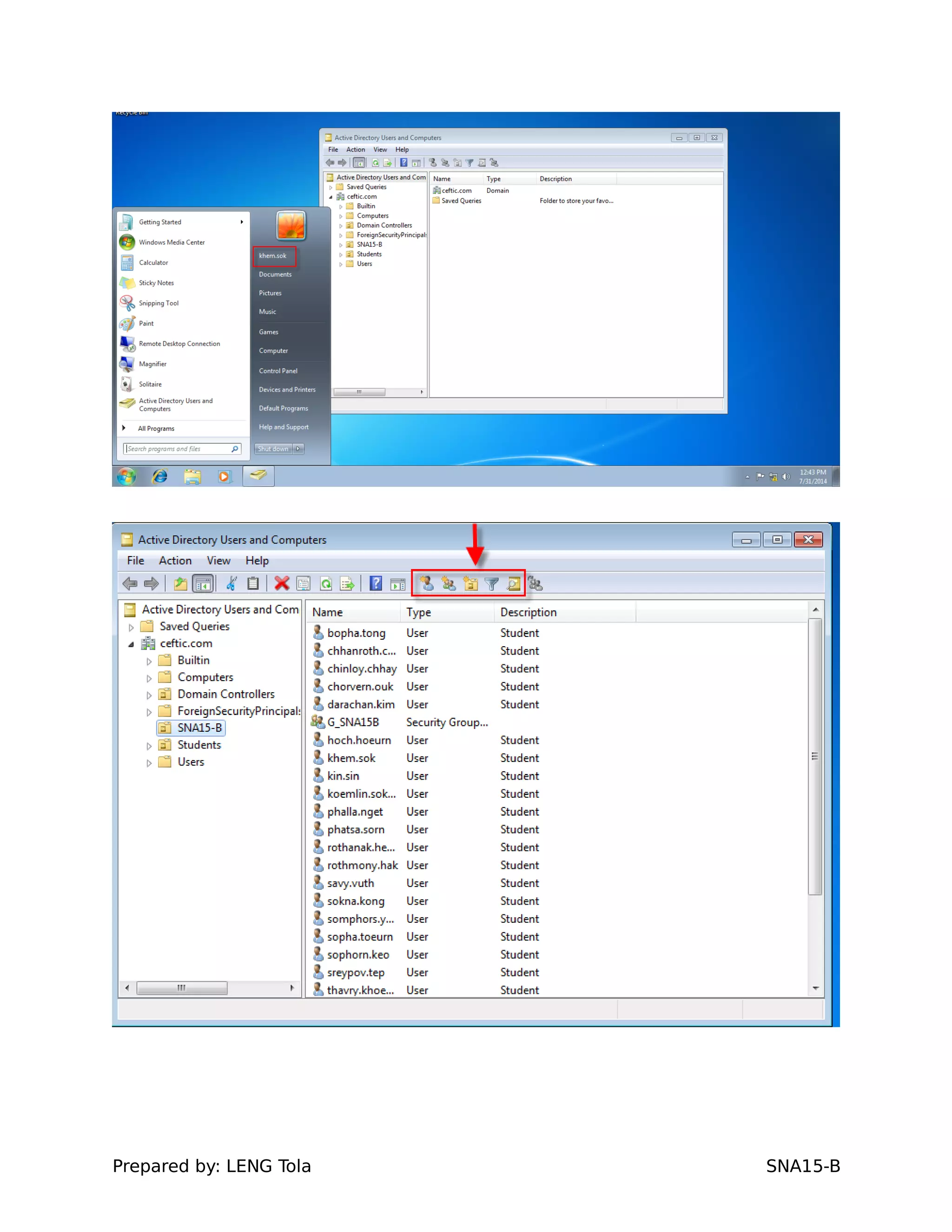
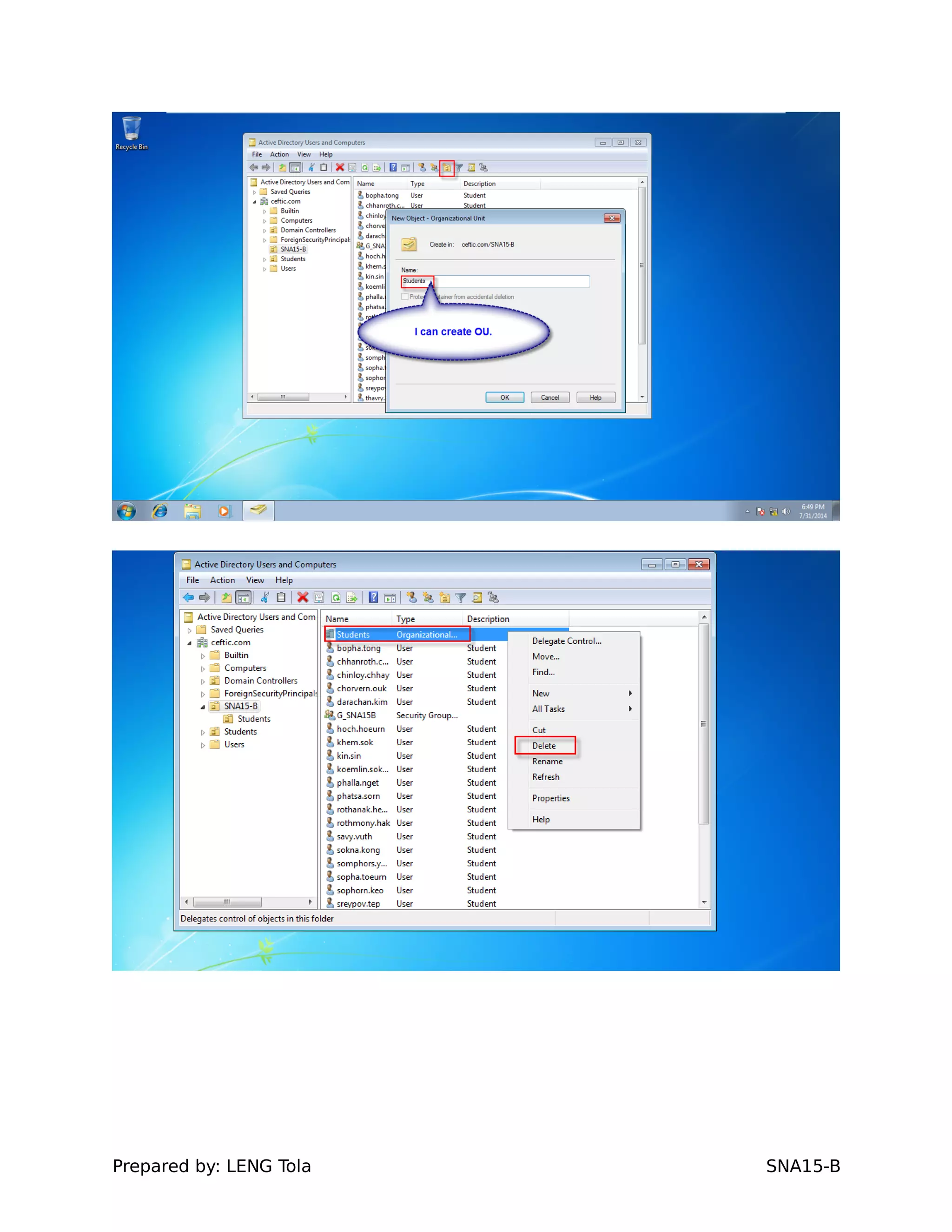
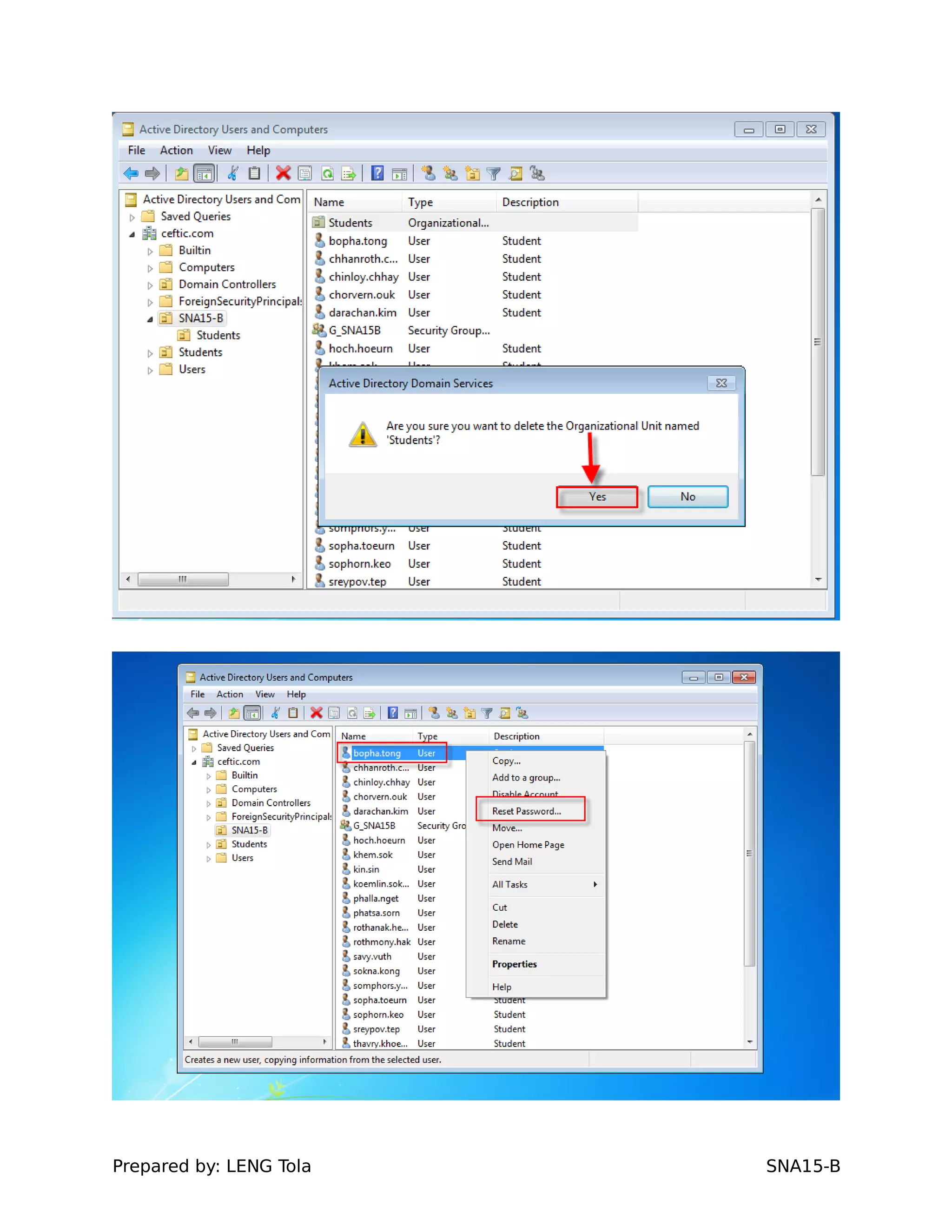
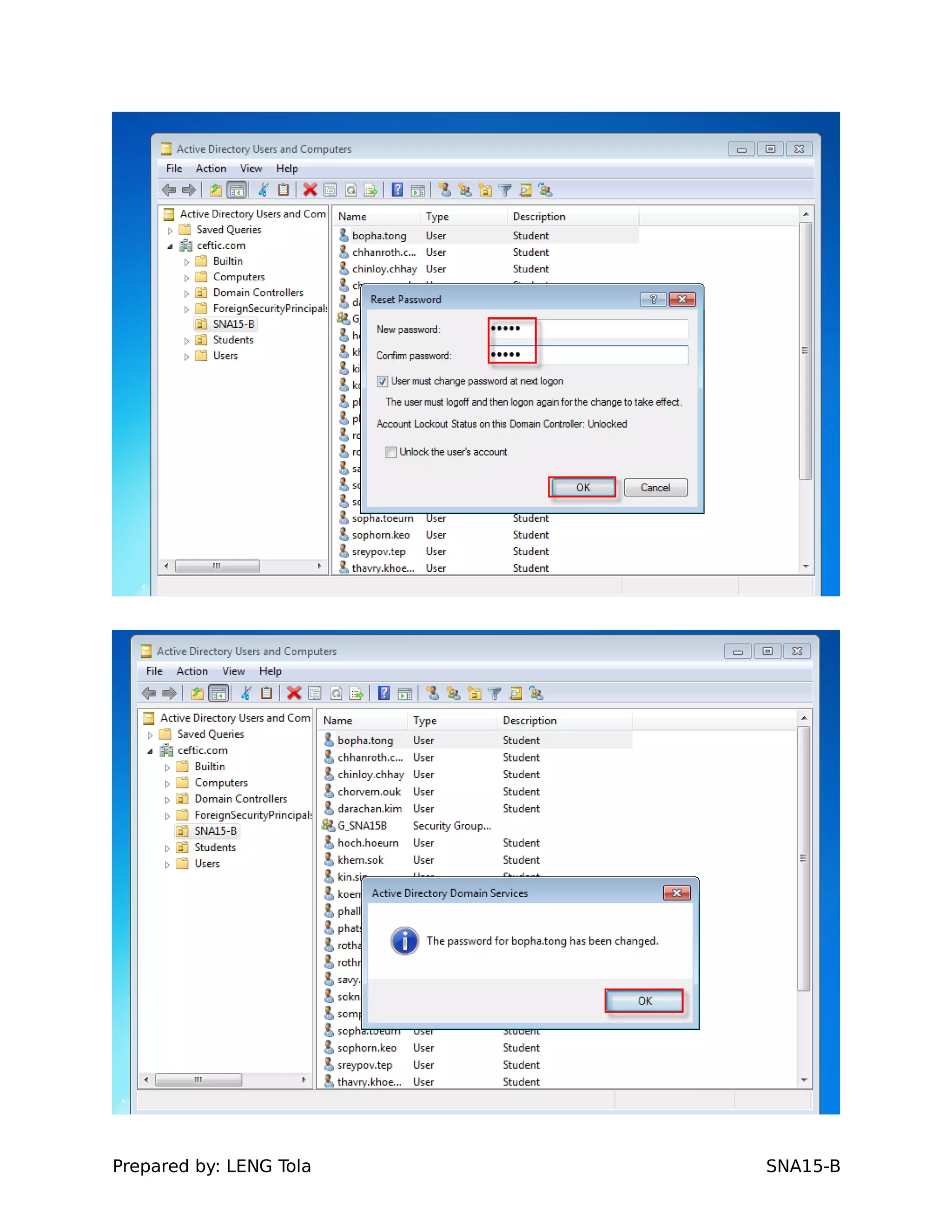
1. Create two OU (SNA15-A, SNA15-B)
Prepared by: LENG Tola SNA15-B
2. Create Users of class SNA-A and SNA-B(Description:
Students, Office: B13,A21)
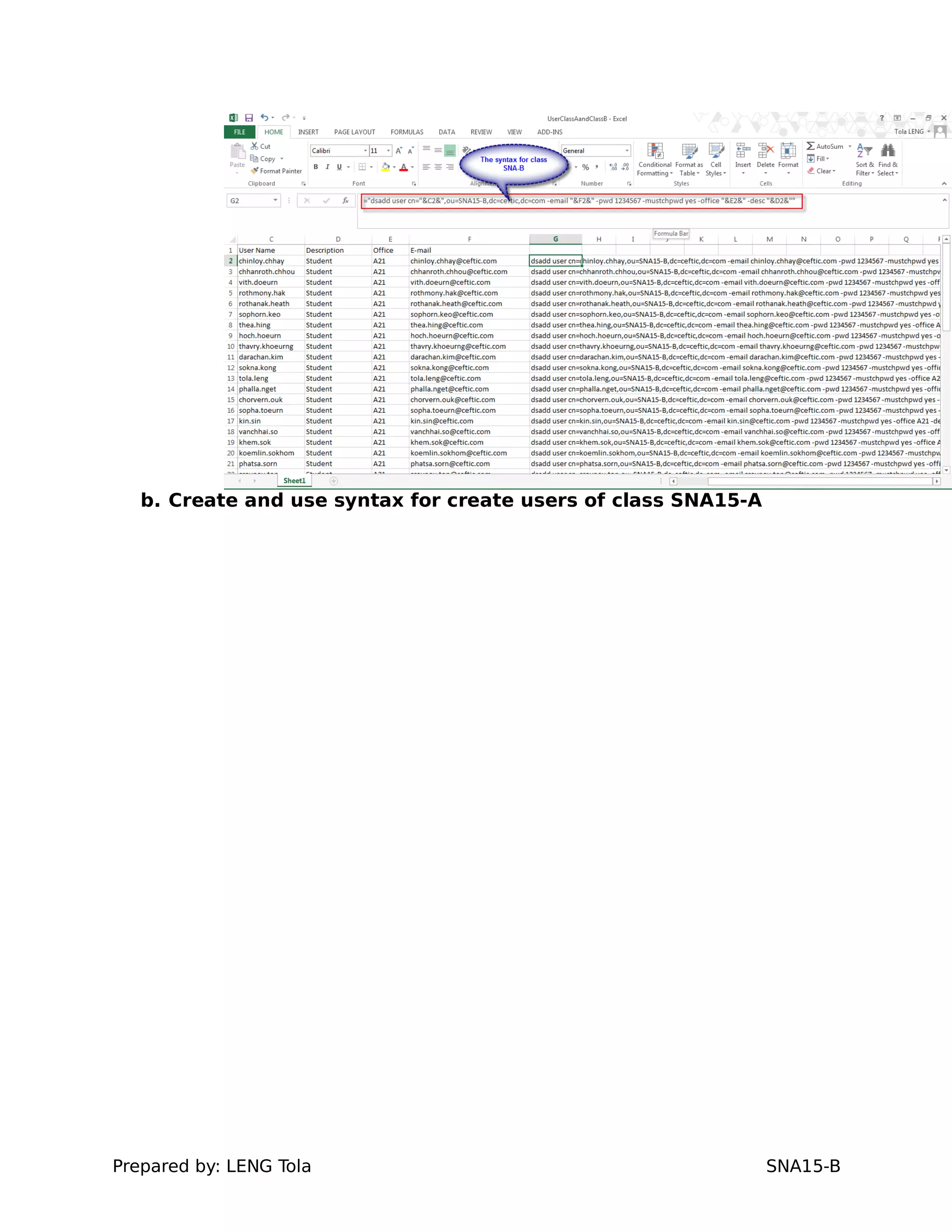
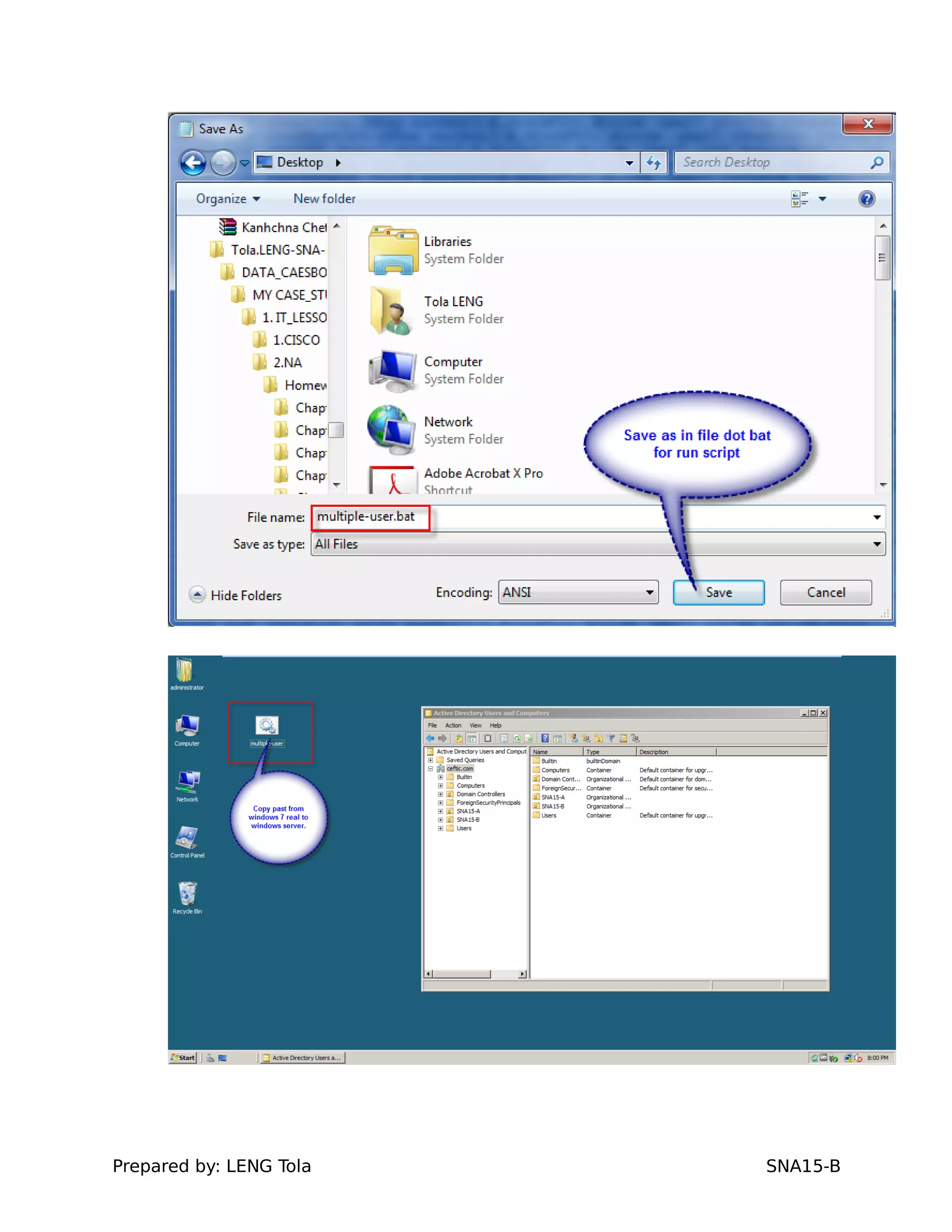
a. Create and use syntax for create users of class SNA15-B
Prepared by: LENG Tola SNA15-B
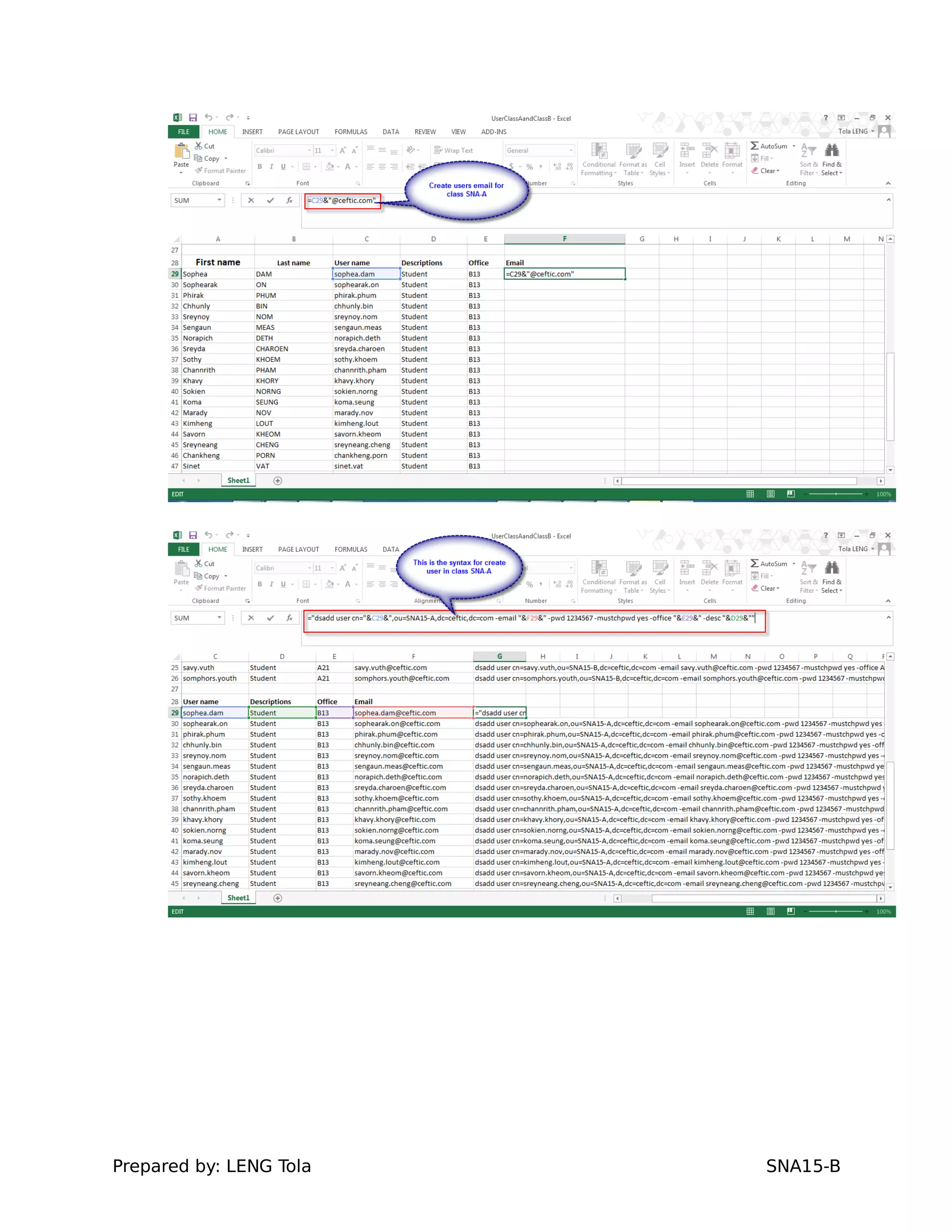
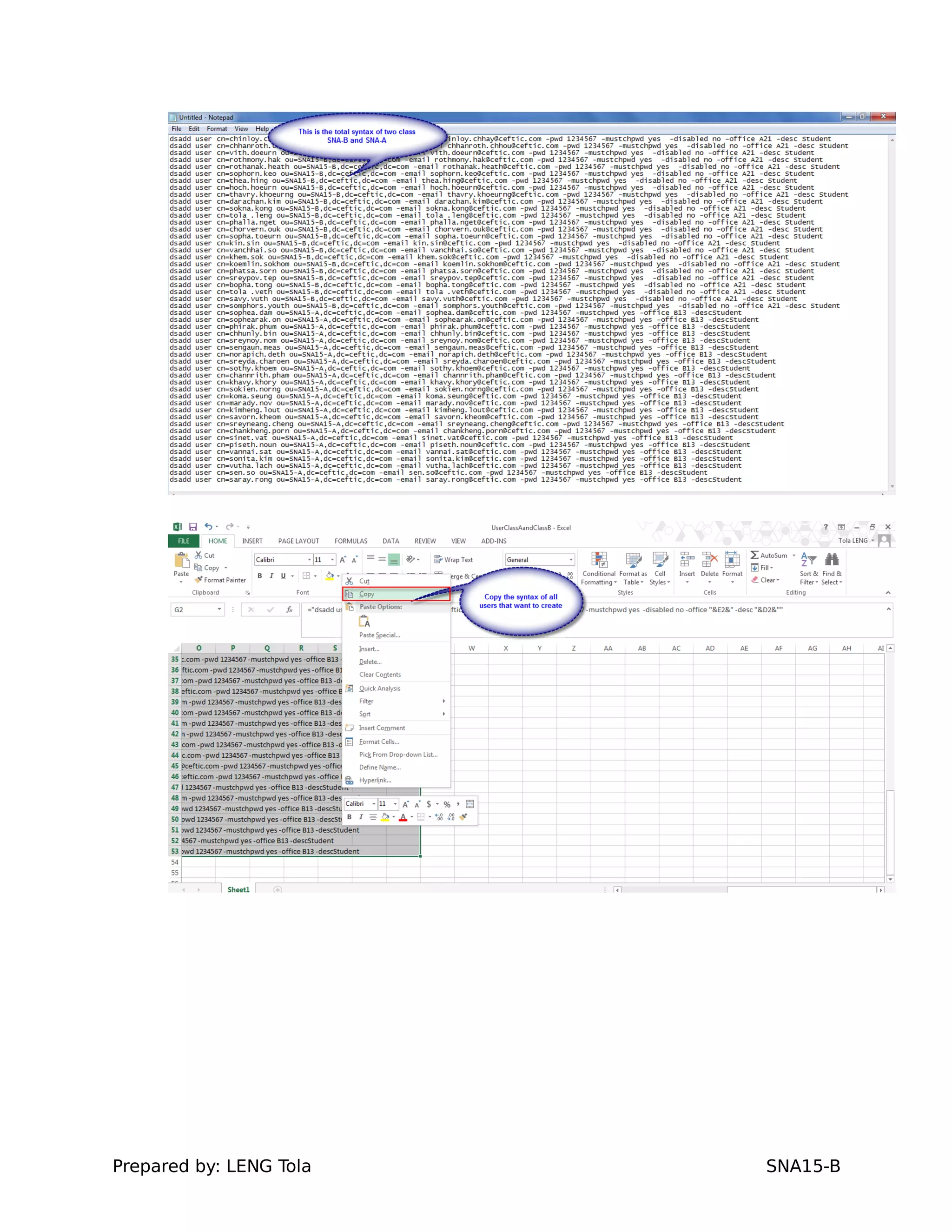
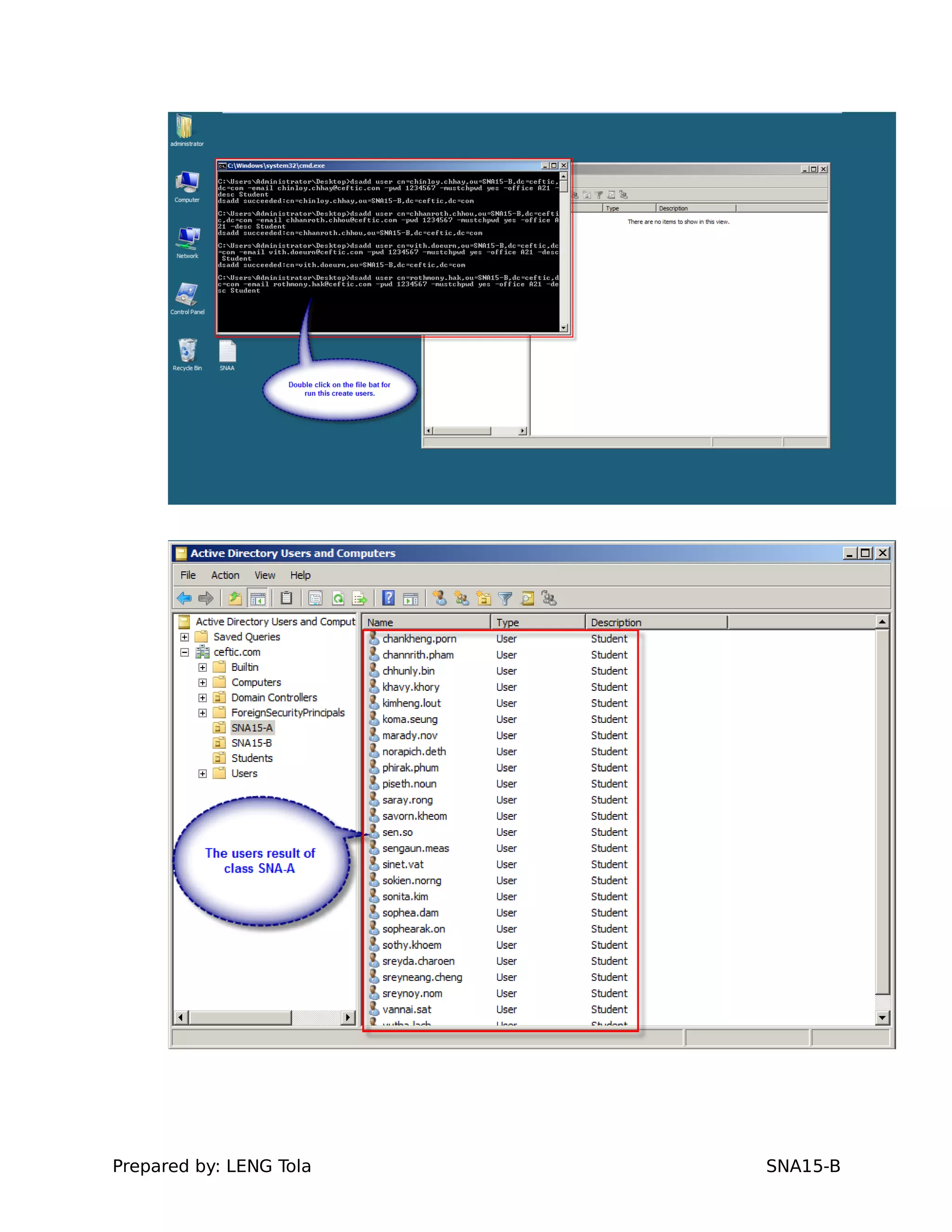
b. Create and use syntax for create users of class SNA15-A
Prepared by: LENG Tola SNA15-B
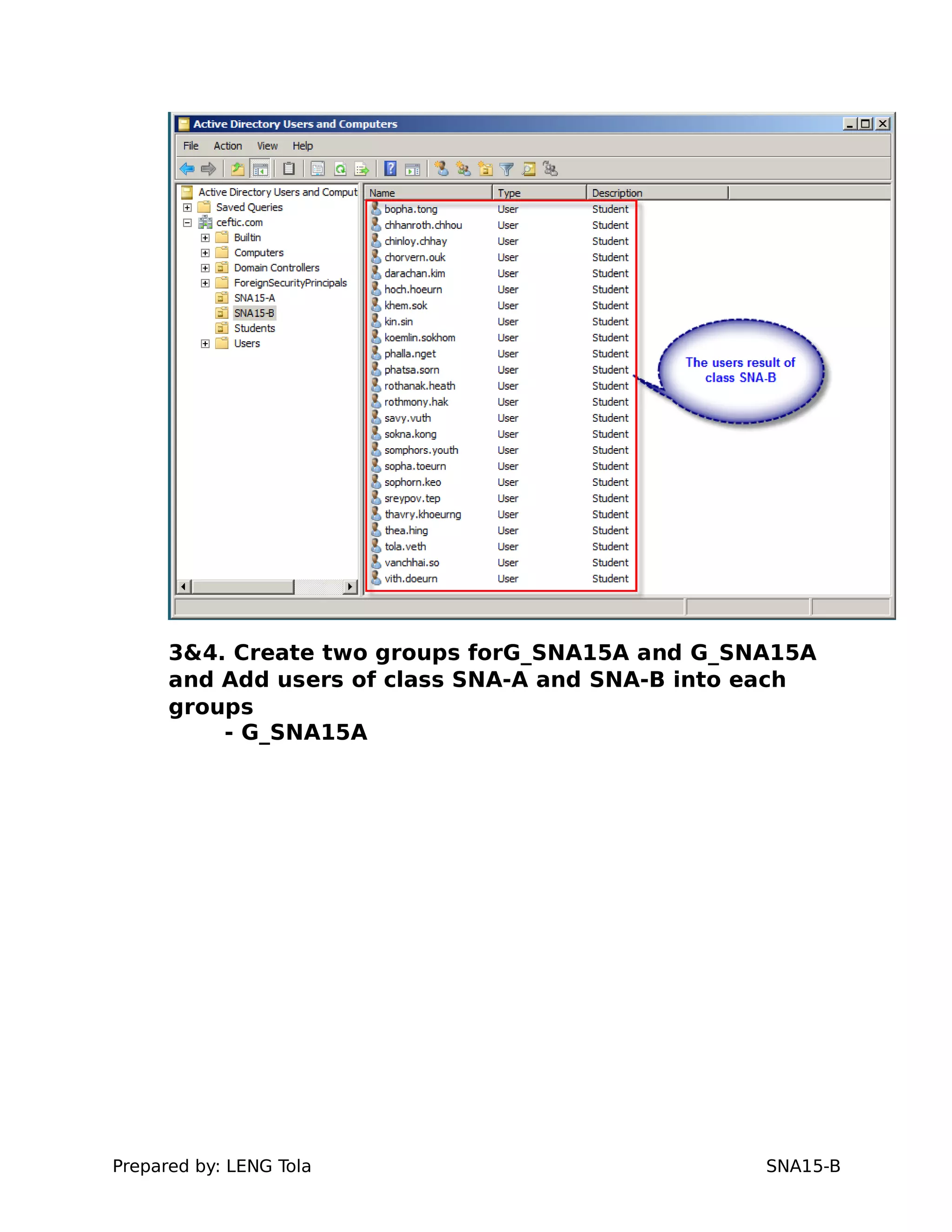
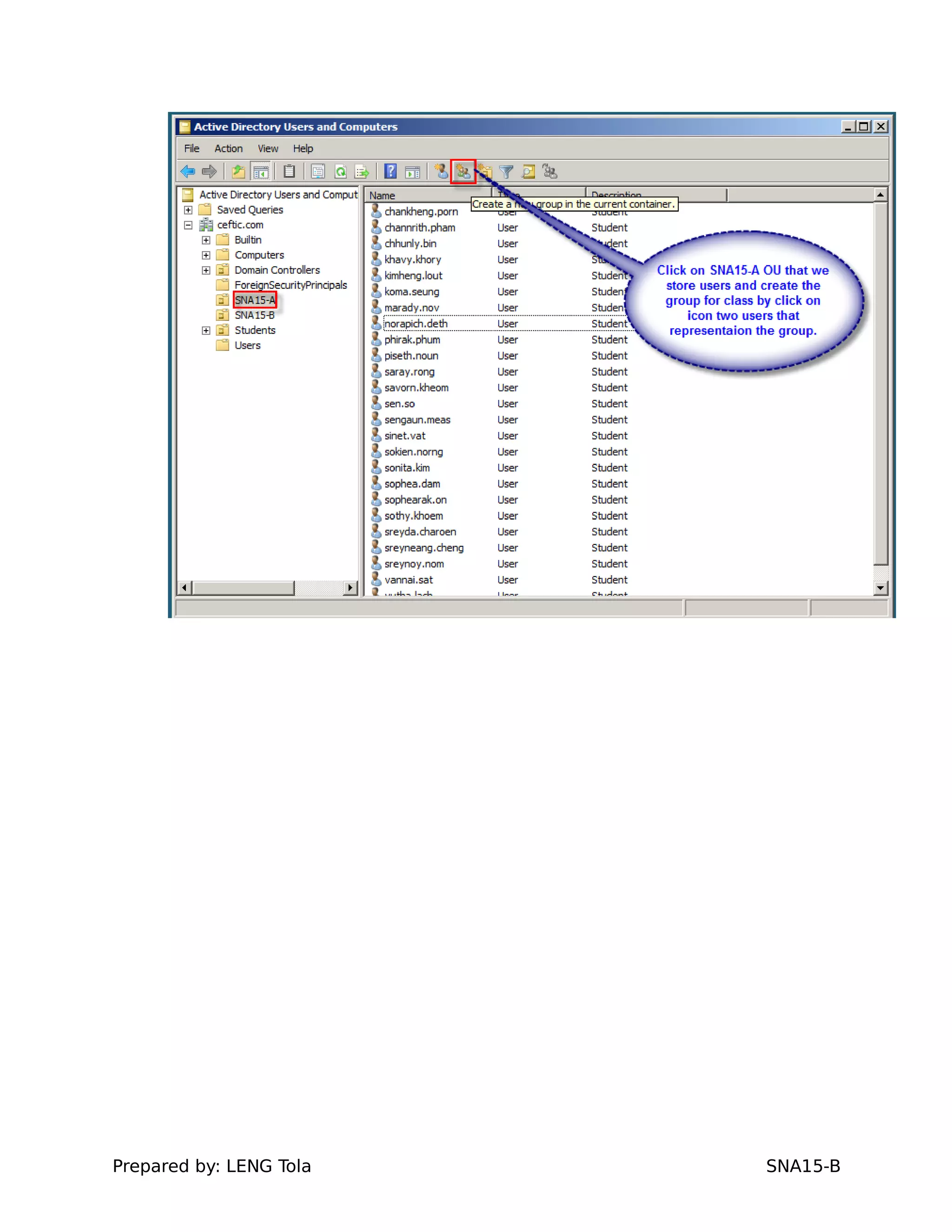
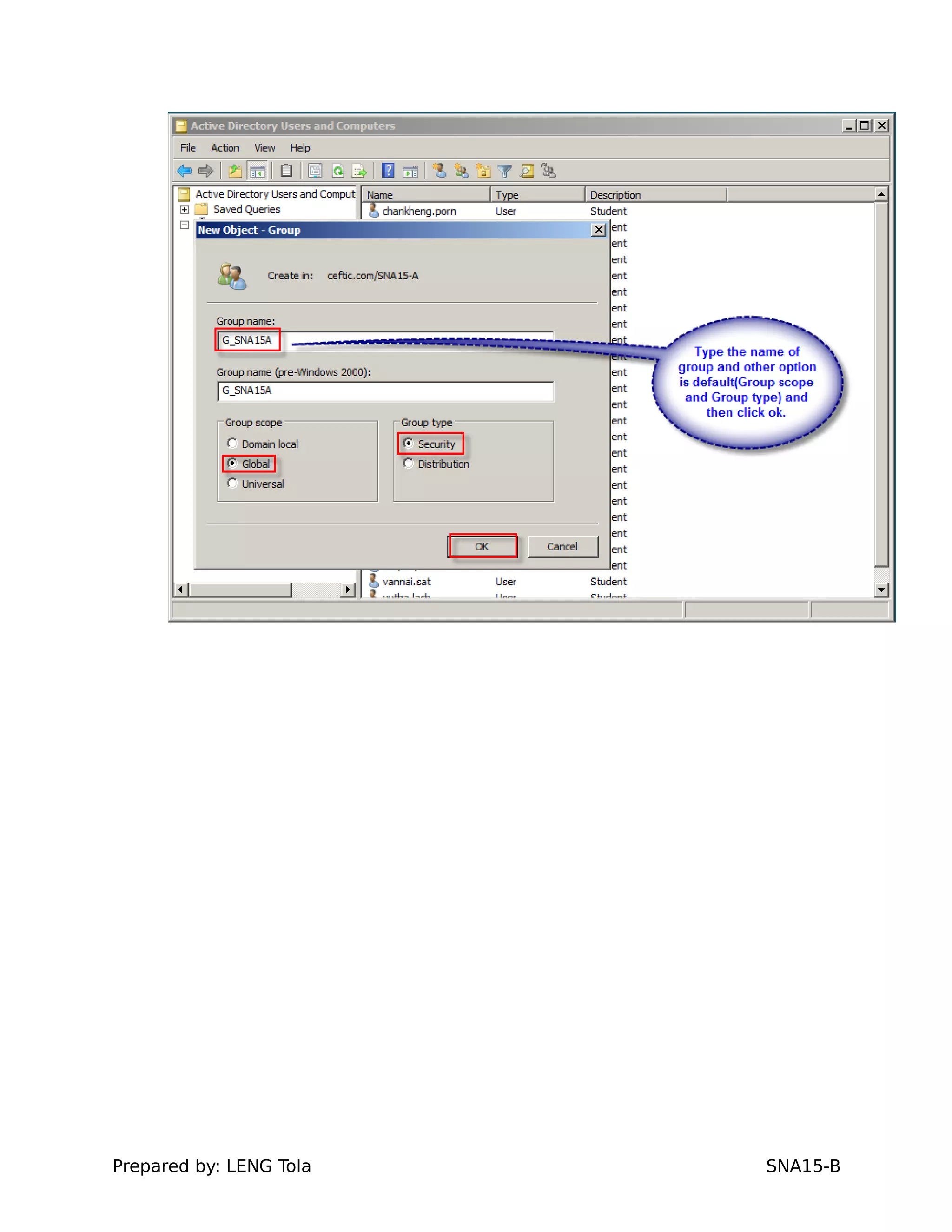
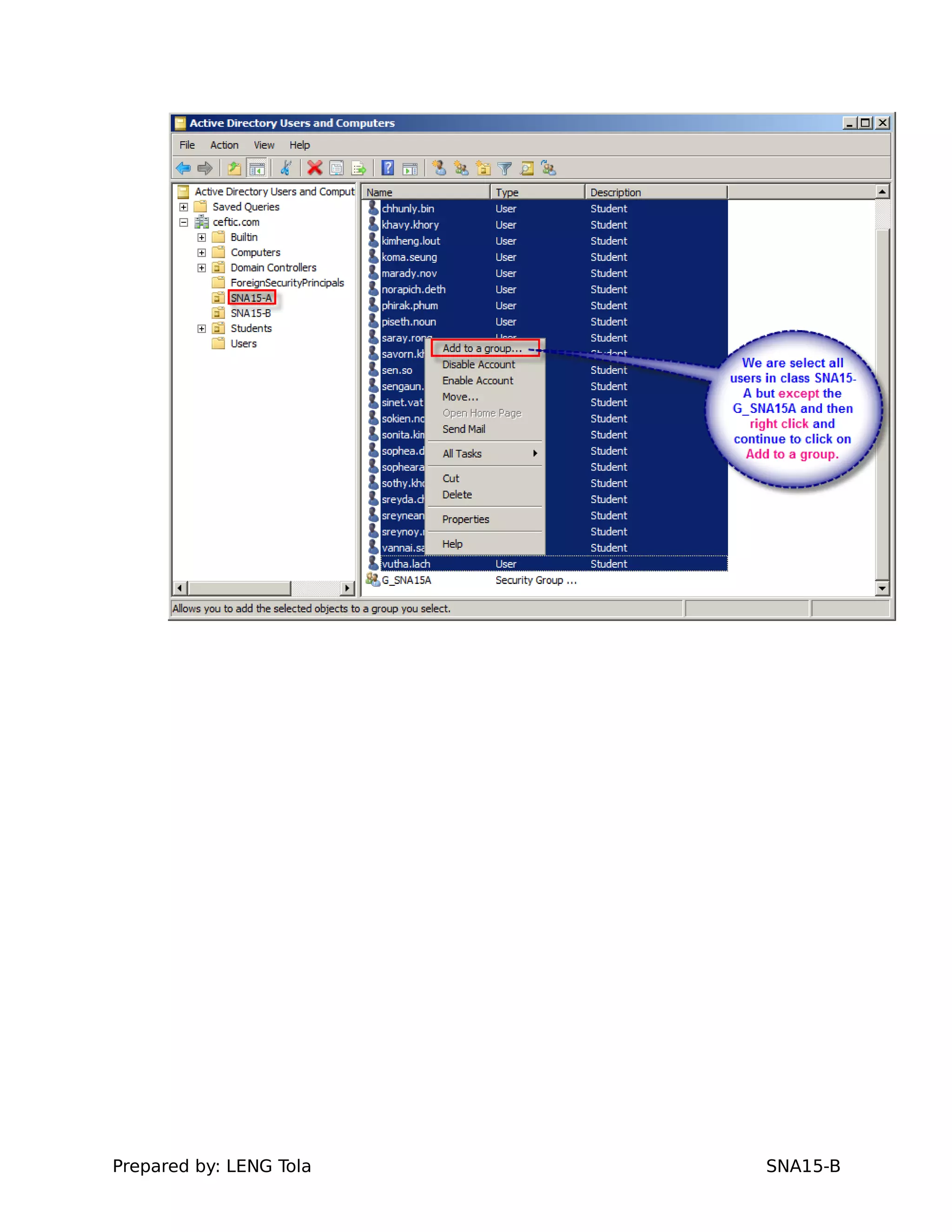
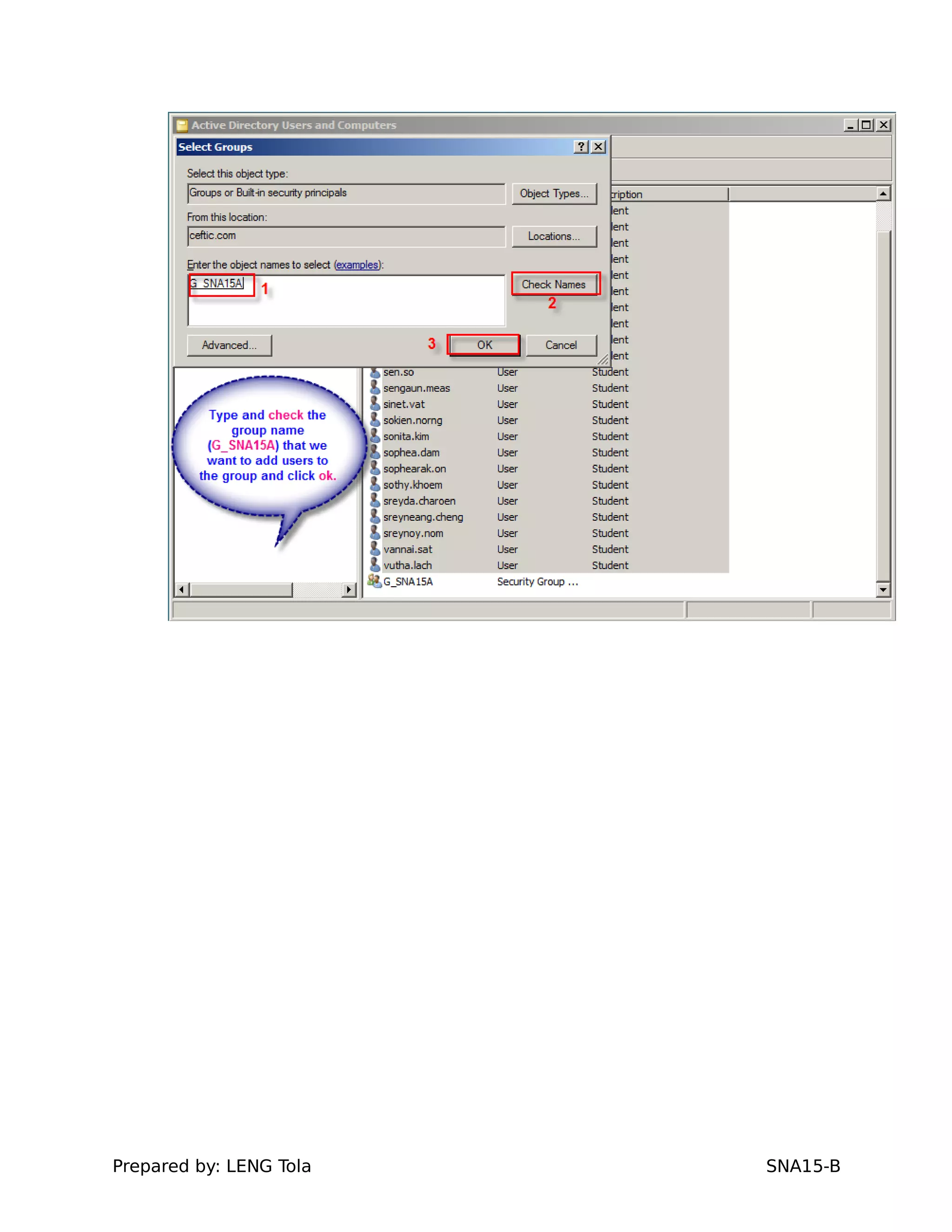
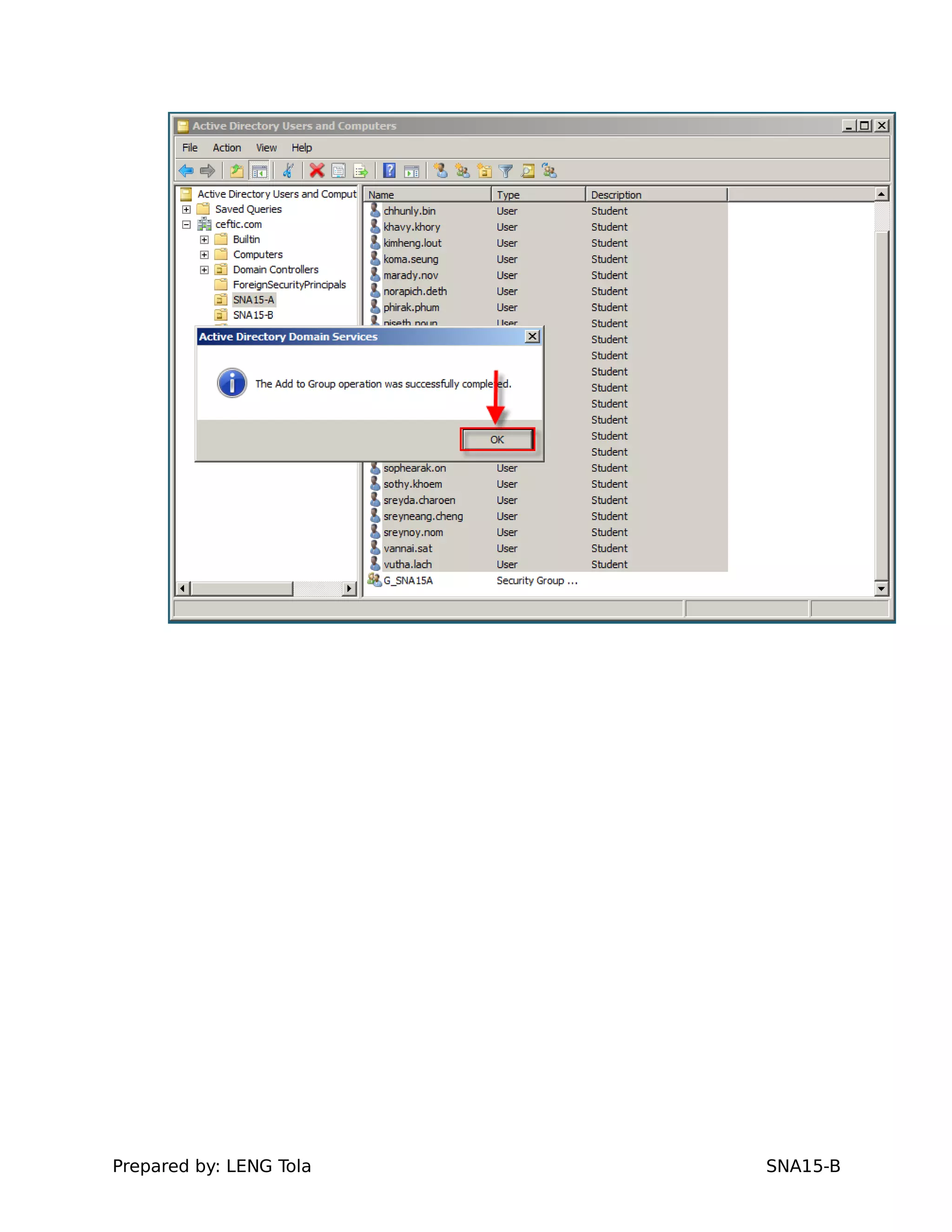
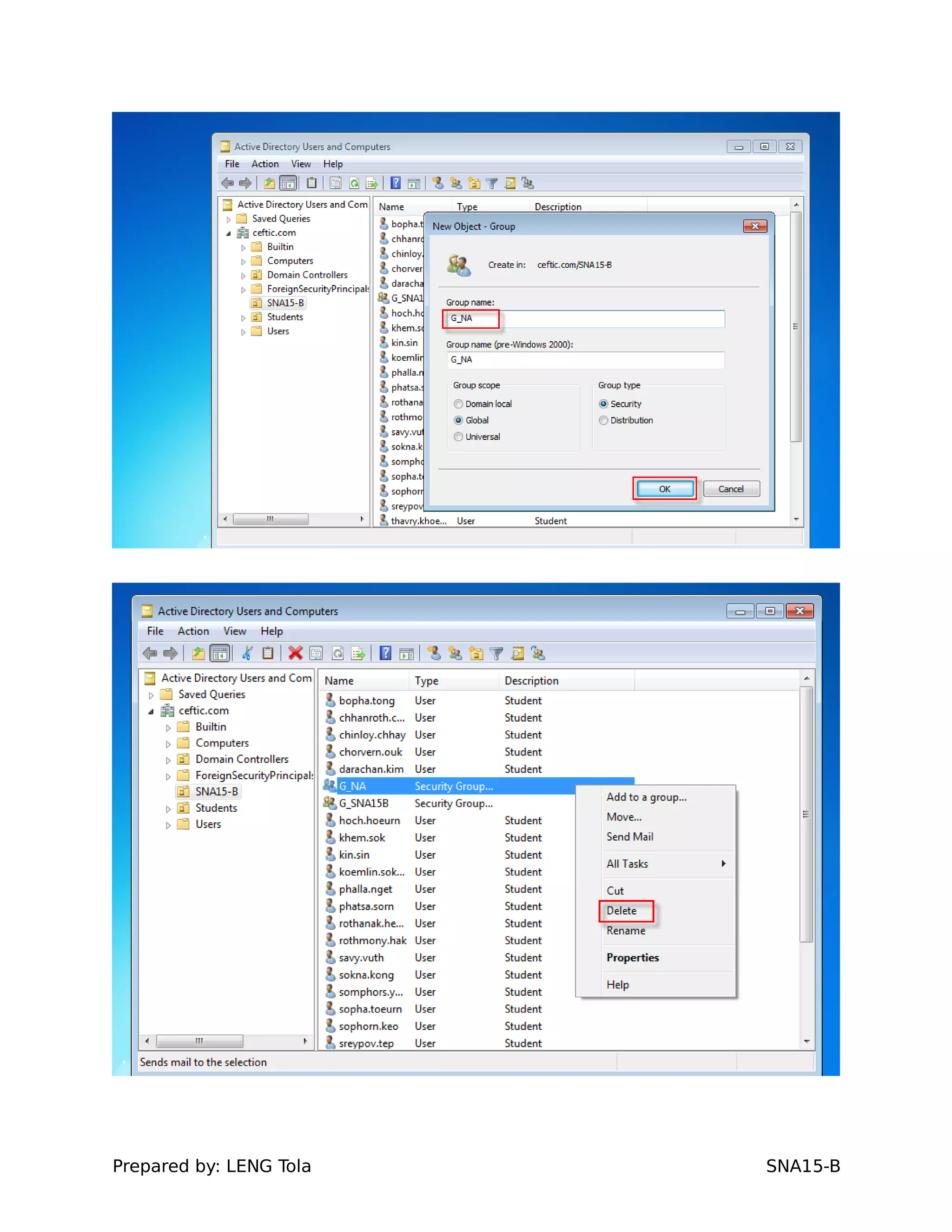
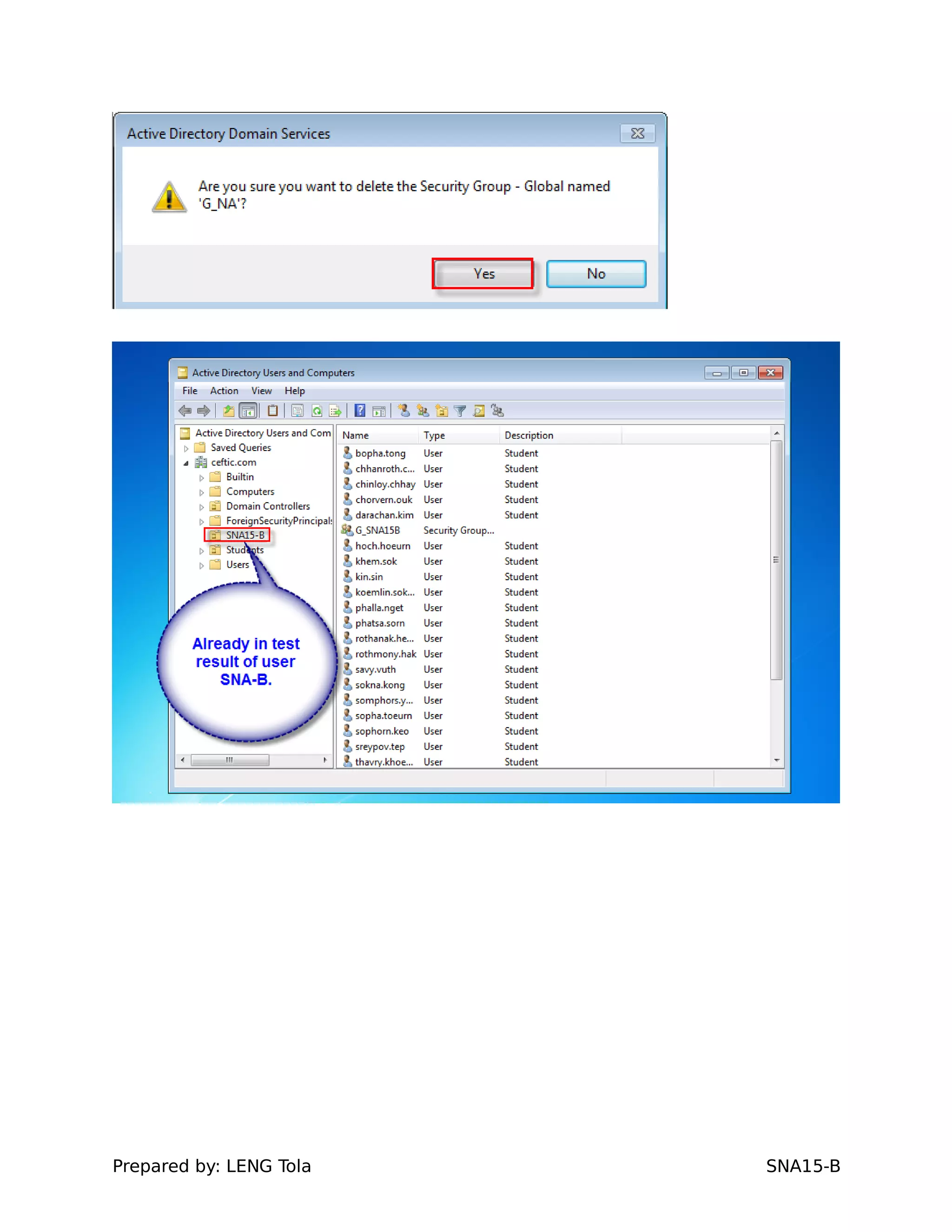
3&4. Create two groups forG_SNA15A and G_SNA15A
and Add users of class SNA-A and SNA-B into each
groups
- G_SNA15A
Prepared by: LENG Tola SNA15-B
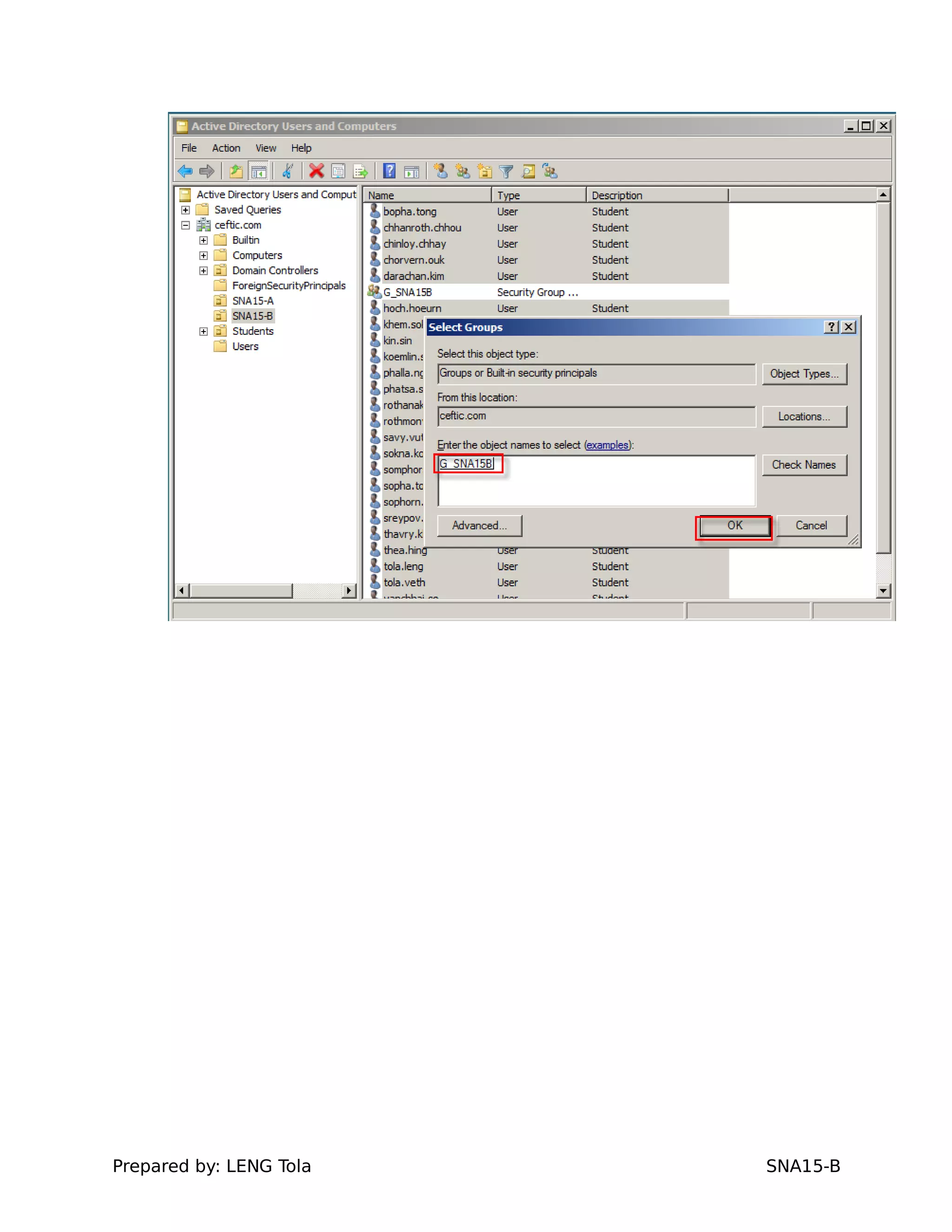
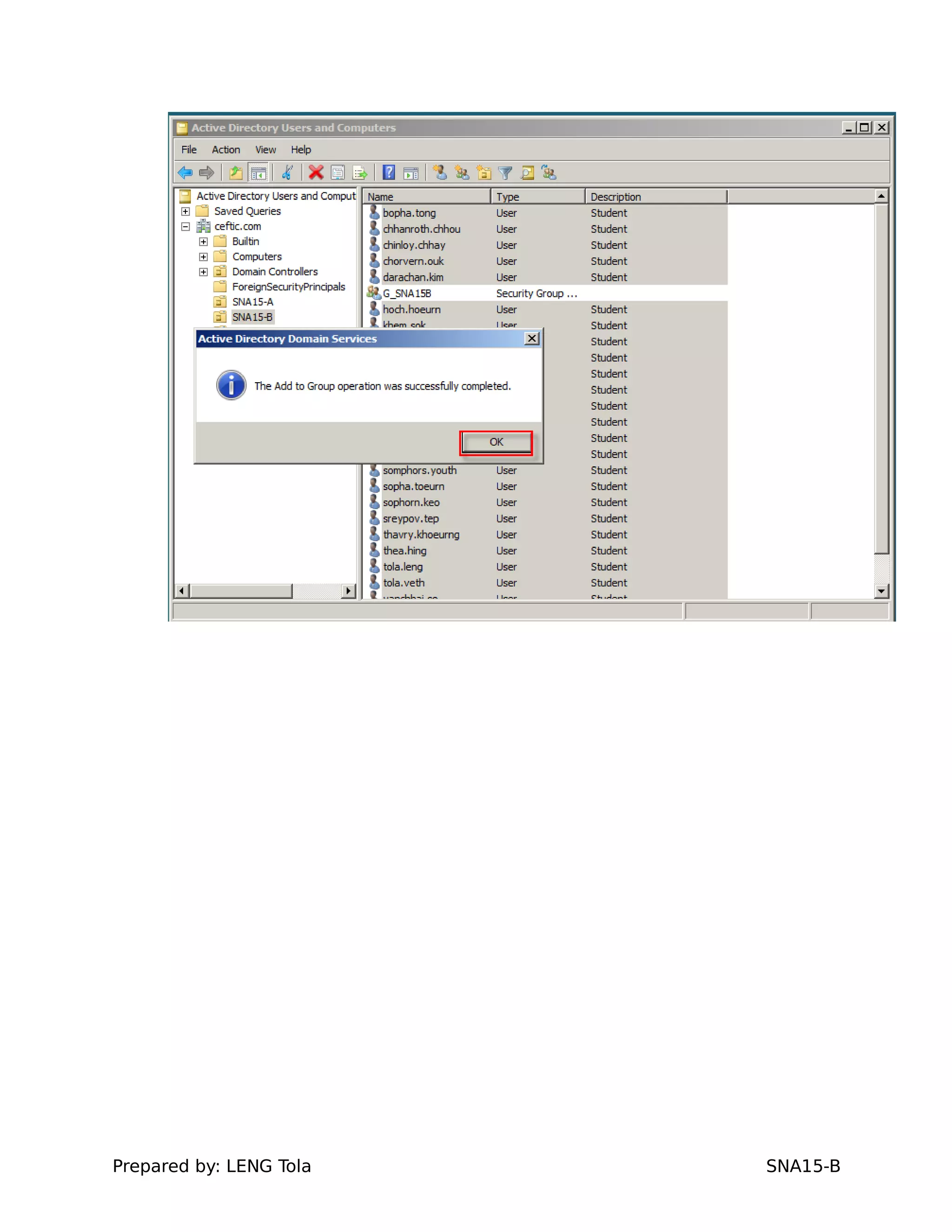
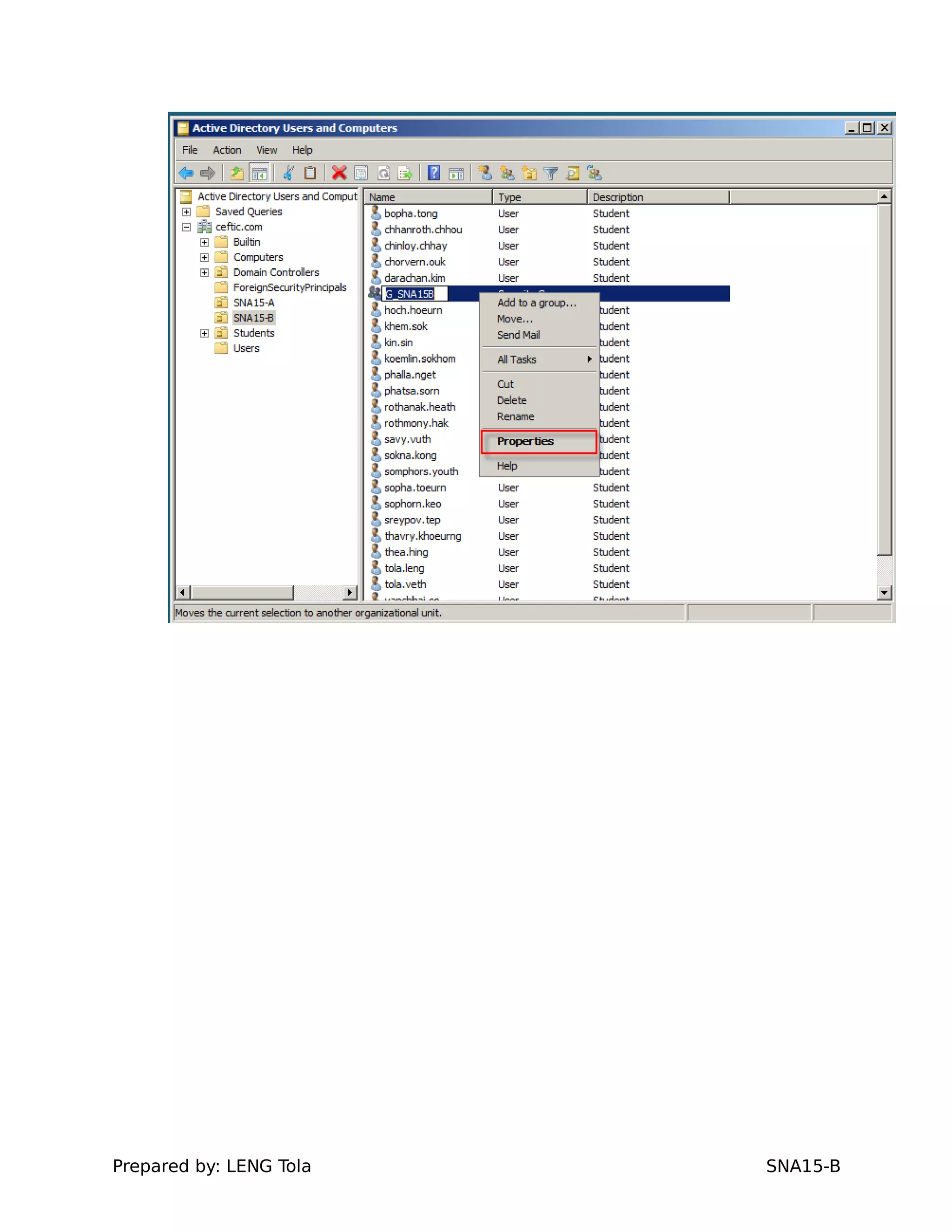
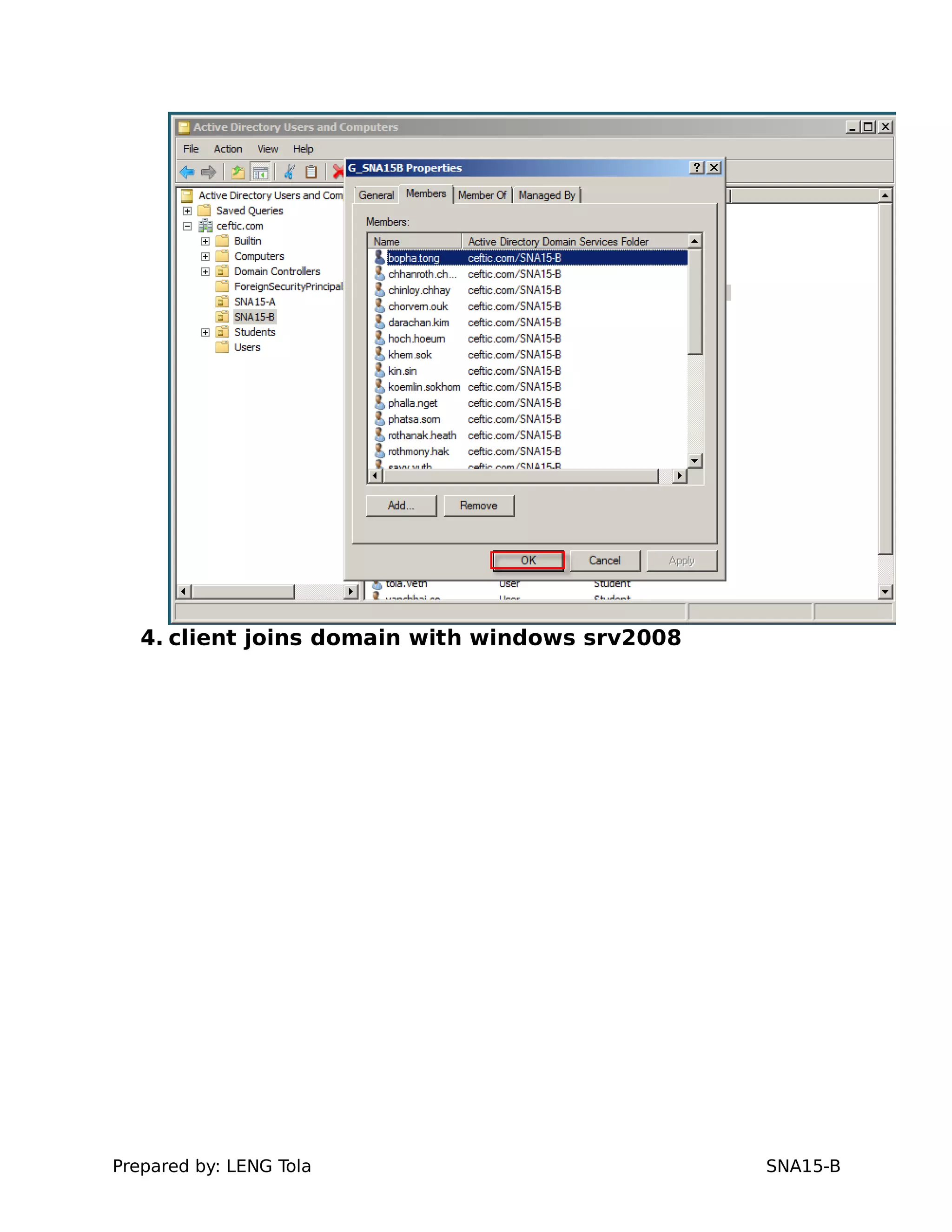
- G_SNA15B
Prepared by: LENG Tola SNA15-B
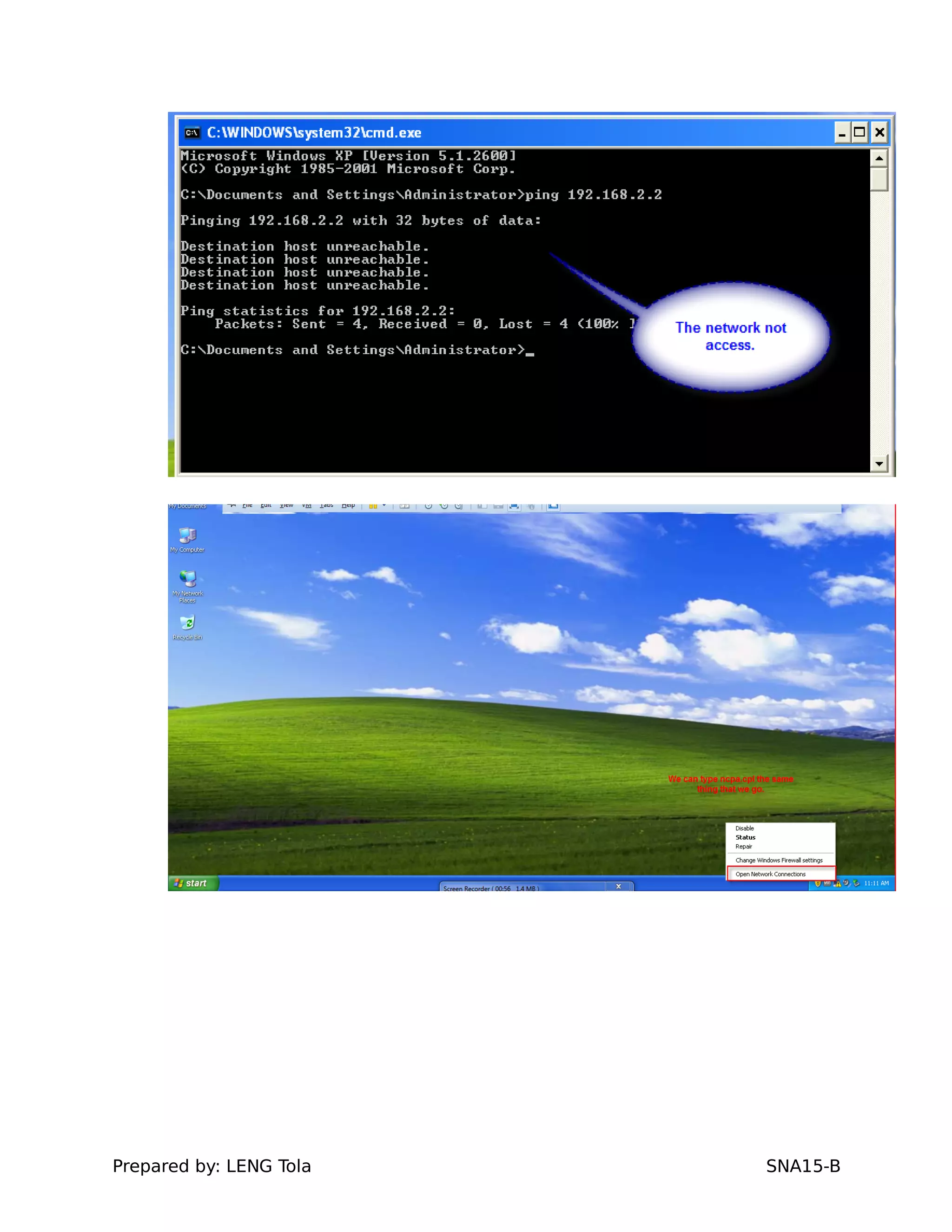
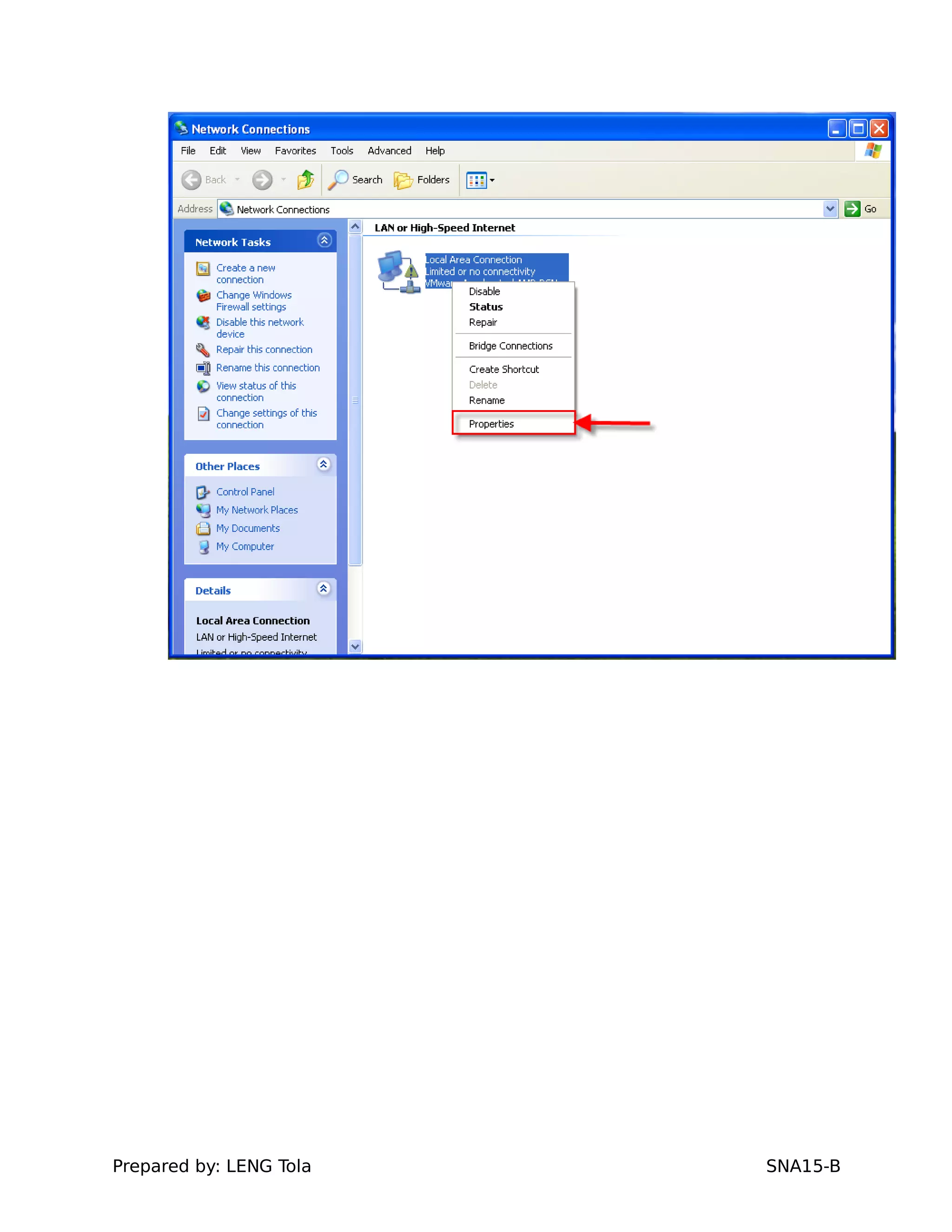
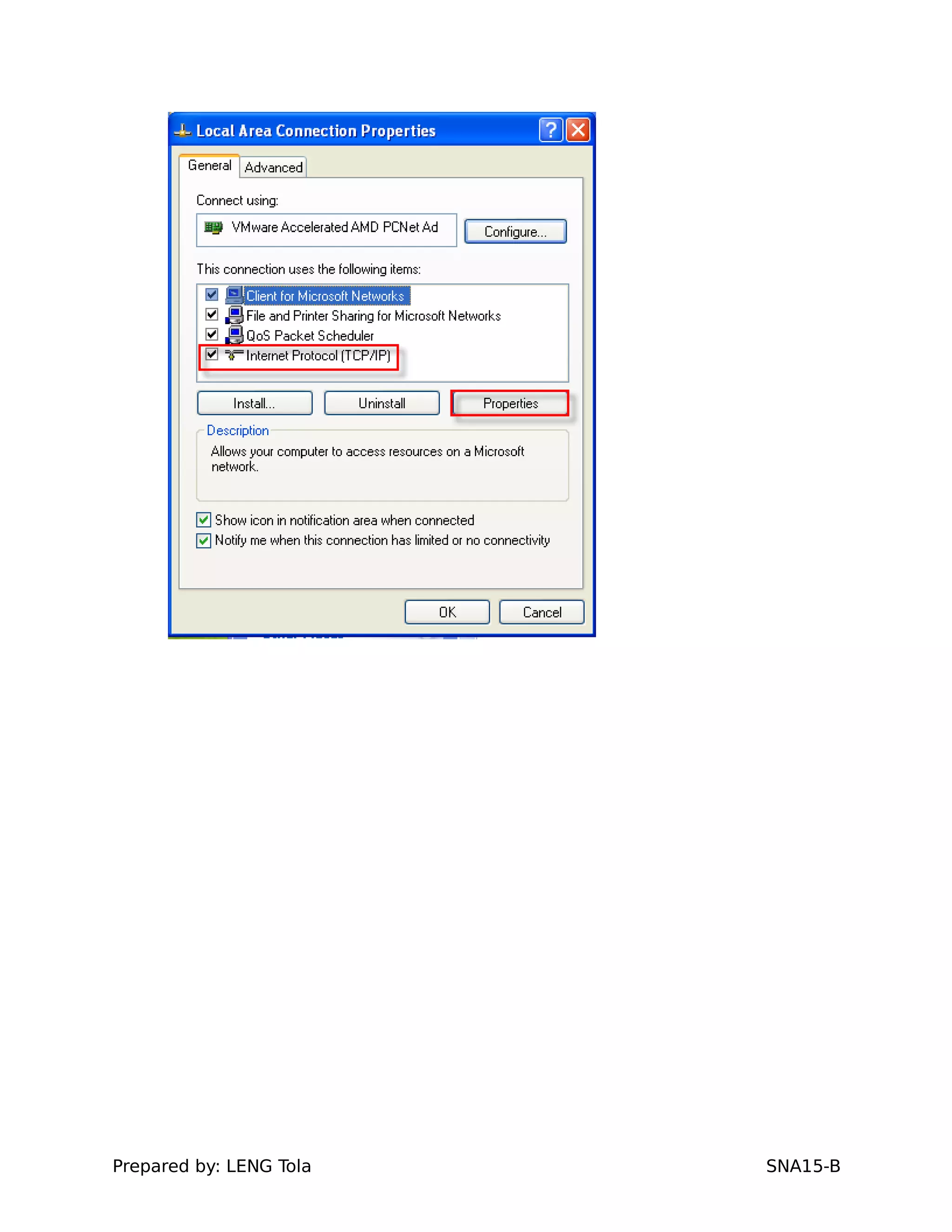
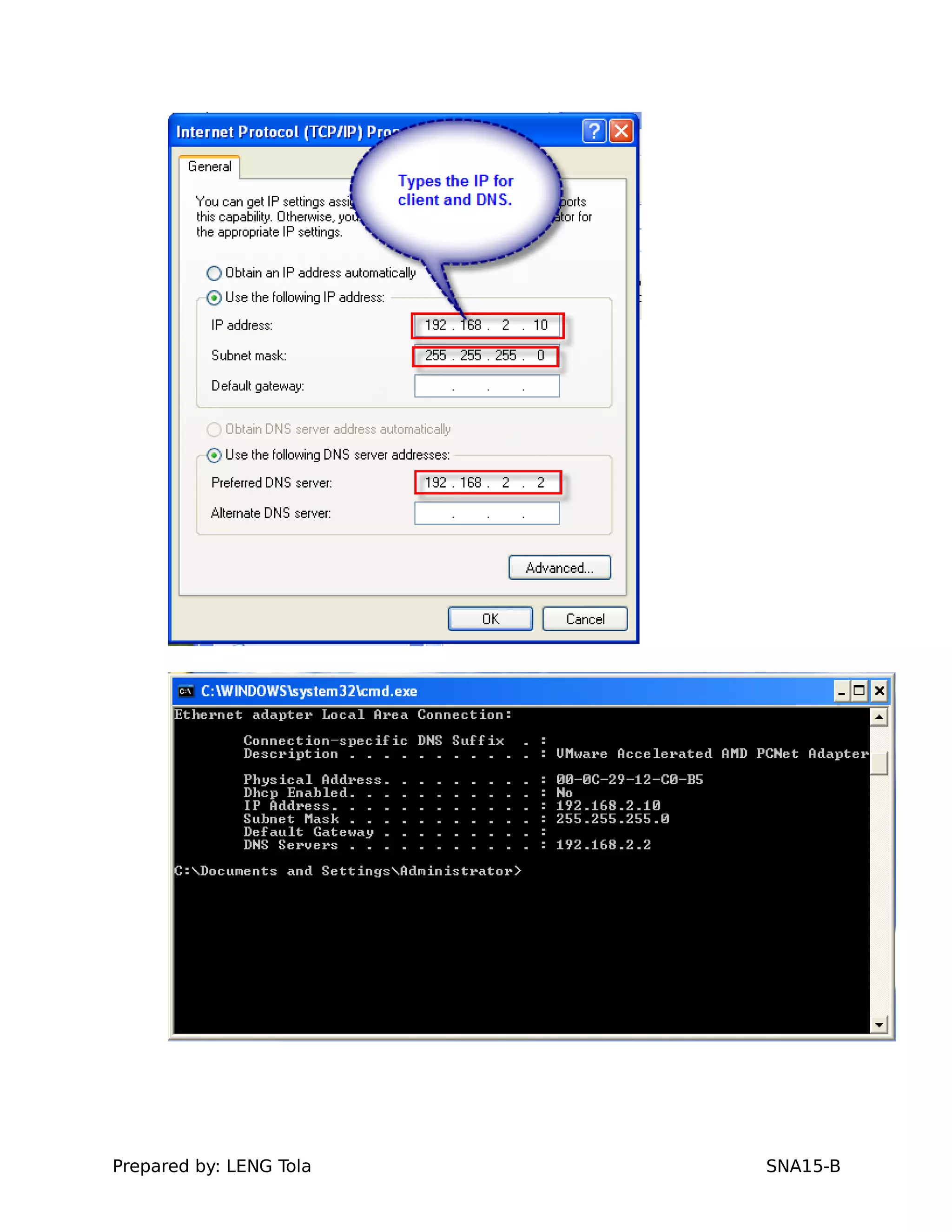
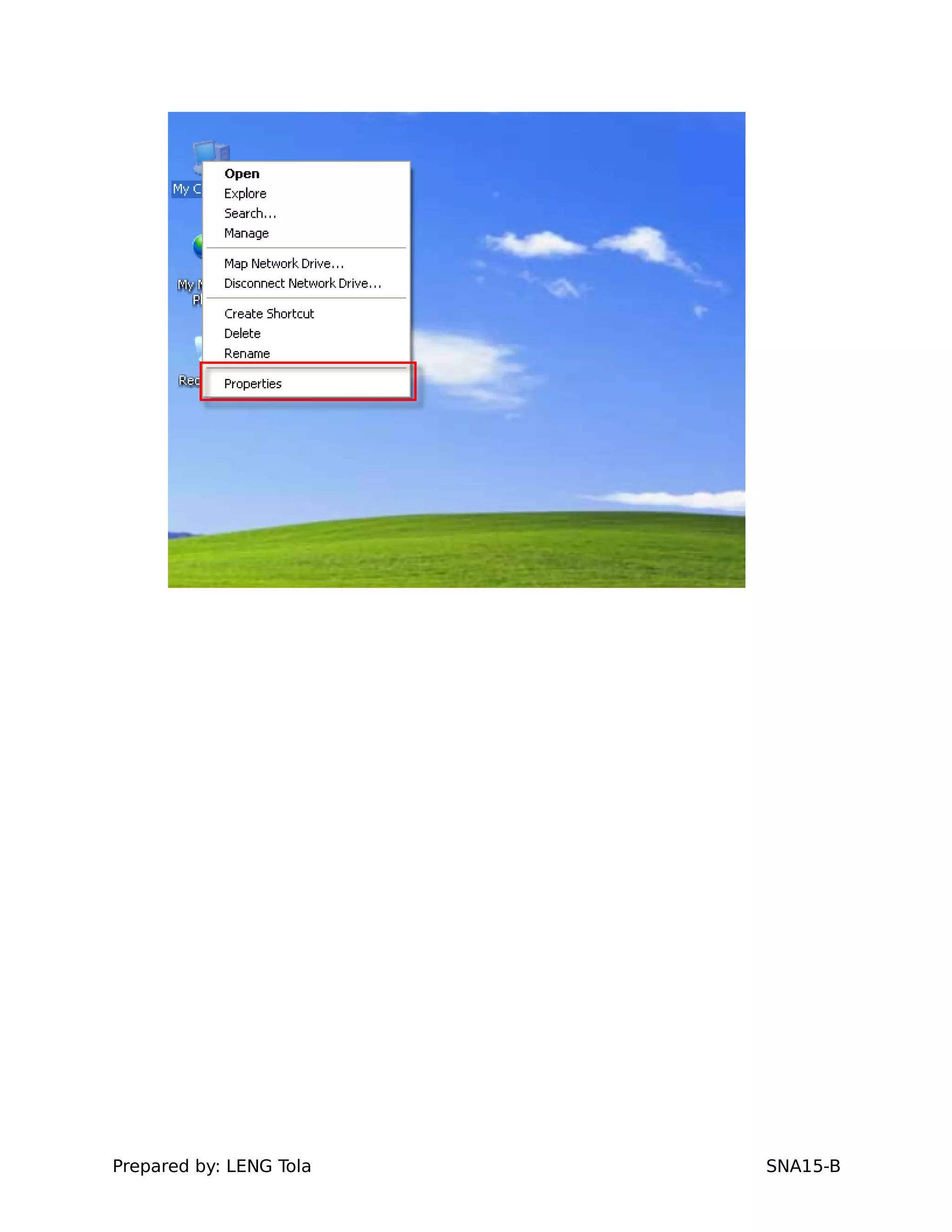
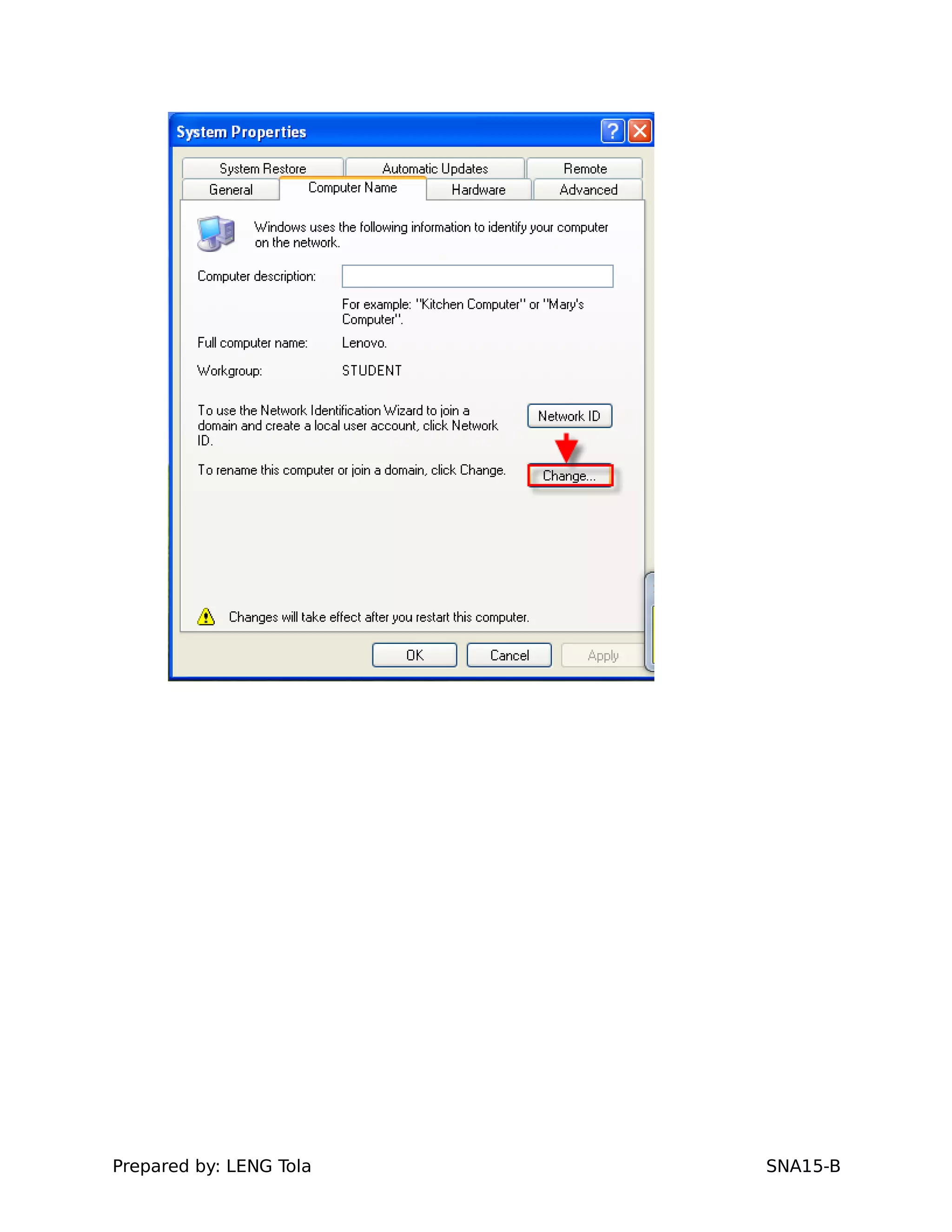
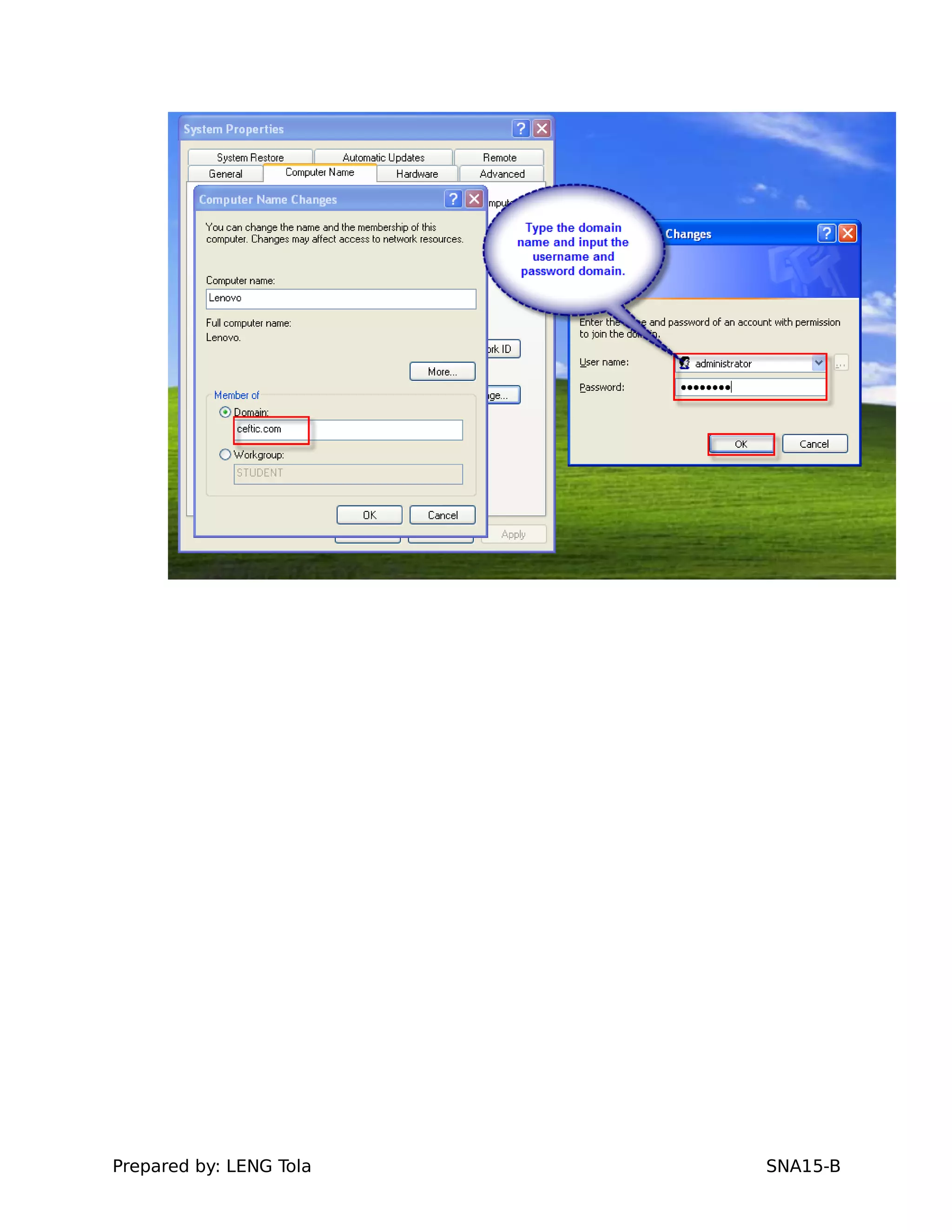
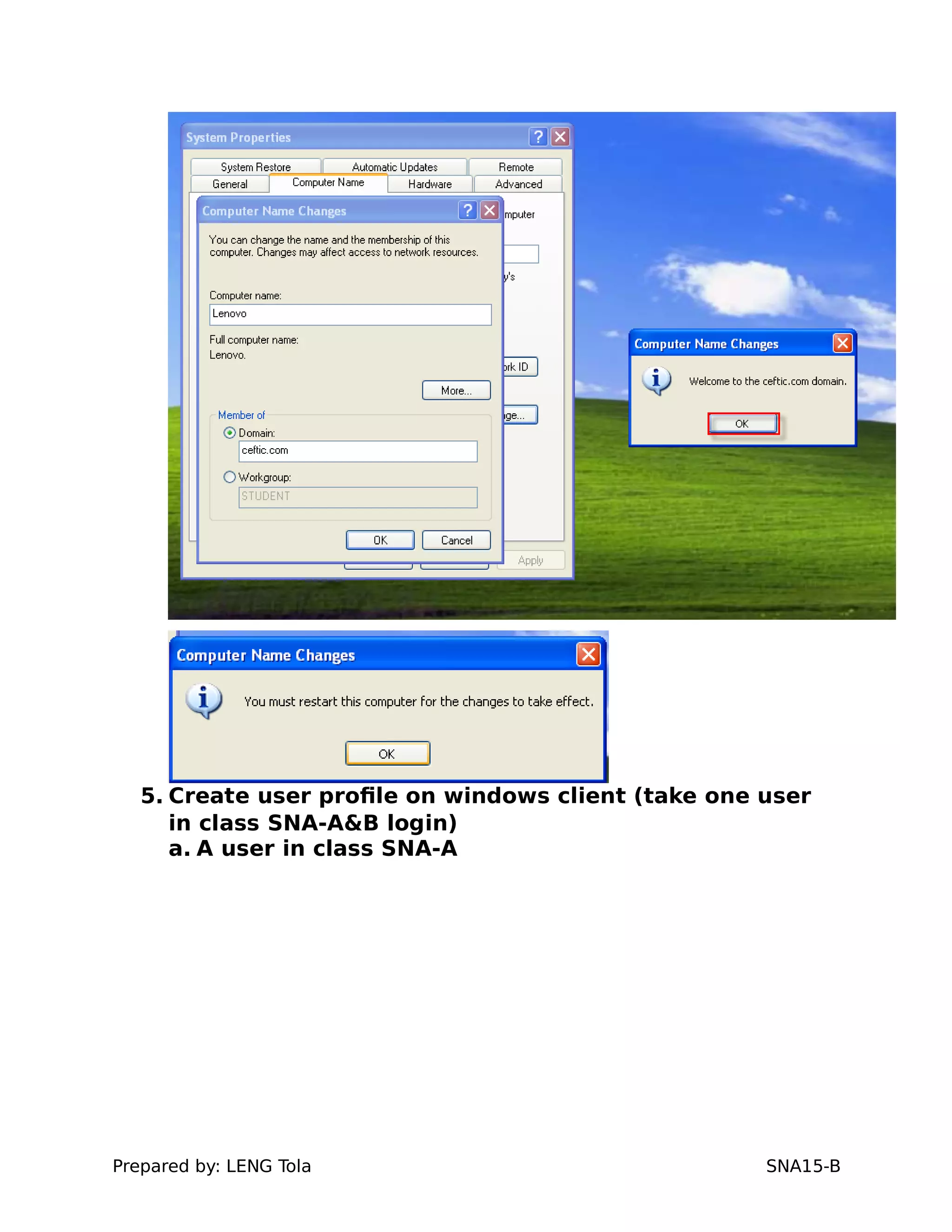
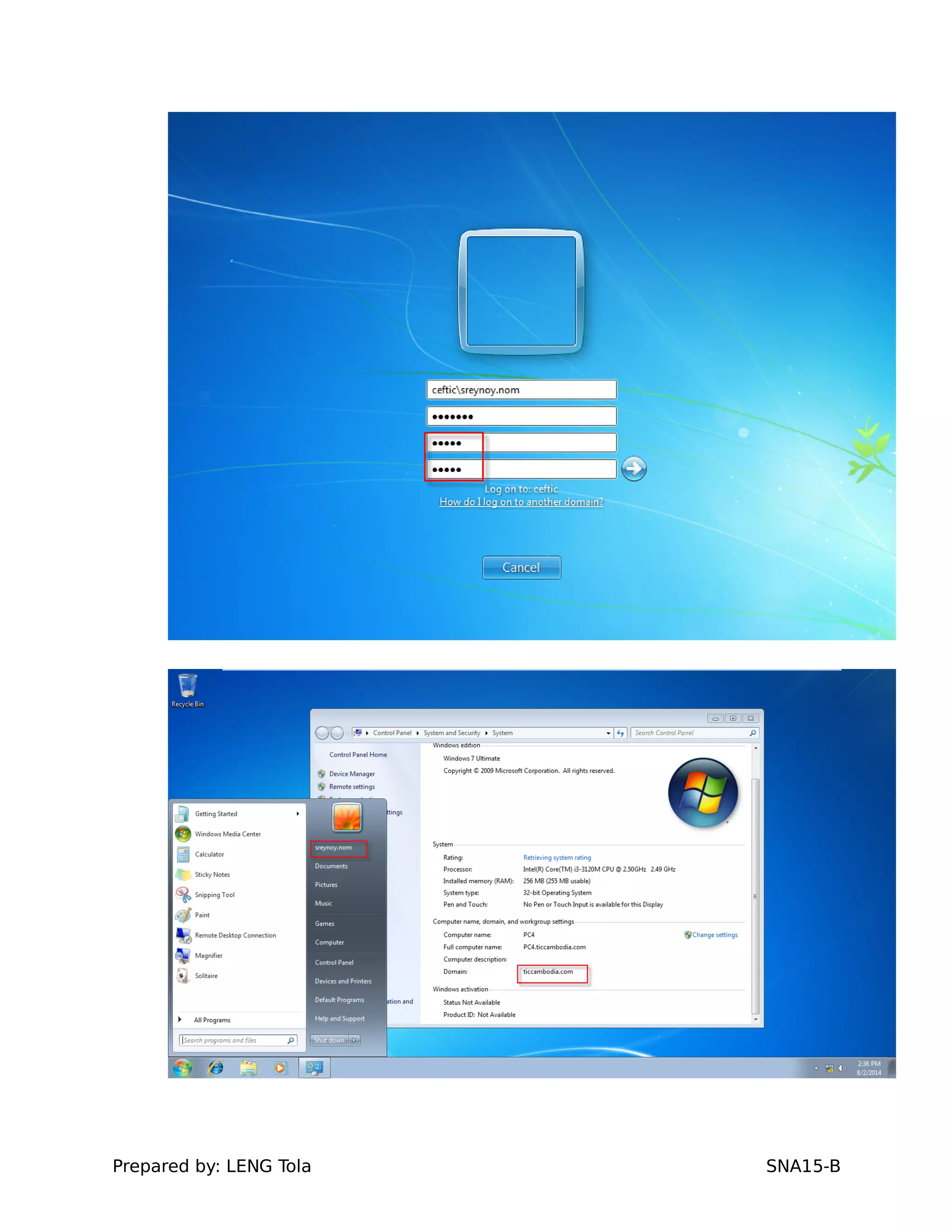
4. client joins domain with windows srv2008
Prepared by: LENG Tola SNA15-B
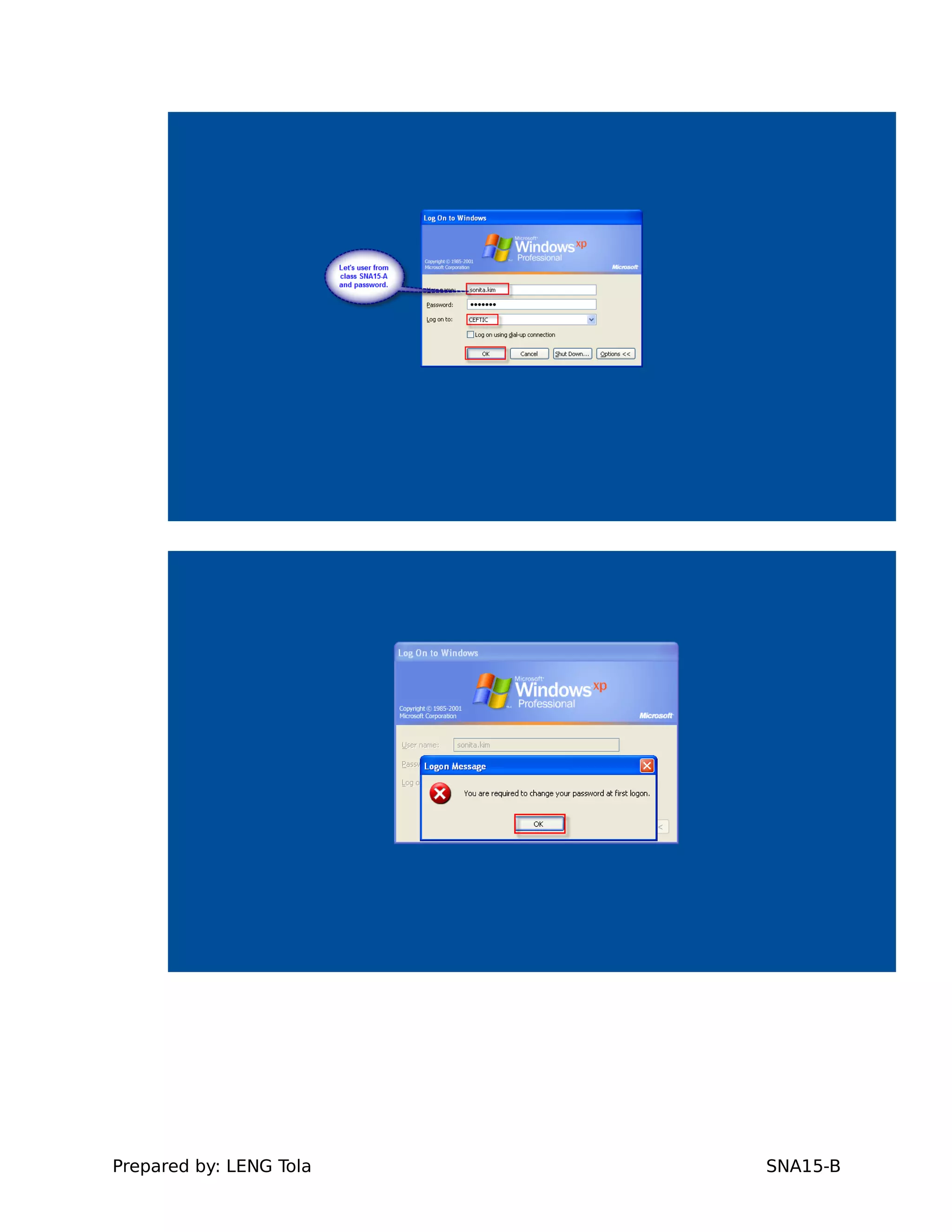
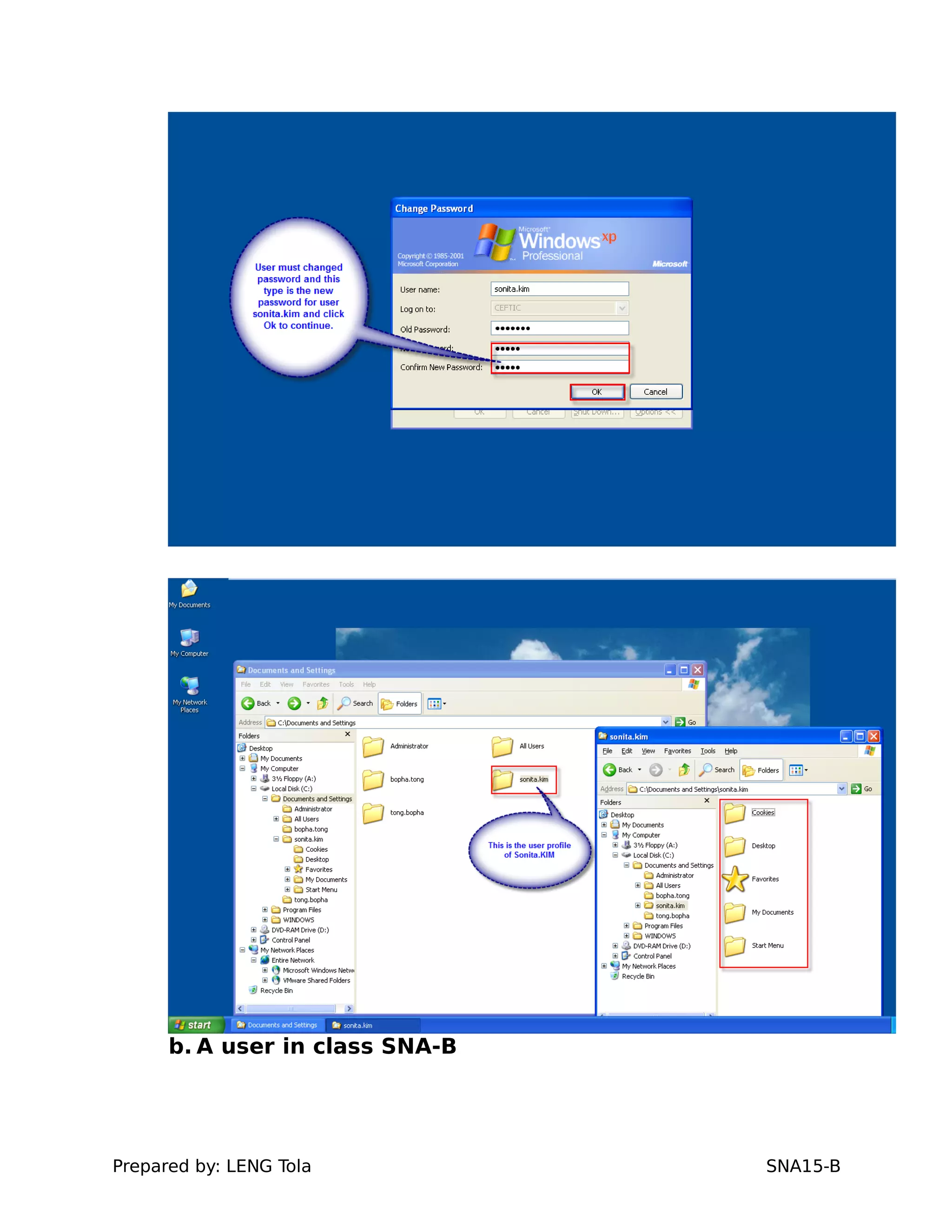
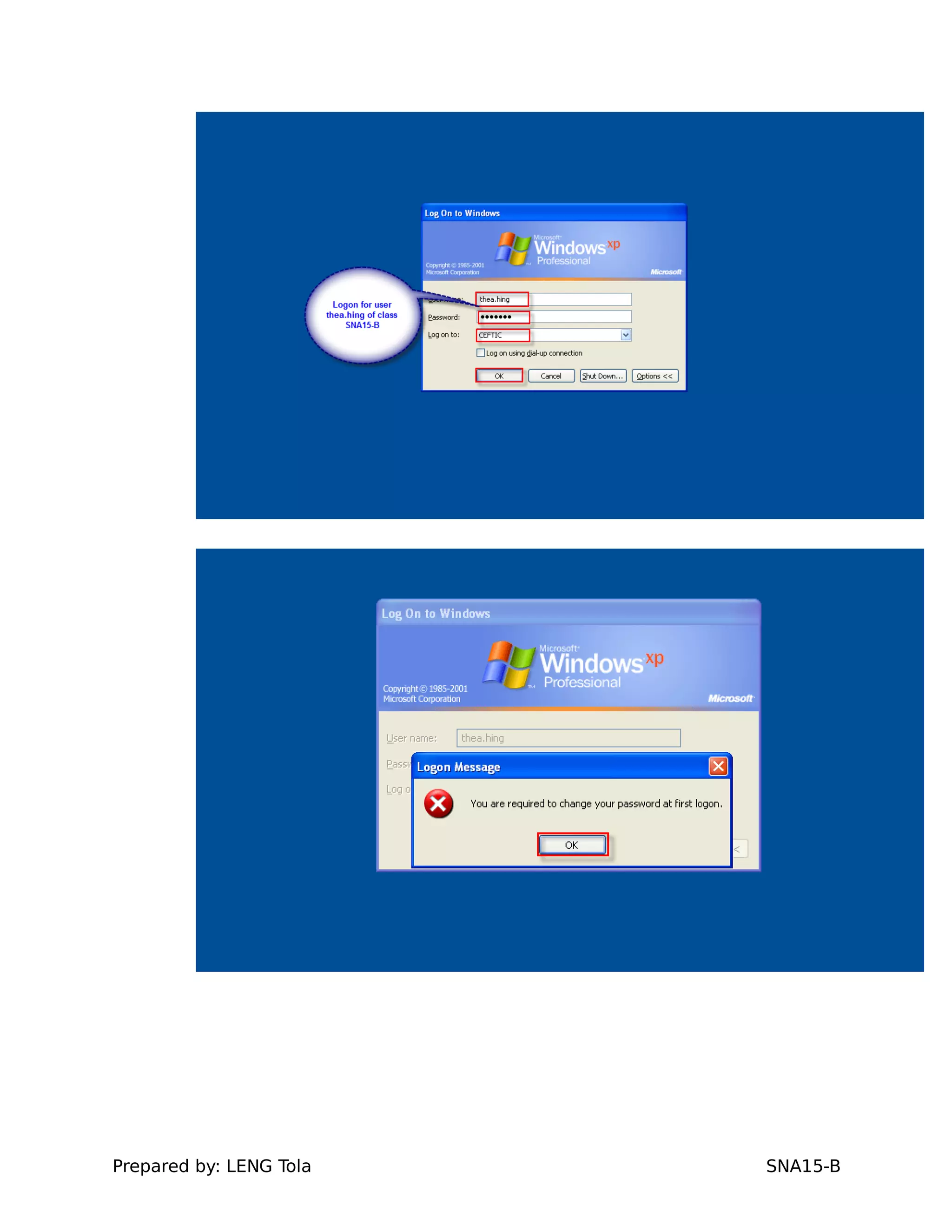
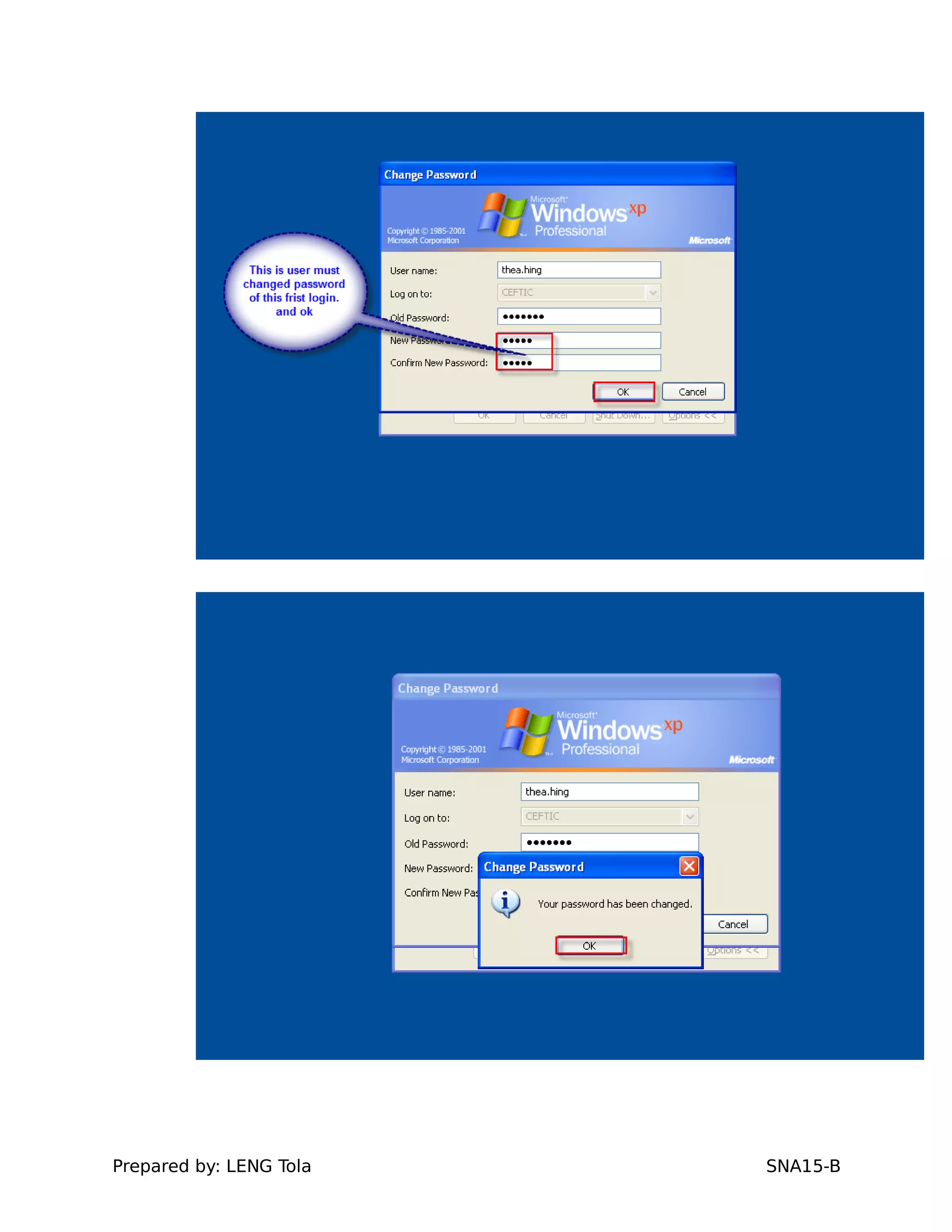
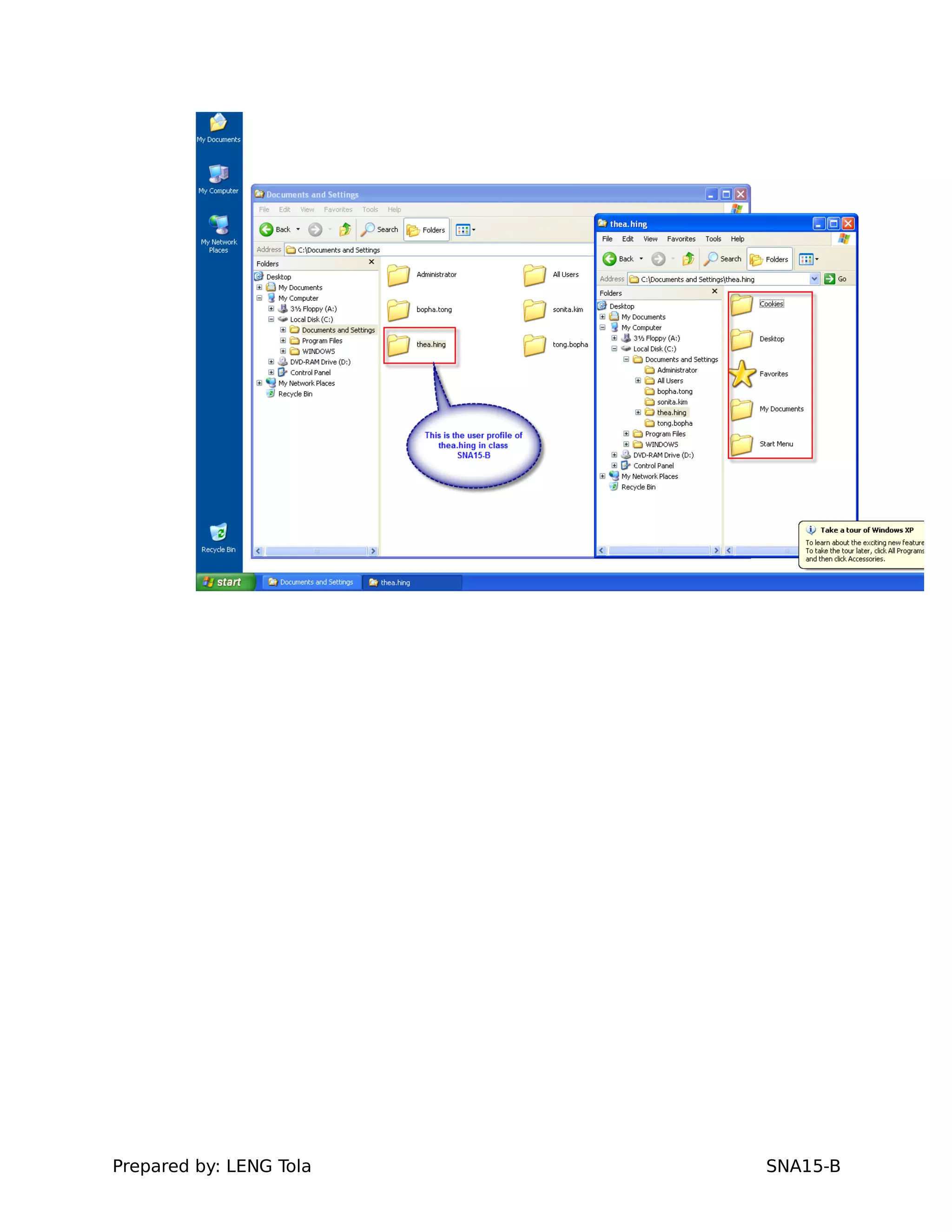
5. Create user profile on windows client (take one user
in class SNA-A&B login)
a. A user in class SNA-A
Prepared by: LENG Tola SNA15-B
b. A user in class SNA-B
Prepared by: LENG Tola SNA15-B
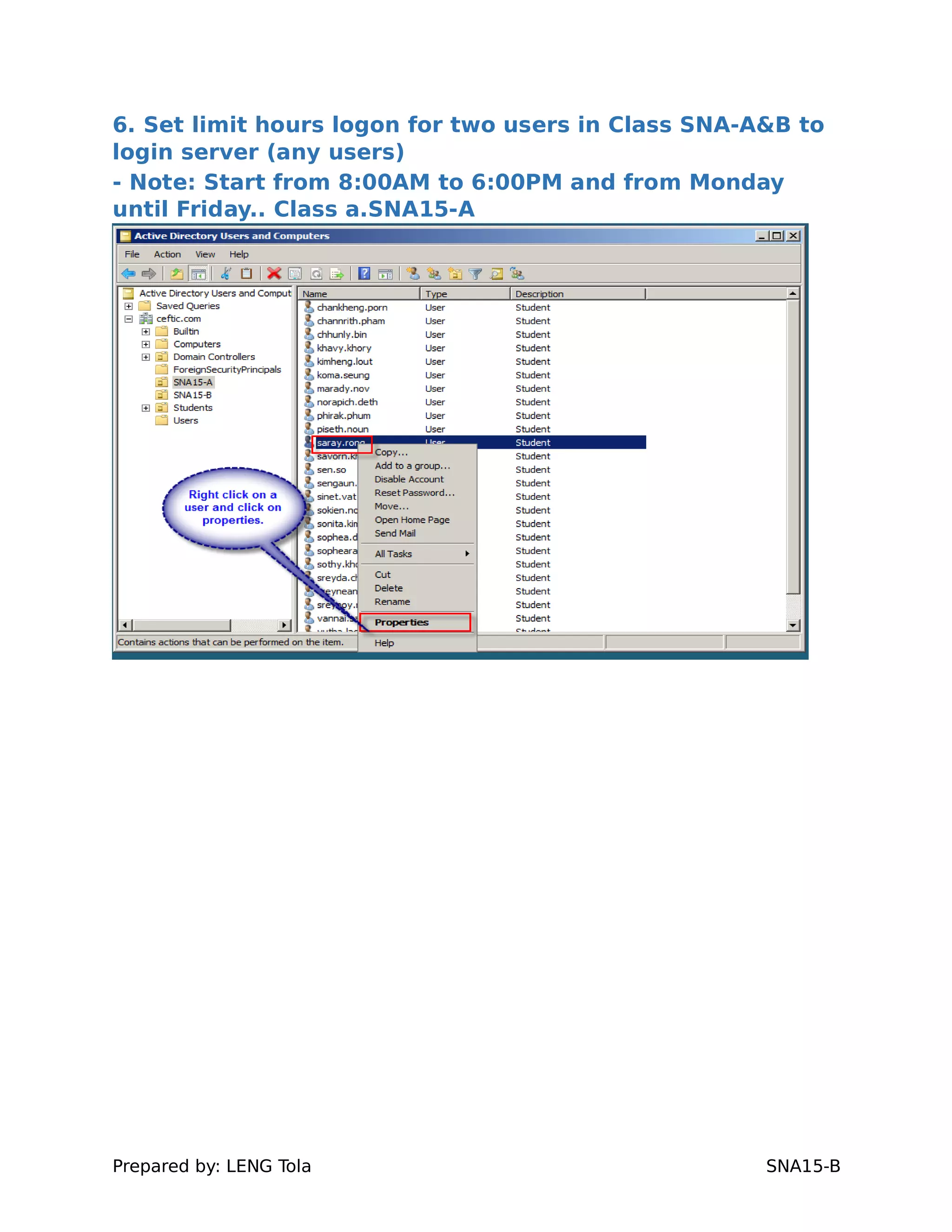
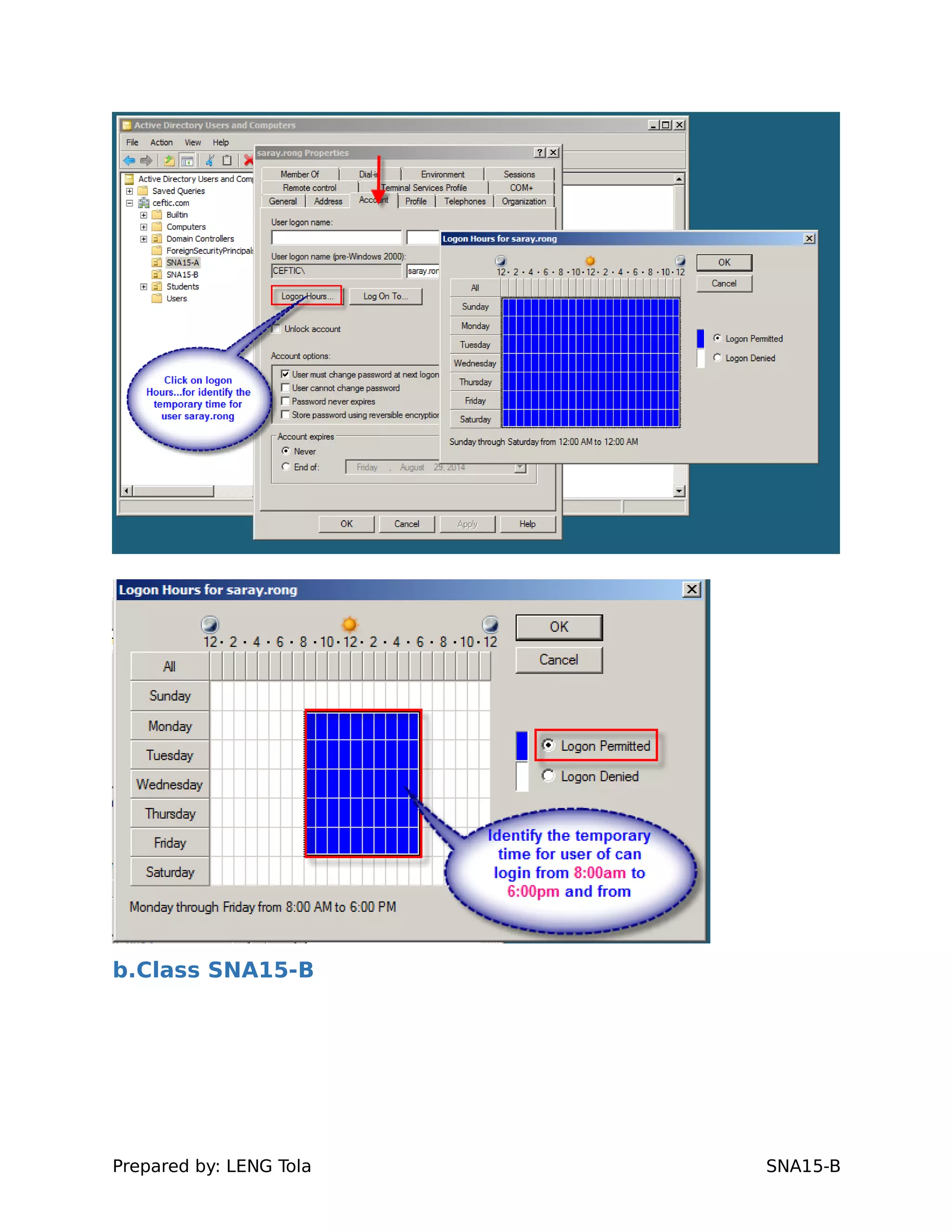
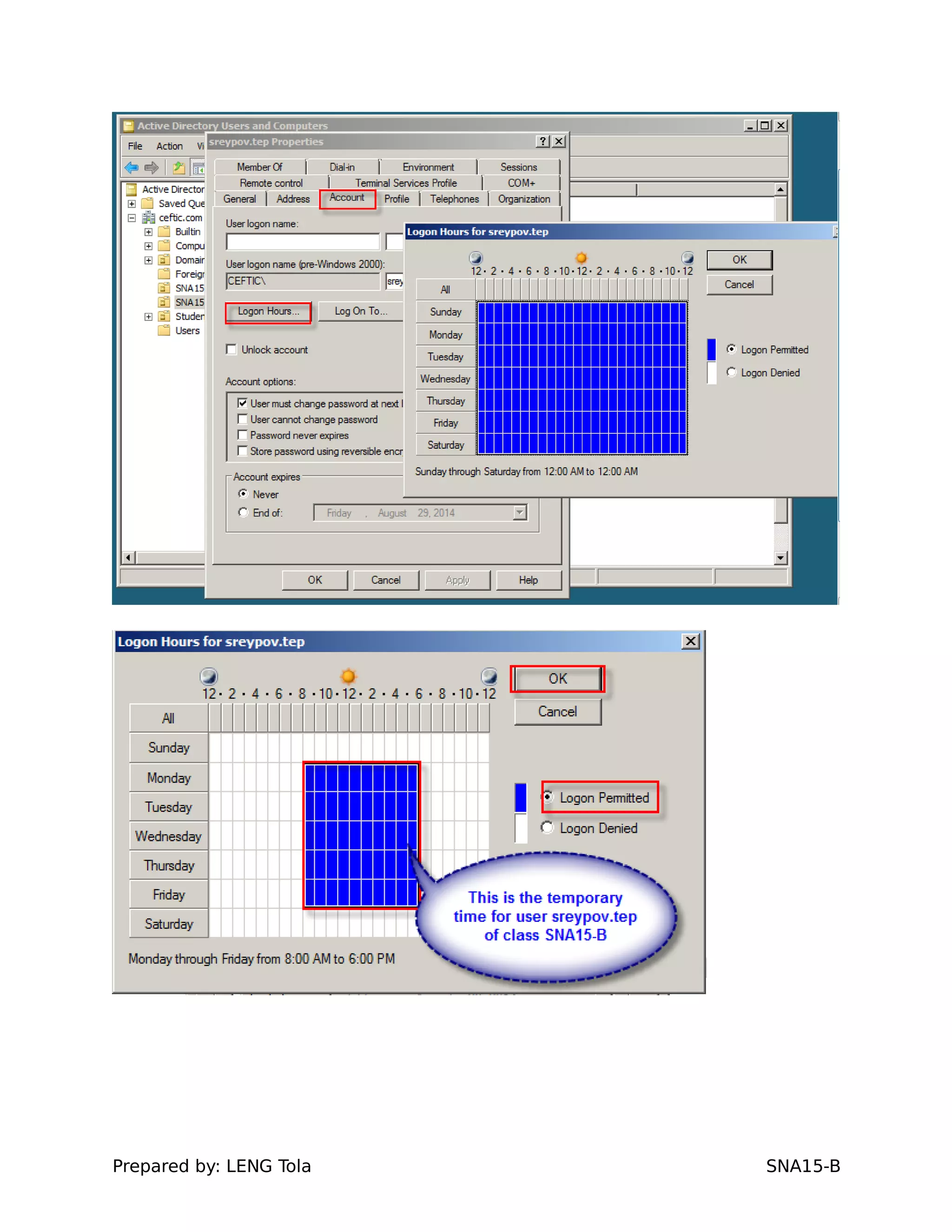
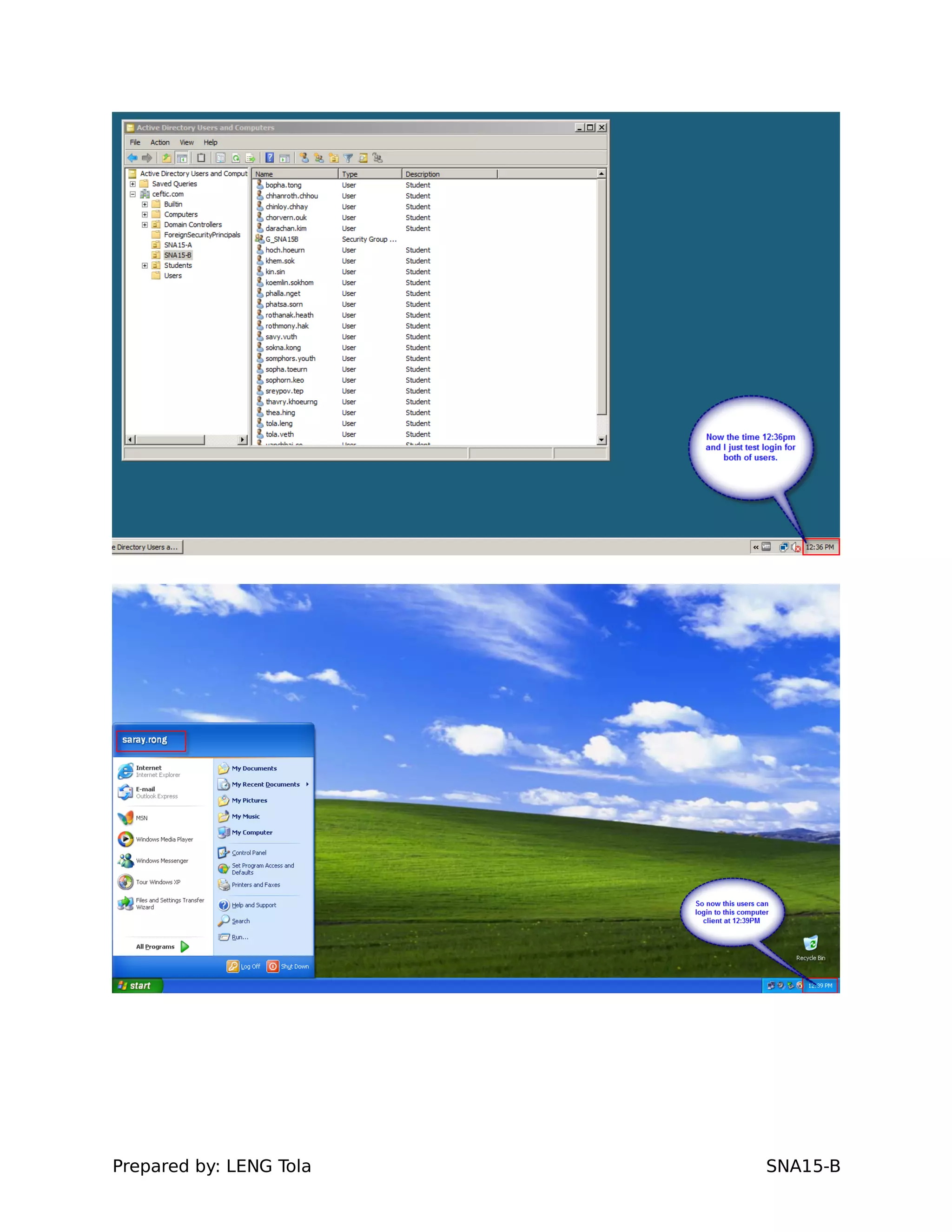
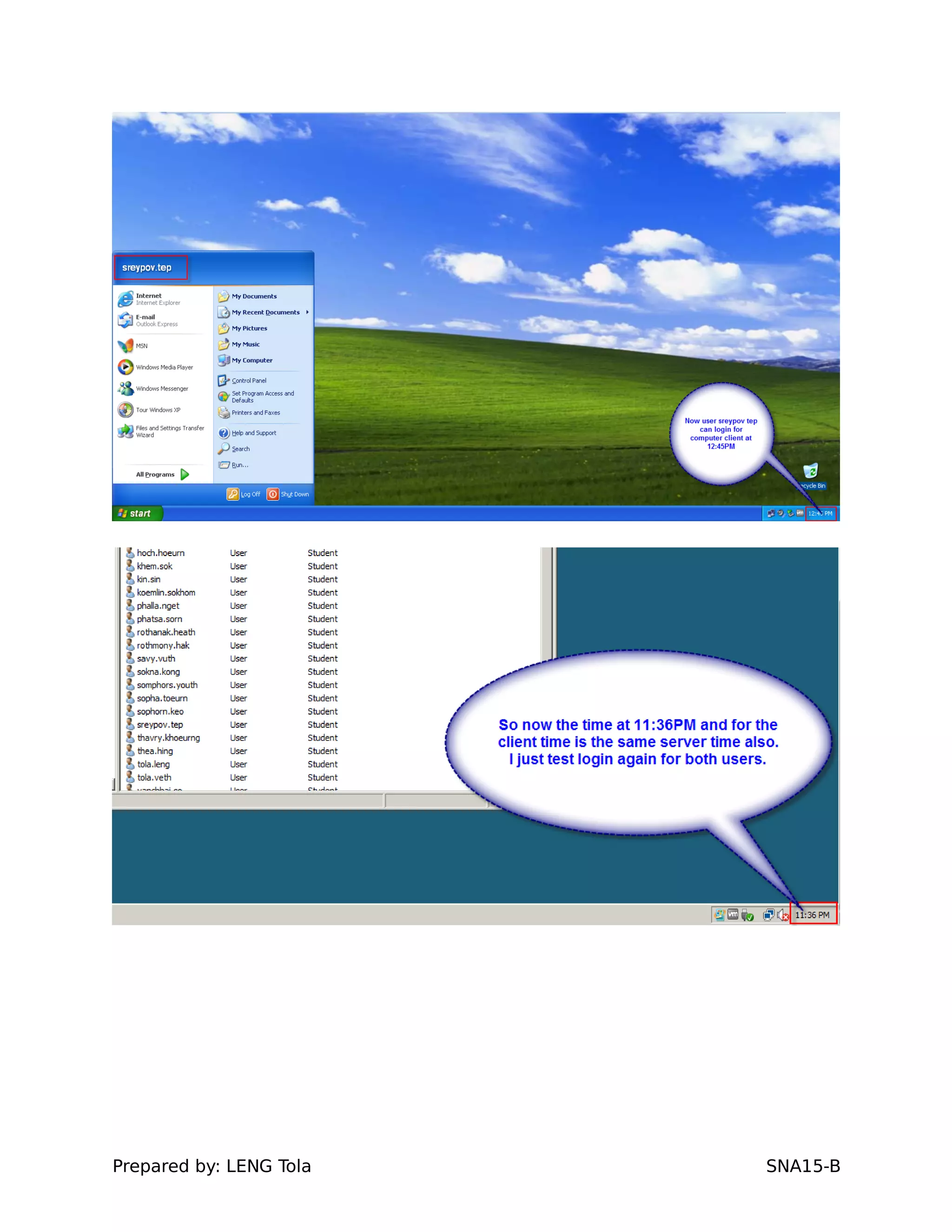
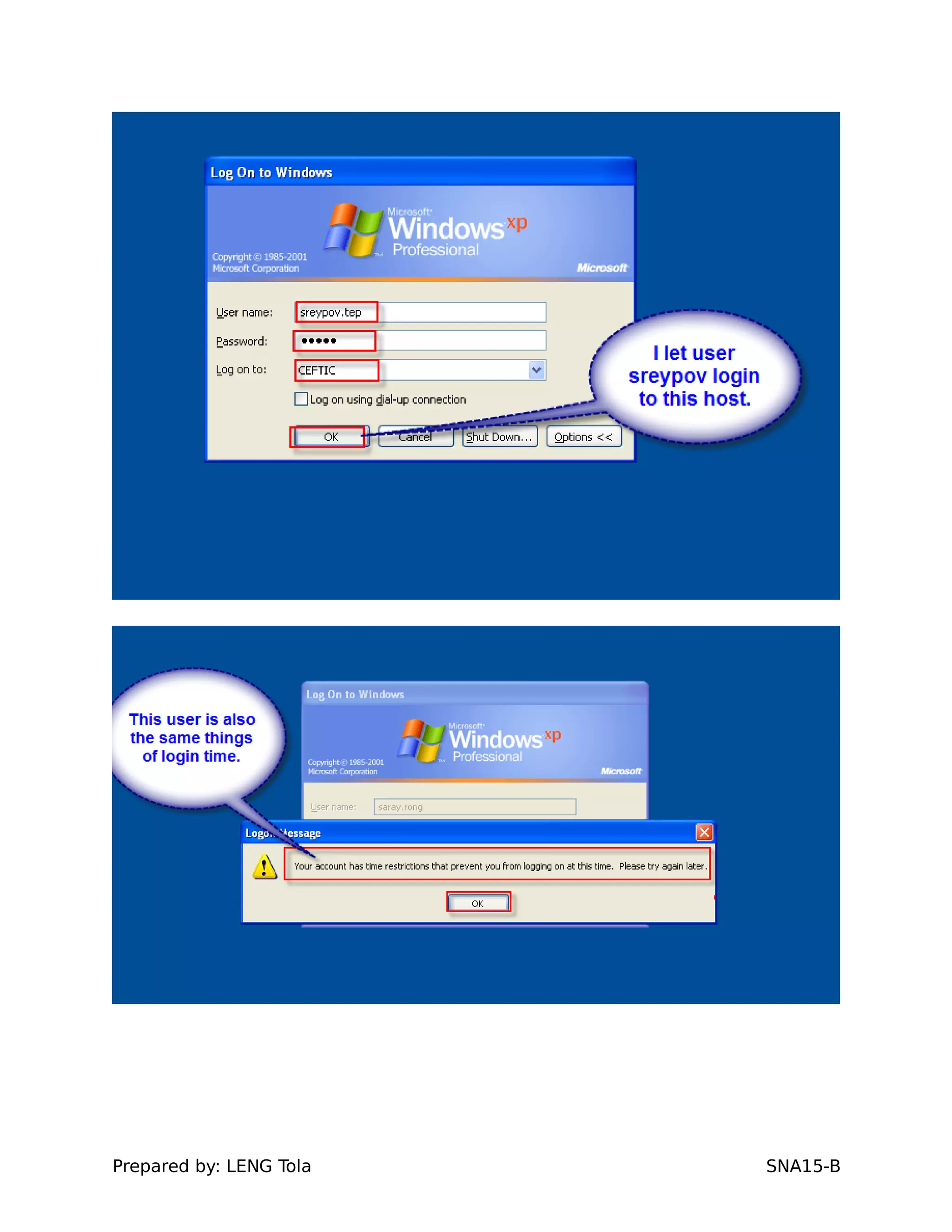
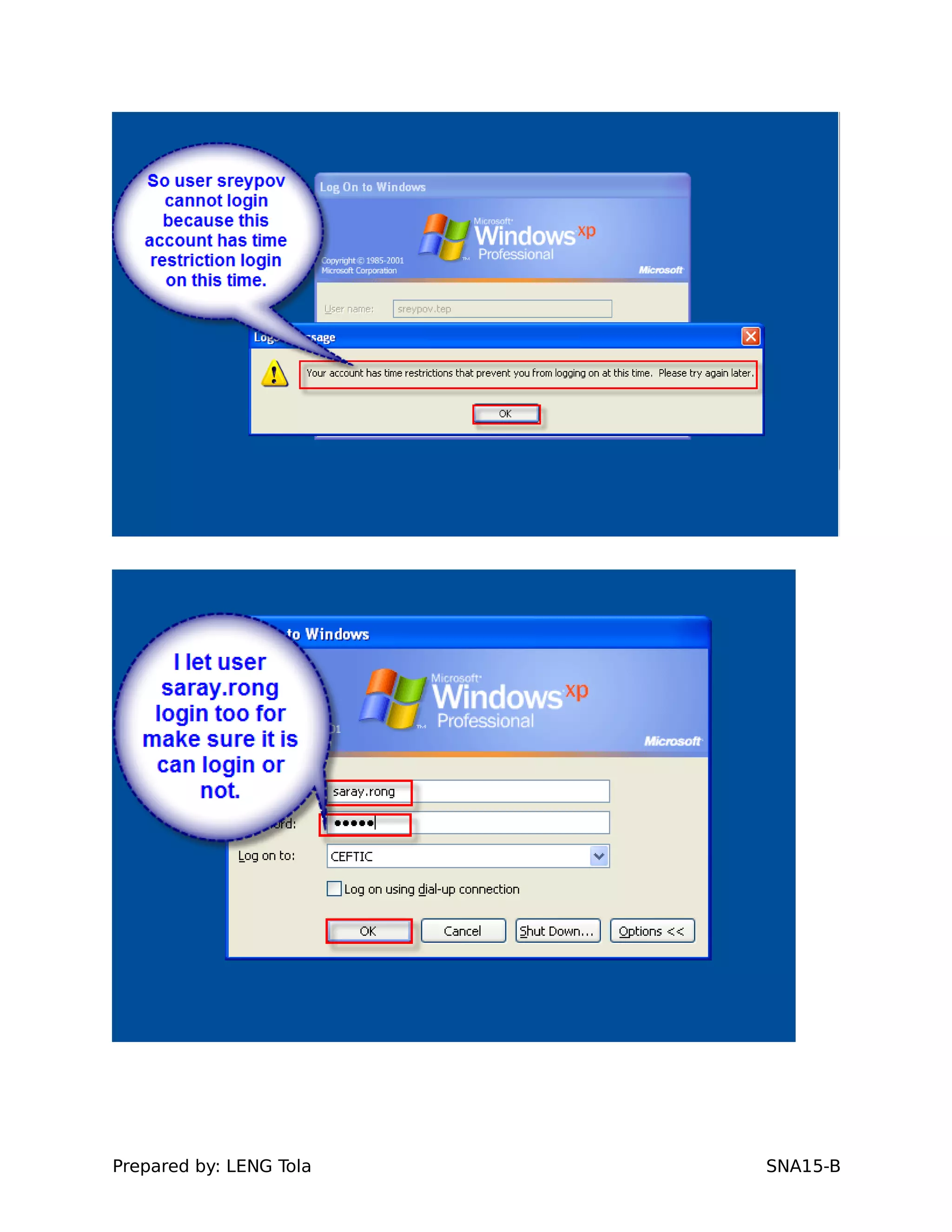
6. Set limit hours logon for two users in Class SNA-A&B to
login server (any users)
- Note: Start from 8:00AM to 6:00PM and from Monday
until Friday.. Class a.SNA15-A
Prepared by: LENG Tola SNA15-B
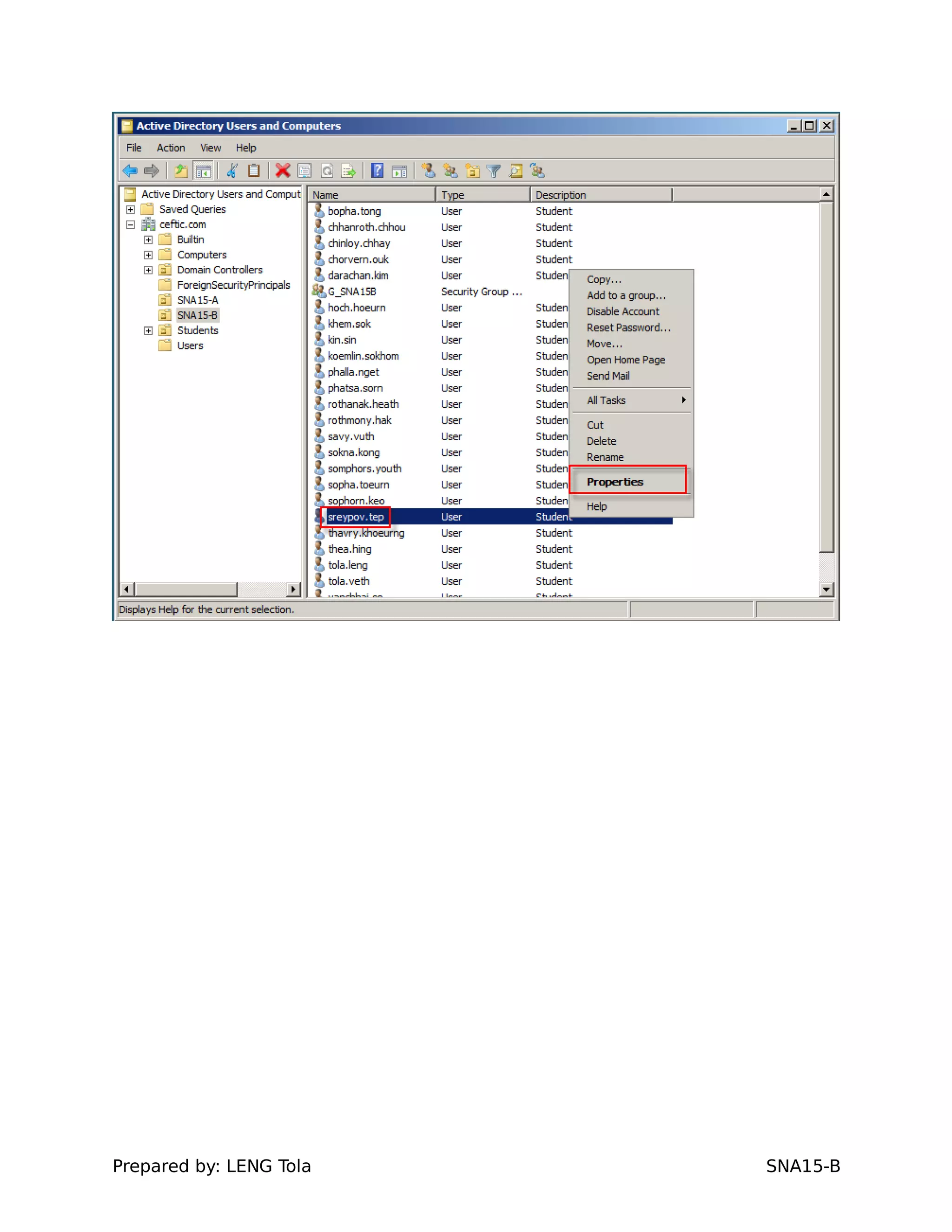
b.Class SNA15-B
Prepared by: LENG Tola SNA15-B
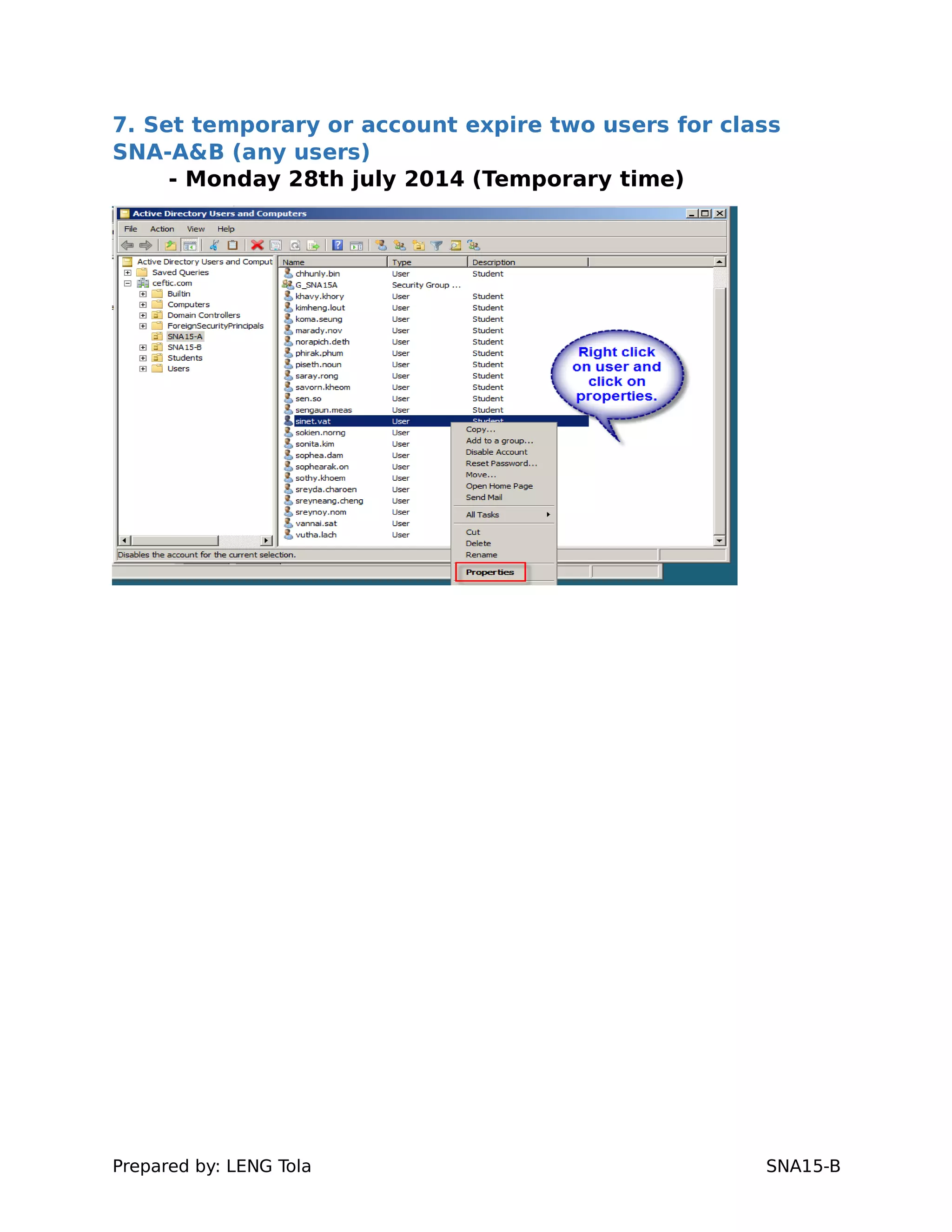
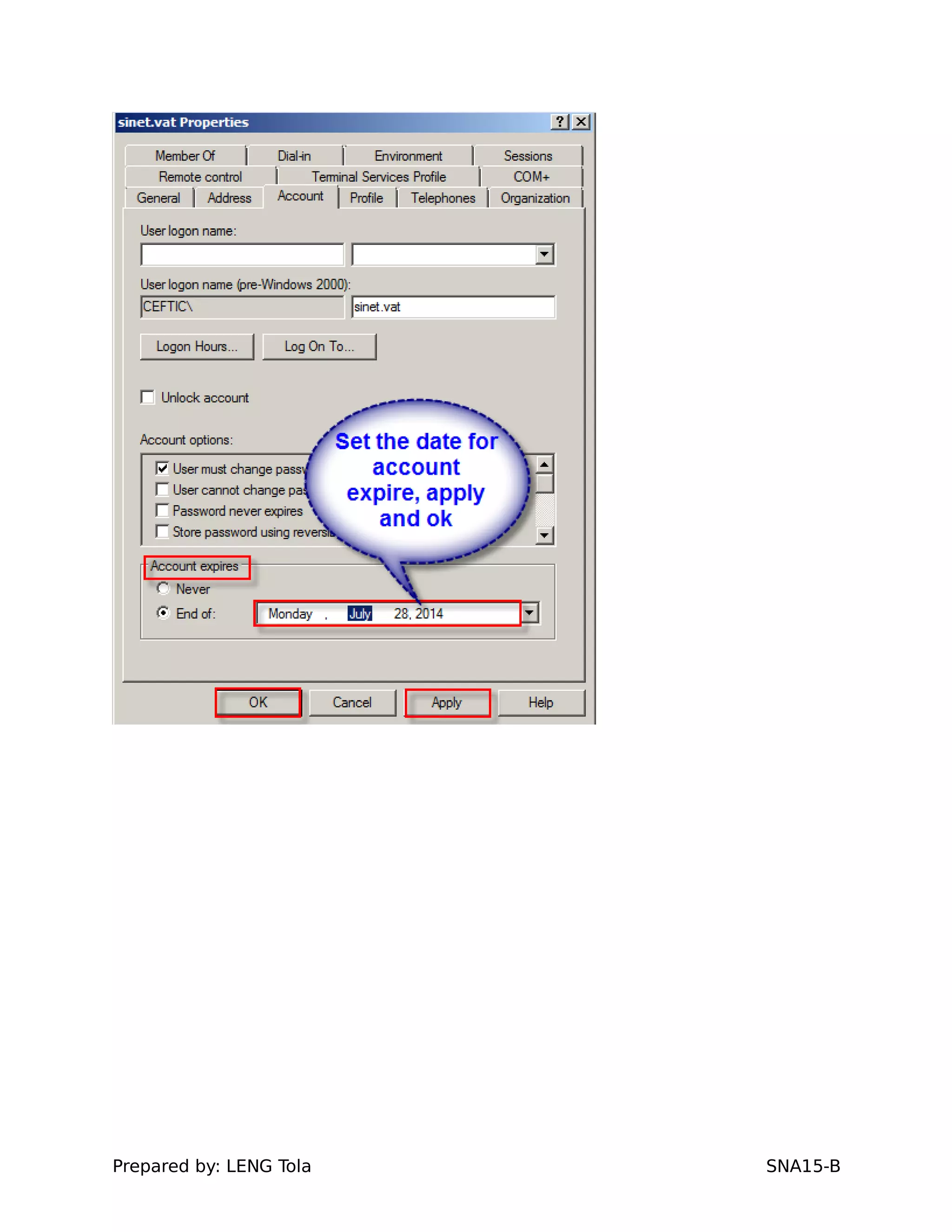
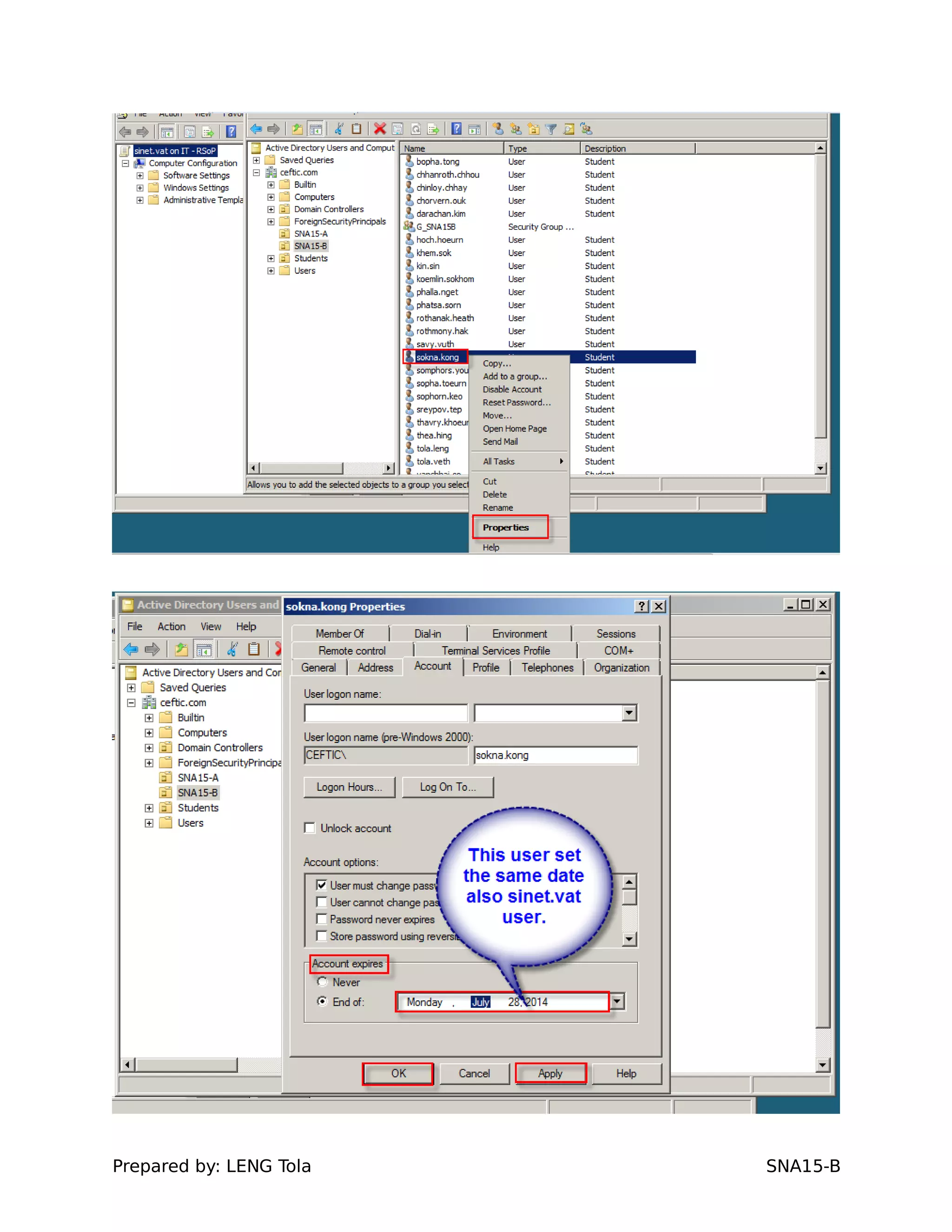
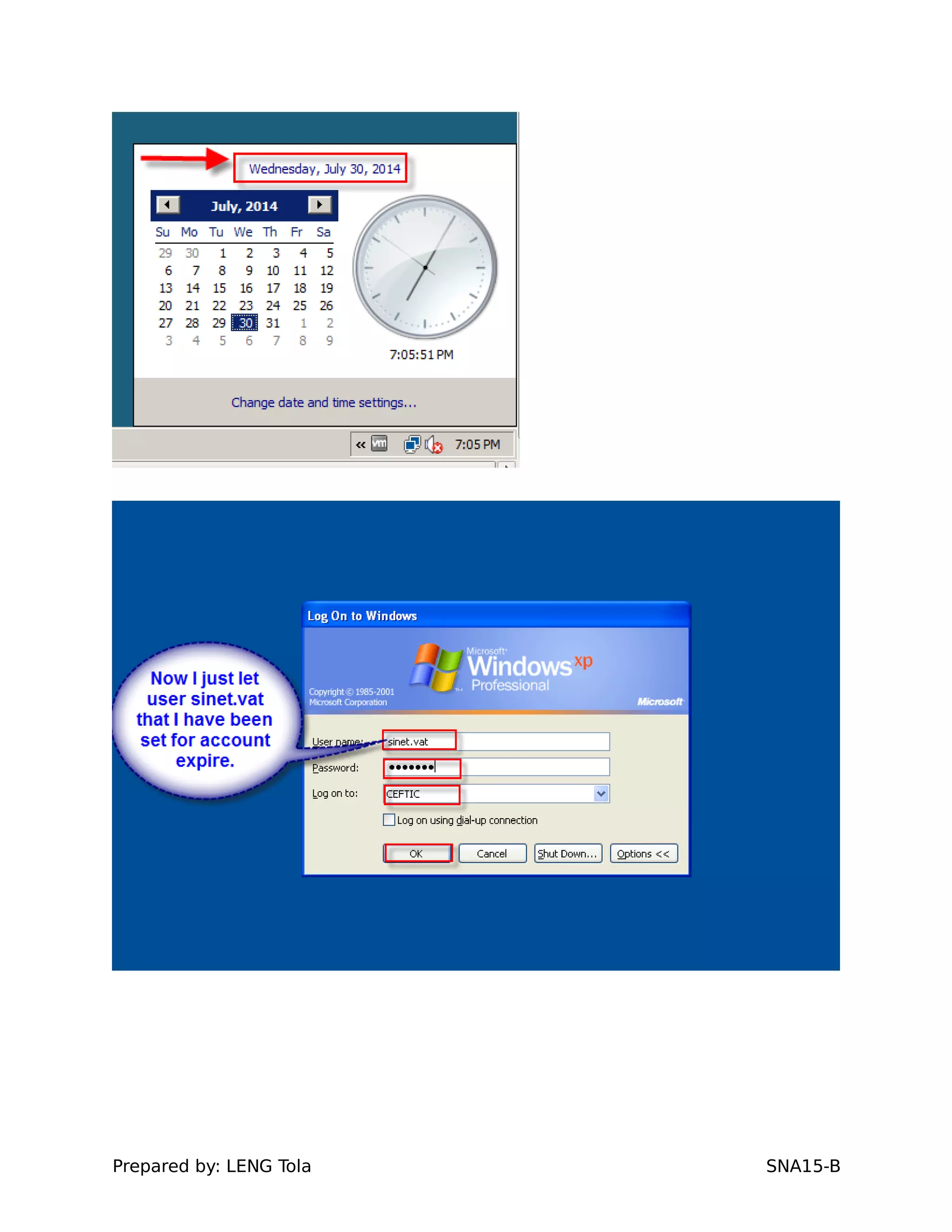
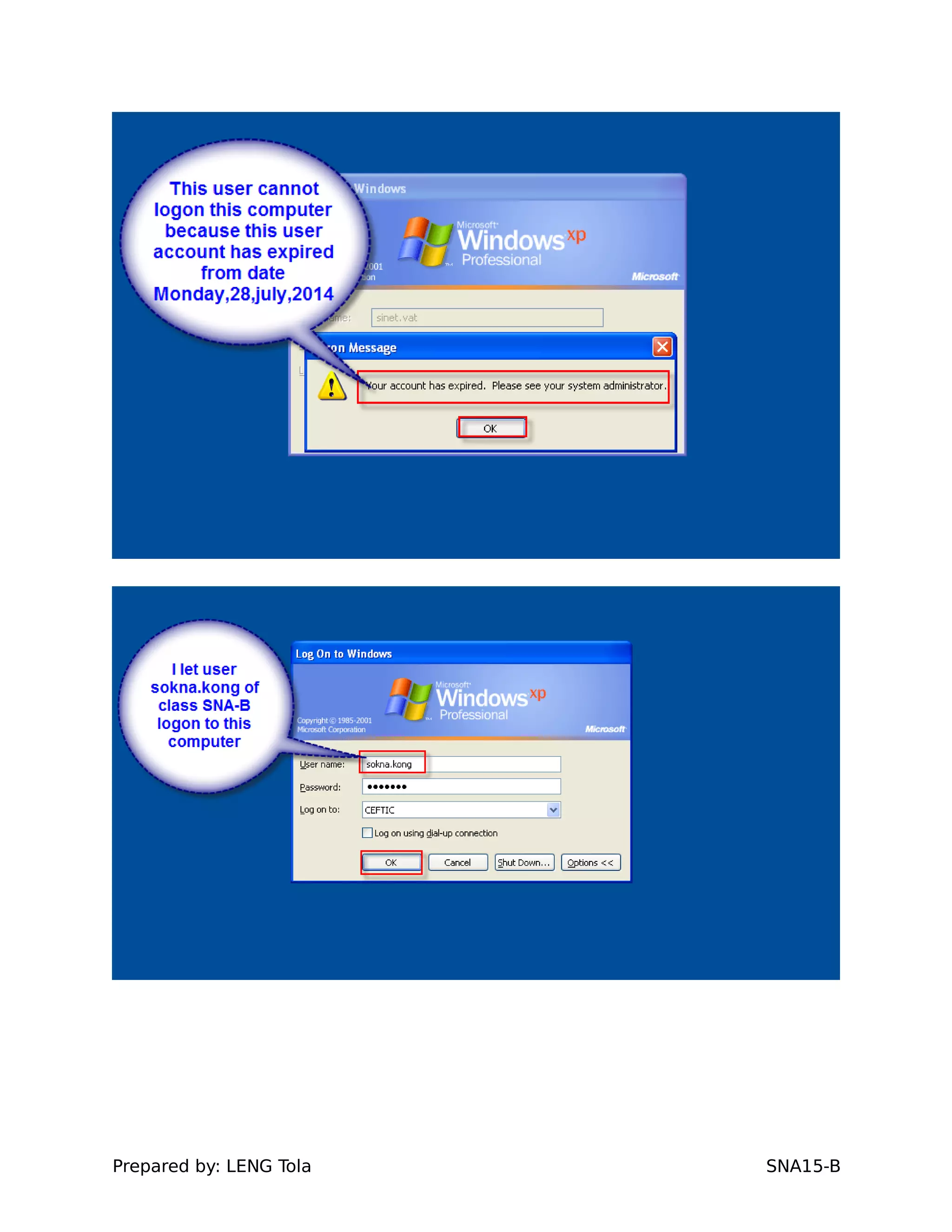
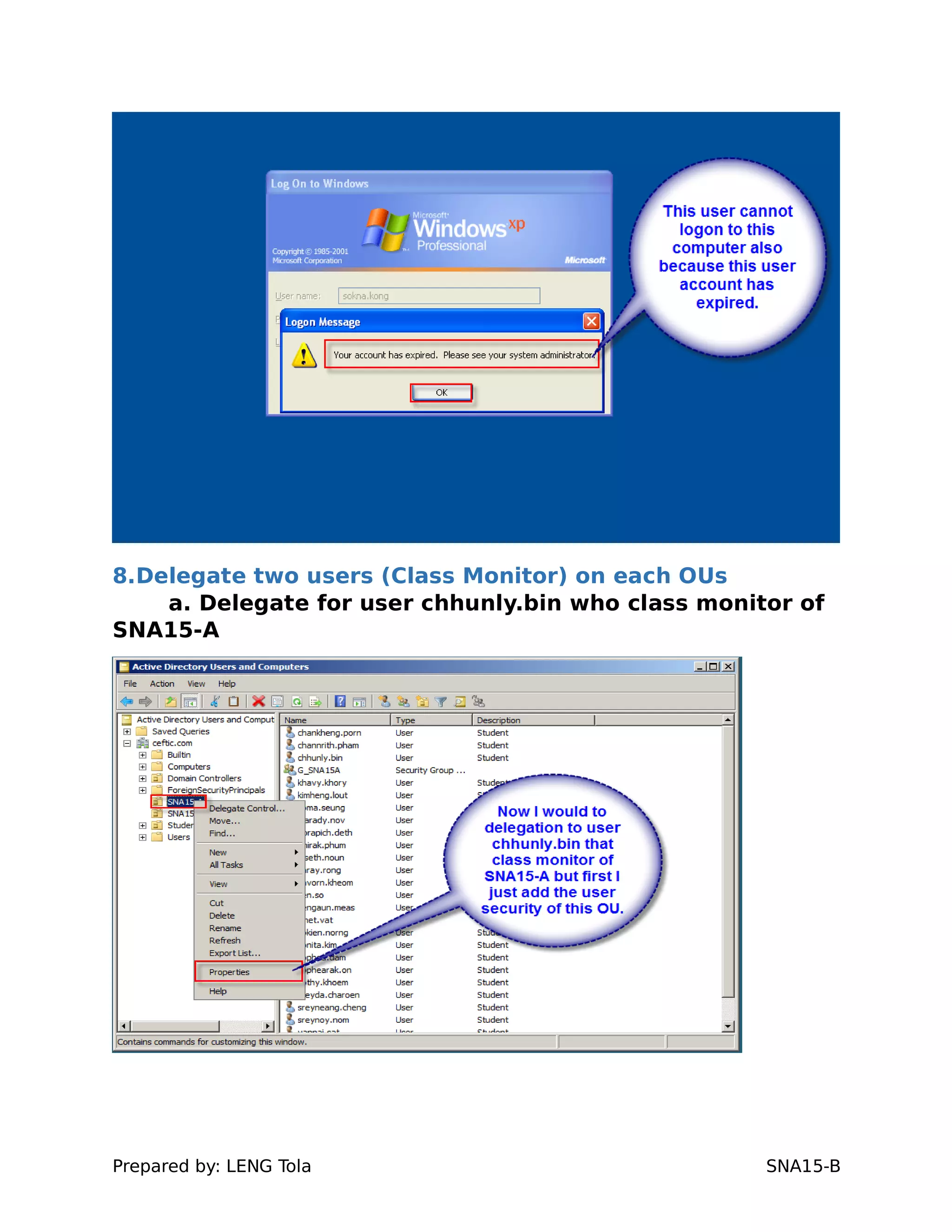
7. Set temporary or account expire two users for class
SNA-A&B (any users)
- Monday 28th july 2014 (Temporary time)
Prepared by: LENG Tola SNA15-B
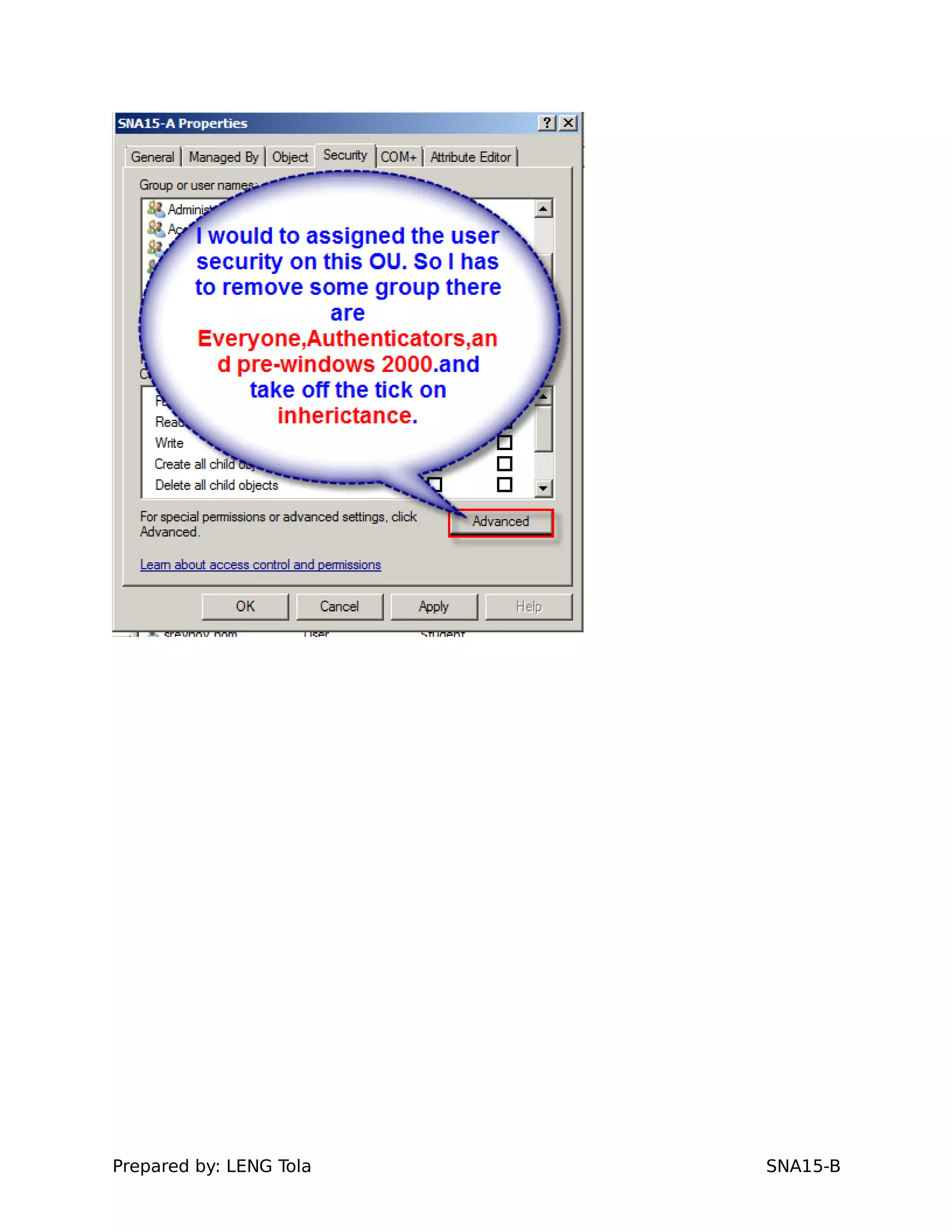
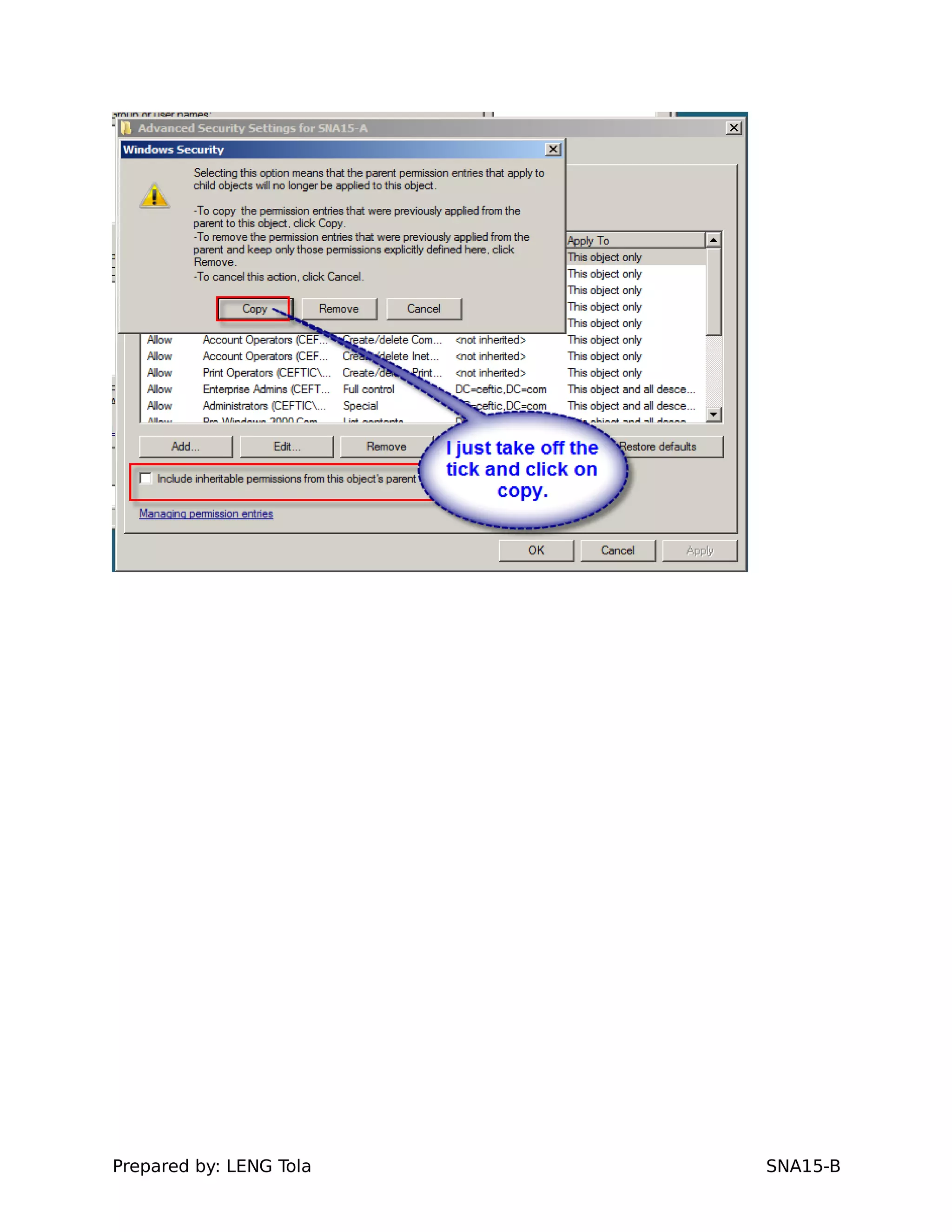
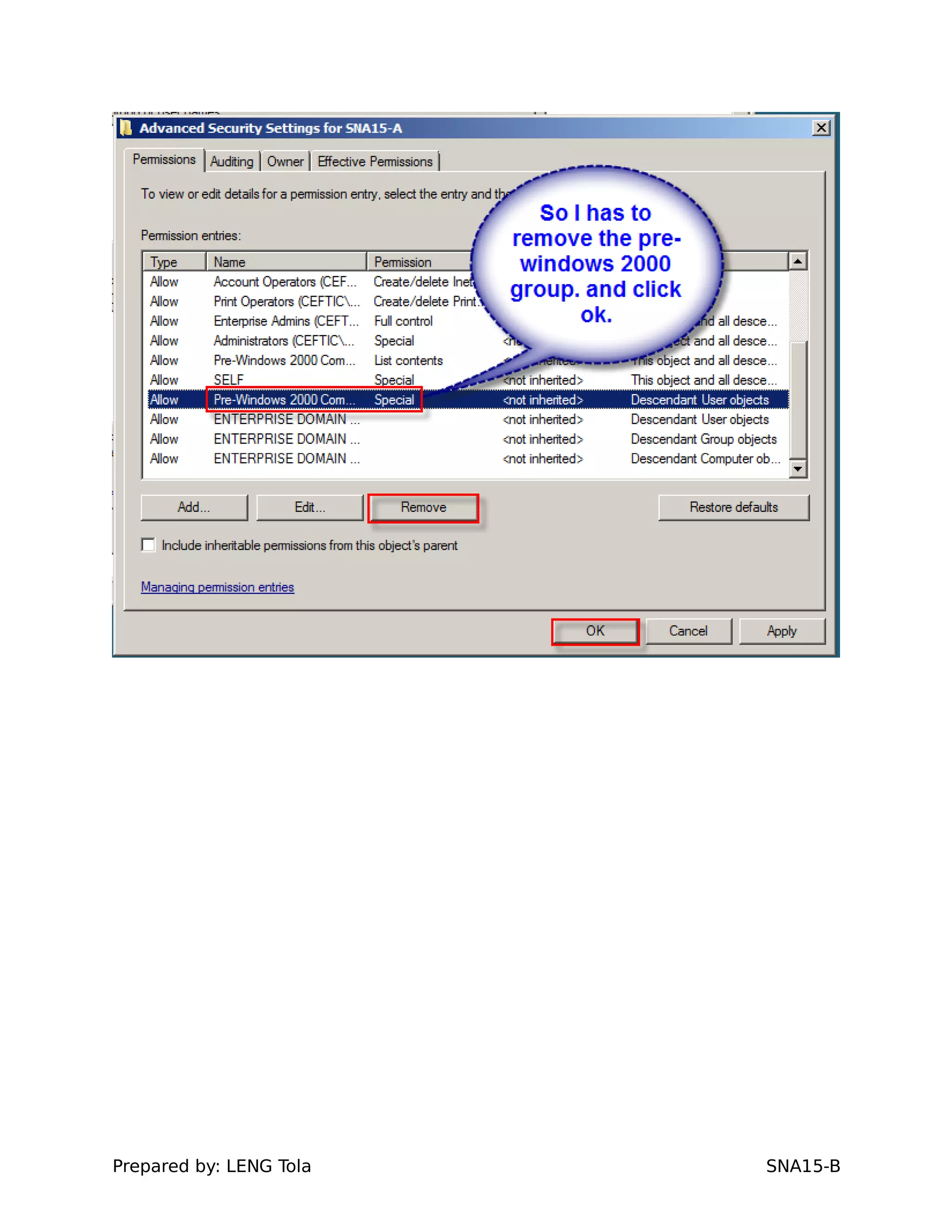
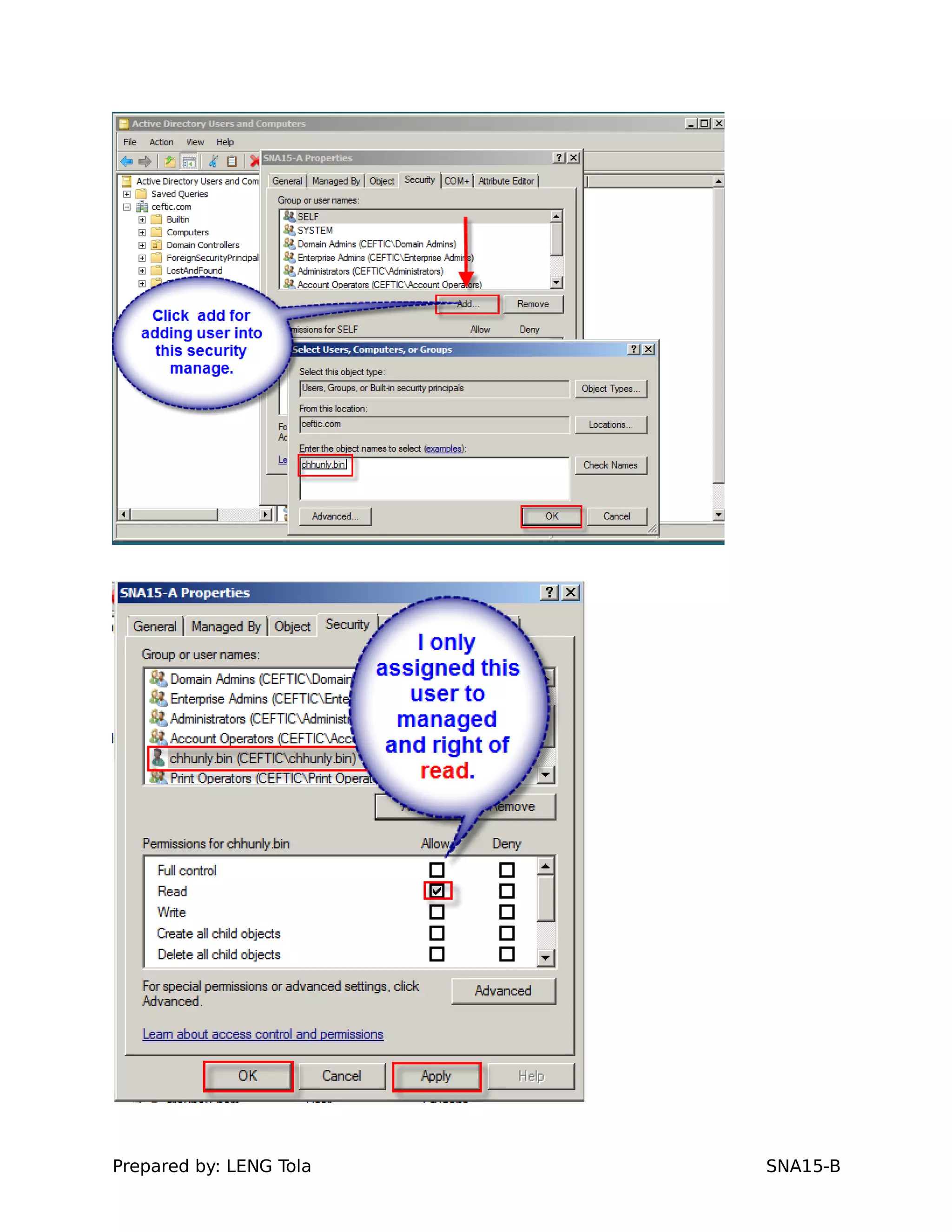
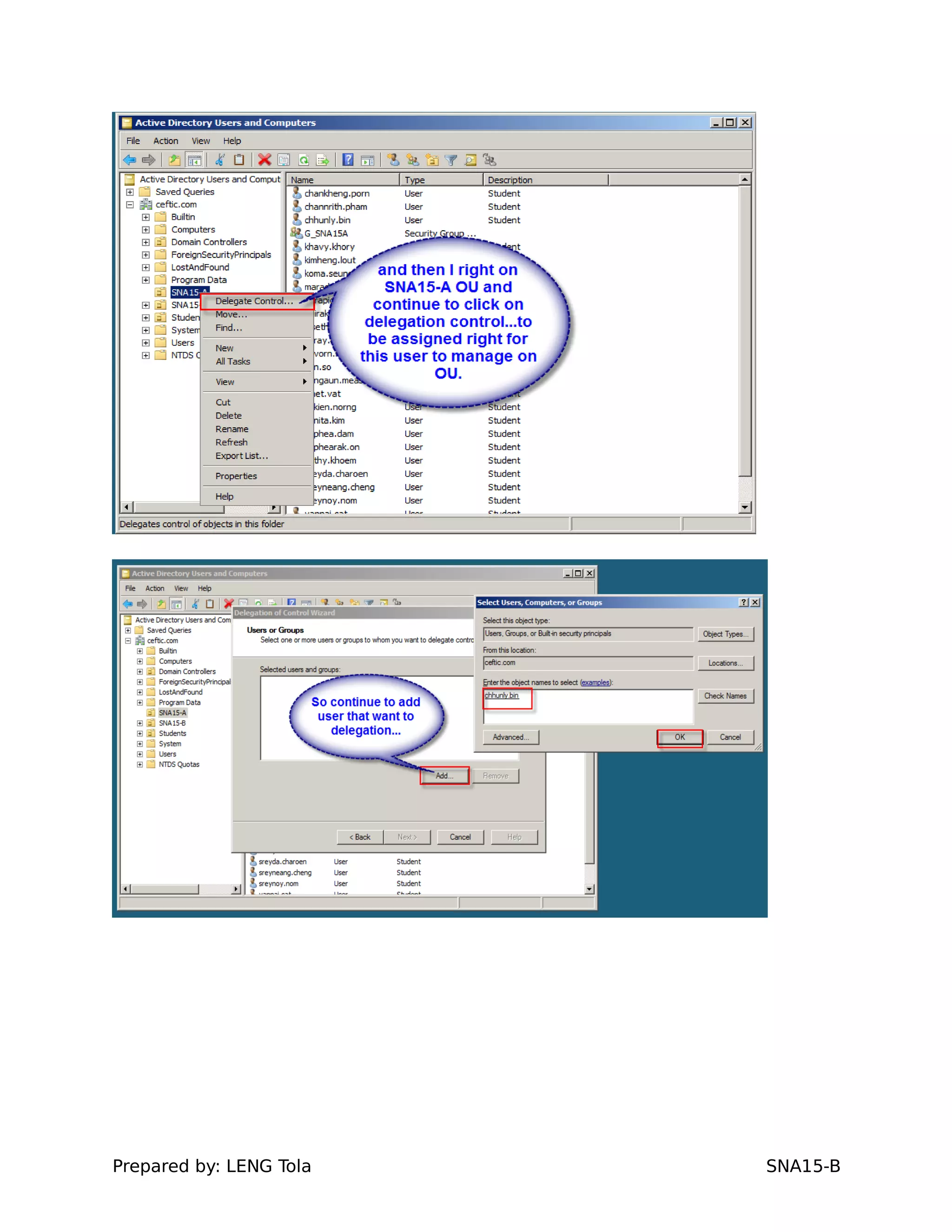
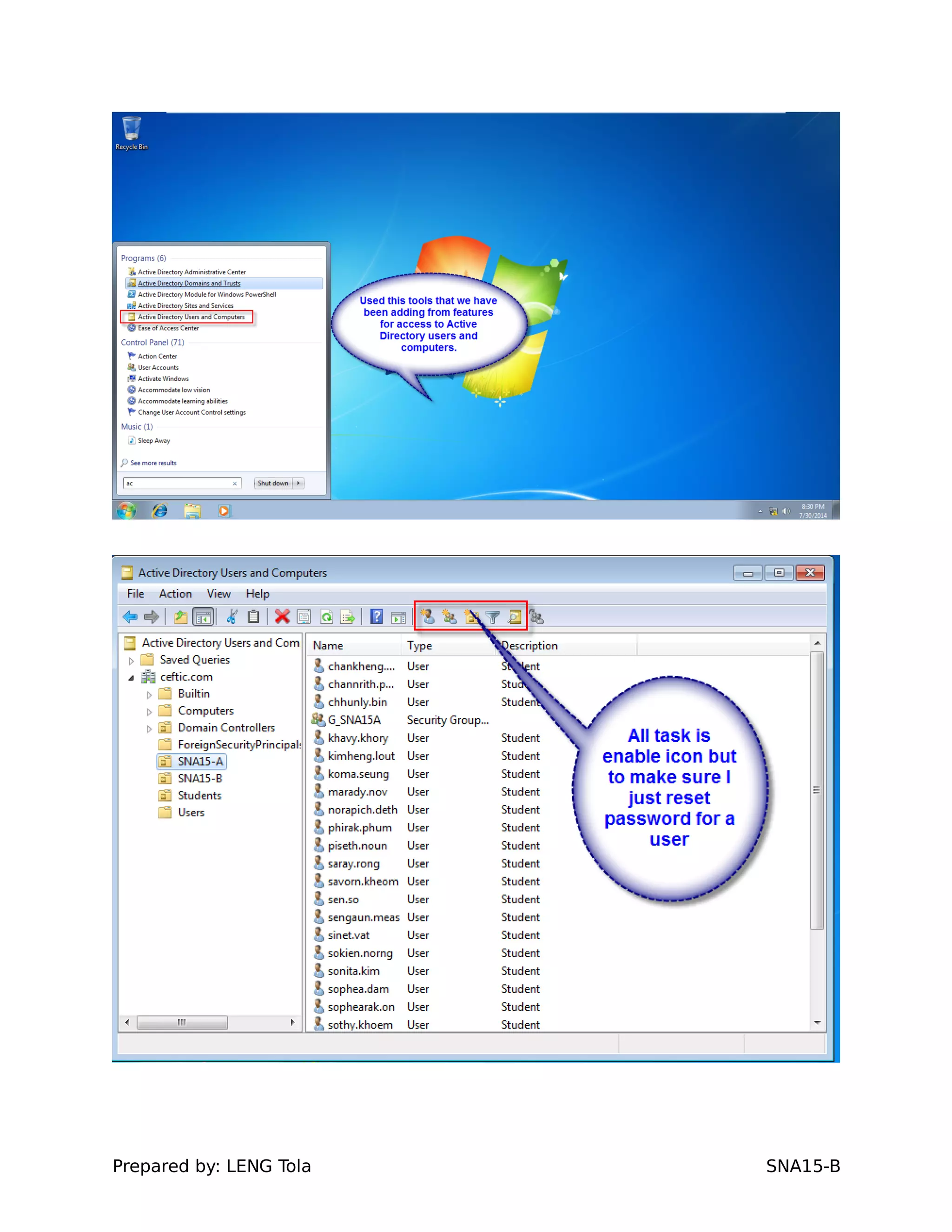
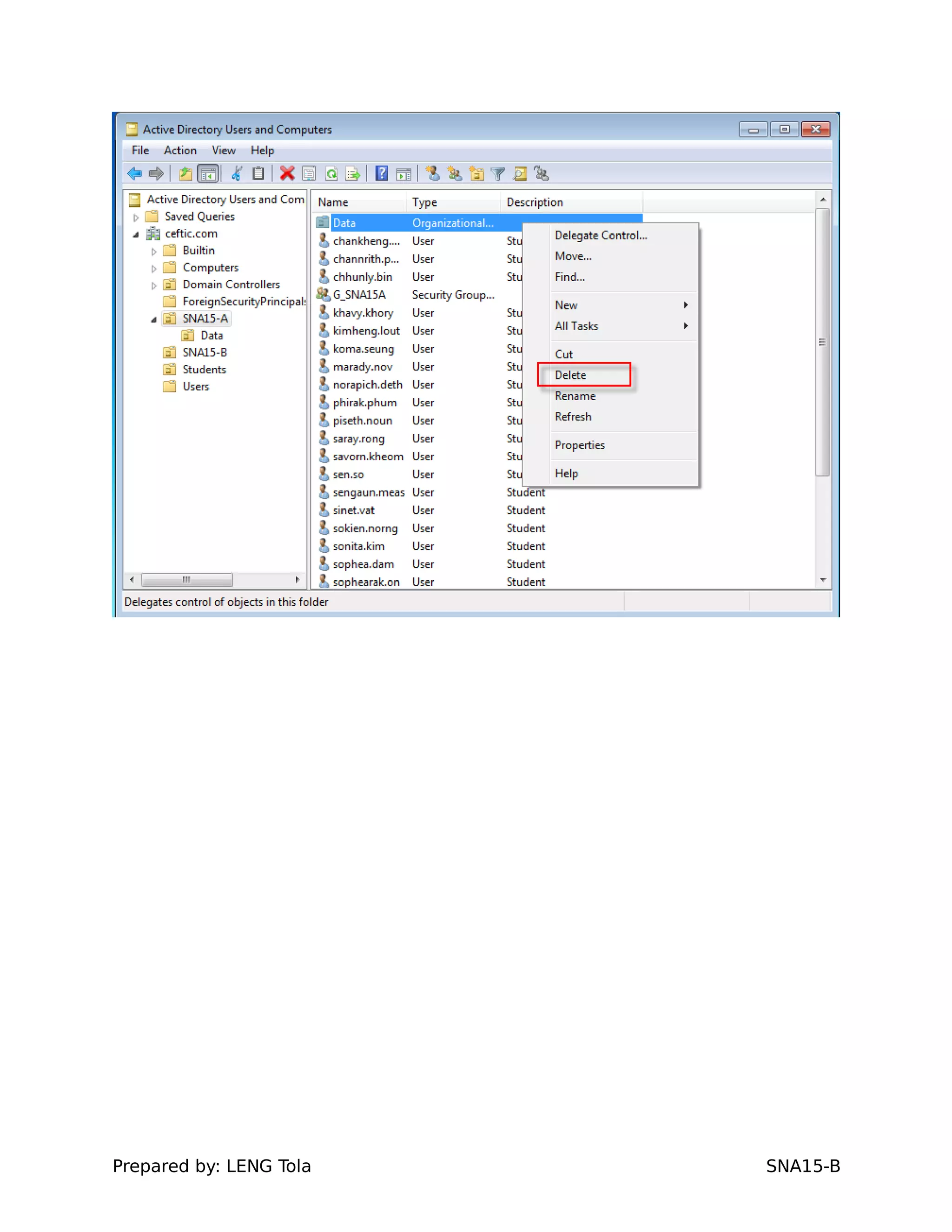
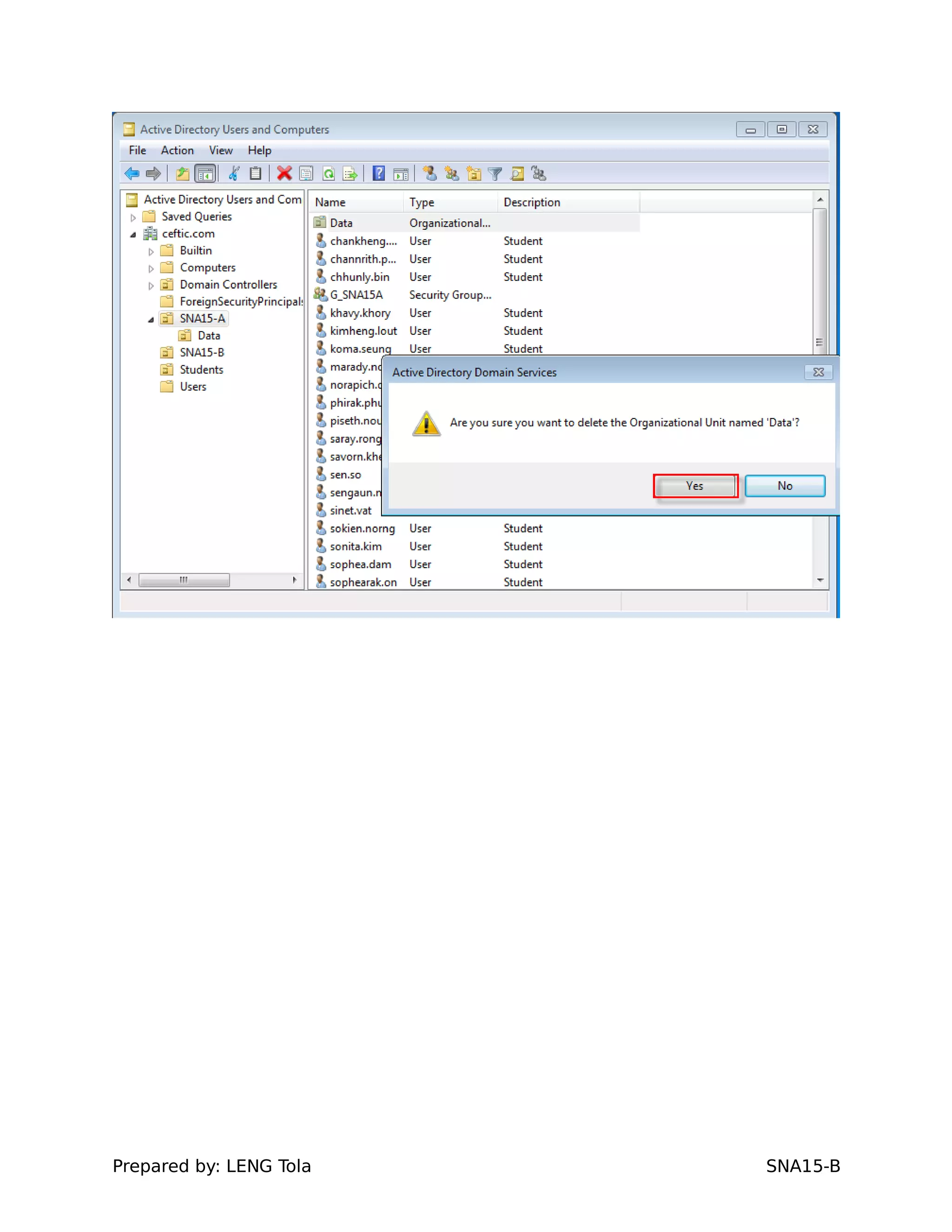
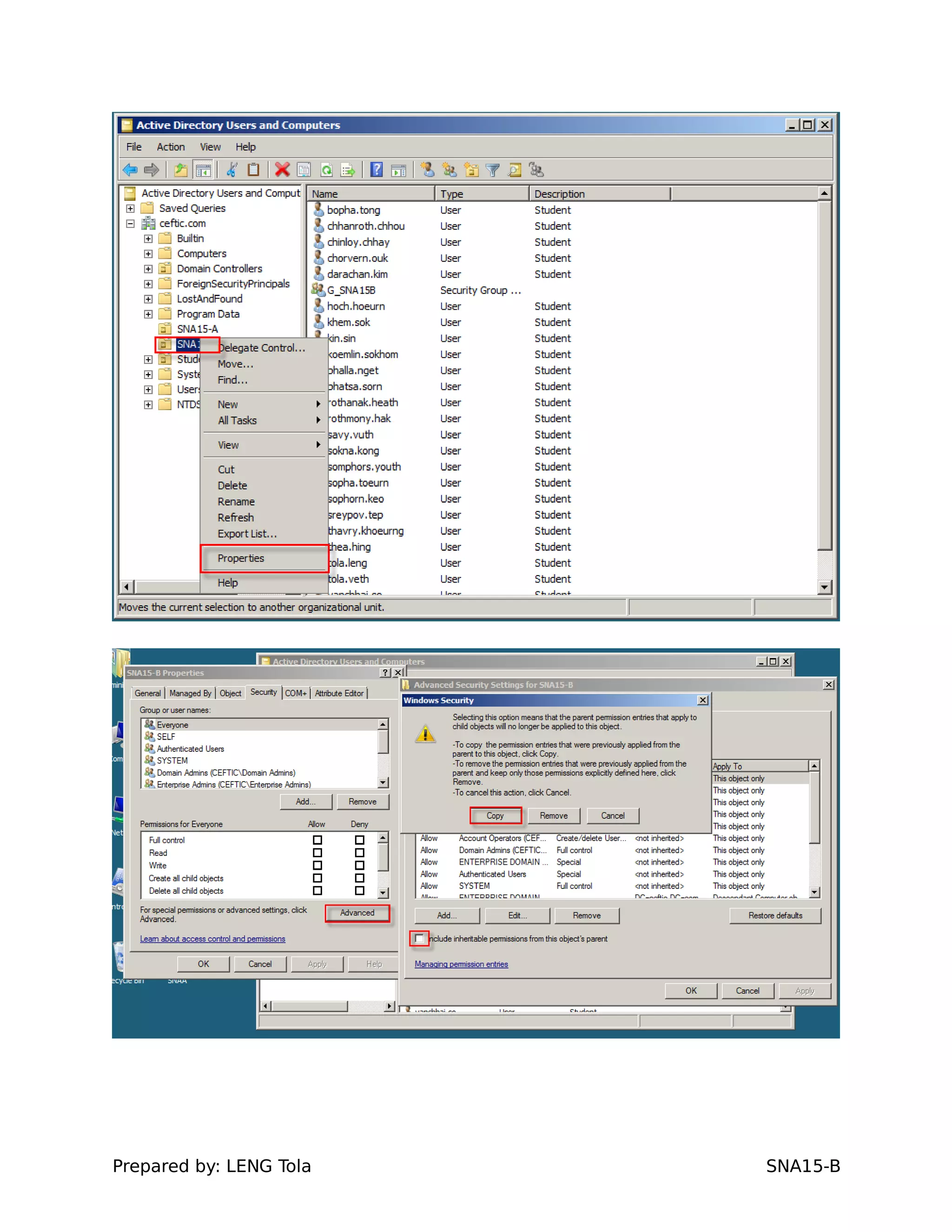
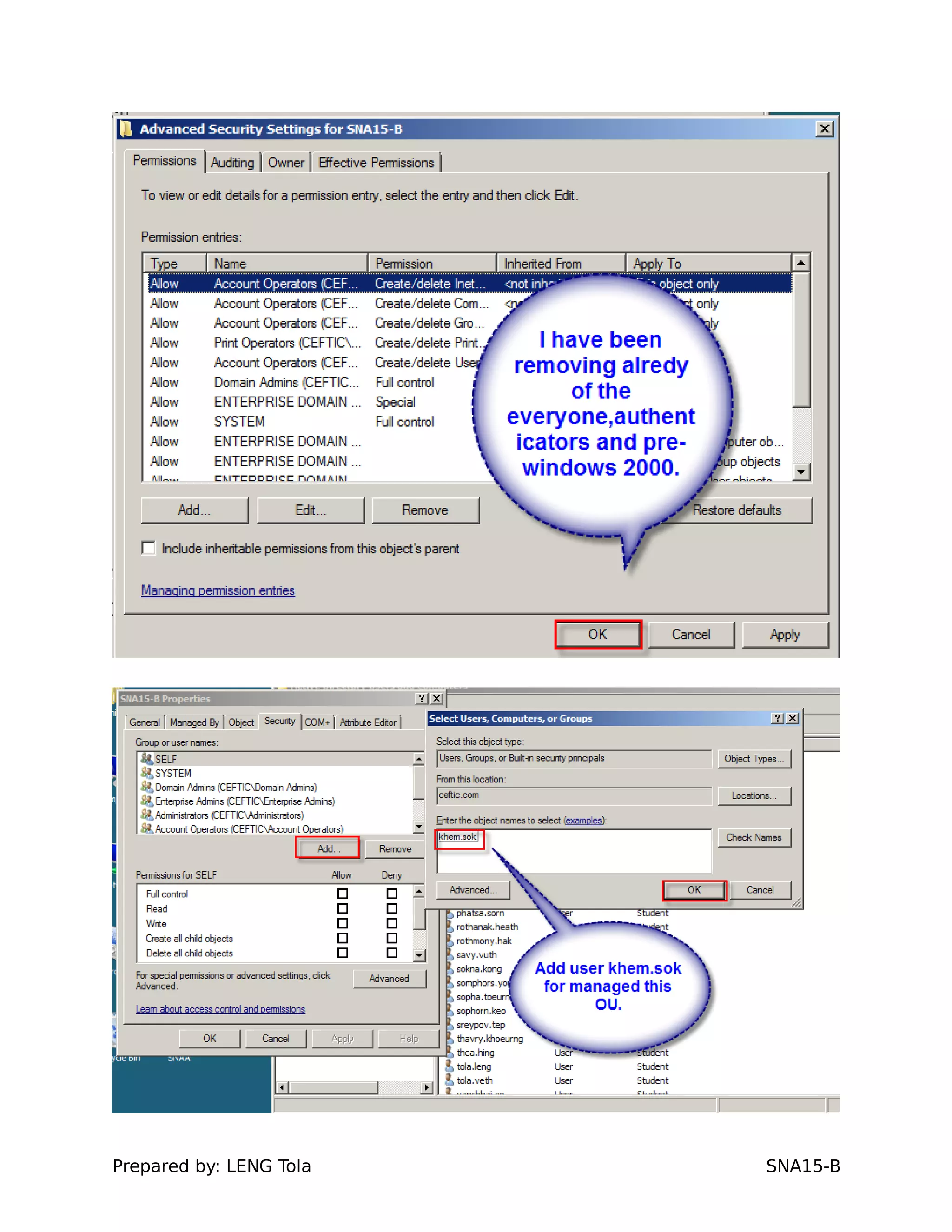
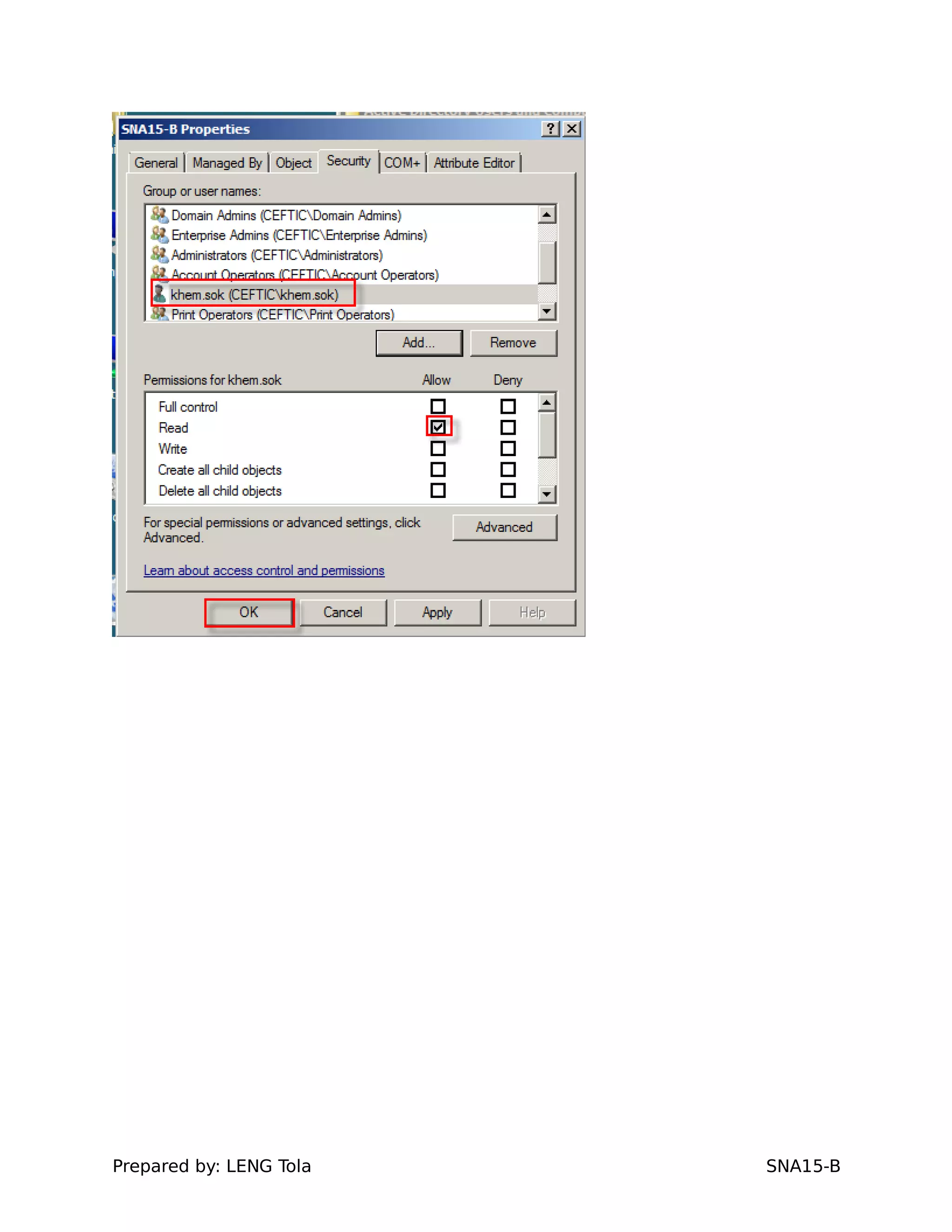
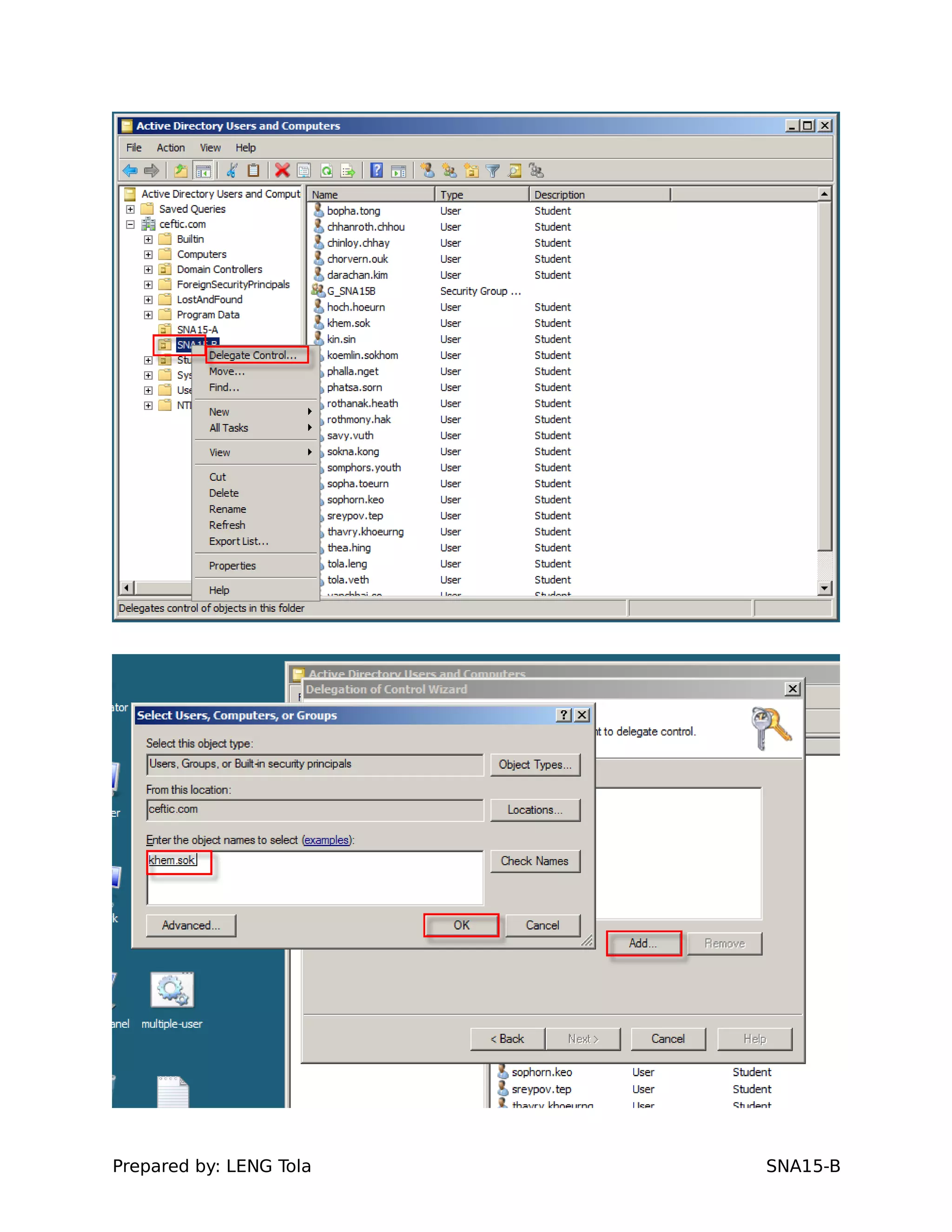
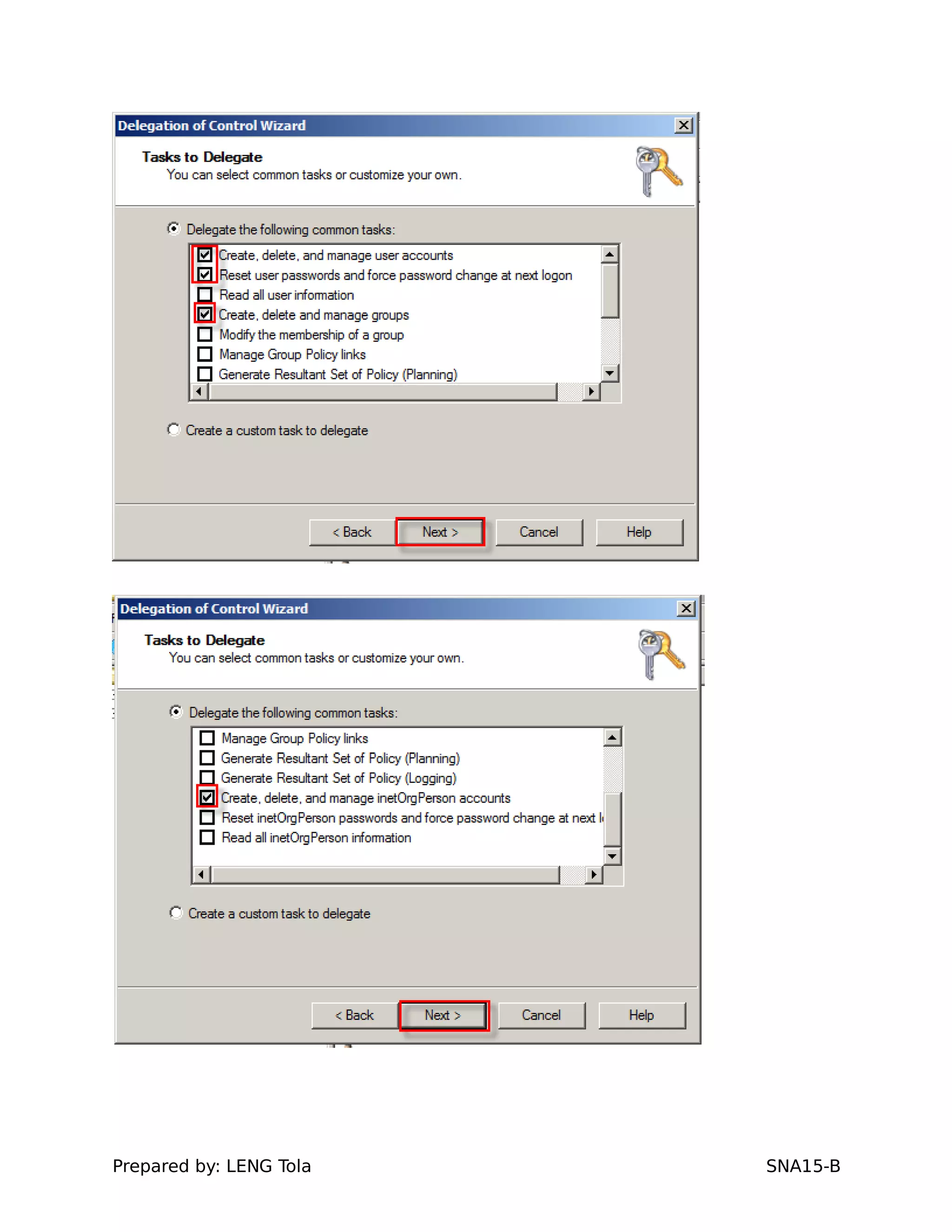
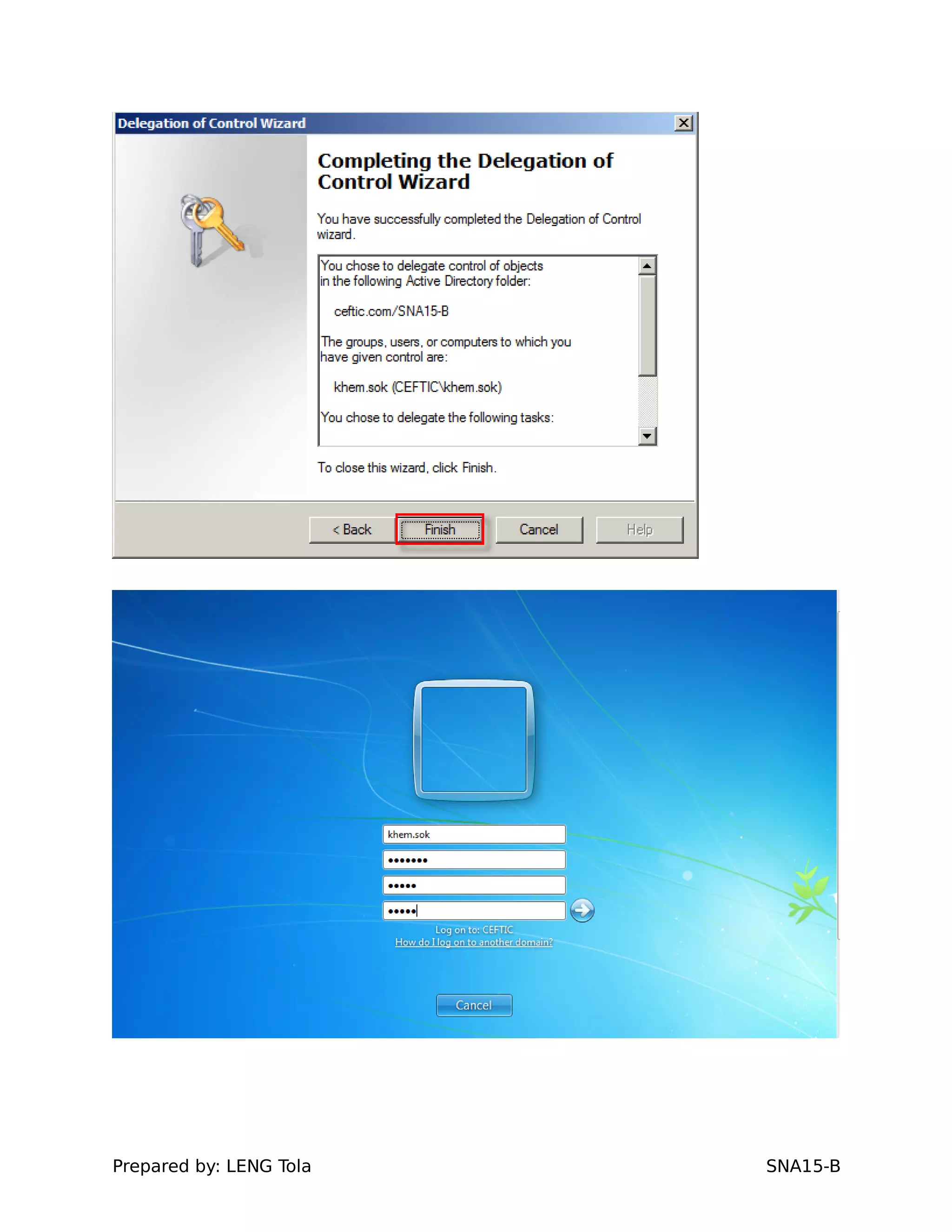
8.Delegate two users (Class Monitor) on each OUs
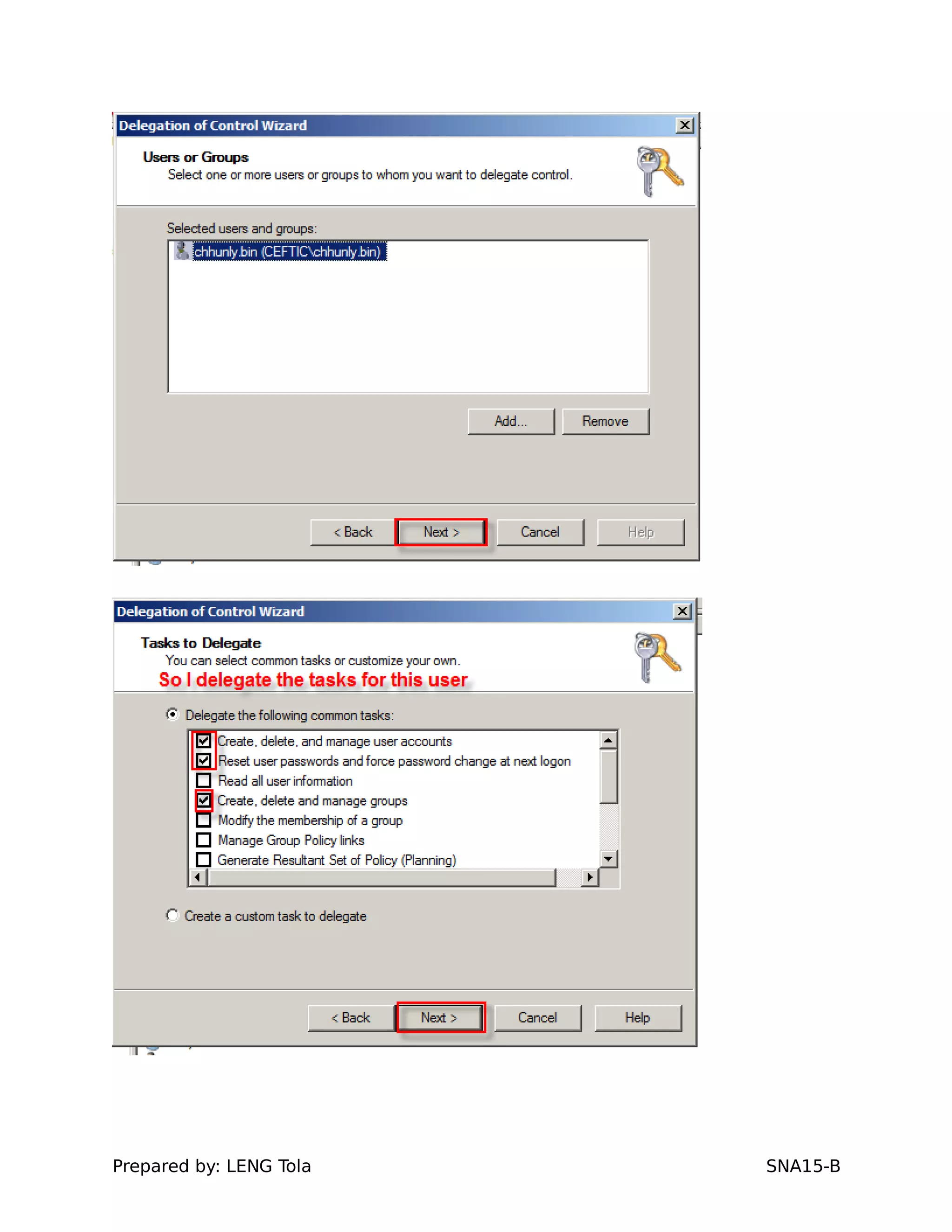
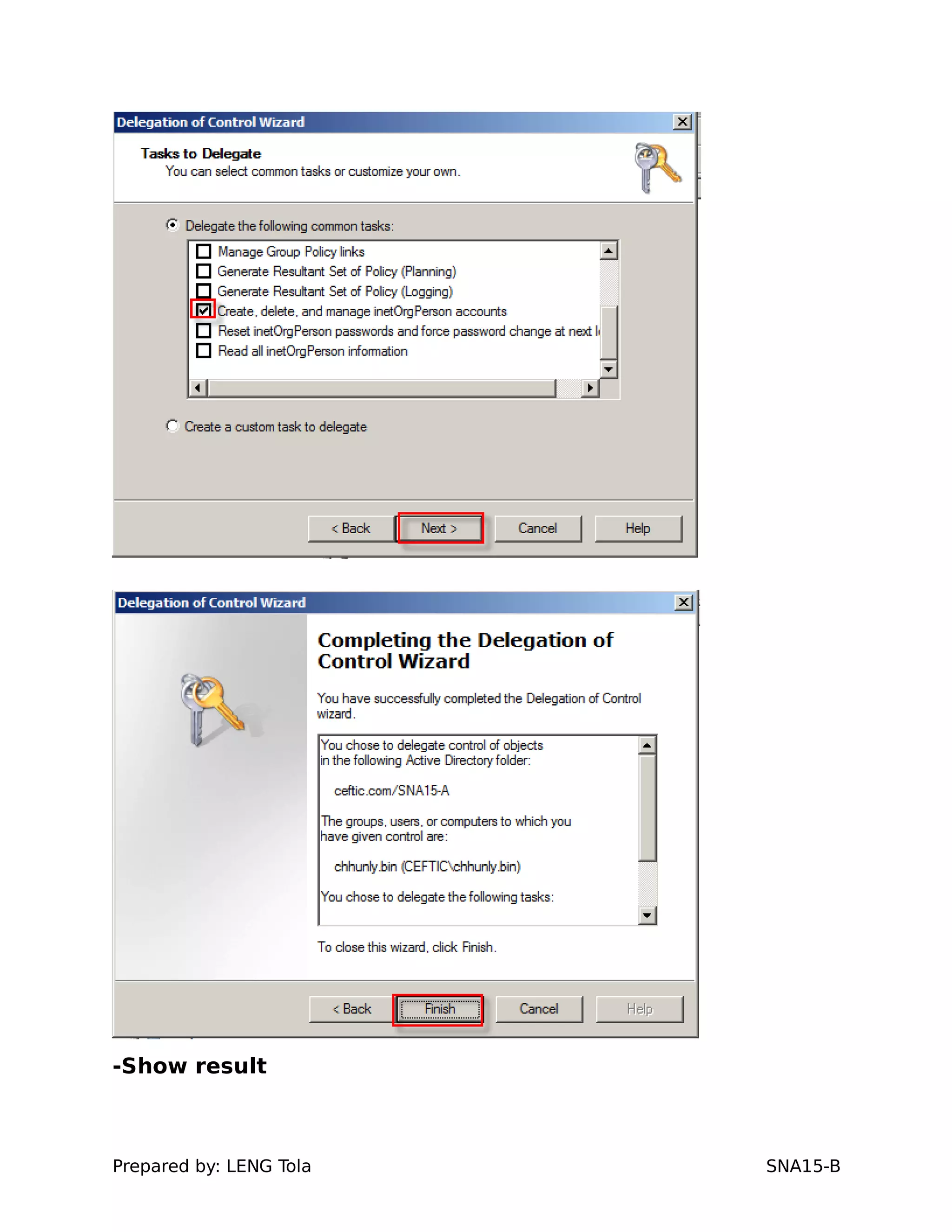
a. Delegate for user chhunly.bin who class monitor of
SNA15-A
Prepared by: LENG Tola SNA15-B
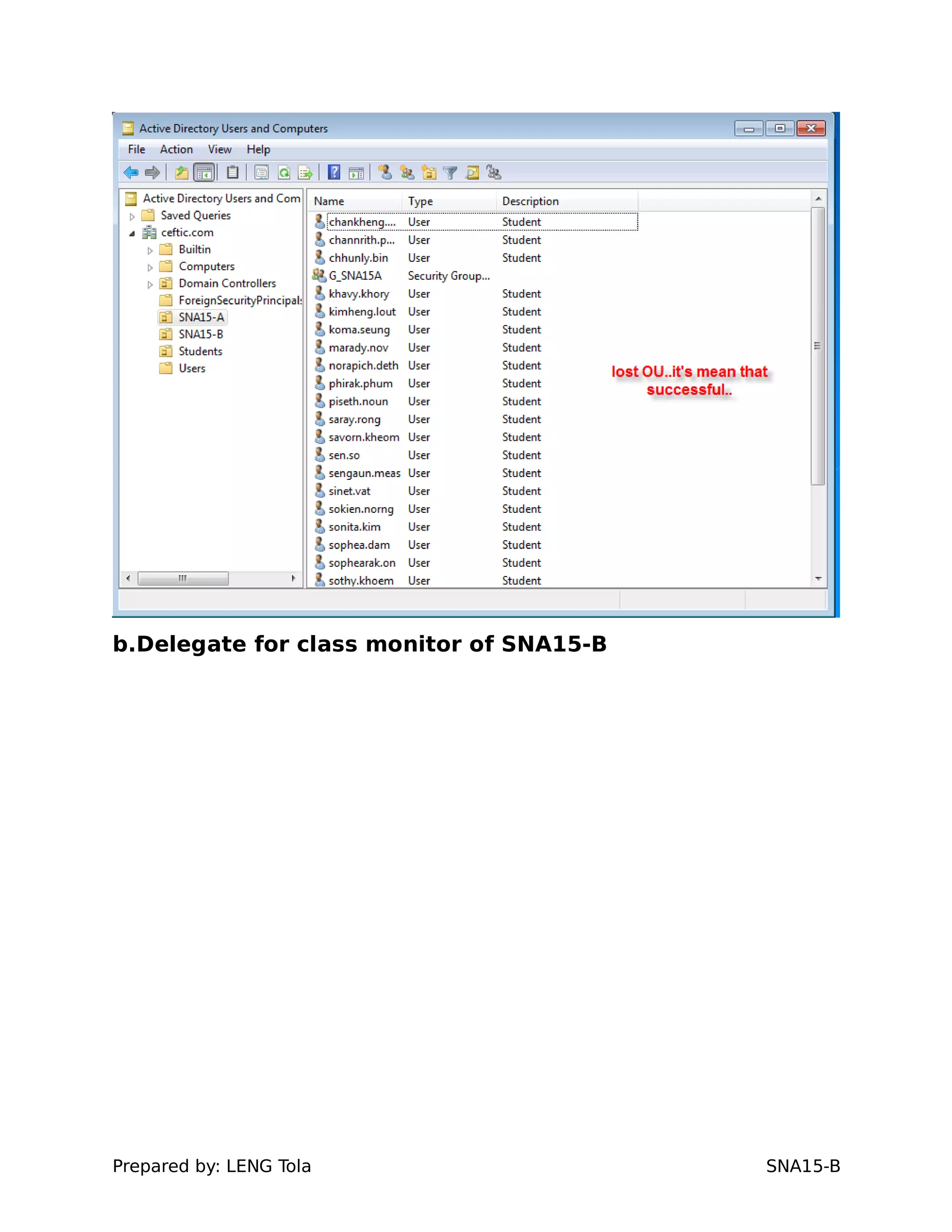
-Show result
Prepared by: LENG Tola SNA15-B
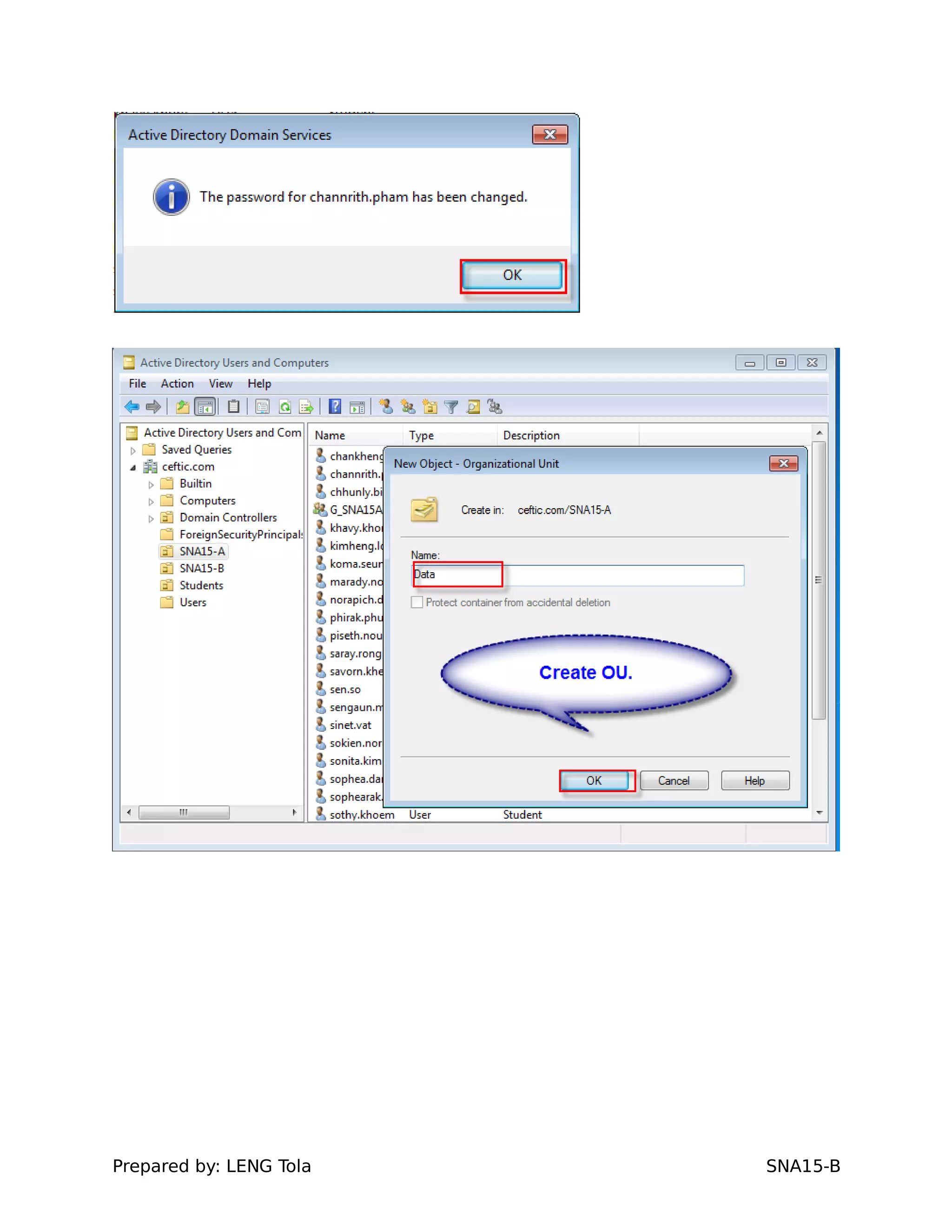
b.Delegate for class monitor of SNA15-B
Prepared by: LENG Tola SNA15-B
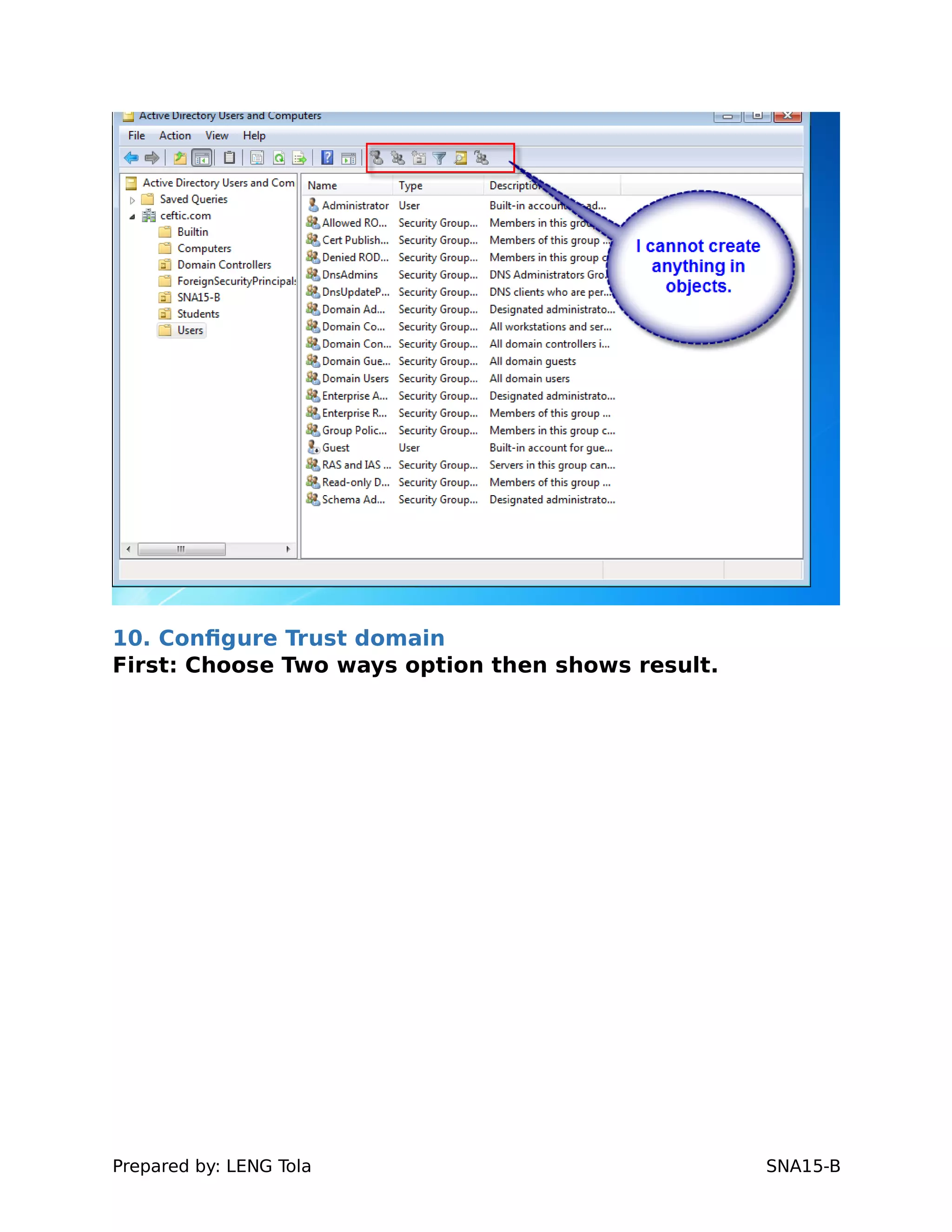
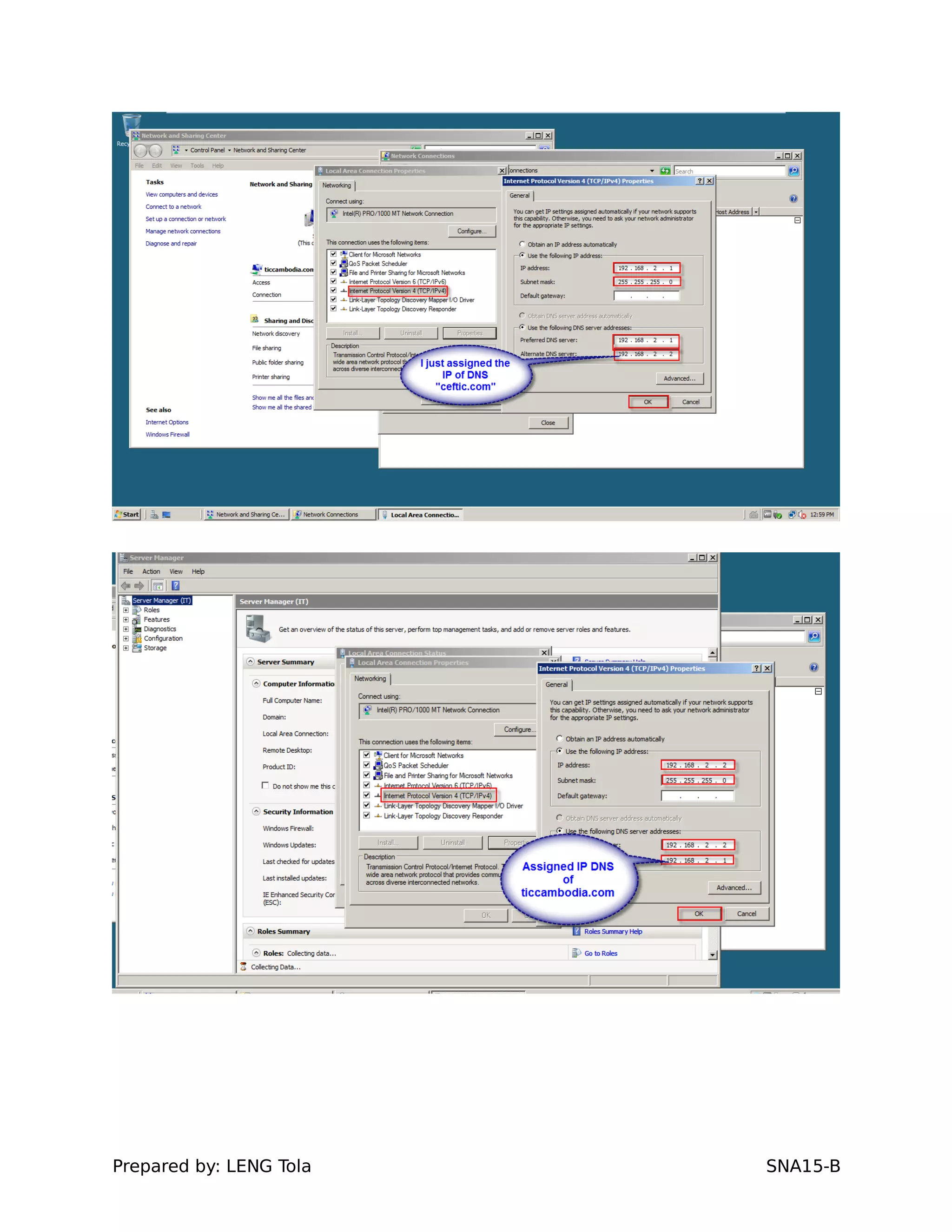
10. Configure Trust domain
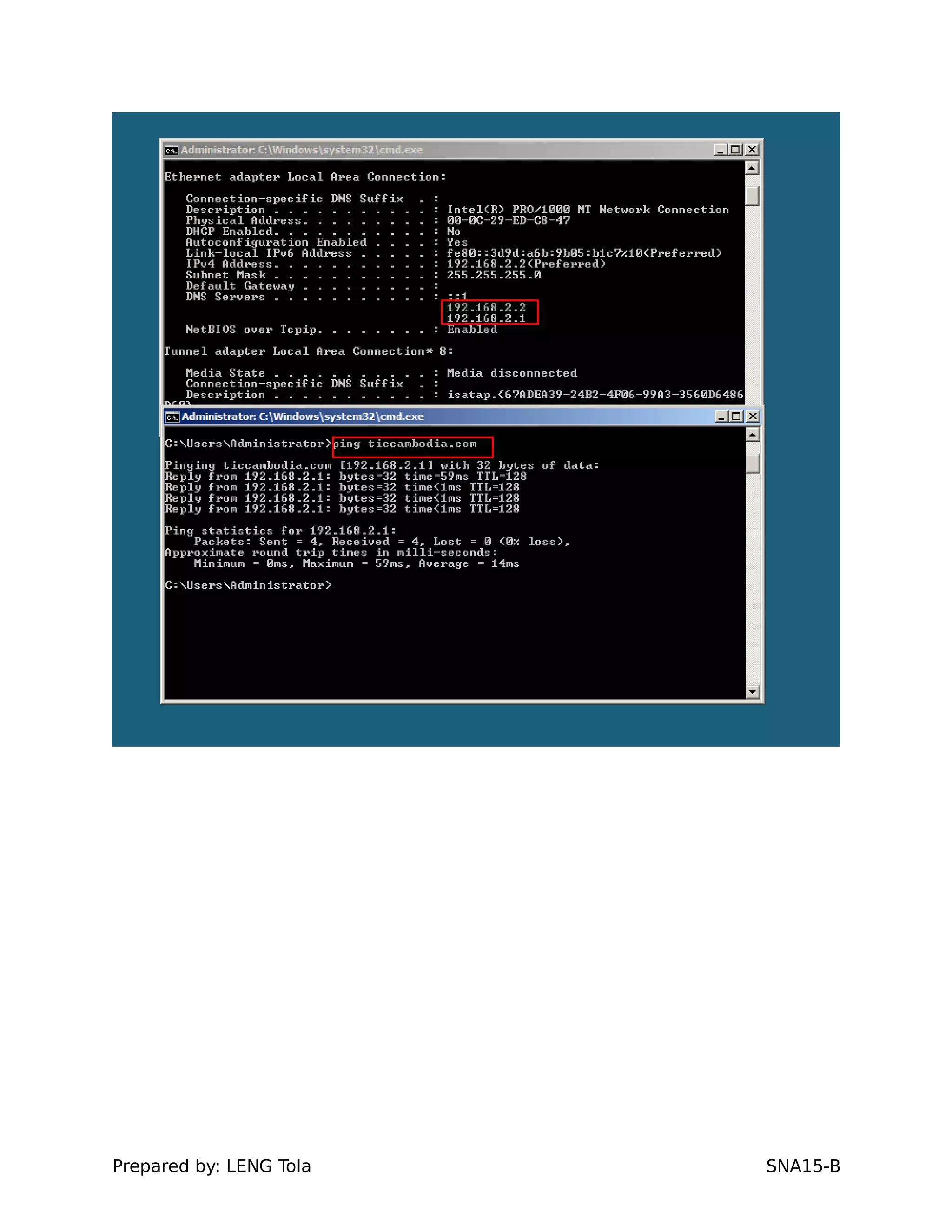
First: Choose Two ways option then shows result.
Prepared by: LENG Tola SNA15-B
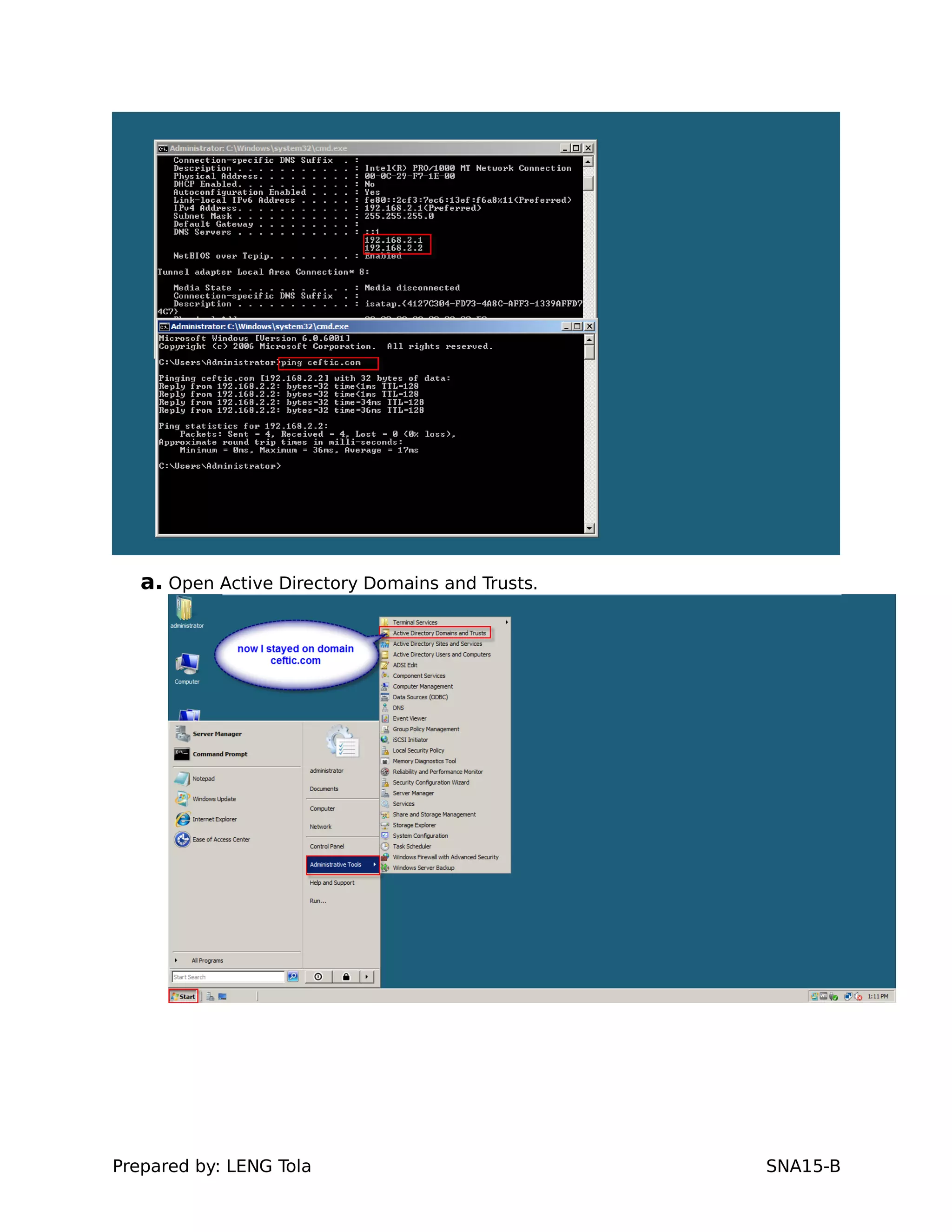
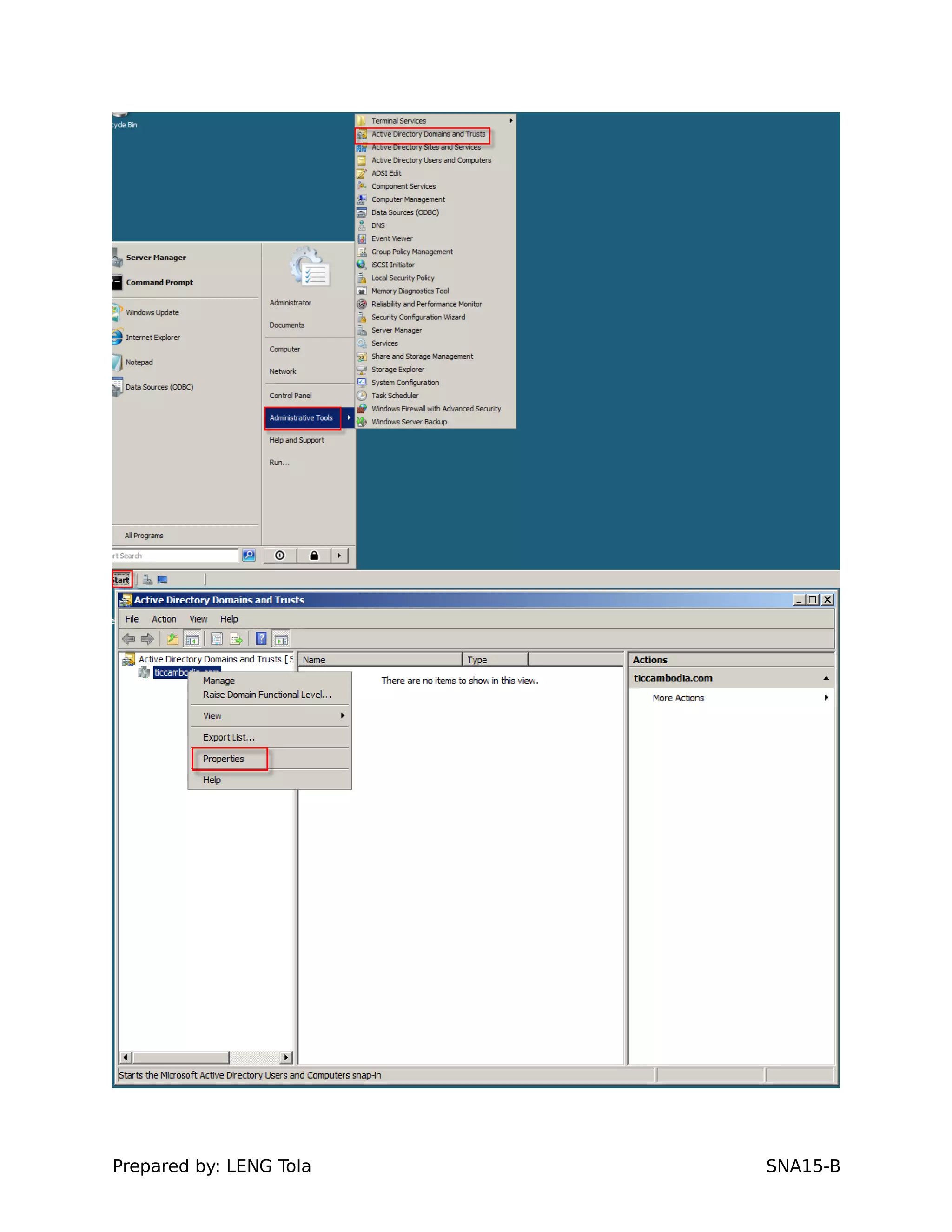
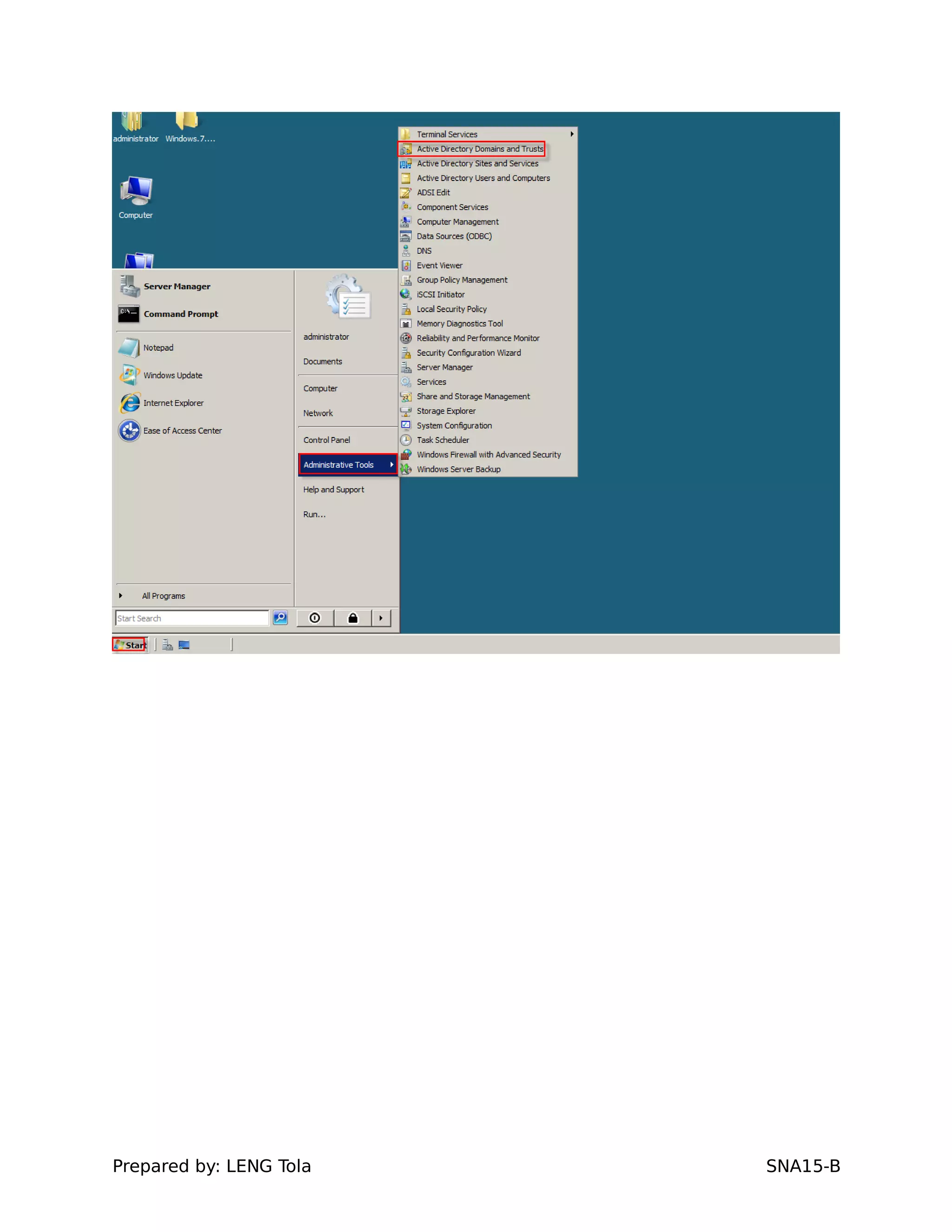
a. Open Active Directory Domains and Trusts.
Prepared by: LENG Tola SNA15-B
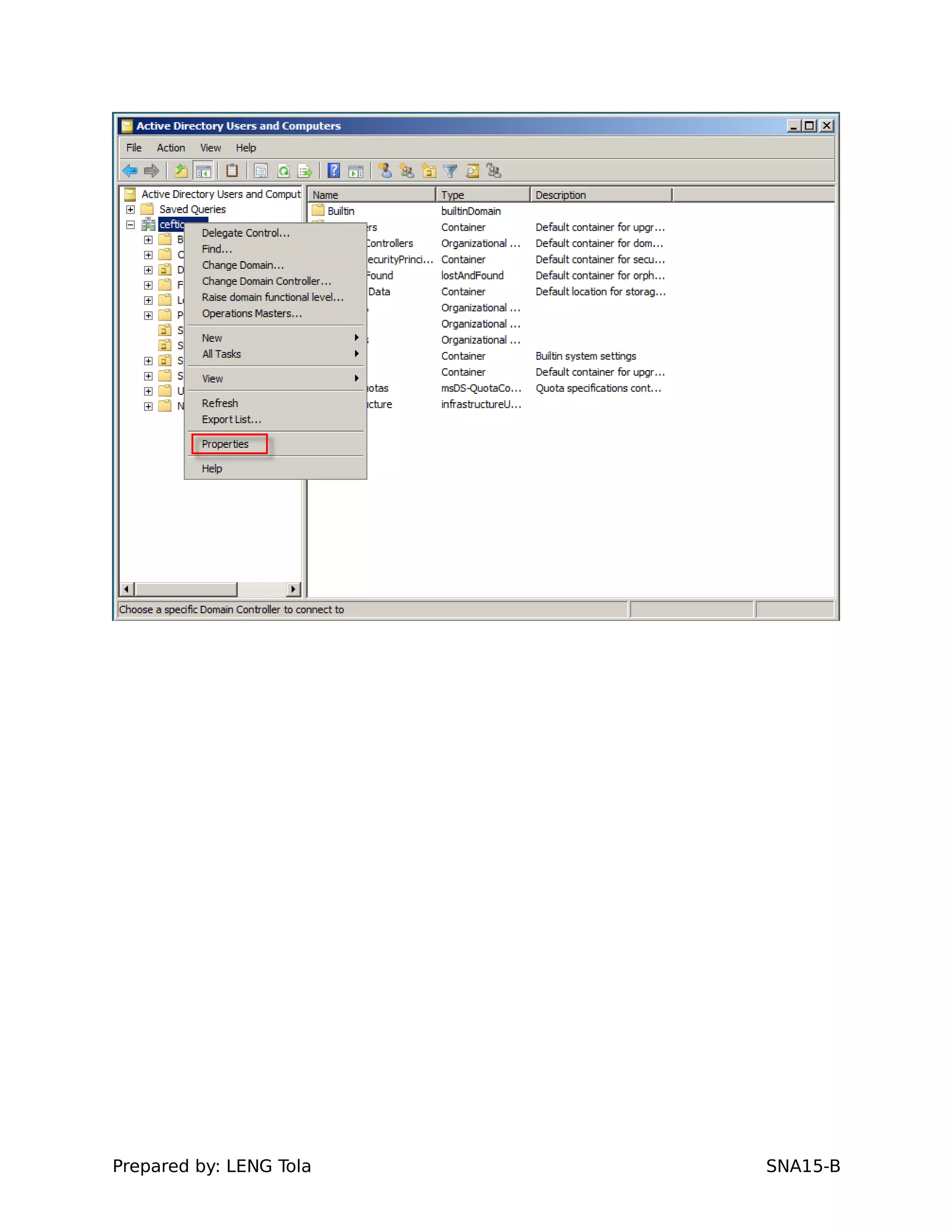
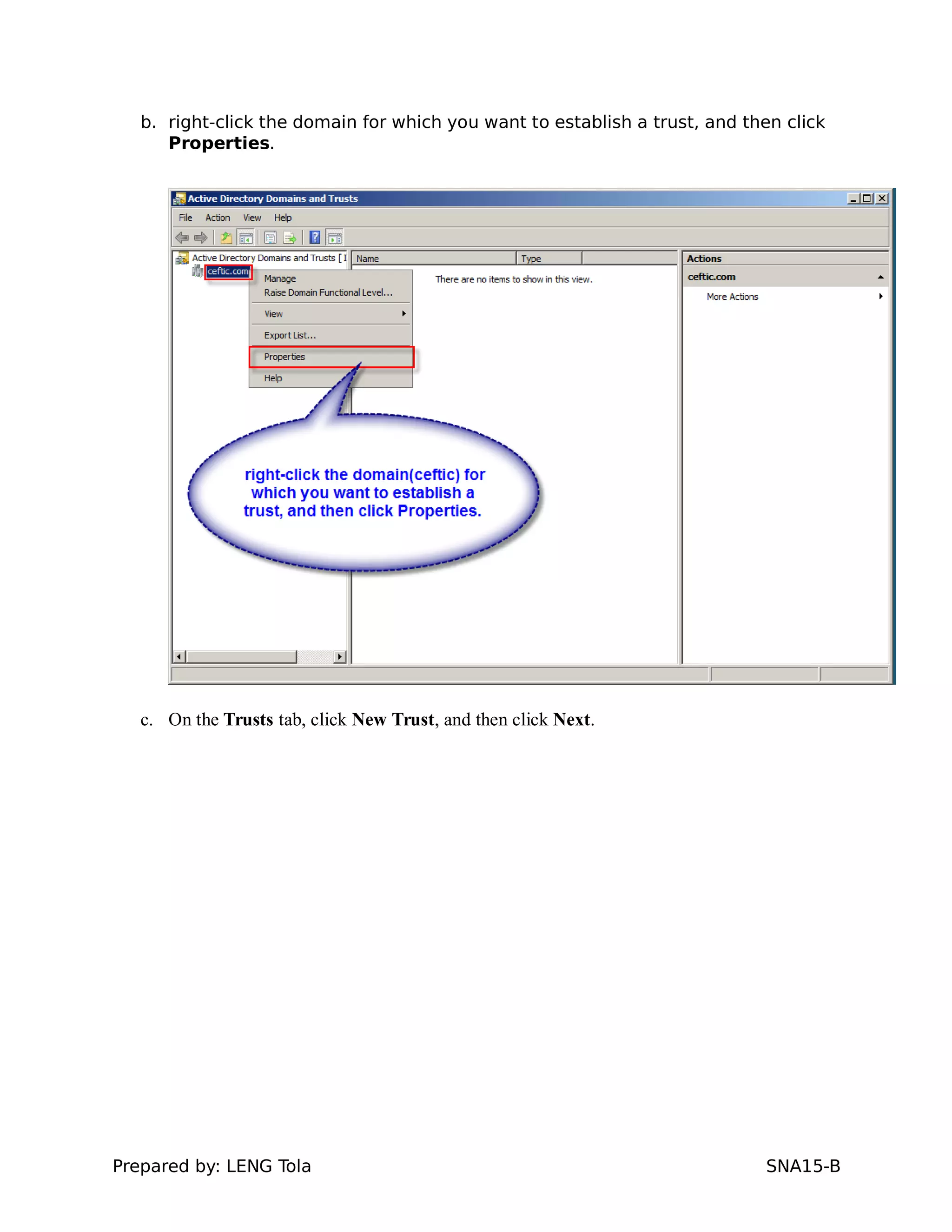
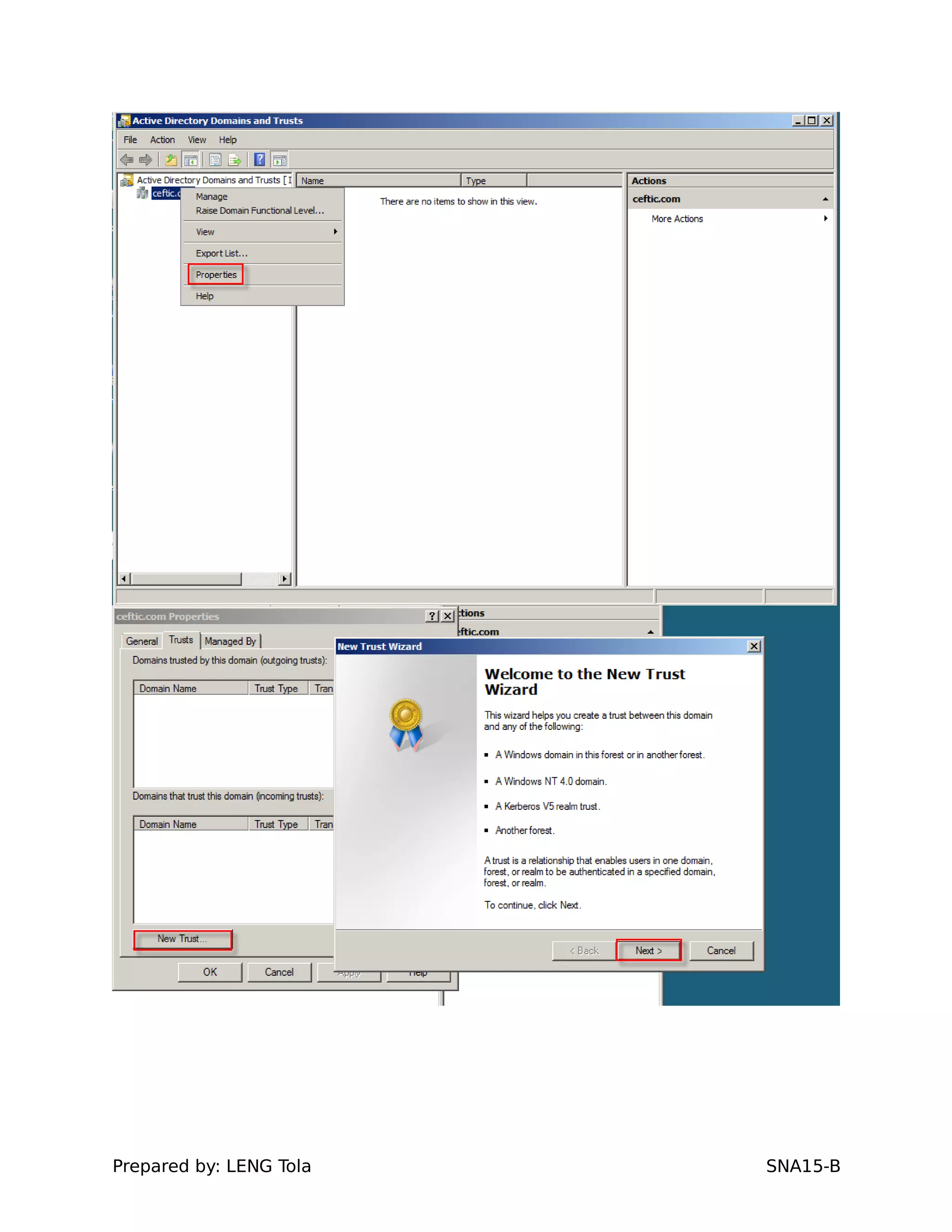
b. right-click the domain for which you want to establish a trust, and then click
Properties.
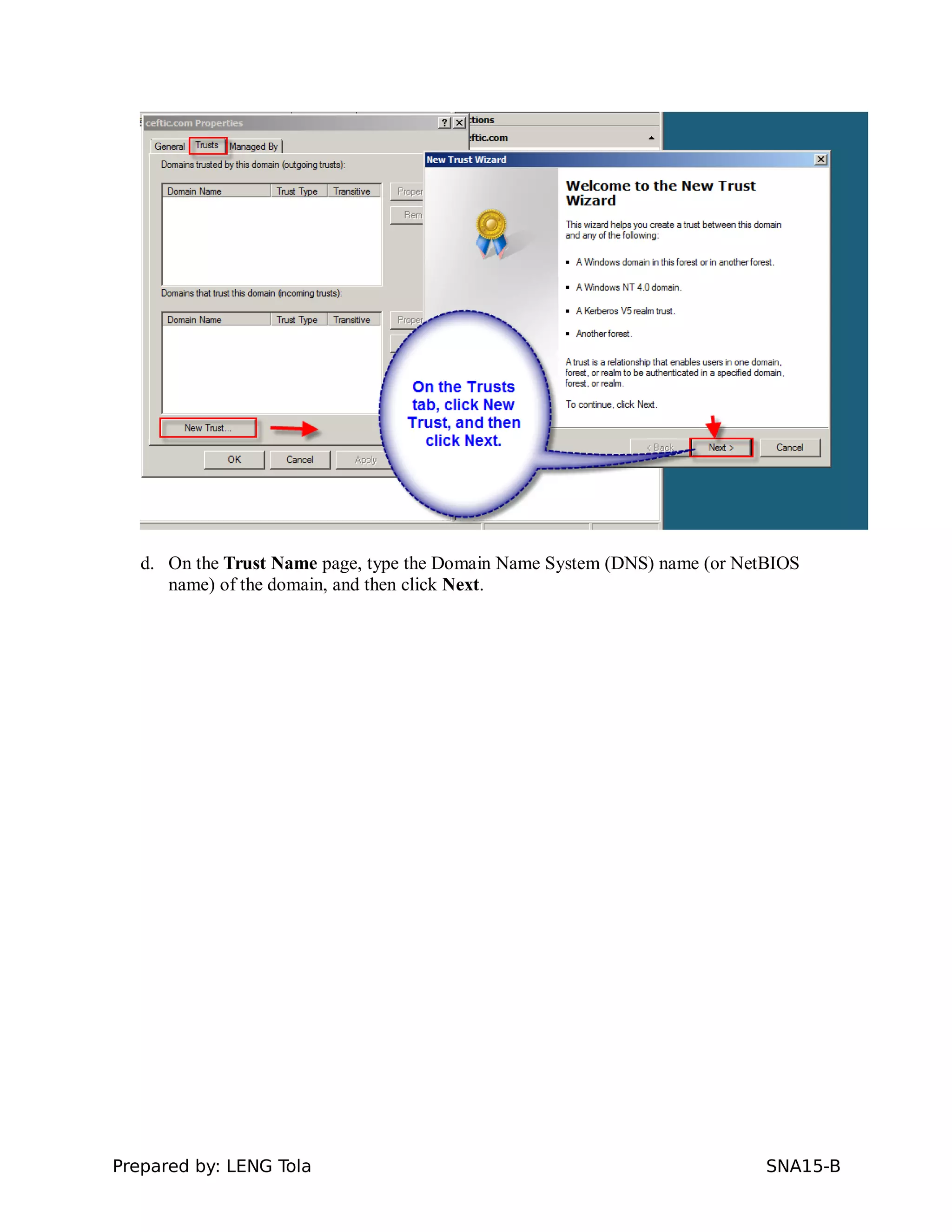
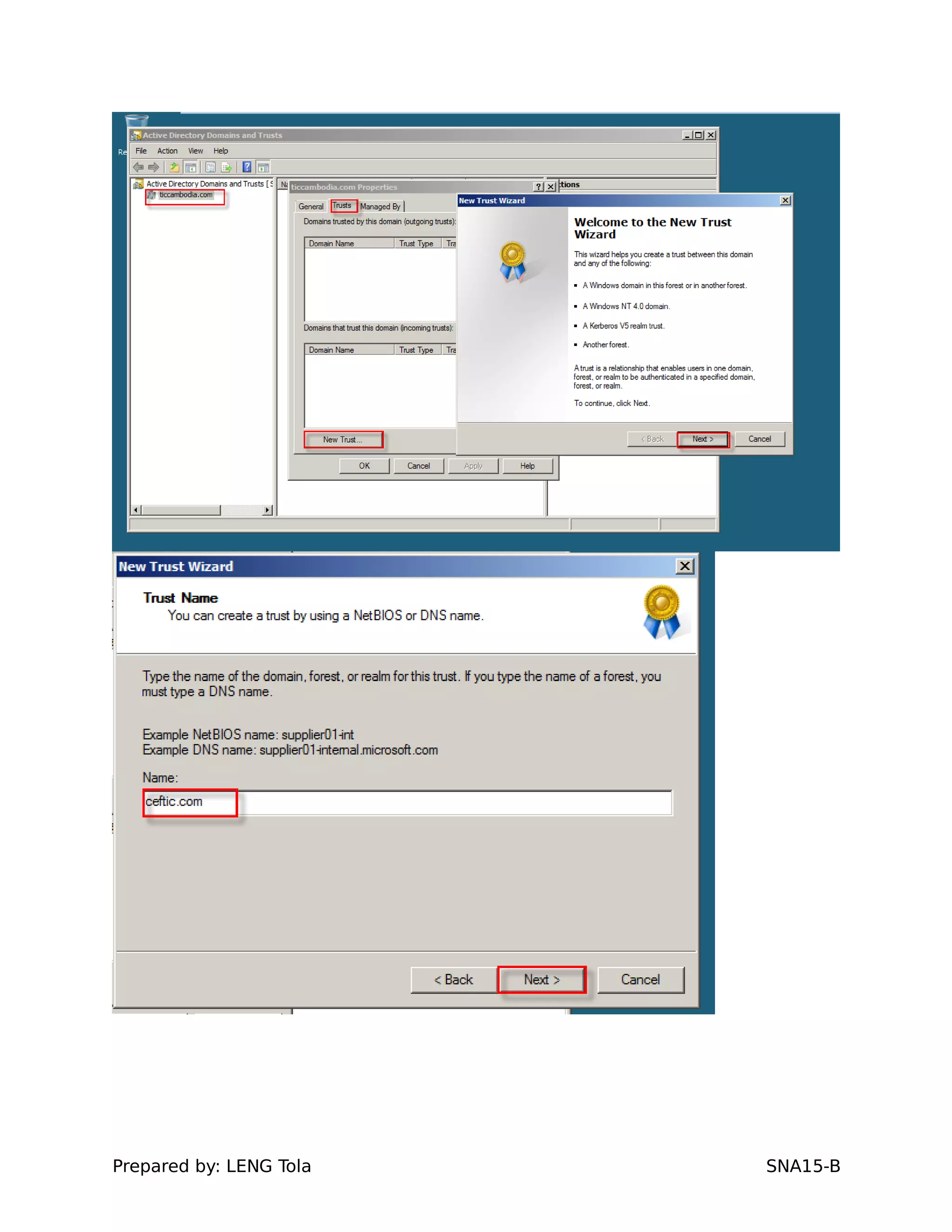
c. On the Trusts tab, click New Trust, and then click Next.
Prepared by: LENG Tola SNA15-B
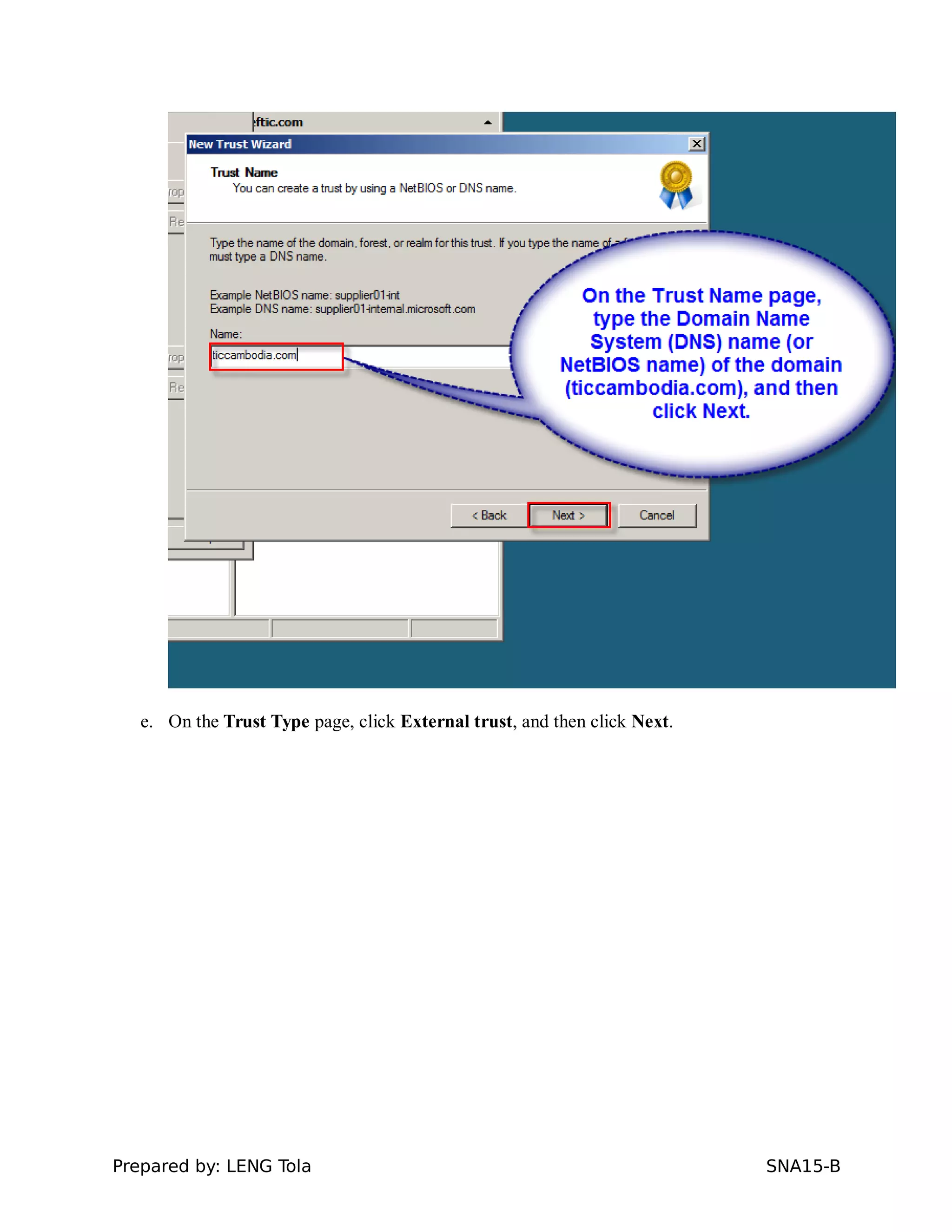
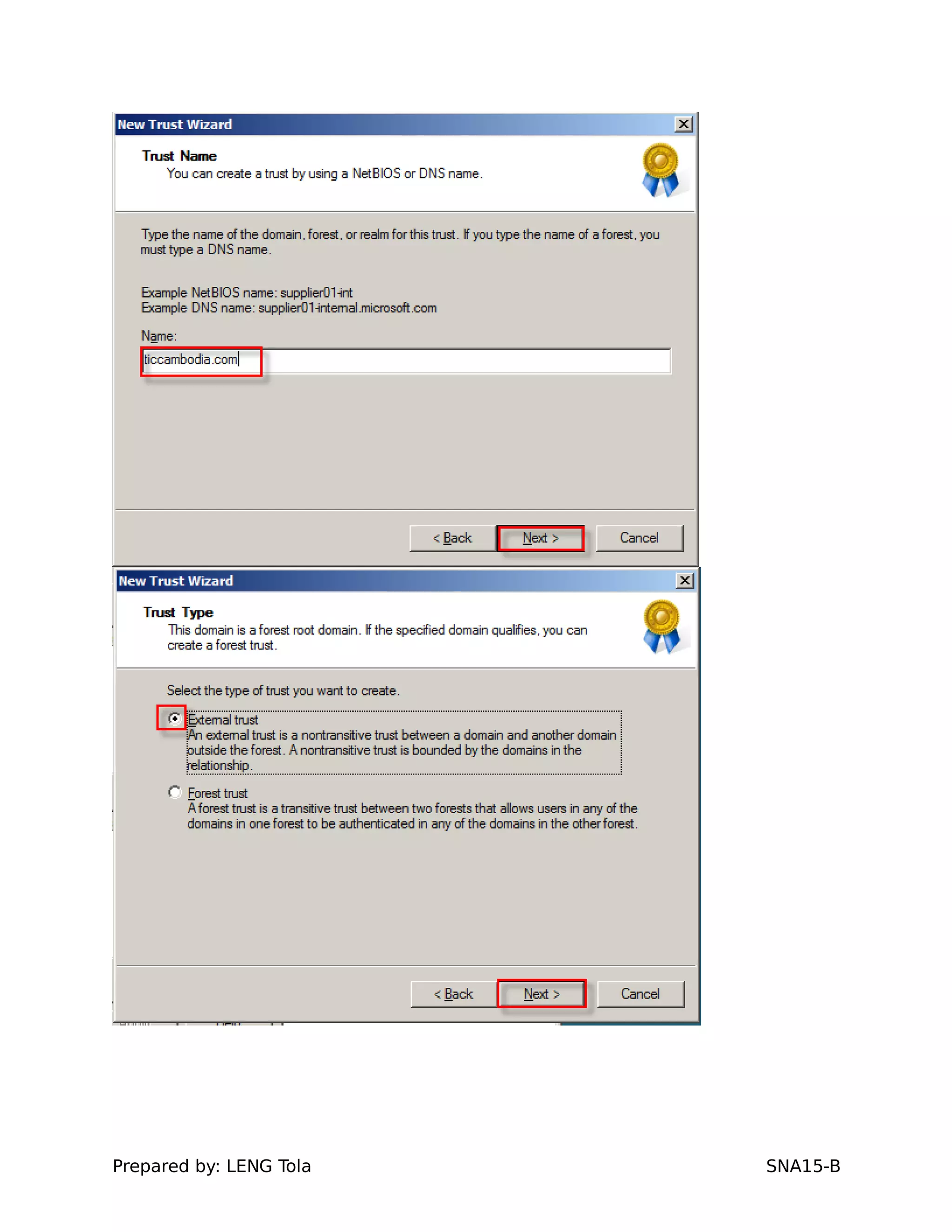
d. On the Trust Name page, type the Domain Name System (DNS) name (or NetBIOS
name) of the domain, and then click Next.
Prepared by: LENG Tola SNA15-B
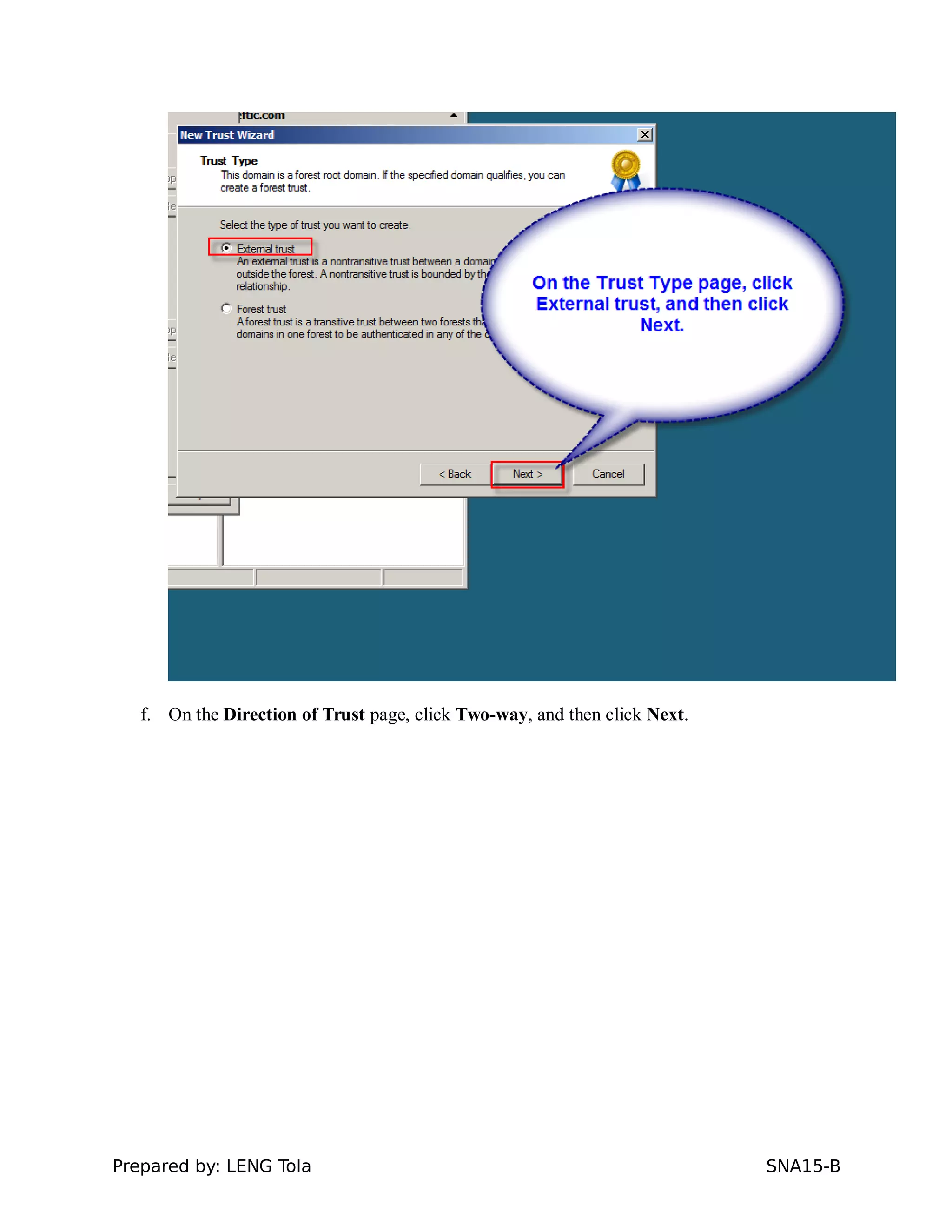
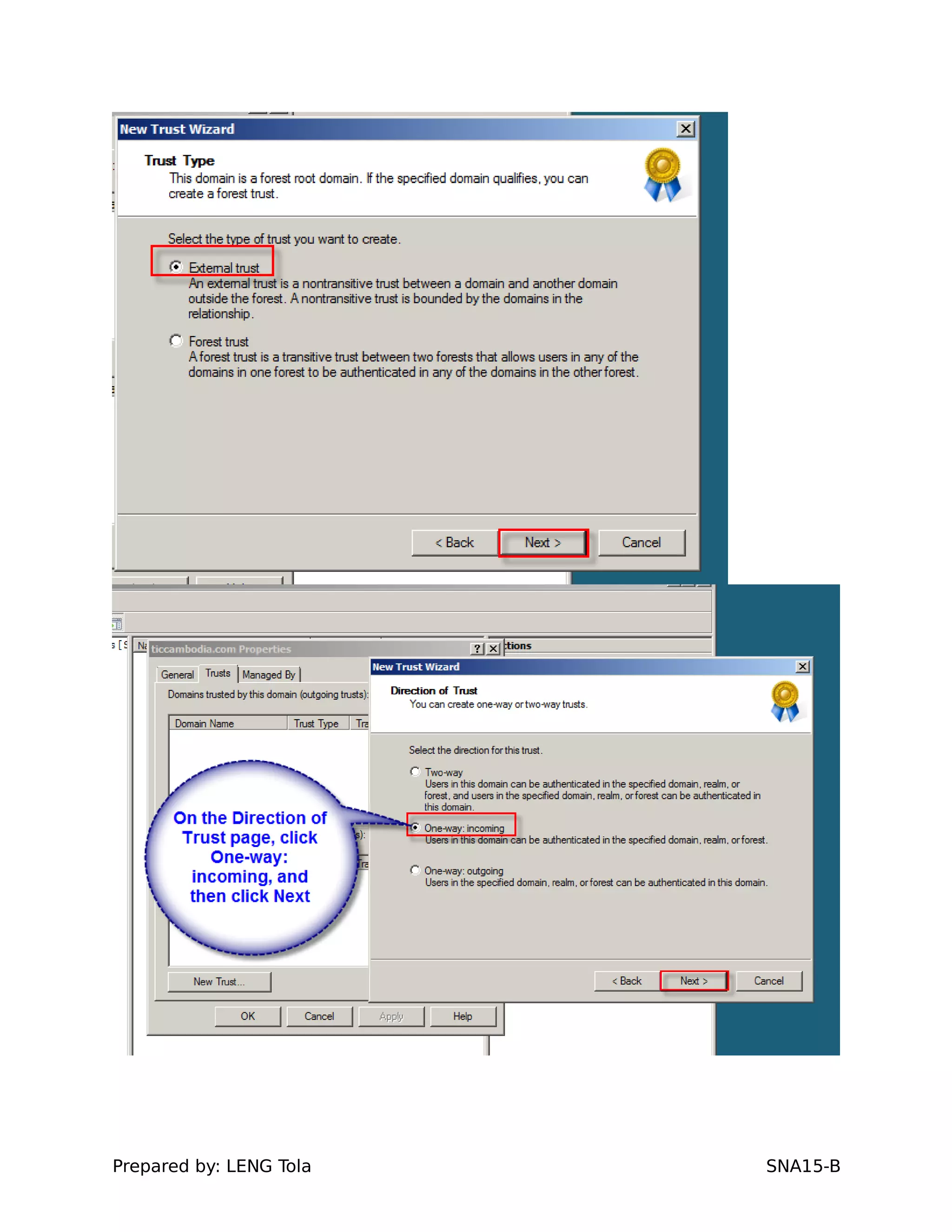
e. On the Trust Type page, click External trust, and then click Next.
Prepared by: LENG Tola SNA15-B
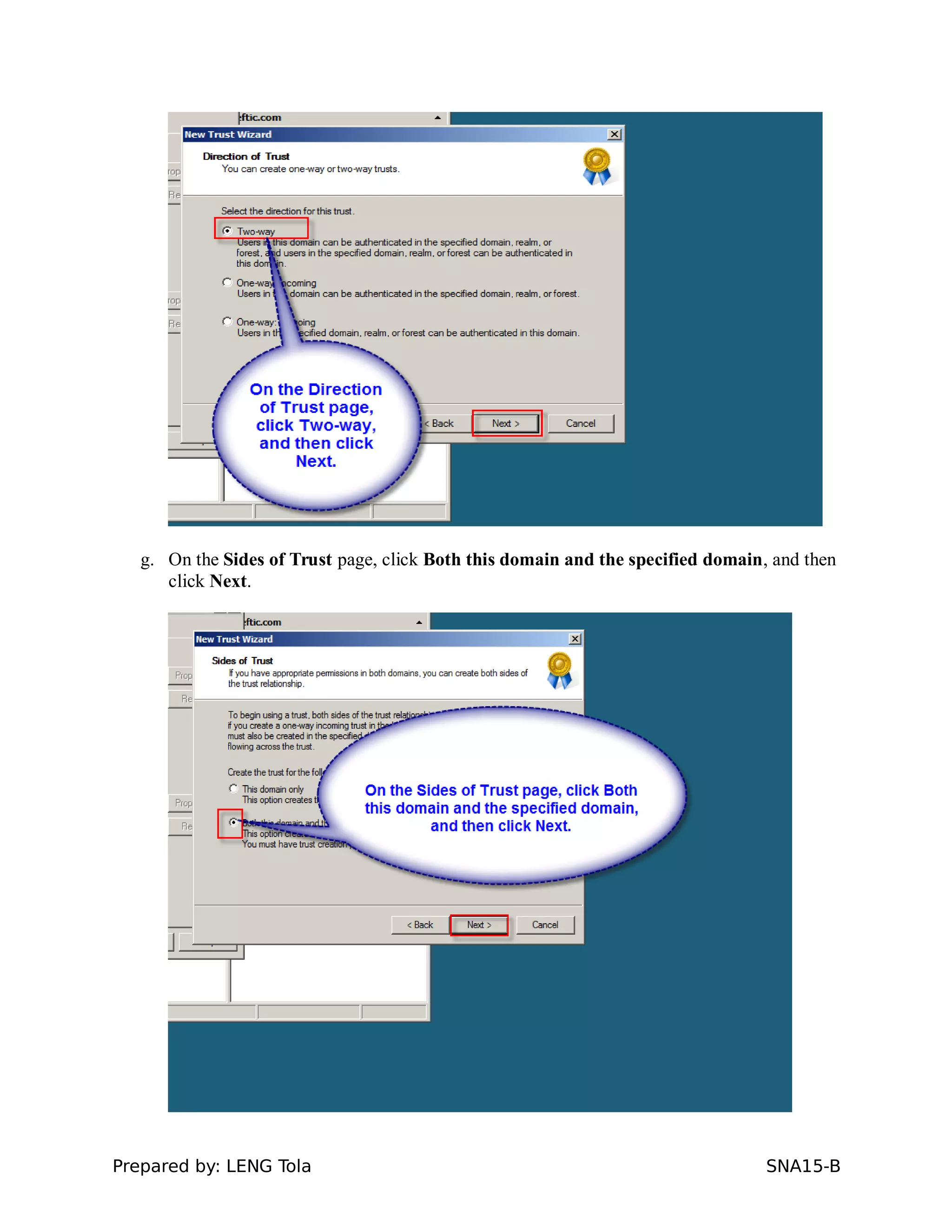
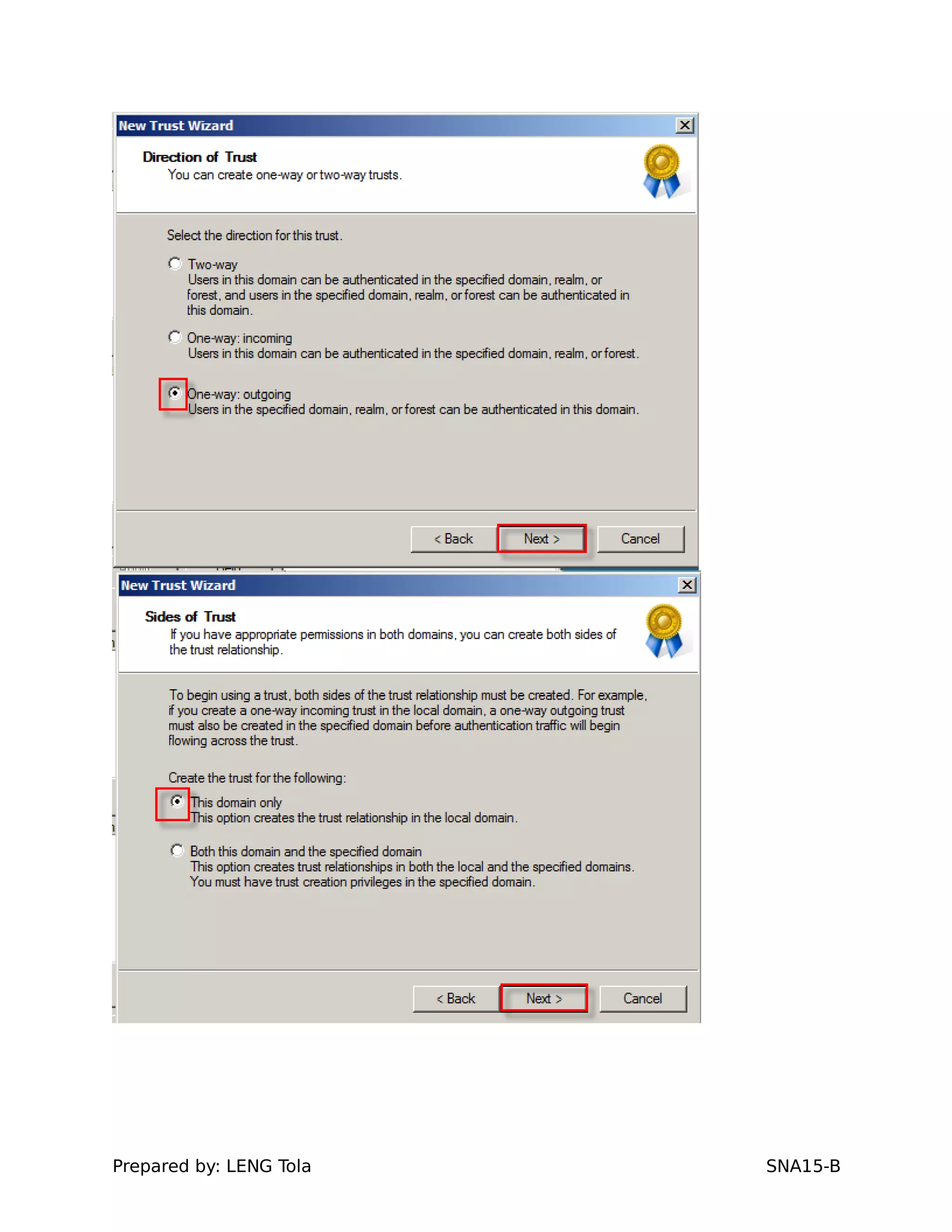
f. On the Direction of Trust page, click Two-way, and then click Next.
Prepared by: LENG Tola SNA15-B
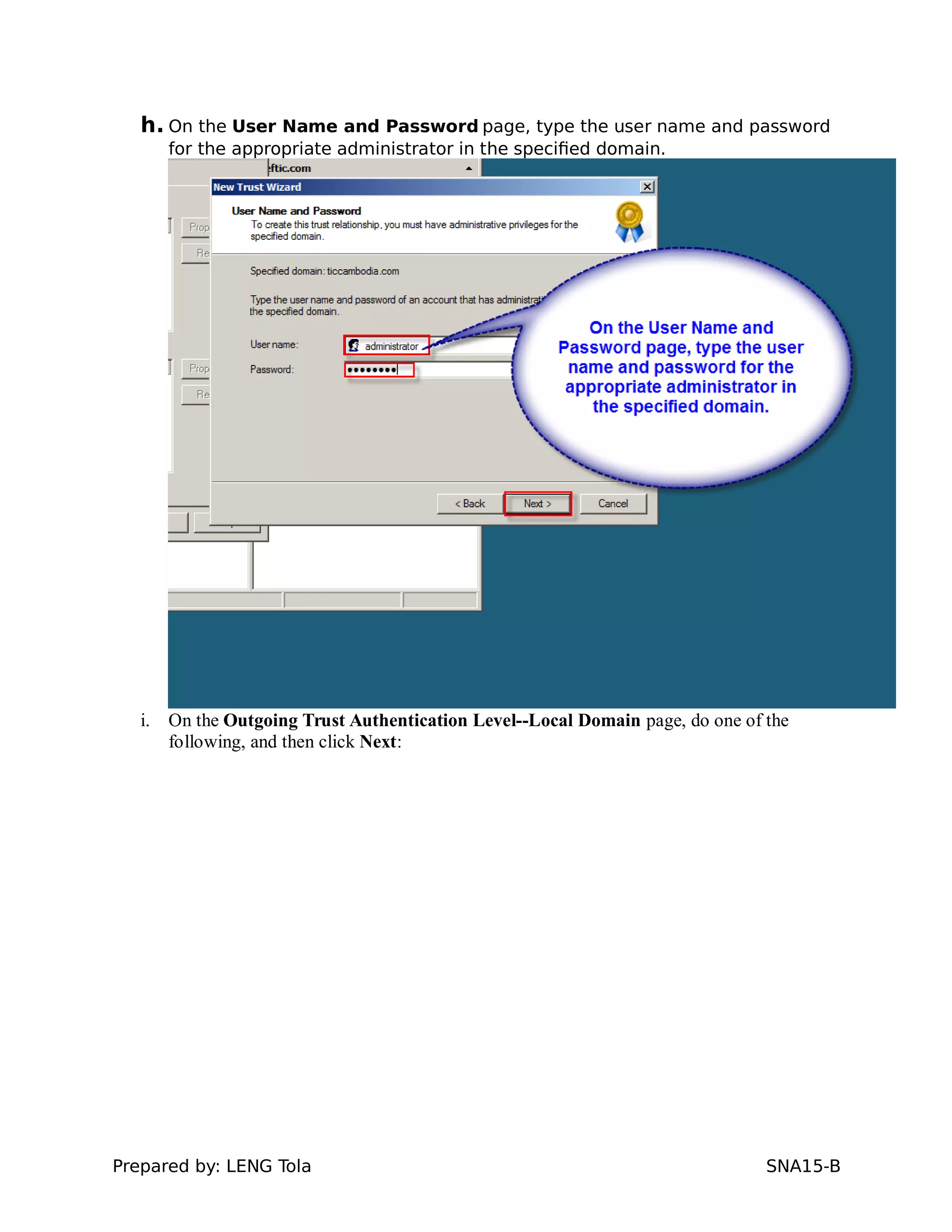
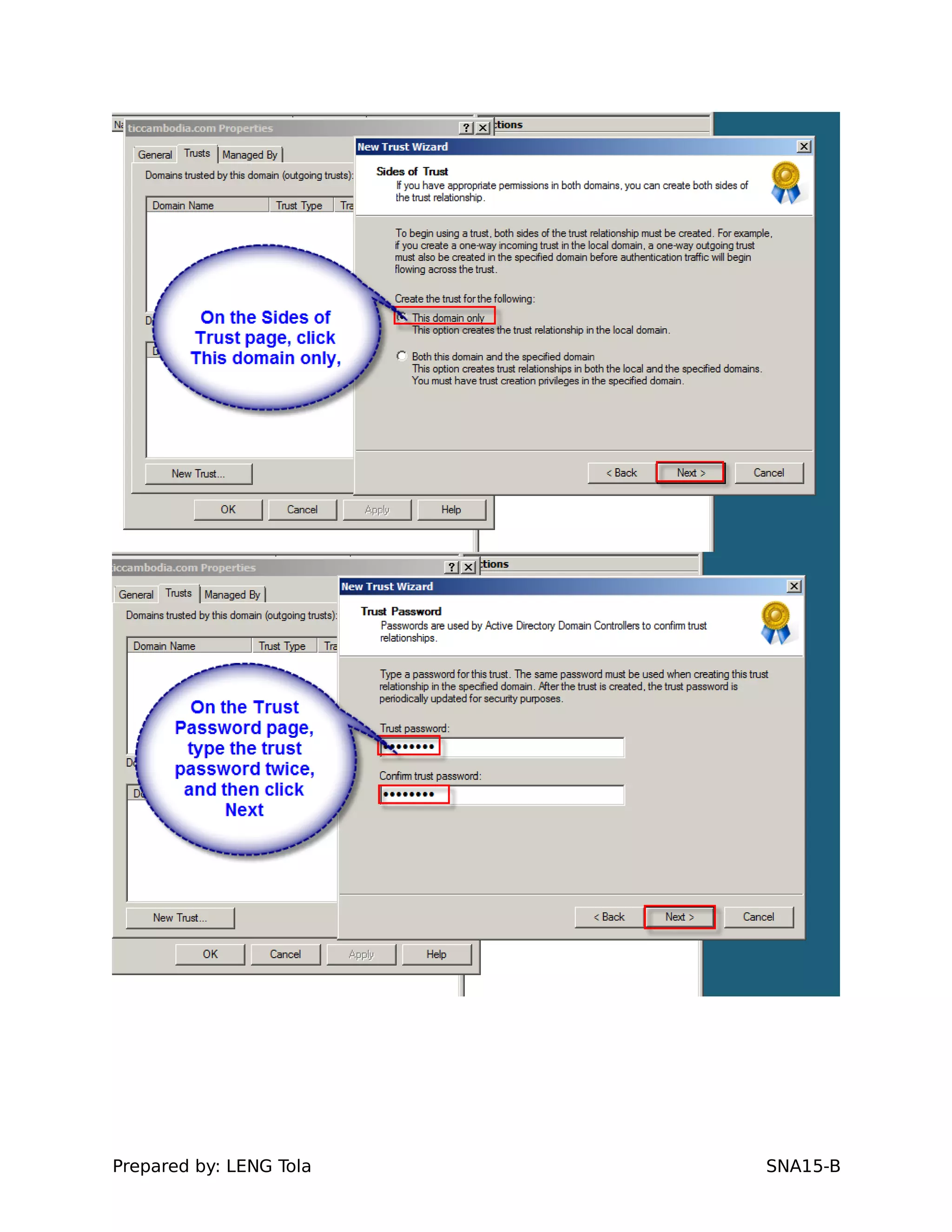
g. On the Sides of Trust page, click Both this domain and the specified domain, and then
click Next.
Prepared by: LENG Tola SNA15-B
h. On the User Name and Password page, type the user name and password
for the appropriate administrator in the specified domain.
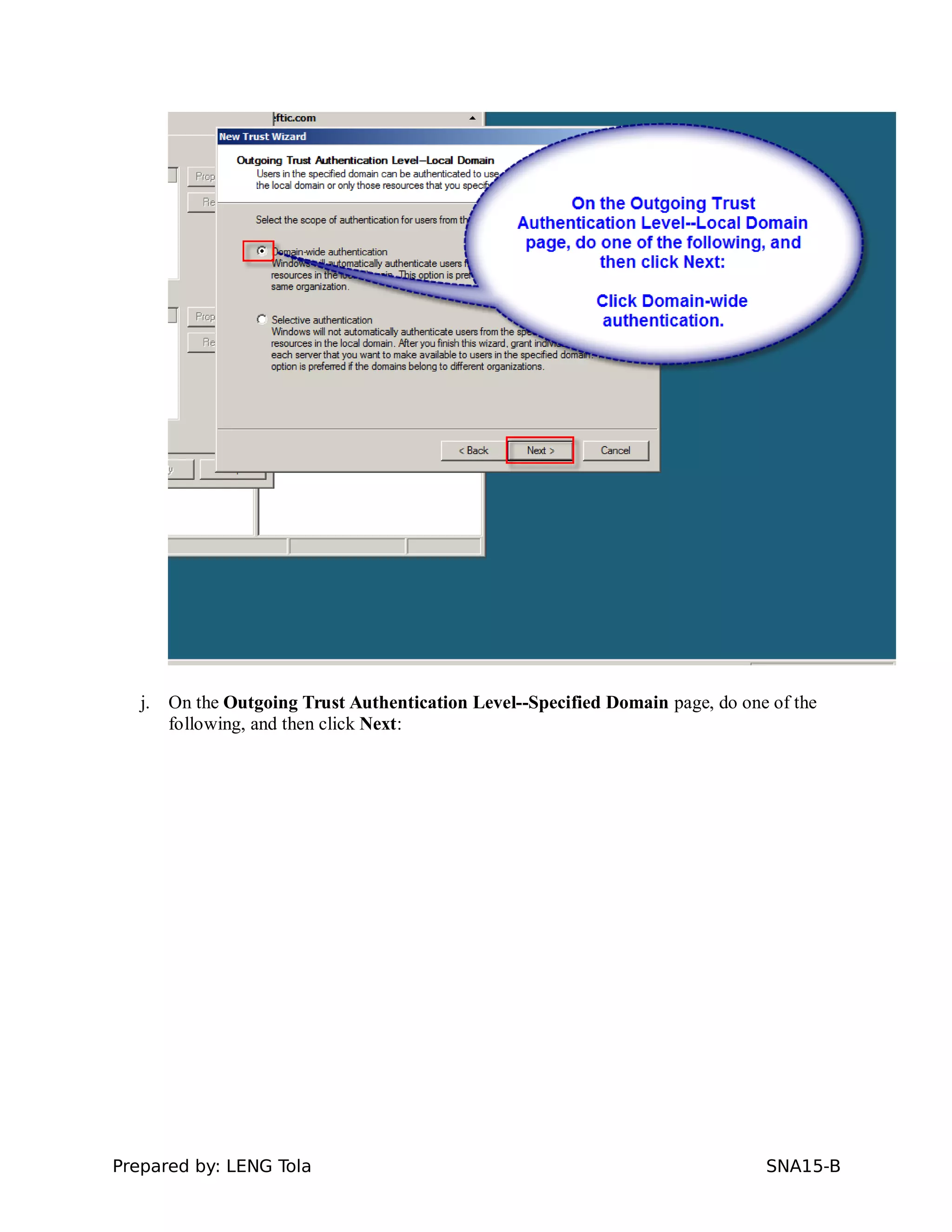
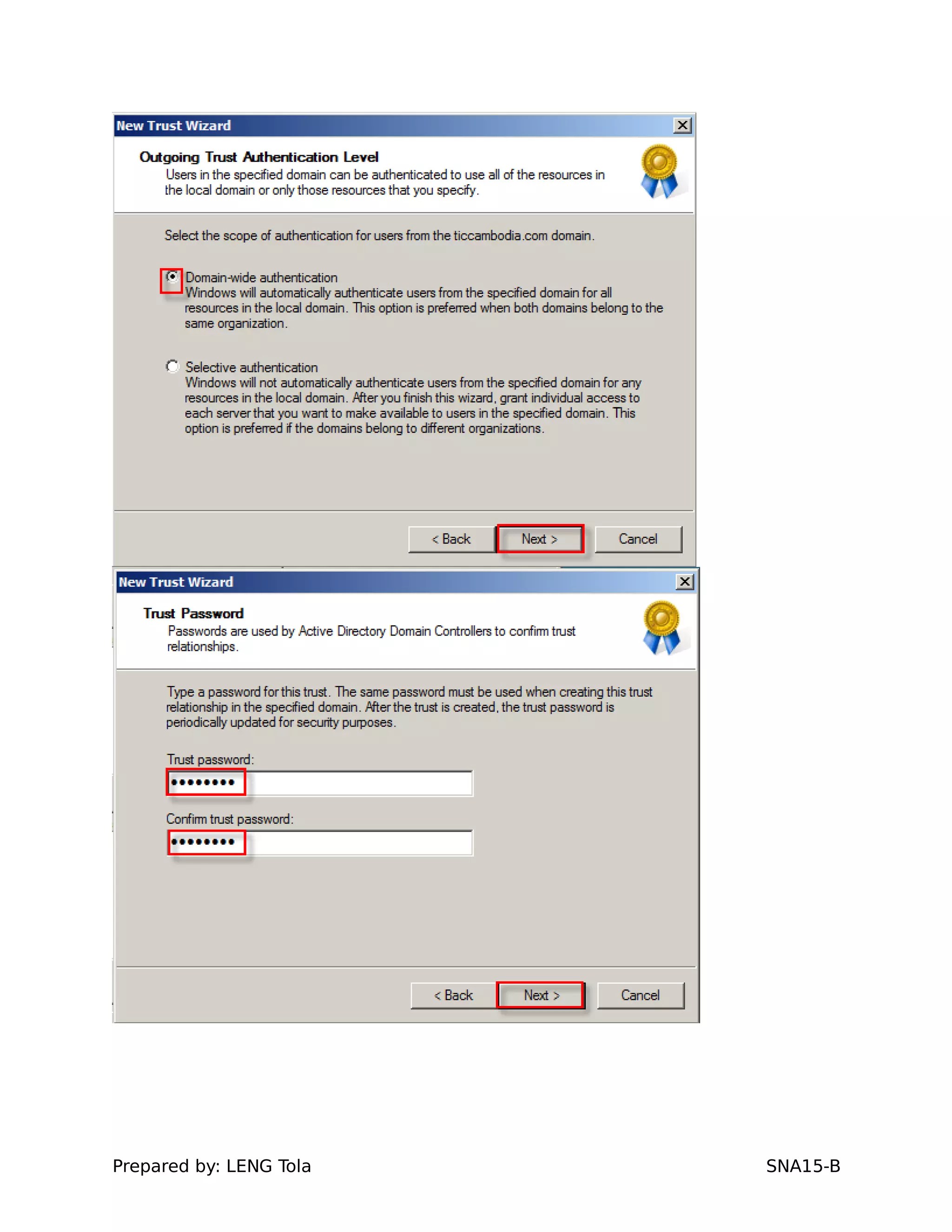
i. On the Outgoing Trust Authentication Level--Local Domain page, do one of the
following, and then click Next:
Prepared by: LENG Tola SNA15-B
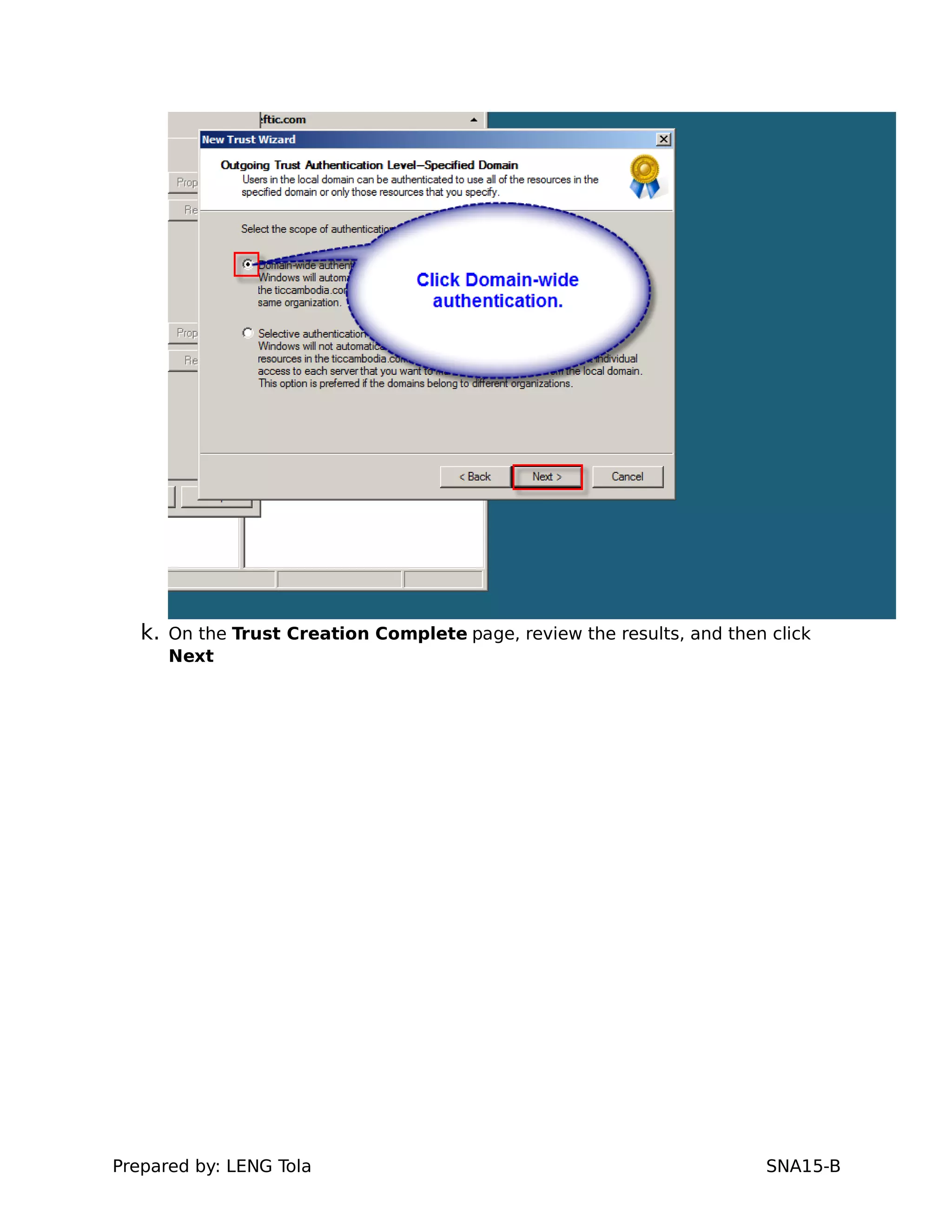
j. On the Outgoing Trust Authentication Level--Specified Domain page, do one of the
following, and then click Next:
Prepared by: LENG Tola SNA15-B
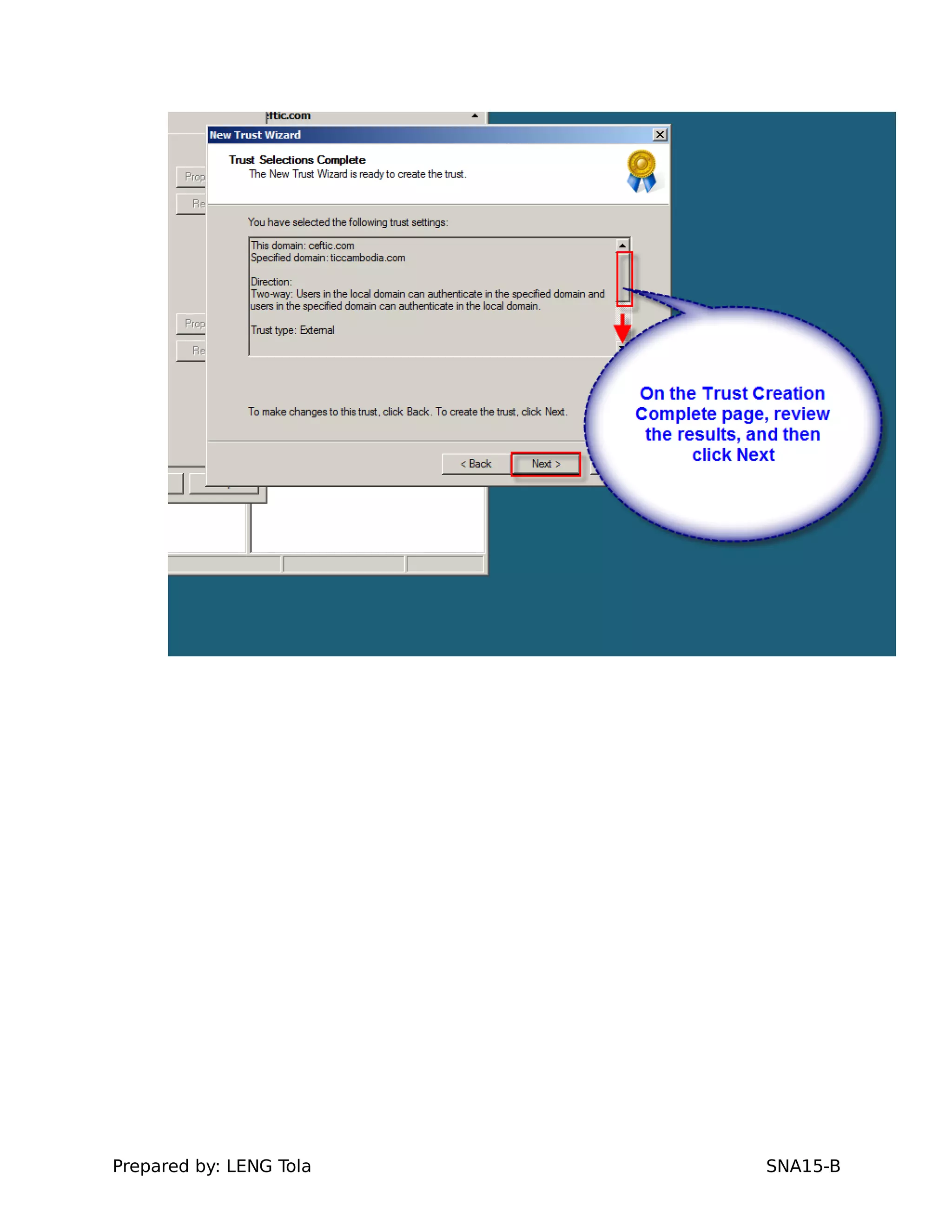
k. On the Trust Creation Complete page, review the results, and then click
Next
Prepared by: LENG Tola SNA15-B
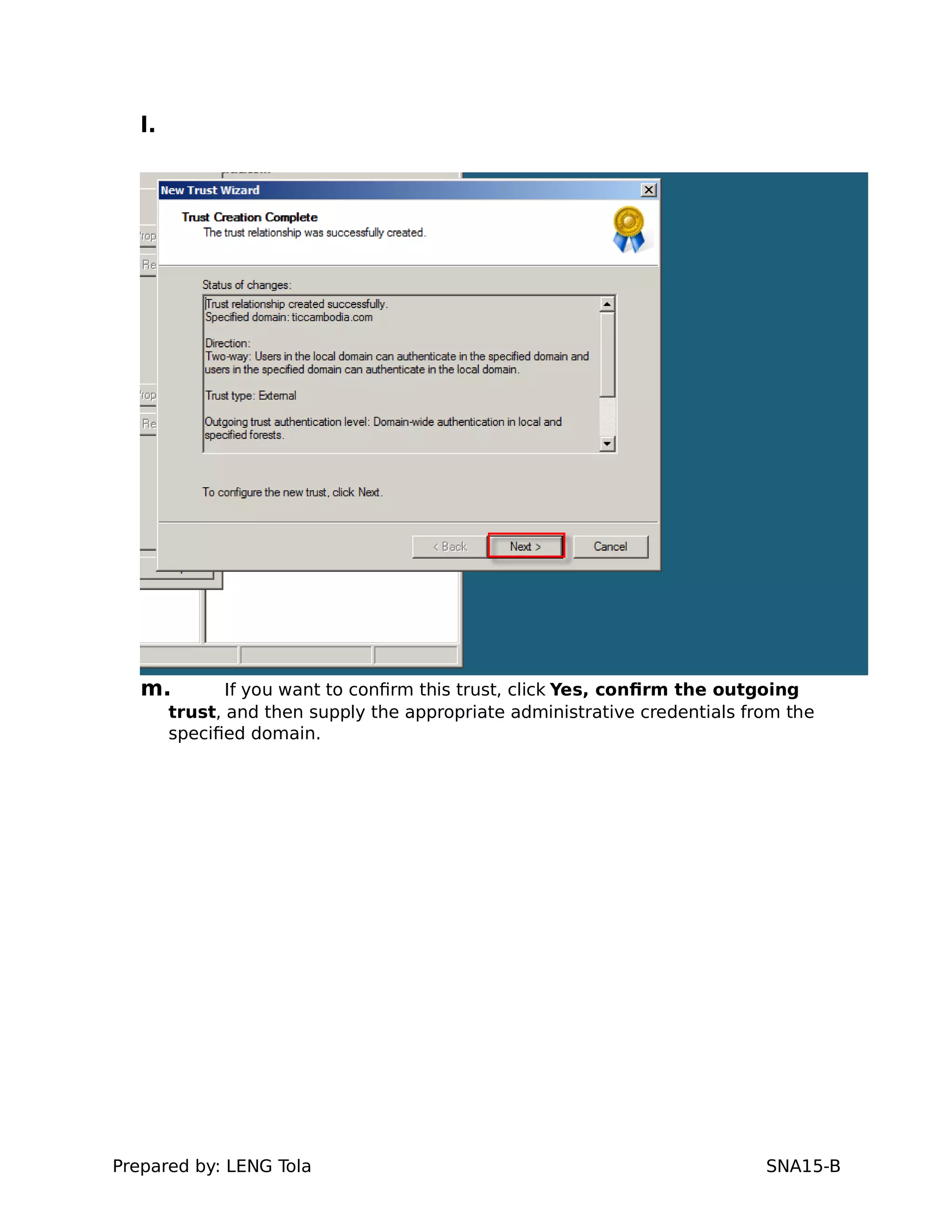
l.
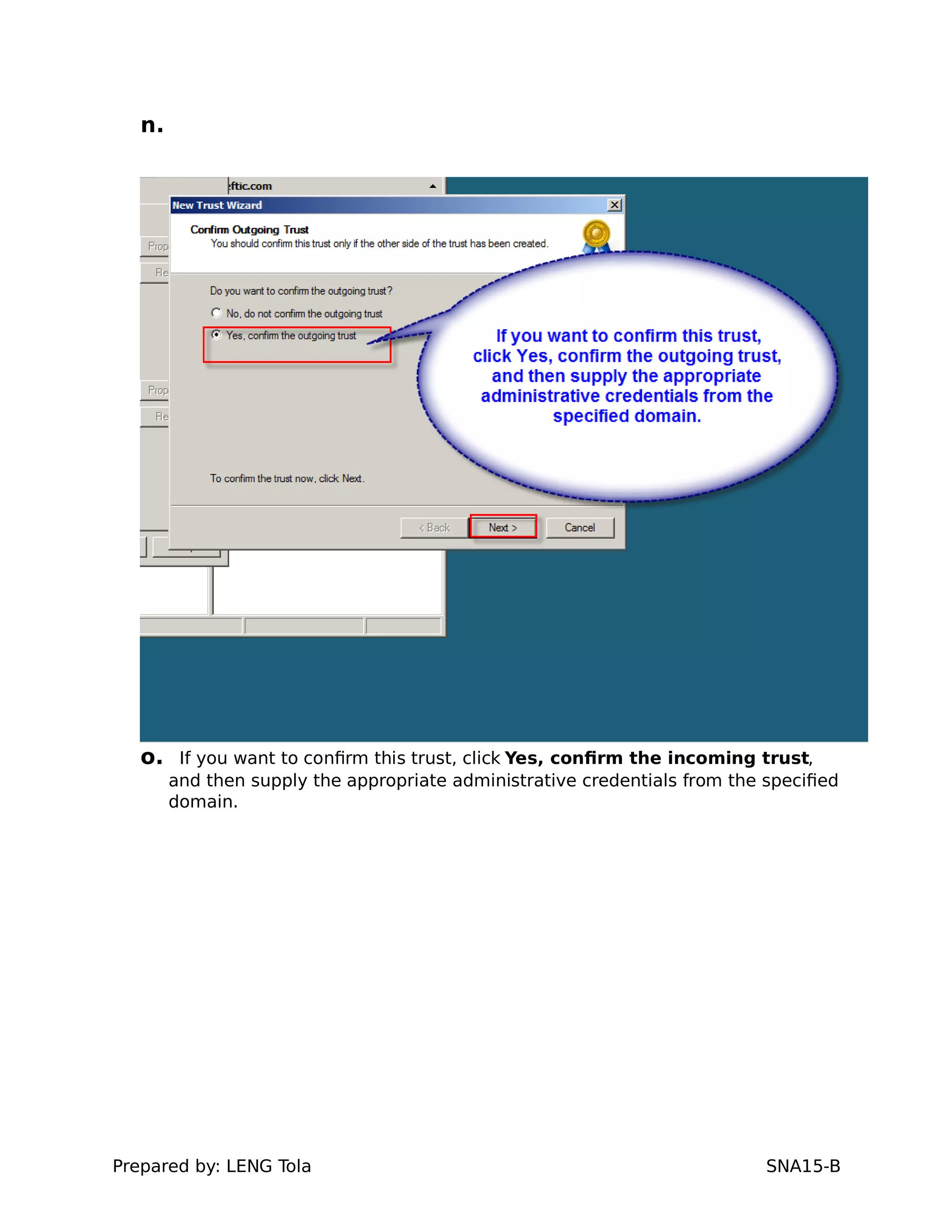
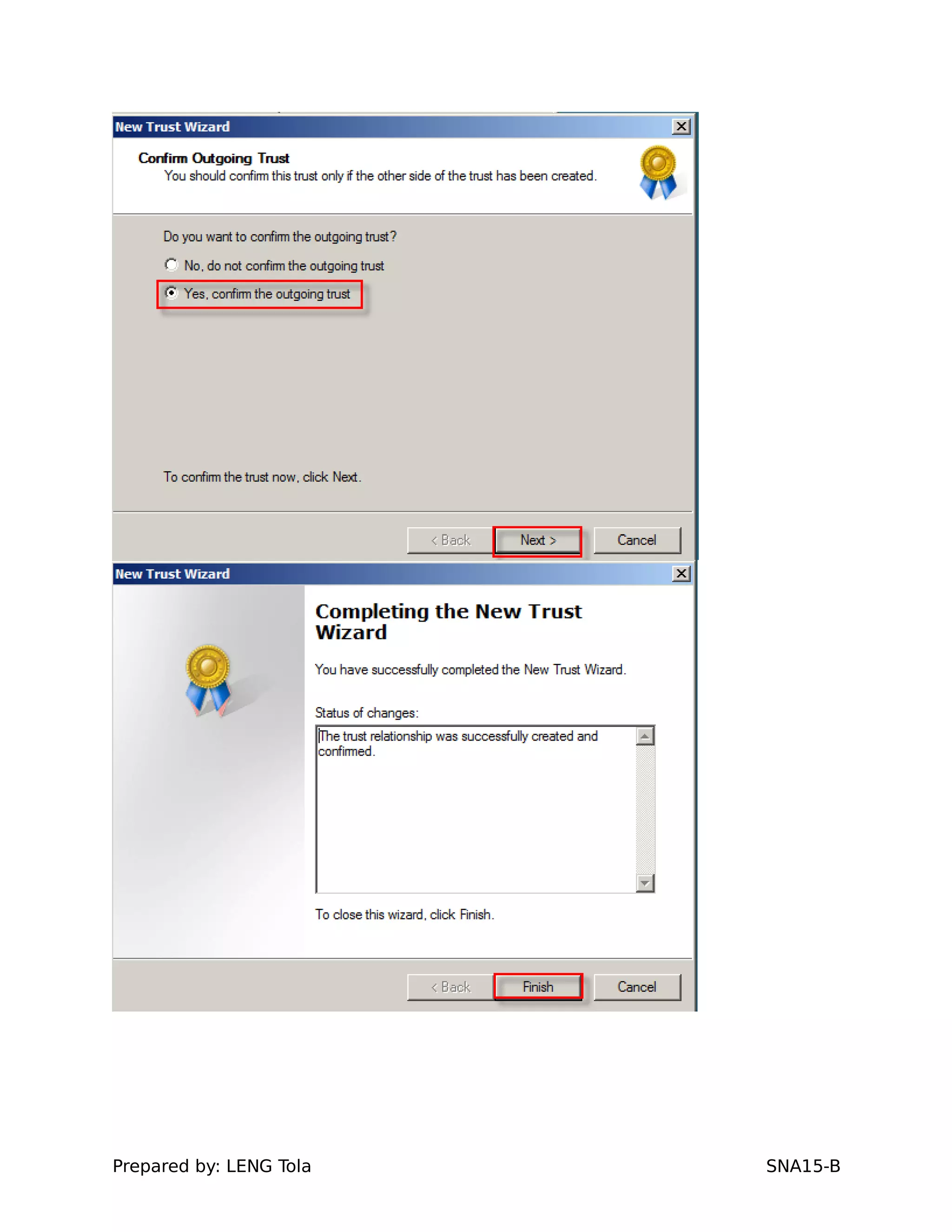
m. If you want to confirm this trust, click Yes, confirm the outgoing
trust, and then supply the appropriate administrative credentials from the
specified domain.
Prepared by: LENG Tola SNA15-B
n.
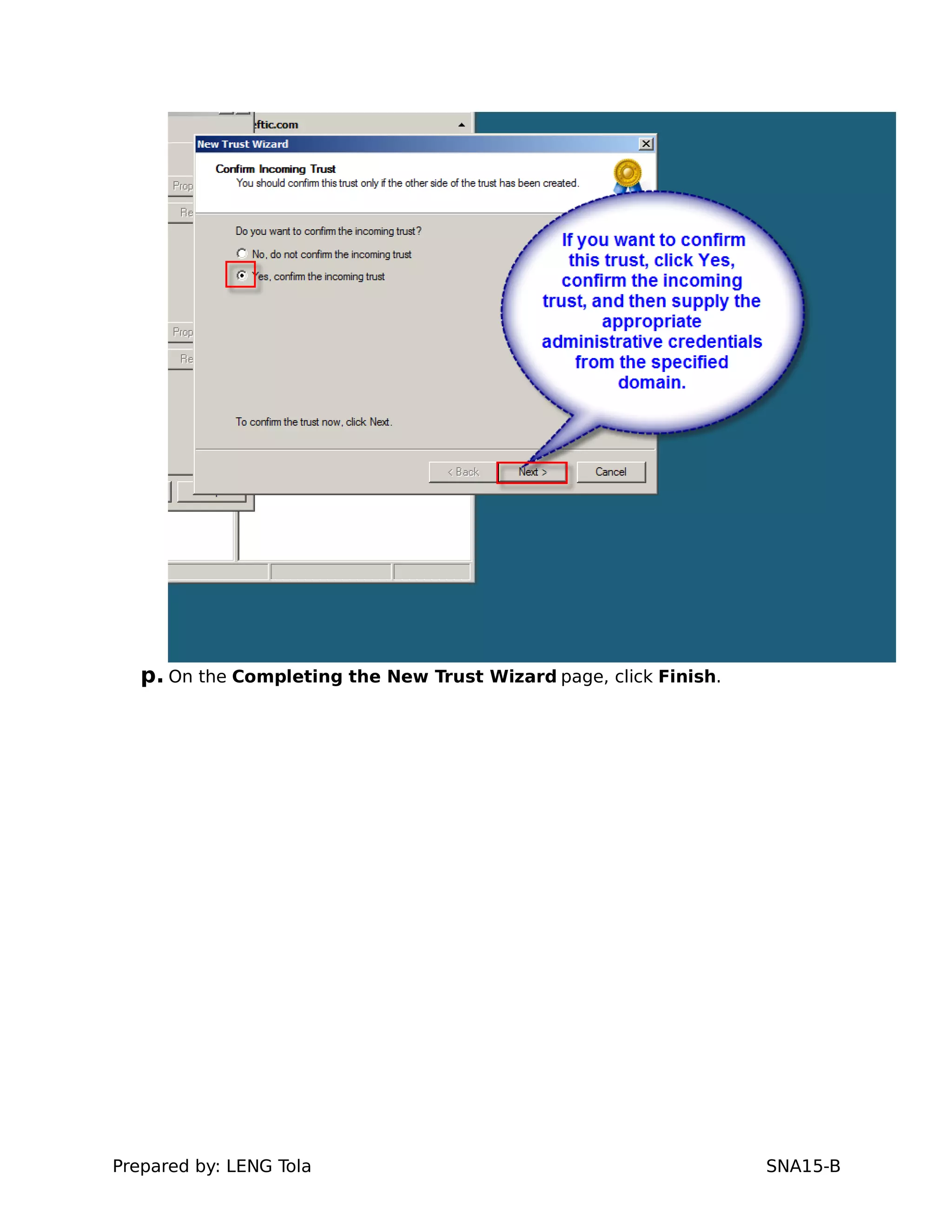
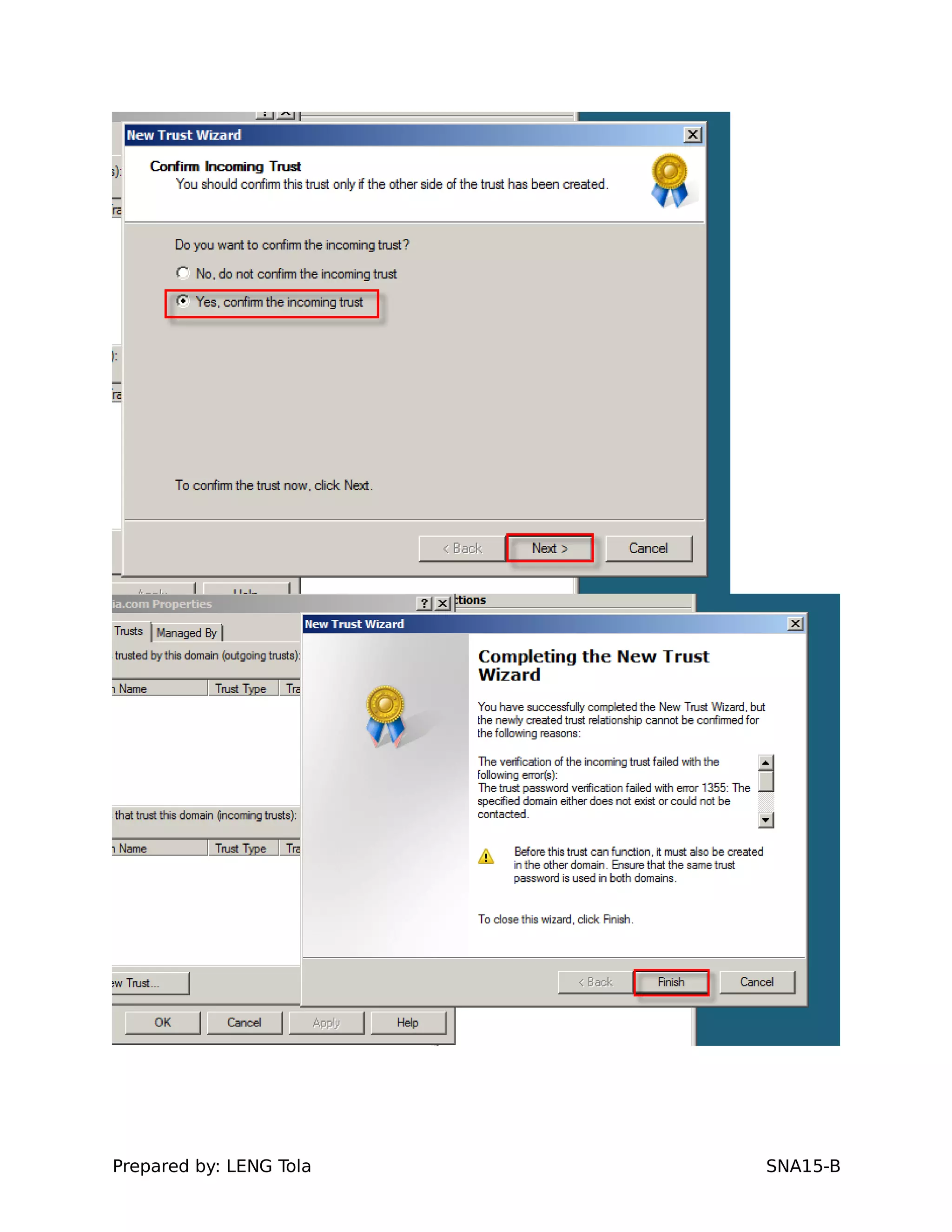
o. If you want to confirm this trust, click Yes, confirm the incoming trust,
and then supply the appropriate administrative credentials from the specified
domain.
Prepared by: LENG Tola SNA15-B
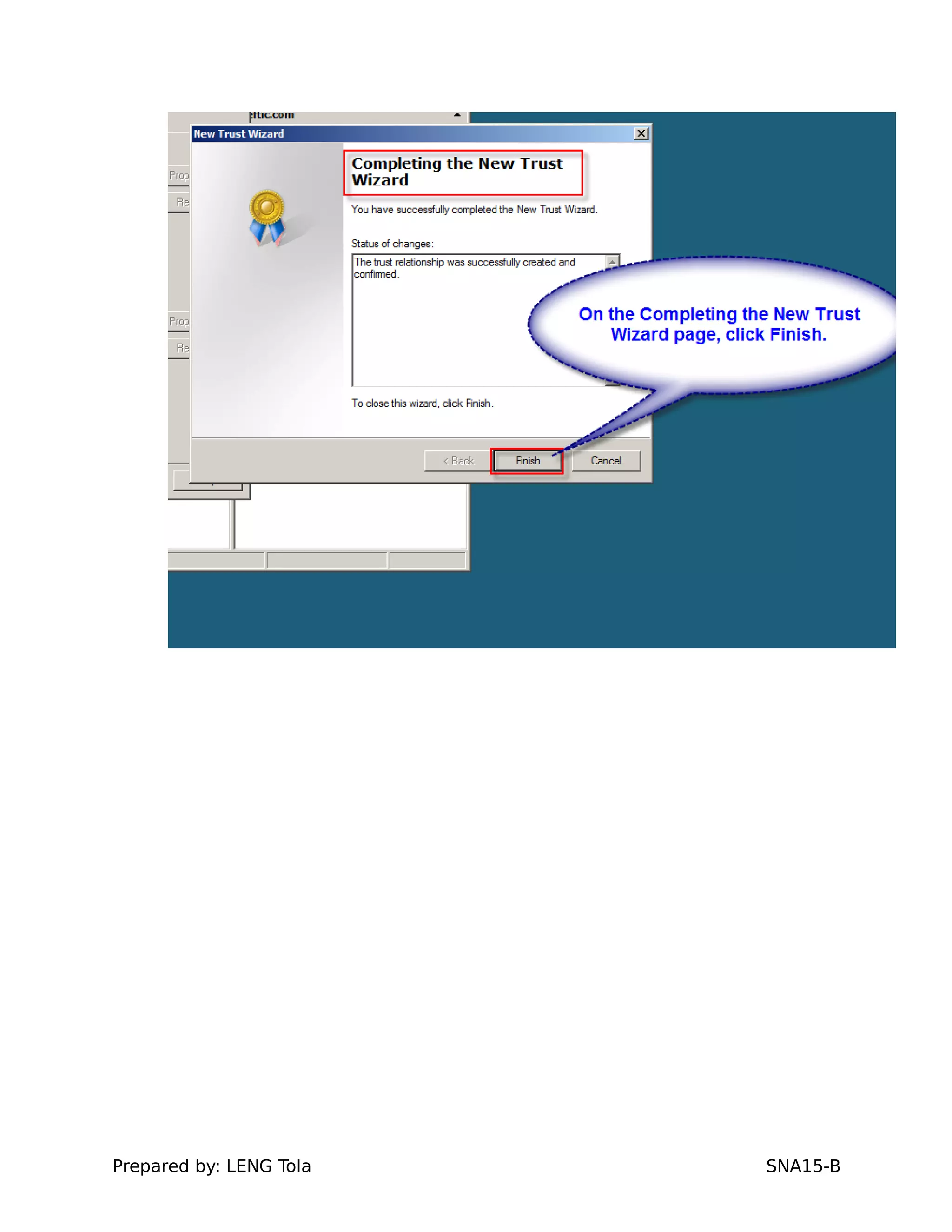
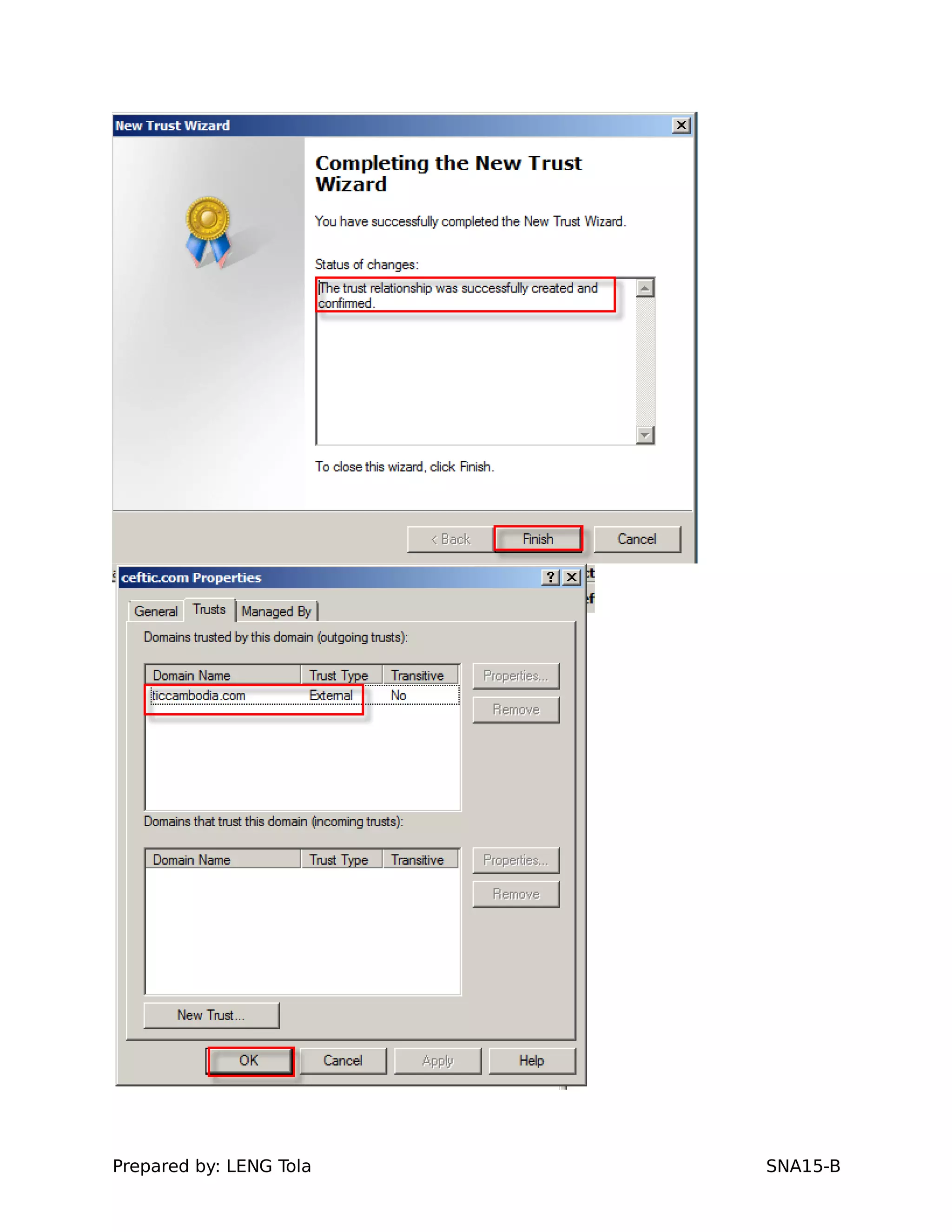
p. On the Completing the New Trust Wizard page, click Finish.
Prepared by: LENG Tola SNA15-B
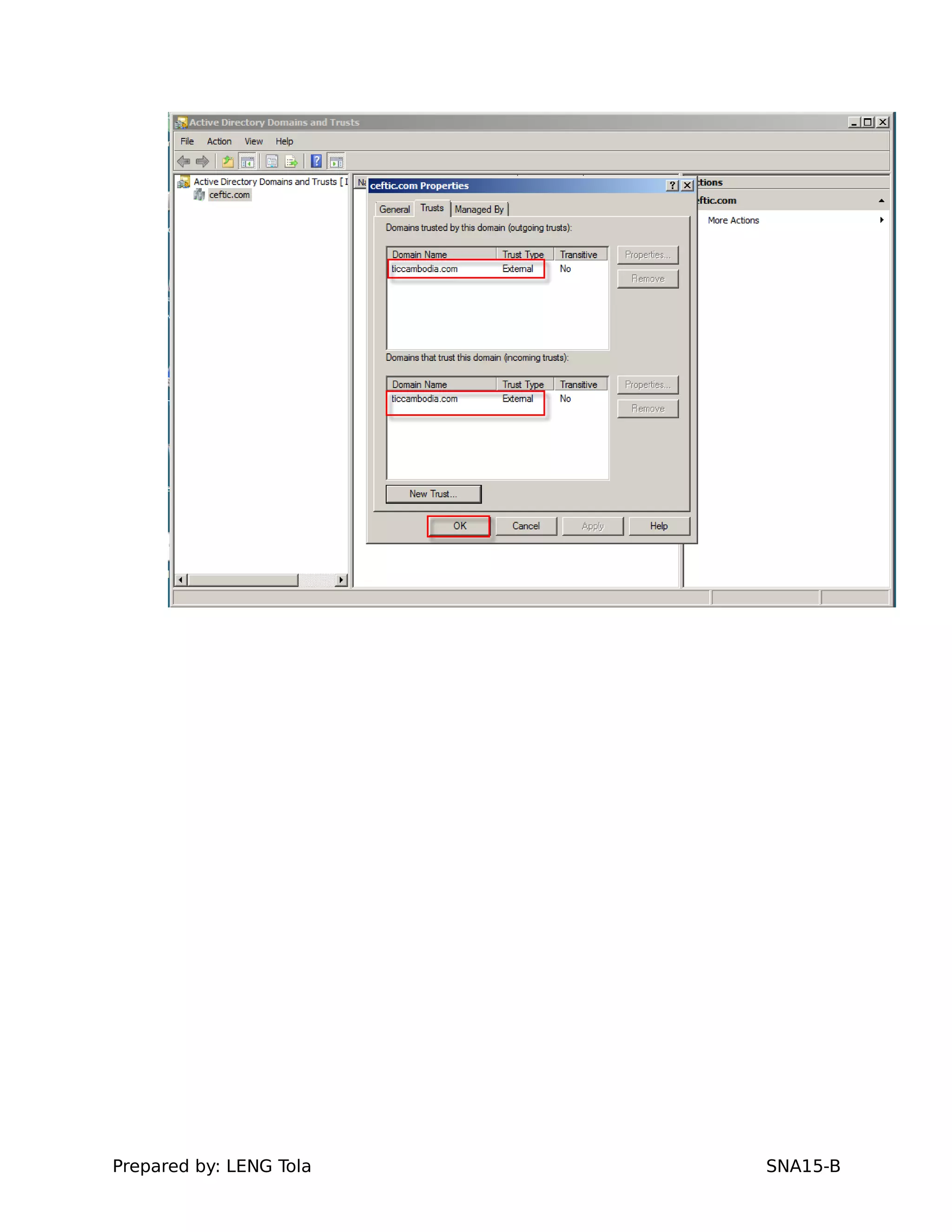
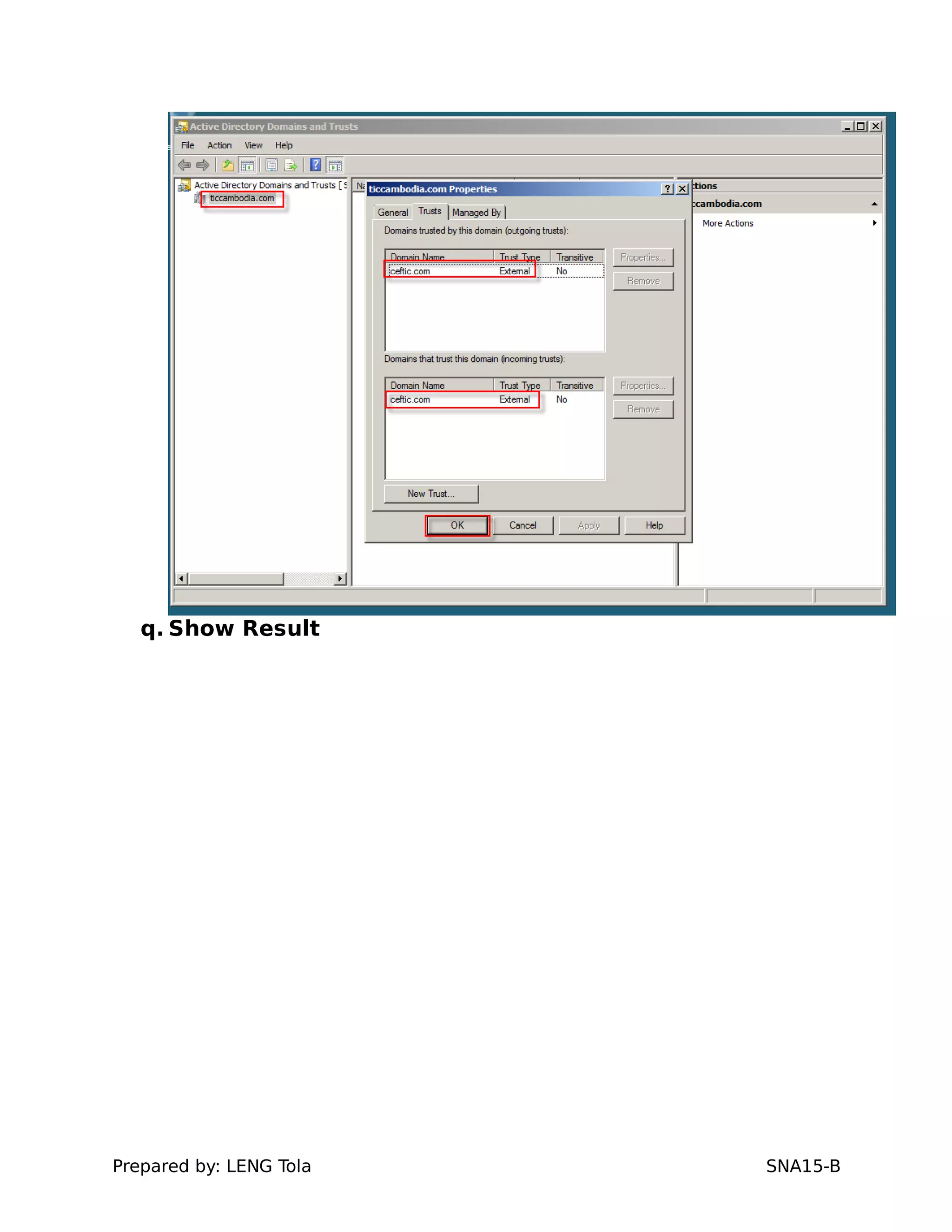
q. Show Result
Prepared by: LENG Tola SNA15-B
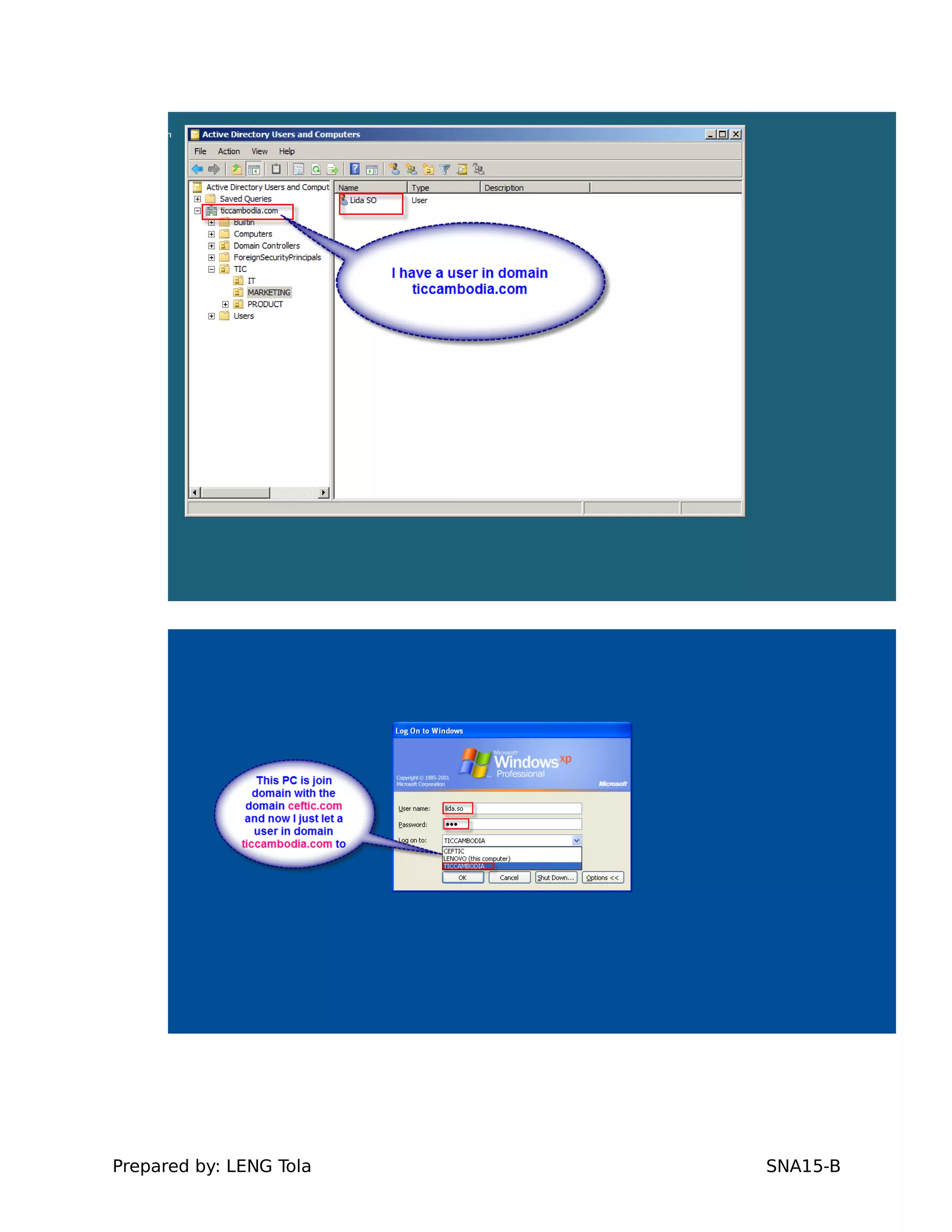
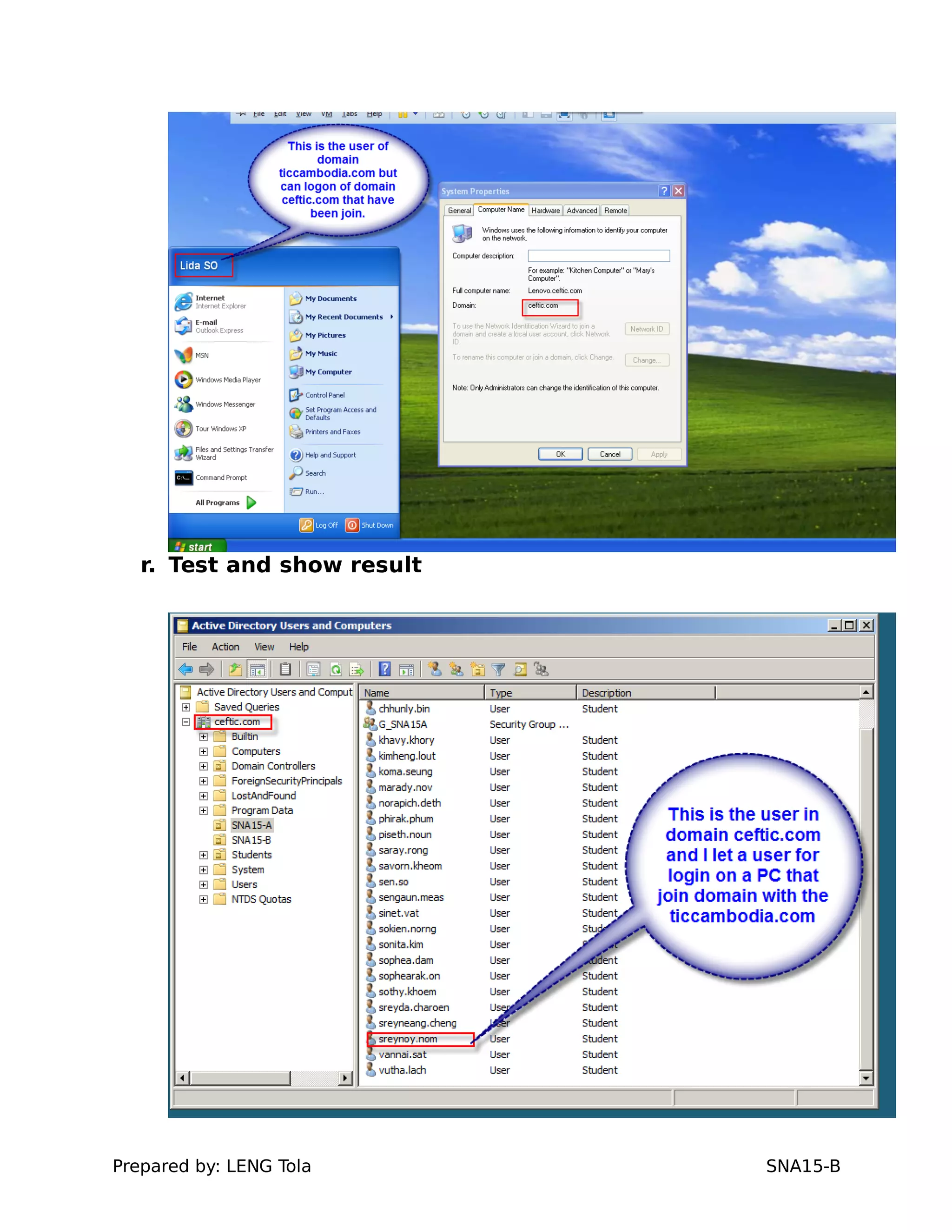
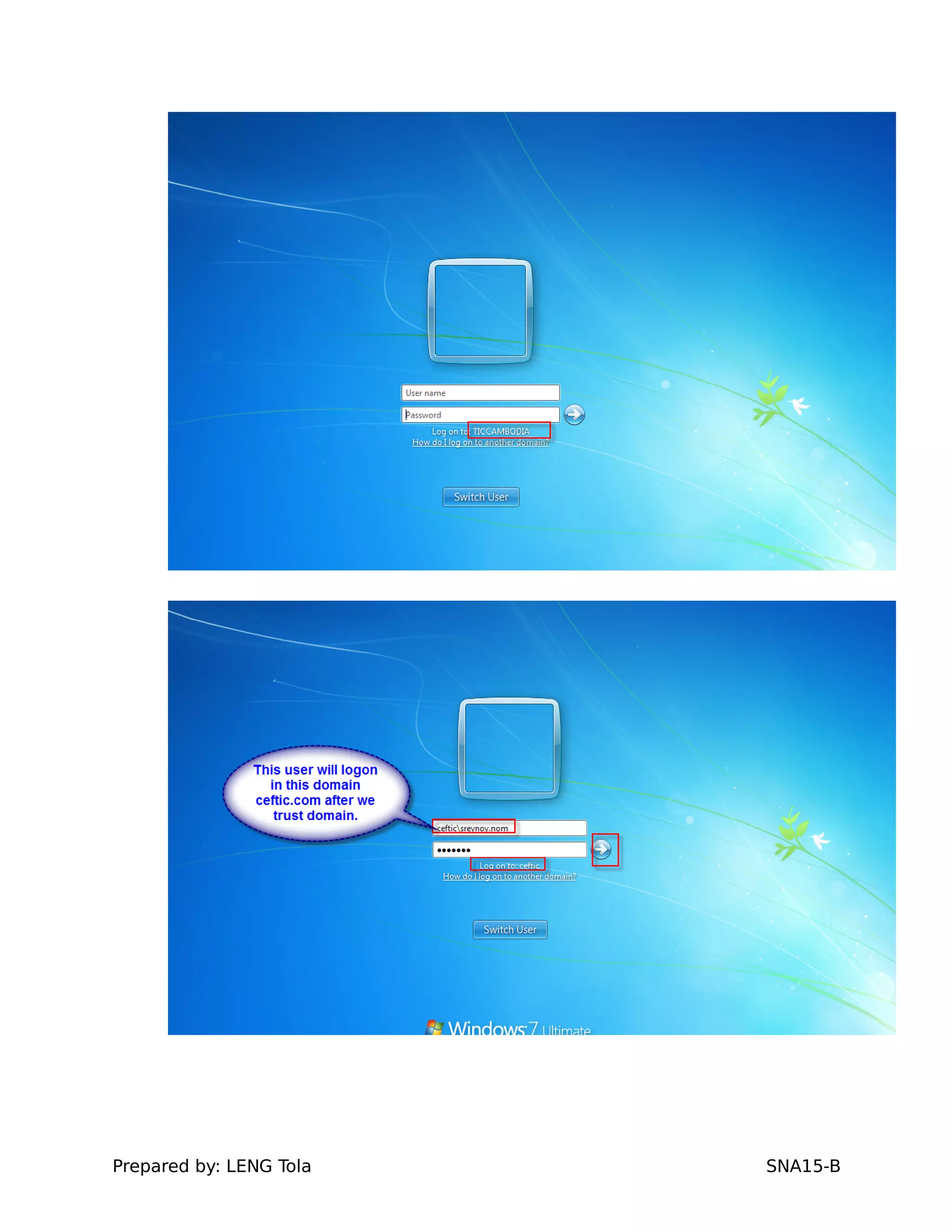
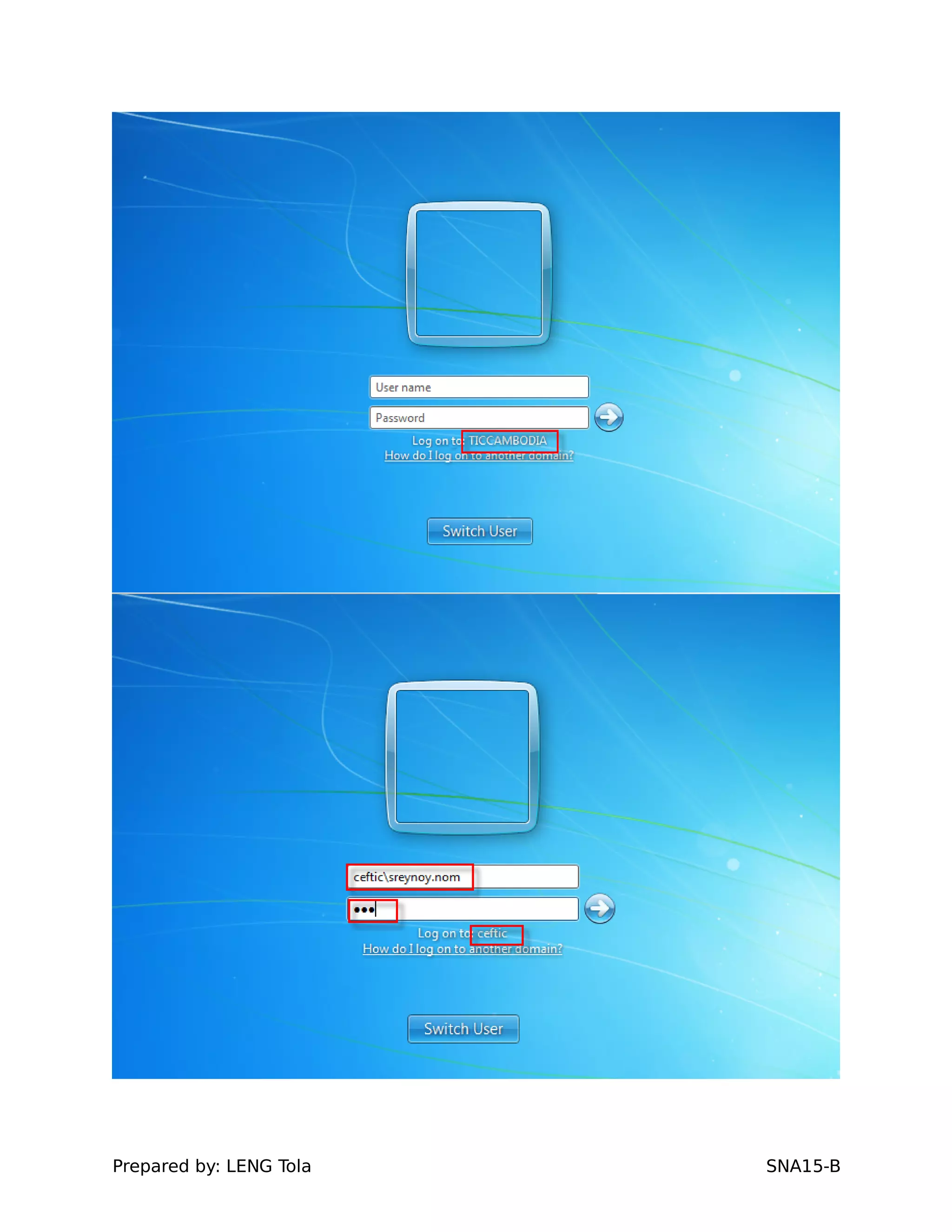
r. Test and show result
Prepared by: LENG Tola SNA15-B
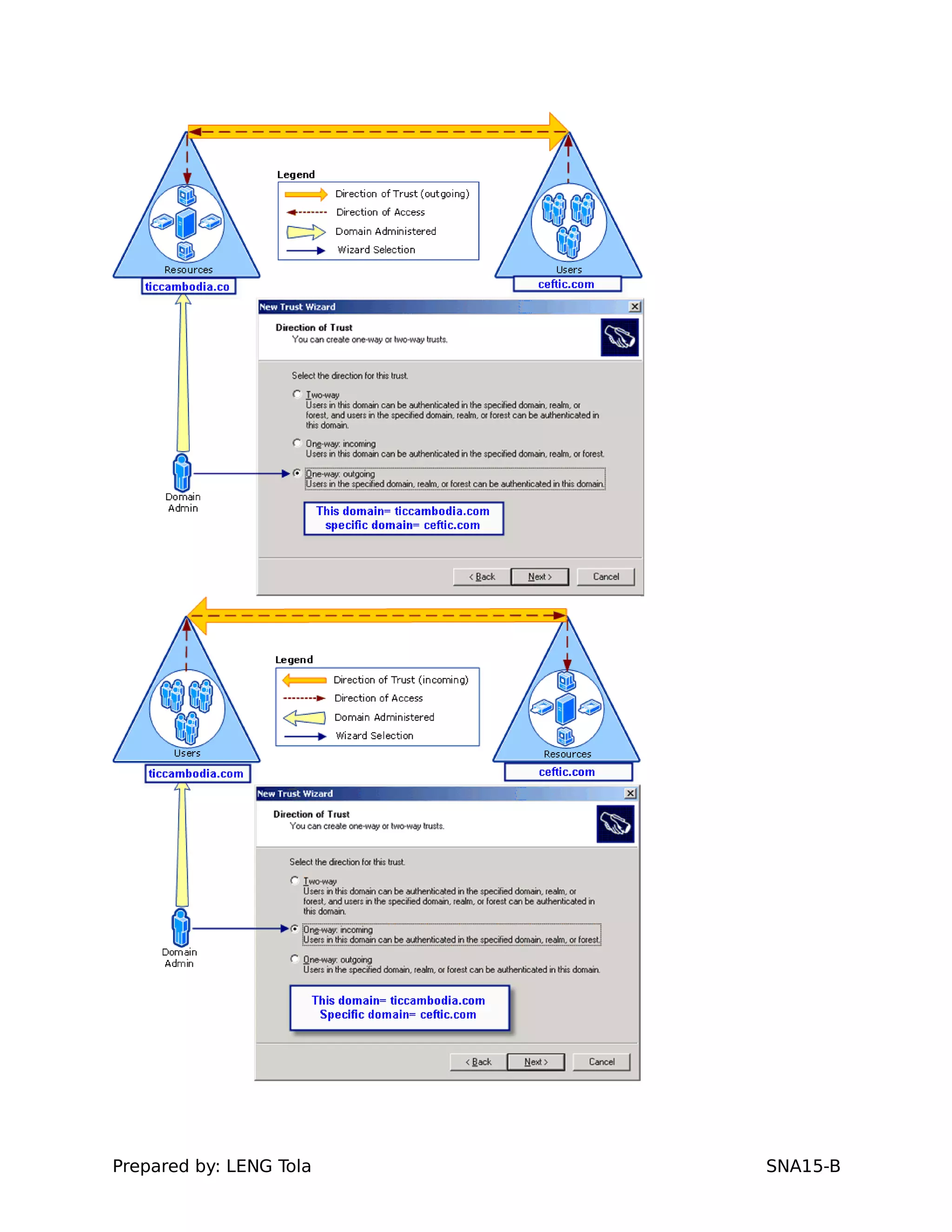
10. Second: Choose One ways (in-coming) option then
shows result
a. Open Active Directory Domains and Trusts.
Prepared by: LENG Tola SNA15-B
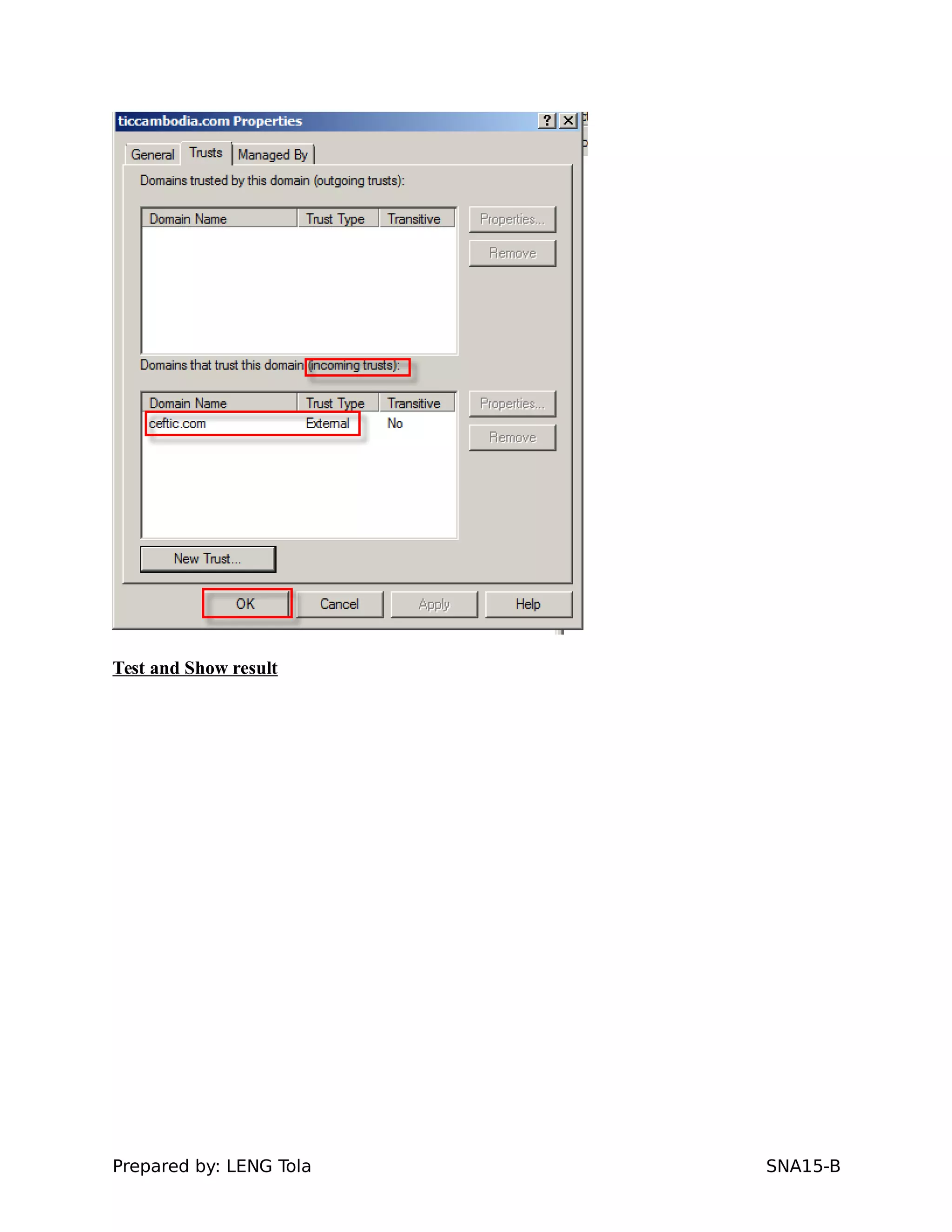
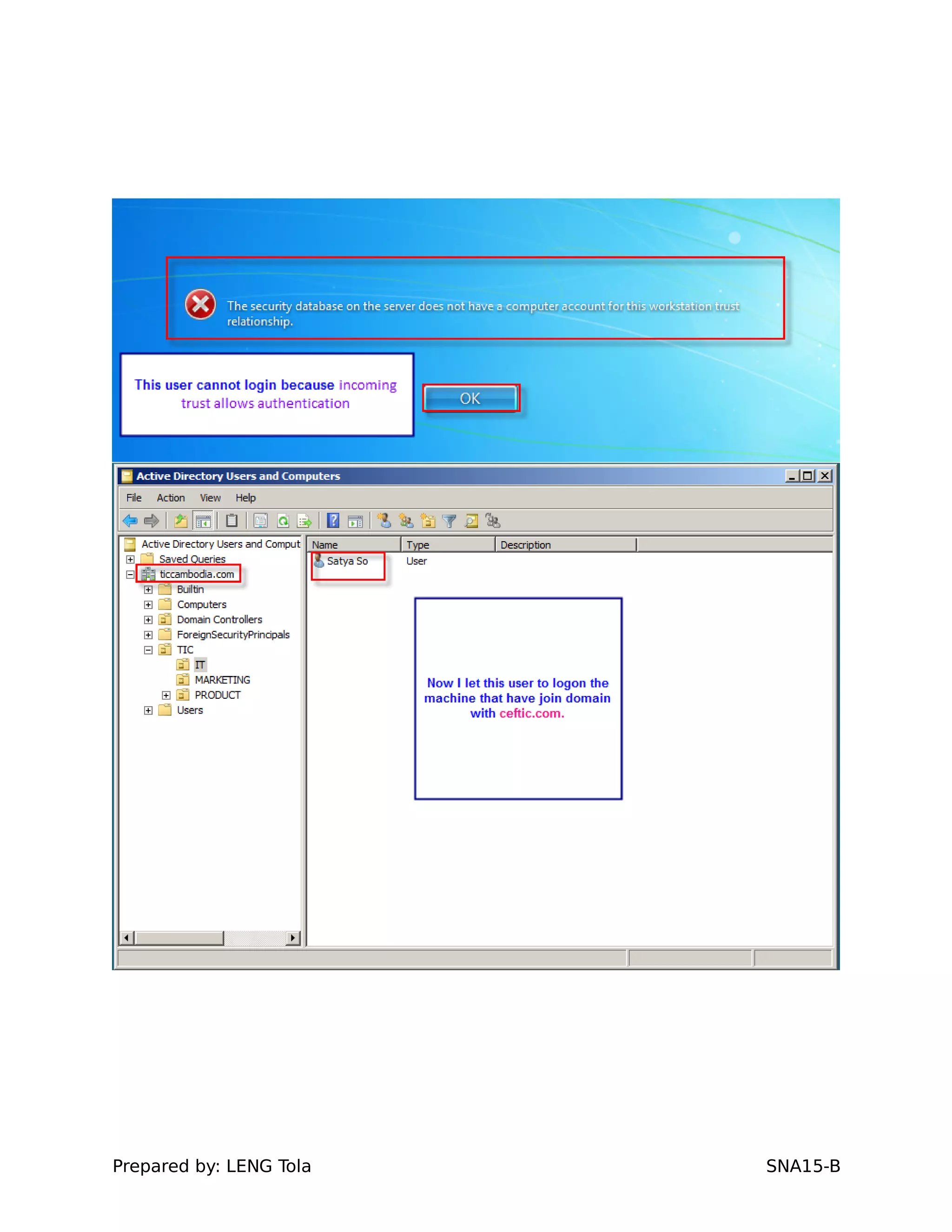
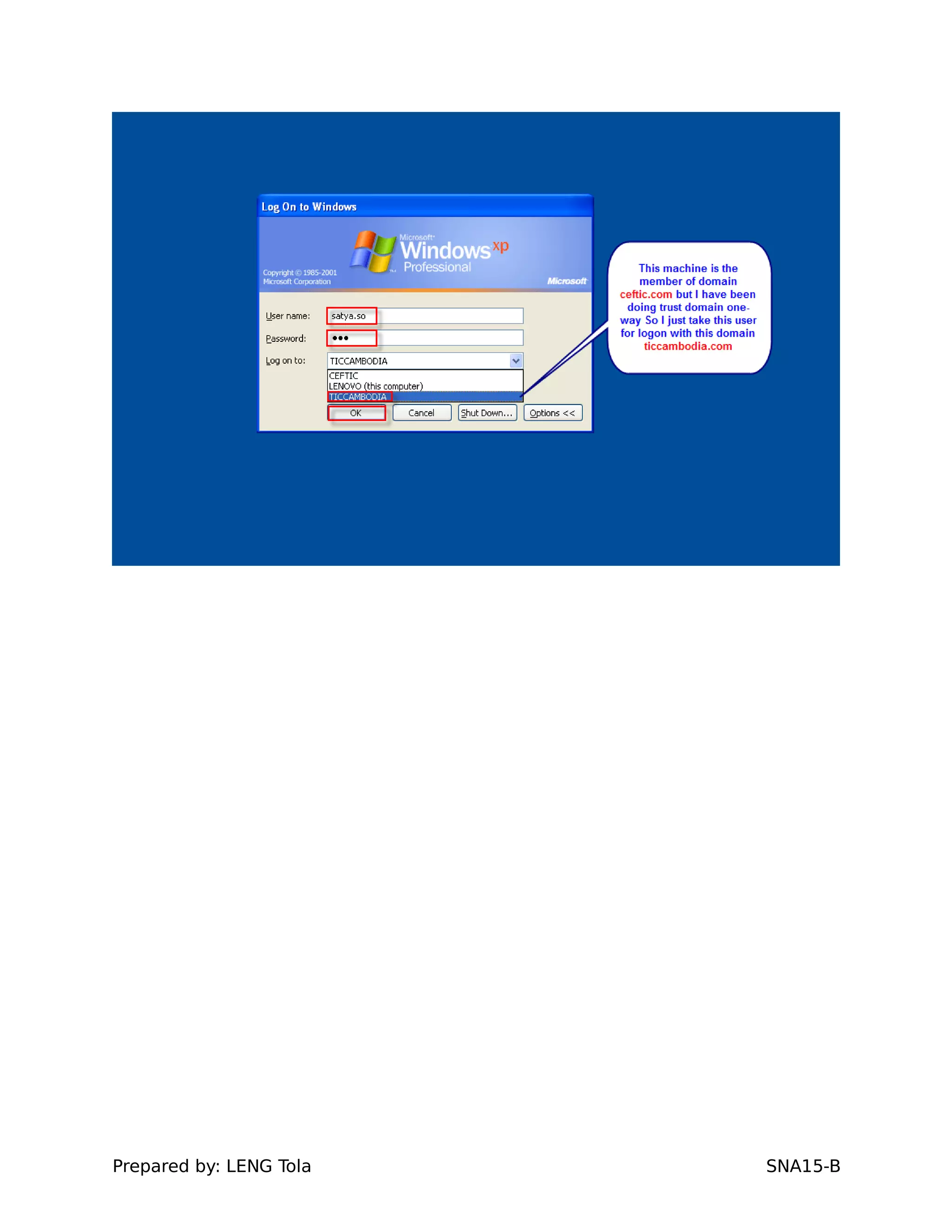
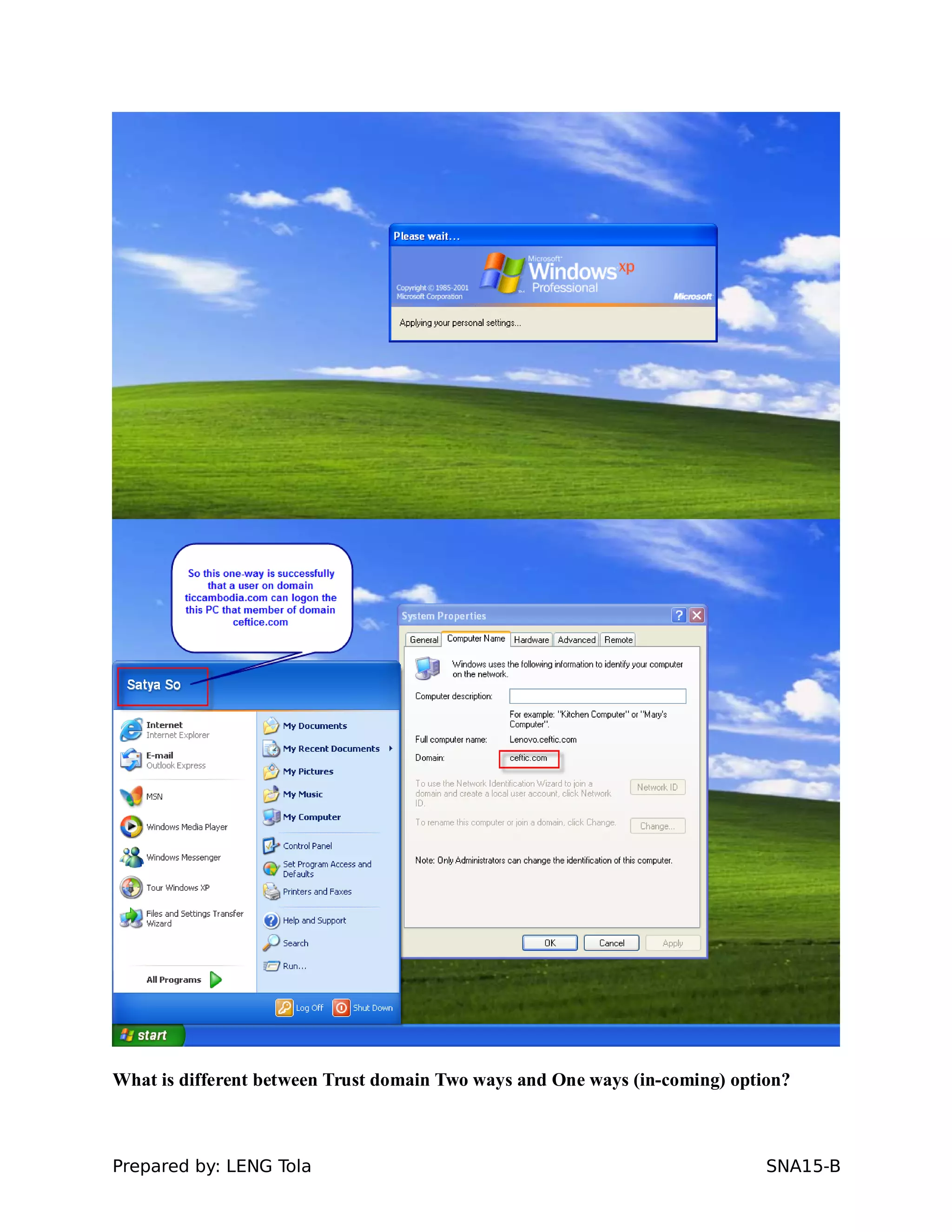
Test and Show result
Prepared by: LENG Tola SNA15-B
Test and Show result
Prepared by: LENG Tola SNA15-B
What is different between Trust domain Two ways and One ways (in-coming) option?
Prepared by: LENG Tola SNA15-B
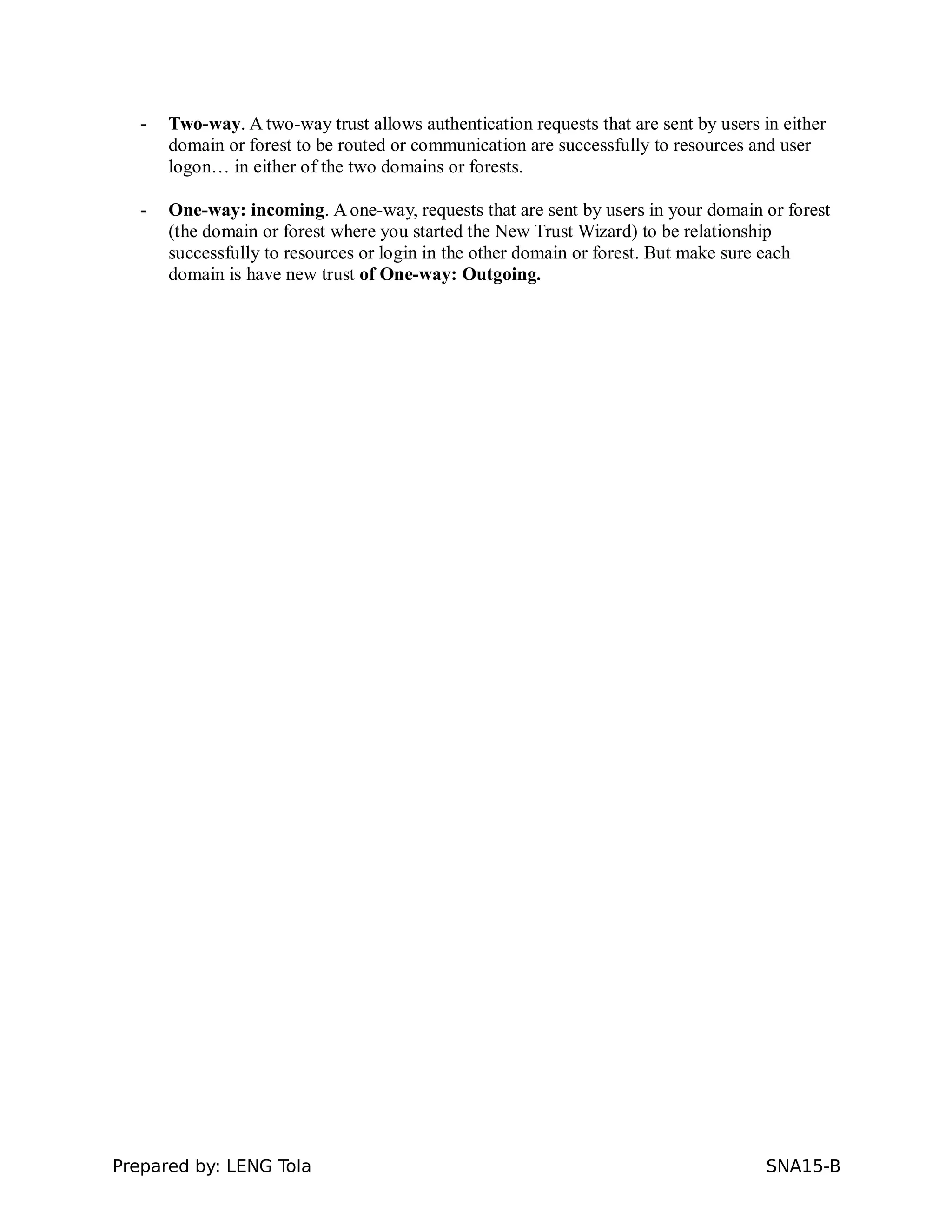
- Two-way. A two-way trust allows authentication requests that are sent by users in either
domain or forest to be routed or communication are successfully to resources and user
logon… in either of the two domains or forests.
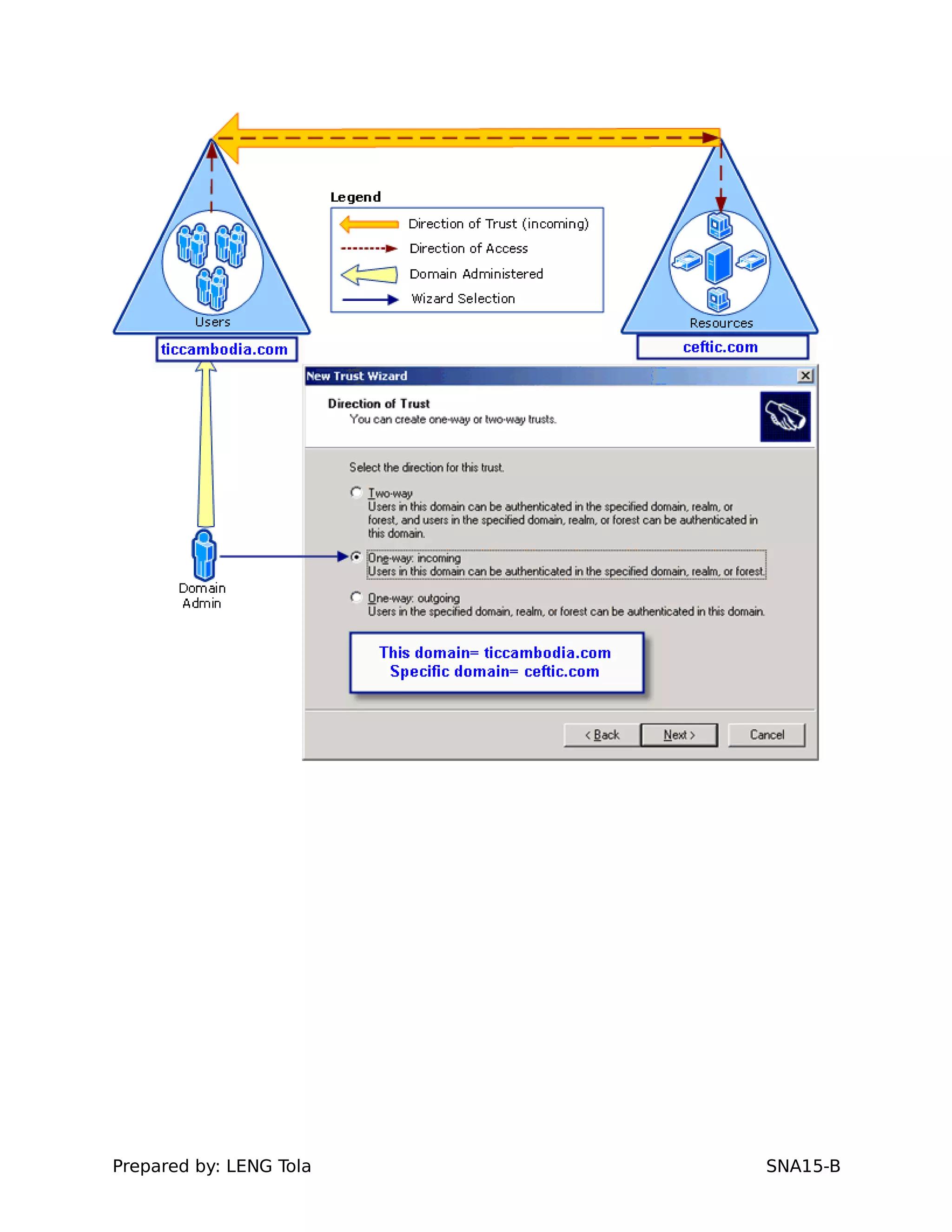
- One-way: incoming. A one-way, requests that are sent by users in your domain or forest
(the domain or forest where you started the New Trust Wizard) to be relationship
successfully to resources or login in the other domain or forest. But make sure each
domain is have new trust of One-way: Outgoing.
Prepared by: LENG Tola SNA15-B

Configure active directory & trust domain