The document provides a comprehensive guide on managing emails using MS Outlook 2007, detailing its features such as email drafting, categorization, and calendar management. It also highlights key concepts like the distinction between urgent and important tasks, and offers tips on email etiquette and configuration. Additionally, it covers features for managing contacts and integrating RSS feeds into Outlook.
Managing emails with MS Outlook 2007, presented by Jaiveer Singh Chand. Overview of the service's background.
Email invented by Ray Tomlinson in 1971 under ARPAnet. Creation of the @ symbol for addressing.
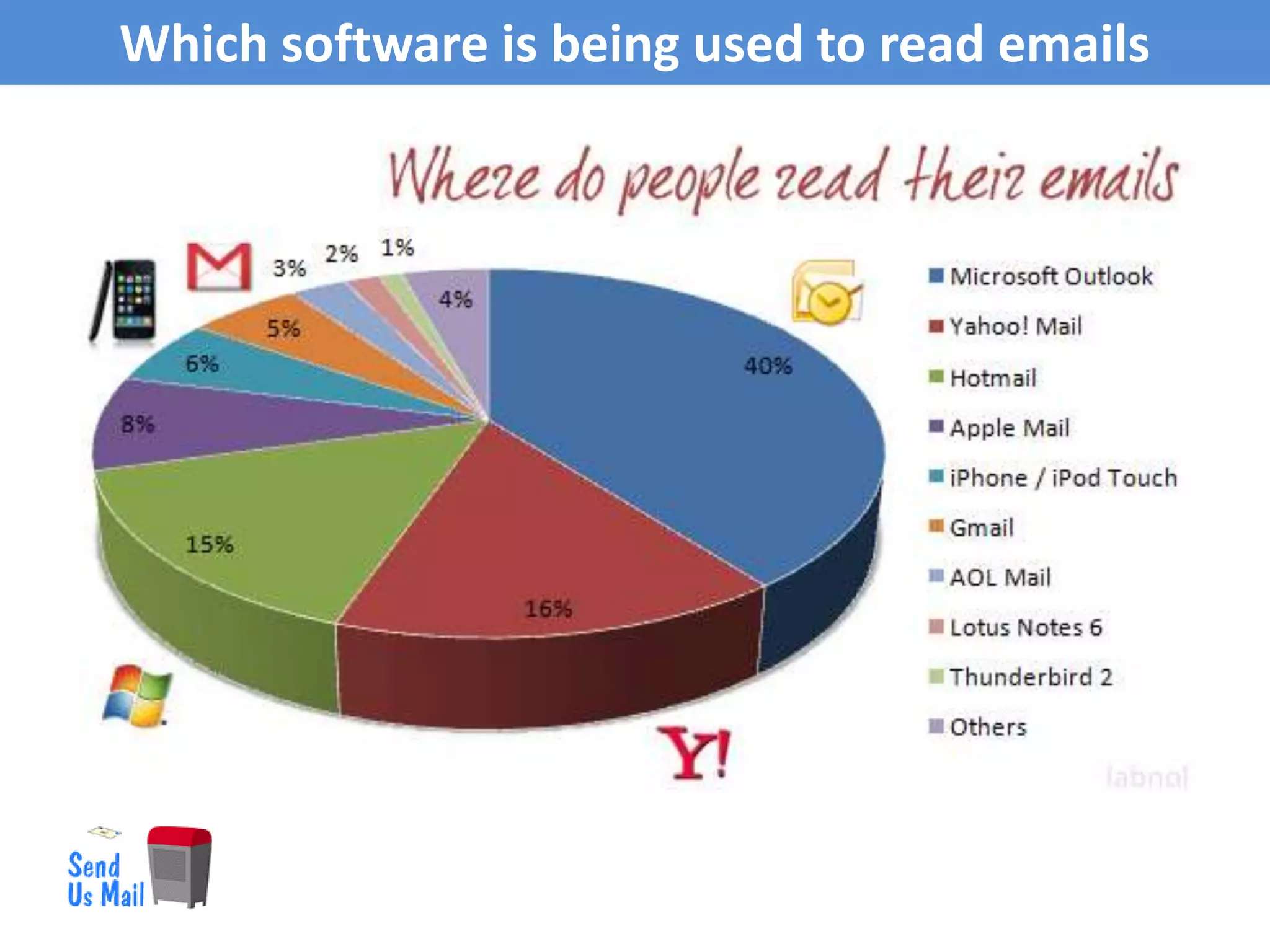
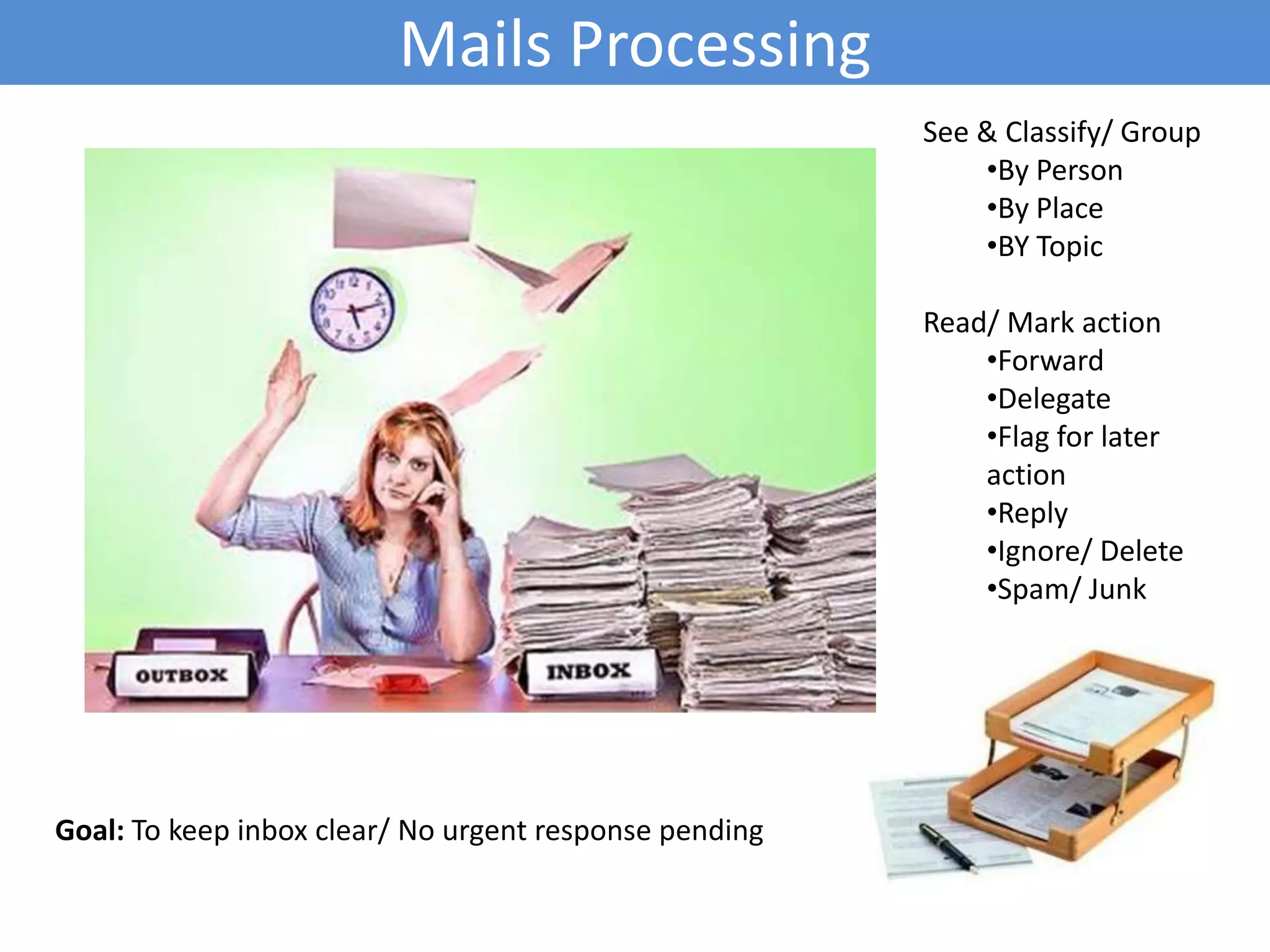
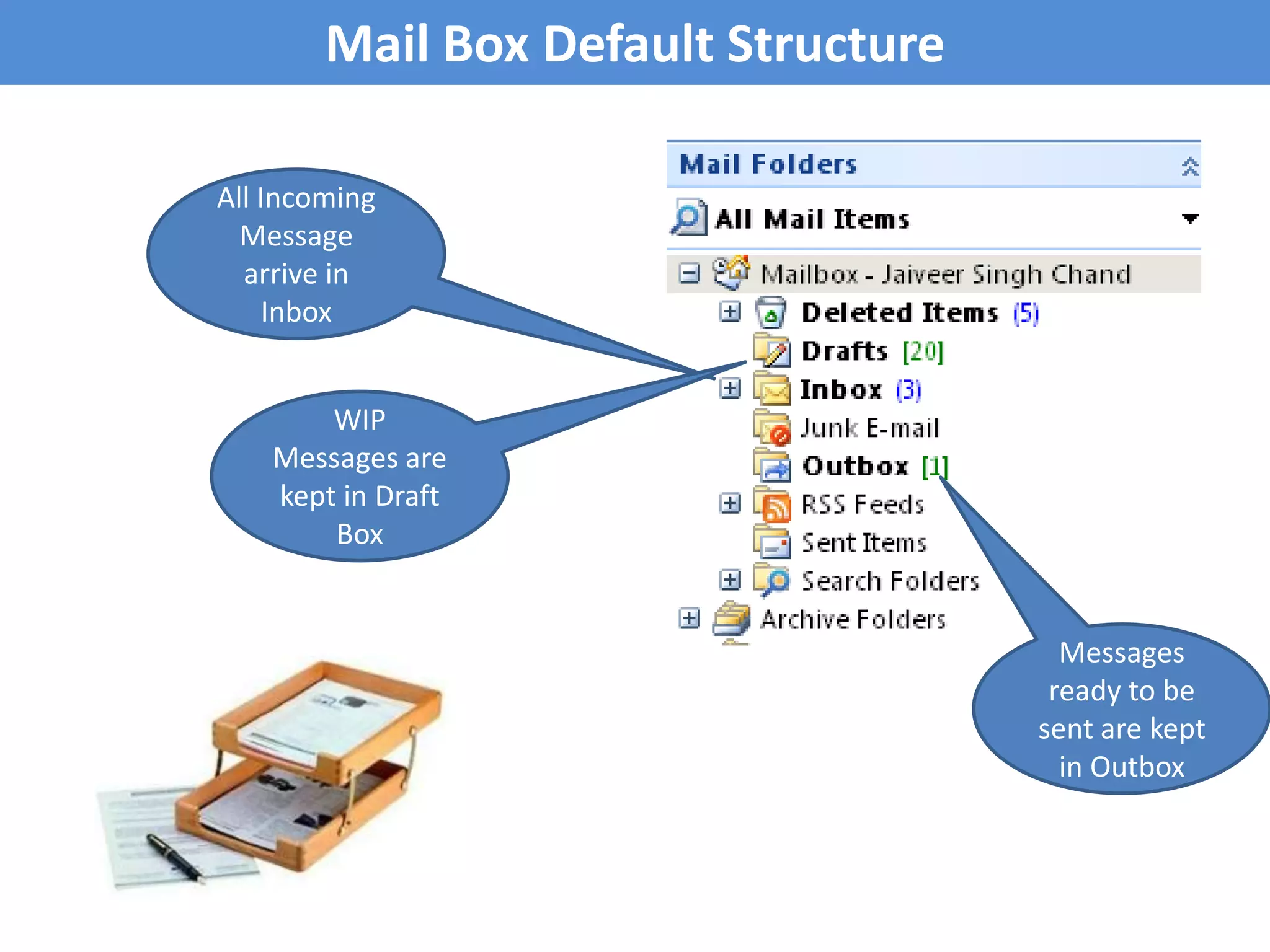
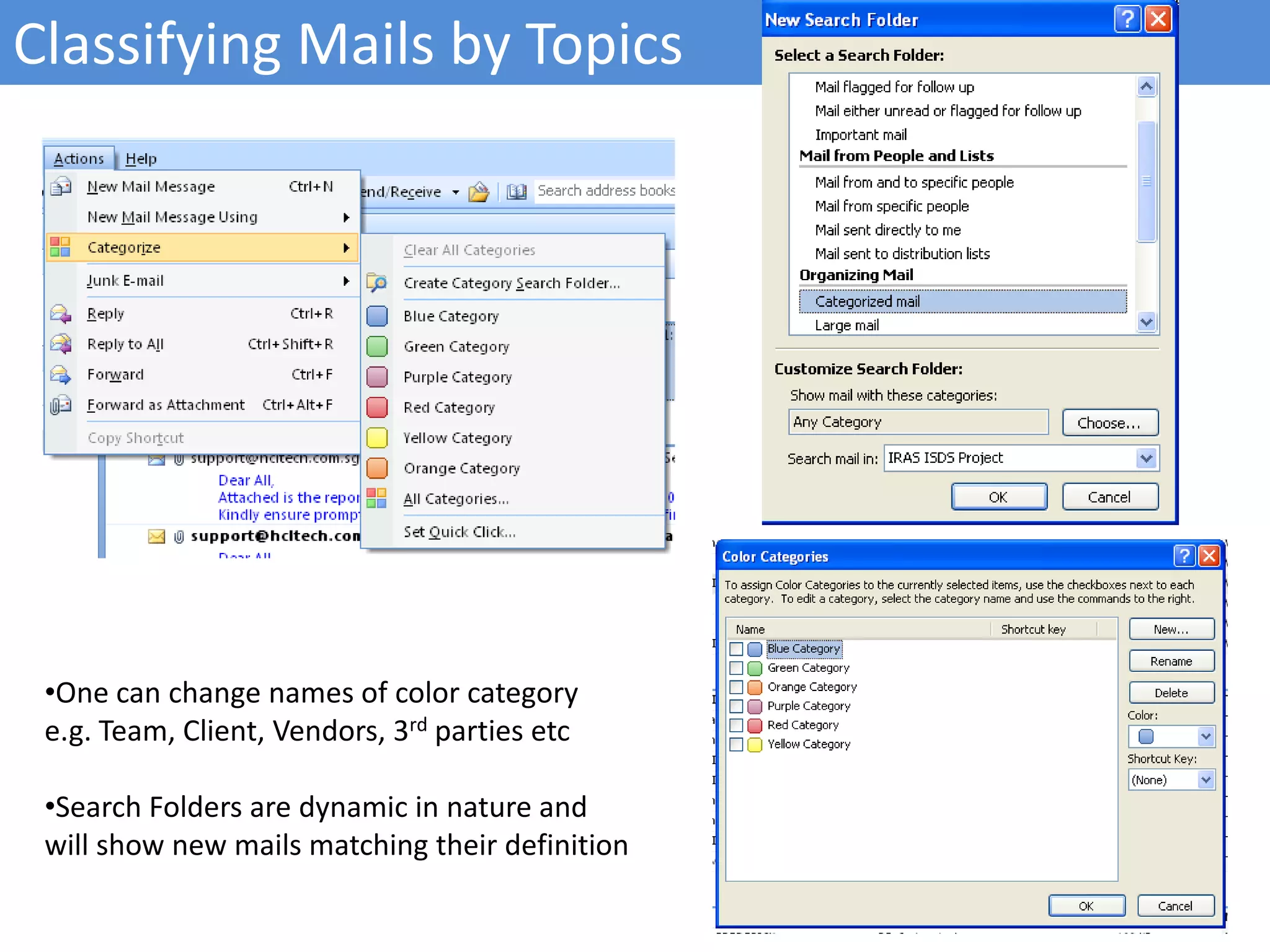
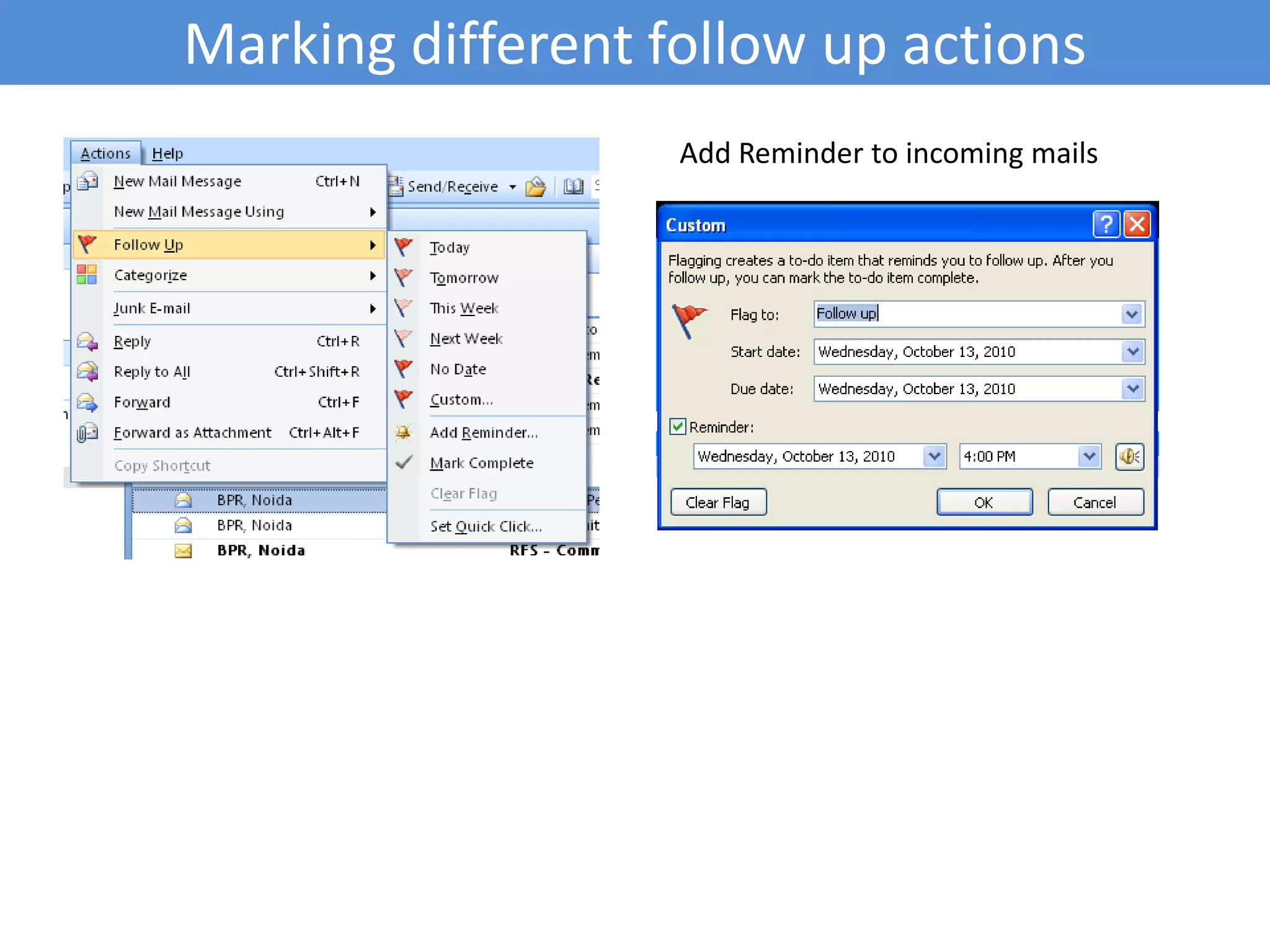
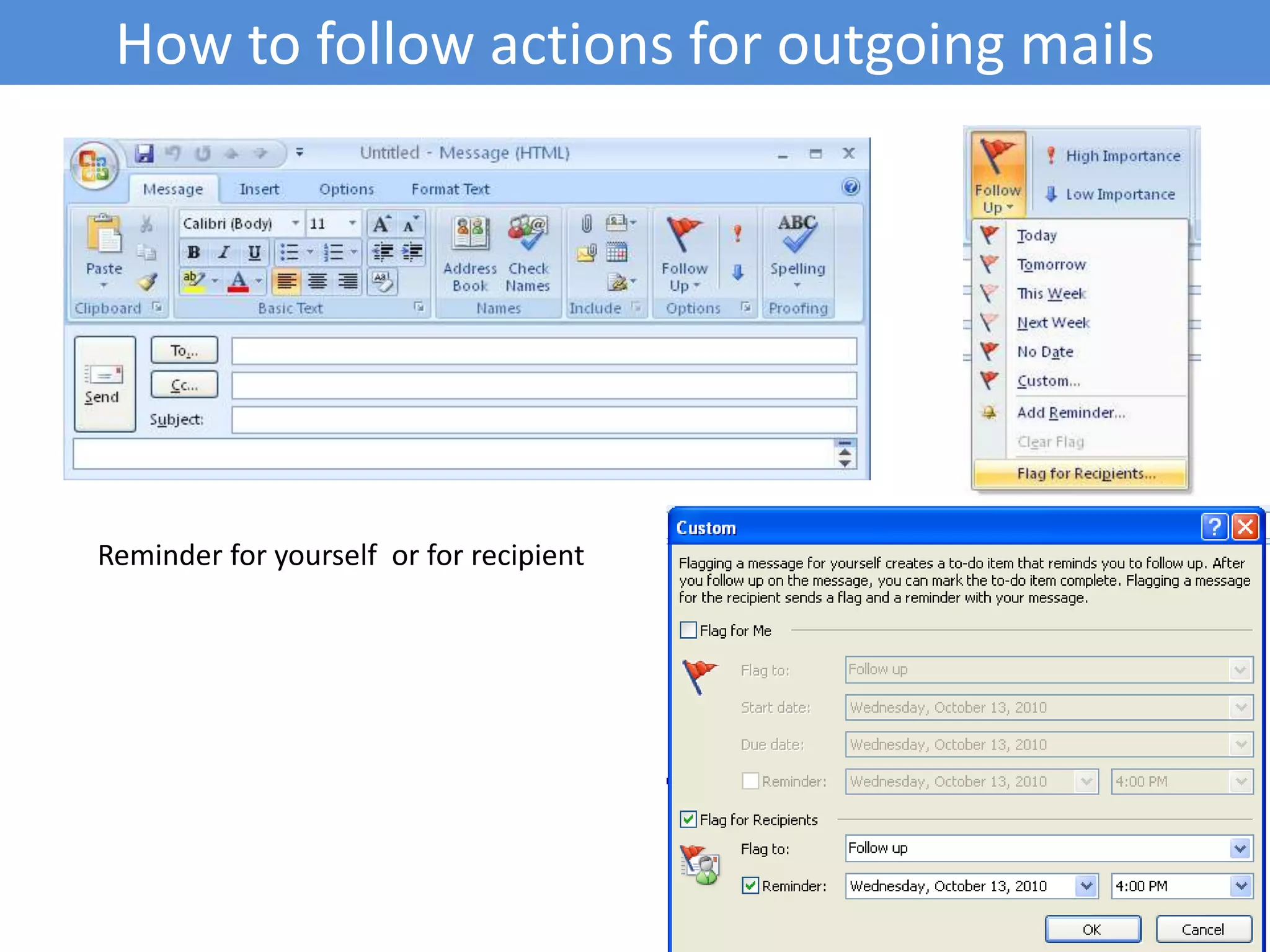
Discussion of email software, specifically MS Outlook 2007 as a personal information manager with email options. Strategies for email management, such as categorization, classification, and marking for follow-ups.
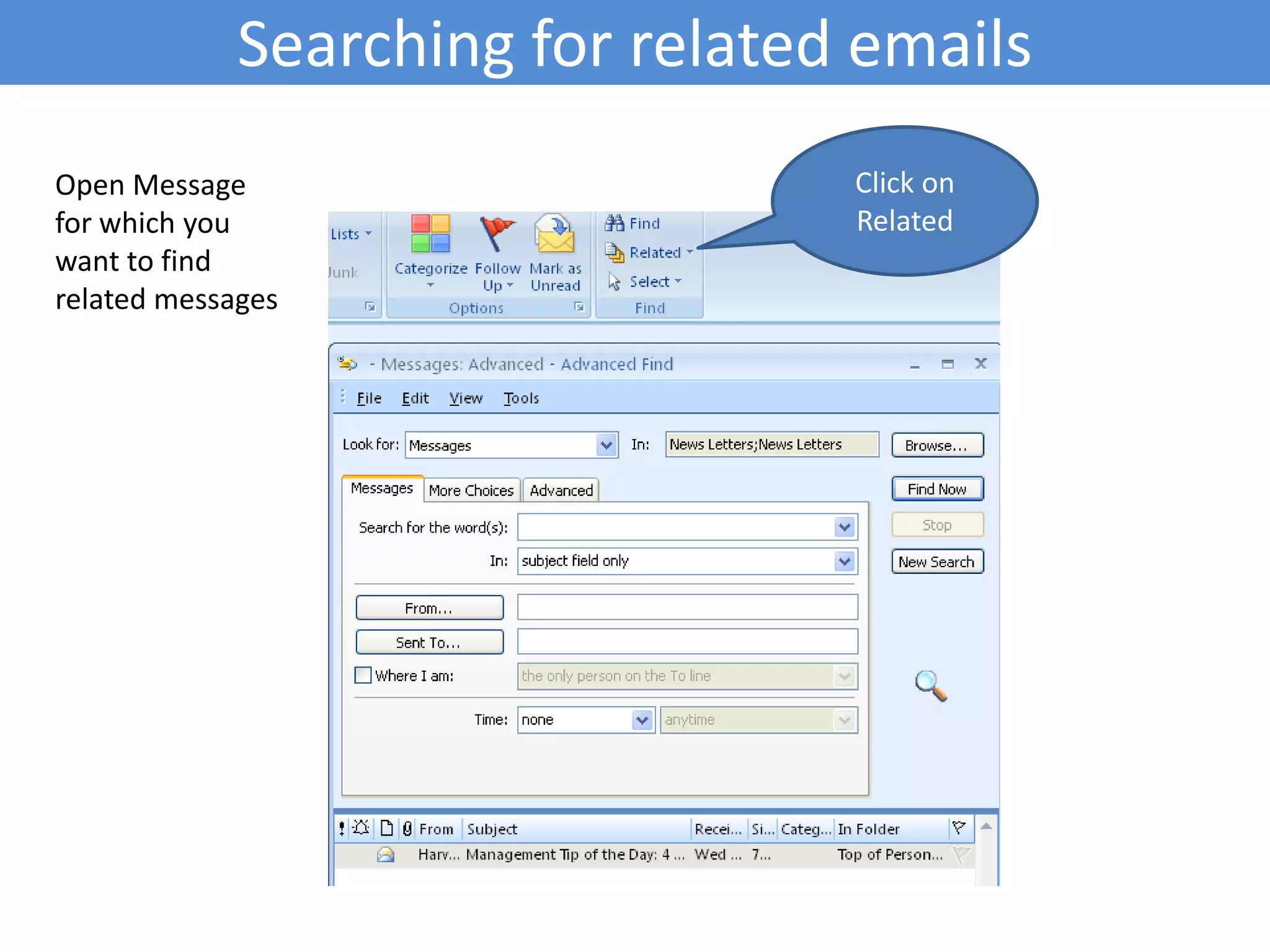
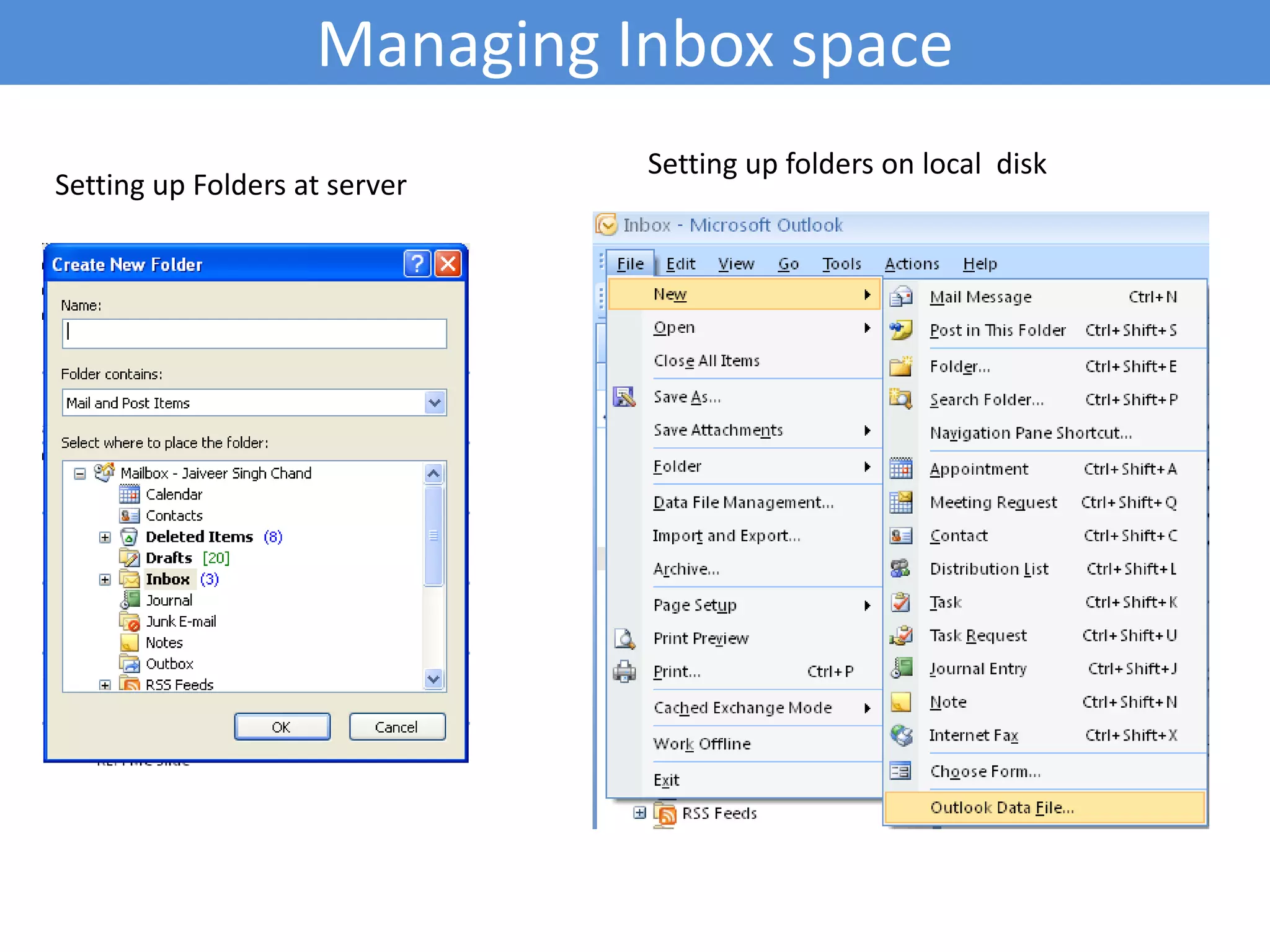
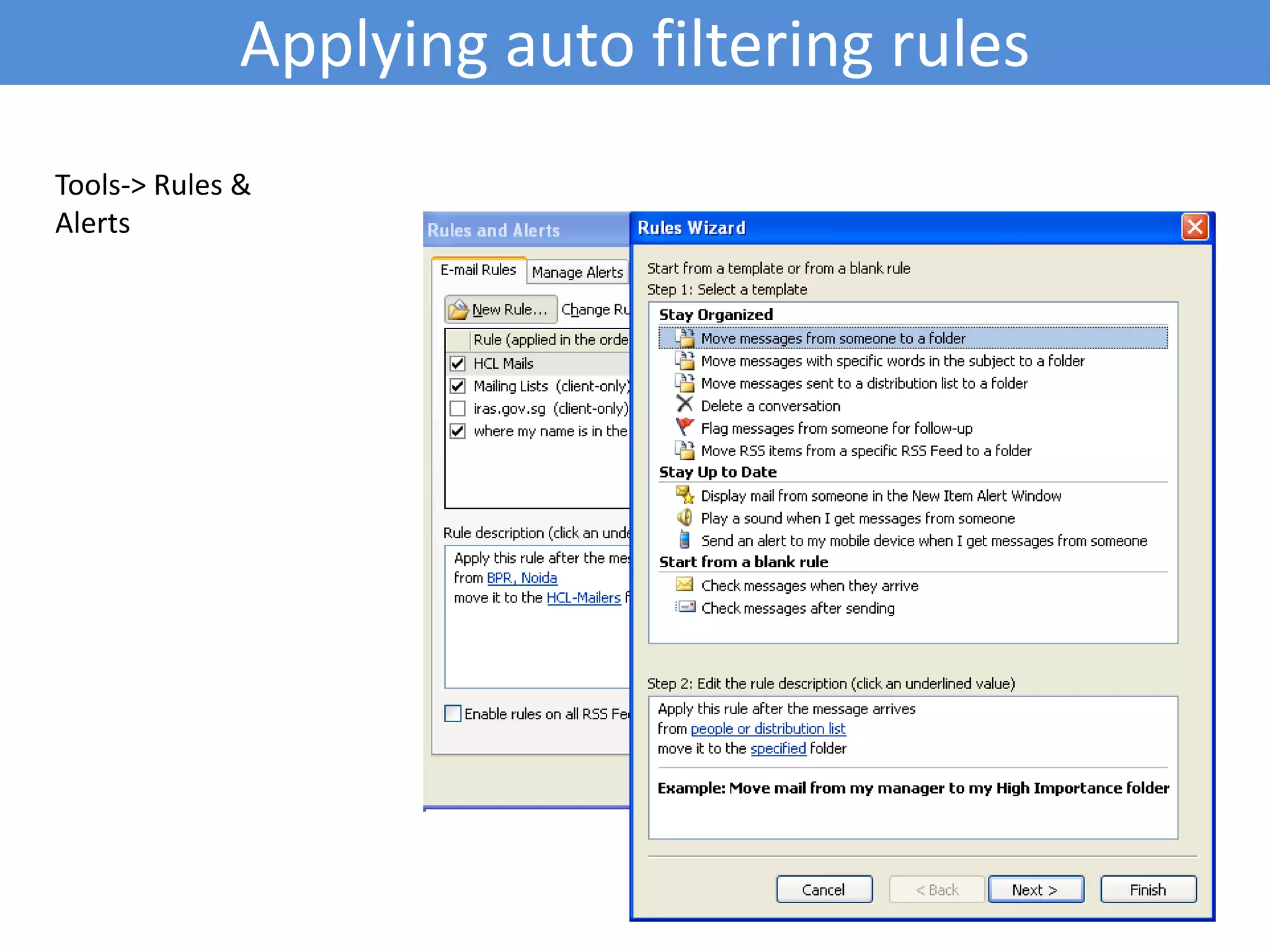
Functions for searching, managing inbox space, and applying filtering rules for effective email handling.
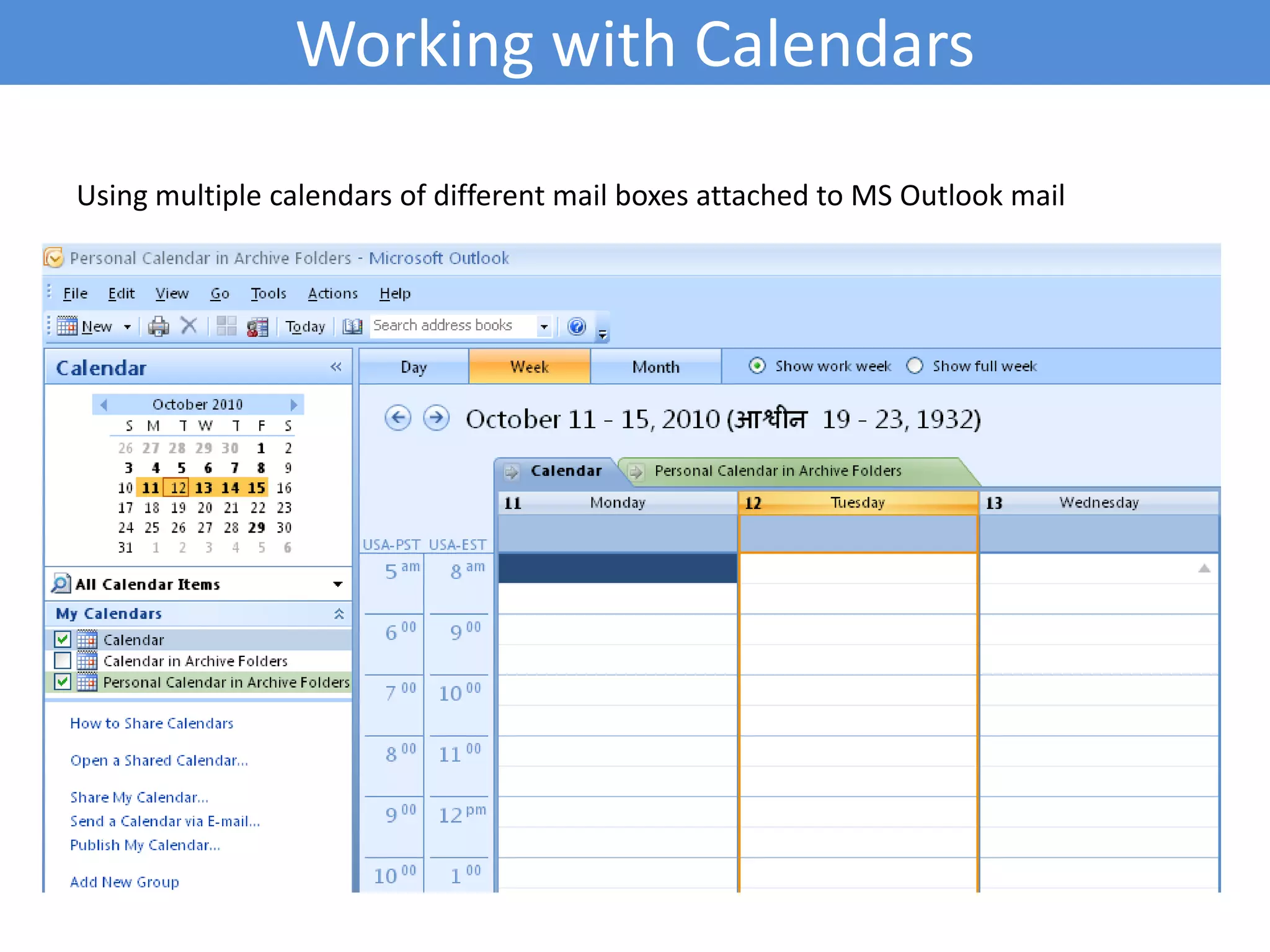
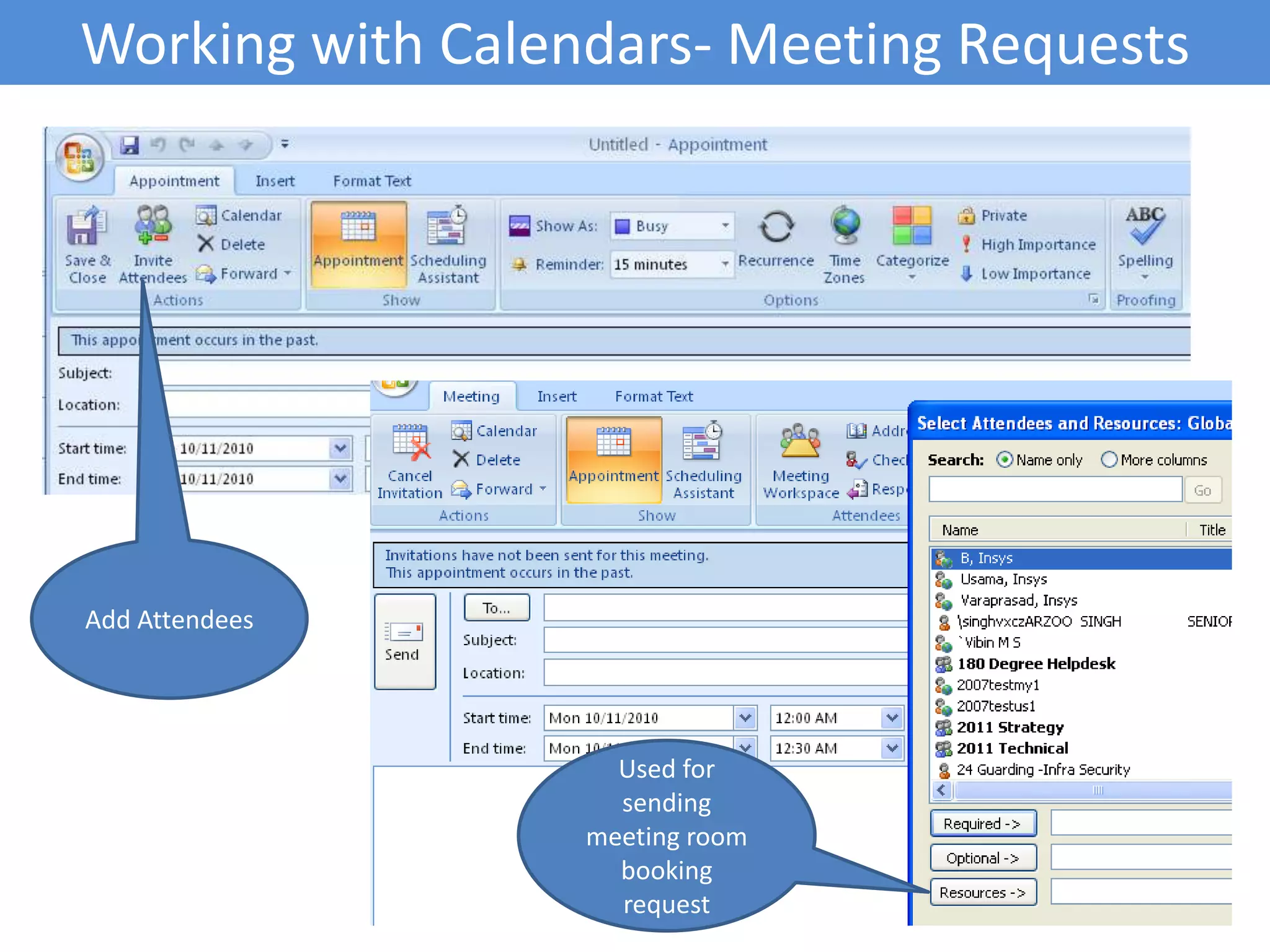
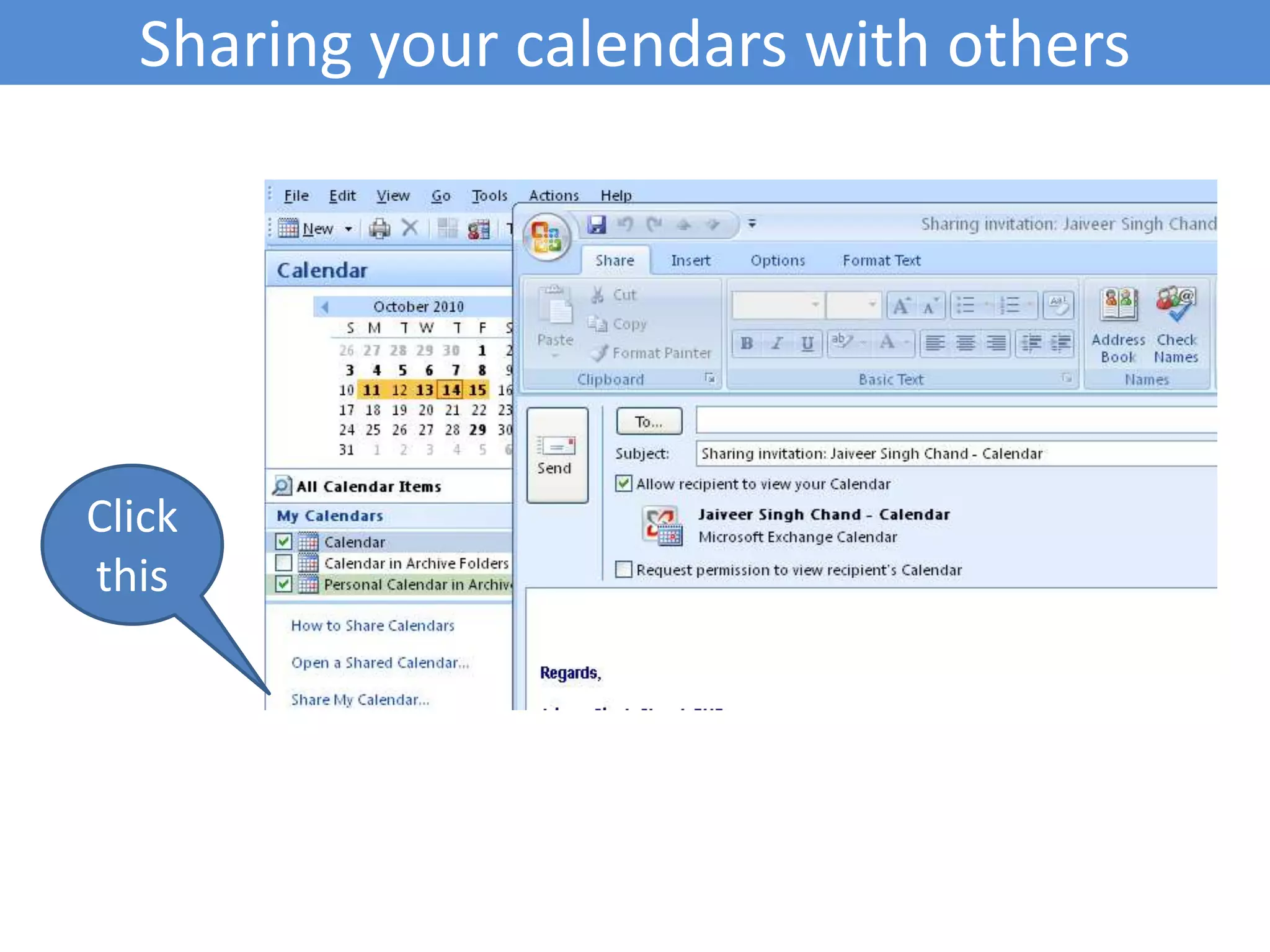
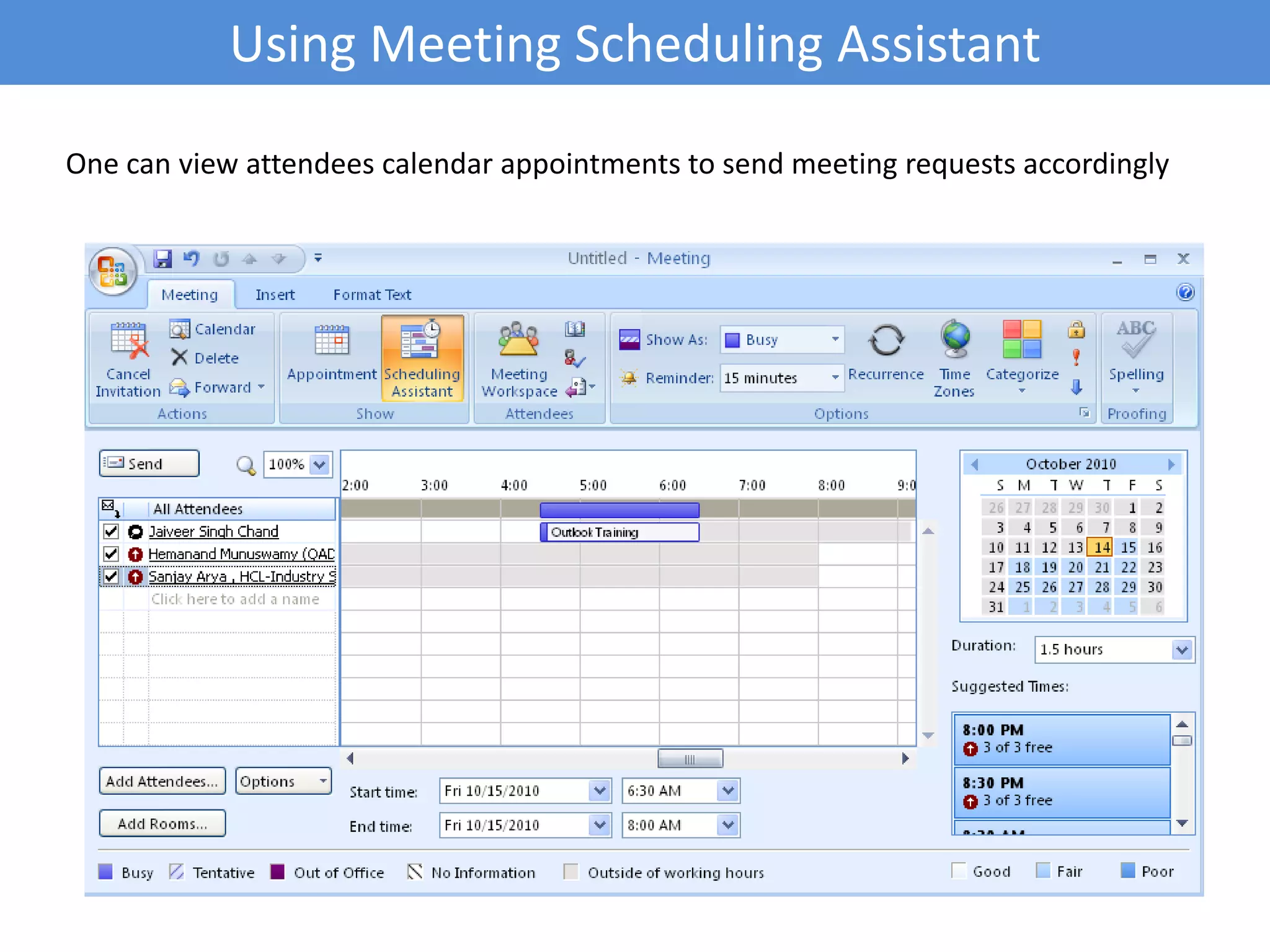
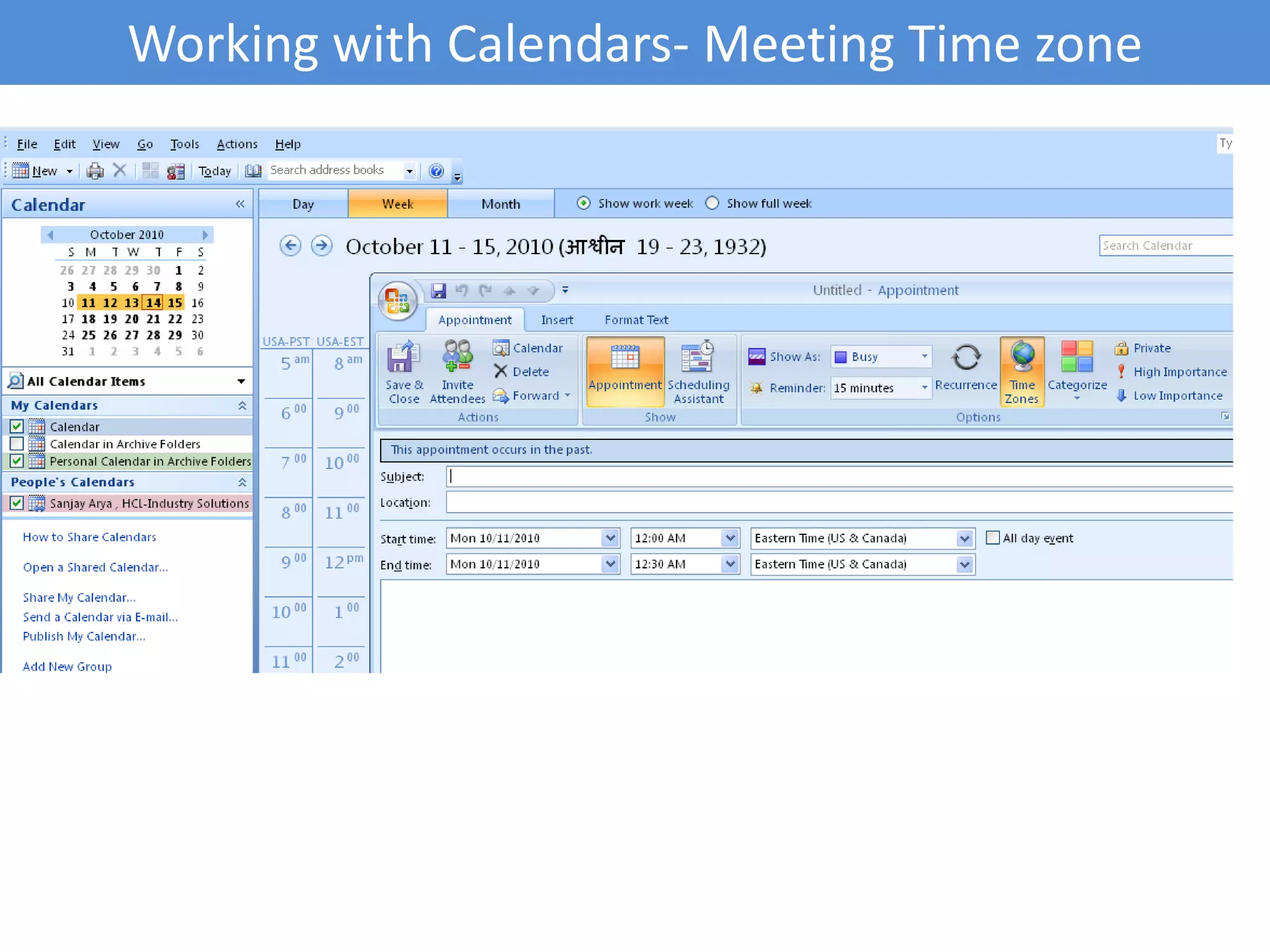
Utilization of calendar features in Outlook for scheduling meetings, sharing, and request management.
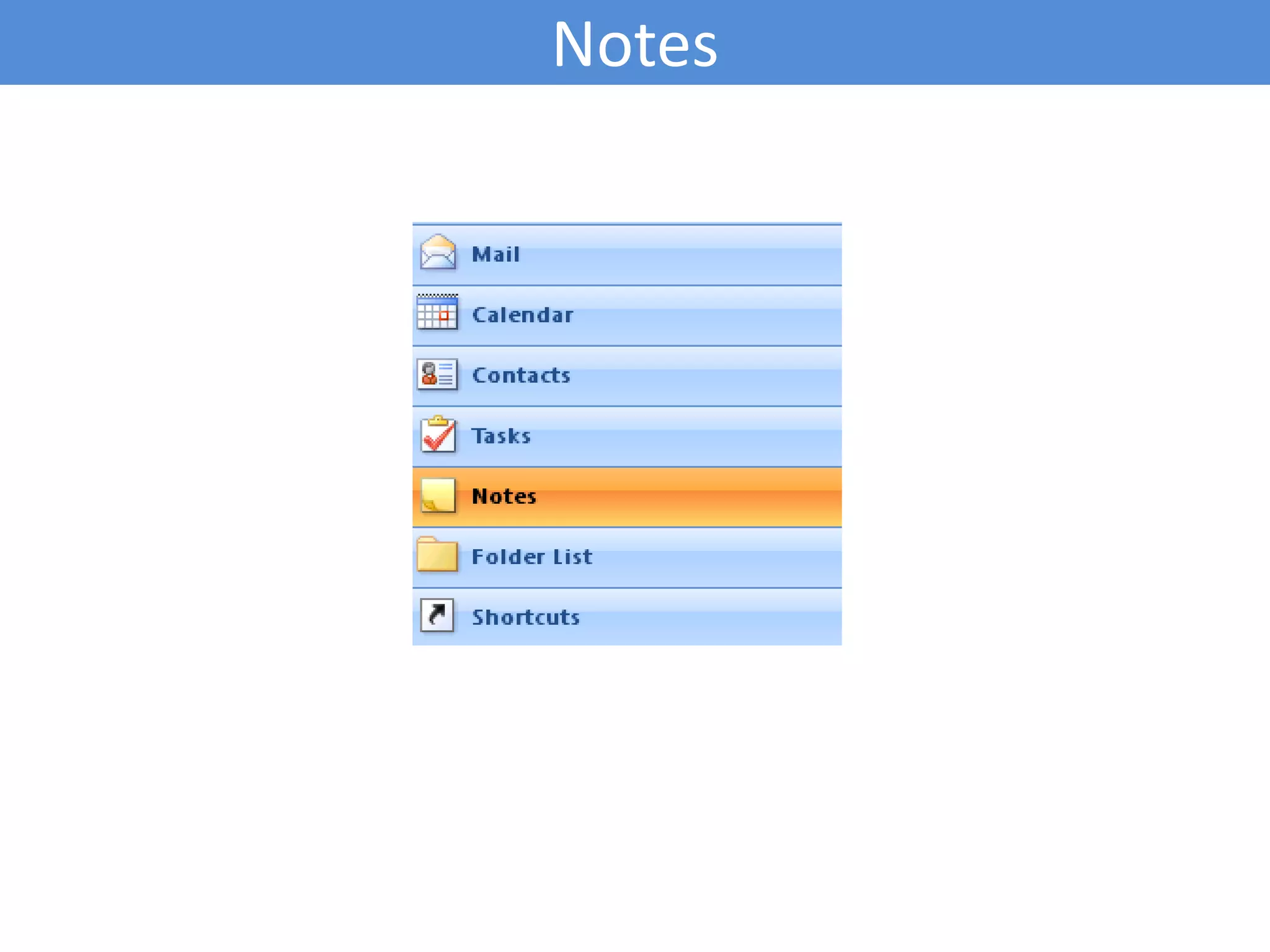
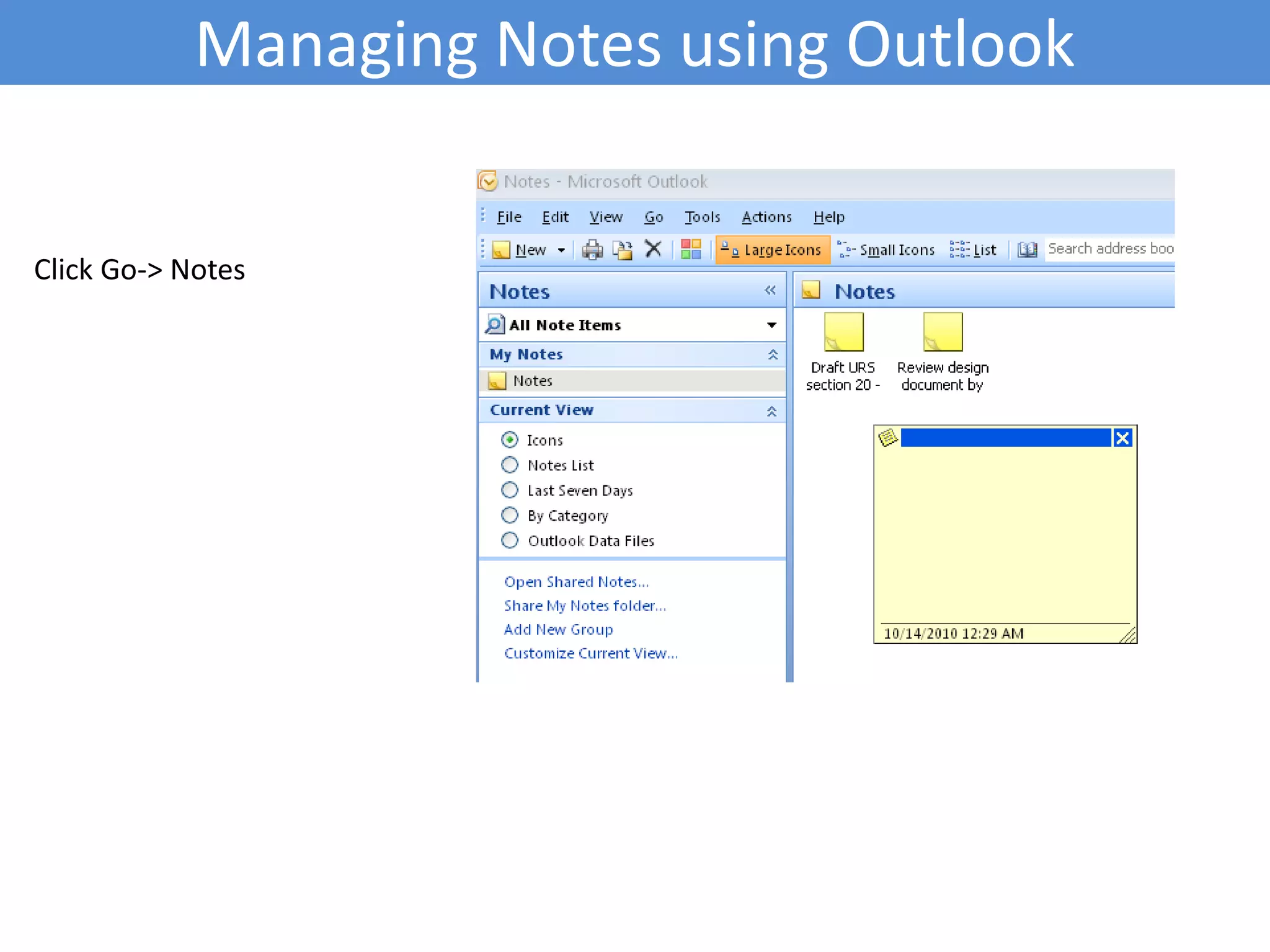
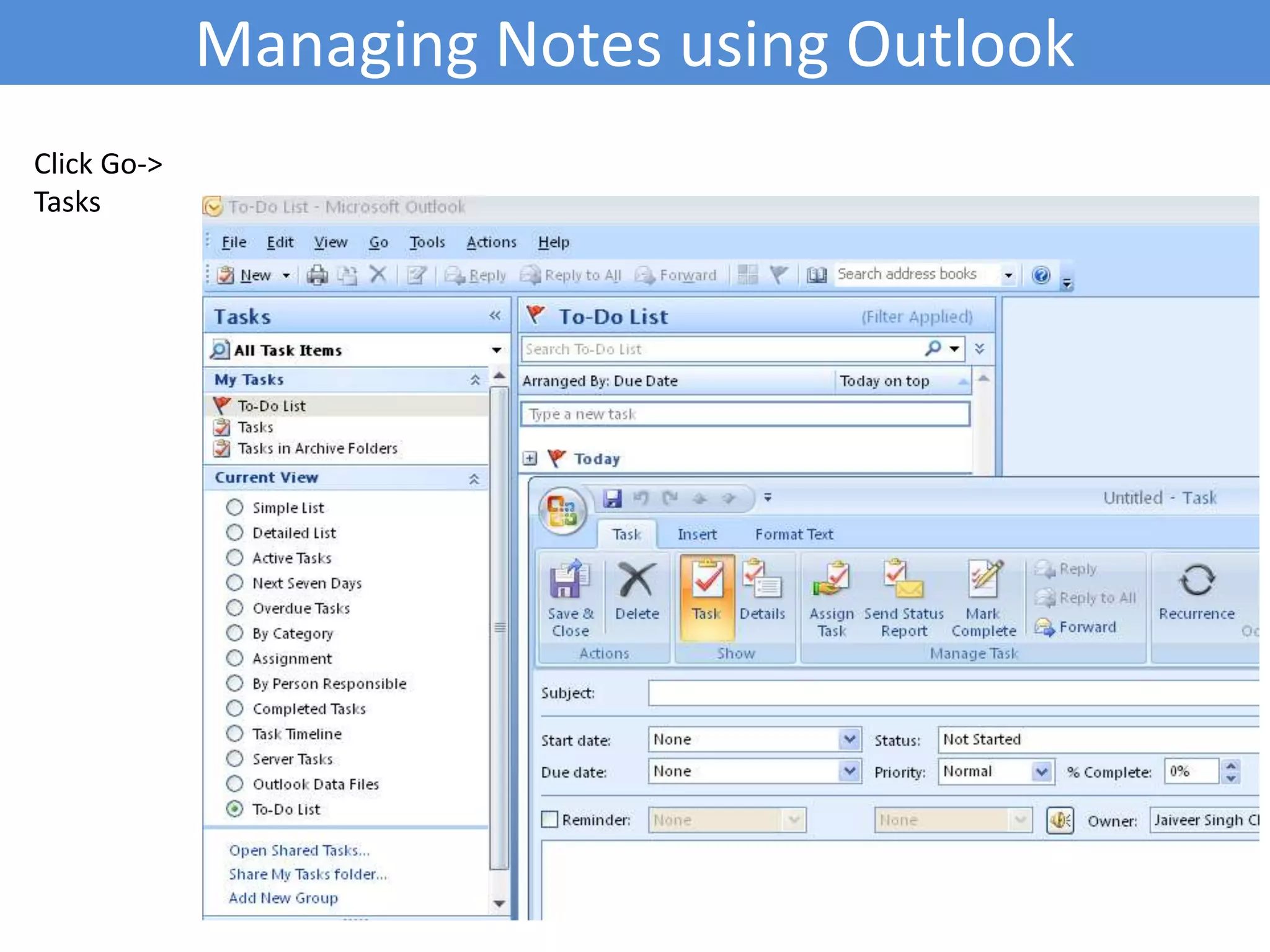
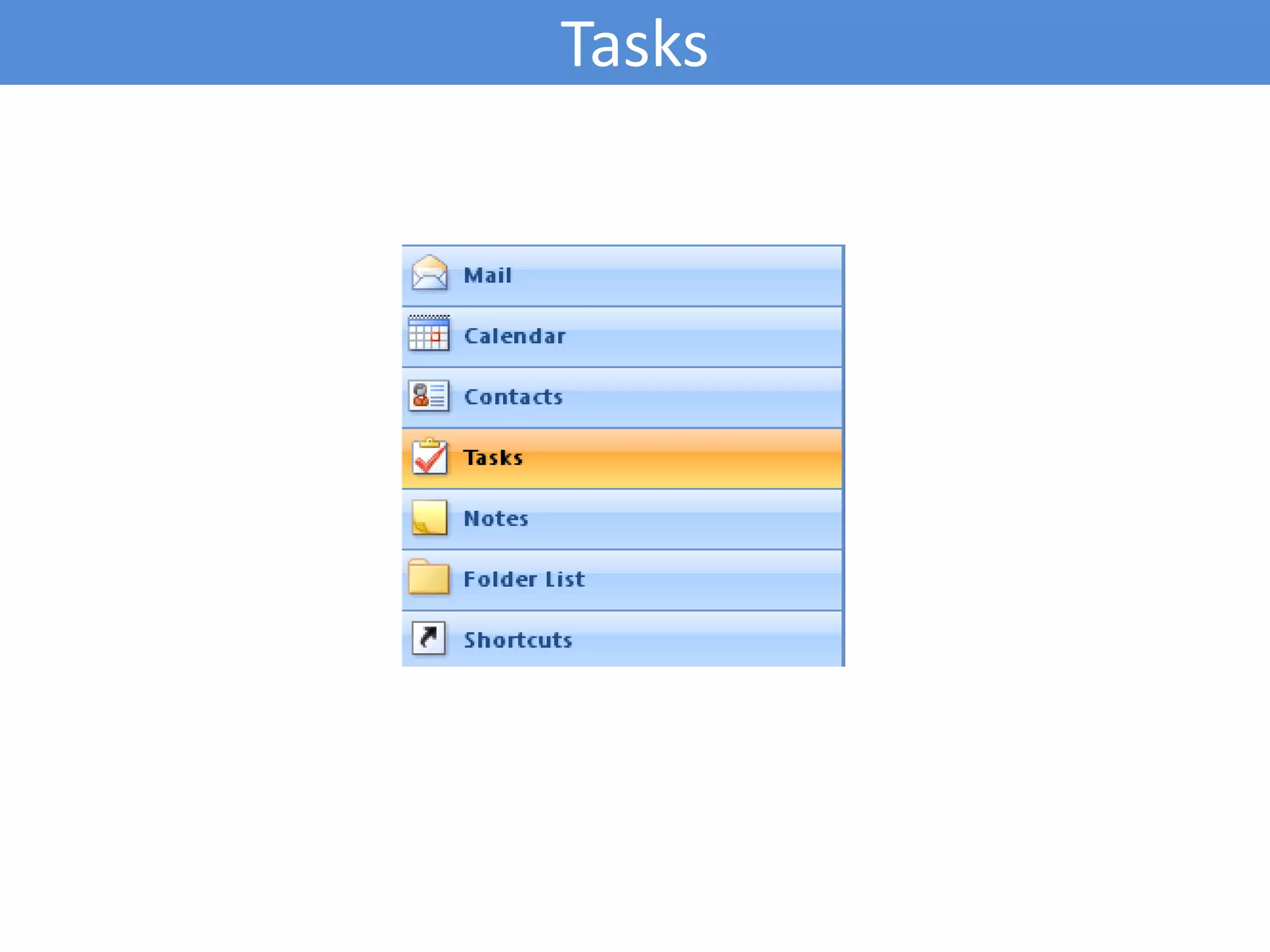
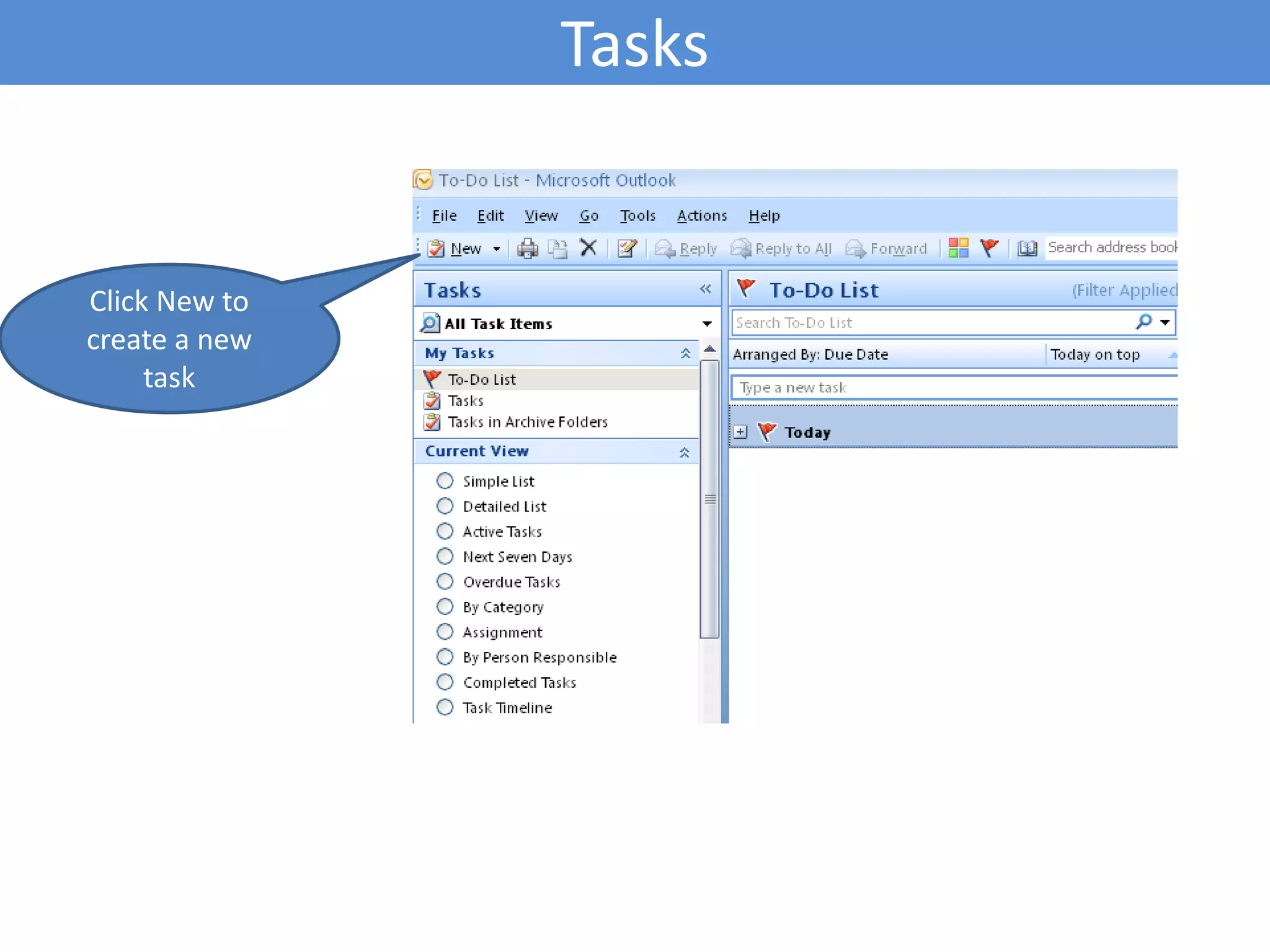
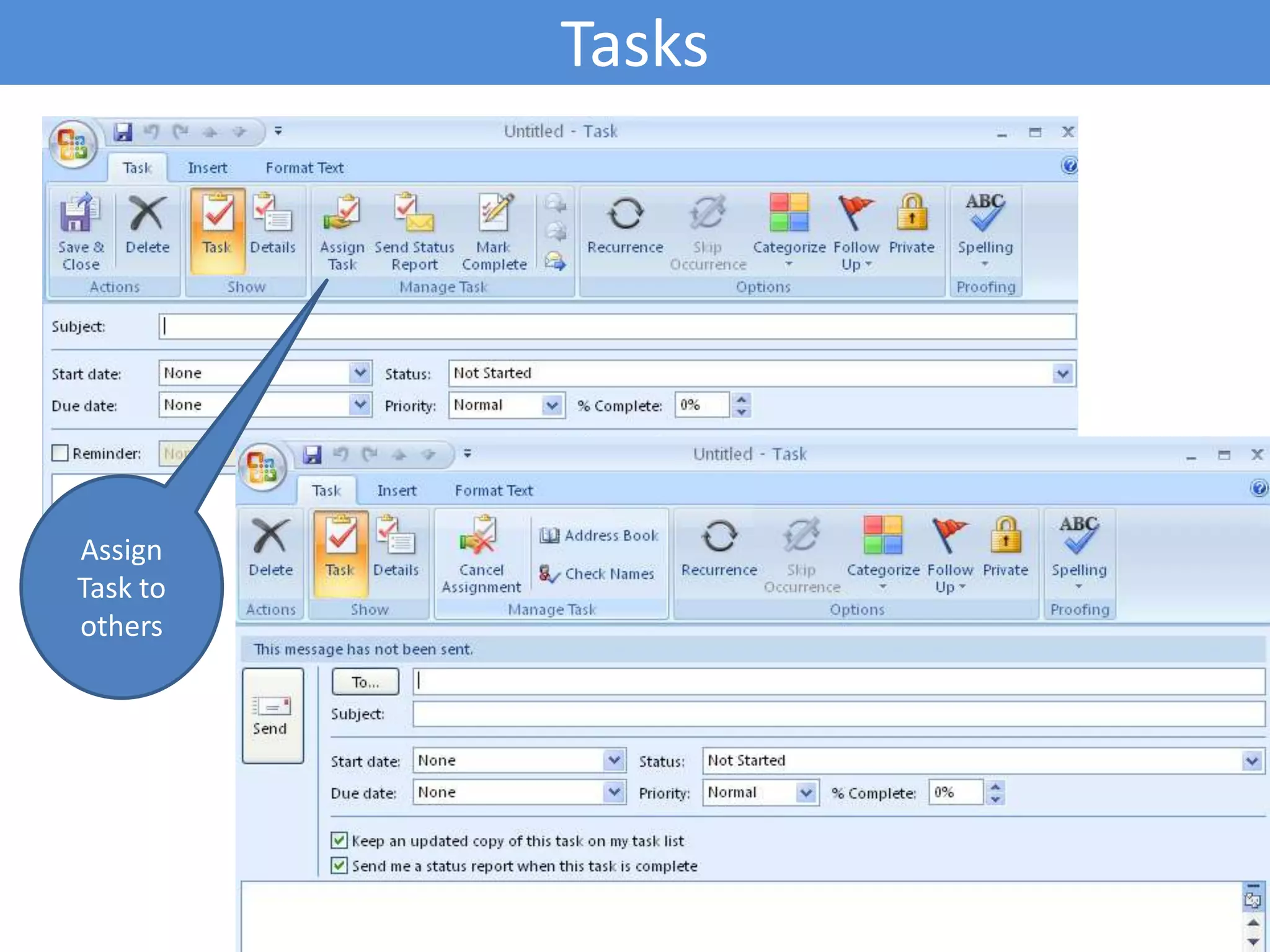
Managing tasks and notes within Outlook, including creating new tasks and adding subscriptions to RSS feeds.
Critical tips for maintaining professional email etiquette to enhance communication efficiency.
Resources for further reading on email management and etiquette.
Managing Emails usingMS Outlook 2007By: Jaiveer Singh Chandwww.singhjaiveer.blogspot.com
2.
Emails – Whenit all started Computer engineer, Ray Tomlinson invented internet based email in late 1971. Under ARPAnet several major innovations occurred: email (or electronic mail), the ability to send simple messages to another person across the network (1971). Ray Tomlinson worked as a computer engineer for Bolt Beranek and Newman (BBN), the company hired by the United States Defense Department to build the first Internet in 1968.Ray Tomlinson chose the @ symbol to tell which user was "at" what computer. The @ goes in between the user's login name and the name of his/her host computer.
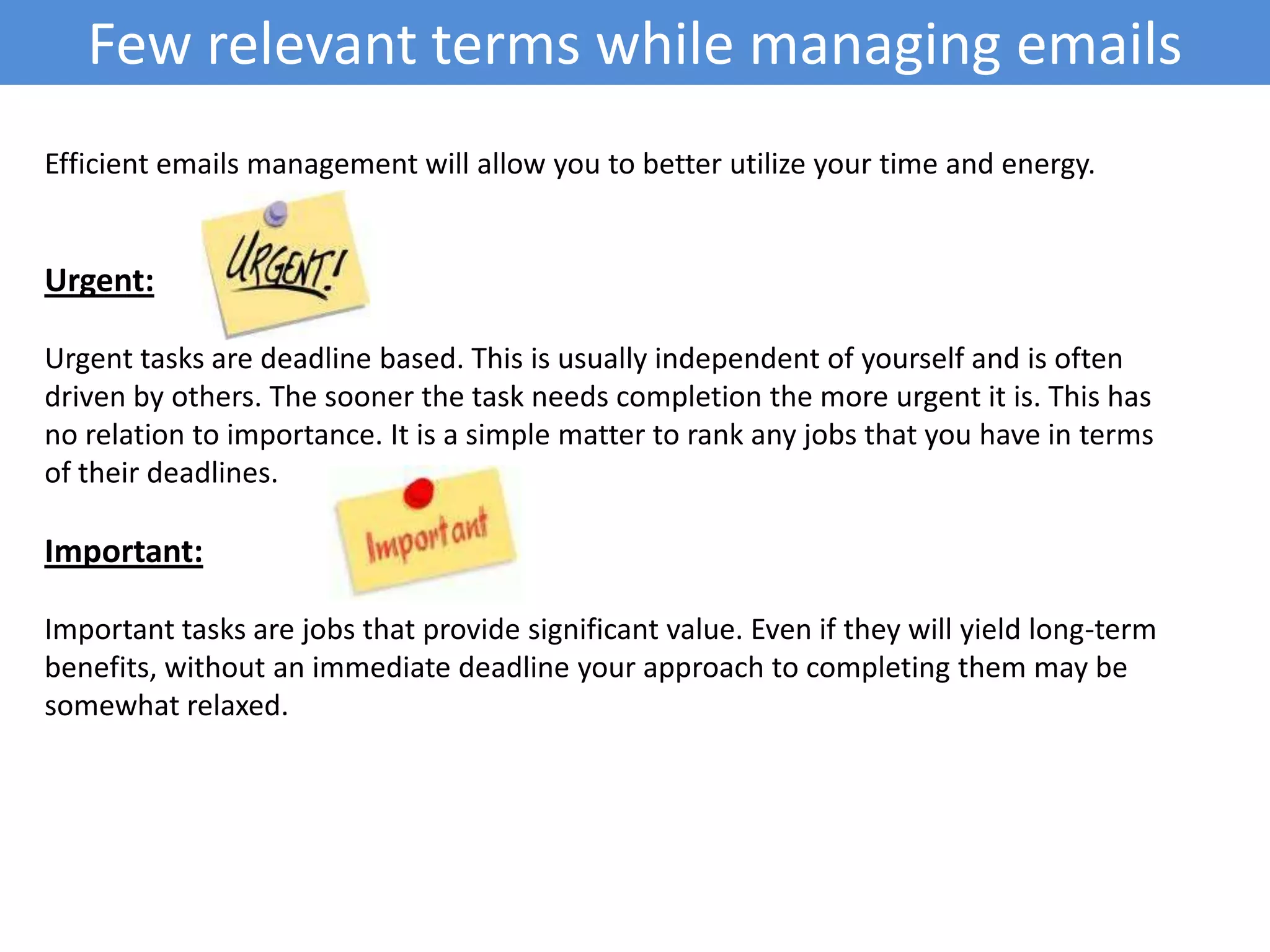
Few relevant termswhile managing emailsEfficient emails management will allow you to better utilize your time and energy.Urgent: Urgent tasks are deadline based. This is usually independent of yourself and is often driven by others. The sooner the task needs completion the more urgent it is. This has no relation to importance. It is a simple matter to rank any jobs that you have in terms of their deadlines.Important: Important tasks are jobs that provide significant value. Even if they will yield long-term benefits, without an immediate deadline your approach to completing them may be somewhat relaxed.
13.
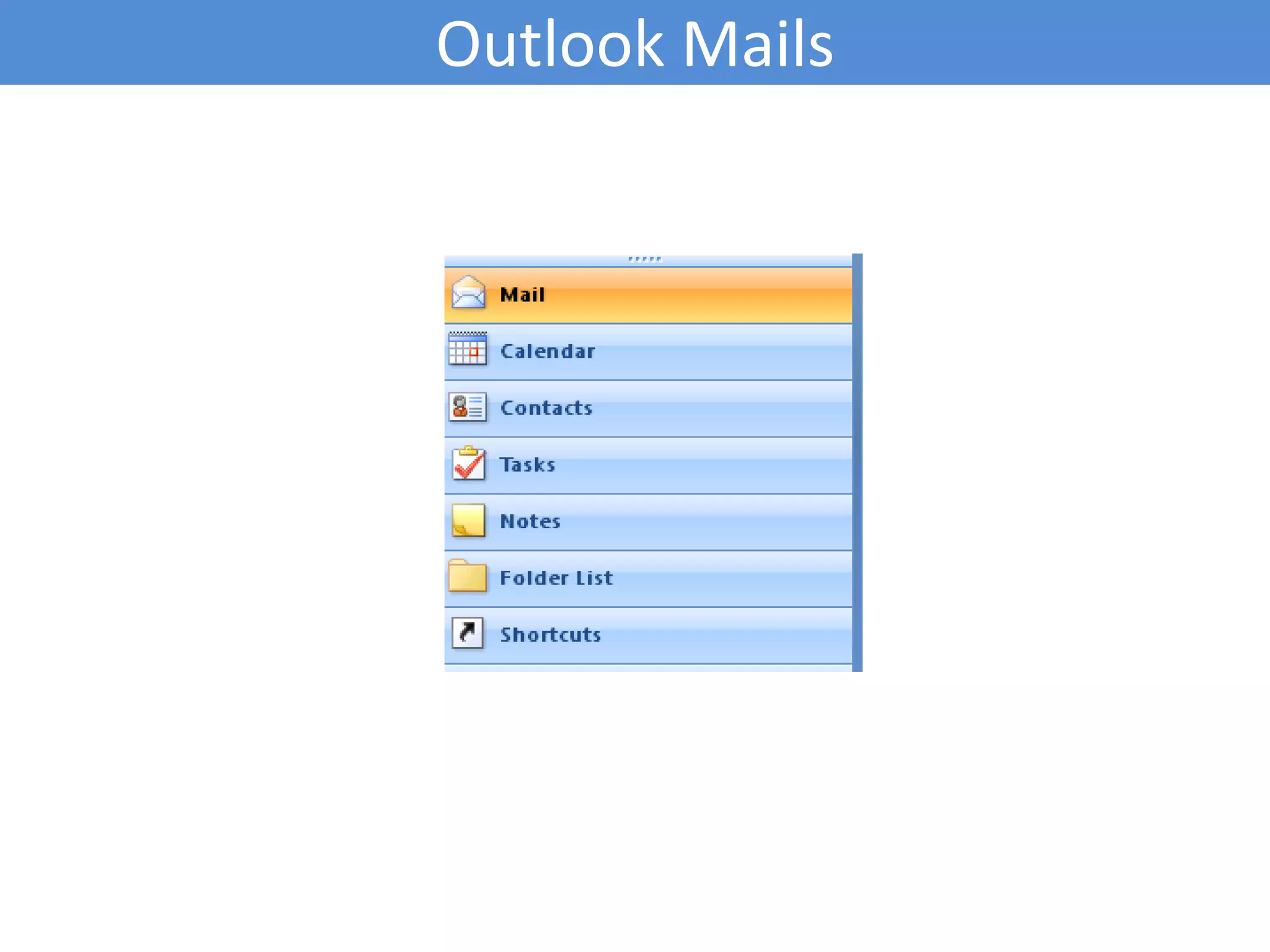
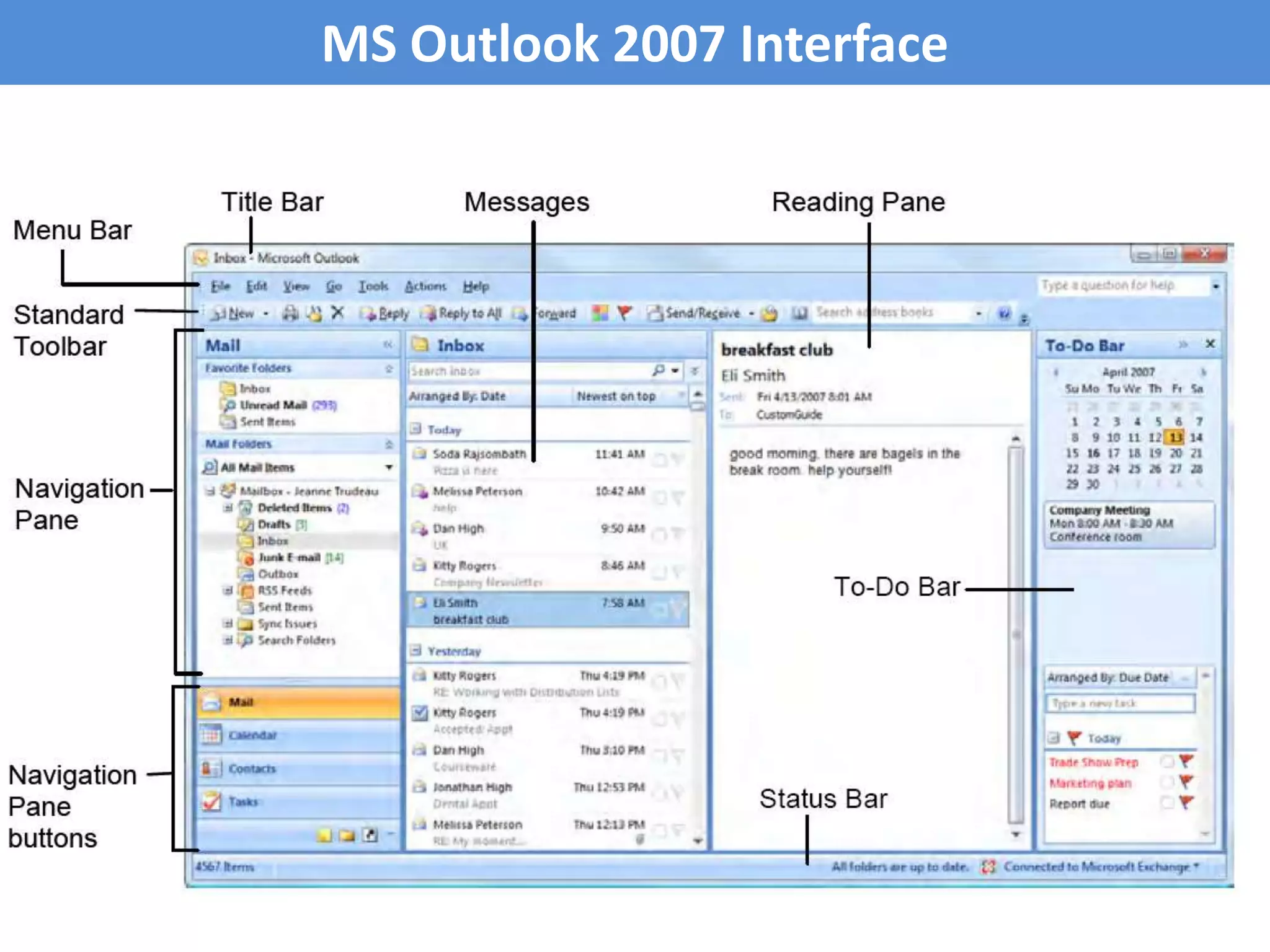
Overview - MSOutlook softwareMS Outlook 2007 software was released by Microsoft in Jan 2007. It is a personal information manager from Microsoft, available both as a separate application as well as a part of the Microsoft Office suite. It is often used mainly as an e-mail application, it also includes a Calendar, Task Manager, Contact Manager, note taking, a journal and web browsing.
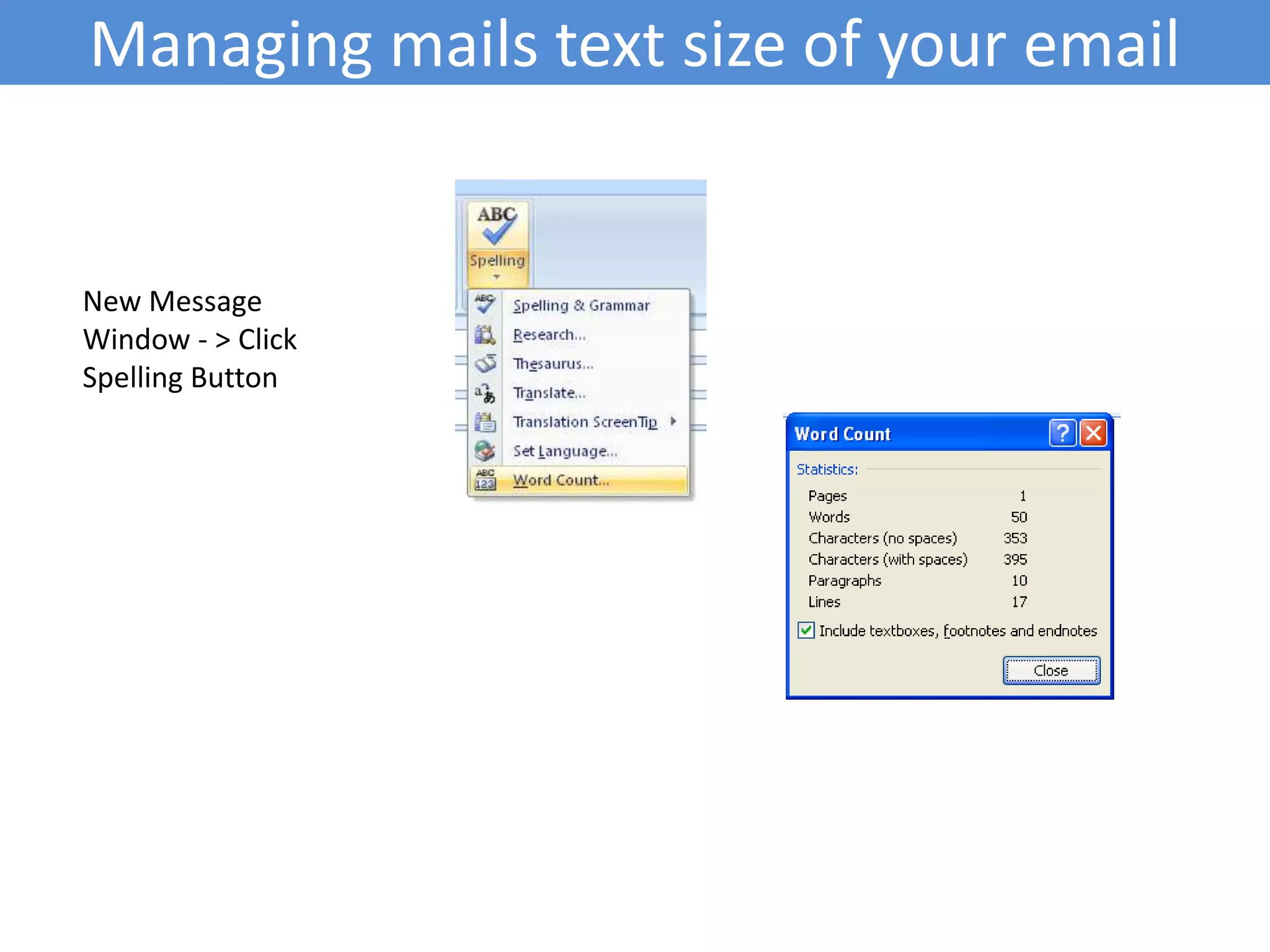
Managing mails textsize of your emailNew Message Window - > Click Spelling Button
31.
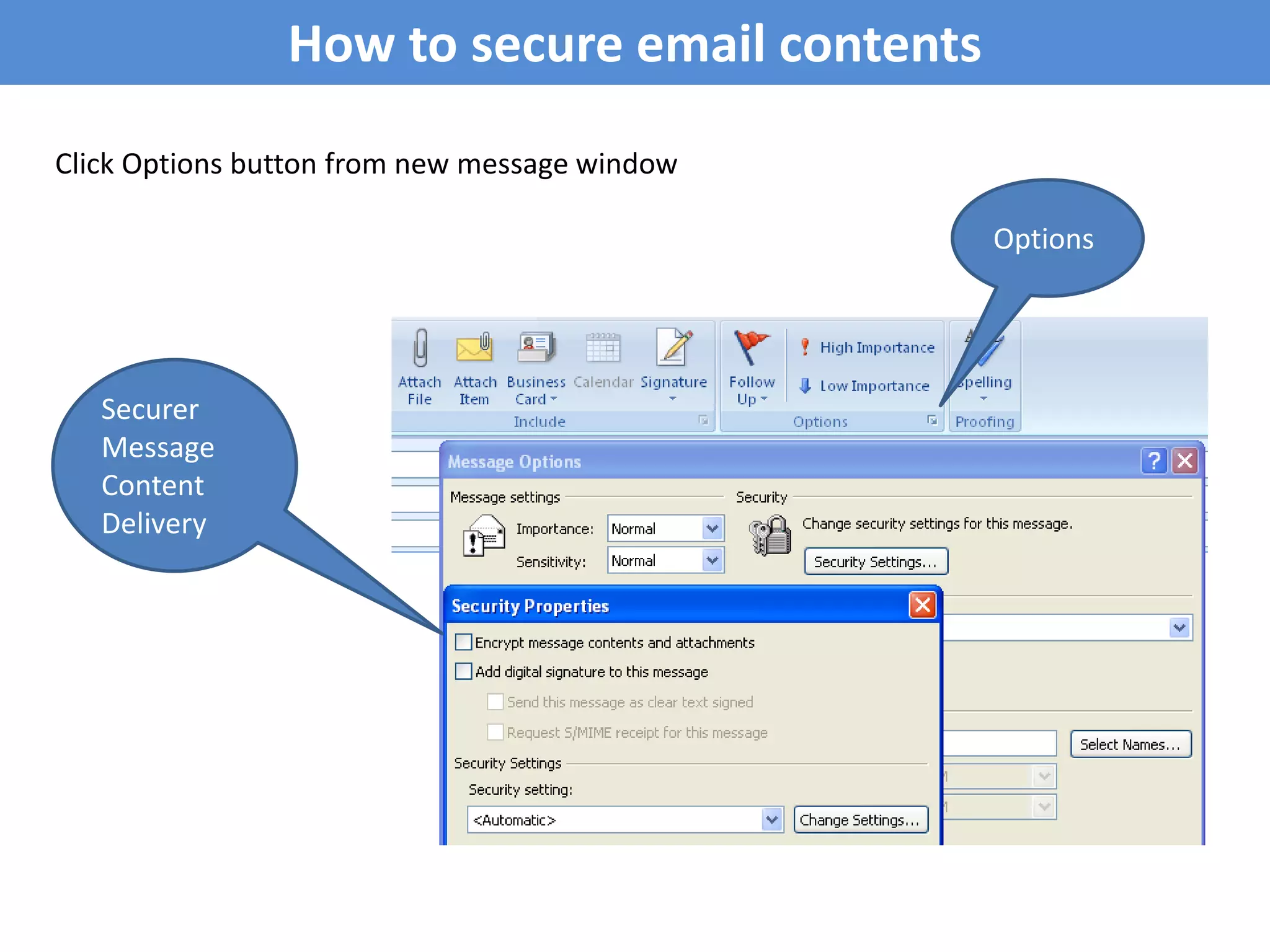
How to secureemail contentsClick Options button from new message windowOptionsSecurer Message Content Delivery
32.
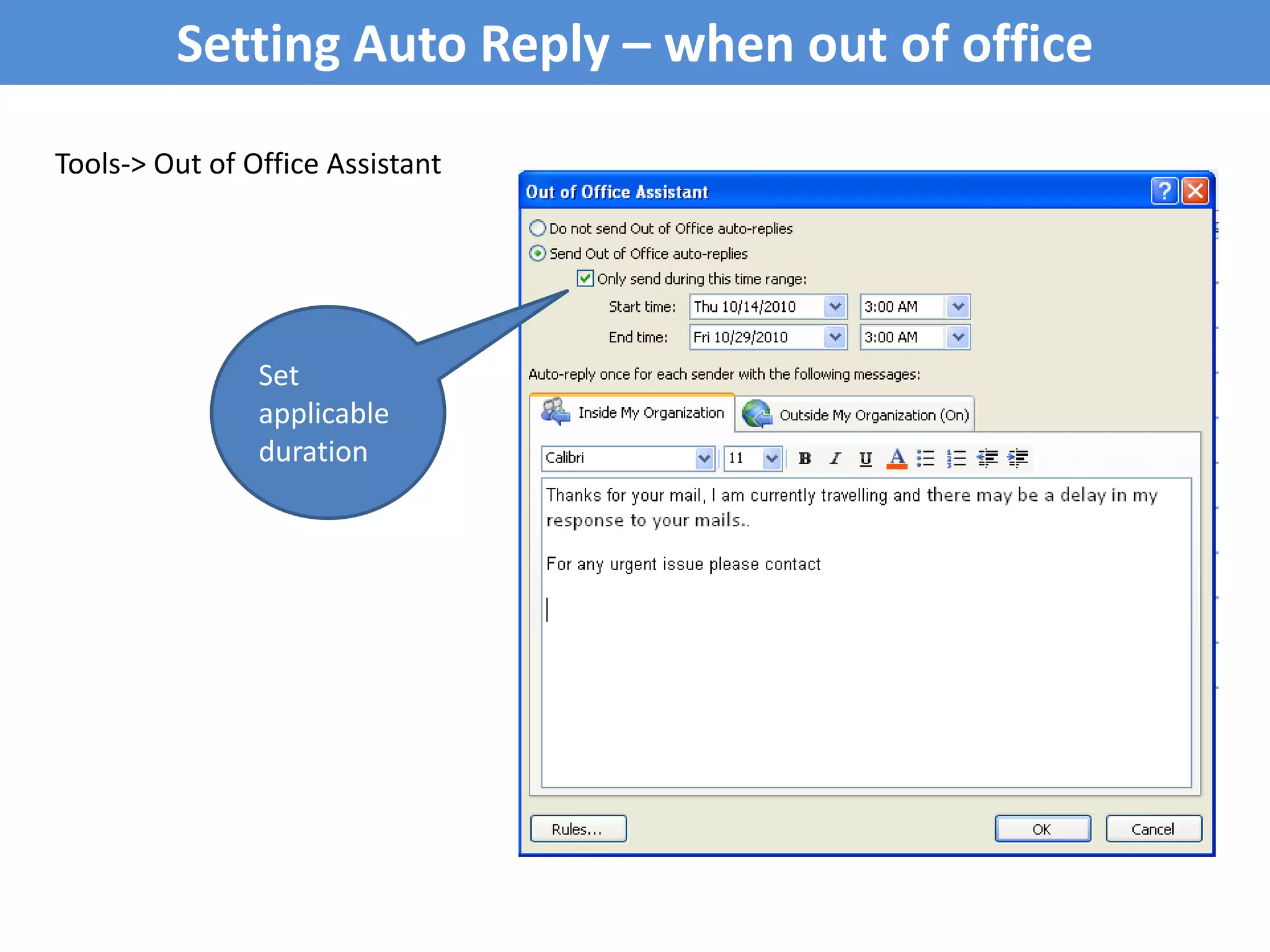
Setting Auto Reply– when out of officeTools-> Out of Office AssistantSet applicable duration
33.
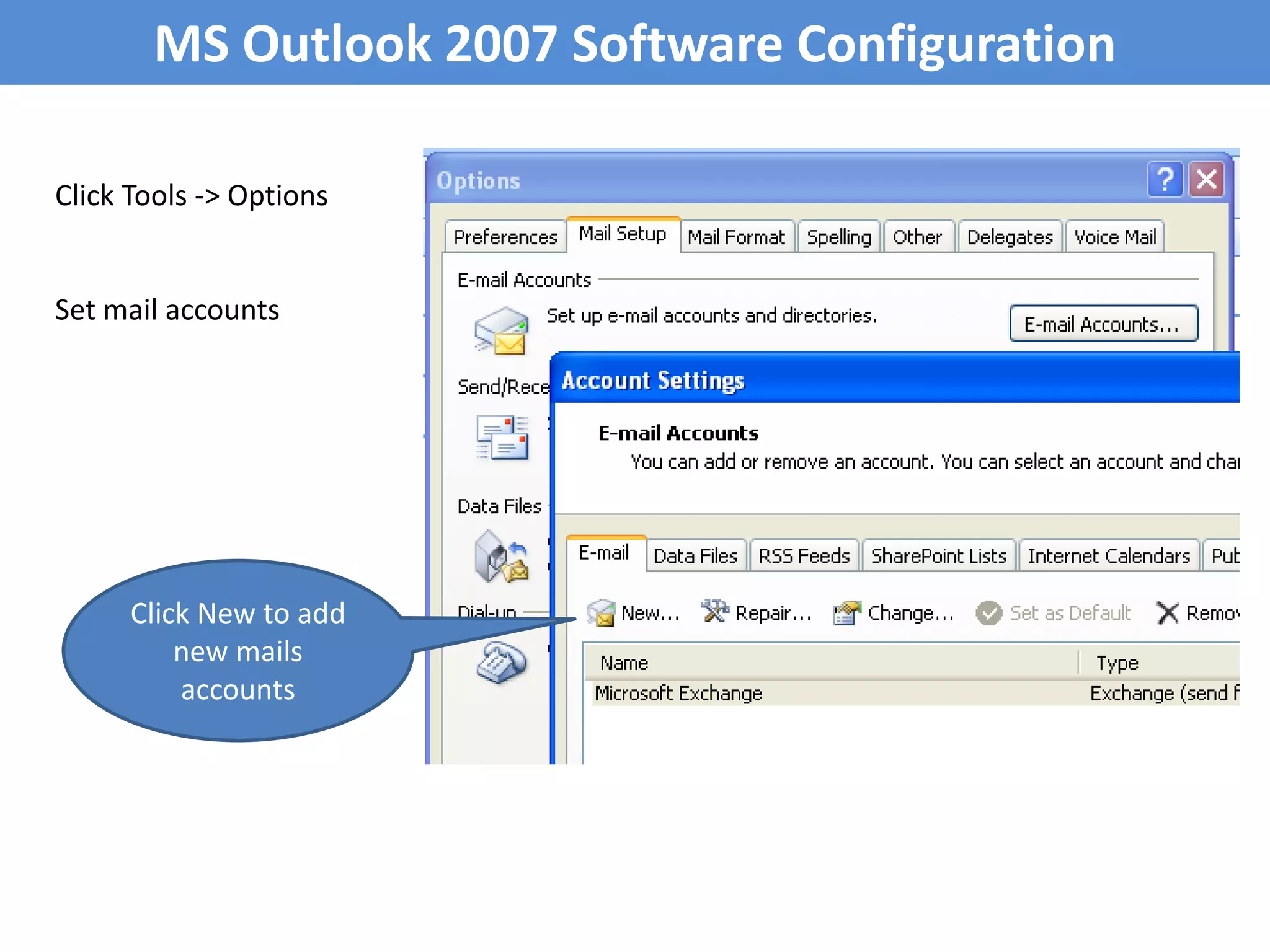
MS Outlook 2007Software ConfigurationClick Tools -> OptionsSet mail accountsClick New to add new mails accounts
34.
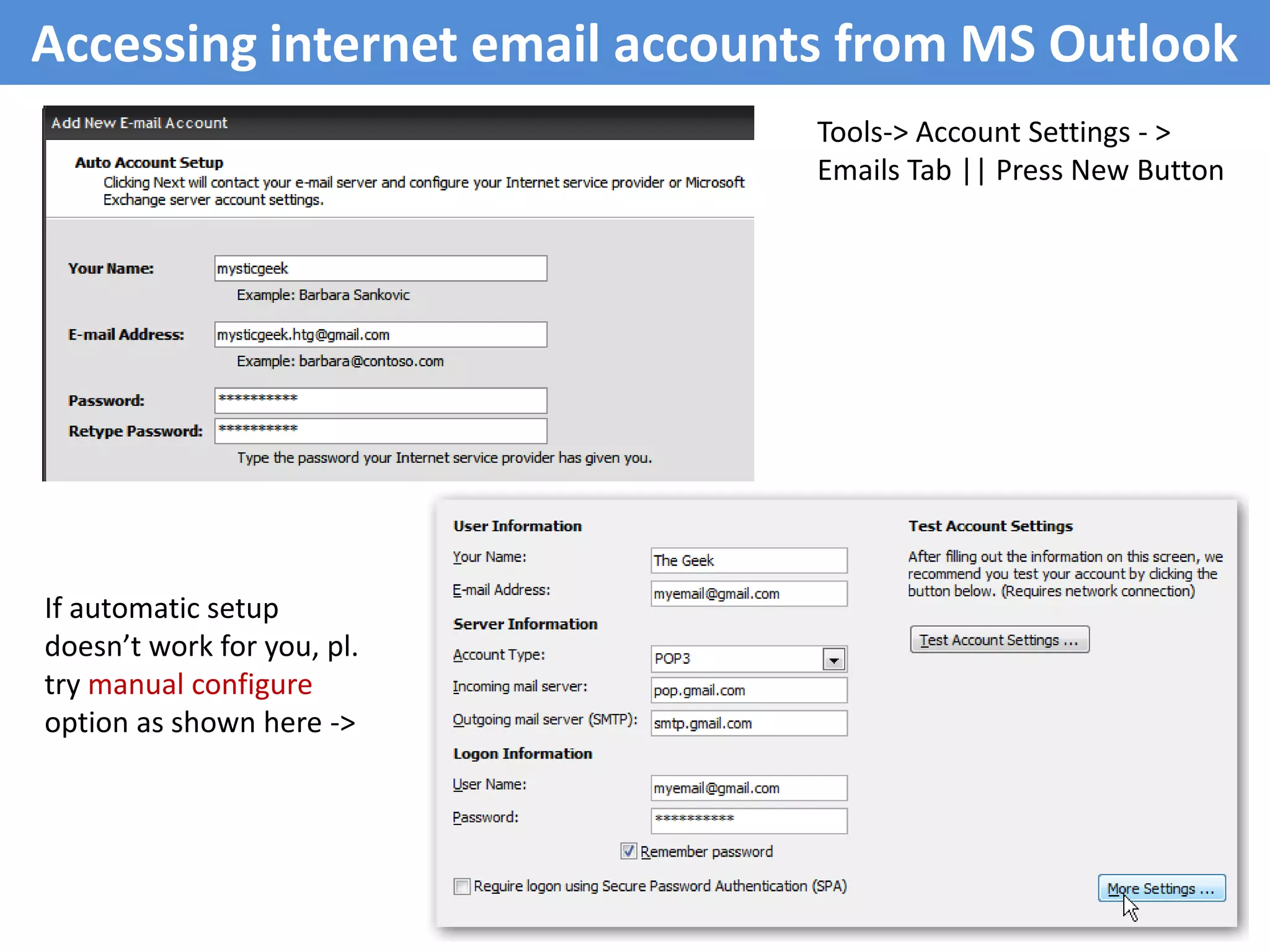
Accessing internet emailaccounts from MS OutlookTools-> Account Settings - > Emails Tab || Press New ButtonIf automatic setup doesn’t work for you, pl. try manual configure option as shown here ->
35.
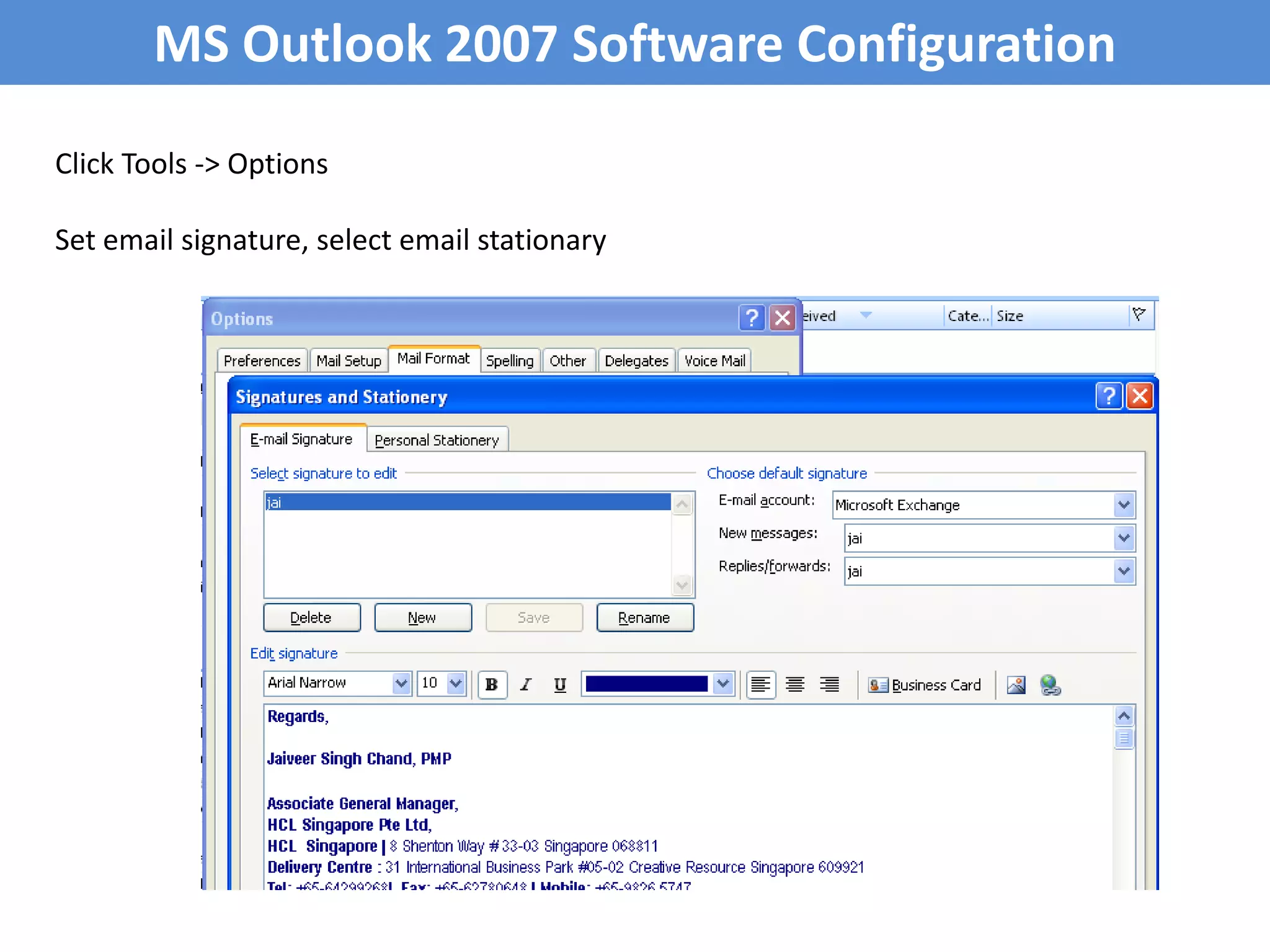
MS Outlook 2007Software ConfigurationClick Tools -> OptionsSet email signature, select email stationary
36.
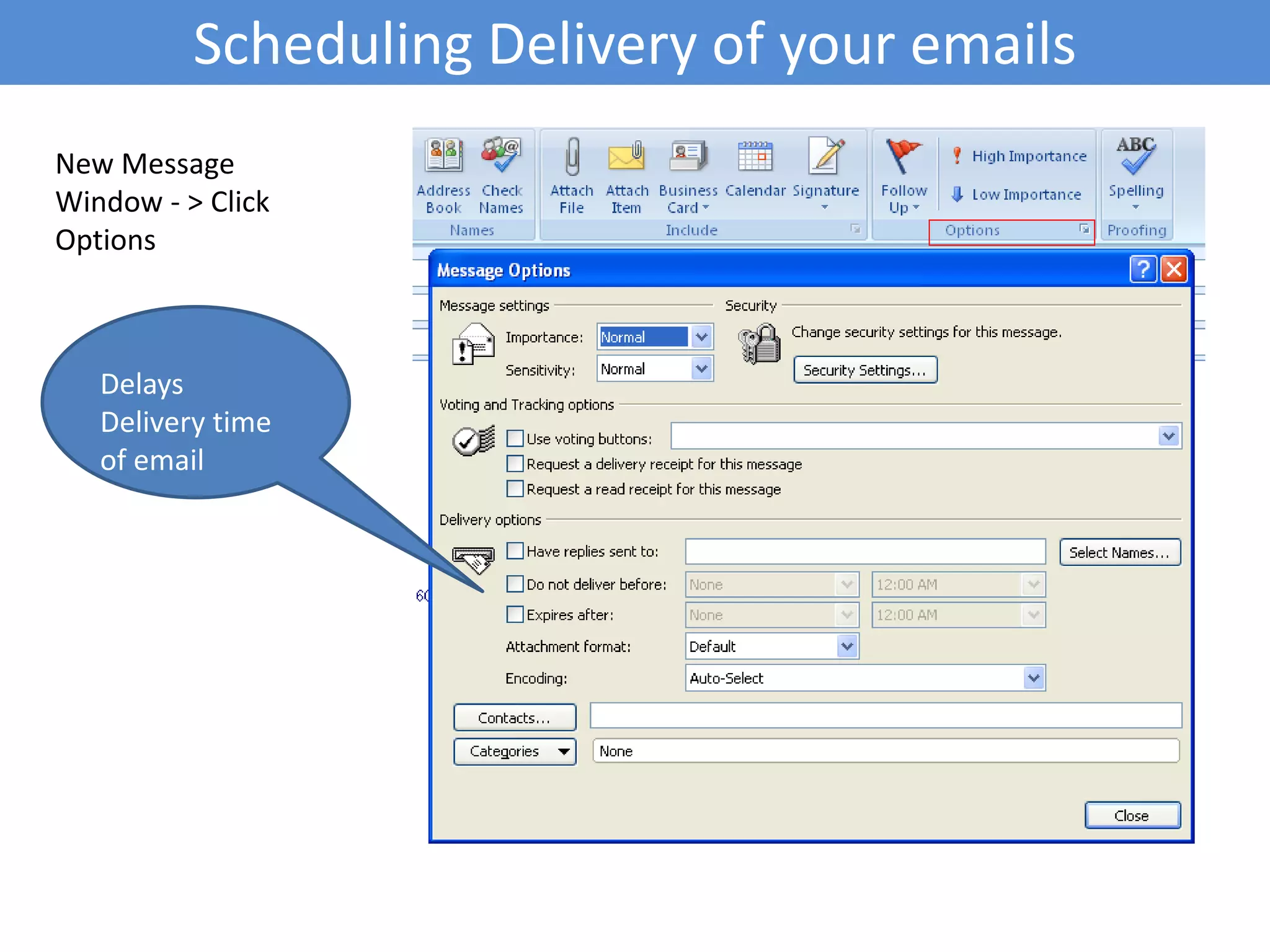
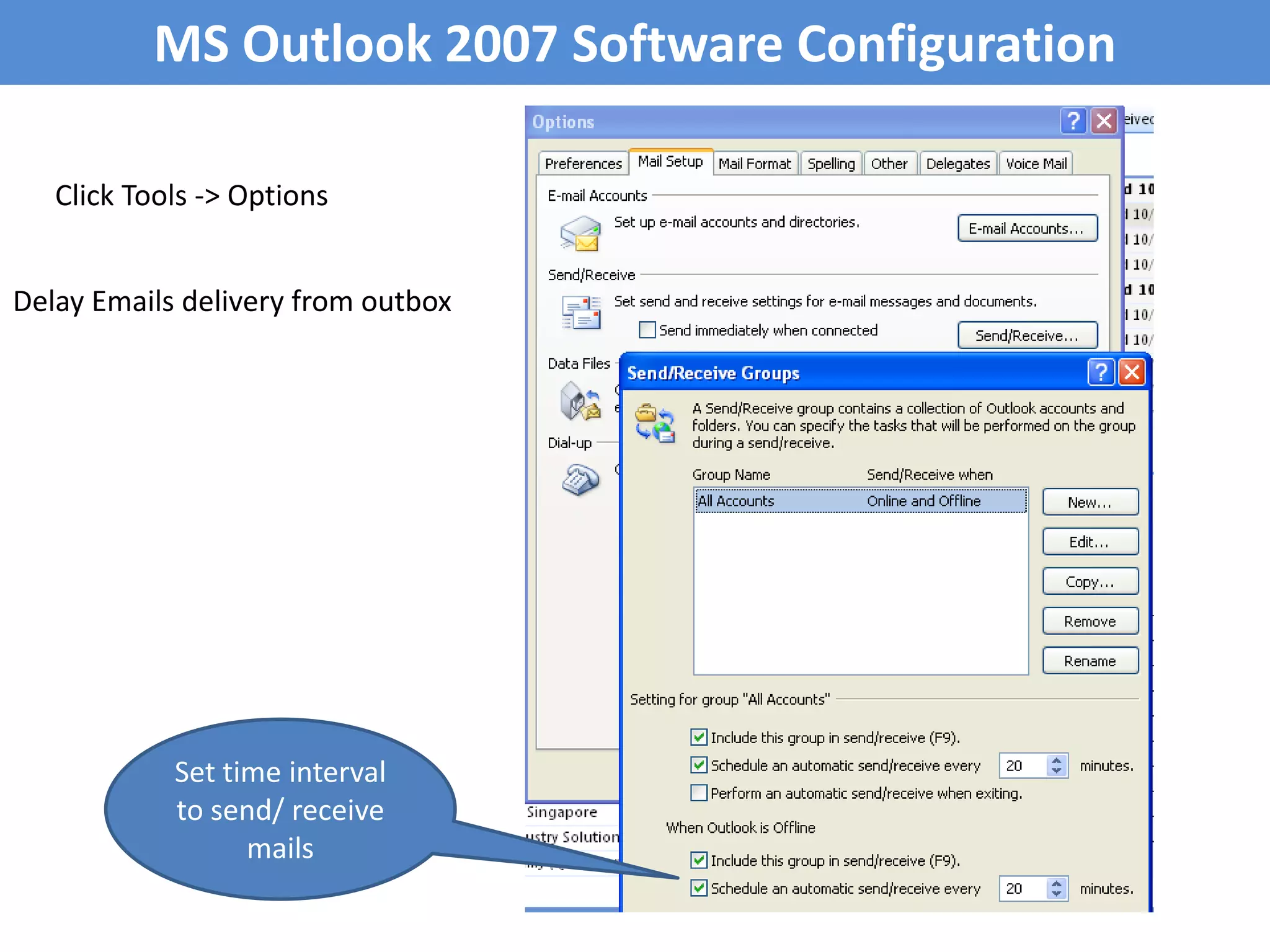
MS Outlook 2007Software ConfigurationClick Tools -> OptionsDelay Emails delivery from outboxSet time interval to send/ receive mails
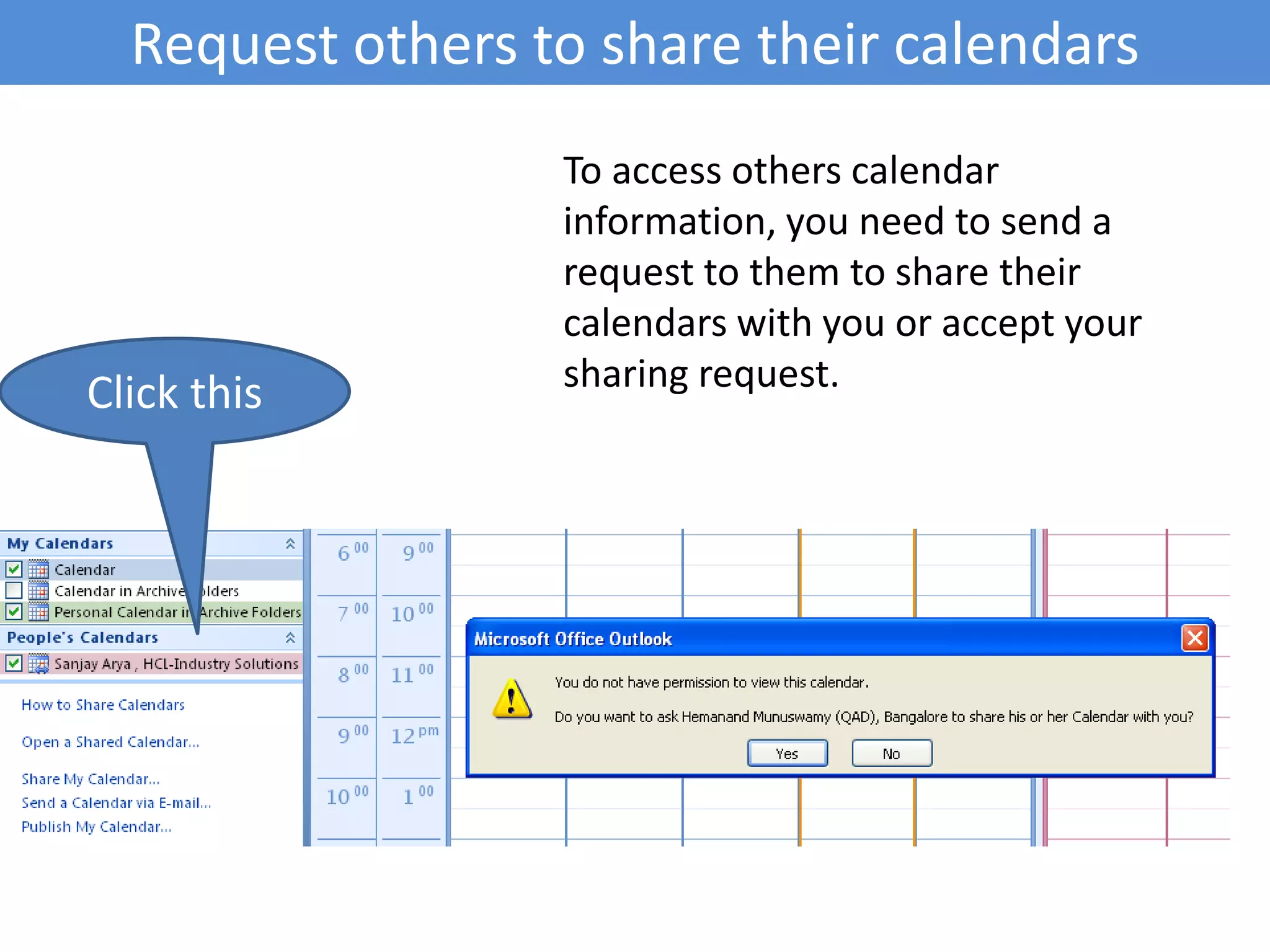
Request others toshare their calendarsTo access others calendar information, you need to send a request to them to share their calendars with you or accept your sharing request.Click this
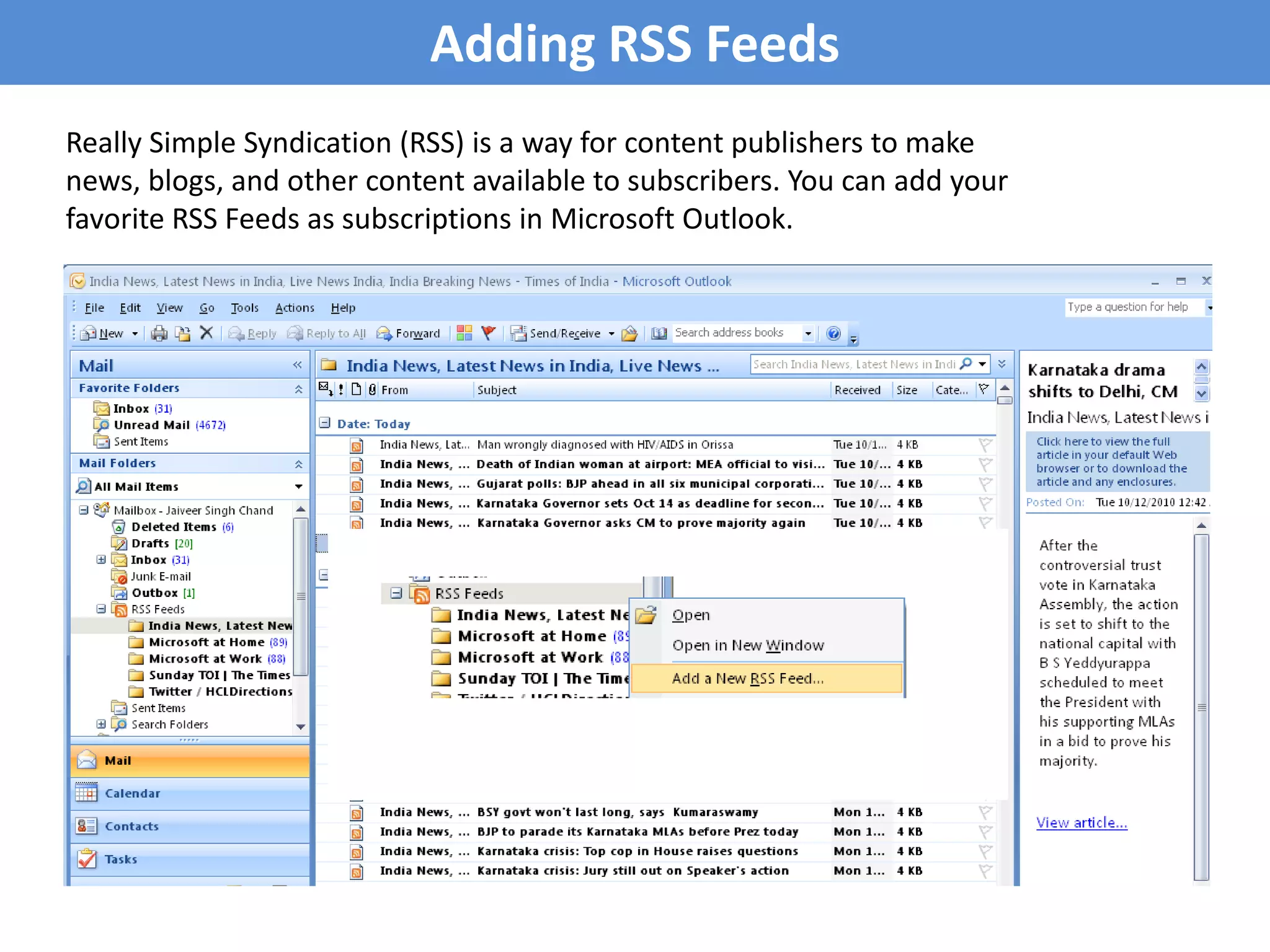
Adding RSS FeedsReallySimple Syndication (RSS) is a way for content publishers to make news, blogs, and other content available to subscribers. You can add your favorite RSS Feeds as subscriptions in Microsoft Outlook.
#3 BBN Technologies (originally Bolt, Beranek and Newman) is a high-technology company which provides research and development services. BBN is based next to Fresh Pond in Cambridge, Massachusetts, USA.
#6 In order to start prioritizing your work so that you are sure you are focusing on the most valuable work, not just the most immediate demands, recognize when an important task has switched over into urgent. The more time and attention you can give to completing an important job, the higher your quality of work will be.
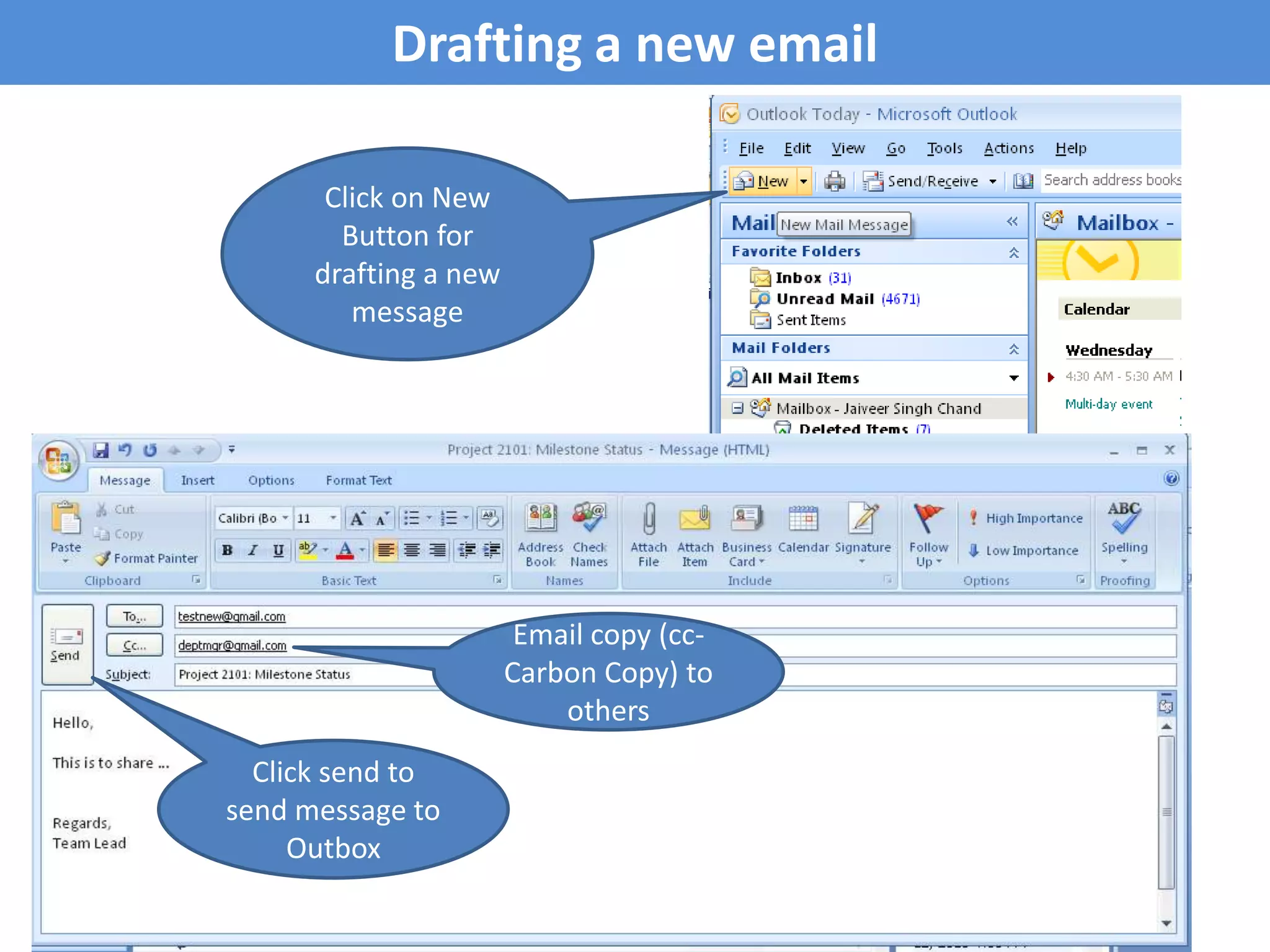
#11 Cc means carbon copy.. BCC means... blind carbon copy- Using BCC protects your recipients' private email addresses from being spread to strangers (from being released into the public domain.)