Aditya Singh Rawat
Introduction
The Internet Protocol version 4 (IPv4) is the delivery
mechanism used by the TCP/IP protocols.
IPv4 is an unreliable and connectionless datagram
protocol-a best-effort delivery service.
The term best-effort means that IPv4 provides no error
control or flow control.
If reliability is important, IPv4 must be paired with a
reliable protocol such as TCP.
Introduction
An example of a more commonly understood best-effort
delivery service is the post office.
The post office does its best to deliver the mail but does
not always succeed.
If an unregistered letter is lost, it is up to the sender or
would-be recipient to discover the loss and rectify the
problem.
The post office itself does not keep track of every letter
and cannot notify a sender of loss or damage.
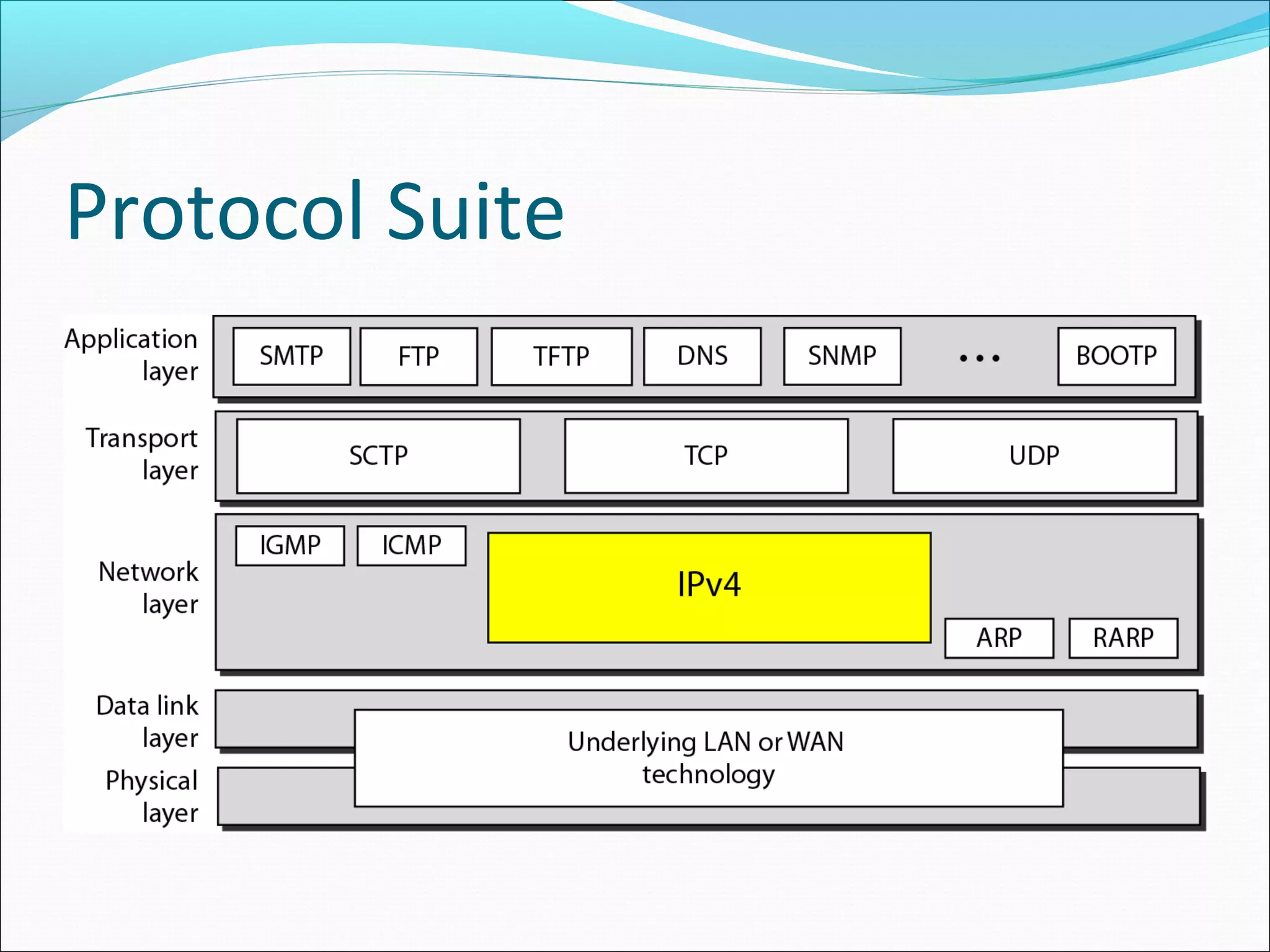
Protocol Suite
Protocol Suite
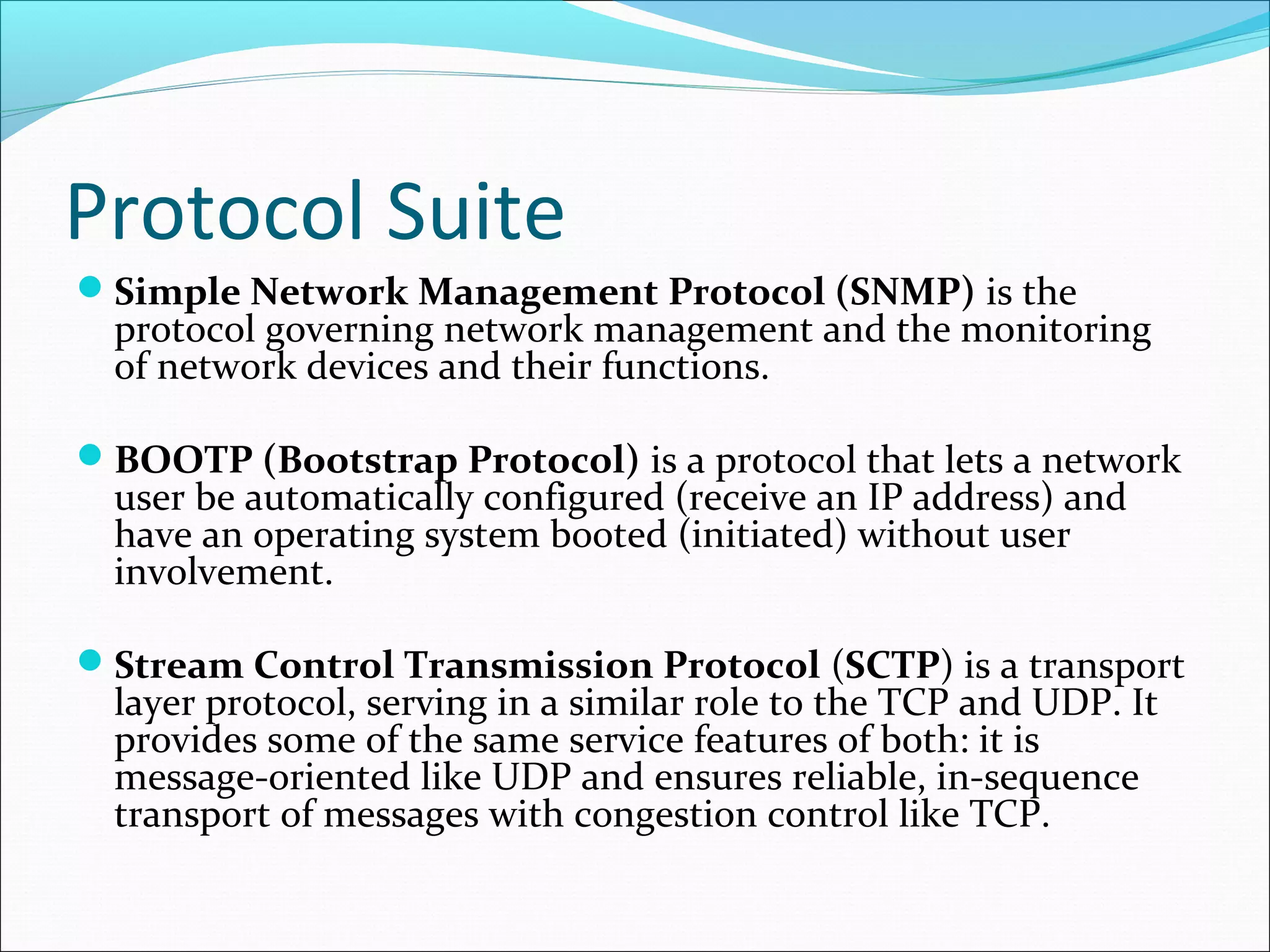
Simple Network Management Protocol (SNMP) is the
protocol governing network management and the monitoring
of network devices and their functions.
BOOTP (Bootstrap Protocol) is a protocol that lets a network
user be automatically configured (receive an IP address) and
have an operating system booted (initiated) without user
involvement.
Stream Control Transmission Protocol (SCTP) is a transport
layer protocol, serving in a similar role to the TCP and UDP. It
provides some of the same service features of both: it is
message-oriented like UDP and ensures reliable, in-sequence
transport of messages with congestion control like TCP.
Protocol Suite
The Internet Group Management Protocol (IGMP) is
an Internet protocol that provides a way for an Internet
computer to report its multicast group membership to
adjacent routers.
Trivial File Transfer Protocol (TFTP) is a file transfer
protocol notable for its simplicity. It is generally used for
automated transfer of configuration or boot files between
machines in a local environment.
Introduction
IPv4 is also a connectionless protocol for a packet-
switching network that uses the datagram approach.
This means that each datagram is handled independently,
and each datagram can follow a different route to the
destination.
Datagram Format
Datagram Format
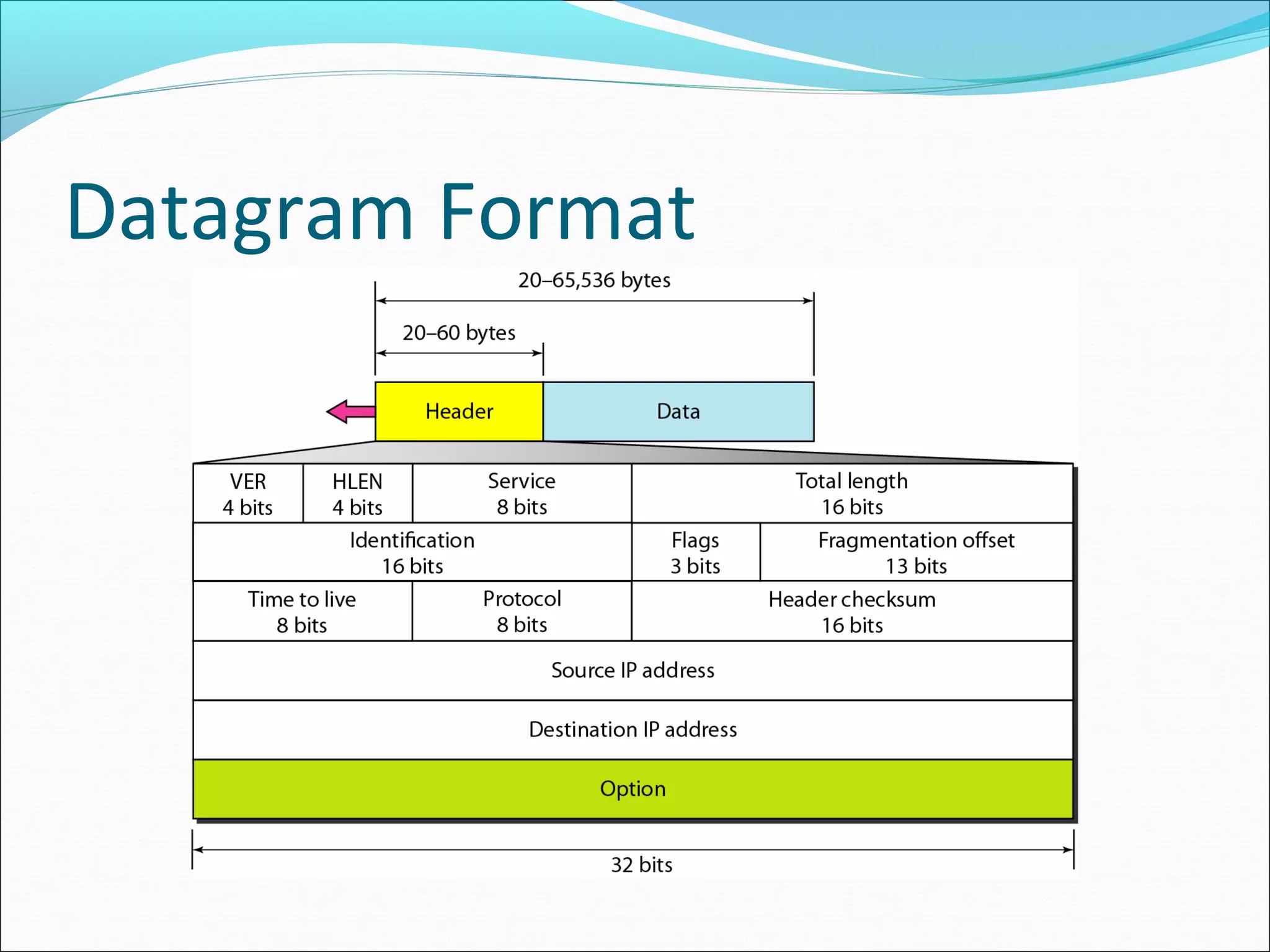
Packets in the IPv4 layer are called datagrams.
A datagram is a variable-length packet consisting of two parts:
header and data.
The header is 20 to 60 bytes in length and contains information
essential to routing.
Version (VER). This 4-bit field defines the version of the IPv4
protocol.
Currently the version is 4. However, version 6 (or IPng) may
totally replace version 4 in the future.
Datagram Format
Header length (HLEN). This 4-bit field defines the total
length of the datagram header in 4-byte words.
 This field is needed because the length of the header is
variable (between 20 and 60 bytes).
Services. IETF has changed the interpretation and name
of this 8-bit field.
This field, previously called service type, is now called
differentiated services.
Datagram Format
Service Type
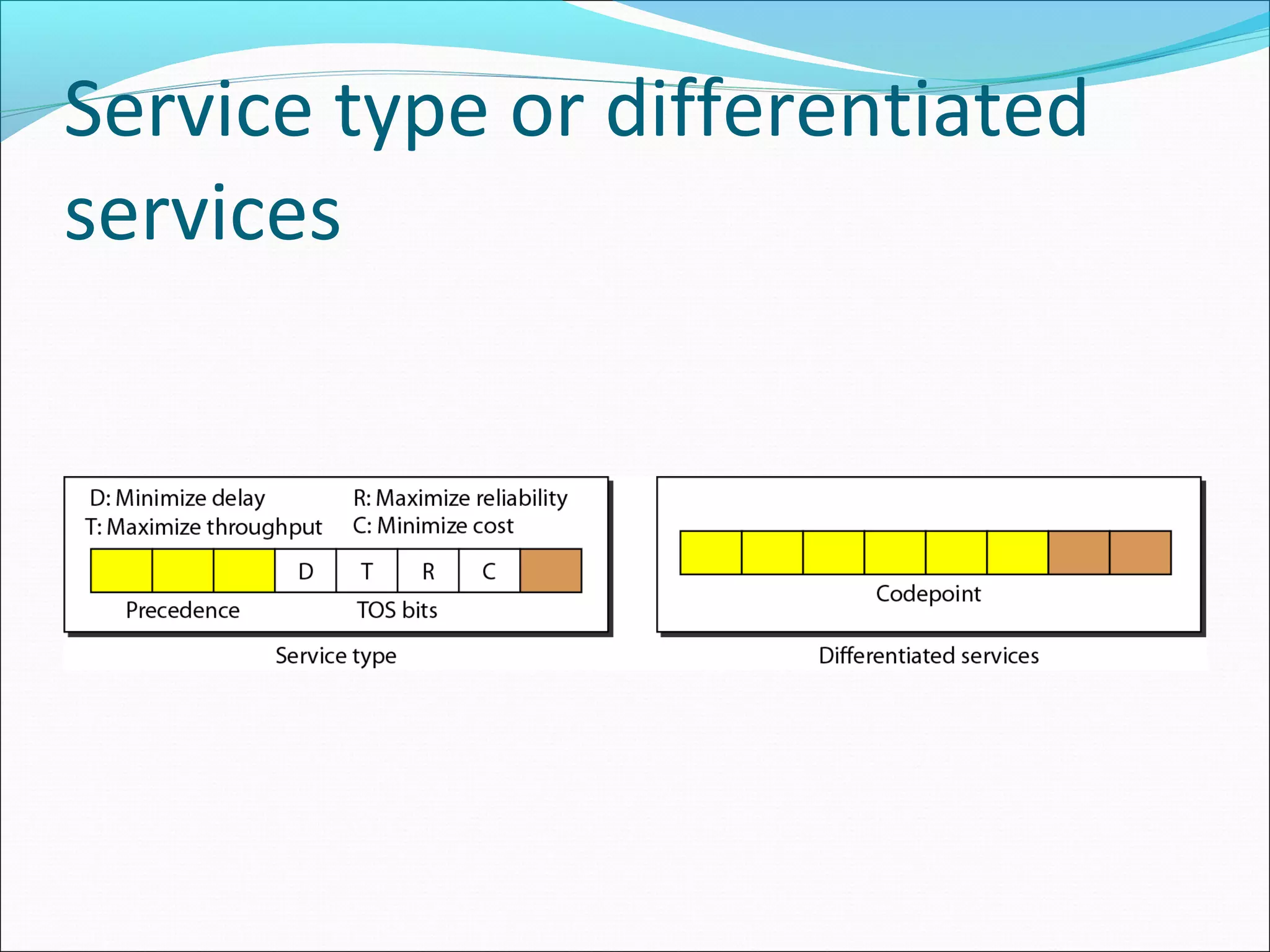
In this interpretation, the first 3 bits are called precedence bits.
The next 4 bits are called type of service (TOS) bits, and the last
bit is not used.
Precedence is a 3-bit subfield ranging from 0 (000 in binary) to
7 (111 in binary).
The precedence defines the priority of the datagram in issues
such as congestion.
Datagram Format
If a router is congested and needs to discard some
datagrams, those datagrams with lowest precedence are
discarded first.
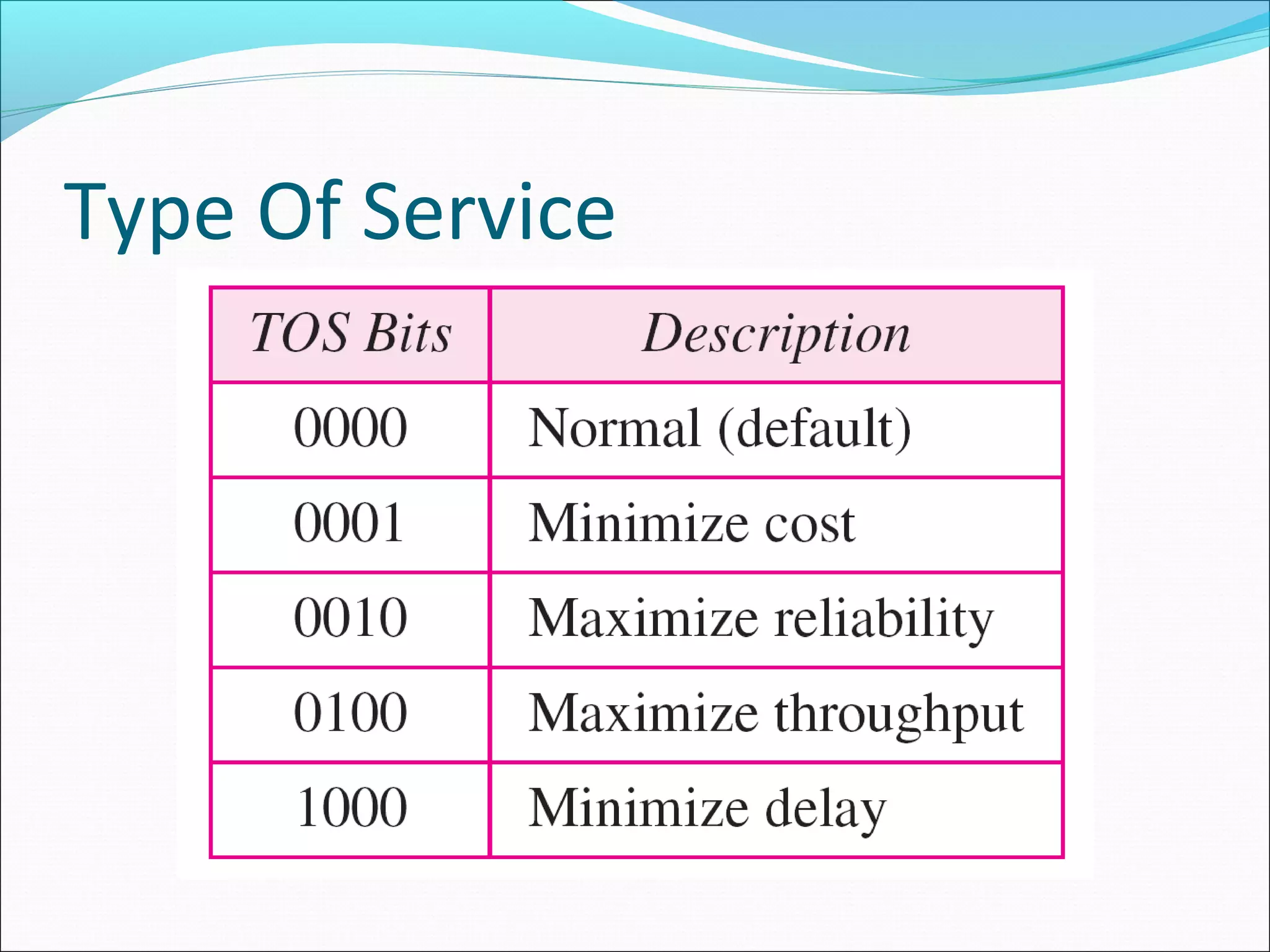
TOS bits is a 4-bit subfield with each bit having a special
meaning.
Although a bit can be either 0 or 1, one and only one of the
bits can have the value of 1 in each datagram.
Service type or differentiated
services
Type Of Service
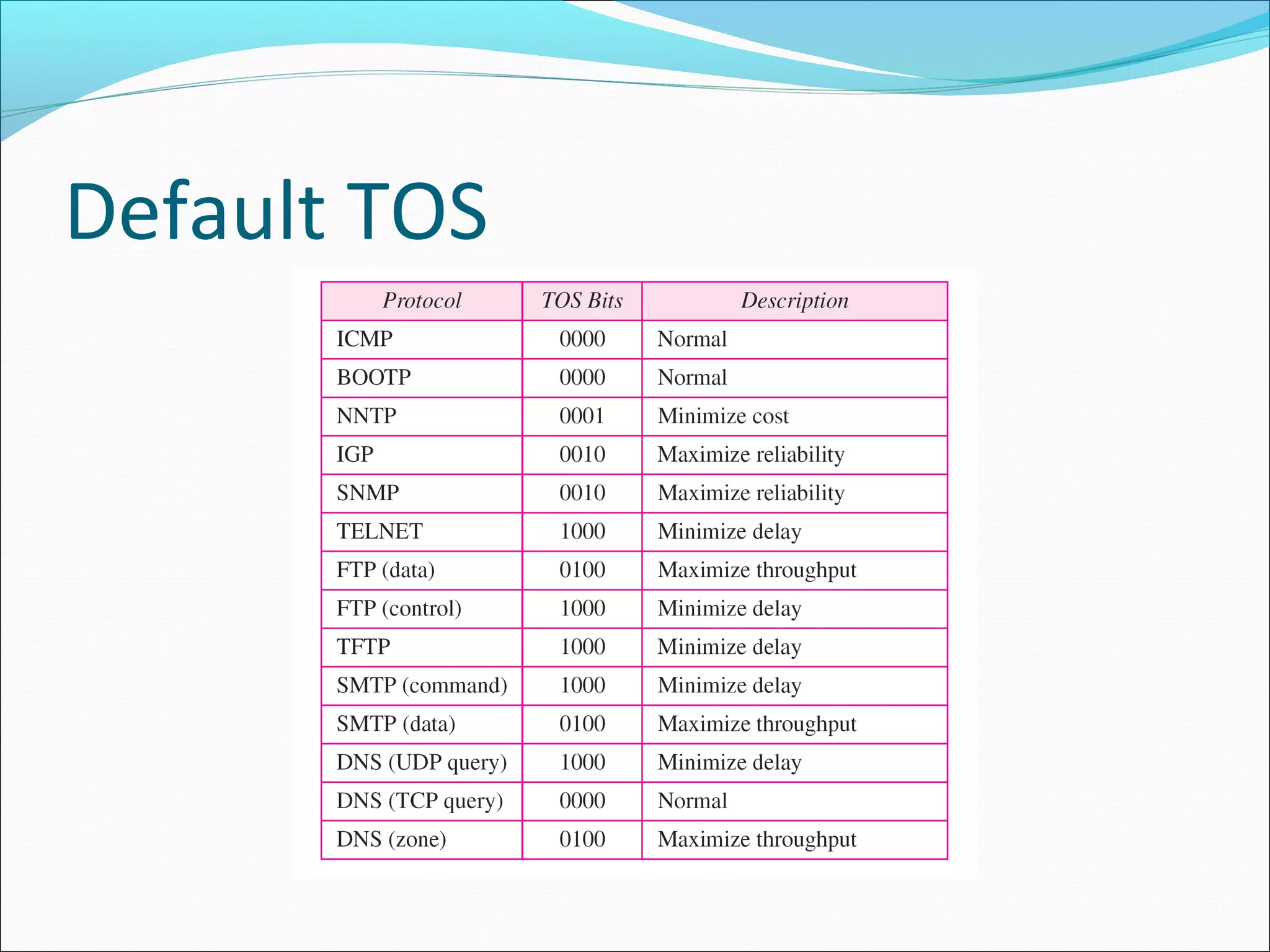
Default TOS
Differentiated Services
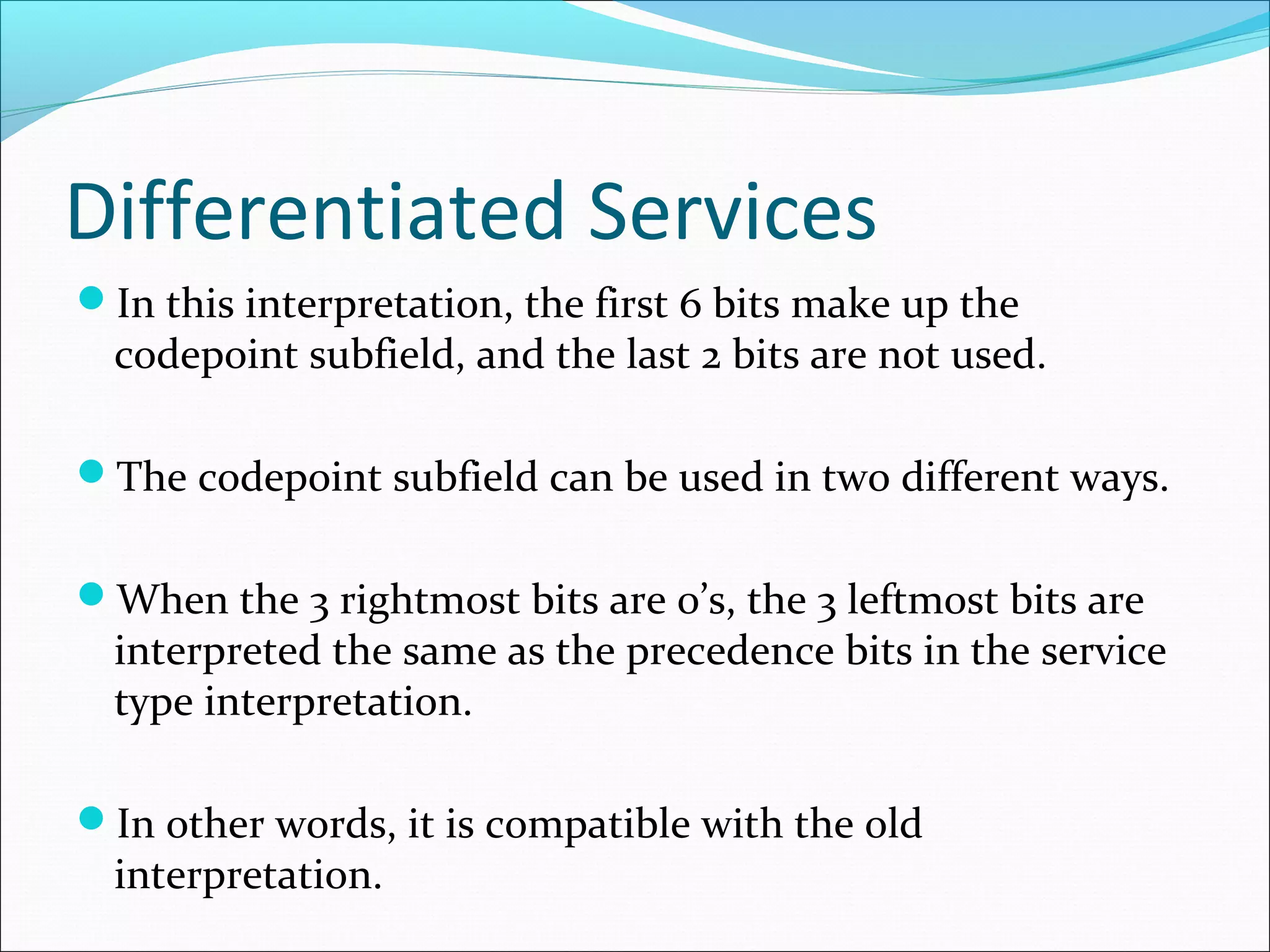
In this interpretation, the first 6 bits make up the
codepoint subfield, and the last 2 bits are not used.
The codepoint subfield can be used in two different ways.
When the 3 rightmost bits are 0’s, the 3 leftmost bits are
interpreted the same as the precedence bits in the service
type interpretation.
In other words, it is compatible with the old
interpretation.
Differentiated Services
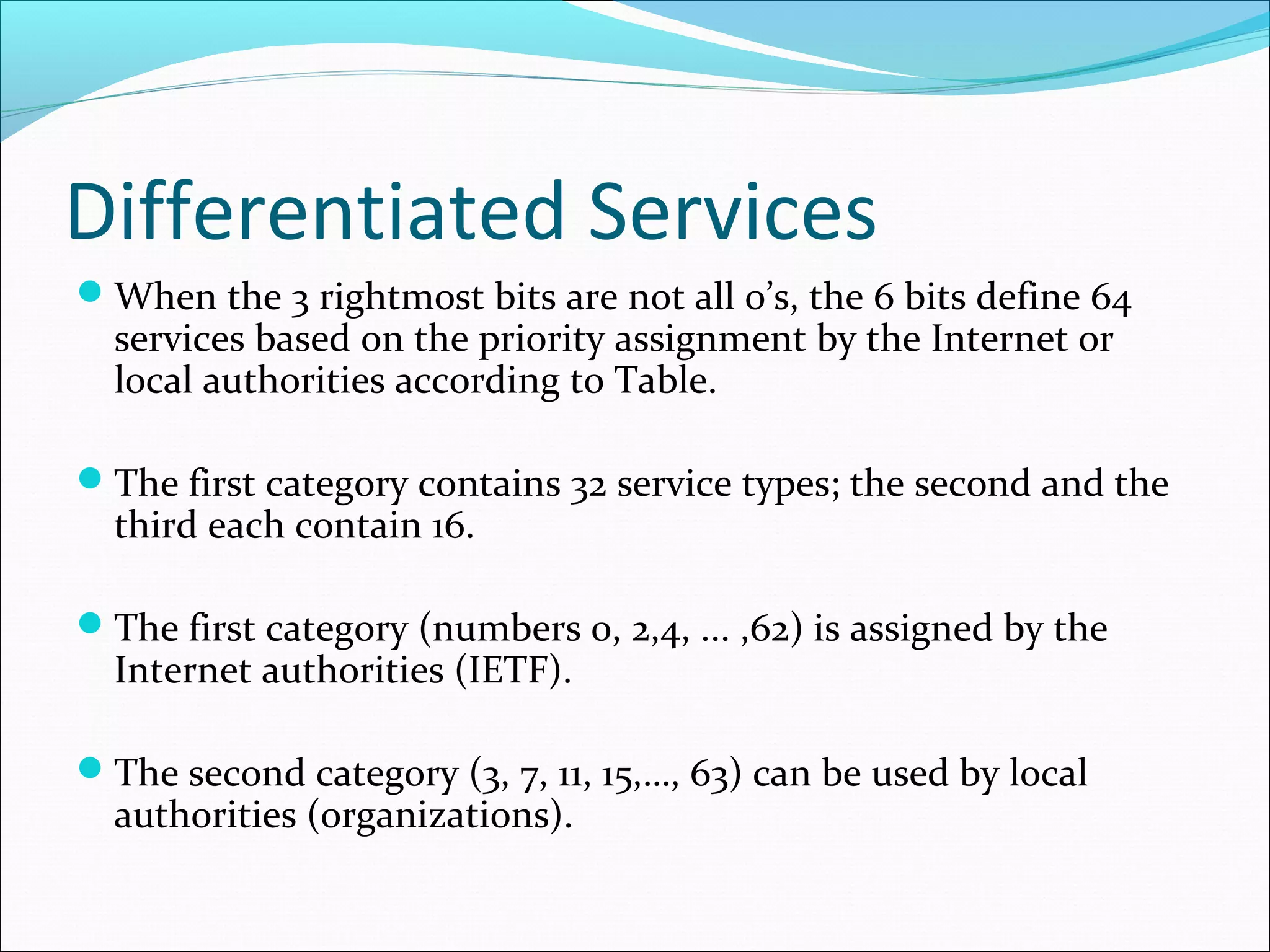
When the 3 rightmost bits are not all 0’s, the 6 bits define 64
services based on the priority assignment by the Internet or
local authorities according to Table.
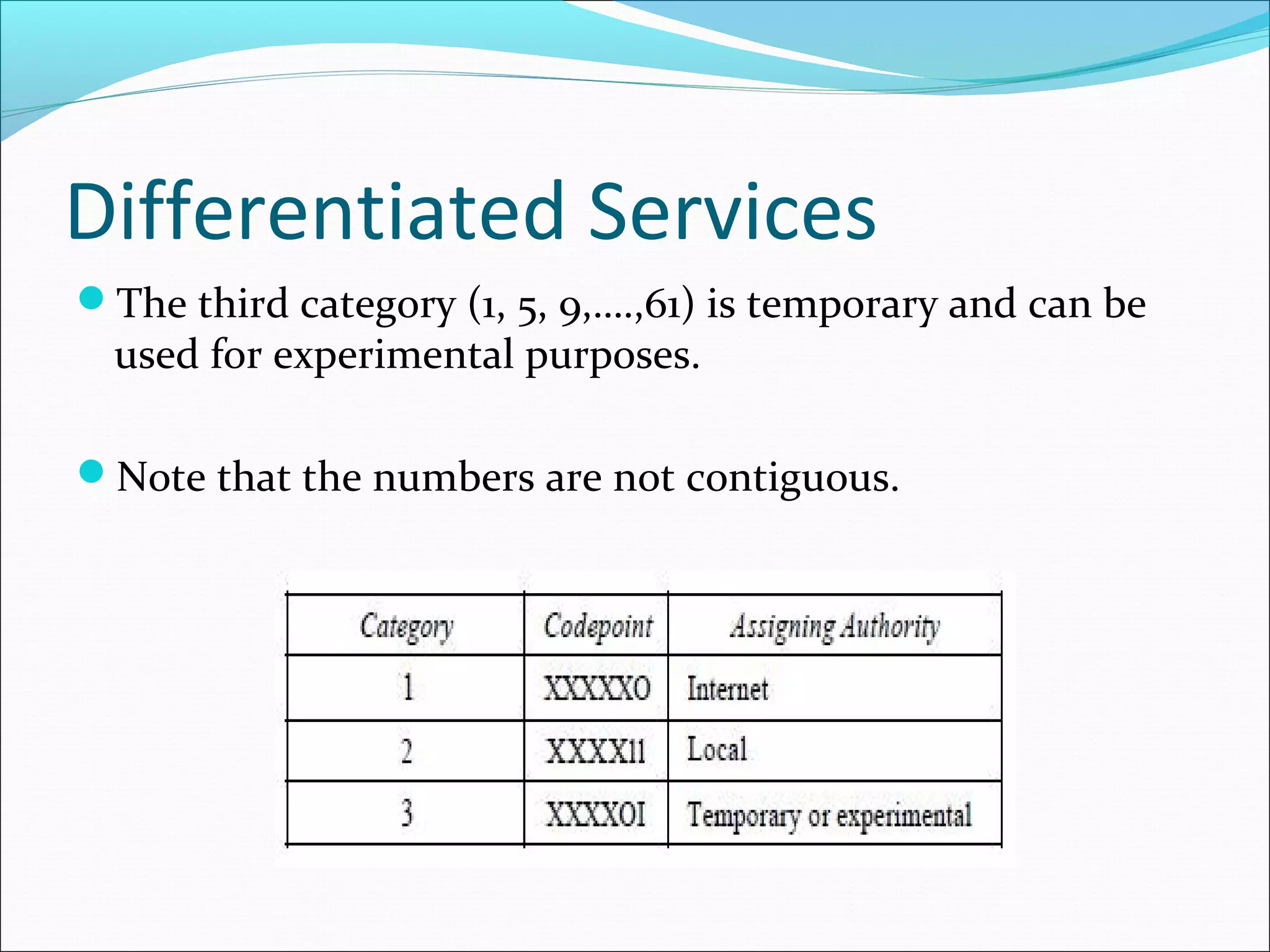
The first category contains 32 service types; the second and the
third each contain 16.
The first category (numbers 0, 2,4, ... ,62) is assigned by the
Internet authorities (IETF).
The second category (3, 7, 11, 15,…, 63) can be used by local
authorities (organizations).
Differentiated Services
The third category (1, 5, 9,….,61) is temporary and can be
used for experimental purposes.
Note that the numbers are not contiguous.
Values for codepoints
Datagram Format
Total length. This is a 16-bit field that defines the total
length (header plus data) of the IPv4 datagram in bytes.
To find the length of the data coming from the upper
layer, subtract the header length from the total length.
The total length field defines the total length of the
datagram including the header.
Datagram Format
The header length can be found by multiplying the
value in the HLEN field by 4.
Length of data =total length - header length
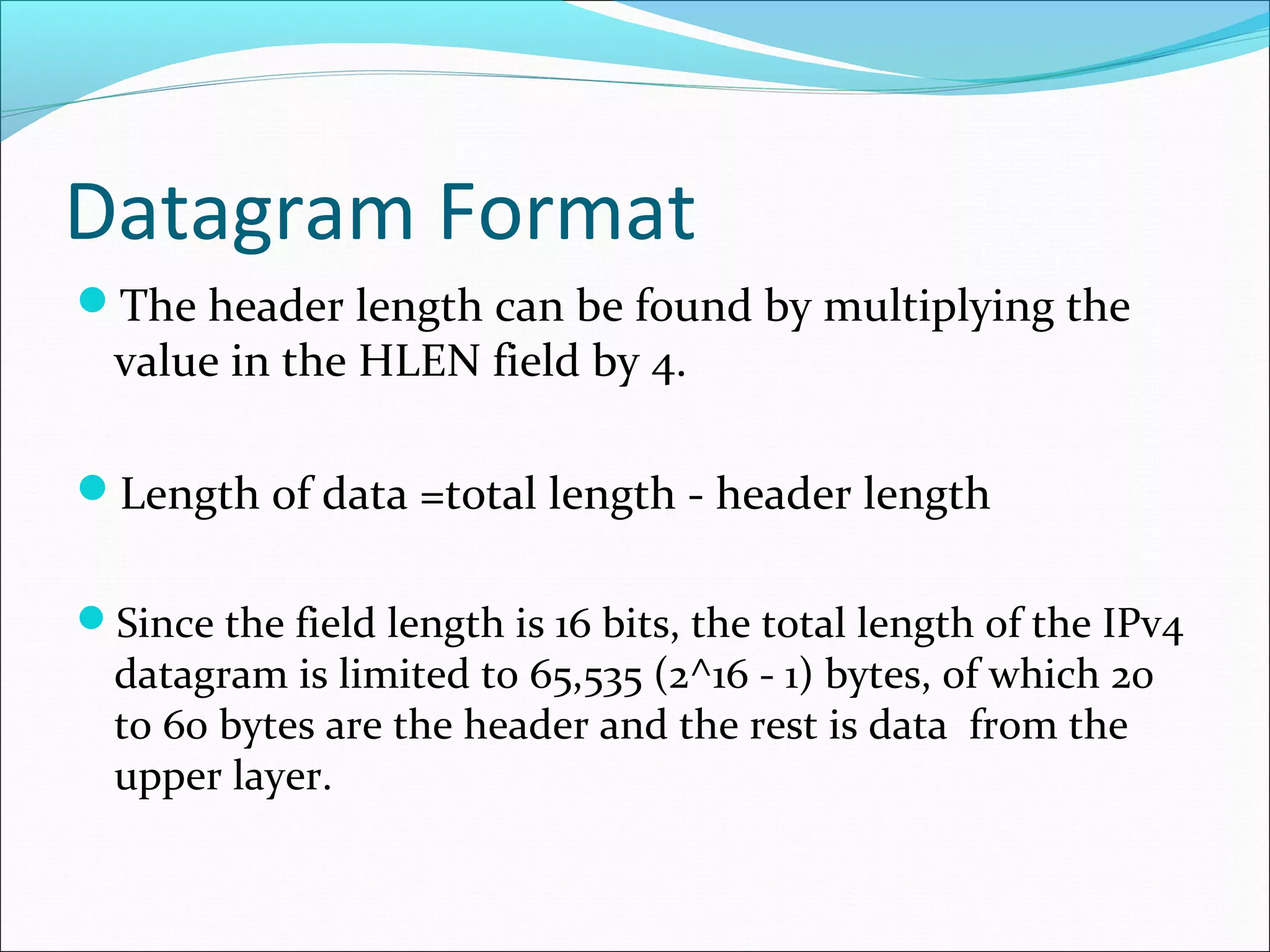
Since the field length is 16 bits, the total length of the IPv4
datagram is limited to 65,535 (2^16 - 1) bytes, of which 20
to 60 bytes are the header and the rest is data from the
upper layer.
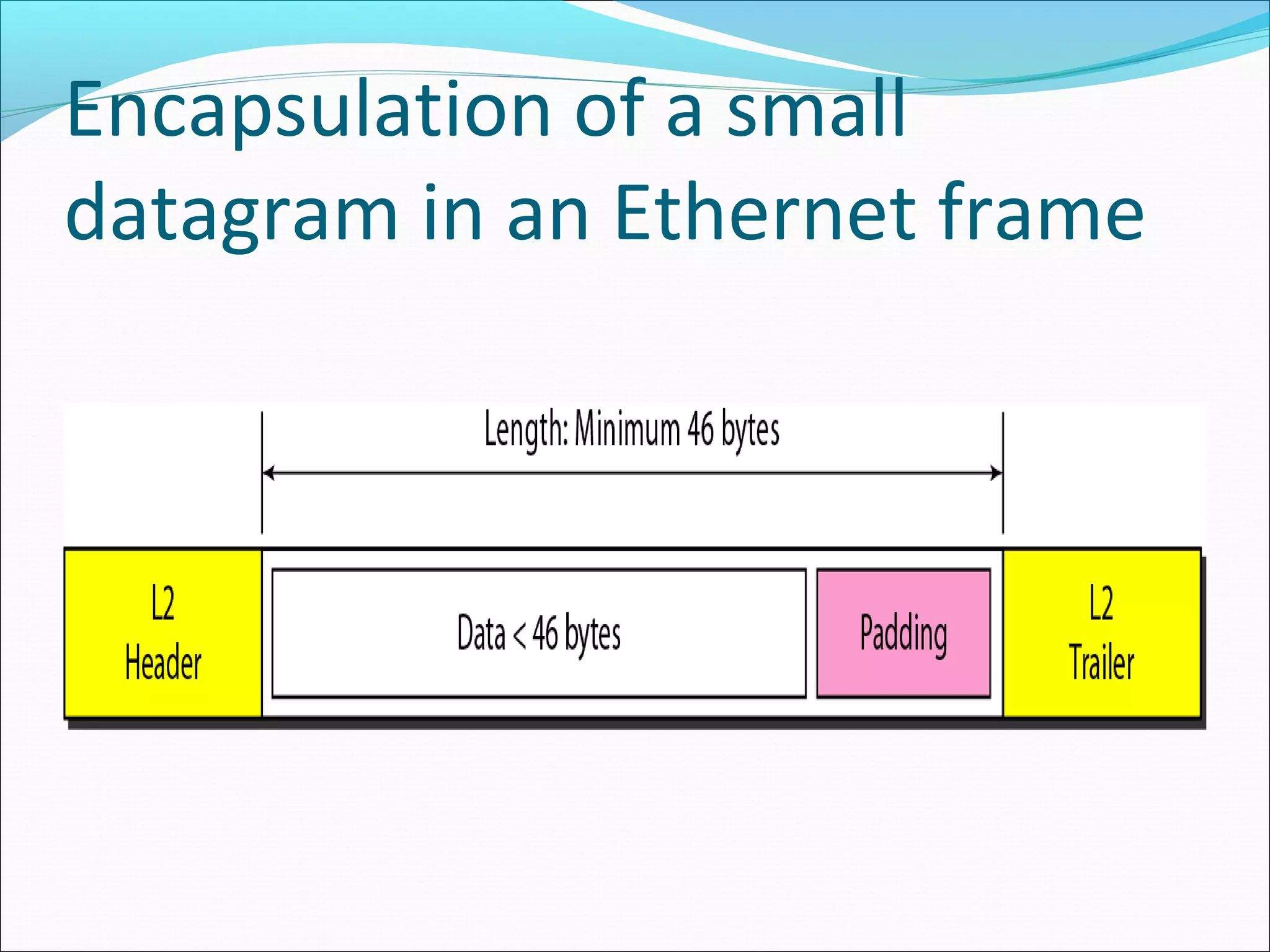
Encapsulation of a small
datagram in an Ethernet frame
Datagram Format
Identification. This field is used in fragmentation.
Flags. This field is used in fragmentation.
Fragmentation offset. This field is used in
fragmentation.
Time to live. A datagram has a limited lifetime in its
travel through an internet.
This field was originally designed to hold a timestamp,
which was decremented by each visited router. The
datagram was discarded when the value became zero
Datagram Format
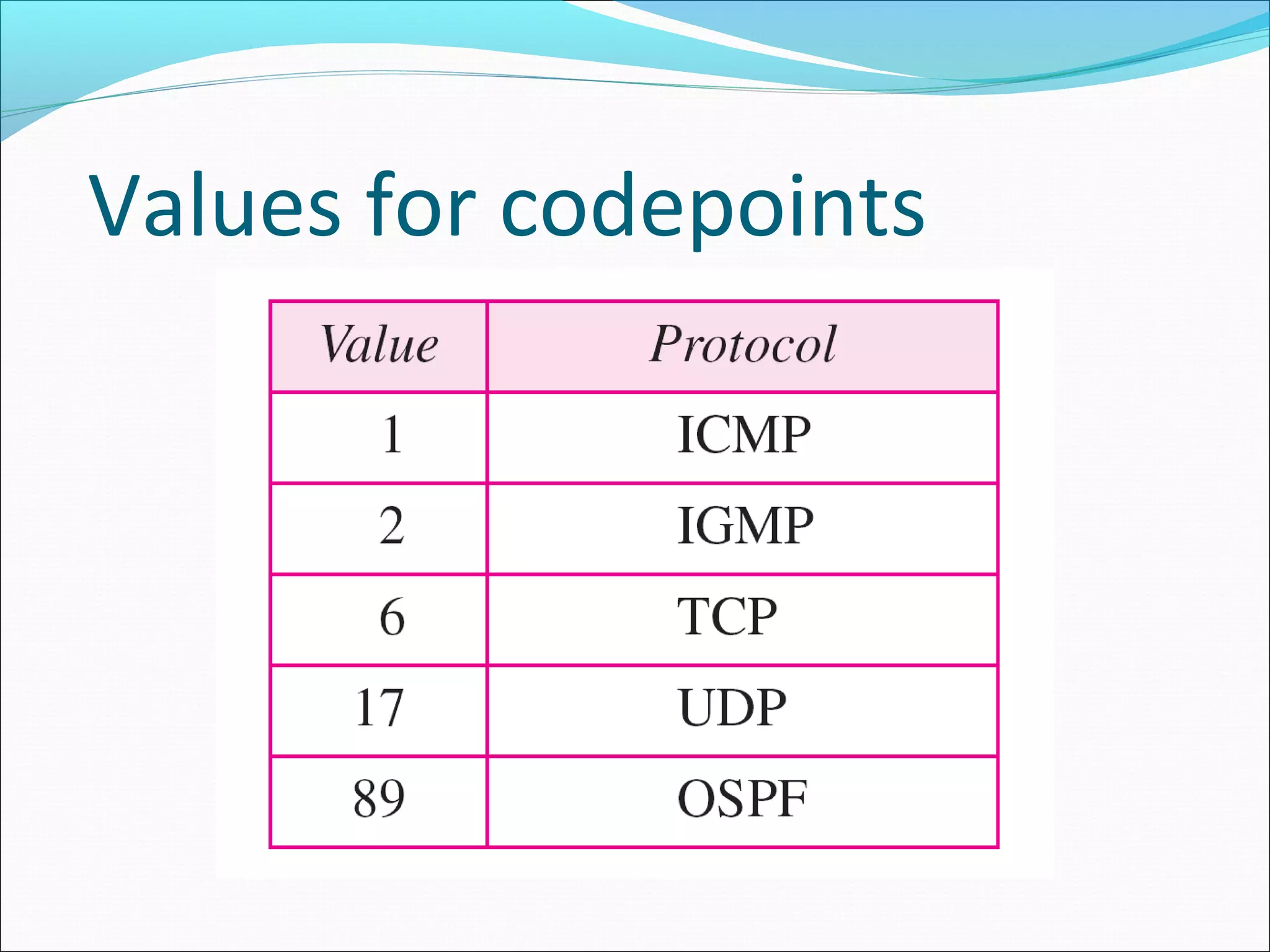
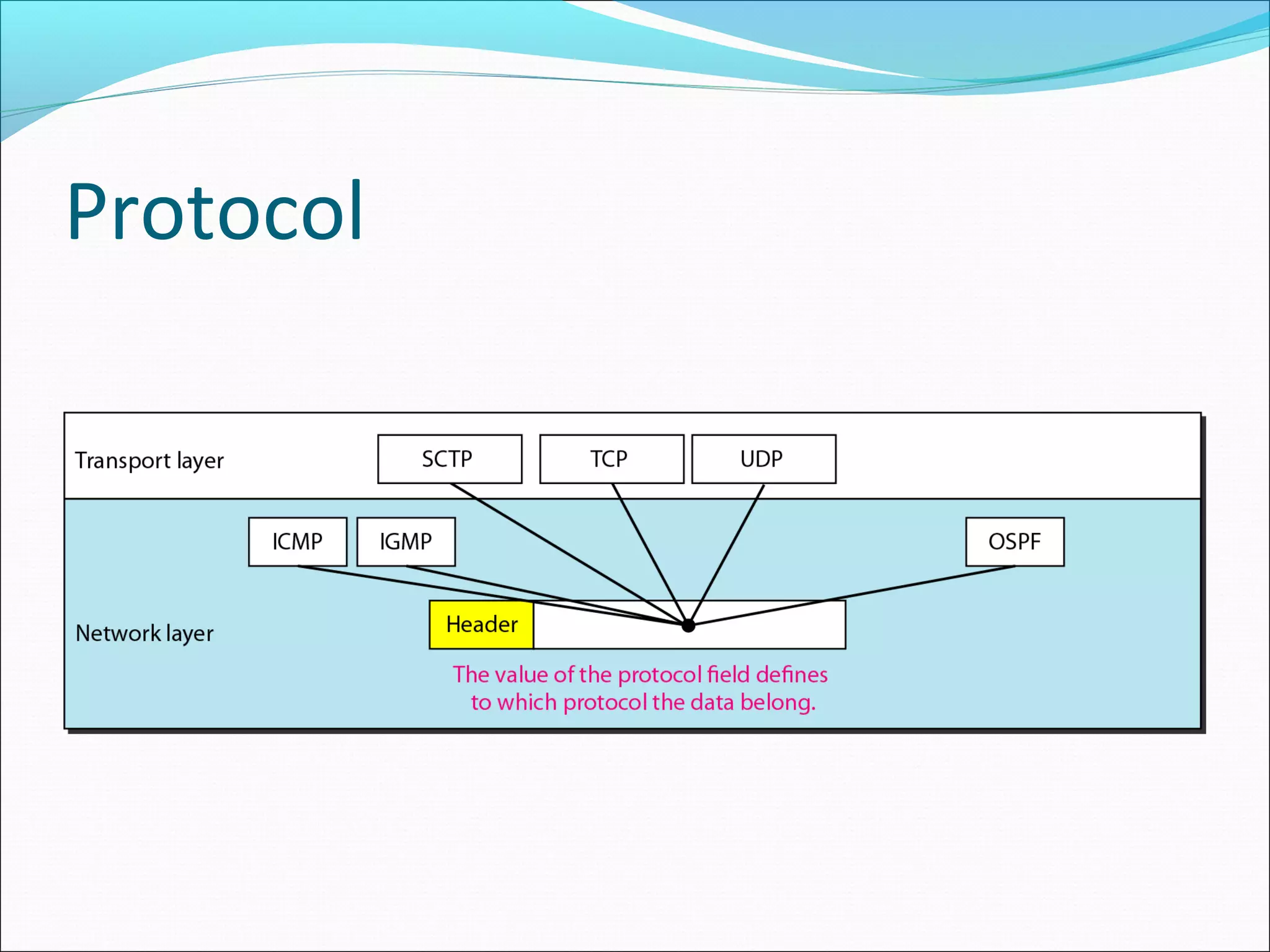
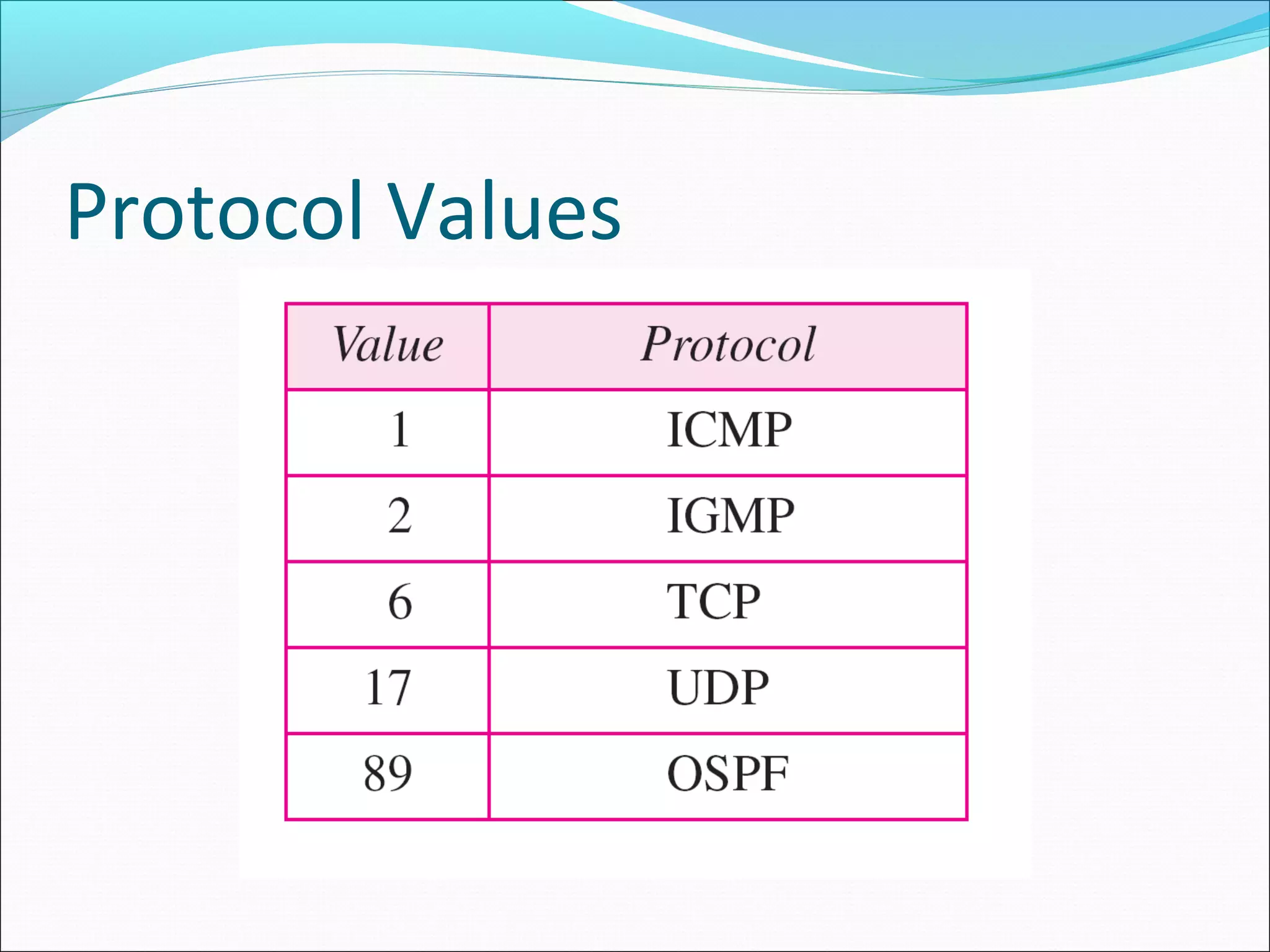
Protocol. This 8-bit field defines the higher-level protocol
that uses the services of the IPv4 layer.
An IPv4 datagram can encapsulate data from several
higher-level protocols such as TCP, UDP, ICMP, and
IGMP.
This field specifies the final destination protocol to which
the IPv4 datagram is delivered.
Protocol
Protocol Values
Datagram Format
Checksum.
Source address. This 32-bit field defines the IPv4 address of
the source.
This field must remain unchanged during the time the IPv4
datagram travels from the source host to the destination host.
Destination address. This 32-bit field defines the IPv4 address
of the destination.
This field must remain unchanged during the time the IPv4
datagram travels from the source host to the destination host
20.28
An IPv4 packet has arrived with the first 8 bits as shown:
01000010
The receiver discards the packet. Why?
Solution
There is an error in this packet. The 4 leftmost bits (0100) show
the version, which is correct. The next 4 bits (0010) show an
invalid header length (2 × 4 = 8). The minimum number of bytes
in the header must be 20. The packet has been corrupted in
transmission.
Example
20.29
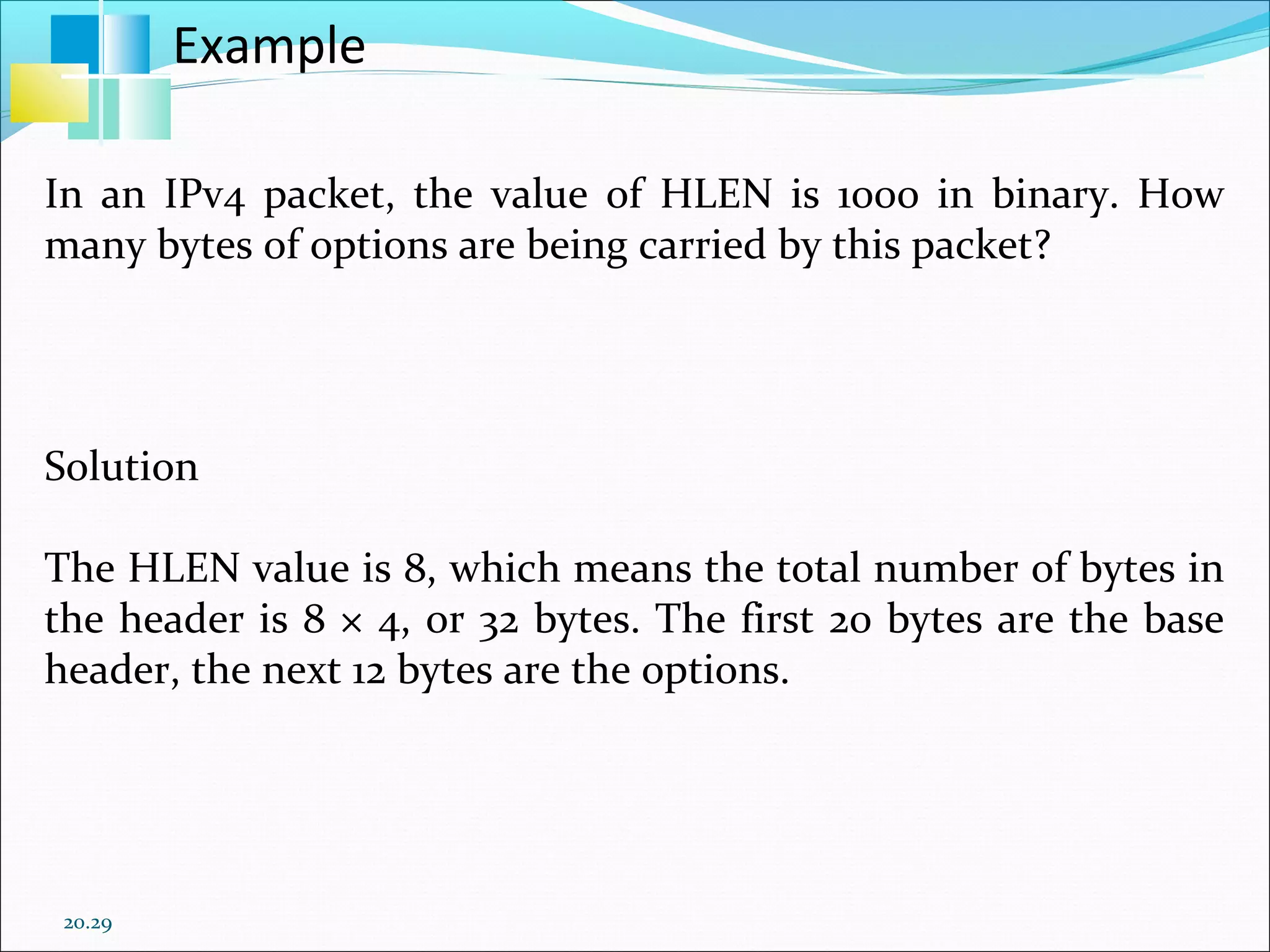
In an IPv4 packet, the value of HLEN is 1000 in binary. How
many bytes of options are being carried by this packet?
Solution
The HLEN value is 8, which means the total number of bytes in
the header is 8 × 4, or 32 bytes. The first 20 bytes are the base
header, the next 12 bytes are the options.
Example
Fragmentation
Data field of a large IP packet is fragmented.
The fragments are sent into a series of smaller IP
packets fitting a network’s MTU.
Fragmentation is done by routers
Fragmentation may be done multiple times along the
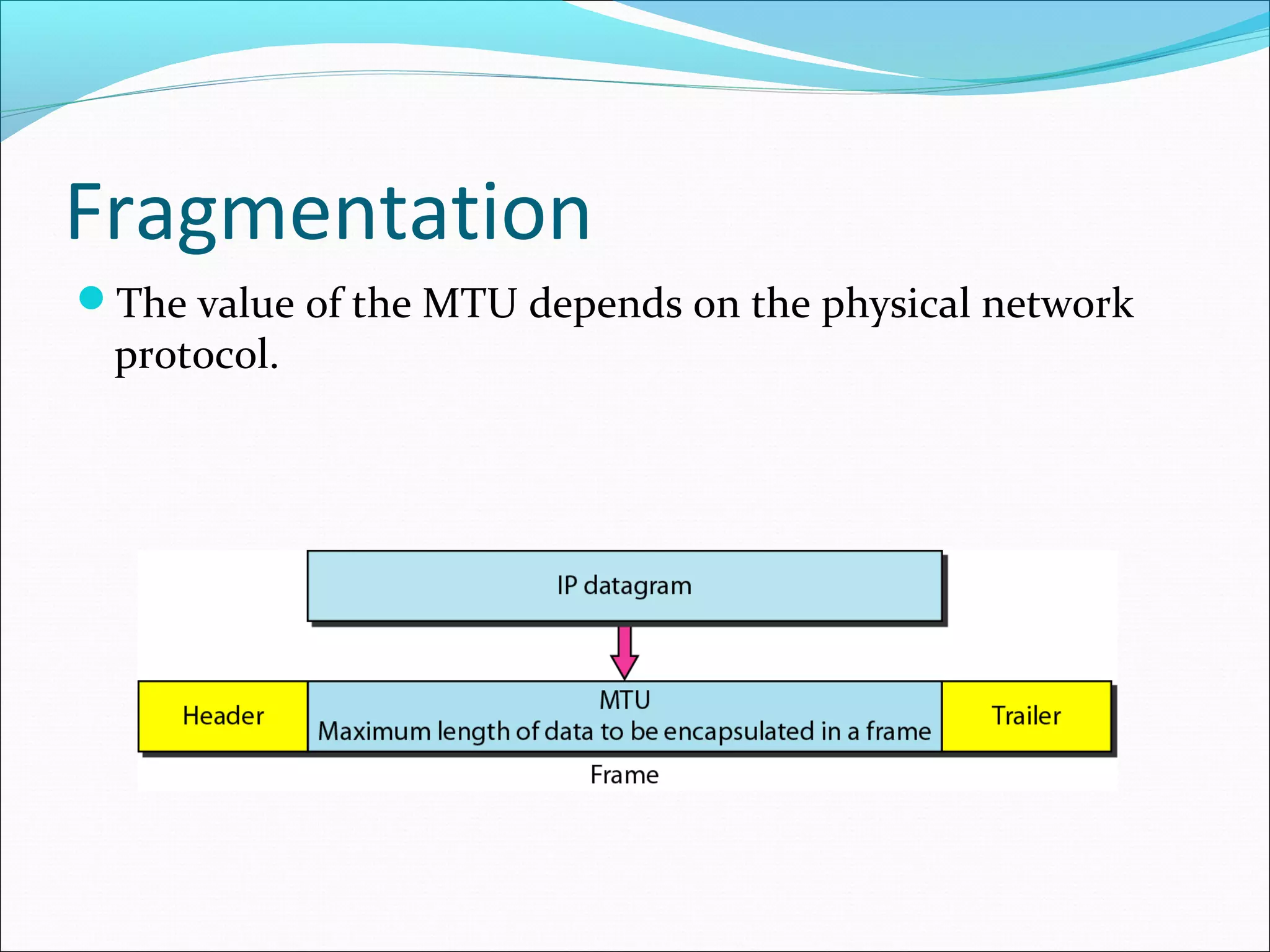
route.
Fragmentation
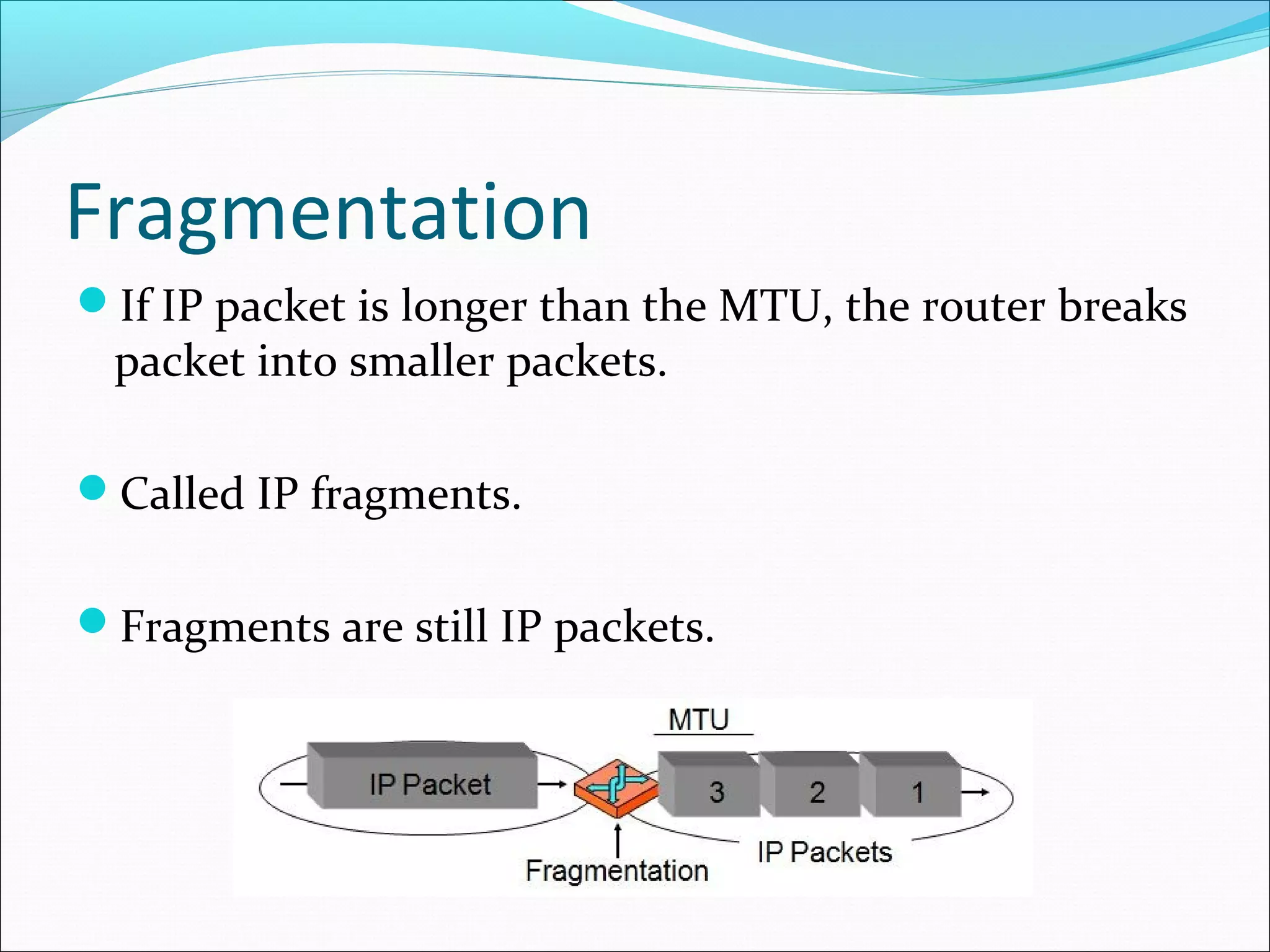
If IP packet is longer than the MTU, the router breaks
packet into smaller packets.
Called IP fragments.
Fragments are still IP packets.
Fragmentation
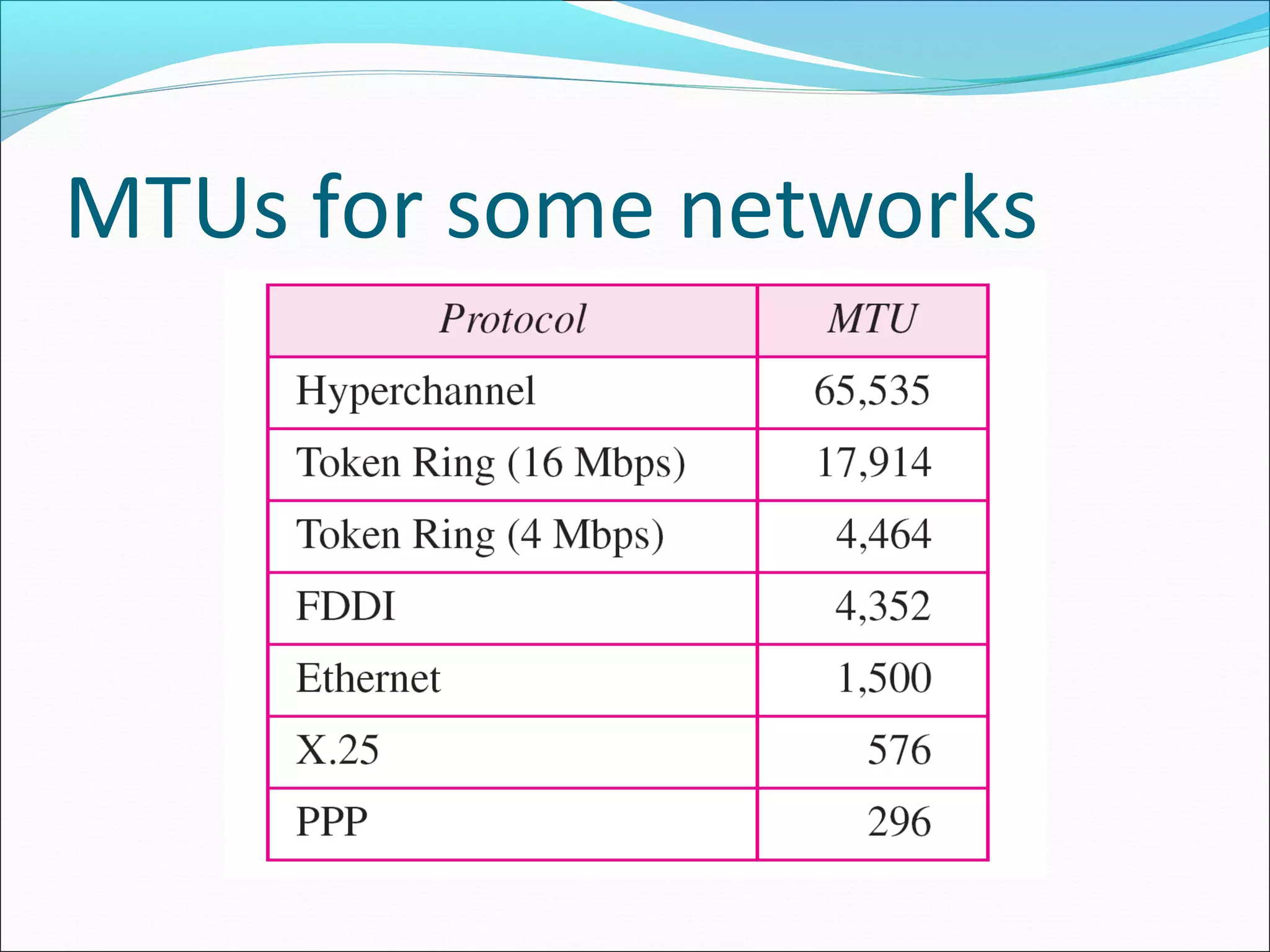
Maximum Transfer Unit (MTU)
Each data link layer protocol has its own frame format in
most protocols.
One of the fields defined in the format is the maximum
size of the data field.
In other words, when a datagram is encapsulated in a
frame, the total size of the datagram must be less than this
maximum size.
Fragmentation
A maximum transmission unit (MTU) is the largest size
packet or frame, specified in octets (eight-bit bytes), that
can be sent in a packet- or frame-based network such as
the Internet.
In a case where a router receives a protocol data unit (PDU)
larger than the next hop's MTU.
It has two options if the transport is IPv4: drop the PDU and
send an ICMP message which indicates the condition Packet
too Big, or fragment the IP packet and send it over the link with
a smaller MTU.
Fragmentation
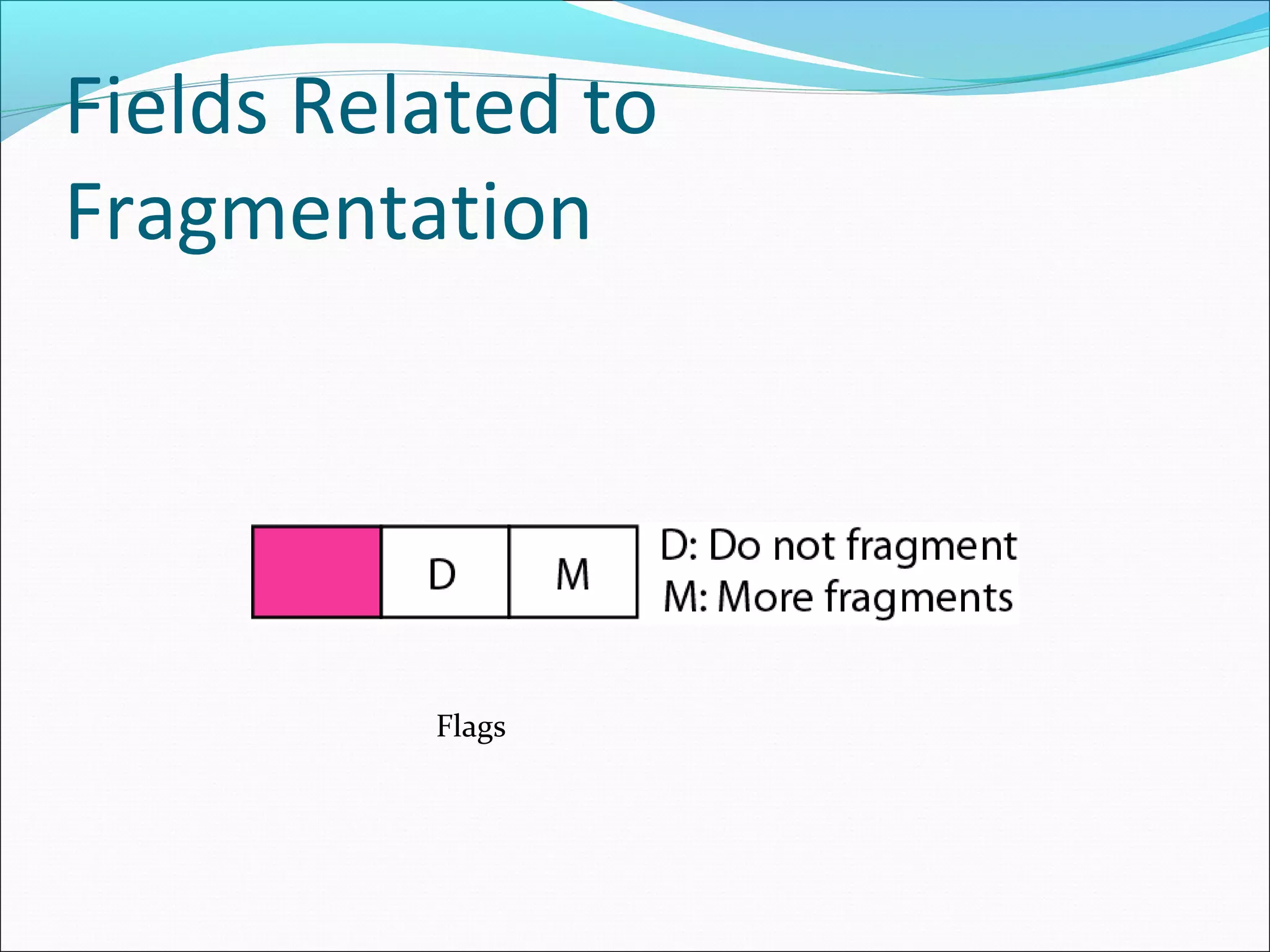
The value of the MTU depends on the physical network
protocol.
MTUs for some networks
Fields Related to
Fragmentation
Identification. This 16-bit field identifies a datagram
originating from the source host.
The combination of the identification and source IPv4 address
must uniquely define a datagram as it leaves the source host.
To guarantee uniqueness, the IPv4 protocol uses a counter to
label the datagrams.
All fragments have the same identification number, the same as
the original datagram.
Fields Related to
Fragmentation
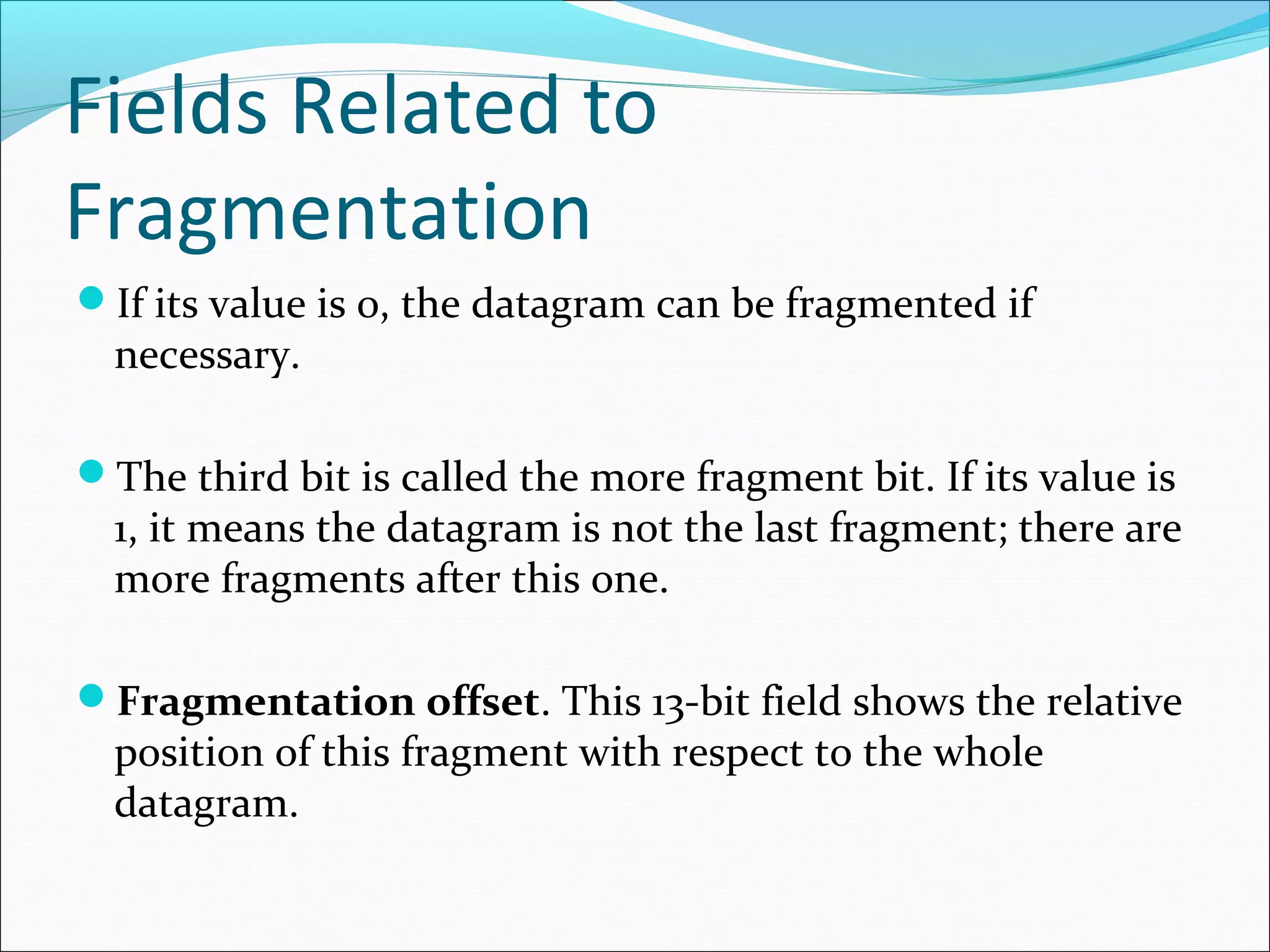
Flags. This is a 3-bit field. The first bit is reserved.
The second bit is called the do not fragment bit.
If its value is 1, the machine must not fragment the
datagram.
If it cannot pass the datagram through any available
physical network, it discards the datagram and sends an
ICMP error message to the source host
Fields Related to
Fragmentation
Flags
Fields Related to
Fragmentation
If its value is 0, the datagram can be fragmented if
necessary.
The third bit is called the more fragment bit. If its value is
1, it means the datagram is not the last fragment; there are
more fragments after this one.
Fragmentation offset. This 13-bit field shows the relative
position of this fragment with respect to the whole
datagram.
Fields Related to
Fragmentation
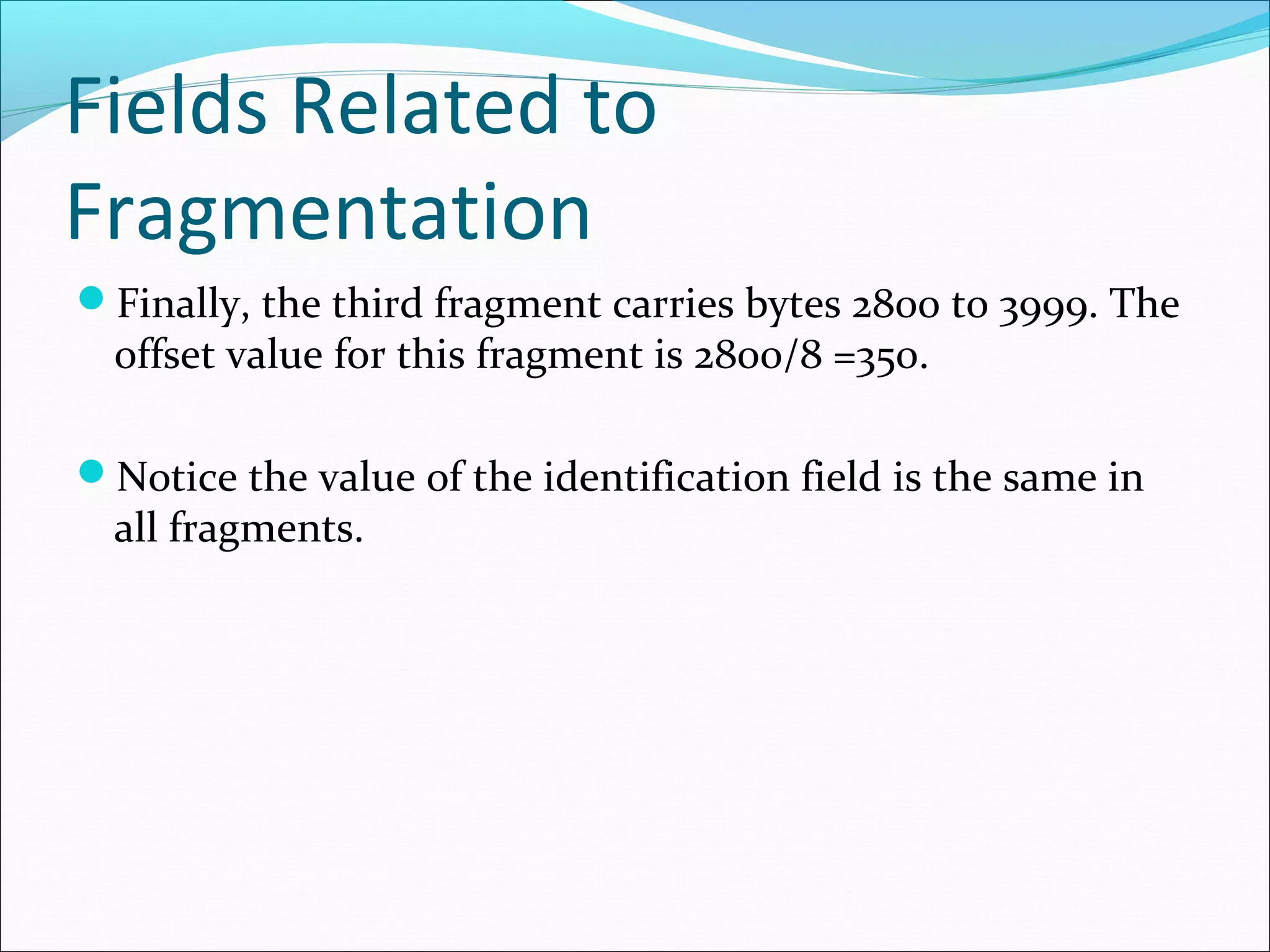
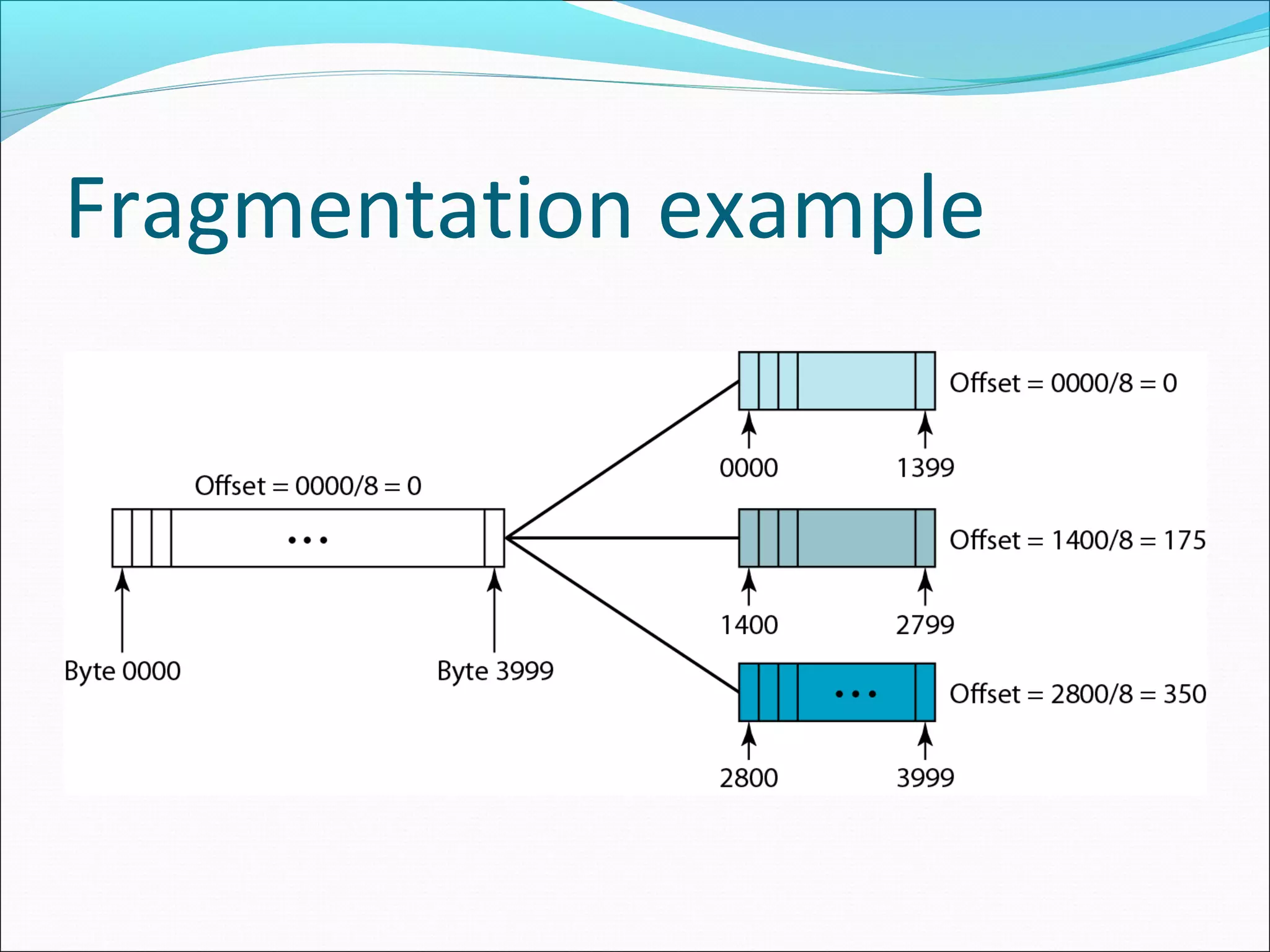
It is the offset of the data in the original datagram
measured in units of 8 bytes.
The bytes in the original datagram are numbered 0 to
3999. The first fragment carries bytes 0 to 1399.
The offset for this datagram is 0/8 =0
The second fragment carries bytes 1400 to 2799; the offset
value for this fragment is 1400/8 = 175.
Fields Related to
Fragmentation
Finally, the third fragment carries bytes 2800 to 3999. The
offset value for this fragment is 2800/8 =350.
Notice the value of the identification field is the same in
all fragments.
Fragmentation example
Detailed Fragmentation example
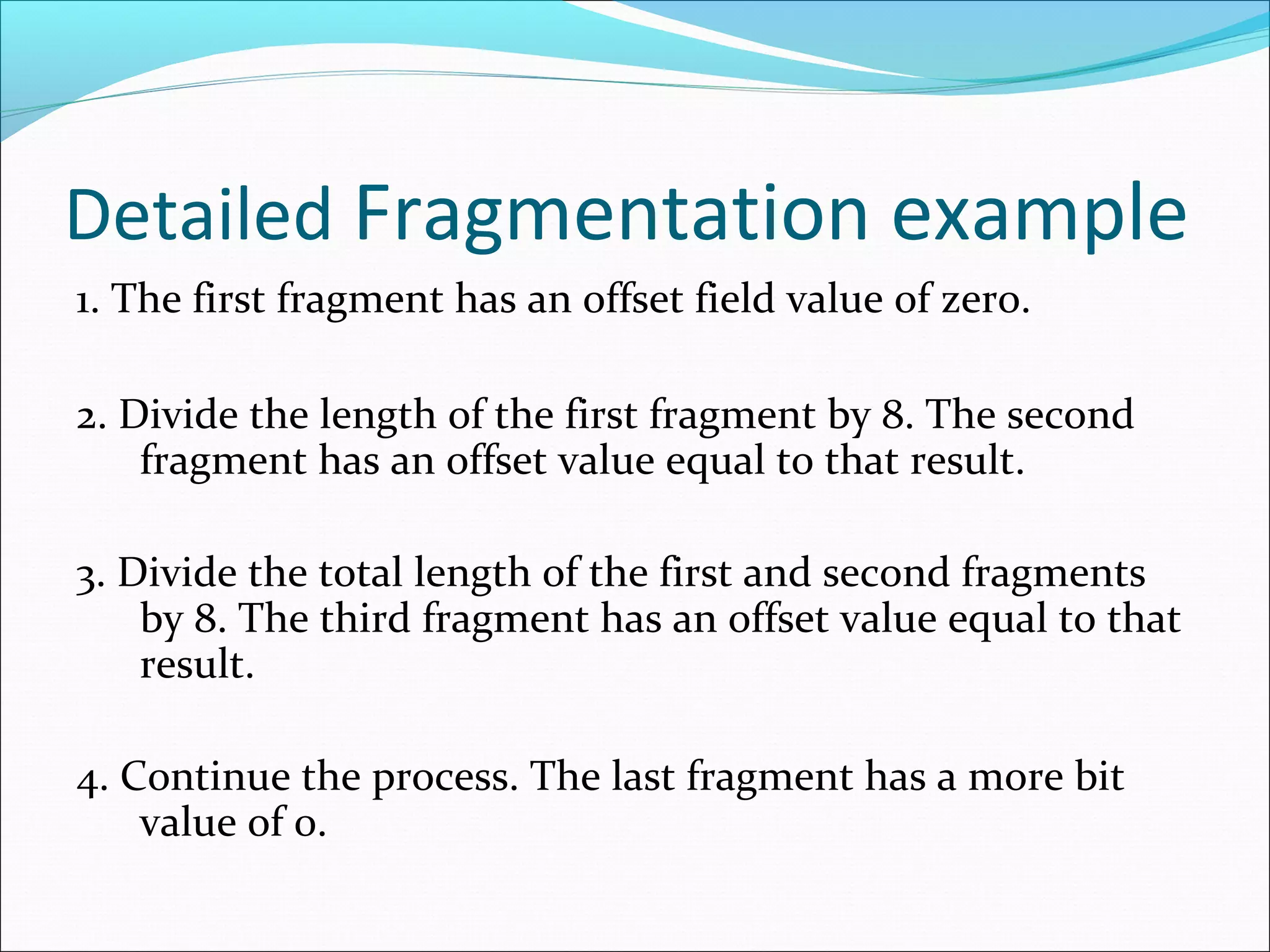
1. The first fragment has an offset field value of zero.
2. Divide the length of the first fragment by 8. The second
fragment has an offset value equal to that result.
3. Divide the total length of the first and second fragments
by 8. The third fragment has an offset value equal to that
result.
4. Continue the process. The last fragment has a more bit
value of 0.
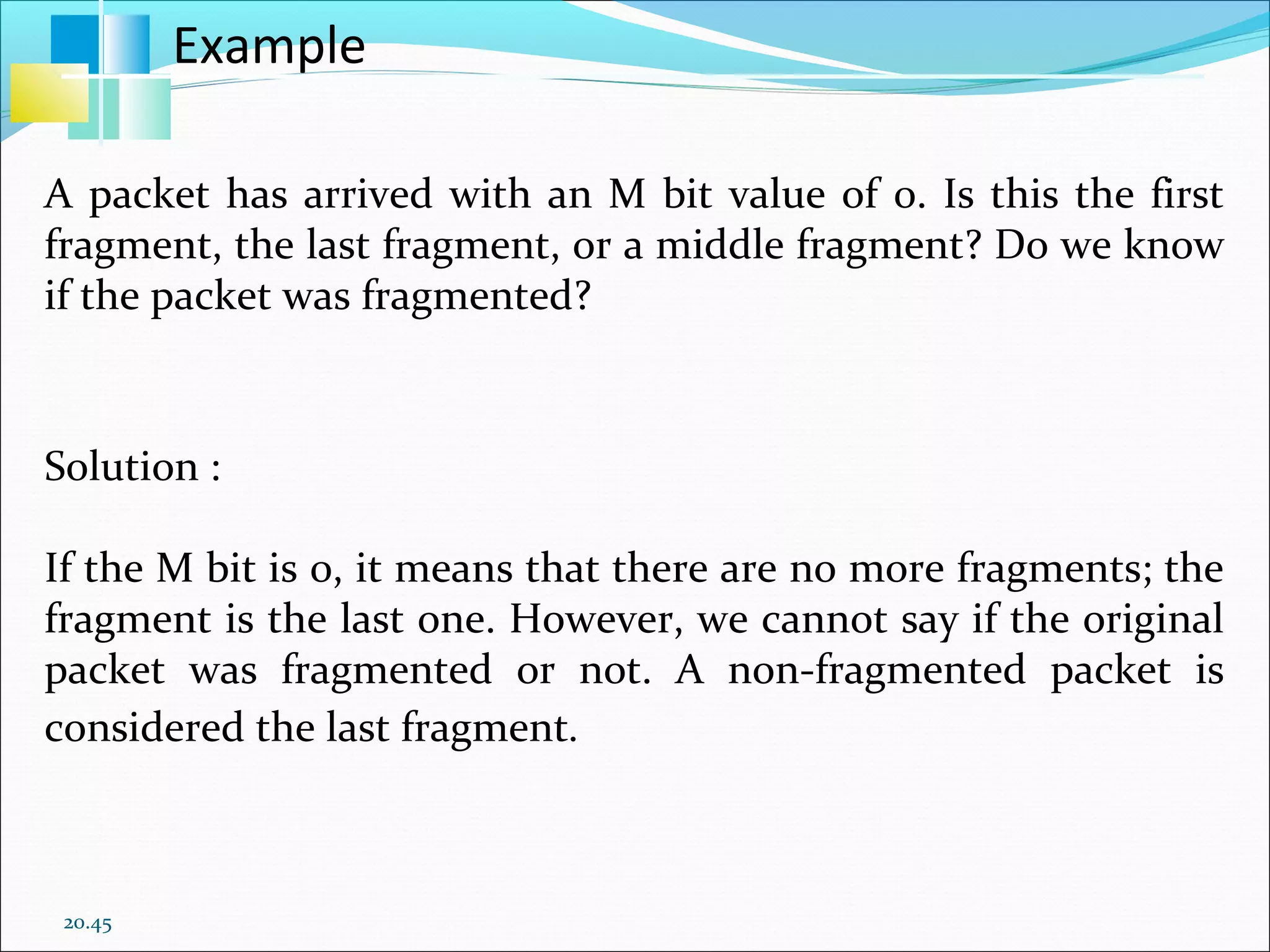
20.45
A packet has arrived with an M bit value of 0. Is this the first
fragment, the last fragment, or a middle fragment? Do we know
if the packet was fragmented?
Solution :
If the M bit is 0, it means that there are no more fragments; the
fragment is the last one. However, we cannot say if the original
packet was fragmented or not. A non-fragmented packet is
considered the last fragment.
Example
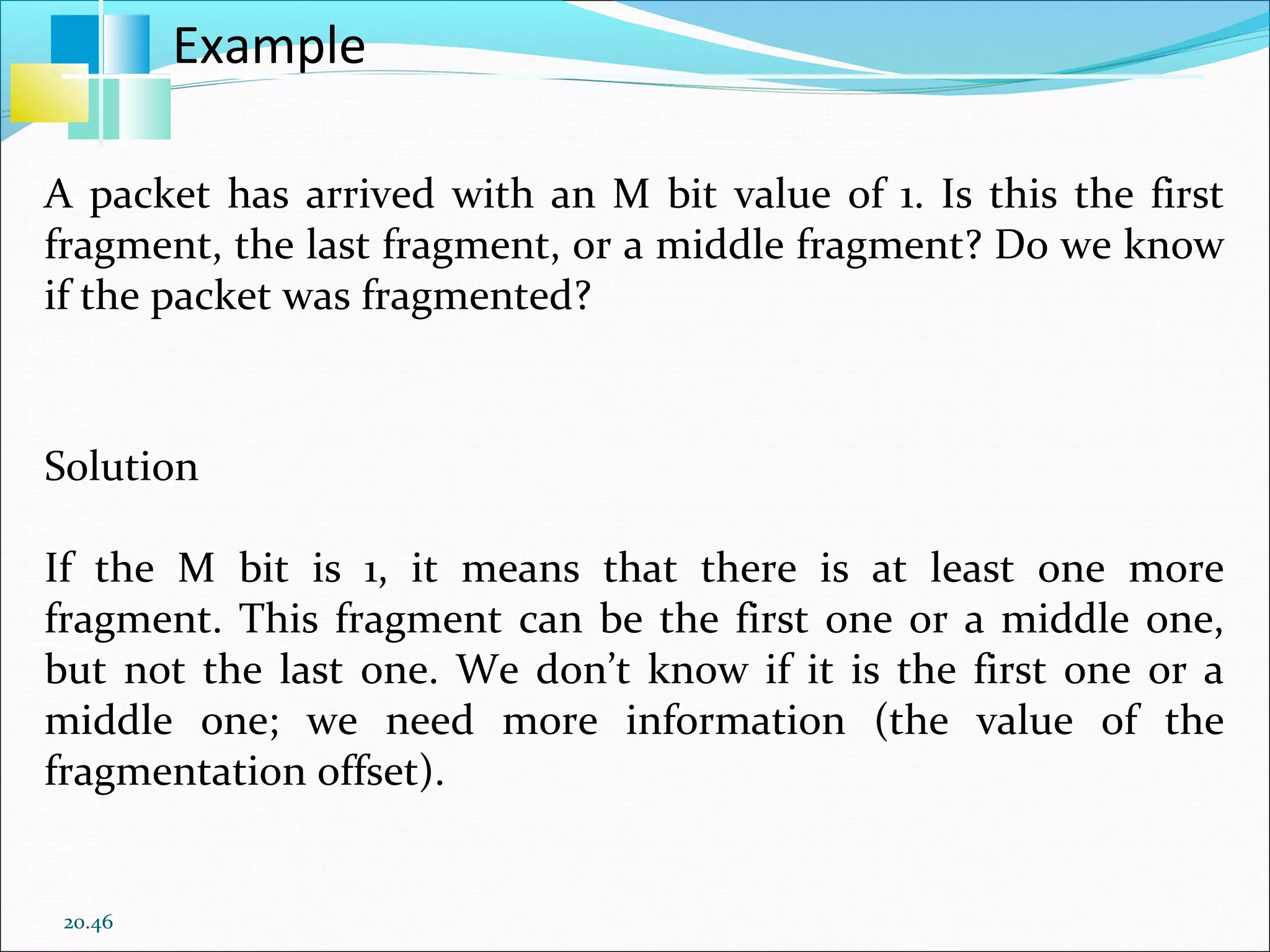
20.46
A packet has arrived with an M bit value of 1. Is this the first
fragment, the last fragment, or a middle fragment? Do we know
if the packet was fragmented?
Solution
If the M bit is 1, it means that there is at least one more
fragment. This fragment can be the first one or a middle one,
but not the last one. We don’t know if it is the first one or a
middle one; we need more information (the value of the
fragmentation offset).
Example
20.47
A packet has arrived with an M bit value of 1 and a
fragmentation offset value of 0. Is this the first fragment, the
last fragment, or a middle fragment?
Solution
Because the M bit is 1, it is either the first fragment or a middle
one. Because the offset value is 0, it is the first fragment.
Example
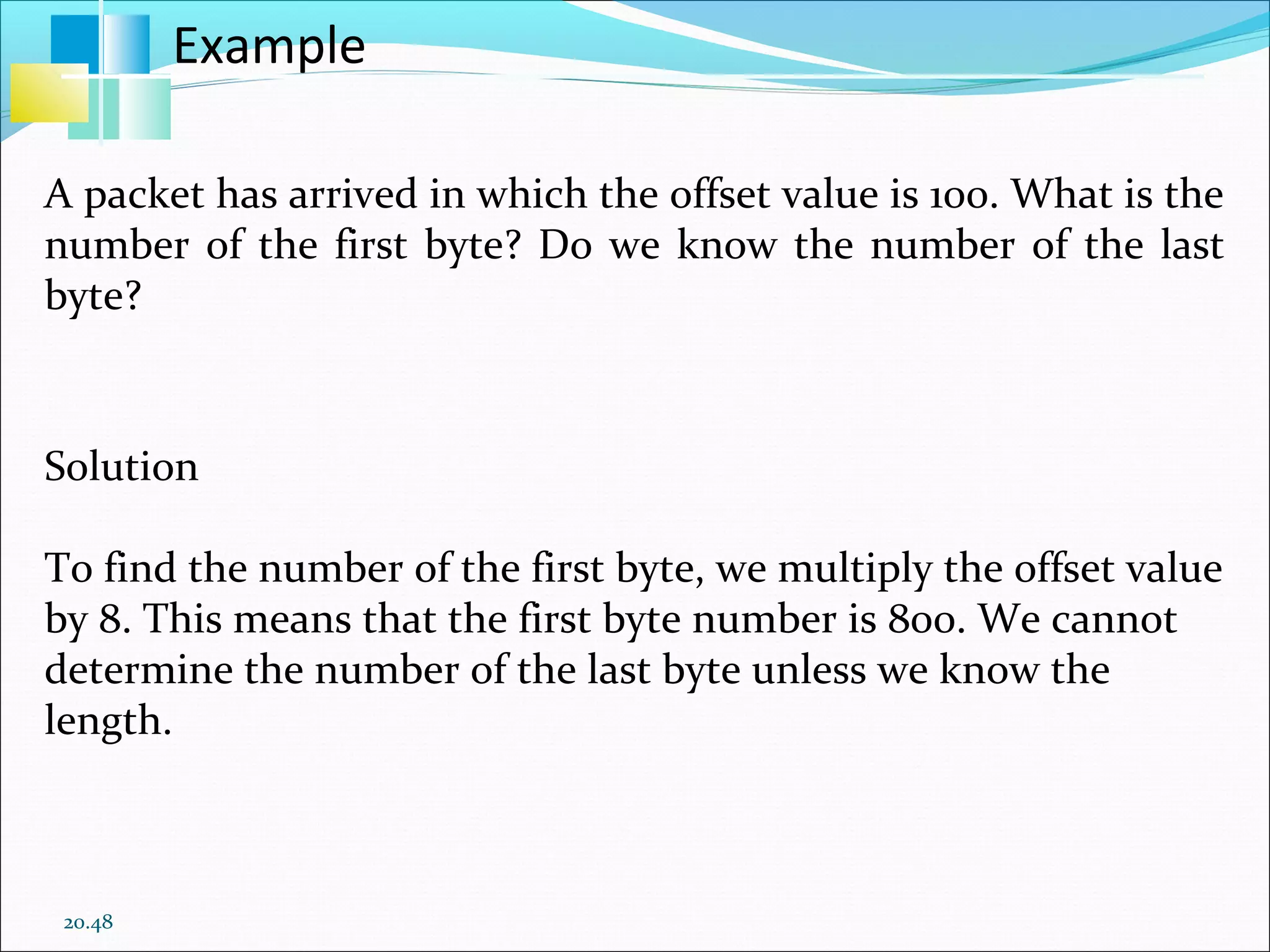
20.48
A packet has arrived in which the offset value is 100. What is the
number of the first byte? Do we know the number of the last
byte?
Solution
To find the number of the first byte, we multiply the offset value
by 8. This means that the first byte number is 800. We cannot
determine the number of the last byte unless we know the
length.
Example
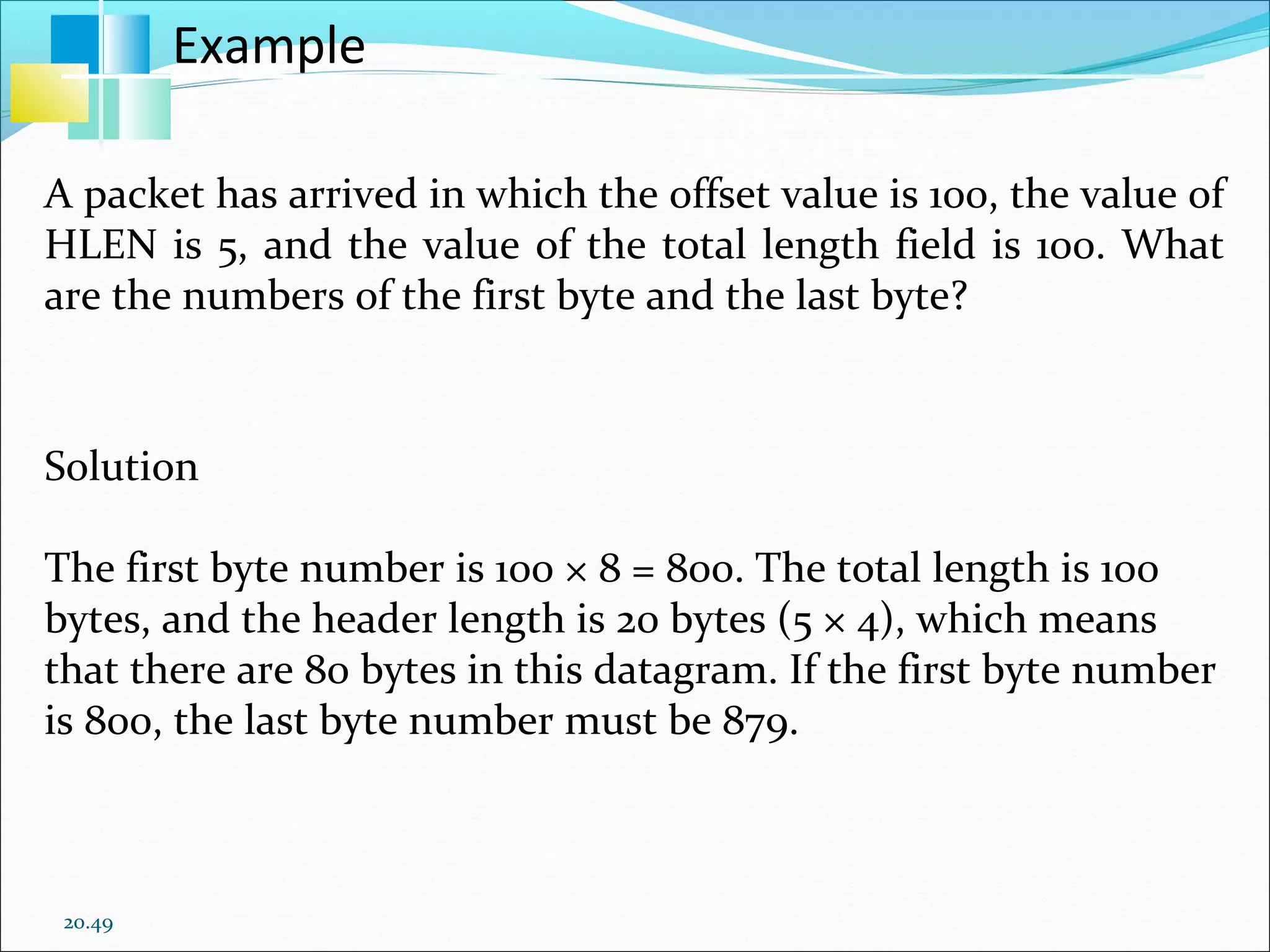
20.49
A packet has arrived in which the offset value is 100, the value of
HLEN is 5, and the value of the total length field is 100. What
are the numbers of the first byte and the last byte?
Solution
The first byte number is 100 × 8 = 800. The total length is 100
bytes, and the header length is 20 bytes (5 × 4), which means
that there are 80 bytes in this datagram. If the first byte number
is 800, the last byte number must be 879.
Example
Checksum
 The checksum in the IPv4 packet covers only the header,
not the data.
 The implementation of the checksum in the IPv4 packet
follows the same principles.
 First, the value of the checksum field is set to 0. Then the
entire header is divided into 16-bit sections and added
together. The result (sum) is complemented and inserted
into the checksum field.
Options
Options, as the name implies, are not required for a
datagram.
They can be used for network testing and debugging.
Although options are not a required part of the IPv4
header, option processing is required of the IPv4 software.
Options
Options
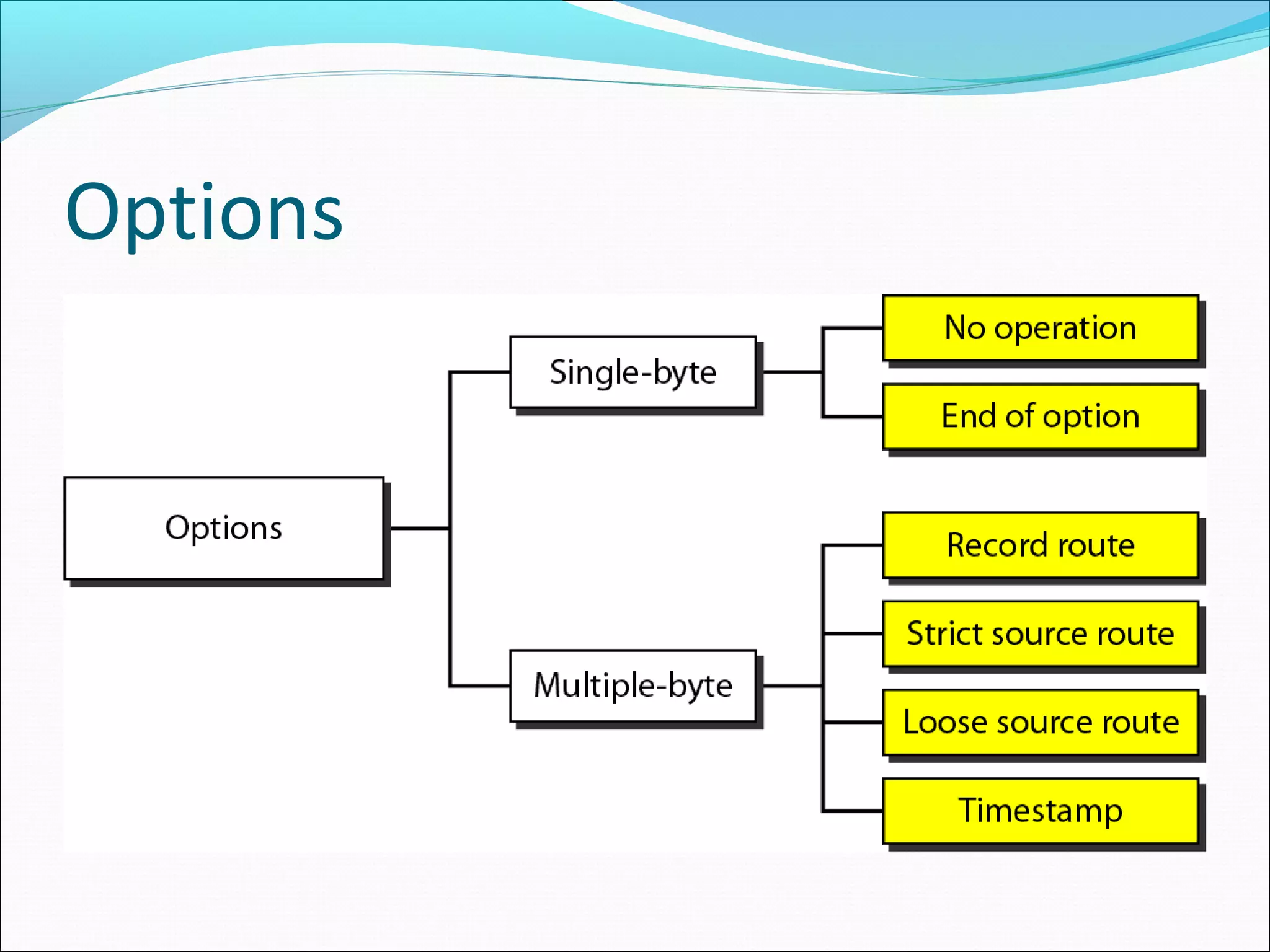
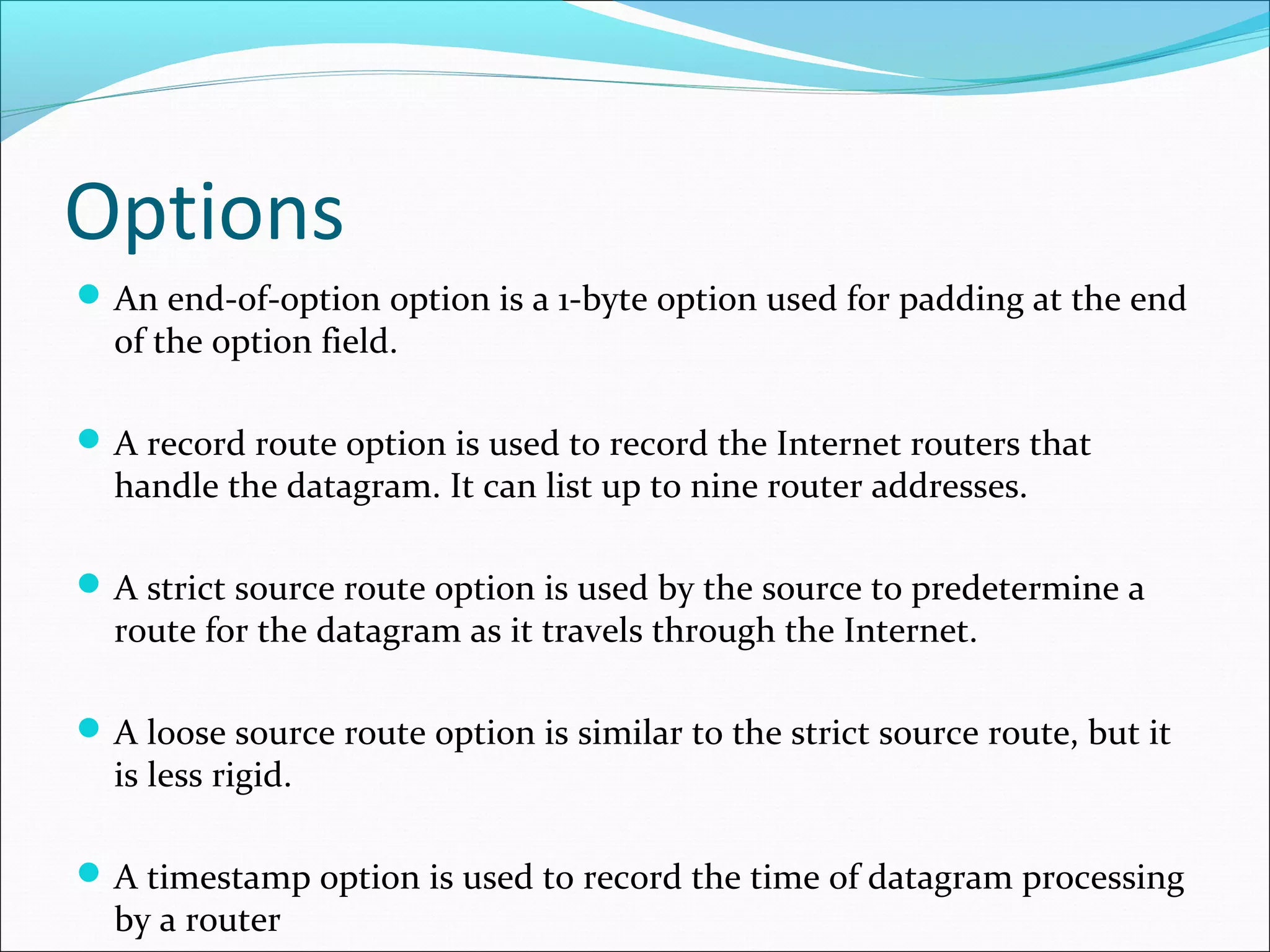
An end-of-option option is a 1-byte option used for padding at the end
of the option field.
A record route option is used to record the Internet routers that
handle the datagram. It can list up to nine router addresses.
A strict source route option is used by the source to predetermine a
route for the datagram as it travels through the Internet.
A loose source route option is similar to the strict source route, but it
is less rigid.
A timestamp option is used to record the time of datagram processing
by a router

IPV4 Frame Format

  • 1.
  • 2.
    Introduction The Internet Protocolversion 4 (IPv4) is the delivery mechanism used by the TCP/IP protocols. IPv4 is an unreliable and connectionless datagram protocol-a best-effort delivery service. The term best-effort means that IPv4 provides no error control or flow control. If reliability is important, IPv4 must be paired with a reliable protocol such as TCP.
  • 3.
    Introduction An example ofa more commonly understood best-effort delivery service is the post office. The post office does its best to deliver the mail but does not always succeed. If an unregistered letter is lost, it is up to the sender or would-be recipient to discover the loss and rectify the problem. The post office itself does not keep track of every letter and cannot notify a sender of loss or damage.
  • 4.
  • 5.
    Protocol Suite Simple NetworkManagement Protocol (SNMP) is the protocol governing network management and the monitoring of network devices and their functions. BOOTP (Bootstrap Protocol) is a protocol that lets a network user be automatically configured (receive an IP address) and have an operating system booted (initiated) without user involvement. Stream Control Transmission Protocol (SCTP) is a transport layer protocol, serving in a similar role to the TCP and UDP. It provides some of the same service features of both: it is message-oriented like UDP and ensures reliable, in-sequence transport of messages with congestion control like TCP.
  • 6.
    Protocol Suite The InternetGroup Management Protocol (IGMP) is an Internet protocol that provides a way for an Internet computer to report its multicast group membership to adjacent routers. Trivial File Transfer Protocol (TFTP) is a file transfer protocol notable for its simplicity. It is generally used for automated transfer of configuration or boot files between machines in a local environment.
  • 7.
    Introduction IPv4 is alsoa connectionless protocol for a packet- switching network that uses the datagram approach. This means that each datagram is handled independently, and each datagram can follow a different route to the destination.
  • 8.
  • 9.
    Datagram Format Packets inthe IPv4 layer are called datagrams. A datagram is a variable-length packet consisting of two parts: header and data. The header is 20 to 60 bytes in length and contains information essential to routing. Version (VER). This 4-bit field defines the version of the IPv4 protocol. Currently the version is 4. However, version 6 (or IPng) may totally replace version 4 in the future.
  • 10.
    Datagram Format Header length(HLEN). This 4-bit field defines the total length of the datagram header in 4-byte words.  This field is needed because the length of the header is variable (between 20 and 60 bytes). Services. IETF has changed the interpretation and name of this 8-bit field. This field, previously called service type, is now called differentiated services.
  • 11.
    Datagram Format Service Type Inthis interpretation, the first 3 bits are called precedence bits. The next 4 bits are called type of service (TOS) bits, and the last bit is not used. Precedence is a 3-bit subfield ranging from 0 (000 in binary) to 7 (111 in binary). The precedence defines the priority of the datagram in issues such as congestion.
  • 12.
    Datagram Format If arouter is congested and needs to discard some datagrams, those datagrams with lowest precedence are discarded first. TOS bits is a 4-bit subfield with each bit having a special meaning. Although a bit can be either 0 or 1, one and only one of the bits can have the value of 1 in each datagram.
  • 13.
    Service type ordifferentiated services
  • 14.
  • 15.
  • 16.
    Differentiated Services In thisinterpretation, the first 6 bits make up the codepoint subfield, and the last 2 bits are not used. The codepoint subfield can be used in two different ways. When the 3 rightmost bits are 0’s, the 3 leftmost bits are interpreted the same as the precedence bits in the service type interpretation. In other words, it is compatible with the old interpretation.
  • 17.
    Differentiated Services When the3 rightmost bits are not all 0’s, the 6 bits define 64 services based on the priority assignment by the Internet or local authorities according to Table. The first category contains 32 service types; the second and the third each contain 16. The first category (numbers 0, 2,4, ... ,62) is assigned by the Internet authorities (IETF). The second category (3, 7, 11, 15,…, 63) can be used by local authorities (organizations).
  • 18.
    Differentiated Services The thirdcategory (1, 5, 9,….,61) is temporary and can be used for experimental purposes. Note that the numbers are not contiguous.
  • 19.
  • 20.
    Datagram Format Total length.This is a 16-bit field that defines the total length (header plus data) of the IPv4 datagram in bytes. To find the length of the data coming from the upper layer, subtract the header length from the total length. The total length field defines the total length of the datagram including the header.
  • 21.
    Datagram Format The headerlength can be found by multiplying the value in the HLEN field by 4. Length of data =total length - header length Since the field length is 16 bits, the total length of the IPv4 datagram is limited to 65,535 (2^16 - 1) bytes, of which 20 to 60 bytes are the header and the rest is data from the upper layer.
  • 22.
    Encapsulation of asmall datagram in an Ethernet frame
  • 23.
    Datagram Format Identification. Thisfield is used in fragmentation. Flags. This field is used in fragmentation. Fragmentation offset. This field is used in fragmentation. Time to live. A datagram has a limited lifetime in its travel through an internet. This field was originally designed to hold a timestamp, which was decremented by each visited router. The datagram was discarded when the value became zero
  • 24.
    Datagram Format Protocol. This8-bit field defines the higher-level protocol that uses the services of the IPv4 layer. An IPv4 datagram can encapsulate data from several higher-level protocols such as TCP, UDP, ICMP, and IGMP. This field specifies the final destination protocol to which the IPv4 datagram is delivered.
  • 25.
  • 26.
  • 27.
    Datagram Format Checksum. Source address.This 32-bit field defines the IPv4 address of the source. This field must remain unchanged during the time the IPv4 datagram travels from the source host to the destination host. Destination address. This 32-bit field defines the IPv4 address of the destination. This field must remain unchanged during the time the IPv4 datagram travels from the source host to the destination host
  • 28.
    20.28 An IPv4 packethas arrived with the first 8 bits as shown: 01000010 The receiver discards the packet. Why? Solution There is an error in this packet. The 4 leftmost bits (0100) show the version, which is correct. The next 4 bits (0010) show an invalid header length (2 × 4 = 8). The minimum number of bytes in the header must be 20. The packet has been corrupted in transmission. Example
  • 29.
    20.29 In an IPv4packet, the value of HLEN is 1000 in binary. How many bytes of options are being carried by this packet? Solution The HLEN value is 8, which means the total number of bytes in the header is 8 × 4, or 32 bytes. The first 20 bytes are the base header, the next 12 bytes are the options. Example
  • 30.
    Fragmentation Data field ofa large IP packet is fragmented. The fragments are sent into a series of smaller IP packets fitting a network’s MTU. Fragmentation is done by routers Fragmentation may be done multiple times along the route.
  • 31.
    Fragmentation If IP packetis longer than the MTU, the router breaks packet into smaller packets. Called IP fragments. Fragments are still IP packets.
  • 32.
    Fragmentation Maximum Transfer Unit(MTU) Each data link layer protocol has its own frame format in most protocols. One of the fields defined in the format is the maximum size of the data field. In other words, when a datagram is encapsulated in a frame, the total size of the datagram must be less than this maximum size.
  • 33.
    Fragmentation A maximum transmissionunit (MTU) is the largest size packet or frame, specified in octets (eight-bit bytes), that can be sent in a packet- or frame-based network such as the Internet. In a case where a router receives a protocol data unit (PDU) larger than the next hop's MTU. It has two options if the transport is IPv4: drop the PDU and send an ICMP message which indicates the condition Packet too Big, or fragment the IP packet and send it over the link with a smaller MTU.
  • 34.
    Fragmentation The value ofthe MTU depends on the physical network protocol.
  • 35.
    MTUs for somenetworks
  • 36.
    Fields Related to Fragmentation Identification.This 16-bit field identifies a datagram originating from the source host. The combination of the identification and source IPv4 address must uniquely define a datagram as it leaves the source host. To guarantee uniqueness, the IPv4 protocol uses a counter to label the datagrams. All fragments have the same identification number, the same as the original datagram.
  • 37.
    Fields Related to Fragmentation Flags.This is a 3-bit field. The first bit is reserved. The second bit is called the do not fragment bit. If its value is 1, the machine must not fragment the datagram. If it cannot pass the datagram through any available physical network, it discards the datagram and sends an ICMP error message to the source host
  • 38.
  • 39.
    Fields Related to Fragmentation Ifits value is 0, the datagram can be fragmented if necessary. The third bit is called the more fragment bit. If its value is 1, it means the datagram is not the last fragment; there are more fragments after this one. Fragmentation offset. This 13-bit field shows the relative position of this fragment with respect to the whole datagram.
  • 40.
    Fields Related to Fragmentation Itis the offset of the data in the original datagram measured in units of 8 bytes. The bytes in the original datagram are numbered 0 to 3999. The first fragment carries bytes 0 to 1399. The offset for this datagram is 0/8 =0 The second fragment carries bytes 1400 to 2799; the offset value for this fragment is 1400/8 = 175.
  • 41.
    Fields Related to Fragmentation Finally,the third fragment carries bytes 2800 to 3999. The offset value for this fragment is 2800/8 =350. Notice the value of the identification field is the same in all fragments.
  • 42.
  • 43.
  • 44.
    Detailed Fragmentation example 1.The first fragment has an offset field value of zero. 2. Divide the length of the first fragment by 8. The second fragment has an offset value equal to that result. 3. Divide the total length of the first and second fragments by 8. The third fragment has an offset value equal to that result. 4. Continue the process. The last fragment has a more bit value of 0.
  • 45.
    20.45 A packet hasarrived with an M bit value of 0. Is this the first fragment, the last fragment, or a middle fragment? Do we know if the packet was fragmented? Solution : If the M bit is 0, it means that there are no more fragments; the fragment is the last one. However, we cannot say if the original packet was fragmented or not. A non-fragmented packet is considered the last fragment. Example
  • 46.
    20.46 A packet hasarrived with an M bit value of 1. Is this the first fragment, the last fragment, or a middle fragment? Do we know if the packet was fragmented? Solution If the M bit is 1, it means that there is at least one more fragment. This fragment can be the first one or a middle one, but not the last one. We don’t know if it is the first one or a middle one; we need more information (the value of the fragmentation offset). Example
  • 47.
    20.47 A packet hasarrived with an M bit value of 1 and a fragmentation offset value of 0. Is this the first fragment, the last fragment, or a middle fragment? Solution Because the M bit is 1, it is either the first fragment or a middle one. Because the offset value is 0, it is the first fragment. Example
  • 48.
    20.48 A packet hasarrived in which the offset value is 100. What is the number of the first byte? Do we know the number of the last byte? Solution To find the number of the first byte, we multiply the offset value by 8. This means that the first byte number is 800. We cannot determine the number of the last byte unless we know the length. Example
  • 49.
    20.49 A packet hasarrived in which the offset value is 100, the value of HLEN is 5, and the value of the total length field is 100. What are the numbers of the first byte and the last byte? Solution The first byte number is 100 × 8 = 800. The total length is 100 bytes, and the header length is 20 bytes (5 × 4), which means that there are 80 bytes in this datagram. If the first byte number is 800, the last byte number must be 879. Example
  • 50.
    Checksum  The checksumin the IPv4 packet covers only the header, not the data.  The implementation of the checksum in the IPv4 packet follows the same principles.  First, the value of the checksum field is set to 0. Then the entire header is divided into 16-bit sections and added together. The result (sum) is complemented and inserted into the checksum field.
  • 51.
    Options Options, as thename implies, are not required for a datagram. They can be used for network testing and debugging. Although options are not a required part of the IPv4 header, option processing is required of the IPv4 software.
  • 52.
  • 53.
    Options An end-of-option optionis a 1-byte option used for padding at the end of the option field. A record route option is used to record the Internet routers that handle the datagram. It can list up to nine router addresses. A strict source route option is used by the source to predetermine a route for the datagram as it travels through the Internet. A loose source route option is similar to the strict source route, but it is less rigid. A timestamp option is used to record the time of datagram processing by a router